Discover next-gen
AI tools & startups.
Curated directory of the best AI tools. Submit your project to get high-quality backlinks and traffic.
Why Choose thistools?
thistools is your go-to platform for discovering cutting-edge AI tools and innovative tech products. We curate the best tools from around the world, helping you find the perfect solutions for your productivity, automation, and creative needs.
Daily Curated Picks
Every day, we feature fresh AI tools and startups selected for quality and launch momentum.
Quality-First Curation
We prioritize tools that solve genuine problems and offer exceptional user experiences.
Community-Driven Rankings
Trending lists are driven by real user feedback so the most valuable tools rise.
>> LAUNCHING_TODAY

Fiftycore is a comprehensive startup intelligence and execution system designed to empower founders by significantly reducing uncertainty from idea conception through to market execution. It aims to guide entrepreneurs through the critical stages of building a business, ensuring they move forward with clarity, structure, and strategic direction. Most businesses fail not from a lack of vision, but from uncertainty and a lack of clarity. Founders often enter the market without sufficient understanding of demand, a solid strategic framework, or consistent guidance, leading to stagnation or failure. Fiftycore was born out of this gap, providing an integrated system to address these common pitfalls and increase the likelihood of startup success. The core of Fiftycore's offering lies in its three integrated layers. First, the Market Validation feature allows founders to ascertain if their idea has genuine demand before committing significant resources. This crucial step helps in confirming the market's receptiveness to the proposed solution. Second, the Reality Simulator provides a predictive environment where founders can see potential outcomes for their startup, including success, stagnation, or failure, offering a vital pre-building risk assessment. Third, the Due Diligence Deep Dive offers investor-grade risk analysis, equipping founders with a deep understanding of potential challenges and market dynamics. Beyond initial validation and risk assessment, Fiftycore focuses on sustained growth and operational efficiency. The Execution Protocol provides founders with daily tasks and AI-powered mentorship, ensuring they never stall and maintain consistent progress towards their goals. This feature acts as a proactive guide, helping founders navigate the complexities of day-to-day operations and strategic implementation. Complementing these functions is the Founder Intelligence Graph, which maps the startup's ecosystem and the founder's capabilities, offering a holistic view for better decision-making and strategic alignment. Fiftycore's unique approach is to create a continuously evolving intelligence system around the startup. Instead of providing generic reports, it offers personalized insights and actionable guidance tailored to the specific venture. This system helps founders think better, make more informed decisions, and execute their strategies with a clear sense of direction, effectively transforming uncertainty into actionable intelligence. The benefits for users are substantial, primarily revolving around the reduction of risk and the enhancement of strategic execution. By validating ideas early, simulating potential outcomes, and providing ongoing mentorship, Fiftycore helps founders save time, money, and emotional energy. It fosters a more structured and confident approach to entrepreneurship, leading to more robust business strategies and a higher probability of achieving sustainable success. Concrete use cases for Fiftycore include pre-launch idea testing, where founders can rigorously evaluate market demand and potential pitfalls using the validation and simulation tools. It's also invaluable for investor readiness, as the due diligence feature prepares founders for critical conversations by providing comprehensive risk analysis. Furthermore, the execution protocol supports daily operations, ensuring consistent progress, while the intelligence graph aids in strategic planning and founder development. Fiftycore is primarily a web-based SaaS platform, leveraging artificial intelligence to deliver its services. While specific integrations and tech stack details are not explicitly mentioned, its focus on AI and data analysis suggests a sophisticated backend infrastructure. The product is currently offered with free options, indicating a potential freemium model or introductory access. In essence, Fiftycore acts as a co-pilot for founders, transforming the often-turbulent journey of building a startup into a more predictable and manageable process. It empowers entrepreneurs to move from guesswork to informed action, laying a stronger foundation for innovation and growth.

DocuSmart AI is a powerful tool designed to help organizations, particularly nonprofits and SMEs, overcome the challenges of fragmented internal knowledge. It allows users to search across all their connected internal documents using simple, plain English queries, providing instant answers without the need for file migration or reorganization. The primary goal is to transform scattered information into a single, easily accessible system. The problem DocuSmart AI addresses is the pervasive issue of 'document chaos' within organizations. Many teams, especially in the nonprofit and SME sectors, find themselves spending excessive hours sifting through numerous Google Drive folders, old email threads, and SharePoint sites just to locate a single piece of information. This inefficiency not only wastes valuable time but also hinders productivity and decision-making, as critical data remains buried and inaccessible. One of the core features of DocuSmart AI is its ability to perform searches across multiple document repositories simultaneously. This includes popular platforms like Google Drive, SharePoint, and Dropbox, consolidating access to information from disparate sources into one unified interface. This eliminates the need for users to manually switch between different cloud storage services or internal systems to find what they need. Another key capability is the use of plain English for all queries. Users do not need to learn complex search syntax or keywords. They can simply ask a question as they would to a colleague, and DocuSmart AI interprets the natural language to retrieve the most relevant information. This makes the tool highly accessible and user-friendly for individuals across all technical skill levels. The platform emphasizes a 'no migration, no reorganizing' approach. This is a significant advantage for businesses that are hesitant to undertake complex IT projects or disrupt their existing workflows. DocuSmart AI connects to existing document storage solutions in place, meaning users can start searching immediately without the hassle of moving or restructuring their files. DocuSmart AI is built to deliver instant answers. By leveraging advanced search and AI capabilities, it quickly processes queries and identifies the exact information required from the connected documents. This immediate retrieval of data is crucial for improving efficiency and enabling faster responses to internal and external inquiries. The product's unique approach lies in its ability to create a unified knowledge system from fragmented sources without imposing disruptive changes on the user's existing infrastructure. It acts as an intelligent layer on top of current document management systems, making information retrieval seamless and intuitive. The benefits for users are substantial, primarily revolving around significant time savings and increased productivity. By eliminating the hours spent searching for documents, teams can focus on more strategic tasks. The ease of access to information also leads to better-informed decisions and quicker problem-solving. Specific use cases include nonprofits needing to quickly find data for funder reports, SMEs looking for project-specific documentation or client records, and any team aiming to reduce the time wasted on searching for information. It's ideal for scenarios where knowledge is spread across various cloud storage services and internal drives. DocuSmart AI is particularly targeted towards nonprofits and SMEs. While specific pricing and tech stack details are not explicitly provided in the content, the emphasis on ease of use and integration suggests a web-based platform designed for accessibility. The product is actively seeking early adopters to help shape its future development. In summary, DocuSmart AI offers a straightforward yet powerful solution to the common problem of fragmented internal knowledge, enabling organizations to find information quickly and efficiently through plain English search without the burden of migration.

College Fit Project is a tool designed to assist individuals in their college search process. It aims to move beyond traditional university rankings to help users find institutions that are a true match for their personal needs and preferences. The platform allows users to create a personalized scorecard by evaluating colleges based on a comprehensive set of over 40 data factors. The traditional college search often relies heavily on prestige and rankings, which may not align with an individual student's specific requirements or learning style. This can lead to students attending institutions that are not the best fit for their academic, social, or financial situation. College Fit Project addresses this by providing a more nuanced and personalized approach to college selection, ensuring that students can make informed decisions based on a wider range of relevant criteria. A core feature of College Fit Project is its ability to incorporate over 40 data factors into a personalized scorecard. These factors include standard metrics such as tuition costs, acceptance rates, and campus size. Additionally, the platform uniquely integrates AI-evaluated custom criteria, allowing users to define and assess schools based on highly specific interests or needs, such as a particular academic program or campus environment. The AI-evaluated custom criteria feature is particularly powerful. Users can input specific requirements, and the AI can evaluate whether a school meets these criteria. This evaluation can be a simple Yes/No answer, for example, determining if a school has a specific program like puppetry or theater. Alternatively, the AI can provide a scaled rating, such as assessing how close a school is to a ski mountain on a scale of 1 to 10. This flexibility ensures that a wide array of personal preferences can be quantitatively assessed. For users who need to compare multiple institutions simultaneously, College Fit Project offers a side-by-side comparison view. While the free version allows for the evaluation of a single school, the paid version expands this capability to compare up to 50 schools. This feature is crucial for weighing the trade-offs between different colleges, such as comparing an in-state option against a more expensive out-of-state university, making the decision-making process more efficient and less tedious. The platform's methodology centers on creating a data-driven, personalized match rather than relying on generic rankings. By allowing users to define their own priorities and evaluate colleges across a broad spectrum of factors, it provides a more accurate reflection of institutional fit. The use of AI for custom criteria evaluation adds a layer of sophistication, enabling the assessment of unique and subjective preferences. The primary benefit for users is the ability to make more informed and personalized college decisions. By moving beyond superficial rankings, students can identify schools that truly align with their academic goals, personal interests, and financial considerations. This leads to a higher likelihood of student satisfaction and success in their chosen institution. Concrete use cases include students looking for specific niche programs, such as theater or puppetry, and wanting to see how schools measure up. It's also useful for families trying to balance cost with other factors, like climate or campus size, or for students who want to understand the trade-offs between different types of institutions, like public vs. private or in-state vs. out-of-state. College Fit Project is free to start, with a paid version available for more extensive comparison capabilities. The target audience includes high school students, their parents, and guidance counselors who are navigating the complex college application process. The website is https://www.collegefitproject.com/. Ultimately, College Fit Project empowers students to discover colleges that are the best fit for them by leveraging personalized data and AI-driven insights, ensuring a more tailored and successful college search experience.

LeanUp is an innovative AI-powered calorie tracker application designed to significantly simplify the process of logging food and monitoring nutritional intake. It aims to remove the common friction points associated with traditional diet tracking, making healthy eating more accessible and sustainable for its users. The app is built for anyone who wants to understand their diet better, manage their weight, or achieve specific fitness goals without the usual hassle. The core problem LeanUp addresses is the time-consuming and often tedious nature of manual calorie and macro tracking. Many existing apps require users to search extensive databases, manually input portion sizes, or spend considerable time logging every single item consumed. This complexity often leads to user frustration and abandonment of tracking efforts, not due to a lack of motivation, but because the process itself becomes a chore. LeanUp was developed to solve this by leveraging artificial intelligence to automate and streamline these tasks. One of LeanUp's key features is its AI-driven food logging capability. Users can simply take a photo of their meal, and the app's AI will identify the food items and estimate portion sizes, automatically logging the nutritional information. This visual logging method drastically reduces the time and effort required compared to manual entry. Complementing this is the barcode scanning feature, which allows for rapid logging of packaged foods by scanning their unique identifiers, instantly retrieving detailed nutritional data. Another significant capability is the AI meal planning functionality. LeanUp can generate personalized meal plans and suggest recipes tailored to the user's dietary goals and preferences. This proactive feature helps users plan their intake in advance, ensuring they stay on track with their nutrition without having to constantly devise new meal ideas. This is further supported by an AI nutrition coach, an interactive tool that users can query with questions about their diet, providing on-demand insights and guidance. The app also excels in providing smart nutrition insights. By analyzing the logged food data, LeanUp offers users a clear overview of their calorie consumption, macronutrient breakdown (protein, carbohydrates, fats), and overall dietary patterns. This comprehensive tracking and analysis empower users to make more informed decisions about their food choices and understand the impact of their diet on their health and fitness objectives. LeanUp's approach is centered around minimizing user effort through intelligent automation. Instead of burdening the user with data entry, the app uses AI to perform the heavy lifting. The user experience is designed to be intuitive and fast, focusing on making the most challenging part of nutrition tracking—the logging—as seamless as possible. This allows users to focus more on their health goals and less on the mechanics of tracking. The primary benefits for users include significant time savings, reduced frustration with food logging, and a clearer understanding of their nutritional intake. By making tracking effortless, LeanUp aims to increase adherence to healthy eating habits and support users in achieving their wellness objectives more effectively. The personalized meal plans and AI coaching further enhance the user's ability to manage their diet proactively. Concrete use cases for LeanUp include individuals who want to quickly log their meals throughout the day by snapping photos, busy professionals who need efficient ways to track their macros, and people seeking personalized dietary guidance without consulting a nutritionist. It's also ideal for those who struggle with remembering to log their food or find manual entry too cumbersome, enabling them to maintain consistency in their tracking efforts. LeanUp is available as a mobile application, indicated by its launch on Product Hunt with Android as a topic. The app is free to use, suggesting a freemium model or a completely free offering. The technology stack includes Flutter, as indicated by the 'Built With' section, and it utilizes RevenueCat for subscription management. The development team includes Ahmer Saud and Hafeez Ahmed. In summary, LeanUp revolutionizes calorie and macro tracking by employing AI to automate food logging, provide personalized meal plans, and offer intelligent nutrition insights, making healthy eating an effortless and integrated part of the user's daily life.
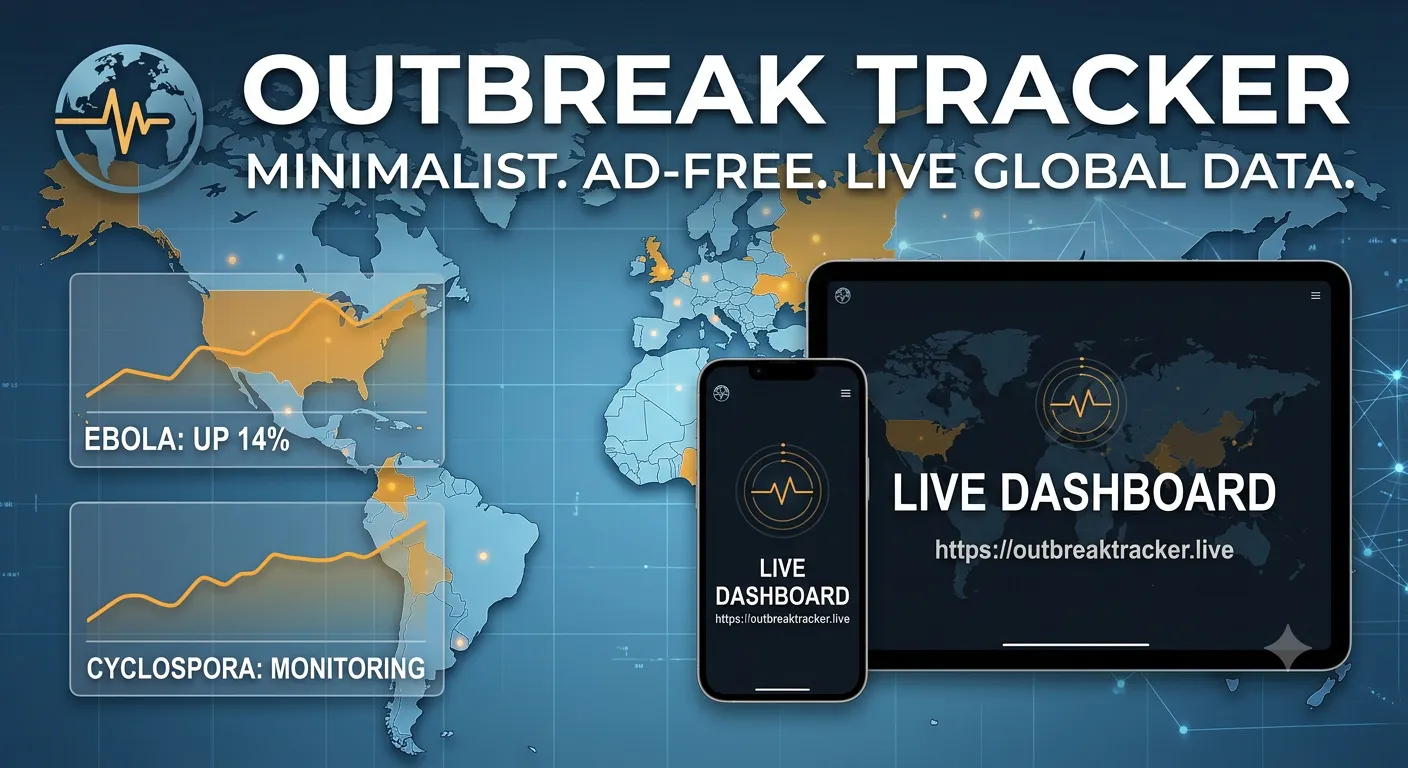
Threat Surveillance is a minimalist, ad-free global virus and outbreak dashboard designed to provide users with immediate access to critical pathogen data. It serves as a live monitoring utility for global pathogen information, catering to individuals and professionals who need quick, reliable updates on disease outbreaks. Official public health portals are often slow, fragmented, or buried within extensive PDF documents, making it difficult to access timely information during an outbreak. Threat Surveillance addresses this problem by offering a streamlined, zero-bloat alternative that prioritizes speed and accessibility, ensuring users can get the data they need without delay, especially on low-bandwidth networks. The core functionality of Threat Surveillance is its ability to aggregate raw chronological metrics and transmission paths for ongoing disease spikes. This includes data for pathogens like Cyclospora and Ebola, presented in a clear and accessible layout. The platform is engineered for instant loading, a crucial feature for users in areas with limited internet connectivity or for those who cannot afford to wait for heavy, data-intensive sites to load. Key features include its ad-free nature and a strong emphasis on user privacy. Unlike many online platforms, Threat Surveillance avoids intrusive advertisements, ensuring a clean and focused user experience. The design prioritizes pure, accessible data layout over editorial noise, meaning the focus remains squarely on the information itself, making it easier to digest and understand critical outbreak details. Furthermore, the platform provides direct access to sourced information. When questioned about data provenance, the maker clarified that numerical data is pulled directly from cited sources, and each disease page offers clickable links for sourced information, ensuring transparency and trustworthiness in the data presented. Threat Surveillance operates on a principle of delivering essential data rapidly and efficiently. Its minimalist design and optimized performance mean it loads almost instantly, even on spotty connections. This approach contrasts with many health data sites that assume stable internet and load numerous charts before presenting useful information. The primary benefit for users is the ability to access up-to-date outbreak information quickly and without distraction. The platform's speed and clean interface allow for rapid assessment of disease spread and trends, which is vital for informed decision-making during health crises. The ad-free experience further enhances usability. Potential use cases include real-time monitoring of emerging infectious diseases, tracking the spread of known pathogens in specific regions, and quickly accessing data for research or public health awareness. It's useful for individuals concerned about travel safety, public health officials needing rapid data, and researchers monitoring epidemiological trends. Threat Surveillance is available for free. While specific integrations or tech stack details are not explicitly mentioned, the focus on speed and low-bandwidth performance suggests an optimized web application. The product is categorized under Health News. In summary, Threat Surveillance offers a fast, private, and ad-free solution for accessing critical global outbreak data, making it an indispensable tool for staying informed in a rapidly changing health landscape.

Postfleet is an email infrastructure solution designed specifically for AI agents. It addresses the critical security vulnerabilities that arise when AI agents are given direct access to email inboxes. The primary purpose of Postfleet is to act as a secure intermediary, ensuring that all incoming and outgoing email communications are safe, reliable, and properly processed before interacting with an AI agent. AI agents are increasingly being integrated into workflows that involve email communication. However, raw email inboxes present a significant attack surface. Threats such as prompt injection, where malicious instructions are embedded within emails to manipulate the agent's behavior, alongside traditional spam and viruses, pose substantial risks. Without proper safeguards, these vulnerabilities can lead to compromised agent performance, data breaches, and unintended actions. Postfleet was developed to mitigate these risks by providing a robust security layer for agent-based email interactions. One of the core features of Postfleet is its inbound message verification and screening. Every incoming email undergoes rigorous checks, including SPF, DKIM, and DMARC authentication, to ensure sender legitimacy. It also screens messages for spam and viruses, preventing malicious content from reaching the agent. Crucially, Postfleet employs advanced techniques to detect and neutralize prompt injection attempts, safeguarding the agent from manipulation. Another key capability is the parsed and comprehended delivery of inbound messages. Instead of presenting raw email text to the agent, Postfleet processes the content and delivers it as structured JSON, parsed according to a predefined schema. This ensures that the agent receives clean, organized data, eliminating the need for the agent to parse unstructured email content and reducing the risk of misinterpretation or errors. For outbound communications, Postfleet offers idempotent sending, which prevents accidental duplicate emails from being sent. It also includes an optional human approval step, allowing for a final review before an agent-generated email is dispatched. This feature adds an extra layer of control and accountability, particularly important for sensitive or high-stakes communications. Postfleet provides multiple ways for agents to interact with its services. It offers 6 MCP (Message Control Protocol) tools, designed for seamless integration into existing agent setups. Additionally, a comprehensive REST API is available for developers who need more programmatic control over email handling and agent communication workflows. The overall methodology of Postfleet is to treat the email inbox as a hostile environment by default. It acts as a security gateway, filtering and sanitizing all communications before they reach the AI agent. This proactive approach ensures that agents can safely leverage email as an input channel without being exposed to the inherent risks of direct inbox access. The benefits of using Postfleet include enhanced security for AI agents, preventing prompt injection and other cyber threats. It also improves agent reliability by providing clean, structured data, reducing errors and misinterpretations. The idempotent outbound sending and optional human approval ensure controlled and safe outgoing communications, minimizing risks associated with automated email. Postfleet can be used in various scenarios. For instance, an AI customer service agent can safely receive and process customer inquiries without the risk of prompt injection. An AI assistant managing internal communications can handle requests and notifications securely. Automated workflows that require agents to respond to emails can do so with confidence, knowing that the communication channel is protected. Postfleet is available with a free tier and does not require a credit card for signup. It is designed for developers and teams building AI agents that require email integration. The product is accessible via its web interface and REST API, with MCP tools available for easier integration. Specific details on the tech stack are not explicitly mentioned, but it is built with security and developer tooling in mind. In summary, Postfleet offers essential email infrastructure for AI agents, providing robust security, reliable data processing, and controlled outbound communications to enable safe and effective agent-based email interactions.

Clark is an AI coworker designed to operate with its own dedicated cloud computer, encompassing a browser, terminal, file system, and coding environment. It is intended for users who need to delegate complex, multi-step tasks to an AI and receive finished work, complete with supporting evidence. The primary purpose of Clark is to automate workflows that typically require human intervention, allowing users to offload these tasks and focus on other priorities. The current landscape of AI interaction often confines users to a chat window, limiting the scope of tasks that can be effectively automated. This approach can be inefficient for complex projects that require persistent state, access to tools, and the ability to execute multi-step processes. Clark addresses this by providing an AI with its own computational environment, moving beyond simple prompt-response interactions to full task completion. Clark's core functionality revolves around its ability to manage a cloud computer. This includes a built-in browser for web-based tasks, a terminal for command-line operations, and a file system for managing documents and code. Users can assign real-world tasks such as conducting wide, sourced research, building websites, generating spreadsheets, creating presentations, performing audits, or testing code. The AI can fan work out to parallel specialists, meaning it can break down a large task and assign parts of it to different AI agents working concurrently, which can then merge their results into a final artifact. Clark also offers scheduling capabilities, allowing tasks to be run at specific times or on a recurring basis. This is particularly useful for monitoring tasks or routine operations that need to be performed consistently. The AI returns artifacts that are accompanied by the evidence behind them, such as logs, screenshots, or source URLs, enabling users to inspect the process and verify the results. For developers, Clark provides Clark Code, which allows it to work within real code repositories. This feature enables the AI to make changes directly in a repository, similar to how tools like Codex or Claude operate, and can hand back a pull request or diff for review. This integration into development workflows aims to streamline coding tasks and code maintenance. Clark's approach is to provide an asynchronous workspace where tasks can be initiated, and users can step away, returning later to find the work completed. This is facilitated by its "own cloud computer" model, which ensures that the AI has a persistent and capable environment to execute tasks. The AI can also be embedded into other applications through an OpenAI-compatible API, allowing developers to integrate Clark's capabilities into their own products and services. The benefits for users include significant time savings, increased productivity, and the ability to tackle more complex projects without direct, continuous involvement. By offloading tasks to Clark, users can achieve outcomes like completed research reports, deployed websites, tested code, and organized data, all with verifiable evidence of the work performed. Concrete use cases for Clark include drafting documents, performing deep and wide research, prototyping toy projects, and handling tasks that require browser interaction like filling out forms. For software development, Clark Code serves as an alternative to traditional code assistants, capable of handling serious software development tasks. It can also manage calendars and perform scheduled monitoring. Clark is available on web and mobile platforms. It offers an OpenAI-compatible API for integration. While specific pricing details are not provided, the mention of "2000 credits" suggests a credit-based system or a free tier. The product is categorized under AI Workflow Automation and AI Engineer. In summary, Clark redefines AI assistance by providing a dedicated cloud computer for AI agents, enabling them to autonomously complete complex, real-world tasks and deliver verifiable results, thereby enhancing productivity and automating intricate workflows.

LiveDemo is a powerful tool designed to help founders, sales teams, and marketing professionals create compelling interactive product demonstrations. It allows users to capture any workflow from their product, add AI voiceovers and personalized text, and then share these demos in various formats, including links, embeds, GIFs, and videos. The platform also provides engagement tracking and lead collection capabilities, making it a comprehensive solution for showcasing products across websites, documentation, and sales outreach. The core problem LiveDemo addresses is the difficulty many companies face in effectively demonstrating their products. The adage "it is better to see once than to hear a hundred times" highlights the visual and interactive nature of effective product showcases. Many founders and developers can build great products but struggle with the crucial task of showing them off in a way that resonates with potential customers. This often leads to missed opportunities and sales pitches that fail to land, as the demo is treated as an afterthought rather than an integral part of the sales and marketing process. One of LiveDemo's key features is its ability to build interactive demos without requiring a dedicated designer or significant extra development work. Users can capture their product's workflows directly, transforming features into engaging demonstrations that are designed to convert. This streamlines the demo creation process, making it accessible to teams of all sizes. Another significant capability is the integration of AI voiceovers and personalized text. This allows for dynamic and engaging narration and content within the demos, making them more informative and tailored to specific audiences. The ability to add these elements enhances the storytelling aspect of the demonstration, further improving its effectiveness. LiveDemo offers versatile sharing options, allowing users to distribute their demos as links, embed them directly into websites or documentation, or export them as GIFs or videos. This flexibility ensures that demos can be used across various platforms and marketing channels, reaching potential customers wherever they are. Furthermore, the platform includes built-in engagement tracking and lead collection features. This provides valuable insights into how users interact with the demos, which features they engage with most, and allows for the capture of leads directly from the demo interface. This data is crucial for understanding customer interest and optimizing sales strategies. LiveDemo operates with a unique approach that emphasizes ease of use and flexibility. The process typically involves capturing a workflow using a Chrome extension, which then allows for the creation of an interactive demo. This demo can be enhanced with AI voiceovers and personalized text before being shared in multiple formats. For those who prefer more control, LiveDemo also offers an open-source, self-hostable version, providing greater privacy and customization options. The benefits for users are substantial. They can create polished, interactive demos quickly, without needing extensive technical or design resources. This leads to more effective sales pitches, improved product adoption, and better lead generation. The ability to keep demos up-to-date with product changes is also a significant advantage, preventing the common issue of stale demonstrations. Concrete use cases for LiveDemo include sales enablement, where sales teams can use personalized interactive demos to address specific prospect pain points during a sales call. Marketing teams can embed these demos on landing pages to showcase product features and capture leads. Developers can use LiveDemo to create clear demonstrations of new features for documentation or onboarding purposes. Founders can leverage it to quickly create compelling pitches for investors or early adopters. LiveDemo is designed for founders, sales engineers, and marketing professionals. It is an open-source alternative to tools like Storylane, Navattic, and Arcade. The self-hosted version requires Docker Compose and a Chrome extension for recording, with data stored in MongoDB and S3, and video processing via Mux. AI voiceovers require users to provide their own ElevenLabs or OpenAI API keys. The cloud subscription offers advanced analytics and lead capture behind a paid plan, while the open-source version includes these features on GitHub. In summary, LiveDemo provides an efficient and effective way to create, share, and track interactive product demonstrations, empowering businesses to showcase their offerings more compellingly and drive better conversion rates.

Mirage is a tool designed to help businesses and individuals create interactive, clickable product demonstrations quickly and efficiently. It is particularly useful for SaaS companies, bootstrapped projects, and anyone looking to showcase their application without the drawbacks of traditional video demos or expensive interactive platforms. The primary goal is to provide a professional and engaging way to demonstrate software functionality, making it accessible for marketing, sales, and onboarding purposes. The problem Mirage addresses is the common difficulty in creating effective product demos. Traditional methods often involve lengthy video recordings that users don't finish, or complex, costly software that is out of reach for many. This leaves a gap for a solution that is both easy to use and affordable, allowing users to effectively communicate their product's value without significant investment in time or money. One of the core features of Mirage is its one-click capture capability, allowing users to record their application's interface rapidly. This is complemented by the ability to add guided hotspots, which direct the user's attention to specific elements or actions within the demo. These hotspots can be customized with tooltips and timed to appear at appropriate moments, creating a guided walkthrough experience. The tool also focuses on the visual presentation, with features like cursor motion and spotlight focus to enhance user engagement and clarity. Mirage offers robust editing capabilities, allowing users to refine their demos after capture. This includes the ability to edit tooltips, swap screenshots, and adjust the timing of interactive elements. A key aspect of its editing functionality is the ease with which users can fix copy or redact sensitive data, significantly reducing the cleanup time often associated with demo creation. The platform is designed to make these edits take minutes rather than hours. Analytics are a crucial part of Mirage's offering. It provides tracking for demo views, completion rates, and per-step drop-off rates. This data allows users to identify exactly where potential customers or users are encountering issues or losing interest within the demo. By pinpointing these drop-off points, businesses can gain actionable insights to improve their product or user onboarding flow. The product works by taking a snapshot of each screen from the user's real application during the capture process. These snapshots are then used to create a static, interactive demo with clickable hotspots overlaid. This approach means that the demo does not connect to the live backend during playback, eliminating concerns about authentication, live data exposure, or API changes breaking the demo. It ensures that the demo remains stable and functional even if the underlying application evolves. The benefits of using Mirage include the ability to create engaging and informative product demonstrations quickly, reducing the time and cost associated with demo creation. The detailed analytics provide valuable insights into user behavior, enabling data-driven improvements. By offering a stable, interactive experience without requiring live app integration, Mirage builds trust and credibility with potential customers. Mirage is ideal for various use cases, including enhancing landing pages with interactive previews, creating compelling content for Product Hunt launches, and improving onboarding emails with clickable walkthroughs. It can also be used to showcase specific features or workflows of a SaaS product without requiring users to sign up or go through a lengthy sales call. Mirage is positioned as a free option for the first demo, with no credit card required, making it accessible for bootstrapped projects and individual developers. The product is available as a web application. The target audience includes SaaS founders, marketers, product managers, and developers looking for an efficient way to create and deploy interactive product demos. In summary, Mirage offers a fast, easy, and insightful way to transform your SaaS application into a clickable, interactive demo, empowering you to showcase your product effectively and understand user engagement like never before.

OpenMarkdown is a fast, light markdown editor that allows users to instantly open and edit any `.md` file. Its core functionality revolves around enabling seamless co-editing with AI agents, providing a local-first experience with no account requirements and no telemetry, ensuring that user files never leave their disk. The proliferation of AI agents in various workflows, from coding to planning and design, has highlighted the need for tools that can effectively integrate with these agents. Traditional markdown editors can be slow or cumbersome when interacting with AI, leading to inefficiencies. OpenMarkdown addresses this by offering a direct line for agents to read, write, and co-edit markdown files in real-time, bridging the gap between human input and AI assistance. One of the key features of OpenMarkdown is its agent co-editing capability. This allows AI agents to read highlighted text (only when explicitly requested), find and jump to specific sections within a file, and even co-edit the same file simultaneously with the user. This is facilitated through a CLI, an agent plugin, and MCP (Message Passing Interface), providing flexible integration points for various AI agents. The system is designed to handle concurrent edits, ensuring that user input is not overwritten and that the markdown file remains the source of truth. Another significant aspect is the editor's speed and responsiveness. Built with Tauri 2, OpenMarkdown is designed to be lightweight and avoids caching mechanisms that can consume excessive RAM. This focus on speed makes it ideal for quickly peeking at `.md` files and making minor corrections without the lag often associated with larger editors. This performance is crucial for users who need to rapidly compose prompts or make quick edits to markdown-based documents. The editor also supports a "co-edit mode" where specific commands, like `- [ ] [@agent] turn these notes into a table`, can trigger an agent for real-time collaboration. Once the agent completes its task, it can mark the item as complete and append a timestamp, enhancing the trackability and countability of planned tasks. This feature transforms simple notes into actionable and organized project elements. OpenMarkdown operates on a local-first principle, meaning all processing and file handling occur directly on the user's machine. This approach eliminates the need for accounts and prevents any data from being sent to external servers, thereby guaranteeing user privacy and data security. The absence of telemetry further reinforces this commitment to user privacy. The benefits for users include enhanced productivity through seamless AI collaboration, faster workflows due to the editor's speed, and peace of mind regarding data privacy and security. The ability to co-edit files with agents in real-time streamlines complex tasks and reduces the friction typically associated with integrating AI into writing and coding processes. Concrete use cases for OpenMarkdown include composing Claude Code prompts, where its speed prevents mis-sent messages. It's also valuable for managing project documentation, planning tasks with AI assistance, and collaborative writing where an AI agent can help structure or refine content in real-time. The interactive demo with an agent guidebook allows users to experience live co-editing firsthand. OpenMarkdown is currently available for macOS, with Linux and Windows versions planned. It is built using Tauri 2 and integrates with AI agents like Claude Code. The product is offered free of charge. The primary developer is XUEYANZ. In summary, OpenMarkdown provides a fast, secure, and private markdown editing experience that uniquely integrates AI agents for real-time co-editing, transforming how users interact with their documents and AI assistants.

Dictately is a voice dictation application designed specifically for macOS users. Its primary function is to convert spoken language into written text with high accuracy and speed, seamlessly integrating this capability into any application where text input is possible. The tool aims to provide a fluid and efficient way for users to dictate content directly into their documents, emails, chat messages, code editors, and more, eliminating the need for manual typing or copy-pasting. The core problem Dictately addresses is the inefficiency of traditional typing for individuals who think faster than they can type, or who simply prefer the speed and natural flow of speaking. Existing dictation solutions often fall short due to high costs, privacy concerns regarding data handling, or a lack of sophisticated formatting capabilities. Dictately seeks to bridge this gap by offering a powerful, private, and user-friendly dictation experience. One of Dictately's key features is its "just works" approach, requiring minimal setup. Users can install the app, select a hotkey, and begin speaking. The application automatically handles punctuation and cleans up filler words, ensuring the output text is polished and ready for use. This focus on zero configuration makes it accessible to a wide range of users, regardless of their technical expertise. Privacy is a significant consideration for Dictately. For English dictation, the processing can run entirely on-device, particularly on Apple Silicon Macs, meaning audio data never leaves the user's machine. For other languages, while cloud processing is used, the audio is discarded immediately after transcription and is never stored, providing a strong privacy guarantee. The application boasts support for over 99 languages, with an automatic detection feature that identifies the spoken language without manual selection. This broad language support, combined with smart formatting and context-aware AI, ensures that Dictately can accurately transcribe and format text across a diverse user base and a variety of content types. Dictately offers a custom vocabulary feature, accessible via a "Dictionary" tab within the app. Users can add specific technical terms, names, or jargon that the dictation engine might otherwise misinterpret. This personal glossary can be synced across devices, ensuring consistent accuracy for specialized vocabulary. Additionally, users can toggle on industry-specific packs (e.g., software, marketing, medical) to further enhance the accuracy for their particular field. The overall workflow of Dictately is designed for maximum efficiency. By holding a designated key, users can activate dictation. As they speak, the text appears in real-time within the active application. The AI then intelligently applies punctuation, capitalization, and formatting, such as recognizing a mix of markdown and plain text, reducing the need for post-dictation editing. This seamless integration aims to make dictation feel as natural as typing. The benefits for users include significant time savings, increased productivity, and a more comfortable and natural way to create written content. By reducing the reliance on manual typing, Dictately can help prevent strain and allow users to focus more on their thoughts and less on the mechanics of writing. Specific use cases for Dictately include drafting emails, writing documents, composing messages in collaboration tools like Slack, taking notes during meetings, and even writing code. The ability to dictate directly into any text field makes it versatile for a wide range of professional and personal tasks. Dictately is available for macOS and is designed for both Apple Silicon and Intel processors. The pricing model includes a free tier offering 2,000 words per month without requiring a credit card. Paid plans are available, with a monthly subscription of £6.99, which is positioned as roughly half the cost of alternatives. A lifetime license option is also offered, with future platform support planned for Windows, Linux, and mobile devices. In summary, Dictately provides a fast, accurate, and private voice dictation solution for Mac users, streamlining content creation by converting speech to clean, formatted text directly within any application, supported by advanced AI and extensive language capabilities.
>> ALL_LOGS

Dream Pixel AI is an innovative online platform designed to transform existing images into entirely new creations using advanced artificial intelligence. It empowers users to upload a photograph and then generate a multitude of new styles, backgrounds, characters, portraits, and diverse creative variations, all accessible through a user-friendly web interface. The core problem Dream Pixel AI addresses is the desire for rapid and accessible image manipulation and generation without the steep learning curve or complex software typically associated with such tasks. Many individuals and businesses need to quickly visualize different concepts, create unique assets, or reimagine existing visuals for various purposes, but lack the time, skills, or resources to do so effectively. This tool democratizes AI-powered image transformation, making it available to a broader audience. One of the key capabilities of Dream Pixel AI is its ability to generate new styles for uploaded images. Users can take a photograph and apply a wide range of artistic or thematic styles, fundamentally altering the aesthetic of the original image while retaining its core composition. This is useful for artists looking for inspiration, designers needing quick mockups, or individuals wanting to give their photos a unique artistic flair. Another significant feature is the generation of new backgrounds. Users can upload an image, perhaps a portrait or a product shot, and have the AI create entirely new and contextually relevant backgrounds. This is invaluable for photographers, e-commerce businesses, and content creators who need to place subjects in diverse or imaginative settings without the need for physical location shoots or complex compositing. The platform also excels at creating new characters and portraits. By uploading an existing image or even a sketch, users can prompt the AI to generate novel character designs or realistic/stylized portraits. This feature is particularly beneficial for game developers, storytellers, and artists who require unique character visuals for their projects. Dream Pixel AI offers creative variations on existing images, allowing users to explore different interpretations of a single input. This can range from subtle modifications to complete overhauls, providing a powerful tool for brainstorming and iterative design processes. The ability to generate these variations quickly saves significant time compared to manual editing. The overall workflow involves a straightforward process: users upload their source image, define their desired transformation through prompts or style selections, and then the AI generates the new image. The platform leverages sophisticated AI models to interpret the input and produce high-quality, creative outputs. The mention of 4K image upscaling on higher-tier plans suggests a focus on maintaining image quality and detail in the generated results. The benefits for users include significant time savings, enhanced creative possibilities, and the ability to produce unique visual content without extensive technical expertise. It lowers the barrier to entry for advanced image generation and manipulation, enabling more people to bring their visual ideas to life. Specific use cases include transforming personal photos into artistic pieces, generating unique backgrounds for social media content, creating character concepts for games or stories, and producing diverse product imagery for online stores. Photographers can use it to explore different styles for client photoshoots, and designers can leverage it for rapid concept development. Dream Pixel AI is offered with free trial credits, with further usage requiring a subscription, indicating a freemium model. The platform is web-based, making it accessible from any device with an internet connection. While specific integrations or tech stack details are not provided, its nature as an AI image generator suggests utilization of deep learning frameworks and cloud computing infrastructure. In essence, Dream Pixel AI provides a powerful yet accessible AI-driven solution for transforming and generating images, enabling users to unlock new creative potential and streamline their visual content creation workflows.

Aye is a Chromium-based AI browser designed for macOS and Windows, functioning as a teachable AI intern to assist with everyday browser work. It is intended for users who frequently perform repetitive tasks online and seek to automate them efficiently. The primary purpose of Aye is to streamline web-based workflows by enabling users to teach it specific tasks, which it can then execute autonomously. Many common web-based tasks, such as summarizing information, researching across multiple tabs, drafting replies, or completing forms, can become time-consuming and tedious. These tasks often involve a long chain of actions including reading, comparing, clicking, and rewriting content. Aye addresses this by providing an AI assistant that can manage these steps, reducing the manual effort required from the user and minimizing the potential for errors. One of Aye's core capabilities is its ability to read visible web pages and intelligently plan a sequence of steps to achieve a user-defined goal. It performs normal browser actions, including clicking on elements, typing text into fields, scrolling through content, and switching between tabs. After executing these actions, Aye checks the results to ensure the task is progressing as intended. This allows for dynamic task execution rather than a rigid, pre-recorded playback. Aye offers powerful automation features that allow users to turn recurring tasks into reusable skills. This means that once a workflow is taught and refined, it can be saved and re-executed whenever needed, significantly boosting productivity. The browser also supports separate accounts through profiles, which helps in managing different online identities or work environments without interference. For sensitive operations, Aye provides a high degree of control. Users can review the progress of automated tasks and approve critical steps before they are executed. This ensures that sensitive actions, such as financial transactions or account changes, are not performed without explicit user consent, maintaining security and preventing unintended consequences. Aye's approach is to act as a teachable intern rather than a simple macro recorder. It reads the current page and checks results, allowing it to adapt to minor changes in web page layouts or flows. When it encounters uncertainty, such as a login prompt, CAPTCHA, or a sensitive action, it stops and asks for user input, rather than improvising and potentially making a mistake. Corrections made during a task are kept for that specific session and can be saved into the skill for future use. The benefits for users include significant time savings on repetitive web tasks, reduced errors, and the ability to focus on more strategic work. By automating mundane activities, Aye frees up users to engage in higher-value activities. The teachable nature of the AI intern means that workflows can be customized and improved over time, leading to increasingly efficient task completion. Concrete use cases for Aye include summarizing lengthy articles or research papers, gathering information from multiple websites for a report, drafting email responses based on provided context, or automating the process of filling out online forms. It can also be used for tasks like monitoring specific web pages for changes or updates. Aye is available for macOS and Windows. The product is offered for free. The website content does not specify any particular tech stack or integrations beyond its Chromium base. Information regarding pricing plans beyond 'Free' is not provided. In summary, Aye is an innovative AI browser that empowers users to automate complex web tasks by teaching it like an intern, offering control, adaptability, and significant productivity gains for everyday browser work.

PH Daily Top 50 is a free, open-source web application designed to help users stay informed about the latest product launches on Product Hunt without the need to open numerous tabs. It provides concise, AI-generated summaries for the 50 most upvoted launches each day, making it easy to quickly grasp the essence of each product. The service is ideal for anyone who wants to efficiently track new products and innovations in the tech space. The problem PH Daily Top 50 addresses is the overwhelming volume of daily launches on platforms like Product Hunt. Traditionally, keeping up with these launches requires significant time and effort, involving opening multiple tabs, reading through descriptions, and filtering out less relevant products. This can lead to users missing out on valuable tools or innovations due to time constraints or information overload. One of the key features of PH Daily Top 50 is its automatic daily updates. The system waits until the daily rankings have settled to ensure that the presented top 50 are the definitive most-upvoted launches, providing an accurate snapshot of the day's trending products. This ensures users are always viewing the most relevant and popular new releases. Another significant capability is the AI-powered summarization. Each launch is accompanied by a short, plain-English summary generated by AI. This summary highlights what the product does, who its target audience is, and what makes it stand out from the competition, offering a quick and digestible overview. The platform retains the last seven days of summaries, allowing users to catch up on launches they may have missed. This rolling archive is convenient for users who cannot check the platform daily or want to review previous days' top launches. PH Daily Top 50 offers robust filtering and search functionalities. Users can filter launches by category or search across all summaries to find specific products or topics of interest. This feature enhances the user's ability to navigate and discover relevant information efficiently. The product operates on a simple yet effective methodology: it aggregates data from Product Hunt, processes it with AI to generate summaries, and presents this information in an easily scannable format. The focus is on delivering essential information quickly, enabling users to skim the entire day's top launches in approximately two minutes. The primary benefit for users is significant time savings. By providing pre-digested information, PH Daily Top 50 eliminates the need to sift through numerous product pages. Users can quickly identify interesting products, stay updated on industry trends, and discover new tools without feeling overwhelmed. Concrete use cases include a product manager quickly scanning for new tools in their industry, a developer looking for innovative solutions to specific problems, or an enthusiast wanting to stay abreast of the latest tech trends. It's also useful for individuals who want to discover new applications or services without dedicating hours to browsing. PH Daily Top 50 is a free, open-source project. Users can run their own copy of the application using their own API keys, offering flexibility and control. The project is hosted on GitHub, inviting community contributions and modifications. The primary platform is web-based, accessible through any modern browser. In essence, PH Daily Top 50 provides an efficient, AI-driven solution to the challenge of information overload on Product Hunt, enabling users to quickly discover and understand the day's most popular new product launches.

WizeMe.APP functions as a private thinking partner designed to assist users in making clearer decisions and ensuring follow-through. It is intended for individuals who seek a more durable and context-aware AI assistant that goes beyond simple prompt responses, aiming to remember the nuances of personal and professional life. The core problem WizeMe.APP addresses is the limitation of generic AI chat tools that tend to forget crucial context over time. The maker, Rick Katz, built WizeMe.APP because he desired a tool that could maintain a persistent understanding of conversations, decisions, relationships, and daily routines, thereby facilitating more informed actions and reflections without fabricating information. Key features include a persistent memory that retains user-chosen context across various aspects of life, such as conversations, decisions, and relationships. The Morning Brief and Nightly De-brief are designed to keep the user's day connected by summarizing key points and intentions. The Visual Mirror provides a reflection tool that displays evidence, confidence levels, and identifies source gaps, learning from user feedback to improve its insights. Decision Briefs and Hard-Talk Prep are specialized tools to translate reflection into actionable steps. Decision Briefs help in preparing for important choices, while Hard-Talk Prep assists in preparing for difficult conversations. The system emphasizes that memory is permissioned, meaning users control what is remembered, and it is source-labeled, indicating the origin of information. This ensures transparency and allows for export of data. Another significant feature is the Counterparty Model within Hard-Talk Prep, which attempts to build out what the other person in a conversation might want, fear, control, or do under pressure. Claims about the counterparty are explicitly labeled as 'loaded fact,' 'pattern inference,' or 'unknown,' preventing the AI from presenting guesses as established facts. The rehearsal process includes branches for 'clean path,' 'hard path,' and 'sideways path,' along with a 'likely resistance' section to prepare users for various conversational outcomes. WizeMe.APP operates on the principle that 'evidence beats vibe.' When the app has loaded context, it is designed to use it, and if context is missing, it explicitly states what is absent. This boundary is crucial for a product that interfaces with personal memory, relationships, notes, and decisions. The system aims to provide a structured approach to reflection and action, ensuring that AI-generated insights are grounded in provided information. The benefits for users include achieving clearer decisions through a better-retained context and improved follow-through on actions. The tool helps users prepare for challenging interactions, identify open loops in their thinking, and turn reflections into concrete steps. By maintaining permissioned and source-labeled memory, users can trust the information and audit its origins. Specific use cases include preparing for difficult conversations by understanding potential counterparty perspectives and practicing responses to resistance. It can also be used for daily reflection and planning through the Morning Brief and Nightly De-brief, ensuring continuity and connection between days. The Visual Mirror aids in self-assessment by highlighting evidence and confidence gaps in one's own thinking. While specific pricing tiers are not detailed, the product offers a free trial for 14 days. It is primarily a web-based application, indicated by its `.app` domain and website access. The maker, Rick Katz, mentions using OpenAI, Vercel, and Supabase in the 'Built With' section, suggesting these technologies may be part of its tech stack. The target audience appears to be individuals seeking a more robust and context-aware AI partner for personal and professional development. In summary, WizeMe.APP offers a private, context-aware AI memory system that enhances decision-making and follow-through by remembering crucial details, preparing users for difficult conversations, and providing structured reflection tools, all while maintaining transparency and user control over their data.

Scribble Party is a local-first whiteboard studio designed for teachers and creators. It provides an infinite canvas for drawing, allows users to incorporate a live camera feed with background removal, and records the entire session along with voice narration. The primary purpose is to offer a private and efficient tool for creating educational content or visual explanations without relying on cloud services. Traditional lesson recorders often require users to upload their videos to a cloud service and necessitate account creation before use. This process can be cumbersome and raises privacy concerns. Furthermore, reliance on cloud storage means that a lost internet connection or a crashed tab can result in the loss of recorded material. Scribble Party addresses these issues by operating entirely within the user's browser and prioritizing local storage. One of the key features of Scribble Party is its infinite canvas, providing ample space for detailed explanations and creative drawing without the constraints of a fixed-size board. Users can draw freely, add annotations, and organize their content across this expansive digital space. This is particularly useful for complex subjects or when building visual narratives that require room to grow. The product also includes a live camera bubble that can be placed on the canvas. A significant capability of this feature is its ability to automatically cut out the user's background, ensuring that only the presenter is visible. This allows for a more focused and professional presentation, directing the audience's attention to the content on the whiteboard while keeping the instructor present. Recording functionality is central to Scribble Party. Users can record their drawing process, voiceovers, and camera feed simultaneously. A crucial aspect of the recording feature is its local-first approach, with recordings saving directly to the user's device as they are created. This ensures that even if the browser tab crashes, the recorded progress is not lost, providing peace of mind during longer recording sessions. Scribble Party operates entirely within the user's browser, meaning no installation is required for the web version. For offline use, it can be installed as an app. The entire process, from drawing to recording and saving, happens client-side. This local-first methodology enhances privacy and security, as no data is uploaded to external servers without explicit user action. The benefits for users include enhanced privacy due to the local-first approach, reduced risk of data loss through auto-saving to disk, and a streamlined recording process without the need for account sign-ups or installations. The infinite canvas and background cutout feature contribute to more engaging and professional content creation. Concrete use cases include teachers creating video lessons by drawing explanations on the whiteboard and recording their voice, or creators producing tutorial videos where they visually demonstrate a process. It can also be used for brainstorming sessions where a visual record is desired, or for creating explainer videos for products or concepts. Scribble Party is positioned for teachers and creators. It is offered for free and works as a web application, with offline capabilities available through an installed app. The content does not specify integrations or a particular tech stack beyond its browser-based operation. In summary, Scribble Party offers a private, efficient, and user-friendly solution for creating visual content by combining an infinite whiteboard with integrated recording and background removal, all processed locally without requiring sign-ups or cloud uploads.

Pocket Screen is a utility designed to enhance productivity for Mac users, particularly those working with a single display. It allows users to select any active window on their Mac and display it as a compact, floating, always-on-top Picture-in-Picture (PiP) style window. This enables users to keep important information, such as documents, chat applications, videos, or reference materials, visible at all times while they are actively working in another application, thereby eliminating the need for frequent window switching. The primary problem Pocket Screen addresses is the loss of focus and efficiency that occurs when users are forced to constantly switch between multiple applications or windows on a single screen. This is especially prevalent for developers, writers, designers, or anyone who needs to reference information while performing a primary task. The constant context switching can disrupt workflow and reduce overall productivity. Pocket Screen provides a solution by allowing users to maintain a persistent view of secondary information without it obstructing their main work area. One of the key features of Pocket Screen is its ability to turn any frontmost window into a floating, always-on-top view. This means that whether you are viewing a document, a video tutorial, a chat conversation, or a dashboard, you can pin it to remain visible. The floating window is designed to be unobtrusive, allowing users to continue working in other applications seamlessly. The captured content is processed locally on the user's Mac, ensuring privacy and security as no data is uploaded. Users have control over the appearance and behavior of the floating window. It can be easily moved around the screen, resized to fit specific needs, and its opacity can be adjusted. A particularly useful feature is the click-through option, which allows mouse clicks to pass through the floating window to the application underneath it. This prevents the floating window from interfering with user interaction with the primary application, making it a truly integrated part of the workflow. Pocket Screen is controlled via the menu bar or a customizable global shortcut, providing quick and easy access to its features. This allows users to activate, manage, and dismiss the floating window without interrupting their current task. The app is designed to be lightweight and efficient, ensuring it does not consume excessive system resources. The overall functionality of Pocket Screen revolves around its ability to create a persistent, non-intrusive visual overlay of any selected application window. It acts as a digital sticky note or a personal assistant, keeping crucial information within sight without demanding full attention. The app's design prioritizes simplicity and effectiveness, focusing on the core task of maintaining visibility of secondary content. The benefits for users include improved focus, reduced context switching, and enhanced productivity, especially on single-monitor setups. By keeping relevant information readily accessible, users can work more efficiently and with less mental overhead. The privacy aspect, with all processing done locally, adds an extra layer of trust and security. Concrete use cases for Pocket Screen include keeping a Slack or Discord chat visible while coding, referencing a design specification while working in a design tool, following along with a video tutorial while performing the steps, or monitoring a dashboard while managing other tasks. It's also useful for keeping a document open for reference while writing or editing in another application. Pocket Screen is a Mac application, available as a menu bar app. It is free to try with 10-minute session limits, with a one-time in-app purchase required for unlimited use. The app is built using Xcode and has been developed by Masaki Iino of Toybird Labs. In summary, Pocket Screen is an indispensable tool for Mac users seeking to optimize their workflow by keeping essential information perpetually visible in a customizable, floating window, thereby boosting productivity and reducing distractions.

Timely is a desktop application designed to streamline the process of sharing your calendar availability. It allows users to pull their availability from connected calendars with a single keystroke, presenting it in the recipient's timezone. This tool is particularly beneficial for individuals who frequently schedule meetings and want to avoid the manual effort of checking their calendar, converting timezones, and typing out available slots. The core problem Timely addresses is the time-consuming and error-prone nature of scheduling meetings across different timezones. Traditionally, this involves opening a calendar application, identifying free slots, manually calculating the equivalent time for the recipient, and then communicating those options. This process is not only tedious but also prone to mistakes, especially when dealing with multiple executives or complex scheduling requirements. Timely aims to eliminate this friction, making the scheduling process significantly faster and more accurate. One of Timely's key features is its ability to pull availability from connected calendars with a single keystroke. This means users don't need to navigate through their calendar application or manually search for open slots. The tool instantly accesses the user's schedule, providing a quick overview of their free times. This immediate access to availability information is crucial for efficient scheduling. Another significant capability is its handling of timezones. Timely automatically presents your availability in the recipient's timezone, removing the need for manual timezone calculations. This feature is invaluable for anyone who communicates with people in different parts of the world, ensuring that proposed meeting times are clear and accurate for everyone involved. The tool also supports multiple executives, allowing assistants or team members to manage and share the availability of several individuals simultaneously. Privacy and security are also central to Timely's design. The application is completely private and runs locally on the user's machine. It connects directly to Outlook and Google calendars without any server-side proxy, ensuring that calendar data is not shared or stored on external servers. This client-side approach provides a high level of security and peace of mind for users concerned about data privacy. Timely operates on a simple yet effective methodology. By integrating directly with your local Outlook or Google calendar, it bypasses the need for web-based interfaces or complex server infrastructure. The application's core function is to query your calendar for free slots and then intelligently convert these times to the recipient's specified timezone, all executed from your desktop. The primary benefit for users is a dramatic reduction in the time and effort required to schedule meetings. By automating the process of checking availability and handling timezone conversions, Timely saves valuable minutes, or even hours, each week. This leads to increased productivity and a smoother scheduling experience, minimizing the frustration often associated with coordinating meetings. Concrete use cases for Timely include: * **Executive Assistants:** Scheduling meetings on behalf of executives, managing multiple calendars, and ensuring accurate timezone communication. * **Sales Professionals:** Quickly sharing availability with prospects in different timezones to book demos or follow-up calls. * **Project Managers:** Coordinating team meetings across various geographical locations, ensuring everyone can attend without timezone confusion. * **Freelancers:** Offering available slots to clients without the back-and-forth of checking schedules and timezones. Timely connects to Outlook and Google calendars and runs locally on the user's machine. While specific pricing tiers are not detailed, the mention of "Free Options" and "3 months free" suggests a freemium or trial model. The application is designed for desktop use, with integrations focused on major calendar providers. In summary, Timely offers a focused, privacy-conscious solution to the persistent challenge of scheduling meetings across timezones, making it an indispensable tool for anyone who needs to coordinate their availability efficiently and accurately.

isvisible.ai? is a free tool designed to help website owners understand how major AI models and search engines access their content. It provides a comprehensive audit to identify potential blocks that might prevent AI crawlers from indexing or utilizing website data. The primary purpose is to ensure that websites are discoverable and accessible to the AI agents that are increasingly shaping how information is consumed and generated online. The digital landscape is rapidly evolving with the rise of advanced AI models like ChatGPT, Claude, and Perplexity, alongside traditional search engine bots. Many website owners inadvertently block these crucial AI crawlers through misconfigured robots.txt files or server-level restrictions, often without realizing it. This oversight can lead to a website's content being excluded from AI-generated summaries, search results, and other AI-driven applications, creating a significant visibility blind spot. isvisible.ai? addresses this problem by offering a clear and actionable way to diagnose and resolve these access issues. The core functionality of isvisible.ai? is its AI visibility audit. Users simply paste their website URL into the tool. The system then automatically scans the site against a list of 13 AI crawlers, including prominent ones like ChatGPT, Claude, and Perplexity, as well as Google AI. This comprehensive check goes beyond simply parsing the robots.txt file; it performs live requests using each crawler's specific user agent to detect both file-based and server-level blocks. This ensures an accurate assessment of actual accessibility. Upon completion of the scan, isvisible.ai? provides users with an instant 0-100 score representing their website's overall AI visibility. This score offers a quick benchmark of how accessible the site is to AI agents. The tool also delivers a detailed breakdown, agent by agent, indicating which crawlers can access the site and which are being blocked. This granular information is crucial for pinpointing specific issues and understanding the impact on different AI platforms. One of the key features highlighted by users is the tool's ability to credit specific configurations, such as the inclusion of an `llms.txt` file. This file can be a dedicated way to signal to AI models that content is available for their use. The audit specifically checks for the presence and effectiveness of such files, offering a tangible way to improve AI accessibility and potentially boost a site's score. The tool's methodology of performing live requests with each crawler's user agent is a significant feature, as it accurately reflects real-world access conditions, unlike static file analysis alone. How the product works is straightforward: a user submits a URL, the system performs a series of simulated access requests using the user agents of various AI crawlers, and then compiles the results into a score and a detailed report. This process is designed to be quick and require no signup, making it easily accessible for immediate use. The tool's approach is to provide actionable insights by showing exactly which AI agents are being blocked and why, enabling targeted solutions. The benefits for users include gaining crucial insights into their website's discoverability by AI, identifying and rectifying issues that could hinder AI-driven traffic or indexing, and ultimately improving their online presence in the context of AI-powered search and content generation. The actionable breakdown helps users understand the specific reasons for low scores, moving beyond a simple number to concrete steps for improvement. Concrete use cases for isvisible.ai? include website owners wanting to ensure their content is available for AI summarization tools, marketers aiming to improve their site's visibility in AI-driven search results, and developers seeking to verify that their site's `robots.txt` and server configurations do not inadvertently block important AI crawlers. For instance, a user might discover that while ChatGPT can access their site, Perplexity AI is blocked, prompting them to investigate and resolve the specific issue affecting Perplexity. This tool is explicitly free to use and requires no signup, making it immediately accessible. It is targeted towards website owners, marketers, SEO professionals, and developers who are concerned about their site's performance in the age of AI. While specific integrations or tech stack details are not provided, the tool focuses on web-based accessibility checks. The product is a standalone audit tool, with mentions of its development alongside Hardal AI visibility tracking product. In summary, isvisible.ai? provides a vital, free service for understanding and improving website accessibility to AI crawlers, offering a clear score and detailed breakdown to ensure content is discoverable by the AI agents shaping the future of information access.

CartHappy is a browser extension designed to help shoppers save money on groceries by intelligently splitting their shopping carts across different retailers. It aims to provide a seamless and automated solution for finding the best prices and applying discounts without requiring users to manually compare deals or clip coupons. The tool is built for everyday consumers who want to optimize their grocery spending. The problem CartHappy addresses is the time-consuming and often inefficient process of grocery shopping for the best value. Traditional grocery apps typically focus on deals within a single store, forcing shoppers to visit multiple locations or spend significant time comparing prices and coupons across various retailers. This fragmented approach leads to missed savings and inconvenience, especially for those who regularly shop at different supermarkets to maximize their budget. One of CartHappy's core features is its extensive price comparison capability. It analyzes millions of prices daily across thousands of stores, identifying the most cost-effective options for each item on a user's list. This broad comparison ensures that users are not limited to the deals of a single retailer. Another key function is the automatic application of every available coupon. CartHappy scans for and applies all relevant discounts, further reducing the overall cost of groceries without manual effort from the user. The product also offers an intelligent cart-splitting mechanism. It determines the optimal distribution of items across different stores to achieve the lowest total cost for the entire shopping list. This feature is particularly beneficial for shoppers who are willing to buy from multiple locations to secure the best deals. Furthermore, CartHappy includes a personalized cart-building feature that learns a user's regular grocery list from their purchase history. This allows the tool to automatically generate a shopping cart, streamlining the process for recurring purchases. CartHappy operates as a browser extension, integrating directly into the online shopping experience within each retailer's website. This horizontal approach allows it to function across various stores without being confined to a single platform. By sitting within the retailer's environment, it can access and process product information, pricing, and coupon data in real-time, facilitating cross-store comparisons and optimizations. The primary benefit for users is significant cost savings on groceries. By automating price comparisons, coupon application, and cart splitting, CartHappy helps users spend less money on their essential purchases. The tool also saves users time and reduces the mental load associated with finding the best deals, making grocery shopping more efficient and less stressful. Specific use cases include a family using CartHappy to automatically find the cheapest options for their weekly groceries across multiple supermarkets, saving them money and time. Another scenario involves a shopper who regularly buys specific items and uses CartHappy's learning feature to automatically build their cart and be alerted to price drops on their favorite products. CartHappy is available as a free browser extension and currently supports major retailers like Walmart, Target, Kroger, and Safeway, with plans to add more. The product is built with technologies like Google Cloud Platform and utilizes artificial intelligence for its price comparison and cart-building functionalities. The company is also exploring B2B opportunities to provide data insights to brands and retailers. In essence, CartHappy revolutionizes grocery shopping by leveraging technology to find the absolute lowest prices and apply all available discounts automatically, transforming a tedious chore into a cost-saving advantage for consumers.

Pebbles AI serves as a comprehensive Go-To-Market Operating System designed specifically for B2B revenue teams. Its primary function is to streamline and orchestrate all aspects of bringing products and services to market, from initial strategy development and lead generation to outreach execution and sales processes. By integrating these critical functions into a single, AI-powered workspace, Pebbles AI aims to enhance efficiency and effectiveness for growth teams. The core problem Pebbles AI addresses is the fragmentation and overwhelming complexity that B2B growth teams face when trying to acquire their first or next customers. This often involves juggling multiple disconnected tools for market research, lead identification, cold outreach, and follow-ups, leading to wasted time, lost context, and increased operational costs. The current landscape forces teams to switch between numerous applications, diluting focus and hindering cohesive strategy execution. Pebbles AI offers a unified platform that brings together strategy, audience targeting, and outreach into a cohesive loop. It leverages advanced neurosymbolic AI, trained on a company's specific business information and brand documents, to ensure that all communications and strategies align with the company's unique tone of voice and product offerings. This eliminates the need for constant re-explanation of the business to different tools or team members. A key feature is its ability to read B2B market signals to identify ideal customers and segment them effectively. This data-driven approach ensures that outreach efforts are highly targeted and relevant. The platform acts as both an in-house strategy consultancy and a content agency, providing expert guidance and automated content creation tailored to specific market segments. Pebbles AI automates the crafting of multi-touch outreach campaigns, ensuring that each segment receives personalized communication. This automation extends to lead generation, where the AI helps identify and qualify potential customers. Furthermore, the platform emphasizes data privacy with a tenant-isolated architecture, certified under CASA II, providing a secure environment for sensitive business data. The overall methodology of Pebbles AI is built around its neurosymbolic AI approach, which combines symbolic reasoning with neural networks. This allows the AI to understand context, reason about complex business scenarios, and generate human-like outputs that are aligned with the company's strategy and brand. It learns from your business documents and market signals to create a tailored GTM strategy. The benefits for users include a significant reduction in the operational overhead associated with managing multiple GTM tools. Teams can expect improved efficiency, better-qualified leads, more personalized and effective outreach, and a more cohesive approach to sales and marketing. The platform aims to empower growth teams to execute their go-to-market strategies without the friction of disconnected systems. Concrete use cases for Pebbles AI include planning and executing targeted sales campaigns for new product launches, identifying and engaging with ideal customer profiles (ICPs) for lead generation, automating personalized email outreach sequences, and managing follow-up communications based on prospect engagement. It also supports strategy refinement by analyzing campaign performance and identifying areas for improvement. Pebbles AI is designed for B2B growth teams, including sales professionals, marketers, and RevOps specialists. While specific tech stack details are not provided, the mention of neurosymbolic AI suggests advanced AI and machine learning capabilities. The platform is offered as a free option, indicating a freemium or trial model. In summary, Pebbles AI provides a unified, AI-powered workspace that simplifies and optimizes the entire go-to-market process for B2B revenue teams, enabling them to acquire customers more effectively and efficiently by integrating strategy, lead generation, and outreach into a single, intelligent platform.

Kimi K3 is a groundbreaking AI model designed to push the boundaries of artificial intelligence, particularly within the open-source community. It functions as a highly capable large language model with advanced reasoning and generation abilities, enhanced by native vision capabilities and an exceptionally large context window. This model is intended for users who need to process and understand vast amounts of information, engage in complex problem-solving, and develop sophisticated AI-driven applications. The development of Kimi K3 addresses the growing need for powerful, accessible AI models that can handle intricate, long-horizon tasks. While many models focus on scaling parameters, Moonshot AI has prioritized scaling intelligence through architectural innovations. This approach tackles the limitations of existing models in understanding and generating coherent outputs over extended sequences, a critical challenge in fields like advanced coding, scientific research, and complex system design. One of Kimi K3's most significant features is its native vision capability, which allows it to process and interpret visual information directly. Coupled with a massive 1-million-token context window, this enables the model to ingest and analyze extremely large datasets, ranging from lengthy documents and code repositories to video content and system outputs. This extensive context allows for a much deeper and more nuanced understanding of the input data, facilitating more accurate and relevant responses. Furthermore, Kimi K3 demonstrates remarkable autonomous engineering capabilities. It has successfully developed its own GPU compiler, MiniTriton, and optimized complex GPU kernels to a level that rivals proprietary models. This showcases its potential not just for code generation but for the fundamental development of AI infrastructure and tools, empowering developers with advanced capabilities. In the realm of scientific reasoning and complex problem-solving, Kimi K3 has achieved impressive feats. It autonomously designed and verified a microchip within a 48-hour period, a task that typically requires extensive human expertise and time. Additionally, it has bridged the gap between astrophysics literature and executable code to reproduce complex stellar relationships, highlighting its capacity for interdisciplinary research and complex simulation. Kimi K3 operates on Moonshot AI's innovative Kimi Delta Attention and Attention Residuals architectures. These proprietary designs are key to its enhanced scaling efficiency, achieving a 2.5x improvement over traditional methods. This architectural advantage allows the 2.8T-parameter model to deliver frontier-level performance, making it more effective and efficient in its operations. The benefits for users are substantial, including significantly enhanced productivity through faster interpretation of complex data, more efficient code development, and accelerated scientific discovery. The ability to handle long-horizon tasks reduces the need for manual segmentation and iterative refinement, saving valuable time and resources. Concrete use cases for Kimi K3 include long-horizon coding projects where understanding vast codebases is crucial, such as in the development of compilers or large software systems. It is also invaluable for scientific research, enabling the analysis of dense papers, the reproduction of complex phenomena, and the design of novel hardware. Digital creation benefits from its ability to process visual data and generate intricate designs. As the world's first open 3T-class model, Kimi K3 is particularly significant for the open-source community. Its open weights allow researchers and developers worldwide to access, modify, and build upon this advanced technology. This democratizes access to frontier AI capabilities, enabling smaller teams and individual developers to undertake ambitious projects that were previously only feasible for large, well-funded organizations. In summary, Kimi K3 represents a major leap forward in open-source AI, offering unparalleled capabilities in data interpretation, complex reasoning, and autonomous development, driven by innovative architecture and a commitment to open access.

Tilores Studio is a desktop application designed for entity resolution, enabling users to consolidate disparate and conflicting data records into a single, unified view. This tool is particularly beneficial for fraud detection, compliance, Customer 360 initiatives, and AI teams who require a consistent and accurate data foundation. The application runs entirely on the user's local machine, eliminating the need for cloud uploads and signups, which is crucial for organizations with strict data privacy requirements. The problem Tilores Studio addresses is the common challenge of fragmented and inconsistent data. In many organizations, customer, company, and transaction data is scattered across multiple systems, leading to duplicates, conflicts, and an incomplete understanding of entities. This fragmentation hinders effective decision-making, increases operational costs, and compromises the accuracy of analytics and AI models. Traditional enterprise solutions often require extensive data sharing with third-party clouds, which is a significant barrier for regulated industries like finance and healthcare. Tilores Studio offers a real-time matching engine that operates locally. Users can load their CSV data directly into the application and resolve duplicates live, with no data leaving their laptop. This ensures data security and compliance. The application comes with pre-configured use cases for matching people and companies, along with sample datasets to facilitate immediate use. It also provides a golden-record view and an entity graph for visualizing relationships between resolved entities. A key feature is the integration with AI assistants through a local MCP server. This allows tools like Claude Code and Codex to directly search, import, and steer Studio against the user's local data. This capability is invaluable for building agentic workflows that require a reliable, resolved entity layer for querying and analysis. The GraphQL API, identical to the cloud product, ensures a seamless transition if users eventually need to scale to a cloud-based solution. The product supports multiple operating systems, including macOS, Windows, and Linux, making it accessible to a wide range of users. For users who exceed the free tier, there are options for production deployments, including cloud-hosted solutions on AWS and on-premise deployments via containers, provided the customer can manage the DevOps aspects. The company also offers customization options for matching rules, with a visual editor available in their SaaS solution and planned for future Studio releases. Tilores Studio operates by employing a real-time matching engine that processes data locally. It utilizes optimized fixed rule sets for its built-in use cases (person and company matching). While these rules provide a good starting point, the company typically fine-tunes the matching process during onboarding or evaluation periods to meet specific customer needs. The local MCP server enables concurrent data access for various tools, ensuring that data-related operations are safe even when multiple clients are interacting with the data simultaneously. The benefits for users include enhanced data accuracy, improved operational efficiency, and strengthened data privacy. By providing a single source of truth, Tilores Studio empowers teams to make better-informed decisions, reduce the risk of errors, and streamline compliance and fraud detection processes. The local execution model removes significant procurement blockers for regulated industries. Concrete use cases include financial institutions needing to consolidate customer data for KYC and AML compliance, healthcare providers aiming to create a unified patient record for better care coordination, and e-commerce businesses seeking to deduplicate customer profiles for targeted marketing and improved customer service. The integration with AI assistants also opens up new possibilities for automated data analysis and entity exploration. Tilores Studio is available for macOS, Windows, and Linux. It offers a free tier for up to 100,000 records. For larger datasets or production environments, cloud-hosted (AWS) and on-premise deployment options are available. The product is built with technologies that support its real-time matching engine and GraphQL API, enabling seamless integration and scalability. In summary, Tilores Studio democratizes entity resolution by offering a powerful, privacy-preserving desktop application that provides a single, trusted view of data, empowering teams to work with accurate information without compromising security.

PixyCAD is a native 3D CAD application meticulously crafted for Mac and iPad, catering to makers, designers, and 3D-printing enthusiasts. Its core purpose is to provide professional-grade solid modeling capabilities without the steep learning curve often associated with traditional CAD software, making advanced design accessible on Apple platforms. The landscape of 3D CAD tools can often be intimidating, particularly for individuals who are passionate about creating and prototyping but are deterred by the complexity and cost of established professional software. PixyCAD addresses this gap by offering a streamlined, intuitive interface that allows users to focus on their designs rather than wrestling with intricate software functionalities. This approach aims to democratize professional 3D modeling, making it more approachable for a wider audience. One of the key features of PixyCAD is its native integration with Apple's ecosystem, ensuring a seamless and responsive user experience on both Mac and iPad. This native design allows for optimized performance and leverages the unique capabilities of each platform, including Apple Pencil support on the iPad for precise input. The application supports a comprehensive workflow, starting from basic sketching to advanced solid modeling, providing a robust toolset for bringing ideas to life. PixyCAD is built upon the professional Parasolid geometry kernel, a powerful and industry-standard foundation that ensures the precision and reliability of its modeling operations. This robust backend enables complex geometric operations and supports a wide range of export formats crucial for manufacturing and collaboration. The integration of Parasolid signifies a commitment to professional-grade capabilities, even within an approachable interface. For users involved in 3D printing and manufacturing, PixyCAD offers essential export formats such as STEP, Parasolid, STL, and 3MF. These formats are widely compatible with 3D printers, CAM software, and other design tools, facilitating a smooth transition from digital design to physical production. The ability to export in these standard formats ensures that designs can be easily shared and utilized across different stages of the product development process. The application's methodology emphasizes an approachable modeling workflow combined with a professional geometry foundation. This dual approach ensures that users can quickly learn and utilize the software while still benefiting from the underlying power and accuracy of the Parasolid kernel. The focus is on enabling users to create precise models efficiently, without being bogged down by overly technical constraints. The benefits for users include the ability to create professional-quality 3D models with greater ease and speed, especially on their Mac or iPad devices. By reducing the complexity barrier, PixyCAD empowers users to iterate on designs more rapidly, experiment with new ideas, and bring their projects to fruition more effectively. The native experience also contributes to a more enjoyable and productive design process. Concrete use cases for PixyCAD include designing custom parts for 3D printing, creating prototypes for product development, developing components for hobbyist projects, and producing models for visual presentations. Makers can design enclosures for electronics, enthusiasts can create custom parts for robotics, and designers can quickly mock up product concepts for review. PixyCAD is available with a free Starter plan, with additional options including a Maker Subscription and a Maker Lifetime purchase, indicating a flexible pricing model. The target audience includes makers, designers, and 3D-printing enthusiasts who value a native, professional-grade CAD experience on Apple platforms. The application is designed for Mac and iPad, leveraging their specific hardware and software capabilities. In summary, PixyCAD provides a powerful yet accessible 3D CAD solution for Mac and iPad users, combining a user-friendly interface with a professional Parasolid foundation to empower creativity and streamline the design-to-production workflow.

Phrase is an innovative AI-powered note-taking application designed to streamline the process of working with meeting notes and other important information. It is built for individuals and teams who find traditional AI note-taking tools cumbersome and inefficient. The core purpose of Phrase is to provide a seamless experience where AI assistance is integrated directly into the writing and editing workflow, allowing users to transform raw notes into actionable content without leaving their editor. The problem Phrase addresses is the common frustration with existing AI note-taking solutions. Many applications append a chat interface alongside notes, forcing users to copy-paste information or manually process AI-generated summaries. This creates a disjointed workflow where the AI handles the initial 80% of the task, but the user is left with the tedious 20% of refining, reformatting, and extracting actionable items from a static output. This process is time-consuming and often results in notes that are difficult to use or update. Phrase's primary feature is its native block editor integration. Unlike other AI note apps that use a separate chat box, Phrase's AI agent operates directly within the note itself. When a user asks the AI to perform a task, such as rewriting a section or summarizing points, the AI modifies the note in place. This in-line editing approach ensures that the AI's output is immediately part of the document, making it faster and more intuitive to work with. Another key capability is the ability to generate follow-up actions with a single tap. If the AI identifies action items or decisions within the notes, users can easily convert these into reminders or drafts for emails. Crucially, Phrase never sends any information automatically; all outgoing actions require explicit user confirmation, providing a layer of control and security. The product also emphasizes source traceability. When the AI makes a claim or statement, users can tap on it to hear the original audio from the source, such as a meeting recording. This feature allows for quick verification of information and ensures accuracy by linking AI-generated content directly to its origin. Phrase prioritizes user data privacy by storing notes within the user's own iCloud. This approach ensures that personal and sensitive information remains within the user's control and is not stored on Phrase's servers, addressing common concerns about data security and ownership in AI applications. The overall methodology of Phrase revolves around an integrated, in-line AI experience within a robust native editor. It aims to make AI assistance feel like a natural extension of the writing process, rather than an external tool. By focusing on direct manipulation of the note content and providing clear, actionable outputs, Phrase enhances productivity and reduces friction. The benefits for users include significant time savings by automating the refinement of notes, improved accuracy through direct source linking, and enhanced control over AI actions. The in-line editing and one-tap actions reduce the cognitive load and manual effort typically associated with processing AI-generated content. Concrete use cases for Phrase include quickly transforming raw meeting transcripts into polished summaries, extracting key decisions and action items from discussions, and verifying specific points by listening to the original audio. It can also be used to rewrite sections of notes for different audiences or purposes, such as creating a concise summary for executives or a detailed report for a project team. Phrase is positioned as a tool for anyone who takes notes and uses AI to process them. While specific integrations and tech stack details are not extensively detailed, the emphasis on iCloud storage suggests a focus on privacy-conscious users. The product is available for free, indicating a freemium or free-to-use model. In summary, Phrase redefines AI note-taking by embedding AI capabilities directly into a native editor, offering real-time rewriting, one-tap actions, and direct source linking, all while prioritizing user data privacy through iCloud storage.

Vetta X is an AI-powered growth workspace specifically designed for users of the X platform (formerly Twitter). Its primary function is to help individuals and businesses scale their personal brand by automating various aspects of content creation and engagement. The tool aims to streamline the process of maintaining a consistent and high-quality presence on X, allowing users to focus on their core activities while their brand presence is managed efficiently. The challenge Vetta X addresses is the significant time and effort required to maintain an active and engaging presence on X. Many founders and creators struggle with the demands of consistent posting, trend research, and timely engagement, often leading to burnout or a stagnant online presence. Traditional tools may offer basic scheduling or generic AI-generated content that lacks authenticity. Vetta X was developed to overcome these limitations by providing a more sophisticated and personalized approach to social media growth. One of Vetta X's key features is its automated research capability. The system continuously scans for relevant topics and emerging ideas within the X ecosystem, ensuring users are always aware of trending conversations and potential content opportunities. This proactive approach eliminates the need for users to start from a blank page, providing a constant stream of inspiration and relevant subject matter for their posts. Another core feature is its adaptive voice technology. Vetta X allows users to select from different specialized personas, enabling the AI agent to draft content that precisely matches their unique brand voice and tone. This ensures that the generated content feels authentic and personal, rather than generic or robotic, which is crucial for building a genuine connection with an audience. The platform also offers a one-tap publishing system. Once content is drafted and reviewed by the user, it can be published with a single click. This streamlined process eliminates complex approval workflows and allows for rapid dissemination of content, ensuring timely engagement with relevant discussions and trends on X. Vetta X utilizes the X API for its posting functionalities, ensuring that all content is published in compliance with the platform's guidelines. The company states that this approach is safe for user accounts, with no reported cases of shadowbanning or restrictions from X, providing users with peace of mind regarding their account's standing. The benefits for users include significant time savings, as the tool automates time-consuming tasks like content ideation and drafting. It also helps in maintaining a consistent and professional online presence, which can lead to increased engagement, follower growth, and ultimately, a stronger personal brand. The AI's ability to adapt to specific voices ensures that the brand's authenticity is preserved while leveraging automation. Concrete use cases for Vetta X include founders who need to build thought leadership on X, marketers looking to increase brand visibility and engagement, and creators aiming to grow their audience and influence. For example, a founder could use Vetta X to stay on top of industry news, generate insightful commentary, and respond to relevant discussions, all while maintaining their unique voice. While specific pricing tiers and integrations are not detailed in the provided content, the product is described as an "AI growth workspace" and mentions "free options" and "3 days free" in the context of its launch. The underlying technology appears to leverage AI models, with mentions of OpenAI and Gemini in the "Built With" section, alongside Trello for project management. In summary, Vetta X offers a comprehensive AI-driven solution for individuals and businesses seeking to enhance their presence on X by automating content creation, research, and publishing, all while preserving brand authenticity and user control.

Unabyss functions as an MCP-native, self-updating context layer designed to enhance the capabilities of AI agents. It allows users to connect their frequently used applications, such as email, Drive, GitHub, and Notion, enabling Unabyss to automatically extract, structure, and maintain up-to-date context. This consolidated information can then be shared with any AI tool through the MCP protocol, with precise control over what each AI can access. The primary goal is to eliminate the need for repetitive AI re-briefing and ensure AI agents operate with a comprehensive and current understanding of the user's data and needs. The problem Unabyss addresses is the inherent fragmentation of information across various applications and AI tools. Currently, AI agents like Claude or GPT often lack a unified understanding of a user's broader context, leading to inefficiencies and incomplete reasoning. For instance, an AI working on a project might not have access to relevant details from emails, documents, or code repositories, forcing users to manually provide this information repeatedly. This disconnect hinders the potential of AI to act as a truly integrated assistant, leading to wasted time and suboptimal outcomes. One of Unabyss's key features is its ability to extract and structure context from a wide array of daily applications. By connecting services like email, Drive, GitHub, Notion, and meeting recorders, Unabyss builds a comprehensive knowledge base. This structured data is crucial for AI to understand nuances and relationships that would otherwise be missed, leading to more informed and accurate responses. The system automatically updates this context, ensuring that the AI always has access to the latest information without manual intervention. Another significant capability is the seamless sharing of this context with any AI tool via the MCP (Memory, Context, and Prompting) protocol. This interoperability is vital for creating a cohesive AI ecosystem. Users can grant granular control over what specific AI tools can see, ensuring data privacy and security. This allows for tailored AI experiences, where each tool receives only the relevant information it needs to perform its task effectively, preventing information overload and potential misuse. Unabyss also excels in its ability to save and reuse context across different AI sessions and tools. Users can save context from one AI chat, such as in Claude, and then reuse it in another tool like Cursor or GPT. This creates a persistent memory that follows the user, ensuring that insights and information learned in one context are available in others. This feature is particularly valuable for complex projects where continuity and consistent understanding are paramount, moving beyond session-based AI interactions. The product's approach is MCP-native, meaning it's built from the ground up to integrate with the MCP protocol. This allows for a more direct and efficient transfer of context between applications and AI agents. Instead of relying on cumbersome workarounds or custom integrations for each tool, Unabyss acts as a central hub that standardizes context sharing. This simplifies the setup process and ensures that the context is always current and relevant. The benefits for users are manifold. By eliminating the need to re-explain context, Unabyss saves significant time and reduces user frustration. The consistent and accurate information provided to AI agents leads to sharper insights, better decision-making, and more effective task completion. The portable and private nature of the context ensures that users maintain control over their data while leveraging the full power of their AI tools. Concrete use cases for Unabyss include a founder juggling context across sales, marketing, and product development tools; a consultant needing to maintain consistent project context across client interactions; or a developer using multiple AI coding assistants that require up-to-date project information. For example, an AI assistant analyzing marketing campaign performance could access data from CRM, ad platforms, and website analytics simultaneously, providing a holistic view. Unabyss is designed for builders wiring up AI tools, founders managing context across multiple applications, and consultants working within diverse client environments. It integrates with over 20 applications, including Obsidian, HubSpot, Notion, Asana, and GitLab. The product is available via its website, with pricing details likely available upon inquiry or through specific plans. In essence, Unabyss provides a unified, dynamic, and secure context layer for AI, transforming how users interact with their digital information and AI assistants by creating a persistent, portable memory that enhances productivity and intelligence across all tools.

Manta AI is an autonomous testing agent designed for web applications. It aims to simplify and enhance the testing process by exploring applications like a real user, identifying bugs, and creating self-healing test cases. The primary purpose is to provide a more efficient and less maintenance-intensive approach to web application testing. Historically, automated UI testing has been a significant pain point for software development teams. Scripts frequently fail when the user interface changes, leading to extensive maintenance efforts by QA teams. This often results in teams abandoning automated testing altogether, which can lead to critical bugs slipping through to production. The advent of AI coding tools has accelerated development, further widening this testing gap and creating a crisis for many teams. Manta AI offers several key features to address these challenges. Firstly, it provides autonomous exploration, where the agent navigates the web application without explicit instructions, discovering user flows and potential issues organically. Secondly, it allows users to describe specific test flows in plain English, eliminating the need for complex scripting. This natural language interface makes test creation accessible to a wider range of users. Thirdly, Manta AI generates self-healing test cases. When the UI changes, these tests automatically adapt, meaning users don't have to manually update selectors or perform constant maintenance. Another significant capability is its local deployment option. The Manta AI agent can be run locally on any machine or server. This is particularly useful for testing applications that are behind a firewall, on a private network, or even on localhost, without exposing sensitive environments to the public internet. This flexibility ensures that testing can be conducted in the most secure and appropriate environment for the application. The product also handles various authentication methods. It supports mobile/email MFA, TOTP if the secret is provided, and can detect SSO logins like Google or GitHub, though it avoids proceeding with third-party SSO due to potential legal restrictions. For applications where SSO is the only option, it's recommended to have a separate native login mechanism for testing environments. Manta AI's approach is to reason about the UI like a human would, rather than relying on brittle selectors. This allows it to adapt to changes more gracefully and reduce the flakiness often associated with traditional automated tests. The agent analyzes the page during test execution, enabling it to intelligently handle UI modifications. Test results and plans are stored in the cloud, providing team-wide access and facilitating integration into CI/CD pipelines, potentially managed by QA teams rather than developers. The benefits for users include reduced testing time and effort, improved test reliability, and faster identification of bugs. By automating the maintenance of test cases, teams can focus more on actual testing and less on script upkeep. The ability to test in secure, private environments also adds a layer of confidence and compliance. Concrete use cases include regression testing of existing functionalities after UI updates, exploratory testing of new features, and ensuring the stability of applications deployed behind firewalls or on private networks. It can also be used to test complex login and registration flows, including those with multi-factor authentication. Manta AI is suitable for software development teams, QA engineers, and product managers looking to streamline their testing processes. The product offers a free tier with no credit card required, making it accessible for initial evaluation. While specific tech stack details are not provided, its ability to run locally suggests compatibility with various operating systems and server environments. In summary, Manta AI offers an intelligent, autonomous approach to web application testing, leveraging AI to reduce manual effort, enhance test resilience, and enable secure testing in diverse environments.

Verse empowers individuals and businesses to build and hire autonomous AI employees, all initiated from a single prompt. These AI employees are designed to operate independently, acting on your behalf 24/7. Each AI employee is provisioned with a dedicated computer, email inbox, phone number, browser, wallet, crypto wallet, Slack account, a unique identity, and persistent memory, enabling them to function autonomously. The core problem Verse addresses is the need for scalable, always-on assistance that goes beyond traditional chatbots or task automation tools. Many businesses struggle with repetitive tasks, information management, and the cost of human labor for round-the-clock operations. Verse offers a solution by providing AI employees that can handle a wide range of responsibilities, freeing up human teams for more strategic work and ensuring continuous productivity. Key features of Verse include the ability to build AI employees from a single prompt, which simplifies the creation process. Each AI employee is equipped with a comprehensive digital toolkit, including their own computer, email, phone number, and browser, allowing them to interact with digital environments realistically. They also possess a wallet and crypto wallet, facilitating transactions and financial operations. Integration with Slack enables seamless communication and task management within existing workflows. Verse's persistent intelligence and memory ensure that AI employees learn and adapt over time, retaining context and improving performance. This allows them to handle complex, multi-step tasks without constant supervision. The platform also supports the creation of shared Spaces where teams of AI employees can collaborate, delegate tasks among themselves, and collectively solve complex problems, mimicking human team dynamics. Users can interact with their AI employees through various methods, including chat and calls, assigning them specific tasks, or placing them in collaborative Spaces. This flexibility allows for both direct task management and the creation of autonomous AI teams that can manage projects end-to-end. The overall approach of Verse is to create truly autonomous digital workers. By providing each AI employee with a full suite of digital tools and persistent intelligence, Verse aims to replicate the capabilities of a human employee in a digital capacity, allowing them to work independently and proactively. The benefits for users include increased productivity, reduced operational costs, and the ability to scale operations without proportional increases in human resources. AI employees can handle tasks 24/7, ensuring continuous workflow and faster turnaround times for various business processes. Concrete use cases for Verse include managing customer support inquiries via email and phone, conducting market research using browsing capabilities, automating data entry and analysis, and coordinating project tasks within a team of AI employees. They can also be used for managing digital assets and cryptocurrency transactions. Verse is suitable for individuals and businesses looking to leverage AI for operational efficiency. While specific pricing and tech stack details are not provided, the platform is accessible via its website and integrates with tools like Slack. The product is categorized under Productivity, SaaS, and Artificial Intelligence. In summary, Verse offers a groundbreaking way to build and deploy autonomous AI employees, equipped with all the necessary digital tools and intelligence to work independently and collaboratively, revolutionizing how tasks are managed and executed.

Zro is a platform designed to provide developers with fast and optimized inference capabilities for open-weight AI models, specifically targeting coding agents. It aims to bridge the gap between using closed-source AI APIs, which often compromise privacy and control, and self-hosting open-weight models, which requires significant infrastructure management. The core problem Zro addresses is the difficult trade-off developers face when building AI products. Many developers need the privacy and control offered by open-weight models but are deterred by the complexity and cost of managing their own inference infrastructure. Zro eliminates this dilemma by offering a managed solution that prioritizes speed, efficiency, and data privacy. Key features of Zro include multi-region hosted inference, ensuring low latency and high availability across different geographical locations. A critical aspect is its zero data retention policy, meaning no prompts or completion content are stored, and no data is used for training, which is paramount for sensitive code-related tasks. For organizations with stricter requirements, Zro also offers optional on-premise deployments, providing maximum control over data and infrastructure. The platform boasts a serving stack specifically optimized for coding agents and long-context workloads. This optimization is powered by MoonMath's in-house inference technology, designed to enhance performance for complex tasks. Zro also provides an OpenAI-compatible API, making integration seamless for developers already familiar with OpenAI's ecosystem. This compatibility significantly reduces the effort required to switch from OpenAI to Zro, as existing agent orchestration layers and API schemas can often be used with minimal modification. Zro supports a range of popular AI coding agents and harnesses, including Claude Code, Codex, Pi, and OpenCode, with ongoing efforts to add more, such as Kilo Code and Grok Build. The platform is built for easy setup, with integrations readily available to streamline the adoption process for developers. The team is actively seeking feedback on which models to add next and what features are most desired by users. Zro operates on a methodology that prioritizes both performance and privacy. By optimizing its inference stack for specific use cases like coding agents and long-context tasks, it aims to deliver low latency and high token-per-second rates without compromising its zero-retention guarantee. The multi-region infrastructure ensures that users can select a region close to them for optimal performance, and the optional on-premise deployment offers an additional layer of control. The benefits for users include enhanced privacy and control over their code and data, faster inference speeds optimized for coding tasks, and simplified infrastructure management. Developers can leverage powerful open-weight models without the operational burden of self-hosting, leading to more efficient development cycles and greater peace of mind regarding data security. Concrete use cases for Zro include developing AI-powered code generation tools, building intelligent code completion assistants, creating automated code review systems, and deploying private AI agents for sensitive code analysis. Any application that requires processing proprietary code or sensitive information can benefit from Zro's privacy-focused inference. Zro is primarily targeted at developers and teams building AI products, particularly those working with coding agents or handling sensitive code. The platform is web-based and offers an API. While specific pricing tiers are not detailed, a launch offer provides the first month of Zro Pro free with a specific code. The team is also exploring TEE-based verification for enhanced transparency. In summary, Zro empowers developers by providing a fast, private, and efficient inference solution for open-weight models, specifically tailored for the demands of coding agents and long-context workloads, thereby removing the traditional trade-offs between privacy and performance.

ClipMatch is an innovative AI-powered video editor designed to simplify the creation of short-form video content. It empowers users to transform their existing camera roll footage into polished social media videos without requiring any prior experience in complex timeline editing. The platform is ideal for content creators, marketers, and individuals looking to efficiently produce engaging video content for platforms like Instagram, TikTok, YouTube Shorts, and LinkedIn. The core problem ClipMatch addresses is the time-consuming and often daunting process of video editing, especially for short-form content. Many users have vast amounts of raw footage on their phones but lack the skills or time to edit it into compelling videos. This often leads to unused content and missed opportunities for social media engagement. ClipMatch streamlines this process by leveraging artificial intelligence to automate key editing tasks, making video creation accessible to everyone. One of the key features of ClipMatch is its AI-assisted scriptwriting capability. This helps users craft compelling narratives for their videos, providing a solid foundation for the editing process. Following script creation, the platform's intelligent clip-matching technology automatically pairs each line of the script with the most appropriate video clip from the user's camera roll. This feature is central to the product's promise of eliminating manual timeline editing, allowing users to focus on their message rather than the technicalities of editing. ClipMatch also offers seamless export options for various social media platforms. Users can directly export their finished videos for Instagram, TikTok, YouTube Shorts, and LinkedIn, ensuring that the content is optimized for each platform's specific requirements. This integrated export functionality saves users significant time and effort in preparing their videos for distribution. The platform is built to handle the often-messy nature of camera roll footage. It incorporates AI capabilities to filter through duplicate takes, blurry clips, and random videos, ensuring that only relevant and high-quality footage is considered for the final edit. This intelligent filtering process helps to maintain the quality and coherence of the generated videos. ClipMatch's unique approach lies in its AI-driven, script-to-clip matching workflow. Instead of requiring users to manually arrange clips on a timeline, the AI analyzes the script and the available footage to create the video automatically. This methodology is designed to be intuitive and efficient, particularly for users who have a wealth of raw footage but prefer a guided editing experience. The primary benefit for users is the significant reduction in time and effort required to produce professional-looking short-form videos. By automating scriptwriting and clip selection, ClipMatch enables faster content creation, allowing users to maintain a consistent presence on social media and engage their audience more effectively. The ease of use also democratizes video creation, making it accessible to a wider audience. Concrete use cases for ClipMatch include turning a collection of travel vlogs into a shareable highlight reel, repurposing customer testimonials into short promotional clips, or quickly creating engaging social media updates from event footage. For instance, a creator with hours of raw footage from a recent trip can use ClipMatch to generate a concise and engaging video summary for their followers in minutes. ClipMatch is available for free. The platform is web-based, accessible through any browser. While specific integrations and tech stack details are not explicitly mentioned, the product focuses on leveraging AI for video editing and content creation, targeting creators and marketers who need efficient solutions for social media video production. In summary, ClipMatch offers a revolutionary AI-powered solution for transforming raw camera roll footage into polished short-form videos, making content creation faster, easier, and more accessible than ever before.

dot. is a feedback tool designed for anyone building with AI, offering a streamlined way to gather input on their creations. It allows users to paste any URL or a Claude artifact to generate a shareable review link. This enables reviewers to provide feedback directly on the live page by simply clicking anywhere to pin a comment, eliminating the need for signups, extensions, or sending screenshots. The traditional feedback loop for builders often involves creating something, taking screenshots, posting them in Slack, and receiving generic comments, only to discover issues later. With the rise of AI tools like Claude, Lovable, Cursor, and v0, development speed has increased, but the feedback process has lagged behind. Builders still resort to bundling files, deploying to staging environments, or sharing static screenshots, leading to a loss of context and inefficient iteration. One of dot.'s core features is its ability to create instant review links. Users can paste any URL or a Claude artifact, and dot. generates a shareable link. This allows for rapid feedback collection without the overhead of traditional deployment or screenshotting processes. Another key capability is the "pin anywhere" feedback mechanism. Reviewers can click directly on any part of the live page to attach a comment. This provides precise context for the feedback, ensuring that the builder understands exactly where the issue or suggestion is located. Dot. also offers seamless integration with AI tools, particularly Claude. Users can instruct Claude to add dot. feedback to their artifacts, transforming them into shareable pages instantly. This integration streamlines the workflow from AI generation to feedback collection. The product emphasizes a frictionless experience for reviewers. No signup, no extension installation, and no account creation are required. This significantly lowers the barrier to entry for providing feedback, encouraging more people to participate. For managing feedback, dot. provides a dashboard where comments can be organized. Users can mark comments as resolved, creating a functional punch list. The platform also supports versioning for Claude artifacts, ensuring that feedback remains attached to the specific version it was given on, preventing drift as the underlying product evolves. Dot. operates by overlaying an iframe on top of the live page. This iframe is decoupled from the application's DOM, allowing for robust pin anchoring. Pins utilize a hybrid approach of percentage-based coordinates and DOM element anchoring, which helps them maintain their position even through client-side re-renders and layout shifts. The primary benefit for users is a significantly faster and more contextual feedback loop. By eliminating friction for both creators and reviewers, dot. accelerates the iteration process, leading to better-quality AI-generated builds. The ability to get precise, actionable feedback without delays helps builders ship with more confidence. Specific use cases include gathering feedback on AI-generated landing pages, testing UI elements of web applications built with AI tools, and collecting input on prototypes created within platforms like Claude. For instance, a developer can quickly generate a shareable link for a Claude-generated website and send it to stakeholders for immediate review. Dot. is free for reviewers, with pricing for creators based on usage, offering an Individual plan and a shared team workspace. It is primarily a web-based tool, with specific integrations mentioned for Claude. The product is categorized under Interface Design Tools, Design Resources, and Vibe Coding Tools. In summary, dot. revolutionizes the feedback process for AI-generated projects by offering an effortless, context-rich, and friction-free way for anyone to provide input directly on live builds.

Amami is a privacy-first analytics tool designed to bring website data directly into your AI assistant, eliminating the need to switch between applications. It is built for developers and content creators who spend most of their time in their coding environment and want to access website performance insights without disrupting their workflow. The problem Amami solves is the inefficiency and context-switching required to check website analytics. Traditionally, users would need to open separate browser tabs to view dashboards, leading to lost productivity and a fragmented understanding of their site's performance. This tool aims to streamline the process by making analytics accessible through natural language queries within AI assistants. One of Amami's core features is its native integration with AI assistants like Codex and Claude. This allows users to ask direct questions about their website traffic, such as "how's my traffic?" or "how did yesterday perform?" The AI then provides answers and actionable recommendations based on the site's data. This feature eliminates the need for manual data exploration and interpretation. Another key capability is its privacy-first approach. Amami does not use cookies or require consent banners, ensuring compliance with privacy regulations like GDPR and CCPA. The tracking script is also very lightweight, under 2KB, minimizing any impact on website performance. This focus on privacy makes it a responsible choice for website owners. Amami also provides comprehensive website analytics, including pageviews, sources, real-time visitors, and search performance data. It can track which pages are ranking for specific keywords, their click-through rates, and trending positions. This allows users to get a complete picture of their site's performance and SEO effectiveness. The product works by integrating a small tracking script into your website. This script collects anonymized data, which can then be queried through an AI assistant. The system is designed for a quick setup, with an AI agent that can add analytics to a project in about 60 seconds. The benefits for users include significant time savings by reducing tab-switching, gaining actionable insights directly from their AI assistant, and maintaining privacy compliance effortlessly. The AI-driven approach helps users understand what to fix and optimize without needing to be data analysis experts. Concrete use cases include asking an AI assistant for a day-over-day comparison of site performance, identifying which pages are winning in search to plan content, or having an AI agent automatically restructure underperforming pages based on analytics data. Users can also monitor the live impact of a published post by watching real-time visitor counts. Amami is free to use, with a Pro membership available. It is a web-based tool. The product is built using technologies like Railway and integrates with AI models such as Codex by OpenAI. The target audience includes developers, SEO specialists, and content creators who want to streamline their analytics workflow. In summary, Amami revolutionizes website analytics by embedding it directly into AI assistants, offering a privacy-first, efficient, and actionable way to understand and improve website performance without leaving your development environment.

Paradigm is an innovative educational platform designed to create personalized, adaptive learning paths for individuals. It takes any learning objective a user has and transforms it into a structured, step-by-step journey that dynamically adjusts based on the user's progress. The core purpose is to guide learners from a state of curiosity to a point of mastery, ensuring they don't get lost along the way. The traditional educational system often follows a one-size-fits-all approach, which can leave many learners behind or fail to challenge those who grasp concepts quickly. This can lead to frustration, disengagement, and a feeling of being lost in the learning process. Paradigm addresses this by focusing on the individual, recognizing that everyone learns differently and at their own pace. It aims to bridge the gap between a learner's current knowledge and their desired goals, making education more effective and accessible. One of the key features of Paradigm is its ability to act as a dynamic tutor. For instance, it can generate a custom cheat sheet for an exam based on the user's weakest topics, or guide a user through the process of shipping their first app with a real cloud machine and terminal. This goes beyond static courseware, offering a truly interactive and responsive learning experience. Paradigm also functions as a unified workspace, integrating notes, practice, and tutoring. Unlike traditional methods that require juggling multiple applications, Paradigm ensures these elements communicate with each other. Notes inform the tutor, practice sessions are informed by what's being learned, and practice adapts to areas of struggle, eliminating the need for manual context switching between disconnected tools. Furthermore, the platform offers proactive support. If a user is stuck, especially in coding, Paradigm's agent can observe and interpret their difficulties, offering assistance before the user even knows what to ask. This is crucial for self-study where getting stuck can halt progress entirely. Paradigm's approach is to build a learning path that evolves with the user's progress. It tracks strengths and weaknesses, then intelligently selects the next step, whether it's reinforcing a weak area, moving forward, or advancing to a higher level. This ensures that the learning is always relevant and optimally challenging. The benefits for users include achieving mastery more efficiently, staying engaged through personalized guidance, and gaining tangible proof of skill rather than just a transcript. The platform aims to make learning feel more like interacting with a personal tutor, offering real-time explanations and support. Concrete use cases include learning complex subjects like university-level programming courses (e.g., "Speed-run ICS 31"), mastering practical skills like building and deploying an application, or even acquiring personal skills like learning family recipes. It can also be used for exam preparation, where it analyzes past papers and exam patterns to generate relevant practice questions. Paradigm supports multiple languages, making it accessible to a global audience. It integrates with tools like Google Calendar for scheduling and Notion for organization, creating a seamless workflow. Users can choose between a voice agent for real-time interaction or a text-based version for easier review and note-taking. The platform offers 1000 free tokens upon launch. In essence, Paradigm redefines education by placing the individual at its center, creating a personalized and adaptive learning experience that guides users from curiosity to mastery with continuous support and evolving pathways.

Nitrosend provides a comprehensive, full-stack email solution specifically engineered for AI agents. Its core functionality allows any AI agent to point to a designated URL (nitrosend.com/SKILL.md) to autonomously sign itself up, complete onboarding processes, connect a custom domain, and begin sending emails. This platform is designed to empower AI agents with direct email capabilities, moving beyond traditional user interfaces. The current digital landscape often requires manual intervention for email management, which can be a bottleneck for AI-driven operations. Nitrosend addresses this by removing the need for human oversight in routine email tasks, allowing AI agents to operate more independently and efficiently. This is particularly relevant as AI agents become more sophisticated and capable of handling complex communication workflows. Key features of Nitrosend include autonomous agent signup and onboarding, where agents can self-register and configure their email presence without human intervention. The platform also facilitates domain connection, enabling agents to send emails from a custom domain, enhancing brand consistency and professionalism. Live capabilities include marketing and transactional email services, allowing AI agents to manage outbound communications for various business needs. Furthermore, Nitrosend offers real inboxes for AI agents on your own domain, currently in beta and available by request. These inboxes allow agents to receive and manage incoming emails. A significant feature is the 1-1 customer reply capability, where agents can handle direct customer interactions, with a built-in mechanism for human escalation when complex or sensitive issues arise. Looking ahead, Nitrosend is developing personalized outreach capabilities, where AI agents will be able to research prospects, craft tailored messages, and manage follow-ups. In development is also goal-based agentic marketing, where agents will manage marketing campaigns based on predefined objectives, with human oversight for approvals. This phased development ensures a robust and evolving platform. Nitrosend operates on a unique methodology that shifts email management from a UI-driven process to an agent-driven one. By pointing an agent to a specific skill file, the entire setup and sending process is initiated and managed by the AI. This approach streamlines operations and allows for a more dynamic and responsive email strategy. The benefits for users include increased efficiency through automation, reduced manual workload, and enhanced personalization in customer communications. By allowing agents to manage email tasks, businesses can scale their outreach and support efforts more effectively, while maintaining a professional and consistent brand presence. Concrete use cases for Nitrosend include managing marketing newsletters, sending transactional emails like order confirmations or password resets, and handling customer service inquiries. The upcoming personalized outreach feature will enable agents to conduct targeted sales prospecting and lead nurturing campaigns. Nitrosend is built for AI agents and developers looking to integrate advanced email capabilities into their automated workflows. While specific tech stack details are not provided, the platform emphasizes security and compliance, with features like SPF, DKIM, and DMARC verification, as well as GDPR compliance and built-in unsubscribe options. Pricing details are not explicitly stated, but a free option is mentioned. In summary, Nitrosend redefines email communication by empowering AI agents to manage the entire email lifecycle, from setup to sending and replying, offering a powerful, automated, and scalable solution for modern businesses.

FlightGlitch is a flight deal alert service designed to help travelers discover and book exceptionally cheap flights, often resulting from airline pricing errors. It is intended for individuals who are looking for significant savings on airfare and want to be alerted to these deals as soon as they become available, before airlines correct them. The primary problem FlightGlitch addresses is the ephemeral nature of mistake fares and the inconvenience of irrelevant flight deal alerts. Many travelers miss out on incredible flight deals because they disappear within hours, or they receive alerts that are not practical due to their departure location. FlightGlitch aims to solve this by providing timely, relevant, and actionable information. One of the core features of FlightGlitch is personalized deal alerts. Users can select their preferred home airports, ensuring that the alerts they receive are relevant to their travel needs. This personalization significantly increases the utility of the alerts, as they are tailored to the user's specific departure points. Another key capability is the rapid detection and alerting of mistake fares and cheap flights. FlightGlitch monitors airline pricing 24/7, allowing it to identify and notify users about these deals almost instantly. This speed is crucial for capitalizing on fares that can vanish quickly. FlightGlitch also incorporates AI-powered deal analysis. For each detected deal, the system provides a comprehensive breakdown. This analysis includes details about the price, the flight route, the pros and cons of the deal, and important considerations before booking. This feature helps users make informed decisions quickly. Furthermore, the service includes an AI concierge. This feature allows users to ask questions about specific trips and deals, providing further assistance and clarity. The AI concierge aims to answer user queries about the deals, enhancing the user's understanding and confidence in booking. FlightGlitch operates by continuously monitoring airline pricing for errors and significant discounts. When a potential deal is identified, it is analyzed by AI to provide a detailed report. This report includes an assessment of the fare's risk, such as the likelihood of the airline voiding the booking, and advice on booking non-refundable elements like hotels. The benefits for users include access to deeply discounted flights, saving potentially hundreds of dollars on airfare. By providing detailed analysis and risk assessments, FlightGlitch empowers users to book with confidence, avoiding potential issues with mistake fares and making travel more accessible and affordable. Specific use cases for FlightGlitch include spontaneous travel planning, where users can jump on a sudden cheap flight to a new destination. It's also ideal for budget-conscious travelers who regularly seek the best deals, or for those looking to explore destinations they might not have considered due to perceived high costs. The AI breakdown is particularly useful for understanding the nuances of error fares, such as when to book hotels around a potentially volatile flight price. FlightGlitch is built with technologies like Supabase and Google AI, indicating a modern tech stack focused on data processing and AI capabilities. The service is currently free, with plans for expansion to more regions, including EMEA flights, and the rollout of SMS alerts. The platform is web-based, accessible via their website. In summary, FlightGlitch leverages AI to continuously scan for and analyze airline pricing errors, delivering personalized, instant alerts for mistake fares, thereby enabling travelers to book flights at significantly reduced prices with greater confidence and understanding.

Nuvio is a tool designed to automatically update your X (formerly Twitter) profile bio and banner with live, verified metrics. It connects to various data sources to ensure that the statistics displayed are always current and accurate, eliminating the need for manual updates. The primary goal is to help founders, indie makers, and SaaS builders enhance their credibility and social proof on X by showcasing real-time business performance. The problem Nuvio addresses is the common practice of manually updating social media profiles with business metrics, which often leads to outdated or inaccurate information. This can undermine trust with followers, potential customers, and investors. In a digital landscape where authenticity and transparency are highly valued, displaying verifiable, up-to-date data is crucial for standing out and building a strong reputation. Nuvio provides a solution to this by automating the process, ensuring that the displayed metrics are always a true reflection of current performance. One of Nuvio's key features is its direct integration with essential business platforms. It connects to Stripe to pull real-time revenue data, such as Monthly Recurring Revenue (MRR), and to Google Analytics (GA4) and Google Search Console to display traffic and SEO performance metrics. This seamless integration ensures that the data displayed on your X profile is always current and verified, providing an authentic representation of your business's growth and reach. Nuvio also focuses on automating the display of these metrics. Once connected, the tool automatically updates your X bio and banner without requiring any manual intervention. This means that as your revenue grows or your traffic increases, your profile will reflect these changes in real-time. This automation saves users significant time and effort, allowing them to focus on other aspects of their business while maintaining a dynamic and credible online presence. The product offers flexibility in how metrics are displayed. Users can choose to display data based on different timeframes, such as the last 30 days or all-time performance, and there are various options for metric formats. Additionally, Nuvio provides an optional 'verified by Nuvio' badge that can be added to the bio or is automatically included in the generated X banner, further reinforcing the authenticity of the displayed statistics. Nuvio's unique approach lies in its ability to bridge the gap between a business's actual performance and its public-facing social media presence. By leveraging direct integrations with financial and analytics platforms, it provides a level of verifiable proof that is difficult to achieve through manual updates or screenshots. This creates a more trustworthy and compelling profile for users aiming to demonstrate their success. The benefits for users include enhanced credibility, increased trust from their audience, and a more effective way to showcase social proof. By having live, verified metrics displayed prominently on their X profile, users can attract more followers, potential customers, and investors, as their claims are backed by real data. This can lead to improved engagement and business growth. Nuvio is particularly useful for founders and indie makers who are actively growing their businesses and using X as a primary channel for marketing and communication. Specific use cases include displaying current MRR to attract investors, showcasing website traffic growth to potential customers, or highlighting SEO performance to demonstrate online visibility. It's also beneficial for SaaS builders who want to provide transparent performance data to their community. Currently, Nuvio integrates with Stripe, Google Analytics, and Google Search Console. While the core service relies on subscriptions due to API costs, there is a planned integration with RevenueCat for mobile app developers. The product is available via a free trial for Product Hunt users, and the website is nuvio.so. In summary, Nuvio offers a powerful solution for businesses looking to automate the display of their key performance metrics on X, thereby building trust and showcasing authentic social proof through real-time, verified data.

Albato is an advanced AI-powered no-code automation platform that empowers users to seamlessly integrate applications and automate complex workflows. It is designed for individuals and businesses looking to streamline operations, reduce manual effort, and enhance productivity through intelligent automation. The platform addresses the growing need for efficient and accessible automation solutions in a digital landscape where businesses rely on a multitude of interconnected applications. Traditional automation tools can be complex and require technical expertise, creating a barrier for many users. Albato aims to democratize automation by providing an intuitive, AI-driven interface that simplifies the process of connecting disparate services and building sophisticated workflows. One of the core features of Albato is its extensive app integration capabilities, supporting over 1,000 applications. This vast library allows users to connect virtually any cloud-based service they use, from CRM and marketing tools to communication and project management platforms. The platform also supports integration via APIs and Webhooks, offering flexibility for custom connections. This broad connectivity ensures that users can automate processes that span across their entire digital ecosystem. Albato introduces Albato Copilot, an AI assistant that allows users to build automations by simply describing their desired workflow in natural language. This feature significantly lowers the barrier to entry for automation, enabling even non-technical users to create complex sequences of actions. Copilot can also update existing automations based on natural language prompts, making modifications quick and effortless. Further enhancing its AI capabilities, Albato features AI Agents. These agents can interpret user intent, select appropriate actions, and execute multi-step automations based on natural language requests. This moves beyond simple if-this-then-that logic, allowing for more dynamic and intelligent automation that can adapt to different scenarios and requirements. Guardrails can be configured for AI Agents to ensure predictable behavior. The platform offers a user-friendly automation builder, including a visual Canvas Mode. This flowchart-style editor provides a clear, visual representation of workflows, offering users complete clarity and control over their automation designs. This visual approach is particularly beneficial for understanding and managing complex branching logic and multi-step processes. To ensure accuracy and efficiency, Albato includes a 'Test Step' feature. This allows users to test individual steps of their automation with real data samples, enabling precise validation and debugging. This capability helps in fine-tuning workflows and catching errors early in the development process, saving significant time and reducing frustration. Albato also facilitates secure collaboration and sharing. The 'Connection by Link' feature allows users to connect client apps without sharing credentials, enhancing security, especially for freelancers and agencies. Furthermore, automations can be shared easily via a link, enabling faster collaboration and distribution of proven workflows. Albato is designed for a wide range of users, including freelancers, agencies, small businesses, and enterprise teams looking to automate repetitive tasks, improve operational efficiency, and unlock new possibilities through intelligent automation. The platform supports integration with over 1,000 apps, with a continuously growing library. While specific tech stack details are not provided, the platform emphasizes its no-code and AI-driven approach. In summary, Albato redefines no-code automation by integrating powerful AI capabilities, a user-friendly interface, and extensive app connectivity, enabling users to build, manage, and share sophisticated automated workflows with unprecedented ease and intelligence.

In Parallel serves as a shared context layer designed to maintain a unified understanding of an organization's operations. It is intended for businesses that utilize AI tools and need to ensure these tools have access to up-to-date information about their goals, decisions, ownership, risks, and progress. The primary purpose is to provide both human teams and AI agents with a reliable operational picture of what is actively happening within the organization. The problem In Parallel addresses stems from the inefficiency and loss of context that occurs when AI tools, such as ChatGPT, Claude, or Copilot, are used repeatedly. Each new chat session requires users to re-explain company context, paste notes, upload documents, or summarize past decisions. This repetitive process is time-consuming and leads to a fragmented understanding, as the AI tool starts from scratch each time. In Parallel aims to eliminate this "context drift" and the associated "coordination tax" by providing a persistent, shared understanding. One of the key features of In Parallel is its ability to continuously maintain a shared understanding of the organization. As work progresses, the system automatically keeps crucial information like goals, decisions, ownership, risks, and progress up-to-date. This ensures that any AI tool connected through its MCP (Multi-Context Protocol) has access to the most current operational status, eliminating the need for manual re-input. In Parallel facilitates the connection of various AI tools, including Claude, ChatGPT, and Copilot, through its MCP. This integration allows these AI agents to access the shared organizational context seamlessly. By connecting once, users ensure that their chosen AI tools are already informed about meetings, decisions, and other relevant organizational data, enabling more efficient and accurate interactions. The product emphasizes enterprise-grade security. It offers features such as EU hosting, permission-scoped access, and compliance with GDPR, ISO 27001, ISO 42001, and SOC 2 Type II. This focus on security is crucial for organizations handling sensitive information and aiming to maintain data privacy and compliance while leveraging AI. In Parallel's approach involves passively listening to and analyzing information from connected tools to collect "observations." This method aims to automatically derive and update context without requiring constant manual input from team members. The system de-duplicates these observations to build a coherent and accurate representation of the organization's state, inspired by concepts like John Boyd's "Situational Awareness" and OODA loops. The benefits for users include a significant reduction in the time and effort spent on re-explaining context to AI tools. It leads to "less prose" and "more truth" in AI interactions, fostering a more efficient workflow. By providing a trusted operational picture, In Parallel enhances team alignment and ensures AI agents can operate with a comprehensive understanding of the organizational landscape. Concrete use cases include scenarios where teams need to collaborate with AI on projects, requiring the AI to understand ongoing decisions, project status, and team responsibilities. For instance, an AI assistant could help draft reports or analyze data, drawing upon the continuously updated context of project goals and risks maintained by In Parallel. In Parallel is designed for enterprises and teams looking to enhance their AI integrations. While specific tech stack details are not fully elaborated, the mention of MCP and enterprise-grade security features like EU hosting and ISO certifications suggest a robust backend infrastructure. The product is available for use, with a focus on providing a managed service for context aggregation and sharing. In summary, In Parallel acts as a central, continuously updated repository of organizational knowledge, empowering AI tools with the context they need to function effectively and efficiently within an enterprise environment, all while maintaining high security standards.

Tiptap is a comprehensive developer toolkit designed to empower the creation of sophisticated content editing and real-time collaboration features within applications. It aims to significantly reduce the development time required to build editor experiences that rival established platforms like Notion, allowing developers to integrate advanced functionalities quickly and efficiently. The challenge in building modern document editors lies in the complexity of rich text compared to plain text. Rich text editors involve intricate rendering, handling of diverse content types like tables and interactive elements, and seamless real-time collaboration among multiple users. These complexities can lead to months of engineering effort, often resulting in unreliable or incomplete solutions. Tiptap addresses this by providing a robust and reliable foundation, abstracting away much of the underlying complexity. Key features of Tiptap include its server-side editing capabilities, which enable AI agents to modify documents even when users are offline. This is facilitated through its Collaboration service, ensuring that changes are synchronized back into the user's editor. The toolkit also offers document awareness, allowing AI to precisely target specific elements like paragraphs or sentences within a document, distinguishing between different structural components such as tables, rows, and headers. Furthermore, Tiptap enables precise edits by allowing users to highlight any text within their document and instruct the AI to modify it. A core component of its functionality is a novel diff engine, specifically designed to compare structured documents. This engine is crucial for accurately identifying and reconciling changes, especially in collaborative environments where multiple edits can occur simultaneously. The AI Toolkit integrates seamlessly with Tiptap's collaboration services, treating AI edits as just another participant in the collaborative editing process. This ensures that AI-generated changes are reconciled with human edits in the same manner as concurrent user edits. The system also validates all AI output to ensure it conforms to the document's schema, preventing the introduction of invalid nodes or structural corruption. Tiptap's approach is to provide a headless editor, meaning it offers the core editing engine without imposing a specific user interface. This allows developers complete freedom to design and implement their own UI, tailoring the look and feel to their application's branding and user experience requirements. The toolkit is built on ProseMirror, offering a flexible foundation that can be extended with custom extensions and plugins. The benefits for users include significantly accelerated development cycles for rich-text editors, the ability to integrate advanced AI-driven editing features, and robust real-time collaboration. Developers can leverage Tiptap to build applications with Notion-like editor experiences, enhancing user engagement and productivity. Concrete use cases for Tiptap include building AI-powered writing assistants that can directly edit documents, creating collaborative document platforms with real-time co-editing, and developing internal tools where AI agents can automate content updates or summarization within existing documents. The server-side editing feature is particularly useful for long-running AI tasks that need to update documents asynchronously. Tiptap is designed for developers and teams building collaborative applications. While specific pricing details are not provided, the mention of a 'free lifetime license' for early adopters of the AI Toolkit suggests a potential freemium or tiered pricing model. The platform is web-based, and its foundation on ProseMirror indicates a JavaScript-centric tech stack. In summary, Tiptap provides a powerful, developer-centric toolkit for rapidly building sophisticated rich-text editors with advanced AI integration and real-time collaboration, significantly simplifying complex editor development.

CodeNearby is an open-source social network designed to help developers connect, collaborate, and build projects together. It caters to programmers looking for coding buddies, startup co-founders, or open-source contributors, offering a platform to find like-minded individuals nearby or across the globe. The core problem CodeNearby addresses is the difficulty developers often face in finding suitable collaborators for their projects. Traditional methods can be time-consuming and inefficient, leading to stalled projects or missed opportunities for innovation. This platform aims to streamline the process of finding compatible partners, fostering a more connected and productive developer community. Key features include a robust search functionality that allows users to find developers based on specific skills, interests, or geographical location. This ensures that users can connect with individuals who not only share their passion but also possess the complementary technical expertise needed for a project. The platform also facilitates real-time chat, enabling seamless communication and idea exchange between potential collaborators. Another significant feature is the developer feed, where users can share updates, code snippets, and project progress. This fosters a sense of community and allows for organic discovery of potential collaborators or inspiration. Additionally, CodeNearby supports virtual gatherings, polls, and discussions, providing tools for teams to organize and engage remotely. CodeNearby distinguishes itself with its AI-Connect feature, which allows users to describe the type of collaborator they need in plain English. The AI then matches them with potential partners, leveraging GitHub data for more accurate and relevant suggestions. This innovative approach simplifies the discovery process and helps users find collaborators more effectively. The platform utilizes GitHub-synced profiles, meaning that user profiles are automatically populated with information from their GitHub accounts. This eliminates the need for manual setup and ensures that profiles are up-to-date with relevant coding experience and contributions, providing a reliable basis for collaboration. Users benefit from a streamlined and efficient way to find development partners, accelerating project timelines and increasing the likelihood of successful project completion. The platform fosters a supportive community environment, encouraging knowledge sharing and mutual growth among developers. Concrete use cases include a solo developer seeking a co-founder for their startup idea, an open-source project maintainer looking for contributors with specific skills, or a student wanting to find a study partner for a challenging coding course. The platform can also be used by experienced developers to mentor junior programmers or by hobbyists looking to collaborate on personal projects. CodeNearby is an open-source project, encouraging community contributions and offering the option for self-hosting. It is available as a web application, with GitHub-synced profiles serving as a core integration. The platform is free to use. In essence, CodeNearby provides a modern, efficient, and community-driven solution for developers to find and connect with the right collaborators, empowering them to build and innovate together.

Velo is an AI-powered video infrastructure designed to streamline the creation of explainer, training, and sales videos. It caters to teams and businesses looking to efficiently communicate information through video content. The primary purpose of Velo is to convert raw screen recordings or simple text prompts into professional, ready-to-share videos with minimal effort and time. The core problem Velo addresses is the time-consuming and often complex process of creating high-quality video content. Traditionally, producing videos for product demos, onboarding, training, or sales required significant editing, scripting, and narration efforts, often involving specialized skills. This bottleneck hinders the rapid dissemination of information and can lead to outdated or inconsistent messaging. Velo aims to democratize video creation by making it accessible and efficient for everyone. One of Velo's key features is its ability to generate videos from screen recordings. Users can record their screen, and Velo's AI will process this raw footage into a polished video. This significantly reduces the manual editing time typically associated with such recordings, making it easier to share product walkthroughs or tutorials. Another powerful capability is prompt-to-video generation. Users can simply describe the video they need, and Velo will write a script, narrate it using the user's own voice, and assemble the final video. This feature allows for rapid content creation, especially for dynamic information that changes frequently. Velo grounds its video generation in a company's existing knowledge base. By connecting to documents, help centers, and other tools, Velo ensures that the video content is accurate and consistent with the company's official information. This feature is crucial for maintaining brand integrity and providing reliable explanations. The platform also offers advanced editing capabilities. Users can edit videos by simply typing changes, making the editing process intuitive and accessible. Furthermore, Velo provides one-click localization into over 25 languages, enabling businesses to reach a global audience with their video content efficiently. Velo's overall approach is to leverage AI to automate and simplify the entire video creation workflow. It starts with either a screen recording or a descriptive prompt, then utilizes company knowledge to generate a script, narrate it, and produce a finished video. The editing process is also streamlined, allowing for text-based modifications. The benefits for users include significantly faster video creation, improved consistency and accuracy of information, and the ability to scale video production. By making video creation accessible to more team members, Velo empowers organizations to communicate more effectively and reach wider audiences. Specific use cases for Velo include creating product demos for sales teams, developing onboarding materials for new employees, producing training videos for internal use, and generating support content for customer service. The prompt-to-video feature is particularly useful for rapidly changing products or for explaining complex concepts. Velo is positioned as AI video infrastructure, suggesting it's a foundational tool for businesses. While specific pricing or tech stack details are not explicitly mentioned, the product is available via its website, indicating a web-based platform. The team behind Velo includes individuals with expertise in AI and product development. In essence, Velo revolutionizes video creation by transforming raw inputs like screen recordings or prompts into polished, knowledge-grounded videos, making it faster and easier for businesses to explain, train, and sell.

RecordMeeting is a tool designed to capture and transcribe audio and video calls privately and without announcing its presence. It is intended for individuals and teams who need to document their conversations for later reference, analysis, or sharing, without the disruption of a bot joining the call. The problem RecordMeeting addresses is the intrusive nature of traditional AI notetakers that join calls as bots. This can alter the dynamic of important conversations such as sales pitches, interviews, or critical internal discussions. The "Notetaker has joined" announcement can create an awkward atmosphere, potentially impacting the authenticity and flow of the meeting. RecordMeeting aims to eliminate this by operating discreetly. Key features include private call recording and transcription. Unlike other services, RecordMeeting does not use bots to join your meetings, ensuring a more natural conversation flow. It captures the full video, generates an accurate transcript, and provides AI-powered summaries of the discussion. The platform also offers searchable notes, allowing users to quickly find specific information discussed during the call. Additionally, it can extract key points and action items from the conversation. RecordMeeting provides a shareable team link, facilitating collaboration and knowledge sharing among team members. This feature allows for easy distribution of meeting outcomes and decisions. The service supports a wide range of popular communication platforms, including Google Meet, Zoom, WhatsApp, Microsoft Teams, Webex, Telegram, and Discord, making it a versatile solution for diverse communication needs. Users can benefit from automatic transcripts that are available after the call, eliminating the need for manual note-taking. The AI-generated summaries condense lengthy discussions into digestible key points and action items. The searchable notes feature allows for efficient retrieval of information, saving time and improving recall. The discreet recording method ensures that participants can engage more freely without the distraction of a bot. The product works by performing a local recording on the user's machine. This approach is central to its privacy-focused design and the absence of a bot. The recording is initiated with a single click within supported meeting platforms. After the call concludes, the recorded content is processed to generate transcripts and summaries. Users can expect to save time by not having to manually take notes during meetings. The ability to easily search through transcripts and summaries enhances productivity and ensures that important details are not missed. The discreet nature of the recording can lead to more authentic and productive conversations, ultimately improving meeting outcomes. Specific use cases include recording sales calls to analyze customer interactions and refine pitches, capturing interviews for later review and candidate assessment, and documenting internal team syncs to ensure alignment on action items and decisions. It can also be used for customer onboarding sessions or client consultations where a detailed record is beneficial. RecordMeeting is available as a free tier, offering a limited number of recordings, and also has paid plans for extended usage. It is compatible with Google Meet, Zoom, WhatsApp, Microsoft Teams, Webex, Telegram, and Discord. The product is built using technologies like Cloudflare and Firebase, and leverages AI models through OpenRouter. In summary, RecordMeeting offers a private and discreet way to record and transcribe calls, providing valuable summaries and searchable notes across multiple platforms without the disruption of a joining bot.

V2Fun is an advanced AI 3D creation platform designed to empower creators by consolidating multiple stages of 3D asset generation into a single, integrated workflow. It leverages proprietary AI modeling and motion capture technologies to enable users to transform various inputs, such as images, text prompts, and videos, into high-quality, animation-ready 3D characters. The platform aims to significantly reduce the complexity and fragmentation typically associated with 3D character creation, making it more accessible and efficient for a wide range of users. The traditional 3D character creation pipeline is notoriously complex and time-consuming, often requiring specialized software for modeling, texturing, rigging, and animation. This fragmentation necessitates switching between multiple tools, leading to potential quality loss during data transfer and a steep learning curve for aspiring creators. V2Fun addresses this challenge by providing a unified environment where these distinct processes are handled seamlessly, allowing creators to focus on their artistic vision rather than the technical intricacies of each step. One of V2Fun's core capabilities is its ability to generate high-fidelity 3D models from diverse sources. Users can input images or text prompts to create unique characters, or utilize existing videos to generate 3D assets. This flexibility ensures that creators can start with a wide range of initial concepts and readily translate them into 3D form. Complementing this is the advanced 8K texture generation feature, which significantly enhances the visual detail and realism of the 3D models, making them suitable for high-end presentations and applications. Another key feature is the AI motion capture functionality. V2Fun can process regular videos to extract motion data, which is then applied to the generated 3D characters. This eliminates the need for expensive motion capture hardware and complex setup, allowing creators to animate characters using readily available video footage. The platform is designed to produce motion-ready characters, meaning the generated assets come with functional rigs that are compatible with animation workflows. V2Fun also incorporates a built-in retopology tool. This feature is crucial for addressing the common issue of messy geometry often produced by AI 3D generation tools. The retopology function allows users to convert raw triangular meshes into clean, quad-dominant geometry, ensuring that the models are optimized for animation and further refinement in standard 3D software. This focus on clean topology is a significant advantage for production-ready assets. The platform's overall approach is centered around an integrated, AI-driven pipeline. By developing its own 3D modeling and AI motion capture models, V2Fun aims to provide a cohesive and optimized experience. This end-to-end solution minimizes the need for external tools and complex data handoffs, streamlining the workflow from initial concept to a fully rigged and animated 3D character. The benefits for users are substantial, including accelerated creation times, reduced costs associated with specialized software and hardware, and a more intuitive workflow. By simplifying complex processes, V2Fun empowers creators to bring their ideas to life faster and with higher quality, potentially opening up new creative possibilities. Concrete use cases for V2Fun include game development, where indie developers can quickly generate and animate characters for their projects; animation studios looking to speed up character asset creation; 3D printing hobbyists who can generate models for physical creation; and character artists seeking to explore new concepts and bring them into 3D with ease. The platform also supports image generation through models like Nano Banana, allowing for visual concept exploration that can then be integrated into the 3D pipeline. V2Fun is targeted at game makers, character creators, 3D printing hobbyists, and animation-driven creators. The platform supports export in various formats including FBX, GLB, OBJ, STL, USDZ, and BLEND, ensuring compatibility with popular tools like Blender, Unity, and Unreal Engine. While specific pricing details are not provided, the mention of "Free Options" suggests a potential freemium model or tiered access. In summary, V2Fun offers a comprehensive, AI-powered solution for 3D character creation, integrating modeling, high-resolution texturing, and motion capture into a single, efficient platform, thereby democratizing advanced 3D asset generation for a broader creative audience.

YAGNI provides proactive AI agent teams designed to operate and be managed like human employees within a business. The core purpose is to shift AI from a reactive tool that waits for prompts to a proactive partner that takes ownership of defined responsibilities. Users can assign specific tasks, set operational guardrails, and review the output of these agent teams. As teams demonstrate a consistent track record of successful work, they gradually earn autonomy, allowing them to handle more tasks independently while critical decisions remain under human oversight. The problem YAGNI addresses is the current limitation of AI, which is largely reactive and requires constant prompting for every action. This becomes a bottleneck when trying to integrate AI into complex business operations. Traditional automation tools often require extensive upfront configuration of if-this-then-that logic, which fails to capture the dynamic and adaptive nature of real-world work. This leaves founders and operators as the central point of failure, unable to scale effectively because everything must pass through them. YAGNI's approach is modeled on how effective human teams are managed. Users define a Team's responsibilities, set a key performance metric (the 'Number' it's measured on), establish commitments with deadlines, and define recurring work rhythms. The system facilitates close management of early work, allowing users to edit and approve drafts. Each correction serves as a learning opportunity, teaching the AI how the user would perform the task next time. This iterative feedback loop is crucial for building trust and ensuring the AI aligns with the user's expectations and standards. A key feature is the earned autonomy ladder, which progresses through stages: Training, Supervised, and Autonomous. As a team successfully completes tasks and demonstrates reliability, it climbs this ladder. At the Autonomous level, the team can handle routine, reversible work independently. Every action taken by the AI is logged with a 'Receipt' from the source system, providing verifiable proof of its status. High-risk or irreversible actions always require human approval, regardless of the team's autonomy level, ensuring a safety net for critical operations. Another significant aspect is the learning mechanism. Corrections made by the user are logged. A background process identifies patterns of similar edits across multiple instances. Once a pattern is recognized (e.g., three or more similar edits), YAGNI proposes a plain-language rule based on these corrections. This rule is then applied to future tasks, compounding the learning. For code-related tasks, merged pull requests serve as correction signals, automatically capturing changes made by developers. This ensures that learning is transparent and auditable, with users able to review and approve or dismiss proposed rules. YAGNI operates using open-weight models, which makes it cost-effective for continuous operation, unlike systems that rely on more expensive proprietary models. It also prioritizes first-party, official integrations, ensuring that user data is read directly from its source and is not sold or used for model training. This commitment to data privacy and security is a foundational element of the platform. The overall workflow integrates human and AI team collaboration seamlessly. All work, whether by humans or AI teams, is collated onto a central 'Front Page' and published as a daily brief (morning, midday, evening). This provides a consolidated view of operations, allowing status meetings to focus on decisions rather than recaps. A persistent chat sidebar offers context for any task, facilitating informed decision-making. The benefits for users include overcoming the bottleneck of being the central point of operations, gaining real leverage from AI agents without constant supervision, and building a self-improving company. The proactive nature of the teams means work gets done without explicit prompting for every step, leading to increased efficiency and scalability. Concrete use cases include automating routine business tasks, managing customer interactions, processing data, and assisting with software development. For example, a sales team could be tasked with identifying and qualifying leads, while a marketing team could handle content generation and distribution. The system is designed to adapt to various business functions, allowing teams to own specific slices of the business. YAGNI is targeted at founders and operators who have become bottlenecks in their organizations, as well as lean teams seeking to maximize their leverage from AI agents. The product is available via a web platform. Pricing starts at $99/month, with a 60% discount offered for the first six months using the code YAGNIPH. The platform emphasizes its use of open-weight models and first-party integrations. In summary, YAGNI redefines AI team management by enabling proactive, human-like agent teams that earn autonomy through a transparent, trackable process, empowering businesses to scale operations efficiently and effectively.

Agently is designed to act as an intelligent layer for your business operations, holding your company's entire context to perform work autonomously. It is built for businesses looking to streamline their workflows and eliminate manual oversight by enabling their tools and data to work together seamlessly. Traditional tools often operate in silos, answering queries, retrieving data, or executing predefined rules. This fragmented approach can lead to inefficiencies and missed opportunities. Agently addresses this by creating a unified 'brain' that understands the interconnectedness of your business processes, moving beyond simple automation to true operational intelligence. One of Agently's core capabilities is its extensive connectivity, boasting over 100 connectors that integrate with various business applications. This allows it to ingest data from diverse sources and maintain a comprehensive, persistent memory of your company's operations. This memory is not static; it dynamically updates and learns, ensuring that the system always has the most relevant and current information. For example, it can link a Stripe event to a specific Slack thread and a corresponding Linear ticket without manual intervention. Agently employs a unique bi-temporal approach to data and time. It stores both the source's reported time and the ingestion order independently, treating the source's timestamp as a claim rather than absolute truth. This allows for accurate reconciliation of events, even when data arrives out of order or contains conflicting information, such as with external feeds like SAM.gov. This robust temporal handling ensures that the system's understanding of events is grounded in reality, not just the sequence of arrival. The system operates through 'agents' that are triggered by events or commands. When something needs to be done, Agently routes the task to the appropriate agent, which then executes the work end-to-end. This includes everything from initial triggering and execution to final shipping of the completed task. The governance of these agents is also a key feature; policy changes are treated as consequential actions, requiring proper permissions, logging, and audit trails, preventing unauthorized or unnoticed modifications to operational rules. Agently's approach to memory and context is a significant differentiator. The system backfills data upon connection, understanding your company's behavior even before its implementation. Context is not purged when an integration is revoked; instead, the data stream is cut, but the learned context remains. This persistent memory is crucial for long-term operational intelligence and learning. The benefits for users include the automation of complex, multi-step workflows, reducing the need for constant human oversight. By linking disparate systems and ensuring that work is completed without falling through the cracks, Agently frees up valuable time and resources. The system's ability to learn from user corrections and decisions creates a compounding value, making the company's learned context a significant moat and switching cost. Specific use cases include automatically linking customer support tickets to sales opportunities, tracking project progress across development and communication tools, and managing financial transactions from initiation to reconciliation. For instance, a Stripe event could automatically trigger a notification in Slack and update a corresponding ticket in Linear, all managed by Agently. Agently is offered as a free service. It is a web-based platform, accessible through any modern browser. The underlying technology stack includes components like Claude by Anthropic, Supabase, and Cursor, indicating a robust and modern architecture designed for AI-driven operations. In summary, Agently transforms your business stack into a self-running entity by providing a unified, intelligent context that automates complex workflows and ensures operational continuity, moving businesses closer to true artificial general intelligence.

QuickQuill is a private, on-device meeting notetaker designed specifically for Mac users. It empowers individuals to record, transcribe, and summarize their meetings without compromising data privacy, as all processing occurs locally on the user's machine. The primary purpose is to provide a secure and reliable alternative to cloud-based meeting assistants, ensuring sensitive conversations remain confidential. The problem QuickQuill addresses is the growing discomfort and privacy concerns associated with traditional meeting notetakers. Many existing solutions involve inviting a third-party bot into calls, which can feel intrusive and raises questions about data security. The reliance on cloud servers for processing and storage creates a trust barrier, especially for conversations involving proprietary or sensitive business information. QuickQuill eliminates this by keeping all data entirely on the user's Mac. One of the core features of QuickQuill is its robust meeting recording capability. It captures both sides of a meeting, ensuring a complete audio record. This is achieved by leveraging macOS's standard APIs to capture microphone input and system audio simultaneously, merging them into a single stream for transcription. This method avoids the need for clunky virtual audio drivers, simplifying the setup process for users. Following recording, QuickQuill provides automatic transcription of the meeting. This feature is powered by Apple's native SpeechAnalyzer framework, ensuring high accuracy and performance. The transcription process is entirely on-device, contributing to the product's offline capabilities and enhanced privacy. Users can then utilize these transcripts for various purposes, such as reviewing discussions or extracting key information. QuickQuill also offers live subtitles with translation during meetings. This feature is particularly useful for users who need to understand participants speaking different languages or for those who benefit from visual aids during calls. The translation is performed locally, further reinforcing the product's commitment to on-device processing and privacy. This real-time feedback loop can significantly improve comprehension and engagement during virtual discussions. Beyond transcription, QuickQuill generates summaries of the meetings. While it may not match the raw intelligence of large cloud models, QuickQuill employs techniques like splitting transcripts into chunks and summarizing them to enhance output quality. This on-device summarization leverages Apple's Foundation Models, providing users with concise overviews of their meetings without sending data externally. The summaries can be exported as markdown, facilitating integration with other note-taking applications. The product's unique approach is its complete reliance on on-device processing. By utilizing macOS's native frameworks like SpeechAnalyzer and Translation, and ScreenCaptureKit for system audio, QuickQuill ensures that no data leaves the user's Mac. This is demonstrated by its ability to function even with Wi-Fi turned off, a testament to its offline capabilities and strong privacy stance. The app requires macOS 26 on Apple Silicon, indicating its reliance on newer system features. The benefits for users are significant, primarily centered around enhanced privacy and security. By avoiding cloud-based solutions and third-party bots, users gain peace of mind knowing their conversations are not being stored or processed on external servers. The one-time purchase model also offers a cost-effective alternative to recurring subscriptions, providing full access to meeting features for a single payment. Concrete use cases for QuickQuill include recording and summarizing client calls, internal team meetings, interviews, and personal brainstorming sessions. For instance, a consultant can use it to capture client discussions, ensuring accurate record-keeping without privacy concerns. A remote team can use it to document project updates, with summaries easily shareable as markdown files. The push-to-talk dictation feature can also be used for general note-taking in any application on the Mac. QuickQuill is targeted at Mac users who prioritize privacy and security in their digital workflows, particularly those involved in frequent meetings. It requires macOS 26 on Apple Silicon. The dictation feature is free forever, while the full meeting workflow is available for a one-time purchase of $49 during launch, increasing to $79 thereafter. There are no subscriptions or accounts required. In summary, QuickQuill offers a secure, private, and efficient solution for meeting note-taking on macOS, empowering users with on-device transcription, summarization, and live translation without compromising their data confidentiality.

DeskMat for Mac is a utility designed to help users maintain a clean and private desktop environment. It functions as a virtual mat that can conceal all or specific files and folders on your Mac's desktop with a simple click. This tool is particularly beneficial for individuals who frequently engage in screen sharing, video conferencing, or live streaming and wish to avoid displaying potentially sensitive or distracting desktop content. The problem DeskMat addresses is the common issue of a cluttered desktop. Many users accumulate numerous files and folders on their desktop for quick access, which can become unsightly and unprofessional during presentations or video calls. Furthermore, the presence of these visible files can pose privacy concerns. DeskMat offers a straightforward solution to quickly tidy up the desktop, ensuring a polished and secure appearance when it matters most. One of the core features of DeskMat is its ability to cover the entire desktop. This provides an immediate and comprehensive way to hide all visible icons, files, and folders, presenting a clean slate for any screen-sharing activity. This is ideal for situations where a complete visual reset of the desktop is desired. Building on this, DeskMat 1.3 introduced the capability to hide individual files and folders. This granular control allows users to selectively conceal specific items while keeping others visible. This is particularly useful when only a few items need to be hidden during a screen share, but access to other important files should remain unobstructed. DeskMat also offers the flexibility to hide specific types of files. This advanced feature allows users to define rules for hiding, such as all documents or all image files, further refining the desktop's appearance based on the user's needs during a session. The application provides multiple interaction methods for activating its features. Users can utilize a button directly on their screen, a control widget, a keyboard shortcut, or integrate it with Focus modes, app toggles, Shortcuts, or Apple Scripts. This ensures that users can activate DeskMat in a way that best suits their workflow and preferences. DeskMat operates by creating a virtual overlay on the desktop. When activated, it either covers the entire desktop or specific selected items, making them invisible to the viewer during screen sharing or video calls. When DeskMat is quit, all hidden files are automatically shown again, ensuring no permanent changes are made to the desktop's visibility. The primary benefit of using DeskMat is the enhanced privacy and professionalism it offers during screen sharing and video conferences. It helps users avoid accidental exposure of sensitive information and reduces distractions, leading to a more focused and polished presentation. The ability to hide individual files also adds a layer of convenience, allowing for more targeted control over what is displayed. DeskMat is useful in various scenarios. For streamers, it ensures a clean background during live broadcasts. For remote workers, it provides privacy during client video calls or team meetings where screen sharing is necessary. Educators can use it to present material without distracting desktop elements, and anyone giving a presentation can ensure a clutter-free view for their audience. DeskMat is currently available for Mac users and is offered with a free trial period of 28 days. A 25% discount is available for a limited time through their web store using a specific discount code. The application is developed by Matthias Gansrigler, who is focused on Apple's platforms. In summary, DeskMat for Mac provides an effective and user-friendly solution for managing desktop clutter and enhancing privacy during screen sharing and video calls, offering both full desktop coverage and granular control over individual files and folders.

Mojave Paint is a dedicated image editor for the Mac platform, designed for users who want direct control over the creation and manipulation of static bitmap images. It aims to provide a focused and powerful tool for image production, eschewing the trend towards artificial intelligence features in favor of a more hands-on approach. The software is developed by an independent shop in Seattle and is positioned as a modern alternative to existing image editors that may fall short in user experience or functionality. The problem Mojave Paint addresses is the perceived decline in quality and user control offered by many modern image editing tools, particularly those that heavily integrate AI. In an era where bitmap images remain a crucial medium for communication, the developer felt there was a need for software that empowers users to truly own their image production process. This is especially relevant for tasks where precise manual control is paramount, and the distinct aesthetic of human-created graphics is desired over the often artificial look of AI-generated content. One of the key aspects of Mojave Paint is its emphasis on direct manipulation. This means users interact directly with the image canvas, making adjustments and creating elements with immediate visual feedback. The software is built to provide a responsive editing experience, with features like snappy layer blending that remains fluid even on powerful hardware like Apple Silicon Macs. This focus on direct interaction ensures that the user's intent is directly translated into the image. While the product intentionally steers clear of extensive AI features, it does offer an "External Services" tool, which currently supports Nano Banana Pro. This allows for some integration with external processing, with the justification that operations performed on remote servers are the user's own responsibility. This provides a degree of flexibility without compromising the core philosophy of direct, local image manipulation for primary editing tasks. The brush engine in Mojave Paint is noted for its pleasing texture, reminiscent of older Mac tools. Although it currently features basic brush shapes like circles and squares with variable softness, the developer acknowledges that more advanced brush simulations are available in other applications. The focus here is on providing a solid foundation for core editing tasks, with an understanding that specialized tools might be preferred for highly specific artistic endeavors. Mojave Paint operates on a philosophy of providing essential functionality without unnecessary complexity or AI-driven automation. The interface is designed to be lightweight and fast, appealing to users who appreciate a clean and efficient workflow. The developer is actively updating the application, with a roadmap that includes features like layer styles and PSD import, indicating a commitment to expanding its capabilities based on user feedback and evolving needs. Users of Mojave Paint can expect a streamlined and responsive image editing experience. The software is designed to be lightweight, with a small installed size, making it an efficient choice for Macs. The snappy performance, particularly in layer blending, contributes to a fluid workflow, allowing creators to focus on their work without lag or performance issues. The intentional absence of AI features also means users can be confident that the final output reflects their direct input and creative decisions. Concrete use cases for Mojave Paint include creating screenshots for app development, designing graphical assets, and general image editing where direct control is preferred. Users who appreciate a retro aesthetic or work with specific file formats like indexed-color PNGs will find its capabilities particularly useful. It's also suitable for those who value the craftsmanship of manual image creation and want to avoid the homogenization that can come with AI-generated content. Mojave Paint is available for Mac, specifically optimized for Apple Silicon Macs. It is offered as a free application. While specific integrations are limited, there is a stated interest in exploring scripting and automation hooks in the future, potentially through AppleScript or Javascript, drawing inspiration from other Mac applications known for their scriptability. The developer is also considering adding native support for layered TIFFs and PSD files, as well as indexed-color PNGs with a palette editor. In summary, Mojave Paint offers a focused, direct, and user-controlled approach to bitmap image editing on the Mac, appealing to creators who value craftsmanship and a no-nonsense workflow over AI-driven features.

Agentcard offers a secure and controlled solution for AI agents to make online purchases. It provides AI agents with dedicated debit cards, enabling them to transact online safely and efficiently. This service is designed for businesses and developers looking to empower their AI agents with purchasing capabilities while maintaining strict financial oversight. The core problem Agentcard addresses is the inherent risk and lack of control when AI agents need to make online purchases. Without a secure payment mechanism, companies face potential financial exposure, unauthorized spending, and difficulties in tracking agent expenditures. Agentcard aims to mitigate these risks by providing a robust and transparent payment system specifically tailored for AI-driven operations. One of Agentcard's key features is the issuance of single-use debit cards. Each card is designed for a single transaction, significantly limiting the potential for misuse or overspending. This approach ensures that once a card is used, it is immediately destroyed, preventing any subsequent charges and enhancing security. This feature directly addresses concerns about compromised agents or unexpected expenditures. Another crucial capability is the ability to fund these cards with a fixed budget. Users can allocate a specific amount of money to each card, ensuring that the AI agent cannot exceed the predetermined spending limit. This granular control over expenditure provides a strong financial safety net and allows for predictable budgeting of AI agent activities. Agentcard also emphasizes human authorization for card creation and transactions. This means that while agents can initiate purchase requests, a human user must approve the creation of a card and potentially authorize individual transactions. This hybrid approach combines the efficiency of AI with the necessary human oversight, ensuring that all spending aligns with company policies and objectives. The product's methodology revolves around creating a secure payment infrastructure for AI agents. By leveraging single-use cards and fixed budgets, Agentcard minimizes the financial blast radius associated with AI-driven transactions. The system is built to provide a reliable and controlled environment for AI agents to operate in the digital marketplace. The benefits for users include enhanced security, precise budget control, and streamlined AI agent operations. By using Agentcard, businesses can confidently allow their AI agents to perform tasks that require online purchases, knowing that their finances are protected. This leads to increased operational efficiency and reduced financial risk. Agentcard can be used in various scenarios. For instance, an AI agent tasked with procuring software licenses could be issued a single-use card with a specific budget for that license. Similarly, an AI agent performing market research that requires purchasing access to data sets could use a budget-scoped card for those transactions. The system is designed to support a wide range of AI agent workflows that involve online spending. Agentcard is targeted at companies and developers working with AI agents, particularly those using platforms like OpenClaw or Claude. The service is offered with a freemium model, providing options for different business needs. The primary platform is web-based, accessible through a browser. In summary, Agentcard offers a groundbreaking solution for empowering AI agents with secure online purchasing capabilities through single-use, budget-limited debit cards, all under human authorization, thereby mitigating financial risks and enhancing operational control for businesses.

Pazi functions as an AI team, empowering individuals to develop and advance their business ideas, whether they involve creating a book, launching a shop, building an app, or selling a skill. The core purpose of Pazi is to take an idea and transform it into tangible progress by assembling a dedicated team of AI agents that work collaboratively to execute various tasks. The problem Pazi addresses is the common struggle entrepreneurs face after the initial product development phase. Many individuals have innovative ideas but get stuck on the subsequent steps, such as marketing, customer acquisition, and ongoing business operations. The founder's experience with Pythagora revealed that users were more interested in becoming entrepreneurs than just building software, highlighting the need for a tool that facilitates the entire business-building loop. Pazi builds a team of specialized agents around a user's idea. These agents are designed to proactively work on different aspects of the business. For instance, one user's idea for a prompt pack on Gumroad saw Pazi's agents create the pack itself, design a cover for Canva, develop a posting calendar with platform-specific hooks and calls to action, and even conduct competitor pricing research without explicit prompting. The AI team handles various business operations, including website creation, initial outreach to potential customers or partners, content generation, and identifying the next logical step for the project. This continuous progress is a key aspect, ensuring that the idea is always moving forward, even when the user is not actively involved. Key features include the proactive nature of the agents, which don't wait for explicit instructions but rather take initiative based on the overall goal. The system also incorporates a learning and adjustment mechanism, where agents assess what works, adapt their strategies, and continue progressing. This is akin to a continuous loop of action, feedback, and refinement. Pazi operates on a methodology that can be described as "vibe coding for business operations." This implies an intuitive and adaptive approach where the AI team works alongside the user, much like a human team, but with the efficiency and scalability of artificial intelligence. The user remains in control, guiding the overall direction while the AI team handles the execution. The benefits for users include significant time savings, reduced friction in the business development process, and the ability to achieve tangible progress on their ideas. By automating many of the post-build tasks, Pazi allows users to focus on their entrepreneurial vision and overcome the common hurdles that often stall promising ventures. Concrete use cases include launching a product on platforms like Gumroad, where Pazi can handle everything from product creation to marketing strategy and competitor analysis. It's also applicable for individuals looking to establish an online presence, generate leads, or develop content for their ventures. The system can manage outreach for multiple businesses simultaneously, consolidating communication efforts. While specific pricing tiers are not detailed, the content mentions "Free Options" and a user who pays for Pazi and no other AI tool, suggesting a potential freemium or subscription model. The platform is web-based, as indicated by the website URL and the nature of its operations. The underlying technology likely involves advanced AI models for agent coordination, research, and content generation, with integrations for tools like Brave search API and browser automation for research purposes. In essence, Pazi aims to democratize entrepreneurship by providing an AI-powered team that handles the complex and time-consuming operational aspects of bringing an idea to market, enabling users to focus on their vision and achieve sustained growth.

Trump Accounts are designed to help eligible American children begin building long-term financial growth from an early age. The program aims to provide a foundation for financial security by offering a government-backed contribution to kickstart savings. The core problem Trump Accounts addresses is the need for early financial literacy and savings habits. By introducing children to long-term financial planning and growth opportunities from a young age, the program seeks to equip them with the tools and understanding necessary for future financial well-being. The primary feature of Trump Accounts is the initial $1,000 U.S. Treasury contribution. This contribution is available to eligible children born between January 1, 2025, and December 31, 2028. To qualify, children must be U.S. citizens and possess a valid Social Security number. Eligibility for the program is clearly defined, focusing on a specific birth window and citizenship status. This ensures that the program's benefits are directed towards the intended recipients as part of a pilot initiative. The program is positioned as a way to build long-term financial security. By starting early with a government-backed contribution, the aim is to foster a sense of financial responsibility and provide a tangible starting point for a child's financial future. The overall approach leverages a government initiative to encourage early savings and financial growth for children. The program acts as a catalyst, providing an initial sum to encourage further savings and investment. The key benefit for users is the opportunity to establish long-term financial security for their children. The initial $1,000 contribution serves as a significant head start in a child's savings journey. Potential use cases include parents wanting to start saving for their child's future education, a down payment on a home, or simply to instill good financial habits from birth. The program provides a concrete mechanism to begin this process. Trump Accounts are available to eligible U.S. citizens born between 2025-2028. The program is presented as a free initiative, with the initial contribution coming from the U.S. Treasury. The primary platform appears to be web-based, with information available through the official website. In summary, Trump Accounts offer a unique opportunity for eligible American children to begin building long-term financial security through an initial government contribution, encouraging early savings and financial growth.

AlterSend is a file transfer application designed to send files directly between devices. It caters to users who need a secure, private, and efficient way to share digital content without relying on intermediary cloud services. The primary purpose is to provide a seamless peer-to-peer (P2P) file sharing experience that bypasses the limitations and privacy concerns associated with traditional cloud storage and transfer methods. The problem AlterSend addresses is the inherent complexity and insecurity of sending large files. Current solutions often involve uploading files to third-party servers, which can lead to data breaches, privacy violations, and frustratingly slow transfer speeds due to size limits and server bottlenecks. This process is not only inefficient but also raises concerns about data ownership and security, especially for sensitive information. AlterSend aims to simplify this by creating a direct, secure channel between users. One of the core features of AlterSend is its peer-to-peer (P2P) architecture. This means files are transferred directly from the sender's device to the recipient's device, eliminating the need for a central server. This direct connection ensures that files never reside on a third-party server, enhancing privacy and security. The P2P nature also contributes to faster transfer speeds, as data travels directly between the two endpoints. Another key capability is end-to-end encryption (E2EE). Every file transfer is secured with strong encryption, meaning only the sender and the intended recipient can access the content. Even if the data passes through a relay server due to network limitations, the content remains unreadable to any intermediary. This robust security measure protects sensitive data from unauthorized access during transit. AlterSend also emphasizes a "no cloud storage, no account, no size limits" policy. Users do not need to create an account to use the service, simplifying the process and enhancing privacy. Furthermore, there are no restrictions on the size of the files that can be transferred, making it suitable for sharing large documents, videos, or software. This approach removes common barriers encountered with other file-sharing services. The application is designed to be cross-platform, supporting both mobile and desktop operating systems. This allows users to send and receive files between different types of devices, such as a smartphone and a laptop, regardless of their operating system. The flexibility of cross-platform compatibility ensures that users can share files from virtually any device they own. AlterSend utilizes a unique connection methodology that combines direct P2P connections with a fallback relay system. When a direct connection is established, files stream directly between devices. If a direct connection is not possible due to network configurations like NAT or CGNAT, the data is routed through a relay server. This relay server, however, only forwards encrypted bytes and cannot access or read the file content, maintaining the end-to-end encryption principle. The discovery and NAT traversal are managed using technologies like Hyperswarm and DHT, with public bootstrap nodes to initiate peer discovery and hole-punching for direct connections. The benefits for users include enhanced privacy and security, as files are not stored on any cloud servers and are end-to-end encrypted. Users also experience faster transfer speeds and the convenience of no file size limits or account registrations. The cross-platform compatibility adds to its utility, allowing for versatile file sharing across different devices and operating systems. Concrete use cases for AlterSend include sharing large video files with collaborators, transferring sensitive documents between personal devices without risk of exposure, or quickly sending design assets between a designer's desktop and mobile device. It's ideal for professionals handling confidential information or individuals who frequently share large media files. AlterSend is an open-source application, licensed under Apache-2.0. It is free to use and available for mobile and desktop platforms. The project is actively developed, with plans to allow users to self-host their own relay servers or offer dedicated relay options for enhanced throughput and bandwidth. The technology stack includes Hyperswarm for discovery and NAT traversal. In summary, AlterSend provides a secure, private, and unlimited file transfer solution by leveraging direct P2P connections and end-to-end encryption, eliminating the need for cloud storage and user accounts.

Animos App is a browser-based animation tool designed specifically for creators who need to present their work with high-quality motion graphics efficiently. It aims to simplify the animation creation process, enabling users to produce stunning, web-ready animations for portfolios and other digital platforms in under a minute. The core problem Animos addresses is the time and complexity often associated with creating professional-looking animations. Traditional animation software can be daunting and time-consuming, requiring significant learning curves and rendering times. Animos offers a streamlined alternative, allowing creators to bypass these hurdles and focus on showcasing their work effectively. One of the key features of Animos is its extensive library of over 30 ready-made templates. These templates provide a starting point, allowing users to instantly match their design style without needing to build animations from scratch. This significantly speeds up the creative process. Users can then easily drop in their own assets, such as images or graphics, into the chosen template. The tool also allows for tweaking of these assets to fit the animation's needs, ensuring a cohesive final product. Animos supports high-resolution exports, offering crisp 4K output. This ensures that the animations presented are of the highest quality, showcasing intricate details and professional polish. This feature is crucial for creators who want their portfolios to stand out and impress potential clients or employers. Furthermore, Animos provides support for essential web-optimized video formats, including MP4 and WebM. This ensures that the exported animations are readily compatible with various platforms, such as personal websites, social media, and online portfolios, without requiring further conversion. The overall workflow of Animos is designed for speed and simplicity. Users begin by selecting a template from the available options. They then upload and integrate their own assets into the template. Finally, they can make minor adjustments and export the animation. This straightforward process is central to the tool's promise of creating animations in under a minute. The primary benefit for users is the ability to create professional-quality animations rapidly. This saves valuable time, allowing creators to focus more on their design work and less on the technical aspects of animation production. The high-resolution output and web-ready formats ensure that the showcased work looks its best online. Animos is ideal for various use cases, including quickly generating animated portfolio pieces, creating engaging social media content, or producing short promotional videos for projects. Its template-driven approach makes it suitable for designers, developers, and other creative professionals looking to add dynamic visuals to their online presence. Animos is a browser-based tool, accessible via the web. The product is free to use. The content mentions a potential future integration with an MCP server for agents like Claude Code, suggesting a future API or developer-focused capability. In summary, Animos App empowers creators to produce stunning, high-quality animations with remarkable speed and ease, making it an invaluable tool for showcasing work online.

Sourclip is designed to be the ultimate research workflow companion for NotebookLM users. It empowers individuals to streamline their research process by seamlessly integrating with NotebookLM, making it easier to discover, capture, organize, and utilize research materials. The tool aims to address the common pain points experienced by researchers and students who rely on NotebookLM for synthesizing information. The core problem Sourclip addresses is the manual and often fragmented nature of research before it even reaches a tool like NotebookLM. Users frequently struggle with finding high-quality sources, efficiently saving them, and then organizing them in a way that facilitates deep analysis. This leads to lost time, scattered information, and a less effective research outcome. Sourclip bridges this gap by providing a dedicated workflow that prepares and manages research materials before they are fed into NotebookLM. One of Sourclip's key features is its ability to capture a wide variety of research sources with a single click. This includes webpages, PDF documents, YouTube videos, Reddit posts, and even AI chats. This broad capture capability ensures that users can gather information from virtually any online source without interruption, directly feeding it into their research pipeline. The convenience of one-click capture significantly reduces the friction associated with collecting diverse research materials. Organization is another cornerstone of Sourclip's functionality. Users can organize their captured research using folders, which is a critical feature for managing multiple projects or distinct research topics. This hierarchical organization system helps users keep their research tidy and easily accessible, a stark contrast to the often unorganized nature of raw research data. Furthermore, Sourclip allows for the reuse of prompts across different projects, saving users time and ensuring consistency in their research queries and analysis. Sourclip also offers robust export and integration capabilities. Research can be exported in multiple formats, including Markdown, HTML, and PDF, allowing for flexibility in how the information is used or shared. A unique feature is the ability to transform NotebookLM's Audio Overviews into a private podcast feed. This feed can be distributed to popular podcast apps like Spotify, Apple Podcasts, and Pocket Casts, offering a novel way to consume and share AI-generated summaries of research. The overall methodology of Sourclip is to act as an intelligent layer that enhances the existing NotebookLM experience. It focuses on the pre-processing and organization of research data, ensuring that users can efficiently gather and structure their findings before leveraging NotebookLM's advanced AI capabilities for synthesis and analysis. The tool emphasizes a direct-to-NotebookLM capture for actual research content, while its organizational features are managed through Sourclip's own sync service. The benefits for users are manifold. Sourclip significantly reduces the time and effort spent on research collection and organization, leading to a more efficient and productive workflow. By providing a structured approach to research, it helps users maintain focus, avoid information overload, and ultimately produce higher-quality research outcomes. The ability to export and share research in various formats also enhances collaboration and dissemination. Concrete use cases for Sourclip include academic research where students and professors need to gather and organize numerous articles, papers, and web resources for theses or projects. Marketers can use it to collect industry reports, competitor analysis, and trend articles. Developers might use it to gather documentation, forum discussions, and code snippets. Essentially, anyone using NotebookLM for in-depth research across various domains can benefit. Sourclip is available as a web application and is designed for users of NotebookLM. While specific pricing tiers are not detailed here, the mention of 'Free Options' and a '20% off' launch offer suggests a freemium or tiered paid model. The underlying technology stack is not explicitly detailed, but it integrates with NotebookLM and supports common export formats. In essence, Sourclip transforms NotebookLM from a standalone AI tool into a powerful, integrated research hub, streamlining the entire process from source discovery to organized data, ultimately enhancing the user's ability to conduct thorough and efficient research.

AutoShelf is a sophisticated macOS application engineered to automate the process of file organization across your computer. It is designed for Mac users who struggle with cluttered folders and wish to maintain a tidy digital workspace without constant manual intervention. The primary purpose of AutoShelf is to provide a seamless, set-and-forget solution for file management, ensuring that documents, downloads, and other digital assets are automatically sorted according to user-defined criteria. The problem AutoShelf addresses is the common issue of digital disarray, particularly in frequently used folders like Downloads or the Desktop. Many users find themselves overwhelmed by a growing accumulation of files, making it difficult to locate specific items and leading to decreased productivity. Existing solutions can be overly complex or lack the necessary flexibility, leaving a gap for a modern, user-friendly tool that integrates smoothly with macOS. AutoShelf offers a robust set of conditions for creating organization rules. These include 10 distinct criteria such as file type, extension, download source, file age, size, name, last modification or opening date, or a general 'everything' condition. Users can combine multiple conditions using AND and NOT logic to create highly specific rules tailored to their needs. Complementing the conditions, AutoShelf provides 10 versatile actions that can be chained together within a single rule. These actions include moving files to designated folders, copying them, trashing them, renaming them, applying tags, archiving them into ZIP files, and optimizing images. This allows for complex workflows, such as tagging a file, then archiving it, and finally moving it to a specific directory, all as part of one automated process. To further simplify setup, AutoShelf includes 9 built-in templates for common organization tasks. These one-click templates cover scenarios like "Organize Downloads," "Auto-trash DMGs," "Clean Desktop," and "Sort by Source." These templates provide a quick start for users who may not want to define rules from scratch, making the app accessible even for less technical users. AutoShelf boasts extensive language support, with 19 languages available, and is built using native SwiftUI for a modern macOS experience. It can operate discreetly from the menu bar or within a full window interface, offering flexibility in how users interact with the application. A key innovation is its built-in MCP (Message Passing Control Protocol) server, enabling native integration with AI assistants like Claude Code and Cursor, as well as other MCP-compatible clients. This allows users to create, edit, and manage rules using natural language commands through their AI tools, offering a powerful, scriptable end-to-end experience. The benefits for users include significant time savings and a reduction in the mental overhead associated with file management. By automating organization, AutoShelf helps maintain a clean and efficient digital environment, improving productivity and reducing the frustration of searching for misplaced files. The one-time purchase model also offers a cost-effective solution compared to subscription-based services. Concrete use cases for AutoShelf include automatically sorting downloaded software installers into an 'Installers' folder, moving all screenshots taken on a given day into a dated folder, or automatically trashing old DMG files that are no longer needed. It can also be used to organize project files by moving documents, images, and code files into respective subfolders within a project directory. AutoShelf is specifically designed for macOS users. It offers MCP support for AI assistants and a Go CLI for terminal workflows, catering to both GUI and command-line users. The application is available for a one-time purchase of $19.99, with a free trial period. It operates as a menu bar app, integrating seamlessly into the macOS user experience. In summary, AutoShelf provides an intelligent, automated, and scriptable solution for Mac users to conquer file clutter, offering advanced features like MCP integration and a user-friendly interface with pre-built templates for immediate organization.

PgDog is an open-source solution designed to enhance PostgreSQL performance and scalability. It functions as a connection pooler, load balancer, and sharding proxy, allowing applications to scale their PostgreSQL databases without needing to modify their existing code. This makes it an ideal tool for developers and organizations looking to improve database performance and handle increased loads efficiently. The primary problem PgDog addresses is the challenge of scaling PostgreSQL databases as application demands grow. Traditional methods often require significant application re-architecture or complex database management, which can be time-consuming and costly. PgDog provides a transparent layer that intercepts database traffic, optimizing connections and distributing queries across multiple database instances or shards, thereby alleviating performance bottlenecks and ensuring smoother operation under heavy load. One of PgDog's key features is its robust connection pooling. This capability significantly reduces the overhead associated with establishing new database connections for every request. By maintaining a pool of active connections, PgDog ensures that applications can access the database quickly and efficiently, especially under high-frequency, simple read operations. This is particularly beneficial for SaaS applications with bursty workloads. As a load balancer, PgDog intelligently distributes incoming database queries across available PostgreSQL instances. This not only improves performance by preventing any single instance from becoming overloaded but also enhances availability. If one database instance experiences issues, PgDog can redirect traffic to healthy instances, ensuring continuous operation. PgDog also serves as a sharding proxy, enabling horizontal scaling of PostgreSQL databases. It allows data to be partitioned across multiple database servers (shards), which is crucial for handling massive datasets and high transaction volumes. The product supports cross-shard transactions, meaning it can coordinate operations that span multiple shards, simplifying the application's interaction with a distributed database system. The product's approach is to operate at the PostgreSQL protocol level, ensuring compatibility and transparency. This means applications interact with PgDog as if it were a single PostgreSQL database, without needing to understand the underlying sharding or load balancing mechanisms. This transparency is a core tenet of PgDog's design, aiming to minimize disruption to existing applications. The benefits for users include the ability to scale PostgreSQL significantly without costly and time-consuming application rewrites. It offers improved performance, enhanced availability through load balancing and failover capabilities, and simplified database management for distributed systems. The open-source nature also fosters community contributions and rapid development. PgDog can be used in various scenarios, such as scaling a rapidly growing SaaS application that is hitting PostgreSQL connection limits, migrating a monolithic database to a sharded architecture with minimal downtime, or improving the performance of existing applications by introducing efficient connection pooling and query routing. It is also suitable for environments using serverless PostgreSQL offerings where connection management is critical. PgDog is an open-source project, indicating it is free to use. It is built by a community of database engineers and is designed to be Postgres-compliant, fast, and secure. While specific integrations are not detailed, its nature as a proxy suggests compatibility with various backend frameworks and ORMs, including Next.js and Prisma stacks, and it works with all Postgres databases, including serverless variants like Neon. In summary, PgDog offers a powerful, transparent, and open-source solution for scaling PostgreSQL databases, enabling applications to handle increased loads and data volumes without the need for complex re-architecting.

Sales Studio is a private studio designed for macOS users to conduct live demonstrations with a professional and polished presentation. It allows presenters to share a single, clean screen with their audience through platforms like Zoom, Google Meet, or Microsoft Teams, while maintaining access to all their necessary materials privately. The core problem Sales Studio addresses is the chaos and unprofessionalism that can arise from juggling multiple windows and applications during a live demo. Presenters often struggle with managing their script, notes, pricing sheets, and the actual product demonstration simultaneously, leading to a disjointed and distracting experience for the audience. This tool aims to eliminate that window-juggling and create a seamless, focused presentation environment. One of the key features is the "private studio view" for the presenter. This means the audience only sees one composed window, while the presenter has access to everything else. This includes a teleprompter that scrolls automatically using voice detection, ensuring the presenter stays on track without needing to manually interact with the script during the pitch. The tool also allows presenters to switch between different displays, screens, web apps, videos, or their camera feed like a TV director, with clean transitions managed via number keys. Scene layouts offer further customization, enabling presenters to position their shared window over a branded background or place their camera feed alongside it, all mirrored live to the audience. Camera controls are integrated, offering features like background blur (processed locally on the Mac), mirroring, shapes, borders, and shadows. Additionally, presenters can arrange a personalized "tool bench" within their private view, which can include notes, checklists, a stopwatch, and even an embedded web panel for quick lookups during the demo. For moments when a presenter needs to perform an action off-camera, the "freeze audience view" feature allows the audience to see the last frame while the presenter's camera remains live. The tool also includes the capability to record the exact program output, including the camera feed, producing a QuickTime-ready MP4 file. This ensures a high-quality recording of the polished presentation. Sales Studio operates on a unique methodology of compositing all elements into a single, clean output window for the audience, while keeping all control and auxiliary information within the presenter's private workspace. This separation ensures that the audience experiences a professional presentation, free from distracting notifications or application switching. The benefits for users include a significantly improved presentation quality, reduced stress during live demos, and the ability to maintain a professional image. By centralizing all necessary tools and content within a private view, presenters can focus more on their delivery and less on technical management, leading to more effective and persuasive demonstrations. Concrete use cases include sales professionals conducting product demonstrations, educators delivering online lectures, or anyone who needs to present software or a digital product live. It's particularly useful for remote sales calls where a polished presentation is crucial for closing deals. The ability to freeze the audience view is beneficial for tasks like quickly pulling up sensitive information or handling unexpected technical issues without the audience noticing. Sales Studio is exclusively for macOS, specifically optimized for Apple Silicon. It integrates with popular video conferencing tools such as Zoom, Google Meet, and Microsoft Teams. Pricing starts at $9.99 per month, with a 14-day free trial available. The tool is described as SaaS. In essence, Sales Studio transforms the live demo experience by providing a professional, private control center for presenters, ensuring a seamless and polished presentation for every audience.

Branda is a tool designed to automatically generate on-brand advertisements from any given website URL. It is intended for users who need to create marketing materials quickly and efficiently without requiring design expertise or extensive asset management. The primary purpose is to streamline the ad creation process, ensuring that the generated ads are visually consistent with the brand's identity. The challenge in digital marketing is often the time and resources required to create compelling ad creatives that accurately represent a brand. Many existing solutions rely on generic templates or stock imagery, leading to ads that lack authenticity and fail to resonate with the target audience. This can result in wasted ad spend and a diluted brand presence. Branda addresses this by automating the extraction of brand-specific elements, ensuring that ads are not only visually appealing but also true to the brand's identity. One of Branda's key features is its ability to pull a brand's real logo, colors, and campaign imagery. This is achieved by leveraging Context.dev's Brand API, which accesses authentic brand data. This ensures that the generated ads use genuine brand assets, rather than generic or AI-generated elements that may not align with the brand's established visual identity. Another significant capability is Branda's intelligent copy generation. The tool reads the content of the website's homepage to understand the brand's voice and messaging. This allows it to craft ad copy that sounds authentic to the brand, rather than generic marketing speak. This feature helps maintain brand consistency across all communication channels. Branda generates ready-to-ship creatives specifically for platforms like LinkedIn and X. This means the output is optimized for these social media channels, saving users the effort of resizing or reformatting ads for different platforms. The generated ads are designed to be scroll-stopping and effective in capturing audience attention. The tool operates with a user-friendly approach, requiring no login, design skills, or asset uploads. Users simply paste a website URL, and Branda handles the rest. This accessibility makes it a powerful tool for individuals and teams who need to create ads quickly without a steep learning curve or reliance on specialized software. Branda's unique approach is rooted in its open-source nature and its reliance on real brand data. By using Context.dev's Brand API, it avoids the pitfalls of generic AI image generation and ensures that the ad creatives are deeply integrated with the brand's actual identity. The system is also self-hostable, offering flexibility and control to users who prefer to manage their own infrastructure. The benefits for users include significant time savings, reduced costs associated with design and asset creation, and improved brand consistency in marketing campaigns. By automating the ad generation process with authentic brand elements, Branda helps users create more effective and trustworthy advertisements. Concrete use cases for Branda include quickly generating social media ads for new product launches, creating promotional campaigns for specific landing pages, or refreshing ad creatives for ongoing marketing efforts. Businesses can use it to maintain a consistent brand presence across platforms like LinkedIn and X, even with limited design resources. Branda is an open-source and self-hostable project, indicating it is free to use and modify under an MIT license. It leverages Context.dev's Brand API. The target audience includes marketers, small business owners, and anyone needing to create branded ad content efficiently. In summary, Branda offers a novel solution for generating on-brand advertisements by intelligently extracting and utilizing a brand's authentic visual and textual elements from its website, making professional ad creation accessible to everyone.

Goose Ads Remixer is a tool designed to help businesses create high-performing Meta ad creatives by leveraging the success of existing advertisements within their specific niche. It is intended for marketers and business owners who want to improve their ad campaign effectiveness without the high cost of agencies or the time-consuming process of manual creation. The core problem Goose Ads Remixer addresses is the difficulty and expense associated with producing effective ad creatives. Traditional methods often involve costly agencies, generic AI tools that produce subpar results, or significant time investment from internal teams. This leads to wasted ad spend and missed opportunities for customer acquisition. Goose Ads Remixer's primary feature is its ability to learn from successful ads already running in a user's niche. It identifies key elements such as compelling hooks, effective offers, proven copy structures, and engaging layouts. By analyzing these winning patterns, the tool provides a data-driven foundation for new ad creation, moving away from guesswork. Another key capability is the generation of on-brand creatives. Goose Ads Remixer uses the user's actual logo, product images, and brand messaging to ensure that the newly created ads are not only effective but also align perfectly with the brand's identity. This prevents the common issue of AI-generated ads looking generic or disconnected from the brand. The platform offers a streamlined workflow for users. After creating an account, users simply paste their website URL. Goose then analyzes ads within their niche and allows users to select up to 15 ads to learn from. In minutes, a complete batch of on-brand creatives is generated. Goose Ads Remixer employs a unique approach by not directly copying existing ads. Instead, it deconstructs the principles behind successful advertisements and applies them to the user's brand. This ensures originality while still capitalizing on proven strategies. The tool also incorporates multiple AI models, such as Nano Banana Pro, GPT-Image-2, and Opus, to refine and check the quality of the generated output. The benefits for users include the creation of more effective ad creatives, reduced time and cost associated with ad production, and improved brand consistency in marketing materials. By building on what is already working, businesses can expect better engagement and conversion rates. Specific use cases include generating a batch of new ad creatives for a product launch, refreshing existing ad campaigns with new variations, or testing different hooks and offers identified from competitor ads. It can also be used to create static ads, carousel ads, and short-form video/UGC formats. Goose Ads Remixer is available via a web app at make.gooseworks.ai and also offers a CLI for AI coding agents. The product provides its first 10 ads for free, with discounted Starter and Pro plans available using the code "PH50" for Product Hunt users. Pricing starts at $29 per month. In summary, Goose Ads Remixer empowers businesses to create highly effective, on-brand ad creatives by intelligently remixing proven patterns from their niche, saving time and resources while driving better campaign performance.

AgentKey serves as a comprehensive live data marketplace designed to empower AI agents by providing them with seamless access to real-time external information. It is intended for users who want to enhance the capabilities of their AI agents, enabling them to interact with and utilize live data from the internet. The core problem AgentKey addresses is the inherent limitation of AI agents: while they are proficient at reasoning and executing tasks, they often lack the ability to perceive and interact with the live internet. This creates a significant gap, preventing agents from accessing the vast amount of dynamic and useful information available online. Traditionally, bridging this gap required complex and time-consuming integration of multiple APIs for search, web scraping, social media, and financial data, often demanding technical expertise and significant setup effort. AgentKey simplifies this by acting as a unified plugin. Once installed into compatible agents like Claude Code, Codex, or OpenClaw, it instantly unlocks access to a diverse range of data sources. This includes everyday tools such as search engines and web scrapers, professional data feeds for finance and cryptocurrency markets, and lifestyle information like weather and maps. The aim is to provide agents with a comprehensive set of 'eyes' to see and utilize the live internet. Key features include a single command interface for data access, eliminating the need for multiple API integrations. Users install AgentKey as a plugin, and their agent gains access to a marketplace of capabilities through a single account. This removes the complexity of managing numerous APIs, keys, and billing systems, making it accessible even for non-technical users. Another crucial capability is the auto-failover system. AgentKey ensures that workflows remain operational even if a specific data provider experiences an outage. If one source becomes unavailable, the system can automatically switch to an alternative provider, maintaining the continuity of the agent's tasks. This resilience is vital for critical applications where uninterrupted data access is paramount. The product also offers a curated marketplace of data providers. Currently, this includes categories like everyday tools (search, web scraping, social media), professional data (finance, crypto, business), and lifestyle data (weather, maps, travel). The platform is designed to integrate with over 20 popular agents, facilitating broad adoption and usability. AgentKey operates on a model that centralizes data access. Instead of agents directly interacting with numerous disparate APIs, they communicate through AgentKey. This approach allows for unified management of access, billing, and failover mechanisms. The system routes requests to appropriate data providers, ensuring that the agent receives the necessary information without direct integration overhead. The primary benefit for users is the significant enhancement of AI agent capabilities. By providing access to live data, AgentKey allows agents to perform more complex and real-world tasks, moving beyond theoretical reasoning to practical application. This leads to more powerful and reliable AI assistants that can handle sophisticated work. Specific use cases include agents performing real-time market analysis by accessing live financial and crypto data, agents gathering up-to-the-minute information from web pages for research purposes, and agents interacting with social media platforms to gather relevant insights. Travel planning agents can leverage weather and map data, while e-commerce agents can access product information and pricing. AgentKey is offered as a free service to start, with no credit card required. It integrates with various agents, including Claude, Codex, Openclaw, WorkBuddy, and Cursor. The platform is designed for developers and users of AI agents who need to augment their capabilities with live data. In essence, AgentKey democratizes access to live internet data for AI agents, removing technical barriers and providing a robust, unified marketplace that significantly expands the potential of artificial intelligence applications.