Category Focus/categories/data-analysis
Data Analysis AI Tools
Discover and compare the best data analysis AI tools and software. Browse 52+ curated tools with reviews and rankings.
Projects tracked
52
Sort mode
RECENT
Page
1
Discover and compare the best data analysis AI tools and software. Browse 52+ curated tools with reviews and rankings.
Projects tracked
52
Sort mode
RECENT
Page
1
Ana is an AI negotiation agent for software purchases, built by Vertice. It runs software negotiations on your behalf: it reads your requirements, builds the strategy, drafts every email and tracks every round, updating the plan the moment a vendor responds. Ana is aimed at procurement buyers and sourcing teams who purchase and renew software, and it specialises in long tail spend — the many smaller renewals that consume time but rarely receive expert attention. By bringing negotiation expertise to every purchase, Ana is built to deliver negotiations at scale and gives buyers hours back on every renewal, while keeping the human team in control of the outcome. Most teams overpay on SaaS renewals because they go in without knowing what a competitive price looks like. Negotiation is a chore rather than the core of the job, and it is the non-value-add back and forth that eats the time procurement teams would rather spend tapping into commercial value. Ana exists to close that gap: it replaces the chore, not the core. Because it handles the data-heavy parts of negotiation — analysing the contract, benchmarking the price, building a strategy and managing the back and forth — buyers no longer need to be expert negotiators to get a good outcome, and they can pursue negotiations at a scale that manual effort would not allow, especially across long tail spend. Ana is trained on the world's largest software pricing dataset. It has been built on thousands of comparable live negotiations, so it knows how vendors price, when they concede, and what it takes to secure the best terms. The dataset behind every negotiation spans 32k+ vendors benchmarked across every category, 2M+ vendor price points powering every negotiation, and $75bn+ of real vendor spend analysed and applied. Vertice states that Ana has negotiated $500 million in spend over more than 4,000 negotiations. Every insight Ana produces is backed by data, which means the buyer can always see the evidence behind a recommendation rather than relying on intuition. When a negotiation begins, Ana analyses your deal and benchmarks it against thousands of comparable contracts across 32,000+ vendors and 2M+ price points. It then builds a negotiation strategy specific to your vendor and your requirements, and drafts the outbound emails with the reasoning explained so you understand what is being asked and why. As your vendor responds, Ana adapts its approach and updates the plan, tracking every round of the negotiation. This is how it helps buyers negotiate a better price on SaaS renewals: it tells you what to ask for and how to ask for it, based on what a competitive price actually looks like. Control stays with the buyer. Ana is designed as a co-pilot, not an autopilot. It drafts every email, includes the reasoning behind it, and waits for your approval before anything is sent. Tone settings and constraints are configured upfront so Ana operates within boundaries you define, and you stay in control of every communication that goes to your vendor. If you disagree with its strategy, you can review, edit or ignore any recommendation before it goes anywhere. Tone, timing and escalation decisions are always yours; Ana handles the data-heavy parts of the negotiation. Ana also provides a deal overview and analysis, so you can always go back and see the evidence for why a purchase was approved — which matters from an audit trail perspective. Overall, the approach is a repeatable loop: analyse the deal, benchmark it against comparable contracts, build a vendor-specific strategy, draft the outbound emails with reasoning, send nothing without approval, then adapt as the vendor responds — with the team reviewing and approving every step while Ana carries the expertise and the execution. Everything lives in one place rather than a tab for email, another for an AI assistant and another for an Excel comparison, so a negotiation and its evidence stay together on the same page. Procurement buyers using Ana achieve measurable outcomes: 18% savings on average and 15 days cut from renewal cycles. Beyond the numbers, users describe it as scalable and as a way to remove the non-value-add back and forth, freeing up time to tap into commercial value they would not otherwise have had time for. The natural, professional wording Ana produces in its emails — described as looking like a human wrote it — means vendor communication does not read as automated, which protects the buyer's relationship with the vendor while the negotiation progresses. Concrete uses include negotiating SaaS renewals, where Ana benchmarks your contract, builds a strategy and drafts the emails so you know what to ask for on every renewal; managing long tail spend, the many smaller purchases that would otherwise go unnegotiated; benchmarking a software purchase before it is signed so the buyer knows what a competitive price looks like; and maintaining an audit trail, using the deal overview and analysis to evidence why a purchase was approved. It is also used by teams that want to run many negotiations at once, where manual back and forth across a large portfolio simply would not fit into the working week. Ana is used by procurement professionals — procurement leads, heads of strategic sourcing, procurement experts and global IT sourcing managers — across companies such as Baringa, Bloomberg, Lenqi and a global security services company. On confidentiality, Vertice states that Ana is trained on Vertice's aggregate dataset, built from years of vendor negotiations across thousands of contracts, and that your individual contract data is not shared with other customers or used to train against your interests. There is no free tier or published pricing on the site; buyers are invited to book a demo or get started directly. In short, Ana's value proposition is that it brings negotiation expertise to every software purchase. It combines the world's largest software pricing dataset with a strategy-and-drafting workflow that keeps the buyer in control, so procurement teams can secure better terms, cut days from renewal cycles and reclaim the hours previously spent on non-value-add back and forth.
Alkera is an agentic data platform that brings data engineering, analysis, and science into collaborative multiplayer workspaces shared by both humans and agents. The product is also known through Databench by Alkera, described on Product Hunt as the open-source, multiplayer workspace for data science, analytics, and engineering. Its stated purpose is to cover an entire data stack within one agentic platform, letting data teams collaborate live alongside teammates and agents in notebooks and chats, run any cell or agent on a laptop, another computer, or a GPU node, launch many agents in parallel to explore ideas, and trace every result back to the data and code behind it. Alkera presents itself with a single headline: 'One agentic platform. Your entire data stack.' The three disciplines it names — data engineering, analysis, and science — have historically been handled in separate tools and by separate specialists. Alkera's stated approach is to place all three in shared, multiplayer workspaces where humans and agents work together rather than in isolation. The platform leans heavily on two related concerns. The first is trust: the Product Hunt description states that every result traces back to the data and code behind it, and the site demonstrates column-level lineage across warehouse, transformation, and analysis layers, plus knowledge entries that display their sources and whether they are human-verified. The second is safety: Alkera demonstrates testing changes safely in sandbox environments, so edits to pipelines can be examined before they are relied upon. The marketing language around the product frames these qualities as confidence and speed for an agentic data stack. The core surface for this collaboration is the notebook and the chat. In the demonstration shown on the Alkera homepage, a user named Priya asks a Signals agent, 'Can you chart monthly revenue by segment for this year?' The agent reports that it used two notebook tools and ran q3-revenue.alknb.py, three cells, finished. A second teammate, Marcus, then asks whether the analysis can be split by region as well; the dbt agent replies that it is adding a region facet to the trend chart and reports editing q3-revenue.alknb.py, one cell. The resulting chart is titled 'Monthly revenue by segment,' uses month, revenue, and segment fields, includes a tooltip and a facet, and renders enterprise, mid-market, and SMB series across the months of the year. Notebooks therefore appear as ordinary files in the workspace with an .alknb.py extension, and both humans and agents can read and modify them in the same live session. Alkera maintains a dedicated features page for notebooks and dashboards, indicating that dashboards are a first-class part of the same workspace. Agents in Alkera are not confined to a hosted environment. The Product Hunt description states that a user can run any cell or agent on their laptop, another computer, or a GPU node, and launch many agents in parallel to explore ideas. The homepage illustrates this with a training notebook that builds a Llama-style model configuration — hidden size 2048, 24 hidden layers, 16 attention heads, and a maximum position embedding of 4096 — wraps it in FSDP with a bf16 mixed-precision policy, and runs a training loop with gradient clipping and a scheduler, charting pretraining loss against tokens for train and validation splits on 8x NVIDIA B200 hardware. The same interface shows which model powers an agent: the chat panel displays Claude Opus with a 'High' setting and an 'Ask first' permission mode, and agent messages carry small indicators of what the agent did, such as using two notebook tools, running three cells, or editing one cell. Trust in results is a recurring theme. Alkera's stated position is that every result traces back to the data and code behind it. The site demonstrates column-level lineage across warehouse, transformation, and analysis, which lets a reader follow a column from where it is stored, through the transformation that produced it, into the analysis that consumes it. The knowledge base behaves similarly: each knowledge entry shows its sources and whether it is human-verified, so a reader can see not just the answer but where it came from and whether a person has vouched for it. Alongside these, Alkera demonstrates testing changes safely in sandbox environments, giving teams a way to try modifications without committing them to the live stack. Together these features form a provenance story in which code, data, and knowledge all carry visible evidence of their origin. Alkera's distinguishing approach is to treat agents as first-class participants in the data workspace rather than as a separate assistant window. Agents are given notebook tools, so they can run cells, edit files, and generate charts directly inside the same document a human is working in. The charting interface shown on the homepage, alkera.chart(revenue).line(x='yearmonth(month)', y='sum(revenue)', color='segment').title('Monthly revenue by segment').tooltip().facet('region'), illustrates the style: concise, chainable methods for line charts, titles, tooltips, and faceting. Because agents act on the notebook itself, their work is visible and reviewable in the same place as a teammate's. The platform is also designed to sit on top of the tools a team already uses. Alkera publishes a plugins and connections reference and lists supported systems spanning orchestration, transformation, analytics databases, lakehouses, data warehouses, query engines, business intelligence, knowledge sources, issue tracking, observability, data ingestion, code and CI/CD, communication, and object storage. The benefits Alkera describes center on confidence and speed. Speed comes from parallel exploration: many agents can be launched at once to investigate ideas, and individual cells or whole agents can be dispatched to a laptop, another machine, or a GPU node, so heavy work does not block the interactive session. Speed also comes from having teammates and agents in the same notebook and chat, which removes the need to hand results between separate tools. Confidence comes from traceability. Because every result links back to the data and code behind it, and because lineage is exposed at the column level, a reviewer can check how a number was produced rather than accepting it on faith. Knowledge entries that display their sources and verification status serve the same purpose for documentation, and sandbox environments allow changes to be validated before they matter. Concrete scenarios are visible throughout the material. A data team can ask an agent to chart monthly revenue by segment for a year and then extend the same chart with a regional break, which is exactly the sequence demonstrated on the homepage. An engineer can run a distributed training job — the FSDP and B200 example — and watch pretraining loss as training progresses. An analyst investigating a surprising figure can follow column-level lineage back through the transformation layer into the warehouse to find where the value originated. A team planning a pipeline change can rehearse it in a sandbox environment first. Anyone maintaining internal documentation can build a knowledge base whose entries show their sources and whether they have been human-verified. And a team with an existing stack can bring Alkera in alongside the orchestration, warehouse, transformation, and business intelligence tools already in use. Alkera is aimed at data teams: data scientists, analytics and data engineers, and the broader group of people who do data engineering, analysis, and science. Its Product Hunt topics are Open Source, Artificial Intelligence, and Data Science, and because Databench is open source, teams can either use Alkera's hosted offering or host Databench themselves from its GitHub repository. Pricing starts free: the site offers a 'Start for free' call to action, the Product Hunt listing mentions a generous free tier, and there is also an option to book a demo with the founders. The platform runs on the web and is designed to connect to the tools a team already uses, with a published list that includes Airflow, dbt, ClickHouse, Databricks, DuckDB, generic SQL, Google Docs, Linear, MySQL, PostgreSQL, Sigma, Snowflake, Tableau, AWS, BigQuery, Confluence, Datadog, Fivetran, GitHub, Hex, Looker, Notion, Redshift, Slack, SQLite, and Trino. Security, privacy, and terms documentation are published at dedicated links. Alkera's proposition is straightforward: one agentic platform covering an entire data stack, with collaborative multiplayer workspaces where humans and agents share notebooks and chats, agents that can run anywhere from a laptop to a GPU node and in parallel, and results that always trace back to the data and code behind them. For data teams that want the speed of agent-assisted exploration without giving up visibility into how results were produced, that combination of multiplayer collaboration and end-to-end traceability is the core value.
Pheebs is an open-source telemetry tool built by Eversynced to understand how developers work with AI coding agents and what the models they run are costing them. It installs quietly inside the AI coding agents Claude Code, Cursor, and Codex through hooks, capturing lightweight interaction signals: the shape of the session, not its contents. Hooks and OpenTelemetry go in; honest proficiency reads come out. The product is built for teams that want an evidence-based answer to a simple question — how is AI coding actually being used here, and what is it costing? AI coding agents are fast and their output often looks polished, which makes them very hard to assess by feel. Polished output can hide missing verification. Over-provisioned models can burn budget without anyone noticing. Follow-up prompts spent repairing AI-generated breakage can look indistinguishable from healthy iteration unless someone measures them. The site frames this through a set of observations: model spend that buys nothing, where thousands of dollars of last month's model spend went to a bigger model than the work needed; AI code that ships unchallenged, where a majority of AI-written lines in a payments service shipped with no check; AI edits that never had a test, typecheck, or build run behind them; rework hiding inside the speedup, where follow-up prompts were fixing something the AI broke rather than moving the work forward; enablement skills that either caught on weekly or never caught on at all; and teams that never run tests inside the agent loop at all. On that last point the site is explicit — that is a missing harness, not a skills gap, and Pheebs is positioned to help teams tell which situation applies to them. Pheebs works with three coding agents: Claude Code, Cursor, and Codex. The client sits inside each agent via hooks, and the coverage spans 17 event types, from session_started through artifact_found. Events include session starts and ends, prompts, skill and slash-command expansions, sub-agent spawns, tool calls and failures, compaction, and background tasks. A sample Claude Code stream shows the granularity in practice: session_started with a codebase and model, prompt_submitted with a prompt length and intent label, tool_use_completed entries for an Edit and a Bash test run, context_compacted with a trigger type, and turn_ended with a background task count. Cursor connects through hooks, while Claude Code and Codex connect through hooks plus OpenTelemetry. Every field Pheebs records is deliberately lightweight, and the tool is explicit about what it never captures. Source code and file contents are never stored. File paths and directory structures are excluded, with a repository recorded only as org/repo from the git remote. Prompt text is never stored — a prompt becomes a character count, with an intent label added when the prompt intent classifier is enabled. Command strings are read in process, so npm test is recorded as tool_intent: test_run rather than as text. Names and emails are avoided: a developer is the id behind their Pheebs token, stamped by the backend, or a truncated hash of their git email when no token is set, and a GitHub handle is never looked up. The site sums it up bluntly: no code, no file paths, no stored prompt text — the shape of the session, never its contents. The capture pipeline is documented step by step. First, a hook fires. Second, lightweight fields are extracted: event type, durations, counts, models, and trigger types, with a prompt reduced to a character count and, when the prompt intent classifier is enabled, an intent label — the text itself is never stored. Third, identity and repo are resolved, using the developer id behind the token or a truncated hash of the git email, and the codebase as org/repo from the git remote. Fourth, every event is stored in a local JSONL log, and with a token set it also goes to the backend. Fifth, OpenTelemetry rides along: Claude Code and Codex export native OTel metrics and logs through the Pheebs proxy. The client offers four routes to any backend — self-hosted, or managed by Eversynced — and the local JSONL stays the durable copy either way. Configuration is deliberately minimal: set a base-url and set a token. Both need to be set or nothing is posted, and unsetting either one stops sending. The backend contract is documented, with a reference backend available in the Pheebs repo. POST /ingest carries one event envelope per request. POST /validate-token resolves a token to an identity and its consent flags. POST /classify-prompt takes one prompt in and returns one label, and it is the only route that receives raw text. POST /otel/v1/{signal} is an OTLP passthrough, so no observability credential ever ships in the client. GET /insights is optional and covers what one developer can see about their own work. On top of the raw events, Pheebs renders a proficiency model organized into six competency areas. Models covers which models are in play: model choice, effort settings, plan mode, and autonomy modes. Artifacts covers the reusable config that shapes the agent: skills, sub-agents, slash commands, and context files. MCP covers live connections to external systems such as tickets, databases, browsers, and documentation. Evals covers verification wired into the agent loop: tests, typecheck, lint, build, and review passes. Context management covers deliberate use of the context window, including compaction and the save, resume, and clear lifecycle. Orchestration covers more than one agent at a time: sub-agents, parallel work, worktrees, hooks, and plugins. Each competency is tracked in one of three states. Unobserved means the practice never showed up in the window. Adopted means it showed up at least once. Recurring means it showed up in at least three of the last four active weeks. The coverage index summarizes this per engineer as the share of applicable practices at Recurring. Alongside the competencies sit five judgement signals, split between output side and input side. On the output side, verification coverage is the share of AI edits followed by a verification action — a test run, typecheck, lint, build, or a check against a spec. Pushback rate measures how often the engineer challenges AI output instead of accepting it, a signal the site notes collapses exactly when output looks polished. Refinement-to-repair ratio distinguishes whether follow-up prompts refine intent (healthy iteration) or repair breakage (rework). Wholesale-accept rate captures sessions with no pushback, no repair, and no verification, weighted by lines changed — described as the composite red flag of polished output with no questions asked. On the input side, model-fit rate is the share of sessions whose model class matched the size of the work. Model-fit is the one signal with a price attached. A reporting view shows savings opportunity against list-price spend, contrasting the models used with the work as sized, and it carries a coverage breakdown — complete, incomplete, no telemetry, unpriced — because decisions and figures come from complete sessions only. Three principles govern the approach. Tasks are sized: every task prompt gets a scope, from a one-file change to open-ended design, and a session is judged on its hardest prompt. Misses count both ways: an over-provisioned session burns budget silently, while an under-powered one shows up as repair prompts. And Pheebs is an audit, not a router: it never intercepts a prompt or switches a model on anyone's behalf — it reads the gap and prices it, and the decision stays with the team. Reporting built on top of Pheebs renders the model in several views. A practice adoption funnel shows one bar per competency, split by how many engineers have not acted on it, acted once, or acted week after week, with Unobserved and Adopted flagged as the competencies to be intentional about. A practice heatmap puts every engineer against every competency; a cold column means the team is missing the setup and practice for that competency, which is described as a structural fix, while a cold row calls more strongly for coaching. A per-engineer view shows how much of each competency has become habit and sums it up in a coverage index that can be tracked over time. A signals-by-engineer table lists verification, pushback, refine-to-repair, wholesale accept, and model-fit per person alongside a team median. The guidance is direct: one weak number is a coaching conversation, but a weak column across the whole team is a structural gap. The sample views on the site are labeled illustrative data. Pheebs can be deployed in two ways. Self-hosted means you stand up the backend and telemetry goes from your developers' machines to your own infrastructure — Eversynced never sees it. That option includes the full client with all three agents under Apache-2.0, a documented contract and a reference backend in the repo, raw JSONL you can query with whatever you already use, and no account, no key, and no requests from Eversynced. Managed means Eversynced runs it, along with the reporting on top: the same open-source client pointed at an operated backend, with the proficiency model rendered as reports and dashboards. That is the AI Enablement Assessment service — a 30-day telemetry sprint that ends in an executive debrief and a plan for the gaps, including the model-fit gap priced in dollars from the team's real sessions, with insights tracked over time. Installation is a single npm command, followed by pheebs init for interactive setup across all three agents and pheebs doctor to check the wiring. In practice the product serves teams that want to see where AI budget actually goes, teams diagnosing whether weak AI results are a setup problem or a coaching problem, and individual developers who want their own honest read on their practice. Eversynced runs Pheebs on itself: every Eversynced engineer is instrumented with it, and it powers the measurement layer of the company's AI delivery framework, which is the same reporting that ships with the AI Enablement Assessment run for client teams. The takeaway is that Pheebs turns an otherwise invisible activity — how a team works with AI coding agents and what those agents cost — into measured, priced evidence. It does so without storing the work itself, and it leaves every decision with the team: an audit rather than a gatekeeper.
Pilot5 Legal is a deliberative AI platform built for legal work. Rather than returning a single fluent answer, it puts one legal question in front of five independent frontier AI models. Each model forms its own position without seeing the others, then the models critique one another, answer objections, and revise under pressure before the panel converges on a structured recommendation. The product is aimed at lawyers and legal teams who need an answer they can inspect, challenge, and verify rather than simply trust, and it is organised around five concrete legal workflows: statutory review, contract understanding, settlement range analysis, statutory authority lookup, and firm playbooks. The product exists because a fluent answer is easy to produce, while a defensible one needs the source, the opposing view, and a record of how the conclusion was reached. A single answer leaves things out: the adverse case is not argued, the authority behind a claim cannot easily be checked, and the limits of the analysis stay invisible. Legal work that will be challenged requires a different standard of answer, and that standard is the design brief behind every part of the product. Pilot5 is described as relaunching for legal work, adding primary-source research, citation verification, contract analysis, and transparent reasoning so that lawyers can inspect, challenge, and verify AI output. The premise is that authority, challenge, and uncertainty should stay attached to the conclusion rather than being stripped away. The statutory review workflow checks a separation agreement against selected statutory requirements and shows the provision behind each finding, so a lawyer can find what the agreement is missing and see the authority behind it, with an annotated agreement delivered in Word. Contract understanding is built for getting oriented in an unfamiliar contract: it produces a clause-by-clause map explaining what each numbered clause does while quoting the source wording verbatim, and it identifies skipped material rather than silently passing over it. The stated goal is orientation without losing the original text, so that reading a new agreement starts from a structured map instead of a blank page. The settlement range workflow pressure-tests both sides of a dispute and exposes a settlement range that costs each side something, using five independent positions, statutory claims that are checked, and preserved dissent. Statutory authority lookup retrieves the enacted text: a lawyer pastes a citation and receives the publisher's own words with no generative model involved, handling up to 25 citations at a time and returning the official source and retrieval date, under the explicit rule that no text is generated and anything unresolved stays unresolved. The firm playbook workflow makes the firm's position repeatable by adding approved firm positions to the statutory baseline used in future reviews; human approval is required, the statutory baseline remains in place, and approved positions are reused in later reviews. The defining difference is that the models do not merely answer, they answer one another. The deliberation runs in four stages: blind first analysis, anonymous cross-critique, reasoned revision, and synthesis with a minority report. In the published example, the panel includes The Architect (structure, benchmarks, operational logic), The Counsel (evidence, nuance, legal clarity), The Strategist (long-range value and trade-offs), The Engineer (feasibility and failure conditions), and The Contrarian, who is required to make the strongest case against consensus. In a worked Chapter 7 preference dispute, the Engineer initially proposed building and litigating only after a six-week forensic payment audit and otherwise settling at 35 to 45 cents; the Contrarian challenged the legal premise by warning not to assume the affirmative defenses and instead attacking the trustee's prima facie case; the Counsel argued that a prima-facie-only attack is not a standalone strategy and called for quantifying ordinary-course and new-value evidence; and the Architect revised the approach so that payment timing, new-value offsets, and defense cost became settlement gates rather than a fixed dollar anchor. The final view follows that argument; it is not an average of five first drafts. Every deliberation is designed to remain reviewable. The authority sits beside the claim: primary law is fetched from the publisher's text, and analytical inference is marked separately so that confidence never masquerades as authority. The opposing view is part of the work, and the strongest dissent stays visible rather than being erased. The reasoning remains inspectable, with every source, finding, challenge, and limitation travelling with the outcome, and the lawyer remaining the decision-maker and the reviewer of record. Accepted, rejected, and overridden findings carry into the review output. The product states plainly that silence never means clearance: unresolved and unexamined issues remain explicit, and resolved citations link to publisher text while unresolved ones stay unresolved. Because client matters carry their own duty of confidentiality, Pilot5 Legal publishes the data rules that govern every review. Client data is never a training asset: there is no cross-account use and no model training. Data is encrypted with AES-256 at rest across tables, WAL, and backups, and encryption cannot be disabled. A right to erasure provides hard delete across all tables, and retention is published per data class. Frontier models run on zero-retention endpoints, and models without one are excluded. Identifiers are pseudonymized before inference, tokenized, then re-identified in the response, and traffic uses TLS 1.3 with AES-256-GCM and forward secrecy. A Zero Data Retention mode offers ephemeral processing with no outcome logging; every sub-processor is disclosed with role, region, and transfer basis; in-region deployment with BYOK and sovereign hosting is available on demand; and a DPA under Article 28 can be put in place under NDA. Every review is scoped to United States law, no other jurisdiction is consulted, and the same disclosure travels with every deliberation record. The practical benefit is that the lawyer receives an answer that arrives with its own audit trail. Because the strongest opposing view travels with the result, the thinking has already been stress-tested before it is relied on. Because sources and inference are separated, a reviewer can see which parts of a conclusion rest on authority and which rest on reasoning. Because unresolved issues stay visible, the absence of a finding is never mistaken for a clean bill of health. And because human accept, reject, and override decisions remain on the record, the output fits a review workflow rather than replacing it. Cost transparency is part of the proposition as well: the product cites fifty cents for a statutory review and about four dollars to pressure-test a settlement position. Pilot5 Legal runs where lawyers already work: deliberations can be launched from Claude, ChatGPT, Cursor, Perplexity, Mistral Le Chat, and Microsoft Copilot Studio through an MCP setup, and data can be brought in from sources including Slack, GitHub, Notion, Google Drive, Jira, Confluence, Linear, GitLab, Stripe, Zendesk, Sentry, PostgreSQL, Zotero, Finnhub, EODHD, Twelve Data, Indian Kanoon, OpenCorporates, Docket Alarm, UniCourt, Clio, SharePoint, and NetDocuments. Authority lookup and the firm playbook are free. Every plan includes all five legal workflows and differs only in monthly credit allowance: contract understanding costs 0.2 credits, statutory review 0.5 credits, and settlement range roughly 4 credits. Paid plans are Starter at $29 per month for 30 credits, Pro at $79 per month for 90 credits, Expert at $149 per month for 200 credits, Master at $299 per month for 450 credits, and Business at $999 per month for 1,750 credits. Unused credits roll over for 12 months, the credit estimate is shown before a paid run, any unused reserve is refunded when the run completes, and there are no daily caps or feature-gated plans. Pilot5 Legal's core value proposition is that it treats the record, not the answer, as the product. Five independent models argue the question, one is required to argue against consensus, the authority behind each claim can be checked, and the dissent, limits, and human decisions stay attached to the result. For legal work that will be challenged, that combination turns AI output from something a lawyer has to trust into something a lawyer can review, challenge, and stand behind.
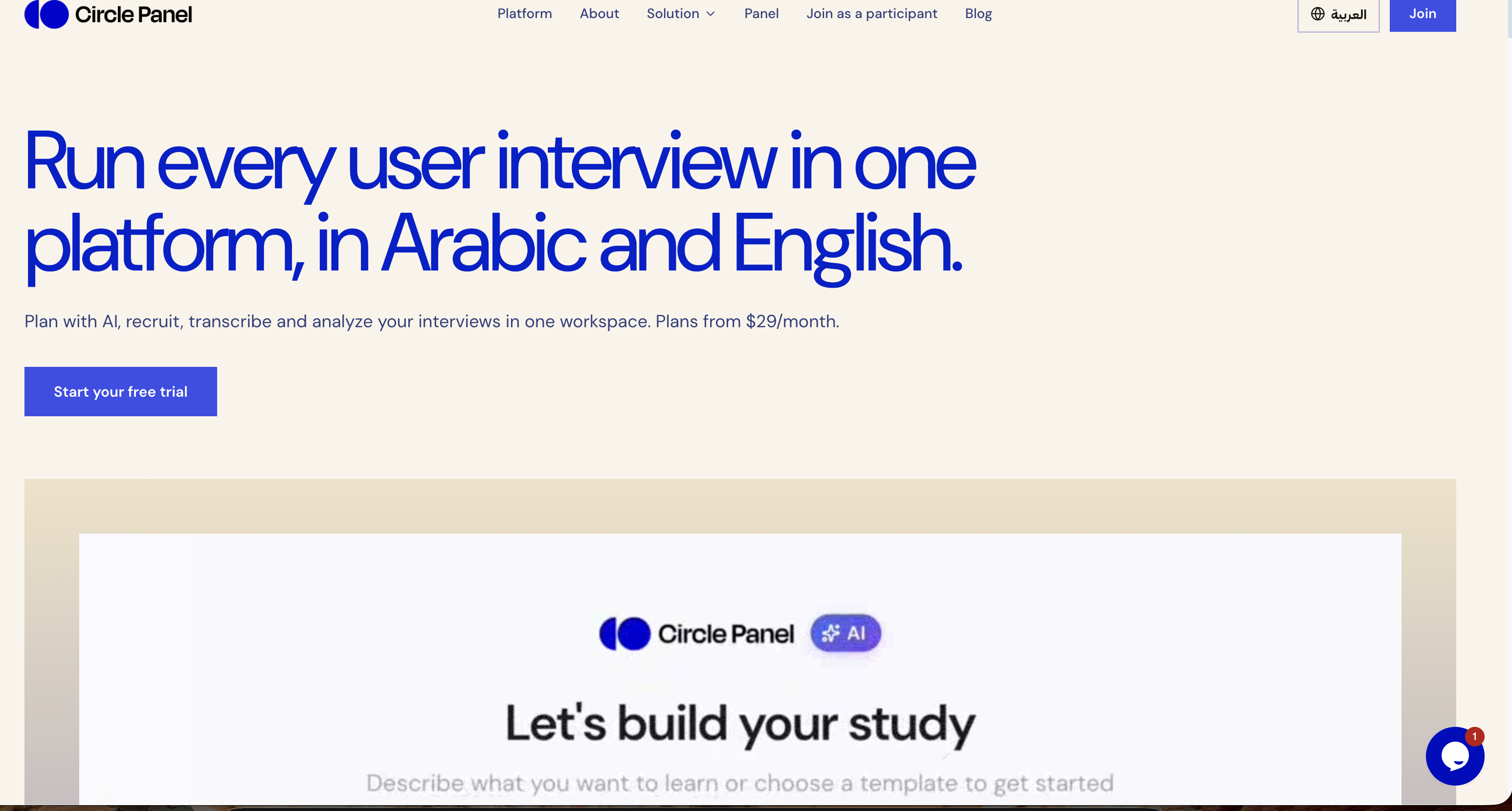
Circle Panel is an AI-native user research platform that lets teams plan, recruit, interview, analyze and share user research in one place. Its stated purpose is to turn raw research sessions into decision-ready insight, and it is explicitly built for everyone who talks to users: product managers, designers, researchers and market research teams. The platform runs in Arabic and English, and it presents itself as end to end, covering the whole path from defining a study to publishing what was learned. Rather than separating scheduling, recording, transcription and synthesis into different products, Circle Panel keeps the entire workflow inside a single workspace so that no stage of a study needs a subscription of its own. The problem Circle Panel sets out to solve is fragmentation across the research workflow. As the site describes it, teams routinely pay for a separate tool at every step: booking links for scheduling sessions, call recorders for capturing them, transcription apps for turning speech into text, and note documents for synthesis. Each of those stages traditionally carries its own subscription, and every hand-off between them costs time and context. Circle Panel folds booking links, call recorders, transcription apps and note docs into one flow, drawing a comparison with tools such as Notion, calendar apps, Calendly, Miro, Zoom, Otter and forms. The benefit it promises is that teams spend less time switching between tools and more time doing research, with no stage of a study requiring its own subscription. The first two steps of the five-step workflow cover designing a study and reaching participants. Instead of building a plan by hand, you describe in plain language what you want to learn, and Circle Panel's AI pulls proven frameworks from a knowledge base spanning 100 industries before drafting your goals, your discussion guide and your screener questions. The site states that a study can be set up in around 30 seconds, with the study plan, discussion guide and participant screener ready to launch or refine. Recruitment then works in two ways. You can share a branded booking link with your own users, or use the built-in participant panel. People book their own slots and are screened automatically against your criteria, which removes spreadsheets and back-and-forth. Screener questions filter people automatically, and incentives are handled inside the platform. Step three is running the interviews themselves. Every session is conducted with a structured, AI-generated guide, and live transcription captures every word in Arabic and English. The bilingual support extends to code-switching within a single session, meaning a participant can move between both languages and the transcript keeps up. Transcription, AI summaries and insight generation all run in Arabic and English. Live transcription is framed as a way to stay present in the conversation instead of splitting attention between listening and note-taking, and the platform includes a conference room so sessions can run at scale. Step four turns sessions into findings. AI groups patterns across sessions, pulls out the strongest quotes and ranks findings by frequency, which the site describes as turning hours of analysis into minutes. This analysis layer is the AI debrief, themes and insight ranking capability. Step five is about accumulation: every study is saved to a searchable repository, and past findings, personas and reports resurface automatically when you plan your next study. Instead of research being archived and forgotten at the end of a project, each new study starts with the context of what the team already learned, so a research repository becomes a working asset rather than a storage folder. Circle Panel's overall approach is described as five steps from question to insight, with AI handling the setup, screening and synthesis so that the researcher stays focused on the conversation. The company describes itself as AI-native and says it applies enterprise-grade controls at every step. On data handling, sessions are encrypted in transit and at rest. Enterprise plans add SSO/SAML, audit logs, a 99.9% uptime SLA and Arabic data residency in the MENA region. Pricing is tiered and published on the site: Starter, Pro and Business plans, a 14-day free trial on all paid plans with no credit card required, and 20% savings on annual billing. A custom Enterprise tier is also referenced. The outcomes the platform claims are tied to each role. Product managers get actionable findings the moment a session ends, ready to shape the next sprint rather than the one after it. Designers can put a prototype in front of real users this week and watch exactly where they hesitate. Researchers get screening, scheduling and transcription in one place so their time goes to analysis. Market research teams can reach verified segments across MENA in Arabic or English without having to build a panel first. More broadly, consolidating the workflow means fewer tools to juggle, less manual analysis, and research findings that persist and resurface instead of being lost between projects. Concrete use cases follow from those roles. A product team running continuous discovery at scale can keep multiple studies live at once, with the Pro plan allowing unlimited studies and 25 sessions per month. A solo researcher running regular studies can work within the Starter plan's two active studies and ten sessions per month. Design teams use the platform to test prototypes with real participants and observe hesitation points. Market researchers use the built-in participant panel to reach verified segments across MENA in Arabic or English without building a panel first. The platform also lists the industries it works with: healthcare, fintech, e-commerce and travel research, noting that it adapts to how a given industry runs user research. Circle Panel is aimed at four broad groups: product managers, designers, researchers and market research teams, plus the wider set of people who talk to users. Pricing starts at $29 per month for solo researchers on the Starter plan, $49 per month for product teams on Pro, and $119 per month for organizations that need the full research operations platform on Business. Starter includes 20 AI credits per month, two active studies, ten sessions per month, three seats, the AI study builder, a recruitment link and conference room, and full public share links. Pro adds 50 AI credits per month, unlimited studies, 25 sessions per month, ten seats, plus AI debrief, themes and insight ranking. Business includes 100 AI credits per month, unlimited seats, everything in Pro and priority support. Circle Panel's value proposition is a single, AI-native workspace for the whole user research cycle: plan, recruit, interview, analyze and share. It removes the need to stitch together booking links, call recorders, transcription apps and note documents, supports Arabic and English throughout, including code-switching within a single session, and keeps every study in a searchable repository that feeds future research. With plans starting at $29 per month and a 14-day free trial, it targets everyone from solo researchers to teams running continuous discovery, with enterprise-grade controls and MENA data residency available at the top tier.
DailyHelm is an agentic AI business reviewer that watches a company's analytics, advertising, SEO and store data overnight, then tells the operator what to fix today. Instead of handing over charts that still have to be interpreted, it delivers a prioritized list of fixes ranked by likely revenue impact. It is built for founders and growth teams who run the whole business themselves, the people wearing the marketing hat, the engineering hat and the finance hat at the same time. The promise on its own site is simple: stop guessing what to do next, and start each day with a punch list that points at the issues worth acting on. Traditional dashboards answer the question of what happened but leave the harder question of what to do about it entirely to the person reading them. Founders describe opening five tabs and spending ninety minutes every morning reviewing data while still feeling like they were guessing. Meanwhile, the most expensive problems are silent: conversion tracking that breaks after a deploy so paid ads optimize against zero data, search terms burning budget with no conversions, near-me queries dropping out of the local pack, a best-selling product page returning a 404, a lead form that quietly stops submitting, or a surge in failed payments that churns subscribers for days before anyone notices. DailyHelm exists to surface exactly those kinds of issues and to rank them by the revenue they put at risk. The core of the product is the daily digest. Every morning it greets the user with a business review that states what changed overnight and lists today's recommended actions as a numbered, prioritized punch list. Each item carries an impact score and an effort estimate, so a high-impact, low-effort fix can be separated from lower-priority work. In the example shown on the site, the digest opens with a conversion tracking outage: tracking has been broken for four days and $8,400 of ad spend has been optimizing against zero conversion data. The two recommended actions are to restore GA4 conversion tracking at an impact of 9 out of 10 with low effort, and to pause campaigns until tracking is verified at an impact of 7 out of 10, also low effort. Findings are produced by six specialist AI agents, each of which owns a domain. Iris covers analytics and growth, including funnels, pipeline health and churn signals. Pitch covers ads, including spend, keywords, search terms and CPA. Echo covers SEO, including rankings, indexation and on-page signals. Ada covers code, investigating the repository when business data smells off. Penny covers cost, including cloud spend by SKU, cost forecasts and egress leaks. Sage covers site UX, including crawl-driven performance and conversion blockers. Aria is the lead agent: she correlates the specialists' findings, ranks them by expected impact and writes the morning brief, and she is also the agent users chat with when they want to dig deeper into a finding. Every finding is evidence-backed. A finding lists its impact score, a confidence percentage, an effort rating and the raw evidence behind it, for example a GA4 purchase metric reading zero for the window while Stripe shows 47 successful charges, alongside the specific commit that removed the tracking tag. From there DailyHelm recommends a concrete next action, such as restoring a line of code removed in a named commit and pausing a set of Google Ads campaigns until the next sync confirms tracking is live. Users can accept, snooze or dismiss a finding, or open a chat with Aria to ask what broke and how it slipped through. Findings can also come from more than one specialist at once, for instance Ada and Iris cross-referencing a tracking blackout, or Iris, Ada and Sage teaming up on a lead form regression, which is how a business-data symptom gets traced back to its technical cause. Setup is designed to be quick. Users first describe their business, including what they sell, who buys it and what success looks like, which anchors every later recommendation. They then connect platforms one click at a time: DailyHelm opens the approval page and the user confirms. Supported integrations shown on the site include Google Analytics 4, Google Ads, Google Search Console, Shopify, GitHub, Stripe, Meta Ads and a site crawler, with GCP billing also listed in the connection flow. DailyHelm pulls a daily snapshot from each platform and, in its own words, stores nothing it does not need. The site quotes a setup time of under five minutes on average and says findings start arriving within the hour. Because the product reads advertising, analytics and repository data, DailyHelm makes a point of being safe to plug in. It is read-only on every connector: OAuth scopes across GA4, Search Console, Ads, GitHub and the store are read-only, and the company states it cannot write, post or modify anything in connected accounts. Integrations use OAuth only, with no API keys, so users approve scopes on the platform's own consent screen and can revoke access from either DailyHelm or the platform at any time. Traffic is encrypted with TLS 1.2+, data is encrypted at rest, and OAuth refresh tokens and webhook secrets are encrypted at the field level. The company states that AI processing happens through providers contractually prohibited from training on customer data, and that the service is GDPR and CCPA compliant, with access, correction, export and deletion rights honoured. Deleting an account revokes every connected token, purges findings and removes personal information within 30 days. What makes the approach distinctive is that it is agentic rather than purely analytical. DailyHelm does not simply aggregate metrics into a dashboard; it runs a review, the way a specialist would, and returns conclusions. Each agent monitors its own domain overnight, Aria correlates their findings, ranks them and writes the brief, and every conclusion must cite its evidence and carry a confidence level. The cross-domain correlation, pairing a marketing symptom with a code change or a billing anomaly with a churn signal, is what lets the product point at a root cause rather than a chart. And because everything is read-only, the system's output is advice, so the user stays in control of every change. The stated outcomes are about time and money. Early users report that problems which used to go unnoticed for days are caught the same morning: one founder describes a Shopping campaign flagged at 6am for running against 47 zero-conversion search terms, with negatives added before lunch and $340 a day of spend recaptured. Another describes a Friday deploy that broke the GA4 purchase event and cost $2,200 over a weekend of blind paid ads, and says it will not happen again now that deploy-to-tracking breaks are caught the same day. A solo founder reports replacing 90 minutes across five dashboards with an eight-minute brief and one clear priority. The site also cites a 4.9 out of 5 rating from early users, a 24-hour path to a first finding, and a 100% read-only guarantee. The site groups findings by business type. For DTC and e-commerce businesses, Pitch flags wasted ad spend on specific keywords or search terms burning budget with zero conversions, and recommends negative keywords and bid changes. For SaaS and app businesses, Iris and Ada work together on conversion tracking blackouts, identifying the deploy that broke the tag and pointing at the line of code to restore. For local and service businesses, Echo catches local-search ranking collapses, surfacing which categories regressed and the on-page or schema fix likely behind it. For dropshippers, Echo and Ada catch a best-selling product page that disappeared from the sitemap or started returning a 404 after a deploy, within hours rather than weeks. For B2B and lead-gen teams, Iris, Ada and Sage cross-reference to catch lead forms that silently regressed after a deploy broke validation or the success event. For subscription businesses, Penny flags a surge in failed charges, the dunning gap behind it and the recoverable MRR before the churn compounds. DailyHelm is aimed at operators who run the whole business: DTC and Shopify founders, dropshippers, B2B SaaS operators, solo founders who want something like a part-time COO reading every dashboard, and, as a coming-soon capability, agencies that want to manage multiple client businesses from one panel with branded daily briefs they can forward to clients. It is also positioned for anyone short on time who would rather get a punch list than open eight dashboards. The product is offered with a 7-day free trial and no credit card, and setup is described as taking about five minutes. In short, DailyHelm turns the daily grind of checking analytics, ads, SEO and store tools into a single AI-written review that ranks the fixes most likely to protect or grow revenue. It combines domain-specific specialist agents, cross-agent correlation, evidence-backed recommendations and read-only access to the platforms a business already uses, so operators can stop guessing and start working on the thing that actually matters that morning.
Curie is an AI-powered research assistant for scientific literature and document analysis, presented as built for real scientific work rather than as a generalist chatbot. It analyzes scientific literature, processes documents and delivers intelligent insights powered by advanced AI technology. The platform adapts to many kinds of researchers — solo researchers, graduate students, systematic review teams and R&D departments — so that each can search literature, extract data and verify findings with precision. Its stated aim is to let researchers focus on the science that matters most, and you can start writing on Curie for free. Research is slowed down by repetitive work. Searching literature, screening abstracts, extracting data and drafting summaries eat up valuable hours and pull focus away from the parts of research that only a researcher can do: interpreting findings, forming hypotheses and making decisions. Curie's stated purpose is to handle those repetitive steps so that time goes back into judgment and interpretation. The problem is not only speed. Doing better research also means pushing further — covering broader literature, more complex reviews and questions that a person would otherwise not have time for. Curie is positioned as a research partner that gives researchers the confidence to take on that wider scope, so more ground is covered and more impact comes from the work. Curie's literature search does not require keywords or boolean filters. You type your question the way you would ask a colleague, and Curie figures out what to search and how to answer. Behind that plain-language interface, Curie searches PubMed, arXiv, Europe PMC, OpenAlex and Semantic Scholar in parallel, so a single question reaches multiple scientific databases at once instead of being repeated across separate tools. The site presents this focus on scientific literature as the difference from a generalist chatbot. Researchers can ask it to find recent papers on a topic, look for meta-analyses, locate studies on a specific model or method, or search PubMed and arXiv together for a subject such as quantum error correction. A central part of Curie is verification. The assistant verifies every claim against the source text, so you can see what is backed by the literature and what is not. This matters because unsupported statements are difficult to spot when synthesizing many papers. Related to this is document analysis: you can point Curie at a document and it will extract structured data, showing the quote behind each value it extracts. For example, you might extract sample sizes and outcomes from clinical trial PDFs, compare reaction yields across synthesis papers, or build a table comparing sample size and effect size across a set of studies. Because each extracted value comes with its supporting quote, results stay traceable to the original text. Curie also supports a full systematic review workflow: protocol, screening, PRISMA diagram. The important detail is that you approve every decision, so the process stays under researcher control rather than being fully automated. Researchers can draft a systematic review protocol for a topic such as antibiotic resistance studies, screen records, and produce a PRISMA diagram as part of the same flow. To keep this work organized, Curie provides Projects and a library, which hold the material and the work associated with each effort so that searches, extractions and reviews do not have to be managed across separate tools. Overall, Curie's approach combines three things that are explicitly described on its site. First, natural-language input: you ask in plain language and Curie decides what to search and how to answer. Second, parallel search: PubMed, arXiv, Europe PMC, OpenAlex and Semantic Scholar are queried at the same time. Third, verification against source text: every claim is checked against the source so backed and unbacked statements are distinguishable, and extracted data values are tied to the quote they came from. On top of that sits a human-in-the-loop model for systematic reviews, where the researcher approves each decision. Projects and a library keep the resulting work organized. The stated benefits are time and scope. Curie is presented under the promise "Save hours, not minutes," with research productivity maximized by taking over literature searching, abstract screening, data extraction and summary drafting. By removing those repetitive steps, it is intended to return focus to interpretation, hypothesis formation and decision-making. In practice that means fewer hours spent on mechanical steps every week and more capacity for the analysis that determines the quality of the output. The second benefit is reach: Curie acts as a research partner that gives researchers the confidence to tackle broader literature, more complex reviews and questions they would otherwise not have time for, meaning more ground covered and more impact from the work. The site frames this as support for both speed and ambition — working faster and pushing further. Curie's site lists concrete tasks it is used for. Researchers can summarize the latest treatments for triple-negative breast cancer; find recent papers on CRISPR gene editing for sickle cell disease; extract sample sizes and outcomes from clinical trial PDFs; explain the mechanism of action of mRNA vaccines in simple terms; search for meta-analyses on cognitive behavioral therapy for anxiety; draft a systematic review protocol for antibiotic resistance studies; compare reaction yields across synthesis papers; summarize the methodology section of an astrophysics paper; find studies on machine learning models for early Alzheimer's detection; build a table comparing sample size and effect size across studies; check whether a claim about vaccine efficacy is supported by the literature; search PubMed and arXiv for papers on quantum error correction; and generate a Python script to analyze a gene expression dataset. Questions about what current research says, such as on microplastics in drinking water, are also among the examples. Curie is presented as suitable for different kinds of researchers on one platform: academic researchers and professors, PhD and graduate students, systematic review teams, and industry R&D teams. The site shows institutions that have already tried it, including CSIC (Consejo Superior de Investigaciones Científicas), Universitat de Barcelona, Fundació Bosch i Gimpera, IrsiCaixa, Helse Bergen (Haukeland universitetssjukehus), Università degli Studi di Messina, Uganda Christian University and MICIU / AEI. Security and privacy are addressed directly: Curie states that it is strictly GDPR compliant, that its servers are located in Europe, that it does not use user data to train models or to improve Curie, and that user data is not shared with anyone. It also describes pseudonymization and anonymization of personal and identifying information in certain documents. Access is offered for free, with calls to start writing, get free access and get started. Curie's value proposition is a focused AI research assistant rather than a general chatbot: parallel search across major scientific databases, plain-language questions, verification of every claim against source text, structured data extraction with supporting quotes, and a supervised systematic review workflow with protocol, screening and PRISMA diagram. Combined with projects, a library and a privacy posture aimed at sensitive research data, it is built to save researchers hours each week and to widen the scope of questions they can take on.
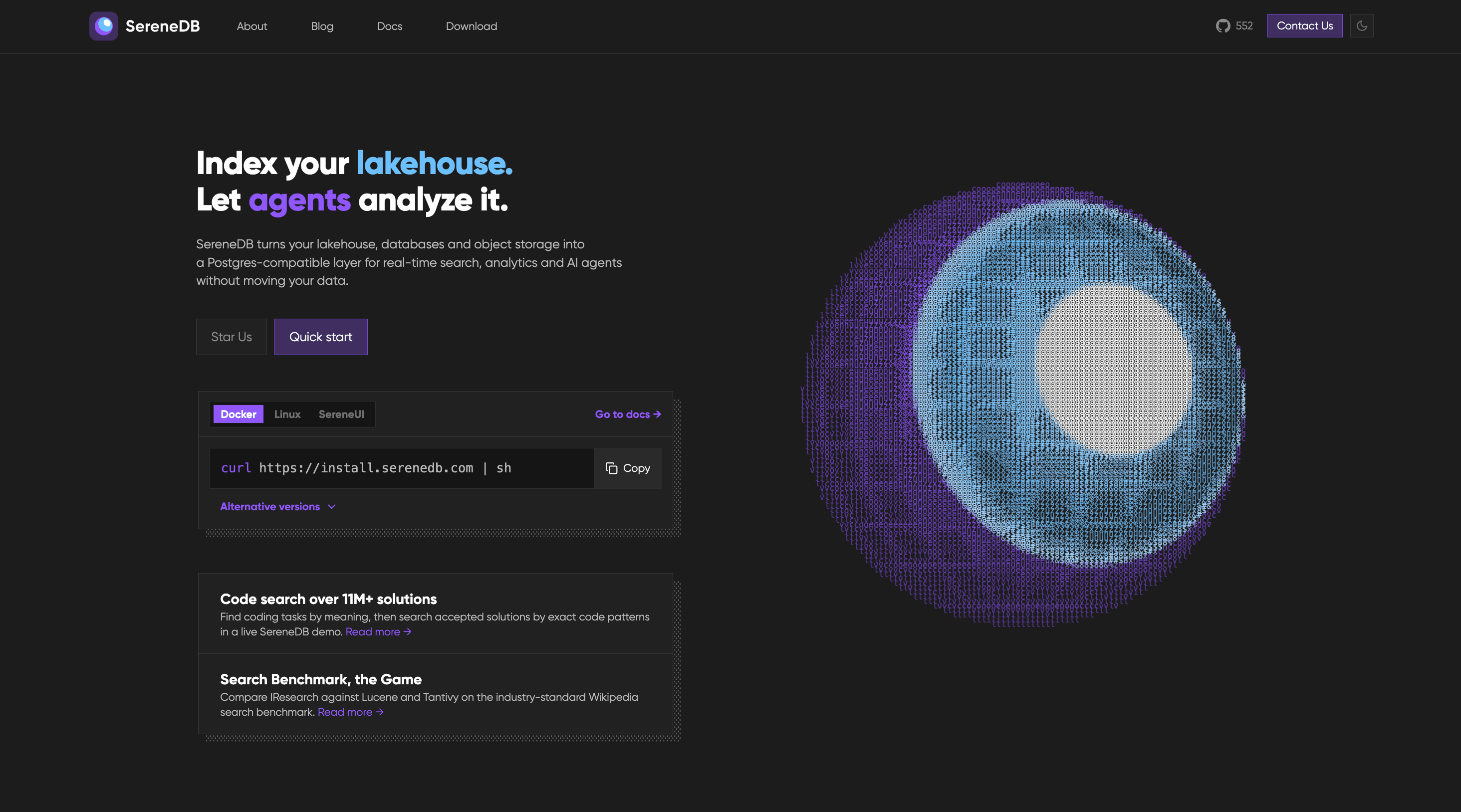
SereneDB is an open-source database that combines ultra-fast full-text search with fast analytics in a single engine. Its website describes it as a real-time search analytics database with full-text, vector and hybrid search, SQL execution, and a PostgreSQL-compatible frontend. The project presents itself as the result of twelve years of development, and it is aimed at teams that need search and analytics over the same data instead of operating separate systems for each. SereneDB also describes itself as Agentic AI ready, placing AI agent workloads, retrieval-augmented generation, and documentation search alongside classic search and analytical queries. The problem SereneDB targets is a familiar one for engineering teams: search and analytics usually live in different systems, which means data has to be duplicated and kept in sync through ETL pipelines. SereneDB is both Postgres- and Elastic-compatible, so teams can keep their SQL, their drivers and their Elastic clients while dropping the second system and the ETL between them. The website captures this positioning with the phrase that your data stays where it is, emphasising that data can be queried in place rather than copied into yet another store. For organisations whose data keeps growing, that means fewer moving parts to operate, one set of compatibility guarantees to rely on, and no dedicated pipeline whose only job is to move the same records from one engine to another. On the search side, SereneDB provides full-text search with BM25 ranking over tables and files, so relevance-scored keyword search runs directly against relational data and file content rather than through a separate search cluster. Vector search is supported through ANN indexes that sit beside relational data, which means embeddings and structured records can be queried from the same system instead of being split between a vector store and a relational database. Hybrid search combines BM25 and vector scores in one query, which matters because lexical retrieval and semantic retrieval often disagree: keyword matching is precise but literal, while vector similarity captures meaning but can drift, and merging both scores in a single query lets a user get the benefits of each without reconciling two result sets by hand. SereneDB also describes Postgres search, letting users keep their existing drivers and their SQL while adding search capabilities on top. For analytics and data work, SereneDB offers real-time analytics that aggregate fresh data without a nightly job, so dashboards and reports can reflect current data rather than a batch that ran the previous evening. It is described as an OLAP database that performs columnar scans over billions of rows, which is the query pattern needed for large-scale aggregation. Search over a data lake lets users index object storage in place, and zero-ETL search lets queries run against remote sources where they live rather than migrating the data first. Together these capabilities mean the same engine can answer a relevance-ranked search request and a heavy analytical aggregation, including over data that was never copied into the database. For AI and agent workloads, SereneDB is presented as a database for AI agents, offering agent-ready SQL over every source it can reach. It is also positioned as a RAG database, acting as the retrieval layer for grounded answers in retrieval-augmented generation workflows, so that generated responses can be anchored in data the system actually stores and can query. A related use case is documentation search: searching over documentation and knowledge bases, which the project demonstrates on its own documentation through Serene Docs Search. The website references a LangChain integration on its blog, connecting the database to common AI application frameworks. Under the hood, SereneDB unifies search and analytics with a columnar engine, vectorized SQL execution, and hybrid storage behind a PostgreSQL-compatible frontend. That combination is what allows full-text, vector and hybrid search to coexist with SQL and analytical query patterns in one system rather than being stitched together from separate products. Benchmarks published by the project compare SereneDB against Elasticsearch, ClickHouse and PostgreSQL search extensions. The vendor states that SereneDB outperforms those alternatives and that it indexed one billion logs in under eight minutes using roughly ten times less disk. The methodology, the raw results and the source code are public, and the project is released under the Apache 2.0 licence, which means the performance claims can be inspected rather than taken on faith. The practical benefit for users is consolidation. Teams keep familiar SQL, drivers and Elastic clients while removing a second system and the ETL that connected it, so there is less infrastructure to run and less data movement to monitor. Search relevance, vector similarity and analytical aggregation no longer require three separate stacks, and the same data can serve keyword search, semantic search, dashboards and AI retrieval. Because data can stay where it is, in object storage or remote sources, teams can index and query in place instead of migrating data into a new silo. Real-time aggregation removes the dependency on nightly batch jobs, so answers reflect what is happening now, and the reported disk efficiency of the published indexing benchmark reduces the storage footprint that large log volumes otherwise demand. The website groups concrete use cases into three areas. Search covers full-text BM25 ranking over tables and files, vector search with ANN indexes beside relational data, hybrid search that merges BM25 and vector scores in one query, and Postgres search that preserves existing drivers and SQL. Analytics and data covers real-time analytics over fresh data without a nightly job, OLAP columnar scans over billions of rows, search over a data lake by indexing object storage in place, and zero-ETL search against remote sources. AI and agents covers using SereneDB as a database for AI agents with agent-ready SQL over every source, as a RAG retrieval layer for grounded answers, and as a documentation search engine over docs and knowledge bases. Published benchmark work includes 92 search and analytics queries over 100M, 1B and 10B OpenTelemetry logs on a single instance, along with comparisons against the Lucene world, namely Elasticsearch, OpenSearch and CrateDB, at 100M and 1B logs. SereneDB is built for developers, data teams and platform engineers who need search and analytics together. It is distributed as open source under Apache 2.0 and is listed on Product Hunt under the topics Open Source, Developer Tools, GitHub and Database. Installation options include Docker and Linux, along with a one-line shell installer, and SereneUI is referenced as a companion user interface. Compatibility is central to the product: a PostgreSQL-compatible frontend, support for existing Postgres drivers and SQL, and Elastic-compatible clients. A LangChain integration is referenced for AI workflows, and OpenTelemetry logs are the data set used in published benchmarks. The code is hosted on GitHub. Beyond the open-source licence, no pricing or plan details are described in the provided content. SereneDB's core promise is straightforward: ultra-fast full-text search and fast analytics in one open-source, PostgreSQL-compatible engine, so teams can keep their SQL, drivers and Elastic clients while removing a second system and the ETL between them. With a columnar engine, vectorized SQL execution, hybrid storage, BM25 full-text search, vector and hybrid search, in-place indexing of object storage and remote sources, and agent-ready SQL for RAG and AI workflows, it targets the consolidation of search, analytics and AI retrieval onto a single database.
Anomalo Analyst is a team of AI agents that monitor your data around the clock and give you insights on anything that is happening in the data and why it matters. It is designed for anyone who needs to stay current on what is shifting, breaking, or trending in their data without writing SQL queries, waiting on a dashboard refresh, or filing a ticket with the data team. Users connect a data warehouse or data lake, and Anomalo Analyst begins monitoring the tables they care about, delivering a continuous feed of trends, anomalies, and shifts. The product's promise is simple and direct: you just show up informed. The underlying problem Anomalo Analyst addresses is that data is complex, and being insightful should not be. Data changes every day, and in most organizations the responsibility for explaining those changes falls on a data team that is already stretched thin. Business users who need an answer typically have to write a query, wait for a dashboard, or open a ticket, which means they often only learn about an important change after someone else asks about it. Most AI tools put the burden on the user to go find the insight. Anomalo Analyst inverts that: it finds the insight for you, proactively, and delivers it before you know to ask. The first stage of how Anomalo Analyst works is detection. Statistical modeling, not LLMs, scans every table for meaningful changes. The examples given in the product documentation include new values that appeared, trends that reversed, and drift that occurred, among others. Rather than treating every fluctuation equally, Anomalo Analyst ranks every change with a magnitude score. That ranked, prioritized list of real changes is what the AI agent works from, which is why the output is not a raw alert but a considered finding. Using statistical modeling to scan the tables matters because it keeps detection grounded in the data itself, focusing attention on changes that are meaningful rather than simply noisy. Once changes have been ranked, an AI agent investigates them. It digs into historical context and writes an analyst-grade report revealing what happened, what the data shows, and why it matters. This is the step that turns a statistical signal into something a person can actually act on: the agent explains not only that a number moved, but the context around it. The result is described as a polished insight rather than a raw alert. The report format is deliberate, modeled on the kind of write-up a human analyst would produce, so that recipients can read it, understand it, and share it without needing to interpret a chart or run their own query. A dedicated verification agent then reads every report line by line and checks each claim against the data before it reaches the user. If a statement is not supported by the data, it gets caught and corrected rather than published. This verification step helps distinguish real business changes from broken data, and it exists specifically to catch hallucinations before they reach you. Delivery is proactive as well: Anomalo Analyst publishes an Insights Feed and a Digest to your homepage and your inbox, a news feed of everything meaningful that changed in your data, delivered without prompting. Because the digest is personalized and arrives automatically, users do not need to log in and check a tool every morning. Anomalo Analyst is designed to get smarter the more you use it. Users can give feedback when an insight was useful, or tell the product that they look at their data differently, and Anomalo Analyst saves that to memory, making every insight and conversation sharper over time. Getting started is also lightweight. You connect Anomalo Analyst to your warehouse and describe what you work on; the product finds the right tables and starts monitoring. If you have found something your manager or team should see, you can share any insight or analyst conversation with a link, and recipients can view it immediately after signing in with no warehouse access needed. The overall approach is a pipeline of specialized AI agents rather than a single chatbot. First, connect your data platform and select the tables you care about. Second, Anomalo Analyst analyses and profiles your tables automatically, then asks you a few quick questions to personalize your insights. Third, the Analyst learns from your data's history and watches your tables every day for meaningful changes, producing a continuous feed of trends, anomalies, and shifts delivered without queries or dashboards. Fourth, you can dive deeper into any change with follow-up questions and analyses in natural language. From signup to a first insight takes minutes, and the workflow continues as an ongoing monitoring relationship with your data rather than a one-off search. The benefits described are about knowing first and answering first. Instead of wondering what happened, users receive a personalized digest of what actually changed — the trends, anomalies, and shifts that matter to their work — so they can be the most insightful person on their team without logging in. Because insights are verified against the data, users spend less time chasing questionable numbers and more time acting on genuine business changes. Because follow-up questions happen in natural language, users do not need SQL skills to investigate a finding, and they do not need to file a ticket. And because insights can be shared by link, a single person's investigation can inform a manager or an entire team. Concrete use cases described in the content include connecting a data warehouse such as Snowflake, Databricks, or BigQuery and receiving insights about what is shifting, breaking, or trending in that data. A business user who notices an insight in the feed can ask a follow-up question in plain language rather than filing a ticket. A data team can rely on the detection and verification steps to distinguish a real business change from broken data before it is escalated. Someone preparing for a morning review can read the personalized digest instead of logging into a dashboard. And anyone who uncovers something important can share the insight or the analyst conversation with a colleague by link. Anomalo Analyst is aimed at people who need to stay informed about their data: the website describes its audience as data teams, and the product is trusted by data teams at companies including Aritzia, Atlassian, Block, Buzz, Discover, Equifax, Evidation, Faire, Fandom, HomeToGo, Lebara, and Notion. It is equally useful for business users who do not write SQL and do not want to wait on the data team. The monitored data platforms named in the content are Snowflake, Databricks, and BigQuery, connected as a data warehouse or data lake. The product is available on the web, with insights delivered to a homepage and an inbox, and a "Start for Free" call to action points to a signup at analyst.anomalo.com. The takeaway is straightforward: your data changes every day, and Anomalo Analyst makes sure you know about it. By combining statistical change detection, agent-written analyst reports, and independent verification, it turns constant data movement into a proactive feed of insights that arrive on your homepage and in your inbox. Follow-up questions in plain language replace queries and tickets, sharing replaces screenshots, and feedback makes the next insight sharper than the last. For teams who want to understand what is happening in their data before anyone thinks to ask, Anomalo Analyst is built to deliver just that.
sizeless is an AI-powered documentation platform for civil engineering that turns a smartphone video of an open trench into the deliverables utilities and contractors are legally required to produce: a 3D model, CAD/BIM plans, and the quantities they bill from. It is built for network operators and construction teams working on civil engineering, district heating, and house connections who need precise 3D twins of open trenches and house connections delivered directly for GIS and CAD. The platform pairs a guided iPhone Pro capture app called SiteScan with processing that generates high-resolution 3D reconstructions, industry-standard as-built plans, and GIS-ready digital twins, so that a single scan produces every output a team already works with. The problem sizeless addresses is the gap between how fast underground infrastructure is built and how slowly it is documented. Producing compliant as-built documentation has traditionally taken months and required a surveyor, which means trenches must either stay open or be revisited, crews wait for separate surveying appointments, and the final record is assembled from manual sketches that end up in disconnected data silos. Because documentation lags behind construction, billing and cash flow slow down, and construction errors can go unnoticed until they are buried under backfill. sizeless moves documentation into the moment of excavation: the existing project team films the open trench themselves, and the required outputs are generated from that single capture, in hours rather than months. The workflow begins with trench capture. Using a standardized capture process on an iPhone Pro directly at the excavation, the existing project team records the open trench. No special hardware is required and no extra appointments have to be scheduled, which means documentation starts while the trench is still open rather than in a later, separate surveying visit. Because capture is carried out by the people already on site, the process does not depend on specialists being available, and technicians can document house connections independently via smartphone. The same guided approach is used by the SiteScan iPhone app to capture properties, trenches, and technical rooms in minutes. From that captured video, algorithms developed at ETH Zurich generate a high-resolution 3D point cloud of the open trench that is centimeter-accurate. The point cloud is the objective basis for earthwork volumes, dimensions, and audit trails, giving teams a measurable 3D reconstruction of the scanned space instead of a hand-drawn approximation. The reconstruction is interactive, so users can rotate and zoom through it to inspect the captured geometry. This continuous 3D evidence also covers third-party utilities and house entries, and it works without GPS in basement areas, which keeps documentation complete in places where positioning signals are unavailable. The capture then converts into a 2D CAD as-built plan in DWG/DXF, the industry-standard format for revision documentation. In these plans, couplings and pipes are quickly identified and measurement extraction is simplified, so the as-built record can be handed to the processes and tools that already consume CAD drawings. Alongside the 2D plan, sizeless produces a 3D model and digital twin of the pipe route including house entries, with seamless integration into GIS systems for future-proof planning and maintenance. Together these outputs mean one capture yields a 3D point cloud, 2D CAD, and BIM/GIS deliverables ready to drop into existing tools. sizeless describes its approach as a four-step AI-powered workflow. Step one is trench capture at the excavation by the existing project team. Step two is the generation of a centimeter-accurate 3D point cloud using algorithms developed at ETH Zurich. Step three is the production of 2D CAD as-built plans in DWG/DXF for revision documentation. Step four is the 3D model and GIS output that represents the pipe route as a digital twin, including house entries. The differentiating idea is that no surveyor and no special hardware are needed: the documentation is filmed by the crew themselves and turned into compliant deliverables from a single scan, which is why sizeless can produce documentation in hours where the traditional route takes months. The benefits follow directly from that workflow. Trenches can be backfilled immediately after the video, with no waiting for separate surveying appointments, and complete documentation is available weeks earlier, which enables faster billing and cash flow. Documentation is described as quality-assured and audit-proof, because the continuous 3D evidence eliminates manual sketches and data silos and allows construction errors to be identified before backfilling. Process autonomy is another stated outcome: technicians document house connections independently with a smartphone, and existing internal or external teams can handle a higher project volume through more efficient workflows, without specialists. The headline references include 72-hour documentation, DWG/DXF outputs, instant backfill, iPhone Pro capture, GIS-ready data, and higher throughput. Concrete use cases include documenting open trenches for civil engineering and district heating projects, capturing house connections and house entries, documenting third-party utilities encountered in the trench, and scanning properties and technical rooms with the SiteScan iPhone app. Because the outputs include as-built plans and quantities, the documentation also feeds revision documentation and the measurement quantities that contractors bill from. For network operators, the resulting digital twin of the pipe route integrates into GIS systems to support future planning and maintenance of underground infrastructure. The primary audience is network operators, utilities, and contractors active in civil engineering, district heating, and house connections, along with the existing field teams and technicians who carry out the work on site. Documentation is available through the web platform at sizeless.co, where users can book a demo, request an in-person demo, or see the workflow in action, and through SiteScan, the sizeless iPhone app available on the App Store. sizeless was founded by engineers from ETH Zurich and UC Berkeley and is backed by Y Combinator, ETH Zurich, UC Berkeley, Cambridge, and MIT. In summary, sizeless replaces months of surveying and manual sketching with an AI-powered, video-first documentation workflow for underground infrastructure. A single smartphone scan of an open trench becomes a centimeter-accurate 3D point cloud, DWG/DXF as-built plans, and a GIS-ready digital twin of the pipe route, giving utilities and contractors audit-proof documentation, faster backfill, faster billing, and greater process autonomy without special hardware or specialist surveyors.