Category Focus/categories/chatbot
Chatbot AI Tools
Discover and compare the best chatbot AI tools and software. Browse 48+ curated tools with reviews and rankings.
Projects tracked
48
Sort mode
RECENT
Page
1
Discover and compare the best chatbot AI tools and software. Browse 48+ curated tools with reviews and rankings.
Projects tracked
48
Sort mode
RECENT
Page
1
Rool is a private AI machine: a full machine in the cloud, hosted in the EU, that brings your files, ideas, and AI together in one workspace. According to the product, chat is only the surface — behind every conversation sits a complete machine that holds your files, runs software, and keeps your work and memory between tasks. You start with a chat and then build from there, using AI models that Rool self-hosts on infrastructure it manages in the EU to work on the documents, files, and tasks inside your machine. Rool is built for privacy-conscious individuals, teams, and creators who want an AI workspace that stays private to them and to the people they invite, free to get started and available on the web and through mobile apps. The privacy problem behind most AI tools is that your files and conversations live on someone else's terms. Rool positions itself as the opposite: a workspace where your data is not the product. The company states plainly that it sells Rool, not your data — there are no ads, no data sales, and your files and conversations are never used to train AI models. Your machine is private to you and the people you invite, so you keep your files, conversations, and memory in your own workspace and choose who gets access. Rool also emphasises a European home for your work: the Rool Machine is hosted in the EU, and the AI models are self-hosted in the EU as well, bringing the workspace and the AI infrastructure closer together. Product Hunt metadata adds that the data is stored in Finland, under EU law. Inside a Rool Machine you get three things that work together: files, software, and memory. You can write a document, work with your files, or run software directly on your machine. The machine keeps both the results and the context, so they are ready for the next task — you do not start from zero each time. This persistent, full Object Memory is what turns a chat into something that lasts; chat is how you get started, and the machine is what carries the work forward. The free Standard plan includes 1 GB of storage per Machine with Full Object Memory, while Plus offers 2 GB per Machine and Pro offers 10 GB per Machine for heavier workloads. The AI models in Rool are models the company self-hosts in the EU, running on infrastructure it manages. Self-hosting means the models run on Rool-operated infrastructure rather than a third-party AI provider, and the company uses this setup to bring your workspace and its AI infrastructure closer together. You use these models to work on the documents, files, and tasks in your Rool Machine. The free Standard plan includes frontier AI models, and so do the paid plans. Access is metered in AI credits: 240 credits per day on Standard, 1,200 per day on Plus, and 4,800 per day on Pro, with balances that refill hourly up to 1,000, 2,000, and 5,000 respectively. Rool connects to the tools you already use. Built-in connectors and custom MCP servers let you connect external services to your machine and bring those tools into your Rool workspace. Connectors and MCP are listed as features of the Plus and Pro plans. Pro adds priority support from the Rool team, and both Plus and Pro include a custom subdomain for your machine. Pro also raises the number of Rool Machines to five versus two on Standard and Plus, so heavier users can give separate spaces to separate projects or teams. Overall, Rool's approach is to treat a chat as an entry point rather than the whole product. You start a conversation, and underneath it sits a full machine that holds your files, runs software, and keeps your work and memory between tasks. Everything you do happens in a workspace that is private to you and the people you invite, with access controlled by you. AI models, storage, and software all live inside that same machine environment rather than being stitched together from separate third-party services. You can get started free — no card, no trial clock, no pressure — and upgrade only when you need more room. The stated benefits are control, privacy, and continuity. Control comes from owning your workspace on your own machine in the cloud, deciding who gets access, and running AI on your terms. Privacy comes from the absence of ads, data sales, and AI training on your content, combined with EU hosting and EU self-hosted models. Continuity comes from persistent memory: your machine keeps the results and the context of each task, so the next task starts with everything you have already built instead of a blank conversation. Together these make Rool a workspace where your files, ideas, and AI live in one place and stay yours. Concrete scenarios follow directly from how the machine is described. You can write a document and use the AI models to work on it inside the same machine that stores your files. You can run software on your machine, keeping the outputs alongside the documents they relate to. You can connect the tools you already use through connectors and custom MCP servers, so external services feed into your Rool workspace rather than living in separate silos. You can keep long-running work going, because the machine retains memory between tasks. And if you work with others, you can invite specific people into a machine so a small team shares files, conversations, and memory in a workspace that stays private to the group. Plans and access are straightforward. Every machine starts free, and Standard is free forever with 240 AI credits per day, two Rool Machines, 1 GB of storage per Machine, hourly balance refills up to 1,000, Full Object Memory, and frontier AI models included. Plus costs €9 per month and is described as the easy upgrade for everyday work with five times the daily credits: 1,200 AI credits per day, two Rool Machines, 2 GB of storage per Machine, hourly refills up to 2,000, faster hourly refills, a custom subdomain, and connectors / MCP. Pro costs €25 per month for power users who live inside their AI, with twenty times the Standard credits: 4,800 AI credits per day, five Rool Machines, 10 GB of storage per Machine, hourly refills up to 5,000, priority support from the Rool team, a custom subdomain, and connectors / MCP. Rool is reachable through a web signup and through apps listed on the Apple App Store and Google Play, and a pricing page lets you compare plans and AI credits. Rool's takeaway is simple: a private AI machine that keeps your files, software, and memory in one EU-hosted workspace, runs AI models self-hosted in the EU, connects to the tools you already use, and does so without ads, data sales, or your content training AI models. It is AI on your terms, with full control and privacy — free to start, and yours to grow.
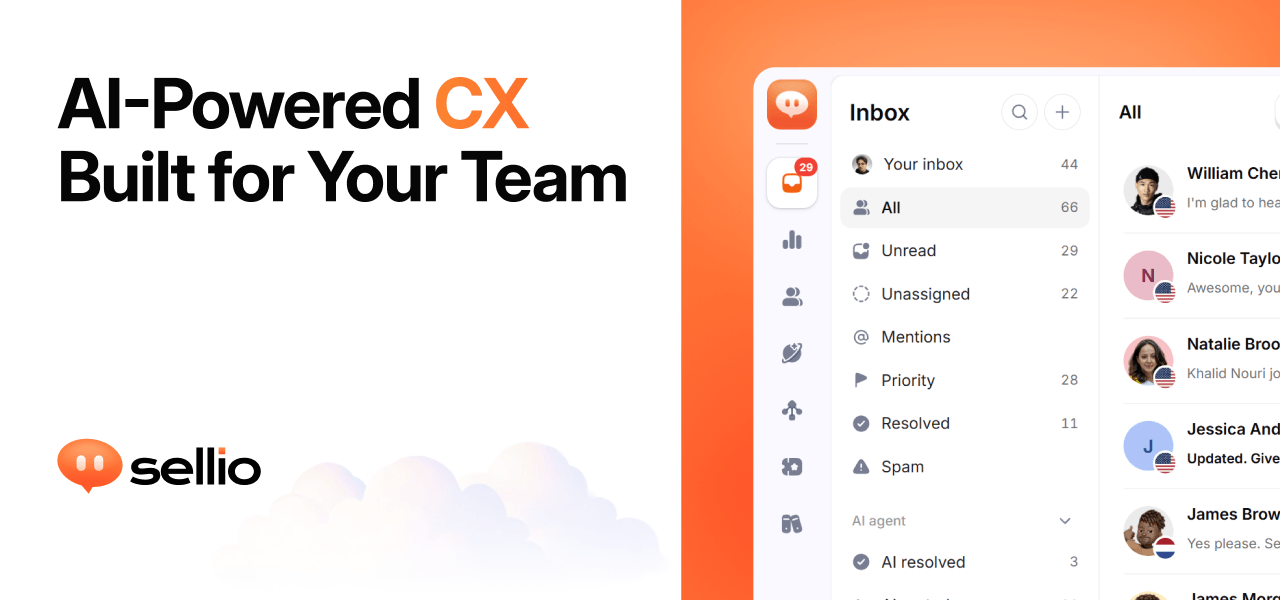
Sellio is an AI customer support platform built around one shared inbox. It collects website live chat, WhatsApp, Instagram, Telegram, and email conversations into a single place so a team can reply, take notes, and hand off work without losing context. Beyond the inbox, Sellio adds tickets, automations, an AI agent, and analytics. The AI agent is trained on your own knowledge — your site, docs, and FAQs — so its answers stay grounded in what you actually ship. Sellio is positioned for stores, hotels, SaaS teams, local businesses, help desks, and agencies: organizations that answer customer questions across several channels and want one shared inbox for every conversation, with AI added only when they are ready. The problem Sellio addresses is fragmented, easily missed customer conversations. Customer messages arrive on website chat, WhatsApp, Instagram, Telegram, and email, and when those conversations live in separate tools it becomes hard to keep track of the next step. Sellio's site puts it plainly: missed replies look the same in every industry. By keeping every reply, note, and handoff in one thread, the product aims to make the next step always clear, whether the conversation was raised by a live chat visitor, a WhatsApp message, or an email. It also raises work from a conversation as a ticket when a single reply is not enough, so nothing falls through the cracks as a thread turns into ongoing work. At the center of Sellio is the shared inbox. Every conversation lives in a clear thread that holds every reply, note, and handoff, so whoever picks it up next can see the full history and the clear next steps. The inbox is designed for teams: multiple people can work the same queue together rather than trading messages in private tools, and every channel lands in one place instead of being scattered across apps. When a conversation turns into work that continues beyond a single reply, Sellio raises a ticket from it, letting the team assign it and keep the full history attached. This means a support question can move from a live chat greeting to an assigned ticket without ever leaving the platform. The AI agent is optional and arrives when you decide you are ready. It is trained on your knowledge by pointing it at your site, docs, and FAQs, which keeps its answers grounded in what you actually ship rather than generic responses. It is designed to cover the first reply on website chat, so common questions get an immediate answer. When the AI cannot finish the job, it hands off to a person without losing context — the human agent inherits the same thread and history. Sellio also lets teams stay in control of cost, and the free plan includes one AI agent and five AI conversations to get started. Analytics are built to show what to fix next. Sellio follows every conversation to how it ended and how it felt, placing automation, resolution, and CX rates beside each other in one funnel. Topics are drawn from real chats, so teams can see what customers actually ask about, and response time is tracked so it can improve over time. CSAT is described as explaining itself, tying satisfaction back to the conversations that produced it. Automations are part of the same toolkit, sitting alongside the inbox, tickets, AI agent, and analytics in the product's main navigation, so routine steps can be handled while people focus on the conversations that need them. Getting started is deliberately simple. Sellio asks you to add one line to your site: a single script tag that installs an on-brand live chat widget, free to start. Website chat and the shared inbox are free, and the AI is used only when you want it. Email and messaging channels start on the Mini plan, and you pay only when you need more. Channels connect so that website chat, WhatsApp, Instagram, Telegram, and email all land in one inbox, and Slack, Discord, and Teams can mirror new conversations for your team. The overall approach is to centralize every conversation first, then layer AI on top of a knowledge base you control. For users, the outcome is one place to work rather than several. Teams see every reply, note, and handoff in a single thread, so the next step is always clear and colleagues can pick up work as a team. AI gives a first reply on website chat and hands off without losing context, so customers are not left waiting while staff stay in control of cost. Tickets keep ongoing work attached to the conversation that started it, and analytics turn real chats into topics, response times, and CX and CSAT measures that show what to fix next. Sellio describes itself as support that fits your industry, with concrete scenarios for each. For ecommerce, live chat on Shopify sits in the same inbox as WhatsApp, Instagram, and email. In hospitality, WhatsApp, Instagram, and website chat share one inbox for the front desk and operations. SaaS teams put website chat first and every other channel beside it in one shared inbox. Local businesses get a live chat bubble on their site plus the channels their neighborhood already uses. For help desks, work is raised from a conversation, assigned, and kept with its full history. Agencies get a shared inbox their team can assign, note, and resolve together, and any website can start with one script tag. Sellio is aimed at stores, hotels, SaaS, local teams, and agencies — anyone whose customers message on a mix of channels. Supported conversation channels are website chat, WhatsApp, Instagram, Telegram, and email, with Slack, Discord, and Teams able to mirror new conversations. The integrations page lists Stripe, ClickUp, Zoom, Salesforce, Discord, Telegram, Trello, GitLab, WhatsApp, Messenger, Jira, Linear, Shopify, Notion, Microsoft Teams, Zapier, Instagram, Asana, Slack, HubSpot, and GitHub, noting that six integrations are available now and the rest are on the way. Pricing starts free: website chat and the shared inbox cost nothing, with no trial clock and no credit card. The Free plan includes two seats, one channel, and one API key, plus one AI agent and five AI conversations. Nothing expires, and paid plans add more seats, channels, AI agents, and AI credits. Sellio's core value proposition is straightforward: one shared inbox for every conversation, the channels customers already use, and the numbers that show how every answer went. Start free with website chat and the shared inbox, then add AI when you are ready.
JevGPT is a chat assistant that writes every reply one word at a time. Instead of a model that generates whole sentences, JevGPT is built on TypeSafe's Jev System One model, described on Product Hunt as a model that can't write. In JevGPT, that model is put to work in a chat interface that opens with the question "What can I help with?", and each word of each answer is picked by Jev from a vocabulary of 1,772 words, one probability distribution at a time. The app is built around people who already hold a TypeSafe API key and want to run a conversation on their own Jev credits, at roughly a cent per reply. For years, the framing goes, large language models built to write text have been used to make choices. JevGPT returns the favor: a chat app where TypeSafe's Jev, a model built to make choices, writes every reply one multiple-choice word at a time. The Product Hunt tagline states the premise bluntly — "A chatbot built on a model that can't write" — and the Product Hunt description answers its own question, "Does it work? Sort of." That framing makes the project less a polished productivity tool than a visible experiment in what happens when a decision-making model is asked to produce written text. The central mechanic is word-by-word generation. As the site states, "Every word is picked by Jev from a 1,772-word vocabulary, one probability distribution at a time." Rather than emitting a full sentence in a single pass, the app resolves each next word as a choice over that fixed vocabulary, then moves on to the next word. The vocabulary is small and fixed, and every reply is assembled sequentially from it. Watching this happen makes the generation process unusually visible: a reply is not retrieved as a block of text but constructed word by word, where each word is a multiple-choice decision made by the model. Because both the vocabulary and the selection step are constrained, the shape of the output is determined by that choice process rather than by open-ended text generation. JevGPT does not ship with its own model access. To start chatting, you enter your TypeSafe API key, and the app runs on your own Jev credits; the site states that a reply costs about a cent. After entering the key, you press Save and the session is ready to use. Keys come from TypeSafe's console — the site links to console.typesafe.ai, specifically the settings page for keys — for anyone who needs to create one. This bring-your-own-key arrangement means usage is metered against the individual user's own credits, and the cost of a conversation is expressed per reply rather than through a subscription described on the site. The site is also explicit about how the key is handled. It is "kept in an httpOnly cookie in this browser and sent only to this app's server." That statement covers both storage and transmission: the key persists in a cookie that page scripts cannot read, because httpOnly cookies are not exposed to JavaScript, and it is sent only to the server that powers this app. For anyone who hesitates to paste an API key into a web app, this stated handling is the detail that matters — the credential stays in the browser's cookie store and travels only to the app's own backend. If you do not have a key yet, the site offers two alternatives: watch the demo video, or read how JevGPT works on GitHub. Overall, JevGPT is a conversational layer over TypeSafe's Jev. The user supplies the credentials, the app passes the conversation to Jev through TypeSafe's API, and the model returns its selection for each word, a process the app repeats until a reply is complete. Because each word is drawn from the same 1,772-word vocabulary via a probability distribution, the output is shaped by that constrained choice process. The project is open source, with the GitHub repository linked directly from the site for readers who want to study how it works rather than watch it produce a reply. The site pairs that repository link with the demo video as the two routes to understanding the project without running it yourself. The stated benefits follow from those mechanics. You keep control of your own usage, since the app runs on your own Jev credits and a reply costs about a cent. You can inspect the project, because it is open source and the repository is presented as the place to read how JevGPT works. You can also approach it with honest expectations, since the Product Hunt framing answers whether the approach works with "Sort of" rather than a promise of polished prose. And because the vocabulary is only 1,772 words and every word is a discrete choice, the generated replies are constrained in a way that is visible to the person reading them, one word at a time. Concrete uses described in the content are straightforward. The primary one is chatting: the app opens with "What can I help with?", you enter your TypeSafe API key, and you start a conversation whose replies are written one multiple-choice word at a time. A second is evaluating the model: users can watch whether a model built to make choices can actually carry a written reply and form their own judgment. A third is developer review — the GitHub repository is offered so that people can read how JevGPT works, and the project is listed as open source. A fourth is passive exploration: the demo video lets someone see JevGPT operate without needing a key first, since the site suggests it to readers who do not have one yet. JevGPT is a browser-based web app, and its audience is narrowest at the point of access: you need a TypeSafe API key and Jev credits before you can chat. That points toward people already working with TypeSafe's console and looking for a hands-on way to see Jev in a conversational role. Beyond that, the project is open source and tagged with topics including Open Source, Writing, Artificial Intelligence, and GitHub, which speaks to developers and technically curious readers who want to examine the code. Pricing is usage-based by nature: JevGPT runs on your own Jev credits, and the site puts the cost of a reply at about a cent. No subscription tiers or plan details are mentioned in the content. The takeaway is that JevGPT is a deliberately unusual chat app: it asks a model built to make choices to write, and it writes by choosing. Every reply is assembled one word at a time from a 1,772-word vocabulary, one probability distribution at a time, on the user's own TypeSafe credits at roughly a cent per reply. It is open source, it documents how your API key is stored and sent, and it offers a demo video for those who do not have a key yet. Whether the writing is good is answered with a shrug — "Sort of" — and that honesty is part of the project's character.
America.gov is a free government question-and-answer service that lets people describe what they need in plain language and receive a clear answer drawn only from official sources. It is built by the National Design Studio together with the General Services Administration, and it exists so that anyone — a job seeker, a veteran, a new business owner, or a parent applying for a passport — has a single place to start when they need something from government. The site's promise is simple: whatever you need from government, start here. The problem it addresses is fragmentation. Government information is spread across agencies, each with its own website, its own forms, and its own vocabulary, and the America.gov team puts the scale of that fragmentation at roughly 29,000 websites. A single real-life task can touch several of them at once: changing a legal name, for instance, involves the Social Security Administration, MyTravelGov, CBP Trusted Traveler Programs, and Global Entry or TSA PreCheck. People do not know which agency owns which step, so they wander from site to site, repeat the same search across different domains, and risk acting on information that is outdated or unofficial. America.gov is designed to remove that wandering. As the site puts it, no more wandering from site to site — America.gov brings the government together in one place. The core experience is a single input box framed by the instruction to describe what you need. Visitors type an everyday question rather than a set of government keywords. The site's own examples show the range: help me find a new job, how do I register my new business, how do I update my address with USPS, how do I get a passport for my child, which military service is best for me, how do I replace my social security card, how do I book a campsite in a national park, I am a veteran and how do I get care, I just got married and how do I change my last name, and when do I qualify for Medicare. Behind that box, America.gov uses SI to return simple answers, and every answer is exclusively sourced from federal, state, and local government websites. That sourcing rule is the product's central design decision: the tool is built to give official information rather than general web results. Privacy is treated as a feature rather than a footnote. America.gov states that personal information is not collected or stored, and that a conversation disappears when the visitor leaves. There is no advertising anywhere in the experience, and the service is free to use. For people researching sensitive topics — benefits eligibility, travel programs, health coverage, or a name change — that combination of official sourcing, no ads, and no stored conversation is the reason the answers can be trusted and the session can be private. Access is deliberately lightweight. There is no app to download: visitors simply open America.gov in a browser on a phone, tablet, or computer, which means the service works the same way on whatever device is at hand. Product Hunt lists availability in English, French, and Spanish, so the answers are not limited to English speakers. The overall aim is to lower the barrier from both directions — no installation on the device and no specialized knowledge required to ask a question. Beyond answering questions, America.gov is building toward completing tasks. The site states that more is coming in 2027, when users will be able to complete forms, track progress, and organize everything in one place, and Product Hunt describes the next step as applying, enrolling, and tracking progress right in chat. Previews on the site show what that looks like in practice. Job seekers will be able to drop a resume, get matched to federal jobs based on their experience, and compare matches that list the hiring agency, location, salary, and remote-work details. Campers will be able to choose a campground from a map — the example shows four campgrounds near Greer, Arizona, complete with photos and addresses. Health and identity tasks are previewed in the same way. Users will be able to compare medication costs by adding a medication and choosing its form, strength, and package size, then choose preferred pharmacies from a map that shows nearby names and addresses. A name-change flow would let someone update a legal name across multiple agencies at once, with Social Security, MyTravelGov, CBP Trusted Traveler Programs, and Global Entry or TSA PreCheck shown as the destinations. A housing preview shows a multifamily housing development with a photo and address. A passport flow shows confirming a photo and submitting an application, then tracking it from submitted to processing with an estimated arrival date. A sign-in option appears as the entry point for accessing services. Underneath all of this, the methodology stays constant: one place, plain language, official sources. The site describes it as bringing 29,000 government websites into one, and it reinforces the sourcing claim visually with agency badges and seals — the Department of the Interior, the Department of State, and the Department of Commerce appear as badges, while seals for the Treasury, Veterans Affairs, Commerce, Interior, Social Security, Labor, the Patent and Trademark Office, Transportation, and Energy appear on the page. Every answer is exclusively sourced from federal, state, and local websites, and the free, ad-free, privacy-protected model applies across the whole experience. A link to how it works and a link explaining privacy are provided for anyone who wants to understand the mechanics and the data handling. The benefit for users is time and certainty. Instead of running the same question through a search engine and sorting official pages from unofficial ones, a person types one question and receives a plain, clear answer. Because the answer is sourced only from government websites, there is less need to verify where the information came from. Because the service is free, ad-free, and does not store personal information, and because the conversation disappears on exit, using it carries no cost and no lasting footprint. And because it runs in a browser, there is nothing to install before the first question. Concrete use cases span the moments when people actually interact with government. Someone looking for work can describe their goal and get pointed toward federal job information. A new business owner can ask how to register a business. Someone who has moved can ask how to update an address with USPS. A parent can ask how to get a passport for a child, and later apply for and track that passport. A veteran can ask how to get care. A newly married person can ask how to change a last name and see which agencies are involved. A future retiree can ask when they qualify for Medicare. And an outdoors enthusiast can ask how to book a campsite in a national park, or choose one from a map. America.gov is for anyone in the United States who needs something from government and does not know exactly where to look — job seekers, small business owners, veterans, families handling passports and name changes, people approaching Medicare eligibility, and travelers dealing with trusted traveler programs. It is also useful for people who prefer not to use English, given availability in English, French, and Spanish. Pricing is straightforward: it is free to use, never includes ads, and keeps privacy protected. There is nothing to buy, nothing to download, and no account needed simply to ask a question. America.gov turns the search for government information into a conversation. Ask in plain language, get a clear answer drawn only from official federal, state, and local sources, and keep your privacy while doing it — with forms, progress tracking, and one-place organization promised next.
Chat.sh is a help center that answers questions instead of simply returning a list of titles. According to the website, search reads the question and answers it, with the pages it used. It can be served on your own domain, or in a folder on the site you already run. The product is presented as a help center built after Intercom's search broke, and it is aimed at teams that want a public support site, an AI search experience, and content that AI assistants can consume. The main purpose is to let visitors ask anything in their own words and receive an answer drawn from published articles, while the team keeps the help center on a domain or path they control. It is free for 50 pages and 100 AI answers a month with no card, and your own domain costs $399 once rather than a subscription. The background is stated directly on the site: I was a longtime Intercom customer until its help center search broke. The fix didn't come fast enough, so I built my own. That story frames the problem the product addresses. Most help centers, according to the launch description, give you a subdomain, a keyword search, and a monthly bill. Chat.sh positions itself differently by offering AI search that writes the answer and cites the pages it used, living in a folder on your own site, making every page available as markdown for ChatGPT, Claude, and llms.txt, and charging once instead of a subscription. The problem matters because a help center that only hands back a list of titles can leave customers searching for the right page, while an answer that shows its sources can resolve the question directly. For teams already paying for support software, the monthly bill and the subdomain are also friction points that chat.sh explicitly calls out. One of the central features is search that reads the question. The website explains that a model retrieves the passages and writes the answer, then shows the pages it used. It is not a keyword index handing back five titles that all contain the word 'domain'. Answers come from published articles only, which means the help center is grounded in the articles the team has published. The site shows live examples at testimonial.to/guide and chat.sh/help. This approach is useful because a customer can ask in their own words and still receive a response that points back to the source article. The interaction is designed around a simple prompt: ask anything, or search for a page. When a person asks a question such as whether the help center can be put under /guide, the system answers and shows the page it used. The product is built around one knowledge base that can answer in three ways. Articles, links, and files go in once, and the help center, the messenger, and the markdown you hand to an assistant all come from that same knowledge base. The content types explicitly listed include articles, web links, files, and TXT and Markdown. The help center is a public site that answers instead of handing back a list of titles. The chat messenger is marked as coming soon; it will put the same answers in a widget on your app, so a customer who is stuck never has to leave the page they are stuck on. The AI agent capability is available now: on each article, you can copy the page as markdown, open it in ChatGPT or Claude, or copy the whole help center. An agent can also start from llms.txt. The copy options include Copy page as Markdown for LLMs, View as Markdown, Open in ChatGPT, Open in Claude, and Copy all docs as Markdown. This matters because it turns the help center into a source that AI tools and agents can use directly, rather than leaving the content trapped in a proprietary format. A key differentiator is hosting. The help center can live at yoursite.com/help, at help.yoursite.com, or at your-team.chat.sh. It can also be hosted in a folder on the site you already run: name it /guide, /help, or whatever you call it, and the help center is served from there on the same domain, with the same analytics, and no subdomain to explain. A custom domain can be added by pointing a domain you own at the help center. The site contrasts old-style URLs such as /en/articles/8341022-add-a-custom-domain with readable addresses that contain no numeric id wedged into the path. In chat.sh, the slug is the title, and it is yours to change. Another detail is that each article draws its own preview card, so a link dropped in Slack arrives as the article rather than as your logo. The visual design is also configurable: you can pick the accent and the mark, and every page follows and stays readable, because the colour is darkened until it is. Overall, the product works from a single knowledge base and exposes it through the help center, the forthcoming messenger, and markdown for AI assistants. The website frames this under the heading One knowledge base, three ways to answer. The search methodology is retrieval combined with answer generation: a model retrieves passages and writes the answer, then shows the pages it used, and answers come from published articles only. The site also asks what a fixed format can't give you, arguing that the old stack hands every team the same URLs, the same search, and the same page with a different logo on it. Chat.sh claims to differ in hosting, addresses, preview cards, and theme control. The commercial approach is described as Get all three. Pay once. It is free on a chat.sh address. The lifetime option adds your own domain, bigger ceilings, and your agents. The site says what you get never changes, and only the price does: it goes up $100 each time we ship. At every price, the help center is live now and includes AI answers on your domain or in a folder, 1,000 pages, and 1,000 AI credits a month per workspace. A link counts as one page for every 2,500 characters of its text, and an article counts as one page. A PDF counts as one page per page of the file. One credit is one answer, here or in the messenger. When the month's credits are gone, 1,000 more are $20, paid once. The chat messenger is shipping next, and each AI reply uses 1 credit from the monthly allowance. The inbox is shipping after; teammates take over a conversation, with 3 people per workspace, and each person after that is $10 a month. Human replies don't use AI credits, and buying another person does not move the lifetime onto a subscription. Benefits follow from those features. Customers get an answer with the pages used, which can reduce the back-and-forth of a keyword search that returns titles only. Teams can keep the help center on a domain or folder they already run, preserving their own analytics and avoiding a subdomain to explain. Because every article can be copied as markdown and the whole help center can be copied or accessed through llms.txt, the same content can feed ChatGPT, Claude, and AI agents. The card preview for every article makes shared links more useful in tools like Slack. The free tier lets teams start with 50 pages and 100 AI answers a month without a card. The lifetime option adds a custom domain, 1,000 pages, and 1,000 AI credits a month per workspace, and it is a one-time payment rather than a subscription. The site emphasizes that human replies in the inbox don't use AI credits and that adding a person does not convert the lifetime into a subscription. For teams tired of a monthly bill for a fixed-format help center, these outcomes are the stated value: a help center that answers, lives where they want it, and can be handed to AI assistants. Concrete use cases appear throughout the content. A customer can ask a question in their own words and receive an answer that shows the page it used. A team can host the help center in a folder such as /guide or /help on the site it already runs, keeping the same domain and analytics. A team can add a custom domain by pointing a domain it owns at the help center. A user can copy a single page as markdown, view it as plain text, open it in ChatGPT, open it in Claude, or copy all published articles as markdown for pasting into AI tools. An AI agent can start from llms.txt to access the help center. When the chat messenger ships, it will place the same answers in a widget on an app so a stuck customer does not leave the page. When the inbox ships, teammates can take over a conversation. The site also shows live examples at testimonial.to/guide and chat.sh/help, and the launch description points to chat.sh/help as a place to try it. The target audience is implied by the story and the product framing: teams that run a help center or support site, particularly SaaS and customer success teams. The launch metadata lists topics such as Customer Success, SaaS, and Artificial Intelligence. The product is for people who want answers served on their own domain or in a folder on an existing site, and who want content available as markdown for ChatGPT, Claude, and llms.txt. Pricing is stated clearly. It is free for 50 pages and 100 AI answers a month, no card. Your own domain is $399 once and never a subscription. A launch-day offer gives $200 off any lifetime deal with code PHLAUNCH: $399 becomes $199, and $799 becomes $599, ending Oct 2, 12 AM PT. The lifetime includes 1,000 pages and 1,000 AI credits a month per workspace. Extra credits are 1,000 for $20, paid once. The chat messenger is shipping next, and the inbox is shipping after with 3 people per workspace and $10 a month for each additional person. No specific tech stack is named, but the product explicitly works with markdown, ChatGPT, Claude, and llms.txt. Chat.sh's primary value proposition is a help center that answers the question. It combines AI search that reads the question and cites the pages it used with hosting on your own domain or in a folder on the site you already run. One knowledge base powers the help center, the coming messenger, and markdown for AI assistants. It is free to start, and the lifetime plan adds your own domain, bigger ceilings, and agents for a one-time payment. For teams frustrated by keyword search, subdomains, and monthly bills, chat.sh presents a different model: answers instead of titles, your site instead of a subdomain, and a pay-once lifetime instead of a subscription.
Dots by OpenAI are always on agents that live inside ChatGPT and are powered by GPT-6 Astra. Each dot is given its own cloud computer and its own browser, connects to over 4,000 apps through plugins, and can work toward your goals 24/7. The agent is reachable in ChatGPT on desktop, web, and mobile, and it can also be messaged in Slack and Teams. According to the product description, dots learn your preferences from feedback and bring you finished work to review, while Custom Rules, Activity View, and auto review are provided to keep you in control. Dots is rolling out now to Pro and Business Premium. The tagline frames the product plainly: always on agents built to handle everything. That framing is the context for why Dots exists. A conventional assistant interaction is bounded by the session — you ask, you get a response, and the work pauses until you come back. Dots is described instead as working toward your goals 24/7, with an environment of its own. The stated feature set — a cloud computer, a browser, plugin connections, always-on operation, and review controls — reads as a response to work that is continuous rather than conversational. It also speaks to a second problem that appears in the description: when an agent acts on its own, you need ways to shape its behavior and see what it has been doing. That is why Custom Rules, Activity View, and auto review are listed alongside the agent itself. Because availability is limited to Pro and Business Premium at launch, the product is positioned for people who already pay for ChatGPT and want more than a chat window. The first capability group is the always-on operation itself. Each dot has its own cloud computer and browser, and can work toward your goals 24/7. Those three facts belong together. Because the computing environment sits in the cloud rather than on your device, the dot is not dependent on your machine being awake, and because it has a browser, it has a way to act in the same places work normally gets done on the web. The 24/7 framing is the point of the whole product: the agent keeps moving toward a goal outside a single sitting, rather than only answering when you message it. For the user, this is the difference between an assistant that replies and an agent that progresses. It also explains why the product is described as being built to handle everything, and why control features are treated as a necessary companion to autonomy rather than an add-on. The second capability group is connectivity. Dots connect to over 4,000 apps through plugins, according to the product description. In practice, that plugin layer is what lets a dot reach past ChatGPT itself and work with the external tools a goal depends on, instead of remaining confined to a single conversation. The number matters because the range of apps dictates the range of work an agent can be pointed at: the more services it can connect to, the more of a real workflow a dot can cover. Combined with its own browser, plugin access means a dot is not limited to what it can reason about — it has routes into the systems where the actual tasks live. For a user delegating ongoing work, this is what turns an agent into something that can operate across the tools they already use. The third capability group is how you reach the agent. The description states that you can message or call your dot in ChatGPT on desktop, web, and mobile, or message it in Slack and Teams. That spread of surfaces matters for a product built around always-on work. If a dot is running continuously, you need to be able to check in, add instructions, or answer a question from wherever you happen to be, rather than only from one machine. Covering desktop, web, and mobile keeps the same agent reachable through the ChatGPT surfaces you already use, and adding Slack and Teams brings it into the messaging tools where teams already collaborate. The result is that dot work can be folded into existing communication habits instead of requiring a separate application. The fourth capability group is learning and delivery. Dots learn your preferences from feedback, and the agent brings you finished work to review. Those two statements describe a loop: you respond to what a dot produces, the dot takes that feedback on board, and the output it returns is framed as finished work rather than an intermediate draft. For the user, this changes the rhythm of using an assistant. Instead of correcting the same things repeatedly, feedback is expected to shape how the agent approaches later work, and the review step keeps a human in the position of accepting results. The description places this alongside the control features, which suggests delivery and oversight are meant to operate together. The fifth capability group is explicit control, named as Custom Rules, Activity View, and auto review. The description says these keep you in control. Each addresses a different part of supervising an autonomous agent. Custom Rules give you a way to define how a dot should behave, so its operation reflects your requirements rather than defaults. Activity View gives you a window onto what the agent has been doing while it worked, which matters when the work happened without you watching. Auto review adds a review step into the process. Taken together they answer the obvious question that always-on agents raise — what happens while I am not looking — by giving you rules upfront, visibility during, and review after. The overall approach follows from those pieces. A dot is powered by GPT-6 Astra, runs on its own cloud computer, and has a browser, which is the operating environment. Plugins to over 4,000 apps are the connections. ChatGPT on desktop, web, and mobile, plus Slack and Teams, are the interfaces through which you message or call it. Feedback is the learning channel, and Custom Rules, Activity View, and auto review are the supervision layer. The product description presents this as one arrangement: an agent that is always on, equipped to operate, connected to your tools, reachable where you already are, and supervised by you. That combination — not any single capability — is what Dots is described as offering. The benefits stated or directly implied are about continuity and oversight. Work toward your goals no longer depends on you being present to drive each step, because a dot can work 24/7 on its own cloud computer. You are not forced into a single tool, because the agent can be messaged in ChatGPT or in Slack and Teams. You are not left without visibility, because Custom Rules, Activity View, and auto review are named as controls. And you are not handed raw output, because the dot brings finished work to review. What the description promises is delegated progress with a defined review point, rather than either a passive assistant or an unsupervised process. Concrete workflows follow the surfaces described. You can message or call your dot in ChatGPT on desktop, web, or mobile to give it direction or check on progress. You can message it in Slack or Teams when work is coordinated in those platforms. You can set Custom Rules for how the dot should operate, then use Activity View to see what it did across the time it ran on its own, with auto review in place as the review step. And you can take delivery of finished work to review, then give feedback so the dot learns your preferences for next time. These are the interactions named in the product description, and together they form a cycle of instruction, autonomous work, inspection, review, and correction. On audience and availability, the description is specific: Dots is rolling out now to Pro and Business Premium. That places the product with paying ChatGPT plans rather than a free tier, and it accounts for the Slack and Teams messaging, which suits organizational settings on Business Premium. No integration partners beyond the 4,000-plus app plugins are named, and no pricing details beyond the plan rollout are given. The underlying technology stated is GPT-6 Astra, and the agent's environment consists of its own cloud computer and browser. Everything else about availability is simply that it is rolling out now to those two plans. The takeaway is straightforward. Dots by OpenAI takes the agent idea and makes it continuous: always on, powered by GPT-6 Astra, each dot equipped with its own cloud computer and browser, connected to over 4,000 apps through plugins, and working toward your goals 24/7. Reaching it is meant to be easy — message or call in ChatGPT on desktop, web, and mobile, or message in Slack and Teams — and supervising it is meant to be explicit, through Custom Rules, Activity View, and auto review, with finished work delivered for your review and feedback that teaches the dot your preferences. That combination of autonomy and control is the product's core proposition for Pro and Business Premium users.
Yedric.ai is an embeddable AI agent that turns your SaaS app into an AI-native product. Instead of asking users to learn where every feature lives, Yedric lets them describe what they want to accomplish in plain language, and then it carries out the task using your documentation, your APIs, and your app's own tools. It is built for SaaS and app developers who want their existing product to feel AI-native without having to build and maintain a bespoke agent experience, and the company states that developers can make their product AI-native in under 30 minutes. Rather than a standalone destination, Yedric is embedded directly into the product so that the assistant lives where the work already happens. Most AI chat widgets stop at answering a question. They explain the steps a user should take and then leave the user to go and do the work themselves, effectively pointing at a help doc. That still forces people to learn the interface and navigate to the right screen before anything gets accomplished. Yedric was created to close that gap: its site explicitly distinguishes it from being a chatbot that points at a help doc, presenting it instead as a system that takes real actions on the user's behalf. The core premise is that users should be able to ask for outcomes, not hunt through menus, and that the product should meet them at the moment they express intent. Yedric is built on tool calling. You decide which actions the agent is allowed to take, and it takes them rather than merely describing the steps. For example, when a user asks to 'set up a birthday discount,' the flow can run create_discount_code, tag_customer_birthday, and an MCP action such as klaviyo.trigger_flow in sequence. Because you connect Yedric to your APIs, it can act inside your product instead of only explaining how something is done. The site frames this simply as 'Intent in. Action out.' — meaning natural-language requests are translated into concrete operations that your app already knows how to perform. Knowledge can come from anywhere. Yedric ingests the documentation and product knowledge it needs in order to understand your app, accepting docs, PDFs, files, and URLs as knowledge sources. On top of that, context awareness works page by page: Yedric understands where users are and what they are doing, so its behavior adapts to the screen they are on. Example contexts shown on the site include /orders/new for creating a draft order, /products for bulk updating prices, and /settings/billing for questions about why a user was charged. This combination of configurable knowledge and page-level context is what lets the assistant respond usefully in the specific part of the product a user is working in. Security is designed in by default, using JWT, API keys, signed sessions, and Shopify-specific flows. A secure mode binds sessions to individual users so that no credentials leak to the client. Yedric also includes observability, letting teams see what users ask, what Yedric does, and where things go wrong, which matters when an assistant is taking real actions in a production app. Finally, you can bring your own API keys and use OpenAI, Anthropic, Gemini, or any compatible model, paying providers directly with no platform markup. The site makes the underlying point clearly: letting an assistant take real actions in a production app is a reasonable thing to be nervous about, and Yedric is built to make it safe to say yes. The overall approach is to make your existing product AI-native rather than to bolt on a separate assistant. Yedric is embedded into your SaaS, connected to your APIs and knowledge sources, and constrained by the set of actions you permit. As the site puts it, it becomes your assistant, with your knowledge and your actions. That combination of tool calling, page-level context, and configurable knowledge is what moves a request from plain-language intent to a completed outcome inside the app the user already uses — without the user needing to know where a feature lives or how to reach it. The stated outcomes include better UX for users and better products for developers. Teams using Yedric are described as seeing users complete setup instead of abandoning it halfway, without support tickets or lost activations; a dashboard example shows 2,430 conversations this month, up 66% versus the prior month. Support goes beyond 'here's how to,' because Yedric answers the question and, when there is an action to take, performs it — giving users a 24/7 guru without having to read a guide and then do the work themselves. One example cites 281 hrs 52 mins saved for a team, 3 hrs versus the prior month. Concrete scenarios from the site include creating a 20% discount for customers who bought a product in the last 30 days, where the demo found 214 matching customers, created the code SAVE20, and offered follow-ups such as notifying those customers or extending the offer to 60 days. Other examples include setting up a birthday discount, putting data into a spreadsheet, fixing a disconnected integration, asking which billing plan best fits a user's usage, turning off email notifications, checking whether all products are configured correctly, and changing a logo color to a specific hex value. Yedric is already at work inside Shopify apps including MESA, Infinite Options, Smile, Tracktor, and Uploadery. Yedric targets SaaS and app developers, particularly those building on Shopify, and it emphasizes getting started quickly: the site advertises 100% free access with no credit card required. Integrations and technical elements explicitly mentioned include Shopify-specific flows and sessions, MCP-based actions such as a Klaviyo flow trigger, and bring-your-own model providers OpenAI, Anthropic, and Gemini. Security primitives listed are JWT, API keys, and signed sessions, alongside signed sessions and secure mode that binds sessions to users. The core appeal for builders is that they do not have to build and maintain their own agent experience. In short, Yedric.ai turns a SaaS product into an AI-native experience by adding an embeddable agent that understands natural-language intent, knows the app's context and knowledge, and then takes real actions through tool calling and connected APIs. Its value proposition is straightforward: users simply say what they want done, and Yedric handles the interaction safely, observably, and quickly.
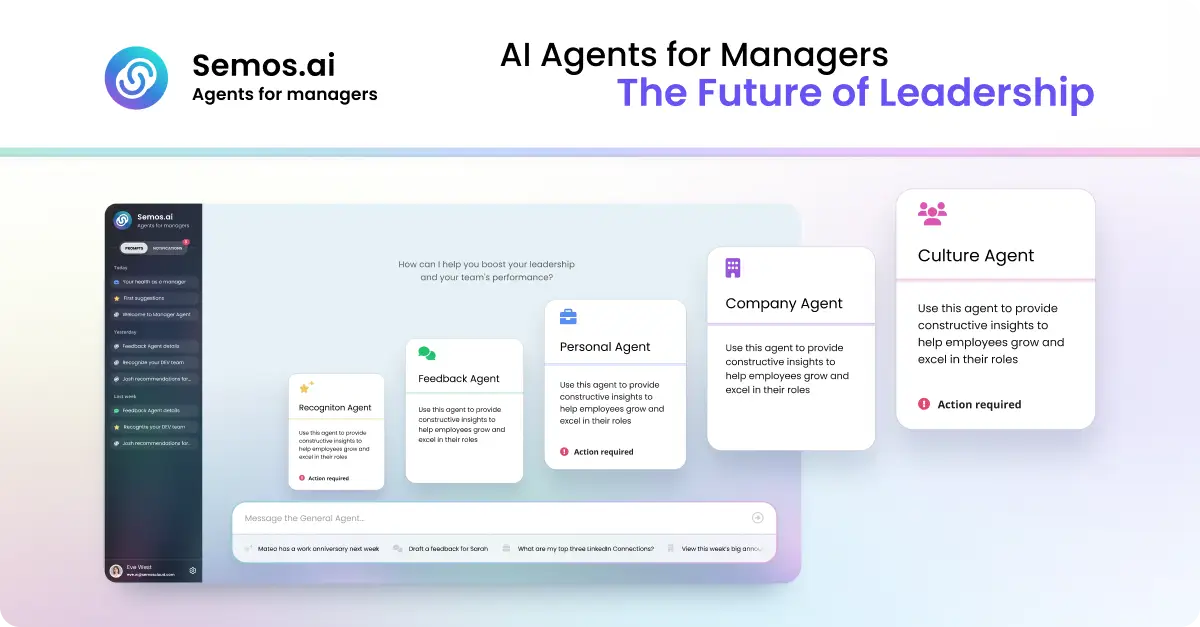
Semos.ai Manager Agents are AI agents purpose-built for managers. They build context from your meetings and back it with behavioral science, so you can handle difficult conversations, develop your people, and grow as a leader. The product is designed for people managers who are responsible for a team and need practical, timely support in the everyday moments of leading: a 1-on-1 that did not go as planned, feedback that is overdue, recognition that was missed, or a growth conversation that keeps slipping. Rather than offering generic advice, Manager Agents work from what has actually been happening across your meetings and your team, and turn that context into something concrete you can act on right away. The problem Manager Agents address is familiar to almost every manager: team context is scattered. The site describes the situation plainly, noting notes from six different 1:1s scattered across three places, and a review due Friday you have not opened. The support that would normally help in these moments has traditionally sat behind a budget line. An HR business partner is bundled into overhead at roughly one per 200 people and is available during business hours, shared across dozens of managers. An executive coach costs $300 to $500 per session and is scheduled weeks apart. Management training runs $2,000 to $8,000 once, lasts one week, and then leaves you on your own. Each of these options is scarce, expensive, scheduled far in advance, generic rather than specific to your team, or some combination of all four. Manager Agents are positioned as an alternative: self-serve and monthly, available whenever you need it, built for you, and, as the site puts it, designed to get sharper over time. The value proposition is that support previously reserved for a few sponsored leaders becomes directly available to the manager, including at 10pm before the conversation you have been dreading. Manager Agents are organized into a set of specialized agents, each aimed at a different part of the manager's job. The Meeting Agent is described as the foundation: it builds context from every meeting you have and feeds it to every other agent. That shared context is what allows the rest of the system to give guidance grounded in what has actually been happening rather than in a blank slate. The Feedback Agent handles difficult conversations, helping you say the hard thing clearly before it is too late to say it well. The Recognition Agent helps you give recognition that is specific, timely, and fair, addressing the common failure mode where good work goes unnoticed simply because the moment passed. Together these three cover the most frequent and most time-sensitive parts of managing people: understanding what happened, correcting course when something is wrong, and reinforcing what is working. Four further agents extend that coverage. The HRBP Agent works on people challenges, structuring the conversation and the documentation before you have it, which is useful when a formal or semi-formal process is involved. The Culture Agent focuses on team health, surfacing shifts in sentiment and participation before they show up in a survey, so managers can act on early signals rather than after-the-fact reporting. The Career Agent supports career conversations and growth plans for your team, helping managers prepare for the development discussions that often get postponed. The Company Agent provides sector awareness, keeping you current on what is happening in your market in minutes a week. The site also notes that more agents are available in Enterprise mode, linking to the Semos Cloud platform. Manager Agents follow a four-step approach that the site labels proactive, draft, action, and learn. First, the system is proactive by design: it does not wait for you to ask. A missed recognition, a quiet direct report, or a hard conversation coming up is surfaced before you think to ask about it. Second, it provides a start rather than a stare: a message, a talking point, or a structure for the conversation, grounded in what has actually been happening. Third, it is built for action, so what you get is something concrete, whether that is a message, a plan, or a next step, designed to be acted on right away. Fourth, and perhaps most importantly, the judgment becomes yours. Every suggestion comes with the reason behind it, so that over time you start seeing the pattern yourself. This last step positions the product as a way of building the manager's own capability, not simply a way of outsourcing decisions to automation. Every output draws on real behavioral science. The site names three specific frameworks: Stanford's 4Is feedback framework, Big Five personality traits, and Hofstede's cultural dimensions. The stated purpose of grounding outputs in these frameworks is that they were built for how people actually change, not just for what sounds right. In practice this means suggestions are not merely plausible-sounding text; they are shaped by established models of how feedback lands, how personality shapes response, and how cultural context affects communication. The site summarizes this scientific basis with three words: proven, precise, and verified. Manager Agents describe measurable outcomes. Managers capture three times more recognition, feedback, and coaching moments each week. Eighty-five percent of feedback recipients say the guidance is clearer and more actionable, and there is an average improvement of 23 percent in engagement scores during the first week. Underneath those numbers is a simpler benefit: the support that used to sit behind a budget line is now available directly to the manager, at the moment it is needed rather than weeks later. The product also distinguishes itself from generic AI tools. A general-purpose assistant starts from zero every time, with no memory of your team and no sense of your history with them; you have to explain the whole situation before you get an answer, and the answer is the same one anyone else would get. Manager Agents carry your context forward, drawing from the same shared context of your meetings, your team, and your patterns, so that every conversation adds to what they know about how you lead and guidance gets sharper over time. The site lists example questions that illustrate how managers use the product in practice. A manager facing a first underperformance conversation can ask for help preparing. Someone who needs to write a review can ask the system to turn notes from the last quarter into a review for a named team member. A manager can ask who on the team has not been recognized in the last month, or ask for a message recognizing the work someone put in this sprint. Career conversations are covered by asking for help planning a development conversation for someone ready for more, or figuring out how to bring up a promotion case with the manager's own manager. Team health and timing questions include whether anyone has gone quiet in recent 1:1s and what to do next after a 1:1 that did not go as hoped. There are also prompts for drafting feedback for someone who has been missing deadlines, structuring a conversation about a conflict between two people, handling the aftermath of a resignation notice, and finding out what has changed in the sector that the team should know. Manager Agents are built for people managers, and the framing throughout the site is about the individual manager rather than the HR department. The alternative comparison makes the positioning explicit: whereas an HRBP is built for HR and an executive coach is typically available only to the few people a company sponsors, Manager Agents are described as built for the manager and as getting sharper over time. Availability is self-serve and monthly, and the product is available whenever the manager needs it. The site directs visitors to get started through an app login and, in its metadata, invites people to join the waitlist. For managers who want practical support in the moments that actually shape a team, whether that is the conversation before it happens, the recognition that is overdue, or the review that is due Friday, Semos.ai Manager Agents offer AI agents purpose-built for the job. They combine context captured from your meetings with behavioral-science frameworks, surface what needs attention before you ask, give you something concrete to act on, and explain the reasoning so your own judgment improves. The result is not just help leading; as the site puts it, Manager Agents make you great at it.
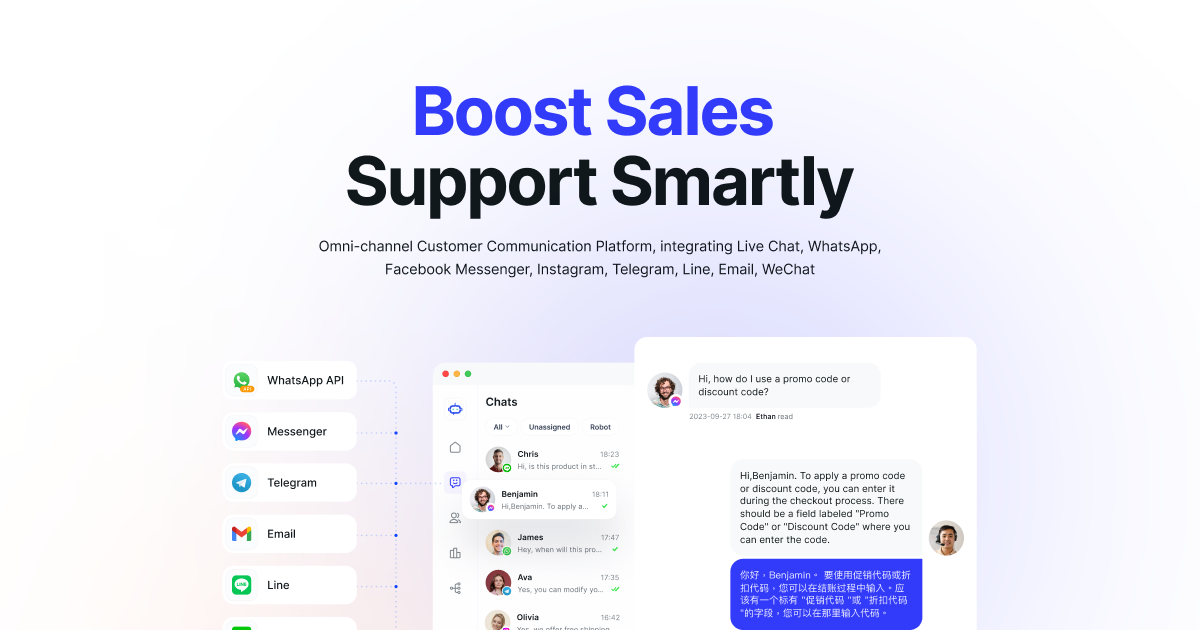
SaleSmartly is an AI-powered omnichannel customer engagement platform that brings customer conversations from WhatsApp, Instagram, Messenger, TikTok, Telegram, LINE, WeChat and other channels into a single workspace. It is built for teams that handle customer service, sales and growth, and it combines three things in one product: an omnichannel inbox, AI agents, and a built-in CRM. The platform's stated purpose is to keep every conversation connected and every lead managed, so businesses can capture, convert and retain customers across the entire customer lifecycle and serve global customers as easily as local ones. SaleSmartly frames the problem it solves around a simple observation: most platforms lose context when customers move across channels, and more messages across different channels do not automatically create more revenue. Slow replies, scattered context and disconnected omnichannel messaging can quietly hold growth back. As the website puts it, a conversation problem eventually becomes a revenue problem, leading to lost leads, lost customers and slower growth. SaleSmartly was designed to remove that friction by centralizing omnichannel customer engagement in one workspace, so every inquiry is captured as a lead and the team can follow up faster. The site cites three times faster follow-up as an outcome of this centralized approach. The most visible part of the product is the Omnichannel Inbox. SaleSmartly states that it connects 14 messaging channels and platforms in one unified workspace, so agents do not have to switch between tools and do not risk missing messages. Channels named on the website include WhatsApp and WhatsApp Business API, Facebook Messenger, Instagram, Facebook, TikTok, Telegram, LINE, WeChat, Zalo, VKontakte, YouTube, Email, Live Chat and the website chat widget. Within the inbox, specific capabilities include a Team Inbox, Instagram DM management, TikTok DM management and Conversation APIs. Centralizing engagement in this way means every inquiry is captured as a lead and the team can follow up faster, which is the first stage of the journey SaleSmartly describes. The second pillar is AI. SaleSmartly describes a smarter AI agent for customer service: an AI employee that responds instantly, qualifies leads, translates conversations and automates next steps. The website summarizes this as a 4-in-1 capability covering respond, qualify, translate and hand off. High-value conversations are handed off to human agents with full context, an arrangement the company calls Human–AI Collaboration, supported by a Flexible AI Ecosystem and 24/7 AI Support. In practice this means routine questions can be answered around the clock while more complex or valuable conversations reach a person who already has the background needed to continue them. Real-time translation is also listed as a standalone feature, which helps teams serve customers in different languages without adding separate translation tools to their workflow. The third pillar is CRM. SaleSmartly's Social CRM keeps tags, notes, lifecycle stages and conversation history in one profile, so every follow-up feels personal and connected. The site highlights unified customer profiles, smart segmentation, AI-powered insights and WhatsApp CRM, describing the result as a 360-degree customer view. This matters because the platform's core promise is turning conversations into CRM context: rather than letting useful detail disappear into individual chat threads, the CRM preserves it so it can be reused for later follow-ups, segmentation and reporting. For sales teams in particular, that means leads and relationships stay in one place instead of being tracked manually. The fourth pillar focuses on customer retention and lifetime value. SaleSmartly uses customer data to identify dormant, high-intent and high-value customers, then triggers personalized outreach across WhatsApp, email, SMS and Messenger. Named capabilities include inactive segments, channel follow-ups, personalized outreach and LTV tracking. The company states that this approach delivers 30% higher customer lifetime value. The goal is to bring customers back into live conversations, measure every response and turn customer re-engagement into long-term growth. Related features listed elsewhere on the site include targeted broadcasts, tracking links and live QR codes, customer analytics, marketing attribution, auto-assign conversations, automation, and team collaboration and routing. SaleSmartly describes its approach as combining Omnichannel Customer Engagement, an AI workforce and CRM in one platform. The customer journey is organized into four stages: capture more leads, convert leads, strengthen relationships and drive repeat growth. Capture happens in the omnichannel inbox; conversion is handled by human agents working alongside AI agents; strengthening relationships runs through the CRM; and repeat growth comes from retention and re-engagement campaigns. Rather than treating messaging, automation and customer data as separate tools, SaleSmartly keeps them in one connected system so context survives as customers move between channels and between AI and human agents. That connected context is presented as the reason follow-ups stay relevant and handoffs stay smooth. Stated benefits include faster follow-up, a 100% after-sales response rate for support teams, stronger customer lifetime value and clearer visibility into team activity. SaleSmartly also positions itself as a way to protect customer assets: business owners can monitor team activity and maintain visibility across every channel, while marketing teams can link chats to campaigns and track attribution to optimize channel performance. Customer testimonials on the site echo these themes, describing centralized communications that reduce lost leads, a unified inbox across multiple networks that saves time, and automation that improves response times. One reviewer highlights intuitive design and accessible pricing for smaller brands, while another mentions increased Instagram sales and an easy initial setup. Use cases described on the website are organized both by role and by industry. For customer support teams, SaleSmartly is presented as a global after-sales management platform aimed at eliminating missed orders and lost customers, using an omnichannel inbox, AI support and team collaboration. For business owners, it offers WhatsApp management and customer asset protection alongside oversight of all team conversations. For sales teams, it provides lead management, pipeline tracking and a Social CRM to unify leads and relationships and keep opportunities moving. For marketing and growth teams, it supports CTM, Meta Conversion API and marketing attribution so chats can be linked to campaigns and ROI can be tracked. Individual reviewers describe using the product for Instagram sales, managing leads and social media inquiries, and centralizing information from multiple communication channels into one platform that also creates related task tickets. SaleSmartly says it is trusted by more than 300,000 businesses worldwide, and displays customer logos including ByteDance, Shein, Miniso and Alibaba Cloud on its brand wall. The platform supports a wide range of messaging and social integrations plus a website chat widget, and it references Conversation APIs and an Android SDK, indicating options for developers who want to connect their own systems. On the trust side, the company lists Meta Business Partner status, ISO 27001, ISO 27701 and CCRC certifications, and a 4.5/5 rating on G2. Detailed pricing is not published on the page, but visitors can start for free or book a demo; the free trial includes all channels and AI agents, and the site states that no credit card is needed. Overall, SaleSmartly's value proposition is straightforward: bring every customer conversation into one workspace, put AI agents and a CRM behind it, and use the resulting context to turn more conversations into customers. For teams juggling multiple channels, it aims to replace scattered inboxes and disconnected follow-ups with a single, connected system for service, sales, marketing and retention.
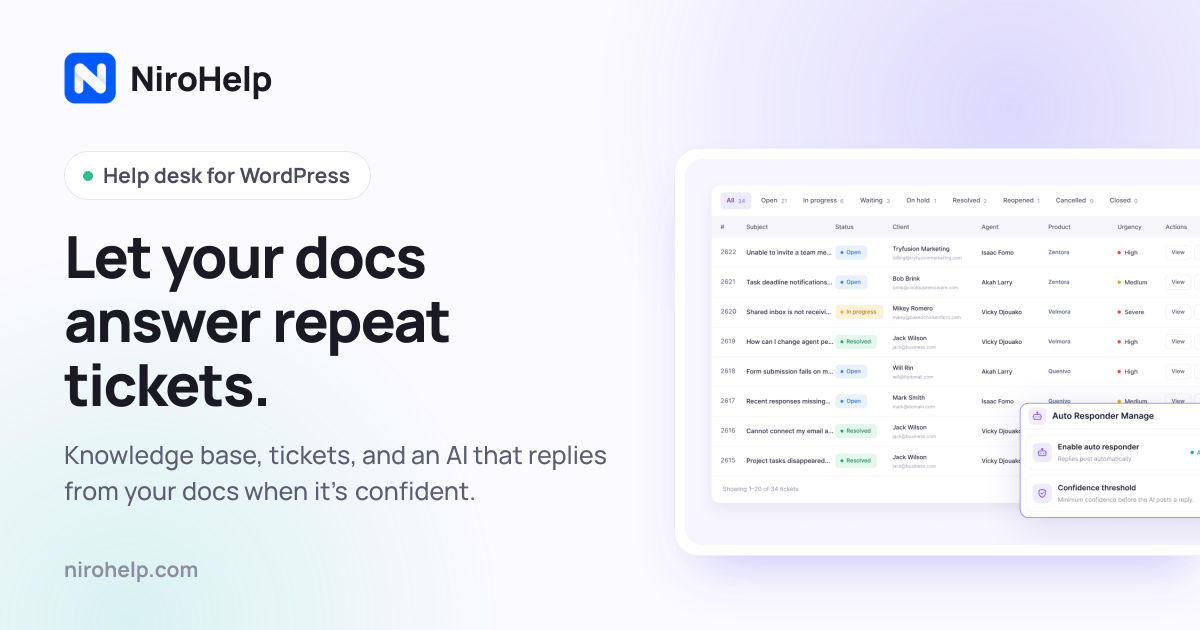
NiroHelp is an AI-native help desk built for WordPress. It bundles a knowledge base, a support ticket system, an AI chatbot, and an AI auto-responder into a single plugin that lives inside the WordPress admin, so docs, tickets, and AI all sit in the same menu. It is designed for teams that answer the same customer questions over and over — WordPress plugin, theme, and WooCommerce businesses, small support teams, and agencies managing multiple sites. The core purpose is straightforward: let your own help articles answer repeat tickets, and only pull in a human when the AI is not confident enough to reply. The help desk itself — knowledge base, ticketing, and dashboard — is free on WordPress.org, while paid plans switch on the AI features and email piping. Support teams often end up paying for several separate tools to cover one job: a documentation plugin, a ticketing plugin, and a chat or help-desk subscription. NiroHelp's founder, Nazmul Ahsan, says the team built it because they were tired of paying for five plugins to do what should be one job. The result is a single plugin where the knowledge base customers read is the same knowledge base the AI reads before it replies, and where docs, tickets, and AI live in one admin menu with nothing extra to install or learn. Because documentation usually already exists in WordPress product businesses and the questions already repeat, NiroHelp goes after the repetitive pre-sales and licensing questions that fill support queues. Customers get faster answers, and the team spends less time on questions the docs already cover. The knowledge base module lets you publish help articles your customers can search and browse. Articles are written with a familiar editor that supports titles, images, and formatting, and they are grouped into topics so visitors find things fast. Customers can mark an article helpful or not helpful, giving you a direct signal about which documentation needs work — the dashboard later surfaces those votes alongside the tickets that referenced the article. Article pages are clean and readable, with a table of contents and readable code snippets, and they stay fast to load even with hundreds of articles. Crucially, the AI reads these articles before it ever replies to anyone, so the quality of your docs directly shapes how much support the AI can handle on its own. Ticketing covers the conversations the AI cannot answer. Every ticket moves through clear stages — open, in progress, waiting, resolved, and more, eight stages in total on the free plan — and status updates itself whenever your team or the customer replies. New tickets are handed to an available agent automatically, so no single person gets overloaded. Manager, Agent, and Customer roles define who can access what, custom fields can be added without any code, and everyone gets an email the moment something changes. Tickets can also be embedded on any page, which means the same system can collect requests from a contact page, a checkout screen, or anywhere else on your site. The AI layer has two halves. The live chatbot is a chat bubble that already knows your product: you add a single line of vanilla JavaScript to any website, WordPress or not, and visitors get answers pulled straight from your help docs. You pick the agent name, avatar, and color so the widget matches your brand, choose which pages it appears on and when — it can go quiet outside business hours — and preview the exact widget in your dashboard before it goes live. It also remembers the conversation, so customers can move between pages without repeating themselves for as long as the tab lasts. The AI auto-responder applies the same documentation-grounded AI to incoming tickets. If your docs clear the confidence threshold you set, it replies on its own; if they do not, it stays quiet and leaves the ticket for your team. Answers post after a delay you choose — five minutes by default — so a customer who is still typing is not interrupted. Email piping turns the support inbox your customers already write to into your ticket queue. NiroHelp connects to any mailbox over IMAP or POP3 — including Gmail, Microsoft 365, and cPanel — and every email arrives as a tracked ticket while every reply threads back into the same conversation, so customers never have to learn a new tool. Multiple shared inboxes can each be routed to their own agents. Quoted history is stripped, attachments are carried over, and auto-replies are ignored. The AI auto-responder answers piped tickets too, which means even requests that arrive as ordinary email can be resolved from your docs before a person opens them. The dashboard gives a 360-degree view of your support for the last 30 days. At a glance you can see which tickets are waiting on your team, how many are overdue, your median first reply time, what percentage of conversations the AI deflected, and which threads have turned unhappy or been flagged. A needs-attention list sorts tickets by risk, and a separate panel highlights customers whose sentiment is turning negative. Then there is the copilot: a chat box you can ask questions such as which customers are most at risk this month, or what you should fix in the docs first, and it answers from your open tickets, replies, and doc votes. The workflow of the auto-responder is deliberately simple. A customer writes in, either as a new ticket or a reply, just like normal. The AI checks your docs for an article that actually answers the question. If it is confident, the answer posts after the delay you set. If it is not sure, it stays quiet and the ticket waits for a person — no guessing. Everything is contained in a single plugin: the free core handles docs, tickets, and the dashboard, while paid plans add the chatbot, the auto-responder, the copilot, and email piping. Each module can be enabled or disabled independently from Settings, and disabling one never touches the other's data because docs are posts, tickets are posts, and replies are comments. NiroHelp places privacy and ownership at the center of its design. The knowledge base, tickets, and replies live in your own WordPress database as ordinary posts and comments, not in a proprietary table and not on NiroHelp's servers. Docs, tickets, emails, and migration contact no external service at all, so the help desk keeps working with the internet unplugged; only the AI features talk outward, and when the auto-responder is on, that includes the ticket it is answering. There is no OpenAI or Anthropic key field anywhere in the plugin — the AI is included in your plan as an allowance of replies, and when it is used up the AI pauses until it resets rather than generating a per-token bill. Uninstalling deletes nothing of yours; it clears only the plugin's own bookkeeping. Migration is built in as well. A Migrate action copies articles, topics, and tickets — replies included — from seven other plugins: BetterDocs, weDocs, Echo Knowledge Base, BasePress, Awesome Support, SupportCandy, and JS Help Desk. Your old plugin keeps its data until you choose to clean it up, and every imported item is marked, so re-running the migration creates no duplicates; each source has its own guide describing exactly what comes across. NiroHelp also positions itself against a stitched-together stack. In its own cost comparison for a three-agent team, running Intercom, Zendesk, HubSpot, or Help Scout alongside a separate docs plugin comes to between $1,499 and $3,309 per year, while NiroHelp Starter is listed at $79.99 per year with unlimited agents. Pricing is based on how many sites you run, not how many people are on your team, and unlimited agents are included on every plan. The free plan, available on WordPress.org with no time limit, covers the knowledge base with search, ticketing with eight stages, automatic ticket assignment, the support dashboard, imports from seven plugins, and unlimited agents and tickets. Starter is $9.99 per month or $79.99 per year for one site and adds email piping, the AI chatbot trained on your docs, the AI auto-responder for tickets, and 1,000 AI credits per month. Growth is $29.99 per month or $239.99 per year for five sites with 6,000 AI credits per month and priority email support. Agency is $49.99 per month or $399.99 per year for ten client sites with 15,000 AI credits per month and voice call support. The product is aimed at WordPress product companies, small support teams of two to ten people, and agencies running multi-site setups. It is translation-ready, with a .pot template shipping with the plugin, and clients can log in without a WordPress account using a one-time verification code, a magic link, or a standard password. NiroHelp's primary value proposition is that the documentation you already wrote can do more of the support work. By keeping the knowledge base, tickets, chatbot, and auto-responder in one WordPress plugin — and by grounding every AI reply in your own articles — it lets a smaller team handle more customers at lower cost, while leaving the hard questions to people.