Category Focus/categories/productivity
Productivity AI Tools
Discover and compare the best productivity AI tools and software. Browse 859+ curated tools with reviews and rankings.
Projects tracked
859
Sort mode
RECENT
Page
4
Discover and compare the best productivity AI tools and software. Browse 859+ curated tools with reviews and rankings.
Projects tracked
859
Sort mode
RECENT
Page
4
Wabi describes itself as a new kind of messenger that gets things done. Rather than being only a place to exchange messages, it is presented as a messenger that makes apps and gets things done for you and your friends. It is aimed at people who already coordinate their lives inside group chats: friends organising a trip, housemates or families watching bills and subscriptions, classmates dealing with school, or any circle of people who need to line up plans together. Its stated purpose is to deliver more of what you want to do and less of what you have to, so the coordination work that normally lands on one person in the group is handled by Wabi instead. The problem Wabi addresses is the gap between talking about a plan and actually completing it. A group chat is where the plan is made, but the real work — finding the flight details, tracking what everyone owes, remembering which shows are coming up — usually lives somewhere else and tends to land on one person. Wabi's makers frame their goal as building the OS for the agentic era: software that adapts to your life, gets things done, and makes more room for the people and things that matter. That framing positions Wabi not simply as another chat client with an assistant bolted on, but as a messenger in which the assistant is a working participant producing tools on demand. According to the Product Hunt description, Wabi is a new kind of messenger that makes apps and gets things done for you and your friends. The website's examples show what those apps look like inside a conversation. In one, Wabi messages the group to say that a flight confirmation email has just landed, naming the route as San Francisco (SFO) to Mexico City (MEX) for Sep 30 to Oct 5, and the thread displays the itinerary alongside the conversation. In another, Wabi says, "I've put all your upcoming live shows into one app," and lists Turnstile on Sep 25, sombr on Oct 4 and Disclosure on Nov 12. The pattern is a short message from Wabi with a small app or structured card attached to it. The itineraries and cards shown are not separate products the group has to open; they arrive as part of the message stream, which is the point Wabi is making about getting things done where the conversation already is. The website's headline for this scenario is "Let Wabi handle your next group trip," and Group trip is the use case shown most often in the rotating list on the page. The trip example starts with the flight itself: SFO to Mexico City, departing 09:55 and arriving 14:20, for a stay running Sep 30 to Oct 5. The conversation also carries a trip countdown reading DEPARTURE, 14 DAYS 08 HRS 32 MIN, and a card for Mexico City, labelled CDMX, offering local recommendations. All of this sits in the same thread where the group is talking, so the itinerary, the countdown and the recommendations are visible without opening another service. Money is the second area the product demonstrates, under the heading Bills & subs. The example shows a monthly total of $327.60 and a Subscriptions app inside the chat. In the same conversation Wabi raises a change on its own initiative: "Your Comcast bill went up $41 a month. Want me to try to renegotiate it?" That single exchange captures two behaviours — Wabi watching recurring charges and Wabi offering to take an action rather than only reporting one. Importantly, the offer is phrased as a question, so the group decides whether Wabi proceeds. Tracking subscriptions is also listed as its own use case on the site, separate from bills, which suggests the messenger treats recurring services and one-off bills as related but distinct things it manages. Beyond trips and money, the website lists School, Group pet, Games, Book club, Dinner plan and Live music as situations Wabi is built for. For live music the example consolidates a group's upcoming shows into one app inside the conversation. The revolving list on the page cycles through these same items — Group trip, Bills & subs, School, Group pet, Games, Book club, Dinner plan and Live music — repeating them as the page's central illustration of what Wabi is for, with small icons for each. Across every example the structure is the same: a shared activity or recurring responsibility, and a small app or card held in the chat that carries the information. The example message for live music is as brief as "I've put all your upcoming live shows into one app," which is the clearest statement of the model — Wabi builds the tool and delivers it as a message. Wabi's approach is to be a messenger first and a set of tools second. The descriptions say it makes apps and gets things done for you and your friends, and every example shows Wabi acting inside the conversation: a message from Wabi appears in the thread with a working app or structured information attached. Wabi is shown taking in real-world details, such as a flight confirmation email, and asking for permission before it acts, as with the renegotiation offer. Product Hunt lists Wabi under Task Management, Messaging and Robots, which reflects the combination the product is aiming at — chat as the interface, tasks as the output, and an agent doing the work in between. The benefit Wabi claims is stated plainly in its own copy: more of what you want to do, less of what you have to. Applied to the examples, that means a group does not have to keep collecting show dates by hand, dig out a flight confirmation, or notice that a bill has crept up; Wabi surfaces those things into the conversation and offers to deal with them. Because the tools appear where the conversation already happens, the group does not need to agree on and adopt a separate app for each activity — the app is made for the occasion and lives in the thread. The examples are all social, which indicates the target user is a group rather than an individual: friends travelling together, people sharing bills and subscriptions, students, clubs and friends following live music. Wabi, Inc. is credited as the author of the site, and the page is built as a web experience that is mobile-web-app capable; its metadata also references an Apple app id, pointing to an iOS app. No pricing or plan details appear on the page. The only concrete detail the site gives about how Wabi learns something is the flight confirmation email arriving in the example, and the only action it offers to take is renegotiating the Comcast bill; beyond that, the site keeps its claims at the level of making apps and getting things done. Wabi's proposition is compact: a messenger that makes apps and gets things done for you and your friends, handling trips, bills, subscriptions and the small recurring jobs that groups otherwise absorb themselves. Its promise of more of what you want to do and less of what you have to is the thread that runs through every example on the site.
DevAlly is an AI-powered accessibility compliance platform designed for product teams who ship quickly. Its stated goal is to make a product accessibility conformant fast, helping teams build products for everyone rather than treating accessibility as a one-off audit. The product covers the whole journey from scanning a live product URL through to documented proof of compliance. Central to the platform is the DevAlly AI Agent: when a user describes a user journey in plain English, the agent navigates the app and records that journey, and the platform then audits each stage of it against the WCAG criterion and suggests a fix for every issue found. DevAlly positions itself for teams that want end-to-end accessibility for any stage of product development, and it states that no accessibility expertise is needed to get started. Accessibility is no longer optional, and DevAlly frames the problem in explicitly regulatory terms. According to the platform, the US, the EU and the UK have each set their own accessibility requirements, and the direction is the same: mandatory, enforceable, and increasingly expected by the enterprise customers you are selling to. In the United States, VPATs are required for federal procurement under ADA and Section 508 and are increasingly expected by enterprise buyers, while ADA Title III exposes private businesses to civil lawsuits. DevAlly notes that demand letters, class actions and settlements are rising every year, that thousands of lawsuits are filed annually, and that settlements often exceed $50,000. The company's message is blunt — the market will not wait, and neither should you. Because products change constantly, accessibility requires consistent monitoring rather than a single audit, which is the gap DevAlly's agent is built to close. Teams are told they can own accessibility compliance without slowing down the roadmap: DevAlly handles the auditing, the prioritisation and the documentation, while the team handles the building. DevAlly's workflow is organised into five stages: Scan, Identify, Remediate, Prove and Scale. Scan is the entry point — a team signs up and runs a first automated audit in under ten minutes, with no configuration required, by entering their product URL. Identify then organises what the scan uncovered, prioritising issues by severity and by compliance standard so that necessary fixes come first rather than nice-to-haves. This prioritisation matters because remediation backlogs are usually long; ordering them by regulatory weight and severity lets a team work on the issues with the most legal and user impact before spending time on cosmetic problems, and it means a team without accessibility specialists still knows where to start. Remediate is where DevAlly's AI generates exact, code-level fixes. Those fixes are integrated directly into GitHub and into the team's CI/CD pipeline, so issues are caught before they ship rather than after release. This integration is what separates the platform from a standalone audit report: instead of handing engineers a list of violations to interpret and triage manually, DevAlly produces concrete changes in the same tools and repositories the team already uses, keeping accessibility work inside the normal development workflow. Catching issues before they ship also avoids the compounding cost of fixing accessibility problems after they have reached production and real users. Prove covers documentation. When procurement, legal or a customer asks, DevAlly provides VPATs, compliance dashboards and accessibility statements on demand, so the evidence is ready rather than assembled under pressure. Scale addresses the fact that accessibility erodes as products evolve: continuous monitoring catches regressions before users do, with the stated aim that accessibility stays built in rather than bolted on. Together these stages mean a single platform moves a team from a first scan to ongoing, documented compliance, with each stage feeding the next. The distinctive part of DevAlly is the DevAlly AI Agent and its natural-language approach to testing. Rather than hand-authoring scripts or clicking through a product manually, a person describes a user journey in plain English. The agent navigates the app and records that journey, which DevAlly says saves hours of engineering work. The platform then audits every stage of that recorded journey against the WCAG criterion and suggests fixes for each issue. DevAlly has also introduced an MCP that brings accessibility compliance into the editor, letting a developer ask what is failing WCAG and get the fix without leaving their workflow. Combined with the scan-to-scale workflow, this describes a methodology where testing is described rather than coded, issues are prioritised by compliance weight, fixes are generated and delivered into the development pipeline, and evidence is produced continuously rather than at the end. For users, the promise is owning accessibility compliance without slowing down the roadmap. DevAlly handles the auditing, the prioritisation and the documentation, while the team handles the building. Teams get a first automated audit within minutes of sign-up, fixes surfaced in severity order, code-level remediation delivered into GitHub and CI/CD before release, and compliance documentation available on demand when a buyer, lawyer or procurement team asks. Because monitoring is continuous, accessibility is treated as an ongoing part of shipping rather than a periodic project, and regressions are caught before users encounter them. Typical scenarios follow the platform's own stages. A team entering a new market can run a scan and identify the issues that matter most for that standard. An engineering team can wire DevAlly into GitHub and CI/CD so accessibility issues are caught before they ship. A company facing a VPAT request from a federal agency or an enterprise buyer can use Prove to generate documentation on demand. A product team can use the AI Agent to describe a critical user journey in plain English and have it recorded and audited stage by stage against WCAG. Developers can use the MCP to ask what is failing WCAG from inside their editor and get the fix without leaving the workflow. DevAlly is aimed at product teams who ship quickly, including the engineering, design and compliance functions that need accessibility handled without becoming accessibility specialists. Explicitly mentioned integrations are GitHub, the team's CI/CD pipeline and an MCP for editors. The platform is web-based: visitors enter their product URL or sign up through app.devally.com, with a free start and no credit card required, alongside a Request a Demo path. DevAlly has been featured in TechCrunch, Fortune, The Irish Times, Irish Independent, ThinkBusiness, The Currency, Web Summit, Tech.eu, Silicon Republic, RTÉ and Business Post. DevAlly's core value proposition is straightforward: make accessibility conformance fast and continuous for teams that ship quickly. By combining an AI agent that records user journeys from plain-English descriptions, audits each stage against WCAG, generates code-level fixes, and produces compliance documentation on demand, it aims to turn accessibility from an occasional audit into a built-in property of the product.
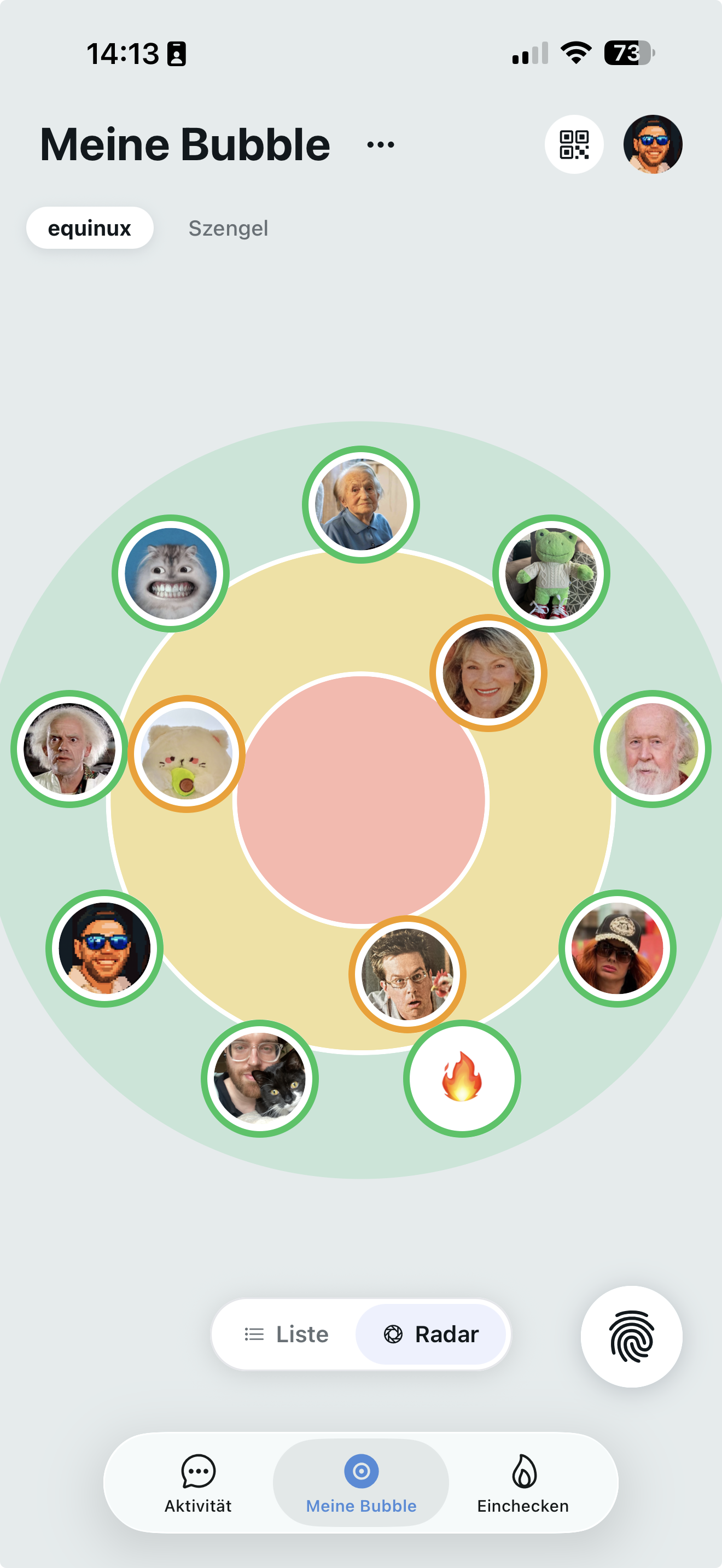
Knuff is a family check-in app built to make it easy to see how the people around you are doing, even when life gets busy. It is available for iPhone and iPad with iOS 16 or later as well as Android smartphones, and the website says it is for families and friend groups of all ages. Inside the app you create a bubble with your most important people — family, close friends, or neighbors — and share quick check-ins so everyone stays connected wherever life takes you. Knuff was developed to bring people closer together and give them a good feeling in everyday life, whether between grandparents, children, parents, partners, or friends. The problem Knuff addresses is the everyday uncertainty of not knowing whether the people you care about are okay. Traditionally, that means sending messages, making calls, or starting conversations just to confirm that everything is fine — small interactions that add up and sometimes feel like an obligation. Knuff frames its check-in as an answer to exactly that: no more messages, no more calls, just choose a Knuffling, check in, and you are done. The app turns reassurance into a single tap, so everyone in the group stays up to date and can react if someone does not check in as usual. Knuff is not positioned as a replacement for messengers; its FAQ states that it complements existing messengers such as WhatsApp or iMessage. The focus is on knowing how people in your bubble are doing and being informed when someone has been inactive for a long time. Bubbles are the organising principle of Knuff. You can create separate bubbles for family, close friends, or neighbors, and within each bubble every member can see each other's check-in status. The website describes this as private, simple, and reassuring. Privacy is scoped by bubble: your check-ins are always limited to the bubble where they were created, and only members of that bubble can see them, while other bubbles have no access. You do not choose individual recipients for each check-in — instead, a check-in is shared with all members of the bubble it was posted in. To control who receives which check-ins, you create additional bubbles, so each one acts as its own separate group. A bubble is automatically deleted when the last member leaves it. Checking in is deliberately minimal. You tap the hand button in the Knuff bubble or in the Knuff chat, select a Knuffling — one of the little figures that make the process more personal — indicate how you feel, and check in. From there you can optionally expand the check-in with whether you feel good or bad, a personal message, an uploaded photo or video, a picture taken directly through the camera, a voice message, a poll for your group, or your current location. How much you share is up to you. The bubble map then shows at a glance how current each member's check-in is: whoever has just checked in stays outside in the green area, while a member whose last check-in was a long time ago moves further toward the center and the red area. Bubble themes, such as the Sardegna theme shown on the website, let you customise the look of your bubble, and the app also shows member details and reactions. Alongside check-ins, Knuff includes a chat where you can discuss, share pictures, upload videos, and simply stay in good contact with your loved ones. Inviting people happens from inside a bubble: you tap the plus symbol, and people who are with you can scan the avocado to join, or you can invite others by email, WhatsApp, and other channels. Because every bubble is a closed group, the check-ins and shared content stay with the people you chose. The website also highlights that Knuff is international, with an interface available in a long list of languages including English, German, Spanish, French, Italian, Japanese, Korean, Portuguese, Russian, Turkish, Chinese, Arabic, Hindi, and many more, plus a random-language option for trying something new. Knuff's commercial approach is unusual for a mobile app: there are no subscriptions. Core features are free for you and everyone in your bubble. Extras are bought from the Knuff Shop — additional Knufflings, bubble designs, or features that everyone in the bubble can then use — as simple one-time purchases. Features are also made available through Passes with a fixed validity period: a Pass expires automatically, nothing renews without your explicit confirmation, and you are only charged for another Pass when you confirm the purchase yourself. You can extend a Pass at any time, even before it expires, and the additional time is added in full to the current Pass. The Bubble Store lets you expand a bubble with surveys, appointment scheduling, location sharing, or longer video clips; these packs are activated for the entire bubble so all members can use them, they apply only to the bubble where they were purchased or unlocked, and any member of a bubble can sponsor a pack or contribute to unlocking one. Knufflings can be purchased individually and given as gifts, and after purchase they are available in all bubbles without a time limit. Knuff is built in Munich, Germany, by a small independent team, and the website states that data stays entirely in Germany in the team's own German data center — not with US providers like AWS, Google, or Microsoft. The benefit Knuff promises is reassurance without friction. Instead of chasing updates through messages and calls, families and friends get a continuous, low-effort signal that everyone is okay, and they are alerted when someone has been inactive for a long time, so they can react if needed. Because check-ins can carry a feeling, a message, a photo, a video, a voice note, a poll, or a location, they can be as light or as personal as the situation requires. The bubble map makes the state of the group readable at a glance, and the privacy model means that openness inside a group of trusted people does not spill over into other groups. For people who want to stay close without constant conversation, that combination — visible status, simple check-ins, and a private-by-bubble design — is the core value. Knuff's website illustrates its use through a network of example people. A 68-year-old grandmother who lives alone and is recovering from hip surgery values her independence and likes staying connected to family life through small updates. Grandparents living abroad keep in touch with their grandchildren from afar through photos and video clips. A busy mother of three who works from home uses Knuff to know her children are okay and to stay connected with colleagues during the day. A pilot who is often far from home shows his partner where he is and gives her a glimpse of his day without sending a message or starting a conversation, and uses a dedicated bubble to let his football friends know when he is ready for a match. A 19-year-old who has just moved to a new city for university keeps in touch with family and roommates. A 15-year-old checks in quickly when out with friends in the evening, with or without sharing his location. And a child who has started going to school alone reassures her parents by checking in as soon as she arrives. Knuff is aimed at families and friend groups of all ages — grandparents, parents, partners, children, roommates, and hobby groups such as a football team or school friends — and the app is explicitly built for people who care. It is available on the App Store and Google Play, requires iPhone or iPad with iOS 16 or later, and runs on Android smartphones. All core functionality is free; optional extras are bought in the Knuff Shop, and features can be unlocked for a whole bubble through the Bubble Store, either by purchase or by sponsorship. Accounts and bubbles can be managed in the app, where deleting an account is done from the head icon in the top right, then your name, then delete account. Overall, Knuff's value proposition is simple and warm: a private bubble, one tap to check in, and a clear view of how your people are doing — with free core features, no subscriptions, and data kept in Germany.
ParakeetAI is a real-time AI interview assistant that gives you the right answer while you are still talking. According to the website, it is built for interviews, sales calls, client meetings, or any conversation where freezing up isn't an option. Rather than being only a preparation tool, ParakeetAI works both before and during the conversation: you rehearse ahead of time and then, on the day, it listens to the real interview and drafts your answers live. The product is presented as the "#1 Real-Time AI Interview Assistant" and the "#1 AI Interview Assistant on SimilarWeb," and the site says it is trusted by 1.5M+ people with a 4.86 rating from 340K+ reviews. Its stated purpose is to take you from "what will they ask?" to "I nailed it." The problem ParakeetAI addresses is the familiar moment when your mind goes blank during an important conversation—what the website calls freezing up. That moment is costly in interviews, sales calls, and client meetings, where the answer matters in real time and there is no chance to redo it. Traditional interview preparation is difficult because candidates do not know exactly what will be asked, and even solid preparation can fall apart under pressure. ParakeetAI positions itself as both a rehearsal partner and a live safety net, combining practice tools with in-conversation assistance so that a shaky moment does not become a lost opportunity. Two of the preparation features are the Question Bank and Mock Interviews. The Question Bank lets you browse the questions real candidates were asked, organized company by company and ranked by how often they come up, so you can spend your time on the questions most likely to surface rather than guessing. Mock Interviews take that further by letting you practice out loud against an AI interviewer that asks questions, listens, and follows up on your answers. Afterwards, you can read the transcript back to see how you actually responded. The first mock interview is free, which lowers the barrier to trying the rehearsal workflow. ParakeetAI also bundles a Resume Maker and a Headshots tool. The Resume Maker builds a resume tailored to the role you are chasing, so that when you reach the call the story you tell starts from the right foundation. Headshots turn one photo into studio-quality headshots for LinkedIn and your resume, keeping the same face while giving you a pick of look. Together these two features round out the preparation side of the product: not just what you say, but the materials that represent you before and around the conversation. For technical calls, the site describes Full Coding Support: ParakeetAI listens for coding questions and reads code shared on your screen, then talks the approach through with you while the call is still going. Under the hood, the platform uses a state-of-the-art transcription model for blazing-fast speech recognition, described as a highly accurate model at recent breaking speed. Its AI answers are generated by choosing between the best LLMs available—OpenAI, Claude, and Gemini are named on the page—in order to provide the most accurate responses. The live interface shows a listening timer, an "Auto Answer" toggle, and Clear and Answer controls. A defining part of ParakeetAI's approach is privacy and undetectability. The website promises "real-time answers without distraction or judgment—completely undetectable, completely yours," and then lists five specific invisibility features. It is invisible on screen share, so you can share your screen while ParakeetAI stays hidden from others. It is invisible in the Dock, with no icon or activity indicator. It is invisible in Activity Monitor, with no visible process name or icon. It is invisible to tab switching, so platforms cannot detect that you moved away. And it offers cursor undetectability, so your cursor stays unchanged when hovering, clicking, or adjusting settings. The site states that these are checked on supported platforms. ParakeetAI lists eight platforms where its invisibility has been verified: Zoom, Microsoft Teams, Google Meet, Webex, Lark (Feishu), Amazon Chime, CoderPad, and HackerRank. Each is marked "Verified," and the page notes that the checks were done recently—"Checked 49 days ago"—with an invitation to open a platform and watch the test yourself. These are the environments where interviews, sales calls, and meetings commonly happen, so the verification is meant to reassure users that the assistant remains hidden in the tools they already use rather than only in lab conditions. Overall, ParakeetAI's approach is to run alongside your conversation, not instead of it. It listens, transcribes quickly, and drafts answers while the call is still happening, and it is designed to stay out of sight so it does not intrude on the moment or reveal itself to other participants. The workflow spans the whole arc of an opportunity: build your materials with the Resume Maker and Headshots, study the Question Bank, rehearse in Mock Interviews and review transcripts, then enter the real conversation with live assistance and coding support. Sessions are managed from a dashboard where you can create sessions, see mode, duration, credits used, and state, and save or view transcripts afterward. The stated benefits center on confidence and accuracy. The core promise is getting the right answer while you are still talking, which is aimed at eliminating the freeze-up that derails high-stakes conversations. Testimonials quoted on the page describe it as a "confidence boost," a "game changer," and "like having the ultimate backup when your brain decides to lag." Reviewers also highlight super-fast transcriptions, spot-on AI answers, and a pay-as-you-go model rather than a subscription. Read together, these point to outcomes such as calmer delivery, better-prepared answers, and more polished application materials. Use cases described in the content include job interviews—including technical interviews with coding questions and screen-shared code—plus sales calls and client meetings. The dashboard illustrates sessions set up for roles such as Software Developer, Systems Architect, Machine Learning Engineer, Backend Engineer, Full Stack Developer, DevOps Engineer, Payments Engineer, GPU Systems Engineer, Product Designer, and Site Reliability Engineer, across companies including Anthropic, Microsoft, Apple, OpenAI, Google, Meta, Sumo Logic, Stripe, NVIDIA, Airbnb, and Datadog. Sessions can run in "Interview" or "Regular" mode, with recorded durations, credits used, save-transcript options, and states such as Live, Ready to Start, and Ended. The site says ParakeetAI is used by 1.5M+ people, carries a 4.86 rating from 340K+ reviews, and was named the #1 AI Interview Assistant on SimilarWeb. Its tech stack includes leading LLMs—OpenAI, Claude, and Gemini—alongside a state-of-the-art transcription model. It appears to be available on the web, on mobile (shown "running on mobile"), and as a desktop app, since the interface includes an "Open Desktop App" option. Pricing described in the content includes a Free Plan that lets you "start a 10 min free session or buy credits for full-length calls," and the first mock interview is free; a reviewer notes it is "not a subscription; just pay as you go." A limited-time offer advertises code PH50 for 50% off. In short, ParakeetAI pairs real-time, undetectable AI assistance with a full set of interview preparation tools—a company-ranked Question Bank, AI Mock Interviews, a Resume Maker, and Headshots—so job seekers and professionals can walk into interviews, sales calls, and client meetings with answers ready and confidence intact.
Rool is a private AI machine: a full machine in the cloud, hosted in the EU, that brings your files, ideas, and AI together in one workspace. According to the product, chat is only the surface — behind every conversation sits a complete machine that holds your files, runs software, and keeps your work and memory between tasks. You start with a chat and then build from there, using AI models that Rool self-hosts on infrastructure it manages in the EU to work on the documents, files, and tasks inside your machine. Rool is built for privacy-conscious individuals, teams, and creators who want an AI workspace that stays private to them and to the people they invite, free to get started and available on the web and through mobile apps. The privacy problem behind most AI tools is that your files and conversations live on someone else's terms. Rool positions itself as the opposite: a workspace where your data is not the product. The company states plainly that it sells Rool, not your data — there are no ads, no data sales, and your files and conversations are never used to train AI models. Your machine is private to you and the people you invite, so you keep your files, conversations, and memory in your own workspace and choose who gets access. Rool also emphasises a European home for your work: the Rool Machine is hosted in the EU, and the AI models are self-hosted in the EU as well, bringing the workspace and the AI infrastructure closer together. Product Hunt metadata adds that the data is stored in Finland, under EU law. Inside a Rool Machine you get three things that work together: files, software, and memory. You can write a document, work with your files, or run software directly on your machine. The machine keeps both the results and the context, so they are ready for the next task — you do not start from zero each time. This persistent, full Object Memory is what turns a chat into something that lasts; chat is how you get started, and the machine is what carries the work forward. The free Standard plan includes 1 GB of storage per Machine with Full Object Memory, while Plus offers 2 GB per Machine and Pro offers 10 GB per Machine for heavier workloads. The AI models in Rool are models the company self-hosts in the EU, running on infrastructure it manages. Self-hosting means the models run on Rool-operated infrastructure rather than a third-party AI provider, and the company uses this setup to bring your workspace and its AI infrastructure closer together. You use these models to work on the documents, files, and tasks in your Rool Machine. The free Standard plan includes frontier AI models, and so do the paid plans. Access is metered in AI credits: 240 credits per day on Standard, 1,200 per day on Plus, and 4,800 per day on Pro, with balances that refill hourly up to 1,000, 2,000, and 5,000 respectively. Rool connects to the tools you already use. Built-in connectors and custom MCP servers let you connect external services to your machine and bring those tools into your Rool workspace. Connectors and MCP are listed as features of the Plus and Pro plans. Pro adds priority support from the Rool team, and both Plus and Pro include a custom subdomain for your machine. Pro also raises the number of Rool Machines to five versus two on Standard and Plus, so heavier users can give separate spaces to separate projects or teams. Overall, Rool's approach is to treat a chat as an entry point rather than the whole product. You start a conversation, and underneath it sits a full machine that holds your files, runs software, and keeps your work and memory between tasks. Everything you do happens in a workspace that is private to you and the people you invite, with access controlled by you. AI models, storage, and software all live inside that same machine environment rather than being stitched together from separate third-party services. You can get started free — no card, no trial clock, no pressure — and upgrade only when you need more room. The stated benefits are control, privacy, and continuity. Control comes from owning your workspace on your own machine in the cloud, deciding who gets access, and running AI on your terms. Privacy comes from the absence of ads, data sales, and AI training on your content, combined with EU hosting and EU self-hosted models. Continuity comes from persistent memory: your machine keeps the results and the context of each task, so the next task starts with everything you have already built instead of a blank conversation. Together these make Rool a workspace where your files, ideas, and AI live in one place and stay yours. Concrete scenarios follow directly from how the machine is described. You can write a document and use the AI models to work on it inside the same machine that stores your files. You can run software on your machine, keeping the outputs alongside the documents they relate to. You can connect the tools you already use through connectors and custom MCP servers, so external services feed into your Rool workspace rather than living in separate silos. You can keep long-running work going, because the machine retains memory between tasks. And if you work with others, you can invite specific people into a machine so a small team shares files, conversations, and memory in a workspace that stays private to the group. Plans and access are straightforward. Every machine starts free, and Standard is free forever with 240 AI credits per day, two Rool Machines, 1 GB of storage per Machine, hourly balance refills up to 1,000, Full Object Memory, and frontier AI models included. Plus costs €9 per month and is described as the easy upgrade for everyday work with five times the daily credits: 1,200 AI credits per day, two Rool Machines, 2 GB of storage per Machine, hourly refills up to 2,000, faster hourly refills, a custom subdomain, and connectors / MCP. Pro costs €25 per month for power users who live inside their AI, with twenty times the Standard credits: 4,800 AI credits per day, five Rool Machines, 10 GB of storage per Machine, hourly refills up to 5,000, priority support from the Rool team, a custom subdomain, and connectors / MCP. Rool is reachable through a web signup and through apps listed on the Apple App Store and Google Play, and a pricing page lets you compare plans and AI credits. Rool's takeaway is simple: a private AI machine that keeps your files, software, and memory in one EU-hosted workspace, runs AI models self-hosted in the EU, connects to the tools you already use, and does so without ads, data sales, or your content training AI models. It is AI on your terms, with full control and privacy — free to start, and yours to grow.
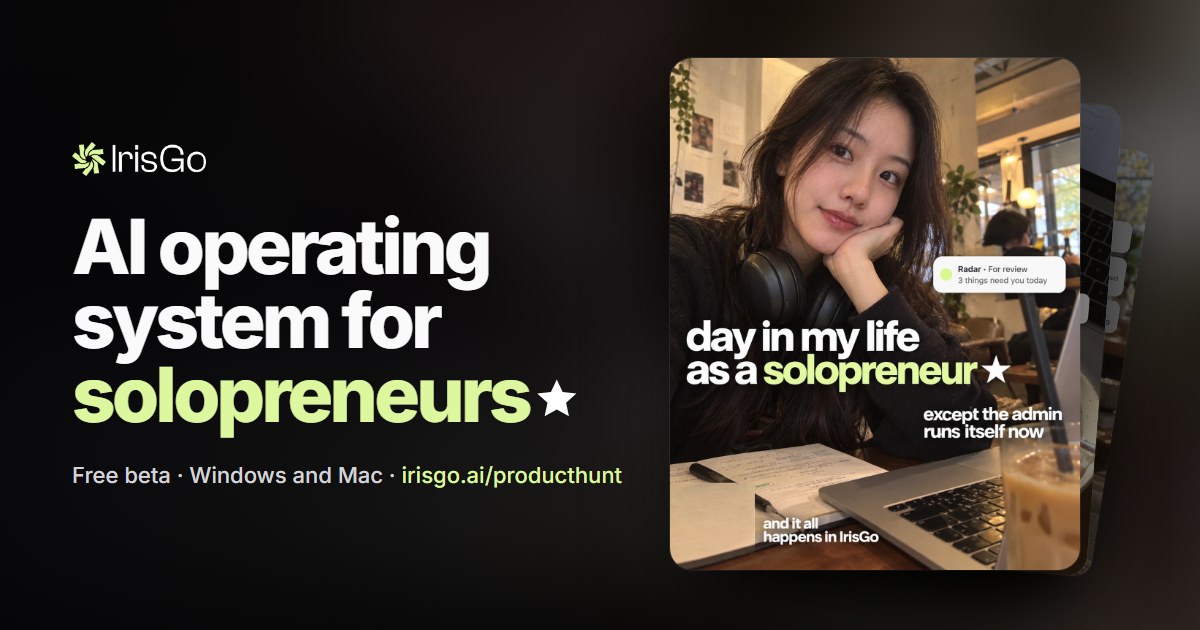
IrisGo is described on its own website as an AI operating system for solopreneurs — a desktop application that hands off the repetitive admin of running a one-person business so the owner can spend the day building the business instead. It brings several day-to-day chores into a single app: a scheduled daily brief, an inbox triage layer called Radar, a to-do list, and a workflow recorder that lets you show the app a task once and then replay it. The makeers summarise the promise simply: hand off the repetitive admin and spend your day building the business. It is aimed squarely at people running a business on their own, and it runs on Windows and Mac. Running a business alone means every operational task ultimately lands on the same person. The website walks through a single day to illustrate that weight: a morning that begins with checking a calendar and an inbox, 38 unread messages, bills and asks and deadlines mixed in with everything else, errands that never fit neatly into a to-do list, and by the afternoon still more filing and administration. IrisGo's premise is that this recurring work should be handed off rather than merely organised. Instead of adding another dashboard, it automates the recurring pieces — the brief, the triage, the tracking, and eventually the demonstrated tasks themselves — so the solopreneur's attention goes to work that actually needs a human. The product is in free beta, and the team says the makers are in the comments on Product Hunt to answer questions. The Daily Brief is a scheduled task that starts the day for you. In the website's example, a task called "Morning brief" is set to run on weekdays at 8:00. IrisGo reads the user's calendar and unread email, then posts a short brief in chat — for instance, three priorities, two client calls, and an Adobe invoice due today. Because the brief arrives as a chat message rather than a dashboard, the user gets the day's shape in a few lines while doing something else, like having breakfast. The same surface then becomes the place where the rest of the day's work is discussed and handed off. Email triage is handled by Radar. Rather than asking the user to read every message, Radar lifts the bills, asks and deadlines out of the inbox and presents them as cards. In the walkthrough, the inbox has 38 unread messages but only three that need the user: a $120 bill, a client asking for a revised quote by Friday, and a contract renewal deadline on October 9. Each card carries an "Add to To-dos" button, so a single click moves the item onto the user's list without retyping anything. This is the clearest illustration of the product's approach: the app does the scanning and sorting, and the human only makes the decision. To-dos are organised under three simple headings — today, upcoming, and no date — and are ticked off as the user works through them. In the example day, the ticked items are sending the revised quote, paying the Adobe invoice, and replying to Maya, after which the app shows "All clear for today." The list is deliberately plain: it exists to hold the handful of things Radar and the user have decided actually need doing, not to become another backlog. Watch & Learn is the feature behind the tagline "show it once, let it run." The user demonstrates a task in the normal way and IrisGo records the steps. Holding a receipt over the laptop, the user shows the app a single expense report: Record workflow, then a log that reads attach receipt.pdf, type the amount, click Submit. The app watched the task being done the way it is always done and wrote the steps down, and they become available under Workflows in the app. Later, when a new receipt arrives, the user simply says so — "use receipt-2.pdf instead" — and IrisGo replays the workflow, rebuilding the steps with the new vendor, amount and date. The example ends with "Replay complete, 6 of 6 steps replayed," and the user checks the result. Taken together, the product works around a chat workspace as the primary surface: briefs are posted there, Radar items are acted on from there, and new instructions such as a replacement receipt are given there in plain language. Scheduled tasks such as the Morning brief run on a schedule the user defines. Recorded workflows capture a demonstrated sequence once and then re-execute it against new inputs, with the user reviewing the outcome rather than doing the steps again. The website also states plainly what the app can see: data and workflows at the user's consent. The benefits described are time and attention returned to the business owner. The day outlined on the site begins at 8:00 with a brief instead of an inbox, moves at 8:30 from 38 unread messages to three decisions, reaches "all clear for today" by 9:15, and by 4:40 turns a repeated filing task into a replay the user only has to check. Because updates install automatically and the beta is free, there is no maintenance overhead described for getting started. The makers frame the outcome as handing off the repetitive admin and spending the day building the business. Concrete scenarios in the content include the morning routine of a scheduled brief assembled from calendar and unread email; triaging an inbox down to the bills, asks and deadlines that need a person; ticking off a short daily list of items drawn from that triage; filing an expense report from a receipt by replaying a recorded workflow with a new file; and the broader hand-off question the site poses to users — which workflow would you hand off first, invoicing, client onboarding, bookkeeping, proposal follow-ups, or your own? The website also provides short in-app demos covering Daily Brief (0:07), Email Triage (0:10), My Radar (0:13) and Watch & Learn (0:17), plus a 36-second demo on the site. IrisGo for Solopreneurs is built for solopreneurs, and the beta is available for Windows and Mac. The stated requirements before installing are Windows 11 (64-bit) and Apple Silicon Macs, and it is free during the beta with updates installing automatically. The launch was a number one Product of the Day on Product Hunt, the company is backed by Andrew Ng's AI Fund, and the product has been covered by TechCrunch, Fast Company and The Information. The makers — Jeffrey Lai, Arnold Yip and Lman Chu — are in the Product Hunt comments for questions. Overall, IrisGo positions itself as an AI operating system for one-person businesses: a daily brief to set the day, Radar to find what needs a decision, to-dos to carry it through, and Watch & Learn to capture repetitive tasks once and run them again. Its value proposition is not more management software but fewer chores — hand off the repetitive admin, and spend the day building the business.
ButterShare offers a direct, peer-to-peer file transfer solution that bypasses cloud storage and eliminates file size limitations. This browser-based tool enables users to send anything, from photos and 4K videos to entire folders, directly between devices. Unlike traditional services, ButterShare does not require any signup or account creation, making the process quick and accessible for everyone.The core functionality of ButterShare relies on WebRTC technology to establish an encrypted connection between the sender and receiver. Files are streamed in real-time and written directly to the recipient's disk using the browser's Origin Private File System (OPFS). This direct streaming method ensures high transfer speeds and maintains the privacy of your data, as files do not pass through any third-party servers or cloud storage during a direct connection.ButterShare supports a wide range of devices and modern browsers, including Windows, macOS, Linux, iOS, Android, and ChromeOS. While Chromium-based browsers and Firefox offer the most robust experience with OPFS disk streaming for large transfers, Safari also supports transfers with browser memory constraints. The service is designed for simplicity, featuring a streamlined three-step process: choose files, share a link, and stream directly. This eliminates the need for manual zipping or waiting for upload queues.Security is a key aspect of ButterShare. All data transferred is end-to-end encrypted, with cryptographic keys held exclusively by the two connected devices. Even if a direct connection fails and the transfer falls back to a TURN relay, the traffic remains encrypted. Furthermore, ButterShare supports resumable transfers, allowing sessions to be continued if the connection drops mid-transfer, with checkpoint data stored locally in the browser. This makes it a reliable option for sending large files without interruptions.
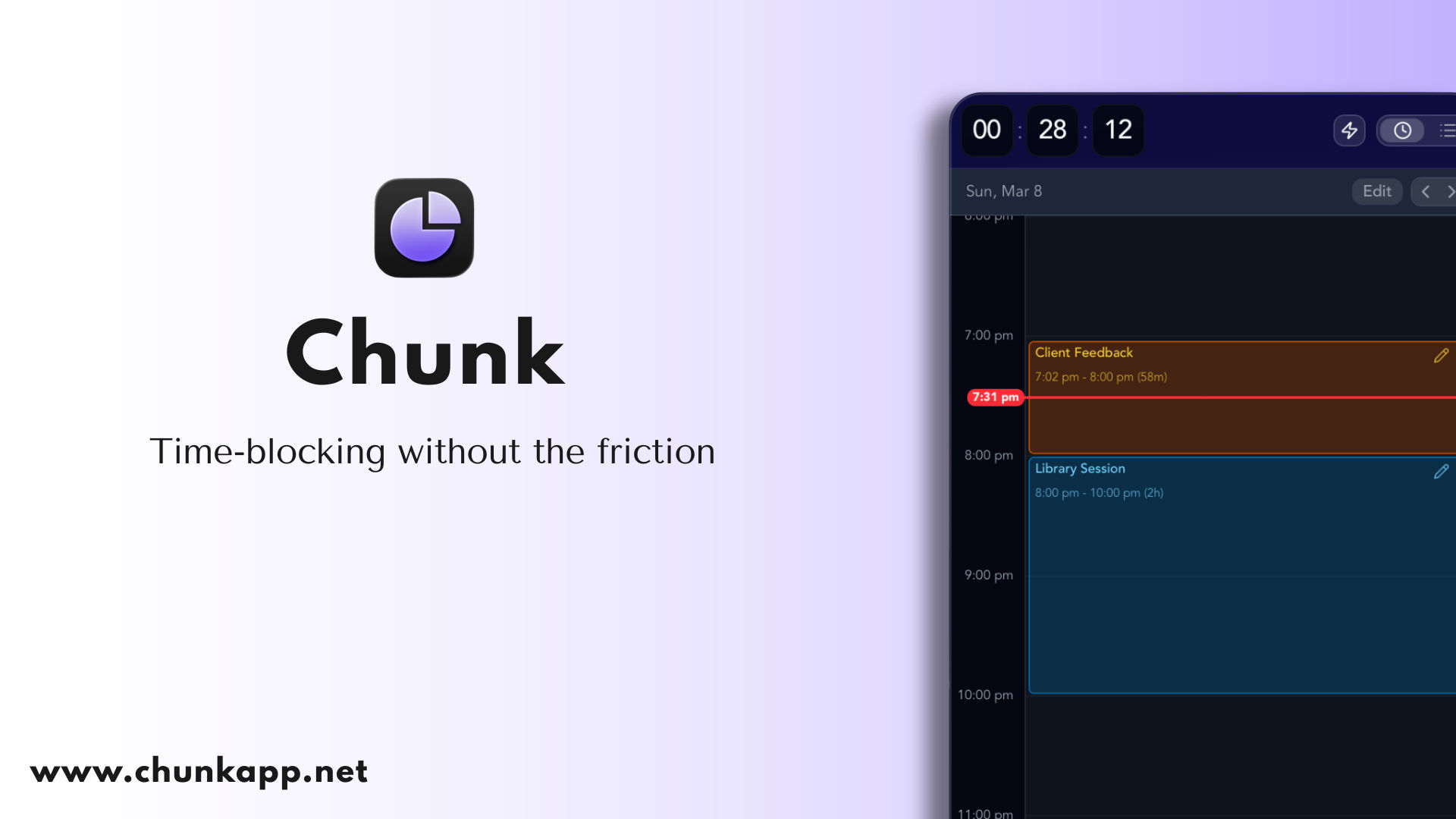
Chunk is a time-blocking app for Mac. It is a native macOS application that lives in your menu bar and puts everything you need to plan a day on one surface you slide between: all of your tasks on the left — smart lists, custom lists, Apple Reminders, recurring tasks and template lists — through to your full calendar on the right, shown as a day, a week, or a month. Instead of keeping a to-do list in one app and a calendar in another, Chunk shows them side by side so you can decide where the day actually goes. Drag a task onto your day and it becomes a block on the timeline, and a live countdown shows how long is left on it. It is built for people who want time blocking to work without extra complexity. Most planning tools force a choice: a task manager that never tells you when the work will actually happen, or a calendar that has no idea what you still need to get done. Chunk closes that gap. Everything a task list and a calendar do separately is placed in one column-to-calendar view, so the plan you make in the morning is the same plan you follow in the afternoon. Users describe having bounced between to-do apps and personal knowledge management systems for years looking for something like this, and reviewers highlight that Chunk gives just enough features to make time blocking work without the extras that usually get in the way. The goal is straightforward: decide where the day goes, then stay with it. The Schedule side of Chunk is a calendar you can actually work with. You create blocks by dragging on the timeline, drop tasks straight from your list onto the day, or apply a recurring template to fill the day in seconds. The same plan can be read as a timeline, a week grid, or a month — slide the layout to the calendar and switch how you look at it without rebuilding anything. Quiet hours can be compressed so the empty stretches do not dominate the screen, and you can export the plan as a PDF or a CSV when you need a copy to share or keep outside the app. Chunk connects to the calendars you already use. It offers full two-way sync with Apple Calendar, Google Calendar, and Outlook, so events appear in Chunk and changes made in Chunk go back to the source. You can drag to move or resize external events directly from Chunk and the change syncs back to the original calendar. A lock toggle lets you freeze external events as read-only whenever you would rather not risk an accidental edit, which is useful when a shared work calendar or an invited meeting should not be moved by mistake. On the task side, smart lists, custom lists, Apple Reminders, and recurring template lists all live in one column. Your Apple Reminders lists appear inside Chunk's task column alongside your own Chunk lists, so you can drag Reminders items straight onto the timeline and schedule them. Because tasks and time sit next to each other, scheduling the work once means seeing it everywhere — in the list, on the day, and across whichever calendar view you are using. Recurring template lists let you build a reusable day, give it a daily, weekly, monthly, or yearly rule, then apply the whole template or drag single blocks onto Schedule. Chunk is designed to stay out of the way while keeping you on track. It lives one keystroke away: click the tray icon or hit ⌘+/ from anywhere — even over fullscreen apps — and Chunk slides in, ready when you are. The panel floats above every other window, including fullscreen apps, so checking your schedule never breaks your flow. A live countdown stays visible in your system tray, and a fullscreen alert fires as each block ends, letting you mark the block complete or reschedule it in a click. Chunk also ships a local MCP (Model Context Protocol) server that connects to Claude Desktop in one click from Settings → AI Integrations. Once connected, you can plan your day in natural language, and Claude can read your schedule, create, edit, or delete events, manage task lists, work with recurring templates, and view external calendars. The MCP server is a local process, so Chunk reads and writes directly to your on-device database, and nothing is sent to any server beyond what Claude itself processes during your prompt. You can disconnect at any time. Your schedule is stored locally on your Mac, and Chunk never keeps your data on its own servers. If you switch on cross-device sync, the plan moves privately through your own iCloud account to your other Macs. Chunk syncs across Macs signed in to the same iCloud account — install it on each Mac and switch syncing on in Settings. Nearby Macs can sync over your local network in one to two seconds, after you allow it the first time; otherwise changes sync through iCloud in around 10 to 30 seconds. Either way, the data travels through your own iCloud account, never through Chunk's servers. Chunk is a native macOS app for both Apple Silicon and Intel Macs and requires macOS 12 Monterey or later. It is aimed at Mac users who want to plan their day in time blocks: professionals running back-to-back meetings, people protecting deep work, and anyone who struggles to stay productive throughout the day. Reviewers have included a working student in real estate and a pharmacist and productivity lover who called it a great app for the ADHD crowd, along with users who say it helps them resist the urge to procrastinate. Integrations cover Apple Calendar, Google Calendar, Outlook, and Apple Reminders. Chunk is free to try for 7 days with no credit card required. After the trial it is a one-time purchase for lifetime access, with no subscription. There is no Windows, Linux, or Android version. Chunk for iPhone is coming soon to the App Store as a separate one-time purchase with a free 7-day trial, syncing with Chunk for Mac through your own iCloud, and Apple Family Sharing is supported at no extra cost. Chunk's promise is simple: one surface for tasks and calendar, blocks you can actually keep, and a countdown that keeps the day moving. Plan your day in time blocks, keep two-way sync with the calendars you already use, and pay once.
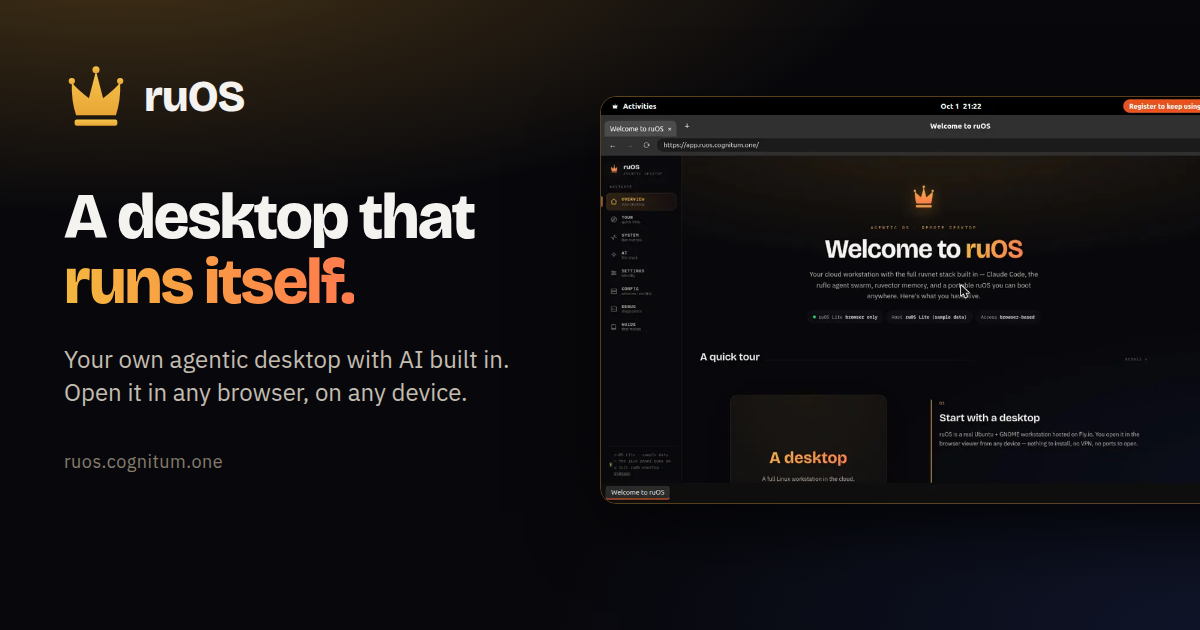
ruOS is a private cloud desktop with an AI team built in. Instead of installing software or waiting for a machine, you sign up and get your own agentic desktop, bound to your account, that starts in seconds with the whole AI stack preinstalled and signed in — Claude Code, a team of AI helpers, and self-learning memory, all ready to go. You ask for research, writing or code and the helpers do it side by side, either while you watch or after you step away. The whole desktop opens in any web browser and reshapes to fit any screen, so the same session works on a Mac, an iPad, a Chromebook or a Linux laptop. Most people who want AI to do real work end up assembling it themselves: installing editors, wiring up agents, keeping contexts straight across tools, and repeating the same explanations to a model that has already forgotten the project. ruOS starts from the opposite position. There is no machine to wait for and nothing to configure — the desktop turns on with its AI helpers already installed and signed in, and everything the AI learns is saved automatically so you never explain twice. Files and AI memory persist across devices, so the desktop is not tied to the laptop you happened to start on. The point is to remove the setup and the syncing, not to add another tool you have to manage. At the center of ruOS is a set of AI helpers that ship ready on the desktop. Claude Code writes and runs code for you. ruflo acts as a team of AI helpers, splitting a big job across several agents that work side by side. ruvector remembers your work, so projects carry their context forward. ruview understands what is on your screen. Codex provides extra coding help, and VS Code, the code editor, is part of the dock. Together they turn a request into finished work: tell it what you want changed and it edits the files, runs the tests, and tells you when it is done. Ask a question and it browses the web, reads the sources, and brings back the answer. ruOS runs as a desktop that streams to any web browser and reshapes to the screen it lands on — the same session on your Mac, iPad, or laptop, with nothing to install and nothing to sync. It fits any window the moment you open it: sharp on a big monitor and comfortable on a tablet, with no fiddling with zoom. Because the desktop is not tied to one machine, you can start work on your laptop and keep going on your iPad. ruOS Lite takes the same idea and removes the wait entirely: it is a real Chrome browser drawn as your ruOS desktop, right inside your web page, opening in about a second with tabs and windows, a dock of apps, and the ruOS app first. It is free and needs no sign-up. ruOS picks up where you left off. Files and everything the AI has learned are saved automatically, so you can come back tomorrow and continue — even from a different device. In ruOS Lite, sign-ins, site data and open tabs are saved and encrypted. VS Code runs from the dock as vscode.dev, with extensions such as 1Password, Bitwarden, Claude and uBlock Origin Lite available when you turn them on. Your AI can drive the desktop too: ChatGPT and Claude see and click it through the ruOS connector, but never your extensions, and payments wait for you. Each desktop is your own — your files, your work, your AI — kept separate and private from everyone else's. The setup is four steps. First, you sign up: enter your email and ruOS sets up a private agentic desktop bound to your account, with no setup and nothing to configure, ready in minutes. Second, your desktop turns on in seconds with the AI stack preinstalled and signed in. Third, the AI gets to work: ask for something and a team of helpers researches, writes, and codes while you watch, or step away and come back to finished work. Fourth, you open it anywhere — the desktop streams to any browser and reshapes to the screen. Under the hood, for developers and power users, it is a real Linux box with the full ruvnet stack and programmatic control already installed. The payoff is that work happens without you operating every step. Hand ruOS a job and it picks the right tool and gets to work; the helpers write and run code, research on the web, remember your projects, and understand what is on your screen, all from one agentic desktop. Big jobs get split across several AI helpers instead of queuing behind one. Because memory persists, you avoid re-explaining the project each time. Because the desktop lives in a browser, your environment follows you rather than being locked to one machine. And because your desktop is private and separate, your files, your work and your AI stay your own. Concrete uses map directly to what you can ask for. Code: tell ruOS what you want changed, and it edits the files, runs the tests, and reports when it is done. Research: ask a question and it browses the web, reads the sources, and brings back the answer. Parallel work: split a big job across several AI helpers that work side by side. Cross-device continuity: start on your laptop and keep going on your iPad. Browser-first sessions: ruOS Lite gives you a Chrome-based desktop with VS Code, Wikipedia and ChatGPT in windows and a taskbar in about a second, useful for trying the environment or working on a Chromebook, iPad or locked-down machine. Developer automation: point an MCP client such as Claude at your desktop and let it drive the machine. ruOS ships an MCP server, ruos-computeruse-mcp, that lets an AI client drive the desktop for real: see the screen, move the mouse and type, run shell commands, trigger system actions, and change the resolution on the fly, using tools such as screenshot, mouse_move, left_click, type_text and key via xdotool, run_shell, system_action and desktop_resolution. You can point a client at the desktop with stdio over SSH, or connect through the hosted address at the quick start page — ChatGPT under Settings, Apps & Connectors, Create; Claude under Settings, Connectors, Add custom connector; and Claude Code with a single command. Resolution presets include 720p, 1080p, 1440p, qxga or a custom width by height, applied server-side via xrandr, with a hosted MCP endpoint on the roadmap. The preinstalled ruvnet stack is one command away too: npx ruflo@latest init wizard for agent-swarm orchestration, npx ruflo@latest swarm init --topology hierarchical to spin up a team of AI agents, npx ruvector for long-term self-learning memory, and npx ruflo to run the ruflo agent runtime. ruOS is built for people who want AI to carry work through to completion without a local setup project — developers and power users who want a real Linux box with programmatic control, and anyone who wants research, writing and code handled from a browser on whatever device is in front of them. It is free to try, since ruOS Lite opens in seconds with no sign-up, while early access to your own private agentic desktop requires a sign-up and the desktop is ready a few minutes later. In ChatGPT, ruOS uses only the desktops and metered entitlements already assigned to your account, and the ChatGPT app and its linked review surfaces do not present pricing, checkout, subscriptions, upgrades or credit purchases. The takeaway is simple: sign up once, and your desktop does the rest. ruOS puts a private agentic desktop in any browser, with an AI team that researches, writes and codes for you while you watch or step away, and keeps your files and memory waiting when you return.
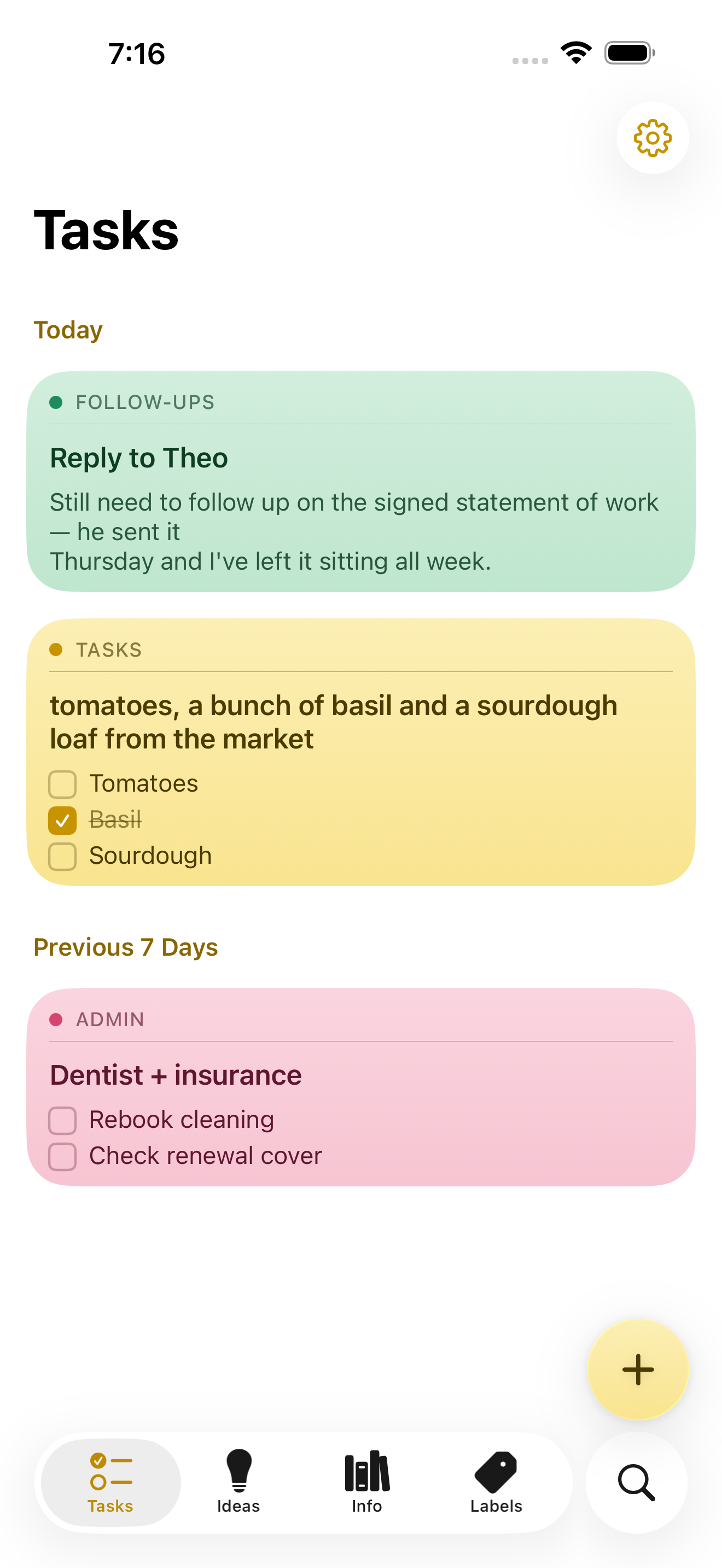
NoteWorthy is a notes app for iPhone, iPad and Mac that writes your titles, summarizes your notes, cleans up your formatting and files everything into the right place. You write the note; the app does the rest. It is made for people who jot things down messily and would rather not spend time tidying, tagging or filing afterwards, because the organizing work happens automatically using AI that runs entirely on the device in your hand or on your desk. Most note apps leave the boring parts to you: you still have to think of a title, decide which folder something belongs in, and turn a rushed brain-dump into something readable. NoteWorthy targets exactly that gap. Instead of asking a cloud model to read your notes, it bundles the intelligence into the app itself, so the same convenience arrives without the note ever leaving your device. The result is a notes app with AI that keeps the AI local: no account to create, no connection required, and not a single note sent to a server. The editing surface is rich text backed by real Markdown. You get checkboxes, headings, bold and italic text, tables and images, and you edit the way you would expect in a normal notes app. Underneath, the note is stored as Markdown, which means it is portable: any note exports as Markdown and opens in any other editor. Six paper colors let you give notes a visual tone, and the app can scan text straight out of a photo so information captured on paper or a whiteboard becomes editable text inside a note. Two on-device features handle messy input. AI Format turns a scrappy line into headings, bullets and checkboxes without changing your wording — it reshapes the structure, not the words. AI Summarize pulls a long page of thinking down to a sentence. Both show you the result before either touches the note, and you can preview it, then copy, insert or replace. Neither uses the network in either direction. On older hardware that cannot run the models, both fall back to fast built-in heuristics. AI Organize is the filing layer. Every note gets a title and files itself into Tasks, Ideas, Info or Personal, and you can create your own labels with a custom icon and color, pinning the ones you use most to the tab bar. One tap on AI Organize tidies the whole library. The filing is stable: run it twice and nothing moves, because it reads what is already stored rather than asking a model to guess again. Matching is based on meaning rather than keyword, and the model can also decide that a note fits none of your labels. Capture does not require opening the app. Select something in Safari, share it, and it becomes a note. Siri and Shortcuts handle the rest: five Shortcuts actions are available, and Summarize and Format work on text from any app. Widgets come in four sizes and include checkboxes you can tick without opening anything. Finding notes works two ways. Inside the app there is keyword search with highlighted matches that you can filter by color. Outside the app, every note is indexed with Spotlight, so system search finds it without opening NoteWorthy at all, and a Spotlight result opens the note directly. Indexing happens on the device, like everything else in the app. Notes also understand what they contain. A date becomes a calendar event, a name links to your contacts, and an address opens in Maps. If you write “remind me before Friday”, the note offers to set a reminder, which arrives as a local notification. All of this detection happens on device and is never uploaded, and nothing happens until you tap it. Privacy here is framed as a property of the build rather than a promise. There is no server to trust, because the app makes no network requests at all. No account, no tracking, no analytics and no uploads of our own. Notes are written to disk with file protection, and an optional app lock asks for Face ID or Touch ID before showing them. The app explains itself on first launch with three screens covering what the labels do, what AI Organize does, and exactly what happens to your writing, then gets out of the way. Two models run on the device. Apple's Foundation Models, running on the Neural Engine, write the words: titles, summaries, the Markdown rewrite and topic extraction, all through Apple Intelligence. A second model, EmbeddingGemma 300M, is a 300M-parameter embedding model, 4-bit, bundled inside the app and run through MLX. It decides where things go by matching a note to a label by meaning rather than by keyword, and being an embedding model it can also say that none of the labels fit. The weights ship inside the app and are never downloaded; Gemma is provided under the Gemma Terms of Use. NoteWorthy is universal across iPhone, iPad and Mac. On iPhone it behaves like sticky notes, on iPad you get a sidebar and a note board, and on the Mac it is a notebook that waits on the edge of your screen, opened from a rail of labels. It requires an iPhone or iPad on iOS or iPadOS 26 or later, or a Mac with Apple silicon on macOS 26 or later, and it is a single Universal Purchase covering all three. Apple Intelligence is needed only for the writing features such as AI Format, AI Summarize and generated titles; without it, writing, filing and search still work. Sync is not available yet: each device keeps its own notes, and you can move one across by exporting it as Markdown. Everything NoteWorthy does today is free, with no ads and no subscription. Two features are announced but not shipped: iCloud Sync, which will put your notes on every device through your own iCloud account rather than a server of theirs, and Shared Notes, which will hand a note or a whole label to someone else over that same private channel. When they arrive they will be a single one-time unlock, and everything that happens on your device stays free. Both are opt-in. The Mac version is in review for the Mac App Store; until it clears, it can be downloaded as a DMG from GitHub and dragged to Applications, or installed with Homebrew using the same notarized build. NoteWorthy is made by Suman Hansada, an independent developer. The app's permissions are deliberately narrow: Photos to import an image and pull the text out of it, Calendar add-only to add an event for a date in a note (it cannot read your calendar), Contacts to link a name in a note to the person, Face ID or Touch ID for the optional app lock, and Camera in the App Clip only to scan text from a photo. In short, NoteWorthy takes the parts of note-taking that people tend to avoid — titling, summarizing, formatting and filing — and moves them onto the device, where they cost nothing, work offline and never leave your hardware. You write the note. It does the rest.