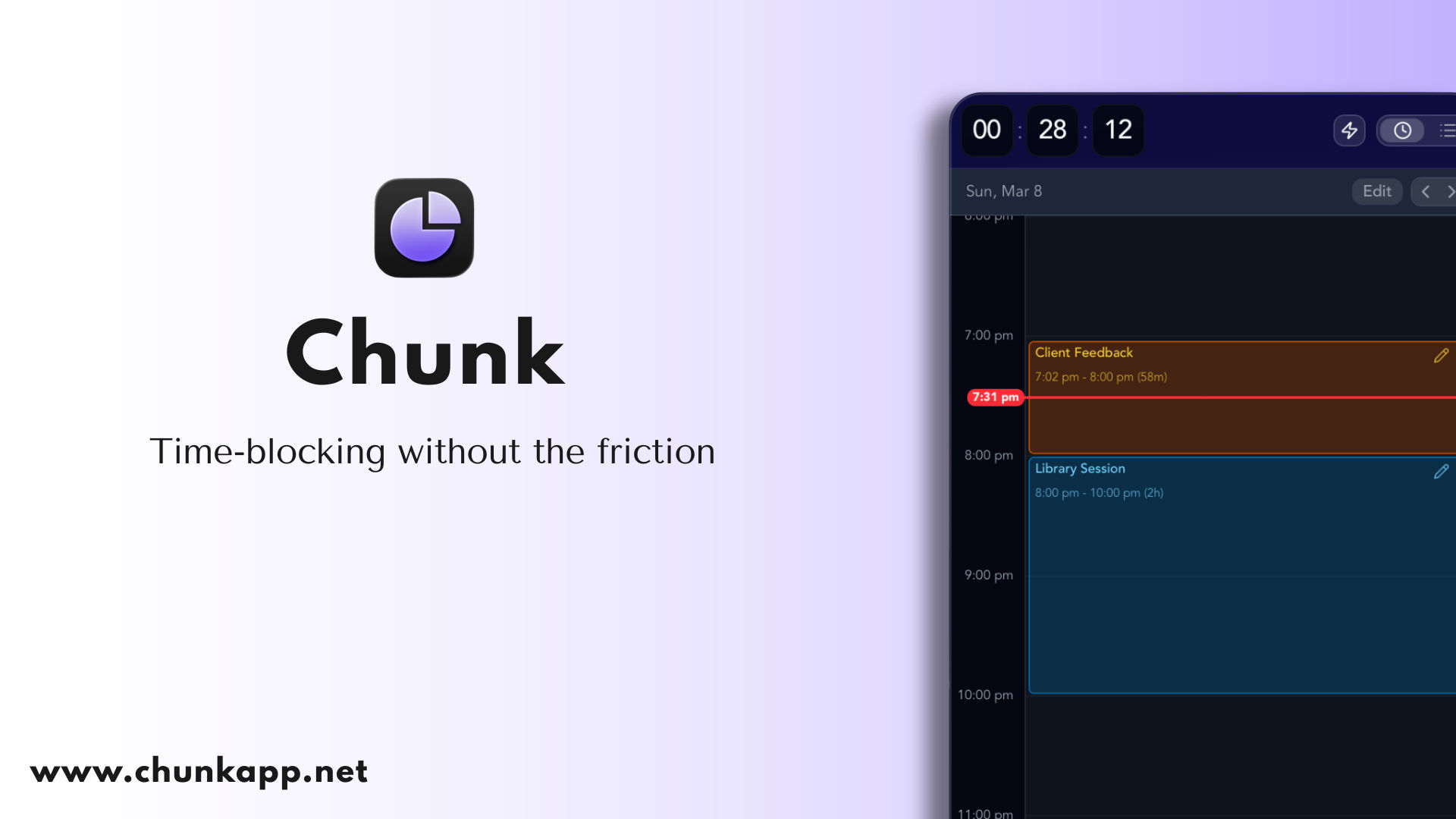
Chunk is a time-blocking app for Mac. It is a native macOS application that lives in your menu bar and puts everything you need to plan a day on one surface you slide between: all of your tasks on the left — smart lists, custom lists, Apple Reminders, recurring tasks and template lists — through to your full calendar on the right, shown as a day, a week, or a month. Instead of keeping a to-do list in one app and a calendar in another, Chunk shows them side by side so you can decide where the day actually goes. Drag a task onto your day and it becomes a block on the timeline, and a live countdown shows how long is left on it. It is built for people who want time blocking to work without extra complexity.
Most planning tools force a choice: a task manager that never tells you when the work will actually happen, or a calendar that has no idea what you still need to get done. Chunk closes that gap. Everything a task list and a calendar do separately is placed in one column-to-calendar view, so the plan you make in the morning is the same plan you follow in the afternoon. Users describe having bounced between to-do apps and personal knowledge management systems for years looking for something like this, and reviewers highlight that Chunk gives just enough features to make time blocking work without the extras that usually get in the way. The goal is straightforward: decide where the day goes, then stay with it.
The Schedule side of Chunk is a calendar you can actually work with. You create blocks by dragging on the timeline, drop tasks straight from your list onto the day, or apply a recurring template to fill the day in seconds. The same plan can be read as a timeline, a week grid, or a month — slide the layout to the calendar and switch how you look at it without rebuilding anything. Quiet hours can be compressed so the empty stretches do not dominate the screen, and you can export the plan as a PDF or a CSV when you need a copy to share or keep outside the app.
Chunk connects to the calendars you already use. It offers full two-way sync with Apple Calendar, Google Calendar, and Outlook, so events appear in Chunk and changes made in Chunk go back to the source. You can drag to move or resize external events directly from Chunk and the change syncs back to the original calendar. A lock toggle lets you freeze external events as read-only whenever you would rather not risk an accidental edit, which is useful when a shared work calendar or an invited meeting should not be moved by mistake.
On the task side, smart lists, custom lists, Apple Reminders, and recurring template lists all live in one column. Your Apple Reminders lists appear inside Chunk's task column alongside your own Chunk lists, so you can drag Reminders items straight onto the timeline and schedule them. Because tasks and time sit next to each other, scheduling the work once means seeing it everywhere — in the list, on the day, and across whichever calendar view you are using. Recurring template lists let you build a reusable day, give it a daily, weekly, monthly, or yearly rule, then apply the whole template or drag single blocks onto Schedule.
Chunk is designed to stay out of the way while keeping you on track. It lives one keystroke away: click the tray icon or hit ⌘+/ from anywhere — even over fullscreen apps — and Chunk slides in, ready when you are. The panel floats above every other window, including fullscreen apps, so checking your schedule never breaks your flow. A live countdown stays visible in your system tray, and a fullscreen alert fires as each block ends, letting you mark the block complete or reschedule it in a click.
Chunk also ships a local MCP (Model Context Protocol) server that connects to Claude Desktop in one click from Settings → AI Integrations. Once connected, you can plan your day in natural language, and Claude can read your schedule, create, edit, or delete events, manage task lists, work with recurring templates, and view external calendars. The MCP server is a local process, so Chunk reads and writes directly to your on-device database, and nothing is sent to any server beyond what Claude itself processes during your prompt. You can disconnect at any time.
Your schedule is stored locally on your Mac, and Chunk never keeps your data on its own servers. If you switch on cross-device sync, the plan moves privately through your own iCloud account to your other Macs. Chunk syncs across Macs signed in to the same iCloud account — install it on each Mac and switch syncing on in Settings. Nearby Macs can sync over your local network in one to two seconds, after you allow it the first time; otherwise changes sync through iCloud in around 10 to 30 seconds. Either way, the data travels through your own iCloud account, never through Chunk's servers.
Chunk is a native macOS app for both Apple Silicon and Intel Macs and requires macOS 12 Monterey or later. It is aimed at Mac users who want to plan their day in time blocks: professionals running back-to-back meetings, people protecting deep work, and anyone who struggles to stay productive throughout the day. Reviewers have included a working student in real estate and a pharmacist and productivity lover who called it a great app for the ADHD crowd, along with users who say it helps them resist the urge to procrastinate. Integrations cover Apple Calendar, Google Calendar, Outlook, and Apple Reminders.
Chunk is free to try for 7 days with no credit card required. After the trial it is a one-time purchase for lifetime access, with no subscription. There is no Windows, Linux, or Android version. Chunk for iPhone is coming soon to the App Store as a separate one-time purchase with a free 7-day trial, syncing with Chunk for Mac through your own iCloud, and Apple Family Sharing is supported at no extra cost.
Chunk's promise is simple: one surface for tasks and calendar, blocks you can actually keep, and a countdown that keeps the day moving. Plan your day in time blocks, keep two-way sync with the calendars you already use, and pay once.
Publisher
A
admin
Launch Date2026-10-07
Platformdesktop
Pricingpaid
Tech Stack
#macOS#iCloud#Model Context Protocol (MCP)