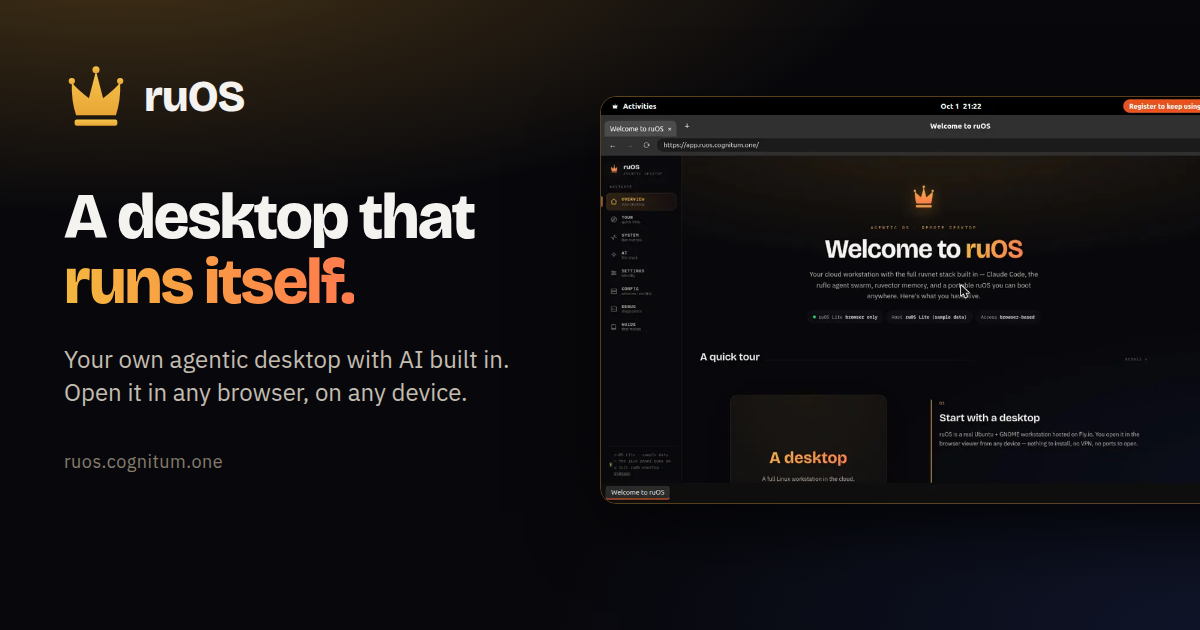
ruOS is a private cloud desktop with an AI team built in. Instead of installing software or waiting for a machine, you sign up and get your own agentic desktop, bound to your account, that starts in seconds with the whole AI stack preinstalled and signed in — Claude Code, a team of AI helpers, and self-learning memory, all ready to go. You ask for research, writing or code and the helpers do it side by side, either while you watch or after you step away. The whole desktop opens in any web browser and reshapes to fit any screen, so the same session works on a Mac, an iPad, a Chromebook or a Linux laptop.
Most people who want AI to do real work end up assembling it themselves: installing editors, wiring up agents, keeping contexts straight across tools, and repeating the same explanations to a model that has already forgotten the project. ruOS starts from the opposite position. There is no machine to wait for and nothing to configure — the desktop turns on with its AI helpers already installed and signed in, and everything the AI learns is saved automatically so you never explain twice. Files and AI memory persist across devices, so the desktop is not tied to the laptop you happened to start on. The point is to remove the setup and the syncing, not to add another tool you have to manage.
At the center of ruOS is a set of AI helpers that ship ready on the desktop. Claude Code writes and runs code for you. ruflo acts as a team of AI helpers, splitting a big job across several agents that work side by side. ruvector remembers your work, so projects carry their context forward. ruview understands what is on your screen. Codex provides extra coding help, and VS Code, the code editor, is part of the dock. Together they turn a request into finished work: tell it what you want changed and it edits the files, runs the tests, and tells you when it is done. Ask a question and it browses the web, reads the sources, and brings back the answer.
ruOS runs as a desktop that streams to any web browser and reshapes to the screen it lands on — the same session on your Mac, iPad, or laptop, with nothing to install and nothing to sync. It fits any window the moment you open it: sharp on a big monitor and comfortable on a tablet, with no fiddling with zoom. Because the desktop is not tied to one machine, you can start work on your laptop and keep going on your iPad. ruOS Lite takes the same idea and removes the wait entirely: it is a real Chrome browser drawn as your ruOS desktop, right inside your web page, opening in about a second with tabs and windows, a dock of apps, and the ruOS app first. It is free and needs no sign-up.
ruOS picks up where you left off. Files and everything the AI has learned are saved automatically, so you can come back tomorrow and continue — even from a different device. In ruOS Lite, sign-ins, site data and open tabs are saved and encrypted. VS Code runs from the dock as vscode.dev, with extensions such as 1Password, Bitwarden, Claude and uBlock Origin Lite available when you turn them on. Your AI can drive the desktop too: ChatGPT and Claude see and click it through the ruOS connector, but never your extensions, and payments wait for you. Each desktop is your own — your files, your work, your AI — kept separate and private from everyone else's.
The setup is four steps. First, you sign up: enter your email and ruOS sets up a private agentic desktop bound to your account, with no setup and nothing to configure, ready in minutes. Second, your desktop turns on in seconds with the AI stack preinstalled and signed in. Third, the AI gets to work: ask for something and a team of helpers researches, writes, and codes while you watch, or step away and come back to finished work. Fourth, you open it anywhere — the desktop streams to any browser and reshapes to the screen. Under the hood, for developers and power users, it is a real Linux box with the full ruvnet stack and programmatic control already installed.
The payoff is that work happens without you operating every step. Hand ruOS a job and it picks the right tool and gets to work; the helpers write and run code, research on the web, remember your projects, and understand what is on your screen, all from one agentic desktop. Big jobs get split across several AI helpers instead of queuing behind one. Because memory persists, you avoid re-explaining the project each time. Because the desktop lives in a browser, your environment follows you rather than being locked to one machine. And because your desktop is private and separate, your files, your work and your AI stay your own.
Concrete uses map directly to what you can ask for. Code: tell ruOS what you want changed, and it edits the files, runs the tests, and reports when it is done. Research: ask a question and it browses the web, reads the sources, and brings back the answer. Parallel work: split a big job across several AI helpers that work side by side. Cross-device continuity: start on your laptop and keep going on your iPad. Browser-first sessions: ruOS Lite gives you a Chrome-based desktop with VS Code, Wikipedia and ChatGPT in windows and a taskbar in about a second, useful for trying the environment or working on a Chromebook, iPad or locked-down machine. Developer automation: point an MCP client such as Claude at your desktop and let it drive the machine.
ruOS ships an MCP server, ruos-computeruse-mcp, that lets an AI client drive the desktop for real: see the screen, move the mouse and type, run shell commands, trigger system actions, and change the resolution on the fly, using tools such as screenshot, mouse_move, left_click, type_text and key via xdotool, run_shell, system_action and desktop_resolution. You can point a client at the desktop with stdio over SSH, or connect through the hosted address at the quick start page — ChatGPT under Settings, Apps & Connectors, Create; Claude under Settings, Connectors, Add custom connector; and Claude Code with a single command. Resolution presets include 720p, 1080p, 1440p, qxga or a custom width by height, applied server-side via xrandr, with a hosted MCP endpoint on the roadmap. The preinstalled ruvnet stack is one command away too: npx ruflo@latest init wizard for agent-swarm orchestration, npx ruflo@latest swarm init --topology hierarchical to spin up a team of AI agents, npx ruvector for long-term self-learning memory, and npx ruflo to run the ruflo agent runtime. ruOS is built for people who want AI to carry work through to completion without a local setup project — developers and power users who want a real Linux box with programmatic control, and anyone who wants research, writing and code handled from a browser on whatever device is in front of them. It is free to try, since ruOS Lite opens in seconds with no sign-up, while early access to your own private agentic desktop requires a sign-up and the desktop is ready a few minutes later. In ChatGPT, ruOS uses only the desktops and metered entitlements already assigned to your account, and the ChatGPT app and its linked review surfaces do not present pricing, checkout, subscriptions, upgrades or credit purchases.
The takeaway is simple: sign up once, and your desktop does the rest. ruOS puts a private agentic desktop in any browser, with an AI team that researches, writes and codes for you while you watch or step away, and keeps your files and memory waiting when you return.
Publisher
A
admin
Launch Date2026-10-07
Platformweb
Pricingfreemium
Tech Stack
#Linux#MCP#VS Code (vscode.dev)#xdotool#xrandr#ruflo