Category Focus/categories/video
Video AI Tools
Discover and compare the best video AI tools and software. Browse 80+ curated tools with reviews and rankings.
Projects tracked
80
Sort mode
RECENT
Page
1
Discover and compare the best video AI tools and software. Browse 80+ curated tools with reviews and rankings.
Projects tracked
80
Sort mode
RECENT
Page
1
Narrative is an AI-first video editor built around a simple idea: bring your footage, say what you want made, and cut it together with an editor that does the work with you. Rather than assembling cuts by hand, you upload clips, describe the edit you want in plain words, and keep refining the result through chat. Narrative brings video editing, custom motion graphics and reference-video style matching into one interface. It builds a finished draft on a timeline you can still open and change, so the output is not a locked black box but a real project you can adjust. It is designed for people who already have footage and a clear idea of the outcome, but who do not want to learn Premiere or After Effects to get there. From podcast clips to launch videos, the first step is the same: say what you want. The problem Narrative addresses is the gap between having footage and having a finished cut. Editing traditionally means learning complex software, understanding timelines and motion graphics, and spending hours scrubbing through material to find the good bits. One producer notes that every episode used to cost an afternoon of finding the good bits. A media lead describes the difficulty of finding every goal in a ninety minute match, including the one the camera nearly missed. A product marketing team says their unboxing demos went from a freelancer and a week to a sentence and ten minutes. Narrative targets exactly that gap: the time, cost and specialised skill that sit between raw footage and a usable edit, whether the material is a two hour shoot, a wedding, a podcast or a match recording. The core of the product is editing by talking. You ask in ordinary language, and the agent does the work. An example from the site is a request to make a 15 second reel of the best rides, with a title at the start and music under it. The agent then reads the transcript, edits the clips and reports back what it did, explaining that four rides were placed on the strip with the tightest one first, the title running from 0:00 to 0:03 and the music bed sitting under everything. Anything you would say to an editor, you can say to this one — it works from the words, not a menu. The site lists prompts such as cutting to the beat, making it feel like a trailer, putting every goal in order, removing the ums, going vertical with captions, starting on the best line, tightening to thirty seconds, warming it up a little, and putting the title back at the end. Everything lives in the same editor as the conversation: the transcript, captions, versions, the frame and the models behind it. The editing surface is the editor itself, not a picture of it — you can press play, scrub the strip and mute a track. Tracks and elements shown in the interface include graphics, clips, dialogue and music, along with elements such as a title and a location card, with individual clips listed by timecode and duration. You can add music, sound effects and transitions, and Narrative also supports custom motion graphics and reference-video style matching, so you can take inspiration from reference videos. Because the assistant reads the transcript while cutting, requests such as removing filler words or placing captions are grounded in what was actually said in the footage. Every turn is a version. The version history in the interface shows a numbered list of states, with the current one marked and older entries available to restore — for example v12 as the current turn, v11 with edited styles, v10 where a clip was trimmed, and v9 where the frame was set to 9:16. Each entry carries a restore action, so you can step back to any of them or put the project back to how a turn left it. A completed turn also reports what it used, such as the number of tools and credits consumed. For teams, this matters: one testimonial notes that with every version kept, nobody on the staff can break the cut. You can choose the speed, or the brains. Narrative offers three model tiers: Fast, for quick cuts and small changes; Balanced, for most edits most of the time; and Max, for long footage and hard briefs. The frame control handles aspect ratio, starting at 16:9 and switching to others on request. The options shown are 16:9 (original), 9:16 described as both speakers stacked, 1:1 for feed and 4:5 for portrait feed. The 9:16 example is instructive: start in 16:9 and ask for 9:16, and both speakers stay in the shot, stacked. That means social-ready vertical versions can be produced from the same source project rather than being re-cut from scratch in another tool. Overall, Narrative's approach is to treat the conversation and the timeline as one workspace rather than bolting a chat box onto a traditional editor. You upload your footage, describe the edit, and the agent reads the material — including the transcript — makes the cut, and tells you what it did. Every instruction becomes a version you can inspect or restore, and each turn reports the tools and credits it used. You decide how much horsepower to apply by choosing Fast, Balanced or Max, and you control the output shape through the frame settings. Narrative handles rendering and storage, so you are not managing exports, disk space or a render queue yourself. The result keeps a real, open timeline at the centre instead of a one-shot generated file. The stated benefits follow from that model. Edits arrive faster: a three minute highlight from two hours of wedding footage was on the timeline before a coffee was cold, and a producer can ask for the five best moments as verticals with captions and then open the timeline to check the work. Work that previously required a freelancer and a week can become a sentence and ten minutes. Because the output is a real editor rather than a fixed render, changes stay possible — when legal wants a frame changed, the frame is changed. Version history protects the cut from accidental damage, and Narrative's own launch video was made entirely in Narrative. Concrete scenarios named on the site include wedding films, podcasts, match highlights and product demos. A wedding filmmaker asked for a three minute highlight with the vows in the middle from two hours of footage. A podcast producer asks for the five best moments as verticals with captions. A football club's media lead asks for every goal in a ninety minute match. A product marketer produces unboxing demos. Broader examples include a rough cut, a supercut, or a vertical reel from a two hour shoot, plus podcast clips and launch videos. The audience is filmmakers, producers, media leads, product marketers and teams who cut regularly. Plans run from Free at $0/month with 3 AI prompts, the whole editor and your own footage, through Plus at $20/month with 2,000 AI credits, 10 projects, 100 GB of footage, 4K renders without watermark, every model tier including Max and version history kept for a year, and Pro at $40/month with 4,000 AI credits, 30 projects and 500 GB of footage, to Studio at $100/month for teams cutting every day with 10,000 AI credits, unlimited projects, unmetered renders with priority in the queue, 1 TB of footage and priority support. Paid plans include a 3-day trial and can be cancelled any time, and there is an iOS app in addition to the web editor. Narrative's value proposition is straightforward: describe the edit you want in plain words, and get a finished draft on a timeline you can still open and change. It compresses the distance between raw footage and a usable cut while keeping the edit genuinely editable, with versions, model tiers and frame controls under your hand.
DemoTV is a 24/7, television-style channel where short product demos play continuously and the audience — not advertisers — decides what sits at the top. Founders submit a demo, viewers watch two products go head to head in a Channel Battle and back the one they would actually try, and that pick becomes the audience rank. Channels 1, 2 and 3 are the current top three on the station, driven by an Elo-style audience score built from wins and battles. The station is made for independent makers, startups and product teams who want their demo discovered by people genuinely interested in trying new tools, rather than ranked by whoever spends the most money. Watching and voting requires no sign-up. Getting a new product in front of the right people is hard, and most channels hand the top slots to whoever pays for them. That leaves independent builders competing for attention against budgets they cannot match. DemoTV separates the two ideas: exposure can be bought through clearly labelled placements, but standing on the station cannot. Rank 1 on a channel is the demo viewers picked most — the page states plainly that it is not a paid slot and that airtime never buys rank or a channel. This gives founders a place where a strong demo can outrank a bigger budget, and gives viewers a feed of products that other people, not ad buyers, decided were worth a look. The core mechanic is the Channel Battle. Two products built for the same job are shown head to head, and the viewer simply backs the one they would try — no sign-up required. That pick feeds the audience rank, and the resulting ranking decides which demos occupy Channels 1–3, the current top three on the TV. Each demo carries an audience score alongside a win and battle count; the number one entry at the time of capture showed a score of 1368 from 145 wins across 178 battles, with Channels 2 and 3 close behind on 1344 and 1315. The directory board mirrors the channel: rank 1 sits first on the board and is the same tape as Channel 1, and Channels 2 and 3 are the next two. Demos only start playing when a viewer presses play or selects a channel, so nothing auto-plays just because someone scrolled past. For founders, getting on the station starts with a free submission — no card needed. A demo can be a YouTube link or an MP4 upload (40 MB maximum), and every submission is reviewed before it goes live. The submission flow runs through four steps: website details, video, visitor action, and review. Before submitting, makers can have DemoTV suggest a title and tagline from their project URL, and they choose the category whose battles the demo will join. Once approved, a private dashboard provides a single embed code for the maker's own website — a widget containing the video, an optional try link and a chosen button label such as Visit website, Start free, Join waitlist, Book a demo or Claim offer, with a configurable button destination. From the dashboard, founders can also request testers, cap reveals, and claim their company. Makers who want to reward viewers who picked them can attach an optional viewer thank-you — a backer code such as a time-boxed free week or a percentage discount, which never moves the Elo score and does not appear on battle buttons. Paid reach exists, but it is kept separate and clearly labelled. After claiming a listing, a founder can buy airtime units (5, 10, 25 or 100, with the price shown at checkout) which add promoted placements across the reel and directory; the page states repeatedly that these units never change a demo's audience score or channel. Featured partners pay $39 for 30 days of labelled placement as a homepage card — the copy notes that partners support the station, never the rank. Demo Studio is a paid option, priced at $79 for “Make my tape,” where a maker pastes their site and gets automated production with station QA before air, subject to their approval, while rank remains audience-only. Launch Week is a labelled 7-day sponsorship. Every one of these options buys exposure, completed views and clicks, never the ranking. The overall workflow is deliberately simple and stated on the site as three steps. First, submit your demo for free — a YouTube link or MP4, no card needed, reviewed before it goes live, with the message that submitting is free to founders. Second, win Channel Battles, because viewers pick the demo they would try and those wins move Channels 1–3. Third, boost with airtime if you want extra reach — optional labelled ads that become available after claiming the listing and that never touch the rank. A new entry begins as a pending station approval; the demo stays private until review is complete, and the maker receives a private management link and an email when it is live. For makers, the outcomes are discovery and validation rather than empty impressions. A demo that viewers would genuinely try climbs, so the success metric is real audience preference instead of ad spend. Founders get an embeddable widget they can place on their own site, a way to recruit testers, a company listing with a contact-the-maker form and reporting tools, and a channel that keeps showing their tape to people browsing the station. For viewers, DemoTV offers a way to discover independent products, watch short demos and try something new — with the ability to influence what gets seen next by backing the products they would try. Use cases follow directly from this setup. An indie founder launching a new app can submit a short demo for free, get it reviewed, and enter the relevant category battle without spending anything. A product with a direct competitor can be placed head to head in a Channel Battle — the site itself shows a battle between two app builders — and let viewers decide which one they would try. A maker who wants to test demand can attach a backer code and give viewers who picked them a time-boxed free week or discount, then measure interest. A team that already has a demo video can embed the widget on its own site so visitors watch the demo and take the try action directly. Advertisers and companies with budget can buy labelled airtime, featured partner placement or Launch Week sponsorship to reach the station's audience while leaving the ranking untouched. And a viewer simply looking for new tools can browse the demo directory, sorted by audience rank or newest, to find products to try. The directory itself is organised around categories that define which battles a demo joins: AI agents, AI app builders, video generation, chat assistants, computer use, developer tools, design & no-code, data & analytics, marketing & sales, productivity, infra & APIs, games, crypto & web3, crypto wallets, crypto infra, robotics & hardware, fintech & payments, security & privacy, education, consumer & social, climate & energy, and other. Makers can suggest a new category of 2–40 characters, which is listed under Other until reviewed. The board is paginated at 10 demos per page with sorting by audience rank or newest, and the station reported 110 live demos, 571 audience backings, 54.2K views and 6,845 visitors at the time of capture. Station numbers only appear once live demos exist. Contact for takedowns, press or submissions is hello@demotv.lol, reporting options cover scams, spam, malware, adult content, impersonation and broken videos, and the site's optional first-party analytics are explicitly described as containing no ad trackers or search terms. The takeaway is straightforward: DemoTV is an audience-ranked channel for product demos. It gives founders free airtime that is earned by the audience's own picks, keeps paid promotion clearly labelled and strictly separate from rank, and gives viewers a simple, sign-up-free way to watch demos and decide which product deserves the top channels.
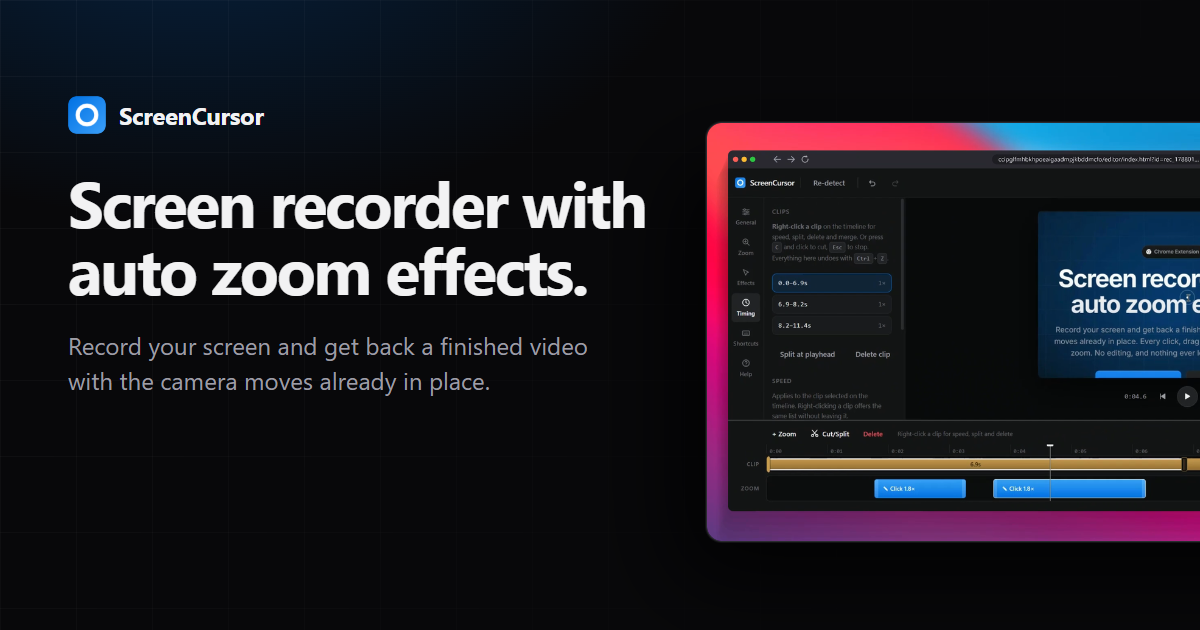
ScreenCursor is a Chrome extension that records your screen and hands back a finished video with the camera moves already in place. Rather than returning a raw capture and leaving the zooming to you, it turns every click, drag and keystroke into a camera move while you are still recording. The result is a screen recording that is already watchable the moment you stop: there is no timeline to learn and no second pass in a video editor required. It is built for anyone who needs to show how something works on a screen — a demo, a walkthrough, a piece of work in progress — and who wants that video done without spending time on editing afterwards. As the site puts it, the middle step of the workflow, the zooming, is the whole product and it is the one you do not have to do. The problem ScreenCursor sets out to solve is a familiar one. Most screen recording software gives you back exactly what you recorded and leaves the camera work to you in a video editor. That means every demo becomes a two-stage job: record first, then sit down and manually place zooms, trim dead air and frame the footage so a viewer can actually follow what is happening. The site states plainly that the best screen recorders for sharing work are the ones that produce something watchable without a second pass, and that producing that is the only thing this product is trying to be. In other words, the tool is not trying to be a general-purpose video editor; it is trying to remove the editing step from screen recording altogether. The first feature is the automatic camera work, and it is the one that happens on its own. Clicks, drags and keystrokes are all picked up while you record. Each one gets a zoom at the same depth, and the zoom arrives a beat before the action so the viewer is already looking at the right place at the moment the action happens. Because the timing is anticipatory rather than reactive, the viewer's eye is guided to the click rather than chasing it afterwards. On the site this is summarised as every click, drag and keystroke becoming a camera move, placed and timed for you, with nothing to place by hand. The remaining features are there for when you want them, and the first of those is full control over every zoom. Nothing is baked in. You can retime a zoom, push its depth in or out, move it, switch the motion between snappy and gentle, or delete the one you did not want, and you can add your own zooms anywhere as well. The camera rebuilds as you drag, so what you are watching is what exports. This matters because automatic placement is only useful if it can be corrected; preserving full adjustment means the automation is a starting point rather than a fixed output. Framing and timing make up the next group of capabilities. For framing, you can sit the recording on a wallpaper, a gradient or your own image, softened so the backdrop never competes with the picture. You can add a browser frame carrying the real page title, round the corners, and pick the aspect ratio for wherever the video is going. For timing, you can split the clip anywhere, delete the stretches nobody needs to sit through, and speed up the ones that merely drag. Importantly, the zooms move with the cut, so nothing drifts out of step with the picture. Together these let a recording be dressed and paced for its destination without exporting into another tool. How the product works overall is described in three steps, with the explicit note that the middle one is the whole product and is also the one you do not have to do. Step one is to hit record: you pick your screen and go, and ScreenCursor waits three seconds so you can hide Chrome's sharing bar first, then stays out of your way. Step two is that it zooms itself, turning every click, drag and keystroke into a camera move that arrives before the click, holds steady, and then follows your cursor. Step three is export and ship: you can trim, cut or adjust any zoom if you want to, then export MP4 at up to 1080p straight to your Downloads folder. The whole pipeline — recording, editing and export — happens inside your browser, and the video never leaves your computer. There is no account to create and no server for it to go to. The benefits that follow from that approach are stated directly on the site. There is no watermark, no account and no subscription, and there is no limit on how much you record. Because everything stays local, recording and editing work offline and nothing is uploaded, ever. The purchase is one payment of $49 at early pricing (regularly listed at $79), yours permanently, with updates included, and one purchase activates on up to three of your own computers. Export is MP4 at 720p or 1080p, delivered to your Downloads folder like any other file, ready to upload anywhere without conversion. The Chrome Web Store rating shown is 5.0. In practical terms, ScreenCursor is aimed at scenarios where someone has to show a process rather than describe it. That includes recording your whole screen, including anything outside the browser such as other apps, your desktop or a design tool, and producing something a viewer can follow without having sat through the raw capture. It suits demo videos and work-sharing clips where the site's own framing is "sharing work" and, in its closing line, "stop editing your demos." The workflow is deliberately short: pick the screen, hide the sharing bar during the three-second wait, perform the task once while the zooms are placed for you, optionally trim the dead air, and export. One purchase covers a laptop, a desktop and a work computer, and if you replace a machine you can free its slot from the license page inside the extension or from your Polar account and activate the new one. Because it is a Chrome extension it runs wherever Chrome does, including macOS, Windows and Linux; recording performance depends on the machine having hardware video encoding, which the site says almost everything made in the last decade has. The site also positions it against Screen Studio, noting that Screen Studio is macOS-only and costs about $108 a year, while ScreenCursor is $49 once and runs anywhere Chrome does, though it acknowledges Screen Studio does more, including webcam overlay, motion blur and recording an iPhone over USB. The takeaway is narrow and deliberate: ScreenCursor exists to make screen recordings that are watchable without a second pass. It automates the camera work that normally lands in a video editor, keeps full manual control for when you want to change something, and does all of it locally in the browser with no account, no watermark, no subscription and no upload. If the goal is a demo that is finished when the recording stops, that is the entire value proposition.
Wisry is an agentic ad platform for ecommerce brands that turns an existing store into a source of high-ROAS campaigns. Described as an Agentic AdClone for ecommerce, it uses AI agents that analyze winning ads and generate high ROAS campaigns. The workflow begins when you paste your store URL: Wisry builds brand memory covering your products, voice, visual identity, and audience so that every agent stays on-brand. It then researches the ads already working in your market, generates evidence-backed campaign angles, generates video and static ads cloned from the best performing creative, and ships them to Meta and Google. It is built for ecommerce brands and agencies that want to launch high-ROAS ads roughly ten times faster, with research, creative, and launch handled end to end in minutes rather than weeks. The problem Wisry addresses is the guesswork behind ecommerce advertising. Advertisers typically start from a blank canvas, invent angles, produce creative, and then wait to see what converts, which is an expensive and slow loop. Wisry starts from a different premise: winning ads already exist in the market. Its research agent reads the Meta ad library and TikTok top ads, deep-analyzes competitor ads and content, and identifies what is already converting. Instead of briefs built on assumptions, campaigns begin from ads with a live track record. In the studio's ad library view, ads are ranked to clone, for example one ad shown at 64 days live with 17 variants and 2.4M impressions, another at 35 days live with 10 variants and 1.1M impressions, and a third at 23 days live with 6 variants and 740K impressions, drawn from a set of 1,323 reviewed. That ranking makes the market's proven patterns visible before any budget is spent, which matters because in categories such as supplements the window for a trend closes quickly, and teams that spot and replicate what is winning first gain the advantage. Agentic ad research is one of Wisry's two flagship features. Research agents read the ads already running in your market, cite what they found, and turn the winners into angles you can brief. This is not a list of raw ads: the strategist agent converts research into campaign concepts covering audience, hooks, and messages, and provides source citations behind every angle. Evidence-backed angles mean the reasoning behind a campaign is traceable back to a real, running ad rather than to opinion. In practice, an ecommerce team can see which concept has survived the longest, which format has survived a full test cycle, and which has the fastest variant ramp in the category, and then brief creative against those findings. Wisry's second flagship feature is video ad cloning. You point Wisry at a video ad that works and get your own version of it, with the same structure and pacing but your product and your brand; the structure matched includes the hook, proof, and close. Static ad cloning works on the same principle: Wisry rebuilds a winning static in your palette, with your type and your product shots, then fans it out into every placement you need. What is kept and what is swapped is explicit: layout, headline structure, and type are retained from the source, while the palette and product are swapped for yours. This lets a brand reuse a proven creative formula without copying a competitor's product or visual identity. The studio also includes ad templates and video editing. Templates let you start from formats with a track record instead of a blank canvas, and every template arrives sized and safe-area-checked for its placement. Formats shown include listicle, problem-solution, quiz, portrait, us-versus-them, seasonal, feature-benefit, and how-to, sized for Feed 1:1, Feed 4:5, Portrait 2:3, Landscape 16:9, Reels 9:16, and Story 9:16, so the same idea can be produced across the placements a campaign actually needs. Video editing means every generated cut opens in a real editor where you can retime scenes, restyle captions, swap a shot, and re-render without leaving Wisry. Together these capabilities keep generated creative editable and controllable rather than locked, so teams can fine-tune an asset before it ships. Wisry works as a five-step loop handled end to end by agents. Step one: Wisry pulls your brand and products, so you paste your store URL and it builds brand memory covering products, voice, visual identity, and audience, keeping every agent on-brand. Step two: it studies your market's winning ads, with a research agent deep-analyzing your Meta and TikTok competitors' ads and content to find what is already converting. Step three: it generates evidence-backed angles for your campaigns, turning research into campaign concepts covering audience, hooks, and messages, with source citations behind every angle. Step four: it copies winning creatives for your products, generating video and static ads from the best performing ads and your chosen angles. Step five: the ads agent launches, optimizes, and repeats 24/7, shipping your ads to Meta and Google, watching performance, moving budget to winners, and keeping new creatives coming. The studio ships nine capabilities in total, all pointed at selling more of your products, with research and cloning described as the two flagship capabilities and the rest downstream of them. The stated outcomes are speed and performance. Wisry reports a +200% average boost in ad performance, says its strategist was trained on over $1B in ad spend, and claims it is 10x faster to launch a high-ROAS campaign with AI, with research, creative, and launch handled end to end in minutes rather than weeks. The intended benefit is that advertisers stop testing blindly and start scaling what is proven. In testimonials, a seller of a hardware product to Tesla owners, a niche audience where every ad dollar counts, says Wisry took what was already working in the account and multiplied it, with ROAS up 300%. A supplements advertiser says the value is spotting what is winning and replicating it before the window closes, shipping winning variations twice as fast. An agency says the bottleneck of research and iteration was removed, letting it scale client accounts much faster than a manual team could. Concrete scenarios follow from the workflow. An ecommerce brand pastes its store URL, lets Wisry build brand memory, and receives campaign angles plus cloned static and video ads ready to launch on Meta and Google. A growth team watching the ad library ranking picks a proven concept, such as a long-running contrarian concept with many live variants, and clones its structure into its own product. A creative team takes a generated cut into the editor to retime scenes, restyle captions, or swap a shot, then re-renders and ships. A media buyer uses the ads agent to keep optimizing, watching performance, moving budget to winners, and continuously receiving new creatives. An agency runs the same research and cloning loop for multiple client accounts, turning market research into output at a pace the testimonial describes as beyond what a team could touch manually. Brands in trend-driven categories such as supplements use it to react to what is winning while the window is open. Wisry is aimed at ecommerce brands and the agencies and media buyers serving them, particularly teams that want to scale paid social and search without adding research and creative headcount. Its agents are orchestrated using leading models: Grok, Gemini, OpenAI, Claude, KlingAI, and Nano Banana. The product is web-based, and the connections described in the content cover the Meta and TikTok ad libraries for research and Meta and Google for ad delivery. Pricing is a paid, prepaid subscription: 2 weeks at $49.50, 4 weeks at $99 marked Most Popular and offered at $49.50 with a 50% saving, and 8 weeks at $198 offered at $89.10 with a 55% saving. The checkout note states one payment of $49.50 for 4 weeks, then $99 per month, cancel anytime, secured by Stripe, and plans are described as costing less per day the longer you commit. Wisry was featured on Product Hunt with 308 votes and 49 comments. Wisry's proposition is straightforward: your store in, winning ads out. By turning the public ad libraries of Meta and TikTok into a ranked source of proven creative, rebuilding that creative for your brand as static and video ads, and then launching, optimizing, and repeating around the clock on Meta and Google, Wisry compresses ecommerce ad research, production, and optimization into minutes. For ecommerce brands and agencies that want high-ROAS campaigns without the guesswork, it positions the market's already-winning ads as the starting point rather than a blank canvas.
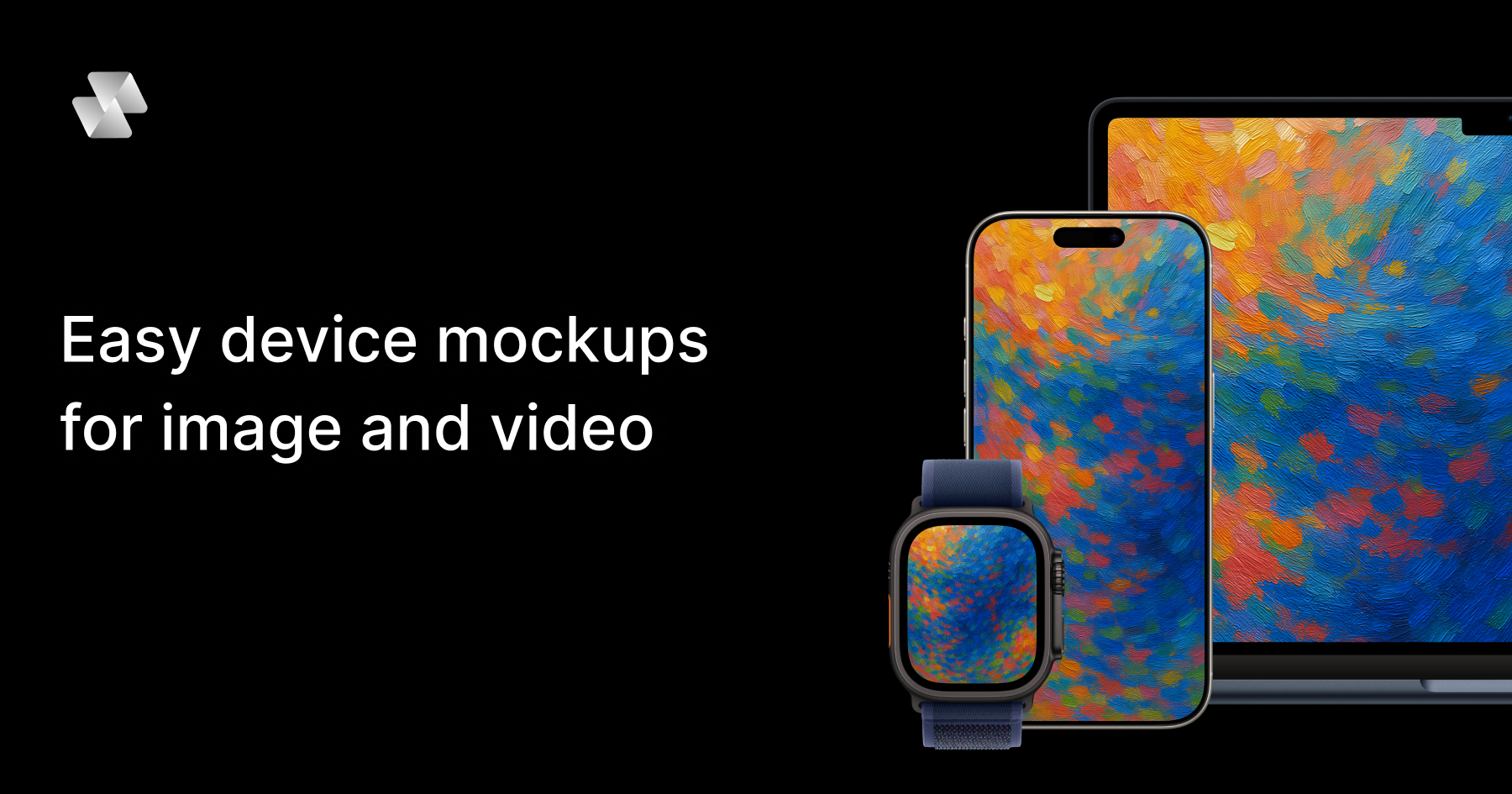
Mock Magic is a browser-based device mockup generator for images and video. It lets you upload a screenshot or a screen recording, drop it into a realistic device frame — an iPhone, iPad, MacBook, Android phone, desktop monitor or smartwatch — and export the result in high resolution within seconds. The tool is built for designers, developers, freelancers and marketing teams who need to present apps, websites and digital products inside convincing device hardware. Everything runs in the browser: there is nothing to install, and no Photoshop or After Effects is required. The site positions the product simply as a way to create beautiful device mockups — upload your design, select a device, and download your mockup in seconds — with unlimited free image mockups and video mockups available on the paid subscription. Most mockup tools stop at images. That is the gap Mock Magic was built to close: a static device frame is often enough for a screenshot, but apps, websites and digital products increasingly need motion — a screen recording wrapped in a phone frame, an animated product demo inside a laptop, a short branded clip for a launch. Producing that kind of device video has traditionally meant heavyweight desktop software such as Photoshop or After Effects, plus the skills, licences and time to use them. Mock Magic removes that friction by moving the workflow into the browser and by supporting video sources alongside images. According to the product description, the tool turns a screen recording into a polished device video, in your brand colours, in the browser, in seconds — with nothing to install. Device coverage is one of Mock Magic's core strengths. The site says the tool supports 54+ device variants, spanning the latest iPhones, Android phones, iPads, MacBooks, desktop monitors and smartwatches, and that the library is constantly updated with new devices. Dedicated pages exist for individual device families, including iPhone mockups, MacBook mockups, iPad mockups, Android mockups, desktop mockups and smartwatch mockups, so visitors can start from the hardware they care about. Alongside raw device frames, Mock Magic offers a template library. Templates cover different orientations, single-device layouts and multi-device compositions, so you are not limited to one screen in one position. Some templates are included in the free plan, while premium templates with advanced layouts and features are available exclusively to Pro subscribers. The site describes templates as a way to create professional-looking mockups with minimal effort. Backgrounds are optional but well covered. Mock Magic lets you highlight your design against a solid colour or a gradient, and both options sit behind the device frame rather than competing with it. Customisation goes further than presets: you can choose your own background colour using a colour picker, or upload your own background image. Custom backgrounds are saved to your account so they can be reused in future mockups, which makes it practical to keep a recurring brand backdrop on hand instead of rebuilding it each time. The product description also mentions setting a brand colour with a hex code, which suits teams that work from a defined palette. In short, the background system is designed to help you create the perfect setting to showcase your design, whether that setting is a plain colour, a gradient, or an image of your own. Mock Magic handles both still and moving content. Images can be added on the free plan, while video mockups are a Pro feature. Supported image formats are PNG, JPG and SVG; supported video formats are MP4 and WebM. All mockups — image or video — can be downloaded in high resolution, and the site promises high quality exports. Video support means moving content renders inside the device frame rather than being flattened into a screenshot, which is what makes an app promo video or an animated landing page asset possible. The other half of the workflow is repeatability. You can save your device selection, background choice and template preference as default settings, so every new mockup starts with your preferred options already selected. The Product Hunt listing frames the same idea as presets: save your setup once and reuse it, so every mockup for your app store, website or socials matches. The workflow is deliberately short. You start by uploading a screenshot or screen recording into the browser editor at Mock Magic's studio. Next you pick a device frame from the 54+ variants, choose a template if you want a particular orientation or a multi-device composition, and set a background — a solid colour, a gradient, a hex-code brand colour, or an uploaded image. Then you export in high resolution and download. The distinctive part is what happens after that first export: Mock Magic remembers your setup. Device selection, background and template can be saved as defaults, and presets let you reuse a branded configuration for future files. That turns mockup production from a one-off design task into a repeatable, consistent process that lives entirely in the browser, with no installable software in the loop. The benefits follow directly from that workflow. Speed: the site repeatedly describes exports in seconds and a process that takes a few steps — upload, select a device, download. Consistency: saved defaults and presets mean a series of mockups shares the same device, background and layout, which matters when assets sit next to each other on a store listing, a landing page or a social grid. Accessibility: because the tool is browser-based, there is no Photoshop or After Effects licence, no install, and no specialist motion-design skill implied. Cost: unlimited image mockups are free, and video mockups are available on the Pro plan at €7.99 per month. Quality: exports are high resolution, whether the asset is a static screenshot or a moving device video. Mock Magic lists typical applications for device mockups, and they map closely to its features. App Store screenshots are the classic case: a phone frame in the right orientation with a branded background. Social media posts reuse the same assets in different formats. Landing page hero images benefit from the desktop and laptop frames, and from gradient or solid-colour backgrounds that blend into a site design. Pitch decks use device mockups to make a product feel tangible during a demo or investor presentation. App promo videos are where video support earns its keep: a screen recording placed inside a phone or laptop frame becomes a moving product demo rather than a static picture. The Product Hunt listing adds a related scenario — turning a screen recording into a branded device video using a saved preset, so a whole series of clips shares one look. Mock Magic names its audience directly: designers, developers, freelancers and marketing teams. Anyone who needs to present an app, website or digital product inside device hardware fits the description, and the free image tier lowers the barrier for individuals testing the tool. Pricing is split between a Free plan and a Pro plan at €7.99 per month. The pricing section lists device selection, background colours and gradients, high-quality export, saved selections, unlimited video mockups, Pro templates and custom background image uploads against both plans; the FAQ clarifies the intent, stating that image mockups are unlimited and free, that video mockups are a premium feature for paid subscribers, and that premium templates with advanced layouts are available exclusively to Pro subscribers. Access is browser-based through the Mock Magic studio. For anyone who needs device mockups without a design suite, Mock Magic condenses the job into a browser tab: upload an image or a screen recording, choose from 54+ device variants, dress it in a branded background, and export in high resolution. Templates cover single-device and multi-device layouts, saved defaults and presets keep a series of assets consistent, and video support on Pro turns screen recordings into finished device videos. Free unlimited image mockups make it easy to start, and €7.99 per month unlocks video and premium templates. The result is faster, more consistent product presentation — built for app stores, websites, socials and pitch decks.
Diiverge is a web platform that turns a single picture into a playable, point-and-click adventure. It presents itself as a series of explorable worlds, where each volume is grown from one seeded image and becomes a persistent adventure that visitors can walk through. A player clicks something in the frame, chooses what happens to it, and the system generates the next scene together with a short film of the moment in between. The public worlds are free to play, and the tagline sums up the promise: start with a picture and see where it goes. Diiverge is built for people who want to explore AI-generated stories rather than simply read them, and for creators who want to turn a photo, painting or screenshot into a world of their own. Conventional point-and-click adventures are authored in advance: artists paint the scenes, writers script the branches, and developers wire the choices together before anyone plays. The result is fixed, and every player walks the same limited set of paths. Diiverge takes a different starting point by treating a single image as the seed for an entire world. Instead of shipping a finished story, it grows one scene at a time as visitors interact with the picture in front of them. That approach also addresses a familiar limitation of AI-generated content, where images and clips tend to disappear the moment they are produced. On Diiverge, the scenes people carve out stay part of the volume, so the world accumulates structure and history rather than resetting to a blank slate. Playing a volume is deliberately simple. A volume begins as one seeded image, and glowing dots mark the things inside the frame that can be interacted with. You click one of those elements, choose what happens to it, and the platform responds by generating a new scene while the moment in between plays as a short film. From there you can keep going deeper into the world or go back and take a different route. Nothing about the interaction requires technical skill: the choices are offered on top of the picture, and the AI handles the artwork, the transition and the continuity. The set of available interactions is derived from the image itself, which is why any picture can serve as a starting point, whether it is a photograph, a painting or a screenshot. Persistence is the structural idea behind the whole series. Every path anyone takes is saved, so a scene that one visitor carves becomes part of the volume for good. A later visitor can walk the same path, and the volume's map shows every branch that has been taken so far. Shared links land on the exact scene they point to, which makes it possible to send someone directly to a moment inside a world rather than to its front door. Because each world grows as people explore it, the numbers attached to a volume are a record of that collective activity: The Crystal Pass is listed as Volume II with 2,831 scenes so far, while Volume I, The Lantern Cove, is listed with 3,033 scenes. The series is described as persistent point-and-click adventures, and that persistence is what separates them from one-off AI image or video generations. The studio is where people make their own worlds. You upload a picture, sign in with your email, and the studio turns that photo, painting or screenshot into an explorable adventure. You buy scenes in packs, and the adventure stays private until you choose to share it. Sharing produces a link that others can follow, and the paths they take are saved just like the paths in the public volumes. The economics are connected to the cost of generation: playing is free, and replaying scenes that others have already carved costs nothing at all, but generating a new scene costs real money. Because of that, each volume in the series comes with a fixed number of free scenes and stops growing once they are used up. Sponsors add more scenes, and those additions are for everyone. A sponsorship is bought as a tier starting from $25 and adds roughly two scenes per dollar to the volume chosen; the scenes never expire, and the sponsor's name goes on the volume's frames. Underneath the experience is a chain of specialised models, and Diiverge describes each step explicitly. A segmentation model cuts the things in the frame out and makes them clickable, which is what produces the glowing dots that mark interactive elements. A vision model decides what each of those things is and what it might do, translating the contents of the picture into plausible choices. When a player picks a choice, an image model paints the aftermath of that chosen event as the next frame, and a video model renders the moment between the two frames as film. Overseeing the sequence is a judge model that reads the story so far and cuts any choice that breaks its continuity. Together these steps mean a single still image can become a branching, narrated world with motion and a sense of consequence, without anyone hand-authoring the scenes. For players, the direct benefit is that the whole experience is free to enjoy and free to revisit. Replaying scenes that others have already carved needs nothing at all, so there is no cost to exploring a volume that has already grown. Every path is saved, which means the effort of exploration produces something permanent rather than a disposable result: the world you walked through is still there for the next visitor, and the branches you opened become part of the map. For creators, the studio provides a way to turn an ordinary picture into a shareable adventure without any art or engineering work, and the privacy default means a world can be built and reviewed before it is shown to anyone. Sponsors get their name placed on the frames of a volume and the knowledge that the scenes they fund are added for everyone and never expire. Concrete scenarios follow from those mechanics. A player can open The Crystal Pass, the latest volume, step in, and start clicking through its scenes, using the map to see which branches other visitors have already taken. Someone who wants to follow in another person's footsteps can open a shared link and land on the exact scene it points to, then continue from there. A creator who has a photograph, a painting or a screenshot they like can bring it into the studio, buy a pack of scenes, and shape it into a private adventure before sharing the link with friends or an audience. A sponsor can pick a volume and a tier, from $25, and add roughly two scenes per dollar so that every future visitor to that world has more to explore. Anyone who simply wants to look around can replay scenes that have already been generated at no cost. Diiverge runs on the web at diiverge.co and is presented as a game and world-building experience rather than a developer tool. The audience implied by its features spans casual players who want a free, interactive AI story, people who enjoy branching adventures and want to see where a choice leads, and creators who want to turn an image into an explorable world and share it by link. The pricing model is mixed: playing the public volumes and replaying existing scenes is free, while generating new scenes requires buying scene packs in the studio, and sponsorships that add scenes for everyone start at $25 per tier with roughly two scenes added per dollar. Worlds created in the studio remain private until their creator chooses to share them. The takeaway is that Diiverge treats a single picture as the starting point for something durable. Click something in the frame, choose what happens, watch the moment play as film, and leave behind a path that the next visitor can follow. Free to play, persistent by design, and open to anyone with an image to upload, it turns passive pictures into worlds that grow with every person who explores them.
Photo Animate is a Photo to Video AI tool that helps you animate photos to video, create moving portraits, and turn still images into lifelike clips with practical controls and respectful motion.
Seamlessly integrates with existing creative workflows through AI-powered automation, enabling effortless generation of cinematic videos with physics-accurate simulations and synchronized audio. The platform's API compatibility allows for direct embedding into professional editing pipelines.
Forget the struggle of managing complex video editing software and multiple subscriptions; seamlessly merge elite AI models like Sora and Runway into a single workflow to transform static ideas into 4K cinematic masterpieces with synchronized audio in just a few clicks.
Seamlessly integrate high-end video production into your workflow with AI-driven visual and audio synchronization that simplifies the transition from concept to cinematic export.