Category Focus/categories/marketing
Marketing AI Tools
Discover and compare the best marketing AI tools and software. Browse 216+ curated tools with reviews and rankings.
Projects tracked
216
Sort mode
RECENT
Page
4
Discover and compare the best marketing AI tools and software. Browse 216+ curated tools with reviews and rankings.
Projects tracked
216
Sort mode
RECENT
Page
4
Agent Craft is a team social media system that turns a company's employees into a coordinated content engine. Instead of asking marketers to write posts for a single company page, Agent Craft has each team member answer a daily prompt in a mobile app with a short voice note or video of about three minutes. The product then handles the formatting, narration, logo and URL placement, hashtags, classification, analysis and adaptation to each platform's best practices, and publishes the results across eight social platforms from each person's own account. A single web dashboard at app.agentcraft.ai collects everything for review, so nothing goes out unseen. Agent Craft is built on a simple observation stated on its site: people follow people, not logos. The same message delivered from a real team member's account earns roughly seven times the engagement of a company page post, because customers get to know the humans behind the business and trust follows. A company page today is one account with one voice — a logo avatar and a marketing voice — which the site describes as a 1× baseline. Real numbers published by Agent Craft from its own three-person team show the gap in practice: over the 30 days to September 13, 2026, exposure reached 234.1K, up 183% on 82.7K in the previous 30 days; engagements hit 13.3K, up 377% on 2.8K, including 10.4K likes, 1.8K comments, 854 shares and 225 saves; the engagement rate reached 5.7%, up 2.3 points from 3.4%; and 285 posts were published, up 115 on 170, across 26 active days at 11.0 posts a day with a longest gap of two days. The starting point is the Agent Craft mobile app. Every team member receives one prompt a day — a question about their work, a customer, or the week's news — and the prompts are tied to your campaigns so the whole team stays on message. The site gives an example prompt: "What's one thing a customer taught you this week?" The person answers by talking rather than typing, the way they would explain it to a colleague, with no scripts and no editing. A recording takes about three minutes, after which it flows automatically to the dashboard for review. Agent Craft states that team members do not need to be marketers: if someone can talk for three minutes about their work, they can use the product, which was built for teams where the people with the most expertise have the least time to write. Once a recording lands, Agent Craft runs the "Craft" step. The system handles formatting, narration, the placement of your logo and URL, hashtags, classification, analysis, and adaptation to each platform's best practices, producing platform-native versions of the content in the speaker's own voice. Agent Craft describes the flow as three steps: record a short voice note or video in the app about a customer story, a lesson or a take on the news; let Craft handle formatting, narration, brand assets, hashtags and platform-native versions; then review and publish through a single queue — one approval covering eight platforms. The eight platforms named across the site are LinkedIn, TikTok, YouTube, Instagram, Facebook, X (Twitter), Threads and Bluesky. All team content flows through one unified web dashboard where it is approved, edited and kept on brand before it posts. Three capabilities are called out. Approve means one queue for the whole team, so nothing ships unseen. Edit means any post can be refined before it goes out, per platform. Stay on brand means templates put your visuals, logo and URL on every post. Because the queue is shared, managers always know what is going out, from everyone, everywhere. The summary the product uses for the workflow is "3 min a day, 8 platforms, 1–1,000 teammates, 1 review queue." Agent Craft's methodology is captured in its "math" section: 7× engagement × 8 different platforms × number of team members = 100× the engagement you currently get from social media. The site breaks that down step by step — a company page today is one account with one voice at 1×; one teammate's account, because people follow people, performs at 7×; distributing that across eight platforms where each post is adapted natively reaches 56×; and putting the whole team to work in unison takes it to 100×. Coordinated campaigns are what hold it together: a promotion, a customer win or industry news goes out across the team in the same week, with each post delivered in that individual's own voice, while custom templates close every post with brand visuals, logo and URL. The outcomes Agent Craft publishes are engagement, reach, follower growth and qualified pipeline. Case studies on the site include Dr. Dominick Gadaleta, a facial plastic surgeon, with +644% and 73.3K impressions in 30 days, a 6% engagement rate that the site calls twice the industry standard, and 13.9% follower growth (+2,561 in 30 days). Mindset AI, a B2B AI SaaS company, recorded +296% and 148.9K impressions in 30 days, a 5.4% engagement rate described as almost twice industry standard, and 1.5% follower growth (+611 in 30 days). Juan Mouton, a fractional CMO, saw 41.3K views in 15 days, a 2.2% engagement rate and 2 new clients in 15 days. Agent Craft's own accounts reported 326.4K impressions in 90 days, reach +812% and a 5.1% engagement rate, and the site notes that many of its earliest users started brand-new accounts and began posting immediately on sign-up. On the lead side, Agent Craft moves "from engagement to pipeline." Hundreds of thousands of engagements generate hundreds of comments and DMs, and Craft reads every one across every teammate and all eight platforms. It captures each comment and DM, automatically qualifies buying intent and separates it from noise while keeping the context of what the person engaged with, and pushes qualified leads to your CRM where the sales team already works. The site illustrates this with an example inbox: a comment from a 40-person sales team asking how onboarding works, a DM from someone looking to replace their agency by Q1, and more than 412 further engagements in a week, with the buyer-intent messages surfaced as hot leads. The stated goal is that reps focus on the conversations that matter instead of sorting through everything manually. Agent Craft is designed for teams that want many voices rather than one, and the dashboard supports from a team of 1 to a team of 1,000. Published examples include a solo facial plastic surgeon, a B2B AI SaaS company, a fractional CMO, and a startup posting around a Product Hunt launch. Pricing is $95/month for the first teammate and $75/month for each additional teammate, and the plan is stated to include everything: unlimited recordings, 8 platforms, custom brand templates, analytics and dedicated onboarding. A 30-day free trial is available with no card needed, and teams can also book a 20-minute demo in which Agent Craft maps the first week of coordinated posts. Comment and DM data is pushed to the CRM the sales team already uses, and the mobile app handles recording while the web dashboard handles review and publishing. Agent Craft's core promise is that three minutes a day per person, multiplied across a whole team and eight platforms, produces engagement and leads that a single company page cannot. It removes the two biggest obstacles to consistent social posting — deciding what to say and doing the production work — by prompting each teammate for a spoken answer and handling everything from narration and brand templates to platform-native formatting, review and publishing. The result is coordination without scripts, brand consistency without bottlenecks, and a flow of qualified conversations moving from social engagement into the CRM.
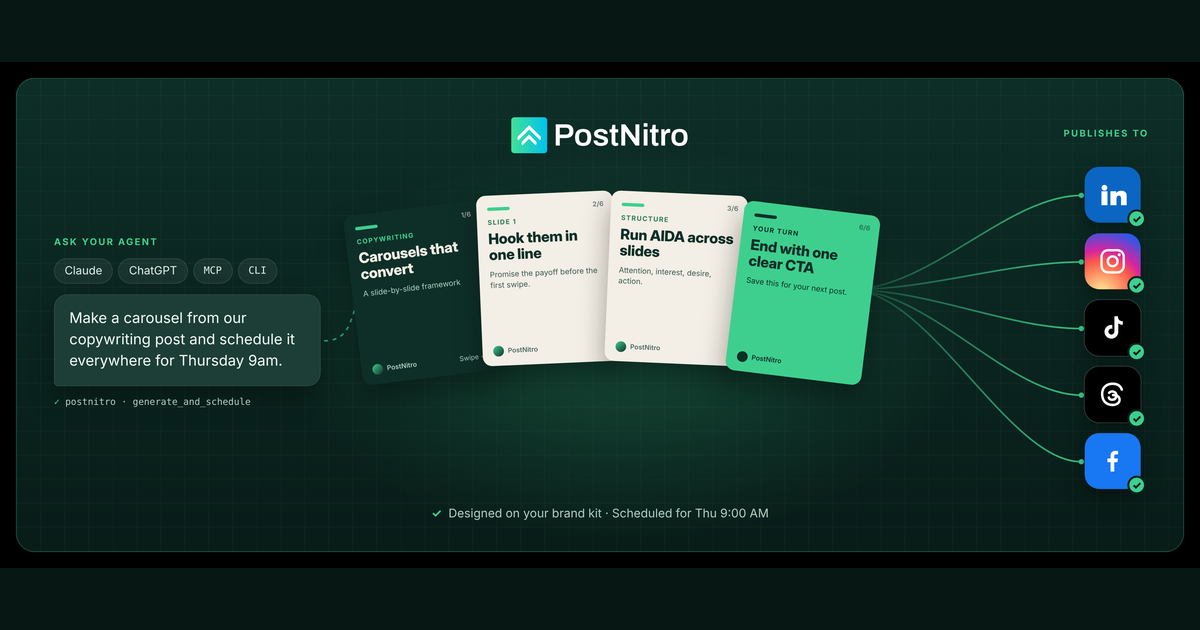
PostNitro for Agents is a social media API and design engine that lets AI agents create and publish social media content. Most social APIs an agent can reach will publish text or pre-made media, but PostNitro gives the agent the design layer too: on-brand carousels, single-image posts and animated video built from more than 100 templates and the user's own brand kit. The service then schedules and publishes that output natively to LinkedIn, Instagram, TikTok, Threads, Facebook and Pinterest. It is built for creators, marketers and teams who want one continuous chain, from prompt to designed, scheduled and published post, with no human in the loop unless they choose to add one. The site states the product is used by 85,000+ creators, with its editor embedded in 200+ platforms. PostNitro frames the problem it addresses directly: most social APIs that an agent can reach will only publish text and pre-made media. An agent can therefore write a caption and push a finished file, but it cannot produce a designed post on its own, because the design engine lives outside the API in a graphic design tool that a human has to operate. PostNitro's stated purpose is to give your AI agent a design engine, not just a publishing API, so that the agent can own the entire chain. That matters because the formats that carry a social presence, such as multi-slide carousels, consistently branded image posts and short vertical video, are precisely the ones that normally require manual design work. Moving design into the API layer means a single prompt can produce a publishable, on-brand asset rather than only a caption or a pre-made image. The creation capability covers carousels, single-image posts and short video, generated from several kinds of input: a topic, raw text, an article URL, or an X post. The agent can also add AI-generated images and bake them into slides as part of the same job. A separate import path lets the agent bring its own slide content and have PostNitro design it using the same templates and the same brand kit, with no AI writing step involved. That distinction matters for teams that already have approved copy: the design engine can be used purely as a layout and branding layer, so the agent's role can be limited to formatting and rendering rather than authoring. Combined, these two paths mean content can either be written by the model or supplied by the user, and either way it comes out designed rather than plain. Everything PostNitro generates is meant to be on-brand, and the brand capability is exposed through the API rather than handled by a prompt. Agents can list, read, create and update brand kits, which cover fonts, colours, logos and headshots. The practical value is that output is on-brand without the model needing a prompt that describes the brand each time; the agent simply points a generation job at the right brand kit and the design engine applies it. Because brand kits can be created and updated programmatically, an agent or an automated pipeline can manage them as data, keeping multiple brands, sub-brands or client identities separate and current. This is what makes the output of an unattended agent something a marketing team can publish rather than something that needs to be redesigned from scratch before it is usable. Scheduling and publishing are first-class capabilities in the toolset. Agents can create, read, update and delete scheduled posts, connect and inspect social accounts, and publish natively to six networks. Publishing destinations are LinkedIn, Instagram, TikTok, Threads, Facebook and Pinterest; X (Twitter) is supported as a content source and as an export format, but not as a publishing destination. The site also notes a recent addition, publishing straight to Facebook Pages and Pinterest boards. Alongside scheduling, a browse capability lets an agent list templates, AI presets and audio tracks so it can pick deliberately rather than accept a default. That gives an agent control over the look, the motion preset and the soundtrack of a video, all through the same interface it uses to generate and schedule the post. Generation jobs are handled in two ways, which matters for how an agent behaves. Every generator has a fire-and-forget form and an and-wait form, plus status and output polling, so an agent can choose between streaming and blocking depending on its own design. A long design job does not have to stall the agent, and a short one does not have to be polled unnecessarily. A second, more unusual capability is the handoff: if the agent asks for the DESIGN output, PostNitro returns an editable design instead of a rendered file. The agent can do the work at 3am, and the human opens the result in the editor, changes the headline, and publishes. PostNitro describes this as the one place where the human and the agent share a workspace rather than a handover, because every publish-only API returns something you cannot edit. Access works through six interfaces that share one engine, one account, one brand kit and one template library. Claude connects in one click via Claude's Connector Directory, and ChatGPT installs in one click via ChatGPT's plugin directory; both use OAuth, so there is no API key to fetch. Any MCP client can be pointed at mcp.postnitro.ai, which exposes the whole engine as 35 tools. The CLI installs with npm i -g @postnitro/cli and is described as JSON in, designed post out, script-safe and built for CI and automations. The REST API, whose design and publish chain is exposed at POST /post/initiate/generate, is the layer the others are built on. Finally, a Skill for OpenClaw and Claude Code installs with npx skills add postnitro/postnitro-agent so an agent can drive PostNitro end to end. The core outcome the product promises is a shorter chain from idea to published post. The site's demo line is 56 seconds: prompt, designed on your brand kit, scheduled, published. An agent can generate, schedule and publish in a single chain with no review step, or it can save posts as drafts on the calendar so a human approves them and hits schedule. Output can be delivered as PNG, PDF, MP4 or an editable design, which lets the user choose between a finished asset and a working file. One benefit PostNitro calls out specifically concerns video: output video is the carousel slides rendered as an MP4 with animated slide text and an audio track the user chooses. It is a design feature rather than a generative video model, and the company notes this is how carousels reach TikTok, which static-export tools cannot do. Concrete workflows are illustrated with sample prompts on the site. Turning a latest blog post into a LinkedIn carousel produces a carousel and a PDF. Announcing a launch as an Instagram post on a chosen brand kit produces an image post. Making a 20-second TikTok video from five tips produces video as MP4. Planning a week of content, three carousels from Monday to Wednesday at 9am, saves three drafts for review. Each of these runs through the same engine: the agent is handed a topic, article or X thread and returns an on-brand, designed asset, which is then either scheduled or held as a draft. Because the CLI is script-safe and the REST API accepts HTTP requests, the same jobs can also be wired into pipelines and automation tools without a human typing prompts. PostNitro is designed for anything that speaks MCP, anything that can run a command, and anything that can make an HTTP request. Named MCP clients include Claude Desktop, Claude Code and the Claude web app, Cursor, ChatGPT and VS Code, along with agent frameworks that support MCP servers. The CLI is usable from OpenClaw via the Skill, n8n, Make and CI pipelines. Agent access is priced with the rest of the product: included in Creator+ at $30/month with 200 credits per month, and Team+ at $60/month with 500 credits, or available on the Starter plan as a $10/month add-on with 250 credits. Credit volume can be increased. An imported slide costs 1 credit and an AI-generated slide costs 2 credits, and the site states there is no free tier for the API. Taken together, PostNitro for Agents positions design as the missing layer in agent-driven social publishing. Instead of asking an agent to write a caption for media that already exists, it exposes a design engine through MCP, CLI and REST so the agent can produce on-brand carousels, image posts and video, schedule them to six networks, or hand back an editable draft. The same engine, the same brand kit and the same templates sit behind every interface, and OAuth removes the key step for Claude and ChatGPT. For teams that want an AI agent to carry social content from a raw idea to a scheduled, publishable, on-brand post, that combination of design plus publishing in one API is the product's central value proposition.
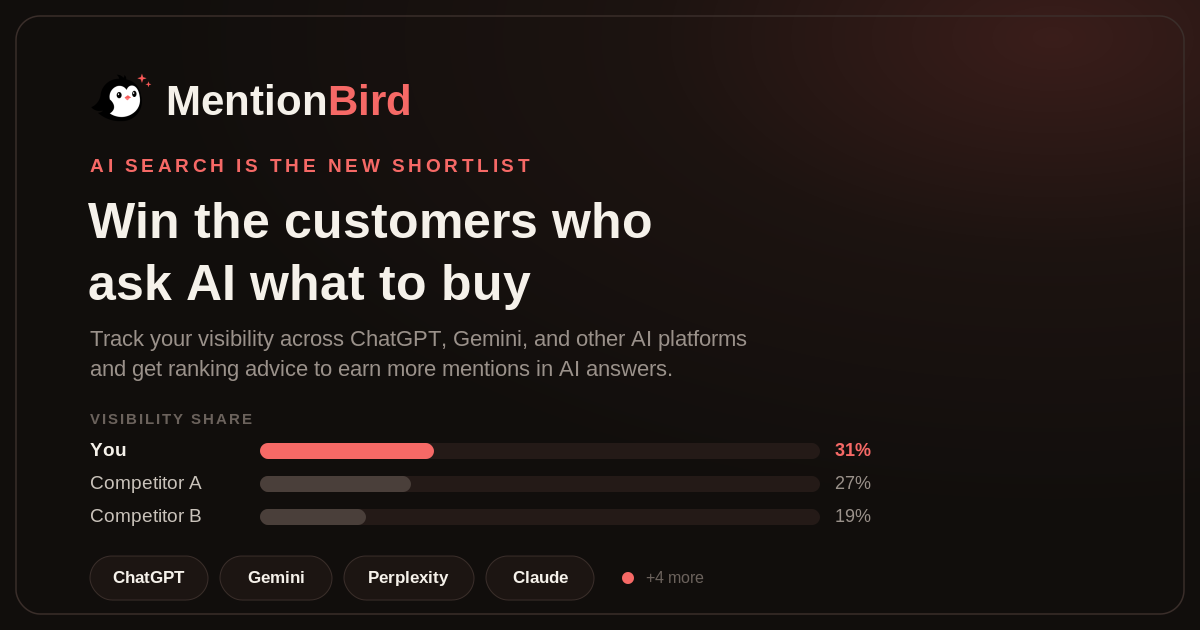
MentionBird is an AI visibility tool that shows brands why AI assistants recommend their competitors instead of them — and what to do about it. When buyers ask ChatGPT, Perplexity, or Gemini what to buy, the answer is assembled from a small set of sources that the model trusts for that specific question. MentionBird finds those sources for the prompts that drive a company's sales and gives a concrete plan to get the brand into them. It is built for any business whose customers research products or services online, and it positions itself as the "Ahrefs for AI Search." Buyers no longer start with ten blue links. They ask an AI assistant, get two or three brand names, and shop from that shortlist. The shortlist now forms inside the answer itself, and if AI does not say your name, you were never in the running — and you would never know. AI answers are built from a small set of pages, reviews, and videos that the model trusts for that specific question. Get into those sources and you get recommended; stay out, and your competitor takes the customer. Because most categories have no clear winner in AI answers yet, starting early can help a brand become the default answer. The first step is picking the prompts that bring customers. Users add the real questions buyers ask — examples on the site include "Best running shoes for daily use," "Best marathon shoes for men," "Best running shoes for flat feet," and "Most comfortable shoes for long runs." MentionBird then tracks exactly which sources AI cites for each one. For a given prompt, it lists the sites the models check and marks each as cited or not cited — showing, for example, that runnersworld.com and runrepeat.com are cited while a brand's own listings are not. That visibility into the underlying citations is the difference between knowing you are losing and knowing where to go to fix it. For any tracked prompt, MentionBird generates AI Ranking Advice. It reviews the answers, the named brands, and the cited sources, then recommends practical steps and shows the effort required for each one. Advice can include getting featured in trusted roundups and comparison guides, publishing guides that answer the questions buyers ask before choosing, adding clearer product facts such as fit and durability details to product pages, or earning videos and mentions from trusted websites. Each recommendation is labelled with impact and effort — for example, "Medium effort · High impact" — so teams know what to fix first. The platform checks and updates AI visibility data once every 24 hours. It tracks ChatGPT, Perplexity, Gemini, and Claude, as well as Google AI Overviews, Grok, Microsoft Copilot, and DeepSeek. Tracking is prompt by prompt: cited, not cited, or no brand named yet. Users see share of AI recommendations versus each competitor week over week, and every score change is traced to the exact prompt, model, or citation that caused it. A weekly brand visibility share view can show, for instance, one brand up four points while another drops three. MentionBird describes itself as built around the question that matters: what do I do to get mentioned for this prompt? It contrasts itself with other AI visibility trackers that show a mentions chart, tell you when you dropped, and leave the "now what?" to you. MentionBird instead shows the sources behind every answer, gives a per-prompt plan to win them, and proves the plan worked with daily tracking. It also distinguishes itself from SEO rank tracking: SEO tools show a webpage's position in Google search results, while MentionBird checks whether AI answers mention your brand, which sources AI cites, and how your visibility compares with competitors. The outcome MentionBird promises is movement from "never mentioned" to the brand AI often mentions. Users can watch themselves become the answer, because every plan they execute shows up in the numbers. Teams quoted on the site describe concrete gains: Risely discovered it won the category questions but lost the comparison ones, which it called exactly backwards for a buying decision; Facets learned the exact questions where engineering buyers saw it as invisible; Recooty found AI was recommending an ATS to every buyer who asked, just never theirs; Superfans reported being in 83% of "alternatives to the category leader" answers after MentionBird found the gap; and Helixo, despite 3300+ reviews, could pinpoint the questions where AI still was not recommending it. Typical use cases start with evidence gathering: a brand runs the free AI Visibility Report to see whether AI recommends its competitors, then adds its brand, prompts, and competitors to track the questions that matter. Marketing and SEO teams use prompt-level data to decide which pages, guides, or product details to fix first. Agencies manage several clients in one workspace, using tags to organize prompts by brand, product, or project. E-commerce and software companies watch comparison and category prompts separately, since the two can behave very differently. Multi-brand teams keep several brands or product lines in a single workspace, and anyone entering a new category can move early to become the default AI answer before a clear winner emerges. MentionBird works for any business whose customers research online, including e-commerce stores, software companies, healthcare providers, law firms, financial services, real estate, travel, and education, plus home services, automotive companies, and local businesses. Agencies, marketing teams, and SEO teams are explicitly supported, and the site suggests starting with 20 to 50 real buying questions rather than hundreds of broad prompts. No installation is required — there is no code, plugin, or tracking tag to add to a website, and setup takes only a few minutes. Pricing includes a free AI Visibility Report tool and a Starter plan at $19/mo for three months with the Product Hunt code PH19. Plans can be changed anytime, with upgrades applying immediately and downgrades beginning with the next billing period, while saved prompts, labels, and past data remain available. MentionBird's core value proposition is simple: it turns AI visibility from a chart you cannot act on into a per-prompt plan you can execute and verify. By revealing the sources behind every AI answer, explaining why competitors get recommended, and tracking progress daily across the major AI platforms, it helps brands get into the shortlist that now forms inside the answer — before their competitors do.
Manifold is a hosted MCP server that gives your AI agent live marketing data across every channel you grow on. Rather than opening another dashboard, you connect Manifold to the AI app you already use — Claude, ChatGPT, Cursor, Claude Code, Codex, Gemini CLI, Grok, OpenCode or any other client that supports remote MCP servers — and ask questions in plain words. Your agent picks the right tools and brings back answers built on real data: Google rankings and backlinks, what AI assistants say about a brand, social posts and videos, Reddit threads, competitors' live ads, and companies and people with verified work emails. It is aimed at marketers, founders and growth teams, and it is free to start for every new workspace. Marketing data is usually spread thin. Rankings live in one tool, AI answer visibility in another, creator research somewhere else, competitor ads in an ad library, and buyer intent across LinkedIn, X and Reddit. Pulling that together means a pile of tabs, several logins and API keys for services like Reddit, LinkedIn or a search data provider. Manifold collapses it into one hosted connection: your agent signs in once and uses Manifold's own provider accounts, so there is no Reddit API app, no LinkedIn login and no DataForSEO deposit to manage. The result is a single place where an agent can look up live marketing data whenever it needs to, and answer with real numbers rather than guesses. SEO is the first data group. Your agent can see every keyword you rank for, who outranks you and why, and what to fix on your site. A typical question — which keywords do we rank 5 to 15 for that could reach page one? — returns terms sitting just below the first page. A sample answer might tell you to put a phrase in a page title because you already rank seventh for it, to answer a question directly on the page because an AI assistant gets it wrong, or to link to that page from your best-ranking posts. Because the data is fetched live from search providers, the recommendations reflect current rankings rather than a stale export. AI answers, sometimes called AEO, covers how assistants describe your brand. Your agent can ask ChatGPT, Claude, Gemini, Perplexity and Google's AI Overviews any prompt, on demand, and report which brands each answer names, in what position, and which pages it cites. You can check whether AI assistants recommend you for the questions your buyers ask, see who they name instead, and review which pages they cite. You pay per prompt and engine rather than a monthly fee for tracked prompts, and a free check shows whether your site lets AI crawlers read it — a prerequisite for appearing in AI answers at all. Social research finds the creators and videos already winning your niche. Your agent can locate the TikTok, YouTube and Instagram creators your buyers watch, along with their audience and their top videos with transcripts — for example, which sales creators on TikTok and YouTube get the most views and what their top videos are. Instagram, Facebook, LinkedIn and X are covered too. Ad libraries sit alongside this: you can pull competitors' live ads on Meta and Google, see what each one says, and check how long it has run, so you can write better ads by seeing what already works. Reddit and lead research connect that data to action. Your agent can find every thread that asks for what you make, read the replies and draft your answer — for instance, threads this month asking for a CRM, or Reddit threads asking for recommendations. On the people side, Manifold spots posts on LinkedIn and X about the problem you solve and returns each author's verified work email, so you can reach buyers who are looking right now. The agent writes from this data too: blog posts, Reddit replies, ad copy and outreach emails are drafted in the chat with real numbers behind them, and you check the drafts and use them where you want. Manifold is the data your agent works from — not a scheduler or an autoposter. Under the hood, Manifold is a remote MCP server. You connect your agent once — in Claude, add the URL as a custom connector and sign in; in Claude Code, run claude mcp add --transport http manifold followed by the URL — and every client uses one URL, https://mcp.manifoldmcp.com/mcp, and one credit balance. Tools carry names such as seo_get_ranked_keywords, aeo_run_ai_answers, reddit_search_posts and linkedin_search_posts, and your agent picks the ones it needs for your question. Manifold fetches data live from specialist providers when your agent asks: search, keyword, backlink and AI answer data come from DataForSEO, while Reddit, TikTok, Instagram, YouTube, Facebook, LinkedIn, X and the ad libraries come from the platforms' public data. Results are cached briefly — most for a day to a week — so a repeat question comes back fast and costs less. Answers you can act on are the point. Instead of raw exports, the agent returns specifics: what to fix on a page, who to reach out to, which threads to join. From there it can take the next steps for you, drafting the content or the outreach in the same conversation. You get real numbers rather than estimates, one balance and one URL across every client instead of a collection of keys and logins, and cost control built in — every call is paid from a single credit balance, each tool states its price before it runs, and your agent can cap what a call spends. Concrete workflows run across the product. In SEO, teams ask which keywords they rank 5 to 15 for that could reach page one. In AI visibility, they ask whether they are recommended for a query like "best CRM for startups". In social, they ask which sales creators on TikTok and YouTube get the most views and what their top videos are. In prospecting, they ask who posted about leaving their CRM this week. In competitive research, they ask what a competitor is running on Meta this week. And in community marketing, they ask for threads posted this month asking for a CRM. Manifold is for marketers, founders and growth teams doing SEO, AEO, social, ads or lead research, and it works with Claude, ChatGPT, Cursor, Claude Code, Codex, Gemini CLI, Grok, OpenCode and any other client that supports remote MCP servers. Clients without OAuth use a Manifold API key instead. Pricing is easy to start: every new workspace gets 250 free credits, then a Pro plan from $20 a month for 2,500 credits, or Max at a lower rate per credit, with top-ups from $10 between renewals. Manifold is a marketing data MCP server founded in London in September 2026 by Jesse Sibley, and it is not related to Manifold Markets. Manifold MCP turns the AI assistant you already use into a marketing research and growth partner. One connection, one credit balance, and live data from Google, AI answers, Reddit, social platforms, ad libraries and lead sources — so your agent can answer in plain language, then help act on what it finds.
ngram is an AI video generator that creates perfect AI videos for every team, covering onboarding, training, demos and explainers from a prompt or a screen recording. Its Product Hunt listing describes ngram 2.0 as a tool for creating explainers, screencasts, and AI avatar videos by turning ideas, documents, and recordings into narrated videos. The site presents it for sales teams, marketing teams, support teams, HR teams, product teams, founders, explainers and every team in between. The core promise is that you describe the video you want in plain words, ngram plans and builds it, and the finished video stays editable so you can then make it perfect. The problem ngram addresses is the gap between having something worth explaining and having a video that actually explains it. The site draws the contrast directly: Loom is useful for quick screen recordings but does not help with structure or polish, while Descript requires editing skills. ngram instead starts from your intent — who the video is for and what it should achieve — and builds a complete video with structure, visuals, and polish. The customer stories suggest why that matters. The Owelet team says, “I can finally show people what Owelet does instead of just describing it.” The Wolvio Solutions team reports that “what used to take weeks can now be done in a day” and cites 80% less production time, while the Quillr team went from producing 3 to 7 reels a week. A G2 reviewer notes ngram makes it easier to create and refine instructional content. ngram can begin from whatever material a team already has. The most direct starting point is a prompt: you describe your video idea, audience, and tone, and that description is treated as the whole brief. The site's own example brief asks for a 30-second launch film for Inkpolish, specifying the opening moment, the ranking drop, the fix, and a request to use the brand kit. Projects can also start from a screen recording or an uploaded video, which ngram analyzes to identify key moments and build clear product walkthroughs. Other inputs named on the site include documents and PDFs, screenshots, photos and references, your README, and even your website — for example, one prompt asks ngram to turn a website into a 30-second explainer for facility managers. The homepage is explicit that assets are optional: you can start with just a description, and ngram will write the script, plan the storyboard, and generate visuals to match. Before anything renders, ngram plans the story. After you describe the video, ngram outlines every scene and waits for your approval — the site's example plan lists five scenes with individual durations covering the publish moment, the ranking drop, the score and fix, the prompt, and the publish decision. Once approved, you watch it build: narration, soundtrack, visuals and animation come together while you watch, and the site describes ngram recording the narration, composing the soundtrack, generating visuals, building the animation and checking the result. The site also states that ngram plans the story structure before generating anything and uses your brand kit for consistency, a deliberate approach designed so videos look intentionally produced rather than obviously automated. Every video stays editable, which is where the “then make it perfect” half of the promise lives. You can edit any scene by chatting: you point at the frame you want changed and say what you want, and ngram makes a new version. In the site's example, a change pinned to scene two — “Get to this drop sooner. The intro runs long.” — caused ngram to shorten scene one from 4s to 2s so the drop lands sooner, producing version two. Iteration works in plain language after the video is done too, with requests like “make the intro shorter” or “swap the second scene for a screen recording.” You can also take the controls yourself: captions, music and scene edits are a click away, and captions can be set to styles such as Pop Light from the Edit video menu. Deeper control is available through the timeline editor, which offers frame-level precision, plus the ability to swap scenes, edit text, change styles and regenerate sections. ngram supports narrated, animated and avatar-led videos. You can create animated explainers or add an AI avatar presenter, and the site lists AI presenters and custom voices, cinematic AI footage, and the ability to swap the voice or the language. Captions are added automatically and can be matched to your brand colors. A brand kit is set up once, and every video then uses your identity — colors, fonts, logo, intro/outro sequences — for consistent branding across your entire team. Output is flexible: finished videos export as MP4, and short ones can also be downloaded as a GIF. You can create in 16:9 (landscape), 9:16 (vertical), or 1:1 (square) when the selected models support it, and you can download the finished video or share a link to it, or embed it. The overall method is a seven-step flow the site lays out in order: describe it, approve the plan, watch it build, preview the video, point at a change, take the controls, and download. The preview stage plays the finished video beside its storyboard, scene by scene, so you can see how each beat maps to the plan. This structure is what the site presents as the core difference from other tools — ngram starts from your intent and builds a complete video with structure, visuals, and polish, rather than handing you a raw recording or expecting editing expertise. It also means the video is planned before it is generated, so story decisions come before rendering, and revisions afterward are targeted rather than wholesale. The stated outcomes for users are speed, clarity and iteration without starting over. Teams report moving from weeks to a day, 80% less production time, and higher output like 3 to 7 reels a week. The site frames the benefit as being able to show rather than describe — “I can finally show people what Owelet does instead of just describing it.” Because you review the script and storyboard before anything renders and can iterate anytime afterwards, changes do not require rebuilding the video. ngram also reports a G2 rating of 4.6 out of 5 from 62 reviews, and offers a free start with no credit card. Use cases map onto teams. For sales and revenue, ngram pitches sending the demo and skipping the call, with pitch explainers built from screenshots. For marketing, it generates industry explainers from screenshots, promo videos with an AI presenter from a PDF or doc, and product launch films from photos and references. For customer success and support, it makes customer onboarding videos from screenshots and customer education from a PDF or doc. For HR, People and L&D, it produces compliance training and messages with an AI presenter from photos and references — including non-English training, such as a safety video in Vietnamese about hand hygiene compliance in hospitals. For product and engineering, it creates stakeholder demos from screen recordings and developer launch teasers from your README. For founders and leadership, it builds board update videos from reports and all-hands announcements from a prompt. For explainers and education, it turns a website into an explainer or builds technical explainers from photos and references. ngram is aimed at teams rather than individual editors. The homepage explicitly names sales, marketing, support, HR, product, founder, and explainer/education audiences, and the example library spans brands such as Slack, Headspace, Revolut, Robinhood and Cernel, alongside companies listed as customers including HubSpot, Deel, Zapier, ITV, Veeva, DP World, Genpact and SafetyCulture. Pricing is described as “Free to start · No credit card.” The marketing site is built on Next.js. The site is also clear that the product is not limited to marketing videos: teams use ngram for product demos, customer onboarding, internal updates, training videos, sales enablement, changelogs and investor pitches — any message that lands better as video. In short, ngram's value proposition is that anyone on a team can describe the video they need — or bring a prompt, a screen recording, a document, or a website — approve a plan, and end up with a narrated, branded, polished video they can refine by chatting or by hand. It removes the structure and production burden while keeping the finished video fully editable.
nestd.ai is a property intelligence platform that turns listing photos into structured property features and then into professional, room-by-room listing descriptions. You can paste an Airbnb or Booking.com URL or upload interior, exterior, and amenity photos, and the platform analyzes each room, extracts visible materials, finishes, and appliances, and generates description copy that matches what is actually there. The pitch is simple: photos in, structured features out, then professional descriptions. It is built for landlords, Airbnb and Booking.com hosts, real estate agents, and agencies or catalog operators who need listing copy without starting from a blank page. Writing listing descriptions is slow and repetitive. As nestd.ai describes it, hosts and agents can spend 45 minutes staring at a blank page for every listing, or end up with descriptions that all sound the same because they run out of ways to say "spacious." Generic one-shot AI prompts often produce generic fluff that does not match the photos, missing room-level detail. Meanwhile, on the guest and buyer side, catalog filters cannot answer a request like "a quiet place with a real kitchen." nestd.ai addresses both problems by turning photos into a structured feature graph that descriptions — and natural-language search — can be written from. The first feature group is import and upload. You can paste your Airbnb or Booking.com listing URL and nestd.ai pulls the title, room details, location when available, and photos, which skips the blank form and gets you to analysis faster; you must own or manage the listing. Alternatively, you can upload your own photos — interior, exterior, and amenity shots — and smartphone photos work perfectly, so professional photography is not required. The system then groups the uploads into rooms, so a set of twelve listing photos becomes an organized set of spaces rather than an unstructured dump. Once photos are in, nestd.ai builds a structured feature analysis. It identifies each space (kitchen, bedroom, living room, and so on) and extracts materials, finishes, appliances, and style, along with condition signals. When you add a location, it also researches nearby amenities, transit and accessibility signals, schools, neighborhood vibe, and local characteristics. The platform then suggests a listing name, property type, and room counts from the photos, plus a location when EXIF GPS is available, and you can review and edit anything before continuing. This review step means the structured analysis reflects your property accurately before any copy is generated. From that analysis, nestd.ai generates descriptions. You choose the style (marketing or social), length, language, and target audience such as families, couples, digital nomads, professionals, or a custom audience, and the AI adapts the wording so it speaks to the right guests or buyers. Every property gets deep analysis: room-by-room identification of kitchens, bedrooms, and bathrooms; feature extraction of materials, appliances, and finishes; style classification such as modern, traditional, or luxury; quality assessment of condition and renovation level; location intelligence covering nearby amenities, accessibility, and local character; and target audience selection. The same structured features also power natural-language search on Enterprise, so guests and buyers can find properties by how they actually think rather than by checkbox filters. nestd.ai's approach differs from generic one-shot prompts because it looks at each room, not just the first photo. The workflow runs in four steps: upload your photos or import a listing; the AI builds your feature analysis; you confirm suggested details; then you generate descriptions from the analysis. You can review the complete property breakdown in your dashboard — rooms identified, features extracted, style classification, and location insights — before generating copy. The outcome is descriptions that mention the marble countertops in the kitchen and the barn doors in the bedroom because those details were actually extracted from the images. No prompt writing is required to get good results: you upload photos and a location, and the platform analyzes rooms, features, style, and neighborhood context automatically, with the option to adjust style, tone, and length and add an additional prompt if needed. The benefits are speed, specificity, and consistency. Landlords can generate descriptions for multiple units in minutes instead of hours, and can see the complete analysis before committing. Hosts get compelling descriptions that can help get more bookings without hiring a copywriter. Agents get consistent, high-quality descriptions for every property they represent, speeding up the listing process. Users can regenerate descriptions as many times as they want and adjust style, tone, or length until it is right, and can tailor the copy to different guests or buyers. Because the analysis highlights what makes each property unique, descriptions avoid sounding like every other AI description. As the site puts it, every description written by hand is an hour that could be spent on showings, client calls, or closing deals. Concrete use cases appear throughout the product. A luxury villa example uses vaulted ceilings, a fireplace, a kitchen island, and a barn-door primary suite as extracted features turned into a social-style description, with neighborhood context such as wildlife refuges and local restaurants. A coastal Cabarete apartment for digital nomads turns an open plan, private balcony, and resort pool into marketing copy. A compact Warsaw apartment uses a galley kitchen, accent wall, and built-in wardrobe. Beyond these examples, hosts and agents import listings and generate copy, and agencies and catalog operators use the same photo analysis to power natural-language search across a catalog. Demo mode lets users search example properties with natural language even without uploading photos. nestd.ai is designed for landlords, Airbnb and Booking.com hosts, real estate agents, and agencies or catalog operators. The main integrations are Airbnb and Booking.com listing import, and an Enterprise path for embeddable natural-language search for catalogs and platforms. The product runs on the web at app.nestd.ai. There is no credit card required to start: new users get free credits with no expiration, and instant demo access is available. In short, nestd.ai turns photos into property intelligence. By replacing manual feature forms and blank prompts with a structured, room-by-room analysis of what is actually in the photos — plus location context and audience targeting — it helps anyone listing a property produce accurate, specific descriptions faster.
Maildun for Mac is an agentic email builder for macOS, released as a free beta. It is part of the Maildun family of email tools: the open source Maildun platform, described on the website as the full email marketing stack for campaigns, sequences and transactional email; Maildun for Mac, a native Mac application for designing emails; and Maildun Platform, a managed version listed as coming soon with the promise "We run it, you send." The home page summarises the whole offering as "Campaigns, sequences, and transactional email. Run it yourself, design on your Mac, or let us host it for you." The Mac app is built for people who want to produce on-brand emails either by hand, with an AI assistant, or over MCP, and it is free to download. Maildun is positioned as email marketing tooling "built in the open." The open source edition is described as the full email marketing stack that you can self-host, read the code of, and help shape, and the site notes it is free to self-host. Rather than pushing teams toward a single closed hosted product, Maildun offers three ways to run the same idea: hosting it yourself, designing on your Mac, or letting the vendor host it for you through the forthcoming Maildun Platform. This matters because email remains a core channel for campaigns, automated sequences and transactional messages, and teams often want control over where their sending stack and their design workflow live. The Mac app gives designers a native place to build those emails, while the open source project and the upcoming managed platform offer a path to actually sending them. Designing by hand is the foundation of Maildun for Mac. The app provides a drag-and-drop editor in which you build an email by adding elements such as a heading and body text, as shown in the product's editor screenshot with the prompt "Write something people want to read." The editor exposes three views — Design, Preview and Code — so you can lay out the email visually, check how it will render, and inspect or edit the underlying code. An "Apply brand" action sits alongside the assistant and an export control in the toolbar. The result is a hands-on workflow in which the person designing the email keeps direct control over layout and copy rather than relying purely on generated output. The AI assistant takes that hand-built design and edits it live. Maildun for Mac lets you connect Claude, ChatGPT, Gemini or Grok using your own API key, so the model you already use can work directly on the email you are building. Critically, the assistant's changes are presented as a proposal that you accept or reject, rather than being applied silently to your design. That review step keeps a human in the loop: you can see what the assistant wants to change, approve it if it improves the email, or discard it and keep your original version. Bringing your own API key also means the choice of model provider stays with you, and the app supports several of the major assistants by name. Beyond the in-app assistant, Maildun for Mac ships with a built-in MCP server. Turning it on allows developer-facing AI coding tools — Claude Code, Codex and Cursor are the ones named — to create and edit emails as well. MCP, the Model Context Protocol, is the mechanism through which those tools talk to the app, and having the server built in means there is nothing extra to install beyond enabling it. This opens a second, more technical route into email production: instead of pointing and clicking in the editor, a developer or power user can ask an agent inside their coding environment to generate or adjust an email, with the resulting changes landing in the Mac app's design. Maildun for Mac also adds organisational features around the design itself. Workspaces per client let an agency or freelancer keep each client's emails separate, so one client's work does not bleed into another's. Brand kits carry shadcn-style component styles, and the "Apply brand" action brings those styles to a design, which helps keep every email visually consistent with the brand it represents. For repeatable layouts, saved sections let you store blocks you use often and drop them into new emails rather than rebuilding them each time. Media can be stored on your own Cloudflare R2 or Amazon S3 bucket, giving you control over where images and other assets live. And when an email is finished, it can be published to maildun.com. The overall approach is summed up in the Product Hunt tagline: "Design on-brand emails by hand, with AI, or over MCP." Maildun for Mac deliberately supports three ways of working on the same design rather than forcing a single path. You can build everything yourself in the drag-and-drop editor; you can hand an existing design to Claude, ChatGPT, Gemini or Grok and let the assistant propose edits; or you can enable the built-in MCP server and let Claude Code, Codex or Cursor create and edit emails through an agent. Whichever route you take, the app remains the place where the email lives, and the assistant's edits always arrive as proposals you accept or reject. Underneath, the wider Maildun project is open source and positioned as something you can self-host, read the code of, and help shape. The stated benefits follow from that mix of control and assistance. Because the Mac app is free and the open source platform is free to self-host, teams can adopt Maildun without a licence fee, and because the project is built in the open they can read the code and help shape it. Designing by hand keeps full control over the output, while the AI assistant speeds up changes without removing the designer from the loop — every suggestion is accepted or rejected rather than applied automatically. Support for MCP means the same email work can be driven from the AI coding tools many developers already use. Brand kits and saved sections reduce repeated work and help maintain consistency across emails, and media storage on your own R2 or S3 bucket keeps assets under your control. Concrete uses described in the material include building a marketing email by hand in the editor — adding a heading, writing body copy, and checking the result in Preview or Code view. Teams running campaigns, automated sequences and transactional email can use the wider Maildun stack for sending, with the open source edition self-hosted or the managed Maildun Platform used once it is available. Agencies and freelancers can organise work by client using workspaces and apply each client's brand kit so their emails look on-brand. Designers who want a faster first draft can ask the AI assistant to edit the design and then accept or reject its proposals. Developers can enable the MCP server and create or edit emails from Claude Code, Codex or Cursor, and finished emails can be published to maildun.com. Maildun for Mac is aimed at people who design emails — in-house marketers and designers, and agencies or freelancers working across multiple clients — as well as developers who want to generate emails from their coding tools. It runs on macOS as a native application and is free. The wider Maildun project is open source and free to self-host, with source code available on GitHub and a managed Maildun Platform listed as coming soon. Named integrations and connections include Claude, ChatGPT, Gemini and Grok for the AI assistant; Claude Code, Codex and Cursor through the built-in MCP server; Cloudflare R2 and Amazon S3 for media storage; and publishing to maildun.com. The Mac app is labelled beta, and Maildun itself is labelled open source beta. Maildun for Mac packages an on-brand email builder, a bring-your-own-key AI assistant and a built-in MCP server into a single free Mac app, and connects it to an open source email marketing stack you can self-host. Its core promise is choice: design by hand, with AI, or over MCP, while keeping the final say over every change.
ReSO is a generative engine optimization platform that helps brands show up and get recommended in AI search results. It is built for founders, CMOs, and growth teams who want to turn buyer intent expressed in ChatGPT, Perplexity, and Google AIO into visibility, citations, and traffic. The product is pitched as an agentic employee you onboard so that your brand is recommended in the answer when buyers ask AI. Instead of only tracking rankings, ReSO analyzes intent, competitors, content gaps, and technical issues, then turns them into priority actions to improve AI recommendations. The site also invites visitors to check their AI visibility and to run a detailed AI visibility analysis across brand, content, technical setup, and competitive gaps worth $500 at no cost. The problem ReSO addresses is a shift in how buyers discover products. As the site puts it, your buyers are searching on ChatGPT, and in 2026 AI will dictate discovery. B2B buyers increasingly use ChatGPT, Perplexity, or Google AIO to research solutions, compare vendors, and shortlist providers. If a brand is absent from those answers, competitors can influence the buying journey before a prospect ever reaches the website. The FAQ frames the discipline as AI Search Optimization (AISO) and notes that AISO, GEO, AEO, and LLMO are overlapping terms for optimizing visibility in AI-generated answers: AISO focuses broadly on AI search, GEO on generative engines, AEO on direct-answer visibility, and LLMO on large language models. The same FAQ observes that most organizations still cannot clearly say how ready they are for AI search, which makes it difficult to identify gaps, prioritize investment, or measure progress. The core of the platform is a proprietary intent model mapped to real buyer queries on AI. ReSO says LLMs interpret intent, not keywords, and its proprietary model analyzes 30+ intent-driven search variables to decode exactly what customers are looking for. Users can curate a list of 75 high search intent-based prompts, view brand share of voice across the entire awareness-to-conversion funnel, and map visibility against competitors. The features section illustrates the Discovery stage of the buyer journey, described as exploration where people look for the best options, trends, and possibilities before narrowing down what fits their needs, with example prompts such as “Best budgeting apps for managing personal finances?”, “Best fitness trackers for everyday use?”, and “Best tools for automating B2B lead qualification?” Citation Intelligence helps create content that gets a brand mentioned by LLMs. Each piece is built around the signals that influence AI visibility: prompt trends, citation behavior, and content gaps across the category. The approach promises a consistent weekly publishing cadence, a 100% customised content strategy to become a category leader on LLMs, and content created in formats that improve mention potential. The site pairs this with an AI citation chat interface. The underlying logic described in the FAQ is that to be cited by AI search engines, a site needs clear, authoritative answers, strong entity signals, useful source material, and structured content that AI systems can interpret easily. ReSO analyzes which sources AI platforms cite within a category and identifies gaps in content and authority signals. The Technical Engine audits the technical issues that affect how AI systems and search engines access, interpret, and trust a website. It delivers technical edits intended to increase LLM visibility, entity mapping and code-level changes to make the website AI-readable, and improvements to discoverability across search platforms. Alongside these engines, ReSO presents a visibility dashboard: the imagery on the site shows a laptop user dashboard, a competitor gap view, a brand visibility score, and a “new opportunity found” alert. The platform is described as multi-platform search optimization, focused on how a brand shows up across AI search rather than a single engine. The workflow ReSO describes starts with onboarding the agentic employee and checking your AI visibility. From there, you identify the questions your buyers are asking LLMs and where your brand currently appears in those answers. ReSO maps high-intent prompts across the buyer journey, measures your share of voice against competitors, and identifies the content and technical gaps that may be limiting visibility. Those findings are converted into prioritized actions: the pages, topics, and site improvements most likely to increase brand mentions and recommendations. On the content side, pieces ship on a weekly cadence and are shaped by prompt trends and citation behavior; on the technical side, entity mapping and code-level changes are applied so the site is easier for AI systems to read and trust; and throughout, visibility against competitor mentions is tracked. ReSO reports multi-platform search optimization outcomes of 3X traffic increase from LLM-driven search, +38% citation growth month-on-month, +25% signup conversion directly from ChatGPT referrals, and +30% visibility score quarter-over-quarter growth. Three case studies are listed on the site. SMC Global, a publicly listed fintech in India, saw a 132% increase in clicks from ChatGPT, a 162% increase in website clicks (up from 37,200), and a 516% increase in impressions (up from 923,000). An EoR platform in HRTech achieved a 12X increase in citations from LLMs in three months, a 364% increase in blog traffic (from 824 to 3,825 monthly clicks), a 5x increase in AI mentions (up from 10 to 50), and a 41% lift in AI visibility (up from 8%). A US-based LegalTech company recorded a 92% increase in brand mentions (up from 288), 60% total traffic growth (up from 23,400), and 55% impressions growth (up from 2,080,000). The use cases described on the site center on buyer research and comparison. Buyers ask AI for the best budgeting apps for personal finances, the best fitness trackers for everyday use, or the best tools for automating B2B lead qualification, and ReSO aims to make a brand part of those answers. B2B teams use it to appear when prospects research solutions, compare vendors, and shortlist providers. Marketing teams use the weekly content engine to publish material shaped by prompt trends and citation behavior, and the technical engine to remove barriers to being accessed, interpreted, and trusted. Growth teams track whether their brand is mentioned or recommended versus competitors at each buyer-intent stage, and prioritize the biggest visibility gaps. ReSO is aimed at founders, CMOs, and growth teams, and says it is trusted by founders and CMOs across high-growth startups and enterprise; logos shown include SMC Global, Mountmiller, Dhisana, Boundless, Early, 5 Day, Gaia Dynamics, Sprouts, and Strong. The platform positions itself as a replacement for agencies, consultants, and fragmented internal workflows — “replace your SEO agency with an agentic employee” — while working alongside traditional SEO rather than replacing it. Getting started requires no credit card and no commitment, and the site offers a detailed AI visibility analysis across brand, content, technical setup, and competitive gaps worth $500 at no cost for now. Beyond the free visibility check, ReSO directs interested teams to book a call to hire an AI employee that grows their business. In short, ReSO's value proposition is turning AI search from guesswork into a measurable, actionable channel. It combines intent analysis across intent-driven search variables, a curated set of high-intent prompts, a weekly content engine, and a technical audit into one agentic employee, so brands can move from being overlooked in AI answers to being mentioned, cited, and recommended. For founders, CMOs, and growth teams who want to know how LLMs see their brand and what to do about it, ReSO offers both the diagnostic — a free AI visibility check — and the ongoing execution to improve it.
TractionWave is an attention analytics product for advertising and marketing creative. It predicts where attention lands on your ads, thumbnails, and campaign visuals, returning an AI attention heatmap together with ranked hotspots described in plain language. The product is built for the people who make and approve creative — designers, marketers, and agencies — and its stated purpose is simple: test the creative before you spend the budget. TractionWave runs on the web, where you can upload an image and see a result with no account needed, and it also runs inside Figma through a plugin, with a Canva app described as coming soon to the Canva Apps Marketplace. A video workflow and an MCP server extend the same attention prediction to video ads and to AI agents. The problem it addresses is stated plainly on the site: media budgets buy impressions, and attention is not included. Most creative goes live untested, and the usual feedback is an A/B test or falling click-through — both of which arrive afterward, with your money already spent. The alternatives TractionWave sets itself against are a two-week eye-tracking study or a burned A/B budget. TractionWave tells you before instead of after. It is positioned to catch buried calls to action, weak hierarchy and competing focal points while the design is still being edited, so those issues can be fixed before a single impression is bought. The core of the product is the creative evaluation. You upload a static visual as a PNG or JPG — dropping it in or pasting from the clipboard — and TractionWave returns a predicted attention heatmap shown against the original so the two can be compared side by side. Alongside the heatmap you get ranked hotspots, presented in plain language rather than raw data. The tool is described as working on any static visual, including display and social ads, thumbnails, posts, banners, posters, and slides. Once the result is in, the heatmap can be dropped onto the canvas as a layer, which lets you compare versions of a design or show the predicted attention result to your team or a client without leaving the file you are working in. TractionWave is delivered as integrations inside Canva and Figma, so the attention check happens in the editor where the creative is made. In Figma, you connect the TractionWave account from a plugin found under Plugins in Actions, then select frames — or select none to use every frame on the page — and run them. In Canva, you open Apps in the side panel, search for TractionWave, connect your account, pick a page and run it. Each Figma frame or Canva page costs 1 credit, and failed runs are refunded. The workflow is deliberately free of exports, uploads and tab switching: pick the Canva page or Figma frame and send it. One account carries one balance, so Canva and Figma runs spend the same credits as the web app, and every result lands in your workspace history. For video ads, TractionWave returns a heatmap video rather than a slideshow. Attention is blended smoothly from second to second over the full-frame-rate original, and the result is ready to download and share. Ranked hotspots are provided for every second on a timeline, so you can see when the logo, the offer and the CTA actually get looked at across the duration of the ad. This turns video creative review into a second-by-second check rather than a single overall impression of whether the ad is working. The MCP server gives AI agents what the site calls eyes for attention. You connect TractionWave to Claude, Cursor, VS Code or any MCP client by pasting the server URL at https://compute.tractionwave.com/mcp and signing in. A single tool, predict_attention, lets your agent send a screenshot or design and get ranked hotspots plus a heatmap back, so it can check a layout before it ships. Sign-in uses OAuth — no API keys — with your client opening a TractionWave consent page the first time and refreshing its own tokens afterward. Every connected agent is listed in your workspace with when it was last used, and disconnecting one stops its access immediately. Overall the product follows a three-step method. First, open the panel in Canva or Figma while you are editing the ad, post or campaign visual. Second, run the analysis with one click, which sends the current page or frame for evaluation. Third, read the heat: a predicted attention heatmap plus ranked hotspots in plain language, which you can drop onto the canvas as a layer. Under the hood, a diffusion model trained on interaction data predicts where attention lands on your creative, delivering eye-tracking-style insight in seconds instead of recruiting a panel or waiting weeks for a study. The benefits follow directly from that speed and placement. You can protect the spend by finding out whether the CTA, offer and logo actually get seen before a single impression is bought. You get evidence in seconds rather than a two-week eye-tracking study or a burned A/B budget. And you avoid adding new tools, because it runs inside Canva and Figma where the creative is made — analyze, adjust, re-run, publish. TractionWave also states that your image is used only to generate your analysis, that designs are never used to train or improve any model, that your work stays yours, and that deleting your account removes it permanently. Use cases follow the creative formats the product supports. Marketers can pretest display and social ads, thumbnails, posts, banners, posters and slides before committing budget. Designers can compare versions by dropping the heatmap onto the canvas as a layer and presenting that comparison to a team or client. Video teams can review per-second hotspots to confirm the moments a logo, offer or CTA is actually looked at. Teams using AI agents can have an MCP client call predict_attention on a screenshot or design so a layout is checked before it ships. Agencies running volume can work across many client visuals using the same credit balance and workspace history. TractionWave is aimed at designers working in Figma and Canva, marketers responsible for media budgets, teams shipping creative every week, agencies running volume, and AI agent users. Integrations include the Figma plugin on Figma Community, the Canva app listed as coming soon to the Canva Apps Marketplace, and MCP clients such as Claude Code, Claude app, Cursor and VS Code. Pricing is pay-per-evaluation with no subscription: 1 credit equals 1 evaluated visual. The free tier offers 2 evaluations — 1 watermarked with no account needed and 1 more, watermark-free, when you sign up. Starter is $18 for 10 credits ($2 per credit), Growth is $95 for 100 credits ($1 per credit) with priority processing and 5 images on us, and Scale is $185 for 400 credits ($0.50 per credit) with priority processing and 30 images on us. Paid packs include full-resolution, watermark-free output, and credits never expire. TractionWave's value proposition is narrow and clear: media budgets buy impressions but not attention, so the attention check belongs before the spend, not after. By predicting where people will look with a heatmap and ranked hotspots, and by delivering that prediction inside Figma, Canva and AI agent workflows, it lets you catch buried CTAs, weak hierarchy and competing focal points while the creative is still editable — and pay only for the evaluations you use.
Proofsource is an AI intelligence platform that shows whether ChatGPT, Perplexity, Claude and Google AI Overviews name your brand, who they name instead, which sources they cite, and what to fix. Its stated purpose is to make the AI shortlist visible day by day and engine by engine, and then to close the gaps behind every lost answer. The site names four audiences it is built for: growth and brand leaders, writers and search teams, agencies running many brands, and founders and small businesses. Rather than stopping at a visibility score, Proofsource continues through to drafted fixes drawn from your own content, so a gap in an AI answer becomes a change you approve and publish. Buyers now ask AI for a shortlist. An answer engine names three to five brands and moves on, and if your brand is not one of them there is no second page to rank on and no click to measure. Proofsource's own published measurement illustrates how contested that shortlist is: across 947 citations and four engines, 43.5% of the sources AI cited for category questions were comparison pages — listicles, alternatives and versus pages. In the same scan, 387 different websites were cited across just 80 answers, meaning your own site is one voice among hundreds. A separate branded-question read, done by hand, found that only one of four engines described a brand-new company correctly, while the other three answered from what they already believed. The company also published research stating that 0.8% of AI citations point to the brand's own website. These findings explain why Proofsource argues that rank trackers, which measure blue links, do not answer the question of whether an answer engine recommends you. The core visibility layer answers the first question: are you in the answer? For each brand, Proofsource reports mention rate, share of voice and average position per engine, so you can see the share of buyer answers that name you, how large your share of the named brands is, and where you typically appear. Every number carries a 95% confidence range — the site specifies a 95% Wilson interval — so a bad day never looks like a trend. The platform keeps the full text and a screenshot of every answer, which means a visibility claim can be traced back to the actual engine response rather than a summary score. On paid plans the questions are asked every day, because AI answers shift from day to day and a weekly snapshot can miss the day a competitor enters your shortlist. The free trial runs two scans, today and tomorrow, covering 25 questions on every engine for 200 answers in total. Once visibility is measured, Proofsource surfaces who AI names instead of you. Every brand the engines name for your questions lands on a single leaderboard, ranked by answers and broken out per engine, including brands you never thought of as competitors. Any of them can be added to tracking with one click, so the competitive set grows as the engines reveal it, and the leaderboard shows the specific questions where each competitor beats you. The citation layer then explains why: answers are built from sources, so Proofsource lists every page the engines cite for your questions, which cited pages mention you, and which are open to a pitch, a listing or a correction. It flags cited domains and exact pages, listicles that leave you out, and the pages on your own site that engines read versus the ones they skip. In the Tesla example shown on the site, youtube.com was cited in 29 answers, en.wikipedia.org in 24, reddit.com in 20 and tesla.com in 17 — the first naming Tesla outright, the next two naming it partly, and the last being the brand's own site. Proofsource also checks what the engines get wrong about you. Because engines answer from what they already believe, the platform asks about your brand by name, reads the answers, and flags wrong prices, old features and mixed-up identities, with the source behind each claim. An illustrative claim check on the site shows an engine reporting a price the brand retired last year and a free tier that does not exist, tracing it to a 2024 review page, and suggesting an update to the pricing page plus a request for the reviewer to refresh. Profile checks run on the sites engines lean on, and the platform audits crawler access — whether GPTBot, ClaudeBot and PerplexityBot can read you at all. When gaps are found, Proofsource ranks them by likely lift against effort, names the page or source to change, and drafts the fix from your own content for you to approve. The Product Hunt listing describes the final step: agents publish the approved changes, verify that the answers changed, and learn from every change. Proofsource describes one loop from the answer to the fix, summarised as Know, Act, Prove, Repeat. Most AI visibility tools stop at a score; Proofsource continues through what the engines say, why they say it, what to change, and whether the change worked. Onboarding follows a three-step path. First, you tell Proofsource your site; it reads it, works out your category and your competitors, and drafts the buyer questions worth tracking, and you approve every one. Second, the platform asks the engines those questions, keeping every answer with its sources and a screenshot. Third, you get the shortlist and the fixes: where you are named, who is named instead, which sources decided it, and the gaps worth closing first. The site also publishes a methodology page describing how it measures AI answers. For growth and brand leaders, Proofsource offers one number for AI visibility that can be defended in a board meeting, with the questions, engines and confidence range behind it. For writers and search teams, it supplies the questions you lose, the pages the engines cite instead, and drafts grounded in your own site — as the site puts it, search taught you to rank, this shows you how to be quoted. For agencies running many brands, the platform supports unlimited brands on one account, a weekly report per client, and a roll-up of who is winning and losing across the book. For founders and small businesses, the free trial gives 200 answers over two days with no card, so you can see in minutes whether ChatGPT recommends you and then fix the one page that matters most. Because each brand chooses how many questions it tracks, spend can be tied to the brands that earn their place. Concrete workflows follow directly from those roles. A founder can run a free scan before a launch, check whether ChatGPT names the company for its category questions, and start with the single highest-value page to change. A search or content team can look at the citation list, find a listicle that leaves the brand out, and pitch a listing or a correction on that cited page. A brand can run accuracy checks, discover that an engine is quoting a retired price from an old review, and draft a fix plus a reviewer refresh request. An agency can scan each client brand, send a weekly report per client, and roll up the results to see which brands are winning across its whole book. A growth lead can bring a mention rate with a confidence range, backed by the questions and engines behind it, into a board discussion about AI visibility. Proofsource tracks ChatGPT, Perplexity, Claude and Google AI Overviews on every plan, with Grok and DeepSeek available as add-ons on Custom plans. The site's logo strips also display Google AI Mode, Gemini, Microsoft Copilot and Meta AI. The free trial is described as 200 answers, 25 prompts per question, top AI engines, two days, free, and no card, with two scans — today and tomorrow. After that, custom plans start at $64 per brand per month, with the final price discussed on a demo call, and each brand chooses how many questions it tracks. The site also publishes side-by-side comparison pages against Profound, Otterly.AI, Peec AI, Semrush, Ahrefs, Scrunch, SE Ranking, Rankscale and AthenaHQ, covering engines covered, sampling cadence, statistics, fixes and price, with sources for every claim about another product. The shortlist for your category is being written right now by answer engines, and most brands never see it. Proofsource's value proposition is that it makes that shortlist visible — who is named, who is named instead, which sources decided it — and then keeps going with ranked gaps, drafted fixes drawn from your own content, and verification that the answers actually changed. Start free with 200 answers, 25 questions on every engine, and no card, and find out whether AI names your brand.