Category Focus/categories/marketing
Marketing AI Tools
Discover and compare the best marketing AI tools and software. Browse 156+ curated tools with reviews and rankings.
Projects tracked
156
Sort mode
RECENT
Page
1
Discover and compare the best marketing AI tools and software. Browse 156+ curated tools with reviews and rankings.
Projects tracked
156
Sort mode
RECENT
Page
1
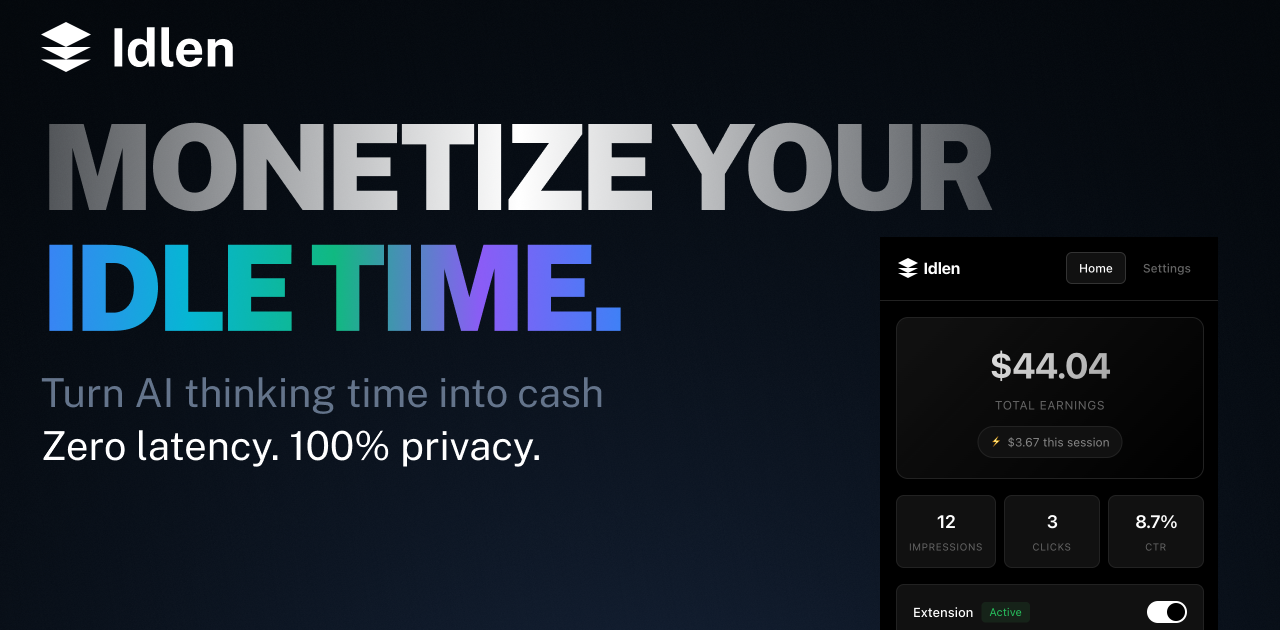
Idlen is an advertising network built around the idle time that appears while AI models are thinking. Its promise is short and direct: AI thinks, you earn. The product puts native developer-tool ads in three places — the IDE, the browser, and the chat app you shipped. Developers install the Idlen extension for VS Code, Cursor, or Chrome and see a native ad during the moments their AI assistant is processing a request, keeping 70% of the revenue. Advertisers use the same network to reach developers inside the tools they already use every day, targeted by the stack they actually work with, including React, Python, and AWS. AI app builders add three lines of code with npm i @idlen/chat-sdk to monetize their own chat products, and ads remain optional there: no key, no ads. Developers spend a large part of their day waiting on AI. A prompt is sent, the model thinks, and the editor sits idle for a few seconds at a time. Idlen takes that observation literally: the wait is an ad slot. Instead of treating AI processing time as dead time, the network fills it with a native, relevant sponsor message — the demo shows a sponsored slot carrying Neon, described as serverless Postgres for modern apps. The reasoning behind the product is that the waiting is unavoidable: developers are already using Claude, ChatGPT, Cursor, and other AI tools, and they change nothing about their workflow. Idlen simply adds an ad during processing and pays the developer a share. At the same time, developer-tool companies struggle to reach this audience precisely, and AI app builders who ship chat products have usage but often no monetization. Idlen answers all three sides with one network and three doors. The earning side of Idlen is built for individual developers first. The extension is described as earning €20-100 per month passively, without lifting a finger, and earnings go directly to the developer's account. Payouts are flexible: Stripe, PayPal, or a 10% bonus taken as credits. Idlen also supports teams through a shared earnings pool, so an entire group can collect the income generated by its members. An earnings calculator on the site lets developers model the result using their coding hours per day and a target subscription — ChatGPT Plus, Claude Pro, or v0 Premium — showing, for example, that four hours per day yields 150% coverage, making ChatGPT Plus free with surplus pocket money. The site notes these figures are based on average developer activity and ad inventory fill rates. Onboarding is presented as taking under two minutes. Privacy is treated as a core feature rather than a footnote. Idlen states plainly that your code stays on your machine, and the privacy process is spelled out in three steps. First, no code access: the extension never reads, stores, or transmits your source code. Second, local analysis only: package.json is analyzed on your machine to determine ad relevance, and nothing leaves the device. Third, the ad request itself is anonymous — the illustrative code shows dependencies read locally, keywords matched from those dependencies, and then an anonymous fetch for an ad. The company also describes the extension code as transparent and auditable and available for security review. For developers, that means the monetization does not come at the cost of handing over a codebase or prompts; Idlen states that it does not read your prompts. Idlen is designed to stay out of the way. Its zero-latency claim rests on timing: ads load during AI processing only, so they occupy time the developer is already waiting rather than adding delay to normal editing. It works everywhere in practice — VS Code, Chrome, and all the AI tools the developer already uses, with support listed for Claude, ChatGPT, V0, Bolt, Lovable, Cursor, Windsurf, and Replit, plus downloads for VS Code, Cursor, Open VSX, Chrome, and Firefox. On the advertising side, the network claims to avoid spam and clickbait, promising only curated developer tools, organized into categories such as Cloud & Hosting for deploying, scaling, and monitoring apps; Databases for modern databases; APIs & Services covering payment, email, and SMS; and Dev Tools for boosting productivity. The core workflow is deliberately small. Step one: install the extension — add Idlen to VS Code or Chrome in one click, and it works with all your AI tools. Step two: use AI as usual — keep coding with Claude, ChatGPT, Cursor, or any other AI tool, with no workflow changes. Step three: earn passively — relevant dev tool ads appear during wait time and earnings go directly to your account. The site summarizes the whole journey as starting to earn in under 2 minutes. The demo interaction reinforces it: a user sends a message such as "Add proper error handling and improve the loading state," and the assistant thinks for three seconds; during that window a sponsored Idlen slot appears in the chat, and the panel reports earning tokens while you wait. Advertisers enter through a different door: they buy the slot and appear in the IDE and browser, targeted by the stack the developer actually uses. Publishers enter through a third door: they paste a message in the sandbox to preview which ad would serve, then run npm i @idlen/chat-sdk, three lines of code, and keep 70%. The benefits differ by side but share one shape — value extracted from time that was previously wasted. For developers, the outcome is passive income on top of work they were already doing, with no change to workflow, zero tracking, and no exposure of code or prompts. Reported earnings of €20-100 per month can offset or fully cover an AI subscription, and the calculator turns that into a concrete target: pick your hours and your subscription and see the coverage percentage. Flexible payouts and a team pool make the income usable for individuals and groups alike. For advertisers, the benefit is placement inside the tools where developers spend their day, targeted by real stack signals rather than guesswork, with a welcome offer that doubles the first deposit: pay €200 and get €400 this week. For AI app builders, the benefit is monetization of an existing chat product with a very small integration surface — three lines — while keeping 70% and retaining the option to show no ads at all. A few concrete workflows illustrate where Idlen is used. A developer using Cursor or VS Code spends a few seconds waiting for code generation; the Idlen extension fills that moment with a native, stack-relevant sponsor message and credits the earnings. A developer working in the browser with ChatGPT or Claude gets the same treatment through the Chrome or Firefox extension. An advertising team that sells a serverless database or a hosting platform buys slots and appears while developers are actively coding, matched against the technologies visible in that project. An AI app builder who shipped a chat product installs @idlen/chat-sdk, previews a message in the sandbox to see which ad would serve, and switches on monetization without managing keys. A team adopts the extension together and pools its earnings through the shared team pool. And a prospective advertiser tests the waters with the €200-to-€400 welcome offer before committing further spend. Idlen is explicitly built for every side of the ecosystem it touches. The first group is AI users — developers who want passive income while using their favorite AI tools. The second is advertisers selling developer tools who want to appear in the IDE and browser, targeted by the stack developers actually use. The third is AI app builders and publishers who want to monetize an AI product with three lines of code. Integrations and downloads cover VS Code, Cursor, Open VSX, Chrome, and Firefox, with the network listed as working alongside Claude, ChatGPT, V0, Bolt, Lovable, Cursor, Windsurf, and Replit. Installing Idlen is free for developers, who keep 70% of earnings; the paid side of the marketplace is advertising, where the entry offer is €200 matched with €200 for €400 to spend this week. The site also highlights privacy first, zero latency, and cancel anytime as standing commitments. Idlen's core proposition can be stated in one line: the seconds you spend waiting for AI are already being spent, so the network turns them into income for developers, distribution for developer-tool advertisers, and revenue for AI app builders. One network, three doors — install the extension, buy the slot, or try the sandbox.
Narrative is an AI-first video editor built around a simple idea: bring your footage, say what you want made, and cut it together with an editor that does the work with you. Rather than assembling cuts by hand, you upload clips, describe the edit you want in plain words, and keep refining the result through chat. Narrative brings video editing, custom motion graphics and reference-video style matching into one interface. It builds a finished draft on a timeline you can still open and change, so the output is not a locked black box but a real project you can adjust. It is designed for people who already have footage and a clear idea of the outcome, but who do not want to learn Premiere or After Effects to get there. From podcast clips to launch videos, the first step is the same: say what you want. The problem Narrative addresses is the gap between having footage and having a finished cut. Editing traditionally means learning complex software, understanding timelines and motion graphics, and spending hours scrubbing through material to find the good bits. One producer notes that every episode used to cost an afternoon of finding the good bits. A media lead describes the difficulty of finding every goal in a ninety minute match, including the one the camera nearly missed. A product marketing team says their unboxing demos went from a freelancer and a week to a sentence and ten minutes. Narrative targets exactly that gap: the time, cost and specialised skill that sit between raw footage and a usable edit, whether the material is a two hour shoot, a wedding, a podcast or a match recording. The core of the product is editing by talking. You ask in ordinary language, and the agent does the work. An example from the site is a request to make a 15 second reel of the best rides, with a title at the start and music under it. The agent then reads the transcript, edits the clips and reports back what it did, explaining that four rides were placed on the strip with the tightest one first, the title running from 0:00 to 0:03 and the music bed sitting under everything. Anything you would say to an editor, you can say to this one — it works from the words, not a menu. The site lists prompts such as cutting to the beat, making it feel like a trailer, putting every goal in order, removing the ums, going vertical with captions, starting on the best line, tightening to thirty seconds, warming it up a little, and putting the title back at the end. Everything lives in the same editor as the conversation: the transcript, captions, versions, the frame and the models behind it. The editing surface is the editor itself, not a picture of it — you can press play, scrub the strip and mute a track. Tracks and elements shown in the interface include graphics, clips, dialogue and music, along with elements such as a title and a location card, with individual clips listed by timecode and duration. You can add music, sound effects and transitions, and Narrative also supports custom motion graphics and reference-video style matching, so you can take inspiration from reference videos. Because the assistant reads the transcript while cutting, requests such as removing filler words or placing captions are grounded in what was actually said in the footage. Every turn is a version. The version history in the interface shows a numbered list of states, with the current one marked and older entries available to restore — for example v12 as the current turn, v11 with edited styles, v10 where a clip was trimmed, and v9 where the frame was set to 9:16. Each entry carries a restore action, so you can step back to any of them or put the project back to how a turn left it. A completed turn also reports what it used, such as the number of tools and credits consumed. For teams, this matters: one testimonial notes that with every version kept, nobody on the staff can break the cut. You can choose the speed, or the brains. Narrative offers three model tiers: Fast, for quick cuts and small changes; Balanced, for most edits most of the time; and Max, for long footage and hard briefs. The frame control handles aspect ratio, starting at 16:9 and switching to others on request. The options shown are 16:9 (original), 9:16 described as both speakers stacked, 1:1 for feed and 4:5 for portrait feed. The 9:16 example is instructive: start in 16:9 and ask for 9:16, and both speakers stay in the shot, stacked. That means social-ready vertical versions can be produced from the same source project rather than being re-cut from scratch in another tool. Overall, Narrative's approach is to treat the conversation and the timeline as one workspace rather than bolting a chat box onto a traditional editor. You upload your footage, describe the edit, and the agent reads the material — including the transcript — makes the cut, and tells you what it did. Every instruction becomes a version you can inspect or restore, and each turn reports the tools and credits it used. You decide how much horsepower to apply by choosing Fast, Balanced or Max, and you control the output shape through the frame settings. Narrative handles rendering and storage, so you are not managing exports, disk space or a render queue yourself. The result keeps a real, open timeline at the centre instead of a one-shot generated file. The stated benefits follow from that model. Edits arrive faster: a three minute highlight from two hours of wedding footage was on the timeline before a coffee was cold, and a producer can ask for the five best moments as verticals with captions and then open the timeline to check the work. Work that previously required a freelancer and a week can become a sentence and ten minutes. Because the output is a real editor rather than a fixed render, changes stay possible — when legal wants a frame changed, the frame is changed. Version history protects the cut from accidental damage, and Narrative's own launch video was made entirely in Narrative. Concrete scenarios named on the site include wedding films, podcasts, match highlights and product demos. A wedding filmmaker asked for a three minute highlight with the vows in the middle from two hours of footage. A podcast producer asks for the five best moments as verticals with captions. A football club's media lead asks for every goal in a ninety minute match. A product marketer produces unboxing demos. Broader examples include a rough cut, a supercut, or a vertical reel from a two hour shoot, plus podcast clips and launch videos. The audience is filmmakers, producers, media leads, product marketers and teams who cut regularly. Plans run from Free at $0/month with 3 AI prompts, the whole editor and your own footage, through Plus at $20/month with 2,000 AI credits, 10 projects, 100 GB of footage, 4K renders without watermark, every model tier including Max and version history kept for a year, and Pro at $40/month with 4,000 AI credits, 30 projects and 500 GB of footage, to Studio at $100/month for teams cutting every day with 10,000 AI credits, unlimited projects, unmetered renders with priority in the queue, 1 TB of footage and priority support. Paid plans include a 3-day trial and can be cancelled any time, and there is an iOS app in addition to the web editor. Narrative's value proposition is straightforward: describe the edit you want in plain words, and get a finished draft on a timeline you can still open and change. It compresses the distance between raw footage and a usable cut while keeping the edit genuinely editable, with versions, model tiers and frame controls under your hand.
Anthropologic is a zero distance consumer research platform that reads the whole internet through its Human Context Protocol to uncover consumer, category and cultural truths. It is built for people who need consumer understanding that is both fast and deep: research, innovation, marketing and foresight teams who cannot wait weeks for fieldwork but also cannot act on shallow social listening. The platform covers 239 markets and more than 100 languages, and it organises its capabilities into nine workflows, each aimed at a different type of question — what is moving in a category, what people think and feel, how segments behave online, what futures are probable, how creative performs, how a brand is read across social, search and LLMs, and where a brand can stand within a market's cultural codes. The promise is straightforward: research, innovation and foresight answers in minutes. Traditional research is deep but slow. Social listening is fast but shallow. LLMs are fluent but culturally blind. That is how Anthropologic frames the state of consumer insight, and it is the gap the platform exists to close. Deep research — surveys, ethnographic work, segmentation studies — produces trustworthy understanding, but it arrives on a timeline that rarely matches the pace at which categories move. Social listening moves at the speed of the feed but tends to capture volume and sentiment rather than meaning, leaving researchers to guess at the cultural logic underneath. Large language models can generate convincing text about consumers, yet by the platform's own description they lack cultural grounding, so their fluency masks a blindness to the codes that actually govern a market. Anthropologic positions itself between these three approaches: fast like listening, interpretive like research, and grounded in cultural context rather than surface fluency. For teams making decisions about products, positioning and communication, that combination matters because the cost of being slow is measured in missed trends, and the cost of being shallow is measured in misread consumers. The first group of workflows answers the question of what is happening. Trends shows what is moving in a category, pairing social proof with search patterns so that a signal is visible both in conversation and in demand. The live trend examples shown on the site make the shape of the output concrete: a search volume for alcohol-free club nights in the UK, a multiple showing how many scents now sit in a wardrobe where a single signature perfume once did, the number of US stores stocking overnight oats, or a search rate for Filipiniana bridal looks. Discourse goes a layer deeper and covers what people think, say and feel, mapping the positions, tensions and narratives inside a conversation rather than stopping at sentiment. Digital Segmentation takes the behavioural record and turns it into psychographic segments based on online behaviours, so teams can see not only that a category is moving but which kinds of people are moving it and with what mindset. Once a team knows what is happening, the next group of workflows helps it look forward and test. Foresight Simulator uncovers probable future scenarios reshaping a category, giving innovation and strategy teams a structured way to consider what comes next instead of relying on a single forecast. Synthetic Survey simulates consumer responses at scale using cultural ontologies, which allows researchers to explore how different audiences would respond without running a full field study for every hypothesis. Creative Evaluation scores a video ad for cultural strength across grounded signals, endorser and pillars, turning creative judgement into something that can be assessed against cultural evidence rather than taste alone. Together these workflows cover the middle of the research process: the stage where teams need to stress-test ideas, creative and scenarios before committing budget to production or media. Interpretation comes next. Ask an Anthropologist interprets an insight using cultural codes, giving teams a way to ask what a signal actually means rather than only what it says. Brand Performance shows how a brand performs across Social, Search and LLM, extending brand tracking into the place where many consumers now form impressions — the answers language models give. Cultural Semiotics reads a space in a market: the codes that govern it, the tensions between them, and where a brand can stand, which is directly useful for positioning work. The site also lists Innovation as coming soon, described as identifying opportunity spaces through convergence modelling and developing novel concepts, alongside a Research Thinking section where longer-form perspectives are published, with example essays such as 'Death of the Sugar High', 'Future of Fashion is Value', 'Medicalized Mouth', 'Beyond Classrooms' Four Walls' and 'Redesigned: Future of Aging'. The overall approach is what Anthropologic calls the Human Context Protocol: the platform reads the whole internet, rather than a single social network or a survey panel, and interprets what it finds through cultural context instead of raw keyword matching. Nine workflows sit on top of that reading, each packaged as a launchable tool with a defined question and a defined output, so a researcher does not have to assemble a methodology from scratch. Coverage is broad by design — 239 markets and 100+ languages — which means the same method can be applied across geographies and language communities rather than only in the markets where a team happens to have local researchers. The workflows range from descriptive (Trends, Discourse, Digital Segmentation) through projective (Foresight Simulator, Synthetic Survey, Creative Evaluation) to interpretive (Ask an Anthropologist, Cultural Semiotics) and diagnostic (Brand Performance). The through-line is that every output is meant to be grounded in something observable — social proof, search patterns, online behaviours, cultural codes or ontologies — rather than in a model's unaided opinion. The stated benefit is speed without sacrificing depth: research, innovation and foresight answers in minutes. For a category team, that means trend questions can be answered while a campaign or product decision is still open, rather than in a retrospective deck delivered after the moment has passed. For innovation teams, probable future scenarios and simulated consumer responses reduce the cost of exploring many hypotheses before narrowing to the few worth real investment. For brand and marketing teams, scoring creative for cultural strength and tracking performance across social, search and LLM gives a more complete picture of how a brand is actually being read. And because the platform works across 239 markets and 100+ languages, the same questions can be asked consistently in many places at once, which is difficult to do with traditional fieldwork and easy to get wrong with a culturally ungrounded model. The result is fewer decisions made on instinct alone and fewer insights that arrive too late to use. Concrete scenarios follow from the workflow list. A beauty or fashion brand tracking a new behaviour — the site's own examples include Gen Z fragrance, secondhand shopping, slow fashion and beauty after GLP-1 — would use Trends to see whether the movement shows up in both conversation and search, then Discourse to understand the narratives around it, and Digital Segmentation to identify which psychographic groups are driving it. A creative team preparing a video ad would run it through Creative Evaluation to score its cultural strength against grounded signals, endorser and pillars before committing media spend. A strategy team planning ahead would use Foresight Simulator to unpack probable future scenarios in a category and Synthetic Survey to test how consumers might respond. A brand lead would use Brand Performance to compare how the brand reads across Social, Search and LLM, and Cultural Semiotics to understand the codes and tensions in a market and where the brand can credibly stand. A researcher holding an ambiguous insight would use Ask an Anthropologist to interpret it through cultural codes. The Research Thinking section shows how those outputs are turned into published perspective pieces across topics such as fashion, education, wellness, entertainment and sportswear. Anthropologic is aimed at research, innovation and foresight functions — the product description names research, innovation and foresight answers explicitly — as well as the marketing and brand teams that consume that work. The scope is global by default: 239 markets and 100+ languages, covering categories visible in the platform's own examples, such as beauty, fashion, travel, fitness, food and drink, entertainment, education, wellness, pets and motherhood. No pricing or plan details appear on the page, and no specific third-party integrations are listed; the data domains the product describes are Social, Search and LLM, plus the platform's own cultural ontologies and semiotic codes. The product is delivered on the web at anthropologic.quilt.ai, and its Product Hunt listing categorises it under Marketing, Artificial Intelligence, and Data & Analytics. Anthropologic's core proposition is zero distance: closing the gap between a consumer signal and the decision it should inform. By combining a Human Context Protocol that reads the whole internet with nine purpose-built workflows spanning 239 markets and 100+ languages, it offers research depth at listening speed — trends with social proof and search patterns, discourse with tensions and narratives, psychographic segmentation, foresight scenarios, creative scoring, synthetic surveys, cultural interpretation, brand performance across social, search and LLM, and semiotic reading of a market. The takeaway is that cultural context, not fluency alone, is what makes consumer insight usable.
Product Launch Checklist is a free list for people launching software, from the moment the product works to the first month after launch. It covers SaaS, mobile apps, AI tools, browser extensions, open source projects and developer tools. Every item says why it matters and says when you can skip it. Pick what you are launching and the list gets shorter, not longer: billing and trials come in for SaaS, store review and privacy labels for apps. Your ticks are remembered in the browser, and the whole thing is readable without an account, an email or a payment. It is also built for AI agents: the checklist is available as Markdown, through a no-auth MCP server and as an agent skill.
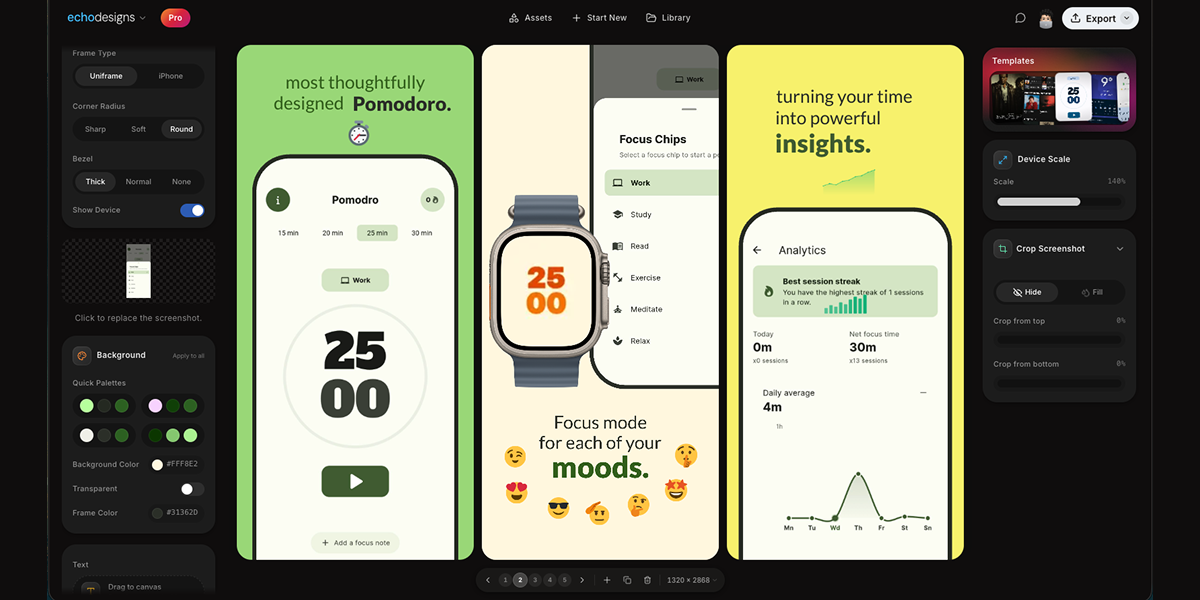
appdesigns is a free, in-browser editor for making App Store and Google Play screenshots. It is aimed at people who need to create app listing visuals, including app developers, designers, and marketers. The product's stated purpose is to help users design amazing app screenshots completely free. Users can drop in their screens, frame them in device mockups, add headlines, backgrounds and stickers, and export at the exact sizes App Store Connect asks for. The website emphasizes that no account is needed, there is no watermark, and exports are unlimited. The editor is accessed through appdesigns.click and is described as needing a laptop-sized window. The Product Hunt tagline says Design amazing appstore screenshots for free. The problem context is stated directly: many screenshot tools are free to start but then impose limits. appdesigns positions itself as truly free, not free to start. It highlights unlimited exports, no watermark, and no account required. This matters for app developers and teams preparing store listings because screenshots are a required part of presenting an app on the App Store and Google Play. The product removes sign-up friction and export restrictions, while keeping the creation process inside the browser. The metadata description says Make App Store and Google Play screenshots in your browser. Truly free, not free to start: unlimited exports, no watermark, no account required. The website also says support is appreciated but never required, reinforcing that the tool does not require payment to use its stated core capabilities. Device framing is a core part of the editor. The Device section lists Mobile, iPad, Mac, and Watch. Frame Type includes Uniframe and iPhone. Available device options include iPhone Duo, marked New; iPhone 18 Pro, marked New; iPhone 18 Pro Max, marked New; iPhone 17 Pro Max; and three more. Users can choose Portrait or Landscape orientation. There is a Show Device toggle, which lets users decide whether the device frame is visible. The product description also mentions framing screens in the latest iPhone, iPad or Mac. These options help users present screenshots in the context of real devices and match the type of app being shown. The Device section provides Mobile, iPad, Mac, and Watch options, while the Frame Type section offers Uniframe and iPhone choices. Uploading and customizing the screenshot content happens on the canvas. Users upload a screenshot, and the interface includes a Background section with Apply to all, Background Color, and Transparent. The background color example shown is #FF512F, and Transparent is an available choice. Text can be added directly to the canvas; users can click or drag to place it, or press T to place text. The Text section includes an Add text control and instructions: Click or drag to the canvas. Press T to place. The canvas displays slides numbered 1, 2, and 3, along with a canvas size of 1242 × 2688. These controls support adding headlines and visual treatments to app screens before export. Templates and transformation tools help shape the overall screenshot set. The website displays a Templates section with template artwork that users can browse. The Product Hunt description states users can start from a community template. Scale & Tilt controls let users adjust device presentation; the interface shows Scale at 135% and Tilt at 0°. The interface shows Scale 135% and Tilt 0° as example values, with the ability to adjust scale and tilt. The product description says users can design the whole set side by side, tilt and scale devices, or start from a community template. This combination supports creating a coordinated group of screenshots rather than editing each image in isolation. The overall workflow is explained in three steps: 1 Upload your app screenshots, 2 Choose a device frame, 3 Customise and export. This straightforward approach is presented as the main method for using the editor. Users begin with their own app screens, select a frame from the available device options, then customise with backgrounds, text, templates, scale, and tilt before exporting. The editor runs in the browser and the website notes that the editor needs a laptop-sized window, with a prompt to copy the link for your laptop. This indicates the tool is used in a desktop or laptop browser environment. Exporting is aimed at the exact sizes App Store Connect asks for, and the free offer includes unlimited exports, no watermark, and no account needed to start. Benefits and outcomes stated or directly implied by the content include creating app screenshots for free and without an account. The product removes the need to sign up before starting, and it does not add a watermark to exports, according to the website and metadata. Unlimited exports mean users can produce as many screenshot files as their listing requires. The in-browser editor avoids a separate desktop installation. The three-step workflow and community templates provide a guided path for users who may not be professional designers. The product also supports every device, every size, and no account needed, as stated on the website. Concrete use cases include preparing App Store and Google Play listing screenshots. A developer can upload app screens, frame them in iPhone, iPad, Mac, or Watch device mockups, add headlines and backgrounds, and export at required sizes. A designer or marketer can create a consistent set of screenshots side by side, using templates and background colour changes applied to all. A user who wants a device mockup without signing up can open the editor in a laptop browser, upload a screenshot, choose a frame such as iPhone 18 Pro or iPad, add text, and export. The editor also shows slides numbered 1, 2, and 3, which supports working with multiple screens in one session. The target users are app developers, designers, marketers, and teams who need store listing visuals. The product is designed for users who want a free, browser-based screenshot editor with no account required, no watermark, and unlimited exports. It supports Mobile, iPad, Mac, and Watch device frames and references exact export sizes for App Store Connect. Because the website states the editor needs a laptop-sized window, it is intended for use on a laptop or desktop browser rather than on a mobile phone. The website mentions support is appreciated, never required, but does not present it as a mandatory part of using the free editor. No pricing tiers, paid plans, or subscription details are stated; the pricing model is free. In summary, appdesigns is a free in-browser tool for making App Store and Google Play screenshots. It combines device frames, background controls, text, community templates, and scale and tilt adjustments with a simple upload, frame, customise, and export workflow. Its primary value proposition is stated clearly: amazing app screenshots for free, with no account, no watermark, and unlimited exports.
LLMagnet is the official WordPress plugin that makes a website visible and understandable to AI assistants such as ChatGPT, Claude, Perplexity and Gemini. It tracks visits from AI bots in real time, gives insights into how language models interpret your content, measures an AI Visibility Score, automatically generates llms.txt files and manages schema.org structured data so that models can accurately read, cite and act on your pages. The product is made by web creators and built for agents and marketers, helping brands build a measurable presence in the AI ecosystem instead of guessing how AI search treats them. Search behavior is shifting. People increasingly ask AI assistants directly for answers, recommendations and products, so the traffic that matters no longer arrives only from classic search engines. AI crawlers and assistants fetch, parse and summarize pages on their own terms, and llms.txt is described by LLMagnet as an emerging standard, like robots.txt for search engines, that helps AI models understand a site's structure and content. Without that guidance, and without any data about which bots visit and what they read, site owners are essentially blind to how AI represents them. LLMagnet closes that gap by giving websites an AI visibility layer: real-time analytics on AI bot activity plus the files and schema data that make content easier for models to read, rank, connect with and trust. It turns an opaque new channel into something that can be watched, measured and improved. The core of the plugin is LLM Analytics, which tracks real AI-bot traffic and reports detailed insights into visits, impressions and clicks coming from major models including ChatGPT, Gemini, Claude and more. LLMagnet detects visits from ChatGPT, Claude, Perplexity, Gemini, Grok, Bing AI, Mistral, DeepSeek, Llama and others. Sitting alongside the raw traffic numbers is the AI Visibility Score, a single metric that reflects how well large language models can access and understand your content across the web. Trends & Insights then tracks that visibility over time so you can spot rising opportunities and content drops instantly, turning scattered bot activity into a picture of whether your AI footprint is growing or decaying. To make a site AI-ready, LLMagnet automatically builds and maintains an llms.txt file so AI crawlers can better understand site structure and content focus, and it keeps that file up to date without manual work. Depending on the plan, it also generates a Full-llms.txt and .md files. The plugin manages schema.org structured data as well, which helps AI assistants accurately read and cite pages. Because llms.txt is positioned as robots.txt for AI, it acts as a signpost for crawlers; generating it automatically means site owners do not have to research the format, write the file or remember to refresh it whenever content changes. Prompt Tracking & Optimization shows where your brand actually appears in AI answers. LLMagnet tracks the prompts that mention your site and shows how your ranking evolves over time, including which prompts include your brand, how visibility shifts by LLM, and what to improve next. Alongside this, Automated Reports & Insights sends weekly and monthly reports that summarize your visibility and growth, with auto performance reports, visual traffic breakdowns and actionable visibility tips. Together these features move the product beyond measurement into guidance: you can see not only that AI assistants are reading your pages, but which questions bring you in and where you are missing. For stores, LLMagnet is positioned around the future of AI-driven commerce. It turns a shop into AI-ready content by connecting to your product data so that AI can display accurate information in generative search, with auto product and price sync keeping details current, an AI-search visibility boost and product mention tracking. WooCommerce integration and product tracking are part of the Plus plan, and the FAQ notes that Plus and Enterprise plans add product visibility scores and AI revenue funnel tracking for WooCommerce stores. The result is that product listings, prices and brand mentions stay aligned with what assistants tell shoppers. Installing LLMagnet starts from the WordPress plugin directory: you enter your WordPress site and are redirected to your site's plugin installer so the plugin can be added in one click, with no setup or code required. Once active, it begins capturing real-time AI bot activity. The dashboard reveals which AI bots visit your site, what they read and how to improve your visibility inside AI answers through visual dashboards. Compatibility is broad: the plugin works with Elementor, Gutenberg, Divi, WooCommerce and more, runs alongside Yoast SEO and RankMath without conflicts, and integrates into the Elementor editor with per-page AI visibility scores and schema management. On WordPress 6.9 and later it connects directly to Claude, ChatGPT and Cursor via the WordPress Abilities API so AI assistants can query your site's data natively, and an MCP Connector is included in the plans. The approach is deliberately lightweight and privacy-safe: file generation and analytics run in the background, so there is no impact on front-end performance or page load speed, and bot visit analytics are stored locally in your WordPress database and never sent externally. Optional integrations are off by default, and the tool is fully GDPR-compliant with built-in data export and erasure tools. The stated benefits revolve around control and clarity. AI Visibility Control means knowing exactly how large models see your content; Smart Automation keeps llms.txt and your data always updated automatically; Deep Insights analyze which pages drive the most AI engagement; Enhanced Collaboration streamlines workflows with team-friendly features; Data Security safeguards your data with top-tier encryption; and Continuous Improvement lets AI adapt and improve with evolving data. In practice, users describe straightforward setup, clear understanding of AI-related traffic to their site, and a practical llms.txt generator that saved them time. LLMagnet is explicitly not framed as a magic SEO plugin, but as a solid tool for gaining visibility into how AI search is evolving. LLMagnet is aimed at web creators, marketers, solopreneur store owners and WooCommerce store managers who want to prepare for AI-driven discovery rather than react later. The free plan is available with no credit card required, and core features such as analytics, llms.txt generation and schema tools work on any WordPress site. Paid tiers add depth: Pro at $29 per month per site covering analytics from ChatGPT, Claude and Perplexity plus Full-llms.txt, .md files and an MCP connector; Plus at $100 per month per site with analytics from all bots, WooCommerce integration, product tracking and product visibility; and Ultra at $149 per month per user with prompt tracking and chat support. Yearly billing lowers those prices, and a Product Hunt launch offer advertises 50% off. A Shopify app is also available alongside the WordPress plugin. LLMagnet gives WordPress and Shopify sites a measurable AI visibility layer. By tracking AI bot traffic, scoring how well models can access your content, generating the llms.txt and schema data crawlers look for, and tracking the prompts where your brand appears, it converts an opaque new channel into something you can watch, report on and improve. For teams that want evidence of how AI assistants read, cite and recommend them, that combination of analytics, AI-ready files and prompt tracking is the product's core value proposition.
Naoma AI is an AI video sales agent that runs personalized product demos for B2B SaaS companies. It gives every prospect a live demo instantly, walking them through your product, answering their questions, qualifying them, and routing them to your CRM, calendar, or checkout. Naoma runs 24/7, starts demos in about 10 seconds, and speaks 33 languages, so buyers can explore your product in the language they think in, without scheduling a call or waiting for a rep to reply. The problem Naoma solves is the gap between a visitor's intent and a sales rep's availability. A typical book-a-demo button converts only 1–2% of visitors, and the rest leave. Prospects arrive across every time zone and in many languages, and a form means they must wait for a reply before they can see anything at all. In enterprise software, a single opportunity often involves multiple decision-makers across marketing, operations, IT, procurement, and management, each with different priorities, KPIs, and questions. Feature-rich platforms can also lose value in a self-serve trial, because people never discover what makes them powerful on their own. Naoma closes that gap by delivering a real, interactive demo at the moment of peak buying interest rather than after a scheduling delay. Naoma runs the entire product demo in four automated steps. First, a prospect on your website or in your app requests a product demonstration: there is no scheduling and no waiting, and the demo starts immediately. Second, the AI sales agent initiates a live, personalized demo tailored to the prospect's needs, industry, and role; it handles discovery, shows relevant features, and answers questions. Third, every qualified lead is sent straight to your CRM, and Naoma can book a meeting with your sales team or send high-intent buyers to checkout, with no manual handoff. Fourth, Naoma surfaces insights your buyers never tell a rep: competitors, objections, questions, and feature requests, giving sales, marketing, and product teams intelligence rather than just revenue. Hyper-personalization is central to how Naoma behaves. Every demo adapts to each customer's needs and context, and Naoma learns your product from your sales scripts, demo recordings, knowledge base, sales presentations, and demo environment, so it is positioned to handle even complex technical questions better than your reps. Demonstrations can be delivered through your website, in-app, or in outbound emails, so prospects get demos exactly when they need them. The agent remembers returning visitors and picks up where they left off, and every session is written back to your CRM, keeping the record of each conversation in one place. Language is handled natively. Naoma speaks 33 languages because buyers prefer to explore in their native language, and removing that friction helps every prospect understand your product and its value in the language they think in. Named agents illustrate the range: Alexandra Chen, VP of Sales, for English; Carlos Rodriguez, Head of Customer Success, for Spanish; and Sophie Martin, Product Marketing Director, for French. Customers report qualifying prospects in more than 10 languages they could never staff for. Avatars let you give demos a face that fits your brand. You can choose the signature Naoma agent, a branded mascot, or a static realistic avatar created from a real photo. Naoma adapts to your brand and creates memorable demo experiences while keeping the visual identity consistent with how you present your company. Naoma reports measurable quality from real end-user feedback across live AI demos. 89% of end users mention how human the experience feels, fewer than 2% of sessions hit any technical issue, and 77% of end users praise how it handles interruptions. The product is rated 4.9 on G2 by verified B2B SaaS reviewers, and it is GDPR compliant, protecting both your data and your customers' information with enterprise-grade security. The commercial outcome teams highlight is conversion from traffic they already have. Typical visitor-to-demo conversion is 1–2%; with Naoma, visitor-to-AI-demo conversion reaches 6–20%, so teams capture more qualified leads without increasing spend. Same traffic and same budget produce more demos and more qualified leads. Naoma's own product page illustrates the moments it covers: a VP of Sales at TechScale requests a demo at 11:42 PM and completes it at 11:42 PM, a Head of Marketing at CloudNexus requests one at 3:15 AM, a founder at DataViz at 8:23 PM, and a Director of Operations at SyncWare at 5:07 AM. The same flow is shown across growth stages — emerging, growth stage, scale-up, and established — with qualified customers produced in different regions. The point is straightforward: buying interest does not keep office hours, and Naoma is available whenever a prospect is ready. Naoma is used by B2B SaaS teams across many product categories. AiSDR, an AI sales development platform, uses Naoma to run personalized demos for website visitors, aiming to attract more qualified leads and book more product demos without adding sales headcount. UXPressia, a collaborative customer journey mapping platform, uses Naoma to give visitors a real interactive demo of its journey maps, personas, and AI persona builder, qualifying them around the clock. Hoteza, a web-based guest engagement platform for hotels, placed Naoma right after its book-a-demo form and behind a "Get AI demo now" button; since April, 57 hotels explored the product this way, and one regional partner signed after going through the AI demo. Mellow, which helps companies hire, manage, and pay freelance contractors across 150+ countries, uses Naoma to run personalized demos for its visitors. App Radar, an app store optimization platform, uses Naoma to qualify visitors and surface larger accounts worth routing into a sales-assisted funnel. Verified G2 reviews describe how teams use it day to day. A CMO at Hoteza noted that enterprise hospitality software involves long, complex buying processes with decision-makers across marketing, operations, IT, procurement, and management; Naoma lets each stakeholder explore the product independently, ask questions in context, and revisit specific features between meetings, reducing sales workload while keeping prospects engaged. A founder at UXPressia said its deep, feature-rich platform did not always come across in a self-serve trial, and that Naoma greets visitors, runs a real interactive demo of journey maps, personas, and the AI persona builder, and qualifies them around the clock. Another reviewer described Naoma as an additional source of leads that provides qualification information and effectively does discovery, freeing the sales team to focus on higher-value conversations. Naoma is built for B2B SaaS teams that want to convert more of their existing website traffic without adding sales headcount. The product is now self-serve: teams can upload their product and knowledge base and test the agent themselves, and a separate app is available to build your agent, along with an ROI calculator. Naoma has run 50,000+ demos for B2B SaaS teams, holds Product Hunt daily and monthly top-post awards plus a Tekpon Top Demo Automation Software Q1 2026 recognition, and was named in a Global Startup Award by The Ventures. The company raised $440k in pre-seed funding to scale AI video sales demos. The takeaway is that Naoma turns the moment a prospect is interested into a completed, qualified demo. Instead of a form that converts 1–2% of visitors, teams get an AI sales agent that demos the live product instantly, in 33 languages, 24/7, remembers returning visitors, writes every session back to CRM, and reports the objections and feature requests buyers never tell a rep. For B2B SaaS teams that want more demos from the same traffic and budget, Naoma provides an automated pipeline from first click to booked, qualified meeting.
DemoTV is a 24/7, television-style channel where short product demos play continuously and the audience — not advertisers — decides what sits at the top. Founders submit a demo, viewers watch two products go head to head in a Channel Battle and back the one they would actually try, and that pick becomes the audience rank. Channels 1, 2 and 3 are the current top three on the station, driven by an Elo-style audience score built from wins and battles. The station is made for independent makers, startups and product teams who want their demo discovered by people genuinely interested in trying new tools, rather than ranked by whoever spends the most money. Watching and voting requires no sign-up. Getting a new product in front of the right people is hard, and most channels hand the top slots to whoever pays for them. That leaves independent builders competing for attention against budgets they cannot match. DemoTV separates the two ideas: exposure can be bought through clearly labelled placements, but standing on the station cannot. Rank 1 on a channel is the demo viewers picked most — the page states plainly that it is not a paid slot and that airtime never buys rank or a channel. This gives founders a place where a strong demo can outrank a bigger budget, and gives viewers a feed of products that other people, not ad buyers, decided were worth a look. The core mechanic is the Channel Battle. Two products built for the same job are shown head to head, and the viewer simply backs the one they would try — no sign-up required. That pick feeds the audience rank, and the resulting ranking decides which demos occupy Channels 1–3, the current top three on the TV. Each demo carries an audience score alongside a win and battle count; the number one entry at the time of capture showed a score of 1368 from 145 wins across 178 battles, with Channels 2 and 3 close behind on 1344 and 1315. The directory board mirrors the channel: rank 1 sits first on the board and is the same tape as Channel 1, and Channels 2 and 3 are the next two. Demos only start playing when a viewer presses play or selects a channel, so nothing auto-plays just because someone scrolled past. For founders, getting on the station starts with a free submission — no card needed. A demo can be a YouTube link or an MP4 upload (40 MB maximum), and every submission is reviewed before it goes live. The submission flow runs through four steps: website details, video, visitor action, and review. Before submitting, makers can have DemoTV suggest a title and tagline from their project URL, and they choose the category whose battles the demo will join. Once approved, a private dashboard provides a single embed code for the maker's own website — a widget containing the video, an optional try link and a chosen button label such as Visit website, Start free, Join waitlist, Book a demo or Claim offer, with a configurable button destination. From the dashboard, founders can also request testers, cap reveals, and claim their company. Makers who want to reward viewers who picked them can attach an optional viewer thank-you — a backer code such as a time-boxed free week or a percentage discount, which never moves the Elo score and does not appear on battle buttons. Paid reach exists, but it is kept separate and clearly labelled. After claiming a listing, a founder can buy airtime units (5, 10, 25 or 100, with the price shown at checkout) which add promoted placements across the reel and directory; the page states repeatedly that these units never change a demo's audience score or channel. Featured partners pay $39 for 30 days of labelled placement as a homepage card — the copy notes that partners support the station, never the rank. Demo Studio is a paid option, priced at $79 for “Make my tape,” where a maker pastes their site and gets automated production with station QA before air, subject to their approval, while rank remains audience-only. Launch Week is a labelled 7-day sponsorship. Every one of these options buys exposure, completed views and clicks, never the ranking. The overall workflow is deliberately simple and stated on the site as three steps. First, submit your demo for free — a YouTube link or MP4, no card needed, reviewed before it goes live, with the message that submitting is free to founders. Second, win Channel Battles, because viewers pick the demo they would try and those wins move Channels 1–3. Third, boost with airtime if you want extra reach — optional labelled ads that become available after claiming the listing and that never touch the rank. A new entry begins as a pending station approval; the demo stays private until review is complete, and the maker receives a private management link and an email when it is live. For makers, the outcomes are discovery and validation rather than empty impressions. A demo that viewers would genuinely try climbs, so the success metric is real audience preference instead of ad spend. Founders get an embeddable widget they can place on their own site, a way to recruit testers, a company listing with a contact-the-maker form and reporting tools, and a channel that keeps showing their tape to people browsing the station. For viewers, DemoTV offers a way to discover independent products, watch short demos and try something new — with the ability to influence what gets seen next by backing the products they would try. Use cases follow directly from this setup. An indie founder launching a new app can submit a short demo for free, get it reviewed, and enter the relevant category battle without spending anything. A product with a direct competitor can be placed head to head in a Channel Battle — the site itself shows a battle between two app builders — and let viewers decide which one they would try. A maker who wants to test demand can attach a backer code and give viewers who picked them a time-boxed free week or discount, then measure interest. A team that already has a demo video can embed the widget on its own site so visitors watch the demo and take the try action directly. Advertisers and companies with budget can buy labelled airtime, featured partner placement or Launch Week sponsorship to reach the station's audience while leaving the ranking untouched. And a viewer simply looking for new tools can browse the demo directory, sorted by audience rank or newest, to find products to try. The directory itself is organised around categories that define which battles a demo joins: AI agents, AI app builders, video generation, chat assistants, computer use, developer tools, design & no-code, data & analytics, marketing & sales, productivity, infra & APIs, games, crypto & web3, crypto wallets, crypto infra, robotics & hardware, fintech & payments, security & privacy, education, consumer & social, climate & energy, and other. Makers can suggest a new category of 2–40 characters, which is listed under Other until reviewed. The board is paginated at 10 demos per page with sorting by audience rank or newest, and the station reported 110 live demos, 571 audience backings, 54.2K views and 6,845 visitors at the time of capture. Station numbers only appear once live demos exist. Contact for takedowns, press or submissions is hello@demotv.lol, reporting options cover scams, spam, malware, adult content, impersonation and broken videos, and the site's optional first-party analytics are explicitly described as containing no ad trackers or search terms. The takeaway is straightforward: DemoTV is an audience-ranked channel for product demos. It gives founders free airtime that is earned by the audience's own picks, keeps paid promotion clearly labelled and strictly separate from rank, and gives viewers a simple, sign-up-free way to watch demos and decide which product deserves the top channels.
Visiby is an AI visibility platform that measures and grows how brands appear across AI search platforms, including ChatGPT, Claude, Perplexity, Gemini, Google AI Overviews and Copilot. It acts as a visibility layer for the AI-search era, mapping entity presence across the top AI engines so marketing teams can see where they are recommended, where they are missing, and which competitor is being cited instead. The product is built for marketing operators and agencies who need to own the answer layer rather than only rank in traditional search results. Vendor discovery has moved. According to the content, 1 in 3 B2B buyers now start vendor research inside an AI assistant, and ChatGPT, Perplexity, Google AI Overviews, Gemini and Copilot are quietly intercepting traffic that used to land on a company's site — if the model does not surface the brand, the conversation never starts. The site states that 62% of enterprise marketers are already optimising for AI engines, citing the State of AEO 2026 from FNA Research, while the well-funded brand in a category treats Answer Engine Optimisation as a budget line whose citations compound week over week. Meanwhile, Visiby argues that zero tools in a typical stack measure what AI is saying about a brand: Semrush ranks, Ahrefs ranks, GA counts clicks, but none of them sample prompts, parse model answers, or explain why ChatGPT recommended a competitor instead of you. Visiby exists to close that blind spot with a continuous, prompt-level view of AI answers. The workspace opens on an Overview that serves as the weekly headline: search performance, AI visibility and the next moves the team should ship, readable in 90 seconds. Headline scores include Visibility, Share of Voice, Prompts won and Briefs ready. Search Performance explains a brand's organic traffic and click-through rates, tracking clicks over 28 days with month-over-month change, impressions, click-through rate and average position across tracked non-brand terms. AI Visibility shows where a brand appears and where it does not, presenting per-engine citation share across every prompt in the universe, with each cell clickable to reveal the underlying answer. In the illustrated workspace, ChatGPT sits at 42%, Perplexity at 51%, Claude at 34%, Gemini at 24% and AI Overviews at 18%. The Prompts Explorer is a workbench for the full prompt universe — more than 50,000 AI prompts are tracked weekly, and the sample workspace shows 50,127. It supports stacked filters, a cluster view and a three-way live answer diff, and each row drills into which competitor was cited, why, and the play to win the prompt back. The Citations Explorer works beneath the prompt universe across every URL the engines cite — 2,418 URLs in the example — ranking every cited URL and identifying honey-pot pages, dead-weight pages and counter-content briefs, with passage-level provenance. The Brand Entity module shows the adjectives a brand owns and the ones owned against it across engines, with per-engine portraits and reframe plays to move them; the sample adjective sets include trustworthy, established, enterprise, scalable, innovative, modern, consultative, agile, long-tenured and data-driven. Competitor Intelligence reads the field at a glance, presenting citation share by brand and topic with clickable cells that drill to the prompts and passages behind them, plus a per-competitor recipe diff comparing cited elements across engines, such as H2 headings, FAQ blocks, tables and lists. Recipe Intelligence delivers a per-engine pulse on which on-page element the AI is actually extracting from, producing the structural blueprint a team should publish to; Visiby reports that seven elements are tracked, including H2 headings, FAQ blocks with FAQPage schema, tables, bulleted lists and case studies. Site Audit is a citability-first audit that ranks every issue by AI impact with the fix and affected URLs attached, surfacing examples such as pages blocked from indexing, pages missing OpenGraph tags and meta descriptions, thin pages under 250 words, missing Organization schema, missing FAQ schema and image alt text gaps. The Action Plan converts all of this into a prioritised, priced playbook ranked by effort against impact, where every move carries an argument, a score breakdown covering why-now signal, forecast confidence, effort and dependency, evidence links, and a ready-to-ship deliverable brief. Visiby runs as a weekly ritual. Every Tuesday at 07:42 IST, the platform fuses three live data streams — the prompts buyers actually ask, where the brand is losing citations, and the recipes competitors win with — into one prioritised action plan, with no analyst required. The pipeline runs overnight and lands in the inbox as a citation sweep, share-of-voice deltas, a prioritised action plan, content briefs and an executive summary. A weekly digest email example reports the number of prompts run across engines, the movement in citation share, the action moves ranked by projected lift in points, and a forecast of the week when citation share returns to a target level. The platform continuously samples engines, and the site positions the cadence at seven days from signal to a shipped fix. Benefits described include replacing guesswork with evidence about what AI engines recommend, seeing exactly which competitor is being cited first on high-value prompts, and knowing which structural elements and content formats win citations on each engine. Instead of a dashboard nobody opens or a spreadsheet exercise, teams receive an inbox-ready brief with ranked moves and attached briefs, so prioritisation and writing can start immediately. Ranking moves by effort against impact lets a small team focus on the highest-lift work, and the prescribed fixes — schema, content refresh, comparison pages, original research — are tied to specific projected visibility gains. Concrete scenarios in the content include a marketing team reading the weekly overview and shipping the queued moves; a brand losing citation share to a named competitor and building a comparison page in response; refreshing a contact page for AI parseability because it lacks crucial entity definitions and brand identifiers; adding FAQ schema to a services pillar of 14 core URLs missing structured Q&A data; producing original research on AEO benchmarks to capture data and stats queries; and running community and earned-media plays such as a Reddit thread cluster or listicle outreach to G2 and Capterra. Agencies can use the same workspace to run client AEO programmes, and the Agency tier supports white-label client reports and multi-workspace reporting. Visiby is aimed at marketing operators, enterprise marketers, SEO and AEO specialists, and agencies. It complements rather than replaces existing SEO platforms, and the site compares its capabilities against Semrush, Profound, Conductor and Ahrefs across AI visibility tracking on five engines, SEO and rank tracking, brand entity audits, passage-level citation provenance, recipe intelligence, priced action plans, ready-to-ship content briefs, an autonomous weekly pipeline and multi-workspace reporting. Pricing has four tiers: Lite at $49/mo with 25 prompts a month and one seat; Starter at $99/mo with 50 prompts a month, 10 action items and Site Audit plus Action Plan; Pro at $249/mo with 150 prompts, 30 action items, three seats and three brands, daily refresh, Brand Entity, Competitor Intelligence, Sentiment Analysis and priority support; and Agency at $499/mo with 500 pooled prompts, 50 action items, 10 seats and 10 workspaces, white-label client reports, API access and SSO/SAML, custom engines and regions, and a dedicated success manager with an SLA. A free visibility report is offered in 60 seconds with no card required. That combination makes Visiby a visibility layer for the AI-search era: it measures how brands and competitors appear inside AI-generated answers, explains the structural recipes that earn citations, and turns those signals into a prioritised, priced plan a team can ship on Monday.
Coldline AI, also styled ColdLine.ai, is an AI-powered outreach tool that turns cold prospects into hot leads with personalized pitches. As described in its Product Hunt listing, users simply add their prospect's details and Coldline AI creates a relevant, human-sounding pitch in seconds. Its stated purpose is to help users save time, personalize outreach, and get more replies without writing every message from scratch. It is presented as a fit for founders, sales teams, marketers, recruiters, and agencies, and its official website summarizes the brand's positioning with the headline "Innovate with AI Today." Cold outreach is a numbers game, but the numbers only work when messages feel like they were written for the individual receiving them. The tension Coldline AI is built around is the trade-off between personalization and time: crafting a tailored pitch for every prospect means writing every message from scratch, which scales poorly for anyone reaching out to more than a handful of people. At the same time, outreach that is not personalized tends not to earn replies, and recipients can generally tell when a message is a template with a name dropped in. Coldline AI addresses this tension by automating the pitch-writing step while keeping the output relevant and human-sounding, so personalization no longer has to be sacrificed in the name of speed. The result the product aims for is outreach that is both fast to produce and specific enough to deserve an answer. The core capability described for Coldline AI is AI-powered personalized pitch generation. Instead of starting from a blank page, the user provides details about their prospect, and the product uses that information to produce a pitch that is relevant to that specific person. This is the mechanism behind the promise of turning cold prospects into hot leads: the message is built around the prospect's details rather than being a generic template that could be sent to anyone. The pitch is also described as human-sounding, so the personalization is not just factual but tonal. For anyone who sends outreach regularly, this means the personal touch that normally requires research and careful drafting becomes part of an automated step rather than a manual chore. Speed is an explicit part of the product's value proposition: Coldline AI creates the pitch in seconds. The immediate benefit is that a task which would otherwise take minutes of drafting — and much longer when multiplied across an entire prospect list — is compressed into a moment. Seconds matter in outreach because the real constraint is usually not the quality of a single message but the number of messages a person or team is able to send. When each pitch is produced in seconds, users can work through more of their prospect list without giving up the personalization that makes outreach worth sending. The speed also lowers the friction of starting: there is no blank page to fill, only details to add. The content emphasizes that the generated pitch is relevant and human-sounding. Relevance ties the message to the prospect's details, while the human-sounding quality addresses the risk that automatically written outreach reads as stiff or obviously machine-generated — a tone recipients tend to ignore or delete. The stated outcome is more replies, which means the pitch is written to be something a prospect will actually respond to rather than something that merely fills a message field. Combined with the promise of not writing from scratch, this positions Coldline AI as a way to produce outreach that feels personal without hand-crafting every sentence. For users, that distinction matters because a pitch that sounds human is more likely to be read to the end and answered. The overall workflow described by Coldline AI is deliberately simple. The user adds their prospect's details, and the product generates the pitch from that input. There is no described requirement to build templates in advance or to write a draft for the tool to edit — the pitch is created for the user from the details they provide. This input-then-generate approach is what makes the tool usable by people who are not professional copywriters, including founders, recruiters, and agency teams for whom outreach is one part of a much larger job. The methodology is essentially to let AI handle the composition while the human focuses on choosing who to contact, sending the message, and following up on the replies that come back. The benefits stated for Coldline AI are saving time, personalizing outreach, and getting more replies. These three are connected: time saved comes from not writing every message from scratch, personalization comes from generating a pitch around each prospect's details, and more replies are the expected result of outreach that is both relevant and human-sounding. For an individual, the benefit is fewer hours spent drafting and less fatigue from staring at empty message boxes. For a team, the benefit compounds, because every member can produce personalized outreach at a pace that previously would have required generic templates. The product frames these outcomes as the reason to change how outreach is written. Coldline AI is presented as suitable for a range of outreach scenarios. Founders can use it to reach prospective customers, partners, or investors without blocking out hours for writing, since each pitch is generated from the details they add for that person. Sales teams can use it to personalize cold outreach across a pipeline, producing a relevant pitch for each prospect they enter instead of choosing between volume and relevance. Marketers and agencies can use it for outbound campaigns and client prospecting, where personalization at the individual level is what separates a campaign from spam. Recruiters can use it to reach candidates with messages tailored to the person, rather than sending the same note to everyone. In each case the described workflow is the same: add the prospect's details, generate a relevant pitch, and send it. The explicit target audiences for Coldline AI are founders, sales teams, marketers, recruiters, and agencies — essentially anyone whose work involves reaching out to people they do not yet know. These are people who send outreach regularly and need it to feel personal in order to get replies, but who do not want to write every message from scratch. The Product Hunt listing also categorizes the product under Sales, Marketing, and Artificial Intelligence, which reflects that dual identity of an AI tool applied to a go-to-market function. Coldline AI is accessed through its official website at coldlineai.xyz, making it a web-based product, and it is listed on Product Hunt as "Coldlineai" with the tagline "Turn cold prospects into hot leads with AI-powered pitches." No pricing details are stated in the available content. In short, Coldline AI takes the most time-consuming part of cold outreach — writing a personalized pitch for every prospect — and turns it into a seconds-long automated step. By taking prospect details as input and producing a relevant, human-sounding pitch, it aims to let founders, sales teams, marketers, recruiters, and agencies save time, personalize their outreach, and get more replies without writing every message from scratch. That combination of personalization and speed is the core value proposition the product states.