Category Focus/categories/developer-tools
Developer Tools AI Tools
Discover and compare the best developer tools AI tools and software. Browse 571+ curated tools with reviews and rankings.
Projects tracked
571
Sort mode
RECENT
Page
1
Discover and compare the best developer tools AI tools and software. Browse 571+ curated tools with reviews and rankings.
Projects tracked
571
Sort mode
RECENT
Page
1
Opposable is computer use for phones. It gives AI agents thumbs: Claude Code, Codex, Cursor, any MCP client, or the free agent built into the app can see, tap and type across every app you are already signed into on a real Android phone, the one in your pocket or a private phone rented in the cloud. The agent reads a screenshot and the screen as a list of labelled elements, opens apps, taps, swipes and types, and every call reports what it actually did. Everyday tasks like alarms, calendar, calls and texts run on the phone with no model at all, payments always stop and wait for your Approve tap, and iPhones work in beta through Opposable for Mac. Most of your life runs through phone apps, and none of them have an API. Banking, rides, delivery, messaging and the two-factor prompt in the middle of every workflow are exactly where agents cannot currently go, which is why handing work to an AI usually ends with you copying a code between two screens. Reval Labs is building the layer that lets agents use those apps, on the phone you own and on phones the company runs for you, so an agent can open the banking app, check the amount, read the verification text and stop only for the one tap a person has to make. Getting an agent onto a phone is deliberately small. The Android app shows its address and a token, and the phone becomes a tool in your next session with one command, for example claude mcp add --transport http phone https://.p1.getopposable.com/mcp with a bearer token header. Codex takes a few lines in ~/.codex/config.toml, and Cursor or any other MCP client works the same way. Opposable also ships as a connector for the Claude and ChatGPT apps: install the Android app, turn it on in Settings Accessibility, paste https://getopposable.com/mcp into a custom connector, then sign in, pick your phone and allow access. It is free for 14 days per phone, then part of Pro. No model API key is needed, because Claude Code or Codex think on the subscription you already pay for. Most phone agents send your screen to a model in a data centre. Opposable's own agent runs on the phone it operates, so it keeps working with the laptop closed or with no signal, and the screen never leaves the device. About 40 tasks, including alarms, reminders, calendar, calls and texts, camera, settings, volume, maps and conversions, run with no model at all in 0 to 15 seconds each, and each one checks its own result on the screen. Everything else uses a 1.4 GB screen model that looks at the screen and taps like you do, plus a 0.7 GB answer model that answers questions from web results. On recent Snapdragon phones the vision step runs on the NPU; on a Galaxy S25 it was measured at about a quarter of a second, roughly 16 times faster than on a laptop CPU. Whatever Claude does once on your phone can be saved as a routine and replayed by the phone on its own in seconds. The screen is exposed as both a screenshot and a structured list of labelled elements with their positions, cheap enough to read on every step. The agent acts with simple tool calls such as tap_element, swipe, type_text in any language, launch_app and press_key, and every call reports what it actually did. Alongside MCP there is a plain REST endpoint and webhooks: posting a task to /api/do returns a status, a result and a duration in seconds, which makes Opposable callable from cron jobs, n8n and Zapier. Tasks can be scheduled daily or every few minutes, so the phone wakes, does the work and messages you the outcome. Connections run over USB, over the same Wi-Fi, or from anywhere through the hosted relay, where the phone keeps one outbound connection and there is no port to forward. Money never moves on its own: payments and purchases stop and wait for your Approve tap on every plan, and Pro lets you approve or deny from the phone's notification. The approach is model-neutral and phone-local. The same surface, one Android app with its own MCP server, a REST API, and a relay that reaches any phone, can be driven by Claude, Codex, OpenAI-compatible endpoints or the on-device agent, so you choose the brain without changing the hands. Because the phone's model runs locally, inference keeps working with no network and no screen data leaving the device, and because the phone only dials out, it can be operated on mobile data without exposing it to the internet. Pricing follows the same split: everything that runs on your phone is free, and you pay for what is annoying to host yourself, namely the relay, approvals and sync. The practical benefit is that you can close the laptop instead of carrying it around half-open. A task handed to the phone is done locally and only the result comes back, so agents keep working on routines, scheduled checks and app-only workflows that were previously out of reach. You keep control of the consequential moments: the agent does the twenty taps, you make the one that matters. Pro adds an audit log of everything your agents did, and recipes backed up and shared across up to three phones, with automatic recipe repair when apps update listed as coming. Power covers up to ten phones with an audit log across phones, a shared recipe library for a small team and priority recipe repair, both coming. Recorded, unedited runs show what this looks like in practice. In one demo, Claude Code over MCP turns on dark theme and sets a five-minute timer in 50 seconds across 17 tool calls. In another, the agent opens Chrome, goes to Wikipedia, reads the Apollo 11 launch date and crew, and returns 16 July 1969 with Armstrong, Collins and Aldrin for $0.44 and 118 seconds. A third run uses the on-device model to open Clock and the Stopwatch tab with no network calls for inference. Day-to-day examples from the site include reading the two-factor text the moment it lands and typing it where it is needed, opening the banking app to check the amount and stopping before paying, replying in chat apps in your voice with the whole thread in mind, booking a ride and sending the driver's ETA, reordering last week's grocery basket, and clearing the morning inbox by archiving, replying and moving invites into your calendar. Opposable is built for people who already run agents: Claude Code, Codex and Cursor users, anyone with an MCP client, and teams running agents on several phones. The Android app is a 43 MB APK and needs Android 11 or later; iPhones work in beta when paired with a Mac, and on Windows or Linux a small Opposable Stick, about $8 to $13 with firmware installable from the browser, does the Bluetooth part. The Free plan covers the phone app, its MCP server and REST API, common no-model tasks, USB or same-Wi-Fi use, unlimited tasks and recipe replays, and the free on-device agent. Pro is $8/mo, $79 a year with founding members at $5/mo for life, and adds the hosted relay, scheduled tasks and webhooks while your laptop is closed, payment approvals from notifications, an audit log, and recipes backed up and shared across up to three phones. Power is $29/mo for up to ten phones. If you have no spare phone, cloud phones start at $19/mo with Cloud Starter, $49/mo for an always-on phone and $149/mo for three; some banking apps refuse to run on virtual phones, while your own phone has no such limits. The takeaway: Opposable gives AI agents thumbs on a real phone, so the apps that never had an API become part of the workflow, free where it runs on your device and paid where you want remote access, approvals and control.
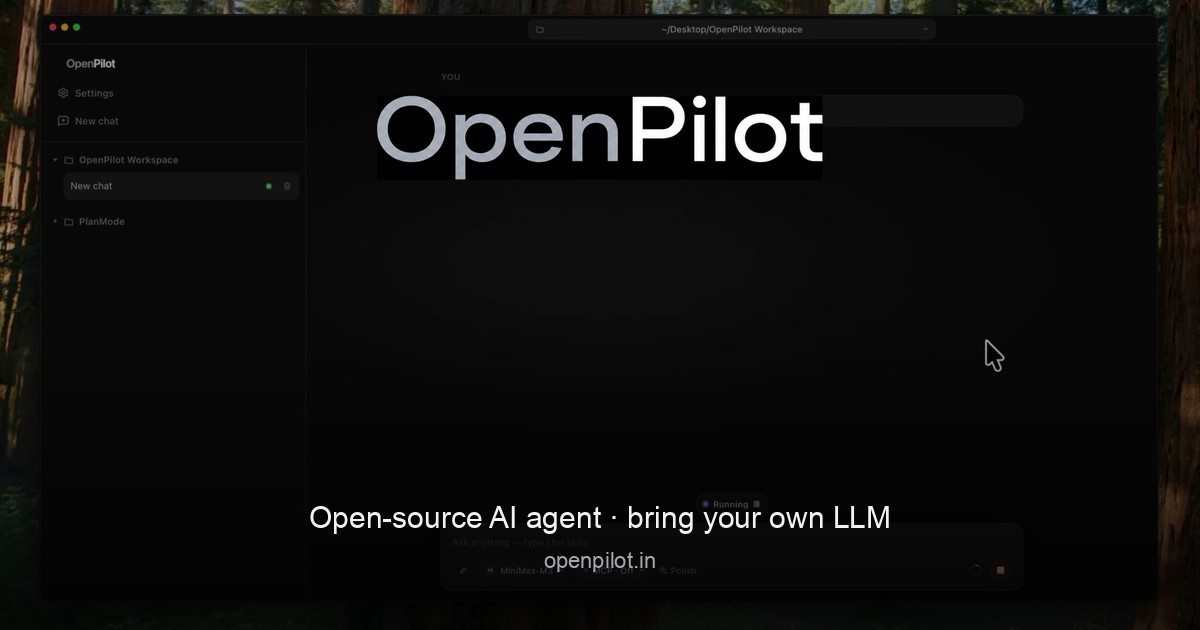
OpenPilot is an open-source, MIT-licensed desktop AI agent that runs locally on your machine and connects to the language model you choose. Rather than bundling its own hosted model marketplace, it acts as an AI harness: you point it at any OpenAI-compatible endpoint—OpenAI, OpenRouter, a local server such as Ollama or LM Studio, or a custom base URL—and it gains practical access to your workspace. Once connected, the agent can create and edit files, run real terminal commands, search the live web, and work through full projects from start to finish. It is built for developers and builders who want an agent that does the work inside their own environment, using their own keys and their own models, without a vendor login or platform tax. The native Windows app is available now, with macOS builds releasing soon. The problem OpenPilot addresses is the trade-off many developers face when adopting AI coding agents: powerful hosted agents often require a vendor account, lock you into a single model provider, and add what the site calls a "platform tax." OpenPilot takes the opposite approach. It describes itself as "a harness, not a hosted model marketplace," which means it supplies the tooling and the agent loop while you supply the intelligence. Because you bring an OpenAI-compatible endpoint and your own API key, you can swap providers without rewriting your workflow, keep usage tied to the keys you already pay for, and avoid being locked to models that may change, deprecate, or become more expensive. The site frames the product simply: "Own the harness. Bring the model." The agent's core capability is working directly with files. Across a workspace folder that you designate, OpenPilot can read, write, edit, grep, and glob. When you ask for a full project, it scaffolds the structure by writing files such as package.json, src/index.ts, and src/routes/users.ts, then refines the result through follow-up instructions with actions like edit_file. The site's own example shows a short sequence of write_file and edit_file calls ending with "4 files · project ready." Because the agent operates in place, you can keep iterating on the same project—adding routes, adjusting configuration, or extending existing code—rather than regenerating everything from scratch each time. File and shell access are scoped to the workspace folder you open, and the Product Hunt listing notes that you approve sensitive actions as the agent works. The terminal is a first-class tool in OpenPilot rather than a simulated code snippet. The agent can run real shell commands in your workspace, which means it can install dependencies, start servers, and run test suites. Output from those commands—including stdout—streams back into the chat, so you can watch results appear as the agent works instead of waiting for a summary. The site illustrates this with an npm test run that reports passing auth and user specs and a total of twelve tests passed. This matters because many real development tasks are not about writing code alone; they depend on feedback loops—installing a package, seeing a build fail, reading the error, and fixing it. By streaming command output back into the conversation, OpenPilot keeps that loop inside one place. OpenPilot also reaches beyond the local repository. With live web research powered by TinyFish, the agent searches and fetches pages in real time when documentation, APIs, or error messages live outside your codebase, then grounds its answer in what it actually read—the site shows an example of searching for a Node fetch timeout, fetching a docs page, and returning a cited answer plus a fix. Alongside research, the agent supports skills and long-term memory. Skills are reusable playbooks you can drop in, and preferences can be persisted in an AGENTS.md file. The agent loads these into context, and it can update memory when you ask it to. The example AGENTS.md content captures the idea: prefer TypeScript strict mode, use pnpm in this repository, and never commit .env. This gives the agent durable, project-specific guidance instead of forcing you to repeat the same instructions in every conversation. When the built-in toolset is not enough, OpenPilot supports the Model Context Protocol (MCP). You can connect MCP servers and flip them on per chat, extending the agent with the systems you already run—databases, browsers, or internal APIs. The site illustrates the configuration with an mcp.json file that defines a server named docs with a command. Because MCP servers are toggled on a per-chat basis, you can keep the agent's available tools scoped to what a given task actually needs rather than loading every integration at once. Underneath everything, OpenPilot is a bring-your-own-model harness. Setup follows three steps described on the site: add a model, open a workspace, and describe the outcome. To add a model you paste a base URL, an API key, and a model id—no account with OpenPilot is required. The settings example shows a model definition with a name, a baseUrl such as https://api.openai.com/v1, an apiKey, and a modelId. You can use cloud APIs or local OpenAI-compatible servers, with named examples including OpenAI (api.openai.com), OpenRouter (openrouter.ai), local options like Ollama and LM Studio running on localhost:11434, or your own custom gateway base URL. Then you open a workspace folder, which is where the agent receives filesystem and shell access, and finally you describe the outcome you want—build, fix, research, or automate—and review the tool trail as the agent works. OpenPilot also tracks token usage, showing session and lifetime views in the app, which helps you keep an eye on consumption against your own keys. The practical benefits follow from that design. Because there is no OpenPilot account or vendor login, there is one less credential and one less dependency in your toolchain. Because you supply a custom base URL and API key per model, you can move between providers without rewriting how you work, and you can stay portable across the models you already pay for. The token usage views give visibility into what your sessions cost. The agent is a local Electron app, so it runs on your machine, and its MIT license means the source is open—the project is on GitHub for anyone who wants to inspect it. Together these choices add up to ownership: you keep your keys, your models, and your machine. In practice, OpenPilot fits workflows where an agent needs to touch a real codebase. Scaffolding a project is the clearest case: ask for a full project and watch the file tree fill in, then refine with follow-ups. Running the development loop is another: the agent installs dependencies, starts servers, and runs tests, streaming output back into the chat so you can react to failures. Researching outside the repository is a third: when docs, APIs, or errors live elsewhere, the agent searches and fetches pages and returns a grounded, cited answer. Automating repetitive workspace tasks is a fourth, since the agent has both filesystem and shell access in the folder you opened. And when you need more, MCP servers let you extend the agent with the systems you already run, such as databases, browsers, and internal APIs. Each of these plays out inside the folder you chose, with you reviewing the tool trail and approving sensitive actions. OpenPilot is aimed at people who want the agent without the platform tax—developers and builders who refuse vendor lock-in, and who are comfortable supplying their own model endpoint and API key. The download section notes that the native Windows app is available now: a 64-bit installer and a portable executable, requiring Windows 10 or later (x64). macOS builds for Apple silicon and Intel are listed as coming soon. The Product Hunt listing describes the product as a free, MIT-licensed desktop AI agent, with Windows available now and macOS in early beta. Downloads link to the project's GitHub releases, and the site offers a getting started guide, FAQ, and changelog for further detail. OpenPilot's core proposition is straightforward: an open-source desktop AI agent that does real work in your workspace—creating and editing files, running terminal commands, searching the live web, and extending through MCP—while running on a model you choose and control. Own the harness, bring the model, and keep your keys, your models, and your machine.
Refs is a video reference library built for AI agents and the people who direct them. It gathers 3,032 films — launch films, motion pieces and explainers that moved people — and turns each one into measured analysis an agent can actually use. Instead of a mood board of links, Refs publishes cut-by-cut measurements, a 15-plate blueprint and a runnable prompt recipe for every film, so tools like Claude Code, Codex and Cursor can study what already worked and plan a new film from real references. Browsing is free, and the library is designed for marketers, motion designers, founders and developers who want their agent to plan a launch film from the real thing rather than from a vague description. Every creative brief runs into the same wall: language is a poor way to describe motion. Telling an agent to make a punchy 15-second launch film leaves out the timing, the shot lengths, the cuts per minute, the type treatment and the sound, so the model fills the gaps with guesses. Refs starts from the premise stated on its own homepage — Claude is only as good as the references you give it. By measuring successful films frame by frame and writing the findings down as structured plates and prompts, Refs gives an agent something concrete to reason from. The result is that Claude copies the method of a film that worked, never the footage, which keeps the output original while grounding it in evidence rather than vibes. The core of Refs is a measured archive. Each film in the library is broken down shot by shot, with shot boundaries found frame by frame so you can click any shot and jump straight to it. Every entry carries its own numbers: a shot index such as 01 / 10, cuts per minute (for example 36), and average shot length (for example 1.5 seconds). A cut map runs beneath the player, and you can hover a film to play it or move across it to scrub through its cuts; on a phone you simply tap. Scrub-anywhere playback makes it possible to compare pacing across many films quickly, and search runs across the whole archive, so you can pull up every film studied from a given company or explore by keyword. Beyond measurement, each film is written up as a 15-plate blueprint — a structured document of what the film does and how it does it. The plates cover hook, beats, shots, type, colour, sound and script. Specific plates named on the site include Format, which describes what the film is in one breath; Card, which gives length, pace, shots and sound at a glance; Hook, which breaks the first two seconds down frame by frame; and a final plate titled Make it yours, which shows how to swap the story but keep the method. The blueprint is a flip-through deck rather than a static report, with 15 plates per film, so an agent or a designer can walk from the hook to the edit in a defined sequence and see the decisions in the order they were made. Refs also groups films by format and publishes formulas: the patterns that the strong films of one format share. Named formulas in the library include The Price of Regret, The Music-Led Motion Showreel, The Dark Staged Product Reveal, The Live-Drawn Paradox, The Fifteen-Second Service Rescue, The Sonified Chart Relay and The Capability Proof Montage. Each formula is backed by a set of films — the site lists, for example, eight films under the dark staged product reveal, ten under the music-led motion showreel and seven under the live-drawn paradox. In total Refs reports 28 formulas across the archive, which gives an agent a way to reason about a whole format rather than a single example. Every film also comes with a prompt recipe that Claude can run. The recipes are written as concrete, executable instructions rather than descriptions. One example published on the site opens: Use Remotion to create an original 15-second, 60 fps motion-design showreel for {{PRODUCT}}, then lists timed beats — 0–1.9 s a point grows into the mark inside faint circular guides; 1.9–3.4 a full-screen shape wipe reveals a huge product title; 3.4–5.6 a warm-ivory process chart — and continues through the piece. Because the recipe is parameterised with placeholders such as {{PRODUCT}}, the structure travels to your own product while the timing and craft stay intact. You paste the recipe into Claude Code and make it yours. Refs connects to an agent through an MCP server. One command adds it: claude mcp add --transport http refs https://refs.video/mcp --header "Authorization: Bearer $REFS_KEY". The site notes that the same integration works with Claude Code, Codex and Cursor. Once connected, the agent has a search tool — the transcript on the homepage shows refs.search_videos being called with queries such as founder launch, kinetic type, silent demo, three.js and terminal — and can pull blueprints and formulas back into its context. As the FAQ puts it, Claude can then search the archive, pull blueprints and formulas, and plan your film from real references. That is the whole workflow: ask for a film, let the agent study what already worked, then build. The distinctive move is that Refs does not host the videos. Every film plays from its original post and stays its maker's; Refs publishes only its own measurements and analysis, and credits and links every source. That keeps the library respectful of the original work while still letting an agent study it, and it also means the blueprint teaches method rather than footage — as the site says, Claude copies the method, never the footage. In practice that produces original work grounded in evidence: instead of a generic AI video, you get a plan shaped by timed beats, measured pacing and structural plates drawn from films that demonstrably reached an audience. The most obvious use case is a launch film. A team asks Claude for a launch video, the agent searches Refs for founder-led launches or dark staged product reveals, reads the matching blueprints and formulas, and returns a plan with timed beats and a prompt recipe that can be built in a tool like Remotion. Other workflows follow the same shape: planning a motion design showreel, structuring an explainer, building a 15-second service rescue spot, or reverse-engineering why a competitor's teaser feels fast. Because browsing is free, designers also use the archive directly — scrubbing films, reading cut maps and comparing cuts per minute — to learn pacing by eye before they ever open an editor. Refs is aimed at people who plan and produce films with AI: founders and marketing teams making launch videos, motion designers and editors studying pacing, and developers who already work inside Claude Code, Codex or Cursor. The archive is free to browse forever and includes every film playable from its source, cut maps, hover-scrub, the numbers behind each film, the first plates of every blueprint and full archive search. Pro is $10 a month billed yearly, or $16 monthly, and opens all 15 plates of every blueprint, a runnable recipe for every film, formulas across films of one format, and the Refs MCP for Claude Code, Codex and Cursor with 1,500 credits a month. A Product Hunt launch code, PRODUCTHUNT, takes 50% off a year of Pro. The takeaway is simple: agents write better films when they are given better references, and Refs is the reference library built for exactly that. It packages 3,032 films, 67,695 measured shots and 28 formulas into blueprints and prompt recipes an agent can search and run, so make me a launch film becomes a plan drawn from work that already moved people. Same Claude — better references.
AgentSDR is an open-source, self-hosted AI SDR workspace that runs outbound across email, LinkedIn and WhatsApp from a single place, and pairs that outreach with an AI CRM. Teams use it to build sequences, import and enrich lead lists, contact prospects on the channel that fits, and let AI read and classify every reply before an answer is drafted from their own knowledge base. Rather than renting several separate outbound subscriptions, they keep leads, campaigns and conversations in one workspace that they run on their own server with their own model key. The Product Hunt listing positions AgentSDR as the open-source AI SDR workspace that replaces Clay, Smartlead, HubSpot "and many more." The landing page makes the same point visually with a wall of familiar tools — Smartlead, Clay, Instantly, HubSpot, HeyReach, Attio, lemlist, Salesforce, Apollo.io, Pipedrive, Expandi, Close, Outreach, Lusha, Salesloft, Hunter, Waalaxy and folk. Outbound work is normally scattered across sending tools, enrichment tools and a CRM, and each one needs its own subscription, its own data import and its own login. AgentSDR's answer is to put reach, triage and measurement in one workspace: sequences on email, LinkedIn and WhatsApp inside each channel's limits, every reply classified by AI with the answer already drafted, and replies, meetings and customers measured by channel in a single view. Email is the first channel. Sequences run from your own Google Workspace mailboxes, connected through a service account with domain-wide delegation, and they can be multi-step. Any CSV or XLSX column can be used as a {{merge field}}, and {A|B} spin text lets one step read differently per lead. Each mailbox carries its own daily cap (30 by default), sending window and signature, and several campaigns can share the same pool of mailboxes, which are assigned round-robin. List hygiene is handled at send time with one-click unsubscribe and automatic bounce suppression. AgentSDR deliberately does not record opens or clicks, so reply rate is the engagement metric to watch rather than open or click rates. LinkedIn runs through Unipile and can spread sending across several accounts. A typical sequence is an invite, an accept message and three follow-ups. Pacing stays inside LinkedIn's limits: 30 invites a day on premium accounts and 5 on free, with a randomised 30–60 second gap between invites and sending only inside each account's working hours; an account that hits LinkedIn's own limit pauses for the day. Search batches can pull up to 400 leads a day per account into campaigns. Every LinkedIn reply lands in one thread view with an AI draft already prepared, so nothing depends on remembering to check a separate LinkedIn inbox. WhatsApp is the third channel, and it is built around calling. Linking your number through Unipile and installing the AgentSDR Call Recorder Chrome extension lets you dial a lead from AgentSDR; the extension places the call inside WhatsApp Web and records both sides. The recording goes to your own storage bucket and your chosen model transcribes it. Unanswered leads can be called again after 1, 2 and 4 days, and messages sync as well, with a 24-hour warm-up for new numbers and a limit of 25 new chats a day per number. WhatsApp calling relies on WhatsApp Web's English interface. The AI CRM and inbox is where the three channels converge. Every reply is classified as Interested, Customer, Not interested or Other — or into stages you define yourself — and the answer is drafted from your knowledge base and held for approval. Every follow-up step in a reply sequence is drafted for review too. The inbox is keyboard-first: J and K move, Enter opens, and ⌘K jumps anywhere. Autonomy is deliberately narrow. The AI can move a lead forward in the pipeline on its own when it is confident, but a backward move, a low-confidence classification and every new Customer are held for a person. Drafts wait in "Action required" until someone sends them, as written or edited, and analytics track how many drafts went out as-is, edited or discarded, along with the override rate for labels a person changed. Underneath the channels sits one database of people and companies, shared by every channel. You import CSV or XLSX, add your own columns (text, number, date, select) and match duplicates on email or LinkedIn. Enrichment tables go further: a column can call an API, run a formula, ask your model or pull from Apollo, and the finished table can be turned into a campaign directly. Every AI call — classification, reply drafts, transcription and AI table columns — runs on your own OpenRouter key, pinned to the provider you chose, with fallbacks turned off so data only goes where you decided. Leads, conversations and call recordings live in your Postgres and your own storage bucket; recordings are reached only through short-lived signed links, and provider keys are encrypted at rest with AES-256-GCM. There is no hosted AgentSDR service in the middle. Deployment is the other half of the design. AgentSDR is free and open source, and you run it yourself. The quick start is a clone, a copy of the example environment file (database URL, auth secret, encryption key), and docker compose up — after which the app answers on localhost:3000 with Postgres, schema, app and scheduler in place. It needs a machine that runs Docker and PostgreSQL 16 or newer, though the Compose file brings its own database. Because it is a TypeScript Next.js app on Postgres, adding a column type, an enrichment provider or your own channel is ordinary application work, and issues and pull requests are welcome on GitHub. One deployment can also hold several organizations, each with its own leads, inboxes and connected accounts, fully separate from the others; teammates sign in with their own accounts and are invited as owners, admins or members. The benefits follow from that combination. Replies, meetings and customers are measured by channel in one analytics view, so you can see which channel actually brings conversations in, alongside counts of interested, customer, not interested, other and unclassified replies, funnel stages, drafts sent and the override rate. Guardrails run on every channel — daily caps, sending windows, warm-up for new numbers and Do Not Contact honoured everywhere — which keeps sending behaviour inside the limits the channels themselves enforce. Because the AI proposes rather than sends, the human stays in the loop: low-confidence classifications wait for review, and drafts sit in a queue until someone approves them. And because leads, conversations, recordings and model keys stay on your infrastructure, your data is not handed to a third-party SaaS vendor. Concrete workflows follow the channels. A sales team imports a CSV of leads, enriches company data in a table with an AI column, and creates an email campaign from that table, letting the mailbox pool pace itself under daily caps. A founder runs LinkedIn outreach across two accounts with an invite, accept message and three follow-ups, and answers replies from the unified thread view. A rep places WhatsApp calls from AgentSDR, gets a transcript written by their own model, and queues retries for the leads who did not pick up. An agency runs several organizations in one deployment, each with separate leads, inboxes and connected accounts. Throughout, the AI CRM keeps a priority queue of conversations waiting on a person, follow-ups that are due, and drafts to review. AgentSDR targets sales and go-to-market teams, founders doing their own outbound, and agencies running campaigns for multiple clients — anyone who wants multi-channel outreach and an AI-assisted CRM without per-seat or per-contact fees. The integrations it connects are your own accounts: Google Workspace for email mailboxes, Unipile for LinkedIn and WhatsApp accounts, OpenRouter for every AI step, and Cloudflare R2 for call recordings, plus optional lead enrichment integrations for emails, phones and company data in Tables (Hunter, Lusha, RocketReach, Snov, FullEnrich, LeadMagic, Findymail, ZeroBounce, Apollo and others). The stack is Next.js 16, React 19, TypeScript, Postgres, Drizzle, Tailwind 4, Bun and Docker. Pricing is simply free and open source: no seats, tiers or per-contact fees — you pay for your server, the accounts you connect, and your own AI usage. The takeaway is that AgentSDR turns outbound into one owned system: reach on email, LinkedIn and WhatsApp inside each channel's limits, triage where every reply is classified and every answer drafted, and measurement that shows replies, meetings and customers by channel. Because it is open source and self-hosted, your leads, conversations, recordings and model key never leave your infrastructure, and you can change how it works.
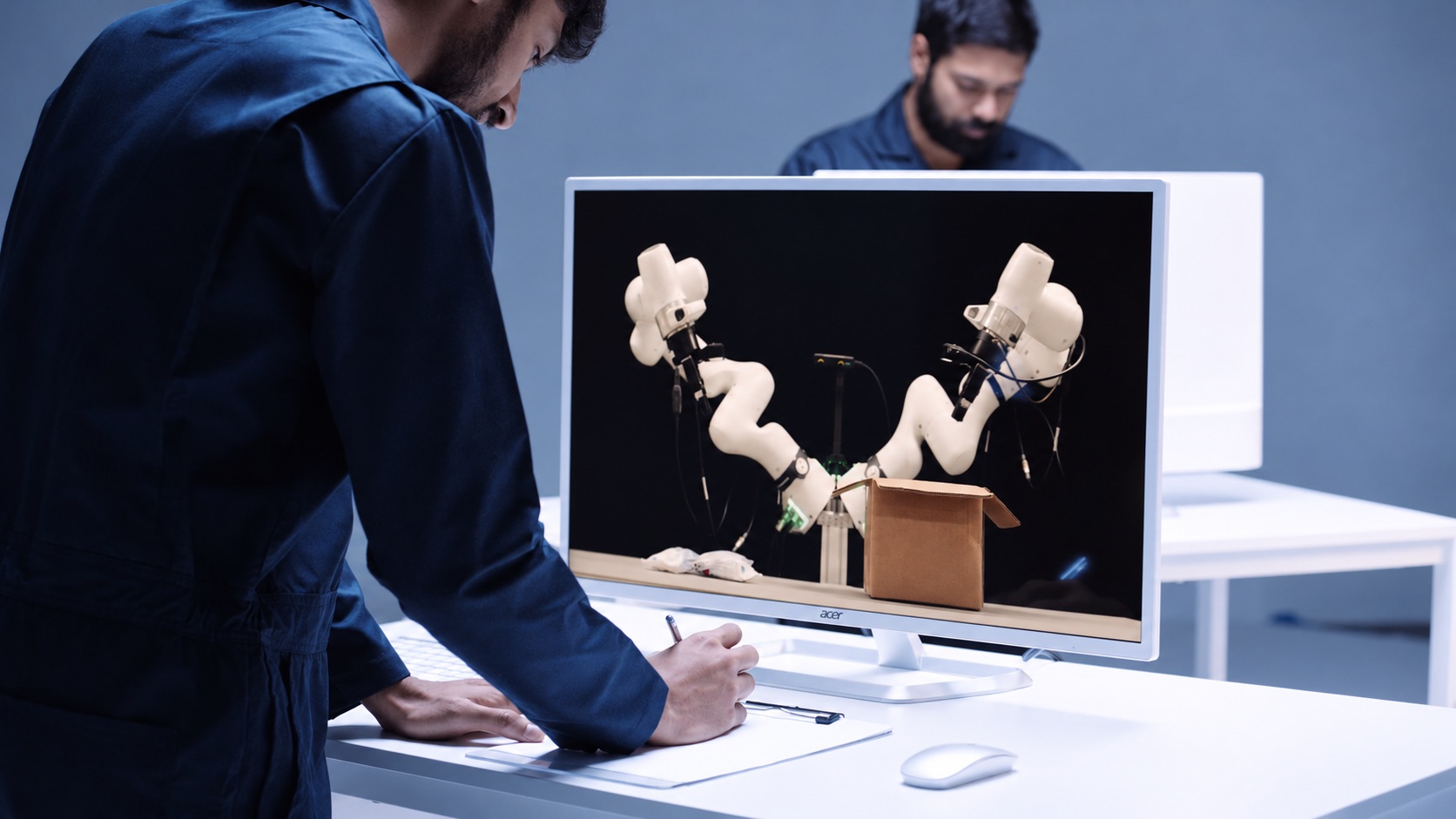
Odyssey-3 is a foundation world model that generates embodied environments from a prompt and predicts in real time how those environments change as a person or an agent takes actions or introduces events, using previous observations and the latest inputs. It is described as a learned dynamical system, implemented as an autoregressive diffusion transformer, that predicts how objects move and interact through space and how situations evolve over time. The model learns representations of physics, dynamics, and cause-and-effect from a broad dataset of visual observations, and developers use that knowledge both to simulate environments and to train policies for different physical systems. The research preview is available now, and physical AI developers who want to build with Odyssey-3 are invited to get in touch for access. The team behind Odyssey-3 comes from a decade spent building driverless cars, where predicting the world was essential to determining what a car should do next. The founders started Odyssey to pursue that idea far beyond the roads and to build a general-purpose technology that could bring learned world knowledge to all machines and tasks. Physical accuracy has been made a central focus of the research, on the reasoning that a foundation model for physical intelligence must learn to predict how the world actually behaves. In the team's own framing, with Odyssey-3 that idea is now being realized. Odyssey-3 generates embodied environments in real time and predicts how they change as a person or agent takes actions or introduces events. You can move through the environment or introduce an event during generation and observe how the model responds. The current preview provides first-person and third-person navigation alongside independent camera movement, giving different ways to interact with and inspect the model's predictions. The stated design goal was to enable dynamic, open-ended interactions with an environment that responds as the user acts. Odyssey-3 Pro sets a new state of the art on Physics-IQ Verified's video-to-video benchmark, achieving 66.1, the highest reported score. Physics-IQ, a benchmark from Anates Labs and DeepMind, tests physical behavior across fluid dynamics, optics, solid mechanics, magnetism, and thermodynamics by asking models to continue videos of real physical experiments and comparing their predictions with what actually happened. Odyssey-3 Pro also scores 54.7 in image-to-video. Reported video-to-video scores are 51.8 with base prompts, 61.6 with prompt enhancement, and 64.4 best-of-8 for the Odyssey-3 480p series, and 63.4 with prompt enhancement and 66.1 best-of-8 for Odyssey-3 Pro 720p. On image-to-video, Odyssey-3 records 41.0 with base prompts, 48.8 with prompt enhancement, and 52.8 best-of-8, while Odyssey-3 Pro records 50.0 with prompt enhancement and 54.7 best-of-8. Odyssey-3 also improves the measured tradeoff between physical accuracy and generation cost, making it possible to generate more simulations within the same compute budget. Resolutions are 832x480 for Odyssey-3 and 1280x720 for Pro. WorldMark measures control-following, visual quality, and world memory. In Odyssey's evaluation, using the benchmark's own captions and the mean of its 13 reported metric scores, Odyssey-3 ranks first in first-person stylized environments with 77.2, third-person real environments with 79.0, and third-person stylized environments with 76.3, and places third in first-person real environments with 80.6. The company notes that these results measure specific properties of generated worlds, and that applying the model to a physical system also requires evaluating the behaviors that matter for that machine and its tasks. Odyssey-3's learned world knowledge can be applied to different systems by training an action decoder or policy on paired observations and actions. These learned components translate that knowledge into the controls required by a particular machine, letting developers adapt the foundation model to a new body or task. With only tens of hours of robot demonstrations, Odyssey-3 completed manipulation tasks such as "Pour the cereal into the bowl" and "Close the screwbox" and showed recovery behaviors absent from those demonstrations, including reorienting a gripper after a missed grasp and retrieving a dropped object in an unusual position. Flexion has built humanoid control policies on Odyssey-3; the resulting policies exceeded the performance of the tested VLA baselines under environmental changes and continued to perform tasks under lighting changes that caused those baselines to fail. Odyssey-3 was also adapted to drive a car on real roads in India, training a driving policy on just 20 hours of driving data while keeping the Odyssey-3 backbone frozen. The policy uses the model's visual representations to predict waypoints ahead of the car, allowing it to drive in closed loop, and was demonstrated with instructions such as "Take the first roundabout exit" and "Drive along the road". Separately, Odyssey-3 was adapted to generate observations for particular sensor arrangements: in an early experiment using the front three cameras of an autonomous-driving dataset, an Odyssey-3 training checkpoint produced driving sequences with three camera views generated together after just 100 training steps. Odyssey-3 can also help train agents. An agent is an AI system that pursues a goal by observing its surroundings, choosing actions, and using what happens to decide what to do next. A world model can provide the environment in which those decisions are made, giving a way to study how an agent responds to changing conditions and whether it can complete a task inside a world whose behavior is learned. In Odyssey's task-completion demonstration, an agent receives a natural-language goal and pursues it inside Odyssey-3, observing the generated world as it works toward the task. Odyssey-3's training data combines internet video with time-localized, schema-verified event annotations, gameplay recordings with time-aligned keyboard and mouse inputs, and simulated rigid-body interactions with captions and metadata. Together these sources connect diverse observations with descriptions of what happens and, where available, the actions that produced it. The model is built as a multi-step video diffusion transformer, using temporally resolved prompts and controls to guide how the world unfolds. It is then extended autoregressively through teacher forcing and causal masking, training it to continue from preceding observations and predict future states conditioned on action inputs. Finally, a post-training pipeline combines distribution-matching and adversarial distillation to produce a distilled variant of Odyssey-3, a few-step model capable of real-time interaction. Odyssey believes world models will power increasingly capable physical AI, generate environments in which other intelligences can train, and enable new kinds of human experiences. Developers building robots, humanoids, self-driving cars, drones, or any other autonomous system are invited to explore how foundation world models can accelerate their work. The research preview lets people prompt an environment, act within it, and see how the world model responds, while API access is available by getting in touch with the team. In summary, Odyssey-3 is presented as the company's most powerful foundation world model, combining real-time, prompt-driven environment generation with strong physical accuracy results on Physics-IQ Verified and WorldMark, and with demonstrated adaptation to robot arms, humanoids, vehicles, multi-sensor data generation, and agent training.
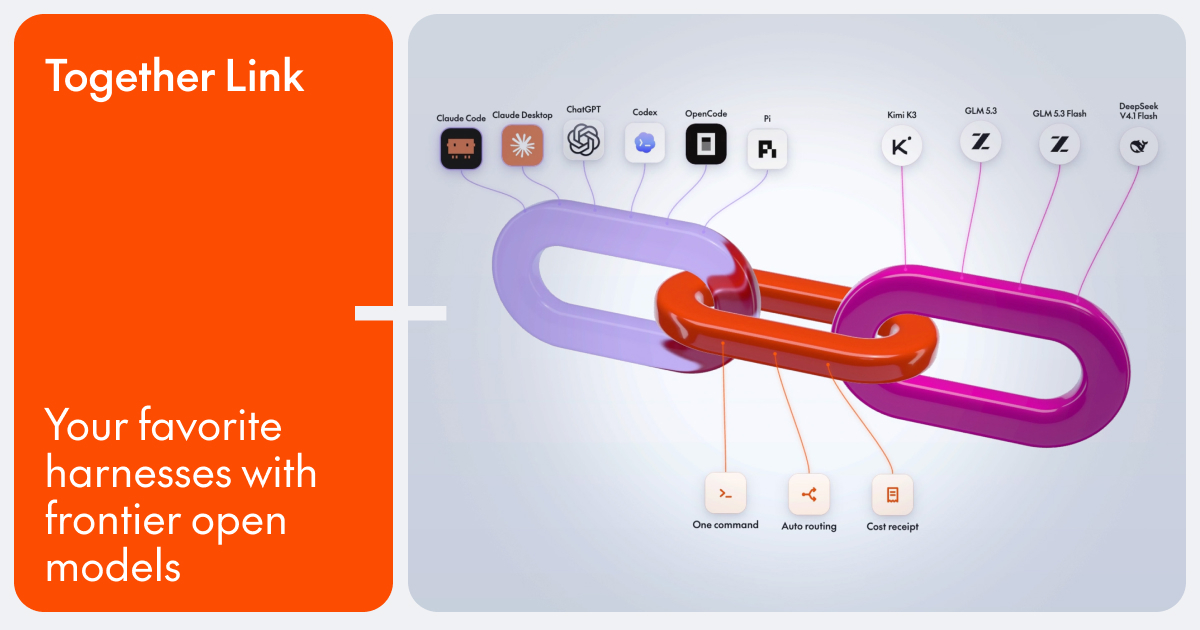
Together Link is a free, open-source tool from Together AI that connects the coding agent you already use to open models running on Together AI. Instead of switching editors, terminals, or chat apps, you keep the harness you already know — Claude Code, Claude Desktop, Codex in the ChatGPT app, ChatGPT Desktop, OpenCode, or Pi — and point it at open models such as Kimi K3, GLM 5.3, MiniMax M3, and DeepSeek V4.1 Flash. It is aimed at developers and teams who want to run their everyday coding work on affordable open models while keeping their existing login, settings, history, and habits exactly where they are. Together Link is currently in beta. Coding agents have become the place where a lot of development work actually happens, and most of that work runs on closed frontier APIs priced per token. Together Link starts from a simple observation on its own site: open models cost a fraction of closed frontier APIs per token, so moving a team's everyday coding work onto them cuts the bill by more than half. At the same time, open models such as GLM 5.3, Kimi K3, DeepSeek V4.1 Flash, and MiniMax M3 are described as handling real coding work at frontier level, and because they ship with open weights they are fully in your control. Together Link exists to make that swap practical without asking anyone to leave the tool they already use. Auto Router is the default in Together Link, and it is the setting that decides which model handles a task. When you set the model to Auto, the router reads the first task in each session and weighs it on the way through: quick work goes to a low-cost model such as GLM 5.3, while harder problems are sent to a more capable one. If you use an Anthropic API key in Claude Code or Claude Desktop, the router routes between Opus 5.5 and GLM 5.3. The site frames the trade-off in three phrases: per-session routing, lower cost, and frontier when needed. You are never locked into the router, either — you can also pick a model yourself, right from your agent's model menu. Getting started is deliberately minimal and is described as one paste, six agents, and no config edits. You install it in one quick command, then run Together Link in your terminal to launch your agent. The site lists six supported harnesses: Claude Code, Claude Desktop, ChatGPT Desktop, Codex, OpenCode, and Pi. OpenCode support requires version 2 or later, and Pi support requires version 0.80.8 or later. Each harness launches with its own command, such as togetherlink claude. Existing configuration files are left alone rather than rewritten. Together Link prints a receipt for every session. Every proxied session prints its token totals and dollar totals when you leave, so the cost of a piece of work is visible the moment it finishes. A usage report shows the last seven days of spend, and the togetherlink usage command shows your running total. You can also switch back anytime: profiles are reversible, your config is untouched, and a single command takes you back to your own setup. The site states that Together Link cuts coding agent spend by 50-80% compared with running every session on Opus 5.5. Under the hood, the approach differs slightly by harness, but the destination is the same open model lineup. For Claude Code, the gateway translates Claude Code's traffic to Together, you stay signed in, and the session prints its cost on exit. For Claude Desktop, one command installs a reversible profile and reopens the app with the Together lineup in its model menu for Chat, Cowork, and Code alike. ChatGPT Desktop opens on a separate Together Link profile and is turned off with togetherlink chatgpt off. For Codex, one command adds Together as a provider in the Codex CLI on its own profile, switched off with togetherlink codex off. OpenCode already supports Together, so one command adds your key and the router so every open model lands in its model list. For Pi, one command registers Together in Pi's model list so you can cycle between open models mid-session without leaving the terminal. Terminal agents get settings that last only for that session, while Claude Desktop and ChatGPT Desktop use their own profiles that switch back with one command. Longer answers live in the docs, which your agent can read on its own. The benefits come down to three stated reasons to use it. First, you keep the harness you already know: Claude Code, Claude Desktop, Codex in the ChatGPT app, OpenCode, and Pi, with your login, settings, history, and habits staying exactly where they are. Second, you cut agent spend — open models cost a fraction of closed frontier APIs per token, and moving your team's everyday coding work onto them cuts the bill by more than half. Third, you get frontier quality on models you control, because open weights keep those models fully in your hands. Alongside those, automatic routing means the cheap model handles the easy work and the capable model is reserved for hard problems, while the per-session receipt and seven-day usage report make the spending visible rather than surprising. Concrete workflows follow the harnesses listed on the site. A developer writing everyday code in Claude Code can point the gateway at Together, stay signed in, and see the session cost printed on exit. A Claude Desktop user can install a reversible profile and use the Together lineup in the model menu for Chat, Cowork, and Code. A Codex CLI user can add Together as a provider on its own profile while keeping sandbox and approval settings. An OpenCode user can add a key and the router so open models land in the model list beside other providers. A Pi user can register Together in the model list and cycle between open models mid-session without leaving the terminal. A team can watch the usage report to see the last seven days of spend as it moves everyday coding work onto open models and cuts its coding agent bill by 50-80% compared with running every session on Opus 5.5. Getting started requires a Together AI API key, macOS or Linux, and a supported coding agent. Installation runs with curl -fsSL https://link.together.ai/install | bash, and togetherlink configure adds your key. Together Link itself is a free, open-source tool; you pay only for model usage at Together AI's per-token rates. Published model pricing includes Kimi K3 at $3.00 in and $15.00 out, GLM 5.3 at $1.40 in and $4.40 out, MiniMax M3 at $0.30 in and $1.20 out, and DeepSeek V4.1 Flash at $0.30 in and $1.20 out. Switching between models or back to your original setup is a command away, so nothing about the arrangement is permanent. Together Link's core promise is simple: pair your favorite coding agent with affordable open models, keep the harness, login, settings, and history you already rely on, and let automatic routing, per-session receipts, and usage reporting keep costs transparent and down.
Busabase is an open-source (MIT) database and workspace built for AI agents and the people who work alongside them. It keeps business records, documents, skills, and apps in one shared place so that what an agent produces stays as data your team can reuse, instead of disappearing into a chat window. The product calls itself the general system of record for AI agents, and it is aimed at teams and individuals who already run agents such as Claude Code, Codex, Cursor, or their own custom agent and want the output of that work to land somewhere durable. Busabase can run on your own machine as Busabase Desktop, on your own server through Docker, or in Busabase Cloud. The problem Busabase addresses is that agent work keeps evaporating. Teams already use AI, and the work gets done, but it scatters across personal chat windows and leaves when people do. The site contrasts a scenario without Busabase — Amy drafting a quote in ChatGPT, Ben cleaning a customer list in Claude, Chris finishing a data cleanup script in Cursor before leaving the company, Dana recording a meeting decision in Gemini — with a scenario where the same output lands in one team workspace as customers, quotes, meeting notes, an app, and a skill. The stated consequences of the scattered approach are that results stay in a chat log nobody finds again, every session starts from zero, and when someone leaves, their work goes too. Busabase's answer is to keep AI work in the company rather than in chat histories, so the next task can build on the previous one. Busabase organises work into Bases. The Data Base holds customers, projects, and inventory in tables with fixed columns, so every agent reads and writes the same fields rather than free-form text. The Knowledge Base is described as the team's shared memory: answers you can find, with a source, that someone checked. A record in Busabase carries its body, its sources, and its review history, which is what separates it from a pile of unstructured notes accumulating in different tools. Because the structure is fixed, an agent writing into a Data Base produces something a person can open tomorrow, and a person editing a record produces something the next agent can read. The Apps Base collects your internal tools, called AirApps, in one place and builds them on the same data, so every screen shows the latest version — the Busa CRM template, for example, presents pipeline, deals, and follow-ups from the same underlying records. The Skills Base lets you save a workflow once as a skill, and any agent can run it next time, which turns a single successful run into a repeatable capability. Playbooks are written-down descriptions of how your team does things; agents check them before every task and follow them instead of improvising. Layered together, these Bases turn isolated agent output into assets the whole workspace shares. Busabase does not ask teams to switch tools. You connect the agents you already use — Claude Code, Codex, Cursor, n8n, or your own agent — through Agent Skills, MCP, OpenAPI, or the CLI, and any agent that can call a REST API can work with it; the documentation suggests pasting the SKILL.md file and going. You can also talk to a connected agent right inside Busabase, or connect 40+ external agents over Agent Skills, MCP, and more, with Claude Code, Codex, and OpenClaw named as examples. Either way, they read and write the same workspace. Every write is on the record: each change carries who made it, what changed, and a full history, and for the writes that matter you can hold the change for a person to review. Rejected work never enters your canonical data, and every decision — approve, request changes, or reject — stays attached so the record remains explainable later. The mechanics are described in three steps. First, connect your agents: an agent like Claude Code, Codex, Cursor, n8n, or your own connects through Agent Skills, MCP, OpenAPI, or the CLI, then runs a task such as logging today's customer calls and updating the CRM. Second, every write is on the record, with the change carrying who made it, what changed, and a full history, and important writes held for human review. Third, reuse it next time: the Data Base, Knowledge Base, Apps Base, and Skills Base are read by the next agent, a teammate, or an AirApp, so nobody starts from zero. This loop — connect, record, reuse — is the product's core methodology, and it applies whether Busabase runs on a laptop, a company server, or in the cloud. The benefits follow from that loop. Agent output stops being ephemeral and becomes typed data, documents, skills, and apps that survive sessions and staff changes. Because every change keeps its source and its full history, teams can explain later what happened and why, and because review is built in, the writes that matter can wait for a person. Individuals get a private, local place where data stays in a folder on their computer, with no usage tracking and continued offline operation. Teams get one workspace where the rules agents follow, the data they touch, and the agents themselves all live together. And because every screen reads the same data, internal tools built as AirApps always show the latest version rather than a stale export. Use cases are grouped into eight kinds of work you can start keeping today. Customer support keeps Q&A and product facts, where agents draft the reply and a person approves it. Marketing holds CRM contacts, campaign records, social posts, and creative assets in one place. Content manages briefs, drafts, and published pieces moving through one pipeline. Team memory stores decisions, meeting notes, and context the next agent can read. Operations tracks projects, to-dos, and supplier details in one place. Research gathers market signals and monitored sources, verified and adding up over time. Product catalog keeps SKUs, specs, pricing, and relations searchable and managed in one place. Compliance covers access reviews, vendor checks, and a complete audit log. A worked example on the site shows a content calendar of scheduled social posts with visuals, platform, copy, and status, read from a Products base and written to a Content base. Deployment is a deliberate choice rather than a default. Busabase Desktop runs on your machine with data staying in a folder on your computer, no usage tracking, and offline operation. Self-hosting via a Docker image deploys the same engine inside your company network so data never has to leave it, and the project offers a security page for teams heading into a security review. Busabase Cloud is for teams that want to work together right away with nothing to install. Pricing follows: the open-source engine is free forever, and Cloud starts free with one space you own, three seats per space, 5,000 records per space, 1 GB of attachment storage, and one self-hosted connection online. Plus costs $10 per seat per month billed $120 per seat annually and adds three spaces you own, ten seats per space, 20 GB of attachment storage, and OpenAPI, webhooks, and MCP. Pro costs $20 per seat per month billed $240 per seat annually and adds unlimited spaces, unlimited seats, 100 GB of attachment storage, and priority support over WhatsApp, WeChat, or email. In summary, Busabase is an open-source, local-first database and workspace that gives AI agents somewhere to put their work. Data, docs, skills, playbooks, and apps share one structure with a full history behind every change, agents connect through the tools they already speak, and important writes can wait for a human. Start local for free, and add Cloud when the team is ready.
Clippo is a developer tool for Windows that turns software development into a visual command room. Instead of juggling separate terminal windows, you work on an infinite visual canvas where you assemble a team of AI agents, delegate tasks to them, and watch code progress in real time. The product describes itself as a visual orchestration canvas in which you are positioned as the tech lead and your AI agents work together in parallel. Clippo is built for developers who already use AI coding agents and command-line AI tools and who want a single place to organise, monitor, and review their work. Everything is arranged on the canvas with full freedom to lay out your workspace however you like, so the structure of the screen can reflect the structure of your project. Software development with AI agents often turns into a struggle with dozens of lost terminal tabs. Developers move between windows, copy and paste the same briefings over and over, and lose track of which agent is working on what. Context disappears between sessions, which means re-prompting and burning tokens. Clippo exists to address that specific problem: it brings visibility and organisation to an increasingly parallel, agent-driven workflow. Rather than forcing you to remember what each terminal was doing, the canvas shows everyone working side by side on a single screen, so you know instantly who is coding and who is done without window switching. The product frames itself as replacing the wrestling with terminals with a visual command room that you arrange and control. The core capability of Clippo is running your AI dev team in parallel. You can assign agents to different fronts of a project: one building the backend API, another writing test suites, and another refactoring the frontend. Because the agents are placed on a single canvas, you can see them all working side by side and immediately tell who is coding and who has finished. Clippo works alongside the AI tools you already use every day. The listed compatible tools include Claude Code, OpenAI Codex, Gemini CLI, OpenCode, Aider, and Copilot CLI, as well as local engines such as Ollama and LM Studio. WSL and Docker are supported out of the box. That means Clippo is not a replacement for your chosen agent or model; it is an orchestration layer that organises the tools you already trust while keeping them under one visual roof. Clippo keeps agents aligned with a structured project binder that lives right on the canvas. The binder has three parts. Project holds the overall architecture, stack guidelines, and team conventions. Plan provides a step-by-step implementation roadmap that you can review before execution begins. Walkthrough is an executive delivery report containing diff summaries and verification checklists. The binder is not merely documentation sitting off to the side: you connect a cable from any note to a terminal, and the agent absorbs that context immediately, with no re-prompting needed. This turns your project conventions and plans into live context that every connected agent can read, reducing the risk of agents drifting away from the agreed approach and removing the repetitive briefing loop that usually accompanies multi-agent work. Clippo includes two tools that sit directly on the canvas. ClipSurf is an embedded browser that provides web browsing and eyes for any agent. It is available to both you and your agents, and it lets terminal agents and CLI models that have no built-in web access browse documentation, research solutions online, and test the local web app they just built, live in front of you. Clippo IDE is a visual code editor built into the canvas. With it you can browse project files, review agent-generated code with syntax highlighting, inspect Git diffs, and make quick edits before committing with a single keystroke. Together these tools keep browsing, inspection, and review inside the same visual workspace instead of scattering them across separate applications, and they let you stay in full control of your repository. Persistent memory with local AI is one of Clippo's most distinctive capabilities. Agents no longer lose context between sessions, because Clippo keeps a local memory that learns your project over time. It stores architectural decisions, solved pitfalls, and coding standards. A lightweight local model retrieves relevant memories on demand. Because retrieval is local and selective, this cuts token usage and keeps context across sessions. In practice this means that decisions you made once, such as a convention, a workaround, or a lesson learned, remain available to future agent sessions rather than being re-explained each time. The memory layer is the mechanism behind the stated token savings, and it is also part of why Clippo can describe itself as private: your files, notes, and prompts never leave your PC. The product's overall approach is visual and local. Everything happens on an infinite canvas where you arrange notes, terminals, IDEs, and browsers as nodes, then connect them with cables so that connected agents absorb the relevant context immediately. Because Clippo works alongside existing CLIs and local engines, you choose which agents and models run and how they are arranged. Privacy is central to the design: the content states zero account creation, zero login, and zero tracking, and that your files, notes, and prompts never leave your PC. Clippo also positions itself as lightweight and fast, explicitly contrasting itself with bloated web wrappers that eat up RAM. It opens fast, stays light, and leaves CPU and memory free for compiling and development, a meaningful detail when the same machine is running multiple coding agents at once. Taken together, these capabilities produce a set of stated outcomes. You gain visibility, because instead of lost terminal tabs you see parallel agents on one screen and know who is coding and who is done. You gain alignment, because the project binder and cable-connected notes feed context to agents without repeated briefing. You gain efficiency, because persistent local memory keeps context across sessions and cuts token usage. You gain control, because Clippo IDE lets you inspect agent-generated code, review Git diffs, and edit before committing. And you gain privacy and performance, with no accounts, no logins, and no tracking, in a lightweight application that leaves resources free for compiling. The overall promise is that you step up as tech lead of your own AI engineering team. Several concrete scenarios follow directly from the description. In a multi-front build, you assign one agent to build the backend API, another to write test suites, and a third to refactor the frontend, watching all three side by side on the canvas. In a planning workflow, you write architecture and conventions as Project notes, connect them to the relevant terminals so each agent absorbs the context, and let the Plan roadmap be reviewed before execution. When an agent needs information it cannot reach on its own, ClipSurf lets it browse docs or research solutions online, and it can test the local web app it just built in front of you. Before committing, you open Clippo IDE to review agent-generated code with syntax highlighting and inspect Git diffs. Across sessions, memory retrieval restores architectural decisions and solved pitfalls so returning to a project does not mean starting from zero. Clippo is aimed at developers who work with AI coding agents and command-line AI tools and who want to orchestrate them rather than manage a pile of terminals. It runs on Windows 11, version 22H2 or higher, x64, and is distributed through the Microsoft Store, where it is developed by Thiago Grião. Compatible tools listed in the description include Claude Code, OpenAI Codex, Gemini CLI, OpenCode, Aider, Copilot CLI, and local engines such as Ollama and LM Studio; WSL and Docker are supported out of the box. Pricing follows a free start: the free plan includes a complete workspace with unlimited terminals, notes, Clippo IDEs, ClipSurfs, and Spaces inside it. To work across multiple projects at once, the Clippo Pro add-on unlocks unlimited workspaces through a one-time purchase from the Microsoft Store. The store listing notes that Clippo offers in-app purchases. Clippo's primary value proposition is organisational and visual: it turns an increasingly parallel, agent-driven development workflow into something you can see, arrange, and steer. By placing parallel agents, project context, an embedded browser, a code viewer, and persistent local memory on a single infinite canvas, it removes the tab-chasing and repeated briefing that slow agent-assisted development down. It does so without taking over your choice of AI tools, since it works alongside the CLIs and local engines you already use, and without sending your work to the cloud, with no account, no login, and no tracking. For developers on Windows who want to act as tech lead of their own AI engineering team, Clippo's promise is a command room where the whole team, human and artificial, is on one screen.
offstage is a tool for macOS that gives your coding agent its own Mac desktop. It provides Claude Code, Codex and opencode with a second, logged-in macOS account to work in, so that GUI work runs behind your session instead of on top of it. Simulators, Xcode UI tests and the app your agent just built open on that account's desktop, while your windows, keyboard and mouse stay yours. It is free and MIT licensed, built for Macs on Apple Silicon with Node 20 or newer, and the helper account takes a single setup command. The problem it addresses is focus theft by computer-use agents. Coding agents do more than edit files: they run test suites, boot simulators, drive headed browsers and open the applications they have just built. Every one of those actions normally needs a real display, a real window server and real input, which on a single-user Mac means your screen. Faced with that, you either watch the agent take over your desktop — windows flashing, the pointer moving on its own, focus pulled away from what you were doing — or you avoid running that work as often as you would like. offstage's answer is to stop sharing one desktop: it gives the agent a second macOS account that is logged in at the same time as yours, so both desktops exist simultaneously and the agent's work happens somewhere that is not your screen. At the centre of offstage is command routing. Before anything runs, offstage reads the command and sends it to the cheapest place that keeps it off your display. Commands that need a real Mac desktop — xcodebuild test, xcrun simctl, XCUITests, open -a, osascript, or a built .app — go to the second macOS account, which has its own desktop, window server and input; this is the reason offstage exists. Headed browser work, signalled by flags such as --headed or headless: false, or by cypress open and WebGL and GPU flags, goes to a Linux container with a virtual display if Docker is installed — a real display, just not yours. Commands that never open a window, such as npm test, vitest, headless Playwright and Puppeteer, run right where they are, because wrapping them would only cost time. And a fourth class — installers, a .pkg, a .dmg or hdiutil — runs nowhere at all: both accounts share one machine, so offstage refuses these and no flag overrides that refusal. Agents drive offstage through MCP tools. offstage_route tells the agent which lane a command would get, and offstage_run executes it there. For testing an app with a GUI, the agent uses offstage_session_launch, which waits until the app registers and returns its pid; then offstage_session_screenshot, decide, offstage_session_input, and another screenshot to confirm. Coordinates are points, not pixels, so a pixel coordinate is divided by the screenshot's scale. offstage_session_quit closes the app when the agent is done. A status of "skipped" means nothing ran anywhere, and the agent is instructed to surface the fix line from diagnostics and stop rather than re-running the command outside offstage. A "refused" status means offstage will not run an installer on any lane, and the decision to run it belongs to the user. Isolation is enforced rather than assumed. The daemon posts input to its own session only and never to the global input stream that feeds your screen; if its session is ever the one on the console, it refuses to send input at all. In testing, the window server's own log showed every synthetic event landing in the helper session and none reaching the console. The helper account is an ordinary second user, so it cannot write to your files and can read only what macOS lets any other local account read. Where an agent needs access to a project the helper account cannot otherwise reach, offstage session share grants read-only access to that folder — one folder at a time, reversible with unshare — and each run writes its output to its own artifacts folder. offstage's approach is deliberately not virtualisation. It is a second user account on the Mac you already have, with no guest OS and nothing to boot. It takes about 3 GB of disk, where the macOS VM image the project measured was a 68.8 GB download. The trade-off is that both accounts share the Mac's CPU, memory and disk. Setting the helper account up happens once, and it needs sudo and one click, so the agent cannot do it: install the CLI with npm i -g @viraatdas/offstage and run offstage doctor to learn which lanes work on this Mac and how to fix the rest; run sudo offstage session setup --create, which creates an ordinary account called computeruse and builds a small Swift daemon for it, granting Screen Recording and Accessibility if your terminal has Full Disk Access and otherwise naming the two toggles to flip, printing the whole root script before running it; switch to the account once using the user menu in the menu bar and then switch back, which starts the daemon and leaves the account logged in behind yours until the Mac restarts; and optionally share a project folder. offstage session status exits 0 when the account is ready. The agent can then connect itself: an MCP install line for Claude Code, a config block for Codex in ~/.codex/config.toml, or an entry in opencode.json. Anything that can run a shell command can use the offstage CLI instead — offstage route -- and offstage run -- are the same code path as the MCP tools. The benefit is that the agent gets a genuine macOS desktop while you keep yours. GUI test runs no longer steal focus, move your pointer or cover your screen, and you can carry on watching a video or working while an Xcode UI test grinds through a simulator on the other account. Because the second account is a real account rather than an emulation layer, the agent sees the same window server and input model as a normal user. Because input cannot reach the console session, the agent cannot click on your screen even by accident. Because folder sharing is read-only, handing the helper account access to a repository does not give it write access to your work. And because headless commands run in place, the tool does not slow down the parts of the agent's work that never needed a display. Typical scenarios follow the lanes. A developer asks Claude Code to run an Xcode UI test or boot a simulator: the work lands in the computeruse account, and the app under test opens on that account's desktop. An agent finishes building an app and needs to try it: it launches the app in the helper session, takes a screenshot, issues input, screenshots again to confirm, and quits the app. A Playwright or Cypress run needs a headed browser or WebGL: if Docker is present, it runs in a Linux container with a virtual display. A macOS automation step uses open -a or osascript, again off the developer's screen. Ordinary test suites such as npm test or vitest run in place. Developers who want the behaviour to stick paste the provided instruction into their project's AGENTS.md or CLAUDE.md, so the agent connects offstage itself and keeps GUI work off the screen from then on. offstage is aimed at developers on Apple Silicon Macs who run coding agents such as Claude Code, Codex and opencode and who want those agents to be able to do GUI work without hijacking a desktop. It works with those three agents through MCP, and Claude Code also as a plugin. Anything else that can run a shell command can use the offstage CLI, which runs the same code path. It requires Node 20 or newer, adds a small Swift daemon for the helper account, and uses a Linux container with a virtual display only for headed browser work and only if Docker is installed. offstage is free, MIT licensed, and open source, with the source published on GitHub. In short, offstage separates the question of whether an agent may use a desktop from the question of which desktop it may use. It hands the agent a real, logged-in macOS account of its own — one that boots no VM, costs about 3 GB of disk, and cannot post input to your session — so computer-use work keeps happening, and your screen, keyboard and mouse stay exactly where they belong.
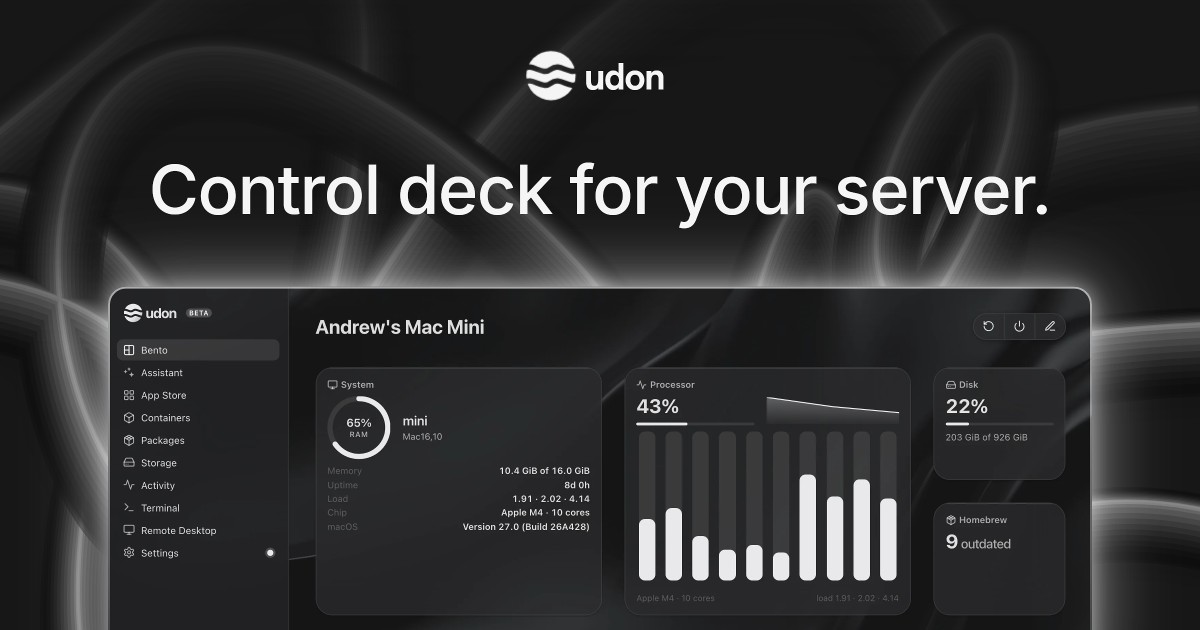
Udon is a control deck for a Mac home server. It turns an Apple Silicon Mac into a home for your files, photos, media, and apps, letting you keep your digital life on hardware you own and manage it all from your browser. It is built for people who want to self-host without leaving the Mac ecosystem: instead of a dedicated NAS, a Raspberry Pi, or x86 server hardware, Udon runs on the Mac you already have. From a single dashboard you can install and run self-hosted applications, manage containers and packages, browse and share storage, open a terminal or the Mac's own desktop remotely, and watch live system activity. An optional AI sysadmin can install apps, check the server, or investigate a problem, and a mobile companion app for iPhone and Android is coming soon. macOS has no dashboard for running self-hosted apps, so anyone who wants to host their own media, photos, or files on a Mac usually falls back to manual SSH work and a container tool such as Portainer, or buys dedicated hardware. Udon adds the missing control layer. A Mac mini idles at a few watts, runs near silent, and still has power to spare for media, photos, and a dozen containers, which makes it a practical always-on home server. Udon exists so that the Mac keeps working as a normal Mac while also serving your files and apps, giving you a single browser-based place to run and monitor everything rather than juggling command lines and separate tools. The AI sysadmin is the feature that sets Udon apart. You can ask it to install apps, check your server, or investigate a problem, and it responds through the dashboard. It is optional and stays off until you turn it on. You choose which AI provider to connect, or run a local model on the same Mac: Udon supports an Anthropic or OpenAI API key, a coding CLI such as Claude Code or Codex, or a local model. By default the assistant asks before every change, and it records its actions in an audit log, so you stay in control of what happens on your machine. This turns routine server administration, which normally requires knowing command-line tools, into a conversation. Containers and Packages let you choose the software your Mac runs. Udon manages Docker images and Homebrew packages in one place, so system utilities installed through Homebrew and containerized applications live under the same roof. It runs standard images from Docker Hub, GitHub Container Registry, or any other registry, on Apple Container (Apple's native runtime) or OrbStack (Docker-compatible). On OrbStack you can also build compose stacks in the visual Composer, which means multi-container setups can be assembled and adjusted graphically instead of by hand-editing configuration. Terminal and Remote Desktop bring your Mac within reach from any browser. You can work on the machine from anywhere, with its terminal and its desktop both available, and your terminal sessions stay open between visits so you can pick up where you left off. Storage and Sharing is the other half of the everyday workflow: keep your files on your own drives, browse and preview them, check drive health, and share folders across your home network as SMB shares. Together these features mean the Mac's files, screen, and shell are accessible without sitting in front of it. The App Store lets you build a photo library, stream your media, or organize documents at home by installing self-hosted apps with their settings pre-filled, or by finding more on Docker Hub and Homebrew. Tailscale lets you take your apps and files with you while your Mac stays home: you connect over your own Tailscale network, and the dashboard gets trusted HTTPS. Activity gives you an at-a-glance picture of how your Mac is doing, following CPU, memory, network, and power use live and showing which processes are running, so you can spot heavy workloads or problems as they happen. Udon installs with a single terminal command, curl -fsSL https://udon.sh/install | bash, and then serves its dashboard in the browser, for example at mac-mini.local:4443. Under the hood it runs containers on Apple Container or OrbStack, and it manages Homebrew packages alongside them. The Mac keeps working as a normal Mac. Udon runs on any Apple Silicon Mac (M1 or newer) with macOS 26 or later, including Mac mini, Mac Studio, MacBook, and iMac; Intel Macs are not supported. Licensing is tied to your Mac's serial number, so there are no accounts to create. The benefit is ownership without administration overhead. Your files, photos, and media stay on your Mac rather than in someone else's cloud, and the dashboard is served over HTTPS while remote access runs over Tailscale, your own private network. If you connect a cloud AI model, it sees what you ask the assistant to work on, which Udon states plainly. Because it is a one-time purchase, there is no subscription to renew, and updates are included. Terminals that persist between visits, live system stats, drive health checks, and the audit log all reduce the friction of running a server at home. Concrete uses follow the apps people host: stream media with Jellyfin or Plex, back up photos with Immich, sync files with Nextcloud, keep passwords in Vaultwarden, block ads for the whole network, archive documents with Paperless, and automate it all with n8n. Udon can also host your development environments and coding agents, which you reach from a laptop or iPad anywhere. The App Store's pre-filled settings make these installs quicker, and compose stacks on OrbStack let the more involved setups be assembled visually. Udon is aimed at people who want to own their digital life and are comfortable starting from a Mac, particularly owners of a Mac mini, which is described as the usual pick for an always-on home server because it is small, quiet, and draws a few watts at idle. It integrates with Docker Hub, GitHub Container Registry, OrbStack, Apple Container, Homebrew, Tailscale, and AI providers including Anthropic, OpenAI, coding CLIs such as Claude Code or Codex, and local models. Udon is free for 5 days with no card required; every feature is included and the trial starts when you install. After that, a lifetime license is $29 one-time (listed at $49, saving $20, 41% off for early supporters), includes every feature and updates, is tied to your Mac's serial number, and comes with a 14-day money-back guarantee. When the trial ends the dashboard locks until you buy a license, while containers keep running and your files and settings stay as they are. Udon's core promise is simple: own your digital life, starting with your Mac. It brings self-hosted apps, containers, storage, monitoring, remote access, and an optional AI sysadmin into one browser-based control deck, so an Apple Silicon Mac can serve your files and media at home while remaining a normal Mac. For anyone comparing it with Unraid, TrueNAS, Proxmox VE, a Synology NAS, Umbrel, CasaOS, or OpenMediaVault, or simply managing things manually with SSH and Portainer, Udon offers a Mac-native, pay-once alternative.