Category Focus/categories/automation
Automation AI Tools
Discover and compare the best automation AI tools and software. Browse 702+ curated tools with reviews and rankings.
Projects tracked
702
Sort mode
RECENT
Page
12
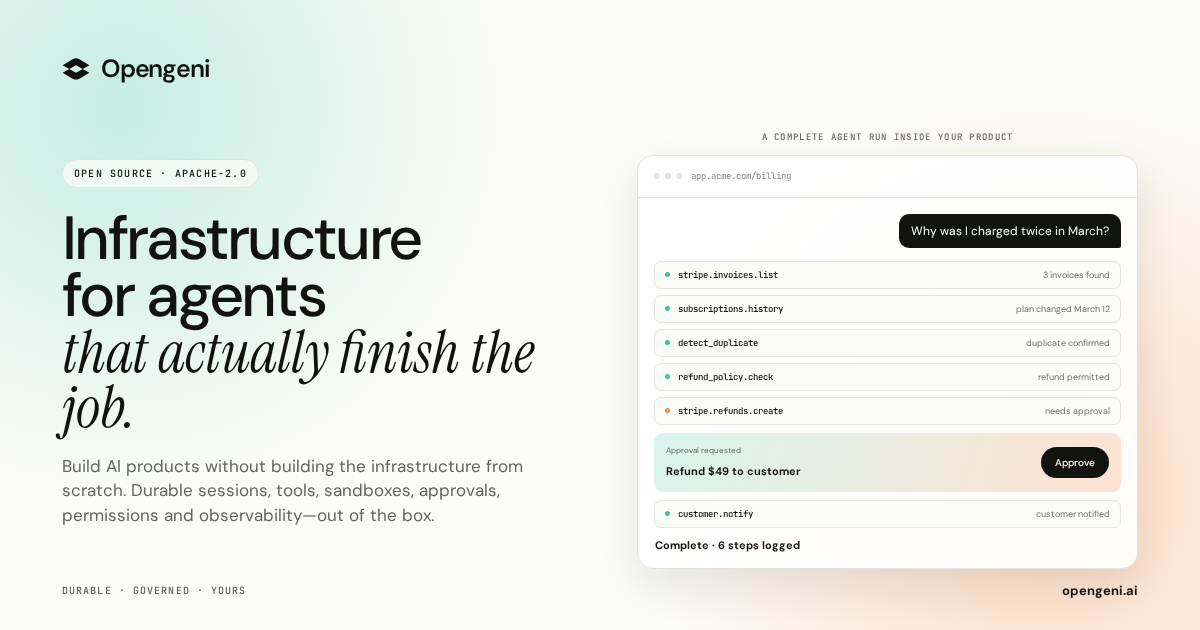
Opengeni is open-source AI infrastructure for putting agents inside your product, built so that you focus on your agents while Opengeni handles the infrastructure around them. It packages the pieces agents need to run in production: streaming, durable sessions, isolated sandboxes, tools, credentials, memory, multi-tenancy and React components. The project is licensed Apache-2.0 and, as the site states, it is built from running agents in production. The same API powers the Opengeni app, your product and your code, so a session can be rendered in the hosted app, embedded in your own interface, or driven programmatically. It is aimed at developers and teams who want to ship an agent feature rather than rebuild chat, sandboxing, credential and tenancy plumbing from scratch. The problem Opengeni addresses is the gap between an agent demo and an agent feature that survives real usage. The site lists the obstacles plainly: one dropped connection and the run is gone; agent code cannot run next to your secrets; every user needs their own OAuth tokens; every API needs wiring before an agent can use it; agents forget everything between sessions; every query has to know who is asking; and a better model ships, leaving you locked in. Each of these is framed as infrastructure you would otherwise have to build and operate yourself. Because the project comes from running agents in production, the emphasis is on the operational realities of restarts, failure recovery, per-user permissions and multiple paying customers rather than on an abstract architecture diagram. Durable sessions are the first thing Opengeni removes from your to-do list. Instead of a run dying when a worker restarts or a user closes a tab, the run keeps going and resumes at the event where it stopped; the site illustrates this with a run resuming at event 128. Sandboxes give the agent code somewhere isolated to execute, shown as a Python script that detects a duplicate charge using a scoped, short-lived token, so agent-generated code never sits next to your secrets. Credentials are handled per user, with connections to services such as Stripe, GitHub and Google Drive, and tokens that are refreshed automatically rather than pasted into prompts. Together, these three pieces mean an agent can be interrupted and still finish, can run code safely, and can act on behalf of one specific person without leaking long-lived secrets. Tools and MCP are how Opengeni connects agents to real systems. You point it at a specification such as billing.openapi.yaml and it exposes operations like invoices.list, refunds.create and customers.get as tools the agent can call; the site presents this as installing three tools from one file. That removes the manual wiring every API would otherwise need before an agent can use it. Memory is out of the box: agents learn from past sessions, so preferences such as refunds going to the original card, invoices being sent by email, or billing in EUR from April are retained, and the illustration labels memory entries with scopes such as Workspace and User. Memory removes the need to re-explain context in every conversation and lets an agent improve as it is used. Multi-tenancy is built in with row-level security, so every query knows who is asking; the illustration lists separate customers such as Acme, Globex and Initech. This means one deployment can safely serve many customers, which matters when you embed an agent for each of your own accounts. Opengeni is also model-agnostic: you can run agents on OpenAI, Azure OpenAI, OpenRouter or your own OpenAI-compatible endpoint, and swap between them so a better model shipping does not lock you in. Alongside these, the Product Hunt description highlights sessions that recover from failures, isolated sandboxes, 100+ integrations, human approvals, and visibility into every step and dollar spent. Opengeni is designed as a single API with multiple surfaces. The same session the Opengeni app renders at app.opengeni.ai can appear inside your own product or be driven from code. The code surface uses the @opengeni/sdk and @opengeni/react packages, with a provider, a session conversation component and a compiled stylesheet. The documented pattern is that your backend holds the API key and proxies the session routes, so the key never reaches the browser. Streaming, tool steps and the composer ship with the component, and these are the same packages the Opengeni app is itself built on, which keeps the embedded experience consistent with the hosted one. The React components are meant to be restyled in seconds. A single CSS custom property recolors every surface, and further variables control corners and typography, with accent options such as teal, violet, orange, blue, pink and graphite, corner styles ranging from sharp to soft to round, fonts such as DM Sans, Archivo and Mono, and a light or dark theme flipped by one attribute. A theme is applied with a wrapper class and a data attribute, so the agent adopts your existing design system instead of looking like a bolted-on widget. The site also includes an integration guide for embedding the assistant in your product and for keeping the key on your backend. Deployment is a choice between speed and control, and both options run the same Opengeni. Opengeni cloud is the fastest start: sign in and go, and you pay model cost plus 5%. Alternatively you can self-host the Helm chart on any Kubernetes, with Terraform for AWS, Azure and GCP, cloning the project from the Cloudgeni-ai/opengeni repository. Both paths share the same Opengeni API, workers and web app, so moving between them does not mean rewriting your integration. For the Product Hunt launch, the first 100 users receive $100 in cloud credit with the promo code PRODUCTHUNT100. The benefit is time to a working agent feature rather than a working demo. Sessions that survive failures mean users do not lose work when infrastructure hiccups; per-user credentials mean an agent can act with the right permissions for the right person; sandboxes mean agent code is contained; memory means the agent carries context forward; and multi-tenancy means the same deployment can serve many customers safely. Because streaming, tool steps and the composer come with the React component, the visible product experience is a few lines of code instead of a custom chat stack. The result is that engineering effort goes into the agent's behaviour and domain logic rather than into session durability, tool wiring and credential storage. The site's concrete example is a billing assistant. A customer asks why they were charged twice in March; the agent lists invoices, finds a duplicate, and issues a refund, then explains that two $49 charges landed on March 12 and that the refund will be back on the card in a few days. The same scenario is shown running in the Opengeni app, inside a customer's billing portal, and from React code. Other sessions listed in the app include a weekly churn summary, updating a refund policy document, and triaging failed webhooks, showing the same infrastructure applied to recurring analysis, internal document work and operational triage. Opengeni targets developers and engineering teams building AI agents into real products, and the Product Hunt topics are Open Source, Developer Tools, Artificial Intelligence and GitHub. The stack shown in the content is React and TypeScript on the client with CSS variables for theming, a backend that holds API keys, and Kubernetes, Helm, Terraform, AWS, Azure and GCP for self-hosting. Integrations named in the content include Stripe, GitHub and Google Drive, with other capabilities exposed as tools from OpenAPI specifications such as billing.openapi.yaml. Opengeni's promise is straightforward: agents in your product, infrastructure out of the box. By providing durable sessions, isolated sandboxes, credential handling, tool and MCP wiring, memory, multi-tenancy, model freedom and themable React components as one open-source, Apache-2.0 package that runs in the cloud or in yours, it shortens the distance between an agent idea and an agent feature your customers can actually use.
LaunchReel is a Claude Code plugin that edits talking-head videos and generates launch videos for your real product. According to the product's website, you record yourself and Claude cuts the footage, adds captions and zooms, and builds visuals around what you say; you can also pin a comment on any frame and it fixes just that spot. It is aimed at founders, makers and small teams who need finished videos for a product launch, without doing a manual editing pass themselves. The site positions it as a way to get a professional-looking video out of a raw recording and out of your own repository. The problem it addresses is the gap between describing an edit and actually getting it. In the site's own comparison, using Claude Code alone means that to fix one thing you describe it, wait, and render again; a small edit costs another prompt; there is no sound; the Reels version means starting again in portrait; and getting an MP4 means setting up a renderer yourself. LaunchReel is presented as the layer that removes each of those steps: you pin a comment on the frame instead of writing a prompt, you click text to change it, you get original music and voiceover, you say "make the 9:16 version," and you press Export. That framing matters because it turns video editing from a back-and-forth prompting loop into a visual, direct-manipulation workflow while keeping the automation. The core editing capability is on talking-head footage. LaunchReel cuts the fillers, pauses and retakes out of a recording, then — according to the site — listens back to check every cut before adding captions and zooms. That sequence is what makes the output usable: filler removal alone can leave awkward jumps, so the verification step is described as a check on each cut, and captions and zooms are layered on afterward to keep attention on the parts that matter. Recordings up to 5 minutes are supported on the Creator plan and up to 10 minutes on Pro, which sets the practical ceiling on a single talking-head project. The Studio is the manual-editing surface, and it opens while Claude works. It runs locally at localhost:4747 and gives you a live preview with sound. The site's headline example is pinning a comment on any frame — the preview shows an instruction such as "make this bigger" attached to a specific moment — and Claude then fixes just that spot. Alternatively, you can click text and change it directly, with no prompt involved. The Studio is also where structure becomes visible: the preview shows the narrative beats Hook, Problem, Demo, Proof and CTA, so you can see how the video is organised as you work. The selling point the site makes is that small fixes cost no prompt, which keeps iteration cheap once the first edit exists. Alongside talking-head editing, LaunchReel writes launch videos. Claude writes every scene as code for your real product, taken from your repository, rather than from generic stock. Those videos come with original music and voiceover — the pricing page describes this as an original score and studio voices — so the finished film ships with sound rather than silence. LaunchReel also adds what the site calls a director's playbook, described in the Creator plan as "the full playbook, always current." If you are not using Claude Code, the site offers a separate path: you can generate a video from a template. The workflow is deliberately short. First, you say one sentence — the example given is "cut this recording into a reel" — and Claude does the first edit. Second, the Studio opens while Claude works, so you can watch the video build rather than waiting blind. Third, you make it yours: pin comments or edit directly on the frame, then export when it's right. Setup is also minimal and command-line based: you run "/plugin marketplace add gajanansr/launchreel-plugin" and then "/plugin install launchreel@launchreel", one at a time, with Node 20 or later installed. Because the Studio runs on localhost, the editing happens on your own machine; the site notes that Claude's work uses your own Claude plan, while edits you make in the Studio do not. Talking-head projects keep working copies of your recording and use roughly 0.07 GB per minute of 1080p, and LaunchReel tells you the cost before it starts. The stated benefits follow from that workflow. Fixing a detail no longer requires describing it, waiting and re-rendering — you mark the frame. Changing wording no longer requires a prompt — you click the text. Portrait versions no longer mean a separate edit from scratch — you say "make the 9:16 version." Sound is included through original music and voiceover. Export is a button rather than a renderer you configure yourself. And output is finished to the format you need: 16:9 or 9:16, up to 4K, with 2K and 4K available on Pro. Concrete scenarios from the site include cutting a raw recording into a reel, producing a launch film describing your real product, making a demo video, and generating the vertical 9:16 version for Reels or Shorts from the same project. Because fixes and re-renders within the same month do not count as another video, the product is also suited to iterating on one video — re-rendering it and re-voicing it — until it is right. The template option covers people who want to generate a video without using Claude Code at all. Pricing is structured around projects. A free trial lets you make one full video with every feature, exported in 1080p with a small watermark in the corner. Creator is $19 per month after a founding discount (50% off the first three months with code FOUNDING50) and includes 5 videos a month, no watermark or end screen, 1080p export, talking-head recordings up to 5 minutes, original score and studio voices, the full playbook, and use on up to 2 computers. Pro is $49 per month and adds 20 videos a month, 2K and 4K export, recordings up to 10 minutes, use on up to 3 computers, and early access to new looks and features. Team is $149 per month with everything in Pro, 80 videos a month, up to 10 computers, and one invoice. A video is one project; fixing, re-rendering and re-voicing it in the same month do not consume another video, and the count resets on the first of the month. Plans renew monthly and can be cancelled anytime; prices are in USD, billed monthly by the reseller Dodo Payments, which handles tax and invoices. In short, LaunchReel's value proposition is that Claude does the editing work while the product supplies the parts that make the result shippable: a Studio for direct fixes, a director's playbook, original music and voiceover, and export in 16:9 or 9:16 up to 4K. For a founder or small team that records talking-head videos and needs launch videos for a real product, it collapses editing, sound and export into a short, mostly automated flow.
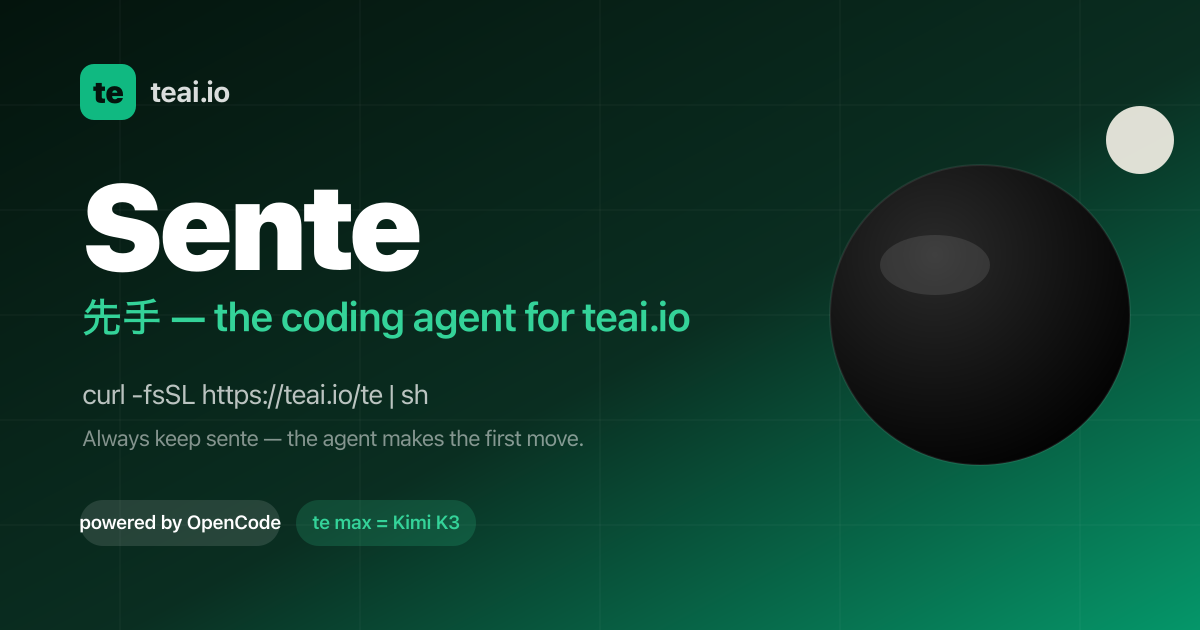
Sente is teai.io's official coding agent CLI, described as a thin launcher over OpenCode (MIT, 203k GitHub stars). One curl line installs it, and every teai.io model becomes an agent in your terminal. It is built for people who work in a repository rather than a chat window: Sente reads and edits the files in your repository, runs commands, and reports back. It sits in the teai.io CLI family alongside te, which you type at, and fuseki, which watches without being called. Sente itself is free; usage is metered through teai.io credits, and the site states the limits honestly rather than promising unlimited use. The starting point is the gap between a chat app and an actual working agent. A chat interface can answer questions, but it cannot reach into the files in your repository, run commands on your machine, or report back on what changed. Sente is built to remove that gap, and to do so without a conversion layer: teai.io is natively OpenAI-compatible, and Sente, being OpenCode-based, speaks OpenAI-compatible natively, so tool calls travel through teai without a translation step — zero conversion layer, nothing to break when routing through teai. The other half of the problem is trust and cost: agents fail, retries multiply, and metered usage can feel opaque. Sente's answer is billing that ignores empty responses and refunds failed paid media jobs and failed MCP tool calls, plus a safety model that asks before anything destructive. Sente is deliberately not a fork. The install is one line — curl -fsSL https://teai.io/te | sh — which installs OpenCode if it is missing and points OPENCODE_CONFIG at a teai.io-generated config. On each launch Sente syncs the teai.io model catalog, so upstream OpenCode improvements arrive without the project having to maintain a diverged codebase. A coding discipline file, sente-rules.md, is auto-written to ~/.config/teai/ and injected into every session, mechanically enforcing rules such as read before you write and always ship a deliverable. The command is short — te — and a sente alias is also installed. Setup continues with te login using a free API key obtained at registration. Sente exposes 380+ models on a single account and makes switching a one-line affair. The daily driver is glm-5.2 at roughly ¥0.34 per task; quality-critical work routes through te lux to the Claude/OpenAI flagship (Fable 5); hard tasks use te max on Kimi K3 (2.8T, 1M); and DeepSeek V4 Pro comes in around ¥0.03 per task. One base_url decides routing, which is how the product aims to stay cheap without breaking quality, and a task is measured as approximately 1K input plus 500 output tokens. Because the endpoints are OpenAI- and Anthropic-compatible, existing tooling patterns carry over, and the API-compatible endpoints never store request bodies — only metadata, kept for 90 days. Voice is a first-class input. te talk starts a voice conversation: you say what you want done and Sente reads its reply back to you, on macOS, Linux and WSL. Enrollment takes about one sentence — roughly ten seconds — and is consent-first: the delete key is yours, and teai.io states that it never clones a voice that isn't yours. For work that outlasts a laptop session, Sente Cloud at sente.teai.io runs in your browser on a cloud workspace; you sign in with an emailed one-time code, and closing your laptop doesn't stop the work. Optional GUI apps are installed explicitly with te app install sente for a menu-bar Sente.app, te app install koe for an always-listening Koe.app, or te app install both, and they are placed in /Applications only when you run that command. Safety is expressed as a three-tier risk model shared across the family: reads run automatically, writes are treated as reversible and proceed, and anything in the delete, send, publish or pay category asks first. fuseki, the third stage of the CLI family, is in Alpha and inherits the same tiers: it keeps an eye on your board — human-gates, recent repos — without being called, and only thinks and logs plus speaks a suggestion when something actually changes. It defaults to proposing only and never executes on its own; te stop stops it. The design intent is stated plainly: the agent moves before you do, but the risky moves still need you. Privacy is handled locally and is opt-in. te privacy scrub on masks emails, phone numbers, addresses, API keys, private keys and high-entropy tokens — plus names harvested from your Contacts dictionary with te privacy scrub harvest, Japanese honorific heuristics and Apple's on-device name recognition — on this Mac before the request reaches teai.io. The cost is about 0.1 ms per request with no local LLM required, and the reply is restored before it is shown. teai.io is explicit that this is not a guarantee of complete detection: Japanese given names without an honorific or a dictionary entry are not caught, and the optional Ollama layer (--llm) exists but is slow. Enterprise concerns are covered by invoice billing and a DPA, with BYOK in preparation. Five beta skills, announced for 2026-08, are backed by a reference corpus of 748 Q&A entries searched with lightweight retrieval — semantic embedding plus a relevance cutoff — before the model answers. te legal covers Japanese law with 259 entries across 21 topics and is cross-checked against actual e-Gov statute text, returning no match rather than fabricating; te security covers secure coding with 131 entries across 13 topics such as SQLi/XSS/CSRF mitigation, auth, secrets management and dependency vulnerabilities; te freelance covers 125 entries on contract checkpoints, Japan's invoice system, tax filing and social insurance; te infra covers 117 entries on Fly.io, Docker, CI/CD, SQLite/libsql, DNS and TLS, including real gotchas teai.io hit running this exact stack; and te license covers 116 entries on MIT/Apache/GPL-family licenses and AGPL's SaaS network clause. They are callable as te legal "question" or straight from the API by passing a model such as shitate/legal to /v1/chat/completions. The practical benefits are deliberately narrow and concrete. Nothing is billed for failure: empty responses are not billed, and failed paid media jobs and failed MCP tool calls are refunded in full, so you pay for results rather than errors. Cost control is explicit — cheap models for routine work, flagship routing for quality-critical work, and a maximum-performance tier when a task is hard — all switched with one line rather than a new subscription. Work continues while your Mac sleeps through Sente Cloud, discipline is enforced mechanically through sente-rules.md, and privacy scrubbing happens on-device before anything leaves the machine. Concrete workflows follow the same pattern. In a terminal you can run te run "explain this repo" for a one-shot explanation, ask te run "refactor this function" to edit code in place, or hand an agent a file generation task; switching to te max puts a hard task on Kimi K3. Away from the keyboard you can start te talk, describe the task out loud and hear the reply read back. For work that must keep going, Sente Cloud runs in the browser on a cloud workspace while the laptop is closed. Mid-implementation you can sanity-check risk with te security "how do I prevent SQL injection?"; outside code you can ask te legal about a statutory reserve share, te freelance how to register for Japan's invoice system, te infra how to set a secret on Fly.io, or te license what to watch for when using AGPL in a SaaS. Language settings also matter for Japanese and English users: /language (or /lang) switches the language dialog and skill list, /skills searches skills by display name, description or skill ID, and the initial language follows your terminal locale. Sente itself is free, and teai.io runs on credits. The Free plan gives 100 credits on signup with no credit card required — enough for roughly 300,000 short chats on Qwen3.7 Flash or about 2,000 on glm-5.2, at 1K input plus 500 output per task. Pro is ¥4,350 per month (about $29 USD) with 30,000 credits, and Business is ¥14,800 per month (about $99 USD) with 100,000 credits. Usage is metered rather than unlimited, and you top up monthly credits if you go over; invoice billing and a DPA are available, with BYOK in preparation. It runs on macOS, Linux and WSL (Windows through WSL), is Japan-built with a Tokyo region, JPY billing and Japanese support, and the source is MIT-licensed at github.com/yukihamada/sente. Documentation lives at teai.io/docs. Sente's proposition is narrow and consistent: one line to install, one account for 380+ models, three ways to call an agent — by typing, by speaking, or by letting fuseki watch — and a billing and privacy stance that refuses to charge for failures. For developers who want an agent inside their repository rather than inside a chat window, it is a thin, updatable, honestly metered layer over OpenCode.
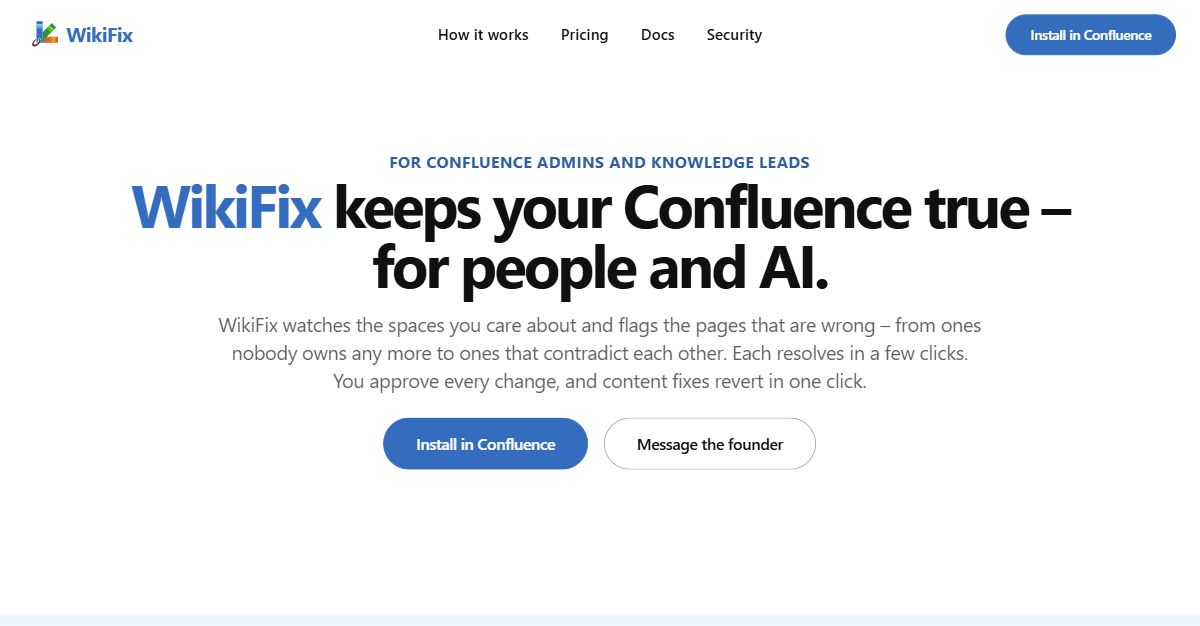
WikiFix for Confluence is an app that keeps a Confluence wiki accurate — for the people who read it and for the AI tools that answer from it. It watches the spaces you care about and flags the pages that are wrong, from pages nobody owns any more to pages that contradict each other, and each finding resolves in a few clicks. It is aimed at Confluence admins and knowledge leads, and its purpose is simple: make sure the documentation your team depends on is true. The problem WikiFix addresses is drift. Documentation quietly stops matching reality: an incident runbook tells you to SSH into a host that no longer exists or restart a service that was renamed, a developer setup guide sends a new hire through screenshots and links that are long dead, and an HR handbook states that ten days of unused leave carry over while the leave policy says five. The page you need most in the moment is often the one that has rotted. There is also a newer risk: Rovo and every copilot answer from the same Confluence your team does, so whatever mistakes live in your docs get repeated back — and acted on — confidently and at scale. The practical blocker is scale: as the site states, you can't read 5,000 pages to find the ten that are wrong. WikiFix's first job is to find what is actually wrong, not just what is old. It is explicitly not a date filter. Instead it reads the content and finds the pages that disagree with each other, then lays the claims side by side, quoted from each page, so you can settle which one is right. In the example shown in the product, a finding about how many days of unused leave carry over lists the claim of "5 days" with the pages that state it and the claim of "10 days" with the pages that state it, so the conflict is visible before you decide anything. WikiFix only surfaces findings it is confident about, which keeps the review queue meaningful rather than noisy. Reviewing and fixing is designed to avoid busywork. Each finding is reviewable without opening the page: you pick the answer that's right, WikiFix writes the fix, you check it and click, and every page that disagrees is corrected. The product shows exactly what will change before it changes — for example, showing both the leave policy page and the onboarding checklist being updated to the chosen answer. Nothing happens without you: WikiFix writes nothing until you approve it, and a content fix reverts in one click, so the page goes back as it was. Reassigning the owner of an abandoned page is the one action that does not undo, and the card tells you before you click. Findings that reference a page you can't access are hidden. Today WikiFix catches three kinds of problem. Pages contradict each other — you choose which claim is right and every page that disagrees is corrected. Duplicate and near-duplicate content — you pick the page and unique facts that survive, and the rest fold and point to the source of truth. And the page owner has left — the scan spots an orphan and you reassign it in one click. If the page isn't yours, Ask owner posts an inline comment that lays out what each page says, @mentions the owner and the space admins, and moves the finding to the Escalated tab. A weekly scan summary is emailed to you with a per-space table showing the change versus the last scan and the number of open issues. WikiFix is also building detection for pages that contradict the live code, and has on its list broken links, buried important facts, the same thing called three different names, docs split across Confluence and Notion, and docs that live as Markdown in Git repos. WikiFix runs inside the Confluence you already have, so there is no migration and no new tool to roll out. It scans the spaces you care about — the product's own interface shows spaces such as Engineering, Product, Support, IT runbooks, People and Sales, each with its scan status and counts of conflicts, duplicates or unowned pages. Scans only spend credits on pages that are new or changed since the last scan, and billing runs through the Atlassian Marketplace on its per-user model. Every install starts with $50 of scan credits. The Advanced plan adds more credits for larger or busier wikis and the option to run scans on your own Anthropic key. The stated outcome is that people trust what they find in Confluence again. WikiFix keeps runbooks current so the page is right when you reach for it, turns a sprawling wiki into docs your team can actually follow, and makes the wiki a source of truth your AI can rely on. Because review happens on signal — concrete contradictions to act on — rather than on a calendar, teams stop re-reading the same spaces every quarter hoping to catch something, and nobody goes numb to the process. Concrete scenarios run through the product's own examples. An on-call engineer pulls up a payments outage runbook at 02:14 and finds half the steps no longer match reality — WikiFix finds and reconciles those pages so the runbook is right when it is needed. A new hire works through a developer setup guide step by step and hits dead links and missing files; the guide can be kept true instead. HR content that disagrees on leave carry-over between a handbook and a policy page can be settled in one review. And teams whose AI assistants answer from Confluence can reduce the chance that a copilot repeats and acts on a mistaken document. WikiFix is positioned for Confluence admins and knowledge leads, and its feedback form asks users to identify as a Confluence or space admin, a knowledge or documentation lead, an IT or sysadmin, or engineering/platform — with company Confluence sizes from under 100 to 2,000+ users and common pains listed as outdated pages, pages that contradict each other, factual errors and compliance. It is delivered as a Confluence app installed from the Atlassian Marketplace, and it is built around Confluence as the place docs live. Pricing is credit-based: roughly $0.10–$0.20 per new or changed page on average, with credits spent only on pages that are new or changed since the last scan. Standard costs $1.68–$0.29 per user a month with everything WikiFix does and a monthly credit allowance sized for an average wiki; Advanced costs $6.70–$1.15 per user a month with more credits and the option to use your own Anthropic key; Custom lets you adjust volume to your needs. Every install starts with $50 of scan credits. WikiFix's core promise is control without busywork: it finds the contradictions, duplicates and orphans that make a knowledge base untrustworthy, presents them for a decision you make in a few clicks, and changes nothing until you approve it — with a one-click revert if you change your mind.
Octri is a platform that takes a single OpenAPI specification and generates four connected products from it: a documentation site, client SDKs in ten programming languages, an MCP server for AI agents, and production monitoring. It is built for API teams and developers who want their API documentation, client libraries, and agent tooling to stay current without maintaining separate pipelines for each. The core promise is that one spec generates all four products and keeps them in sync, so there is never a second place to go and update when something changes. The problem Octri addresses is what happens after an SDK is published. As the site puts it, that is the moment code leaves your visibility: it runs on someone else's machine, fails on someone else's machine, and you hear about it in a support ticket three days later. Without monitoring of any kind, the typical timeline is three days with the integration still broken in production, no visibility into what went wrong, and angry support tickets stacking up. The stated alternative with Octri is a nine-minute window to a shipped fix with zero support tickets and nobody noticing. The broader context is that APIs are increasingly consumed not only by human developers reading docs but also by AI agents, which, without a structured source like MCP, integrate an API from memory and hallucinate its surface. API Studio generates documentation from the spec, with AI writing the first draft for every endpoint that you then edit like a document, so nobody has to open the YAML. It produces three-column endpoint pages with schema trees that open a level at a time, a live try-it playground on every endpoint, MDX guides alongside the generated reference, and support for your own domain on every tier including Free. Changes are stored per page, so a new spec revision only disturbs the endpoints that actually changed, and regeneration works around your edits. The generated docs also run an OpenAPI readiness audit, scoring a spec out of 10 against the same rules SDK Studio uses, surfacing missing schemas, undeclared path parameters and awkward method names before anyone generates a client. Fourteen rules are checked, covering things like successful responses declaring a schema, unique operationIds, path placeholders having parameters, a declared server URL, described authentication, shared models in components and referenced with $ref, and documented request bodies. SDK Studio generates idiomatic client libraries in ten languages: TypeScript, Python, Go, Java, Dart, Ruby, PHP, Rust, Swift, and Kotlin. Each language gets per-language config for namespaces, pagination, idempotency and code style, so you can rename methods, exclude endpoints, pick your HTTP engine and folder structure. You can write custom hooks compiled into the client, available as beforeRequest and afterRequest, and the generator handles included capabilities like pagination and streaming. SDKs auto-publish to the registries their users already install from: npm for TypeScript with type definitions generated from your spec and a choice of fetch or axios; PyPI for Python, async first with optional sync variants; git tag distribution for Go with standard library HTTP; Maven Central for Java, signed, under a groupId on a domain you own; pub.dev for Dart, for Dart and Flutter alike; RubyGems for Ruby with a class-style client; Packagist for PHP so Composer installs it; crates.io for Rust with doc comments becoming rustdoc; git tag and Swift Package Manager for Swift, with no registry account; and Maven Central for Kotlin with OkHttp or Ktor. Build history shows exactly what shipped and when. Monitoring has two ways in: flip it on and the telemetry compiles into your generated SDKs, or drop the standalone package straight into your backend. Either way there is no agent to deploy and nothing to instrument. Monitoring is off by default and switches on from the dashboard. It provides logs you can query directly by level, route, status code or release; issues grouped by fingerprint, each with the function and file that threw it; traces showing one request end to end across client, server, cache, database and queue, with the slow span called out; a service map of every service, the calls between them, and the error rate on each edge; N+1 query detection that finds the same query fired in a loop and counts it across traces; synthetic uptime probes on a schedule with run history behind every endpoint; and alerts that fire on burn rate and regressions so a single stray 500 never wakes anyone. Errors are traced to a commit. The site describes alert examples including a checkout 5xx spike with a threshold of 25 in 5 minutes, a new-issue alert on first sighting, a regression watch when a resolved issue starts erroring again, auth failures at 100 in 15 minutes, a latency guard at 50 in 10 minutes, a rate limit surge at 200 in 5 minutes, webhook delivery failures, and transcription timeouts. Security is handled by redacting credentials and identifiers on the client side before an event leaves your process, then again at ingest, covering tokens and direct identifiers such as email, phone and IP, with personal context waiting on your app's consent under a pre-signed GDPR Article 28 DPA. The MCP server turns your API into context and callable tools for Claude, Cursor and any MCP client. Seven documentation tools let the agent search, read and navigate your docs, and there is one callable tool per endpoint so the agent can hit your API for real. The server is curated by SDK Studio, so your exclusion list becomes the agent's permission list, and installation is one line: npx @octri/mcp, with nothing to host. The unique approach across all four products is that they share one source. Deprecate an endpoint in API Studio and the SDKs mark the method, the agent tools stop offering it, and monitoring shows you who still calls it. Add a language, cut a release, or push a new spec and the same thing happens. Nothing republishes behind your back: a spec change produces a draft and a diff of what moved, you approve it, and that is when new SDK versions reach the registries. The stated outcomes for users are visibility into integration failures before support tickets are filed, faster time from spec change to shipped fix, and consistency across docs, SDKs, agent tools and monitoring without manual synchronization. The site frames the shift as moving from three days of an unnoticed production failure to a fix shipped in nine minutes. For migrating teams, the importer reads an existing config file, bringing across navigation, custom pages, SDK settings, endpoint overrides, and theme and logotype, so you do not start from a blank project; a call with the team and onboarding help are both free of charge. Concrete use cases described in the content include integrating with an API through an agent: a user asks an AI assistant to integrate with Acme's Assistants API, the agent connects through the Octri MCP server with 15 tools over MCP and the npx @octri/mcp command, searches the docs, finds relevant pages, reads the POST /v1/assistants body schema, and wires it up with a TypeScript SDK package. A second scenario runs the same flow through a Python SDK, adding an assistant that answers billing questions, calling POST /v1/assistants and using the acme.assistants.create() method from a Python package. A third use case is writing a payment integration against a reference that shows GET /payments with limit, order, after and before query parameters, a paginated response with data, first_id, last_id and has_more, and a generated TypeScript SDK request example. Monitoring use cases include triaging grouped errors like a TypeError on GET /assistants/{assistant_id} with event and user counts and a last-seen time, tracking a regressed rate limit error, and routing alerts to Slack channels or ops webhooks. The spec audit is its own use case: pasting an OpenAPI URL and getting a score out of 10 with every missing schema and undeclared path parameter listed, optionally publishing the score at a public octri.dev address for public specs only, with the document not stored. The target audience spans indie developers shipping real APIs, growing teams shipping fast, and scaling products that need more, with the pricing tiers named Starter, Growth and Business respectively, plus Enterprise for unlimited scale with SLA guarantees. Plans are not per-product, so you can leave one of the four switched off and turn it on months later without redoing existing setup. The Free tier covers side projects and first APIs with one SDK language, 50 API endpoints, 100 one-time AI credits, 100 MB of monitoring ingress per month, AI-enhanced docs and chat, GitHub sync, custom domain and registry auto-publish. Growth at $99/mo adds four SDK languages, 300 endpoints, 2,500 AI credits, 5 GB ingress, versioning and custom code and components. Business at $249/mo adds all ten languages, 600 endpoints, 5,000 AI credits, 20 GB ingress, white-label and SDK CDN hosting. Enterprise adds SSO/SAML, unlimited scale and the ability to self-host the generator and docs renderer in your own infrastructure. Extra SDK languages are a flat $50/mo add-on, and annual billing saves 15%. Support ranges from Community on Free to Email, Priority and Dedicated on higher tiers. Everything Octri does starts from a specification you already have written. Whether you need readable docs, installable SDKs across ten ecosystems, agent-callable tools, or visibility into production failures, the same spec drives it all and keeps driving it as it changes, which is the value proposition the platform is built to reinforce.
Firetower is an open-source, self-hosted control plane for coding agents. It lets you run any coding agent — including Claude Code and Codex — on your own servers and manage them from a desktop or mobile client, from anywhere. You give Firetower a machine you can SSH into and a repository, and it handles the rest: picking a host, cutting a branch, making a worktree, starting tmux, launching the agent, and keeping it running. The product is aimed at developers and teams who want to run coding agents on infrastructure they control rather than on the device they start the work from. Its main purpose is to run coding agents on servers you own, keep them running reliably, and tell you the moment a session stops being useful without you. The problem Firetower addresses is that coding agents traditionally run on the device you started them from. If your laptop closes or the app crashes, the work is interrupted. Firetower changes that by running the agent on a server instead. Because the agent runs on your server, not on the device you started it from, every device can pick up exactly where another left off. Closing your laptop costs nothing, because the agent never ran on the laptop. Firetower also treats failure as something each part can experience on its own: if the Firetower server goes down, the workers keep running; if a worker dies, the worktree is still there, and your branch and every file the agent changed remain on that machine. By making each part independently resilient, the work survives every one of these failures. Firetower brings an entire workflow into one place. The flow runs from issue to shipped: you start from your Issues and Linear tickets, your agent runs your worktrees, you preview and annotate, and then you commit and open a PR. Firetower reads from your trackers as you look, and starting a ticket opens a workspace. A ticket list shows items such as "Add a dark mode toggle," "Fix the invite link on mobile," and "Rate-limit the webhook receiver," each with an ID, team, and how recently it was updated, with a Start action. This workflow ties the tracker, the agent, the diff, and the pull request together so the whole path from a ticket to a shipped branch stays in one surface. Firetower is designed so you can run remotely and close your laptop anytime. The agent runs on your server, not the device you started it from, which means you can pick up your phone and continue. If your laptop closes or the app crashes, nothing happens to the agent, because it never ran on the laptop; open Firetower on any other device and the conversation is exactly where you left it. If the Firetower server goes down, the workers keep running, and when the server comes back it catches up on everything that happened while it was away. If a worker dies, the worktree is still there — your branch and every file the agent changed are on that machine, and Firetower still knows about them, so you can restart the worker and carry on. Firetower runs your favorite agent on your favorite hardware. It reaches each machine over SSH and starts a worker there, and the agents run on that machine — in tmux, on their own worktree. Clients are available for macOS, Windows, iOS, and Android. Firetower is written in Rust and is described as the most efficient ADE on the market, with a small core, no accumulating terminal daemons, and workspace memory ceilings where the host supports them, built for work that keeps running. Its resource profile is presented in comparison charts: Firetower Desktop uses about 50 MB where a competing app and daemon report roughly 1.5 GB idle (30× more efficient); a Firetower worker uses about 5 MB with the agent CLI separate, where a competing agent process reports about 500 MB per agent (100× more efficient); and the Firetower control plane uses about 200 MB where a competing service reports about 1 GB after restart (5× more efficient). Firetower's unique approach rests on the idea that workers are authoritative. Workers write what happened to their own log before reporting it, and when the control plane comes back it asks for everything since the last thing it saw — so a closed laptop costs nothing and a reconnect is a replay, not a guess. The worker never opens a port: it reads frames from stdin and writes them to stdout, so who dials is a transport detail — a child process, a container exec, or SSH. The daemon cannot tell the difference, and neither can a firewall. In the architecture, desktop and mobile apps connect over HTTPS to the Firetower control plane, which is one compose file on a server you already own; the control plane then reaches machines over SSH, including a Mac Studio worker with tmux and git running Claude Code and Codex, and a Hetzner VM worker running Claude Code. Session indicators show a session that has stopped and needs you, one still working with nothing to do, and the SSH path the app uses to reach a machine you own. The benefits follow directly from this architecture. Because agents run on your own servers, closing your laptop costs nothing and you can continue from any device. Because each agent is on its own machine and in its own worktree, failures are isolated, and the work survives each of them. Because Firetower tells you the moment a session stops being useful without you, you can stop watching agents that need nothing and focus only on the ones waiting on you. Because workers are authoritative and reconnect as a replay rather than a guess, the state you see reflects what actually happened. And because Firetower is written in Rust with a small core and a small memory footprint, it is built for work that keeps running without consuming the resources a heavier tool would. Concrete scenarios include starting a task from a Linear or GitHub ticket so the agent begins work in a workspace automatically; running an agent on a Mac Studio or a Hetzner VM over SSH while you continue from your phone; closing your laptop mid-session and reopening the conversation on another device exactly where you left it; reviewing a diff and annotating it before committing and opening a pull request; and restarting a dead worker and carrying on because the worktree still holds the branch and every changed file. The workflow from issue to shipped — start from Issues and Linear tickets, run worktrees, preview and annotate, commit and open a PR — covers the day-to-day path a developer follows with an agent. Firetower is built for developers and teams who want to run coding agents like Claude Code and Codex on infrastructure they control. It integrates with trackers and source control: you start from your Issues and Linear tickets, and GitHub is among the connected sources (you can commit and open a PR). Its tech stack includes Rust as the implementation language, plus tmux, git, and SSH as the mechanisms that run agents each in their own worktree on a machine you own; the control plane is described as one compose file on a server you already own. Firetower is open source and self-hosted with no account required, and it installs in about five minutes on your server with a simple install command. Firetower's primary value proposition is control: it runs any coding agent on your own servers, from anywhere, and keeps the work running even when your laptop, the server, or a worker fails. By combining a self-hosted control plane, an issue-to-PR workflow, authoritative workers, and a small Rust core, it lets developers use the agents they already prefer on the hardware they already own — open source, no account, and built for work that keeps running.
Vitra.ai Universe is an agentic content platform that replaces a fragmented stack of content tools with one connected workflow. According to the website, it lets teams create, translate, personalize, review, and publish videos, images, documents, websites, and app content without jumping between tools. The site positions Universe as a way to "do the work of 12 AI tools in one place," and states that it is trusted by more than 120 enterprises globally. It addresses organizations whose content spans many languages, formats, and markets, including marketing, product, learning and development, and customer support teams. The core purpose is to keep the whole content workflow in one platform, with AI agents handling the repeat work while the team reviews what matters. The site emphasizes that you can start free with no credit card and build your first workflow in minutes. The problem Vitra.ai Universe addresses is tool sprawl and manual handoff. The website contrasts a "before" state of 23 manual handoffs and 12+ disconnected tools with one connected platform and unlimited content workflows. It lists the tools teams currently stitch together: asset manager, video editor, dubbing tool, image editor, image translator, translation app, CMS tool, lip-sync tool, personalization tool, website translator, app translator, Adobe apps, Figma, Canva, Office 365, SEO tool, spreadsheet, and document tool. The described consequence is people stuck between the tools, with files labeled "final_v7_revised," the recurring question "which version?", export-and-upload cycles, and missing context. The platform's stated intent is to stop video, images, documents, websites, and apps from being separate production lines by making them read and write the same brief, memory, brand system, approvals, and quality decisions. Under Create, Vitra.ai Universe covers video creation and image creation. Video creation turns an idea, a blog post, a deck, a PDF, or a product page into a finished video: it reads the blog, deck or PDF, drafts script and scenes, generates visuals and an avatar, adds voiceover and animated subtitles, burns captions onto the cut, and cuts long video into shorts. Image creation generates campaign-ready creative from a prompt or a brief, conditioned on your own brand kit; it reads the brief, conditions on the brand kit, composes the creative, fans out A/B variants, and runs a quality and compliance check. The benefit described is that the master is made once and multiplied without multiplying the work, because every capability shares the same brief and brand context. Translate & Adapt covers five capabilities. Video dubbing transcribes and splits speakers, clones each speaker's voice, carries emotion and prosody over, re-times lip-sync to the new audio, generates subtitles, and exports every delivery format. Image translation reads layers, fonts and positions, extracts the style kit, maps every text element, translates into 75+ languages, resizes type to fit the box, and rebuilds the file with layers intact, so designs do not have to be rebuilt. Document translation handles Word, PowerPoint, PDF, XLIFF, XML, JSON, HTML, DITA and more across 25+ formats and 75+ languages: it parses structure and tags, applies glossary and style guide, translates, reflows the layout, and writes back to translation memory. Website translation requires one snippet with no backend change: it crawls and segments the DOM, translates text, media and documents, server-renders so the site indexes, and picks up new content on its own. Mobile app translation drops in an SDK that reads the live screen, maps strings and dynamic content, translates on the fly, shares memory with web and video, and ships without a release. Personalization spans video personalization, image personalization, and hyper-personalization. Video personalization renders one video per person, product, or region: it starts from one master, reads the data rows, swaps name, offer and footage, re-voices and re-syncs per row, renders one cut per person, and delivers from your CRM or ESP. Image personalization takes one master creative and adapts it to every placement, audience, and market: it recomposes for each placement, resizes to every ratio, re-messages per audience, and holds the brand rules constant. Hyper-personalization starts from one video or one creative, picks the region, applies culture and festival rules, swaps the offer and creative, localizes the message, and broadcasts to WhatsApp and Facebook. Together these let a single approved asset become many localized, audience-specific outputs while brand rules remain fixed. Under Operations, Quality Control uses multimodal QC agents that check image, text, audio, and video before anything reaches an audience. The agents ingest image, text, audio and video, judge brand and accuracy, back-translate and compare, screen culture and compliance, and return APPROVED, REVIEW or BLOCKED with the evidence behind it. The site frames this as "review exceptions, not every asset," because no team can judge every language, format and market by hand. Back-translation catches drift so shifted meaning shows up as a concrete difference rather than a hunch, and regional rules and language acceptance are checked before anything ships. A blocked asset can be regenerated compliant for that market, from the decision itself. The platform's overall approach is agentic and memory-driven. A brief becomes shared intelligence: Universe connects the prompt to approved memory, product facts, brand rules, audience data, and prior campaign decisions before an agent creates anything; in the illustrated run, a memory agent linked 1,284 approved decisions to the launch brief and five context sources were connected. The demonstrated workflow expands from one brief to 200,000 content variants, moving through context, creation, 20 languages, 5 ratios, 1,000 partners, approval, and publishing, with a QC and human gate where agents verify all and reviewers resolve only the edge cases. VitraTM is described as one translation memory across video, images, documents, web and apps: it reuses exact, then fuzzy, then semantic matches, and only calls a model for genuinely new content. Approved work writes back so the next identical request is free, matches work in any direction because memory is stored per language, and glossaries are enforced during translation rather than corrected after. Review is built into the workflow engine rather than bolted on: one branch can wait for sign-off while every other branch keeps running, linguists, proofreaders and managers each see only the work that is theirs, every asset carries a defensible status of unverified, verified, or approved, and approvals or comments can be made from a phone so decisions never wait for a desk. Universe is described as not a dashboard with an API bolted on. Every capability is a callable skill that a person, event, workflow, or AI agent can trigger over MCP, REST, SDK, CLI and connectors. Any MCP agent can discover Universe skills and call them as tools; capabilities can be composed visually into one run and saved as a template; and a run can start from a business event via n8n, Make, Zapier, a CMS, or a webhook. Every run is recorded node by node against an append-only ledger and is auditable to the credit. The stated outcomes are that the content operation gets faster every time it runs, that every approved word makes the next campaign cheaper, and that handoffs such as creative handoffs, agency queues, and launch spreadsheets disappear. By team, marketing can launch one campaign in every market on the same day, turning one brief into localized video, imagery, landing pages, and social creative while every format stays on-brand and every market stays in sync, supported by 75+ languages, one shared campaign brief, market-level adaptation, and human approval before publishing. Product localizes before release, learning and development scales courses without re-recording, and customer support keeps every answer current. Integrations named in the content include Figma, Canva, Adobe apps, Office 365, CRM or ESP systems for delivering personalized video, Instagram and YouTube for publishing, CMS and LMS destinations, and automation platforms n8n, Make, and Zapier. On security and deployment, the site states SOC 2, GDPR and VAPT-aligned controls, with roles, tenant isolation, bring-your-own keys and buckets, content living where policy says, and an append-only audit ledger. Where cloud is not acceptable, the same operation runs fully air-gapped on your hardware with fine-tuned models, described as in production for defence today, and the platform can be white-labeled with tenancy, entitlements, credits and partner branding as your own product. A customer story from SOTC describes highly reliable and accurate website translation, market-specific adaptation that stayed true to brand identity, fast turnaround, and increased engagement and positive feedback after launching translated site versions. The product is rated 4.8/5 across Capterra, GetApp and Software Advice. On pricing, the website advertises starting free with no credit card and building your first workflow in minutes, without publishing specific paid tiers. Taken together, Vitra.ai Universe is a single agentic platform for content creation, translation, personalization, review, and publishing. Its primary value proposition is consolidation and controlled automation: one connected platform instead of 12+ disconnected tools, one shared memory and brand system instead of scattered files, and AI agents that handle repeatable production while people retain decision rights, approvals, and an auditable trail across every language and format a team operates in.
Phare C1 is an AI-powered smoke alarm from Phare Labs that detects fire and carbon monoxide early and accurately while cutting down on the false alarms that teach people to ignore their alarms. The company describes it as "the smoke alarm, minus the drama" and as "the upgrade your home has been waiting for," promising AI-powered early fire and CO detection backed by a peace and quiet guarantee. Phare C1 installs in place of your old smoke alarm — Phare calls it "plug and play peace of mind" and notes that being a smoke alarm is where the similarity with ordinary alarms ends. It pairs research-grade sensors with advanced AI and is, in Phare's words, meticulously engineered to protect the home that matters most: yours. Phare C1 is live in the UK, US pre-orders are now open, pricing starts from $149, and the product is a Red Dot Design Award Winner 2026. Phare frames the case for a new kind of alarm around three problems with the smoke alarms most homes already have. The first is false alarms: Phare states that up to 89% of the time a smoke alarm goes off, it is a false alarm. The second is missed fires: smoke alarms miss 28% of fatal fires, according to data from the NFPA. The third is the beeps themselves — Phare asks whether you actually know what they mean, adding that we do not speak morse code either. Together these failures produce alarms people stop trusting: one that cries wolf so often you silence it without thinking, yet can still fail to wake you when it counts. Phare's answer is a smoke alarm that detects fire, not toast — one that sounds for actual emergencies and nothing else, so that when it does go off you can be confident it is telling you something real. The core of Phare C1 is its multi-sensor array combined with Phare's AI algorithm. Phare says its AI algorithm detects more fires, earlier, and reduces false alarms, so that Phare alarms for fires and nothing else. The company states that Phare analyzes thousands of data points every minute to keep you safe, doing all of the worrying so that you do not have to. The alarm's detection algorithms learn and improve over time, which Phare says makes your home even safer the longer the device is installed. The practical result of this combination is early warning: the alarm responds sooner to real fires while rejecting the everyday cooking smoke and steam that trigger conventional units. Rather than being a single sensor with a fixed trip point, Phare is a system that evaluates what its sensors are seeing before it decides to sound. Phare C1 catches carbon monoxide sooner than other alarms. Phare measures CO with 0.1 ppm precision and sends exposure alerts before other alarms do, which means you can be told about a carbon monoxide problem while there is still time to act on it rather than only once levels have already climbed. Phare C1 and Phare C1 Pro also monitor air quality, which Phare says helps protect your health and longevity, turning the device into an ongoing indoor environment monitor as well as an emergency alarm. Alerts are delivered in the app — the product imagery shows a Phare Protect app carbon monoxide alert — so exposure warnings and other notifications reach you beyond the alarm itself. CO detection at fine precision and continuous air quality monitoring together make Phare a broader home safety and health device rather than a single-purpose siren. Phare C1 and Phare C1 Pro sense motion in the dark and softly light your path, so you are not fumbling for switches during a night-time trip down the hallway. Phare describes this as lighting the way at night, and customer reviews specifically call out the pathlights as something they value. When something happens, Phare tells you what is going on and what you can do about it instead of leaving you with mystery beeps, so you can respond before it gets loud and react before an alarm sounds to keep your home safe and quiet. The alarm tests itself and never needs batteries — Phare's instruction is simply to set it up and let the device do the rest. Phare C1 Pro adds intruder detection: its radar array spots intruders and sounds the alarm to drive them away. The Product Hunt listing notes that Phare C1 keeps much-loved features from the Nest Protect, such as early warnings, a night light and in-app alerts, and adds new ones including air quality monitoring and intruder detection. Phare's overall approach is to combine a multi-sensor array, research-grade sensors and advanced AI inside a device that replaces the smoke alarm already on your ceiling. Because Phare installs in place of your old smoke alarm, upgrading does not require rewiring your home or learning a new routine. Once installed, Phare continuously analyzes the data its sensors collect — thousands of data points every minute — and uses its detection algorithms to decide whether what it is sensing is a genuine emergency. That is what allows it to respond sooner to real fires while ignoring the toast. The Phare app, available at app.pharelabs.com, is where you log in to see what is happening, receive alerts such as early CO exposure warnings, and get Phare's guidance on what to do. Phare Labs also publishes API documentation, indicating the platform can be accessed programmatically, and states that Phare's detection algorithms learn and improve over time. The promised outcome is peace of mind backed by explicit assurances. Phare offers a Peace & Quiet Guarantee: no false alarms in the first 30 nights, or Phare will refund you in full. Free returns are available with no charge and no hassle from anywhere in the US and UK. An extended warranty provides up to 5 years of coverage with Phare+ Pro. Beyond the guarantees, the benefit Phare describes is a home that is protected earlier — fires and carbon monoxide caught sooner, an alarm that sounds only when it matters, guidance instead of confusion, and quieter nights thanks to pathlight. Customer reviews on Trustpilot echo these themes: users describe a straightforward installation, outstanding technical support for pre-sales and installation, a problem-free basic alarm function, great pathlights, and units that produce lots of useful home data. Concrete scenarios in the content include replacing an expiring alarm: one reviewer describes a successful transition from expired, mains-powered Nest Protect devices to three Phare C1 units, and others describe Phare as an amazing Nest replacement that provides far more detail than the Nest ever did. Another everyday scenario is the kitchen — the product is pitched as a smoke alarm that detects fire rather than toast, so cooking no longer routinely triggers the siren. At night, Phare C1 and C1 Pro sense motion in the dark and light a hallway path. For carbon monoxide, Phare sends exposure alerts with 0.1 ppm precision before other alarms do. Air quality monitoring supports ongoing awareness of the home environment, and Phare C1 Pro's radar array detects intruders and sounds the alarm to drive them away. More generally, Phare lets users respond before it gets loud — reacting before an alarm so the home stays safe and quiet. Phare C1 is aimed at homeowners who want earlier, more accurate fire and CO protection without false alarms — in particular people replacing older smoke alarms or expiring Nest Protect units, and households that want air quality monitoring and night-time pathlighting. Phare C1 is live in the UK and US pre-orders are now open, with pricing starting from $149. Phare currently offers $35 off any order of 2 Phares or more for people who leave an email, with the code PHARE25 shown at checkout. The site supports USD and GBP currencies, there is a shop with a comparison tool to find your Phare, and a cart flow for pre-orders. US orders ship once UL certification is complete, estimated summer 2027, and pre-orders can be cancelled anytime for a full refund. Support is available through the contact page, along with FAQ, legal, accessibility, privacy and API documentation pages. Phare C1's primary value proposition is simple: a smoke alarm that sounds for real emergencies and nothing else. By pairing a multi-sensor array and research-grade sensors with AI algorithms that detect more fires earlier, reduce false alarms and improve over time, Phare aims to restore trust in the alarm on your ceiling. Add early carbon monoxide detection with 0.1 ppm precision, air quality monitoring, pathlight, self-testing with no batteries, in-app guidance and — on Phare C1 Pro — radar-based intruder detection, and the C1 becomes more than a replacement alarm. Backed by a 30-night Peace & Quiet Guarantee, free returns in the US and UK and up to 5 years of warranty coverage with Phare+ Pro, Phare C1 is positioned as the upgrade your home has been waiting for: protection that works earlier, and a quieter home.
Polylane is a platform that makes your software self-operating. Its AI agents read your code, watch your infrastructure, and fix production issues for you, automatically. Polylane connects your code, your infrastructure and your observability data, investigates every incident it detects, and opens a pull request containing the fix. When a problem cannot be fixed in code, Polylane still gives you the root cause and a recommendation. It is built for engineering teams that run production software and want to stop being on call, and it works with the providers, databases, repositories and tools a team already runs, with no migration and no new SDKs. The premise behind the product is stated plainly on the site: "Nobody should be on-call." Polylane was built by engineers who carried the pager, from Cloudflare, Webflow, Groq, Twilio, Uber, and Robinhood. Founder Boris Tane, who spent years building observability platforms at Baselime and then at Cloudflare, describes the gap directly: "Our tooling is still terrible at finding what's broken, and it can't fix anything on its own. On-call is still broken. I'm fixing it." The problem Polylane addresses is that observability stacks surface symptoms — monitors, dashboards and alerts — but leave the investigation, the diagnosis and the repair to a human who has to be awake to do it. Polylane is designed to close that loop: detect the issue, work out what caused it, and produce the fix. Detection is handled by agents that read your metrics, logs and traces on a cadence and judge them against how each resource normally behaves. Anything your team already charts becomes a check, so existing monitoring investments feed directly into Polylane's analysis. The site illustrates this with a real scenario: Polylane re-detected an issue on checkout-edge when the same fingerprint fired again, quiet for six days since its last resolution, and recorded 118 occurrences arriving from a single Datadog monitor. Rather than treating 118 alert firings as 118 separate problems, Polylane consolidated them into one issue, which is how it keeps incident noise from turning into pages. From there, Polylane drives from issue to fix. It triaged the checkout-edge problem as an incident at 02:14, noting 18x P99 latency against its own baseline, sustained for 12 minutes and off its hour-of-week band. It then started the fix run: one agent going from the evidence to the pull request, which it opened at 02:19 under the title "Restore Hyperdrive pool size in checkout-edge," against coreplane/checkout-edge#142 with critical severity and CI passing. The pull request carries the full context of the investigation — files changed, an investigation view, a timeline, properties, and a unified or side-by-side diff of the TypeScript source — so a reviewer sees the reasoning, not just the patch. That example directly reflects the product's promise: AI agents that fix production before you wake up. Polylane also prevents slop from hitting production. All code changes, from bots and engineers alike, get reviewed against live telemetry. In the example shown on the site, a developer opens a pull request titled "Add trigram index for order search #482." The Polylane bot comments with a caution that merging may degrade production with high impact, explaining that the migration adds a CREATE INDEX statement without CONCURRENTLY, that a plain CREATE INDEX takes a full write lock on the orders table for the whole build, and that checkout sustains roughly 38 writes per second on that table, with every one of those writes queuing behind the lock. It recommends building the index with CREATE INDEX CONCURRENTLY outside the transactional migration, and the merge is blocked. This is production-impact review grounded in real traffic data rather than static analysis alone. Underneath these workflows is a context graph that fully maps your app, from cloud to code: all services, repos and providers in one place that powers everything else. The topology view lets you search your cloud resources and filter them, switch between Galaxy, Flow and Table presentations, and see issue hotspots and change hotspots per resource. Clicking a dot opens the resource, and holding traces its blast radius. Resources are annotated with their importance — a Cloudflare Worker named checkout-edge marked critical to your architecture, with four issues and twelve changes in the last seven days; a Cloudflare Hyperdrive instance with seven changes in the last seven days; an AWS Lambda function marked standard with two issues; and a PlanetScale database marked critical with one issue and three changes — and you can ask questions about your topology in natural language. Polylane is also always available to answer questions on call. It knows your app and will dig through data for you. In the Slack example shown, an engineer asks in the engineering channel whether checkout feeling slow is them or payments-api. PolylaneAgent answers that it is them, that checkout-edge wall time P99 is 18x its own baseline, that requests are queuing for a Hyperdrive connection rather than on a downstream call, that payments-api is answering in 180ms and has been flat for a week, and that deploy 9f3c2a1 at 2:02 AM shrank the hd-prod pool from 50 connections to 5. Asked how long it has been queueing, it answers nine minutes, since the deploy landed, notes it never went above 2 before that, and reports that it submitted a PR fix and tagged a colleague to deploy two minutes ago, with a pool queue depth chart attached. It shares insights with other agents as well, acting as a production context layer for your coding agents over MCP or the CLI. In the example, a developer asks Claude to make region a required field on the checkout request schema. The coding agent calls Polylane to search callers of POST /checkout and to query logs for request shapes, then reports that cart-svc and edge-gateway still send region-less requests — 41,200 in the last 24 hours — so requiring the field now would return 400s to both, and suggests defaulting it, migrating the two callers, then requiring it. The developer is offered a choice of plans rather than an unreviewed edit. Control stays with the team. Polylane does not change production without review: every write pauses for your approval with the exact request on screen, and code changes arrive as pull requests that your review and your CI gate. That combination — autonomous investigation and fix generation, with human approval and existing CI as the gate — is how the product keeps automation accountable in environments where a wrong change is expensive. Polylane integrates with AWS, Cloudflare, Vercel, Fly.io, Render, Kubernetes, PlanetScale, Railway, Supabase, Modal, Convex, ClickHouse and Turso, plus GitHub, Slack, Linear, Cursor, Devin, Factory, Conductor and MCP. On the observability side it works with Datadog, Honeycomb, Axiom, Grafana Cloud, Sentry, Better Stack, OpenStatus and Logfire. It also offers a REST API at api.polylane.com and an MCP server at mcp.polylane.com/mcp, and the site is machine-readable at polylane.com/llms.txt, so AI agents can use it too. Security is presented as non-negotiable: SOC 2 Type II, ISO 27001:2022, AES-256 encryption at rest, TLS 1.2+ in transit, and fully isolated data per organization. You can get started for free from the Polylane console, or install the CLI with a single command on macOS or Linux. In short, Polylane's value proposition is that your software operates itself: issues are found from the telemetry you already collect, incidents are investigated end to end, fixes arrive as reviewable pull requests, risky changes are flagged against live traffic before they merge, and the questions of on-call are answered in the tools your team already uses.
Dots by OpenAI are always on agents that live inside ChatGPT and are powered by GPT-6 Astra. Each dot is given its own cloud computer and its own browser, connects to over 4,000 apps through plugins, and can work toward your goals 24/7. The agent is reachable in ChatGPT on desktop, web, and mobile, and it can also be messaged in Slack and Teams. According to the product description, dots learn your preferences from feedback and bring you finished work to review, while Custom Rules, Activity View, and auto review are provided to keep you in control. Dots is rolling out now to Pro and Business Premium. The tagline frames the product plainly: always on agents built to handle everything. That framing is the context for why Dots exists. A conventional assistant interaction is bounded by the session — you ask, you get a response, and the work pauses until you come back. Dots is described instead as working toward your goals 24/7, with an environment of its own. The stated feature set — a cloud computer, a browser, plugin connections, always-on operation, and review controls — reads as a response to work that is continuous rather than conversational. It also speaks to a second problem that appears in the description: when an agent acts on its own, you need ways to shape its behavior and see what it has been doing. That is why Custom Rules, Activity View, and auto review are listed alongside the agent itself. Because availability is limited to Pro and Business Premium at launch, the product is positioned for people who already pay for ChatGPT and want more than a chat window. The first capability group is the always-on operation itself. Each dot has its own cloud computer and browser, and can work toward your goals 24/7. Those three facts belong together. Because the computing environment sits in the cloud rather than on your device, the dot is not dependent on your machine being awake, and because it has a browser, it has a way to act in the same places work normally gets done on the web. The 24/7 framing is the point of the whole product: the agent keeps moving toward a goal outside a single sitting, rather than only answering when you message it. For the user, this is the difference between an assistant that replies and an agent that progresses. It also explains why the product is described as being built to handle everything, and why control features are treated as a necessary companion to autonomy rather than an add-on. The second capability group is connectivity. Dots connect to over 4,000 apps through plugins, according to the product description. In practice, that plugin layer is what lets a dot reach past ChatGPT itself and work with the external tools a goal depends on, instead of remaining confined to a single conversation. The number matters because the range of apps dictates the range of work an agent can be pointed at: the more services it can connect to, the more of a real workflow a dot can cover. Combined with its own browser, plugin access means a dot is not limited to what it can reason about — it has routes into the systems where the actual tasks live. For a user delegating ongoing work, this is what turns an agent into something that can operate across the tools they already use. The third capability group is how you reach the agent. The description states that you can message or call your dot in ChatGPT on desktop, web, and mobile, or message it in Slack and Teams. That spread of surfaces matters for a product built around always-on work. If a dot is running continuously, you need to be able to check in, add instructions, or answer a question from wherever you happen to be, rather than only from one machine. Covering desktop, web, and mobile keeps the same agent reachable through the ChatGPT surfaces you already use, and adding Slack and Teams brings it into the messaging tools where teams already collaborate. The result is that dot work can be folded into existing communication habits instead of requiring a separate application. The fourth capability group is learning and delivery. Dots learn your preferences from feedback, and the agent brings you finished work to review. Those two statements describe a loop: you respond to what a dot produces, the dot takes that feedback on board, and the output it returns is framed as finished work rather than an intermediate draft. For the user, this changes the rhythm of using an assistant. Instead of correcting the same things repeatedly, feedback is expected to shape how the agent approaches later work, and the review step keeps a human in the position of accepting results. The description places this alongside the control features, which suggests delivery and oversight are meant to operate together. The fifth capability group is explicit control, named as Custom Rules, Activity View, and auto review. The description says these keep you in control. Each addresses a different part of supervising an autonomous agent. Custom Rules give you a way to define how a dot should behave, so its operation reflects your requirements rather than defaults. Activity View gives you a window onto what the agent has been doing while it worked, which matters when the work happened without you watching. Auto review adds a review step into the process. Taken together they answer the obvious question that always-on agents raise — what happens while I am not looking — by giving you rules upfront, visibility during, and review after. The overall approach follows from those pieces. A dot is powered by GPT-6 Astra, runs on its own cloud computer, and has a browser, which is the operating environment. Plugins to over 4,000 apps are the connections. ChatGPT on desktop, web, and mobile, plus Slack and Teams, are the interfaces through which you message or call it. Feedback is the learning channel, and Custom Rules, Activity View, and auto review are the supervision layer. The product description presents this as one arrangement: an agent that is always on, equipped to operate, connected to your tools, reachable where you already are, and supervised by you. That combination — not any single capability — is what Dots is described as offering. The benefits stated or directly implied are about continuity and oversight. Work toward your goals no longer depends on you being present to drive each step, because a dot can work 24/7 on its own cloud computer. You are not forced into a single tool, because the agent can be messaged in ChatGPT or in Slack and Teams. You are not left without visibility, because Custom Rules, Activity View, and auto review are named as controls. And you are not handed raw output, because the dot brings finished work to review. What the description promises is delegated progress with a defined review point, rather than either a passive assistant or an unsupervised process. Concrete workflows follow the surfaces described. You can message or call your dot in ChatGPT on desktop, web, or mobile to give it direction or check on progress. You can message it in Slack or Teams when work is coordinated in those platforms. You can set Custom Rules for how the dot should operate, then use Activity View to see what it did across the time it ran on its own, with auto review in place as the review step. And you can take delivery of finished work to review, then give feedback so the dot learns your preferences for next time. These are the interactions named in the product description, and together they form a cycle of instruction, autonomous work, inspection, review, and correction. On audience and availability, the description is specific: Dots is rolling out now to Pro and Business Premium. That places the product with paying ChatGPT plans rather than a free tier, and it accounts for the Slack and Teams messaging, which suits organizational settings on Business Premium. No integration partners beyond the 4,000-plus app plugins are named, and no pricing details beyond the plan rollout are given. The underlying technology stated is GPT-6 Astra, and the agent's environment consists of its own cloud computer and browser. Everything else about availability is simply that it is rolling out now to those two plans. The takeaway is straightforward. Dots by OpenAI takes the agent idea and makes it continuous: always on, powered by GPT-6 Astra, each dot equipped with its own cloud computer and browser, connected to over 4,000 apps through plugins, and working toward your goals 24/7. Reaching it is meant to be easy — message or call in ChatGPT on desktop, web, and mobile, or message in Slack and Teams — and supervising it is meant to be explicit, through Custom Rules, Activity View, and auto review, with finished work delivered for your review and feedback that teaches the dot your preferences. That combination of autonomy and control is the product's core proposition for Pro and Business Premium users.