Category Focus/categories/no-code
No-Code AI Tools
Discover and compare the best no-code AI tools and software. Browse 87+ curated tools with reviews and rankings.
Projects tracked
87
Sort mode
RECENT
Page
1
Discover and compare the best no-code AI tools and software. Browse 87+ curated tools with reviews and rankings.
Projects tracked
87
Sort mode
RECENT
Page
1
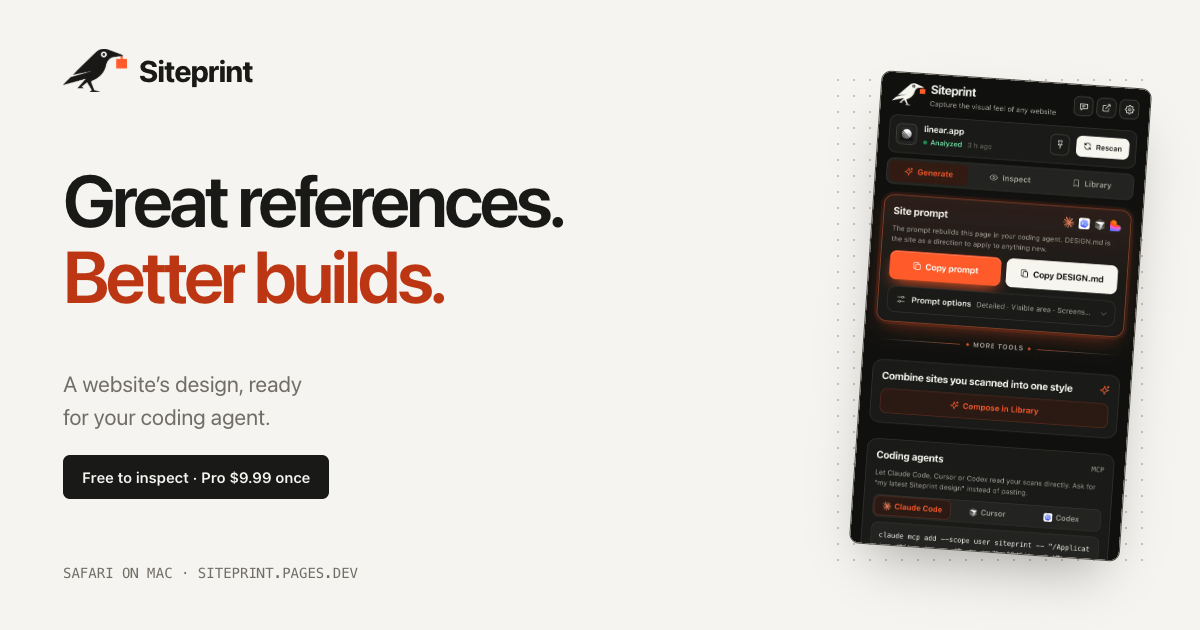
Siteprint is a Safari extension for Mac that measures the design of any website and turns what it finds into one exact prompt for a coding agent. Open a page in Safari, click the crow in the toolbar, and Siteprint reads the page's colors together with their roles, its type scale, spacing, corners and layout. From that measurement it produces a single prompt that can be pasted into Claude Code, Codex, Cursor, Lovable or any other AI tool, which then builds a new page from those values. It is made for designers, developers and founders who find a design they love and want their AI to work from measured values rather than guesswork. The extension runs on your Mac, with no account, no tracking and no uploads. The problem Siteprint addresses is that design inspiration is trapped in the browser. You find a site whose colors, type and spacing feel right, but the usual way to pass that look to an AI coding agent is to describe it in words. Words do not carry hex codes, font sizes or spacing scales, so the agent improvises: colors that are close but not the same, type at the wrong scale, layout that drifts away from the reference. Siteprint replaces that guesswork with measurement taken directly from the page. Instead of describing a design in vague terms, you hand your agent the values the page actually uses. Siteprint frames this as real values, not vibes, and that framing is the core of the product's purpose. The free Inspect view is where the measurement becomes visible. It shows the palette of the page with each color's role, the font families and the typography in use, and a blueprint of every section on the page. Alongside that, Siteprint includes an eyedropper and a grid overlay so you can check individual colors, spacing and alignment directly in Safari. Inspect, token export and the Library are available without paying, which means you can measure any site and study its design system before deciding whether you need the rest of the workflow. Generate is the Pro step that turns a scan into something your coding agent can use. It copies one prompt containing the exact values Siteprint measured, and it can also copy a DESIGN.md file. Themes are part of Pro as well. The published example DESIGN.md shows what the output looks like: a design direction section with canvas, surface, text and muted colors as hex values, a type section listing a display size at a specific weight and a body size at a specific weight, and a shape section listing corner radii. That file is the same kind of artefact you would normally assemble by hand from a browser inspector, and Siteprint produces it from a single click on the page. Compose is the second Pro capability and it is the one that goes beyond copying a single reference. Compose mixes two saved sites into a new style, so a palette from one design can be combined with the typography and layout of another. The product's own illustration of this is mixing Stripe's colors with Linear's type and layout. Because both sites have already been scanned and stored in your Library, the values are exact on both sides of the mix rather than approximated. This gives you a way to build a hybrid design direction that no single reference site could provide, while still keeping every value grounded in a real, measured page. For teams that work with coding agents, Pro also lets your AI read your scans directly. In the extension you open Generate, then Coding agents, and follow the setup for Claude Code, Cursor or Codex. On Macs that have Apple Intelligence, Siteprint additionally reviews each scan and answers your questions about the design, for example how to match a particular site's look. Apple Intelligence is optional: Siteprint states that everything works without it, and it is simply an extra layer of review and question answering on machines that support it. Siteprint itself does not build the site; it measures the design, and your coding agent builds from the prompt. The overall workflow is deliberately short. Siteprint describes it as three clicks: open any site, click the crow, and paste into your AI. Getting set up takes about a minute: get the extension from the Mac App Store, turn it on in Safari Settings, and click the crow on any site. Everything happens locally on your Mac, which is why the product can promise no account, no tracking and no uploads. There is nothing to sign up for and nothing leaving your machine, which matters when the pages you are measuring are client work, unreleased designs or internal tools. The benefit for users is that a design reference stops being an inspiration image and becomes a set of exact values an agent can act on. You no longer eyeball a hex code, guess a type scale or describe spacing in words, and you no longer accept output that is merely close to the reference. Because the prompt is generated from measurement, the design direction you hand to Claude Code, Codex, Cursor, Lovable or any other AI is consistent and repeatable. And because the pricing model is buy once rather than a subscription, the tool is a one-time purchase that keeps working. Concrete scenarios follow directly from the workflow. You might see a site whose palette you like and scan it to get the exact colors with their roles, then ask your agent to build a completely different product page using that palette. You might scan Linear and ask your coding agent to build a pricing page in that design direction, using the copied prompt or the DESIGN.md file. You might use Compose to mix Stripe's colors with Linear's typography and layout for a hybrid style. You might export tokens to carry a measured design into your own system, or open the blueprint in Inspect to study how a page structures its sections, spacing and corners before writing anything. On a Mac with Apple Intelligence you can also ask the design questions and get answers grounded in the scan. Siteprint is a Safari extension for Mac and requires macOS 14 or later. It is not available for Chrome or iPhone yet. It is aimed at designers, developers and founders, and specifically at anyone who uses an AI coding agent such as Claude Code, Codex, Cursor or Lovable, or any other AI that can take a prompt. The free tier covers colors, type and layout measurement, the eyedropper and grid overlay, token export and your Library. Pro costs $9.99 as a one-time purchase and adds one exact prompt, DESIGN.md and themes, mixing two sites with Compose, and agent access so your AI can read your scans. Support and the setup guide are available through the site, and feedback goes to the product's support email address. The takeaway is that Siteprint turns a design you admire into precise, measured instructions your AI can build from. By measuring colors with their roles, type scale, spacing, corners and layout inside Safari and packaging them into one exact prompt, it removes the guesswork that normally sits between a reference site and a new build. Free to inspect, $9.99 once for the full prompt workflow, no account and no uploads: Siteprint gives your coding agent real values instead of vibes.
Macaly Cloud is an infrastructure and skills layer that you add on top of the AI agent you already use. It connects to Claude, ChatGPT or Grok Bot, and also works inside Claude Code and Codex, so you can build apps and websites without leaving the chat or terminal you are already working in. Once connected, your agent gets a database, hosting, a domain and more than 70 other skills — everything the code needs to go live. Macaly sums the idea up as "bring your own agent": Claude, ChatGPT or Grok Bot writes the code, while Macaly Cloud supplies the production infrastructure that turns a chat conversation into something published on the internet. It is built for people who already pay for an AI subscription and want a real, live product at the end of it, with nothing to set up themselves. Vibe coding elsewhere usually means paying twice. Tools such as Lovable and Base44 charge AI credits for every message, so if you already have a Claude, ChatGPT or Grok Bot subscription, paying for a second AI subscription makes little sense. The do-it-yourself route is not cheap either. Macaly's own comparison lays out the alternative: hosting billed monthly, a database billed monthly, a domain paid yearly, plus CI/CD that eats a Saturday and environment variables that eat a Sunday — two AI agents, two subscriptions and relentlessly charged credits. Every change, from building a landing page to making a signup form to putting it back how it was, carries its own credit cost. With Macaly Cloud, the bill you already pay for Claude or ChatGPT is the bill you keep, and the infrastructure comes with it. Getting started is deliberately short. Macaly describes three steps. First, Connect: one click and a sign-in is the whole setup. Second, Ask: you say what you want and your agent builds it. Third, Publish: you say publish and it is on the internet. You never leave your Claude or ChatGPT chat to do any of this, which means there is no new editor to learn, no separate dashboard to switch between and no context to rebuild. The conversation that produced the idea is also the conversation that produces, tests and ships the implementation. Macaly frames the promise simply as building apps in Claude or ChatGPT with nothing to set up. Macaly Cloud handles two things that most often slow a project down. The database normally means a separate service with its own subscription; here it is created the moment the code needs it, and it is tested by your agent first, so the agent can verify its own work before you ever look at it. Hosting, previews and a live address work the same way. Elsewhere you would buy a hosting plan and spend a weekend configuring it. Here every change produces a preview link, and a single message puts the finished version live on your own macaly.app address. Previews make it possible to check each iteration as the agent works, and publishing becomes a sentence rather than a deployment pipeline. User accounts are the part every platform charges for and every DIY builder gets wrong. Macaly Cloud provides them out of the box, with Google sign-in, email or one-time codes, so the app you described in the chat can have real users from the start without you writing authentication logic. SEO arrives on the same basis — metadata, server-side rendering and favicons ship in every build, and the site is indexable from day one with no plugin to purchase. Macaly presents this as SEO that would be an upsell elsewhere: the fundamentals of being found in search are part of the build rather than an add-on you discover you need later. AI features can be added to your own app without API keys. Chatbots, summaries, image and video generation and even voice all become features of the product you are building, with nothing extra to sign up for and no separate bill to manage. On top of that, more than 70 skills let your agent extend its reach: email, analytics, payments and voice, plus connections to the tools you already use. Your agent picks these skills up mid-conversation, which means the capabilities available to it grow as the project demands them rather than being chosen and configured up front. Macaly also notes that some skills may still use Macaly AI credits. The overall approach is to keep your existing agent as the thing that writes code, and to make Macaly Cloud the layer that makes that code real. Infrastructure is provisioned on demand while the conversation continues: the database appears when the code needs it, previews appear with every change, and publishing happens on request. Your app stays live on a macaly.app address at no cost. A custom domain is the one thing nobody can hand out for free — you can buy one through Macaly or connect one you already own, and Macaly handles the records and the certificate. Your site and its data run on European infrastructure in Frankfurt and Ireland, Macaly is GDPR compliant, and your content is never used to train AI models. The source code and all of the data are yours, and you can export them at any time. The practical benefit is that the only payment you make is the one you were already making. Macaly Cloud's own receipt illustration shows a $10.00 monthly price struck through to $0.00 during early access, with message credits, coding, database, hosting, domain, previews, publishing, debugging and agent skills all listed at $0.00. You stop paying credits for every message and you stop paying for a second AI subscription. Instead, an agent you already trust turns a description into a deployed application with a database, user accounts and search visibility — and you do the whole thing from the chat window or terminal where you already work. Concrete workflows follow the connect-ask-publish loop. A founder or marketer can describe a landing page in Claude, see it as a preview link, and say publish to put it live on a macaly.app address. A builder can ask for a signup form and get Google sign-in, email or one-time codes without writing auth code by hand. Someone shipping a small product can have the database created as the code needs it, tested by the agent first. Teams adding AI can turn on chatbots, summaries, image or video generation and voice inside their own app without any API keys. And anyone wanting a branded destination can buy or connect a domain while Macaly handles the records and the certificate. Macaly Cloud is designed for people who already have a Claude, ChatGPT or Grok Bot subscription, including users of Claude Code and Codex, and it fits indie builders, small teams and agencies. Named connections and integrations include Claude, ChatGPT, Grok Bot, Claude Code, Codex, Google sign-in, email, one-time codes, payments, analytics and voice. The tech stack your agent builds on is a modern web stack: React and Next.js on the front end with a managed Postgres database behind it, and you never have to pick, install or configure any of it. Early access is free until October 1st, after which Macaly Cloud becomes a standalone plan at $10 a month. The free period covers a database with a free base allowance, hosting, previews, a macaly.app address, SEO, analytics and 70+ other skills, with some skills possibly still using Macaly AI credits. Teams, agencies and anything bigger than the standard plan are handled by a person — write to hi@macaly.com and tell them what you need. Macaly Cloud's value proposition is simple and specific: bring your own agent, keep your existing subscription, and get a database, hosting, a domain, user accounts, SEO, AI features and 70+ skills without a second bill. Your agent writes the code; Macaly Cloud makes it live.
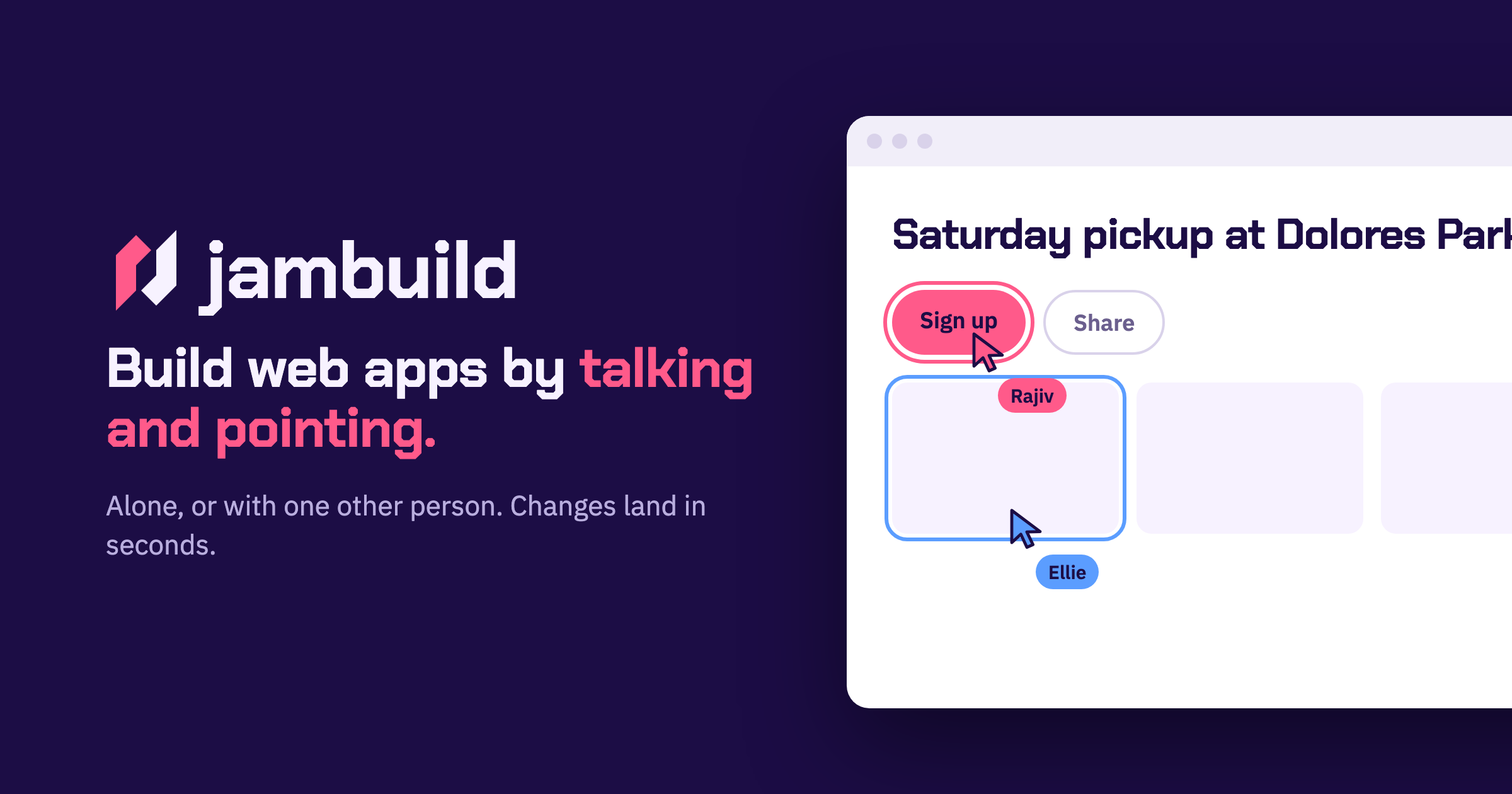
jambuild is a web app builder that works in real time through talking and pointing. You say what you want to build, point at what you mean, and changes land in less than ten seconds while you keep talking. You can use it on your own, or send a link to one other person and build together in the same room. According to the site, your microphone becomes the keyboard: you describe a page out loud and a first version appears in seconds. It is built for fast, conversational building rather than long written prompts. In most building workflows, the person with the idea has to translate intent into text — write a prompt, wait for a result, read it, then try to describe the correction in words. The jambuild approach shortens that loop. The site frames the product around a simple idea: say what you want to build, and point at what you mean. Speaking removes the typing step, and pointing anchors the request to a specific part of the page so both people can see exactly what is being discussed. Because changes land in under ten seconds, you can keep the conversation going instead of waiting between attempts, and because the pointing is shared, both participants stay on the same page — literally — while the app takes shape. Talk is the first input. The site describes your microphone as the keyboard: you describe a page and a first version appears in seconds. Nothing has to be typed into a prompt box; you simply say what you want, and the window shows when your voice is being heard. The example on the site shows Maya describing a sign-up page out loud, with her words appearing in the prompt box and the window outlined in pink while she is heard. Speaking is useful because describing a layout or an interaction out loud is often faster and more natural than writing it down, especially when you are still working out what the page should be. Point is the second input. As you move over the page, whatever you are on lights up — and it lights up for both of you. You then say what that thing should become. In the example, Sam moves over a roster, it lights up in his colour, and he asks for it to be split into three teams. Highlighting matters because it removes ambiguity: instead of saying “that section” or “the list near the top” and hoping the other person or the tool interprets it the same way, the highlighted element is visibly the subject of the request. Both participants see the same highlight, so a shared cursor effectively becomes part of the conversation. Click is the third input, and it adds action to description. You click anything on the page and say what should happen to it, and the change lands in seconds. The site’s example is Maya clicking the Sign up button and asking for it to be bigger and orange. Clicking gives you a precise handle on an element — a button, a section, a piece of content — while your voice carries the instruction about what should change. Together with talking and pointing, clicking covers the three ways people naturally refer to something: describing it, hovering over it, and selecting it. Together is what makes jambuild multiplayer. You send the link, and both people talk, both point, and it is one page. Changes land in seconds for both of you. Sign-in is done with Google, and the site notes that the person you invite does not need an account. The site shows Maya and Sam talking at once: both requests are building and both changes land. So the model is a shared room rather than a shared document — the room holds one page, two cursors, and two voices, and the page responds to both. The overall approach is conversational and spatial at the same time: language supplies the intent, the cursor supplies the target, and the short turnaround keeps the loop between the two people tight enough to feel like a normal back-and-forth conversation. The main benefit the site claims is speed: changes land in less than ten seconds, and you keep talking. That pace matters because it removes the wait between saying something and seeing it — you do not have to stop the conversation, and you do not have to hold a mental backlog of edits while waiting for the previous one to finish. A second benefit is that you are never building in isolation if you do not want to be: send a link and one other person can join, point at the same elements you are pointing at, and speak their own requests into the same page. Both participants get the same sub-ten-second turnaround, so neither is working against a slower view of the app. The site’s own examples show the kinds of tasks jambuild is used for. Maya describes a sign-up page out loud and a first version appears — a typical first-pass scenario where you want something on screen quickly so you can react to it. Sam hovers over a roster and asks for it to be split into three teams — a concrete structural edit made by pointing at the part of the page that needs to change. Maya clicks the Sign up button and asks for it to be bigger and orange — a visual tweak aimed at a specific element. And Maya and Sam both talk at once, with both requests building and both changes landing — two people editing the same page at the same time. Across these examples, the pattern is short, spoken, precisely targeted edits rather than large written specifications. jambuild runs in the browser and you sign in with Google to start a room; the person you invite does not need an account, which lowers the barrier to a two-person session. The product is aimed at people who want to build web apps by talking rather than by writing code or long prompts — the Product Hunt listing describes it as a multiplayer vibecoding tool. Availability is handled with credits: the listing says there are limited credits to try it out, and that you can bring your own (BYO) API keys to unlock more usage. No further plan, tier, or platform details are stated on the site. The takeaway is that jambuild turns app building into a conversation with a shared cursor. You talk, you point, you click, and the page answers in less than ten seconds. One other person can join through a link, see your highlights, and add their own voice to the same page. If you want to go from “I want this kind of page” to a working first version without typing out a specification, and you want to do it alongside someone else, jambuild is built for exactly that.
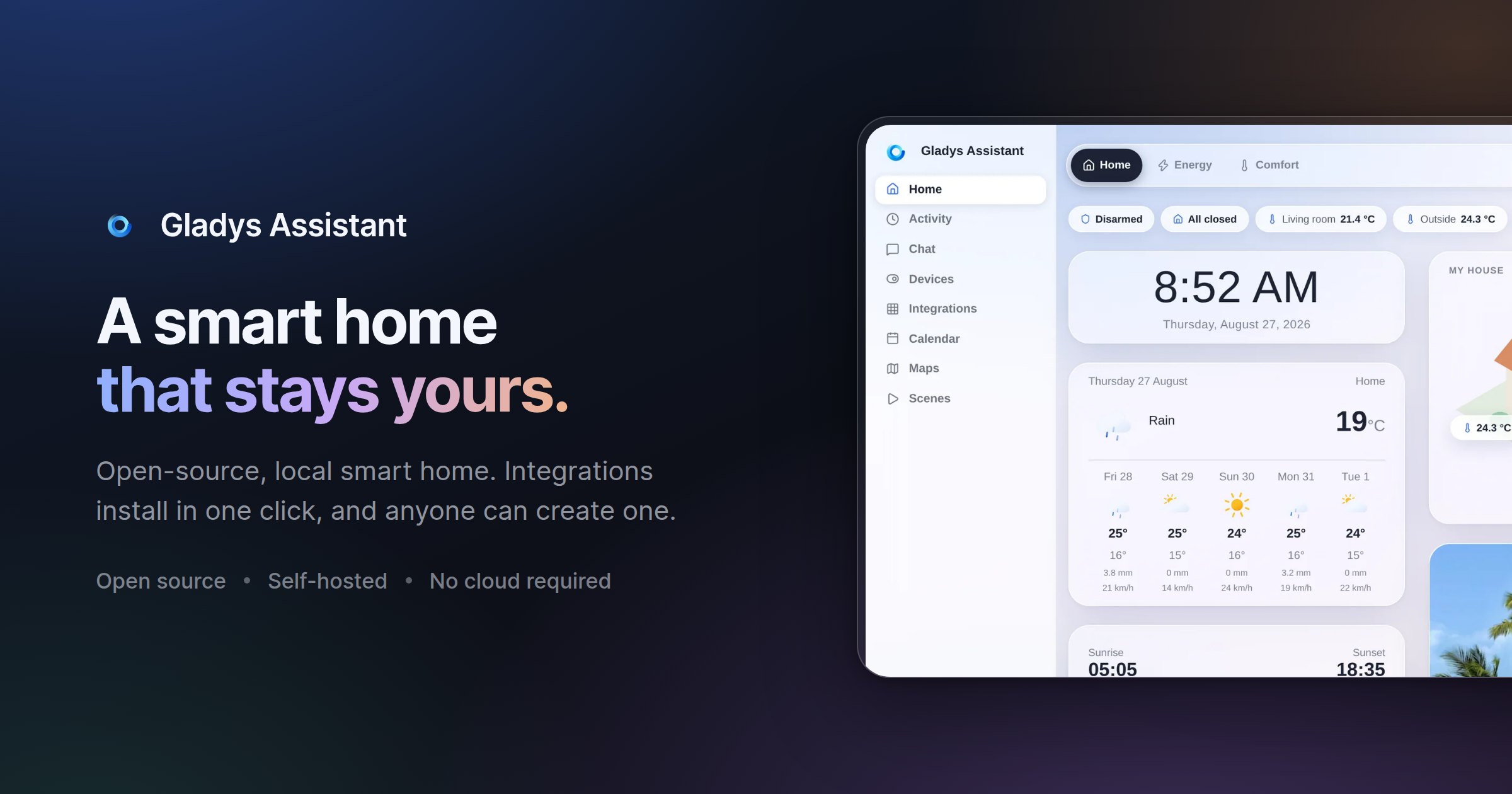
Gladys Assistant is a free, open-source smart home platform that you install and run on your own hardware, such as a mini-PC, a Raspberry Pi, a Synology NAS, a server, or even an old computer. It is designed for people who want to control and automate their home without handing their data to a cloud provider, and the project positions itself as a simpler, privacy-first alternative to heavier self-hosted systems. From a single web interface you can see your home at a glance, build automation scenes, follow your energy consumption, and control devices by voice — and Gladys keeps working even when your internet connection goes down. Most consumer smart homes depend on a vendor's cloud: the hub stops working when the internet drops, and sensor history, scenes and presence data live on someone else's servers. Gladys takes the opposite approach. It is self-hosted by design, so your smart home data — sensors, scenes and history — stays on your local network, with no mandatory cloud, no tracking and no data selling. At the same time, the project set out to remove the friction that often comes with self-hosted home automation: there is no YAML to write and no terminal needed for day-to-day use. Installation is guided through Docker, and a clear interface handles everything after that. The result is a smart home that is private, resilient and approachable at the same time. Gladys gives you a dashboard described as beautiful and phone-first, where you can see everything at a glance: temperature, security cameras and presence monitoring all live in one place. Instead of jumping between vendor apps, you get a single view of what is happening across your home. Alongside the dashboard sits the scene editor, used to automate your entire day. Coffee brewing, lights turning on, music playing — these routines run automatically, and the emphasis is that no coding is required. Scenes are built through a visual editor, so both simple schedules and more elaborate multi-step routines can be assembled without writing a line of code. This combination matters because it lowers the barrier for people who want real automation but do not want to maintain configuration files. Energy monitoring is a first-class feature in Gladys. You can follow electricity consumption, solar production and home battery status in real time, with the goal of cutting your bill where it matters most. Because the data is collected and displayed locally, you can watch production and consumption side by side and act on what you see. Control also happens by voice: you can say something like "turn on the light in the kitchen" and Gladys responds instantly through its built-in voice assistant, or you can send the same instruction by message on your phone. Finally, the interface supports both light and dark themes. The same glass effect and the same layout are available in two moods; Gladys can follow your system setting or stay on the one you pick, and you can switch whenever you like, in one click. Compatibility is handled through open protocols, native integrations and community external integrations for everything else. On the protocol side, Gladys supports Zigbee, Z-Wave, Matter and MQTT, and the project states that it works with thousands of devices. Documented integrations include Zigbee2MQTT, Matter, MQTT, Tuya, Netatmo, Sonos, Zendure and RTSP cameras, while the FAQ also lists Philips Hue, SmartThings, TP-Link Kasa and Tapo, Shelly, Reolink cameras and LG ThinQ. If a device is not supported yet, you can look at external integrations — community-built integrations you install in one click, with the list continuing to grow. If yours is still missing, you can build it yourself in the language of your choice or ask on the community forum. Product Hunt describes 90+ community integrations alongside a phone-first dashboard and no YAML. Gladys is built around a set of stated principles. Privacy comes first: because it is self-hosted, your smart home data stays on your local machine, with no mandatory cloud and no tracking. Ease of use follows: you do not need the terminal for day-to-day operation, installation is guided via Docker with documentation that includes screenshots and videos, and the interface is meant to be clear. The team also emphasises a clean UI — designing first and then coding — a stable foundation built to last decades, a fast interface with instant actions, and automatic upgrades that install new features and bug fixes for you. Under the hood, the practical architecture is straightforward: you need a Linux machine (Ubuntu Server, for example), you run Gladys via Docker, and the system runs locally. If Docker runs on it, Gladys runs on it. Optional services such as Gladys Plus exist for remote access and AI, but the core of Gladys remains self-hosted. Remote access can also be achieved by setting up your own VPN or reverse proxy, which keeps Gladys 100% free but requires technical skills. The practical outcome for users is a smart home that is private, resilient and low-maintenance. Because your data stays on your local network, there is no dependence on a vendor to keep your automations running, and Gladys keeps working when the internet goes down. Automatic upgrades mean you receive new features and fixes without manual work, and the interface is designed to stay responsive — community members report that Gladys remains responsive even when installed on a Raspberry Pi. The stated goal of stability is that your smart home will never let you down, and the project is explicitly built to last decades. For households that want automation without surveillance, Gladys offers a model where the intelligence lives in your own home rather than in someone else's data centre. Community testimonials describe a wide range of concrete uses. One user tracks room temperatures in bedrooms and the bathroom, receives alerts when a room is too hot (saving on heating), gets notified if the fridge stays open, triggers the living room lamp by movement in the morning only when waking up, and detects water leaks — and when going on vacation, Gladys becomes a security box. Another user controls openings and monitors temperatures, using scenes to build scenarios that secure the home while travelling. A third describes opening and closing a gate, controlling lights from the couch, receiving alerts on intrusion during absence, detecting water damage, and managing a garden by programming a pool pump according to water temperature and opening drip irrigation. Others use Gladys for room temperature control and home openings, and many report that the installation grows over time as they add sensors and appliances. Gladys is aimed at people who want a simple, functional, easy-to-use home automation platform that respects their privacy, including users who previously found self-hosted systems too complicated. It suits owners of Raspberry Pi boards, mini-PCs, NAS devices and spare Linux computers who are comfortable running Docker and following guided documentation. Pricing is straightforward: Gladys itself is free and open-source, installed with a single Docker command, with no subscription, no limitations and no credit card required. The optional Gladys Plus subscription adds end-to-end encrypted remote access, Google Home and Alexa, backups and AI. It starts at $7.99/month in the US and Canada (€6.99/month in Europe), includes a one-month free trial with no credit card required, and can be cancelled anytime. It works as an app on iOS and Android. A live demo is available, and a newsletter shares a few emails per month about new releases and project news, written by founder Pierre-Gilles Leymarie. Gladys Assistant combines a genuinely free, open-source smart home platform with a privacy-first architecture that runs on hardware you already own. It covers the essentials — a dashboard, scenes without code, energy monitoring, voice control, broad protocol support and automatic upgrades — while keeping your data local and continuing to work offline. For anyone weighing a self-hosted smart home, Gladys offers a simpler alternative that is documented, community-driven, and supported by an optional subscription when you need remote access or AI.
Microsoft Copilot is AI built for work. According to Microsoft, Copilot connects with your work content and the apps you already use, bringing together the latest AI models to help you create finished work, not just answers. It is designed for people who work inside Microsoft's productivity ecosystem: individuals who want to simplify everyday work, businesses that want their teams to move from ideas to impact, and enterprises that need secure AI grounded in their own organization. Copilot is available across desktop, mobile, and web, and it can be used with voice, keyboard, or pen, so the same assistant follows the user from one device to the next. The starting point for Copilot is a simple observation about how knowledge work actually happens. Most AI tools respond with an answer and stop there, while real work continues across documents, spreadsheets, presentations, email, meetings, and chat. Microsoft positions Copilot as a response to that gap: instead of an isolated chatbot, Copilot lives in the apps where work already happens — Word, Excel, PowerPoint, Outlook, and Teams — and it is grounded in work content rather than in generic information. That grounding is delivered through Work IQ, which ties Copilot to your company, your team's roles, and the context behind your projects. The stated goal is finished work, not just answers, which is why the product is framed as AI built for work rather than a general-purpose assistant. Feature group one is AI integrated into the apps you already use and grounded in your work. Copilot is integrated into Word, Excel, PowerPoint, Outlook, and Teams, where your work already happens, so users do not have to leave the tools they rely on to get help. Work IQ grounds Copilot in your company, your team's roles, and the context behind your projects, which means responses can reflect the reality of a specific organization rather than a generic model's best guess. Microsoft describes this as "AI that knows your work." Because the assistant already sits inside the productivity apps, the distance between asking for something and applying it to a real document, message, or meeting is much shorter. Feature group two is leading AI models brought together in one place, with automatic model selection. Copilot brings together leading AI models with Work IQ so users can benefit from the distinct strengths of each in a single experience — there is no need to switch between separate tools to reach a different model. A capability Microsoft calls "Auto advantage" handles the choice for you: Auto weighs accuracy, speed, and cost for each request, helping determine the right model and effort for the task at hand. The stated intent is to let people focus on the work, not the model. Microsoft also says that, looking ahead, Copilot will help orchestrate work across Chat, Cowork, and Code. Feature group three covers the surfaces where Copilot does the work. Home is the starting point in Copilot, bringing Chat and Cowork together in one place so users can review recent activity, discover suggested actions, pick up where they left off, or start something new. Chat is used for answers grounded in your work, while Cowork is designed for complex, multi-step work handed off across your apps, data, and workflows. Copilot Code requires no coding experience: you describe the dashboard, tracker, or app you want and Copilot builds it with the power of code. Copilot Autopilot is described as an always-on personal agent with its own identity, memory, and access to tools; it is cloud-hosted and keeps work moving in the background, using Microsoft 365 and Work IQ to take action within the guardrails you and your organization set. Home view and Copilot Code are noted as available in Microsoft Frontier, while Autopilot is described as available in Private Preview. Feature group four is building your own agents and working across devices. With Agent Builder in Copilot, users can turn their expertise into personalized, work-grounded agents in minutes using natural language; when they are ready to scale, those agents can be extended and managed with Copilot Studio. This is presented as "Build your agents. Work your way." In parallel, Microsoft emphasizes one Copilot across your devices: the same assistant is available on desktop, mobile, and web, and it can be driven with voice, keyboard, or pen. Together these capabilities are presented as a way to customize AI to specific work rather than accept a one-size-fits-all assistant. How the whole system fits together is described through grounding and orchestration. Work IQ supplies the context — company, team roles, and project background — and the leading AI models supply the reasoning. Auto sits between the request and the model, weighing accuracy, speed, and cost to determine the right model and effort for the task at hand. Autopilot adds an always-on layer with its own identity, memory, and access to tools, operating in the background within organizational guardrails. Microsoft states that Copilot will also help orchestrate work across Chat, Cowork, and Code, tying the conversational, multi-step, and code-building modes into one flow rather than three separate tools. The benefits Microsoft highlights are practical. Because Copilot is grounded in your work and lives in the apps you already use, users can move from ideas to impact inside the tools where they already operate. Chat returns answers grounded in work rather than generic responses, and Cowork takes on multi-step tasks across apps, data, and workflows so those tasks do not have to be assembled by hand. Copilot Code lets people without coding experience produce dashboards, trackers, and apps, which turns an idea into a working artifact. Autopilot keeps work moving even when a person is not actively asking, and the shared experience across desktop, mobile, and web means work can continue wherever the user happens to be. Security and privacy are presented as foundational rather than optional. Copilot is designed to be secure and private and is built on the trusted Microsoft 365 foundation that organizations already use. Enterprise-grade controls protect data, people, and business, and the design keeps work and personal accounts separate — a detail that matters for people who use the same devices and accounts for both. For enterprises and businesses, this means Copilot can be grounded in internal content and context while still operating inside existing security and compliance expectations. Concrete use cases named in the material include catching up on email and calendar work in Outlook, reviewing meeting notes and suggested actions in the Copilot app, and starting something new or picking up where you left off from a single starting point. Cowork is aimed at handling complex, multi-step work across apps, data, and workflows, while Copilot Code is aimed at building a dashboard, a tracker, or an app from a plain-language description. Agent Builder supports creating work-grounded agents from individual expertise, and Copilot Studio is used to extend and manage those agents when they need to scale across an organization. Copilot offers solutions for three audiences. Copilot for Individuals is positioned to simplify everyday work in the apps you use, from creating to managing email and calendar. Copilot for Business is positioned to help a business work smarter with AI built into the apps the team uses every day, so everyone can move from ideas to impact. Copilot for Enterprise is positioned to empower an organization with secure AI grounded in the business and built into the apps teams use daily. Pricing shown on the site starts at $9.99 per month for individuals; $23.50 per user per month, paid yearly, for business; and $30.00 per user per month, paid yearly, for enterprise. The business tier includes Copilot with Work IQ, productivity apps, identity management, security, and cloud storage; the enterprise tier adds Copilot Studio and enterprise-grade security. Taken together, Microsoft Copilot is positioned as an AI assistant for work rather than a general-purpose chatbot: it is integrated into Word, Excel, PowerPoint, Outlook, and Teams, grounded in organizational context through Work IQ, able to draw on leading AI models with automatic selection, and extended by agents, Autopilot, and Copilot Code. The consistent promise across the material is that Copilot helps you create finished work, not just answers.
Floot MCP is a connector that lets you build and ship web and mobile apps from inside the AI chat tools you already use. Add Floot to Claude, ChatGPT, or Cursor, describe what you want, and Floot builds the whole thing with the backend, database, and hosting included. The product is aimed at people who want to turn their ideas into products without coding, all on one platform, and the website sums up the promise bluntly: build apps in Claude, ChatGPT, or Cursor and get them live in minutes. Building an app normally means stitching together a long list of separate services. You need somewhere to run the backend, a database to store information, a way for users to create accounts, an email provider for receipts and notifications, hosting, and a route into the app stores. On top of that, the modern AI-assisted workflow introduces its own friction: git, the terminal, and build credits, plus per-token pricing that adds up fast. Floot's website addresses these pain points directly. It says you can get an app live with no git, no terminal, and no build credits, and it contrasts its flat plans against pay-per-token tools. The comparison section on the site frames the difference in four practical areas: token cost, ease of use for non-coders, whether everything is built in or requires many external services, and whether hosting scales with you. The workflow begins with connecting Floot to your AI. Step one is to connect Floot to Claude, ChatGPT, or Cursor as a connector. Floot is available through the Claude directory and the ChatGPT plugins listing, and the site also points to an integrations page for adding it to Cursor and others. Because Floot works as a connector inside the chat tools you already pay for, your existing Claude or ChatGPT subscription does the thinking, which is why Floot does not charge based on AI usage. There is nothing to install or configure on your side, since Floot provides a ready-to-use workspace rather than a set of libraries you have to wire up yourself. Once connected, you prompt your AI to build your project, and the conversation becomes the build environment. The site describes the next two steps as prompting your AI to build your project and then keeping refining until it is exactly what you want. The example shown on the homepage is an order book for a bakery: a project appears at its own floot.app address, with an "Order now" page, and a later refinement step shows a request as simple as making the headline bigger. This is iterative by design, so you stay in the same conversation and keep shaping the app rather than leaving the chat to edit files or run commands. A walkthrough video on the site, titled "How to use Floot MCP", is described as building and publishing a real app from a chat. The fourth step is publishing on both web and mobile. Floot describes publishing as one click, after which your app is live on the web and in the app stores, with the site showing App Store and Google Play. The bakery example moves from an orderbook.floot.app address to a live custom domain. The Product Hunt listing adds that when you are ready you publish the same project to the web, iOS, and Android, and then keep shipping updates from the same conversation. Publishing is presented as part of the same single platform rather than a separate deployment project. Under "Everything you need, built-in", Floot lists backend, data, and logins as a core capability. Your app can save information, let users create accounts, and run recurring tasks automatically, and Floot handles the technical setup for you. The homepage illustrates this with a small dashboard for your app: records saved in the database, users signed up through accounts, and a recurring task that runs daily at 9:00, each marked as set up. The point is that the app is not a sketch sitting in a chat window, because it has persistent data, real user accounts, and scheduled jobs running behind it. A second built-in capability covers emails and notifications. You can send emails, receipts, updates, and notifications from your app without setting up extra tools. The homepage shows a receipt sent to a customer's email address, marked as sent. For anyone building something transactional, such as an order confirmation, a status update, or a notification, this removes the need to bolt on a separate email service and connect it up yourself. It also reinforces the all-in-one positioning, since features that would otherwise be individual third-party accounts are handled inside Floot. Floot also states that apps built on the platform are built to be found. Floot makes your app easy for search engines like Google to understand and discover, with SEO essentials built in automatically. The example on the site shows a bakery order tracker ranking at number one for a search, with an orderbook.shop result titled "Order Book — Bakery orders". This matters because a live app with a real URL is only useful if people can find it, and having SEO fundamentals handled automatically means non-technical builders do not have to learn search optimisation to get discovered. Finally, Floot supports integrating your tools. The site names Stripe payments, Google login, Zapier, and thousands of other services, and says Floot guides you through the setup step by step. That combination covers the most common needs of a small product: taking payments, letting people sign in with an existing account, and connecting to the wider ecosystem of tools through Zapier. As with the rest of the platform, the emphasis is on guided setup rather than leaving the user to read integration documentation. The overall approach is what Floot calls connecting your AI agent. Instead of an AI builder that generates code you then have to deploy, Floot supplies a ready workspace and lets your chat tool drive it: the AI thinks, while Floot runs the backend, database, hosting, and everything else. The homepage summarises this as a sequence of connecting Floot to your AI, describing what you want, and getting it live. Because the AI usage is covered by your existing subscription, Floot's plans are flat rather than per-token, with credits applying only to the optional Floot agent and AI image generation. Floot is backed by Y Combinator, according to the site. The benefits Floot claims follow from that structure. You can go from an idea to a real, hosted app with a database and a live link in a single conversation, in minutes rather than weeks. There is no technical background needed, no server configuration, no separate email or payment setup, and no need to manage deployments for web and mobile separately. Because hosting is built in and scales with you, and because flat plans avoid the pay-per-token model, costs stay predictable as you keep building. And since updates ship from the same conversation, maintaining the app does not require switching to a different tool. The concrete scenarios shown on the site centre on a small business example: a bakery building an order book app that takes orders, saves records, signs up customers, sends receipts, and is published to a custom domain and the app stores. More generally, the described workflow suits anyone who wants to build a web or mobile app from a chat prompt, such as a booking tool, a tracker, an internal tool, or a storefront, and then publish it to the web, iOS, and Android and keep refining it. The platform is equally relevant for people extending an existing AI workflow in Claude, ChatGPT, or Cursor with a live app endpoint. Floot is aimed at non-coders and at anyone already working inside Claude, ChatGPT, or Cursor who wants to ship something real. The site's comparison table claims no technical background is needed, and the tagline promises you can turn your ideas into products without coding, all on one platform. Integrations explicitly mentioned include Stripe payments, Google login, and Zapier, alongside App Store and Google Play distribution. Floot is offered on flat plans rather than per-token pricing, with credits applying only to the optional Floot agent and AI image generation, and the launch on Product Hunt includes 30% off your first month on the launch page. The takeaway is straightforward: Floot MCP turns the AI chat you already use into a full app-building workspace, handling the backend, database, logins, email, SEO, hosting, and publishing so you can go from a description to a live web and mobile app without touching git, a terminal, or build credits.
WeWeb MCP is a connection layer that lets you build inside WeWeb with the AI agent you already use. You point Claude Code, Cursor, Codex, Antigravity, ChatGPT, or any MCP-compatible agent at WeWeb, and the agent builds the pages, workflows, data models, tables, authentication, and integrations that make up a real WeWeb project. Instead of producing code you cannot inspect, every change the agent makes lands in the WeWeb visual editor, where you can review it, keep prompting the agent, or edit it yourself. WeWeb MCP is aimed at builders and teams who want the speed of agentic development without giving up visual control over what actually ships. AI-assisted development has made it fast to generate application logic, but the output often arrives as a black box: it is hard to see exactly what changed, why it changed, or how to adjust it without another round of prompting. No-code tools solve the visibility problem, but traditionally require a person to click through every screen, workflow, and data relationship by hand. WeWeb MCP is positioned between those two worlds. It keeps the speed of an agent that can read a brief, plan structure, and wire data together, while keeping the result fully visible and editable in a visual environment. The stated goal is AI speed with visual control, so teams are not forced to choose between moving quickly and knowing what is inside their app. Connecting an agent to WeWeb follows three documented steps. First, you add the server configuration to your MCP client settings, using the WeWeb MCP endpoint through the mcp-remote command. Second, you sign in to WeWeb and authorize access so the agent can call tools on your project. Third, you pick your project and build: you can ask the agent to list your workspaces and projects, switch to the right one, and then describe what you want, for example building a dashboard page. The agent you bring can be Claude Code, which plans and builds in WeWeb using Claude's reasoning; Codex, which turns GPT-powered build plans into WeWeb apps; Antigravity, which builds with Gemini and Google models inside WeWeb; Cursor, which uses Cursor's agent and your model of choice; ChatGPT; or any other MCP-compatible agent. It runs on your account, your model, and your tokens. The product also starts from your brand's design DNA rather than a default AI look. You can import design rules and design context from Figma, Google Stitch, Claude Design, or design.md into WeWeb, so the agent has visual rules before it builds. From there you can create a component system using shadcn, React references, or custom coded components to build reusable blocks with no-code properties. A second major capability is turning PRDs into WeWeb apps. The agent reads a brief and creates the pages, forms, states, and flows users need, moving from user journeys to screens. It also maps data to backend structure, covering the database, fields, relationships, authentication, storage, and backend workflows behind the app. Finally, it turns business rules into integrations: Slack alerts, email triggers, CRM updates, API calls, and approval flows become part of how the app works. Importantly, the first version is not the final word, because everything stays editable after generation. WeWeb MCP is also designed to work across your wider MCP stack. You can pair WeWeb with a backend MCP such as Xano, Supabase, or Airtable MCP, or any APIs, to build the WeWeb frontend in context or bring data into the WeWeb backend. Product context can be turned into screens using docs, transcripts, websites, Figma files, or media assets to create onboarding, dashboards, and forms. A refactoring capability helps you move fast without creating maintenance debt: the agent can find unused variables, outdated workflows, test components, and leftover build artifacts, and it can standardize naming across pages, components, workflows, API requests, tables, and fields. Control features let you decide how much of the app the AI can touch, working across the full app or staying focused on one page, one workflow, or one database, and letting you control what happens next by reviewing output inside WeWeb before continuing. How the product works overall rests on the combination of an agent, a standard protocol, and a visual editor. The agent connects through MCP, the protocol used to give AI clients tool access, and calls tools on your WeWeb project once you authorize access. Because changes are applied to the WeWeb project rather than handed back as opaque text, the visual editor becomes the place where you inspect, adjust, and shape the result. You can scope the agent's access to the exact page, workflow, data, or design-system task you want changed, which keeps AI edits bounded and reviewable. When the app is ready, deployment is also part of the workflow: you can deploy in one click and launch on your custom domain while WeWeb handles hosting and infrastructure, or export code and run it on your own infrastructure when you need full control. The benefits described are speed with control, and ownership of the result. Teams get AI speed without the mystery of what changed in the app, because every change stays visual and reviewable. Because the agent runs on your account, your model, and your tokens, and because WeWeb states that WeWeb MCP does not use WeWeb AI credits, the cost and model choice stay under your control. Users keep the ability to keep prompting the agent or to open the visual editor and edit things themselves, so the app is never locked behind a generation process. Refactoring support helps prevent maintenance debt, and deployment options mean the app can go live on a custom domain or be self-hosted. Together these points support the claim that no-code does not mean low-performance, as expressed by a customer quoted on the site. Concrete scenarios described for WeWeb MCP include turning a PRD or brief into a working app with pages, forms, states, and flows; mapping a described data model into database structure with fields, relationships, auth, storage, and backend workflows; and translating business rules into integrations such as Slack alerts, email triggers, CRM updates, API calls, and approval flows. Another scenario is establishing a design system first, importing brand rules from Figma, Google Stitch, Claude Design, or design.md and building reusable components from shadcn, React references, or custom coded components. Teams also use it alongside backend MCP servers like Xano, Supabase, or Airtable to build the frontend in context. Finally, it can be used before launch to refactor an app by removing unused variables, outdated workflows, test components, and leftover build artifacts, and by standardizing naming across pages, components, workflows, API requests, tables, and fields. WeWeb MCP is for teams and builders who want agentic development with visual control, including those already using Claude Code, Cursor, Codex, Antigravity, or ChatGPT. The site highlights that the platform is trusted by Fortune 500 companies, showing logos for PwC, La Poste, L'Oréal, JLL, Qonto, Decathlon, Carrefour, and Biwaki by BNP Paribas, and it features testimonials from a Digital Project Manager at PwC, the CEO of Shunpo, and the CEO of ALOE Digital Solutions. WeWeb also documents that MCP works with the Cursor agent and your model of choice, with Claude Code, Codex, Antigravity, and ChatGPT, and with other MCP servers such as Xano, Supabase, and Airtable. The site offers the option to start for free and to request a demo, alongside calls to try for free. In summary, WeWeb MCP connects any MCP-compatible AI agent to WeWeb so that briefs, designs, and app logic become a real, structured WeWeb project. It combines agent speed with a visual editor, run on your own tokens and without WeWeb credits, keeps every change reviewable and editable, works alongside your existing MCP stack and backend tools, supports refactoring to avoid maintenance debt, and lets you deploy in one click or export and self-host. The core promise is straightforward: your AI agent builds the app, and you stay in control.
WZRD is an AI-native workspace built for teams and creators who work with documents, slides, forms and sheets. Its purpose is to generate these everyday business artifacts with AI and then turn them into something users can actually engage with rather than simply read. According to the website, WZRD can generate slides, forms, sheets and docs, and its Product Hunt listing describes it as a workspace for "AI-native documents, slides, forms and sheets that talk back." The product positions itself around the idea that the output of a document should stay conversational and responsive, so the slides, sheets, forms and documents you create become interactive experiences that respond to the people using them. Traditional documents, slides, spreadsheets and forms are static. A presentation is presented at an audience, a spreadsheet is read, and a form is filled in silently. WZRD's core premise, expressed in its tagline "Slides that talk back," is that these formats can be given a voice and made conversational. The website invites users to "Give your slides a voice that walks people through the story," and the Product Hunt description says the goal is to "turn it into an AI experience users can engage with." Instead of leaving the audience to interpret the material alone, WZRD aims to make the artifact itself responsive: forms that collect answers by speaking or typing, sheets that explain numbers out loud, and slides that walk people through the story. This addresses the gap between creating content and having that content communicate on its own. On the creation side, WZRD offers an AI presentation generator that produces presentations in minutes. The website lists "Slides — AI presentations in minutes," and the launch messaging focuses heavily on slides that talk back, giving presentations a voice that walks an audience through the story. Alongside slides, WZRD includes Docs, described as "AI-crafted smart documents." These are documents generated or enhanced by AI so that they can engage every user, per the Product Hunt description: "Documents engage every user." The result is a document that is not a fixed block of text but a piece of content designed to be interacted with. Both slides and docs are generated within the same workspace, allowing teams to move between formats without leaving WZRD. WZRD also generates Forms and Sheets. Forms are presented as "smart form flows," and the Product Hunt description notes that forms "collect answers by speaking or typing." That means a respondent is not limited to typing into input boxes; they can speak their answers, and WZRD handles the collection of that information as part of the flow. Sheets are described as "smart sheets with structured generation," and the Product Hunt description says that sheets "explain numbers out loud." This turns a spreadsheet from a grid that must be interpreted into something that can verbally walk a user through the figures. Both formats are generated by AI and are described with the word "smart," indicating that structure and intelligence are added to the output rather than the user building everything manually. A key part of the WZRD workflow is the starting point. The interface asks, "What are we building today?" and offers two paths: drop a file to start, or click to browse documents. Supported file types are listed as XLS, CSV, PPT, PDF and DOCS, so users can bring existing spreadsheets, presentations, PDFs and documents into the workspace. Alternatively, users can "Generate with AI" from a prompt. This dual approach means WZRD can work with material a team already has or create new material from scratch. The website also references a "Tap to talk" interaction, and the site description mentions the ability to "talk to your business with AI voice agents." Together with the conversational output of slides, sheets, forms and docs, this shows that voice and conversation are central to the WZRD experience rather than an add-on. WZRD positions itself as an AI workspace rather than a single-purpose tool. The site describes it as "the AI workspace" that lets you "Generate slides, docs, sheets and forms, and talk to your business with AI voice agents." The overall methodology, based on the content provided, is: start with an existing file or a prompt, let AI generate the artifact, and then deliver it as a conversational, responsive experience. The Product Hunt listing summarizes this as: "Upload existing work or create from a prompt, then turn it into an AI experience users can engage with." The output "stays conversational and responsive," which is the distinguishing characteristic WZRD repeats across its messaging. In practice, this means the generated slides, forms, sheets and documents are not static deliverables—they are meant to be experienced, listened to, or spoken with. The stated benefit is engagement. Where static documents are passively consumed, WZRD's formats "talk back," which the content frames as a way to make users engage with the material. Forms keep respondents involved because they can answer by speaking or typing. Sheets communicate numerical results out loud, reducing the need for readers to decode rows and columns themselves. Slides deliver the narrative in a voice. Documents are designed to "engage every user." For teams and creators, the promise is less time spent building static artifacts from scratch—AI presentations are generated "in minutes"—and a more interactive final product that holds attention and communicates its content directly. The content suggests several concrete scenarios. A team can drop an existing XLS or CSV file into WZRD and get a smart sheet with structured generation that can explain its numbers out loud. A marketer or founder can bring a PPT or PDF and have WZRD turn it into an AI presentation whose slides walk an audience through the story with a voice. Someone needing feedback or data can generate a form whose smart flow collects answers by speaking or typing. Teams working with documents can upload a DOC and have WZRD produce an AI-crafted smart document that engages every user. And because WZRD describes AI voice agents, a business can use voice interaction to talk to its own data and content. All of these start from the same simple entry point: "What are we building today?" WZRD is aimed at "teams and creators working with documents, slides, forms and sheets," according to its Product Hunt description. The website's initial prompt—"What are we building today?"—and the option to drop a file or browse documents suggest a workspace intended for knowledge work and content production. The Product Hunt topics for WZRD are Productivity, No-Code and Design, which align with its positioning as an AI workspace for generating business formats. No specific integrations, pricing tiers, or technology stack are mentioned in the provided content, so those details cannot be confirmed; the described interfaces are the website at wzrd.to and the Product Hunt launch page. WZRD's core value proposition is simple and repeated throughout its messaging: it is the AI workspace that generates slides, docs, sheets and forms—and makes them talk back. Rather than producing static files, WZRD turns them into conversational AI experiences. Teams can start from an existing file or a prompt, generate in minutes, and end up with responsive content that engages the people who use it.
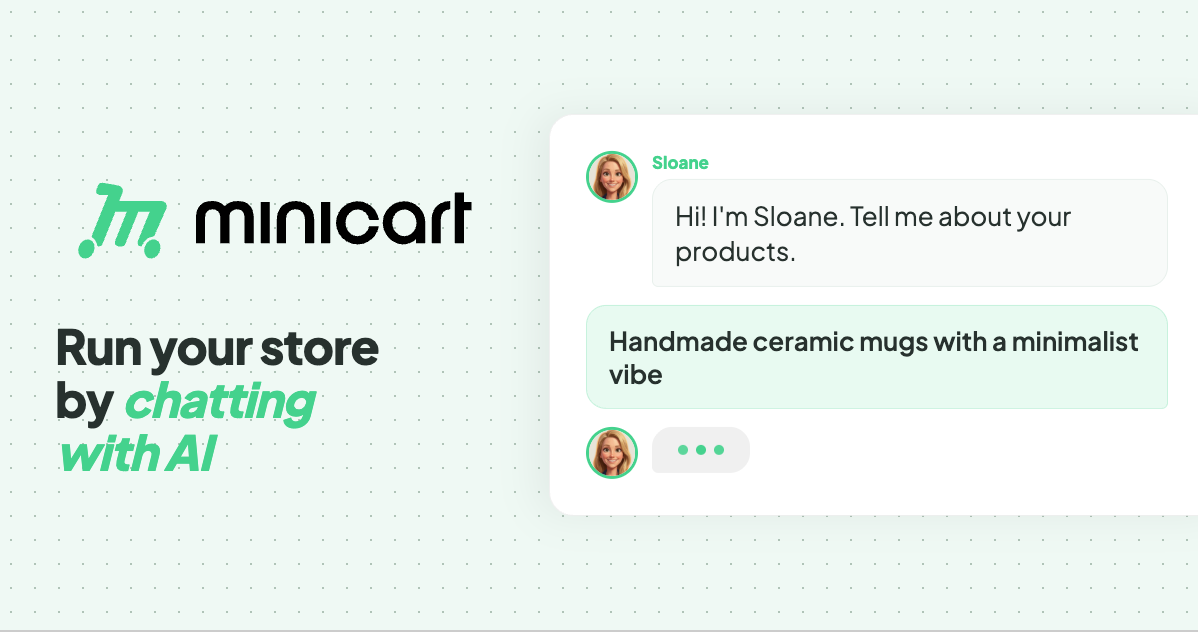
Minicart is a platform for launching and running an online store by chatting with AI. According to the website, you snap a photo of what you make and Minicart builds you a real website that you own, then gives you AI teammates to run it for you. The site positions Minicart for the people who make and sell things — it names makers, creators and resellers — rather than for developers or ecommerce specialists. Its stated purpose is to let someone launch and run a store without learning ecommerce software: no code, no design work, nothing to configure. The promise is deliberately plain: if you can take a photo and send a text, you can run a Minicart store. The site frames Minicart against selling inside someone else's platform. In its own words, a store should not be "a booth in someone else's marketplace." Marketplaces charge listing fees and keep the customer relationship buried in a feed, and building on existing store software can mean monthly fees and a stack of apps. The problem Minicart addresses is twofold. First, getting a real store live is usually slow and technical. Second, once a store is live, the everyday work — listings, marketing, shipping, customer replies, sales tax — turns into a second job. Minicart's answer is to give you a storefront of your own plus AI teammates that handle that busywork around the clock. Getting started is built around photos and imports. Minicart states that a single photo is enough to get started: you take a photo of what you make, answer a few quick questions, and Minicart builds the rest, turning the photo into a polished product listing and a full website automatically. The site advertises going from photo to live store in under ten minutes, with no design work to do. For sellers who are already trading elsewhere, Minicart offers one-click import. You paste your Etsy shop link and Minicart pulls in every listing — titles, prices, photos and variations — then rebuilds them on a site that is yours, while your Etsy shop keeps running. The same one-click approach works for Shopify, bringing products, images and collections across, and for eBay, importing titles, prices, photos and variations onto a site you own. Minicart describes these as read-only connections, so your existing store is never touched or paused. After launch, three named AI teammates take over the daily work. Sloane is the storefront teammate: she builds the site, takes payments, tracks sales and keeps listings current. Milo is the marketing teammate: Milo drafts lifestyle photos, social posts and discount codes that bring people in, and the site shows Milo drafting Instagram posts for new products. Logan is the logistics teammate: Logan ships orders, tracks inventory, handles refunds and drafts customer replies, with the site showing Logan preparing a shipping label and writing a reply to a customer question. The site describes these teammates as working 24/7 — its example timeline runs from turning photos into products in the morning through processing payments and sending a payout in the evening. Everything is driven through chat. The site says that if you can text, you can run a store: you manage inventory, draft social posts and talk to customers through a simple chat interface. Commands are given in plain language, and the site gives the example of creating a 20% summer promo code for all bracelets, which the assistant confirms with the code SUMMER20. The same chat interface powers a bulk editor for updating everything at once. Saying "increase price of all red necklaces by $5" makes the team line up the affected items and show a confirmation list before anything changes. Minicart makes clear that you review the list, uncheck anything you want to skip, and confirm — nothing changes until you say so. The same review-and-confirm pattern applies to inventory updates such as new stock numbers for bracelets and necklaces. The overall method is a three-step loop: snap a photo, let Minicart build your store, then go live and sell. Step one is taking a photo of what you make and answering a few quick questions. Step two is Minicart turning that photo into a polished product listing and a full website automatically. Step three is launching the site, sharing the link anywhere and taking orders in minutes. From there, the teammates keep running the operation under a single stated rule: you are always in control, and nothing goes out without your say-so. The stated outcomes for users are concrete and tied to ownership. You get your own website that lives on your own domain under your brand, rather than inside a marketplace feed, and you can bring your own domain or grab a new one, with your store carrying your name, colors and style from day one. There are no listing fees, so you can list as much as you want, and Minicart says it only charges a small card fee when you actually make a sale. Because the store is yours, you keep your customers: their emails are yours to build repeat business and a brand you can grow for years. The site also highlights speed — launch in minutes rather than weeks, and live in ten minutes — along with dropping monthly fees and the app stack associated with other platforms. The use cases shown on the site are drawn from real stores. Minicart says it helps you sell resin art, and its how-it-works example builds a store from a photo of a candle. It lists storefronts selling trading cards and sports memorabilia, sneakers, boutique gifts, handmade accessories and faith-inspired apparel, plus a diecast model car store. Imports are pitched at sellers who already trade on Etsy, Shopify or eBay and want a store they own while keeping their existing shop open. The bulk editor scenario — repricing a set of red necklaces or adding new butterfly bracelets and ruby necklaces — shows a typical day of small catalog updates handled by chatting. Minicart is aimed at makers, creators and resellers who have no interest in coding, designing or configuring ecommerce software; the FAQ states that if you can take a photo and send a text, you can run a Minicart store. Integrations explicitly mentioned are one-click imports from Etsy, Shopify and eBay, custom domains, and social posting such as Instagram. On pricing, Minicart says there is a generous free plan with no monthly fees to start selling, and that paid plans lower the card rates; no credit card is required to start. Every visitor can connect their own domain and brand, and the FAQ confirms the store runs on a Minicart domain such as yourstore.minicart.com or a custom domain you own, with the customer list yours to keep. In short, Minicart's value proposition is ownership without overhead. It pairs a real store on your own domain and your own customer list with AI teammates who handle listings, marketing, shipping, refunds, customer replies and sales tax through plain conversation — so makers and resellers can launch in minutes, list without listing fees, stay in control of every change, and spend their time making instead of managing store software.
Bolt Forge is a new agent inside Bolt.new, the AI app builder, that runs on open-source AI models only. It launched on September 14, 2026 as a research preview and sits in the agent picker next to the Standard and Max agents that Bolt users already work with. Forge is an agent rather than a single model, so builders can switch into it, build with open models, and switch back to Standard or Max at any time. Its headline promise is scale of usage: every individual Pro plan includes up to 50X more Forge usage at no extra cost through October 14, 2026, with no daily caps. In exchange, builders who opt in share de-identified build sessions that help train new open models, starting with the U.S. open-model lab Arcee AI. Bolt Forge was created because price has decided who gets to build with AI at speed and scale. Builders arrive at Bolt with an idea and the skill to see it through, then ration prompts like fuel: every brainstorm, every rough draft, every dead end burns credits priced for polished work. The drafting phase of building, the part where you need room to wander, is exactly the part usage caps punish. Forge removes that penalty by making the allocation big enough to draft, test, tear down, and rebuild, so builders can test a big idea, play around with new concepts, and experiment as far outside the box as they want, while saving premium credits for the work that needs them. A second motivation is the models themselves: Bolt states that AI inference costs have dropped 280x in 18 months according to the Stanford HAI AI Index 2025, a collapse that makes an allocation this large possible, and open-source models improve when they see how real software gets built, which is the one thing you cannot scrape. Opted-in Forge sessions provide exactly that, with consent. Forge runs a lineup of open models that users can see and select. As of September 2026 that means GLM 5.3 Flash with GLM 5.3 alongside it, plus Kimi K3 and DeepSeek v4 Pro as experimental options. The lineup will evolve, and when a new open model drops, Forge is the first place in Bolt it lands. Two honest notes accompany the lineup: these models are experimental inside Bolt, so builders should duplicate their project before switching a serious build into Forge and keep complex production work in Standard or Max; and they do not all cost the same to run, because Kimi K3 and DeepSeek v4 Pro burn through usage faster than the GLM pair, so starting on the default and reaching for the heavier models when the work calls for it is the recommended approach. Forge also cannot take PDF uploads yet. Capability was tested before shipping: the Forge lineup ran through the Bolt Build Index, Bolt's own benchmark for how well a model completes real Bolt projects, and came out at 92.2 against 101.0 for the top paid model, Claude Opus 5, which is 91% of the top score. The Forge allocation is a headline part of the offer. Every individual Pro plan includes it at no extra cost through October 14, drawn from a single monthly bar that resets on the renewal date, with no daily limits and a hard stop at 100%. Every Pro tier gets the same allowance, and Forge usage is separate from Standard and Max usage. When the bar hits 100%, Bolt switches the builder back to Standard rather than charging an overage, so usage can be read at a glance with no daily math and no surprise pause mid-project. Bolt describes the allocation itself as the payment for the data builders choose to share, and says the amount is big enough to draft, test, tear down, and rebuild. Training in Forge is opt-in. A one-tap consent screen spells out the trade in plain language before a builder begins working in Forge. The shared data includes prompts, code, project files and configuration, the tool calls Bolt makes, and edit histories including the fix traces Bolt creates. Bolt strips and de-identifies secrets and personal information before anything leaves its infrastructure, and validates the pipeline against seeded test data. Switching back to Standard or Max stops Forge from collecting anything new, and builders can email privacy@stackblitz.com to ask Bolt to stop using Forge content it has already collected. Teams and Enterprise workspaces are excluded from Forge and from AI training and dataset licensing, and sessions from the EEA, the UK, and Switzerland are not used for training or datasets either, so builders in those regions get the Forge allocation without the trade. The training side starts with Arcee AI, the U.S. open-model lab behind the Apache 2.0-licensed Trinity model family; Bolt has partnered with Arcee to help train a trillion-parameter-class model, and sessions shared during the preview window from September 14 to October 14, 2026 feed the first training run, which begins in October. A data license agreement governs every transfer, StackBlitz may be paid for the datasets it licenses, and those datasets may go to other AI developers as well as Arcee. Forge works in five steps from start to finish. First, pick Forge in the agent picker, where it appears as a third agent next to Standard and Max on every individual Pro plan. Second, opt in with one tap after a consent screen spells out the trade. Third, build: Forge usage draws from one monthly bar with no daily limits and a hard stop at 100%. Fourth, Bolt de-identifies shared sessions before anything leaves its infrastructure, stripping secrets, sensitive data, and personal information as a rule and validating the pipeline against seeded test data. Fifth, the sessions go into datasets that Bolt licenses to AI developers under a data license agreement, with Arcee AI as the first. Underneath, two pieces of infrastructure make the economics work. Bolt runs Forge on its own reserved hardware instead of paying a provider per request, so a fixed, predictable cost means more of what you pay goes to building instead of markup. And Forge projects run in the browser on WebContainers, the technology StackBlitz built and Bolt runs on, so there is no server rented for every build, builds stay fast, and costs stay low. Benefits of Forge centre on removing the competition between experimentation and production work. Brainstorms, MVPs, and experiments stop competing with production work for premium credits. Users get 91% of the top paid model's Bolt Build Index score included with Pro at no extra cost. Usage is readable at a glance: one monthly bar, no daily limits, and a hard stop instead of an overage bill. And builders get a hand in what comes next, because their sessions teach open models how real software actually gets built. Bolt frames it simply: every Forge build does two jobs, it ships your thing and it teaches open models how real software gets built. Already on Pro, there is nothing to buy and no line to stand in. In practice, Forge is designed for the drafting phase of building. It is the place to test a big idea, play around with new concepts, and experiment far outside the box, with enough room to draft, test, tear down, and rebuild without rationing prompts. Because the allocation is separate from Standard and Max usage and has no daily limits, builders can run brainstorms, MVPs, and experiments in Forge while keeping premium credits for production work. Users who want to try the heavier experimental models such as Kimi K3 and DeepSeek v4 Pro can do so when the work calls for it, while starting on the default GLM pair for everyday building. Duplicating a project before switching a serious build into Forge is the recommended workflow, given that the models are experimental inside Bolt. Forge is aimed at individual Pro plan builders on Bolt.new: people who arrive with an idea and the skill to see it through, and who want room to experiment without burning premium credits. Teams and Enterprise workspaces are excluded from Forge, and from AI training and dataset licensing, and sessions from the EEA, the UK, and Switzerland are not used for training or datasets. Getting started on an individual Pro plan means opening the agent picker, choosing Bolt Forge, and taking the one-tap opt-in; Bolt says you are building on open models in under a minute. Builders who are not on Pro have two doors: join the Bolt Lite waitlist, where codes go out in waves and the first seats open by September 21, 2026, or skip the line with Pro at $25 a month billed yearly, which includes up to 50X Forge usage at no extra cost and no access code required. Bolt Lite is offered at $9 a month, and anyone on Bolt Lite when sign-ups close on October 14, 2026 keeps the plan. Bolt Forge is Bolt.new's experiment in making open-source models the everyday building surface. It trades up to 50X more usage, no daily caps, and a dedicated allocation for opt-in, de-identified build sessions that help train open models with Arcee AI. The trade-off against Bolt's top paid model is nine index points; the payoff is room to draft, test, tear down, and rebuild without rationing prompts, plus a hand in what comes next for open models.