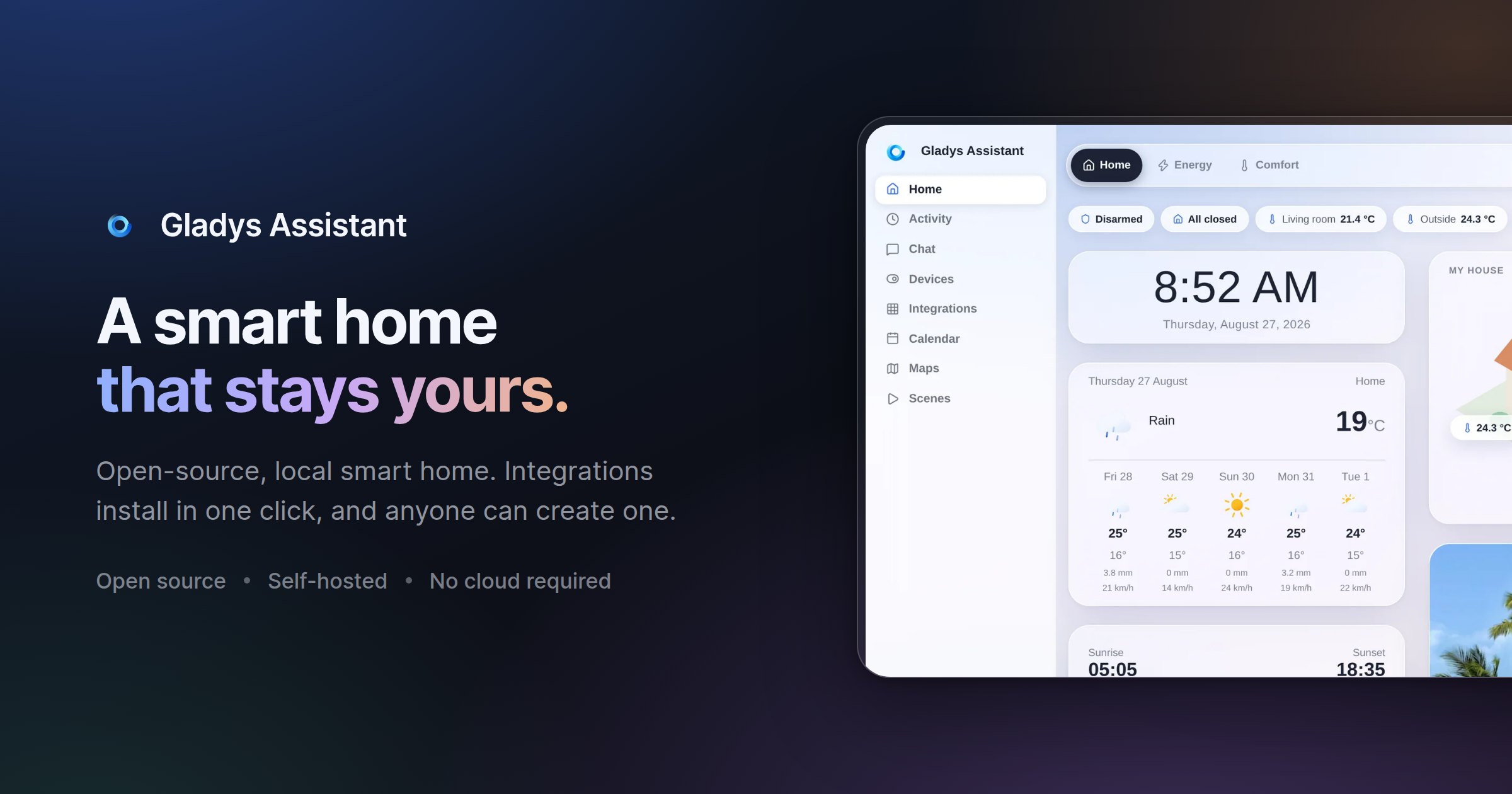
Gladys Assistant is a free, open-source smart home platform that you install and run on your own hardware, such as a mini-PC, a Raspberry Pi, a Synology NAS, a server, or even an old computer. It is designed for people who want to control and automate their home without handing their data to a cloud provider, and the project positions itself as a simpler, privacy-first alternative to heavier self-hosted systems. From a single web interface you can see your home at a glance, build automation scenes, follow your energy consumption, and control devices by voice — and Gladys keeps working even when your internet connection goes down.
Most consumer smart homes depend on a vendor's cloud: the hub stops working when the internet drops, and sensor history, scenes and presence data live on someone else's servers. Gladys takes the opposite approach. It is self-hosted by design, so your smart home data — sensors, scenes and history — stays on your local network, with no mandatory cloud, no tracking and no data selling. At the same time, the project set out to remove the friction that often comes with self-hosted home automation: there is no YAML to write and no terminal needed for day-to-day use. Installation is guided through Docker, and a clear interface handles everything after that. The result is a smart home that is private, resilient and approachable at the same time.
Gladys gives you a dashboard described as beautiful and phone-first, where you can see everything at a glance: temperature, security cameras and presence monitoring all live in one place. Instead of jumping between vendor apps, you get a single view of what is happening across your home. Alongside the dashboard sits the scene editor, used to automate your entire day. Coffee brewing, lights turning on, music playing — these routines run automatically, and the emphasis is that no coding is required. Scenes are built through a visual editor, so both simple schedules and more elaborate multi-step routines can be assembled without writing a line of code. This combination matters because it lowers the barrier for people who want real automation but do not want to maintain configuration files.
Energy monitoring is a first-class feature in Gladys. You can follow electricity consumption, solar production and home battery status in real time, with the goal of cutting your bill where it matters most. Because the data is collected and displayed locally, you can watch production and consumption side by side and act on what you see. Control also happens by voice: you can say something like "turn on the light in the kitchen" and Gladys responds instantly through its built-in voice assistant, or you can send the same instruction by message on your phone. Finally, the interface supports both light and dark themes. The same glass effect and the same layout are available in two moods; Gladys can follow your system setting or stay on the one you pick, and you can switch whenever you like, in one click.
Compatibility is handled through open protocols, native integrations and community external integrations for everything else. On the protocol side, Gladys supports Zigbee, Z-Wave, Matter and MQTT, and the project states that it works with thousands of devices. Documented integrations include Zigbee2MQTT, Matter, MQTT, Tuya, Netatmo, Sonos, Zendure and RTSP cameras, while the FAQ also lists Philips Hue, SmartThings, TP-Link Kasa and Tapo, Shelly, Reolink cameras and LG ThinQ. If a device is not supported yet, you can look at external integrations — community-built integrations you install in one click, with the list continuing to grow. If yours is still missing, you can build it yourself in the language of your choice or ask on the community forum. Product Hunt describes 90+ community integrations alongside a phone-first dashboard and no YAML.
Gladys is built around a set of stated principles. Privacy comes first: because it is self-hosted, your smart home data stays on your local machine, with no mandatory cloud and no tracking. Ease of use follows: you do not need the terminal for day-to-day operation, installation is guided via Docker with documentation that includes screenshots and videos, and the interface is meant to be clear. The team also emphasises a clean UI — designing first and then coding — a stable foundation built to last decades, a fast interface with instant actions, and automatic upgrades that install new features and bug fixes for you. Under the hood, the practical architecture is straightforward: you need a Linux machine (Ubuntu Server, for example), you run Gladys via Docker, and the system runs locally. If Docker runs on it, Gladys runs on it. Optional services such as Gladys Plus exist for remote access and AI, but the core of Gladys remains self-hosted. Remote access can also be achieved by setting up your own VPN or reverse proxy, which keeps Gladys 100% free but requires technical skills.
The practical outcome for users is a smart home that is private, resilient and low-maintenance. Because your data stays on your local network, there is no dependence on a vendor to keep your automations running, and Gladys keeps working when the internet goes down. Automatic upgrades mean you receive new features and fixes without manual work, and the interface is designed to stay responsive — community members report that Gladys remains responsive even when installed on a Raspberry Pi. The stated goal of stability is that your smart home will never let you down, and the project is explicitly built to last decades. For households that want automation without surveillance, Gladys offers a model where the intelligence lives in your own home rather than in someone else's data centre.
Community testimonials describe a wide range of concrete uses. One user tracks room temperatures in bedrooms and the bathroom, receives alerts when a room is too hot (saving on heating), gets notified if the fridge stays open, triggers the living room lamp by movement in the morning only when waking up, and detects water leaks — and when going on vacation, Gladys becomes a security box. Another user controls openings and monitors temperatures, using scenes to build scenarios that secure the home while travelling. A third describes opening and closing a gate, controlling lights from the couch, receiving alerts on intrusion during absence, detecting water damage, and managing a garden by programming a pool pump according to water temperature and opening drip irrigation. Others use Gladys for room temperature control and home openings, and many report that the installation grows over time as they add sensors and appliances.
Gladys is aimed at people who want a simple, functional, easy-to-use home automation platform that respects their privacy, including users who previously found self-hosted systems too complicated. It suits owners of Raspberry Pi boards, mini-PCs, NAS devices and spare Linux computers who are comfortable running Docker and following guided documentation. Pricing is straightforward: Gladys itself is free and open-source, installed with a single Docker command, with no subscription, no limitations and no credit card required. The optional Gladys Plus subscription adds end-to-end encrypted remote access, Google Home and Alexa, backups and AI. It starts at $7.99/month in the US and Canada (€6.99/month in Europe), includes a one-month free trial with no credit card required, and can be cancelled anytime. It works as an app on iOS and Android. A live demo is available, and a newsletter shares a few emails per month about new releases and project news, written by founder Pierre-Gilles Leymarie.
Gladys Assistant combines a genuinely free, open-source smart home platform with a privacy-first architecture that runs on hardware you already own. It covers the essentials — a dashboard, scenes without code, energy monitoring, voice control, broad protocol support and automatic upgrades — while keeping your data local and continuing to work offline. For anyone weighing a self-hosted smart home, Gladys offers a simpler alternative that is documented, community-driven, and supported by an optional subscription when you need remote access or AI.
Publisher
A
admin
Launch Date2026-09-30
Platformweb
Pricingfreemium
Tech Stack
#Docker#Linux#MQTT