Category Focus/categories/marketing
Marketing AI Tools
Discover and compare the best marketing AI tools and software. Browse 216+ curated tools with reviews and rankings.
Projects tracked
216
Sort mode
RECENT
Page
3
Discover and compare the best marketing AI tools and software. Browse 216+ curated tools with reviews and rankings.
Projects tracked
216
Sort mode
RECENT
Page
3
TopAgent is the AI messaging agent inside TopMessage, an SMS and WhatsApp platform for campaigns, reminders, verification, and customer conversations. The platform brings three capabilities into one account: marketing campaigns, a messaging inbox, and messaging APIs. TopAgent sits on top of that platform and runs SMS and WhatsApp messaging from start to finish — according to the site, you say what you need and TopAgent finds the right customers, writes the message, sends it, and suggests your next move. It is built for teams that reach customers by text: sales and marketing, customer service, developers, and operations. The site positions the platform as ready to use in minutes, with SMS and WhatsApp in one place and a fully agentic assistant that helps teams get the work done and improve results. The problem the product addresses is the fragmentation of business messaging work. Campaigns, two-way customer conversations, and verification codes are typically different jobs with different tools, and the site notes that developers otherwise have to manage multiple providers to send messages worldwide, verify users, and handle replies. Messages also need to be relevant, timely, and compliant, which is why the platform pairs sending with segmentation, analytics, opt-out management, and approval steps. TopMessage's answer is to keep campaigns, an inbox, and APIs in a single business messaging platform, then layer an AI agent on top so that routine setup — choosing contacts, drafting copy, building a campaign — can be described in plain language rather than configured through settings. The stated purpose is to help teams reach customers and hit their goals without technical overhead. TopAgent is the core agentic capability, and the site describes it in three steps. In Tell, you set your goal by describing it in plain language, like you would brief a colleague; no settings are needed, and TopAgent asks if anything is missing. In Send, TopAgent segments contacts, personalizes messaging for each audience, and drafts campaigns. In Improve, TopAgent suggests the next best actions to help you capture opportunities and grow revenue. The agent does not talk to customers on its own: the FAQ states that it selects contacts, writes messages, builds campaigns, and suggests replies inside TopMessage for your team, and that nothing is sent until you approve it. Campaign summaries include approve and request-changes actions. Marketing campaigns let teams run personalized SMS and WhatsApp campaigns and track performance from delivery to click. The site lists advanced segmentation, automation, and engagement analytics as the supporting capabilities, and describes the workflow as creating segments, launching campaigns, and tracking results with AI-powered automation. A campaigns dashboard shows delivery, click, and opt-out statistics per campaign. For sales and marketing teams, the platform supports interactive WhatsApp messages for driving sales, and a retail customer story reports a 3.4x return on campaign spend and an 18% average click rate from weekly product drops announced over WhatsApp. The messaging inbox is a shared space for two-way SMS and WhatsApp conversations. Customer service teams keep messages from both channels in one shared inbox so the team never misses a customer, and the inbox includes templates and suggestions. The site's example is a number customers can text, with your team answering from the inbox, and a dental clinic story reports 45% fewer inbound calls and a 4-minute average reply time after moving patient communication to text. For developers, TopMessage offers a messaging API, a verify API, and webhooks, so teams can add SMS and WhatsApp to an app without managing multiple providers. The site says developers can send messages worldwide, verify users, and handle replies, and the Verify API sends one-time passcodes by SMS so every account belongs to a real person. Transactional use cases such as order and delivery alerts can be sent from your own system through the API. A delivery company story reports 27% fewer support calls and a 98.6% delivery rate, while a fintech story reports 4x faster OTP arrival and 61% fewer fake sign-ups. Integrations connect TopMessage to a CRM, online store, and automation tools so customer data stays in sync and the right message goes out at the right moment. The site names direct CRM integrations with HubSpot and Salesforce, along with Pipedrive, Zoho, Slack, Google Sheets, and Shopify in its integrations illustration, plus no-code automation with Zapier, Make, and Power Automate. For custom builds there is a REST API and webhooks. The FAQ notes that a CRM can be connected three ways: direct integrations, Zapier for no-code connections to 1,000+ apps, or the API with webhooks. The product's unique approach is the combination of a self-service platform and a natural-language agent with an approval gate. Onboarding is described in three steps: connect, where you create your account and start right away with no waiting for setup; engage, where you segment audiences, manage replies, and send campaigns using natural language with TopAgent; and analyze, where you see what worked and what to improve next with AI-powered insights. No technical skills are required because everything works in the web app, and if a step feels technical you describe what you want to TopAgent and it sets it up, while developers can still use the API for custom flows. TopAgent works with the contacts, templates, and campaigns in your workspace, within the permissions of the person asking, and every action it takes is logged. TopMessage is GDPR-compliant and includes built-in opt-out management, so contacts who unsubscribe are excluded automatically. Benefits described on the site are practical and measurable. Automated SMS reminders cut no-shows for a beauty salon by 30% and saved 6 hours every week while keeping every chair booked. A dental clinic cut inbound calls by 45% and answered in 4 minutes on average. A retail brand turned weekly product drops into a new revenue channel with WhatsApp announcements. A delivery company reduced where-is-my-order calls by 27%. A financial company sped up sign-up verification and blocked fake accounts. Across these stories the through-line is faster replies, fewer inbound calls, fewer no-shows, and campaigns that convert. The site lists six best ways to use TopMessage. Sales teams grow revenue with campaigns, driving sales with interactive WhatsApp messages. Support teams reduce calls with texting, offering a number customers can text while the team answers from the inbox. Reminders cut no-shows by connecting TopMessage to your calendar and automatically sending reminders. Internal messaging reaches staff who are not at a desk, such as shift changes and urgent notices read in minutes. Transactional messages keep customers updated automatically with order and delivery alerts from your own system. Security verification uses one-time passcodes by SMS with the Verify API, so every account belongs to a real person. Product Hunt adds a B2B event use case: filling a conference, summit, or workshop with SMS invitations and relevant follow-ups. Pricing works on a top-up balance: you add credit and pay for the messages you send, with prices depending on the channel and the destination country. Setup is self-service and most teams send their first message the same day they sign up, though verifying a phone number or sender can take a little longer. The platform is aimed at every team — marketing, sales, support, and operations — plus developers who need messaging APIs. Channels are SMS and WhatsApp, usable for campaigns, two-way conversations in the inbox, and through the API, all from one account. The overall takeaway is that TopMessage pairs a complete business messaging platform with TopAgent, an AI agent that segments, drafts, and suggests next actions while leaving the final approval to your team.
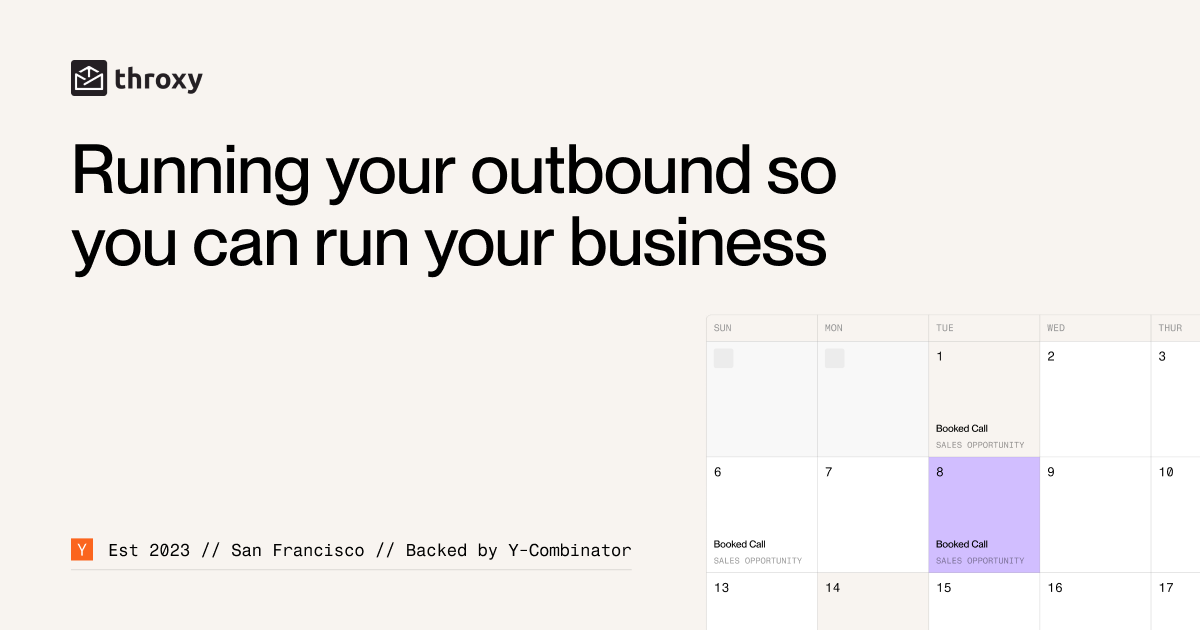
throxy is an outbound partner built for B2B companies selling into complex, hard-to-crack industries such as manufacturing, logistics, construction, education and healthcare — markets where generic outreach usually fails. Rather than handing you another dashboard, throxy builds prospect lists using custom, proprietary technology and then puts human sales development representatives on the phone and in the inbox to book qualified sales meetings on your behalf. The arrangement is simple on the buyer's side: you do not hire, ramp or manage anyone; you only choose which of the qualified meetings you want to take. throxy describes itself as Y Combinator's first AI-native sales agency and positions the service as a true outbound growth partner rather than just another sales platform, combining proprietary technology, data intelligence and human expertise. The stated purpose is to create a steady, predictable flow of high-value conversations with decision-makers in industries that are hard to reach but lucrative. The website is direct about the problem it addresses. Most tools, it says, overwhelm: they require tinkering, testing and fixing issues, and they lean on stale data or firmographic filters from generic data providers. Most agencies disappoint: they promise results but deliver poor leads, while SDRs are slow to ramp and need handholding. The industries throxy targets are described as complex, relationship-driven and full of noise — manufacturing is called one of the toughest markets to crack. Most outbound, the site argues, floods your calendar with noise, so the buyers actually worth your time get buried among unqualified conversations. throxy's answer is to combine its own outbound technology with a fully managed human team, so companies selling into traditional industries get real conversations instead of spam, and so internal sales teams can focus on what they do best: closing deals. The first pillar is custom lead targeting. Rather than renting access to a generic database, throxy builds tailored prospect databases from scratch based on your exact ideal customer profile. The site contrasts this with tools that rely on stale data or broad firmographic filters, and it emphasizes custom databases, niche-specific targeting and proprietary infrastructure that reaches buyers others cannot find. Lead research draws on scraped sources including LinkedIn, the prospect's website and Glassdoor, and it hunts for specific triggers — a recent fleet expansion, a new partnership — that make outreach timely. This matters in traditional industries where buyers are not searching for new vendors and where a well-chosen trigger is often the difference between a reply and silence. The second pillar is cold calling, powered by Maestro, the dialer throxy built itself to put SDRs on live conversations instead of dial tones. The site reports that the same team books twice the meetings on Maestro, with 121% more meetings booked per week since the dialer launched, 71% more meetings when calling is added, an 11% booking rate on calls lasting over two minutes, and zero people the customer needs to hire or train. A newer capability routes calls to an SDR who speaks the lead's language: a plant manager in Lyon hears French, a buyer in Munich hears German. The published interface shows an SDR note being written during a live call — qualified on production line downtime, interested in a Q3 pilot, asking about case studies in DACH, ready to book — illustrating how qualification happens inside the conversation rather than afterwards. The third pillar is qualification and approval. Every lead is qualified before it ever reaches your calendar against criteria the site lists as ICP (right company size), decision-maker confirmed, budget authority and timing confirmed, with leads failing a criterion marked to skip. Even after qualification, meetings go through a meeting approval step where you accept or skip each one, and throxy states plainly that it never books without your approval. A sample weekly calendar shows only the accepted names — a VP of Operations, a CEO, a CTO — reinforcing the promise that only qualified buyers make it through, with no noise and no wasted calls. The fourth pillar is messaging. throxy pairs email and cold calling end to end, using context-aware personalization drawn from scraped LinkedIn profiles and websites. The example on the site pairs a trigger observation ("Saw your recent Fleet expansion") with a website observation ("Congrats on your DHL partnership") before asking whether fleet expansion is relevant right now. Messaging-market fit is tested through A/B tests, such as Email version 1 versus a combined email and call sequence, and email deliverability is handled as a managed service, including warming email infrastructure during campaign buildout. The company lists its solution areas as lead finding and qualification, cold calling, messaging, deliverability and closed-loop optimisation, all delivered as a done-for-you service. How the whole thing runs is spelled out as a timeline. On days 1–2, throxy completes onboarding and strategy: ICP definition, qualification criteria and messaging frameworks are signed off, the team scrapes websites, LinkedIn and Glassdoor while searching for triggers, and briefs SDRs on value propositions and objections. On days 3–5 comes campaign buildout: the lead list is built and enriched, the SDR team is briefed and email infrastructure is warmed. From day 5 onward, calls and emails run in parallel, replies are managed and qualified leads are passed to you. From weeks 3–4 onwards, qualified meetings land on your calendar alongside weekly updates, A/B testing and continuous optimisation. The headline is that you are live within a week and see meetings within the month. The intended outcomes follow directly from that model. There are no dashboards to manage, no systems to learn and no resources to hire; the prospecting burden — finding targets, crafting personalised outreach, managing replies and booking meetings — is taken off your plate so your team can focus exclusively on closing. Because the system keeps testing and optimising, throxy says it learns and improves for your specific business the longer you work together. The result it promises is outbound sales that is predictable, profitable and painless, with a steady flow of high-value conversations in markets where outbound is hard, ignored or broken. Concrete scenarios appear throughout the site. A manufacturing software company describes throxy as more than a tool and a true outbound partner, starting real conversations rather than sending spam so the sales team can concentrate on closing. An education solutions provider credits personalised outbound with putting the right message in front of every educator at the perfect moment, unlocking qualified opportunities and freeing time for customers. A third customer reports 12 meetings in 20 days in December — described as the toughest month for outbound — and 137 meetings booked by July 2026 with an 80% show rate. The site also illustrates trigger-driven work with a mid-market logistics ICP: Director of Operations persona, fleet expansion trigger, and outreach referencing a DHL partnership. throxy is aimed at B2B companies selling into traditional, complex or niche industries — manufacturing, logistics, construction, education and healthcare are all named — including teams that have been burned by generic data providers or agencies delivering poor leads. Both email and cold calling are fully managed, and all SDRs are humans. On commercial terms, throxy states that you pay for meetings you accept that actually happen, which shifts the cost toward delivered pipeline rather than effort. The site does not publish tiers or list prices; instead it routes prospects to a strategy call booking form, and its FAQ addresses setup requirements, cold calling, using your own CRM or pipeline tools, niche industries, time to first meetings and how the service differs from a traditional lead gen agency. The takeaway is that throxy sells outcomes rather than software: proprietary list-building technology plus a human SDR team running email and multilingual cold calling, with qualification and approval gates so only meetings worth your time reach your calendar. For companies in hard-to-crack industries, the value proposition is pipeline delivered without hiring, ramping or managing anyone — and paying only for meetings you accept that actually happen.
LinkedInEmbed is a no-code LinkedIn widget builder that turns public LinkedIn profiles and company pages into embeddable widgets for any website. You can display your latest LinkedIn posts, a profile card, a company page card, your company's open job listings, your LinkedIn recommendations, your licenses and certifications, or your projects — each styled with your own colors, fonts and layout. It is built for professionals with personal websites and portfolios, companies with business and careers pages, marketing agencies managing several brands, consultants and coaches, and job seekers who want to stand out to recruiters. LinkedIn's own embed options are limited: you can embed a single public post and you get a basic profile badge that is small and hard to style. There is no built-in way to embed a live feed of your latest posts, a company page card, your certifications, your projects, your recommendations or your company's job openings. That means most of the credibility you have built on LinkedIn never appears on the website where your visitors, candidates and clients actually are. LinkedInEmbed was built to fill that gap — turning LinkedIn into website-ready social proof that stays updated automatically instead of a static screenshot or a manually re-pasted snippet. The LinkedIn Feed Widget shows your latest LinkedIn posts, with images, videos, documents and engagement, as either a clean grid or a single-column feed. It works for both personal profiles and company pages, and new posts appear automatically without touching the code. On top of the live feed, you can hand-pick up to four posts to feature; picked posts stay in sync with LinkedIn when you edit them, and this featured-post option is available on paid plans. The LinkedIn Profile Widget replaces LinkedIn's small, hard-to-style profile badge with a card showing your photo, headline, current company, skills and past experience, plus one click through to your full profile. The LinkedIn Company Page Widget turns your company page into a polished card with your logo, follower count, about section, key details and specialties, and includes a Follow on LinkedIn button so you can grow your audience directly from your own website. The LinkedIn Recommendations Widget turns written recommendations into testimonial cards on your site, with each person's photo, headline and relationship to you — useful because recommendations are written by real colleagues and clients under their own names. The LinkedIn Certifications Widget shows your licenses and certifications as a clean grid with the issuing organization, dates and a link to verify each credential. The LinkedIn Projects Widget reuses projects you already listed on LinkedIn as portfolio cards with descriptions, dates and skills. The LinkedIn Jobs Widget lists your company's newest LinkedIn job openings with location, workplace type and posting date, with every Apply button opening the role on LinkedIn. Getting started takes three steps and requires no API keys, no plugins and no LinkedIn developer account. First you paste a public LinkedIn profile or company page URL. Then you pick a widget type and customize it — colors, fonts, layouts and section toggles — with a live preview before you publish. Finally you copy a short embed snippet, a single div and one script tag, into your site. It works on WordPress, Elementor, Wix, Webflow, Squarespace, Shopify, Framer, Weebly, plain HTML sites, and React & Next.js projects. Widgets refresh automatically while they are being viewed, and every design change you save goes live instantly without re-pasting code. The widgets are built to behave like native site components rather than rigid embed boxes. They adapt to the space they are given — full-width sections, sidebars and phones — with grids that reduce their columns automatically and long text that wraps cleanly. A tiny script and a sandboxed iframe mean no CSS conflicts and no slowdown: images are served from a cache, the iframe does not block the page, and the widget sizes itself to its content so there is no layout jank or scrollbars. Views and click analytics show which widgets get seen and how many visitors click through to LinkedIn. LinkedInEmbed also notes that embedded widgets mainly help SEO indirectly, by keeping visitors on the page longer and building trust, while post text inside the iframe is generally attributed to LinkedInEmbed's embed page. Documented use cases include personal websites and portfolios that display a LinkedIn profile, posts, certifications and projects; company websites that show the company page and latest company posts to build trust, keep pages fresh and grow LinkedIn followers; careers and employer branding pages that show culture, momentum and real team updates to candidates; marketing agencies that create feed and company page widgets for every client from one account with brand-matched designs and click analytics to report results; consultants and coaches who show expertise through a profile, certifications, thought-leadership posts and projects; and job seekers and resume websites that embed a profile, experience, certifications and projects to stand out to recruiters. Pricing starts with a free plan that is free forever and requires no credit card: one LinkedIn profile or company page, one widget, data refreshes every 72 hours, every widget type, full customization with live preview, and a "Powered by LinkedInEmbed" link. Pro is $11.04 per month billed yearly and covers two LinkedIn profiles or company pages, three widgets, 24-hour refreshes, views and click analytics, and no LinkedInEmbed branding. Essentials is $25.49 per month billed yearly for agencies and teams managing several brands, with five profiles or company pages, five widgets, 30-minute refreshes, analytics and no branding. Yearly billing saves 15%, and plans can be cancelled anytime. The core value is simple: LinkedInEmbed puts the LinkedIn content you already maintain onto the website your audience already visits — automatically updated, brand-matched, responsive and measurable — without writing code or touching an API.
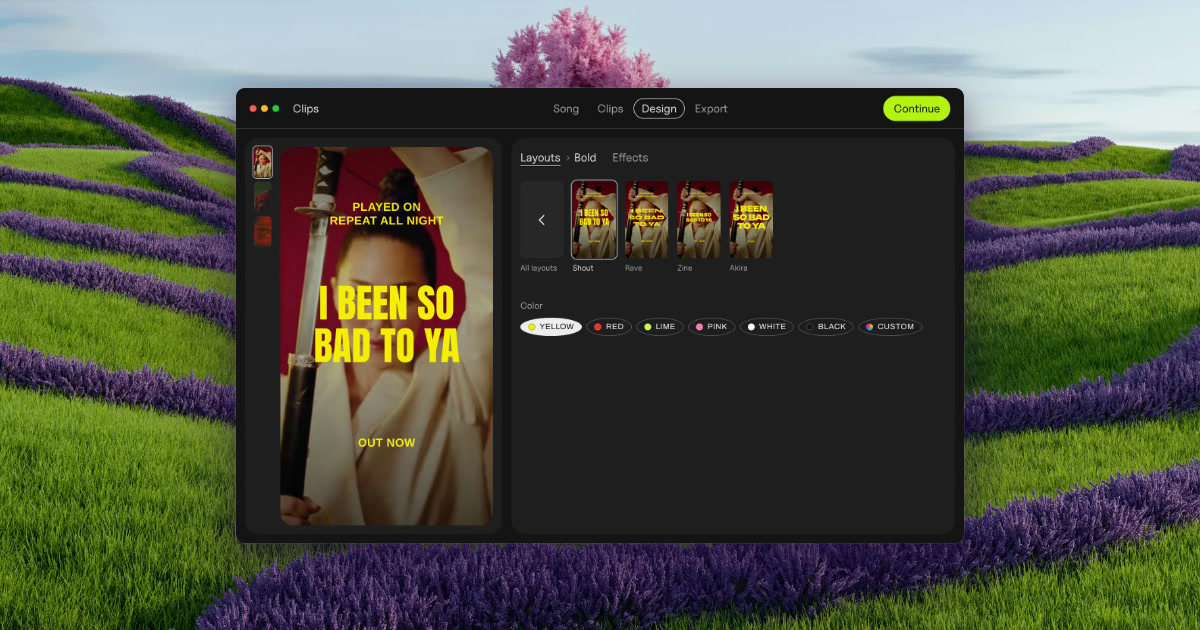
Clips by Plastic is a lyric and lip-sync video maker for Mac that turns a finished song into vertical videos for every part of it. You drop in a song along with your own footage or photos, and the app cuts every part and its catchiest snippets into vertical videos, on the beat, with the lyrics synced word by word. It is built for music artists, and for the people who promote their songs, who need ad creative for a release without opening a timeline-based editor. The point of the app is stated plainly on its site: find the part of your song that sells it, test them all, then spend on the one that works. The problem Clips was built around is stated on its own site: making 15 videos takes all evening, so you cut two and pray. A single song has multiple parts — intro, verses, pre-chorus, chorus and bridge — and any one of them might be the fragment that makes a listener stop scrolling. Producing a separate video for each part, on each backdrop, by hand in a conventional video editor is slow, repetitive work, and it competes directly with the time an artist wants to spend on music. The founder's note on the page makes the same point from personal experience: Clips was built while promoting an album, because cutting the same song fifteen ways was eating the time that was meant for music. Instead of guessing which section to promote, the product is designed to let results from real ad spend pick the hook. Clips begins by analyzing a finished song. It finds the tempo — the page shows an example at 124 BPM — and it detects every part of the song, listing sections such as Verse 1, Pre, Chorus, Verse 2, Bridge, Chorus and Intro. Each of those parts then becomes one clip, and the clip is cut on the beat rather than at arbitrary timestamps; the page describes a chorus section as "16 beats, cut on the beat." This matters because a vertical ad that starts and ends on the musical grid feels intentional and loops cleanly, and because the artist does not have to scrub a waveform to find section boundaries. The work of mapping the song's structure is done automatically, so the first step of the four-step workflow is simply dropping the song in. The second layer is lyrics. Clips syncs the words to the music and offers two modes: word by word, on the beat, or line by line, on the beat. A word-level sync puts each word on screen as it is sung, which keeps a short vertical clip visually busy and readable without the viewer needing sound. The page also shows a third element: a hook line placed on top of the video — a short phrase that stays visible while the synced lyrics run below. The hook is what makes a clip legible at a glance in a feed; the word-level lyrics are what hold attention once the clip starts playing. Together they allow one song section to be presented as a self-contained ad rather than an excerpt that needs context. Visually, Clips separates the words from the treatment applied over them. You pick a layout, then choose from 54 effects — the page lists Paper, Glow, Vertigo, Riso, Xerox, Tape, Bitmap, Lines, Heatwave, Drift and Negative among them — and drag a strength slider to set how strong the effect is. Because the effect sits on top of the same footage, one chorus can be produced in 54 different looks, so ads can match the visual language of a release instead of looking like a template. The page frames the output as ads that look like your release, not like a template. A backdrop in Clips is effectively that combination of footage and treatment: the export screen shows the same set of parts repeated across backdrops named katana, neon and eye. Export is where the multiplication happens. Rather than rendering one video at a time, Clips exports every part of the song on every backdrop in a single batch — the page shows 15 videos being exported at once, in vertical 1080 × 1920, with square 1080 × 1080 also supported. Files are named by song, part and backdrop, so a batch drops straight into Ads Manager without a renaming session. The page contrasts this directly with the manual route: a video editor handles one video at a time, Flowstage limits posts, Hypeddit's maker restricts output, and none of them produce every part of the song in one batch. Clips is presented as producing about 30 ads a song. The four-step workflow is stated explicitly: drop your song, and Clips finds the tempo and every part; pick the parts, and each becomes one clip, cut on the beat; add your hook, a line on top with lyrics synced word by word; and export, every part on every backdrop, ready for Ads Manager. The methodology continues past export into a testing loop the page calls Test first. Then spend. On Day 1 you upload the batch. On Days 2 to 6 you let them all run at a few dollars a day each, so strangers rather than your own guess decide the winner. On Day 7 you keep the winner and put your budget behind it. The example given is deliberately counterintuitive: the intro won, not the chorus — $0.21 cost per result against $0.63 for the chorus — which is the argument for testing rather than assuming the hook is the chorus. Cost per result is tracked one line per part: Intro, Verse 1, Pre, Chorus, Verse 2 and Bridge. The stated benefit is time and confidence. A batch that would take an evening of timeline work is produced in one export, so the artist can ship many variants instead of two. Decisions about ad spend are made on measured cost per result rather than intuition about which section is catchiest. Because the app runs offline and on the Mac, an unreleased song never leaves the machine — a meaningful point for artists sitting on music before release. And the pricing is a one-time purchase of $99 for the Artist license: no subscription, no credits, no caps, free updates, with a 30-day refund. The free version is not a trial with a timer; it includes every feature and unlimited exports, and the only difference is a small Clips tag on exports, which you remove by buying the license before putting money behind an ad. Concrete situations described on the page include an artist with a new single who wants a batch of ad creative in minutes rather than an evening; an artist without footage, who can use photos since Clips animates stills, a single phone clip for a whole batch, or free high-quality vertical videos from Pexels matched to the mood of the song; an artist between releases, who can use the non-expiring free version on an old song; a label, studio or manager producing videos for a roster or clients under the Label / Studio license, which covers client and commercial work and up to 10 Macs; and an artist testing the same chorus across many effects to find a look that fits the release. The Day 1 to Day 7 workflow is itself a use case: running every part of one song as a small-budget ad set for a week and consolidating budget on the winner. Clips is aimed at music artists promoting their own releases and at the labels, studios and managers promoting artists they work with. The site distinguishes the two in licensing terms: Artist at $99 once covers your own music, removes the Clips tag and allows up to 3 of your own Macs with free updates; Label / Studio at $299 once covers up to 10 Macs for a team, client and commercial work, and priority email support. A bundle with Plastic's DOT app is $125 once for both apps unlocked, up to 3 Macs and free updates. Requirements are macOS 13 or later on Apple silicon or Intel, with lyric sync described as best on macOS 26; Clips is Mac only today, and the page invites Windows users to write in. Delivery is a DMG download (Clips-1.3.2.dmg) with a step-by-step guide sent by email. Clips by Plastic packages a repetitive production job into a four-step Mac app and pairs it with a testing method: analyze the song, cut every part on the beat, sync the lyrics word by word, add a hook, export every part on every backdrop in one batch, then let a week of small ad spend reveal which part sells the song. Free to try without a time limit and $99 once for the Artist license, it is built for artists who would rather test fifteen versions than cut two.
SwipeToLaunch is a launch directory built around one mechanic: swipe. New startups, SaaS products, dev tools and apps appear one card at a time, and visitors swipe right if they like the idea and left if they don't. Every swipe is a vote, no account needed.The ranking comes from approval, not upvote counts. A product's score is the share of its swipes that said launch, and the board weighs that share against sample size, so 100% from 2 swipes sits below 92% from hundreds. Below 5 swipes a score is labelled Early. One vote per person per product.For makers:Submit with one link and no account; the site drafts the listing from your pageFree listing: put the SwipeToLaunch badge on your homepage and the listing goes live, with a followed link while the badge is upFeatured: $29 one-time, live right away, first in the deck and on the board for 30 days, with a gold markA moderator reviews each new listing within about a dayEvery product gets a public listing page, a place in the swipe deck and a spot on the weekly boardFor developers and agents: REST, MCP and Markdown access at https://swipetolaunch.com/developers
Fastlane is an AI marketing agent for brands, built around an agent named Senna. According to the company, Senna learns a brand from its website, studies competitors and customers, builds campaigns, creates ads and organic content, and launches them across Meta, Instagram, TikTok and YouTube Shorts. It then reads the results and feeds those learnings into the next round of creative. The product is built for solopreneurs and fast-growing teams, and the company states that more than 70,000 businesses use it. Fastlane began as a simple AI organic content creation tool and now positions itself as a system that runs paid marketing end to end. Its stated purpose is to deliver your next winning ad on autopilot and to increase ad diversity so teams can focus on big ideas. The problem Fastlane addresses is the cost and volume limits of creative production. Hiring an influencer or an agency is expensive and slow; one testimonial on the site compares an influencer who charged $800 for three videos with Fastlane generating 1,000. Marketers also need many variants to test hooks, formats, creators and emotional triggers, and a small team often cannot produce at that volume. Fastlane says it was created by marketers that have run $1B+ in ad spend, and it frames the tool as turning distribution into a repeatable pipeline so small teams can test ideas at a volume that used to require an agency. The core promise is creative volume plus a feedback loop that keeps improving results. The first step is brand and market learning. A user gives Senna a URL, and it pulls the product, palette and tone of voice, then scans every ad the brand has ever run and tells the user what is actually working. The site shows an example readout with 1,032 ads scanned, 528 days for the top ad, 48% discount-led ads, 40% without captions and two organic posts per week, alongside brand attributes such as science-backed, simple, warm and never hypey. Senna then reads competitors' ads and organic posts plus thousands of reviews across Reddit and Amazon (the example cites 12,000+ reviews read) and finds the audiences competitors are missing, such as a biohacker, a busy professional and a fitness lover, each with a short description of their angle and whether they are served or under-served. From that research, Senna creates the ads. Fastlane describes dozens of net-new concepts per campaign, spanning competitor remixes, trending formats, AI creators, statics and memes. The site lists a wide range of creative formats it can produce, including chalkboard, claymation, baby podcast, Netflix doc, competitor remix, car yapper, breaking news, meme, AI podcast, papermation, static, trolley remix, pills, text on body and winner variations. In the example workflow, Senna returns around 30 ads ready for review and the user approves them; the company's framing is that you approve and Senna makes. The point of that breadth is creative diversity: instead of one polished spot, the brand gets many concepts to test at once. Launch covers both paid and organic. Senna launches the ads in the brand's Ads Manager and runs AI creators that post daily to Instagram, TikTok and Shorts, all managed from one calendar. The site shows a 30-day calendar and a Meta view with 30 ads live at $5k/day, plus a roster of AI creator accounts with handles, personas and audience types such as fitness lover, busy pro and biohacker. Fastlane also offers warmed accounts: real US and EU TikTok and Instagram accounts, created from scratch, warmed up in the user's niche and managed inside Fastlane, priced at $100 per month per account plus $1.50 per post upload. After launch, Fastlane reads results per creative across metrics it names explicitly: thumbstop, hold rate, CPA and ROAS. Winners are saved to memory, losers are cut, and all of it feeds the next batch. The site illustrates this with a winning ad showing 41% thumbstop versus a 25% average, 5.4x ROAS versus 2.1x for the account, an 18% hold rate versus 8% average and a $32 CPA that is 46% below the account. It also shows plain-language learnings logged along the way, such as winner found with six variations made, morning routine winning 2:1 and being saved, and ingredient hooks being cut. Fastlane's overall approach is a repeating loop rather than a one-off generation. The site lays out five stages: learn your brand, research the market, create, launch, learn. Each lap ends with a winner that becomes variations, and the variations are meant to find the next winner. A lap-one diagram shows a winning ad saved to memory with three variations produced, a hook noted and the next batch planned as six more like it. Fastlane states that every loop makes the next one better because the learnings roll straight into the following batch. The stated benefits are volume, speed and lower creative cost. Testimonials on the site describe a 36.2 million view TikTok made and posted entirely from Fastlane, with the creator saying it took 60 seconds to create and schedule. Reviewers describe shipping 10 to 20 variants with the same narrative but different hooks, formats, creators and emotional triggers, and call the cost reduction versus traditional UGC roughly five times cheaper and much faster. Other quoted feedback says Fastlane turned distribution into a one-click deployment and gives absolutely wild leverage for small marketing teams by turning a simple URL into high-volume video pipelines. Concrete workflows described on the site include turning a website URL into a customer profile, a competitor set and a batch of videos and carousels; remixing a competitor's static ad into a brand version; producing dozens of statics and videos for a Meta campaign and approving them in bulk before launch; running a 30-day organic calendar in which AI creators post daily on Instagram, TikTok and Shorts; and cutting losers while spinning a winner into multiple variations. Fastlane also frames the tool as the AI that replaces a creative marketing agency, handling research, creation, launch and performance reading in a single loop. Pricing is tiered by volume and is labelled by audience. Starter is $29 per month for solopreneurs starting out and includes 500 credits a month, equal to up to 100 statics or 7 videos, light planning from Senna, one campaign at a time and one social account. Growth is $79 per month for teams starting to scale with 2,000 credits, up to 400 statics or 28 videos, 4x the Senna fuel, five campaigns at a time, 10 social accounts and three workspaces. Pro is $199 per month for teams pushing high volume with 10,000 credits, up to 2,000 statics or 142 videos, 5x the Senna fuel, 20 campaigns at a time, 500 social accounts and 10 workspaces. Enterprise is $999 per month with 40,000 credits, up to 8,000 statics or 571 videos, every Pro feature, 14x the Senna fuel, and scales to $2,999 a month in-app. A seven-day free trial with 50 credits is offered, credits are the only meter (a static is 5, a five-second video is 70, any mix), yearly plans save 30%, and the site also invites users to create 5 ads for free. In short, Fastlane's value proposition is a single agent that handles the full ad loop: learn the brand, research the market, create diverse creative, launch paid and organic, read performance and double down on winners. For solopreneurs and small teams, that means more creative tested faster, without assembling a production pipeline or an agency to do it.
Bottally is an AI marketing agent for SEO and AEO. Connect your site once and it researches your keywords, audits your pages and finds the topics your competitors cover and you don't. Then it writes and publishes one researched article to your blog every day (WordPress, Webflow, Ghost, Shopify, Wix, Notion, Framer, Next.js or any webhook). It tracks whether ChatGPT, Perplexity, Google AI Mode and AI Overviews mention your brand, and matches you with real businesses for do-follow backlinks.
Evane is an AI event management platform and AI Agent purpose-built for international event management. The website describes it as built on decades of global convening experience from the Sino-International Entrepreneurs Federation (SIEF) and WeCarbon's agentic AI technology. Evane is designed for summits and government events, as well as government-enterprise collaboration and complex, multi-stakeholder programs where alignment, accountability, and speed determine outcomes. It is positioned to transform how global convenings are planned, created, delivered, and orchestrated, from initial concept to live execution. The platform replaces fragmented communication with a unified data foundation, automates repetitive work, and gives leaders real-time tracking and early bottleneck alerts. Complex international events rarely fail because one team lacks effort. They fail because information is scattered across emails, chats, and spreadsheets, and different stakeholders work from different versions of the programme. Evane's website frames the challenge around government-enterprise collaboration and multi-stakeholder programmes, where many parties must stay aligned and accountable while moving quickly. In that environment, paperwork consumes time, a slipping item can go unnoticed, and leaders may learn about a bottleneck only after it affects the event. Evane is designed beyond a single summit: it targets the recurring, complex programmes that government and enterprise teams run together, and it aims to keep the programme, the people, the meetings, and the paperwork from drifting apart. The foundation of Evane is a single, unified data foundation. The website describes this as "one record, not six inboxes": Evane replaces fragmented emails, chats, and spreadsheets with a single record that every stakeholder reads from. Instead of each team maintaining its own version of the agenda, status, or briefing, the platform provides one shared source of truth. That matters in multi-stakeholder events because alignment depends on people seeing the same information at the same time. A unified record also supports accountability, since the programme, people, meetings, and paperwork are connected rather than dispersed across separate tools. Evane automates repetitive work around event documentation. The website states that status decks, agendas, and briefings draft themselves out of the work itself, so people spend their time on the programme rather than on formatting it. This is presented as "less of the paperwork." For secretariats and event teams, the value is straightforward: documents that would otherwise be assembled manually from multiple inputs can be generated from the work already captured in the platform. That reduces the formatting burden and helps teams keep materials current as the event evolves, while still leaving the team in control of the programme. Visibility is another core capability. Evane provides real-time tracking that surfaces a slipping item the moment it slips, with an early alert before it becomes a bottleneck. The website summarizes this as "nothing slips quietly." Leaders get real-time tracking and early bottleneck alerts, which is important when many workstreams and stakeholders are moving at once. Rather than discovering a delay late in the process, teams can see the issue early and respond while there is still room to act. This ties directly to the outcomes Evane emphasizes: alignment, accountability, and speed. Evane is described as the engine a secretariat runs the convening in. It sits at the core of the event, and every stage reads from and writes to the same live record. The website names four stages: Plan, Create, Produce, and Orchestrate. Because each stage works from the same live record, the programme, the people, the meetings, and the paperwork never drift apart. In the Abu Dhabi Sustainability Week case study, Evane held agenda and venue scheduling on one timeline, sequenced protocol for heads of state and ministerial guests, and supported media distribution at that scale. These examples show how the platform connects scheduling, protocol, and communications rather than treating them as separate workstreams. Evane also runs an MCP server, which lets customers connect Claude, ChatGPT, or any MCP client to their Evane space. The website explains that the AI works with the user's own permissions. The server URL is https://api.evane.ai/mcp, and spaces in the UAE data region use https://ae.api.evane.ai/mcp. To connect, a user adds a custom connector in Claude Desktop or claude.ai, names it Evane, pastes the server URL, and signs in to Evane when asked. The user can then ask Claude to list spaces and pick one. This approach lets teams work with Evane through the AI tools they already use, while access remains tied to their Evane permissions. The benefits Evane emphasizes are alignment, accountability, and speed. By replacing fragmented communication with a unified data foundation, the platform helps stakeholders work from the same information. By automating status decks, agendas, and briefings, it reduces the paperwork burden. By providing real-time tracking and early alerts, it helps leaders spot bottlenecks before they become critical. The website also positions Evane as a way for a lean team to deliver world-class summits, with SIEF's experience and Evane's AI supporting complex convenings. For organizations with data-sovereignty needs, private deployment offers an isolated instance, while SaaS lets a team start the same day. Use cases include international summits and government events, especially those involving government-enterprise collaboration and multiple stakeholders. The Abu Dhabi Sustainability Week case study describes SIEF hosting the Blue Forum with dozens of ministerial speakers, alongside a sustainable fashion show, a reception marking the Asian Infrastructure Investment Bank's 10th anniversary, a UN SDG photo exhibition, and an innovation pavilion. Evane held agenda and venue scheduling on one timeline, sequenced protocol for heads of state and ministerial guests, and supported media distribution at this scale. The event involved 3 heads of state, 10 ministers, and 80MN+ media exposure. These details illustrate the kind of complex, protocol-sensitive, multi-component event Evane is designed to support. Evane is aimed at secretariats, government and enterprise collaboration teams, event organizers, and leaders responsible for complex multi-stakeholder programmes. The website lists cooperation models for different institutional needs. Evane-Empowered combines Evane's AI with a team around it: the engine plus a named senior lead, scaled to the event, with ownership of the convening staying entirely with the customer. Private Deployment provides an isolated instance for institutions with data-sovereignty requirements, using a dedicated or bring-your-own cloud, their own administration, and the same engine and delivery standard. SaaS lets a team get an Evane account, sign in, and start right away, with no deployment project or waiting on a schedule. Integrations include Claude, ChatGPT, Claude Code, Cursor, and other MCP clients. In summary, Evane's primary value proposition is a cognitively convened event: a single live record, automated paperwork, and early visibility across complex government and enterprise programmes. It is built for the teams that run international convenings and need alignment, accountability, and speed from concept to live execution.
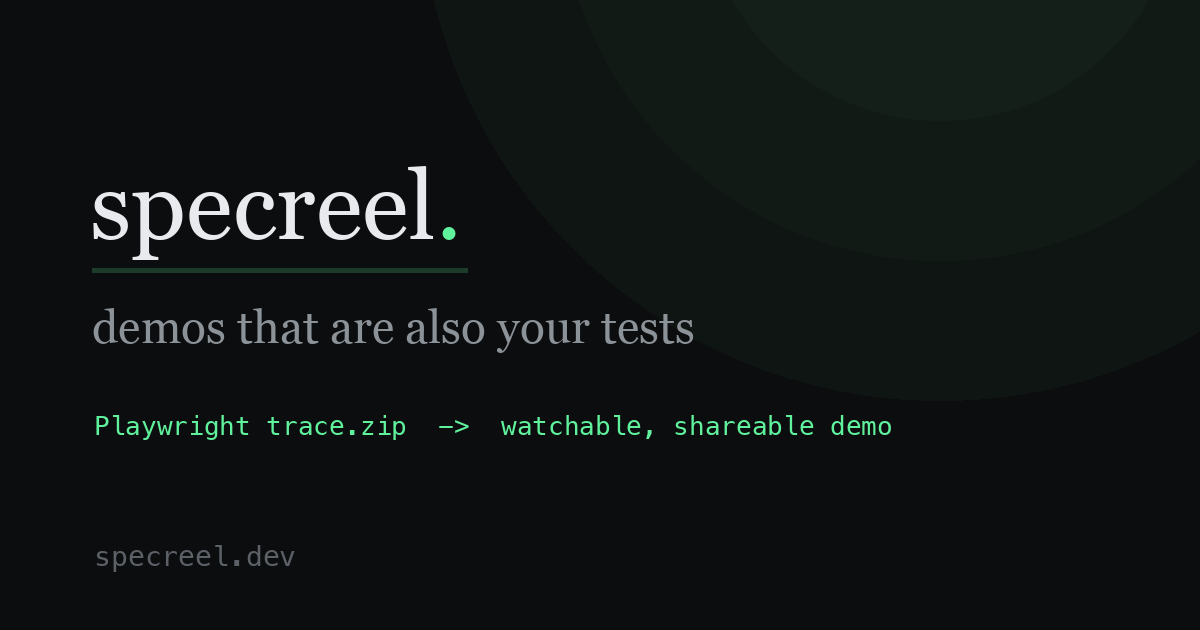
Specreel is a tool for making product demos that update themselves. You can paste your app's URL, or point Specreel at the Playwright traces your tests already produce, and it turns those recorded browser flows into narrated, shareable demos. The goal is simple: a demo should always show the app as it is today, not as it was on the day someone recorded it. Specreel is built for people who show software to other people — marketing and sales engineers who need current demo material, and developers who already maintain end-to-end tests. It comes as an open-source CLI that runs on your machine and in your CI, plus a hosted Cloud version that needs no setup, so teams can choose the workflow that fits them. Product demos rot. A Loom recording, a click-through tour, a screenshot in the docs — each one shows your app on the day it was recorded. The UI moves every sprint, and you usually find out the demo is wrong when a prospect does. The insight behind Specreel is that a demo and an end-to-end test are the same artifact: a recorded browser flow. Most teams keep them as two separate things, and the demo half quietly drifts away from reality. Specreel makes them one thing, so a demo can't drift without a test turning red. That ties demo freshness to a signal the engineering team already watches every day: the build. The core workflow starts with Playwright traces. Turn tracing on by setting trace: 'on' in your Playwright config, and every test run writes a trace.zip. Running specreel test-results/ then builds a gallery of narrated demos from those traces. Captions are written from the recorded clicks and assertions, with no AI involved, so the narration describes what the test actually did rather than an interpretation of it. Because the source is your existing test output, adding demos does not require a separate recording session or a dedicated demo environment — the material is a byproduct of tests you are already running. If you don't have tests yet, Specreel still gives you a starting point. The specreel recommend command crawls your running app, ranks the flows worth showing, and scaffolds a runnable Playwright script. That means a team with no end-to-end suite can begin with a URL and end up with both a demo and the test that keeps it honest. The recommendation step is about deciding what is worth showing — Specreel ranks the candidate flows for you rather than leaving you to guess which paths make a good tour. Freshness is enforced by a publishing loop. A GitHub Action republishes the gallery to the same URL on every passing build, so the demo is never older than your last green build. Flows whose steps changed but still pass get an amber "updated" badge, which tells viewers that something about that flow has moved since they last looked. A flow that breaks turns the build red instead of publishing a wrong demo — the failure surfaces in the same place your team already looks for failures. Together these two behaviors mean the gallery is either current or visibly broken, never quietly out of date. Sharing is deliberately lightweight. Specreel produces one self-contained gallery.html that you can email, or you can publish it to a URL and embed it with an in docs, a site, or an internal wiki. The gallery plays like a product tour: real screenshots rather than recreated mockups, step captions, read-aloud narration, a "play all" tour that runs the sequence end to end, and light or dark presentation. You can export an MP4 with a real voiceover track when you need a video file. That combination of a single file, a hosted URL and an embeddable frame means the same gallery can be used in a sales email, on a landing page, or inside documentation without re-recording anything. Nothing in Specreel requires an AI model, but there is an optional path. Optional AI narration rewrites captions into friendly, sales-engineer narration. It is opt-in, you bring your own Anthropic key, and it costs under a cent per flow. Separately, Specreel can be driven from your AI tool: there is a hosted MCP server, a JSON API and agents.md. In practice you say "make a demo of my app" and the agent runs the whole loop against your deployed site. The open-source CLI also ships an MCP server and a Claude Code skill. This makes demo creation something an agent can trigger, rather than a manual chore someone has to remember. The unique approach here is unification. Instead of treating the demo as a marketing artifact and the test as an engineering artifact, Specreel treats the recorded browser flow as the single source for both. Captions come from clicks and assertions. The publishing cadence comes from the CI build. The freshness signal comes from test results. Because all of it is derived from the same recorded flow, there is no separate demo pipeline to maintain, and no gap where the demo can quietly diverge from the product while every other signal stays green. For users, the outcome is that demos stop being a recurring project. Marketing and sales no longer need to schedule re-recordings after a UI change, because the gallery republishes itself on passing builds. Developers get a reason for their end-to-end tests to be visible to the rest of the company, since the same traces now produce something prospects and customers actually see. Viewers get material that matches the live product, with amber badges calling out flows that changed. And because the CLI is open source and runs on your machine, a team can adopt the whole loop without committing to a hosted service first. Concrete scenarios include a sales engineer pasting a demo URL into an outreach email, where the single self-contained gallery.html plays like a tour without any login; a documentation team embedding an iframe so the screenshots in the docs are the real product; a developer pushing a green build so the GitHub Action republishes the gallery automatically; a team with no Playwright suite running specreel recommend and getting both a demo and a scaffolded test; and an AI agent invoking the hosted MCP server to build a demo against a deployed site on request. On Cloud, the no-suite path is a pasted URL, and the result is a hosted gallery with break alerts, review links and analytics. Specreel comes in two forms. The open-source CLI is self-hosted under AGPL and free forever; it includes the full CLI for render, gallery and MP4, the recommend flow discovery, the single-file shareable bundle, publishing to GitHub Pages with embeds, the GitHub Action freshness loop, and the MCP server and Claude Code skill. The hosted Cloud version is free for one project with unlimited viewers and no card, and it runs on Google Cloud Run. The first 14 days include the team, no card. Team is $39/mo for unlimited projects, scheduled checks and alerts, and Scale is $149/mo where they run the browsers and offer a custom domain. Cloud adds hosted galleries with no CI required, stable per-project share URLs, private galleries with access control, view and engagement analytics, team workspaces and notifications, and the ability to point it at a deployed URL with no setup. The takeaway: Specreel makes a product demo and an end-to-end test the same artifact, so the demo cannot go stale without something turning red. If you already have Playwright traces, you are one command away from a narrated, shareable gallery. If you don't, a URL is enough to start. Either way, the demo stays as current as your last green build.
Pancake is a go-to-market platform that its makers describe as "The Vercel for GTM." The product gives your agent the brain, the data and the tools to run your go-to-market, and it is pitched at teams who want to deploy GTM ideas that bring in customers rather than build more software. It provides the building blocks to deploy any go-to-market idea from a favourite AI agent such as Claude or Codex: a GTM Brain, sending infrastructure, and data providers and enrichment, all accessible through one MCP connection. The core promise is simple — one prompt in, leads keep coming. You type a GTM idea, Pancake builds the Play, and one click deploys it. The positioning starts from a specific observation carried on the site: building got 10x easier, but selling didn't. While shipping software has become faster and cheaper, the work of actually finding and winning customers has not kept pace. Pancake's answer is to treat go-to-market as something you deploy rather than something you grind through manually. Instead of stitching together research tabs, spreadsheets, enrichment tools and an outreach sequencer by hand, Pancake packages the whole motion — who to target, where to find them, what to say and how to follow up — into reusable, running Plays. The result is a system that keeps searching for people who fit rather than a one-off list you exhaust in a week. The first step is the GTM Brain. You add your website and Pancake builds the Brain from it: from your website, Pancake learns who buys from you, what to say, and where to find them, and the site states that this stays always up to date. The Brain covers competitors, ICPs, outreach, influencers, market research and a market profile. That research profile includes details such as the company, its offering and its ideal clients — for example "websites for startups" and "funded B2B startups." Because everything downstream reads from the Brain, outreach and targeting stay consistent with how the company actually positions itself. It is the brain that the rest of the product draws on when it reads your Brain and your Plays to decide what a good lead looks like. The second step is the Play. A Play is one GTM idea put to work: it keeps searching for people who fit. You say who you want and Pancake builds the Play for you; you can start one in Pancake, in Claude or in Codex. A Play is defined by a handful of parts: who you are looking for, the signal that qualifies them, how many you want, and when it runs. In the demo, that looks like founders and heads of marketing at B2B startups of 10 to 50 people, with the signals "seed round" and "hiring marketing," running daily at 25 leads a week. Pancake also offers suggested Plays as starting points, such as "Funding — just raised a round," "Hiring — hiring a marketing lead," and "Keyword — posting about a rebrand." Building a Play is free, so teams can try any GTM idea without committing. Plays are powered by data sources you can trust. Pancake reads funding rounds, open roles and tech stacks from providers such as Dealroom, TheirStack, Wappalyzer, Apify, Firecrawl and Coresignal, and the page notes 30+ data providers (the Product Hunt description cites 40+ data providers and enrichment). Every lead shows why it fits and where that came from — a lead card can include the person's role, company, industry, location, seniority, and a "why they fit" line such as "Quillfern raised a seed round this month and is hiring a marketing lead." Leads can be added to a sequence or marked "not a fit." Because the sourcing is evidence-based, the person reviewing a lead can see the signal behind it rather than trusting an opaque score. Once leads are approved, Pancake handles the outreach. It writes a personal message for every lead, opening with their signal — a post, an open role, a funding round — and each sequence has its own language and tone. Drafts can be edited before they send, and messages go out in your voice under your name. You approve every lead before anyone is contacted. Pancake then follows up until they answer and reads the reply; a yes gets your calendar link, sent from your account, while every other answer comes back to you. The product's stated goal at that stage is that Pancake gets you the meeting and you close it. Pancake's distinctive approach is that the whole system is exposed to an AI agent. Connect Pancake to Claude or Codex with a browser sign-in, and you can build Plays, review leads and edit messages from the chat you already use. The same request works from Claude or Codex through Pancake's MCP server — "Set up Pancake by reading https://pancake.ai/install.md and following its instructions." In the demos shown on the site, the agent reads the GTM Brain, searches funding news and hiring data through Pancake, and then asks permission to use a tool such as "Deploy Play" or "Approve leads." Pancake is therefore both an app and a set of tools an agent can call. Pancake also learns from what wins. Approving or rejecting a lead teaches the Brain who fits, and each Play tracks contacts, replies and wins so you can see what works. The site shows this as a "what worked" panel — for example leading with the seed round, shorter intros, and asking for Thursdays — followed by "Brain updated." Reported outcomes from users include $50K of pipeline in 7 days, a 10%+ reply rate, and 15 meetings booked in a week, alongside a reply rate improvement of 56% versus the previous period. Practically, that means less time spent rebuilding lists and more time spent in the conversations that turn into revenue. Pancake is aimed at founders, marketing leads and go-to-market teams at B2B startups — the same kinds of people the Plays are built to find — as well as teams that already work inside Claude or Codex. The site lists customers and supporters including Kong, Hyperspell, AgentMail, Fleet, Requesty, Alpic, Praxis, Kinro, Vector Legal, Covera, Spacefill and Kardinal. Pricing starts from $99 a month per workspace with your whole team included, built to land 2 to 3 customers a month. That plan includes 60,000 credits a month with every lead checked against your ICP, unused credits rolling over in a slow month, free Play building, a personal message for each lead in your voice, and approval of every lead before anyone is contacted. A free start includes 15,000 free credits valid for 7 days, and you can also book a demo. In short, Pancake packages go-to-market into deployable units. It builds a GTM Brain from your website, turns a single prompt into a Play that keeps sourcing qualified leads, writes and follows up in your voice, and lets you run the whole thing from Pancake, Claude or Codex. For teams that have found building easy and selling hard, it is a way to treat customer acquisition as infrastructure you deploy rather than a manual chore you repeat.