Category Focus/categories/developer-tools
Developer Tools AI Tools
Discover and compare the best developer tools AI tools and software. Browse 571+ curated tools with reviews and rankings.
Projects tracked
571
Sort mode
RECENT
Page
9
Discover and compare the best developer tools AI tools and software. Browse 571+ curated tools with reviews and rankings.
Projects tracked
571
Sort mode
RECENT
Page
9
IconsDB is a web-based search engine for open source icons, logos, file type graphics, flags and emoji. It is designed for designers and developers who need to find the right visual asset quickly without guessing exact icon names. The platform provides instant, semantic search across more than 200,000 icons from 83 icon sets, including popular libraries such as Lucide, Heroicons, Tabler, Phosphor, Material Symbols and Font Awesome. Users can describe what they are looking for in plain language—for example 'sad robot' or 'money leaving'—and IconsDB returns matching results from across its collected libraries. Once an icon is found, it can be copied as SVG, React, Vue or CSS for immediate use in a project. Traditionally, finding an icon has required knowing its exact name or browsing through multiple separate icon libraries one by one. A developer who needs a specific concept might search for the wrong term, open several GitHub repositories, or waste time scrolling through thousands of icons. IconsDB addresses this by aggregating many open source sets into a single searchable catalog and by using an AI-powered semantic approach rather than relying on exact keyword matches. Instead of remembering that a particular icon is called 'face-grin-beam-sweat' or 'hand-holding-dollar', a user can describe the idea behind the icon and let the search engine interpret the intent. The core of IconsDB is its semantic search. The product tagline describes it as 'AI powered search across 200K+ free icons', and the website explains that users can 'stop guessing icon names' by describing what they need. Examples given include 'sad robot' and 'money leaving', which are natural-language descriptions rather than library-specific icon names. Search results can be sorted by relevance, name or icon set, and filters are available to narrow the results. The interface supports compact, grid and large view modes, letting users choose how much detail they want to see as they browse. There is also a 'Browse by name' section with direct links to common concepts such as home, search, settings, user, heart, star, bell, calendar, shopping cart, trash, arrow right, check, menu, download, lock and camera. IconsDB currently indexes 83 icon sets containing a total of 215,457 icons. The collection is organized into several areas. The main icon sets include Lucide (1,925 icons), HeroIcons (1,288), Tabler Icons (6,232), Phosphor (9,161), Remix Icon (3,229), Material Symbols (16,347), Bootstrap Icons (2,084), IonIcons (2,361), Iconoir (1,682), Carbon (2,763), Fluent UI System Icons (20,239), Radix Icons (342), Octicons (944), Akar Icons (458), css.gg (704), Teenyicons (1,200), Material Design Icons (7,638), Solar (8,425), Majesticons (1,045), Font Awesome 6 Solid (1,407), Font Awesome 6 Regular (164), MingCute Icon (3,336), Huge Icons (6,091), Material Line Icons (1,233), Unicons (1,215), Unicons Monochrome (298), Unicons Solid (190), Eva Icons (490), Feather Icons (286), BoxIcons v2 (1,609), BoxIcons v2 Solid (665), Mage Icons (1,042), Pixelarticons (1,306), Framework7 Icons (1,253), Jam Icons (940), Line Awesome (1,544), Humbleicons (287), WeUI Icon (162), Google Material Icons (10,956), Material Symbols Light (15,988), Font Awesome Solid (2,000), Font Awesome Regular (272), IconPark Outline (2,658), IconPark Solid (1,970), IconPark TwoTone (1,947), IconPark (2,658), Myna UI Icons (2,658), TDesign Icons (2,364), Ant Design Icons (848), Prime Icons (313), Element Plus (293), Flowbite Icons (804), Codicons (658), Lucide Lab (373), Fluent UI System Color Icons (890), Health Icons (2,709) and Keyline Icons (8,000). A separate section is dedicated to logos, file types and flags. This includes Simple Icons (3,733), Font Awesome 6 Brands (495), Boxicons Brands (299), SVG Logos (2,165), Devicon (1,053), Skill Icons (396), VSCode Icons (1,595), Catppuccin Icons (659), Flag Icons (530), Circle Flags (718), Flagpack (255), Font Awesome Brands (608), Material Icon Theme (1,175), CoreUI Brands (829), Web3 Icons (1,863), Web3 Icons Branded (4,164) and LobeHub AI Icons (948). The emoji section covers Twitter Emoji (4,169), Noto Emoji (3,818), Fluent Emoji Flat (3,180), Fluent Emoji High Contrast (1,595), OpenMoji (4,579), Fluent Emoji (3,032), Emoji One Colored (1,834), Streamline Emojis (787) and Firefox OS Emoji (1,034). IconsDB works by collecting icons from many open source sets into one searchable index and then applying semantic search so that users can query by intent. This differs from traditional icon search, which typically requires exact names or manual browsing within a single library. The platform also offers an MCP (Model Context Protocol) integration for coding agents. Through this, tools such as Claude Code, Cursor and Codex can search icons by intent directly from within the coding environment. The site also provides a licenses page that explains what attribution each icon set requires, helping users understand the terms attached to MIT, Apache-2.0, CC-BY-4.0, CC0-1.0, ISC and other licenses represented in the collection. The main benefit for users is speed and convenience. By removing the need to guess icon names, IconsDB reduces the time spent hunting through separate libraries and documentation. Designers and developers can describe a concept and receive relevant results from across 83 sets in one place. The ability to copy icons as SVG, React, Vue or CSS means the found asset can move directly into code without manual conversion. The MCP integration extends these benefits to AI coding agents, so icon discovery can happen inside tools like Claude Code, Cursor and Codex rather than in a separate browser tab. For teams that need to respect open source licenses, the dedicated licenses page provides clarity on attribution requirements. Typical use cases include a developer who needs an icon for a specific concept and does not know its name—they describe it in plain language and pick from the results. A front-end developer building a React or Vue interface can copy the chosen icon as a component and paste it into the project. A designer working on a page that lists technologies or brands can browse the logos, file types and flags section and find assets from Simple Icons, SVG Logos, Devicon or similar libraries. Product teams can use the emoji sets to find emoji imagery for interfaces, docs or marketing. Coding agent users can connect via MCP and have Claude Code, Cursor or Codex search icons by intent while working. Before publishing, users can check the licenses page to confirm what attribution is needed for a particular set. IconsDB is aimed at designers and developers, including front-end engineers who work with React, Vue, SVG or CSS. It also serves anyone using AI coding agents such as Claude Code, Cursor or Codex, since the MCP integration lets those tools search icons by intent. The product is web-based and focuses on open source icon sets. It is free to use, with the icons themselves coming from open source libraries that carry their own licenses, such as MIT, Apache-2.0, CC-BY-4.0, CC0-1.0 and ISC. The website includes sponsored placements from Prequel and GenMotion and an option to advertise, but the core icon search is presented as a free resource for finding 200,000+ icons, logos and emoji. In short, IconsDB is a centralized, AI-powered search tool for open source icons, logos and emoji. It combines 83 icon sets and more than 200,000 assets into one semantic search experience, supports copying as SVG, React, Vue or CSS, and offers an MCP integration for coding agents like Claude Code, Cursor and Codex. For designers and developers who want to stop guessing icon names and start finding the right visual asset by description, it provides a faster path from concept to code.
Koreshield is a runtime trust control layer for AI support workflows. It exists to stop untrusted customer content from becoming trusted instructions inside an AI workflow, and it is built for the teams that run AI support agents, including the engineers and security reviewers responsible for what those agents read and what they do. The product states the problem plainly: every AI support agent takes input from someone it should not trust, namely the customer message, the documents it retrieves, and the tool calls it proposes. Koreshield screens all three of those boundaries before they become trusted model behavior or application execution, so that data leaks, hidden instructions in help articles, policy drift, and unsafe agent actions are checked before the model acts. Rather than replacing the model or the authorization system, it sits beside the workflow as a decision point that produces a recorded reason for each decision. The underlying problem is a question of trust inheritance. A support agent is designed to be helpful, and helpfulness means treating the text it receives as usable input. But the customer message is written by someone outside the organization, and retrieved documents such as help articles, CRM notes, and ticket comments are not always written or edited by people with the system's interests in mind. When that text is folded into a prompt, it can inherit authority it never earned. Hidden instructions buried in a help article, a poisoned ticket, or a crafted customer message can quietly steer the model, and policy drift or unsafe agent actions can follow. Koreshield frames this as trust handoffs: one request passing through three places where trust can fail. The value of catching those failures at the boundary, before the model acts, is that the decision remains a controlled one rather than an after-the-fact investigation. The first boundary Koreshield evaluates is customer input. It inspects messages, attachments, and externally controlled text before model execution. In a support workflow, the customer message is the most obviously untrusted element, yet it is also the element the agent is most eager to act on. Koreshield evaluates this boundary independently of the other two and records the reason for its decision, so a reviewer can see what was flagged and why. Because the inspection happens before model execution, suspicious input never reaches the point where it could be treated as a system-level instruction. The coverage of externally controlled text means the same boundary applies whether the incoming content is a plain customer message or something attached to it. The second boundary is retrieved context. Koreshield keeps poisoned tickets, CRM notes, and RAG documents from inheriting system authority. Retrieval is where a support agent's helpfulness is most dangerous, because retrieved material is usually presented to the model as trusted reference material. A ticket comment or a knowledge base article that carries embedded instructions can therefore be read with the same confidence as internal policy. Koreshield screens retrieved context before it is allowed to take on that authority. Each boundary is evaluated independently and receives its own recorded decision, which matters in practice, because a flagged retrieval is a different kind of event than a flagged customer message, and the evidence trail should distinguish them rather than collapsing everything into a single pass or fail judgment. The third boundary is proposed actions. Koreshield evaluates tool calls against trust, approval, and authorization limits before execution. This is the last opportunity to intervene before the agent's reasoning turns into something real, such as a refund, a data lookup, or a change in a downstream system. The product is explicit that it does not replace your authorization system and does not make high-risk agents autonomous. Instead it adds an evaluation step at the point where an action is proposed but not yet performed. Tool calls are judged against limits around trust, approval, and authorization, and the outcome is recorded. If a proposed action exceeds what the workflow permits, Koreshield can hold it for policy rather than letting it execute, as the console view shows when an action is held. Koreshield's approach is deliberately staged, and the staging is the point. The product describes a rollout posture of observe first, enforce with evidence. Teams begin with live traffic in detect mode, which records threats without interrupting traffic. They then run validation checks against benign and adversarial support cases to see how the system behaves on both. Only once expected behavior, misses, and false positives have been reviewed, and once the fallback path is understood, does enforcement get enabled. Enforce mode stops requests that violate policy. A request trace illustrates the mechanics: a POST to the scan endpoint with an API key, tagged with a source such as a ticket comment and a trust level of untrusted, returns a decision of detected, a severity, and the mode it was evaluated under. Integration is described as one call, and the stated integration path is to create a server-side scan key, run detect mode beside live traffic, review evidence, misses, and false positives, and enforce only where fallback behavior is understood. The benefit Koreshield claims is evidence rather than promises: the product is meant to prove itself against your support workflow before any request is blocked. Because detect mode records threats without interrupting traffic, a team can adopt it without a disruptive cutover and can observe real threats in their own environment before changing behavior. Because the reason for every decision is recorded, security and support teams get an evidence trail they can review rather than an opaque block. And because the same layer inspects input, retrieved context, and proposed actions, the coverage is applied consistently across the three trust handoffs instead of being patched in one place. The stated limits are part of the same honesty: it does not promise complete attack coverage, it does not inspect arbitrary files or images today, it does not replace your authorization system, and it does not make high-risk agents autonomous. Concrete scenarios follow directly from the three boundaries. A support agent receives a customer message containing text that tries to become an instruction; Koreshield inspects it before model execution and records a detected threat while running in detect mode. An agent retrieves a help article or ticket comment that carries hidden instructions; Koreshield keeps that poisoned context from inheriting system authority. An agent proposes a tool call that exceeds its limits; Koreshield evaluates it against trust, approval, and authorization and holds it for policy. Before any of this goes live, a team runs benign and adversarial support cases through validation to see what the system catches and what it misses, then reviews the evidence before deciding where to enforce. Koreshield is aimed at teams running AI support workflows: the engineering and security functions that need to control what an AI support agent reads and does, along with the support operations owners who understand the expected behavior of the workflow. The deployment boundary is described clearly. You run the FastAPI security service with PostgreSQL and connect from the hosted console or your own support infrastructure, keeping the security decision close to the workflow. Integration is server-side, using a server-side scan key, and is described as one call to integrate. An interactive demo and a free evaluation are offered, and the product is listed on Product Hunt. The page does not state specific pricing plans. Koreshield's proposition is narrow and specific, which is what makes it useful: one request, three places trust can fail, and a recorded reason for every decision. It does not claim to replace the model, the authorization system, or human judgment about high-risk agents. It claims to stand at the handoff points where untrusted content becomes trusted instruction, namely customer input, retrieved context, and proposed actions, and to give teams the evidence they need to decide when to enforce. For anyone deploying AI support agents on live customer traffic, that is the difference between hoping the workflow behaves and being able to show what it did.
GBrain is a team workspace built around a single shared AI memory that stays synced to every AI its members use. Rather than each person keeping private notes and separate account connections for the AI tools they rely on, the workspace holds one memory, one set of connected accounts and one set of skills that everyone on the team draws from. The memory is stored in files the team owns, and the workspace is described as the room a team works in, plus the server underneath it. GBrain is positioned as Garry Tan's AI memory, tools, and skills for any harness, aimed at teams who prompt AI together and want what one person tells an AI to be available to everyone else. Teams today work across several AI tools at once, and each one tends to remember only what was told to it, in its own silo. Notes written while working in one assistant stay invisible to the next one, and account access has to be wired up again and again. GBrain addresses this by putting memory and connected accounts in one place that every AI can reach. The stated example is simple: write a note in Claude Code and ChatGPT knows it. The same principle applies to accounts, where connecting Gmail once means Cursor can search it without a key sitting in a config file. Instead of memory being a feature scattered across separate products, it becomes something the workspace holds and the team shares. Memory is the first of the four parts of GBrain, described as what the workspace knows about the team and the work, held in files the team owns. Everything the workspace has learned is plain markdown in a folder that can be copied, and copying that folder takes the notes with you. Because the memory is made of readable markdown rather than a proprietary store, the team can read it, correct it directly, and carry it out of the product whenever they choose. The open source parts are free to run yourself, which means the team is not locked into the hosted service to keep access to what it has accumulated. This matters because the value in an AI workspace compounds over time: the longer a team uses it, the more context it holds, and the more important it becomes that this context belongs to the team rather than to a vendor. Tools make up the second part: the accounts the workspace reaches, and what each AI may do with them. Email, calendar and the web are connected once, at the workspace level, and then become available to the AIs the team uses. The stated benefit is that connecting Gmail once lets Cursor search it without a key in a config file, removing the repetitive setup work of granting each assistant its own credentials. Some of these tools are metered, such as web search and page crawling, and those are paid for from the usage credit included with the workspace. Keeping connections at the workspace level also means an administrator can express what each AI may do with a connected account, rather than leaving that decision to individual configs scattered across people's machines. Skills are the third part, described as the jobs the workspace knows how to run, on demand or on a schedule. Skills come already installed, so the workspace arrives with work it can already do rather than an empty shell the team has to build from scratch. The scheduled side is what GBrain calls work that runs while you sleep: jobs triggered on a cadence rather than in response to someone sitting at a keyboard. Onboarding and support come direct from the team behind GBrain, which is presented alongside the skills as part of the package. Taken together, memory, tools and skills are the raw material, and the workspace is where the team puts them to use. The workspace is the fourth part, and it is both a shared room for the team and the server underneath it. GBrain is multiplayer, meaning the whole team works in one workspace rather than in separate accounts, and an invitation to the rest of the team costs nothing extra. Members share the same conversation and the same memory, so context from one person's session is available to the others. On the model side, the workspace uses models from Anthropic and OpenAI and they can be switched at any time, and it can run on your own inference or on GBrain's. Getting started is a sign-in rather than a setup project: the workspace is described as running in about two minutes, with nothing to install. The benefits follow from that structure. A team gets one place where what it has learned lives, rather than a set of disconnected memories inside separate AI tools. Access to email, calendar and the web is granted once and reused by every AI, which removes the repeated key-in-a-config-file work. Scheduled skills mean recurring jobs happen without anyone remembering to start them. Because memory is markdown in a folder the team owns, leaving takes the notes with you, and the open source parts are free to run yourself. On cost, one price covers the workspace and everyone invited into it rather than being charged per person, and a monthly usage credit of $100 covers the AI models the workspace thinks with as well as metered tools, with the workspace telling you before you run out rather than after if you reach the limit. Concrete use cases follow from the parts. A developer writes a note while working in Claude Code, and a teammate using ChatGPT can rely on it without being told separately. Someone connects Gmail once in the workspace, and Cursor can search that mailbox with no key in a config file, so a coding assistant can draw on email context. A team member sets up scheduled work that runs while they sleep, so recurring jobs complete on their own cadence. Several people prompt in the same workspace and share one memory and one conversation, so the context of the team accumulates instead of fragmenting per person. And when a team leaves, they copy the markdown folder so the notes come with them and can be carried to whatever they use next. On pricing and plans, the Product Hunt launch offers the whole workspace at $99 for the first month, then $199 a month, billed monthly, and it can be stopped at any time from the workspace's own billing page. The $99 covers the workspace and everyone invited into it, so adding the rest of the team costs nothing extra, and nothing about the workspace changes when the first month ends. Each month includes $100 of usage credit for AI models and metered tools, and more can be bought from the billing page if heavy use exhausts it. The offer ends on September 29, after which the link stops selling that price, though a workspace started before then keeps the price it started on. GBrain's core promise is a single shared AI memory and one set of connected accounts and skills that every AI a team uses can reach, running in a workspace the whole team prompts together in. The memory belongs to the team as plain markdown files, the accounts are connected once instead of per tool, the work can be scheduled, and the whole thing starts with a sign-in rather than an installation.
Solid gives AI agents their own computers, accounts, and budgets, then lets them take on a job from start to finish. You describe what you need in plain language, and the agents work out the steps, connect to the tools the job requires, build anything that is missing, and check the result before reporting back. The product is positioned for complex, long-running work that a person or a team hands over rather than supervises click by click. Instead of a personal assistant that lives inside a chat window, Solid is described as a system for work that continues after you close your laptop: the agents keep going and ping you when it is done. The site lists builders and operators at companies including Revolut, ElevenLabs, EY, British Airways, NVIDIA, Stanford, Berkeley, MIT, NYU, Swiggy, and the Government Digital Service among its users. The problem Solid targets is the distance between asking for something and actually having it done. A request in a chat tool typically ends with a suggestion, a draft, or a set of instructions that a person still has to carry out across several apps. Real jobs, however, involve signing up for services, connecting accounts, writing code, deploying it, testing it, and following up — often over hours or days. Solid's answer is to give the agents their own machines, their own accounts, and a budget, so they can perform those steps themselves. The website stresses that no prebuilt connector is required: agents can connect through an API, build a missing integration, or operate a website, desktop application, or phone app directly. That matters because the tools needed for a job are frequently ones that have never been added to an integration directory, and because the person delegating the work may not know how to use them either. Self-sufficiency is the first capability Solid highlights. The agents choose the tools they need and handle the setup themselves, even for software you have never used; the site's framing is that if a person can use it, they can too. They work from their own devices — Windows and macOS computers, Linux servers, iPhones, and Android phones — and their own Google and Apple accounts. Beyond devices and accounts, they can sign up for services and pay for them within the budget and approval rules you set. The illustration the site uses shows an agent controlling its computers and phones alongside account badges, a budget gauge, and a checked payment receipt. The practical effect is that you are not asked to prepare an environment, purchase the tooling, or configure integrations before work can begin; you provide the access that is required, choose the approval rules, and let the agent work out the rest. Solid describes its agents as self-healing. If a tool fails or their setup breaks, they can investigate the failure, make a repair, and check that the job runs again; when they genuinely need help, they explain what is blocking progress rather than stalling silently. This is paired with self-improvement: the next job starts with what they learned. The agents keep the fixes that worked and learn from your team's corrections, and those lessons change how they use tools and approach future jobs. The site illustrates this with an agent reusing a corrected pattern from a previous job as a drawing guide for the next one. In practice, this means corrections are not one-off patches that have to be repeated — feedback about how something should be done becomes part of how the agent operates on later, similar work. Self-scaling covers how Solid handles work that outgrows a single agent. The agents can create more Solid agents or bring in outside agents such as Codex and Claude Code, divide the work across whatever tools the job needs, coordinate the team, and return a single checked result. The site's illustration shows a Solid agent gathering results from other agents working across business tools and handing one verified outcome to a person. This matters for jobs that are too broad or too long for one worker: rather than a single agent attempting everything sequentially, the work can be split across agents and then reassembled into one deliverable. The example workflows Solid publishes follow the same pattern — a defined job with a numbered sequence of steps, ending in a result a person can review, approve, or share. Overall, Solid works as an always-on system rather than an interactive session. You bring the goal and the ground rules; the agents work out the steps, check the result, and report back. While a job runs, you can watch progress — the site's example shows an agent that has connected Gmail and HubSpot, researched on LinkedIn, built a dashboard, deployed it, and is verifying the data — but you do not have to be present. You close your laptop, and the agents keep working, messaging you when the result is ready or asking when they need a decision. You choose what the agents can access and which actions require approval; for example, they can research and draft freely while approval is required before sending a message, buying a service, or deploying a change. The agent is described as a meta-agent that can see and manage its own workspace within the access you give it, so you can ask what is running, why it is needed, or how much a job cost, including a breakdown of the AI usage, machines, and purchases used for the job. The stated benefits follow from that design. You are not managing every step of setup and troubleshooting, because the agents handle configuration, connections, and code on their own. You do not need to stay online or babysit a process, because the job continues without you and returns a finished result rather than an open question. Costs are visible and bounded: budgets and approval rules limit what agents can spend, and each job's consumption of AI, machines, and purchases can be broken down on request. Corrections persist across jobs, so instructions do not have to be repeated. When an agent remains blocked, it explains what needs your help, and the site notes you can also talk to a real person on the Solid team. For teams, the outcome is the ability to delegate more work without giving up control. Solid publishes example workflows that show what a finished job looks like, each starting from a first request and ending with a result you can review. In a sales demo workflow, an agent reads customer meeting notes, maps the buyer's workflow, builds the demo with sample data, hosts and tests the app, and returns the hosted link along with test results. In lead generation, an agent applies your targeting criteria, researches buying signals on LinkedIn, qualifies accounts and contacts, drafts outreach and waits for approval, then follows up, books qualified meetings, and updates the CRM. For AI product evaluation, an agent builds user scenarios and success criteria, runs after each release or change, simulates users completing key tasks, judges outcomes against expected behavior, and reports what passed, what failed, and why. A bug resolution agent investigates a production alert, reproduces the issue and assesses its impact, writes and tests a fix, opens a pull request for engineer approval, and verifies recovery after deployment. A support agent reads a stalled ticket, gathers the full customer history, finds the cause across systems, applies the fix within your policies, and confirms and records the resolution. Solid is aimed at individuals and teams with work they lack the time or expertise to do, and the site lists builders and operators at large companies, universities, and public sector organizations. On integrations, the position is that none are required in advance: agents can connect through an API, build a missing integration, or operate a website, desktop software, or phone app directly, using the access you approve. Pricing is subscription-based, with the full monthly payment becoming one balance for AI usage, machines, and purchases the agents make, with no extra platform fee. Starter is $40 per month for getting started with a focused task, a simple app, or a small workflow; Pro is $160 per month for regular work, active app building, and more room to test and iterate; Max is $640 per month for heavier workloads, larger apps, and several projects running at once. The trial lets you start with $20 on Solid. A Solid API lets you deploy always-on agents inside your product, and an enterprise offering adds access, budgets, policies, and approvals across a workspace, running on Solid Cloud, in your own VPC, or on-premises depending on your setup. The takeaway Solid offers is a shift from assisted work to delegated work. By giving agents their own computers, accounts, and budgets, and by letting them handle setup, repair, coordination, and verification, the product aims to let you hand over a goal — a sales demo, a researched lead list, an evaluation run, a production fix, or a stalled ticket — and receive a checked result without supervising the steps in between. You keep the ground rules, the approvals, and the spending limits; the agents keep working, and they ping you when it is done.
gg-friggin-ez is a fast, free, drop-in multilingual profanity and toxicity screener for Node.js. It is powered by System 1 models such as TypeSafe AI Jev and Laya, and its purpose is to screen chat messages so that a backend can decide what should happen to each one. The package is aimed at developers who need to moderate user-generated messages at scale, and it is open source and installable with a single npm command, npm i gg-friggin-ez. The stated goal is to make real-time, multilingual toxicity screening cheap enough to run on every single message. gg-friggin-ez was built by Shikhar Srivastava, who ran into chat moderation while working in the real-money gaming industry. In his account, chat moderation was one of those problems that never had a good answer: it was too slow, too expensive, or too dumb to catch anything past a static keyword list. He later moved into backend and AI engineering, and gg-friggin-ez is what happens when that old problem meets the current stack. The maker frames the history in three stages. Pre-LLM approaches were fast but brittle, because traditional filters and ML/NLP models struggled with Romanized Indic, slang, ASCII art and creative evasion. LLMs were smart but too expensive to run at scale. System 1 models such as Jev and Laya are single forward-pass decision engines built for real-time classification, with sub-500ms end-to-end performance, deterministic output and pennies-per-million-token economics. Evasion-proof screening is the central capability of the product. gg-friggin-ez is described as catching leetspeak, ASCII drawings, character spacing and romanized profanity. It also provides native Indic support and multilingual coverage, with Kannada, Telugu, Tamil, Hindi and Bengali named explicitly in the description, Bhojpuri and Marathi appearing in the discussion, and the public benchmark covering 14 languages. This matters because the evasions that defeat simpler systems are exactly the ones that appear in fast-moving chat: people replace letters with numbers, spread characters apart, draw words as ASCII art, or write profanity in romanized scripts. A screener that only matches known bad words on the nose is easily outsmarted, which is the behaviour the product sets out to fix. Because the engine is a contextual model rather than substring matching, benign text that happens to contain profanity-like substrings is handled differently from a keyword filter. The maker gives the "Scunthorpe" test case, where the input "I live in Scunthorpe" returns isProfane false, isToxic false and an action of ALLOW. A second group of features is the deterministic action layer. gg-friggin-ez converts toxicity into the moderation actions ALLOW, REVIEW, CENSOR and BAN, so instead of returning an opaque score the package returns a decision a backend can act on directly. Alongside the action it returns rich telemetry: confidence scores, evasion detection flags and primary language classification. The maker stresses that nothing happens silently, because every call returns the probability plus reasoning before your backend acts on anything. AUTO_BAN only fires at high confidence, while ambiguous content is routed to review rather than triggering an instant ban. This design reflects a deliberate trade-off. The maker notes that for a problem like this, higher precision might seem like a great choice, but recall is more important: a false positive might still be flagged for review, whereas missing a toxic or profane message that is then viewed by possibly thousands of people on a livestream platform is worse. The first failure mode is recoverable, the second is not. Speed, cost and extensibility form the third group of features. Moderation is described as lightning-fast at sub-500ms. Cost is ultra-low: roughly $0.000042 per message when using Jev at $0.042 per million tokens, or $0 inference cost when using self-hosted open-source models. The Product Hunt listing also cites approximately $0.000004 per message. The architecture is pluggable with Bring Your Own Model (BYOM): while gg-friggin-ez ships with TypeSafe AI's Jev as the default out-of-the-box engine, it is completely decoupled, so you can point it to your own System 1 models. The project is 100% free and open source. You install it with npm i gg-friggin-ez, browse the source on GitHub, and try the hosted demo on the project's GitHub Pages site. Overall, the product works by handing each message to a System 1 model, meaning a single forward-pass decision engine built for real-time classification, rather than to a static keyword list or a large generative model. That single design choice is what makes the combination of speed, low cost and contextual judgement possible at once. The model produces a probability and reasoning, evasion and language signals are attached, and those outputs are mapped to one of the fixed moderation actions that the calling backend then applies. Because the model layer is decoupled from the package, teams can keep the same integration while swapping in a different System 1 model of their choosing. The benefits follow from that approach. Teams get evasion-aware screening that understands context rather than substrings, so ordinary words and place names are not blindly punished for resembling profanity. They get deterministic, auditable outcomes instead of a silent pass or fail, which means a moderation decision can be inspected before it is enforced. They get responses fast enough for live chat, and they get a cost profile low enough that screening can run on every message rather than a sample. And because the package is open source and free, with a self-hosted path to $0 inference cost, the barrier to adopting full coverage is low. The use cases come straight out of the maker's own framing. Chat moderation in real-money gaming is the origin story, where slow, expensive or naive filters left the problem unsolved. Game chats with real-money stakes or bans attached are a natural fit, because a wrongly muted or banned player carries its own support cost, while an unfiltered toxic message can be seen by many players. Livestream platforms are another scenario discussed directly, where a missed toxic message can be viewed by possibly thousands of people. More broadly, any Node.js backend that handles user-generated messages and needs an ALLOW, REVIEW, CENSOR or BAN decision per message can call the package. Teams that want to validate the approach before committing can consult the published benchmark file referenced in the discussion. The product is aimed at developers building chat and community backends, particularly in gaming, livestreaming and other real-time contexts, and it fits Node.js applications through npm. It integrates with System 1 models, shipping with TypeSafe AI's Jev by default and supporting Bring Your Own Model for other System 1 engines such as Laya. The maker has also published raw benchmark data covering 14 languages and 42 messages, three per language, reporting 97.6% overall accuracy (41/42) and 94.4% accuracy on Indic and romanized content, while describing the sample as early evidence rather than a rigorous study. In that run none of the benign messages were auto-banned; one Bhojpuri line landed in review instead of an instant allow, and one Marathi message scored just under the threshold and needed a human to catch it. Pricing is free, and the project itself is open source. In short, gg-friggin-ez packages evasion-aware, multilingual profanity and toxicity screening into a free, drop-in Node.js library that returns deterministic moderation actions with the reasoning attached. Its value proposition is straightforward: real-time, context-aware, Indic-friendly moderation that is fast and cheap enough to run on every single message.
Grok 4.7 is SpaceXAI's most powerful model for coding and knowledge work, and the company describes it as its most capable model for these tasks. According to the announcement, Grok 4.7 works longer on difficult tasks, checks its own work more carefully, and comes with SpaceXAI's best-calibrated safeguards to date. It is served at the same price and speed as Grok 4.6, which the company says makes it highly competitive in its class, and it is pitched as twice as fast at half the price of comparable models. Grok 4.7 is available today in Cursor and Grok Build, through the Grok API, and across third-party coding harnesses, model routers, and cloud platforms. The announcement frames Grok 4.7 around the demands of long, difficult work rather than short chat interactions. SpaceXAI states that the model uses a new, larger base model compared to Grok 4.6 and that it was trained with a longer reinforcement learning run on a harder mix of tasks, weighted toward problems that take many hours to complete. This focus matters because long-running coding and knowledge tasks place unusual pressure on a model: it must stay coherent across extended context, avoid drifting from the original objective, and catch its own mistakes before handing work back. The company reports that Grok 4.7 is better at verifying its own work and managing longer context, which directly targets those failure modes. On CursorBench 4.0, a benchmark that stresses longer-running coding tasks, SpaceXAI says Grok 4.7 sits at the frontier in price-performance, with a chart comparing it to Fable 5.1, Opus 5, GPT-5.6 Sol, and Sonnet 5 on benchmark score against average cost per task. Beyond raw size and training duration, SpaceXAI highlights a specific capability addition: Grok 4.7 was trained to natively understand the Grok Bot harness. The company states this makes the model better at conversational tasks and general knowledge work. In practical terms, a model that natively understands its harness can operate more naturally inside that environment, handling multi-step conversations and everyday knowledge tasks without the friction that comes from adapting an externally trained model to a new interface. That combination, a larger base model, a longer reinforcement learning run weighted toward multi-hour problems, improved self-verification, better long-context management, and native harness understanding, is the core of what distinguishes Grok 4.7 from its predecessor. SpaceXAI publishes a detailed benchmark table comparing Grok 4.7 against Grok 4.6, GPT-5.6 Sol, and Fable 5.1. Grok 4.7 scores 46.3% on CursorBench 4.0, 71.0% on DeepSWE v1.1 with a high-effort marker, 64.0% on EEBench, 1,657 on AA Briefcase v1.1, 37.6% on Terminal-Bench 4.0, 19.6% on the Harvey Legal Agent Benchmark, and 56.7% on HealthBench Professional. The company also reports a GDPval Elo score of 1,695 for Grok 4.7 at xhigh effort, against 1,735 for Fable 5.1 at max, 1,605 for Grok 4.6 at high, and 1,542 for GPT-6 Astra at max. These benchmarks span software engineering, multi-hour terminal work, multi-hour office work, electrical engineering, legal work, and clinical reasoning, which reflects the breadth of tasks the model is positioned to handle. On professional knowledge work, SpaceXAI states that Grok 4.7 is better at creating documents and presentations. In GDPval and AA Briefcase, the company explains, AI is asked to work on tasks done by professionals such as lawyers, nurses, and financial analysts. Grok 4.7 improves upon Grok 4.6 on both benchmarks and performs comparably to other frontier models. That means the model is not positioned only as a coding tool: it is also aimed at the document-heavy, multi-hour office work that these professions perform, where producing a usable deliverable matters more than producing a quick answer. The benchmark table supports this positioning, showing Grok 4.7's AA Briefcase score of 1,657 against 1,546 for Grok 4.6, 1,487 for GPT-5.6 Sol, and 1,678 for Fable 5.1. Safety and cybersecurity are treated as a first-class part of the release. SpaceXAI says Grok 4.7 was built with an entirely new safeguard stack and that it is the strongest model the company has tested on refusals and jailbreak resistance. In dual-use domains such as cybersecurity and biological work, the company reports that it leads on both utility for benign tasks and safe refusal on dangerous ones, topping LatchBio's biosafety benchmark at 62.4%. The company also states that Grok 4.7 balances strong cyber defense capabilities with low refusal rates for legitimate use, showing the highest safety on HackerBench v0.3, its benchmark for risky and malicious cyber tasks, allowing only 3.3% of risky dual-use prompts through while rarely blocking legitimate security work. In addition, SpaceXAI has started giving select cybersecurity partners invite-only access to Grok 4.7's red-team capabilities for defense research. The overall approach behind Grok 4.7 is a combination of scale, extended reinforcement learning, and deliberate alignment work rather than a single headline change. SpaceXAI describes a new, larger base model trained with a longer reinforcement learning run on a harder mix of tasks weighted toward problems that take many hours, which produces a model that verifies its own work and manages longer context more effectively. Native training on the Grok Bot harness adds conversational and general knowledge work strength, and an entirely new safeguard stack supplies refusal and jailbreak resistance alongside dual-use safety. The company then serves the result at the same price and speed as Grok 4.6, with an additional fast variant that runs at twice the output speed for twice the price. Each element reinforces the others: a stronger base model makes longer autonomous runs viable, and a stronger safeguard stack makes those runs safer to deploy. Pricing and availability are explicit. Grok 4.7 is priced starting at $2 per million input tokens and $6 per million output tokens. SpaceXAI also serves a fast variant with twice the output speed at twice the price. The model is available today in Cursor and in Grok Build, and it is also available through the Grok API, third-party coding harnesses, and model routers and cloud platforms. For developers who want to try it before committing, the company offers a free try in Grok Build, and it publishes a terminal install command: curl -fsSL https://x.ai/cli/install.sh | bash. API keys can be created from the console, and documentation is available at docs.x.ai. For users, the stated benefit is straightforward: frontier-class coding and knowledge work at a price-performance point that makes long-running tasks economically practical. Because Grok 4.7 is served at the same price and speed as Grok 4.6, teams that already use the previous model can adopt the new one without changing their cost structure, while gaining a larger base model, longer reinforcement learning, better self-verification, and stronger long-context handling. The improved document and presentation abilities extend that value beyond engineering into professional knowledge work, and the new safeguard stack gives organizations that operate in sensitive or dual-use domains a model that the company says rarely blocks legitimate security work while refusing dangerous requests. Concrete use cases are visible in the benchmarks SpaceXAI selected. Software engineering and longer-running coding tasks are covered by CursorBench 4.0 and DeepSWE v1.1. Multi-hour terminal work is covered by Terminal-Bench 4.0. Multi-hour office work, producing documents and presentations, is covered by AA Briefcase v1.1 and GDPval. Legal work is measured by the Harvey Legal Agent Benchmark, clinical reasoning by HealthBench Professional, and electrical engineering by EEBench. Cybersecurity is addressed both through the HackerBench v0.3 safety results and through invite-only red-team access for selected cybersecurity partners conducting defense research. Together these scenarios describe an agent that can be pointed at a long task, left to work, and expected to check its own output. The target audience follows from that positioning: software developers and engineering teams building in Cursor, Grok Build, or through the Grok API; organizations running third-party coding harnesses, model routers, and cloud platforms; and professionals whose multi-hour work involves documents, presentations, analysis, and research, such as those in legal, clinical, financial, and engineering roles. SpaceXAI also targets cybersecurity defenders, both through the model's balance of strong cyber defense capability with low refusal rates for legitimate use and through the invite-only red-team access it has begun granting to select partners. Grok 4.7's takeaway is a single proposition: SpaceXAI's most capable model for coding and knowledge work, delivered at the same price and speed as Grok 4.6 and described as twice as fast at half the price of comparable models. It pairs a larger base model and longer reinforcement learning on multi-hour tasks with improved self-verification, better long-context management, native Grok Bot harness understanding, and an entirely new safeguard stack that leads the company's testing on refusals and jailbreak resistance. Available in Cursor, Grok Build, the Grok API, third-party harnesses, model routers, and cloud platforms from $2 per million input tokens and $6 per million output tokens, it is built for teams that need long, difficult work completed reliably and affordably.
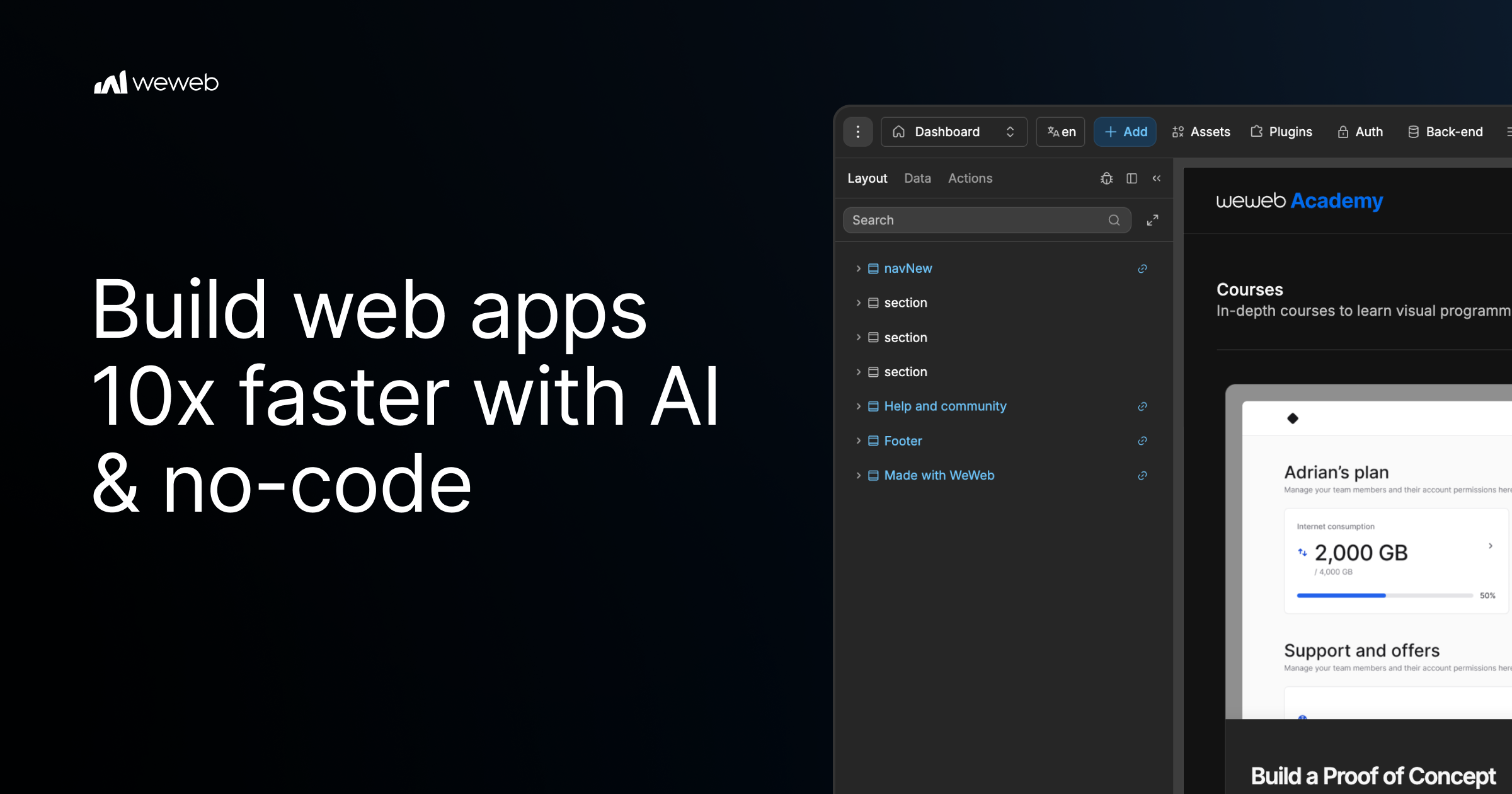
WeWeb MCP is a connection layer that lets you build inside WeWeb with the AI agent you already use. You point Claude Code, Cursor, Codex, Antigravity, ChatGPT, or any MCP-compatible agent at WeWeb, and the agent builds the pages, workflows, data models, tables, authentication, and integrations that make up a real WeWeb project. Instead of producing code you cannot inspect, every change the agent makes lands in the WeWeb visual editor, where you can review it, keep prompting the agent, or edit it yourself. WeWeb MCP is aimed at builders and teams who want the speed of agentic development without giving up visual control over what actually ships. AI-assisted development has made it fast to generate application logic, but the output often arrives as a black box: it is hard to see exactly what changed, why it changed, or how to adjust it without another round of prompting. No-code tools solve the visibility problem, but traditionally require a person to click through every screen, workflow, and data relationship by hand. WeWeb MCP is positioned between those two worlds. It keeps the speed of an agent that can read a brief, plan structure, and wire data together, while keeping the result fully visible and editable in a visual environment. The stated goal is AI speed with visual control, so teams are not forced to choose between moving quickly and knowing what is inside their app. Connecting an agent to WeWeb follows three documented steps. First, you add the server configuration to your MCP client settings, using the WeWeb MCP endpoint through the mcp-remote command. Second, you sign in to WeWeb and authorize access so the agent can call tools on your project. Third, you pick your project and build: you can ask the agent to list your workspaces and projects, switch to the right one, and then describe what you want, for example building a dashboard page. The agent you bring can be Claude Code, which plans and builds in WeWeb using Claude's reasoning; Codex, which turns GPT-powered build plans into WeWeb apps; Antigravity, which builds with Gemini and Google models inside WeWeb; Cursor, which uses Cursor's agent and your model of choice; ChatGPT; or any other MCP-compatible agent. It runs on your account, your model, and your tokens. The product also starts from your brand's design DNA rather than a default AI look. You can import design rules and design context from Figma, Google Stitch, Claude Design, or design.md into WeWeb, so the agent has visual rules before it builds. From there you can create a component system using shadcn, React references, or custom coded components to build reusable blocks with no-code properties. A second major capability is turning PRDs into WeWeb apps. The agent reads a brief and creates the pages, forms, states, and flows users need, moving from user journeys to screens. It also maps data to backend structure, covering the database, fields, relationships, authentication, storage, and backend workflows behind the app. Finally, it turns business rules into integrations: Slack alerts, email triggers, CRM updates, API calls, and approval flows become part of how the app works. Importantly, the first version is not the final word, because everything stays editable after generation. WeWeb MCP is also designed to work across your wider MCP stack. You can pair WeWeb with a backend MCP such as Xano, Supabase, or Airtable MCP, or any APIs, to build the WeWeb frontend in context or bring data into the WeWeb backend. Product context can be turned into screens using docs, transcripts, websites, Figma files, or media assets to create onboarding, dashboards, and forms. A refactoring capability helps you move fast without creating maintenance debt: the agent can find unused variables, outdated workflows, test components, and leftover build artifacts, and it can standardize naming across pages, components, workflows, API requests, tables, and fields. Control features let you decide how much of the app the AI can touch, working across the full app or staying focused on one page, one workflow, or one database, and letting you control what happens next by reviewing output inside WeWeb before continuing. How the product works overall rests on the combination of an agent, a standard protocol, and a visual editor. The agent connects through MCP, the protocol used to give AI clients tool access, and calls tools on your WeWeb project once you authorize access. Because changes are applied to the WeWeb project rather than handed back as opaque text, the visual editor becomes the place where you inspect, adjust, and shape the result. You can scope the agent's access to the exact page, workflow, data, or design-system task you want changed, which keeps AI edits bounded and reviewable. When the app is ready, deployment is also part of the workflow: you can deploy in one click and launch on your custom domain while WeWeb handles hosting and infrastructure, or export code and run it on your own infrastructure when you need full control. The benefits described are speed with control, and ownership of the result. Teams get AI speed without the mystery of what changed in the app, because every change stays visual and reviewable. Because the agent runs on your account, your model, and your tokens, and because WeWeb states that WeWeb MCP does not use WeWeb AI credits, the cost and model choice stay under your control. Users keep the ability to keep prompting the agent or to open the visual editor and edit things themselves, so the app is never locked behind a generation process. Refactoring support helps prevent maintenance debt, and deployment options mean the app can go live on a custom domain or be self-hosted. Together these points support the claim that no-code does not mean low-performance, as expressed by a customer quoted on the site. Concrete scenarios described for WeWeb MCP include turning a PRD or brief into a working app with pages, forms, states, and flows; mapping a described data model into database structure with fields, relationships, auth, storage, and backend workflows; and translating business rules into integrations such as Slack alerts, email triggers, CRM updates, API calls, and approval flows. Another scenario is establishing a design system first, importing brand rules from Figma, Google Stitch, Claude Design, or design.md and building reusable components from shadcn, React references, or custom coded components. Teams also use it alongside backend MCP servers like Xano, Supabase, or Airtable to build the frontend in context. Finally, it can be used before launch to refactor an app by removing unused variables, outdated workflows, test components, and leftover build artifacts, and by standardizing naming across pages, components, workflows, API requests, tables, and fields. WeWeb MCP is for teams and builders who want agentic development with visual control, including those already using Claude Code, Cursor, Codex, Antigravity, or ChatGPT. The site highlights that the platform is trusted by Fortune 500 companies, showing logos for PwC, La Poste, L'Oréal, JLL, Qonto, Decathlon, Carrefour, and Biwaki by BNP Paribas, and it features testimonials from a Digital Project Manager at PwC, the CEO of Shunpo, and the CEO of ALOE Digital Solutions. WeWeb also documents that MCP works with the Cursor agent and your model of choice, with Claude Code, Codex, Antigravity, and ChatGPT, and with other MCP servers such as Xano, Supabase, and Airtable. The site offers the option to start for free and to request a demo, alongside calls to try for free. In summary, WeWeb MCP connects any MCP-compatible AI agent to WeWeb so that briefs, designs, and app logic become a real, structured WeWeb project. It combines agent speed with a visual editor, run on your own tokens and without WeWeb credits, keeps every change reviewable and editable, works alongside your existing MCP stack and backend tools, supports refactoring to avoid maintenance debt, and lets you deploy in one click or export and self-host. The core promise is straightforward: your AI agent builds the app, and you stay in control.
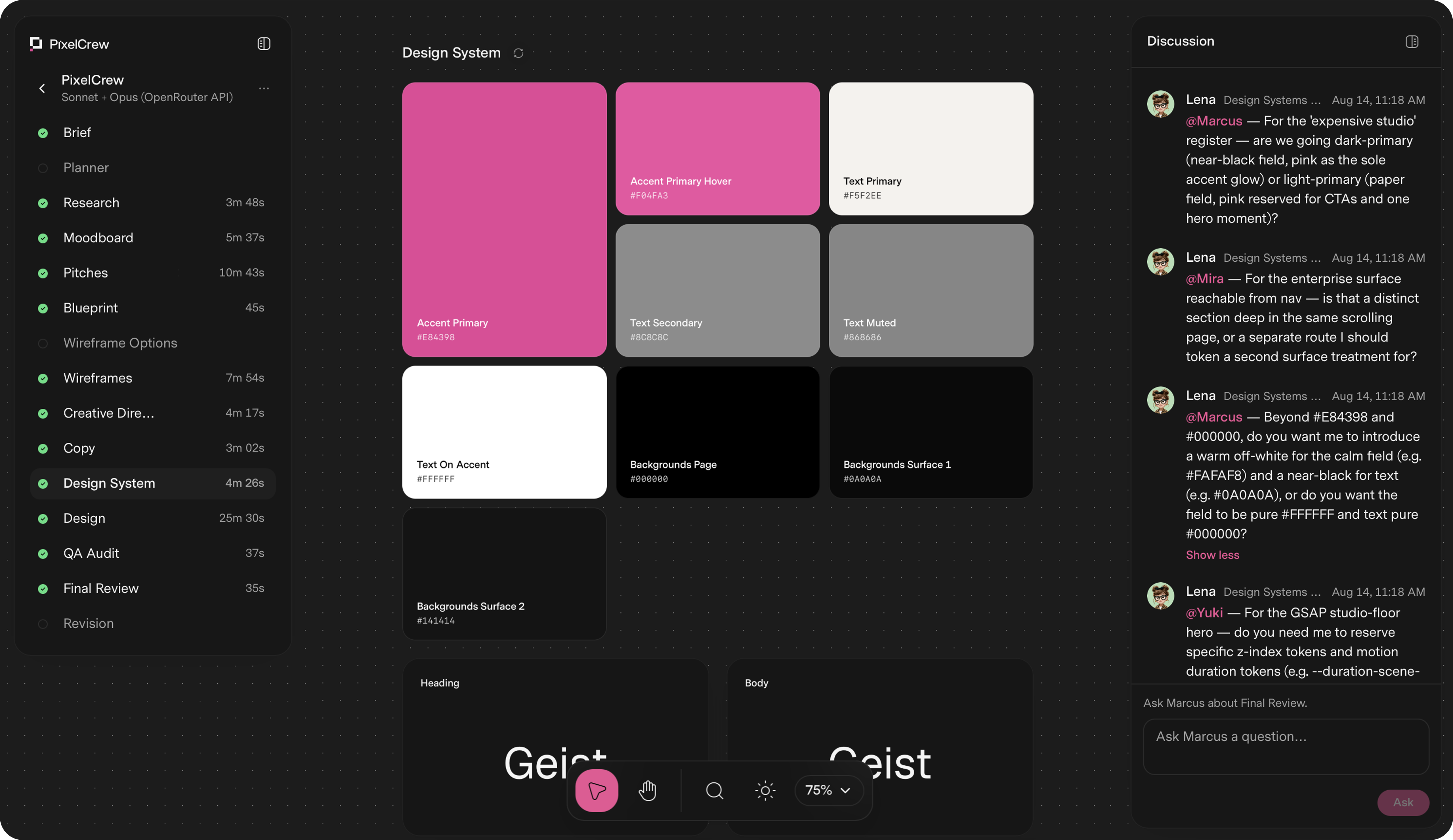
PixelCrew is a web-based platform that turns a written design brief into production-ready design output using a crew of specialized AI agents. It is designed for designers, developers, small teams, startups, and enterprises that need to ship landing pages, product dashboards, design systems, or pitch decks without waiting weeks for a traditional design cycle. Instead of relying on a single AI model to generate generic output, PixelCrew coordinates multiple agents with defined roles and handoffs to produce structured, shippable deliverables such as production-ready HTML, Tailwind CSS, wireframes, copy, and a complete design system. Users submit a free-text brief describing their intent, and the agents read that brief to infer requirements, audience, and direction. Traditional design workflows require coordination between researchers, art directors, UX designers, copywriters, and QA reviewers. This process can take weeks, especially for small teams or founders without a full design department. PixelCrew addresses this by compressing the workflow into a single brief-driven sequence. The problem it solves is the gap between having an idea and having production-quality design assets that can actually be shipped or handed to a developer. Rather than filling out templates, users describe what they need in free text, and the agents execute structured discovery, creative direction, wireframing, copywriting, design system assembly, and QA review. The result is bespoke design output produced in 25–45 minutes on average. The core of PixelCrew is its crew of specialized agents. Elena, the Researcher for Strategy, runs first. She reads the brief and executes structured discovery: audience personas, competitive analysis, jobs-to-be-done mapping, and an information architecture recommendation. She hands Marcus a validated research foundation, not assumptions, with outputs including a research document, personas, and an IA spec. Marcus, the Director for Art Direction, runs second. He takes Elena's research and makes creative decisions: visual direction, brand language, and layout approach. He writes three distinct visual pitches, selects the strongest, and produces a full creative brief with palette, typography, layout direction, and section-by-section composition guidance, including a moodboard. Mira, the Designer for UX Architecture, runs third. She takes Marcus's creative brief and builds the blueprint: wireframes, user flows, information architecture, and a section-by-section spec. Her outputs include wireframes, a UX flow file, and a navigation spec. The build crew then turns this into production HTML. PixelCrew produces a range of production-ready outputs. After the agent crew runs, users receive production-ready HTML and Tailwind, a complete design system, and documentation. Specific deliverables include a landing page HTML file, a design system JSON file, and docs. The crew also writes the copy and assembles the design system, including tokens, type scale, color, and components. Design happens inside the system, not around it. Every screen goes through a QA audit and a final review pass. Issues get flagged, revised, and rechecked before anything reaches the user. Outputs from the process include research-brief.md, personas, IA spec, CREATIVE_BRIEF.md, moodboard, three pitches, wireframes.html, ux-flow.json, nav-spec, copy.md, tokens, components, qa-report.md, revisions, landing-page.html, design-system.json, and docs. This means users get everything their engineering team needs to ship, or hand to any developer. PixelCrew is free while in alpha, and it uses a bring-your-own-key model for AI model access. Users connect their own API key from OpenRouter, which is the recommended path, or from Anthropic or Google Gemini. The agents run on that key, and users pay model costs directly to the provider. There is no subscription, no markup, and no card on file. A typical brief costs a few dollars in model usage. Users can set their own spend limit. This approach gives flexibility to run the crew on whichever models they prefer. Pro and Enterprise plans are coming. Pro will offer hosted keys with zero setup, no API key required, model costs included in one bill, priority processing queue, brief history and versioning, and team seats. Enterprise is custom and for teams that ship at scale, with custom agent configuration, your design system baked in, SSO and security review, and invoice billing. The unique approach of PixelCrew is sequential, context-aware agent coordination. Each agent runs in order and passes structured outputs to the next: Elena passes research-brief-output.md to Marcus, Marcus passes CREATIVE_BRIEF.md to Mira, and Mira passes wireframes.html to the build crew. This mimics the way a real team works, with each specialist building on the previous agent's work rather than starting from scratch. Users provide context through their brief, and the agents coordinate to produce the final deliverable. While the crew runs, users can watch the agents discuss decisions. The process is broken into clear steps: submit your brief, Elena maps the research, Marcus sets creative direction, Mira builds the wireframe, copy and design system take shape, QA audit and final review, and finally the user receives production output. The benefits of PixelCrew are speed, structure, and production quality. Average delivery is 25–45 minutes, compared to weeks for a traditional design cycle. Users receive production-quality output they can ship or hand to a developer. The design system ensures consistency across screens and components, and the QA audit catches issues before delivery. Because the agents work sequentially with context, the output is coherent and tailored to the brief rather than generic. The bring-your-own-key model means users have control over model choice and costs, with no subscription or markup. Overall, PixelCrew turns a written brief into a complete set of design assets, reducing the time and coordination required to go from idea to shippable design. PixelCrew has been used for demonstration projects produced from written briefs. These include After Dark, a neighborhood coffee shop website that feels like the room: dark, warm, and unhurried, with menu, hours, and atmosphere shipped as production HTML. Modena Coupé is a luxury automotive landing page in an editorial register, with full-bleed photography, serif display type, performance stats, and a request-information flow. MicroProject is a working task manager UI for small teams, with list views, project sidebar, shared lists, overdue states, a light theme, and a complete component set. Geisha Porto is a coffee roastery and jazz listening lounge in Porto, with a product catalog including harvest data, a vinyl audio archive, and a rooftop terrace section in a Swiss editorial layout. Other briefs can be for landing pages, product dashboards, design systems, or pitch decks. PixelCrew is for designers, developers, small teams, startups, and enterprises that ship at scale. It is especially useful for founders and teams without a full design department, as well as engineering teams that need shippable HTML and Tailwind. Integrations include bring-your-own-key support for OpenRouter, Anthropic, and Google Gemini. The product runs on the web at app.pixelcrew.ai. Pricing: free during alpha with a full agent crew, unlimited briefs, HTML and Tailwind output, and landing pages, dashboards, and design systems supported. Model usage is billed by the key provider, not by PixelCrew. Pro is coming soon with hosted keys, model costs included, priority processing, brief history and versioning, and team seats. Enterprise is custom with custom agent configuration, your design system baked in, SSO and security review, and invoice billing. PixelCrew's primary value proposition is turning a written design brief into production-ready design through a coordinated crew of specialized AI agents. It delivers bespoke, shippable design in minutes instead of weeks, with the flexibility to run on the models you choose via your own API key. By mimicking a real design team's sequential workflow, PixelCrew produces coherent, production-quality HTML, Tailwind, wireframes, copy, and a complete design system that engineering teams can ship or hand to any developer.
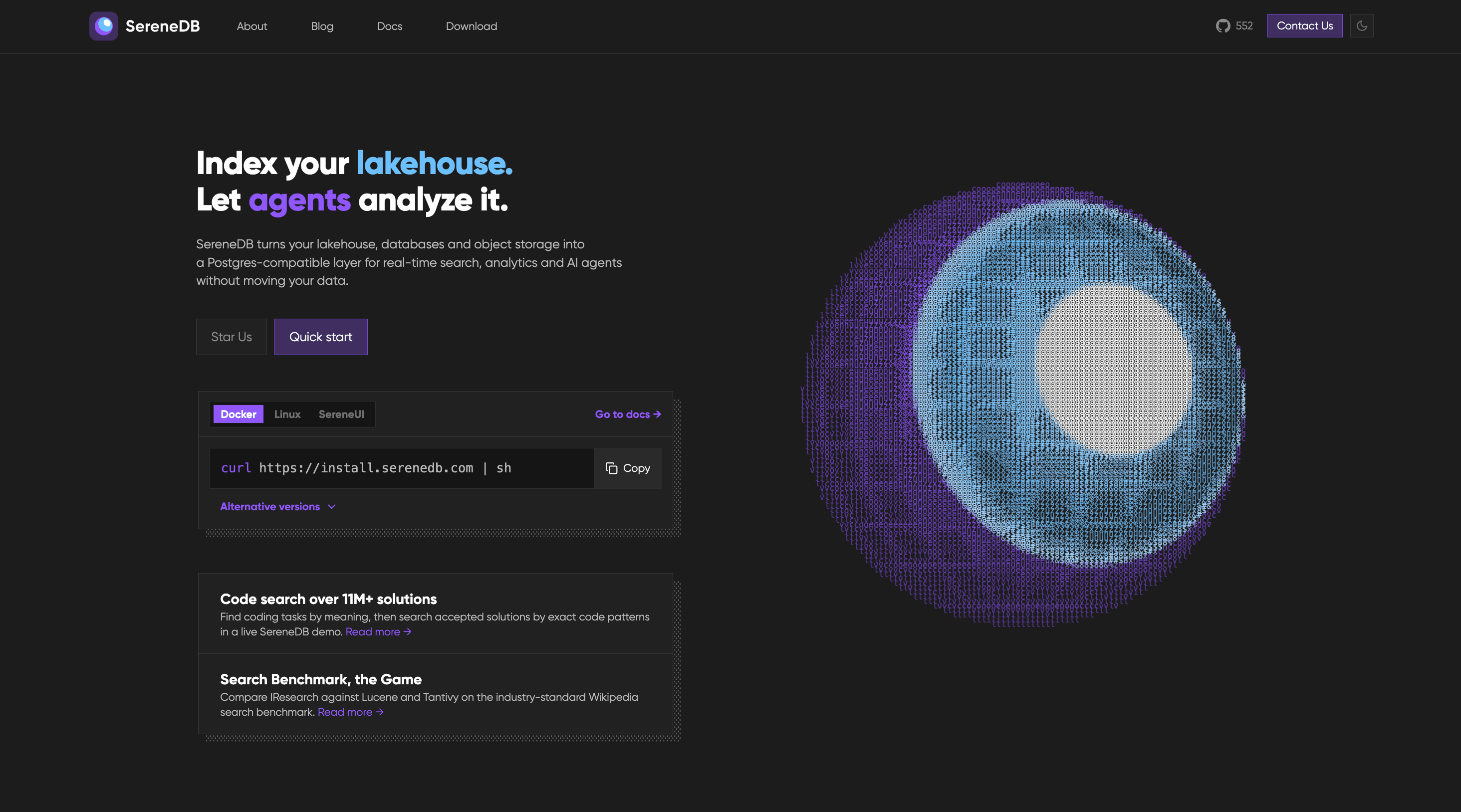
SereneDB is an open-source database that combines ultra-fast full-text search with fast analytics in a single engine. Its website describes it as a real-time search analytics database with full-text, vector and hybrid search, SQL execution, and a PostgreSQL-compatible frontend. The project presents itself as the result of twelve years of development, and it is aimed at teams that need search and analytics over the same data instead of operating separate systems for each. SereneDB also describes itself as Agentic AI ready, placing AI agent workloads, retrieval-augmented generation, and documentation search alongside classic search and analytical queries. The problem SereneDB targets is a familiar one for engineering teams: search and analytics usually live in different systems, which means data has to be duplicated and kept in sync through ETL pipelines. SereneDB is both Postgres- and Elastic-compatible, so teams can keep their SQL, their drivers and their Elastic clients while dropping the second system and the ETL between them. The website captures this positioning with the phrase that your data stays where it is, emphasising that data can be queried in place rather than copied into yet another store. For organisations whose data keeps growing, that means fewer moving parts to operate, one set of compatibility guarantees to rely on, and no dedicated pipeline whose only job is to move the same records from one engine to another. On the search side, SereneDB provides full-text search with BM25 ranking over tables and files, so relevance-scored keyword search runs directly against relational data and file content rather than through a separate search cluster. Vector search is supported through ANN indexes that sit beside relational data, which means embeddings and structured records can be queried from the same system instead of being split between a vector store and a relational database. Hybrid search combines BM25 and vector scores in one query, which matters because lexical retrieval and semantic retrieval often disagree: keyword matching is precise but literal, while vector similarity captures meaning but can drift, and merging both scores in a single query lets a user get the benefits of each without reconciling two result sets by hand. SereneDB also describes Postgres search, letting users keep their existing drivers and their SQL while adding search capabilities on top. For analytics and data work, SereneDB offers real-time analytics that aggregate fresh data without a nightly job, so dashboards and reports can reflect current data rather than a batch that ran the previous evening. It is described as an OLAP database that performs columnar scans over billions of rows, which is the query pattern needed for large-scale aggregation. Search over a data lake lets users index object storage in place, and zero-ETL search lets queries run against remote sources where they live rather than migrating the data first. Together these capabilities mean the same engine can answer a relevance-ranked search request and a heavy analytical aggregation, including over data that was never copied into the database. For AI and agent workloads, SereneDB is presented as a database for AI agents, offering agent-ready SQL over every source it can reach. It is also positioned as a RAG database, acting as the retrieval layer for grounded answers in retrieval-augmented generation workflows, so that generated responses can be anchored in data the system actually stores and can query. A related use case is documentation search: searching over documentation and knowledge bases, which the project demonstrates on its own documentation through Serene Docs Search. The website references a LangChain integration on its blog, connecting the database to common AI application frameworks. Under the hood, SereneDB unifies search and analytics with a columnar engine, vectorized SQL execution, and hybrid storage behind a PostgreSQL-compatible frontend. That combination is what allows full-text, vector and hybrid search to coexist with SQL and analytical query patterns in one system rather than being stitched together from separate products. Benchmarks published by the project compare SereneDB against Elasticsearch, ClickHouse and PostgreSQL search extensions. The vendor states that SereneDB outperforms those alternatives and that it indexed one billion logs in under eight minutes using roughly ten times less disk. The methodology, the raw results and the source code are public, and the project is released under the Apache 2.0 licence, which means the performance claims can be inspected rather than taken on faith. The practical benefit for users is consolidation. Teams keep familiar SQL, drivers and Elastic clients while removing a second system and the ETL that connected it, so there is less infrastructure to run and less data movement to monitor. Search relevance, vector similarity and analytical aggregation no longer require three separate stacks, and the same data can serve keyword search, semantic search, dashboards and AI retrieval. Because data can stay where it is, in object storage or remote sources, teams can index and query in place instead of migrating data into a new silo. Real-time aggregation removes the dependency on nightly batch jobs, so answers reflect what is happening now, and the reported disk efficiency of the published indexing benchmark reduces the storage footprint that large log volumes otherwise demand. The website groups concrete use cases into three areas. Search covers full-text BM25 ranking over tables and files, vector search with ANN indexes beside relational data, hybrid search that merges BM25 and vector scores in one query, and Postgres search that preserves existing drivers and SQL. Analytics and data covers real-time analytics over fresh data without a nightly job, OLAP columnar scans over billions of rows, search over a data lake by indexing object storage in place, and zero-ETL search against remote sources. AI and agents covers using SereneDB as a database for AI agents with agent-ready SQL over every source, as a RAG retrieval layer for grounded answers, and as a documentation search engine over docs and knowledge bases. Published benchmark work includes 92 search and analytics queries over 100M, 1B and 10B OpenTelemetry logs on a single instance, along with comparisons against the Lucene world, namely Elasticsearch, OpenSearch and CrateDB, at 100M and 1B logs. SereneDB is built for developers, data teams and platform engineers who need search and analytics together. It is distributed as open source under Apache 2.0 and is listed on Product Hunt under the topics Open Source, Developer Tools, GitHub and Database. Installation options include Docker and Linux, along with a one-line shell installer, and SereneUI is referenced as a companion user interface. Compatibility is central to the product: a PostgreSQL-compatible frontend, support for existing Postgres drivers and SQL, and Elastic-compatible clients. A LangChain integration is referenced for AI workflows, and OpenTelemetry logs are the data set used in published benchmarks. The code is hosted on GitHub. Beyond the open-source licence, no pricing or plan details are described in the provided content. SereneDB's core promise is straightforward: ultra-fast full-text search and fast analytics in one open-source, PostgreSQL-compatible engine, so teams can keep their SQL, drivers and Elastic clients while removing a second system and the ETL between them. With a columnar engine, vectorized SQL execution, hybrid storage, BM25 full-text search, vector and hybrid search, in-place indexing of object storage and remote sources, and agent-ready SQL for RAG and AI workflows, it targets the consolidation of search, analytics and AI retrieval onto a single database.
Milliseconds.ai is an API that turns text and images into decisions, classifications, and structured data. You send text or an image to a single endpoint and receive labels, fields, scores, or yes/no answers back as structured data that your application can act on. The product is built around decision-machine-1, described on the site as a small model behind the platform. Its stated purpose is AI decisions, classification and extraction via a simple API — the parts of an application that need an answer rather than a conversation. It is aimed at developers and product teams who need to route, tag, read, score, or check content inside their own software without building and hosting their own decision models. The site frames the problem as verbosity. A typical model response to an invoice begins with "Certainly! Let's delve into a comprehensive overview of this invoice and its many fascinating details…" followed by pages of explanation. Milliseconds.ai contrasts that with "Just the fields. Thank you." and shows the output it returns: invoice_number A-1042, vendor Nordik Supply, total 4250, currency CAD. The message is that many real workflows — routing a support email, reading an invoice, checking a return against a policy — only need a label, a number, a boolean, or a small set of extracted fields, and that asking a large model to produce prose for those tasks adds cost and latency without adding value. The company positions its small model as a way to get the decision itself, in a form software can consume directly. The API exposes separate endpoints for different kinds of decisions. POST /yes-no answers a binary question about a piece of text; the example flags messages that need a faster response and returns "answer": true with probability 1, and the site notes the boolean can be used to raise a ticket's priority. POST /classify assigns one label from a set you define; in the example a message is routed to support queues and comes back with label "billing" at 0.74, alongside scores for billing, shipping, technical, and other, plus a confidence value. POST /rate scores text on an ordered scale; the example turns customer frustration into a 0–3 score of 1.998, returning the level, a confidence figure, and the score for each level, with the site noting that nearly tied levels signal uncertainty. A second group of endpoints returns content rather than a single decision. POST /answer locates a span of text that answers a question — for example, finding "Halifax warehouse" in a shipment status update with a probability of 0.992 and start and end offsets, so an application can show where the answer came from. POST /extract maps text to the fields in your own records; the invoice example returns four fields — invoice number, vendor, total, and currency — ready for validation before a record is written. POST /entities identifies typed entities such as person, organization, claim id, and date, each with a probability, described as useful for search and record matching. POST /verify checks a proposed value against source text; in the example a proposed $1,000 deductible is compared with policy text that says $500 and comes back as matches: false with the found value $500. Milliseconds.ai is delivered as a developer tool first. The site says the service is available through REST, SDKs, and a CLI, and it points to both a TypeScript SDK and a Python SDK that return typed responses, plus a terminal workflow. For coding agents, it offers installable skills that teach an agent which API to call and how to evaluate results — summarised as "Hey, build me something with this." Documentation links include an API quickstart, a support triage recipe, and a document intake recipe for extracting fields, checking values against the source, and validating before writing a record. The site also provides live, editable examples for every endpoint, where a visitor can edit a request and run it to see the labels, scores, or fields the API returns, with raw JSON available. The product's overall approach is summarised by the phrase "INPUT → DECISION → ACTION". Text or an image goes in; a decision comes out; the application acts on it. Around that core loop the responses are deliberately structured: booleans with probabilities, labels with score distributions and confidence, numeric ratings with per-level scores, extracted fields, typed entities, and answer spans with source offsets. The company describes decision-machine-1 as a small model, and contrasts its economics with larger alternatives: production usage costs $0.04 per million input tokens with no charge for output tokens, and free test keys include 125 million free input tokens per month with no card required. Demo applications show the same idea in practice — working apps whose results, token usage, and inference cost can be inspected. The stated benefit for users is speed and directness: answers arrive in a shape an application can use immediately, so teams can automate the decisions their software already makes rather than inserting a conversational layer. Because the responses include probabilities, confidence values, and score distributions, an application can distinguish a confident decision from a borderline one — for example, flagging a nearly tied rating or a low-probability entity for review — and route only the uncertain cases to a human. Structured output also means the result can be validated before it is written to a record or used to trigger an action, as in the invoice and deductible examples where extracted or proposed values are checked against the source. The pricing model, with free output tokens, keeps cost tied to input volume rather than to the length of the answer. The site documents several concrete workflows. Support triage combines a label to select a queue, a score to set priority, and a boolean to flag urgency. Document intake extracts fields, checks values against the source, then validates before writing a record; the Invoice Desk demo pulls the vendor, invoice number, and total from an invoice, compares them with the purchase order, and shows what needs attention. Sales intake separates demo requests from support tickets and vendor pitches and gives sales the budget, timing, and need already stated in the message — the example flags a demo request with a stated budget and a near-term start, suggesting the Sales destination. Private Share finds names, emails, and other personal details in a transcript so a teammate can review what to remove while keeping the context, leaving the bug report useful. The Product Hunt description adds routing emails, applying return policies, and "build your hot-dog identification empire" as further examples. Milliseconds.ai is built for developers and product teams who need classification, extraction, or verification inside an application — the Product Hunt listing files it under API, Developer Tools, and Artificial Intelligence. The developer surface includes REST endpoints, TypeScript and Python SDKs, a CLI, and skills for coding agents, so the integration can be done from code or from an agent. Pricing has two stated parts: a free tier of 125 million input tokens per month on free test keys with no card required, and production usage at $0.04 per million input tokens with output tokens free. A sign-up page issues free test keys, and the site links to pricing details with the prompt "Big ideas. Small bill." The interactive examples run without an API key so teams can evaluate results before signing up. The takeaway the site reinforces is narrow and deliberate: milliseconds.ai does not try to be a general chatbot. It provides a fast API for the small decisions that applications make constantly — is this urgent, which queue does this belong to, how frustrated is this customer, what are the invoice fields, which entities are in this claim note, does this value match the policy — and returns each as structured data with probabilities, so software can act on it. With a single small model, editable live examples for every endpoint, SDKs, a CLI and agent skills, plus a free monthly allowance and per-token production pricing, it packages decision-making as a straightforward building block for developers.