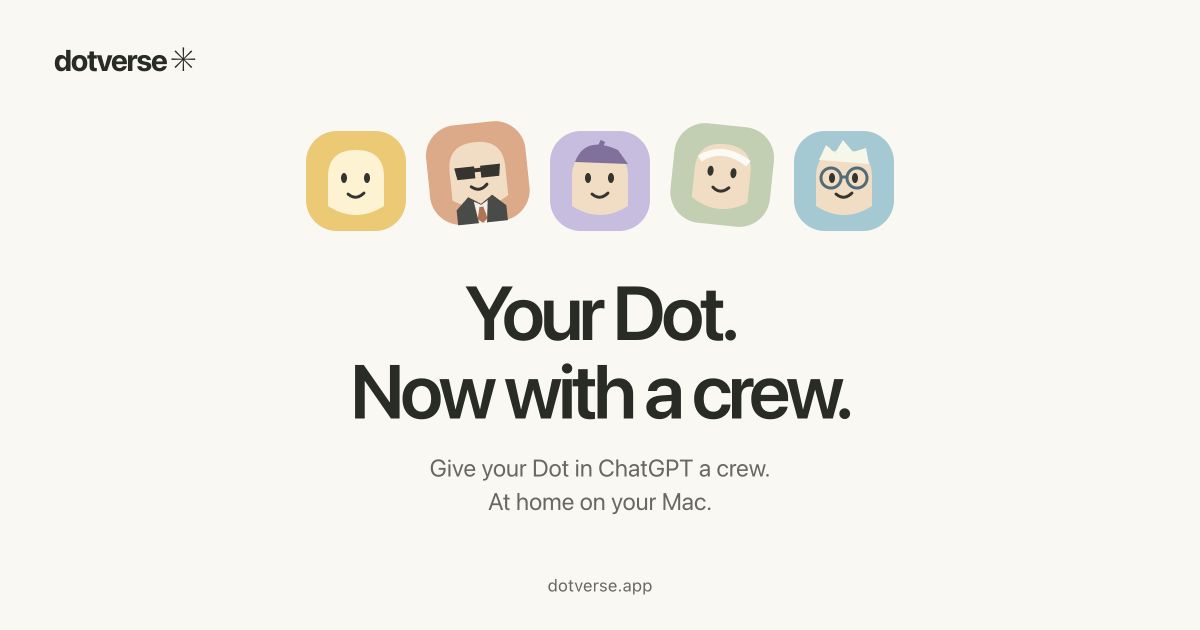
Dotverse is a Mac app designed for people who already have a Dot in ChatGPT and want to bring that Dot to their Mac in a new form. The app's central idea is expressed in its title: "Your Dot. Now with a crew." Instead of offering a separate AI service or requiring an API key, Dotverse connects to an existing Dot through a sign-in window. Once connected, users can create a crew of custom Dots, each with a different role and personality, and each suited to a different task. The website gives three illustrative examples: a Dot for writing, a Dot for planning, and a Dot for learning. Dotverse is intended for Apple Silicon Macs running macOS 14 or later, and it requires an existing Dot in ChatGPT. It does not replace that Dot; it extends the way the user can organize and interact with it.
The product addresses a practical tension: one Dot may be useful across many activities, but different activities call for different styles of help. A writing task may benefit from a candid editor that sharpens a draft while keeping the user's voice. A planning task may call for a pragmatic planner that turns a big idea into manageable next steps. A learning task may call for a patient tutor that explains tricky topics with examples. Dotverse responds by letting users create different Dots for different tasks, giving each one a role and a personality. The content frames this as forming a crew around the existing Dot, rather than starting over with a separate assistant. Because custom Dots share the existing Dot's memory and capabilities, the crew is connected to the same underlying Dot. That shared foundation matters because the user does not have to recreate context for every new role; the custom Dots operate with the same underlying memory and capabilities, while each has its own role, personality, and conversation view in the app. Requests run one at a time, according to the FAQ.
The first feature group is the creation of custom Dots for different tasks. Dotverse lets users create different Dots for different tasks and give each one a role and a personality. The website describes this directly and provides examples: a Dot for writing, described as a candid editor to sharpen a draft while keeping your voice; a Dot for planning, described as a pragmatic planner to turn a big idea into manageable next steps; and a Dot for learning, described as a patient tutor to explain tricky topics with examples. These examples show how role and personality are tied to a task. The writing Dot is not merely a general assistant; it is framed as an editor with candor. The planning Dot is framed as pragmatic and focused on next steps. The learning Dot is framed as patient and example-driven. Dotverse does not limit the concept to these examples in the text; it presents them as "a few you could create," while the explicit capability is that each custom Dot can have a role and a personality for a different task.
The second feature group is shared memory and capabilities. According to the website, custom Dots share the existing Dot's memory and capabilities. The FAQ adds that each custom Dot has its own role, personality, and conversation view in Dotverse, but they use the same underlying Dot and share its memory. This distinction is important: the roles and conversation views are separate in the app, while the underlying Dot and memory are shared. The FAQ also states that requests run one at a time. The product therefore presents a crew of differentiated Dots without claiming that each one is a separate AI service or a completely isolated assistant. The shared memory is described as a feature of the custom Dots, and the site explicitly says, "Your custom Dots share your existing Dot's memory and capabilities." This allows a user to move between task-specific roles while remaining connected to the same Dot foundation.
The third feature group concerns connection, privacy, and local storage. Dotverse connects to an existing Dot through a sign-in window. It does not provide a separate AI service and does not ask for an API key. An internet connection is required to chat, and some features open in the connected Dot window. On the storage side, Dotverse keeps encrypted copies of conversations and drafts on the user's Mac. Messages are also sent to the connected Dot service. The FAQ notes that clearing local history does not clear Dot's own conversations or memory. This means the app maintains local encrypted copies while the connected Dot service also receives messages. The content does not describe the encryption method or the exact scope of local data beyond conversations and drafts. Those details are simply not stated. What is stated is that the copies are encrypted, that they are stored on the Mac, and that clearing local history has a limited effect: it does not clear the Dot's own conversations or memory.
Dotverse works as a Mac app that the user downloads as a DMG. The website provides installation steps: open the downloaded DMG, drag Dotverse into Applications, then open it. After opening, the user signs in to their existing Dot and meets their crew. The app runs on Apple Silicon Macs with macOS 14 or later. It requires an existing Dot in ChatGPT. The website lists version 0.2.0 and links to release notes. The overall approach is to bring an existing Dot into a Mac app and then layer a crew of custom Dots on top of it, each with a role, personality, and conversation view, while the underlying Dot and its memory remain shared. The FAQ also notes that some features open in the connected Dot window, which indicates that part of the experience remains connected to the Dot service rather than being fully reimplemented inside Dotverse.
The stated benefits follow from those mechanics. Users can create different Dots for different tasks rather than relying on one general-purpose Dot for every activity. They can assign roles and personalities that match the task at hand, such as a candid editor for writing, a pragmatic planner for planning, or a patient tutor for learning. Because the custom Dots share the existing Dot's memory and capabilities, the crew remains connected to the same underlying Dot. Each custom Dot has its own conversation view in Dotverse, which supports separate task-specific interactions, while requests run one at a time. The app also keeps encrypted copies of conversations and drafts on the Mac, and it connects through a sign-in window rather than an API key. These are the outcomes the content supports; it does not make broader claims about productivity gains or accuracy.
The content describes concrete use cases through its examples. A writer can create a writing Dot, described as a candid editor, to sharpen a draft while keeping their voice. A user with a big idea can create a planning Dot, described as a pragmatic planner, to turn that idea into manageable next steps. A learner can create a learning Dot, described as a patient tutor, to explain tricky topics with examples. More broadly, the app is for creating different Dots for different tasks, so a user can maintain a crew of task-specific Dots and switch between their conversation views. The FAQ's note that each custom Dot has its own conversation view supports the idea of separate interactions per role, while the shared underlying Dot and memory keep the crew connected. The content does not list other use cases beyond these examples and the general task-specific framing.
Dotverse is aimed at people who already have a Dot in ChatGPT and use an Apple Silicon Mac with macOS 14 or later. The website states these requirements directly: "For Apple Silicon Macs · macOS 14+ · Requires an existing Dot in ChatGPT." The app is distributed as a DMG download, and the site lists version 0.2.0 with a release notes link. The connection is made through a sign-in window to the existing Dot, and no API key is required. The content does not state pricing, subscription plans, or a free trial. It also does not list third-party integrations beyond the connected Dot service. The only technical environment details given are Apple Silicon, macOS 14 or later, an internet connection for chatting, and the existing Dot in ChatGPT requirement. The website metadata mentions joining a launch list, but the main page content focuses on the download and setup.
In summary, Dotverse's primary value proposition is contained in its tagline: "Your Dot. Now with a crew." It takes an existing Dot in ChatGPT and brings it to a Mac app where users can create a crew of custom Dots with different roles and personalities. The examples—a candid writing editor, a pragmatic planner, and a patient tutor—show how the crew concept maps to different tasks. The custom Dots share the existing Dot's memory and capabilities, each has its own conversation view, and requests run one at a time. The app keeps encrypted copies of conversations and drafts on the Mac, connects through a sign-in window rather than an API key, and requires Apple Silicon, macOS 14 or later, and an existing Dot in ChatGPT. Dotverse is therefore a way to organize task-specific interactions around one existing Dot rather than a separate AI service.
Publisher
A
admin
Launch Date2026-10-29
Platformdesktop
Pricingfree
Tech Stack
#macOS#Apple Silicon