Category Focus/categories/automation
Automation AI Tools
Discover and compare the best automation AI tools and software. Browse 599+ curated tools with reviews and rankings.
Projects tracked
599
Sort mode
RECENT
Page
6
Discover and compare the best automation AI tools and software. Browse 599+ curated tools with reviews and rankings.
Projects tracked
599
Sort mode
RECENT
Page
6
Googlebook is the first laptop designed for Gemini Intelligence, offered by Google with pricing starting from $899. It pairs premium hardware with Gemini-powered experiences that are built into the machine, and it syncs effortlessly with an Android phone. The laptop arrives ready from day one with a full suite of premium Gemini services and 5 TB of cloud storage. Its stated purpose is to remove the gap between the phone people carry and the laptop they work on, so that less time is spent transferring and more time is spent creating. Googlebook is sold alongside a range of accessories as part of a wider lineup. The problem it addresses is the stop-start rhythm of working across two devices. A task begun on a phone usually has to be picked up again manually on a laptop, screenshots have to be sent to yourself, and files have to be hunted down by cryptic filenames. Googlebook's page frames the payoff directly: users can jump between phone and laptop without skipping a beat, spending less time transferring and more time creating. It also frames the assistant problem in everyday terms, arguing that a laptop should meet you in the moment rather than waiting to be asked, whether that means surfacing a suggestion based on what is on screen or letting you talk to your device instead of typing at it. On the hardware side, Googlebook is described as crafted for performance. It is supercharged with powerful processors such as Intel Core Ultra and Snapdragon X Elite, starts from 16 GB of RAM and from 256 GB of storage, offers up to 14 hours of battery life, and weighs under 2.85 LBS. It is built with premium materials including aluminium, magnesium and carbon fiber. The Glowbar is described as functional, beautiful and uniquely Google, acting as an at-a-glance indicator of battery life and charging status, so users can read their power state without hunting for a number. A dedicated G key enables one-touch searches, putting answers always right at hand. Gemini Intelligence is the centre of the product. The pointer becomes a magic wand: wiggle it to activate Gemini and select anything on screen to ask, create and compare effortlessly. Rambler turns messy thoughts into tidy text by removing filler words like "um" and adding formatting to clean up a stream of consciousness, so users can talk naturally, review, and send. Proactive suggestions appear with your next move based on what is on your screen, surfacing exactly what you need when you need it. Smart file search lets users search files and photos by their actual content instead of cryptic filenames. Gemini Live turns "Hey Google" into a live conversation where you can talk, share your screen or brainstorm with zero typing required. And an agent in the Gemini app can close out to-dos even when the laptop is closed. Googlebook's connection to Android phones is handled through three named capabilities. Cast My Apps lets users open their phone's apps directly on Googlebook, so quick tasks can be handled without leaving the screen. Continue On lets a task started on an Android phone be finished on Googlebook, picking up exactly where you left off. Quick Access lets users find their phone's files directly from the laptop — for example, grabbing a mobile screenshot for an email with no transfers needed. Beyond the phone, Googlebook reaches millions of apps and tools through the Google Play Store, spanning categories the page groups as Best of Google, Creativity, Productivity and Streaming, from Google Drive, Gmail, Google Docs and Gemini Notebook to Adobe Photoshop, Canva, CapCut, Notion, Microsoft Copilot, Dropbox, Spotify, Netflix, Disney+ and more. Thousands of games are also available, from mobile hits like Clash Royale on Google Play to PC titles like ARC Raiders streamed via GeForce NOW. Security is positioned as a design principle rather than an add-on. Googlebook is designed with built-in protection that helps keep viruses, malware and hackers out, and a Titan C chip is described as keeping the device, passwords and personal data safe with dedicated security built into every laptop. Secure authentication lets users unlock the laptop with their face or fingerprint, and the machine instantly recognises them. Taken together, the approach is to weave the assistant into the hardware itself — the pointer, the keyboard's G key, the Glowbar, the security chip — so that intelligence is not a separate app you open but a layer that is always present. The benefits the page promises follow from that integration. Users spend less time transferring work between devices and more time creating. Search becomes faster because it works on content rather than filenames. Talking replaces typing for brainstorming, drafting and note capture. Suggestions arrive before you ask for them. Routine to-dos can be closed even when the laptop is shut. And the machine itself is built to carry: under 2.85 LBS with up to 14 hours of battery, made from premium materials. Buyers also receive extra perks: up to $300+ in apps, described as a curated collection available for a limited time. Concrete scenarios described on the page include picking up a session across devices, using apps from your phone on the laptop to handle a quick task without changing screens, and retrieving a mobile screenshot for an email through Quick Access. Creative work is represented by apps such as Adobe Photoshop, Lightroom, BandLab, Canva, CapCut and Luminar, while productivity workflows are represented by Notion, Notability, Microsoft Copilot, Adobe Acrobat, Dropbox and Fantastical. Streaming is handled by YouTube, YouTube Music, Spotify, Netflix, HBO Max and Disney+, while gaming spans mobile titles and streamed PC titles. Dictation with Rambler suits people who think out loud, and Gemini Live suits brainstorming or screen sharing in conversation. Googlebook starts at $899, with pre-orders available through the official site and a shop covering both laptops and accessories. The product is positioned around Android phone owners in particular — the tagline calls it the laptop your Android phone has been waiting for — and around people who want Gemini services available from the moment they open the box, since a full suite of premium Gemini services and 5 TB of cloud storage is included ready from day one. The page also points to a limited-time bundle of up to $300+ in apps. No subscription tiers are described beyond the included services. Googlebook's proposition is simple: premium laptop hardware plus Gemini Intelligence plus an Android phone in your pocket, working as one continuous surface. It is for people who want less transferring and more creating, and who would rather ask, talk and select than hunt and type.
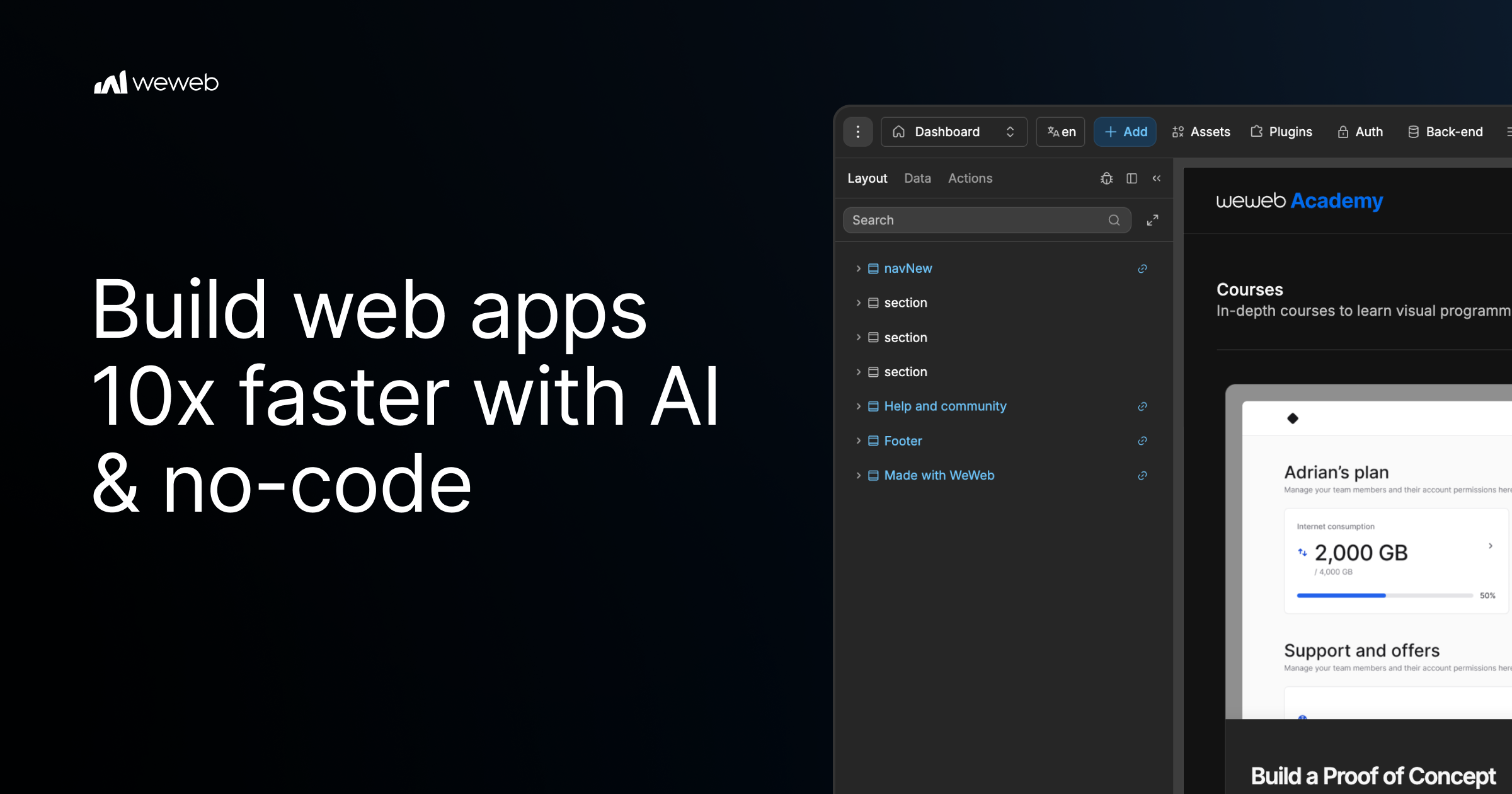
WeWeb MCP is a connection layer that lets you build inside WeWeb with the AI agent you already use. You point Claude Code, Cursor, Codex, Antigravity, ChatGPT, or any MCP-compatible agent at WeWeb, and the agent builds the pages, workflows, data models, tables, authentication, and integrations that make up a real WeWeb project. Instead of producing code you cannot inspect, every change the agent makes lands in the WeWeb visual editor, where you can review it, keep prompting the agent, or edit it yourself. WeWeb MCP is aimed at builders and teams who want the speed of agentic development without giving up visual control over what actually ships. AI-assisted development has made it fast to generate application logic, but the output often arrives as a black box: it is hard to see exactly what changed, why it changed, or how to adjust it without another round of prompting. No-code tools solve the visibility problem, but traditionally require a person to click through every screen, workflow, and data relationship by hand. WeWeb MCP is positioned between those two worlds. It keeps the speed of an agent that can read a brief, plan structure, and wire data together, while keeping the result fully visible and editable in a visual environment. The stated goal is AI speed with visual control, so teams are not forced to choose between moving quickly and knowing what is inside their app. Connecting an agent to WeWeb follows three documented steps. First, you add the server configuration to your MCP client settings, using the WeWeb MCP endpoint through the mcp-remote command. Second, you sign in to WeWeb and authorize access so the agent can call tools on your project. Third, you pick your project and build: you can ask the agent to list your workspaces and projects, switch to the right one, and then describe what you want, for example building a dashboard page. The agent you bring can be Claude Code, which plans and builds in WeWeb using Claude's reasoning; Codex, which turns GPT-powered build plans into WeWeb apps; Antigravity, which builds with Gemini and Google models inside WeWeb; Cursor, which uses Cursor's agent and your model of choice; ChatGPT; or any other MCP-compatible agent. It runs on your account, your model, and your tokens. The product also starts from your brand's design DNA rather than a default AI look. You can import design rules and design context from Figma, Google Stitch, Claude Design, or design.md into WeWeb, so the agent has visual rules before it builds. From there you can create a component system using shadcn, React references, or custom coded components to build reusable blocks with no-code properties. A second major capability is turning PRDs into WeWeb apps. The agent reads a brief and creates the pages, forms, states, and flows users need, moving from user journeys to screens. It also maps data to backend structure, covering the database, fields, relationships, authentication, storage, and backend workflows behind the app. Finally, it turns business rules into integrations: Slack alerts, email triggers, CRM updates, API calls, and approval flows become part of how the app works. Importantly, the first version is not the final word, because everything stays editable after generation. WeWeb MCP is also designed to work across your wider MCP stack. You can pair WeWeb with a backend MCP such as Xano, Supabase, or Airtable MCP, or any APIs, to build the WeWeb frontend in context or bring data into the WeWeb backend. Product context can be turned into screens using docs, transcripts, websites, Figma files, or media assets to create onboarding, dashboards, and forms. A refactoring capability helps you move fast without creating maintenance debt: the agent can find unused variables, outdated workflows, test components, and leftover build artifacts, and it can standardize naming across pages, components, workflows, API requests, tables, and fields. Control features let you decide how much of the app the AI can touch, working across the full app or staying focused on one page, one workflow, or one database, and letting you control what happens next by reviewing output inside WeWeb before continuing. How the product works overall rests on the combination of an agent, a standard protocol, and a visual editor. The agent connects through MCP, the protocol used to give AI clients tool access, and calls tools on your WeWeb project once you authorize access. Because changes are applied to the WeWeb project rather than handed back as opaque text, the visual editor becomes the place where you inspect, adjust, and shape the result. You can scope the agent's access to the exact page, workflow, data, or design-system task you want changed, which keeps AI edits bounded and reviewable. When the app is ready, deployment is also part of the workflow: you can deploy in one click and launch on your custom domain while WeWeb handles hosting and infrastructure, or export code and run it on your own infrastructure when you need full control. The benefits described are speed with control, and ownership of the result. Teams get AI speed without the mystery of what changed in the app, because every change stays visual and reviewable. Because the agent runs on your account, your model, and your tokens, and because WeWeb states that WeWeb MCP does not use WeWeb AI credits, the cost and model choice stay under your control. Users keep the ability to keep prompting the agent or to open the visual editor and edit things themselves, so the app is never locked behind a generation process. Refactoring support helps prevent maintenance debt, and deployment options mean the app can go live on a custom domain or be self-hosted. Together these points support the claim that no-code does not mean low-performance, as expressed by a customer quoted on the site. Concrete scenarios described for WeWeb MCP include turning a PRD or brief into a working app with pages, forms, states, and flows; mapping a described data model into database structure with fields, relationships, auth, storage, and backend workflows; and translating business rules into integrations such as Slack alerts, email triggers, CRM updates, API calls, and approval flows. Another scenario is establishing a design system first, importing brand rules from Figma, Google Stitch, Claude Design, or design.md and building reusable components from shadcn, React references, or custom coded components. Teams also use it alongside backend MCP servers like Xano, Supabase, or Airtable to build the frontend in context. Finally, it can be used before launch to refactor an app by removing unused variables, outdated workflows, test components, and leftover build artifacts, and by standardizing naming across pages, components, workflows, API requests, tables, and fields. WeWeb MCP is for teams and builders who want agentic development with visual control, including those already using Claude Code, Cursor, Codex, Antigravity, or ChatGPT. The site highlights that the platform is trusted by Fortune 500 companies, showing logos for PwC, La Poste, L'Oréal, JLL, Qonto, Decathlon, Carrefour, and Biwaki by BNP Paribas, and it features testimonials from a Digital Project Manager at PwC, the CEO of Shunpo, and the CEO of ALOE Digital Solutions. WeWeb also documents that MCP works with the Cursor agent and your model of choice, with Claude Code, Codex, Antigravity, and ChatGPT, and with other MCP servers such as Xano, Supabase, and Airtable. The site offers the option to start for free and to request a demo, alongside calls to try for free. In summary, WeWeb MCP connects any MCP-compatible AI agent to WeWeb so that briefs, designs, and app logic become a real, structured WeWeb project. It combines agent speed with a visual editor, run on your own tokens and without WeWeb credits, keeps every change reviewable and editable, works alongside your existing MCP stack and backend tools, supports refactoring to avoid maintenance debt, and lets you deploy in one click or export and self-host. The core promise is straightforward: your AI agent builds the app, and you stay in control.
Plane Agents are AI teammates that join your Plane workspace as members, so you can assign them work exactly like you would a human colleague. Rather than writing a one-off prompt, you give an Agent a job: you assign it a work item, mention it in a conversation, trigger it when work changes, or run it on a fixed or custom schedule. Plane Agents take on repetitive, context-heavy workflows 24/7—responding to changes, coordinating next steps, and acting across Plane and your connected tools. They are built for teams that plan and deliver work inside Plane and want recurring coordination, reporting, and triage work to happen continuously rather than in bursts. As the website puts it, the idea is to "give agents a job, not just a prompt." The work keeps coming, and much of it is the same kind of work over and over: collecting standup updates, chasing blockers, turning rough requests into structured specs, spotting slipping timelines, sorting incoming requests, and clustering customer feedback. This work is context-heavy because it depends on what is happening inside projects, what changed in a connected tool, and who is responsible for what. Plane Agents address that problem by living inside the workspace where the work actually happens. Instead of asking a person to gather context from Plane and from connected tools and then write an update, an Agent is given boundaries, a playbook, and the sources it needs, and then runs on that recurring work. The product positions these Agents as "your 24/7 teammates," starting with "the work that keeps coming back" across planning, delivery, reporting, and operations. Building an Agent starts with defining what it owns. You can start from a template or create an Agent from scratch, giving it a name, a clear responsibility, and the outcome it should work toward. This matters because an Agent with a defined ownership area can be trusted with a recurring job, rather than being used as a general-purpose prompt-and-response tool. An Agent that knows its responsibility and its target outcome can be handed work the same way a teammate is, and it can be evaluated against the outcome it was asked to produce. Next, you give the Agent a playbook. The playbook describes how the work should be done, what a good result looks like, and which boundaries it should follow. Within the playbook you add the right skills and choose the model behind the Agent. Because the playbook encodes expected output quality and boundaries, teams can standardize how recurring work is handled—for example, what a good standup summary or a structured specification should contain—without re-explaining the standard every time the work comes around. You then choose when the Agent starts. An Agent can be brought into work through an assignment or a mention. It can also start automatically when work items change—when work is created, updated, changes state, gets reassigned, or removed—or on a schedule, with filters that decide exactly when it should run. This means an Agent can respond to change in real time, or handle known recurring checkpoints such as reviews, reports, checks, and follow-ups. Finally, you connect the Agent's working context. You choose the Plane projects, trusted web sources, and connected tools the Agent can use, and decide which connected account it should work through. Context is what makes the output usable: an Agent that can see the relevant projects and trusted sources returns results grounded in the actual work instead of generic text. Plane ships ready-made Agents for recurring work, which teams then adapt to their own team, triggers, and context. The Standup Agent collects progress, blockers, and next steps from the team and turns them into a concise update that highlights what matters most; it works on Slack, Gmail, and Projects and uses progress tracking and team summarization skills. The Delivery Risk Agent monitors work for stalls, blockers, dependencies, and slipping timelines to help teams identify and address delivery risks early; it works on GitHub, Slack, and Projects and uses risk detection and dependency tracking skills. The Spec Agent turns rough ideas and requests into structured requirements, identifies gaps, and asks the right questions to make the scope clear; it works on Figma, Wiki, and Pages, with PRD writing and product clarity skills. The Request Triage Agent reviews incoming work, identifies duplicates, adds relevant context, and routes each request to the right team or workflow; it works on Slack, Projects, and Intake, using request analysis and duplicate detection skills. The Customer Feedback Agent groups customer feedback into meaningful themes, surfaces recurring insights, and connects them to relevant issues, projects, or ongoing work; it works on Slack, Projects, and Wiki, with feedback analysis and theme clustering skills. Agents show up when the work does. You can assign an Agent to a work item, in which case it receives the relevant context and starts working on the job. You can mention an Agent in a work item conversation to ask for information, to prepare something, or to take the next step. You can trigger an Agent from change, starting it when work is created, updated, changes state, gets reassigned, or removed. Agents can also use selected connected tools and trusted work sources to get context, and recurring work can be put on a schedule so that reviews, reports, checks, and follow-ups run automatically on a fixed or custom schedule. Whatever the trigger, the Agent acts with context and returns the result in Plane. Control and visibility are built around each Agent. You choose its reach—the Plane projects, trusted work sources, and connected tools available to it. You choose whose access it uses, giving connected tools access either through a person's account or through a service account managed by the team. And you can see where your credits go: the product tracks adoption, response and completion rate, average time to complete, and consumption by Agent. This combination lets teams set boundaries and follow every run—seeing when an Agent starts, what it returns, and when it needs input. The benefit for teams is that recurring, context-heavy work stops depending on someone remembering to do it. Standups get summarized, delivery risks get flagged early, rough ideas become structured requirements, incoming requests get routed, and customer feedback gets clustered into themes—without a person manually assembling context from multiple tools each time. Because Agents act with context and return results in Plane, the output lands where the team already works, and the work keeps moving even when nobody is actively watching it. Concrete workflows follow the ready-made Agents. A team can put the Standup Agent on a schedule to gather progress, blockers, and next steps and turn them into a concise update. A delivery-focused team can let the Delivery Risk Agent monitor for stalls, blockers, dependencies, and slipping timelines so risks are identified early. Product teams can mention the Spec Agent on a rough idea or request so it drafts structured requirements, identifies gaps, and asks the questions needed to clarify scope. Support or operations teams can have the Request Triage Agent review incoming work, catch duplicates, add context, and route each request to the right team or workflow. Teams collecting user input can use the Customer Feedback Agent to group feedback into themes and connect recurring insights to the issues, projects, or ongoing work already in flight. Scheduled runs cover reviews, reports, checks, and follow-ups on a fixed or custom schedule. Plane Agents are aimed at teams that run planning, delivery, reporting, and operations in Plane—the site notes that 50,000+ teams use Plane. Inside Plane, Agents can work on Projects, Pages, Wiki, and Intake; connected tools include Slack, Gmail, GitHub, and Figma, and Agents can also use trusted web sources for context. Access to connected tools can run through a person's account or through a team-managed service account, and adoption, response and completion rate, average time to complete, and consumption by Agent are all tracked. Agents run on the AI credits included in every paid plan, and you can get started free or book a demo. Plane also publishes compliance information covering GDPR, HIPAA, ISO 27001, and SOC 2, and offers downloads for Mac, Windows, iOS, and Android. In short, Plane Agents turn AI from a prompt you have to remember to write into a teammate you can assign work to. By defining ownership, playbooks, triggers, and context, and by keeping every run visible, they let teams hand off the repetitive, context-heavy work that keeps coming back—so the humans can focus on what actually needs them.
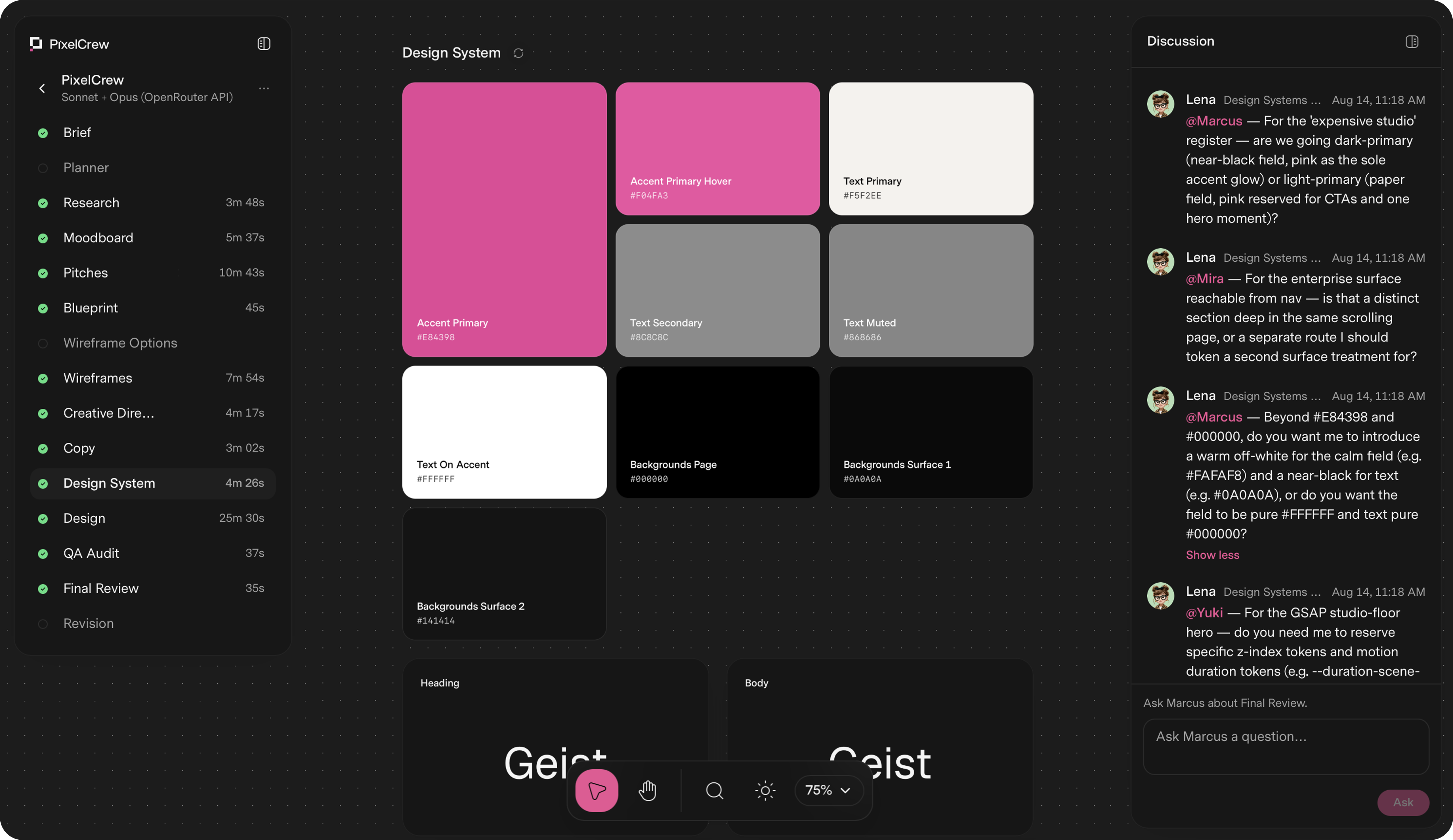
PixelCrew is a web-based platform that turns a written design brief into production-ready design output using a crew of specialized AI agents. It is designed for designers, developers, small teams, startups, and enterprises that need to ship landing pages, product dashboards, design systems, or pitch decks without waiting weeks for a traditional design cycle. Instead of relying on a single AI model to generate generic output, PixelCrew coordinates multiple agents with defined roles and handoffs to produce structured, shippable deliverables such as production-ready HTML, Tailwind CSS, wireframes, copy, and a complete design system. Users submit a free-text brief describing their intent, and the agents read that brief to infer requirements, audience, and direction. Traditional design workflows require coordination between researchers, art directors, UX designers, copywriters, and QA reviewers. This process can take weeks, especially for small teams or founders without a full design department. PixelCrew addresses this by compressing the workflow into a single brief-driven sequence. The problem it solves is the gap between having an idea and having production-quality design assets that can actually be shipped or handed to a developer. Rather than filling out templates, users describe what they need in free text, and the agents execute structured discovery, creative direction, wireframing, copywriting, design system assembly, and QA review. The result is bespoke design output produced in 25–45 minutes on average. The core of PixelCrew is its crew of specialized agents. Elena, the Researcher for Strategy, runs first. She reads the brief and executes structured discovery: audience personas, competitive analysis, jobs-to-be-done mapping, and an information architecture recommendation. She hands Marcus a validated research foundation, not assumptions, with outputs including a research document, personas, and an IA spec. Marcus, the Director for Art Direction, runs second. He takes Elena's research and makes creative decisions: visual direction, brand language, and layout approach. He writes three distinct visual pitches, selects the strongest, and produces a full creative brief with palette, typography, layout direction, and section-by-section composition guidance, including a moodboard. Mira, the Designer for UX Architecture, runs third. She takes Marcus's creative brief and builds the blueprint: wireframes, user flows, information architecture, and a section-by-section spec. Her outputs include wireframes, a UX flow file, and a navigation spec. The build crew then turns this into production HTML. PixelCrew produces a range of production-ready outputs. After the agent crew runs, users receive production-ready HTML and Tailwind, a complete design system, and documentation. Specific deliverables include a landing page HTML file, a design system JSON file, and docs. The crew also writes the copy and assembles the design system, including tokens, type scale, color, and components. Design happens inside the system, not around it. Every screen goes through a QA audit and a final review pass. Issues get flagged, revised, and rechecked before anything reaches the user. Outputs from the process include research-brief.md, personas, IA spec, CREATIVE_BRIEF.md, moodboard, three pitches, wireframes.html, ux-flow.json, nav-spec, copy.md, tokens, components, qa-report.md, revisions, landing-page.html, design-system.json, and docs. This means users get everything their engineering team needs to ship, or hand to any developer. PixelCrew is free while in alpha, and it uses a bring-your-own-key model for AI model access. Users connect their own API key from OpenRouter, which is the recommended path, or from Anthropic or Google Gemini. The agents run on that key, and users pay model costs directly to the provider. There is no subscription, no markup, and no card on file. A typical brief costs a few dollars in model usage. Users can set their own spend limit. This approach gives flexibility to run the crew on whichever models they prefer. Pro and Enterprise plans are coming. Pro will offer hosted keys with zero setup, no API key required, model costs included in one bill, priority processing queue, brief history and versioning, and team seats. Enterprise is custom and for teams that ship at scale, with custom agent configuration, your design system baked in, SSO and security review, and invoice billing. The unique approach of PixelCrew is sequential, context-aware agent coordination. Each agent runs in order and passes structured outputs to the next: Elena passes research-brief-output.md to Marcus, Marcus passes CREATIVE_BRIEF.md to Mira, and Mira passes wireframes.html to the build crew. This mimics the way a real team works, with each specialist building on the previous agent's work rather than starting from scratch. Users provide context through their brief, and the agents coordinate to produce the final deliverable. While the crew runs, users can watch the agents discuss decisions. The process is broken into clear steps: submit your brief, Elena maps the research, Marcus sets creative direction, Mira builds the wireframe, copy and design system take shape, QA audit and final review, and finally the user receives production output. The benefits of PixelCrew are speed, structure, and production quality. Average delivery is 25–45 minutes, compared to weeks for a traditional design cycle. Users receive production-quality output they can ship or hand to a developer. The design system ensures consistency across screens and components, and the QA audit catches issues before delivery. Because the agents work sequentially with context, the output is coherent and tailored to the brief rather than generic. The bring-your-own-key model means users have control over model choice and costs, with no subscription or markup. Overall, PixelCrew turns a written brief into a complete set of design assets, reducing the time and coordination required to go from idea to shippable design. PixelCrew has been used for demonstration projects produced from written briefs. These include After Dark, a neighborhood coffee shop website that feels like the room: dark, warm, and unhurried, with menu, hours, and atmosphere shipped as production HTML. Modena Coupé is a luxury automotive landing page in an editorial register, with full-bleed photography, serif display type, performance stats, and a request-information flow. MicroProject is a working task manager UI for small teams, with list views, project sidebar, shared lists, overdue states, a light theme, and a complete component set. Geisha Porto is a coffee roastery and jazz listening lounge in Porto, with a product catalog including harvest data, a vinyl audio archive, and a rooftop terrace section in a Swiss editorial layout. Other briefs can be for landing pages, product dashboards, design systems, or pitch decks. PixelCrew is for designers, developers, small teams, startups, and enterprises that ship at scale. It is especially useful for founders and teams without a full design department, as well as engineering teams that need shippable HTML and Tailwind. Integrations include bring-your-own-key support for OpenRouter, Anthropic, and Google Gemini. The product runs on the web at app.pixelcrew.ai. Pricing: free during alpha with a full agent crew, unlimited briefs, HTML and Tailwind output, and landing pages, dashboards, and design systems supported. Model usage is billed by the key provider, not by PixelCrew. Pro is coming soon with hosted keys, model costs included, priority processing, brief history and versioning, and team seats. Enterprise is custom with custom agent configuration, your design system baked in, SSO and security review, and invoice billing. PixelCrew's primary value proposition is turning a written design brief into production-ready design through a coordinated crew of specialized AI agents. It delivers bespoke, shippable design in minutes instead of weeks, with the flexibility to run on the models you choose via your own API key. By mimicking a real design team's sequential workflow, PixelCrew produces coherent, production-quality HTML, Tailwind, wireframes, copy, and a complete design system that engineering teams can ship or hand to any developer.
Clueso MCP is a connector that turns AI agents into video creation engines inside Clueso. Connect the Clueso MCP, describe the video you want, and the agent handles the production work while every output stays fully editable by you or by AI. It works with Claude, ChatGPT, Gemini, Cursor, Claude Code, Codex, and Antigravity. Clueso says its MCP lets AI agents create on-brand videos for customer education, product marketing, support, sales, and training. The tool's own tagline is simple: create and edit videos by chatting. Teams give Clueso an idea, a deck, a reference video, or a recording, and it handles the whole video production, including storyboard, scenes, voiceover, music, and editing, on-brand. Video production is usually a bottleneck. Someone has to storyboard, record, edit, caption, and localize a clip, then repeat that work every time a feature ships, a support question recurs, or a new market opens. The Clueso MCP addresses that by meeting teams where they already work: inside the AI agent they are already chatting with. Rather than learning a new editor or hiring production capacity, teams describe the outcome and let an agent act inside Clueso, which means video becomes part of existing workflows instead of a separate project. Clueso positions the MCP as the final piece needed to build a truly automated pipeline, connecting the agent to a workspace that holds brand guidelines, personas, tone of voice, and past projects. Setup takes about two minutes according to Clueso. You copy an install prompt from the cards at the top of the Clueso MCP page and paste it into your AI tool. The prompt walks your agent through connecting Clueso, then you sign in with Google. There is no API key or credentials to manage, and you do not need a Clueso account first, since one is created when you sign in. Clueso also offers a separate install for video skills. The connector works with any AI tool that supports the Model Context Protocol, including Claude, ChatGPT, Gemini, and Cursor today, and Clueso notes that as more tools adopt MCP, they will connect to Clueso automatically with no extra integration work needed on either end. Clueso MCP can build anything you can build in Clueso. The site lists video remakes, product launch videos, explainers and tutorials, talking head launches, and UI animations among the things an agent can produce, along with product walkthroughs, feature announcements, sales demos, training content, and customer onboarding videos. Inputs are equally broad: an idea, a deck, a reference video, or a raw recording. In the video remake workflow, you upload a video you love and Clueso rebuilds it inside your workspace, fully editable by hand or by chat. Agents can also edit existing videos, swapping assets, updating text, changing branding, trimming clips, adjusting transitions, and rearranging sections. The site highlights a set of top workflows that show how the MCP fits into work teams already do. In product marketing, a feature ships and a video ships with it: Clueso reads releases from Linear, generates a feature release video, and sends it to the PMM via Slack. In customer support, top support tickets become explainer videos: Clueso reads recurring questions from Intercom or Slack, produces tutorials, and publishes them straight to the Help Center. In sales enablement, every meeting ends with a shareable recap video in minutes, because Clueso reads transcripts from Gong, creates polished recap videos, and sends them to stakeholders via email. Two further workflows target content scale and onboarding. For translations, teams expanding into a new country can get their entire content library there first: Clueso creates videos for each customer persona a team sells to and exports a fully localized library in all languages. For employee onboarding, Clueso pulls SOPs from an HRMS such as Darwinbox, generates training videos, and organizes them into role-specific folders in Notion, so a new hire joining on Monday finds their training library already waiting. Clueso highlights four things that make the MCP different. Bulk editing lets a team update 3 videos or 300 with the same effort, scaling up custom copy, changing languages, or revamping brand guidelines with a single instruction to the AI agent. Always-on-brand behavior comes from giving the agent access to brand guidelines, personas, tone of voice, and past projects, so every video is on-brand from the first draft. Multi-tool workflows let teams build pipelines that span their entire stack, with the MCP described as the final piece that can create a truly automated pipeline. And edit-your-way means outputs remain fully editable end-to-end: change anything in your video by hand or just tell your AI agent to do it. Data handling is described in the FAQ. The MCP operates within existing workspace permissions, so an AI agent can only access projects and assets your account already has access to. Video content stays on Clueso's infrastructure and is never used to train external AI models, all connections are encrypted, and MCP access can be revoked anytime from settings. Collaboration works exactly as it always has: every member of a Clueso workspace can connect their own AI agent, and videos created or edited via MCP live in the shared workspace like any other project, so teammates can review, comment, and continue editing them in the Clueso editor or through their own AI agents. It is worth distinguishing the MCP from Clueso's built-in AI features such as auto-captions, smart trimming, and AI-assisted editing, which work inside the Clueso editor. MCP does something different: it lets external AI agents drive Clueso from the outside, so an agent can create and edit videos as part of a larger workflow spanning multiple tools, for example reading a ticket in Linear, generating a video in Clueso, and posting it to Slack in one automated chain. The stated benefits follow from that: less manual production work, consistency across every video, and the ability to produce at a scale that would otherwise require far more effort. Teamworks, which scales videos for 20+ products, is cited as a customer. Zach Romash, Senior Manager of Customer Education, says that from Claude they upload raw video straight to Clueso, tell it the edits, format, and callouts they want, and they are in good shape with just a few final touches. Typical use cases map directly to the workflows above: recreating a reference video as your own, announcing a release as soon as it ships, turning recurring support questions into Help Center tutorials, producing meeting recap videos for stakeholders, exporting a localized video library for a new market, and building onboarding libraries from existing SOPs. Because the product is aimed at customer education, product marketing, support, sales, and training functions, the practical target is any team that regularly produces instructional, promotional, or recap video and wants it generated, updated, and localized through conversation rather than manual editing. The takeaway is straightforward. Clueso MCP turns the AI agent a team already uses into a video production partner, connecting chat to a workspace where storyboards, scenes, voiceovers, music, editing, brand guidelines, and localized content all live and stay editable. If a team can type a message to a chatbot, it can create, edit, scale, and localize product videos from a simple conversation.
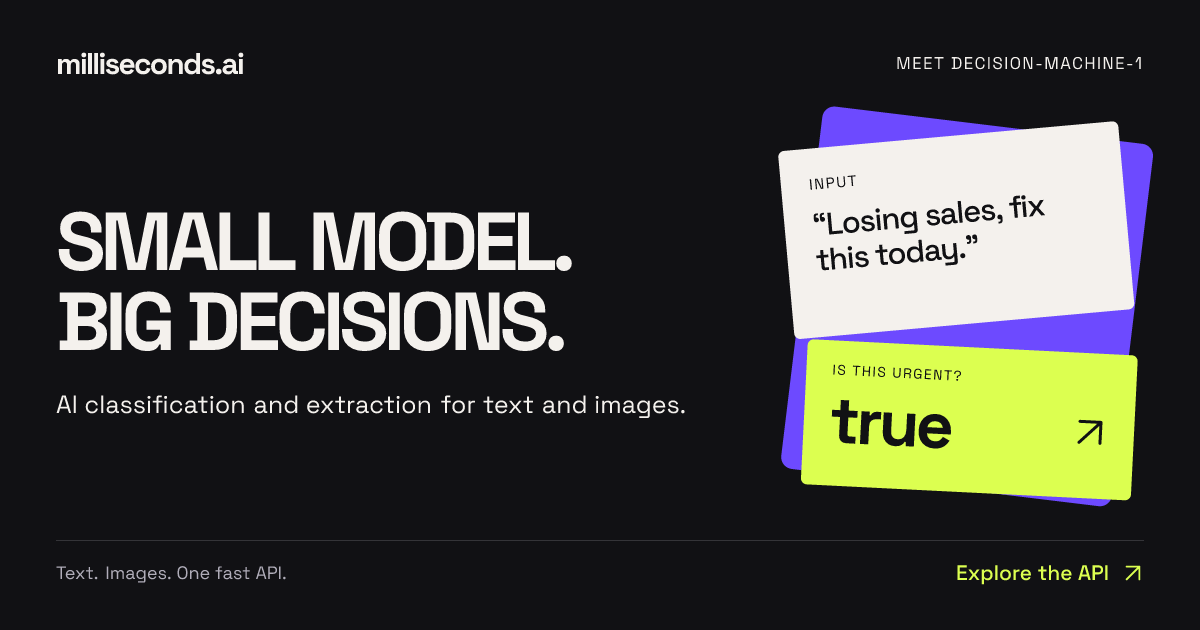
Milliseconds.ai is an API that turns text and images into decisions, classifications, and structured data. You send text or an image to a single endpoint and receive labels, fields, scores, or yes/no answers back as structured data that your application can act on. The product is built around decision-machine-1, described on the site as a small model behind the platform. Its stated purpose is AI decisions, classification and extraction via a simple API — the parts of an application that need an answer rather than a conversation. It is aimed at developers and product teams who need to route, tag, read, score, or check content inside their own software without building and hosting their own decision models. The site frames the problem as verbosity. A typical model response to an invoice begins with "Certainly! Let's delve into a comprehensive overview of this invoice and its many fascinating details…" followed by pages of explanation. Milliseconds.ai contrasts that with "Just the fields. Thank you." and shows the output it returns: invoice_number A-1042, vendor Nordik Supply, total 4250, currency CAD. The message is that many real workflows — routing a support email, reading an invoice, checking a return against a policy — only need a label, a number, a boolean, or a small set of extracted fields, and that asking a large model to produce prose for those tasks adds cost and latency without adding value. The company positions its small model as a way to get the decision itself, in a form software can consume directly. The API exposes separate endpoints for different kinds of decisions. POST /yes-no answers a binary question about a piece of text; the example flags messages that need a faster response and returns "answer": true with probability 1, and the site notes the boolean can be used to raise a ticket's priority. POST /classify assigns one label from a set you define; in the example a message is routed to support queues and comes back with label "billing" at 0.74, alongside scores for billing, shipping, technical, and other, plus a confidence value. POST /rate scores text on an ordered scale; the example turns customer frustration into a 0–3 score of 1.998, returning the level, a confidence figure, and the score for each level, with the site noting that nearly tied levels signal uncertainty. A second group of endpoints returns content rather than a single decision. POST /answer locates a span of text that answers a question — for example, finding "Halifax warehouse" in a shipment status update with a probability of 0.992 and start and end offsets, so an application can show where the answer came from. POST /extract maps text to the fields in your own records; the invoice example returns four fields — invoice number, vendor, total, and currency — ready for validation before a record is written. POST /entities identifies typed entities such as person, organization, claim id, and date, each with a probability, described as useful for search and record matching. POST /verify checks a proposed value against source text; in the example a proposed $1,000 deductible is compared with policy text that says $500 and comes back as matches: false with the found value $500. Milliseconds.ai is delivered as a developer tool first. The site says the service is available through REST, SDKs, and a CLI, and it points to both a TypeScript SDK and a Python SDK that return typed responses, plus a terminal workflow. For coding agents, it offers installable skills that teach an agent which API to call and how to evaluate results — summarised as "Hey, build me something with this." Documentation links include an API quickstart, a support triage recipe, and a document intake recipe for extracting fields, checking values against the source, and validating before writing a record. The site also provides live, editable examples for every endpoint, where a visitor can edit a request and run it to see the labels, scores, or fields the API returns, with raw JSON available. The product's overall approach is summarised by the phrase "INPUT → DECISION → ACTION". Text or an image goes in; a decision comes out; the application acts on it. Around that core loop the responses are deliberately structured: booleans with probabilities, labels with score distributions and confidence, numeric ratings with per-level scores, extracted fields, typed entities, and answer spans with source offsets. The company describes decision-machine-1 as a small model, and contrasts its economics with larger alternatives: production usage costs $0.04 per million input tokens with no charge for output tokens, and free test keys include 125 million free input tokens per month with no card required. Demo applications show the same idea in practice — working apps whose results, token usage, and inference cost can be inspected. The stated benefit for users is speed and directness: answers arrive in a shape an application can use immediately, so teams can automate the decisions their software already makes rather than inserting a conversational layer. Because the responses include probabilities, confidence values, and score distributions, an application can distinguish a confident decision from a borderline one — for example, flagging a nearly tied rating or a low-probability entity for review — and route only the uncertain cases to a human. Structured output also means the result can be validated before it is written to a record or used to trigger an action, as in the invoice and deductible examples where extracted or proposed values are checked against the source. The pricing model, with free output tokens, keeps cost tied to input volume rather than to the length of the answer. The site documents several concrete workflows. Support triage combines a label to select a queue, a score to set priority, and a boolean to flag urgency. Document intake extracts fields, checks values against the source, then validates before writing a record; the Invoice Desk demo pulls the vendor, invoice number, and total from an invoice, compares them with the purchase order, and shows what needs attention. Sales intake separates demo requests from support tickets and vendor pitches and gives sales the budget, timing, and need already stated in the message — the example flags a demo request with a stated budget and a near-term start, suggesting the Sales destination. Private Share finds names, emails, and other personal details in a transcript so a teammate can review what to remove while keeping the context, leaving the bug report useful. The Product Hunt description adds routing emails, applying return policies, and "build your hot-dog identification empire" as further examples. Milliseconds.ai is built for developers and product teams who need classification, extraction, or verification inside an application — the Product Hunt listing files it under API, Developer Tools, and Artificial Intelligence. The developer surface includes REST endpoints, TypeScript and Python SDKs, a CLI, and skills for coding agents, so the integration can be done from code or from an agent. Pricing has two stated parts: a free tier of 125 million input tokens per month on free test keys with no card required, and production usage at $0.04 per million input tokens with output tokens free. A sign-up page issues free test keys, and the site links to pricing details with the prompt "Big ideas. Small bill." The interactive examples run without an API key so teams can evaluate results before signing up. The takeaway the site reinforces is narrow and deliberate: milliseconds.ai does not try to be a general chatbot. It provides a fast API for the small decisions that applications make constantly — is this urgent, which queue does this belong to, how frustrated is this customer, what are the invoice fields, which entities are in this claim note, does this value match the policy — and returns each as structured data with probabilities, so software can act on it. With a single small model, editable live examples for every endpoint, SDKs, a CLI and agent skills, plus a free monthly allowance and per-token production pricing, it packages decision-making as a straightforward building block for developers.
slop-grader is a rule-based command-line interface (CLI) tool that evaluates documents against custom rulesets, producing a document score together with line-by-line flags. It is explicitly designed to guide auto-fixing with an AI agent: the flagged output includes prompts and instructions that can be pasted directly into an agent so the agent can draft sharper copy. The maker describes it as a tool that checks any text document against rules such as English grammar, German grammar, and AI filler detection, and it lists three immediate uses: catching AI filler in launch copy, stripping buzzwords from landing pages, and scoring narrative flow in launch emails. It is an open-source tool that requires Node.js on your machine and an account with either TypeSafe or OpenRouter. slop-grader speaks directly to a common side effect of AI-assisted writing. When launch copy, landing pages, emails, or other documents are drafted or polished with large language models, they often carry a recognisable residue of filler, buzzwords, and unexamined narrative flow. slop-grader is positioned as a way to detect that residue before a document ships. Crucially, it does not simply rewrite the text for you: it scores the document against a ruleset and marks the individual lines that fail, which is a lighter and more reviewable intervention. A commenter on the launch summarised the appeal of this approach, noting that the line-by-line flags are a useful touch because they make it much easier to see exactly what needs fixing instead of rewriting the whole document. The tool ships with rules that work out of the box, including English grammar, German grammar, and AI filler detection. Beyond those built-in checks, the maker emphasises that the real power comes from creating custom rules for your own use case, and these rules can be written in plain language. The examples given include SEO checks, legal clauses, and tone of address, such as keeping the German informal "Du" versus the formal "Sie" consistent throughout a document. Because the rules are user-authored and expressed in everyday language, the same tool can be adapted to very different kinds of content review without changing the underlying program. To help users get started, a built-in skill is provided in the project repository at skills/create-slop-grader-rules/SKILL.md, which is intended for creating custom rules. Rules in slop-grader are framed as questions, and those questions can be evaluated in two different scopes. Some rules are applied line by line, such as "Does this line make a promise that requires a legal disclaimer?" Others are applied across the entire document, such as "Does the opening earn the reader's next 30 seconds?" This dual scope means the tool can police both local wording problems and broader structural or narrative qualities. The maker notes that once you have built a curated ruleset for your use case, it can be a very powerful tool. In a reply to a commenter asking how the tool handles words that are considered buzzwords in one industry but normal in another, the maker's answer was simply that you can create custom rules for your use case, which keeps the definition of "slop" under the user's control rather than baked into the product. The output of a run is a list of flagged lines plus instructions, and those instructions can be pasted directly into an AI agent to fix the document. In other words, the tool flags its outputs as prompts so that agents can draft fixes. When asked whether the output can be used directly in an AI coding or writing agent workflow, the maker confirmed that the tool outputs a list of flagged lines and instructions that you can paste directly into an AI agent to fix the document. One nuance that came up in discussion is that the tool does not explain why a given rule fired. The maker's suggested workaround is to create separate rules for each check, because the AI agent is then very good at inferring the problem. Every rule is matched against every line separately, and because of the model it uses, evaluating every rule separately remains very cheap and fast, so this granular approach does not punish users with a slow or expensive run. Under the hood, slop-grader runs on Jev, the new AI model available at typesafe.ai. The maker describes Jev as a so-called "System One" model, different from an LLM, and specialised in answering structured questions. That specialisation is what makes the ruleset approach practical: checking a document takes seconds and costs less than a cent. Running the tool requires Node.js installed on your machine plus an account with either TypeSafe or OpenRouter, which means the product is deliberately lightweight and fits into an existing developer environment rather than requiring a separate application. Users should be aware that text is evaluated on an external AI server, as the maker states explicitly. The whole package is distributed as an open-source CLI, so the rulesets themselves become an artefact that a team can curate and reuse over time. The benefits that follow from this design are speed, cost, and precision. Because a document check takes seconds and costs less than a cent, it is feasible to run a ruleset repeatedly during a writing or launch process rather than treating it as a one-off audit. Because the results are line-level, the feedback is actionable and easy to review, and because the instructions are formatted for an agent, the fix step can be automated. And because rules are written in plain language and can be scoped either to a single line or to the whole document, a team can encode its own quality bar, from grammar and buzzword control to legal disclaimers and consistent tone of address. The maker's framing that a curated ruleset becomes very powerful once assembled suggests the tool rewards a small amount of upfront investment in rule authoring. The stated scenarios for slop-grader revolve around launch and marketing writing. You can use it to catch AI filler in launch copy, to strip buzzwords from landing pages, and to score narrative flow in launch emails. It can also be applied wherever a document needs to conform to conventions that a reader could phrase as a yes/no question, which is how the German "Du" versus "Sie" consistency example was presented in the comments. Rules such as checking whether a line makes a promise that requires a legal disclaimer, or whether an opening earns the reader's next thirty seconds, illustrate the kind of editorial and structural checks the tool is intended to carry out. In each case the flagged lines and accompanying instructions are then handed to an AI agent to draft the corrected text. slop-grader is aimed at people who produce written content and want a repeatable quality gate: makers writing launch material, marketing and advertising copywriters, and developers or technical writers comfortable working from a command line. It is listed as free, it is open-source and hosted on GitHub, and it runs as a Node.js CLI. The two supported routes for running it are an account with TypeSafe, the company behind the Jev model it depends on, or an account with OpenRouter. Because rules can be created in plain language with the help of a built-in skill, using the tool does not require writing code beyond installing and invoking the CLI. No mobile or web application is mentioned; the entire experience is a command-line workflow that plugs into an AI agent for the fixing step. In summary, slop-grader turns text quality review into a rule-based, scored, line-level check that is fast, inexpensive, and designed to feed an AI agent. Instead of asking a model to rewrite a document wholesale, it identifies precisely which lines break your rules, emits instructions the agent can act on, and lets you define what counts as slop through custom rules in plain language. With built-in checks for English grammar, German grammar, and AI filler detection, plus the ability to add SEO checks, legal clauses, and tone-of-address rules, it offers a configurable and lightweight way to keep launch copy, landing pages, and emails sharp.
PostSider is a social media publishing platform built for both humans and AI agents. From a single calendar you can schedule and publish content across more than 30 networks, or you can hand the keys to an AI agent that drafts, schedules and publishes through MCP, a REST API or SDKs. The site names three groups it is amazing for: agentic builders and their AI agents, solo founders and creators, and agencies running many brands and channels at once — plus "everyone who wants to publish their content a different way." Its stated purpose is to cover the whole publishing loop in one place: content calendar, analytics, teams, approvals and automation, without juggling multiple tools. The problem PostSider addresses is fragmentation. Publishing to many networks typically means separate tools for scheduling, drafting and reporting, and for developers it means writing per-platform glue code for every network they want to reach. PostSider's answer is one place to manage everything, with four documented ways to publish: the dashboard, the API, the SDKs and MCP. The product also positions itself against per-channel billing, stating that it uses flat tiers rather than charging per channel, and it explicitly targets people switching from Buffer or Hootsuite with comparison articles and a step-by-step migration checklist that is described as not dropping a single scheduled post. The claim running through the site is straightforward: one integration, every network, for humans and agents alike. For humans, PostSider presents "a calendar you actually enjoy." You plan your whole month at a glance, drag a post to a new slot, duplicate it to another network, and watch the queue handle the rest. The listed calendar capabilities include drag-and-drop posts across days and channels, composing once and tailoring per platform, a media library with live previews, and queues with best-time scheduling. The composer lets you start writing or try a sample post, and accepts files by drag and drop or a file selector. The site shows a worked example on the calendar: a Claude agent connected via PostSider MCP is asked to create an Instagram post from an attached photo, and it drafts the post and queues it for Tuesday at 12:00. For AI agents, PostSider provides what it calls an agent bridge. Scheduling, publishing and analytics are exposed as tools through a Model Context Protocol (MCP) server, so any MCP agent can call them. The site displays Claude, ChatGPT / Codex, Gemini, Cursor, OpenClaw and Hermes Agent, plus "any MCP agent." Alternatively, developers can call the typed REST API and SDKs directly for their own pipelines. PostSider states this removes per-platform glue code entirely — one integration covers every network — and that the same secure auth is used for humans and agents. The documented API rate is 60 requests per minute, and the site links to its own docs for developers. The described agent workflow is that an agent can draft posts and fill the queue, just as a human would from the dashboard. Publishing reach, measurement and security are the remaining pillars. PostSider says it supports more than 30 networks, listing X, Instagram, Facebook, LinkedIn, TikTok, YouTube, Pinterest, Bluesky, Mastodon, Discord, Telegram, Slack, Google Business, Twitch, WordPress, Medium, Dev.to, Nostr, Dribbble, Lemmy, Farcaster, Hashnode, Ghost, Blogger, Write.as, Notion, Mataroa, Listmonk, Whop and Moltbook, with new networks added all the time. The claim behind this is that you can publish the same content everywhere or fine-tune per channel, with one payload tailored per platform automatically. Analytics track reach and performance across every channel in one view. On security, PostSider says it treats access like infrastructure: every channel token is encrypted with AES-256-GCM, requests are hardened against SSRF and CSRF, rate limiting protects against abuse and overage, and tokens are isolated per channel with least-privilege access. Getting started is described in three steps. First, connect your channels: link 30+ networks in a click, with tokens encrypted and isolated per channel. Second, create it yourself or let your agent: compose in the editor, or let your MCP agent draft posts and fill the queue. Third, schedule and publish on autopilot: pick times or use best-time queues, and PostSider publishes everywhere for you. The marketing promise that wraps this is being "live in minutes" — yours or your agent's — and the headline call to action is to publish it yourself or let your AI agent take the wheel. The benefits stated for users follow directly from that structure. Teams get one screen for the whole plan instead of several scheduling tools, because the calendar, queues, media library and analytics live together. Builders get one integration instead of per-platform glue code, exposed through MCP, REST and SDKs. Agencies get approvals, seats and shared queues so multiple brands and channels can be coordinated in one place. PostSider also argues on price structure: flat tiers rather than per-channel billing mean adding another network costs nothing until you cross a tier, which the site says is usually cheaper than per-channel pricing beyond four channels. The content points to several concrete scenarios. A solo founder or creator maps out a month of posts on the calendar, drags them between days and channels, and lets best-time queues publish. An agency runs many brands at once, using approval workflows and multi-user roles so drafts are reviewed before they go out, with separate queues and channels per client. An agentic builder connects an MCP agent such as Claude or Cursor, asks it to draft a post from a photo, and the agent queues it through PostSider rather than through custom code. A team switching from Buffer or Hootsuite connects channels in parallel, rebuilds posting slots, imports the queue manually or via CSV, runs both tools for one overlap week, then cancels the old tool. And a marketing team watches reach and performance across every channel from a single analytics view. Plan details are published on the site. Every plan includes the calendar, the agent bridge and the API; accounts are only gated on posts, channels and seats. Standard at $20/mo is aimed at content creators with 1 seat, 5 channels and 400 posts per month. Team at $35/mo for small brands adds unlimited team members, 10 channels, unlimited posts, an AI post checker and rewrite, automated queues and sets, advanced analytics, approval workflows and multi-user roles. Pro at $45/mo for large businesses adds 30 channels, auto-plugs and first comments, CSV bulk import, snippets and templates, SDK access with webhooks, priority publishing and an audit log. Ultimate at $90/mo for agencies adds 100 channels, custom OAuth app building and priority support. A 7-day full trial is offered with no credit card required, plans are month to month, and the trial covers the calendar, composer, agent bridge and API. The AI features are an AI post checker and per-network caption rewrite, usable with the built-in AI or your own OpenAI API key, and the site stresses there is no auto-generated content spam — the AI checks and refines what you or your agent drafted. PostSider also offers six free browser tools with no account, including best time to post, a hashtag counter, a bio link preview, an image size cheat sheet, an engagement calculator and a fancy text generator, plus a blog publishing research and playbooks. The product is built by one person, Lukasz Blania, a solo founder building from Poland under Lumi Zone. In summary, PostSider's primary value proposition is a single social media scheduling and publishing platform that serves both human teams and AI agents: one calendar for planning, 30+ networks for reach, four ways to publish through dashboard, API, SDK and MCP, and hardened per-channel security — with no per-platform glue code and flat-tier pricing.
Cronhq is a managed scheduler for cron jobs. You point it at a webhook URL, and Cronhq fires that webhook on your schedule, retries it when it fails, logs every execution, and pages you when something breaks — then pages you again the moment it recovers. It is built for developers and engineering teams who rely on recurring jobs to keep their systems running: nightly rollups, invoice generation, metrics refreshes, cache warming and digest emails. The product's headline promise is exactly-once execution, enforced by Postgres locks rather than best-effort coordination, so the same scheduled run can never be fired twice by two different workers. Cron jobs fail in silence. Two servers running the same crontab can race each other and a billing job fires twice — charging a customer twice or sending a duplicate invoice. A job dies and nobody notices for weeks, because the absence of an error message is not the same thing as success. Traditional crontab offers no retries, no alerting, no execution history and no protection against duplicate runs across multiple workers. Cronhq was built around that specific failure mode: a scheduler whose one guarantee is that each scheduled execution happens exactly once, with retries, alerts and logs wrapped around it so that failures become noisy instead of silent. Security of the callback is handled with signed webhooks. Every request Cronhq makes carries an X-Cronhq-Signature header — an HMAC-SHA256 signature computed over timestamp.body — plus an X-Cronhq-Timestamp header. Each job gets its own secret, and that secret can be rotated at any time with no downtime. Receivers can therefore verify that a scheduled call really came from Cronhq and was not spoofed or replayed by a third party. For teams that expose an internal endpoint so that a scheduler can reach it, signed webhooks are the difference between an open endpoint and an authenticated one, and verification is a short, documented snippet of code. Cronhq also covers the jobs it does not run. A heartbeat (dead-man's switch) monitor is a URL you ping on every run of a job that lives somewhere else. If the ping misses its window — the expected period plus a grace period — Cronhq flips the monitor to DOWN and pages you exactly once. The site describes this as cron's inverse: proof of absence rather than proof of presence. It is the right tool for jobs running inside your own infrastructure or on a machine that you can only observe, not schedule, so silent failure still turns into a notification. Schedules themselves are managed as code. Cronhq ships a CLI, installed with npm i -g cronhq or run directly with npx cronhq --help. npx cronhq sync reconciles a cronhq.yaml file in your repository, creating, updating and pruning jobs so your schedules live in version control alongside the code they trigger. npx cronhq tail nightly-rollup live-streams executions straight to your terminal, which makes it easy to watch a job's first runs from the same place you watch logs. Cron-as-code means schedule changes go through code review instead of a dashboard click that nobody remembers making. Inside the dashboard, ⌘K opens a command palette that accepts plain English. Type "every weekday at 9am" and Cronhq returns a valid cron expression — 0 9 * * 1-5 — with a plain-English preview so you can confirm the schedule before saving and never guess wrong. Setting up a job is deliberately small: sign up with your email, receive a one-time link, and a 36-character API key starting with chq_ is minted for you. Then you POST a name, a schedule, the webhook URL and a timezone to /v1/jobs. Every execution is logged with status, duration, HTTP code and response body, newest first, searchable and yours forever. The scheduling model is built in Rust on Postgres, and the exactly-once guarantee comes from a Postgres lock claiming each run: two workers can never fire the same scheduled execution, and if a worker crashes mid-job another picks up after the lock expires. Retries are configured per job with a maximum retry count and delay; backoff means a failing webhook is retried after increasing waits rather than hammering the endpoint, and the terminal status plus the last error land in your history so the postmortem writes itself. Alerts are deduplicated: a failure alert fires on the third bad run in an hour rather than the first, and the recovery alert fires on the first success after a streak. Runs continue silently and successfully in between, so an outage produces one page and one all-clear rather than a notification storm. The result for users is a recurring workload that stops being a source of quiet anxiety. Jobs that used to fail invisibly now produce an explicit status, a duration, an HTTP code and a stored response body for every run, and the dashboard surfaces throughput, P95 latency and success rate alongside a live execution feed. Because duplicates are prevented at the database level, billing-style jobs can be trusted not to double-fire when more than one worker is running. Because retries and alerts are built in rather than bolted on, the team hears about a problem once, when it matters, and hears again only when it is fixed. The concrete workflows described on the site follow the same shape: choose a schedule, point Cronhq at a URL, and let it handle firing, retrying and alerting. A nightly-rollup job posts to api.you.com/cron/rollup at 2am; a metrics refresh calls metrics.app/refresh; a billing run posts to billing.io/invoices and, if it returns a 504, is retried rather than lost; cleanup, sync, digest and cache-warming calls run on their own intervals. Heartbeat monitors cover the jobs Cronhq does not host, flipping DOWN when an expected ping is missed. And for teams who want their schedules reviewed like code, cronhq.yaml plus npx cronhq sync keeps the whole set of jobs reproducible from a repository. Cronhq is aimed at developers and engineering teams who depend on scheduled work — webhooks, rollups, invoices, digests, health-style pings and cache maintenance — and who need those runs to be reliable rather than best-effort. It runs on Rust and Postgres, and the same image the team operates is MIT-licensed and self-hostable, so teams can run the scheduler themselves or use the managed service. There is a free tier covering 5 jobs, which makes it possible to try the exactly-once guarantee, the signed webhooks and the alerting on real schedules before committing further. In short, Cronhq takes the oldest, least trustworthy primitive in a stack — the cron job — and rebuilds it around a single hard guarantee: each scheduled execution runs exactly once, is retried when it fails, and is reported when it breaks and when it recovers. That is what "cron jobs that actually run" means in practice.
Hyrax AI describes itself as the AI architect for your entire codebase, built to turn AI velocity into better software. According to hyrax.dev, it provides architecture, improvements, and governance for AI-native engineering teams, and it continuously understands and improves modern codebases through verified, human-approved changes. In practice, Hyrax maps a repository and understands how a product is built, then identifies what actually matters across the codebase and turns improvements into production-ready changes delivered as GitHub pull requests. The company's FAQ states the goal plainly: help engineering teams understand what is happening across their codebase, identify what matters, and turn improvements into production-ready changes. An engineer reviews and merges every one of them. The problem Hyrax targets is visible in how AI coding tools changed engineering. The Product Hunt description frames it directly: code review tools tell you what is wrong with a pull request, while Hyrax finds what should improve across your entire codebase and does the work. Hyrax's own FAQ draws a distinction between writing code and architecting the system that code enters. AI assistants edit what you point them at, and their context starts empty every session. Hyrax instead holds the map of your codebase, so specialized agents can reason about security, correctness, maintainability, performance, architecture and operations before anything ships. The company's stated position is that teams can use both kinds of tools together. Discovery is where Hyrax begins. The product maps modules, entry points, ownership, and dependencies together so that architectural problems appear in context rather than in isolation. In the interactive demonstration on hyrax.dev, Hyrax discovers a sample repository, acme/storefront-web, reading 38 files and resolving 4 entry points. The architecture map shows three layers: src/api, the HTTP surface and error envelope; src/domain, which holds pricing, cart, and tax rules; and src/lib, primitives with no business rules. Discovery flags a finding of one dependency cycle, where src/domain/tax imports from src/api/types, an inner layer importing outward. The result is an architecture map with a prioritized list of open findings, each carrying an identifier such as HYRAX-402, a severity such as P0, P1, or P2, a plain-language description, and the exact file and line where the issue lives, for example src/lib/env.ts:42 or src/components/SearchResults.tsx:34. From that map, six specialized agents evaluate the codebase across six engineering domains: security, correctness, maintainability, performance, architecture, and operations. Hyrax prioritizes the issues it finds so the highest-leverage work comes first. In the demo, findings range from a P0 hardcoded secret in the environment loader and a P0 PCI DSS issue where a raw PAN is routed through the application backend, to P1 items such as a session token stored in localStorage and exposed to XSS, a missing CI pipeline with dependency vulnerability scanning, and a missing React ErrorBoundary that shows a blank screen on a render exception, down to a P2 array index used as a React key in SearchResults. Each finding is tied to a specific location and to one of the six domains, which is what allows the prioritization to reflect the codebase rather than a generic lint rule set. Hyrax does not stop at reporting. It writes each fix in context, does the work itself, and verifies the result before anything reaches your team. The 13-step verification gate covers isolated worktree execution, the tests it started with, the tests after the change, your build, lint and formatting, a size limit on the diff, a second review by an independent agent, a re-scan to confirm the original issue is gone, and CI. If a required check fails, the work stops and never becomes a pull request. In the demo, a layering violation is fixed by moving a shared type into the domain that owns it: the reverse dependency disappears without widening the scope, 142 tests pass, the production build succeeds, the dependency cycle is removed, and a reviewer agent approves. Hyrax then opens a GitHub pull request, in that example one titled "[Hyrax] Load API_KEY and DATABASE_URL from the environment" that resolves a critical finding where secrets were committed literally in src/lib/env.ts, with the change verified against all checks. Governance and agent access extend the same model. Approved architecture rules live with the repository in a HYRAX.md file. The demo example reads: dependencies point toward src/domain, and shared types live with the domain that owns them. Those approved rules guide future work, which keeps the decision with the repository rather than with the tool. Hyrax also announced Hyrax MCP, which gives Claude Code, Cursor, and Copilot live codebase context. The overall workflow follows the loop shown on the site: discover, audit, fix. Hyrax works through GitHub with human control and never merges on its own; verification runs before a pull request reaches your team, and your engineers make the final call. All inference runs in the Hyrax AWS Bedrock account, and Hyrax does not train on customer code. The outcome Hyrax claims is better software with every change. Teams get visibility into what is happening across the codebase, a prioritized view of what matters, and fixes that arrive as production-ready changes rather than raw suggestions. Because every improvement must pass the verification gate, the work that reaches reviewers has already survived isolated execution, the repository's own lint, typecheck, tests and build, an independent second review, a re-scan confirming the original issue is gone, and CI. The customer proof quoted on the site from Joel Horwitz, CEO of Synter, says: "We pointed Hyrax at Synter's own codebase and it came back with issues we had not caught, each one with a fix ready for review." The demo lists concrete ways the product is used: map a repo, review prioritized improvements, or open a verified pull request. Mapping suits a team that needs modules, entry points, ownership, dependencies, and cycles in one place. Reviewing prioritized improvements fits the discover and audit steps, where findings are ranked by severity and annotated with attributes such as small effort and medium risk, with actions labeled Fix, Implement, View, or Easy win. Opening a verified pull request covers remediation: Hyrax writes the patch, runs the repository's own lint, typecheck, tests and build in an isolated worktree, and opens a PR such as one that loads API_KEY and DATABASE_URL from the environment instead of committing secrets literally. Hyrax MCP supports a related workflow by supplying coding assistants in Claude Code, Cursor, and Copilot with live codebase context. Hyrax is aimed at engineering teams, particularly AI-native engineering teams, with GitHub as the delivery surface and repository-level architecture rules as the control mechanism. Pricing has two plans. Free is $0/mo and includes the full product on real repos with no card required, everything Hyrax does with no feature walls, up to 100 PR reviews a month for free, a $30 starter credit, and $10/month of credits every month. Paid is $30/user/mo and includes everything in Free plus $30/month of credits per user; overage is opt-in with budget caps you set, so Hyrax cannot exceed the cap. Credits meter usage across repository mapping, verified improvements, and PR reviews. Tech details stated on the site include that all AI inference runs on AWS Bedrock and that Hyrax does not train on customer code. Hyrax positions itself as the AI architect rather than another assistant: it holds the map of your codebase, prioritizes improvements across six engineering domains, writes fixes in context, verifies them through a 13-step gate, and delivers them as GitHub pull requests that a human reviews and merges. The value proposition is turning AI velocity into better software, with architecture, improvement, and governance built in.