Category Focus/categories/automation
Automation AI Tools
Discover and compare the best automation AI tools and software. Browse 599+ curated tools with reviews and rankings.
Projects tracked
599
Sort mode
RECENT
Page
4
Discover and compare the best automation AI tools and software. Browse 599+ curated tools with reviews and rankings.
Projects tracked
599
Sort mode
RECENT
Page
4
Mochi is a downloadable desktop pet for macOS — a little pink blob who lives on your screen, floats around while you work, reacts to what you are doing, and naps now and then. It is made for Mac users who want a small, cozy companion sitting alongside their everyday work, and it doubles as a gentle housekeeper: if you let it, Mochi keeps your Desktop tidy by carrying loose files into folders like Screenshots, Documents and Media. If you would rather it only hangs around, you can tell it to simply keep you company. The problem Mochi addresses is the Desktop that slowly turns into a dumping ground. Loose screenshots, stray documents and media files pile up while you are busy, and tidying them is a chore nobody wants to do in the middle of a work session. Mochi reframes that chore as something a companion does on your behalf. It files items away one by one rather than in a bulk sweep, it never deletes or overwrites anything, and every move it makes can be undone from the menu bar through the "Where Did My Files Go?" entry. Desk Patrol is Mochi's filing mode. When enabled, Mochi flies to loose files on your Desktop and files them away, one by one, moving them into folders such as Screenshots, Documents and Media. The approach is deliberately conservative: Mochi never deletes or overwrites anything, so nothing can be lost through an unexpected move. Every relocation can be undone from the menu bar using "Where Did My Files Go?", which means you can review what happened and reverse it if you disagree with the outcome. If you do not want any automatic filing at all, you can switch the behaviour off entirely and choose "Just keep me company", leaving Mochi as a purely decorative presence on your screen. Mochi's second role is companionship, expressed through hundreds of reactions to what is happening on your Mac. It reacts to the apps you use, to how long you have been working, and to late nights, so the pet's behaviour shifts with the shape of your day. It floats around while you work and naps now and then. Interaction is direct and mouse-driven: you can drag Mochi anywhere on screen, click it to pet it, and double-click it to give it a treat. These small gestures turn an idle presence into something you can actually play with between tasks. For users who want more personality, Mochi offers optional AI comments, powered by your own Claude, ChatGPT or Gemini key. Because the key is your own, the feature is opt-in and only active when you choose to supply one. Mochi Pro adds a tiny life sim on top of the pet: you grow a strawberry tree, build a nest, lay and hatch an egg, and raise a little family. Strawberries are scarce, so you need to keep watering — or, as the developer puts it, things get dramatic. Pro can be tried free for 30 minutes and is available on Gumroad from $5. Mochi lives in your menu bar at the top of the screen, which is where the main controls sit, including "Where Did My Files Go?" and the option to leave Mochi as company only. Installation is straightforward: download the .dmg, drag Mochi into Applications, and open it. The first time, macOS will say it can't verify Mochi because it is a free indie app without a paid Apple certificate yet; you click Done, then go to System Settings → Privacy & Security and click Open Anyway. This is only done once, and the full steps are included in a "How to open Mochi.txt" file inside the download. Mochi requires macOS 13 (Ventura) or later, and runs on Apple Silicon or Intel. The downloads are version 1.0.3, available as a 3.4 MB disk image or a 3.1 MB zip. Mochi runs entirely on your Mac, with no account and no tracking. The benefits are practical as well as decorative. Your Desktop stays organised without you spending time sorting screenshots, documents and media by hand, and because every move is reversible from the menu bar, adopting the feature carries little risk. At the same time, the pet itself gives long work sessions a bit of warmth — reactions that notice how long you have been at the machine, naps, playful interactions, and optional AI comments. Because everything runs locally with no account and no tracking, using Mochi does not add another login or another service watching your behaviour. Typical use looks like this: you leave Mochi running during a work session and let Desk Patrol gradually clear the loose files that accumulate on your Desktop, checking "Where Did My Files Go?" whenever you want to see or undo what was moved. If you are on the machine late, Mochi's reactions to late nights and to the apps you are using become part of the ambience. Users who want a companion rather than a housekeeper switch to "Just keep me company" and simply drag, pet and feed Mochi between tasks. And anyone curious about the little life sim can start Pro for the free 30-minute trial, grow the strawberry tree and work towards hatching an egg. Mochi suits Mac owners who enjoy cozy, casual desktop companions and who would also like small productivity nudges — the itch.io listing categorises it as a Simulation with tags including casual, companion, cozy, cute, desktop pet, idle, productivity, relaxing, tamagotchi and virtual pet. It is an English-language, mouse-driven experience, and the listing notes an average session of days or more, reflecting that Mochi is meant to stay running in the background rather than be opened for a single sitting. The app is released by the developer nickmorefun and carries an AI disclosure for assisted code, graphics and text. Pricing is a free download with an optional paid Pro tier from $5 on Gumroad. Overall, Mochi combines a cute Mac desktop pet with a cautious, fully reversible file-tidying helper. It keeps your Desktop in order, adds personality and small reactions to your working day, and stays entirely on your Mac with no account or tracking — free to download, with a Pro life sim for anyone who wants more.
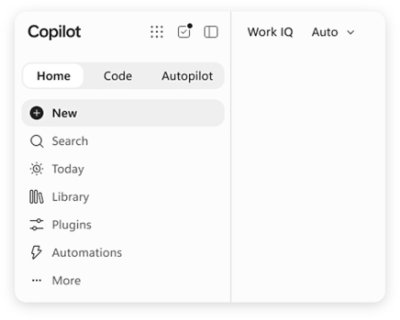
Microsoft Copilot is AI built for work. According to Microsoft, Copilot connects with your work content and the apps you already use, bringing together the latest AI models to help you create finished work, not just answers. It is designed for people who work inside Microsoft's productivity ecosystem: individuals who want to simplify everyday work, businesses that want their teams to move from ideas to impact, and enterprises that need secure AI grounded in their own organization. Copilot is available across desktop, mobile, and web, and it can be used with voice, keyboard, or pen, so the same assistant follows the user from one device to the next. The starting point for Copilot is a simple observation about how knowledge work actually happens. Most AI tools respond with an answer and stop there, while real work continues across documents, spreadsheets, presentations, email, meetings, and chat. Microsoft positions Copilot as a response to that gap: instead of an isolated chatbot, Copilot lives in the apps where work already happens — Word, Excel, PowerPoint, Outlook, and Teams — and it is grounded in work content rather than in generic information. That grounding is delivered through Work IQ, which ties Copilot to your company, your team's roles, and the context behind your projects. The stated goal is finished work, not just answers, which is why the product is framed as AI built for work rather than a general-purpose assistant. Feature group one is AI integrated into the apps you already use and grounded in your work. Copilot is integrated into Word, Excel, PowerPoint, Outlook, and Teams, where your work already happens, so users do not have to leave the tools they rely on to get help. Work IQ grounds Copilot in your company, your team's roles, and the context behind your projects, which means responses can reflect the reality of a specific organization rather than a generic model's best guess. Microsoft describes this as "AI that knows your work." Because the assistant already sits inside the productivity apps, the distance between asking for something and applying it to a real document, message, or meeting is much shorter. Feature group two is leading AI models brought together in one place, with automatic model selection. Copilot brings together leading AI models with Work IQ so users can benefit from the distinct strengths of each in a single experience — there is no need to switch between separate tools to reach a different model. A capability Microsoft calls "Auto advantage" handles the choice for you: Auto weighs accuracy, speed, and cost for each request, helping determine the right model and effort for the task at hand. The stated intent is to let people focus on the work, not the model. Microsoft also says that, looking ahead, Copilot will help orchestrate work across Chat, Cowork, and Code. Feature group three covers the surfaces where Copilot does the work. Home is the starting point in Copilot, bringing Chat and Cowork together in one place so users can review recent activity, discover suggested actions, pick up where they left off, or start something new. Chat is used for answers grounded in your work, while Cowork is designed for complex, multi-step work handed off across your apps, data, and workflows. Copilot Code requires no coding experience: you describe the dashboard, tracker, or app you want and Copilot builds it with the power of code. Copilot Autopilot is described as an always-on personal agent with its own identity, memory, and access to tools; it is cloud-hosted and keeps work moving in the background, using Microsoft 365 and Work IQ to take action within the guardrails you and your organization set. Home view and Copilot Code are noted as available in Microsoft Frontier, while Autopilot is described as available in Private Preview. Feature group four is building your own agents and working across devices. With Agent Builder in Copilot, users can turn their expertise into personalized, work-grounded agents in minutes using natural language; when they are ready to scale, those agents can be extended and managed with Copilot Studio. This is presented as "Build your agents. Work your way." In parallel, Microsoft emphasizes one Copilot across your devices: the same assistant is available on desktop, mobile, and web, and it can be driven with voice, keyboard, or pen. Together these capabilities are presented as a way to customize AI to specific work rather than accept a one-size-fits-all assistant. How the whole system fits together is described through grounding and orchestration. Work IQ supplies the context — company, team roles, and project background — and the leading AI models supply the reasoning. Auto sits between the request and the model, weighing accuracy, speed, and cost to determine the right model and effort for the task at hand. Autopilot adds an always-on layer with its own identity, memory, and access to tools, operating in the background within organizational guardrails. Microsoft states that Copilot will also help orchestrate work across Chat, Cowork, and Code, tying the conversational, multi-step, and code-building modes into one flow rather than three separate tools. The benefits Microsoft highlights are practical. Because Copilot is grounded in your work and lives in the apps you already use, users can move from ideas to impact inside the tools where they already operate. Chat returns answers grounded in work rather than generic responses, and Cowork takes on multi-step tasks across apps, data, and workflows so those tasks do not have to be assembled by hand. Copilot Code lets people without coding experience produce dashboards, trackers, and apps, which turns an idea into a working artifact. Autopilot keeps work moving even when a person is not actively asking, and the shared experience across desktop, mobile, and web means work can continue wherever the user happens to be. Security and privacy are presented as foundational rather than optional. Copilot is designed to be secure and private and is built on the trusted Microsoft 365 foundation that organizations already use. Enterprise-grade controls protect data, people, and business, and the design keeps work and personal accounts separate — a detail that matters for people who use the same devices and accounts for both. For enterprises and businesses, this means Copilot can be grounded in internal content and context while still operating inside existing security and compliance expectations. Concrete use cases named in the material include catching up on email and calendar work in Outlook, reviewing meeting notes and suggested actions in the Copilot app, and starting something new or picking up where you left off from a single starting point. Cowork is aimed at handling complex, multi-step work across apps, data, and workflows, while Copilot Code is aimed at building a dashboard, a tracker, or an app from a plain-language description. Agent Builder supports creating work-grounded agents from individual expertise, and Copilot Studio is used to extend and manage those agents when they need to scale across an organization. Copilot offers solutions for three audiences. Copilot for Individuals is positioned to simplify everyday work in the apps you use, from creating to managing email and calendar. Copilot for Business is positioned to help a business work smarter with AI built into the apps the team uses every day, so everyone can move from ideas to impact. Copilot for Enterprise is positioned to empower an organization with secure AI grounded in the business and built into the apps teams use daily. Pricing shown on the site starts at $9.99 per month for individuals; $23.50 per user per month, paid yearly, for business; and $30.00 per user per month, paid yearly, for enterprise. The business tier includes Copilot with Work IQ, productivity apps, identity management, security, and cloud storage; the enterprise tier adds Copilot Studio and enterprise-grade security. Taken together, Microsoft Copilot is positioned as an AI assistant for work rather than a general-purpose chatbot: it is integrated into Word, Excel, PowerPoint, Outlook, and Teams, grounded in organizational context through Work IQ, able to draw on leading AI models with automatic selection, and extended by agents, Autopilot, and Copilot Code. The consistent promise across the material is that Copilot helps you create finished work, not just answers.
Robin is an email product built around a single promise: an inbox on easy mode, so you can focus on everything else. Instead of leaving you to file, label and triage messages by hand, Robin gives you an email inbox that organises itself. Receipts, bookings and notes are sorted as they arrive, with no folders to babysit. You can use Robin as your signup address, so that login codes reach you while the sales pitch stays behind in the inbox, and you can let invitations flow straight into your Robin calendar where plans get sorted. Robin is also designed to serve agents: an email address for your agent is provided through Robin MCP, and the wider intent stated by the product is that agents should work in the background with the inbox for us, so the inbox is smarter by default. Most people treat an inbox as a container they must continually maintain. Mail arrives in one undifferentiated stream, and the work of deciding what matters — which message is a receipt, which is a booking confirmation, which is a login code, which is a note worth keeping — falls on the person reading it. Robin's founding observation is that this arrangement is backwards. The inbox should be smarter by default, and agents should work in the background with the inbox for us. The stated point of the product is liberating the user from email a bit: reducing the amount of email administration a person has to perform, while still making sure the messages that matter, such as login codes and invitations, actually get through and get used. Robin's first capability is automatic sorting. Receipts, bookings and notes are sorted as they arrive, and the website is explicit that there are no folders to babysit — you are not asked to build rules or maintain a filing structure, because the sorting happens on arrival. The categories named in the content are receipts, bookings and notes, and the Product Hunt description adds that purchases and subscriptions get classified. Because sorting happens as mail lands rather than whenever you get round to it, the inbox you open is already in a workable state; you are reading an organised set of messages rather than performing the organising yourself. Robin also works as the address you hand out when you sign up for things. Using your Robin address for signups means codes get through — sign-in codes and other verification messages reach you instead of being lost in the noise — and the sales pitch stays in the inbox rather than following you around. The site illustrates this with a sign-in code alongside a 20% off code, showing the kind of mail Robin is built to handle. The Product Hunt description adds that Robin gathers all your newsletters like a magazine, an arrangement that keeps recurring reading in one place rather than mixed into the rest of your mail. Invitations and scheduling are handled next. Invites land in your Robin calendar, so an invitation does not have to be manually translated into a plan. Robin also provides a booking page that you can share, letting other people pick a time. The combination means that the two halves of making plans — receiving the invitation and agreeing on when to meet — are covered: invitations arrive in the calendar automatically, and when someone needs to find a slot they use your booking page rather than trading messages about availability. The site's example shows a calendar view and a confirmed plan such as coffee at 10:30. Robin MCP gives your agent an inbox to receive mail, read messages and prepare replies. The content shows this as functions such as list_messages() returning three emails and save_reply_preview(...) saving a draft, so the agent reads the inbox and prepares a reply rather than sending one unsupervised. The website is explicit about the control model: you keep the keys. Access to MCP is currently an invitation-only beta, and the site links to a guide for agents explaining how to use it. MCP access is listed as a Premium feature, described as access by invitation. Getting started with Robin follows a described path. You get your Robin address by confirming your email, and then you forward your first email to Robin. The signup flow asks for your email and offers to continue with email, then asks you to verify your email and choose a plan, with no charge until checkout. From there, Robin can be used either as the address you sign up with or as a destination you forward your mail to; the Product Hunt description frames this as using Robin for signups or forwarding your mail. Usage is metered in emails received and emails sent. Sends count per recipient, while Robin's own verification messages, code forwards and briefings to you are excluded from counting. The website sets out clearly how limits behave. Rejected spam, duplicate deliveries and rereading mail do not count as incoming emails. When you reach your limit, new receiving or sending pauses until the next month, and Robin states there are no surprise charges; top-ups are not available yet. One account shares its allowance across all inboxes, and limits reset monthly in UTC. This matters because the value of an organised inbox depends on it being dependable: the metering described is arranged so that routine activity such as spam rejection and re-reading your own mail does not consume your allowance. The outcome Robin aims at is an inbox that requires less of you. Sorting on arrival means less filing. Using a Robin address for signups means verification codes still reach you while promotional mail is kept to one side. Invitations landing in the calendar mean plans are made with less back-and-forth. An agent with an inbox and MCP tools can read mail and prepare replies in the background, with you holding the keys. Taken together, these are the elements of the promise: mail, codes and plans handled for you, so you can focus on everything else. Robin is offered in three plans. Starter costs $5 per month and includes one inbox with a Robin address, mail sorted, login codes delivered, and calendar and bookings; it includes 600 emails received and 100 emails sent each month. Premium costs $10 per month and includes three inboxes, the ability to choose your address name, and MCP access by invitation; it includes 6,000 emails received and 900 emails sent each month. Startup is priced by conversation — Let's talk — for more inboxes, room for more mail and an inbox for every job, sized around you. The Startup request form asks for estimated inboxes, received per month and sent per month, and optionally what you will use Robin for. Robin's value proposition is straightforward: mail, codes and plans for you, through an inbox on easy mode and an email address for your agent. Sorting, a signup address, a calendar with a booking page and MCP access for agents are the pieces, and together they aim at liberating you from email a bit so you can focus on everything else.
Peas & Pans is meal planning software for nutrition coaches, dietitians and personal trainers who build plans for clients. It is designed so that a coach imports recipes, arranges them into a client's week against that client's calorie and macro targets, and then sends the finished plan out under the coach's own brand. The client receives a private page and a PDF in the coach's colours, with the coach's logo and business name, and Peas & Pans never appears on it. The product runs in a browser, is sold on a single plan at USD 29 per month with unlimited clients, and begins with a 7 day free trial that does not require a card. The problem the product addresses is stated plainly in its own words: you became a coach to help people eat better, not to retype recipes, add up macros in a spreadsheet and fix a PDF at 11 pm. The work behind a single client plan fragments across files — a macros spreadsheet with hand-written totals, a document named "Meal plan v3 FINAL (2).docx" last edited at 23:04, a screenshot of a recipe saved from Instagram, a message at 21:47 asking for the plan to be sent again because the PDF cannot be found, and a follow-up question about whether Thursday is fine without dairy. Peas & Pans takes that administrative part away so the coach keeps the part that needs them: deciding what each client should eat. Recipe import is the front of the workflow. A coach pastes a link, snaps a photo of a cookbook page, uploads a PDF, or types the recipe in as text. The product fetches the page, reads the recipe and matches it, so a link to something like a lemon chicken traybake arrives with its nutrition already worked out. Every ingredient is matched to USDA FoodData Central, which means the numbers are ones a coach can stand behind, and any line the system is not certain about is flagged for the coach to check and resolve themselves. An imported recipe shows its serving count, time, calories, protein, carbs and fat, along with how many lines are waiting for review — for example, two lines to check on one import, and every line matched on another. The product ships with a starter library of 450 recipes covering breakfasts, lunches, dinners and snacks, every one of them with ingredients matched to USDA data and already checked. Coaches can put them into a plan exactly as they are, or save a copy and make it their own. The library can be browsed by meal, by diet, and by what to leave out, and each recipe shows calories, protein, carbs and fat per serving, a method, and a macro ring. Behind the recipes sits a foods database of nearly 14,000 foods from USDA FoodData Central, each with its household measures. A coach can look a food up, check it per 100 g, per portion or by their own amount, view macros, fibre, sodium and more, and add it straight to a plan or use it inside a recipe. Building the week is the middle of the workflow. Recipes are dragged into each day, or every empty slot in the week can be filled in one press, and calories and macros add up as the coach goes, measured against the targets set for that particular client. Days show a running total against the target — for instance 1,567 of 1,850 kcal, 283 kcal under, with protein, carbs and fat tracked the same way. A meal can be swapped for one that matches its calories and protein in the same slot, a single day can be copied, and a whole plan can be copied and handed to the next client. Grocery lists are built from the week, grouped by aisle, and can be ticked off on the client's phone. Sharing is the final step, and it is where the branding matters. Each client gets a private page and a print-ready PDF in one click, carrying the coach's logo, colour and business name. There is no app to install and no login for the client — the private link simply opens in any browser. Six templates control the look of both the page and the PDF: Clean, which is airy with fine lines; Warm, with soft tinted cards; Editorial, with cookbook serif titles and days as chapters; Slate, with a dark header panel and strong rules; Notebook, with day cards on a cream sheet and dotted rules; and Statement, with a big title, a heavy rule in the brand colour, and large numbers. The coach's colours are applied within whichever layout they choose. The overall approach follows a simple three-step product tour — Import, Build, Share. Import brings a recipe in from a link, photo, PDF or text and resolves its nutrition against USDA FoodData Central, flagging anything uncertain. Build arranges those recipes into a client's week with live day totals against that client's targets. Share publishes the week as a branded page and PDF. Around those three steps sit the details that keep a practice running: an invite link that lets a client answer a few questions and land in the coach's client list ready for a plan, and calories and macros suggested from those intake answers, over which the coach always has the last word. A number of smaller conveniences are included as well. One search box finds any client, plan, recipe or food, and can be opened from any screen with ⌘K or Ctrl K. Help is available from every screen, either to read an answer or to send a question. A new account comes with a sample client and a week already in the coach's brand, so the coach can see what a client sees before building anything real. Data ownership is explicit: settings export every client, recipe and plan, plus the plan PDFs, at any time, and that export remains available if a subscription ends. The outcome for the coach is time returned and work they can stand behind. Plans that were assembled from spreadsheets and retyped recipes become a drag-and-drop week whose totals update automatically, and the PDF that used to be rebuilt late at night is replaced by a one-click export already in the coach's branding. Because every ingredient is matched to USDA data and anything uncertain is flagged, the nutrition a coach sends out is checked rather than estimated. Because clients get a private link with no login, there is no app for them to install or account for them to forget. And because the pages and PDFs carry the coach's logo, colour and name only, the software disappears behind the practice. Typical use looks like a coach importing a batch of recipes from links and cookbook photos, checking the flagged lines, then dragging meals into a named client's week — for example, a plan for a client on 1,850 kcal and 152 g protein a day, running 14 to 20 September, with each day measured against those targets. Another scenario is swapping Thursday's dinner for a dairy-free option after a client asks, using swaps that fit the same calories and protein in the same slot. A third is reusing a proven week: copying a day to fill a week, or copying a whole plan to hand to the next client. A fourth is sending the finished plan as a private page and a print-ready PDF, with a grocery list grouped by aisle that the client ticks off on their phone. Peas & Pans is aimed at nutrition coaches, dietitians and personal trainers who plan for clients, and it is priced as a single plan: USD 29 per month with unlimited clients, every feature included, and no per-client fees. It starts with 7 days free and no card required. When the trial ends, the account becomes read-only until the coach subscribes, and nothing is deleted. On cancellation the subscription runs to the end of the paid period, after which the account is read-only and everything can still be exported. Refunds are offered within 14 days of a charge. The value proposition is straightforward: Peas & Pans handles the retyping, the macro arithmetic and the late-night PDF, and leaves the coach the decision of what each client should eat. It does that with USDA-matched nutrition, a checked recipe library, a week builder that keeps the numbers current, and branded client pages and PDFs that carry the coach's name rather than the software's.
Superhuman Go is an AI assistant and agent platform that works everywhere you work and can offer help proactively across more than 1 million apps and websites. Instead of waiting for a prompt, Go automatically looks for opportunities to help you say something better or do something faster. It annotates in real time everywhere you write, pointing out where you could be clearer or more convincing, or when you are just wrong. It is built for people who communicate for a living — professionals working inside email, Slack, docs, and the browser — and for teams and schools that need trusted security and controls around AI. The problem Go sets out to solve is the friction of general-purpose AI chatbots. ChatGPT, Claude, Cowork, and Gemini are powerful general-purpose chatbots: you open a separate window, describe what you need, and copy the result back into your work. That workflow means switching tabs, re-explaining context, and pasting answers back and forth, with prompt engineering required to get anything useful. Go is built for the opposite experience. It lives inside the apps where you already write and work, so help arrives in the flow of what you are doing. Because Go works in context, it already understands the email you are replying to, the document you are drafting, or the message you are about to send — no prompt engineering required. Rather than waiting for you to ask, Go surfaces the right suggestion at the right moment, the way Grammarly's underlines always have. Go's most visible capability is suggestions as you type. Everywhere you write, Go annotates in real time, pointing out where you could be clearer or more convincing — or when you are just wrong. In your text, Go gives you the knowledge you need as you type: a grammatical rule, a company-approved stat, or a forgotten tidbit from last week's meeting. The assistant also works on your cursor: simply highlight text in any app and it will cue a list of actions from your favorite agents. A context-aware side chat is always at your side, ready to chat about whatever you are reading, writing, or wondering. Underpinning the writing help is Grammarly's 17 years of writing intelligence, which Superhuman maintains and brings inline wherever you are already working. Go manages your email the way you wish you could. It sorts your incoming mail and pre-drafts replies in your voice and with your context, so you can respond in record time. The Email Assistant agent does the same work in more depth, sorting your inbox and drafting replies informed by your voice, calendar, and connected apps; it is powered by Superhuman Mail. Go is also a meeting co-host: you can ask it to handle the prep and follow-through, crowdsourcing the agenda before a team sync or auto-assigning tasks when the meeting ends. Because Go connects to your data sources, you can give it more complex tasks, such as building out a team project tracker and keeping it up to date. Agents are your team of AI collaborators in Go, built for the common tasks that fill up your workday, like summarizing long threads, drafting reports, or finding information across tools. Go comes with a powerful set of default agents and lets you build custom ones tailored to you and your team's needs without coding or engineering experience. The default roster includes a customizable Grammarly agent — tell it which underlines you find useful and it adjusts the feedback going forward — alongside the Email Assistant, the Knowledge Checker, which searches your data sources for evidence to back up your claims and prevent you from making the wrong one, and the Daily Brief, which starts every day with a custom report based on your apps, such as deals about to close in Salesforce, Jira tickets from last night, and tasks and meetings that need your attention. Custom Agents let you design agents for your workflows and routines, configuring them to show up as you type, on a schedule, or after an event, like when a meeting ends or someone sends you an email. Anyone on the Pro, Business, or Enterprise plans can build them through a simple chat conversation or the visual agent builder, share agents directly with teammates, or publish them to a company agent directory. For deeper integrations, the Superhuman Agents SDK lets developers build agents that plug into an organization's unique tools, systems, and workflows. And if you would rather not build, the Agent Store is a growing library of ready-made agents from Superhuman and its partners, with agents for schoolwork, sales teams, accountants, and more. AI is only as good as the context you give it, so Go connects to the apps you use most through pre-built or custom MCP connectors — meaning everything Go says and does will be grounded in your knowledge. Go is also designed to work how you work, changing shape to meet you where you are: it can show up as an underline in a doc, a side panel in your browser, or a scheduled automation. It works in your text, in a context-aware side chat, on your cursor, and in Slack, where you can message Go like a teammate or at-mention it in a group channel for a quick answer or task. The Go app is your home base for tackling complex tasks and managing all your Go agents — a full screen where you can chat, make agents, create docs, and complete tasks. That combination is what makes Go different from other AI assistants. Unlike assistants that require you to go to them and ask for help, Go provides proactive help and suggestions right where you are working, not in a separate window. It surfaces suggestions inline as you write, with edits, context, and next steps appearing automatically with no prompting required. It understands what is on your screen, so you never have to copy-paste or describe what you are working on. It connects to your most important apps so suggestions are grounded in your real work context, and it manages a team of AI agents — including Grammarly's embedded writing intelligence — to help when and where it is useful. Finally, it grows with you over time: you can add new agents as they are released or create your own, so Go keeps getting more useful without you having to switch tools. Nothing happens without your approval — Go suggests, and you decide. The benefits show up in the daily work Go takes off your plate. It can draft documents inside your existing tools with inline suggestions, coordinate meetings end to end from scheduling to follow-up, manage tasks across tools like email, Asana, and Jira, and surface past decisions or context on demand. All of this happens inside the apps you already use, without copy-pasting or tab switching, which reduces your daily admin tasks. Because Go works within the tools and platforms you have already invested in, it increases their ROI rather than replacing them. And if you do want to migrate from another AI assistant, it is simple: ask your existing tool to summarize what it knows about you, paste that into Go, and pick up right where you left off. Concrete scenarios illustrate where Go fits. While replying to a customer email, Go sorts the message, drafts a reply in your voice using your calendar and connected apps, and flags phrasing that could be clearer. Before a team sync, you ask Go to crowdsource the agenda; when the meeting ends, it auto-assigns the follow-up tasks. Each morning, the Daily Brief delivers a custom report drawn from your apps — deals about to close in Salesforce, Jira tickets from last night, and the tasks and meetings that need your attention. While drafting a report, the Knowledge Checker searches your data sources for evidence to back up your claims. In Slack, you at-mention Go in a group channel for a quick answer or task. And for a team project tracker, Go builds it out and keeps it up to date from your connected data sources. Go is aimed at professionals who need real results rather than just a chatbot, and at teams and schools that need security and controls. It does not require switching tools or platforms; Go works within the tools you already use and have invested in. It is available via the Superhuman desktop app for Windows and Mac, through browser extensions for Chrome and Edge, on mobile for iOS and Android, and in your browser with nothing to install. Superhuman Go is free to start by signing up for a Superhuman account and is available in all Superhuman plans; visit the pricing page to compare plans for individuals or teams. On trust, Superhuman maintains Grammarly's 17-year track record of safe, responsible AI, trusted by over 40 million people, and you control whether your content is used to train Go's AI models — for Enterprise users, AI training is off by default. Superhuman Go's core promise is proactive, in-context assistance. Instead of another destination you have to visit with a prompt, it works where you do — annotating your text, drafting your replies, prepping your meetings, and running a team of agents you can extend over time. Free to start, included in every Superhuman plan, and grounded in your connected knowledge, Go is built to make the communication and work you are already doing faster, clearer, and more on-brand.
Bump is an AI collections engine for accounts receivable, built to work every overdue invoice through to paid. It is designed as an automated AR collections team that chases payments across email and WhatsApp, reads the replies that come back, tracks promises to pay and payment plans, and escalates on its own, so the cash comes in without the user sending another "just following up" email. The product is built for freelancers, agencies and small businesses in the United States, Europe and India, and positions itself as a way to add a collections function without hiring a collections team. Its central promise is that getting paid runs itself: once set up, Bump handles the chasing, follow-up and escalation that would otherwise sit on an owner's to-do list. Bump exists because late payment is a persistent cash-flow problem for small businesses. According to the product's own framing, one in four invoices to small businesses is paid late — cash the business has already earned but that is stuck. Beyond the money itself, chasing invoices consumes time: Bump states that the average owner burns more than 14 hours a month writing and re-sending payment reminders. The worst part, in Bump's words, is that chasing feels rude when the client is someone you want to keep, so most people simply wait rather than follow up. That combination — real money delayed, hours spent on repetitive reminders, and the emotional awkwardness of pursuing a client relationship — is the gap Bump is designed to close. Instead of relying on willpower and uncomfortable emails, Bump turns invoice follow-up into a repeatable workflow that runs on autopilot within guardrails the user defines. Getting started with Bump begins with connecting invoices. Users can enter invoices manually, import them from a CSV file, or sync them from Stripe, QuickBooks and Xero. Once the invoices are in, Bump tracks what is owed and prioritises which accounts to chase first, so the most important balances get attention before less pressing ones. This step matters because collections only works if the system knows what is outstanding and in what order it should act; Bump centralises that picture instead of leaving the user to remember who owes what. Because the import options include both CSV and direct syncs with accounting and payment platforms, the setup can fit businesses that already run billing through Stripe, QuickBooks or Xero, as well as those that keep invoices in a simpler form. Bump then works every account, channelling outreach through email and WhatsApp. Email is used for polished, on-brand reminders that include a clear pay link, giving the business a professional, traceable record of the request. WhatsApp is used as the channel that gets read in minutes, which Bump describes as essential in India and growing fast in Europe. The product picks the channel that gets a response and keeps the tone human on both. In a sample WhatsApp nudge shown in the content, Bump drafts a message that opens warmly, notes the invoice number and amount, states when the invoice was due and includes a payment link; the sample reply shows the client paying immediately, with the invoice marked paid and nudges stopped automatically. That example illustrates the intended dynamic: a friendly, specific reminder delivered where the client actually replies, followed by automatic de-escalation the moment payment happens. A large part of Bump's work happens after the first message is sent. Bump reads replies, tracks promises to pay and records payment plans so that nobody slips through the cracks. Rather than firing off identical reminders, it escalates progressively — moving from friendly to firm, and from email to WhatsApp — in the user's voice. Tracking a promise to pay means the system knows when a client has said they will pay by a given date and can follow up if that commitment is broken; tracking payment plans means instalment arrangements are remembered rather than forgotten. Escalation provides a structured way to increase pressure without the user drafting each step themselves, and doing it in the user's voice keeps correspondence consistent with how the business normally talks to clients. On autopilot, Bump sends within the guardrails users set, follows up on broken promises, brings only the exceptions to their attention, and stops the second an invoice is paid. That hands-off behaviour is the core of the "set it once, Bump handles the rest" promise: routine chasing happens without intervention, and the user is pulled in only when something genuinely needs a human decision. Control remains with the user at every stage. They can approve the first message to any client before it sends, or flip on full autopilot instead. Bump respects quiet hours, never double-texts, and stops instantly the moment an invoice is paid or a client replies. Together these controls mean the automation does not create a risk of pestering clients: timing and frequency are bounded, and any sign of resolution ends the sequence. Bump is built for three markets out of the box and adapts currency, timing and tone to each. For the United States, it handles USD formatting, includes TCPA and CAN-SPAM opt-out built in, and uses a firm-but-friendly tone. For Europe, it supports multi-currency amounts in euros and pounds, takes a GDPR-first approach to data handling, and leans toward a more formal register. For India, it formats amounts in rupees, times nudges to IST, leads with WhatsApp-first outreach and uses a warm, relationship-led tone. Bump nudges in the client's local business hours, formats money the way the client expects, and respects the rules that matter in each market — details that matter for businesses invoicing clients across borders, where the wrong tone, currency format or send time can undermine an otherwise reasonable reminder. The stated outcomes for users follow directly from those capabilities. Businesses get paid faster because every overdue invoice keeps being worked rather than waiting on the owner's motivation. Owners reclaim hours previously spent writing and re-sending reminders — time Bump quantifies as more than 14 hours a month for the average owner. Cash flow improves as money that has already been earned stops sitting unpaid, and the awkwardness of chasing clients is absorbed by an automated system that escalates politely rather than personally. Bump also reduces the risk of accounts being forgotten: promises to pay and payment plans are tracked, broken promises trigger follow-up, and the sequence only ends when the invoice is actually paid. In short, the product turns collections from an uncomfortable manual chore into a background process. Concrete scenarios described in the content include a freelancer who has finished work and is owed on an overdue invoice; an agency managing several client balances at once, where Bump's prioritisation of who to chase first is useful; and a small business syncing invoices from Stripe, QuickBooks or Xero so the collection process attaches to billing it already does. A typical workflow looks like this: invoices are entered, imported or synced; Bump tracks and prioritises what is owed; it sends an on-brand email or a friendly WhatsApp nudge containing the invoice details and a pay link; the client replies and pays through the link; the invoice is marked paid and nudges stop automatically. When a client says they will pay later, Bump records the promise and follows up if it is broken. For businesses selling into the US, Europe and India, the same flow adapts to local currency formatting, timing and tone, and to WhatsApp-first outreach where that is the norm. Bump is explicitly built for freelancers, agencies and small businesses in the United States, Europe and India. The integrations named in the content are Stripe, QuickBooks and Xero, alongside manual entry and CSV import for invoices. Outreach runs over email and WhatsApp. Pricing is straightforward: Bump is free for up to three clients, and no credit card is required to create a free account. That free tier lets a small operator start using automated collections immediately, while the reference to adding "a collections team, without hiring one" frames the product as a substitute for the cost and overhead of dedicated collections staff. Taken together, Bump is an AI collections engine that takes over the repetitive, awkward work of accounts receivable: connecting invoices, chasing them across email and WhatsApp, reading replies, tracking promises and payment plans, escalating within user-defined guardrails and stopping automatically when payment lands. Its value proposition is simple and clearly stated — getting paid runs itself, so freelancers, agencies and small businesses in the US, Europe and India collect what they have earned without sending another follow-up email.
VehicleERP is cloud-based used car dealership management software built in Surat, Gujarat, for used car dealers across India. It is designed so that dealers can buy, sell, and track their profit on every single car, and then run their whole dealership from one platform covering inventory, purchases, expenses, sales, payments, GST bills, partners, staff, and every branch. It works on any phone, in the dealer's own language, and replaces Excel sheets and lost WhatsApp messages with a single connected system. The problem VehicleERP addresses is one that used car dealers know well: most dealers only find out what they really made on a car months later, if at all. In the old way of working, stock is tracked in Excel sheets and WhatsApp chats, real profit is only known once the books are closed, pricing is a guess based on gut feel, GST bills are typed out by hand in Excel, the business cannot be checked from a phone, there is no visibility across branches, and partner shares are settled by hand and argued over. VehicleERP frames itself as the answer to that scattered way of working, turning disconnected spreadsheets and separate tools into one system a dealer can actually run the business on. The centrepiece of the platform is profit per car. VehicleERP records every cost against the exact vehicle - purchase price, reconditioning, and other expenses - and calculates real profit the moment the sale is recorded, with no waiting for month-end, no accountant, and no Excel formulas. A worked example shown on the site describes a 2019 Honda City bought for ₹6,20,000, with ₹28,000 of reconditioning and ₹12,000 of other expenses, sold for ₹7,45,000, producing a profit of ₹85,000 on that car. This sits on top of full inventory management, where every car, its cost, and its papers live in one place and stay up to date, and purchase management, where a dealer scans the invoice and RC and the car is on the books the moment it arrives. VehicleERP also handles the money side end to end. Every rupee in and out is tracked in one place, and GST-ready bills can be generated in seconds. Office expenses are captured and tied back to real profit, so running costs are not recorded separately from the vehicles they belong to. For dealerships that run on partnerships, VehicleERP records each partner's investment and calculates their profit share automatically, removing manual reconciliation and the disputes that come with it; the site illustrates this with partners holding ₹40.0L at 42%, ₹28.5L at 30%, and ₹26.7L at 28%. Supporting this are employee management - team, roles, access, and salaries in one place - and sales management, which tracks every enquiry across branches so no follow-up is missed. Multi-branch operations are handled from a single owner-level view: inventory, sales, and staff across locations are consolidated, with branch-level stock counts such as Andheri with 48 in stock, Bandra with 36, and Pune with 29. The platform groups everything a dealership does into four simple areas - knowing profit on every car, settling partners automatically, tracking every payment and GST, and managing expenses and staff - and records all 16 kinds of entries a dealership runs on, connected so that stock, books, and profit always agree. Reports turn daily activity into one-click numbers and AI forecasts. AI is woven through the product rather than bolted on. VehicleERP's AI prices every car by looking at past sales, ageing stock, and the market, then suggesting the right price so cars sell faster without leaving money on the table. It flags ageing stock before it ties up cash, and it reads invoices, RCs, and documents to fill fields automatically, cutting hours of paperwork. Dealers can ask questions in plain language - for example, which branch made the most profit this month - and get an instant answer from their own data. The AI also watches every entry and flags duplicates, unusual expenses, and wrong numbers before they become costly mistakes, and it delivers a morning business summary of what changed, including cars sold, profit earned, stock at risk, and what needs attention. According to the site, the AI works on data the dealer already enters, with no setup and no data team: it connects to the business as soon as a purchase, sale, or expense is logged, learns the dealership's own patterns of buying, pricing, and selling, and then acts and recommends clear next steps. The claimed effects are 90% less manual data entry, 3x faster pricing decisions, 24/7 anomaly monitoring, and zero reports built by hand. The workflow follows the real lifecycle of a vehicle with AI at every step. In the acquire stage, the dealer scans the invoice and RC, and AI reads the details and files the purchase the moment a vehicle arrives. In the recondition stage, reconditioning work and expenses are logged so every vehicle carries its true cost. In the list and sell stage, AI recommends the right price and surfaces the hottest enquiries, with stock synced across branches. In the settle and profit stage, profit, partner shares, and ledgers update automatically the instant the car is sold. The AI Copilot dashboard shows this in practice, with vehicles auto-priced, flags raised, ageing vehicles identified, markdown suggestions, branch trends, and forecasts of the strongest month in the quarter. The stated benefits are visibility and control. Dealers see their exact profit the moment they sell a car instead of months later. They get a live inventory they can search in seconds, AI-suggested prices for every car, GST-ready bills in seconds, the ability to run everything from a phone in their own language, a live view of every branch on one screen, and partner shares calculated automatically without disputes. Testimonials from dealership owners describe moving away from managing vehicle details, expenses, and sales records across Excel and different files, gaining better control over stock and documents, understanding business numbers faster through reports, tracking vehicle-wise profit together with expenses and selling price, and managing both owned and commission-sold cars in the same system. VehicleERP is explicitly built for Indian used car dealers. It names three groups: used-car dealers running single showrooms who want to know their real profit on every deal without wrestling with Excel; multi-branch groups running two or more locations who need one live view of stock, sales, and cash across every branch; and traders and partnerships with partners and investors who want profit shares calculated automatically. The product is shaped around Indian dealership practice, including GST, partners, and multiple branches. It is cloud-based, works on any phone, supports use in the dealer's language, states that the dealer's data stays their own, and is offered through a free demo rather than published plan pricing. In short, VehicleERP's value proposition is clarity: one connected platform that tells a used car dealer their profit on every car the moment they sell it, instead of months later buried in spreadsheets. By combining per-vehicle profit tracking, inventory, purchases, payments, GST billing, partner settlement, staff and branch management, and an AI layer that prices, flags, summarises, and answers questions, it aims to be the single system an Indian dealership runs on - on a phone, in their language.
GoodSocials is an AI social media manager built specifically for LinkedIn. It writes posts that draw only on deep research or on your own data, and it publishes five times a week — but only after you approve each post. Onboarding is deliberately fast: you sign in with LinkedIn, paste your website, and according to the site your board is full in 90 seconds with seven posts. The product is made for the person whose name is on the profile, and the site names four groups it is built for: founders, consultants, operators and agencies. The example board shown belongs to TimeTuna.com, a scheduling service, and its stated goal is inbound leads — a useful clue to what the product is ultimately for: a steady, credible professional presence that brings in demand. The problem it addresses is framed bluntly on the site: a social media manager costs $3,000 a month. A comparison table spells out the trade-offs. A $3,000 manager posts in most weeks; GoodSocials posts every weekday. A $3,000 manager delivers first drafts after a week of onboarding; GoodSocials delivers them in 90 seconds. When you are on holiday the manager stops, while GoodSocials posts what you queued. And the price is $100 a month instead of $3,000. The site also frames the starting point many users are in: three posts in your last three months. That gap — between intending to post regularly and actually doing it — is what the product is built to close. A second, equally explicit concern is quality. GoodSocials positions itself against "AI slop" and lists the writing habits it refuses to produce: cringe openings like "Nobody talks about this, but scheduling is broken", posts built around "I spent 10 years in SaaS", and the "it's not X, it's Y" construction. Every post is one of three kinds, according to the site: market research, deep dives, and your numbers. This is the core editorial model. Market research posts come from looking at the wider landscape — one example card reports that of 12 scheduling tools compared that month, nine put round-robin scheduling behind a paid tier and two moved it there in the previous quarter. Deep dives go into a source or an idea in more depth — one example draws on 1,200 support threads from new TimeTuna users to identify the most frequent week-one question, and another weighs a famous jam study from Iyengar and Lepper (2000) against a meta-analysis of 50 experiments by Scheibehenne et al. (2010) to explain why TimeTuna shows three slots. Your numbers posts come from your own tools, such as the finding that TimeTuna reschedules fell from 18% in May to 7% in August, one change in between being that the invite now shows the guest's timezone first, based on 9,412 meetings. The site states plainly that the content is research, deep dives and your numbers, nothing else. To produce those posts, GoodSocials connects to the tools you already use. The example board lists five read-only connections: PostHog, Stripe, GitHub, Plausible and Notion. Because the connections are read-only, the product can quote your data without being able to change anything in those systems, and because they are your own tools, the resulting posts contain figures only you could publish. The output lands on a board — a kanban-style view where posts are drafted and moved through approval. You approve the posts you want, and the pipeline moves them on. Cards are scheduled to specific times, such as Tuesday at 09:00 or Wednesday at 09:00, so the cadence is planned rather than improvised. The board is shown populated with seven posts within 90 seconds of signing in with LinkedIn and pasting your website. Corrections stick: the site promises that if you correct it once, every post after follows. The mechanism is explicit. When you leave a note on a card, that note rewrites the card and becomes a rule in your voice. In the example, a reviewer's note — "Open on the number, not a question" — becomes a voice rule, joining other rules such as "Reports, does not sell". From then on, every next post follows those rules. The rules accumulate week by week: the site shows one rule in week one, two rules by week four, and five rules by week 12, every one of them originating from a note of yours. For Pro users, those rules are described as three brand principles that learn from every revision. The practical effect is that the system moves toward your voice instead of you rewriting the same feedback into every prompt. The overall flow is presented as five steps: it reads your tools, it writes the post, it draws the image, you approve, and it publishes — with "Publishes Tue 09:00" shown against the example card. Image generation is part of the pipeline rather than a separate tool, and the Pro plan includes up to 200 generated images a month. Approval sits between generation and publishing, which is what keeps a human in the loop on every piece of content that goes out under your name. The site also flags what is coming: integrations with Codex, Claude Code and a Grok bot are listed as coming soon, suggesting the generation and review loop will extend to more of the tools people already work in. Cadence is treated as the point of the product. Under the heading "Show up every weekday. The rest follows.", the site contrasts three posts in your last three months with 20 posts next month once the system is running. The claim attached to that cadence is that profile views, followers and inbound leads follow a steady month — that is, the results are framed as a consequence of showing up consistently rather than of any single viral post. For agencies, the same idea is applied across clients, with one board per client. And for the times you are away, queued posts keep publishing, which is exactly the failure mode the site attributes to a human manager who stops when you are on holiday. The site answers "who is it for" with four groups, each illustrated by an example post. Founders get posts built from business data, such as a Stripe-derived observation that 31% of August signups chose annual, up from 19% in July, with two candidate causes and neither confirmed. Consultants get posts from client work, such as the finding that across 38 client engagements most retainers end in month four and one meeting shows up in 29 of the exits. Operators get engineering-flavoured posts, such as failed deploys per release falling about 62% after one CI rule across a small sample of 11 releases. Agencies manage each client's own profile from one board per client, up to 10 clients. In every case the content is tied to the person whose profile it appears on. Pricing is published in three tiers, each starting with a seven-day free trial. Pro costs $100 a month for one LinkedIn profile and includes three brand principles that learn from every revision and up to 200 generated images a month. Agency costs $1,000 a month for up to 10 profiles, with one board per client; each client authorises their own profile so the agency never holds a password, and GoodSocials emails the agency before a client's access runs out. Consultancy costs $2,000 a month and is hands-on: Pasha, the founder, sets up your themes, principles and sources with you and has a call with you every week. There is no setup fee, and you can change plan or cancel from the pricing page or in settings. Signing in uses LinkedIn, and the board is delivered in the browser. The takeaway is a narrow, opinionated promise. GoodSocials is not a general-purpose content generator or a multi-network scheduler; it is an AI social media manager for one network, LinkedIn, that writes only from research and from your own tool data, puts every draft in front of you on a board before it publishes, learns your corrections as lasting voice rules, and keeps posting five times a week for $100 a month against a $3,000-a-month human alternative. If your presence on LinkedIn matters to how you win work and you cannot keep a cadence yourself, that is the trade it offers.
Jango is a macOS app for testing the parts of your application that need more than one person. Rather than coordinating colleagues or paid testers, Jango gives your app a cast of AI participants. Each cast member has its own account, its own goal and its own isolated browser, so it signs in to your app as a distinct user and interacts with the other participants in real time. You point Jango at your development URL, decide who shows up, and watch the scenario play out. You can direct the cast, join in as yourself, or take control of any participant's screen. When the run ends, Jango leaves a report of actions, errors and screenshots. It is aimed at developers building social feeds, marketplaces, sandbox order books and collaborative workflows. Multi-user features are hard to test alone. The interactions that make a product interesting — two accounts trading on an order book, a group chat where messages arrive from several people, a team app where one user invites another and a third updates a shared task — all require other people to be present at the same time, using separate accounts, in the same app. That coordination is slow and unreliable. Testers have to be scheduled, briefed and kept in sync, and by the time the scenario is reproduced tomorrow the context has to be rebuilt from scratch. Jango targets exactly that gap: test apps with people, without the wait. The product's own framing is that you build the interactions that need other people, and Jango exists to exercise them. Setting up a scenario in Jango starts with the app itself. You add your development URL and your test accounts, and each participant receives its own isolated browser. From there you assign roles and goals: a buyer places a test order, a seller lists an item, a teammate updates a task. Because every participant acts through a separate browser session, the app sees several independent users rather than several tabs inside one signed-in session. In the illustrative order book example on the site, Rin acts as a buyer and selects Buy, enters three units at $100 and submits a limit order; Theo acts as a seller, offers two units at $99 and checks the resulting fill; Morgan acts as a market participant, places another test order and reviews the updated book. Each of those steps runs from a separate account inside the same shared application. Once a run is underway, Jango is built to be watched and steered rather than left alone. You can use your app alongside the participants, inspecting their screens as they go. You can pause when something breaks. You can direct participants with instructions — the site's CLI example shows a direction such as asking Maya to invite Alex to the group — or take manual control of any user's screen. Cast members do more than chat: each operates your web app through its own browser, navigating, clicking controls, filling forms, selecting options and uploading supplied images. What a participant can do depends on the controls Jango can observe in your app, and goals are used to exercise posts, profiles, shared tasks, marketplace listings or a sandbox order book. Jango's runs are designed to leave something useful behind. The app keeps an app memory built on three kinds of context. Known identities capture roles, relationships and encrypted login state, so the cast can be brought back with the accounts and relationships it already had. Observed app controls are reusable hints backed by an execution history, giving the cast a navigation hint grounded in an actual action rather than an assumption. Run evidence covers activity, observable checks and comparisons — evidence that an expected message appeared, for example. Together these let you save a repeatable situation instead of rebuilding context the next day. Pro plans also add multi-user checks and saved checkpoints. Architecturally, Jango splits work between your machine and your account. Browsers run locally on your computer, and Node.js and Chromium are bundled, so no separate Node or Playwright installation is required. Your account keeps projects, evidence and browser checkpoints in the cloud, and sign-in credentials use your operating system's credential protection. Browser destinations are restricted to your configured app origins. For intelligence, you can connect your own AI key — described as bring your own key — or buy managed AI credits. Providers named in the content are OpenAI, Anthropic and Vercel AI Gateway. Relevant page text, goals and participant memories are sent to the AI provider you select. Jango runs on macOS for both Apple silicon and Intel, ships as version 1.1.1, checks for updates automatically and installs them when you restart or quit. The practical benefit is that a multi-user scenario becomes something you can run on demand, alone, rather than something you have to schedule. You get a group of participants that sign in with separate accounts and act at the same time, a live view you can interrupt the moment something looks wrong, and evidence afterwards — actions, errors and screenshots — that documents what happened. Because casts, identities and observed controls are saved, the same situation can be repeated on your next change. Jango is explicit that its AI participants are not real people: they act through real browser sessions to help you exercise interactions and explore scenarios, and they do not replace research with real users. The site lists several concrete workflows. Social app testing exercises social app interactions with AI participants — invitations, conversations, community roles and shared activity — alongside your own test account. Chat app testing covers messaging and group chat flows without coordinating a group of testers, with AI participants directed in separate browsers while you join the conversation yourself. Collaboration testing explores team invitations, shared tasks and role-based workflows in collaborative web apps without gathering a testing team. Order books and marketplaces exercise sandbox order books and marketplace workflows with separate AI participants that navigate pages, fill forms and submit test orders. There is also a guide for the solo developer, describing a practical workflow for testing social and collaborative apps alone: separate accounts, purposeful scenarios, AI participants and checks across browsers. Jango is aimed at developers — particularly solo developers and small teams — testing real multi-user flows in apps they control. It fits where you build: the dashboard, a terminal launch, or a coding assistant given access through MCP, with a workspace API and portable casts keeping the cast and its memory together. The CLI example starts a cast with node ./jango-cli.mjs start --live --ai byok, and directions can be sent with node ./jango-cli.mjs direct . Pricing starts free: $0 with three participants per session, one project, your own AI key and managed AI credits at cost plus 20%. Pro is $9 per month at a founding price and includes twelve participants per session, unlimited projects, multi-user checks and saved checkpoints, and managed AI credits at cost plus 10%. Enterprise is custom, with participant limits set with you, invoiced billing, negotiated managed AI rates and direct support. Managed AI credits are prepaid and can be bought on any plan, while bringing your own key is available on every plan. Supported today are separate browser sessions, saved casts and memory, uploads, live views and manual control, plus CLI and coding-assistant integrations. Canvas-only apps, popup sign-in flows and CAPTCHA may need a different integration. Jango's value proposition is straightforward: it lets one developer run the multi-user parts of an application with a cast of AI participants that behave like separate signed-in users, watch and steer them live, and keep the memory and evidence afterwards. If a feature only reveals itself when more than one person is using the app, Jango is built to put those people there without the wait.
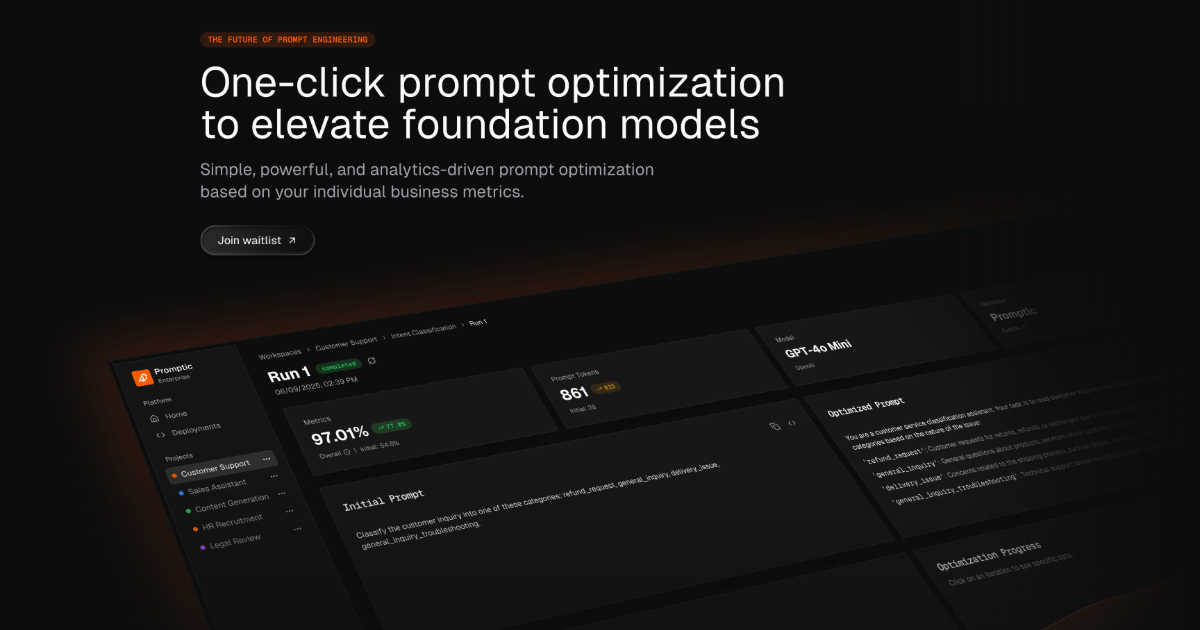
Promptic is an optimization platform for GenAI applications, built around a single promise: better quality at lower cost. According to its own description, it benchmarks models, tunes prompts and agents, and optimizes tool use against your own data and business metrics. The product is aimed at the people who actually have to decide what a generative AI application ships with — which foundation model, which prompt, which agent setup, which tools — and it exists so those decisions rest on measured evidence rather than intuition. Promptic presents itself as simple, powerful, and analytics-driven, with one-click prompt optimization and foundation model optimization as its headline capabilities. The problem Promptic addresses is the gap between how GenAI applications are configured and how they are judged in production. Modern applications built on large language models involve a long chain of choices: which model to call, how the prompt is worded, how an agent is structured, and how tools are invoked. Each of those choices affects both the quality of the output and the cost of producing it, and the space of possible combinations is far larger than any team can explore by hand. The product description states the consequence directly: without a disciplined way to compare candidates, you ship the configuration that sounded right instead of the one that wins. Promptic's stated mission is to replace that guesswork with analytics-driven optimization tied to the individual business metrics a team cares about, so quality and cost are evaluated together rather than traded off blindly. The first capability Promptic describes is model benchmarking. Rather than relying on generic leaderboards or vendor claims, the platform benchmarks models against your own data and business metrics. That matters because the model that performs best on a public benchmark is frequently not the model that performs best on the specific tasks, tone, domain vocabulary, and edge cases of a given application. By running the comparison on the organization's own inputs and scoring the results against the metrics it already tracks, Promptic lets teams see how candidate foundation models behave on the work that actually matters to them. The outcome is a defensible basis for choosing a model — or for confirming that an existing choice is still the right one — instead of an opinion formed from a handful of manual tests. The second capability is prompt and agent tuning. Promptic describes tuning prompts and agents as core to the platform, and its messaging leads with one-click prompt optimization to elevate LLMs. Prompt engineering is iterative by nature: small changes in wording, structure, or examples can shift output quality noticeably, and agents add another layer of complexity on top because their behaviour depends on instructions, intermediate steps, and the sequence of actions they take. Promptic treats these as things to be optimized systematically rather than edited by feel. The "one click" framing signals that the platform is intended to lower the barrier to running an optimization, so that teams can generate and evaluate improved configurations without hand-writing and hand-testing every variation. Because agents are named alongside prompts, the same approach is extended beyond a single instruction string to the broader agent definition. Promptic also covers tool use. In GenAI systems that call external tools, the model's effectiveness depends on how tools are described, when they are selected, and how their results are fed back into the workflow. The platform states that it optimizes tool use against your own data and business metrics, which places tool configuration in the same evidence-based loop as model choice and prompt wording. Running through all of this is the scoring mechanism: every candidate is scored on the quality and cost you actually care about. Quality and cost are presented as the two dimensions that matter, and because candidates are scored on both, a team can see the trade-offs between them rather than optimizing one in isolation. The result the description promises is that you ship the configuration that wins, not the one that merely sounded plausible. Promptic's overall approach is analytics-driven optimization anchored to individual business metrics, and it is designed to run wherever a team already works. The description names three surfaces: a dashboard UI, your CI, and your coding agent. The dashboard gives a graphical place to run and review optimizations, which suits teams that want to inspect results, compare candidates, and share findings. Running in CI places optimization inside the development pipeline, so configurations can be evaluated as part of the same process that builds and tests the software, before changes reach users. Running from a coding agent keeps the work inside the environment where the developer is already writing code, so an optimization can be triggered without switching context. That flexibility is the distinguishing element of the stated methodology: the same optimization capability is delivered through different surfaces so it can fit the workflow a team prefers, whether that is an interactive session in a browser, an automated check in a pipeline, or an action taken directly from an AI coding environment. The benefits Promptic states follow from that methodology. Teams get better quality at lower cost, because candidates are evaluated on both dimensions and the winning configuration is the one that performs best on the metrics that matter. Decisions become evidence-based: rather than debating which prompt or model feels better, a team can point to scores produced against its own data and business metrics. The one-click framing reduces the effort required to explore alternatives, which makes it practical to revisit model and prompt choices as models are updated or requirements change. And because optimization can run in the dashboard, in CI, or from a coding agent, it can be folded into existing habits rather than requiring a separate process. The overarching benefit described is confidence: shipping the configuration that wins instead of the one that sounded right. Several concrete scenarios follow from the capabilities described. A team building a new GenAI feature can benchmark multiple foundation models against its own data before committing to one, rather than guessing based on reputation or a public leaderboard. An application already in production can have its prompts tuned through one-click optimization to lift quality without changing the underlying model. Teams working with agents can tune the agent definition — the instructions and behaviour that shape its multi-step work — using the same optimization loop. Projects that depend on external tools can optimize how those tools are used so the model calls them more effectively. Organizations with a delivery pipeline can run optimizations in CI, treating a configuration as something to be evaluated automatically as part of the build, so a change that degrades quality or raises cost is visible before it ships. Developers who work inside a coding agent can trigger optimization from that environment, keeping the whole task in one place. In each case, the candidate configurations that result are scored on quality and cost, and the configuration that wins is the one put into production. Promptic is aimed at teams and developers building generative AI applications — the people responsible for choosing models, writing and refining prompts, assembling agents, and wiring up tool calls. Its topics on Product Hunt include SaaS, Developer Tools, and Artificial Intelligence, which aligns with that audience: it is a tool for people who build software with AI rather than an end-user application. The product is described as running in a dashboard UI, in your CI, and in your coding agent, so it reaches both interactive and automated development workflows. It is positioned as an optimization platform rather than a model provider, sitting alongside whatever foundation models and infrastructure a team already uses. No pricing or plan details, technology stack, or specific third-party integrations are stated in the material available, so those aspects are not described here. In short, Promptic is a one-click, analytics-driven optimization platform for GenAI applications. It benchmarks models, tunes prompts and agents, and optimizes tool use against a team's own data and business metrics, scoring every candidate on the quality and cost that actually matter. The value proposition is straightforward: replace configuration guesswork with measured results and ship the configuration that wins.