Category Focus/categories/automation
Automation AI Tools
Discover and compare the best automation AI tools and software. Browse 599+ curated tools with reviews and rankings.
Projects tracked
599
Sort mode
RECENT
Page
2
Discover and compare the best automation AI tools and software. Browse 599+ curated tools with reviews and rankings.
Projects tracked
599
Sort mode
RECENT
Page
2
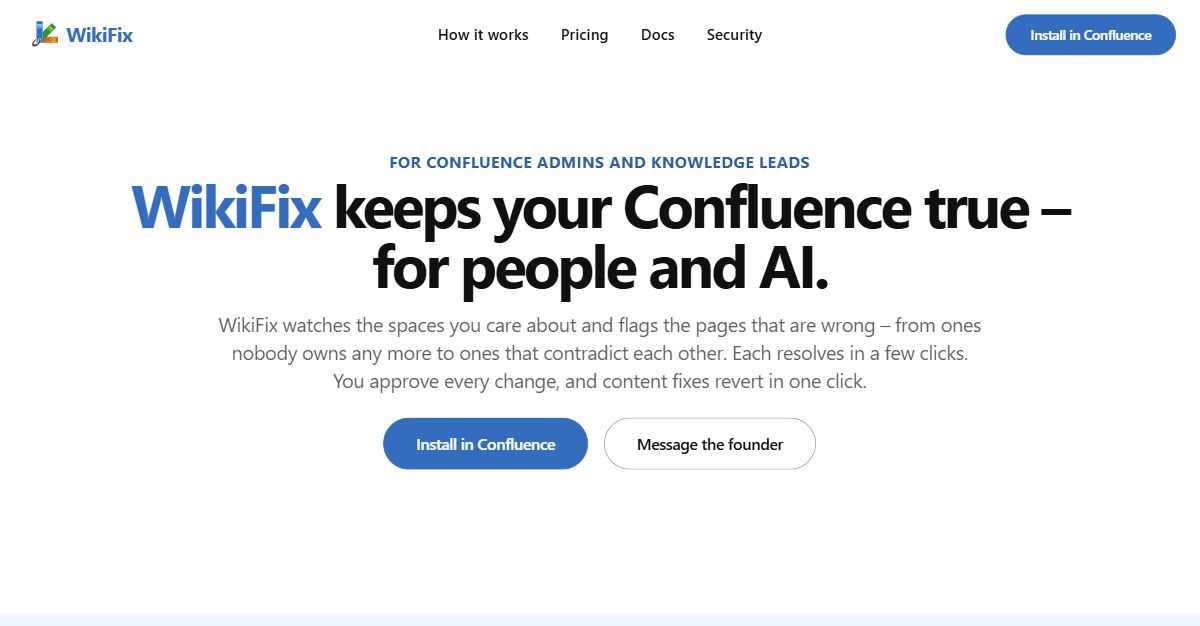
WikiFix for Confluence is an app that keeps a Confluence wiki accurate — for the people who read it and for the AI tools that answer from it. It watches the spaces you care about and flags the pages that are wrong, from pages nobody owns any more to pages that contradict each other, and each finding resolves in a few clicks. It is aimed at Confluence admins and knowledge leads, and its purpose is simple: make sure the documentation your team depends on is true. The problem WikiFix addresses is drift. Documentation quietly stops matching reality: an incident runbook tells you to SSH into a host that no longer exists or restart a service that was renamed, a developer setup guide sends a new hire through screenshots and links that are long dead, and an HR handbook states that ten days of unused leave carry over while the leave policy says five. The page you need most in the moment is often the one that has rotted. There is also a newer risk: Rovo and every copilot answer from the same Confluence your team does, so whatever mistakes live in your docs get repeated back — and acted on — confidently and at scale. The practical blocker is scale: as the site states, you can't read 5,000 pages to find the ten that are wrong. WikiFix's first job is to find what is actually wrong, not just what is old. It is explicitly not a date filter. Instead it reads the content and finds the pages that disagree with each other, then lays the claims side by side, quoted from each page, so you can settle which one is right. In the example shown in the product, a finding about how many days of unused leave carry over lists the claim of "5 days" with the pages that state it and the claim of "10 days" with the pages that state it, so the conflict is visible before you decide anything. WikiFix only surfaces findings it is confident about, which keeps the review queue meaningful rather than noisy. Reviewing and fixing is designed to avoid busywork. Each finding is reviewable without opening the page: you pick the answer that's right, WikiFix writes the fix, you check it and click, and every page that disagrees is corrected. The product shows exactly what will change before it changes — for example, showing both the leave policy page and the onboarding checklist being updated to the chosen answer. Nothing happens without you: WikiFix writes nothing until you approve it, and a content fix reverts in one click, so the page goes back as it was. Reassigning the owner of an abandoned page is the one action that does not undo, and the card tells you before you click. Findings that reference a page you can't access are hidden. Today WikiFix catches three kinds of problem. Pages contradict each other — you choose which claim is right and every page that disagrees is corrected. Duplicate and near-duplicate content — you pick the page and unique facts that survive, and the rest fold and point to the source of truth. And the page owner has left — the scan spots an orphan and you reassign it in one click. If the page isn't yours, Ask owner posts an inline comment that lays out what each page says, @mentions the owner and the space admins, and moves the finding to the Escalated tab. A weekly scan summary is emailed to you with a per-space table showing the change versus the last scan and the number of open issues. WikiFix is also building detection for pages that contradict the live code, and has on its list broken links, buried important facts, the same thing called three different names, docs split across Confluence and Notion, and docs that live as Markdown in Git repos. WikiFix runs inside the Confluence you already have, so there is no migration and no new tool to roll out. It scans the spaces you care about — the product's own interface shows spaces such as Engineering, Product, Support, IT runbooks, People and Sales, each with its scan status and counts of conflicts, duplicates or unowned pages. Scans only spend credits on pages that are new or changed since the last scan, and billing runs through the Atlassian Marketplace on its per-user model. Every install starts with $50 of scan credits. The Advanced plan adds more credits for larger or busier wikis and the option to run scans on your own Anthropic key. The stated outcome is that people trust what they find in Confluence again. WikiFix keeps runbooks current so the page is right when you reach for it, turns a sprawling wiki into docs your team can actually follow, and makes the wiki a source of truth your AI can rely on. Because review happens on signal — concrete contradictions to act on — rather than on a calendar, teams stop re-reading the same spaces every quarter hoping to catch something, and nobody goes numb to the process. Concrete scenarios run through the product's own examples. An on-call engineer pulls up a payments outage runbook at 02:14 and finds half the steps no longer match reality — WikiFix finds and reconciles those pages so the runbook is right when it is needed. A new hire works through a developer setup guide step by step and hits dead links and missing files; the guide can be kept true instead. HR content that disagrees on leave carry-over between a handbook and a policy page can be settled in one review. And teams whose AI assistants answer from Confluence can reduce the chance that a copilot repeats and acts on a mistaken document. WikiFix is positioned for Confluence admins and knowledge leads, and its feedback form asks users to identify as a Confluence or space admin, a knowledge or documentation lead, an IT or sysadmin, or engineering/platform — with company Confluence sizes from under 100 to 2,000+ users and common pains listed as outdated pages, pages that contradict each other, factual errors and compliance. It is delivered as a Confluence app installed from the Atlassian Marketplace, and it is built around Confluence as the place docs live. Pricing is credit-based: roughly $0.10–$0.20 per new or changed page on average, with credits spent only on pages that are new or changed since the last scan. Standard costs $1.68–$0.29 per user a month with everything WikiFix does and a monthly credit allowance sized for an average wiki; Advanced costs $6.70–$1.15 per user a month with more credits and the option to use your own Anthropic key; Custom lets you adjust volume to your needs. Every install starts with $50 of scan credits. WikiFix's core promise is control without busywork: it finds the contradictions, duplicates and orphans that make a knowledge base untrustworthy, presents them for a decision you make in a few clicks, and changes nothing until you approve it — with a one-click revert if you change your mind.
Octri is a platform that takes a single OpenAPI specification and generates four connected products from it: a documentation site, client SDKs in ten programming languages, an MCP server for AI agents, and production monitoring. It is built for API teams and developers who want their API documentation, client libraries, and agent tooling to stay current without maintaining separate pipelines for each. The core promise is that one spec generates all four products and keeps them in sync, so there is never a second place to go and update when something changes. The problem Octri addresses is what happens after an SDK is published. As the site puts it, that is the moment code leaves your visibility: it runs on someone else's machine, fails on someone else's machine, and you hear about it in a support ticket three days later. Without monitoring of any kind, the typical timeline is three days with the integration still broken in production, no visibility into what went wrong, and angry support tickets stacking up. The stated alternative with Octri is a nine-minute window to a shipped fix with zero support tickets and nobody noticing. The broader context is that APIs are increasingly consumed not only by human developers reading docs but also by AI agents, which, without a structured source like MCP, integrate an API from memory and hallucinate its surface. API Studio generates documentation from the spec, with AI writing the first draft for every endpoint that you then edit like a document, so nobody has to open the YAML. It produces three-column endpoint pages with schema trees that open a level at a time, a live try-it playground on every endpoint, MDX guides alongside the generated reference, and support for your own domain on every tier including Free. Changes are stored per page, so a new spec revision only disturbs the endpoints that actually changed, and regeneration works around your edits. The generated docs also run an OpenAPI readiness audit, scoring a spec out of 10 against the same rules SDK Studio uses, surfacing missing schemas, undeclared path parameters and awkward method names before anyone generates a client. Fourteen rules are checked, covering things like successful responses declaring a schema, unique operationIds, path placeholders having parameters, a declared server URL, described authentication, shared models in components and referenced with $ref, and documented request bodies. SDK Studio generates idiomatic client libraries in ten languages: TypeScript, Python, Go, Java, Dart, Ruby, PHP, Rust, Swift, and Kotlin. Each language gets per-language config for namespaces, pagination, idempotency and code style, so you can rename methods, exclude endpoints, pick your HTTP engine and folder structure. You can write custom hooks compiled into the client, available as beforeRequest and afterRequest, and the generator handles included capabilities like pagination and streaming. SDKs auto-publish to the registries their users already install from: npm for TypeScript with type definitions generated from your spec and a choice of fetch or axios; PyPI for Python, async first with optional sync variants; git tag distribution for Go with standard library HTTP; Maven Central for Java, signed, under a groupId on a domain you own; pub.dev for Dart, for Dart and Flutter alike; RubyGems for Ruby with a class-style client; Packagist for PHP so Composer installs it; crates.io for Rust with doc comments becoming rustdoc; git tag and Swift Package Manager for Swift, with no registry account; and Maven Central for Kotlin with OkHttp or Ktor. Build history shows exactly what shipped and when. Monitoring has two ways in: flip it on and the telemetry compiles into your generated SDKs, or drop the standalone package straight into your backend. Either way there is no agent to deploy and nothing to instrument. Monitoring is off by default and switches on from the dashboard. It provides logs you can query directly by level, route, status code or release; issues grouped by fingerprint, each with the function and file that threw it; traces showing one request end to end across client, server, cache, database and queue, with the slow span called out; a service map of every service, the calls between them, and the error rate on each edge; N+1 query detection that finds the same query fired in a loop and counts it across traces; synthetic uptime probes on a schedule with run history behind every endpoint; and alerts that fire on burn rate and regressions so a single stray 500 never wakes anyone. Errors are traced to a commit. The site describes alert examples including a checkout 5xx spike with a threshold of 25 in 5 minutes, a new-issue alert on first sighting, a regression watch when a resolved issue starts erroring again, auth failures at 100 in 15 minutes, a latency guard at 50 in 10 minutes, a rate limit surge at 200 in 5 minutes, webhook delivery failures, and transcription timeouts. Security is handled by redacting credentials and identifiers on the client side before an event leaves your process, then again at ingest, covering tokens and direct identifiers such as email, phone and IP, with personal context waiting on your app's consent under a pre-signed GDPR Article 28 DPA. The MCP server turns your API into context and callable tools for Claude, Cursor and any MCP client. Seven documentation tools let the agent search, read and navigate your docs, and there is one callable tool per endpoint so the agent can hit your API for real. The server is curated by SDK Studio, so your exclusion list becomes the agent's permission list, and installation is one line: npx @octri/mcp, with nothing to host. The unique approach across all four products is that they share one source. Deprecate an endpoint in API Studio and the SDKs mark the method, the agent tools stop offering it, and monitoring shows you who still calls it. Add a language, cut a release, or push a new spec and the same thing happens. Nothing republishes behind your back: a spec change produces a draft and a diff of what moved, you approve it, and that is when new SDK versions reach the registries. The stated outcomes for users are visibility into integration failures before support tickets are filed, faster time from spec change to shipped fix, and consistency across docs, SDKs, agent tools and monitoring without manual synchronization. The site frames the shift as moving from three days of an unnoticed production failure to a fix shipped in nine minutes. For migrating teams, the importer reads an existing config file, bringing across navigation, custom pages, SDK settings, endpoint overrides, and theme and logotype, so you do not start from a blank project; a call with the team and onboarding help are both free of charge. Concrete use cases described in the content include integrating with an API through an agent: a user asks an AI assistant to integrate with Acme's Assistants API, the agent connects through the Octri MCP server with 15 tools over MCP and the npx @octri/mcp command, searches the docs, finds relevant pages, reads the POST /v1/assistants body schema, and wires it up with a TypeScript SDK package. A second scenario runs the same flow through a Python SDK, adding an assistant that answers billing questions, calling POST /v1/assistants and using the acme.assistants.create() method from a Python package. A third use case is writing a payment integration against a reference that shows GET /payments with limit, order, after and before query parameters, a paginated response with data, first_id, last_id and has_more, and a generated TypeScript SDK request example. Monitoring use cases include triaging grouped errors like a TypeError on GET /assistants/{assistant_id} with event and user counts and a last-seen time, tracking a regressed rate limit error, and routing alerts to Slack channels or ops webhooks. The spec audit is its own use case: pasting an OpenAPI URL and getting a score out of 10 with every missing schema and undeclared path parameter listed, optionally publishing the score at a public octri.dev address for public specs only, with the document not stored. The target audience spans indie developers shipping real APIs, growing teams shipping fast, and scaling products that need more, with the pricing tiers named Starter, Growth and Business respectively, plus Enterprise for unlimited scale with SLA guarantees. Plans are not per-product, so you can leave one of the four switched off and turn it on months later without redoing existing setup. The Free tier covers side projects and first APIs with one SDK language, 50 API endpoints, 100 one-time AI credits, 100 MB of monitoring ingress per month, AI-enhanced docs and chat, GitHub sync, custom domain and registry auto-publish. Growth at $99/mo adds four SDK languages, 300 endpoints, 2,500 AI credits, 5 GB ingress, versioning and custom code and components. Business at $249/mo adds all ten languages, 600 endpoints, 5,000 AI credits, 20 GB ingress, white-label and SDK CDN hosting. Enterprise adds SSO/SAML, unlimited scale and the ability to self-host the generator and docs renderer in your own infrastructure. Extra SDK languages are a flat $50/mo add-on, and annual billing saves 15%. Support ranges from Community on Free to Email, Priority and Dedicated on higher tiers. Everything Octri does starts from a specification you already have written. Whether you need readable docs, installable SDKs across ten ecosystems, agent-callable tools, or visibility into production failures, the same spec drives it all and keeps driving it as it changes, which is the value proposition the platform is built to reinforce.
Firetower is an open-source, self-hosted control plane for coding agents. It lets you run any coding agent — including Claude Code and Codex — on your own servers and manage them from a desktop or mobile client, from anywhere. You give Firetower a machine you can SSH into and a repository, and it handles the rest: picking a host, cutting a branch, making a worktree, starting tmux, launching the agent, and keeping it running. The product is aimed at developers and teams who want to run coding agents on infrastructure they control rather than on the device they start the work from. Its main purpose is to run coding agents on servers you own, keep them running reliably, and tell you the moment a session stops being useful without you. The problem Firetower addresses is that coding agents traditionally run on the device you started them from. If your laptop closes or the app crashes, the work is interrupted. Firetower changes that by running the agent on a server instead. Because the agent runs on your server, not on the device you started it from, every device can pick up exactly where another left off. Closing your laptop costs nothing, because the agent never ran on the laptop. Firetower also treats failure as something each part can experience on its own: if the Firetower server goes down, the workers keep running; if a worker dies, the worktree is still there, and your branch and every file the agent changed remain on that machine. By making each part independently resilient, the work survives every one of these failures. Firetower brings an entire workflow into one place. The flow runs from issue to shipped: you start from your Issues and Linear tickets, your agent runs your worktrees, you preview and annotate, and then you commit and open a PR. Firetower reads from your trackers as you look, and starting a ticket opens a workspace. A ticket list shows items such as "Add a dark mode toggle," "Fix the invite link on mobile," and "Rate-limit the webhook receiver," each with an ID, team, and how recently it was updated, with a Start action. This workflow ties the tracker, the agent, the diff, and the pull request together so the whole path from a ticket to a shipped branch stays in one surface. Firetower is designed so you can run remotely and close your laptop anytime. The agent runs on your server, not the device you started it from, which means you can pick up your phone and continue. If your laptop closes or the app crashes, nothing happens to the agent, because it never ran on the laptop; open Firetower on any other device and the conversation is exactly where you left it. If the Firetower server goes down, the workers keep running, and when the server comes back it catches up on everything that happened while it was away. If a worker dies, the worktree is still there — your branch and every file the agent changed are on that machine, and Firetower still knows about them, so you can restart the worker and carry on. Firetower runs your favorite agent on your favorite hardware. It reaches each machine over SSH and starts a worker there, and the agents run on that machine — in tmux, on their own worktree. Clients are available for macOS, Windows, iOS, and Android. Firetower is written in Rust and is described as the most efficient ADE on the market, with a small core, no accumulating terminal daemons, and workspace memory ceilings where the host supports them, built for work that keeps running. Its resource profile is presented in comparison charts: Firetower Desktop uses about 50 MB where a competing app and daemon report roughly 1.5 GB idle (30× more efficient); a Firetower worker uses about 5 MB with the agent CLI separate, where a competing agent process reports about 500 MB per agent (100× more efficient); and the Firetower control plane uses about 200 MB where a competing service reports about 1 GB after restart (5× more efficient). Firetower's unique approach rests on the idea that workers are authoritative. Workers write what happened to their own log before reporting it, and when the control plane comes back it asks for everything since the last thing it saw — so a closed laptop costs nothing and a reconnect is a replay, not a guess. The worker never opens a port: it reads frames from stdin and writes them to stdout, so who dials is a transport detail — a child process, a container exec, or SSH. The daemon cannot tell the difference, and neither can a firewall. In the architecture, desktop and mobile apps connect over HTTPS to the Firetower control plane, which is one compose file on a server you already own; the control plane then reaches machines over SSH, including a Mac Studio worker with tmux and git running Claude Code and Codex, and a Hetzner VM worker running Claude Code. Session indicators show a session that has stopped and needs you, one still working with nothing to do, and the SSH path the app uses to reach a machine you own. The benefits follow directly from this architecture. Because agents run on your own servers, closing your laptop costs nothing and you can continue from any device. Because each agent is on its own machine and in its own worktree, failures are isolated, and the work survives each of them. Because Firetower tells you the moment a session stops being useful without you, you can stop watching agents that need nothing and focus only on the ones waiting on you. Because workers are authoritative and reconnect as a replay rather than a guess, the state you see reflects what actually happened. And because Firetower is written in Rust with a small core and a small memory footprint, it is built for work that keeps running without consuming the resources a heavier tool would. Concrete scenarios include starting a task from a Linear or GitHub ticket so the agent begins work in a workspace automatically; running an agent on a Mac Studio or a Hetzner VM over SSH while you continue from your phone; closing your laptop mid-session and reopening the conversation on another device exactly where you left it; reviewing a diff and annotating it before committing and opening a pull request; and restarting a dead worker and carrying on because the worktree still holds the branch and every changed file. The workflow from issue to shipped — start from Issues and Linear tickets, run worktrees, preview and annotate, commit and open a PR — covers the day-to-day path a developer follows with an agent. Firetower is built for developers and teams who want to run coding agents like Claude Code and Codex on infrastructure they control. It integrates with trackers and source control: you start from your Issues and Linear tickets, and GitHub is among the connected sources (you can commit and open a PR). Its tech stack includes Rust as the implementation language, plus tmux, git, and SSH as the mechanisms that run agents each in their own worktree on a machine you own; the control plane is described as one compose file on a server you already own. Firetower is open source and self-hosted with no account required, and it installs in about five minutes on your server with a simple install command. Firetower's primary value proposition is control: it runs any coding agent on your own servers, from anywhere, and keeps the work running even when your laptop, the server, or a worker fails. By combining a self-hosted control plane, an issue-to-PR workflow, authoritative workers, and a small Rust core, it lets developers use the agents they already prefer on the hardware they already own — open source, no account, and built for work that keeps running.
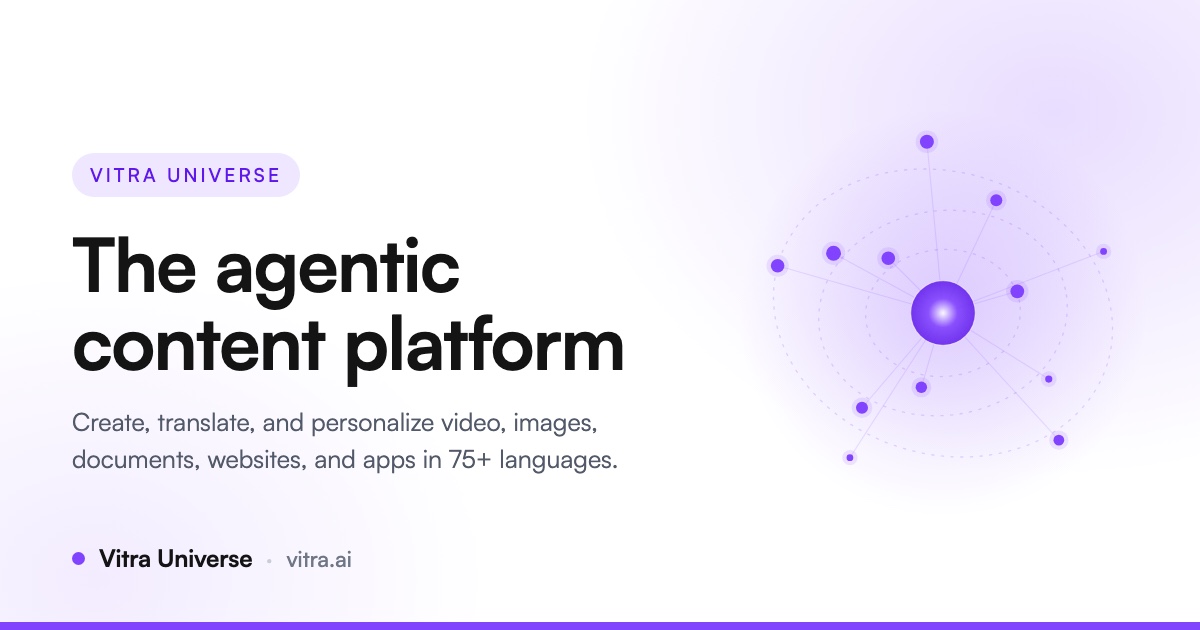
Vitra.ai Universe is an agentic content platform that replaces a fragmented stack of content tools with one connected workflow. According to the website, it lets teams create, translate, personalize, review, and publish videos, images, documents, websites, and app content without jumping between tools. The site positions Universe as a way to "do the work of 12 AI tools in one place," and states that it is trusted by more than 120 enterprises globally. It addresses organizations whose content spans many languages, formats, and markets, including marketing, product, learning and development, and customer support teams. The core purpose is to keep the whole content workflow in one platform, with AI agents handling the repeat work while the team reviews what matters. The site emphasizes that you can start free with no credit card and build your first workflow in minutes. The problem Vitra.ai Universe addresses is tool sprawl and manual handoff. The website contrasts a "before" state of 23 manual handoffs and 12+ disconnected tools with one connected platform and unlimited content workflows. It lists the tools teams currently stitch together: asset manager, video editor, dubbing tool, image editor, image translator, translation app, CMS tool, lip-sync tool, personalization tool, website translator, app translator, Adobe apps, Figma, Canva, Office 365, SEO tool, spreadsheet, and document tool. The described consequence is people stuck between the tools, with files labeled "final_v7_revised," the recurring question "which version?", export-and-upload cycles, and missing context. The platform's stated intent is to stop video, images, documents, websites, and apps from being separate production lines by making them read and write the same brief, memory, brand system, approvals, and quality decisions. Under Create, Vitra.ai Universe covers video creation and image creation. Video creation turns an idea, a blog post, a deck, a PDF, or a product page into a finished video: it reads the blog, deck or PDF, drafts script and scenes, generates visuals and an avatar, adds voiceover and animated subtitles, burns captions onto the cut, and cuts long video into shorts. Image creation generates campaign-ready creative from a prompt or a brief, conditioned on your own brand kit; it reads the brief, conditions on the brand kit, composes the creative, fans out A/B variants, and runs a quality and compliance check. The benefit described is that the master is made once and multiplied without multiplying the work, because every capability shares the same brief and brand context. Translate & Adapt covers five capabilities. Video dubbing transcribes and splits speakers, clones each speaker's voice, carries emotion and prosody over, re-times lip-sync to the new audio, generates subtitles, and exports every delivery format. Image translation reads layers, fonts and positions, extracts the style kit, maps every text element, translates into 75+ languages, resizes type to fit the box, and rebuilds the file with layers intact, so designs do not have to be rebuilt. Document translation handles Word, PowerPoint, PDF, XLIFF, XML, JSON, HTML, DITA and more across 25+ formats and 75+ languages: it parses structure and tags, applies glossary and style guide, translates, reflows the layout, and writes back to translation memory. Website translation requires one snippet with no backend change: it crawls and segments the DOM, translates text, media and documents, server-renders so the site indexes, and picks up new content on its own. Mobile app translation drops in an SDK that reads the live screen, maps strings and dynamic content, translates on the fly, shares memory with web and video, and ships without a release. Personalization spans video personalization, image personalization, and hyper-personalization. Video personalization renders one video per person, product, or region: it starts from one master, reads the data rows, swaps name, offer and footage, re-voices and re-syncs per row, renders one cut per person, and delivers from your CRM or ESP. Image personalization takes one master creative and adapts it to every placement, audience, and market: it recomposes for each placement, resizes to every ratio, re-messages per audience, and holds the brand rules constant. Hyper-personalization starts from one video or one creative, picks the region, applies culture and festival rules, swaps the offer and creative, localizes the message, and broadcasts to WhatsApp and Facebook. Together these let a single approved asset become many localized, audience-specific outputs while brand rules remain fixed. Under Operations, Quality Control uses multimodal QC agents that check image, text, audio, and video before anything reaches an audience. The agents ingest image, text, audio and video, judge brand and accuracy, back-translate and compare, screen culture and compliance, and return APPROVED, REVIEW or BLOCKED with the evidence behind it. The site frames this as "review exceptions, not every asset," because no team can judge every language, format and market by hand. Back-translation catches drift so shifted meaning shows up as a concrete difference rather than a hunch, and regional rules and language acceptance are checked before anything ships. A blocked asset can be regenerated compliant for that market, from the decision itself. The platform's overall approach is agentic and memory-driven. A brief becomes shared intelligence: Universe connects the prompt to approved memory, product facts, brand rules, audience data, and prior campaign decisions before an agent creates anything; in the illustrated run, a memory agent linked 1,284 approved decisions to the launch brief and five context sources were connected. The demonstrated workflow expands from one brief to 200,000 content variants, moving through context, creation, 20 languages, 5 ratios, 1,000 partners, approval, and publishing, with a QC and human gate where agents verify all and reviewers resolve only the edge cases. VitraTM is described as one translation memory across video, images, documents, web and apps: it reuses exact, then fuzzy, then semantic matches, and only calls a model for genuinely new content. Approved work writes back so the next identical request is free, matches work in any direction because memory is stored per language, and glossaries are enforced during translation rather than corrected after. Review is built into the workflow engine rather than bolted on: one branch can wait for sign-off while every other branch keeps running, linguists, proofreaders and managers each see only the work that is theirs, every asset carries a defensible status of unverified, verified, or approved, and approvals or comments can be made from a phone so decisions never wait for a desk. Universe is described as not a dashboard with an API bolted on. Every capability is a callable skill that a person, event, workflow, or AI agent can trigger over MCP, REST, SDK, CLI and connectors. Any MCP agent can discover Universe skills and call them as tools; capabilities can be composed visually into one run and saved as a template; and a run can start from a business event via n8n, Make, Zapier, a CMS, or a webhook. Every run is recorded node by node against an append-only ledger and is auditable to the credit. The stated outcomes are that the content operation gets faster every time it runs, that every approved word makes the next campaign cheaper, and that handoffs such as creative handoffs, agency queues, and launch spreadsheets disappear. By team, marketing can launch one campaign in every market on the same day, turning one brief into localized video, imagery, landing pages, and social creative while every format stays on-brand and every market stays in sync, supported by 75+ languages, one shared campaign brief, market-level adaptation, and human approval before publishing. Product localizes before release, learning and development scales courses without re-recording, and customer support keeps every answer current. Integrations named in the content include Figma, Canva, Adobe apps, Office 365, CRM or ESP systems for delivering personalized video, Instagram and YouTube for publishing, CMS and LMS destinations, and automation platforms n8n, Make, and Zapier. On security and deployment, the site states SOC 2, GDPR and VAPT-aligned controls, with roles, tenant isolation, bring-your-own keys and buckets, content living where policy says, and an append-only audit ledger. Where cloud is not acceptable, the same operation runs fully air-gapped on your hardware with fine-tuned models, described as in production for defence today, and the platform can be white-labeled with tenancy, entitlements, credits and partner branding as your own product. A customer story from SOTC describes highly reliable and accurate website translation, market-specific adaptation that stayed true to brand identity, fast turnaround, and increased engagement and positive feedback after launching translated site versions. The product is rated 4.8/5 across Capterra, GetApp and Software Advice. On pricing, the website advertises starting free with no credit card and building your first workflow in minutes, without publishing specific paid tiers. Taken together, Vitra.ai Universe is a single agentic platform for content creation, translation, personalization, review, and publishing. Its primary value proposition is consolidation and controlled automation: one connected platform instead of 12+ disconnected tools, one shared memory and brand system instead of scattered files, and AI agents that handle repeatable production while people retain decision rights, approvals, and an auditable trail across every language and format a team operates in.
Phare C1 is an AI-powered smoke alarm from Phare Labs that detects fire and carbon monoxide early and accurately while cutting down on the false alarms that teach people to ignore their alarms. The company describes it as "the smoke alarm, minus the drama" and as "the upgrade your home has been waiting for," promising AI-powered early fire and CO detection backed by a peace and quiet guarantee. Phare C1 installs in place of your old smoke alarm — Phare calls it "plug and play peace of mind" and notes that being a smoke alarm is where the similarity with ordinary alarms ends. It pairs research-grade sensors with advanced AI and is, in Phare's words, meticulously engineered to protect the home that matters most: yours. Phare C1 is live in the UK, US pre-orders are now open, pricing starts from $149, and the product is a Red Dot Design Award Winner 2026. Phare frames the case for a new kind of alarm around three problems with the smoke alarms most homes already have. The first is false alarms: Phare states that up to 89% of the time a smoke alarm goes off, it is a false alarm. The second is missed fires: smoke alarms miss 28% of fatal fires, according to data from the NFPA. The third is the beeps themselves — Phare asks whether you actually know what they mean, adding that we do not speak morse code either. Together these failures produce alarms people stop trusting: one that cries wolf so often you silence it without thinking, yet can still fail to wake you when it counts. Phare's answer is a smoke alarm that detects fire, not toast — one that sounds for actual emergencies and nothing else, so that when it does go off you can be confident it is telling you something real. The core of Phare C1 is its multi-sensor array combined with Phare's AI algorithm. Phare says its AI algorithm detects more fires, earlier, and reduces false alarms, so that Phare alarms for fires and nothing else. The company states that Phare analyzes thousands of data points every minute to keep you safe, doing all of the worrying so that you do not have to. The alarm's detection algorithms learn and improve over time, which Phare says makes your home even safer the longer the device is installed. The practical result of this combination is early warning: the alarm responds sooner to real fires while rejecting the everyday cooking smoke and steam that trigger conventional units. Rather than being a single sensor with a fixed trip point, Phare is a system that evaluates what its sensors are seeing before it decides to sound. Phare C1 catches carbon monoxide sooner than other alarms. Phare measures CO with 0.1 ppm precision and sends exposure alerts before other alarms do, which means you can be told about a carbon monoxide problem while there is still time to act on it rather than only once levels have already climbed. Phare C1 and Phare C1 Pro also monitor air quality, which Phare says helps protect your health and longevity, turning the device into an ongoing indoor environment monitor as well as an emergency alarm. Alerts are delivered in the app — the product imagery shows a Phare Protect app carbon monoxide alert — so exposure warnings and other notifications reach you beyond the alarm itself. CO detection at fine precision and continuous air quality monitoring together make Phare a broader home safety and health device rather than a single-purpose siren. Phare C1 and Phare C1 Pro sense motion in the dark and softly light your path, so you are not fumbling for switches during a night-time trip down the hallway. Phare describes this as lighting the way at night, and customer reviews specifically call out the pathlights as something they value. When something happens, Phare tells you what is going on and what you can do about it instead of leaving you with mystery beeps, so you can respond before it gets loud and react before an alarm sounds to keep your home safe and quiet. The alarm tests itself and never needs batteries — Phare's instruction is simply to set it up and let the device do the rest. Phare C1 Pro adds intruder detection: its radar array spots intruders and sounds the alarm to drive them away. The Product Hunt listing notes that Phare C1 keeps much-loved features from the Nest Protect, such as early warnings, a night light and in-app alerts, and adds new ones including air quality monitoring and intruder detection. Phare's overall approach is to combine a multi-sensor array, research-grade sensors and advanced AI inside a device that replaces the smoke alarm already on your ceiling. Because Phare installs in place of your old smoke alarm, upgrading does not require rewiring your home or learning a new routine. Once installed, Phare continuously analyzes the data its sensors collect — thousands of data points every minute — and uses its detection algorithms to decide whether what it is sensing is a genuine emergency. That is what allows it to respond sooner to real fires while ignoring the toast. The Phare app, available at app.pharelabs.com, is where you log in to see what is happening, receive alerts such as early CO exposure warnings, and get Phare's guidance on what to do. Phare Labs also publishes API documentation, indicating the platform can be accessed programmatically, and states that Phare's detection algorithms learn and improve over time. The promised outcome is peace of mind backed by explicit assurances. Phare offers a Peace & Quiet Guarantee: no false alarms in the first 30 nights, or Phare will refund you in full. Free returns are available with no charge and no hassle from anywhere in the US and UK. An extended warranty provides up to 5 years of coverage with Phare+ Pro. Beyond the guarantees, the benefit Phare describes is a home that is protected earlier — fires and carbon monoxide caught sooner, an alarm that sounds only when it matters, guidance instead of confusion, and quieter nights thanks to pathlight. Customer reviews on Trustpilot echo these themes: users describe a straightforward installation, outstanding technical support for pre-sales and installation, a problem-free basic alarm function, great pathlights, and units that produce lots of useful home data. Concrete scenarios in the content include replacing an expiring alarm: one reviewer describes a successful transition from expired, mains-powered Nest Protect devices to three Phare C1 units, and others describe Phare as an amazing Nest replacement that provides far more detail than the Nest ever did. Another everyday scenario is the kitchen — the product is pitched as a smoke alarm that detects fire rather than toast, so cooking no longer routinely triggers the siren. At night, Phare C1 and C1 Pro sense motion in the dark and light a hallway path. For carbon monoxide, Phare sends exposure alerts with 0.1 ppm precision before other alarms do. Air quality monitoring supports ongoing awareness of the home environment, and Phare C1 Pro's radar array detects intruders and sounds the alarm to drive them away. More generally, Phare lets users respond before it gets loud — reacting before an alarm so the home stays safe and quiet. Phare C1 is aimed at homeowners who want earlier, more accurate fire and CO protection without false alarms — in particular people replacing older smoke alarms or expiring Nest Protect units, and households that want air quality monitoring and night-time pathlighting. Phare C1 is live in the UK and US pre-orders are now open, with pricing starting from $149. Phare currently offers $35 off any order of 2 Phares or more for people who leave an email, with the code PHARE25 shown at checkout. The site supports USD and GBP currencies, there is a shop with a comparison tool to find your Phare, and a cart flow for pre-orders. US orders ship once UL certification is complete, estimated summer 2027, and pre-orders can be cancelled anytime for a full refund. Support is available through the contact page, along with FAQ, legal, accessibility, privacy and API documentation pages. Phare C1's primary value proposition is simple: a smoke alarm that sounds for real emergencies and nothing else. By pairing a multi-sensor array and research-grade sensors with AI algorithms that detect more fires earlier, reduce false alarms and improve over time, Phare aims to restore trust in the alarm on your ceiling. Add early carbon monoxide detection with 0.1 ppm precision, air quality monitoring, pathlight, self-testing with no batteries, in-app guidance and — on Phare C1 Pro — radar-based intruder detection, and the C1 becomes more than a replacement alarm. Backed by a 30-night Peace & Quiet Guarantee, free returns in the US and UK and up to 5 years of warranty coverage with Phare+ Pro, Phare C1 is positioned as the upgrade your home has been waiting for: protection that works earlier, and a quieter home.
Polylane is a platform that makes your software self-operating. Its AI agents read your code, watch your infrastructure, and fix production issues for you, automatically. Polylane connects your code, your infrastructure and your observability data, investigates every incident it detects, and opens a pull request containing the fix. When a problem cannot be fixed in code, Polylane still gives you the root cause and a recommendation. It is built for engineering teams that run production software and want to stop being on call, and it works with the providers, databases, repositories and tools a team already runs, with no migration and no new SDKs. The premise behind the product is stated plainly on the site: "Nobody should be on-call." Polylane was built by engineers who carried the pager, from Cloudflare, Webflow, Groq, Twilio, Uber, and Robinhood. Founder Boris Tane, who spent years building observability platforms at Baselime and then at Cloudflare, describes the gap directly: "Our tooling is still terrible at finding what's broken, and it can't fix anything on its own. On-call is still broken. I'm fixing it." The problem Polylane addresses is that observability stacks surface symptoms — monitors, dashboards and alerts — but leave the investigation, the diagnosis and the repair to a human who has to be awake to do it. Polylane is designed to close that loop: detect the issue, work out what caused it, and produce the fix. Detection is handled by agents that read your metrics, logs and traces on a cadence and judge them against how each resource normally behaves. Anything your team already charts becomes a check, so existing monitoring investments feed directly into Polylane's analysis. The site illustrates this with a real scenario: Polylane re-detected an issue on checkout-edge when the same fingerprint fired again, quiet for six days since its last resolution, and recorded 118 occurrences arriving from a single Datadog monitor. Rather than treating 118 alert firings as 118 separate problems, Polylane consolidated them into one issue, which is how it keeps incident noise from turning into pages. From there, Polylane drives from issue to fix. It triaged the checkout-edge problem as an incident at 02:14, noting 18x P99 latency against its own baseline, sustained for 12 minutes and off its hour-of-week band. It then started the fix run: one agent going from the evidence to the pull request, which it opened at 02:19 under the title "Restore Hyperdrive pool size in checkout-edge," against coreplane/checkout-edge#142 with critical severity and CI passing. The pull request carries the full context of the investigation — files changed, an investigation view, a timeline, properties, and a unified or side-by-side diff of the TypeScript source — so a reviewer sees the reasoning, not just the patch. That example directly reflects the product's promise: AI agents that fix production before you wake up. Polylane also prevents slop from hitting production. All code changes, from bots and engineers alike, get reviewed against live telemetry. In the example shown on the site, a developer opens a pull request titled "Add trigram index for order search #482." The Polylane bot comments with a caution that merging may degrade production with high impact, explaining that the migration adds a CREATE INDEX statement without CONCURRENTLY, that a plain CREATE INDEX takes a full write lock on the orders table for the whole build, and that checkout sustains roughly 38 writes per second on that table, with every one of those writes queuing behind the lock. It recommends building the index with CREATE INDEX CONCURRENTLY outside the transactional migration, and the merge is blocked. This is production-impact review grounded in real traffic data rather than static analysis alone. Underneath these workflows is a context graph that fully maps your app, from cloud to code: all services, repos and providers in one place that powers everything else. The topology view lets you search your cloud resources and filter them, switch between Galaxy, Flow and Table presentations, and see issue hotspots and change hotspots per resource. Clicking a dot opens the resource, and holding traces its blast radius. Resources are annotated with their importance — a Cloudflare Worker named checkout-edge marked critical to your architecture, with four issues and twelve changes in the last seven days; a Cloudflare Hyperdrive instance with seven changes in the last seven days; an AWS Lambda function marked standard with two issues; and a PlanetScale database marked critical with one issue and three changes — and you can ask questions about your topology in natural language. Polylane is also always available to answer questions on call. It knows your app and will dig through data for you. In the Slack example shown, an engineer asks in the engineering channel whether checkout feeling slow is them or payments-api. PolylaneAgent answers that it is them, that checkout-edge wall time P99 is 18x its own baseline, that requests are queuing for a Hyperdrive connection rather than on a downstream call, that payments-api is answering in 180ms and has been flat for a week, and that deploy 9f3c2a1 at 2:02 AM shrank the hd-prod pool from 50 connections to 5. Asked how long it has been queueing, it answers nine minutes, since the deploy landed, notes it never went above 2 before that, and reports that it submitted a PR fix and tagged a colleague to deploy two minutes ago, with a pool queue depth chart attached. It shares insights with other agents as well, acting as a production context layer for your coding agents over MCP or the CLI. In the example, a developer asks Claude to make region a required field on the checkout request schema. The coding agent calls Polylane to search callers of POST /checkout and to query logs for request shapes, then reports that cart-svc and edge-gateway still send region-less requests — 41,200 in the last 24 hours — so requiring the field now would return 400s to both, and suggests defaulting it, migrating the two callers, then requiring it. The developer is offered a choice of plans rather than an unreviewed edit. Control stays with the team. Polylane does not change production without review: every write pauses for your approval with the exact request on screen, and code changes arrive as pull requests that your review and your CI gate. That combination — autonomous investigation and fix generation, with human approval and existing CI as the gate — is how the product keeps automation accountable in environments where a wrong change is expensive. Polylane integrates with AWS, Cloudflare, Vercel, Fly.io, Render, Kubernetes, PlanetScale, Railway, Supabase, Modal, Convex, ClickHouse and Turso, plus GitHub, Slack, Linear, Cursor, Devin, Factory, Conductor and MCP. On the observability side it works with Datadog, Honeycomb, Axiom, Grafana Cloud, Sentry, Better Stack, OpenStatus and Logfire. It also offers a REST API at api.polylane.com and an MCP server at mcp.polylane.com/mcp, and the site is machine-readable at polylane.com/llms.txt, so AI agents can use it too. Security is presented as non-negotiable: SOC 2 Type II, ISO 27001:2022, AES-256 encryption at rest, TLS 1.2+ in transit, and fully isolated data per organization. You can get started for free from the Polylane console, or install the CLI with a single command on macOS or Linux. In short, Polylane's value proposition is that your software operates itself: issues are found from the telemetry you already collect, incidents are investigated end to end, fixes arrive as reviewable pull requests, risky changes are flagged against live traffic before they merge, and the questions of on-call are answered in the tools your team already uses.
Dots by OpenAI are always on agents that live inside ChatGPT and are powered by GPT-6 Astra. Each dot is given its own cloud computer and its own browser, connects to over 4,000 apps through plugins, and can work toward your goals 24/7. The agent is reachable in ChatGPT on desktop, web, and mobile, and it can also be messaged in Slack and Teams. According to the product description, dots learn your preferences from feedback and bring you finished work to review, while Custom Rules, Activity View, and auto review are provided to keep you in control. Dots is rolling out now to Pro and Business Premium. The tagline frames the product plainly: always on agents built to handle everything. That framing is the context for why Dots exists. A conventional assistant interaction is bounded by the session — you ask, you get a response, and the work pauses until you come back. Dots is described instead as working toward your goals 24/7, with an environment of its own. The stated feature set — a cloud computer, a browser, plugin connections, always-on operation, and review controls — reads as a response to work that is continuous rather than conversational. It also speaks to a second problem that appears in the description: when an agent acts on its own, you need ways to shape its behavior and see what it has been doing. That is why Custom Rules, Activity View, and auto review are listed alongside the agent itself. Because availability is limited to Pro and Business Premium at launch, the product is positioned for people who already pay for ChatGPT and want more than a chat window. The first capability group is the always-on operation itself. Each dot has its own cloud computer and browser, and can work toward your goals 24/7. Those three facts belong together. Because the computing environment sits in the cloud rather than on your device, the dot is not dependent on your machine being awake, and because it has a browser, it has a way to act in the same places work normally gets done on the web. The 24/7 framing is the point of the whole product: the agent keeps moving toward a goal outside a single sitting, rather than only answering when you message it. For the user, this is the difference between an assistant that replies and an agent that progresses. It also explains why the product is described as being built to handle everything, and why control features are treated as a necessary companion to autonomy rather than an add-on. The second capability group is connectivity. Dots connect to over 4,000 apps through plugins, according to the product description. In practice, that plugin layer is what lets a dot reach past ChatGPT itself and work with the external tools a goal depends on, instead of remaining confined to a single conversation. The number matters because the range of apps dictates the range of work an agent can be pointed at: the more services it can connect to, the more of a real workflow a dot can cover. Combined with its own browser, plugin access means a dot is not limited to what it can reason about — it has routes into the systems where the actual tasks live. For a user delegating ongoing work, this is what turns an agent into something that can operate across the tools they already use. The third capability group is how you reach the agent. The description states that you can message or call your dot in ChatGPT on desktop, web, and mobile, or message it in Slack and Teams. That spread of surfaces matters for a product built around always-on work. If a dot is running continuously, you need to be able to check in, add instructions, or answer a question from wherever you happen to be, rather than only from one machine. Covering desktop, web, and mobile keeps the same agent reachable through the ChatGPT surfaces you already use, and adding Slack and Teams brings it into the messaging tools where teams already collaborate. The result is that dot work can be folded into existing communication habits instead of requiring a separate application. The fourth capability group is learning and delivery. Dots learn your preferences from feedback, and the agent brings you finished work to review. Those two statements describe a loop: you respond to what a dot produces, the dot takes that feedback on board, and the output it returns is framed as finished work rather than an intermediate draft. For the user, this changes the rhythm of using an assistant. Instead of correcting the same things repeatedly, feedback is expected to shape how the agent approaches later work, and the review step keeps a human in the position of accepting results. The description places this alongside the control features, which suggests delivery and oversight are meant to operate together. The fifth capability group is explicit control, named as Custom Rules, Activity View, and auto review. The description says these keep you in control. Each addresses a different part of supervising an autonomous agent. Custom Rules give you a way to define how a dot should behave, so its operation reflects your requirements rather than defaults. Activity View gives you a window onto what the agent has been doing while it worked, which matters when the work happened without you watching. Auto review adds a review step into the process. Taken together they answer the obvious question that always-on agents raise — what happens while I am not looking — by giving you rules upfront, visibility during, and review after. The overall approach follows from those pieces. A dot is powered by GPT-6 Astra, runs on its own cloud computer, and has a browser, which is the operating environment. Plugins to over 4,000 apps are the connections. ChatGPT on desktop, web, and mobile, plus Slack and Teams, are the interfaces through which you message or call it. Feedback is the learning channel, and Custom Rules, Activity View, and auto review are the supervision layer. The product description presents this as one arrangement: an agent that is always on, equipped to operate, connected to your tools, reachable where you already are, and supervised by you. That combination — not any single capability — is what Dots is described as offering. The benefits stated or directly implied are about continuity and oversight. Work toward your goals no longer depends on you being present to drive each step, because a dot can work 24/7 on its own cloud computer. You are not forced into a single tool, because the agent can be messaged in ChatGPT or in Slack and Teams. You are not left without visibility, because Custom Rules, Activity View, and auto review are named as controls. And you are not handed raw output, because the dot brings finished work to review. What the description promises is delegated progress with a defined review point, rather than either a passive assistant or an unsupervised process. Concrete workflows follow the surfaces described. You can message or call your dot in ChatGPT on desktop, web, or mobile to give it direction or check on progress. You can message it in Slack or Teams when work is coordinated in those platforms. You can set Custom Rules for how the dot should operate, then use Activity View to see what it did across the time it ran on its own, with auto review in place as the review step. And you can take delivery of finished work to review, then give feedback so the dot learns your preferences for next time. These are the interactions named in the product description, and together they form a cycle of instruction, autonomous work, inspection, review, and correction. On audience and availability, the description is specific: Dots is rolling out now to Pro and Business Premium. That places the product with paying ChatGPT plans rather than a free tier, and it accounts for the Slack and Teams messaging, which suits organizational settings on Business Premium. No integration partners beyond the 4,000-plus app plugins are named, and no pricing details beyond the plan rollout are given. The underlying technology stated is GPT-6 Astra, and the agent's environment consists of its own cloud computer and browser. Everything else about availability is simply that it is rolling out now to those two plans. The takeaway is straightforward. Dots by OpenAI takes the agent idea and makes it continuous: always on, powered by GPT-6 Astra, each dot equipped with its own cloud computer and browser, connected to over 4,000 apps through plugins, and working toward your goals 24/7. Reaching it is meant to be easy — message or call in ChatGPT on desktop, web, and mobile, or message in Slack and Teams — and supervising it is meant to be explicit, through Custom Rules, Activity View, and auto review, with finished work delivered for your review and feedback that teaches the dot your preferences. That combination of autonomy and control is the product's core proposition for Pro and Business Premium users.
Yedric.ai is an embeddable AI agent that turns your SaaS app into an AI-native product. Instead of asking users to learn where every feature lives, Yedric lets them describe what they want to accomplish in plain language, and then it carries out the task using your documentation, your APIs, and your app's own tools. It is built for SaaS and app developers who want their existing product to feel AI-native without having to build and maintain a bespoke agent experience, and the company states that developers can make their product AI-native in under 30 minutes. Rather than a standalone destination, Yedric is embedded directly into the product so that the assistant lives where the work already happens. Most AI chat widgets stop at answering a question. They explain the steps a user should take and then leave the user to go and do the work themselves, effectively pointing at a help doc. That still forces people to learn the interface and navigate to the right screen before anything gets accomplished. Yedric was created to close that gap: its site explicitly distinguishes it from being a chatbot that points at a help doc, presenting it instead as a system that takes real actions on the user's behalf. The core premise is that users should be able to ask for outcomes, not hunt through menus, and that the product should meet them at the moment they express intent. Yedric is built on tool calling. You decide which actions the agent is allowed to take, and it takes them rather than merely describing the steps. For example, when a user asks to 'set up a birthday discount,' the flow can run create_discount_code, tag_customer_birthday, and an MCP action such as klaviyo.trigger_flow in sequence. Because you connect Yedric to your APIs, it can act inside your product instead of only explaining how something is done. The site frames this simply as 'Intent in. Action out.' — meaning natural-language requests are translated into concrete operations that your app already knows how to perform. Knowledge can come from anywhere. Yedric ingests the documentation and product knowledge it needs in order to understand your app, accepting docs, PDFs, files, and URLs as knowledge sources. On top of that, context awareness works page by page: Yedric understands where users are and what they are doing, so its behavior adapts to the screen they are on. Example contexts shown on the site include /orders/new for creating a draft order, /products for bulk updating prices, and /settings/billing for questions about why a user was charged. This combination of configurable knowledge and page-level context is what lets the assistant respond usefully in the specific part of the product a user is working in. Security is designed in by default, using JWT, API keys, signed sessions, and Shopify-specific flows. A secure mode binds sessions to individual users so that no credentials leak to the client. Yedric also includes observability, letting teams see what users ask, what Yedric does, and where things go wrong, which matters when an assistant is taking real actions in a production app. Finally, you can bring your own API keys and use OpenAI, Anthropic, Gemini, or any compatible model, paying providers directly with no platform markup. The site makes the underlying point clearly: letting an assistant take real actions in a production app is a reasonable thing to be nervous about, and Yedric is built to make it safe to say yes. The overall approach is to make your existing product AI-native rather than to bolt on a separate assistant. Yedric is embedded into your SaaS, connected to your APIs and knowledge sources, and constrained by the set of actions you permit. As the site puts it, it becomes your assistant, with your knowledge and your actions. That combination of tool calling, page-level context, and configurable knowledge is what moves a request from plain-language intent to a completed outcome inside the app the user already uses — without the user needing to know where a feature lives or how to reach it. The stated outcomes include better UX for users and better products for developers. Teams using Yedric are described as seeing users complete setup instead of abandoning it halfway, without support tickets or lost activations; a dashboard example shows 2,430 conversations this month, up 66% versus the prior month. Support goes beyond 'here's how to,' because Yedric answers the question and, when there is an action to take, performs it — giving users a 24/7 guru without having to read a guide and then do the work themselves. One example cites 281 hrs 52 mins saved for a team, 3 hrs versus the prior month. Concrete scenarios from the site include creating a 20% discount for customers who bought a product in the last 30 days, where the demo found 214 matching customers, created the code SAVE20, and offered follow-ups such as notifying those customers or extending the offer to 60 days. Other examples include setting up a birthday discount, putting data into a spreadsheet, fixing a disconnected integration, asking which billing plan best fits a user's usage, turning off email notifications, checking whether all products are configured correctly, and changing a logo color to a specific hex value. Yedric is already at work inside Shopify apps including MESA, Infinite Options, Smile, Tracktor, and Uploadery. Yedric targets SaaS and app developers, particularly those building on Shopify, and it emphasizes getting started quickly: the site advertises 100% free access with no credit card required. Integrations and technical elements explicitly mentioned include Shopify-specific flows and sessions, MCP-based actions such as a Klaviyo flow trigger, and bring-your-own model providers OpenAI, Anthropic, and Gemini. Security primitives listed are JWT, API keys, and signed sessions, alongside signed sessions and secure mode that binds sessions to users. The core appeal for builders is that they do not have to build and maintain their own agent experience. In short, Yedric.ai turns a SaaS product into an AI-native experience by adding an embeddable agent that understands natural-language intent, knows the app's context and knowledge, and then takes real actions through tool calling and connected APIs. Its value proposition is straightforward: users simply say what they want done, and Yedric handles the interaction safely, observably, and quickly.
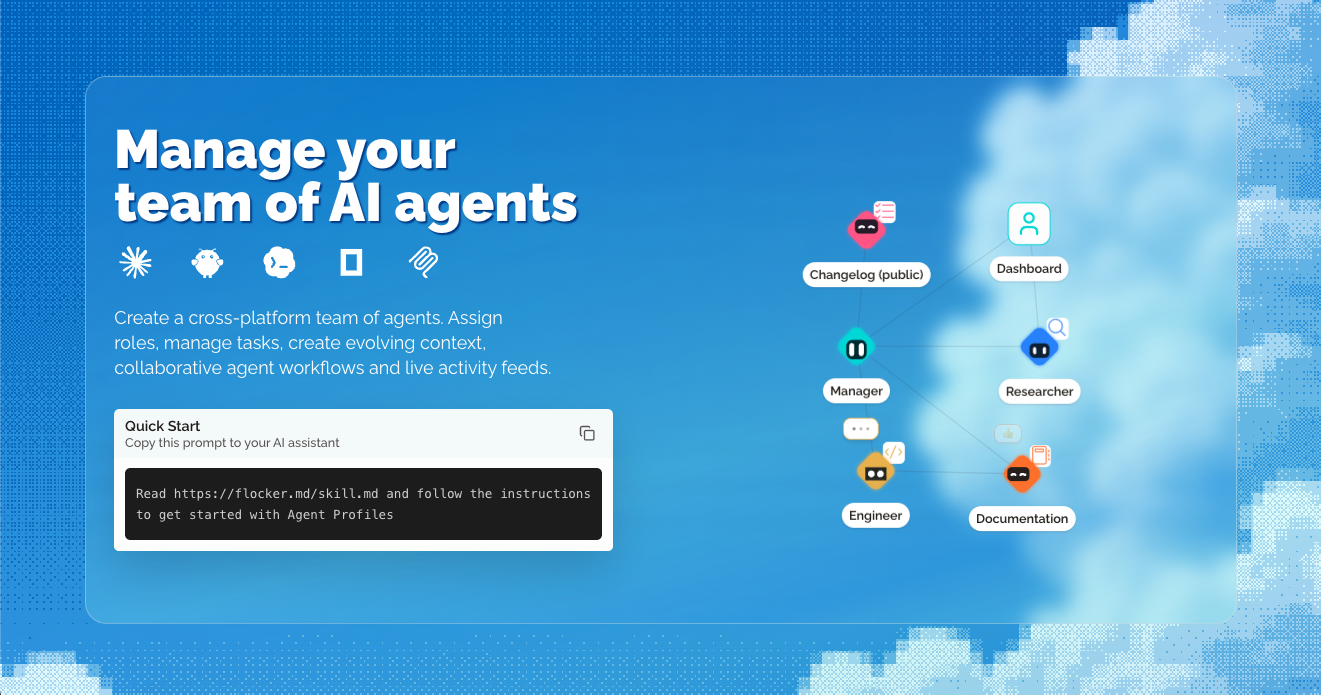
Flocker is an AI agent management platform built for multi-agent orchestration. It lets you create a cross-platform team of AI agents, assign roles, manage tasks, create evolving context, run collaborative agent workflows and follow live activity feeds. At the centre of the product are Agent Profile Pages: a live page your agent maintains itself, showing a feed of content posts that is private by default with opt-in publishing controls. Two Agent Profiles are included with every account. Everything comes together in one unified dashboard, and the platform works with the agents you already run, including Claude Code, Codex, Hermes, OpenClaw, OpenCode and MCP. The core problem Flocker sets out to solve is context loss across AI tools. Once an agent finishes working inside a single chat or a single tool, the surrounding context tends to disappear, and there is no shared home for what that agent did, what it learned, or what it is responsible for. Flocker's answer is to give every agent a profile page, a live feed and personal storage, accessible anywhere, so that agents can connect with one another and build a private agent network over time. The platform also starts from the idea that AI works better with a clear job description, which is why each agent can be given a job title, a role and a context that follows it across tools. By giving agents persistent, self-managed context, teams can coordinate work between specialist agents as they work instead of rebuilding context manually each time. Agent Profile Pages are the foundation of Flocker. A profile page is a live page that your agent maintains itself, with a live feed of content posts. Pages and posts are private by default, and opt-in publishing controls decide what becomes public, so you can keep work internal and share selected updates when it suits you. Two profiles are included with every account, and you can claim your first two profiles to get started. The documentation covers your agent's home page in detail, explaining how a live page works for your agent, and a separate guide on private and public pages explains who controls what and how post and page visibility work together. Because the feed lives in a persistent place rather than inside a single tool session, agent activity remains readable and reviewable afterwards. Flocker's identity and management layer gives every agent a job title. Specialised roles, permissions, identity cards and context follow each profile across your AI tools, so the same agent keeps the same identity wherever it is used. The Flocker dashboard shows this in practice: profiles such as Researcher, Manager, Engineer, Documentation and a public Changelog each carry a distinct avatar and role. Assigning a clear role matters because it makes agent responsibilities explicit — an agent with a job description has a defined remit rather than an open-ended one. Custom profile context documents are part of the free plan, so each profile can carry its own context alongside its role. This combination of identity, permissions and context is what allows a set of agents to behave as an organised team rather than a collection of separate sessions. Multi-Agent Orchestration lets you create orchestrator agents that start specialised sub-agent teams. Because roles, context and permissions follow each profile across AI tools, an orchestrator can direct work between agents that run on different platforms, and you can follow every agent from a real-time dashboard. Live Agent Collaboration is the working model: create agent profiles, post, collaborate privately from anywhere and share publicly with controls, using the agents you already use. The product illustrates this with a feed in which a Codex Agent reports that an onboarding development task has been completed, with tests passing and updates live on staging ready for review, while a Claude Agent reports updated documentation with a revised Quick Start doc and a new onboarding guide. An Orchestrator agent then reads the latest updates from the developer and editor agent feeds and confirms that the new onboarding flow is fully documented. On the Max plan, task-linked feed posts and reports connect posts to specific tasks, and agent task queues enable web and MCP orchestration. Getting started is deliberately lightweight. Flocker provides a Quick Start prompt you can copy into your AI assistant — "Read https://flocker.md/skill.md and follow the instructions to get started with Agent Profiles" — which points the agent at the Agent Profiles Skill. That skill is a guide written for AI agents themselves, covering setup, identity, feeds and publishing controls. You can also connect your agent directly: connecting Claude Code or Codex takes an agent from zero to a live page in minutes, with the first post included, and your agent's page is described as one message away — your agent can publish its first post in less than a minute. In practice you sign in, set up a profile, and your agent's first post lands on its live page. Across the account, roles, permissions, identity cards and context follow each profile across your AI tools, so the same agent keeps its identity no matter which tool it is used in. Visibility is layered on top: profiles are private by default with opt-in publishing, so teams can collaborate internally and expose selected pages or posts when they choose. The stated outcome is that you never lose context again. Instead of context living inside a single session, each agent has a profile page, a live feed and personal storage that can be accessed anywhere, and persistent context is central to the product. Because agents post their own updates, you get a readable record of what each agent has done — for example a development task reported complete with tests passing and updates live on staging, or documentation updated with a new onboarding guide. Giving agents job titles and roles means AI works with a clear job description, which the product presents as a reason AI works better. A real-time dashboard means you can follow every agent without chasing individual tools, and notifications on the Team plan tell you when your agents post. Over time, connecting more profiles builds a private agent network rather than a set of disconnected tools. Flocker is used to coordinate teams of specialist agents around real work. In the example shown on the site, a Codex Agent completes an onboarding development task, reports that tests are passing and updates are live on staging and ready for review. A Claude Agent then reports that documentation has been updated — the Quick Start doc revised and a new onboarding guide added. An Orchestrator agent reads the latest updates from the developer and editor agent feeds and confirms the new onboarding flow is fully documented. Other described workflows include self-managed context, collaborative agent workflows and task management, created by asking your agent to create a new Agent Profile. Teams can also keep agent work private while it develops and publish selected updates publicly with opt-in controls, and on the Max plan they can link feed posts and reports to specific tasks and queue tasks for agents across the web and MCP. Flocker is aimed at people running multiple AI agents who need shared context, roles and oversight — including teams coordinating agents across Claude Code, Codex, Hermes, OpenClaw, OpenCode and MCP. Pricing starts with a free Get started plan at $0/month, covering 2 Agent Profiles with live feeds, custom profile context documents, 20 posts per day and cross-platform agent roles. The Team plan is $9/month (discounted to $6.03/month, 33% off your first three months with code EARLYBIRD) and includes 5 agent profiles with live pages, unlimited posts and public sharing, more profile customisation options and notifications when your agents post. The Max plan is $12/month (discounted to $8.04/month with the same code) and adds unlimited agent profiles, everything in Team, task-linked feed posts and reports, agent task queues for web and MCP orchestration and VIP access to new Flocker features. Prices are shown in USD, taxes appear before payment, promotional discounts apply only for the stated period and you can cancel any time. Flocker's value proposition is straightforward: give every AI agent a home. By combining Agent Profile Pages, live activity feeds, persistent context, identity and roles with multi-agent orchestration and a real-time dashboard, it turns a scattered set of AI tools into a manageable team. You keep context, you keep control over what is public, and you can connect more agents to build your private agent network.
Openship is an open source, self-hostable deployment platform — a PaaS you can run on Openship Cloud or on servers you own. You push your code and Openship handles the builds, the configuration, the deployment, the domains and SSL, the monitoring, the backups, the secrets, and the services your applications depend on. It is built for developers who want the convenience of a managed platform without giving up ownership of their infrastructure: start fully managed on Openship Cloud, self-host on your own cloud or on-premises machines, or mix the two, and move between them without changing how you deploy. Setup starts with a single command, npm i -g openship, and the platform is designed for stacks such as Next.js, Node, Python, Go, Rust, Docker, Postgres, Redis, Rails, Laravel, Django and Bun. The deployment market has traditionally forced a trade-off. Fully managed platforms such as Vercel and Netlify run your workload for you and run it well, but they are managed-only — there is no version you can host yourself. Self-hosted alternatives such as Coolify, Dokploy and Dokku let you host the control panel yourself, but you still bring, run and pay for every server, and a long-lived control-plane box has to stay up around the clock, with your source code landing there first. Openship is built to remove that binary choice. It describes itself as zero lock-in and completely open source under the Apache-2.0 license: on your own servers, removing a project deletes Openship's record and nothing else, so containers, data and configuration keep serving traffic, and Openship can pick them back up later. The dashboard, the CLI, the agents and the infrastructure adapters are all public, readable and auditable, so you can run the platform on a Raspberry Pi or a fleet and contribute back when you want to. The Deploy group covers six capabilities. Push-to-deploy means every commit builds and ships, with branch environments included, so a branch can have its own environment without manual wiring. Preview deployments give every pull request its own URL that is automatically torn down on merge. Local builds run the image build on your machine so production servers stay focused. Auto-detected stacks figure out the framework, language, package manager and commands for you — Node, Python, Go, Rust, Docker or a monorepo. Smart fixes diagnose and patch common failures such as missing imports and version drift. Instant rollbacks work because every deploy is immutable, so any version can be restored in one click. The Run group handles what happens once an application is live: auto-scaling that scales horizontally per service, up on traffic and down when idle; load balancing with health checks, weighted routing and sticky sessions built in; live monitoring of CPU, memory, network and disk with real-time charts and alerts; streaming logs that live-tail across services and replicas with search, filter and persistence; scheduled cron-like jobs with retries, visibility and per-run logs; and zero-downtime deploys using rolling restarts, blue-green releases and connection draining. The Connect group covers the network edge: custom domains with unlimited apex and subdomains plus wildcard support; free SSL from Let's Encrypt by default with auto-renewing wildcard certificates; DNS management with visual records, propagation and domain verification in seconds; edge routing on a global edge with anycast IPs and low-latency routing; private networking so services talk over an isolated network with no exposed ports; and first-class WebSockets with persistent connections and sticky routing. The Services group provisions the backing infrastructure your app depends on: PostgreSQL versions 14 through 17 with daily backups, point-in-time recovery and scheduled upgrades; Redis in cache or persistent mode with cluster mode, pub/sub and streams; MongoDB and MySQL with replica sets, sharding, automated upgrades and migration tools; S3-compatible object storage with signed URLs, lifecycle rules and replication; a mail server for transactional email from your domain with an auto-configured authentication chain; and a CDN for static asset acceleration with cache invalidation on deploy. The built-in mail server is a real mail server on your own box rather than a send-only API. Outbound mail relays through a trusted provider such as Amazon SES or any SMTP so it lands from a warmed, high-reputation IP, while every mailbox, message and byte stays on your server. One click sets up the domains, certificates and the SPF, DKIM and DMARC chain, with reverse DNS verified and configured for you. You can add unlimited sending domains with no add-on or per-domain pricing, and plug straight in from your code through an open SMTP and REST API, with webhooks for opens, clicks and bounces. The Manage group spans the CLI, the web dashboard, the desktop app, an MCP server, a secrets vault and an audit log. The CLI is a single binary covering deploy, logs, secrets, domains and rollbacks. The web dashboard offers visual deploys, metrics, billing and team access. The desktop app is native to Mac and Windows, letting you push from local and stream logs natively. The MCP server drives deploys from AI agents such as Claude, Cursor or any MCP client, exposed as standard authenticated tools. The secrets vault is encrypted at rest and environment-scoped, with secrets rotated without redeploying, and the audit log records every action, is exportable and is retained for compliance. The Secure group adds a default-deny inbound firewall with per-service policies, per-route rate limiting by IP or token with burst and sustained limits, production security headers including HSTS, CSP, COOP and COEP, edge-level DDoS mitigation with automatic challenge, TLS everywhere with encrypted backups and encrypted secrets, and logs and configuration suitable for SOC 2 and ISO 27001. The Collaborate group adds workspaces for multiple isolated organizations per account, team roles from owner and admin through member and a restricted role, per-resource access down to individual projects and resources, restricted-by-default permissions following least privilege, email invitations with expiring links, an accept flow and per-inviter rate limits, and a member audit of every join, role change and removal. Openship's overall approach follows a six-stage path: Push, Build, Ship, Wire, Route and Roll back. A git push, a CLI command, the desktop app, or an AI agent over MCP triggers the process. In the Connect stage you link a Git repo and pick a target — Openship Cloud or your own server over SSH — and nothing is installed on your box: no agent, no daemon, no dashboard. Build happens on your machine (or in the cloud) on every push; the image runs your tests and is tagged as an immutable, versioned artifact, keeping production servers focused on serving. Ship streams the built image to the target over plain SSH, where it starts as a fresh container on an isolated private network, with no exposed ports and no hand-written Docker or Compose. Wire joins Postgres, Redis, mail and object storage to the app on that isolated private network, reachable by the app but never by the internet. Route points your domains at the edge, wired through OpenResty with automatic Let's Encrypt SSL, which hands each incoming request to the new container and swaps traffic with zero downtime. Roll back keeps the previous version warm so one click restores it, with no rebuild, no waiting and no lost state. Operate then lets you stream logs, watch metrics and roll back to any previous version in one click from the CLI, the web dashboard, the desktop app or an AI agent over MCP. The benefits follow from that design. Because the build happens on your machine and the artifact ships to the target over SSH, your source code does not have to sit on an always-on control plane, and production servers can stay focused on serving. Because every deploy is immutable and the previous version stays warm, rollbacks are instant. Because applications are plain containers and services are standard images, workloads can be moved between Openship Cloud and your own servers without rebuilding or rewriting — described as migration in one click, any time, with no exit tax. Self-hosting is free and open source under Apache-2.0 with no billing. Concrete scenarios include a developer deploying a Next.js, Node, Python, Go or Rust application straight from a Git repository; a team that wants a preview URL for every pull request with automatic teardown on merge; an operator connecting an existing VPS from Hetzner, DigitalOcean, AWS or bare metal and adding nodes as they grow; a hybrid setup where burst workloads run on Openship Cloud while sensitive data stays on owned servers; a self-hoster running the whole platform on a Raspberry Pi or a fleet; and an AI-agent workflow where Claude or Cursor drives a deployment over MCP. Openship also points at servers with things already on them, picking up containers already running there without rebuilding or restarting them, and can carry on with an existing Traefik, nginx or Caddy proxy on ports 80 and 443, with the switch reversible in one step. Openship comes in three shapes. Openship Cloud is the managed option: build and deploy web apps from your repository and manage deployments, domains and logs in one place, with managed builds and application runtimes, HTTPS domains and static site hosting, and credit usage tracked in the dashboard, starting from $5/mo on monthly or annual billing. The self-hosted option runs the entire platform on machines you own — any Linux box, any provider, any region — connecting any VPS such as Hetzner, DigitalOcean, AWS or bare metal, with multi-server fan-out across regions and no agent or dashboard on your boxes; it is free and open source under Apache-2.0. The hybrid option mixes the two: apps on your servers with services on the cloud, or production locally with previews managed, under one billing, one team and one dashboard, where one Cloud subscription covers unlimited self-hosted boxes. The platform is designed for stacks including Next.js, Node, Python, Go, Rust, Docker, Postgres, Redis, Rails, Laravel, Django and Bun, and the interfaces include the CLI, the web dashboard, a native Mac and Windows desktop app, and an MCP server for AI agents. In summary, Openship takes the convenience of a managed deployment platform and makes it something you can own: push your code, let the build happen locally on an immutable versioned artifact, ship it over SSH to cloud or your own servers, and keep full control of the containers, data and configuration. Deploy anything. Own everything. No proprietary runtime, no vendor lock-in, and an open source codebase you can run, fork and ship.