Category Focus/categories/automation
Automation AI Tools
Discover and compare the best automation AI tools and software. Browse 702+ curated tools with reviews and rankings.
Projects tracked
702
Sort mode
RECENT
Page
16
Fez is a desktop app for Mac where several AI agents work together as members of one workspace, and the room decides who takes what. Each agent is its own member with its own identity, its own model and its own skills, and you talk to them the way you would talk in any chat channel. Instead of you picking which assistant should handle a request, the room reads the message and decides who takes it, whether the work is done, and whether you even need to read the answer. Fez is built on nostr and on Jev, a judgment model built by TypeSafe, and it is released early as an MIT licensed app for Apple silicon Macs. The problem Fez is built around is management. Most agent apps give you one assistant; some give you several, and then you become the manager: you pick the agent, repeat the question, judge the answer, and call the next one. That overhead grows with every agent you add, and it is exactly the work you were hoping an agent would take off your hands. Fez moves that job into the room itself. Instead of you deciding who should handle a message, the room evaluates it first, and chat models run only when there is real work to do. A message that needs no answer costs nothing and produces no noise in the channel. That routing is handled by Jev, the judgment model built by TypeSafe. Every message goes to Jev, which does not write anything itself: it decides, with a calibrated probability, in under a second, for a fraction of a cent. The room reads the message and picks the agent, or nobody, as the site illustrates with a "Who takes it?" decision at 0.95. The published routing results report 96 of 97 messages routed to the right agent, a 184 ms median decision, and $0.002 for the whole run — one pass, three agents, frozen fixtures, which the site explicitly notes is not a universal guarantee. The practical consequence is that a cheap, fast decision happens before any expensive chat model is invoked. The room also closes the loop after an agent responds. "Is it done?" runs at 0.94: it checks the answer against what you asked and signs off, silently, so you are not left manually judging whether the agent actually finished the work. And "Does it need a reply?" runs at 0.08: a thanks gets a reaction, not a paragraph. When the room decides a message needs no reply, there is no turn and no cost. Together these three checks — who takes it, is it done, does it need a reply — are what the site calls the room doing the managing. Agents are real members of the workspace rather than tools you switch between. Each one has its own identity, model and skills, and the roster shown on the site includes @fez, @drift and @quill. @fez is the guide: docile and helpful, it knows its way around, and when you ask it anything it brings in the teammate the work belongs to. You mention @fez in a channel and it routes the request onward; it ships with the app, so there is a natural starting point on first launch. Because agents are referenced by mention in an ordinary channel, several of them can share one thread instead of each living in a separate assistant window. The overall approach is a single pass of judgment followed by chat models that only wake up for real work. You interact with the app through the channel: mention an agent with @, press Enter and it answers, and press Esc and the relay remembers. Identity is handled without accounts. Your identity is a keypair generated on first launch, and every agent has one too, so every message is signed by the key that posted it. Nobody issued the keys, so nobody can suspend them. Everything lives on a nostr relay rather than inside the app, and the site describes Fez as a window onto it — you can run a relay on your laptop or on a server. The release is available as a macOS Apple silicon build under the MIT license, with the source on GitHub. The benefits follow from that design. You stop acting as the dispatcher for your agents: no picking the agent, repeating the question, judging the answer, or calling the next one. Routing costs a fraction of a cent and takes under a second, so decisions are cheap and fast compared with running a chat model for every message. Unnecessary replies are suppressed, which keeps channels readable and avoids paying for turns that add nothing. Completion is verified against the original request, so threads close rather than drift. And because identity is a keypair on a relay you can host yourself, conversations are not tied to an account that someone else can suspend. Concrete scenarios come straight out of the material. The recorded demo shows two agents, two models, two keys and one thread running for seven minutes, live — a single conversation where more than one model does the work and the room keeps track of who takes which message. If you do not know which agent is right for a question, you mention @fez and it brings in the teammate the work belongs to. When someone says thanks, the room returns a reaction rather than a paragraph, so no turn is spent. When a piece of work appears finished, the room checks the answer against what you asked and signs off silently. And if you want the history to outlive the app, you run your own nostr relay and press Esc — the relay remembers. Fez is aimed at Mac users on Apple silicon who already work with AI agents and no longer want to be the manager of several of them. It suits people who want more than one model and more than one agent in a single conversation, who prefer a signed, account-free identity, and who value open source: Fez is MIT licensed with the repository on GitHub, and the app ships as a direct download. The site describes the release as early, and it notes that the routing numbers come from one pass over frozen fixtures rather than a universal guarantee. There is also a lightweight update list for new releases and what changed in them, described as occasional and nothing else. Pricing is not described beyond the free, MIT licensed download. In short, Fez turns a chat room into the manager of a team of agents. Several members, each with its own identity, model and skills, share one workspace; a fast, inexpensive judgment model decides who takes each message, whether the work is finished, and whether a reply is needed at all; and everything is signed and stored on a nostr relay you can run yourself. The value proposition is simple: you stop coordinating agents and start talking in the room.
gg-friggin-ez is a fast, free, drop-in multilingual profanity and toxicity screener for Node.js. It is powered by System 1 models such as TypeSafe AI Jev and Laya, and its purpose is to screen chat messages so that a backend can decide what should happen to each one. The package is aimed at developers who need to moderate user-generated messages at scale, and it is open source and installable with a single npm command, npm i gg-friggin-ez. The stated goal is to make real-time, multilingual toxicity screening cheap enough to run on every single message. gg-friggin-ez was built by Shikhar Srivastava, who ran into chat moderation while working in the real-money gaming industry. In his account, chat moderation was one of those problems that never had a good answer: it was too slow, too expensive, or too dumb to catch anything past a static keyword list. He later moved into backend and AI engineering, and gg-friggin-ez is what happens when that old problem meets the current stack. The maker frames the history in three stages. Pre-LLM approaches were fast but brittle, because traditional filters and ML/NLP models struggled with Romanized Indic, slang, ASCII art and creative evasion. LLMs were smart but too expensive to run at scale. System 1 models such as Jev and Laya are single forward-pass decision engines built for real-time classification, with sub-500ms end-to-end performance, deterministic output and pennies-per-million-token economics. Evasion-proof screening is the central capability of the product. gg-friggin-ez is described as catching leetspeak, ASCII drawings, character spacing and romanized profanity. It also provides native Indic support and multilingual coverage, with Kannada, Telugu, Tamil, Hindi and Bengali named explicitly in the description, Bhojpuri and Marathi appearing in the discussion, and the public benchmark covering 14 languages. This matters because the evasions that defeat simpler systems are exactly the ones that appear in fast-moving chat: people replace letters with numbers, spread characters apart, draw words as ASCII art, or write profanity in romanized scripts. A screener that only matches known bad words on the nose is easily outsmarted, which is the behaviour the product sets out to fix. Because the engine is a contextual model rather than substring matching, benign text that happens to contain profanity-like substrings is handled differently from a keyword filter. The maker gives the "Scunthorpe" test case, where the input "I live in Scunthorpe" returns isProfane false, isToxic false and an action of ALLOW. A second group of features is the deterministic action layer. gg-friggin-ez converts toxicity into the moderation actions ALLOW, REVIEW, CENSOR and BAN, so instead of returning an opaque score the package returns a decision a backend can act on directly. Alongside the action it returns rich telemetry: confidence scores, evasion detection flags and primary language classification. The maker stresses that nothing happens silently, because every call returns the probability plus reasoning before your backend acts on anything. AUTO_BAN only fires at high confidence, while ambiguous content is routed to review rather than triggering an instant ban. This design reflects a deliberate trade-off. The maker notes that for a problem like this, higher precision might seem like a great choice, but recall is more important: a false positive might still be flagged for review, whereas missing a toxic or profane message that is then viewed by possibly thousands of people on a livestream platform is worse. The first failure mode is recoverable, the second is not. Speed, cost and extensibility form the third group of features. Moderation is described as lightning-fast at sub-500ms. Cost is ultra-low: roughly $0.000042 per message when using Jev at $0.042 per million tokens, or $0 inference cost when using self-hosted open-source models. The Product Hunt listing also cites approximately $0.000004 per message. The architecture is pluggable with Bring Your Own Model (BYOM): while gg-friggin-ez ships with TypeSafe AI's Jev as the default out-of-the-box engine, it is completely decoupled, so you can point it to your own System 1 models. The project is 100% free and open source. You install it with npm i gg-friggin-ez, browse the source on GitHub, and try the hosted demo on the project's GitHub Pages site. Overall, the product works by handing each message to a System 1 model, meaning a single forward-pass decision engine built for real-time classification, rather than to a static keyword list or a large generative model. That single design choice is what makes the combination of speed, low cost and contextual judgement possible at once. The model produces a probability and reasoning, evasion and language signals are attached, and those outputs are mapped to one of the fixed moderation actions that the calling backend then applies. Because the model layer is decoupled from the package, teams can keep the same integration while swapping in a different System 1 model of their choosing. The benefits follow from that approach. Teams get evasion-aware screening that understands context rather than substrings, so ordinary words and place names are not blindly punished for resembling profanity. They get deterministic, auditable outcomes instead of a silent pass or fail, which means a moderation decision can be inspected before it is enforced. They get responses fast enough for live chat, and they get a cost profile low enough that screening can run on every message rather than a sample. And because the package is open source and free, with a self-hosted path to $0 inference cost, the barrier to adopting full coverage is low. The use cases come straight out of the maker's own framing. Chat moderation in real-money gaming is the origin story, where slow, expensive or naive filters left the problem unsolved. Game chats with real-money stakes or bans attached are a natural fit, because a wrongly muted or banned player carries its own support cost, while an unfiltered toxic message can be seen by many players. Livestream platforms are another scenario discussed directly, where a missed toxic message can be viewed by possibly thousands of people. More broadly, any Node.js backend that handles user-generated messages and needs an ALLOW, REVIEW, CENSOR or BAN decision per message can call the package. Teams that want to validate the approach before committing can consult the published benchmark file referenced in the discussion. The product is aimed at developers building chat and community backends, particularly in gaming, livestreaming and other real-time contexts, and it fits Node.js applications through npm. It integrates with System 1 models, shipping with TypeSafe AI's Jev by default and supporting Bring Your Own Model for other System 1 engines such as Laya. The maker has also published raw benchmark data covering 14 languages and 42 messages, three per language, reporting 97.6% overall accuracy (41/42) and 94.4% accuracy on Indic and romanized content, while describing the sample as early evidence rather than a rigorous study. In that run none of the benign messages were auto-banned; one Bhojpuri line landed in review instead of an instant allow, and one Marathi message scored just under the threshold and needed a human to catch it. Pricing is free, and the project itself is open source. In short, gg-friggin-ez packages evasion-aware, multilingual profanity and toxicity screening into a free, drop-in Node.js library that returns deterministic moderation actions with the reasoning attached. Its value proposition is straightforward: real-time, context-aware, Indic-friendly moderation that is fast and cheap enough to run on every single message.
Hola AI is an AI voicemail app that picks up your missed calls, talks to whoever called, and sends you a clear summary in seconds. It is built for busy professionals who cannot answer every call but still need to know who called, why they called, and how important the call was. Rather than leaving callers with a beeping recorder, Hola AI answers like a human, understands the intent behind the call, and delivers actionable text instead of long audio. The product is presented as a smart voicemail replacement and also works as an AI call assistant that handles calls for you, so you stay reachable without picking up every call. Traditional voicemail is passive and robotic. As the site puts it, old voicemail records everything and filters nothing: it captures every cold pitch, robocall, and telemarketer, leaving you to guess who called until you listen through minutes of static audio. The familiar experience of a beep followed by silence and then a rushed message means missed context, wasted time, and lost opportunities. Hola AI positions itself as the opposite: proactive and human. It listens and talks like a human, filters the noise, understands intent, and sends only what is worth your attention. For people whose work depends on the phone, the difference between a raw recording and an understood message is the whole point, because the call itself stops being something you have to decode later. The core of the product is answering like a human. When a call is missed, Hola AI answers, talks to the caller, understands why they called, and makes them feel heard instead of ignored. Alongside that, automated spam filtering removes junk before it reaches you, so robocalls and cold pitches never take up space in your inbox or your attention. Because the assistant understands intent, it can capture next steps rather than just ambient sound. The site contrasts this directly with traditional voicemail in its comparison table: Hola AI talks like a human while traditional systems just record sound, and Hola AI filters junk automatically while traditional voicemail records spam too. After each answered call you receive an instant summary. Instead of long, unclear audio, Hola AI sends a concise summary of who called, why, and how important the call is, described by the company as actionable text rather than audio you have to replay. Summaries are delivered via app, SMS, or email, so you can receive them through the channel that fits how you work. Hola AI also records and transcribes conversations, which helps you understand why someone called and gives you the context you need before you call back. The comparison table summarises the difference in effort: with Hola AI you skim and act instantly, whereas with traditional voicemail you replay and guess. Hola AI can be personalised with multiple personalities, letting you choose how it sounds. The company gives examples of a sharp tone for work, a warm tone for friends, and a witty tone with spam. This customisable tone applies based on the caller, in contrast with the single robotic voice of traditional voicemail. Privacy is a stated priority: all recordings and transcripts are encrypted end-to-end and stored safely, and you have full control, with the ability to delete any call or wipe everything anytime from the app. The site also notes that Hola AI works in flight mode or when your phone is off, while traditional voicemail only works when your phone is on. Mechanically, Hola AI is straightforward to adopt. You do not need a new number. Your unanswered calls are simply forwarded to Hola AI, which takes over when you cannot pick up. From there the assistant answers the call, holds a conversation with the caller, captures the intent and next steps, filters spam, and produces the summary that is sent to you. The comparison table frames the overall approach as capturing call context such as intent and next steps, versus traditional voicemail which merely stores an audio message. The site summarises the workflow in its FAQ: Hola AI answers calls like a human even when your phone is off or in flight mode, talks to callers, understands why they called, filters spam, and sends a short summary via app, SMS, or email. The outcome for users is less time spent on the phone without becoming unreachable. Instead of replaying audio and guessing at importance, you skim a summary and act. Spam and robocalls stop consuming attention, urgent calls are surfaced with context, and callers feel heard rather than ignored. Because summaries arrive in seconds, users can triage calls and respond to the ones that matter first, with the context they need before calling back. The comparison table lists the differences users feel most: a human-like response, automatic spam filtering, short text summaries instead of long audio, customisable tone and personality, minimal effort, availability when the phone is off, and captured call context rather than a stored audio message. Use cases are illustrated by the company's own customer stories. Marcus Thorne, a legal partner, used to miss urgent calls when in court; now Hola AI handles the greeting and he receives a text summary instantly. Sarah Jenkins, a freelance creative, uses the witty personality with spam, letting it waste telemarketers' time while she focuses on her work. David Chen, a real estate agent, cannot talk when he is showing houses, so Hola AI asks the right questions and he can identify serious leads by reading the summary. More broadly, the stated scenario is anyone who cannot pick up, whether they are in a meeting, driving, on a flight, or simply unavailable. Hola AI is aimed at busy professionals who depend on the phone, including legal partners, freelancers, and real estate agents, and anyone who wants smart voicemail without changing their number. It runs as a mobile app, downloadable from the App Store and Google Play, with summaries also delivered by SMS and email. Pricing is subscription based: a limited-time 50% off offer gives new customers $4.99 per month for their first six months, after which the price is $9.99 per month, and you can cancel anytime; the site also notes that annual billing saves 17% more. The product is powered by ElevenLabs Grants. In short, Hola AI turns voicemail from a passive recorder into an active assistant: it answers missed calls in a human-like way, filters spam, captures intent, and delivers a short, actionable summary so you never miss an important call again.
Googlebook is the first laptop designed for Gemini Intelligence, offered by Google with pricing starting from $899. It pairs premium hardware with Gemini-powered experiences that are built into the machine, and it syncs effortlessly with an Android phone. The laptop arrives ready from day one with a full suite of premium Gemini services and 5 TB of cloud storage. Its stated purpose is to remove the gap between the phone people carry and the laptop they work on, so that less time is spent transferring and more time is spent creating. Googlebook is sold alongside a range of accessories as part of a wider lineup. The problem it addresses is the stop-start rhythm of working across two devices. A task begun on a phone usually has to be picked up again manually on a laptop, screenshots have to be sent to yourself, and files have to be hunted down by cryptic filenames. Googlebook's page frames the payoff directly: users can jump between phone and laptop without skipping a beat, spending less time transferring and more time creating. It also frames the assistant problem in everyday terms, arguing that a laptop should meet you in the moment rather than waiting to be asked, whether that means surfacing a suggestion based on what is on screen or letting you talk to your device instead of typing at it. On the hardware side, Googlebook is described as crafted for performance. It is supercharged with powerful processors such as Intel Core Ultra and Snapdragon X Elite, starts from 16 GB of RAM and from 256 GB of storage, offers up to 14 hours of battery life, and weighs under 2.85 LBS. It is built with premium materials including aluminium, magnesium and carbon fiber. The Glowbar is described as functional, beautiful and uniquely Google, acting as an at-a-glance indicator of battery life and charging status, so users can read their power state without hunting for a number. A dedicated G key enables one-touch searches, putting answers always right at hand. Gemini Intelligence is the centre of the product. The pointer becomes a magic wand: wiggle it to activate Gemini and select anything on screen to ask, create and compare effortlessly. Rambler turns messy thoughts into tidy text by removing filler words like "um" and adding formatting to clean up a stream of consciousness, so users can talk naturally, review, and send. Proactive suggestions appear with your next move based on what is on your screen, surfacing exactly what you need when you need it. Smart file search lets users search files and photos by their actual content instead of cryptic filenames. Gemini Live turns "Hey Google" into a live conversation where you can talk, share your screen or brainstorm with zero typing required. And an agent in the Gemini app can close out to-dos even when the laptop is closed. Googlebook's connection to Android phones is handled through three named capabilities. Cast My Apps lets users open their phone's apps directly on Googlebook, so quick tasks can be handled without leaving the screen. Continue On lets a task started on an Android phone be finished on Googlebook, picking up exactly where you left off. Quick Access lets users find their phone's files directly from the laptop — for example, grabbing a mobile screenshot for an email with no transfers needed. Beyond the phone, Googlebook reaches millions of apps and tools through the Google Play Store, spanning categories the page groups as Best of Google, Creativity, Productivity and Streaming, from Google Drive, Gmail, Google Docs and Gemini Notebook to Adobe Photoshop, Canva, CapCut, Notion, Microsoft Copilot, Dropbox, Spotify, Netflix, Disney+ and more. Thousands of games are also available, from mobile hits like Clash Royale on Google Play to PC titles like ARC Raiders streamed via GeForce NOW. Security is positioned as a design principle rather than an add-on. Googlebook is designed with built-in protection that helps keep viruses, malware and hackers out, and a Titan C chip is described as keeping the device, passwords and personal data safe with dedicated security built into every laptop. Secure authentication lets users unlock the laptop with their face or fingerprint, and the machine instantly recognises them. Taken together, the approach is to weave the assistant into the hardware itself — the pointer, the keyboard's G key, the Glowbar, the security chip — so that intelligence is not a separate app you open but a layer that is always present. The benefits the page promises follow from that integration. Users spend less time transferring work between devices and more time creating. Search becomes faster because it works on content rather than filenames. Talking replaces typing for brainstorming, drafting and note capture. Suggestions arrive before you ask for them. Routine to-dos can be closed even when the laptop is shut. And the machine itself is built to carry: under 2.85 LBS with up to 14 hours of battery, made from premium materials. Buyers also receive extra perks: up to $300+ in apps, described as a curated collection available for a limited time. Concrete scenarios described on the page include picking up a session across devices, using apps from your phone on the laptop to handle a quick task without changing screens, and retrieving a mobile screenshot for an email through Quick Access. Creative work is represented by apps such as Adobe Photoshop, Lightroom, BandLab, Canva, CapCut and Luminar, while productivity workflows are represented by Notion, Notability, Microsoft Copilot, Adobe Acrobat, Dropbox and Fantastical. Streaming is handled by YouTube, YouTube Music, Spotify, Netflix, HBO Max and Disney+, while gaming spans mobile titles and streamed PC titles. Dictation with Rambler suits people who think out loud, and Gemini Live suits brainstorming or screen sharing in conversation. Googlebook starts at $899, with pre-orders available through the official site and a shop covering both laptops and accessories. The product is positioned around Android phone owners in particular — the tagline calls it the laptop your Android phone has been waiting for — and around people who want Gemini services available from the moment they open the box, since a full suite of premium Gemini services and 5 TB of cloud storage is included ready from day one. The page also points to a limited-time bundle of up to $300+ in apps. No subscription tiers are described beyond the included services. Googlebook's proposition is simple: premium laptop hardware plus Gemini Intelligence plus an Android phone in your pocket, working as one continuous surface. It is for people who want less transferring and more creating, and who would rather ask, talk and select than hunt and type.
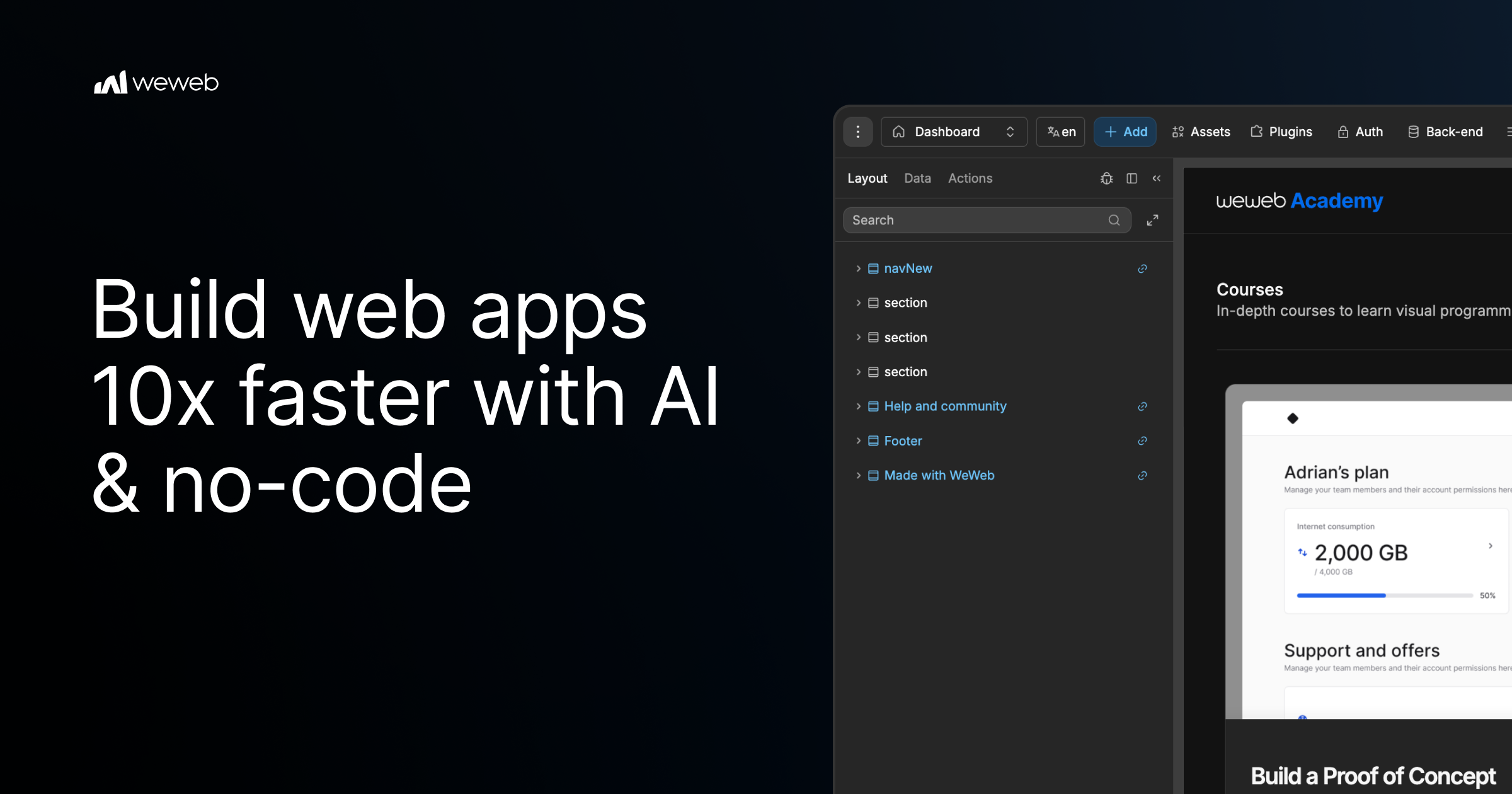
WeWeb MCP is a connection layer that lets you build inside WeWeb with the AI agent you already use. You point Claude Code, Cursor, Codex, Antigravity, ChatGPT, or any MCP-compatible agent at WeWeb, and the agent builds the pages, workflows, data models, tables, authentication, and integrations that make up a real WeWeb project. Instead of producing code you cannot inspect, every change the agent makes lands in the WeWeb visual editor, where you can review it, keep prompting the agent, or edit it yourself. WeWeb MCP is aimed at builders and teams who want the speed of agentic development without giving up visual control over what actually ships. AI-assisted development has made it fast to generate application logic, but the output often arrives as a black box: it is hard to see exactly what changed, why it changed, or how to adjust it without another round of prompting. No-code tools solve the visibility problem, but traditionally require a person to click through every screen, workflow, and data relationship by hand. WeWeb MCP is positioned between those two worlds. It keeps the speed of an agent that can read a brief, plan structure, and wire data together, while keeping the result fully visible and editable in a visual environment. The stated goal is AI speed with visual control, so teams are not forced to choose between moving quickly and knowing what is inside their app. Connecting an agent to WeWeb follows three documented steps. First, you add the server configuration to your MCP client settings, using the WeWeb MCP endpoint through the mcp-remote command. Second, you sign in to WeWeb and authorize access so the agent can call tools on your project. Third, you pick your project and build: you can ask the agent to list your workspaces and projects, switch to the right one, and then describe what you want, for example building a dashboard page. The agent you bring can be Claude Code, which plans and builds in WeWeb using Claude's reasoning; Codex, which turns GPT-powered build plans into WeWeb apps; Antigravity, which builds with Gemini and Google models inside WeWeb; Cursor, which uses Cursor's agent and your model of choice; ChatGPT; or any other MCP-compatible agent. It runs on your account, your model, and your tokens. The product also starts from your brand's design DNA rather than a default AI look. You can import design rules and design context from Figma, Google Stitch, Claude Design, or design.md into WeWeb, so the agent has visual rules before it builds. From there you can create a component system using shadcn, React references, or custom coded components to build reusable blocks with no-code properties. A second major capability is turning PRDs into WeWeb apps. The agent reads a brief and creates the pages, forms, states, and flows users need, moving from user journeys to screens. It also maps data to backend structure, covering the database, fields, relationships, authentication, storage, and backend workflows behind the app. Finally, it turns business rules into integrations: Slack alerts, email triggers, CRM updates, API calls, and approval flows become part of how the app works. Importantly, the first version is not the final word, because everything stays editable after generation. WeWeb MCP is also designed to work across your wider MCP stack. You can pair WeWeb with a backend MCP such as Xano, Supabase, or Airtable MCP, or any APIs, to build the WeWeb frontend in context or bring data into the WeWeb backend. Product context can be turned into screens using docs, transcripts, websites, Figma files, or media assets to create onboarding, dashboards, and forms. A refactoring capability helps you move fast without creating maintenance debt: the agent can find unused variables, outdated workflows, test components, and leftover build artifacts, and it can standardize naming across pages, components, workflows, API requests, tables, and fields. Control features let you decide how much of the app the AI can touch, working across the full app or staying focused on one page, one workflow, or one database, and letting you control what happens next by reviewing output inside WeWeb before continuing. How the product works overall rests on the combination of an agent, a standard protocol, and a visual editor. The agent connects through MCP, the protocol used to give AI clients tool access, and calls tools on your WeWeb project once you authorize access. Because changes are applied to the WeWeb project rather than handed back as opaque text, the visual editor becomes the place where you inspect, adjust, and shape the result. You can scope the agent's access to the exact page, workflow, data, or design-system task you want changed, which keeps AI edits bounded and reviewable. When the app is ready, deployment is also part of the workflow: you can deploy in one click and launch on your custom domain while WeWeb handles hosting and infrastructure, or export code and run it on your own infrastructure when you need full control. The benefits described are speed with control, and ownership of the result. Teams get AI speed without the mystery of what changed in the app, because every change stays visual and reviewable. Because the agent runs on your account, your model, and your tokens, and because WeWeb states that WeWeb MCP does not use WeWeb AI credits, the cost and model choice stay under your control. Users keep the ability to keep prompting the agent or to open the visual editor and edit things themselves, so the app is never locked behind a generation process. Refactoring support helps prevent maintenance debt, and deployment options mean the app can go live on a custom domain or be self-hosted. Together these points support the claim that no-code does not mean low-performance, as expressed by a customer quoted on the site. Concrete scenarios described for WeWeb MCP include turning a PRD or brief into a working app with pages, forms, states, and flows; mapping a described data model into database structure with fields, relationships, auth, storage, and backend workflows; and translating business rules into integrations such as Slack alerts, email triggers, CRM updates, API calls, and approval flows. Another scenario is establishing a design system first, importing brand rules from Figma, Google Stitch, Claude Design, or design.md and building reusable components from shadcn, React references, or custom coded components. Teams also use it alongside backend MCP servers like Xano, Supabase, or Airtable to build the frontend in context. Finally, it can be used before launch to refactor an app by removing unused variables, outdated workflows, test components, and leftover build artifacts, and by standardizing naming across pages, components, workflows, API requests, tables, and fields. WeWeb MCP is for teams and builders who want agentic development with visual control, including those already using Claude Code, Cursor, Codex, Antigravity, or ChatGPT. The site highlights that the platform is trusted by Fortune 500 companies, showing logos for PwC, La Poste, L'Oréal, JLL, Qonto, Decathlon, Carrefour, and Biwaki by BNP Paribas, and it features testimonials from a Digital Project Manager at PwC, the CEO of Shunpo, and the CEO of ALOE Digital Solutions. WeWeb also documents that MCP works with the Cursor agent and your model of choice, with Claude Code, Codex, Antigravity, and ChatGPT, and with other MCP servers such as Xano, Supabase, and Airtable. The site offers the option to start for free and to request a demo, alongside calls to try for free. In summary, WeWeb MCP connects any MCP-compatible AI agent to WeWeb so that briefs, designs, and app logic become a real, structured WeWeb project. It combines agent speed with a visual editor, run on your own tokens and without WeWeb credits, keeps every change reviewable and editable, works alongside your existing MCP stack and backend tools, supports refactoring to avoid maintenance debt, and lets you deploy in one click or export and self-host. The core promise is straightforward: your AI agent builds the app, and you stay in control.
Plane Agents are AI teammates that join your Plane workspace as members, so you can assign them work exactly like you would a human colleague. Rather than writing a one-off prompt, you give an Agent a job: you assign it a work item, mention it in a conversation, trigger it when work changes, or run it on a fixed or custom schedule. Plane Agents take on repetitive, context-heavy workflows 24/7—responding to changes, coordinating next steps, and acting across Plane and your connected tools. They are built for teams that plan and deliver work inside Plane and want recurring coordination, reporting, and triage work to happen continuously rather than in bursts. As the website puts it, the idea is to "give agents a job, not just a prompt." The work keeps coming, and much of it is the same kind of work over and over: collecting standup updates, chasing blockers, turning rough requests into structured specs, spotting slipping timelines, sorting incoming requests, and clustering customer feedback. This work is context-heavy because it depends on what is happening inside projects, what changed in a connected tool, and who is responsible for what. Plane Agents address that problem by living inside the workspace where the work actually happens. Instead of asking a person to gather context from Plane and from connected tools and then write an update, an Agent is given boundaries, a playbook, and the sources it needs, and then runs on that recurring work. The product positions these Agents as "your 24/7 teammates," starting with "the work that keeps coming back" across planning, delivery, reporting, and operations. Building an Agent starts with defining what it owns. You can start from a template or create an Agent from scratch, giving it a name, a clear responsibility, and the outcome it should work toward. This matters because an Agent with a defined ownership area can be trusted with a recurring job, rather than being used as a general-purpose prompt-and-response tool. An Agent that knows its responsibility and its target outcome can be handed work the same way a teammate is, and it can be evaluated against the outcome it was asked to produce. Next, you give the Agent a playbook. The playbook describes how the work should be done, what a good result looks like, and which boundaries it should follow. Within the playbook you add the right skills and choose the model behind the Agent. Because the playbook encodes expected output quality and boundaries, teams can standardize how recurring work is handled—for example, what a good standup summary or a structured specification should contain—without re-explaining the standard every time the work comes around. You then choose when the Agent starts. An Agent can be brought into work through an assignment or a mention. It can also start automatically when work items change—when work is created, updated, changes state, gets reassigned, or removed—or on a schedule, with filters that decide exactly when it should run. This means an Agent can respond to change in real time, or handle known recurring checkpoints such as reviews, reports, checks, and follow-ups. Finally, you connect the Agent's working context. You choose the Plane projects, trusted web sources, and connected tools the Agent can use, and decide which connected account it should work through. Context is what makes the output usable: an Agent that can see the relevant projects and trusted sources returns results grounded in the actual work instead of generic text. Plane ships ready-made Agents for recurring work, which teams then adapt to their own team, triggers, and context. The Standup Agent collects progress, blockers, and next steps from the team and turns them into a concise update that highlights what matters most; it works on Slack, Gmail, and Projects and uses progress tracking and team summarization skills. The Delivery Risk Agent monitors work for stalls, blockers, dependencies, and slipping timelines to help teams identify and address delivery risks early; it works on GitHub, Slack, and Projects and uses risk detection and dependency tracking skills. The Spec Agent turns rough ideas and requests into structured requirements, identifies gaps, and asks the right questions to make the scope clear; it works on Figma, Wiki, and Pages, with PRD writing and product clarity skills. The Request Triage Agent reviews incoming work, identifies duplicates, adds relevant context, and routes each request to the right team or workflow; it works on Slack, Projects, and Intake, using request analysis and duplicate detection skills. The Customer Feedback Agent groups customer feedback into meaningful themes, surfaces recurring insights, and connects them to relevant issues, projects, or ongoing work; it works on Slack, Projects, and Wiki, with feedback analysis and theme clustering skills. Agents show up when the work does. You can assign an Agent to a work item, in which case it receives the relevant context and starts working on the job. You can mention an Agent in a work item conversation to ask for information, to prepare something, or to take the next step. You can trigger an Agent from change, starting it when work is created, updated, changes state, gets reassigned, or removed. Agents can also use selected connected tools and trusted work sources to get context, and recurring work can be put on a schedule so that reviews, reports, checks, and follow-ups run automatically on a fixed or custom schedule. Whatever the trigger, the Agent acts with context and returns the result in Plane. Control and visibility are built around each Agent. You choose its reach—the Plane projects, trusted work sources, and connected tools available to it. You choose whose access it uses, giving connected tools access either through a person's account or through a service account managed by the team. And you can see where your credits go: the product tracks adoption, response and completion rate, average time to complete, and consumption by Agent. This combination lets teams set boundaries and follow every run—seeing when an Agent starts, what it returns, and when it needs input. The benefit for teams is that recurring, context-heavy work stops depending on someone remembering to do it. Standups get summarized, delivery risks get flagged early, rough ideas become structured requirements, incoming requests get routed, and customer feedback gets clustered into themes—without a person manually assembling context from multiple tools each time. Because Agents act with context and return results in Plane, the output lands where the team already works, and the work keeps moving even when nobody is actively watching it. Concrete workflows follow the ready-made Agents. A team can put the Standup Agent on a schedule to gather progress, blockers, and next steps and turn them into a concise update. A delivery-focused team can let the Delivery Risk Agent monitor for stalls, blockers, dependencies, and slipping timelines so risks are identified early. Product teams can mention the Spec Agent on a rough idea or request so it drafts structured requirements, identifies gaps, and asks the questions needed to clarify scope. Support or operations teams can have the Request Triage Agent review incoming work, catch duplicates, add context, and route each request to the right team or workflow. Teams collecting user input can use the Customer Feedback Agent to group feedback into themes and connect recurring insights to the issues, projects, or ongoing work already in flight. Scheduled runs cover reviews, reports, checks, and follow-ups on a fixed or custom schedule. Plane Agents are aimed at teams that run planning, delivery, reporting, and operations in Plane—the site notes that 50,000+ teams use Plane. Inside Plane, Agents can work on Projects, Pages, Wiki, and Intake; connected tools include Slack, Gmail, GitHub, and Figma, and Agents can also use trusted web sources for context. Access to connected tools can run through a person's account or through a team-managed service account, and adoption, response and completion rate, average time to complete, and consumption by Agent are all tracked. Agents run on the AI credits included in every paid plan, and you can get started free or book a demo. Plane also publishes compliance information covering GDPR, HIPAA, ISO 27001, and SOC 2, and offers downloads for Mac, Windows, iOS, and Android. In short, Plane Agents turn AI from a prompt you have to remember to write into a teammate you can assign work to. By defining ownership, playbooks, triggers, and context, and by keeping every run visible, they let teams hand off the repetitive, context-heavy work that keeps coming back—so the humans can focus on what actually needs them.
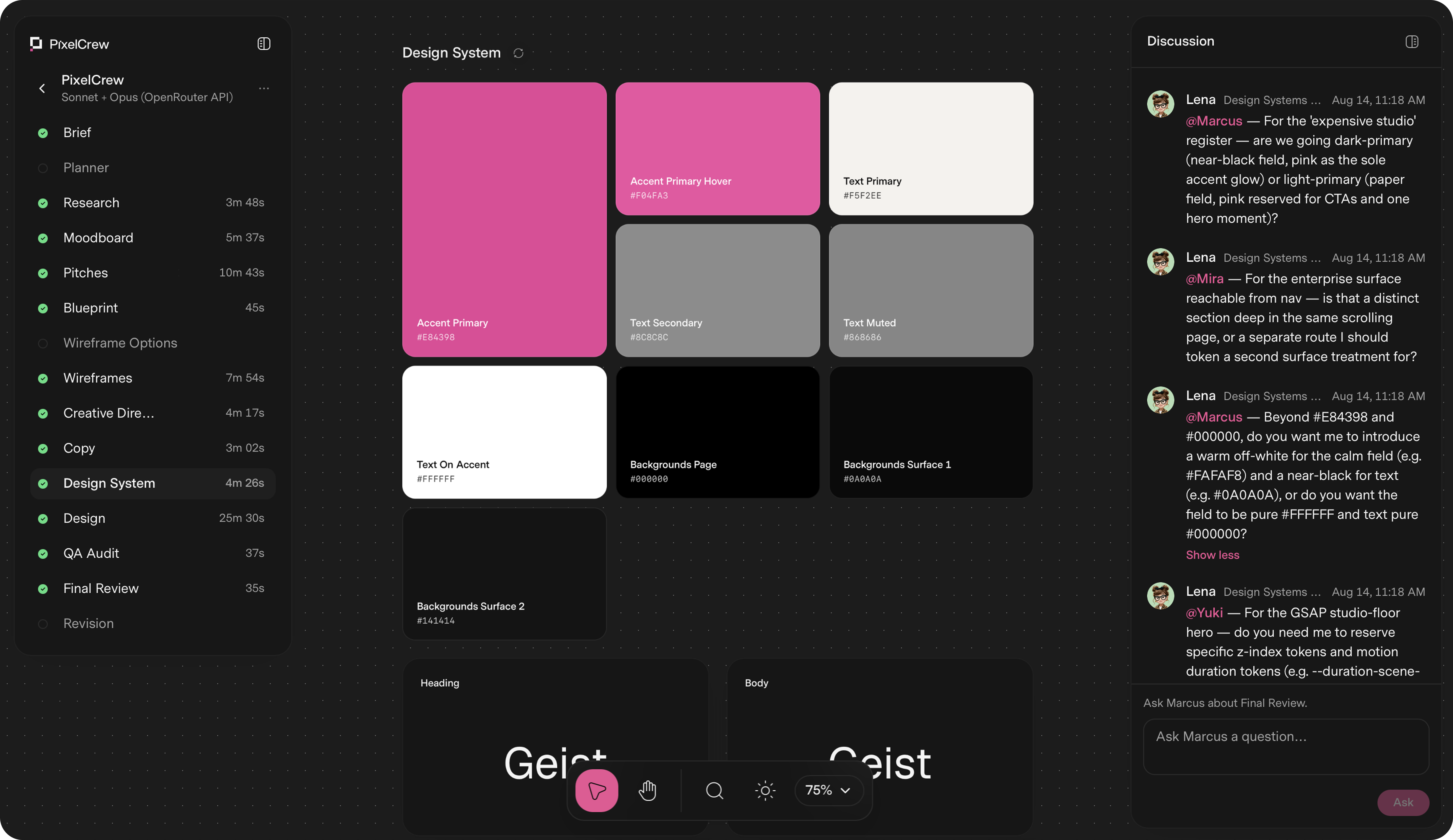
PixelCrew is a web-based platform that turns a written design brief into production-ready design output using a crew of specialized AI agents. It is designed for designers, developers, small teams, startups, and enterprises that need to ship landing pages, product dashboards, design systems, or pitch decks without waiting weeks for a traditional design cycle. Instead of relying on a single AI model to generate generic output, PixelCrew coordinates multiple agents with defined roles and handoffs to produce structured, shippable deliverables such as production-ready HTML, Tailwind CSS, wireframes, copy, and a complete design system. Users submit a free-text brief describing their intent, and the agents read that brief to infer requirements, audience, and direction. Traditional design workflows require coordination between researchers, art directors, UX designers, copywriters, and QA reviewers. This process can take weeks, especially for small teams or founders without a full design department. PixelCrew addresses this by compressing the workflow into a single brief-driven sequence. The problem it solves is the gap between having an idea and having production-quality design assets that can actually be shipped or handed to a developer. Rather than filling out templates, users describe what they need in free text, and the agents execute structured discovery, creative direction, wireframing, copywriting, design system assembly, and QA review. The result is bespoke design output produced in 25–45 minutes on average. The core of PixelCrew is its crew of specialized agents. Elena, the Researcher for Strategy, runs first. She reads the brief and executes structured discovery: audience personas, competitive analysis, jobs-to-be-done mapping, and an information architecture recommendation. She hands Marcus a validated research foundation, not assumptions, with outputs including a research document, personas, and an IA spec. Marcus, the Director for Art Direction, runs second. He takes Elena's research and makes creative decisions: visual direction, brand language, and layout approach. He writes three distinct visual pitches, selects the strongest, and produces a full creative brief with palette, typography, layout direction, and section-by-section composition guidance, including a moodboard. Mira, the Designer for UX Architecture, runs third. She takes Marcus's creative brief and builds the blueprint: wireframes, user flows, information architecture, and a section-by-section spec. Her outputs include wireframes, a UX flow file, and a navigation spec. The build crew then turns this into production HTML. PixelCrew produces a range of production-ready outputs. After the agent crew runs, users receive production-ready HTML and Tailwind, a complete design system, and documentation. Specific deliverables include a landing page HTML file, a design system JSON file, and docs. The crew also writes the copy and assembles the design system, including tokens, type scale, color, and components. Design happens inside the system, not around it. Every screen goes through a QA audit and a final review pass. Issues get flagged, revised, and rechecked before anything reaches the user. Outputs from the process include research-brief.md, personas, IA spec, CREATIVE_BRIEF.md, moodboard, three pitches, wireframes.html, ux-flow.json, nav-spec, copy.md, tokens, components, qa-report.md, revisions, landing-page.html, design-system.json, and docs. This means users get everything their engineering team needs to ship, or hand to any developer. PixelCrew is free while in alpha, and it uses a bring-your-own-key model for AI model access. Users connect their own API key from OpenRouter, which is the recommended path, or from Anthropic or Google Gemini. The agents run on that key, and users pay model costs directly to the provider. There is no subscription, no markup, and no card on file. A typical brief costs a few dollars in model usage. Users can set their own spend limit. This approach gives flexibility to run the crew on whichever models they prefer. Pro and Enterprise plans are coming. Pro will offer hosted keys with zero setup, no API key required, model costs included in one bill, priority processing queue, brief history and versioning, and team seats. Enterprise is custom and for teams that ship at scale, with custom agent configuration, your design system baked in, SSO and security review, and invoice billing. The unique approach of PixelCrew is sequential, context-aware agent coordination. Each agent runs in order and passes structured outputs to the next: Elena passes research-brief-output.md to Marcus, Marcus passes CREATIVE_BRIEF.md to Mira, and Mira passes wireframes.html to the build crew. This mimics the way a real team works, with each specialist building on the previous agent's work rather than starting from scratch. Users provide context through their brief, and the agents coordinate to produce the final deliverable. While the crew runs, users can watch the agents discuss decisions. The process is broken into clear steps: submit your brief, Elena maps the research, Marcus sets creative direction, Mira builds the wireframe, copy and design system take shape, QA audit and final review, and finally the user receives production output. The benefits of PixelCrew are speed, structure, and production quality. Average delivery is 25–45 minutes, compared to weeks for a traditional design cycle. Users receive production-quality output they can ship or hand to a developer. The design system ensures consistency across screens and components, and the QA audit catches issues before delivery. Because the agents work sequentially with context, the output is coherent and tailored to the brief rather than generic. The bring-your-own-key model means users have control over model choice and costs, with no subscription or markup. Overall, PixelCrew turns a written brief into a complete set of design assets, reducing the time and coordination required to go from idea to shippable design. PixelCrew has been used for demonstration projects produced from written briefs. These include After Dark, a neighborhood coffee shop website that feels like the room: dark, warm, and unhurried, with menu, hours, and atmosphere shipped as production HTML. Modena Coupé is a luxury automotive landing page in an editorial register, with full-bleed photography, serif display type, performance stats, and a request-information flow. MicroProject is a working task manager UI for small teams, with list views, project sidebar, shared lists, overdue states, a light theme, and a complete component set. Geisha Porto is a coffee roastery and jazz listening lounge in Porto, with a product catalog including harvest data, a vinyl audio archive, and a rooftop terrace section in a Swiss editorial layout. Other briefs can be for landing pages, product dashboards, design systems, or pitch decks. PixelCrew is for designers, developers, small teams, startups, and enterprises that ship at scale. It is especially useful for founders and teams without a full design department, as well as engineering teams that need shippable HTML and Tailwind. Integrations include bring-your-own-key support for OpenRouter, Anthropic, and Google Gemini. The product runs on the web at app.pixelcrew.ai. Pricing: free during alpha with a full agent crew, unlimited briefs, HTML and Tailwind output, and landing pages, dashboards, and design systems supported. Model usage is billed by the key provider, not by PixelCrew. Pro is coming soon with hosted keys, model costs included, priority processing, brief history and versioning, and team seats. Enterprise is custom with custom agent configuration, your design system baked in, SSO and security review, and invoice billing. PixelCrew's primary value proposition is turning a written design brief into production-ready design through a coordinated crew of specialized AI agents. It delivers bespoke, shippable design in minutes instead of weeks, with the flexibility to run on the models you choose via your own API key. By mimicking a real design team's sequential workflow, PixelCrew produces coherent, production-quality HTML, Tailwind, wireframes, copy, and a complete design system that engineering teams can ship or hand to any developer.
Clueso MCP is a connector that turns AI agents into video creation engines inside Clueso. Connect the Clueso MCP, describe the video you want, and the agent handles the production work while every output stays fully editable by you or by AI. It works with Claude, ChatGPT, Gemini, Cursor, Claude Code, Codex, and Antigravity. Clueso says its MCP lets AI agents create on-brand videos for customer education, product marketing, support, sales, and training. The tool's own tagline is simple: create and edit videos by chatting. Teams give Clueso an idea, a deck, a reference video, or a recording, and it handles the whole video production, including storyboard, scenes, voiceover, music, and editing, on-brand. Video production is usually a bottleneck. Someone has to storyboard, record, edit, caption, and localize a clip, then repeat that work every time a feature ships, a support question recurs, or a new market opens. The Clueso MCP addresses that by meeting teams where they already work: inside the AI agent they are already chatting with. Rather than learning a new editor or hiring production capacity, teams describe the outcome and let an agent act inside Clueso, which means video becomes part of existing workflows instead of a separate project. Clueso positions the MCP as the final piece needed to build a truly automated pipeline, connecting the agent to a workspace that holds brand guidelines, personas, tone of voice, and past projects. Setup takes about two minutes according to Clueso. You copy an install prompt from the cards at the top of the Clueso MCP page and paste it into your AI tool. The prompt walks your agent through connecting Clueso, then you sign in with Google. There is no API key or credentials to manage, and you do not need a Clueso account first, since one is created when you sign in. Clueso also offers a separate install for video skills. The connector works with any AI tool that supports the Model Context Protocol, including Claude, ChatGPT, Gemini, and Cursor today, and Clueso notes that as more tools adopt MCP, they will connect to Clueso automatically with no extra integration work needed on either end. Clueso MCP can build anything you can build in Clueso. The site lists video remakes, product launch videos, explainers and tutorials, talking head launches, and UI animations among the things an agent can produce, along with product walkthroughs, feature announcements, sales demos, training content, and customer onboarding videos. Inputs are equally broad: an idea, a deck, a reference video, or a raw recording. In the video remake workflow, you upload a video you love and Clueso rebuilds it inside your workspace, fully editable by hand or by chat. Agents can also edit existing videos, swapping assets, updating text, changing branding, trimming clips, adjusting transitions, and rearranging sections. The site highlights a set of top workflows that show how the MCP fits into work teams already do. In product marketing, a feature ships and a video ships with it: Clueso reads releases from Linear, generates a feature release video, and sends it to the PMM via Slack. In customer support, top support tickets become explainer videos: Clueso reads recurring questions from Intercom or Slack, produces tutorials, and publishes them straight to the Help Center. In sales enablement, every meeting ends with a shareable recap video in minutes, because Clueso reads transcripts from Gong, creates polished recap videos, and sends them to stakeholders via email. Two further workflows target content scale and onboarding. For translations, teams expanding into a new country can get their entire content library there first: Clueso creates videos for each customer persona a team sells to and exports a fully localized library in all languages. For employee onboarding, Clueso pulls SOPs from an HRMS such as Darwinbox, generates training videos, and organizes them into role-specific folders in Notion, so a new hire joining on Monday finds their training library already waiting. Clueso highlights four things that make the MCP different. Bulk editing lets a team update 3 videos or 300 with the same effort, scaling up custom copy, changing languages, or revamping brand guidelines with a single instruction to the AI agent. Always-on-brand behavior comes from giving the agent access to brand guidelines, personas, tone of voice, and past projects, so every video is on-brand from the first draft. Multi-tool workflows let teams build pipelines that span their entire stack, with the MCP described as the final piece that can create a truly automated pipeline. And edit-your-way means outputs remain fully editable end-to-end: change anything in your video by hand or just tell your AI agent to do it. Data handling is described in the FAQ. The MCP operates within existing workspace permissions, so an AI agent can only access projects and assets your account already has access to. Video content stays on Clueso's infrastructure and is never used to train external AI models, all connections are encrypted, and MCP access can be revoked anytime from settings. Collaboration works exactly as it always has: every member of a Clueso workspace can connect their own AI agent, and videos created or edited via MCP live in the shared workspace like any other project, so teammates can review, comment, and continue editing them in the Clueso editor or through their own AI agents. It is worth distinguishing the MCP from Clueso's built-in AI features such as auto-captions, smart trimming, and AI-assisted editing, which work inside the Clueso editor. MCP does something different: it lets external AI agents drive Clueso from the outside, so an agent can create and edit videos as part of a larger workflow spanning multiple tools, for example reading a ticket in Linear, generating a video in Clueso, and posting it to Slack in one automated chain. The stated benefits follow from that: less manual production work, consistency across every video, and the ability to produce at a scale that would otherwise require far more effort. Teamworks, which scales videos for 20+ products, is cited as a customer. Zach Romash, Senior Manager of Customer Education, says that from Claude they upload raw video straight to Clueso, tell it the edits, format, and callouts they want, and they are in good shape with just a few final touches. Typical use cases map directly to the workflows above: recreating a reference video as your own, announcing a release as soon as it ships, turning recurring support questions into Help Center tutorials, producing meeting recap videos for stakeholders, exporting a localized video library for a new market, and building onboarding libraries from existing SOPs. Because the product is aimed at customer education, product marketing, support, sales, and training functions, the practical target is any team that regularly produces instructional, promotional, or recap video and wants it generated, updated, and localized through conversation rather than manual editing. The takeaway is straightforward. Clueso MCP turns the AI agent a team already uses into a video production partner, connecting chat to a workspace where storyboards, scenes, voiceovers, music, editing, brand guidelines, and localized content all live and stay editable. If a team can type a message to a chatbot, it can create, edit, scale, and localize product videos from a simple conversation.
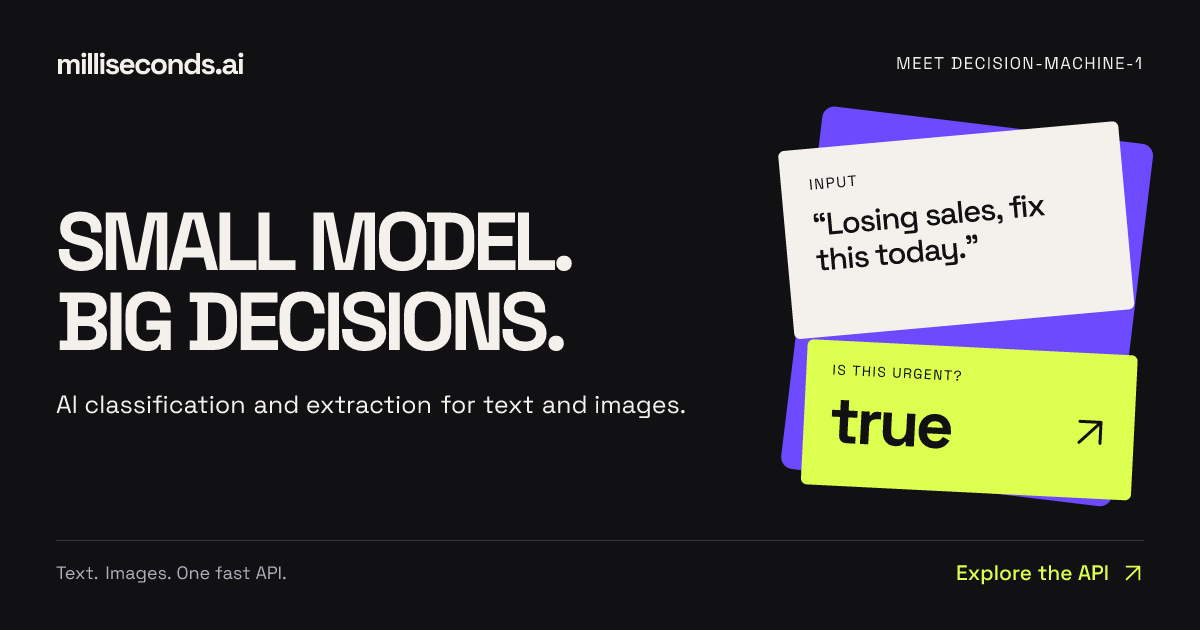
Milliseconds.ai is an API that turns text and images into decisions, classifications, and structured data. You send text or an image to a single endpoint and receive labels, fields, scores, or yes/no answers back as structured data that your application can act on. The product is built around decision-machine-1, described on the site as a small model behind the platform. Its stated purpose is AI decisions, classification and extraction via a simple API — the parts of an application that need an answer rather than a conversation. It is aimed at developers and product teams who need to route, tag, read, score, or check content inside their own software without building and hosting their own decision models. The site frames the problem as verbosity. A typical model response to an invoice begins with "Certainly! Let's delve into a comprehensive overview of this invoice and its many fascinating details…" followed by pages of explanation. Milliseconds.ai contrasts that with "Just the fields. Thank you." and shows the output it returns: invoice_number A-1042, vendor Nordik Supply, total 4250, currency CAD. The message is that many real workflows — routing a support email, reading an invoice, checking a return against a policy — only need a label, a number, a boolean, or a small set of extracted fields, and that asking a large model to produce prose for those tasks adds cost and latency without adding value. The company positions its small model as a way to get the decision itself, in a form software can consume directly. The API exposes separate endpoints for different kinds of decisions. POST /yes-no answers a binary question about a piece of text; the example flags messages that need a faster response and returns "answer": true with probability 1, and the site notes the boolean can be used to raise a ticket's priority. POST /classify assigns one label from a set you define; in the example a message is routed to support queues and comes back with label "billing" at 0.74, alongside scores for billing, shipping, technical, and other, plus a confidence value. POST /rate scores text on an ordered scale; the example turns customer frustration into a 0–3 score of 1.998, returning the level, a confidence figure, and the score for each level, with the site noting that nearly tied levels signal uncertainty. A second group of endpoints returns content rather than a single decision. POST /answer locates a span of text that answers a question — for example, finding "Halifax warehouse" in a shipment status update with a probability of 0.992 and start and end offsets, so an application can show where the answer came from. POST /extract maps text to the fields in your own records; the invoice example returns four fields — invoice number, vendor, total, and currency — ready for validation before a record is written. POST /entities identifies typed entities such as person, organization, claim id, and date, each with a probability, described as useful for search and record matching. POST /verify checks a proposed value against source text; in the example a proposed $1,000 deductible is compared with policy text that says $500 and comes back as matches: false with the found value $500. Milliseconds.ai is delivered as a developer tool first. The site says the service is available through REST, SDKs, and a CLI, and it points to both a TypeScript SDK and a Python SDK that return typed responses, plus a terminal workflow. For coding agents, it offers installable skills that teach an agent which API to call and how to evaluate results — summarised as "Hey, build me something with this." Documentation links include an API quickstart, a support triage recipe, and a document intake recipe for extracting fields, checking values against the source, and validating before writing a record. The site also provides live, editable examples for every endpoint, where a visitor can edit a request and run it to see the labels, scores, or fields the API returns, with raw JSON available. The product's overall approach is summarised by the phrase "INPUT → DECISION → ACTION". Text or an image goes in; a decision comes out; the application acts on it. Around that core loop the responses are deliberately structured: booleans with probabilities, labels with score distributions and confidence, numeric ratings with per-level scores, extracted fields, typed entities, and answer spans with source offsets. The company describes decision-machine-1 as a small model, and contrasts its economics with larger alternatives: production usage costs $0.04 per million input tokens with no charge for output tokens, and free test keys include 125 million free input tokens per month with no card required. Demo applications show the same idea in practice — working apps whose results, token usage, and inference cost can be inspected. The stated benefit for users is speed and directness: answers arrive in a shape an application can use immediately, so teams can automate the decisions their software already makes rather than inserting a conversational layer. Because the responses include probabilities, confidence values, and score distributions, an application can distinguish a confident decision from a borderline one — for example, flagging a nearly tied rating or a low-probability entity for review — and route only the uncertain cases to a human. Structured output also means the result can be validated before it is written to a record or used to trigger an action, as in the invoice and deductible examples where extracted or proposed values are checked against the source. The pricing model, with free output tokens, keeps cost tied to input volume rather than to the length of the answer. The site documents several concrete workflows. Support triage combines a label to select a queue, a score to set priority, and a boolean to flag urgency. Document intake extracts fields, checks values against the source, then validates before writing a record; the Invoice Desk demo pulls the vendor, invoice number, and total from an invoice, compares them with the purchase order, and shows what needs attention. Sales intake separates demo requests from support tickets and vendor pitches and gives sales the budget, timing, and need already stated in the message — the example flags a demo request with a stated budget and a near-term start, suggesting the Sales destination. Private Share finds names, emails, and other personal details in a transcript so a teammate can review what to remove while keeping the context, leaving the bug report useful. The Product Hunt description adds routing emails, applying return policies, and "build your hot-dog identification empire" as further examples. Milliseconds.ai is built for developers and product teams who need classification, extraction, or verification inside an application — the Product Hunt listing files it under API, Developer Tools, and Artificial Intelligence. The developer surface includes REST endpoints, TypeScript and Python SDKs, a CLI, and skills for coding agents, so the integration can be done from code or from an agent. Pricing has two stated parts: a free tier of 125 million input tokens per month on free test keys with no card required, and production usage at $0.04 per million input tokens with output tokens free. A sign-up page issues free test keys, and the site links to pricing details with the prompt "Big ideas. Small bill." The interactive examples run without an API key so teams can evaluate results before signing up. The takeaway the site reinforces is narrow and deliberate: milliseconds.ai does not try to be a general chatbot. It provides a fast API for the small decisions that applications make constantly — is this urgent, which queue does this belong to, how frustrated is this customer, what are the invoice fields, which entities are in this claim note, does this value match the policy — and returns each as structured data with probabilities, so software can act on it. With a single small model, editable live examples for every endpoint, SDKs, a CLI and agent skills, plus a free monthly allowance and per-token production pricing, it packages decision-making as a straightforward building block for developers.
slop-grader is a rule-based command-line interface (CLI) tool that evaluates documents against custom rulesets, producing a document score together with line-by-line flags. It is explicitly designed to guide auto-fixing with an AI agent: the flagged output includes prompts and instructions that can be pasted directly into an agent so the agent can draft sharper copy. The maker describes it as a tool that checks any text document against rules such as English grammar, German grammar, and AI filler detection, and it lists three immediate uses: catching AI filler in launch copy, stripping buzzwords from landing pages, and scoring narrative flow in launch emails. It is an open-source tool that requires Node.js on your machine and an account with either TypeSafe or OpenRouter. slop-grader speaks directly to a common side effect of AI-assisted writing. When launch copy, landing pages, emails, or other documents are drafted or polished with large language models, they often carry a recognisable residue of filler, buzzwords, and unexamined narrative flow. slop-grader is positioned as a way to detect that residue before a document ships. Crucially, it does not simply rewrite the text for you: it scores the document against a ruleset and marks the individual lines that fail, which is a lighter and more reviewable intervention. A commenter on the launch summarised the appeal of this approach, noting that the line-by-line flags are a useful touch because they make it much easier to see exactly what needs fixing instead of rewriting the whole document. The tool ships with rules that work out of the box, including English grammar, German grammar, and AI filler detection. Beyond those built-in checks, the maker emphasises that the real power comes from creating custom rules for your own use case, and these rules can be written in plain language. The examples given include SEO checks, legal clauses, and tone of address, such as keeping the German informal "Du" versus the formal "Sie" consistent throughout a document. Because the rules are user-authored and expressed in everyday language, the same tool can be adapted to very different kinds of content review without changing the underlying program. To help users get started, a built-in skill is provided in the project repository at skills/create-slop-grader-rules/SKILL.md, which is intended for creating custom rules. Rules in slop-grader are framed as questions, and those questions can be evaluated in two different scopes. Some rules are applied line by line, such as "Does this line make a promise that requires a legal disclaimer?" Others are applied across the entire document, such as "Does the opening earn the reader's next 30 seconds?" This dual scope means the tool can police both local wording problems and broader structural or narrative qualities. The maker notes that once you have built a curated ruleset for your use case, it can be a very powerful tool. In a reply to a commenter asking how the tool handles words that are considered buzzwords in one industry but normal in another, the maker's answer was simply that you can create custom rules for your use case, which keeps the definition of "slop" under the user's control rather than baked into the product. The output of a run is a list of flagged lines plus instructions, and those instructions can be pasted directly into an AI agent to fix the document. In other words, the tool flags its outputs as prompts so that agents can draft fixes. When asked whether the output can be used directly in an AI coding or writing agent workflow, the maker confirmed that the tool outputs a list of flagged lines and instructions that you can paste directly into an AI agent to fix the document. One nuance that came up in discussion is that the tool does not explain why a given rule fired. The maker's suggested workaround is to create separate rules for each check, because the AI agent is then very good at inferring the problem. Every rule is matched against every line separately, and because of the model it uses, evaluating every rule separately remains very cheap and fast, so this granular approach does not punish users with a slow or expensive run. Under the hood, slop-grader runs on Jev, the new AI model available at typesafe.ai. The maker describes Jev as a so-called "System One" model, different from an LLM, and specialised in answering structured questions. That specialisation is what makes the ruleset approach practical: checking a document takes seconds and costs less than a cent. Running the tool requires Node.js installed on your machine plus an account with either TypeSafe or OpenRouter, which means the product is deliberately lightweight and fits into an existing developer environment rather than requiring a separate application. Users should be aware that text is evaluated on an external AI server, as the maker states explicitly. The whole package is distributed as an open-source CLI, so the rulesets themselves become an artefact that a team can curate and reuse over time. The benefits that follow from this design are speed, cost, and precision. Because a document check takes seconds and costs less than a cent, it is feasible to run a ruleset repeatedly during a writing or launch process rather than treating it as a one-off audit. Because the results are line-level, the feedback is actionable and easy to review, and because the instructions are formatted for an agent, the fix step can be automated. And because rules are written in plain language and can be scoped either to a single line or to the whole document, a team can encode its own quality bar, from grammar and buzzword control to legal disclaimers and consistent tone of address. The maker's framing that a curated ruleset becomes very powerful once assembled suggests the tool rewards a small amount of upfront investment in rule authoring. The stated scenarios for slop-grader revolve around launch and marketing writing. You can use it to catch AI filler in launch copy, to strip buzzwords from landing pages, and to score narrative flow in launch emails. It can also be applied wherever a document needs to conform to conventions that a reader could phrase as a yes/no question, which is how the German "Du" versus "Sie" consistency example was presented in the comments. Rules such as checking whether a line makes a promise that requires a legal disclaimer, or whether an opening earns the reader's next thirty seconds, illustrate the kind of editorial and structural checks the tool is intended to carry out. In each case the flagged lines and accompanying instructions are then handed to an AI agent to draft the corrected text. slop-grader is aimed at people who produce written content and want a repeatable quality gate: makers writing launch material, marketing and advertising copywriters, and developers or technical writers comfortable working from a command line. It is listed as free, it is open-source and hosted on GitHub, and it runs as a Node.js CLI. The two supported routes for running it are an account with TypeSafe, the company behind the Jev model it depends on, or an account with OpenRouter. Because rules can be created in plain language with the help of a built-in skill, using the tool does not require writing code beyond installing and invoking the CLI. No mobile or web application is mentioned; the entire experience is a command-line workflow that plugs into an AI agent for the fixing step. In summary, slop-grader turns text quality review into a rule-based, scored, line-level check that is fast, inexpensive, and designed to feed an AI agent. Instead of asking a model to rewrite a document wholesale, it identifies precisely which lines break your rules, emits instructions the agent can act on, and lets you define what counts as slop through custom rules in plain language. With built-in checks for English grammar, German grammar, and AI filler detection, plus the ability to add SEO checks, legal clauses, and tone-of-address rules, it offers a configurable and lightweight way to keep launch copy, landing pages, and emails sharp.