Category Focus/categories/audio
Audio AI Tools
Discover and compare the best audio AI tools and software. Browse 58+ curated tools with reviews and rankings.
Projects tracked
58
Sort mode
RECENT
Page
1
Discover and compare the best audio AI tools and software. Browse 58+ curated tools with reviews and rankings.
Projects tracked
58
Sort mode
RECENT
Page
1
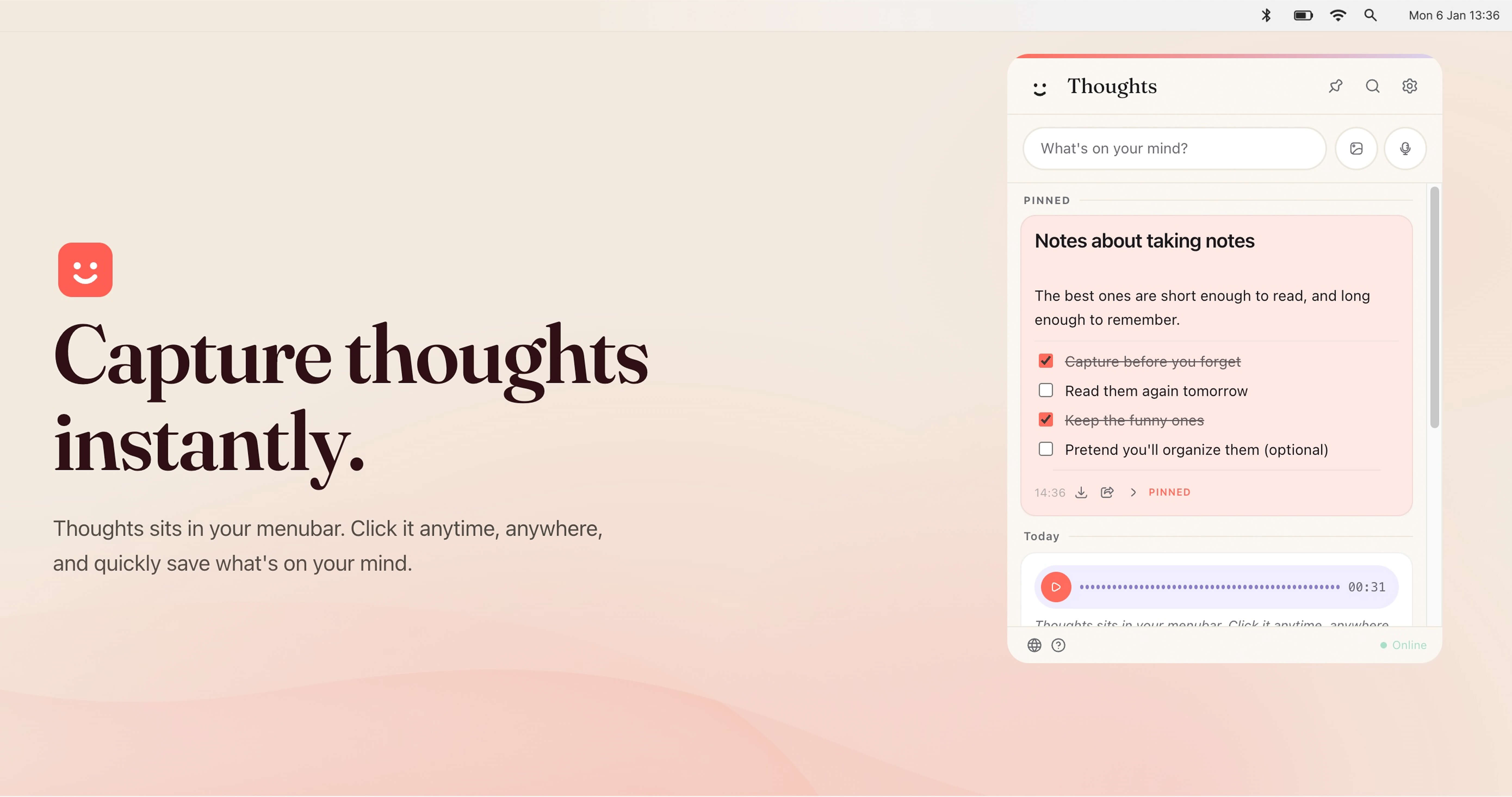
Thoughts for Mac is a native macOS menubar application for capturing notes, images, and voice recordings without leaving what you are doing. It sits in the Mac menubar, and a single click opens it so you can quickly save whatever is on your mind. The app captures structured text notes, checklists, code blocks, standalone links with previews, voice recordings, images, and text-like files such as TXT and CSV. It is presented as a small multi-tool for the menubar, and it is free to download and use, with all future updates included and no subscription. Because it lives alongside your other menu bar icons, it stays within reach while you work in other applications. The thinking behind Thoughts for Mac is speed of capture. Rather than opening a full note-taking application, creating a document, and finding a place to file it, the app puts a capture surface in the menubar where it is always one click away. The website frames this simply: Thoughts sits in your menubar, you click it anytime and anywhere, and you quickly save what is on your mind. That makes the app useful for the moment a thought, link, image, or spoken idea appears in the middle of other work. It also supports captures that arrive from outside the app itself: desktop builds can receive shared text, images, and audio through URL schemes, open-with actions, macOS Services, and native imports, so content can be sent to Thoughts from elsewhere on the system. The core capture experience covers the three input types the website presents as Write it, Drag in an image, and Talk to it. Writing produces structured text notes, and the app also handles checklists, code blocks, and standalone links that carry previews. Dragging an image in saves the image itself as a note, and screenshot capturing is listed among the app's capabilities. Talking records voice, which becomes a voice note that can later be transcribed with your own AI provider key. Beyond those interactive paths, Thoughts also accepts text-like files such as TXT and CSV, and on desktop it can take in shared text, images, and audio from URL schemes, open-with, macOS Services, and native imports. Voice recordings can be exported as MP3 in the desktop app whenever you want them. AI is optional and brought by you. In Settings you can connect OpenAI, Claude, or Gemini with your own API key. Once connected, the app can transcribe voice notes, context images to text, and perform simple text transforms such as capitalization, translations, spelling fixes, shortening, lengthening, summarizing, and converting case. The website also lists extracting text from images among the available actions. Claude is available for text actions, while transcription support depends on the provider you connect. Only AI-powered actions require a key: capturing notes, images, and audio does not need one. The app is free, and you use your own OpenAI, Gemini, or Claude API key for features like transcription, OCR, summaries, translations, and rewrites. Organizing what you capture is handled by search and pinning. Search works across notes, links, screenshots, and image names instantly, so a note can be found even when you only remember part of an image's name. Pinned Thoughts let you keep important notes at the top of your list so they are not buried under newer captures. The app also supports light and dark mode and adapts to whichever you prefer. Instant access is provided by a custom shortcut of your own choosing, meaning you can open Thoughts from anywhere on your Mac with a keystroke rather than reaching for the mouse. Thoughts works as a local-first menubar utility. In the desktop app, notes and settings are saved locally on your Mac, and media files are stored in the app's user data folder, with no account required. That means there is no sign-up step and no server-side account to manage for the core experience; AI actions are the exception, since they rely on the API key of the provider you connect. A browser preview mode also exists, but it is session-only, so notes created there are temporary. The free model and the bring-your-own-key approach combine to keep the tool light: you pay nothing to download or use it, including future updates, and you decide separately which AI provider, if any, powers the optional text and audio actions. Export and sharing are built in, so what you capture is not locked in. You can share notes as text, and you can export audio recordings whenever you want them. If you ever decide to leave, you can export all notes from Settings as JSON, or export individual notes in the best available format: text notes as TXT, image notes as image files, PDF attachments as PDF, and voice notes as MP3 in the desktop app. Benefits stated on the site include instant capture from the menubar, quick access through a custom shortcut, search that reaches into images and image names, pinning for important items, and both light and dark appearance modes. Concrete workflows follow from the capture types. During a call or a meeting you can talk to Thoughts and keep the recording as a voice note, then transcribe it later with your connected provider. While browsing, you can save a standalone link with its preview, or capture a screenshot of something you want to keep. When you drag in an image, the app can extract text from it through OCR once an API key is connected, turning a picture of text into usable content. You can bring in text-like files such as TXT and CSV, jot checklists, or store a code block you want to find again. Text actions handle small chores — summarizing a note, fixing spelling, converting case, shortening or lengthening text, or translating it. On the Mac, other apps and system services can send text, images, or audio into Thoughts through URL schemes, open-with, macOS Services, and native imports. Thoughts for Mac is built for macOS users who want a fast place to put thoughts, notes, links, images, and voice memos without opening a larger note-taking app. The site lists its topics as Productivity, Writing, and Menu Bar Apps. Integrations are limited to the AI providers you connect — OpenAI, Claude, or Gemini — using your own API key, and to macOS system entry points such as URL schemes, open-with, macOS Services, and native imports. Pricing is straightforward: the app is free to download and use, including future updates, with no subscription; the only cost you may incur comes from the API provider whose key you use for AI features. The download is delivered through the linked Gumroad page, and the app is native to macOS. Thoughts for Mac keeps capture at the edge of your screen: a menubar click or a custom shortcut, a written note, a dragged image, or a spoken thought, all saved locally with no account required. Search, pinning, export, and light and dark modes make the notes usable afterwards, while optional bring-your-own-key AI actions add transcription, OCR, summaries, and translations through OpenAI, Claude, or Gemini. It is free, and every feature is available at no cost with future updates included.
Voiskey is an AI voice typing tool that turns natural speech into polished, ready-to-use text. Rather than transcribing words literally, it starts from what you meant: you speak a rough thought and it comes back shaped for where it is going and who is reading it. It produces text for messages, emails, notes, documents, AI prompts and more. Voiskey is available on macOS, Windows, iOS and Android, works anywhere on your computer and in any language, and is described as 5x faster than typing. It is free to start, with a free month of Pro for people who join during launch. The problem Voiskey addresses is the gap between how quickly people think and how quickly they can type. An average keyboard runs at roughly 45 words per minute, while Voiskey voice is presented at 220+ words per minute. That gap shows up as friction in everyday work: the first draft is the hardest part, ideas hit fast but drafting is slow, thoughts disappear quickly before they can be captured, and meeting details are easy to forget. The same friction appears in professional routines — prompting takes longer than coding now, the faster the follow-up the warmer the deal, and tickets pile up faster than a support agent can type. Voiskey's answer is to let people speak the way they naturally would and let the product handle the shaping. Voiskey is built to listen for meaning rather than to capture every sound. The website describes it as more than listening — it understands. When you speak the way you naturally would, fillers, stumbles, changes of mind and grammar slips are all caught by Voiskey rather than passed through into the final text. The point is that you should not have to tidy your speech before you start; you think out loud, and Voiskey handles it. This is what makes the output ready to use rather than a raw transcript that still needs editing, and it is the foundation for everything else the product does with your words. Voiskey is built to adapt, and the content says it always lands right. It knows what you are going for and automatically tailors the formatting, tone and word choice so that every output fits your intent and is ready to send. The Product Hunt listing describes the same behaviour from the opposite direction: a spoken thought comes back shaped for its destination and its reader — casual with a friend, composed with a colleague, technical with an AI. This matters because the same idea needs a different form in a text message, an email, a meeting note or an AI prompt, and Voiskey applies that shaping automatically instead of leaving it to you to rewrite. Voiskey also learns your style. According to the website, it learns your names, jargon and spelling preferences so that your words always land in your style. This is a personalisation layer: rather than producing generic, uniform text, it keeps the vocabulary and spellings you actually use, which matters for people working with specialist terminology, product names, colleague names or in-house shorthand. The stated outcome is that you still sound like you — the product cleans up the mechanics of speech without erasing the voice of the person speaking. Voiskey covers voice to native-sounding text in more than 100 languages, and it presents a long list of supported languages on the site, including English, Japanese, Spanish, Korean, French, Portuguese, Arabic, Russian, Italian, Thai, Vietnamese, Dutch, Polish, Danish, Swedish, Finnish, Greek, Czech, Romanian, Hungarian, Bulgarian, Slovenian and Estonian, among others. The site states that Voiskey works anywhere on your computer and in any language. It also covers translation: you speak in your own language when you need to translate, and Voiskey turns your voice into fluent, native text across 100+ languages. That makes dictation and translation part of the same speaking workflow rather than two separate tools. A distinctive capability is turning spoken intent into AI-ready instructions. Voiskey lets you tell your AI what to build just by speaking: you talk through what you want to build or change, and Voiskey turns it into a clean AI-ready prompt with files, paths, commands and key details captured. This is presented as a practical answer to the observation that prompting now takes longer than coding, and it is a core part of how Voiskey is positioned for engineers — spoken intent becomes prompts, commits and design docs. Capturing files, paths and commands automatically means the details that are easy to lose when speaking are preserved in the final prompt. Voiskey's overall approach is a single voice experience that follows you across every device. It runs on macOS, Windows, iOS and Android, and the site states that it works anywhere on your computer — wherever you type and however you speak, Voiskey is ready. There is no separate destination app to paste into: you dictate into the place where the text is going, and the output arrives cleaned up and ready to send. The product is positioned as starting from what you meant rather than just what you said, which is the through-line connecting its filler handling, its adaptive tone and formatting, its style learning, its multilingual output and its AI prompt generation. The stated benefit is speed and readiness in the same step. Voiskey is described as arriving 5x faster than typing, cleaned up and ready to send, while you still sound like you. The comparison the site makes is 45 wpm for a keyboard against 220+ wpm for Voiskey voice, which means thoughts get out before the keyboard slows them down. Because formatting, tone and word choice are adapted automatically, the output is not a draft that needs a second pass. And because Voiskey learns names, jargon and spellings, the speed does not come at the cost of sounding generic. Voiskey frames its use cases around the formats people write in and the roles they work in. By format, the site names Messages (texts, DMs and quick replies), Emails (rough drafts shaped into clear, structured emails), Notes (reminders, quick lists and random ideas captured the moment they show up), Meetings (decisions, action items and follow-ups) and Teams (clear updates, handoffs and action items). By role, it lists Engineers (prompts, commits and design docs), Sales (call notes, CRM updates and replies), Customer Support (tickets, live chats and help articles), Writers and Creators (posts, scripts and book chapters), Students (lecture notes, essays and emails), Founders (updates, replies and job posts) and Legal and Consulting (memos, client letters and contracts). Voiskey is aimed at anyone who writes more slowly than they think, and the role pages make that concrete: engineers, sales people, customer support teams, writers and creators, students, founders, and legal and consulting professionals. It is available on macOS, Windows, iOS and Android, with a single voice experience across all four. Pricing is free to start, and the launch offer includes a free month of Pro for people who join during the launch period. No specific price points or further plan details are stated in the provided content. Voiskey's core promise is that you can say it rough and send it right. It listens for meaning rather than words, strips out fillers and stumbles, adapts tone, formatting and word choice to the reader and destination, learns your names, jargon and spellings, works in 100+ languages with translation, and turns spoken intent into AI-ready prompts. It delivers all of that across macOS, Windows, iOS and Android at a stated 5x faster than typing, and it is free to start. For anyone whose ideas outrun their keyboard, that combination is the value proposition.
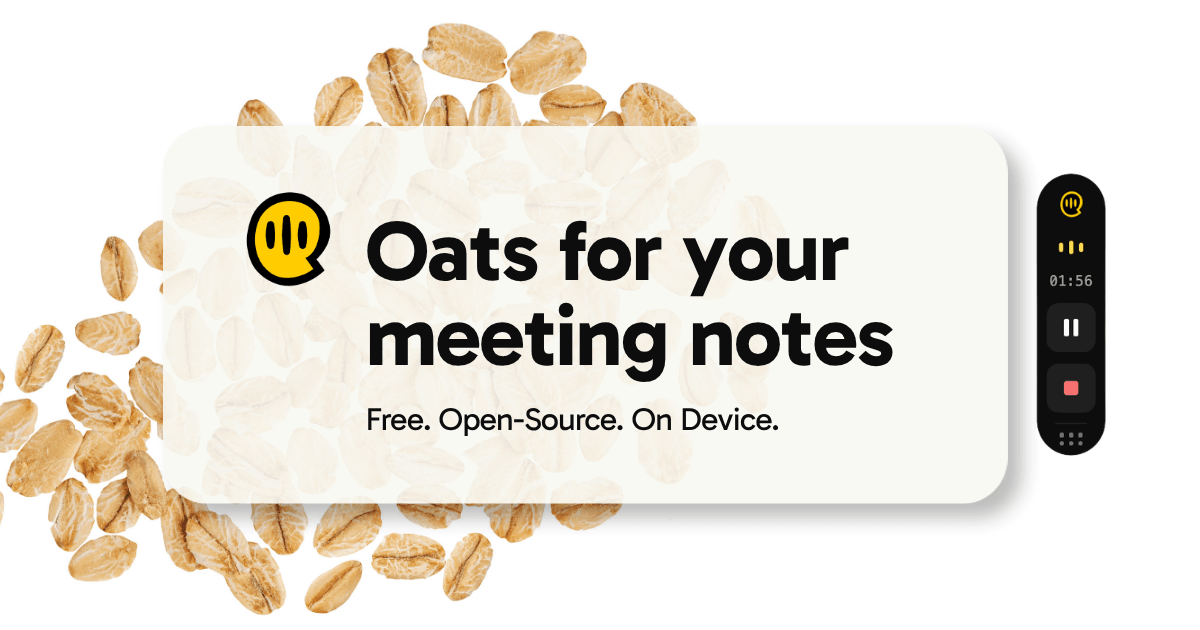
Oats is a free, open-source meeting notetaker that records your meetings directly on your Mac — and on Windows in beta — without a bot joining the call and without sending your audio to a third-party cloud. When a meeting is over, Oats gives you a clean summary and a todo list you can actually work through, pulling out every action item along with who owns it, all from what was actually said. It is built for people who treat notes as the place a meeting's work starts rather than where it ends, and who want their recordings and AI processing to stay on their own machine. Oats is distributed as a desktop app, published openly on GitHub, and is free forever. Most note-takers want your recordings in their cloud. Many of them also join your calls as a visible bot, which can be awkward in external meetings and often needs host approval. Others put a paywall in the way — a seat count, a trial timer, or a limit that shows up around meeting number six. Oats was designed to not get in the way of your meetings: no bots, and no subscription needed when it runs locally with an on-device LLM. The product's stated principle is simple: your meetings stay on your machine. Oats records locally, runs AI locally, and never forces your audio off-device, while still offering richer cloud-backed features for people who want them. On-device recording is the foundation. Oats records directly from your Mac's audio — there is no browser extension, no bot, and no third-party server that ever touches the audio stream. It also works everywhere, because it captures any audio your Mac can hear: Zoom, Google Meet, Microsoft Teams, a phone call, or even a hallway chat. That means the tool does not depend on which conferencing platform a meeting happens in, and it does not require the meeting host to admit a recording bot before the conversation can be captured. After each meeting, Oats produces AI-written notes. These include a quick digest, a full summary, action items broken out per person, and a quality score derived from the conversation itself. In the app's own example, a weekly sync with three attendees and a #standup tag produces a quick digest noting the roadmap was at risk of slipping, that the team aligned on an August 12 ship date, and that Q3 pricing was locked — followed by two action items, one owned by Sarah (own the API rework, unblock by Friday) and one owned by Max (confirm the August 12 ship date with the PM), plus a meeting quality score. The result is a summary you can read in seconds and a task list that already names the owner. Action items are not left buried in a document. They collect in a Todos tab, and when you tick one off in the notes it closes, so follow-ups actually get followed up on. On the local backend, notes are plain Markdown and action items are stored as Obsidian Tasks inside a vault you choose — you can open the vault in Obsidian, sync it, or move it anywhere. Oats also lets you download a meeting's recording and export its notes wherever you want them in one click, and every meeting you record lands in a searchable library where you can ask questions across your whole history, such as what you decided about pricing. Oats works in three steps: hit record, get notes instantly, follow through. You start Oats and begin your meeting; it listens on your Mac with no bot and no third-party cloud, and nothing joins the call. When the meeting ends, Oats writes a structured summary and pulls out every action item with its owner. Those action items then land in your Todos, and ticking one off in the notes or in Obsidian closes it. You can run everything on-device with a local model and keep audio fully private, or connect your Ariso account for richer AI features — the Ariso.ai cloud backend adds enhanced transcription, multi-language support, speaker recognition, assessment, coaching, and auto-tracking of follow-ups. Speaker tagging matches each voice in a recording to the person who said it, so notes say who rather than "Speaker 2" (currently available on the ariso.ai backend), and you can sign in with Microsoft using your work account alongside Google from onboarding, Settings, or the menu bar. The benefits follow from that design. Because recording and AI notes can run entirely on your Mac with a local model, zero data leaves your device when you choose the local path. Because the software is free forever — no seats, no trial timer, no paywall waiting at meeting six — there is no cost barrier to capturing every meeting. Because it is fully open source on GitHub, you can audit every line, fork it, self-host it, or ship your own features on top. And because local notes are plain Markdown in an Obsidian vault, there is no lock-in: you can export anything, owe nothing, and leave whenever you want. In practice, Oats fits recurring team rituals and ad-hoc conversations alike. A weekly sync or standup becomes a digest, a decision log, and a per-person task list without anyone taking minutes. Calls that happen across Zoom, Meet, or Teams are captured the same way, since Oats listens to system audio rather than integrating with one platform. A phone call or an in-person hallway chat your Mac can hear can be turned into notes too. Afterwards, action items flow into a Todos list or into an Obsidian vault, and the searchable library lets you look back across your entire meeting history to answer questions like what was decided about pricing. Oats is aimed at individuals and teams who hold meetings on a Mac and want notes without a bot in the room, including people who care about keeping audio on-device and users who prefer open-source, self-hostable software. It also suits Obsidian users, since local notes are plain Markdown with Obsidian Tasks and can live in a vault of their choosing. Related integrations mentioned in the content include Google and Microsoft sign-in and the optional Ariso.ai cloud backend. Oats ships as a desktop download for macOS and Windows (beta), and pricing is free — free forever, with no seats or trial timer. Oats is a free, open-source, on-device meeting notetaker whose core promise is that your meetings stay on your machine. It records without a bot, writes summaries and owner-tagged action items from what was actually said, pushes follow-ups into Todos or an Obsidian vault, and lets you add cloud AI only if you want it.
Loqua is AI voice typing and dictation software for Mac and Windows that turns speech into polished, ready-to-use text. The product's core promise is captured in its own words: from voice to text, from screen to insight. Instead of typing, you speak naturally and Loqua transcribes, cleans up, formats, translates, and even acts on what you say. It is built for people who would rather think than type — professionals, founders, engineers, designers, writers, students, and anyone whose hands are busy or who simply speaks faster than they type. One shortcut works across any text field, so dictation happens right where the cursor is without switching apps. The keyboard is the bottleneck Loqua was built to remove. Traditional keyboard typing runs at roughly 45 words per minute, while Loqua's dictation is presented at 220 words per minute — a speed difference the product sums up as saving 3 hours per day. Speed is only part of the problem. Speaking out loud naturally produces filler words, repetition, and half-finished thoughts, and the person then has to re-read and re-edit everything just said. Work is also fragmented across dozens of apps, so writing a message, checking a chart, looking something up, or setting a reminder each require switching context. Language barriers add another layer for people who work across borders. Loqua's answer is to let you keep thinking out loud and let the software handle the cleanup, structure, and follow-through. At its core, Loqua is voice typing that produces clean output. As you speak, it removes filler words, cuts repetition, and refines your phrasing in real time, so what lands on screen is ready to send. The product frames this as Say it rough. Get it clean. and directly addresses the annoyance of re-reading everything you just said. Users describe the result as sounding exactly like they meant it — clear, sharp, and effortless. Words appear quickly enough that users describe a zero-latency feel which makes them forget the tool is even there. Loqua also handles technical vocabulary: one engineer noted that a screen full of framework names, library names, and acronyms was transcribed accurately, removing the need to go back and proofread. Structure is handled automatically. Instead of dictating formatting commands, you think in bullets or speak in blocks and Loqua hears the structure in your speech, building lists, headings, and hierarchy on its own. This means outlining a document, a plan, or a set of risks can be done conversationally and still arrive formatted. Translation removes language barriers: you speak in your own language and get native phrasing in nearly 100 languages, instantly. The product highlights speaking in English while sending emails in Spanish to a Latin America team, with the translation described as instant and natural. Together these two capabilities mean voice input produces not just words, but organized, shareable, multilingual output. Capture to Ask lets you act on what is on your screen. You use a shortcut to select a table, a chart, or anything else, speak your question, and receive an answer, analysis, translation, or summary without switching apps — a three-step flow the product labels Capture, Ask, and Know. Ask and Edit handles rewriting: you highlight anything, whether a product, a draft, or a note, speak to edit it, and it is rewritten on the spot. A related capability, Ask anything, answers a quick question instantly without leaving the app you are already working in. Together these features address moments when you are looking at something you cannot figure out, or when rewriting is eating up more time than writing. Command to Go turns voice into a hands-free command hub. Triggered by a shortcut, it can set reminders, open apps, search routes, place calls, and send texts, so you can move work forward without jumping between apps and tasks. For people who prefer listening over reading, Loqua offers AI Podcast read-aloud: select text and have it read to you as a hands-free text-to-speech assistant, which the product positions as ideal for morning news and multitasking. This extends the product beyond writing into consumption and control — you can dictate output, edit what already exists, ask about what you see, and listen to what you would otherwise have to read. Loqua's approach is context-aware. The stated promise is voice typing that understands what you mean, not just what you say — the system is designed around context rather than raw transcription, which is why it can clean up phrasing, infer structure, and translate into natural-sounding language. Everything is reached through a single global shortcut that works in a terminal, Slack, Notion, email, or any text field, with no switching and no waiting; your voice hits the screen right where your cursor is. That universality is central: rather than being a destination app you visit, Loqua runs across the apps you already use and is invoked from wherever you happen to be typing. The team states that the product is backed by a dedicated voice AI team with full model iteration capabilities. The outcomes users report are consistently about speed and reduced friction. Loqua contrasts roughly 45 words per minute at the keyboard with 220 words per minute by dictation, and estimates a saving of 3 hours per day. Testimonials cite 25 minutes saved in under 4 minutes of use, PRDs written by voice saving at least an hour a day, 30-minute writing sessions turning into 5-minute speaking sessions, and more than 60 daily emails taking half the time — while reading better than before. Other reported benefits are less about time and more about access: one user with RSI in both wrists said Loqua made work possible again, a designer with ADHD said talking to Loqua feels like chatting with a friend and the document writes itself, and non-native English speakers said the cleanup makes their writing sound native. Trust matters too — a corporate legal counsel handling client financial data described Loqua as the first voice tool they trust enough to use at work. Concrete use cases appear throughout the product page and its testimonials. For writing and documentation, engineers explain things out loud and get documentation formatted perfectly, product managers dictate PRDs, standup notes, sprint recaps, and stakeholder updates, and consultants talk through client debriefs and receive clean summaries. For communication, users draft emails, Slack messages, and LinkedIn posts by voice, with tone switching automatically between an email to a CEO and a message to a team. For research and study, a UX researcher dictates research notes between interviews and PhD candidates use it for academic writing and dissertations, where the cleanup and formatting alone is described as worth it. For design and creative work, designers keep their hands on Figma while narrating design processes and case studies. Developers use it in terminals, GitHub, VS Code, and IntelliJ IDEA, including for coding notes. On the move, one user talks while walking and finds the draft waiting for them at the office. Loqua runs on macOS and Windows and installs as a downloadable desktop application, with a 14-day free trial. It is used across a long list of applications, including Google Docs, Microsoft Word, Notion, Slack, Gmail, Figma, VS Code, Microsoft Teams, Obsidian, Google Sheets, Zoom, Excel, GitHub, Terminal, Discord, Outlook, IntelliJ IDEA, PowerPoint, GitLab, WhatsApp, Telegram, Stack Overflow, OneNote, Canva, Photoshop, LinkedIn, Google Slides, X, Sketch, Reddit, Illustrator, Confluence, Evernote, Facebook, Adobe XD, and Google Keep. The company states that it supports the open-source community, with maintainers of public OSS projects getting free access through a Developer Grant application. Its shared roadmap includes meeting transcription, multimodal capabilities, and a Skill Market, with the stated intent of becoming a reliable work companion through continuous iteration driven by user feedback. Loqua's primary value proposition is simple: your thoughts should not have to slow down for a keyboard. By combining fast, context-aware dictation with real-time cleanup, automatic structure, translation across nearly 100 languages, screen-based question answering, voice editing, hands-free commands, and read-aloud, it turns rough speech into polished work and keeps you in flow. The result, in the product's own framing, is less typing, less context switching, and more time in flow — one shortcut that moves you from thoughts to being done.
Gojo is a macOS app that puts the everyday tools you reach for inside the MacBook notch. Instead of living in the menu bar or behind a buried shortcut, the app turns the notch into a control surface you reach by hovering, and it gathers dictation, window snapping, clipboard history, a file shelf, music controls and screen warmth into that one place. It is built for people who work on a MacBook every day and want fast access to the small utilities they constantly reach for, without installing and maintaining a separate app for every job. The website frames it simply: everything you reach for, right in the notch — dictation, window snapping, clipboard history, a file shelf, music and screen warmth — "one surface, always a hover away." Gojo is described as one native workspace covering all of those jobs. Every long-time Mac user accumulates a stack of single-purpose utilities, and the Gojo website names them directly: Boring Notch, Maccy, f.lux, Rectangle and Dropover. Each of those apps handles one distinct job — a notch overlay, clipboard history, screen warmth, window management and a file shelf — and each arrives with its own menu bar icon, its own settings pane and its own set of keyboard shortcuts to learn and remember. The problem Gojo identifies is the sprawl. As the site puts it, these jobs "usually mean a separate utility each, and a separate menu bar icon, settings pane and set of shortcuts to go with it." Gojo's answer is consolidation: it does all of those jobs from one surface you already have, replacing several downloads and several configuration screens with a single workspace that lives in the hardware you are already looking at. The site includes an independent feature comparison between Gojo and those five apps, and notes that Gojo is not affiliated with or endorsed by the products shown. The dictation feature is the centrepiece, and it is built around privacy. You hold one shortcut, ⌃ ⌥, and speak; when you release it, the words appear wherever your cursor already is — in Mail, Slack, a commit message or a search box. Speech recognition runs on a model you download once, so there is no API key and no account required, and the site states that no audio ever leaves your Mac. Because recognition is local, dictation still works on a plane. You choose your model during setup and can swap it later, and it runs offline on-device every time. The site's own screenshot shows that model list: Parakeet Unified from FluidAudio, 614 MB, marked as in use on that Mac, with Parakeet v3 available below it. The point the screenshot makes is that models live on your Mac locally and you can see exactly which one is doing the work, rather than trusting a black box in the cloud. Media controls move your music out of the way. Artwork, the track title and a scrubber sit in the notch, so you can skip, shuffle and seek whatever is playing without raising a window and losing your place. Gojo follows your current media source, and it lets you reorder the controls you actually use, so the buttons you care about sit where you want them. A screenshot shows the notch open on the media tab with album art, the track "Sunset Linen" by LoFi Serenity, a scrubber and playback controls, with a Spotify badge on the artwork. Alongside it sits Night Shift, which gives you a warmer screen after dark on your own schedule, controlled from the notch instead of System Settings. Sunset times are worked out on your Mac from a location you set once, and that location is used locally and never sent anywhere. Night Shift can start with your Mac if you want it to, and the site includes an interactive comparison — drag the divider to compare the same screen with Night Shift off and on. The clipboard tab keeps everything you have copied. Every item you copy is saved and searchable from the notch, so you can find that thing you copied ten minutes ago without opening another app or switching context. Anything a supported password manager marks as private is skipped, which means passwords and secrets stay out of your history rather than piling up in a list you might later paste into the wrong place. Search happens right in the notch, in a search field above a list of recently copied text entries, so retrieving an old snippet is a hover and a few keystrokes rather than a trip through another utility. The shelf solves the problem of holding files while you move between places. You drag files to the notch and they wait there while you move between folders, desktops and apps, then drag them back out when you arrive — or send them straight to AirDrop. The shelf survives folder, Space and app switches, so a file you picked up in one Space is still staged when you land in another, and an AirDrop target is built into the shelf itself. A screenshot shows the shelf tab with an AirDrop drop target beside two staged files waiting to be dragged out. Window management gets the same treatment. Gojo includes a switcher that shows you the window before you land on it, replacing ⌘ ⇥ with per-window previews, so you can confirm you are choosing the right document or terminal before you commit to the switch. It also provides a snap grid with the shortcut printed under every layout: halves, thirds, maximize and zoom. Because the keyboard shortcut is labelled on the layout itself, you are not guessing or memorising combinations — the grid doubles as a reference. A screenshot shows the windows tab with a list of open apps, a live preview pane for Ghostty, and a grid of six snap layouts each labelled with its keyboard shortcut. Gojo also invites you to make it yours. You can use all six tools or just one: turn off what you do not need, reorder the rest, and the notch stops showing what you have disabled, tabs included. Beyond the six main tools, the notch can also host optional extras if you switch them on — Spotlight-replacement search on ⌥ Space, a calendar and next-event glance, battery and charge state, a camera mirror for checking your framing before a call, shortcuts you already built, and brightness and volume HUDs. Overall, Gojo's approach is to treat the notch as a single surface for controls that are otherwise scattered across menu bar apps and System Settings. You hover to reach it, tabs separate the individual tools, and everything is configured from one place with toggles and reordering so the surface only shows what you actually use. The dictation model runs locally on the Mac, and location data used for Night Shift is also local. The app is native to macOS and requires macOS 14 or later, and the download is offered as a three-day free trial with no card and no account required. The outcome for users is less clutter and less context switching. Instead of keeping five utilities running with five menu bar icons and five sets of preferences, you keep one app that covers dictation, windows, clipboard, files, media and screen warmth, and you turn off the parts you do not want. Because dictation never leaves the machine, you can dictate sensitive work and still stay private, and because the shelf and clipboard persist across Spaces and apps, small interruptions stop costing you the thing you were carrying. Concrete scenarios show up throughout the site. You dictate into whatever field you are already in — composing a reply in Mail, a message in Slack, a commit message or a search box — by holding ⌃ ⌥ and releasing when you are done. You paste a snippet from clipboard history by searching the notch instead of retyping it. You pick up a file in one folder, work across several Spaces, and drop it into AirDrop at the end without losing it in between. You preview a window before switching to it, then snap it to a half, a third, maximize or zoom. You skip, shuffle or seek a track without pulling a player window forward, and you let Night Shift warm the display after dark without opening System Settings. Gojo is aimed at MacBook users on macOS 14 or later who want their everyday utilities in one place and prefer speech recognition that runs on-device rather than in the cloud. Pricing is available for either one Mac or up to three Macs, and every plan includes the full app and all future updates. On the personal, single-Mac tier there is a monthly subscription at $2.99 per month, or a lifetime licence originally $14.99 and now $9.99 as a one-time payment. On the multi-Mac tier covering three Macs, the subscription is $4.99 per month, or a lifetime licence originally $24.99 and now $19.99 one time. A three-day free trial is available with no card and no account. The takeaway is straightforward: Gojo consolidates the small tools Mac users reach for dozens of times a day — private local dictation, clipboard history, window switching and snapping, a file shelf, media controls and Night Shift — into the MacBook notch, one surface that is always a hover away.
Speechmark is a macOS meeting notes app that records, transcribes, and summarizes meetings entirely on your Mac. From the menu bar, one click starts a recording that captures your microphone and the meeting audio together, and the app handles the audio routing for you — there is no browser extension and no bot that joins the call. Speakers are separated automatically and labelled the first time you confirm a name, so every transcript afterwards reads like a script. The app then writes the note you would have written: decisions, action items, and a short recap, all in plain editorial prose. It is built for people whose meetings matter — product managers, legal and compliance teams, consultants, founders, and executives — and it needs no account, no login, and no sign-up. Most meeting recorders are cloud-first tools. Otter.ai and Fireflies upload your audio to their servers and charge per seat, while Granola transcribes on-device but syncs your notes to its cloud and, unless you opt out, uses anonymized meeting data to improve its AI models. Speechmark positions itself as the private alternative to these cloud recorders. Its comparison table states that, unlike Otter.ai and Fireflies, Speechmark keeps audio on your Mac, transcribes on-device, requires no account or login, sends no bot into your call, uses one-time pricing, and lets you use your own AI key. The company notes that competitor data reflects those products' cloud-first defaults and that features may vary by plan. For people who discuss sensitive material — legal matters, compliance reviews, product strategy — the difference between audio that stays local and audio that is uploaded is the whole point. Capture in Speechmark lives in the Mac menu bar. One click begins recording, and the app captures your microphone and the meeting audio together while handling the routing for you. There is no browser extension to install and no bot that dials into the call, so other participants see no recording bot. Speechmark also handles speaker attribution: speakers are separated automatically, and they are labelled the first time you confirm a name. After that confirmation, every future transcript reads like a script, with each line attributed to the person who said it. This matters because speaker attribution turns a raw transcript into something you can scan and quote. In the Claude example shown on the site, an answer cites follow-up items attributed to specific people such as “you” and “Dana”, with the meeting each item came from listed beneath it. The writing step produces the note you would have written rather than a wall of bullet points. Speechmark generates decisions, action items, and a short recap, all in plain editorial prose. You can choose the model that fits your privacy bar: Apple Intelligence, a local Ollama model, or your own OpenAI or Anthropic key. That choice means you can keep summarization fully on-device with Apple Intelligence or a local Ollama model, or send transcript text only — never audio — to a cloud model using your own key. Every line of the generated note is clickable: clicking any line jumps to the exact moment in the meeting when it was said. That link between the summary and the source keeps you close to what was actually agreed, so you can verify a decision or check the context around an action item without listening to the entire recording again. Speechmark also connects to Claude. A section labelled “New · Works with Claude” explains that connecting Speechmark to Claude Desktop turns your transcript folder into a memory your own AI can reason over, privately and on your device. The setup is one click: Settings → Assistant → Add to Claude Desktop installs it as a Claude extension, with no config files, no terminal, and no API key. Once connected, Claude answers from your own notes — decisions, action items, attendees — and cites the meeting each answer came from. The connector reads your notes locally and makes no network calls of its own, so you decide what any question surfaces. The site illustrates this with a sample question, “What did we decide about pricing across my Acme calls?”, answered across three Acme calls with a conclusion about annual billing at a 15% discount, two unresolved follow-ups, and the source meetings listed. The Product Hunt description additionally notes that Speechmark integrates well with Claude Code using an MCP server. Speechmark's overall approach is privacy by architecture. Audio never leaves your Mac: recording, transcription, and note generation all happen on the device. Transcription runs locally on Apple silicon, and notes are generated on-device by default. The site's diagram shows that the only thing that can ever leave is transcript text, and only if you opt in by choosing a cloud model — audio never arrives in the cloud, is never stored, and is never streamed. The privacy section lists the guarantees plainly: recordings and transcripts stay on your Mac, transcription runs on-device, no bot is dialed into your call, there is no account, login, or sign-up, usage stats are opt-in and off by default, and a cloud model sends text only, never audio. As the FAQ puts it, if you pick a cloud AI model for the summary (OpenAI or Anthropic, with your own key), only the transcript text is sent, never the audio, and you can also stay fully on-device with Apple Foundation Models or a local Ollama model. The benefits follow directly from that design. An early-access user quoted on the site, Mira K., director of product, says she used to leave meetings with three pages of bullet points and no idea what had actually been agreed, and now leaves with a paragraph that reads like a memo from someone who took it seriously. Because Speechmark tracks who said what and when, sprint retros, PRD updates, and stakeholder readouts practically write themselves, and you can stay in the conversation instead of racing to keep notes. The emphasis on decisions and action items rather than an exhaustive bullet list is aimed at teams that will not read a wall of bullet points. Clickable lines that jump to the exact moment give you a way to check what you are reading against what was actually said, and the absence of a bot means participants are not confronted with a recorder joining the call. Speechmark's stated use cases centre on meeting-heavy roles. The product-manager description covers capturing the decisions and action items rather than a wall of bullet points, and letting sprint retros, PRD updates, and stakeholder readouts write themselves. The “built for people whose meetings matter” section lists four groups: product managers, legal and compliance, consultants, and founders and executives. Beyond note-taking, the Claude integration supports a research workflow: asking questions across your meeting history — for example, what was decided about pricing across several calls with one client — and receiving an answer grounded in your own notes that cites the meeting each answer came from, including unresolved follow-ups and the person responsible for each. Speechmark runs on macOS 14.2 (Sonoma) or later on an Apple silicon Mac. The download is listed as v1.0.0 and 13 MB. There is no account, credit card, or waitlist to try it: you can download and run it. Pricing is a one-time purchase rather than a subscription, and a single purchase covers up to three of your Macs. The $49 founding-customer price applies to the first 200 customers; the price is then $79. Optional model integrations include Apple Intelligence, a local Ollama model, and your own OpenAI or Anthropic key, plus the one-click Claude Desktop connector. Product Hunt lists the product under the topics Mac, Notes, and Meetings. Release notes are the only thing the optional email signup promises, with no marketing and no list sharing, and a feedback email address is provided for bugs and requests. Speechmark's core value proposition is straightforward: it turns meetings into clean, editorial notes — decisions, action items, and speaker-attributed transcripts — while keeping audio, transcripts, and notes on your Mac. No bot joins the call, no account is needed, and you pay once instead of subscribing. For anyone whose meetings carry sensitive content, or who simply wants what was agreed to be captured without effort, Speechmark offers a private, on-device alternative to cloud recorders, with an optional Claude integration that lets you ask your own meeting history questions without the notes leaving your machine.
Desert Ant Labs is building the intelligence layer for every app. Rather than one large model that tries to do everything, the company publishes a family of small, specialized AI models, each of which does one job very well across speech, text, and vision. The models are designed to run on-device — on a phone or in a browser — and are added to any product through one native SDK in just a few lines of code. The company's stated goal is "little brains in every product," giving developers the fastest model for their specific task instead of the overhead of a general-purpose model. The product addresses the cost and dependency that come with cloud-based AI. Because the models run on the device itself, they need no internet connection and involve no per-use or token cost. That matters for two reasons the site calls out directly: developers never have to meter their users, and sensitive data such as personally identifiable information can be filtered on the device instead of being sent away. The company explicitly positions its approach against using one big model for everything, arguing that small models dedicated to a single task deliver the fastest result for that task. Speech, text, and vision each get purpose-built models rather than a single general system. Speech is the deepest area of the model catalog. Voz handles speech recognition, transcribing ten minutes of audio in two seconds on an iPhone. Clear provides speech enhancement for studio sound without a cloud bill. Uhm detects and removes filler words in seconds, which is useful when cleaning up recorded conversations before publishing. Align produces accurate word timestamps for any transcript, even though it is listed more briefly than the others. Ear detects spoken language from 30 seconds of audio, while Tongue identifies language from as little as three words. Together these models cover the path from raw audio to clean, searchable, and well-labelled text, and each one runs on the device, so none of that processing depends on a remote service. On the text side, Gist generates topics and tags for posts and articles, helping content be organised and discovered. Title suggests a title and description for any text, cutting the friction out of publishing. Several models are marked as beta. Schemer performs structured extraction, turning any text into typed JSON, which is directly useful for developers who need machine-readable output from unstructured input. Moderator flags nudity before content is uploaded or displayed, and Toxic is built for hate speech triage, catching hate speech before it posts. Those moderation models are described as running on the device, so content checks happen locally rather than after the fact in the cloud. Vision and media tasks are covered as well. Shapes performs shape recognition, turning a rough sketch into a perfect shape, which suits drawing and design tools where users draw imprecisely and expect clean geometric output. Clips handles clip selection, creating short videos and highlight clips. Emo suggests emoji faster than a user can type, aimed at messaging and social products. Redact filters personally identifiable information on the device, a model the site presents alongside Clear as a way to process sensitive material locally rather than in the cloud. Each of these models is described in one line because each does one narrow job rather than many. The unifying mechanism is a single native SDK. The company describes it as one SDK that drops the models into any product in a few lines of code, which means a developer does not need a different integration for each capability. The models themselves are published on Hugging Face, the SDK is available on GitHub, and documentation is provided separately. Because inference happens on-device, the working method is local execution: the model runs on the user's phone or in their browser rather than calling a remote endpoint. That on-device approach is what removes the need for tokens, logins, and per-use billing from the developer's perspective. The stated benefits follow from that design. Speech enhancement delivers studio sound without a cloud bill; PII redaction keeps sensitive filtering on the device; and transcription is fast enough to process ten minutes of audio in two seconds on an iPhone. Developers can build without metering their users, and the pricing model reinforces this: every model is free up to 100k monthly active devices per platform, with no limit on how often each person runs it. The company frames the outcome simply — build your wildest ideas and best products, and never meter a user. Concrete scenarios follow from the model list. A recording or podcast app can run Voz to transcribe audio and Uhm to strip filler words before publishing, with Align supplying word timestamps for captions or search. A social or community platform can call Moderator before an upload is displayed and Toxic before a comment is posted, checking content on-device. A notes or publishing tool can use Gist for topic tags and Title for suggested titles and descriptions. A drawing app can use Shapes to snap rough sketches into clean shapes, while a messaging app can use Emo for emoji suggestions. A developer pipeline can use Schemer to extract typed JSON from unstructured text, and a privacy-conscious product can run Redact to filter PII locally before data leaves the device. The product is aimed at developers and product teams who are adding speech, text, or vision features to an app and want to avoid cloud costs, per-use token billing, and remote data processing. It is offered as an SDK, with the SDK available on GitHub, documentation on the company's site, and models published on Hugging Face, and it is listed under the topics Artificial Intelligence and SDK. On pricing, every model is free up to 100k monthly active devices per platform, and there is no limit on how often each person runs it. In short, Desert Ant Labs supplies small, task-specific AI models that run on-device and plug into any product through one native SDK. Fast transcription, speech enhancement, on-device redaction, clip selection, and a growing catalog of text and vision models — all free up to 100k monthly active devices per platform — make the pitch simple: the fastest model for the job, with no tokens and no meter.

Spoke is a native macOS dictation app with on-device transcription and AI-powered skills. It transcribes your voice into any text field instantly while keeping your audio private.
Vois is a professional AI voice studio that generates studio-quality speech in 23 languages with 63+ natural voices. It operates entirely offline on your desktop with unlimited usage and no per-character costs.
Expressive Mode creates voice agents so expressive they blur the line between AI and human conversation. It is powered by Eleven v3 Conversational and a new turn-taking system for better-timed responses with fewer interruptions.