Category Focus/categories/writing
Writing AI Tools
Discover and compare the best writing AI tools and software. Browse 141+ curated tools with reviews and rankings.
Projects tracked
141
Sort mode
RECENT
Page
1
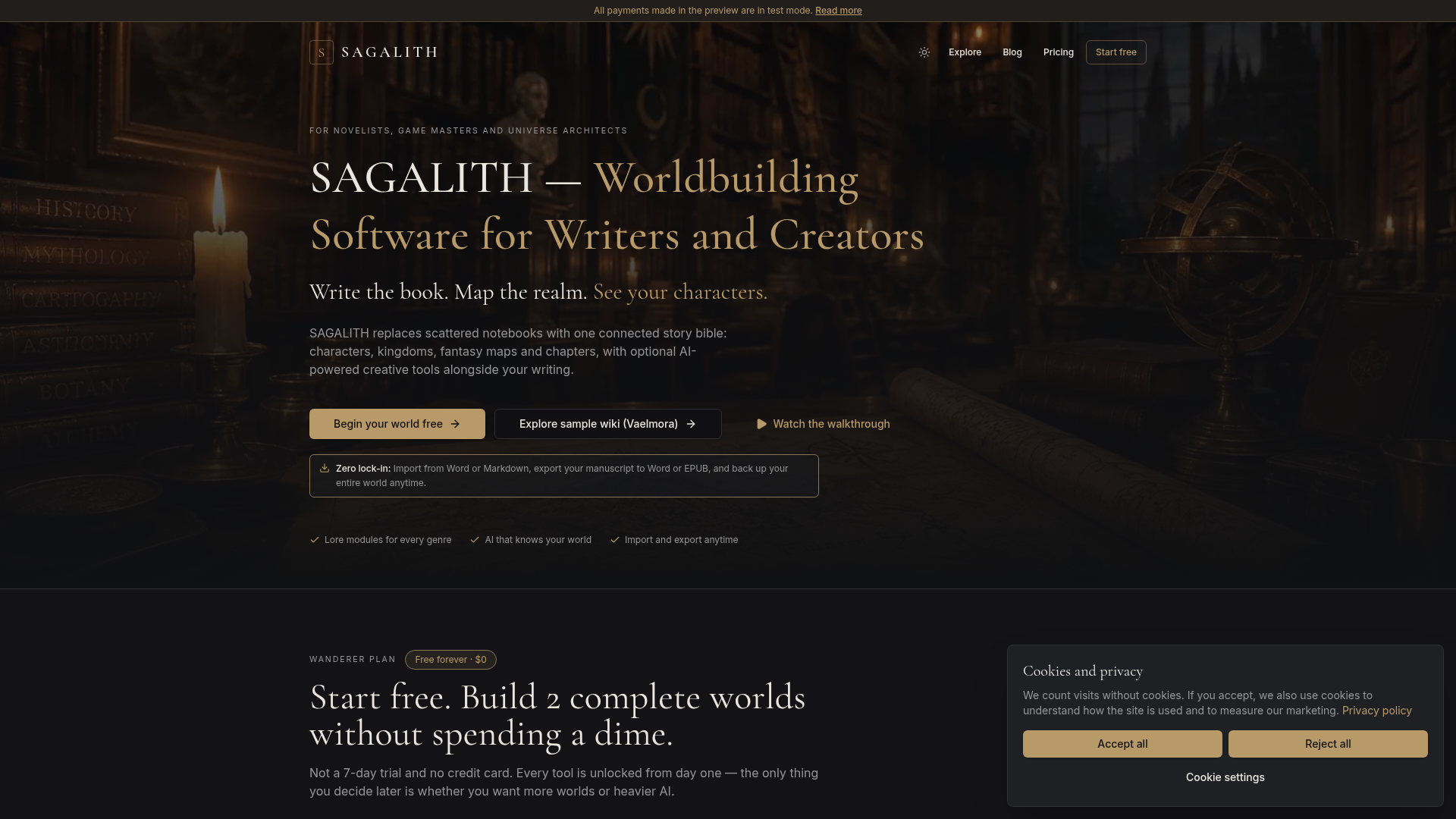
SAGALITH is worldbuilding and creative writing software designed for novelists, game masters and universe architects. It combines a connected story bible with a manuscript editor, so characters, kingdoms, fantasy maps and chapters live in one place rather than across scattered notebooks. The platform is built around three simple actions stated on its homepage: write the book, map the realm, and see your characters. Optional AI-powered creative tools sit alongside the writing rather than replacing it, and a free Wanderer plan lets anyone begin a world without a credit card. The promise is a single archive that grows with the story, from a first character name to a full manuscript and a publishable wiki. The problem SAGALITH addresses is stated plainly: scattered notebooks. Worldbuilders typically accumulate characters, maps, timelines and lore across documents, files and paper, then struggle to keep a long manuscript consistent with that material. SAGALITH replaces those scattered notebooks with one connected story bible in which entries link to one another and to the chapters being written. Because the archive sits beside the manuscript rather than in a separate app, a writer can open the lore panel mid-scene and check a fact while drafting. For genres with heavy invented detail — fantasy kingdoms, star systems, cyberpunk megacorps, mystery case files — that connection is what keeps the world internally coherent as it grows. The manuscript module is described as a distraction-free editor with chapters grouped into parts and acts. Beat sheets check pacing, and the editor supports word goals and autosave. Writers can import a Word manuscript and keep going without retyping, open the lore panel while inside a scene, and let the editorial AI review passages against the real world that has been built. A consistency check is included specifically to catch contradictions, which matters most in long series where details accumulate over hundreds of pages. Because the manuscript lives in the same archive as the lore, editorial feedback can be grounded in the actual established facts of the world rather than in generic writing advice. The Atlas handles geography. Map Studio lets creators draw maps by hand — land and sea, mountains, forests, rivers and borders — with no AI required. Alternatively, a map can be painted with AI or uploaded as an existing image. Pins dropped on the map link to places and people in the archive, so a harbor city or a drowned cathedral becomes a navigable entry rather than a label. The stated zoom range runs from continent down to tavern, which means the same map can serve both an overview of a realm and the specific room where a scene takes place. Linking map pins to entries keeps geography tied to the characters and events that reference it. The Archive is the core of the story bible: every entry linked to every other. Lore modules change with the genre, so science fiction worlds get star systems, cyberpunk worlds get megacorps, mysteries get cases and clues, and horror gets threat files. Entries carry genre-appropriate fields — a fantasy queen might record status, succession law and heir, while a starship captain records ship and FTL capability, and an occult detective records alibi and dread level. Alongside the entries sit family trees, a timeline and a connection map. Users can also ask the archive a question, turning stored lore into a queryable reference instead of a folder of documents. Visual Studio addresses character appearance. A creator locks a character's visual identity, then generates portraits, gear and reference sheets that stay consistent — the same face every time, as the product puts it. The stated options include locked identity, reference sheets and five art styles. AI help is available on every field: for a name, a creed or a backstory, the system suggests ideas that fit the established world, or drafts a full entry from a one-line concept. AI is optional throughout, and the free plan includes 50 AI credits per month covering brainstorming, archive questions and entry drafts, refilled monthly whether or not the previous month's credits were used. Structurally, SAGALITH works by linking rather than storing. Characters tie to the people and places around them, map pins tie to entries, and the manuscript sits alongside the same archive. Author-only secrets are held separately from public material: each sample character carries a hidden author secret that is explicitly kept out of the public wiki. That split lets a creator publish chosen entries as a clean public wiki for readers and players while keeping the revelations of the plot private. The result is one studio with four connected parts — manuscript, atlas, visual studio and archive — rather than four tools that happen to share a login. The stated benefits centre on continuity and control. Contradictions get caught by the consistency check, portraits stay visually consistent, maps stay linked to lore, and editorial AI reviews passages against the real world. Zero lock-in is emphasised repeatedly: writers can import what they already have from Word, Markdown, CSV or JSON files, and export again as Word, EPUB, Markdown, print-ready pages or a full JSON backup of the entire world. Export is free on every plan, including the free tier. For authors preparing for beta readers, print and Word export are called out directly; for game masters, the public wiki is the delivery mechanism for players. Use cases map to three named audiences. Authors import a Word manuscript and write beside their encyclopedia, use the consistency check on long drafts, and export to Word, EPUB or print for beta readers. Game masters build a campaign world and publish chosen entries as a public wiki for players, keeping secrets private. Game and screen writers build settings with genre modules suited to their material. Genre examples run across fantasy (Queen Oriane Varr of Ostrabel), science fiction (Captain Kaelen Voss and the Horizon Fleet), cyberpunk (information broker Valerie Zero) and horror and mystery (Inspector Arthur Vance of Ashgate Yard). A read-only sample world, Vaelmora, can be explored without an account. Target users are novelists, game masters, game and screen writers, and universe architects generally. Pricing has three stated tiers. Wanderer is free forever at $0 and includes two complete worlds with unlimited characters, places, chapters and notes in each, 50 AI credits every month, every tool unlocked from day one, and free export. Chronicler costs $9 and Archon costs $19, positioned for users who want unlimited worlds or heavier AI. No credit card is required to start, and the free plan is described as not a seven-day trial. SAGALITH is accessed through the web, and a blog of worldbuilding and creative writing guides sits alongside the product. SAGALITH's primary value proposition is simple: one connected story bible instead of scattered notebooks, with the manuscript, the map and the cast living in the same archive. Worldbuilding modules adapt to genre, maps link to entries, character visuals stay locked and consistent, and AI remains optional — available as a helper on every field rather than a requirement. Import from Word, Markdown, CSV or JSON and export to Word, EPUB, Markdown, print or a full backup at any time, on any plan. Start with a name; the archive grows with you.
BookSparker is a book marketing platform for indie and self-published authors. Its stated purpose is to help authors reach more readers, sell more books and save time: give away a reader magnet, add every reader who claims it to a mailing list, and team up with other authors when more reach is needed. The product brings landing pages, group promos, newsletter swaps, a free author website and a free universal book link tool together into a single account. BookSparker says it was built for its founders' own books first, and that every feature exists because they needed it for their own titles. The problem it addresses is the manual work around a launch and around ongoing promotion. One quoted author says she used to lose half of launch week formatting EPUBs and chasing reader emails, and now uploads a book once and lets BookSparker handle the rest. Another describes searching for authors with audiences that overlap her own as a forum-crawl that has become a few clicks. BookSparker's founders frame their approach around two methods they use to grow their own books: group promos to build the mailing list, and book swaps to put books in front of readers who buy and read. Their claim is that BookSparker makes both of those methods repeatable rather than one-off efforts. Landing pages are the core reader-magnet tool. An author gives away a book to gain a subscriber: readers join the mailing list and then get the book on whatever device they read with. The book is uploaded once and BookSparker handles delivery, with readers able to choose Kindle, Kobo, Apple Books or reading in the browser. New subscribers go straight to the author's mailing list, so there is nothing to export or re-upload elsewhere. On paid plans authors can also sell their ebook directly through these pages with 0% commission. Each landing page sits on its own booksparker.com/book/... URL and displays the cover, a short hook, an email field and a call-to-action button, with a confirmation step that adds the reader to the list. Group promos pool readers with authors in the same genre. Every participating author shares the same promo page with their own list, so a book reaches readers from every list in the promotion rather than only the author's own audience. Authors can find promos in their genre, apply with a book and landing page, then share their personal link and watch its clicks and the resulting book views. The promo page lists the participating books with covers and author names under a themed title and a limited-time countdown, and joining is free on every plan. One quoted author says she came for the landing pages but stayed because the group promos brought in a wave of new subscribers she could not have reached on her own. Book swaps are the newsletter cross-promotion tool. Authors can filter lists by genre, size and open rate, send a request in a few clicks, and keep every booked date in one calendar. Three spot types are offered — Solo, Feature and Mention — and authors can swap for free or buy a paid spot. The browse view shows each author, their subscriber count and an estimated number of clicks per send, alongside buttons to request a Solo, Feature or Mention swap. An outgoing calendar lists confirmed sends by date and spot type, and confirmed sends appear in analytics. Incoming requests arrive as notifications showing the requesting list's subscriber count with accept and decline options. Author websites give every author a site built from their books, with a page for every book and series plus a newsletter signup. The site is free on every plan, includes themes and book showcases, and paid plans can connect a custom domain and remove the BookSparker footer note. Book pages carry reviews and buy buttons, and the sites are described as made to be found on Google, Bing and AI search. Smart Book Links are a separate free tool that turns an Amazon link, ASIN or ISBN into one short link that sends every reader to their own local Amazon store; it is always free, needs no account and the link stays live. Everything sits in the same account. One upload of a Word file or an EPUB produces EPUB, Kindle EPUB, PDF or MOBI depending on what the reader's device needs. New readers are pushed automatically to MailerLite, Mailchimp, Kit, EmailOctopus, Flodesk or AWeber, so nothing has to be exported or uploaded by hand. Subscribers-only landing pages power ARC distribution: readers enter the email they signed up with, BookSparker checks that it is on the author's ARC list before allowing a download, and the author can see who did. Analytics report readers reached, book clicks and new subscribers across swaps, promos, landing pages and smart links, broken down by channel so an author can see what is working. Because the pieces share one account and one upload, the stated benefits are time saved on formatting files and chasing reader emails, a list that grows automatically from every reader magnet and signup, and reach that extends past an author's own audience through promos and swaps. Authors who want to sell directly keep 100% of the price on paid plans because there is 0% commission. Discoverability work is handled by author websites built for Google, Bing and AI search, and by smart links that remove the friction of sending international readers to a US-only Amazon page. BookSparker also states that no technical knowledge is required to create landing pages, manage swaps and grow a mailing list. Concrete use cases described on the site include launching a free first-in-series book as a reader magnet to convert readers into subscribers, distributing advance reader copies to a review team through a subscribers-only page, and booking newsletter swaps with authors whose audience size and open rate match your genre. Authors can also join a genre group promo such as a themed multi-author giveaway to borrow combined reach, spin up a free author website so readers arriving from search have somewhere to land, and generate a universal book link so a single short URL opens the correct Amazon store in each country. BookSparker is aimed at indie and self-published authors, including the romance, cozy mystery and urban fantasy authors quoted on the site, and it works with the mailing list an author already has through direct integrations with MailerLite, Mailchimp, Kit, EmailOctopus, Flodesk and AWeber, with more stated to be on the way. There is a free forever plan with no credit card required, paid plans start at $15 a month, and setup is described as taking minutes. Group promo participation is free on every plan, and custom domains, footer removal and direct ebook selling are paid-plan capabilities. The takeaway is that BookSparker bundles the recurring marketing jobs of an indie author — converting readers into subscribers, delivering the right ebook file automatically, borrowing other authors' audiences, being findable in search and pointing readers at the right store — into one author-focused platform that is free to start.
Quotify 2 is an iPhone and iPad app for keeping the words that move you. It captures quotes from books, articles, podcasts, X and Instagram posts, and conversations, then stores them in one library and brings them back on your Home Screen and Lock Screen. The app is built for people who underline lines in books, hear something memorable on a podcast, or screenshot a post they want to remember, and who want those words to stay visible rather than disappear into a camera roll. Quotify 2 is described as the biggest update since the first Quotify launch in August 2022, and it is ready for iPhone Duo. There is still no account to create in the app, and the core capture and widget experience is free on iPhone and iPad. The maker built Quotify because the lines underlined in books, heard on podcasts, seen in X or Instagram posts, or screenshotted kept getting lost in the camera roll. The original pitch was simple: quickly capture quotes, add them to your home screen to stay inspired, and share favorites with others. When Quotify first launched on Product Hunt in August 2022, someone asked how it was different from simply putting a screenshot on your Home Screen. The answer then was that the widget rotates through your quotes. Quotify 2 answers that question again with more control, because now you get to pick exactly which quotes the widget rotates through. The underlying problem is unchanged: the words that inspire you are scattered across formats and apps, and without a dedicated place to keep them, they are effectively lost. Quotify 2 expands how quotes get into the library. Smart Photo to Quote, free for everyone, lets you snap a book page or an e-reader screen, or pick a screenshot or a photo of a sign, and Quotify pulls out the quote and the author with no retyping. You can also share an X or Instagram post to Quotify to save the quote along with the link; on X it includes who posted it, and on Instagram it reads the quote from the image. Sharing from Safari brings the page link with it, Record lets you say a quote out loud, and the new Create Quote action in Shortcuts adds another way in. Each of these paths exists so that capturing a quote takes seconds instead of a copy-paste-and-clean-up routine. Captured quotes come back to you through Home Screen and Lock Screen widgets and through daily reminders. The widget rotation is the heart of the product: it cycles through your quotes so that the words you saved resurface instead of sitting in a list you never open. Rotation in Quotify 2 is configurable with Premium, and widgets and daily reminders can show everything, just your Favorites, a single author, or any field you have added. That means you can decide that a particular author's lines are what you want to see this month, or keep the widget limited to favorites. Daily notifications work the same way, bringing a saved quote back to you without opening the app. Sharing got a rebuild in Quotify 2. A new Share Quote sheet produces Story, Square and Wide images with an accent color, and there is one tap to Instagram Stories. The original purpose stands: share favorites with others to inspire them. Because the sheet outputs several formats, a single saved quote can be reused for a story, a square post or a wide banner without leaving the app. Quotify began as a way to see your quotes on your home screen and share them to inspire others, and the new sheet makes the output look intentional rather than like a screenshot. Premium also opens up AI chats. By adding Quotify at mcp.quotify.to, tools including Claude, Claude Code, Codex, ChatGPT, Cursor, Grok Bot and Muse can find your saved quotes and, if you allow it, save new ones. The integration is deliberately limited: it cannot edit or delete anything. That restriction matters because a quote library is personal and curated; the AI side of Quotify is read-and-add only, so a chat can pull the quote you saved months ago into a draft, or file a new line into the library, without any risk of a model rewriting or removing what you kept. Overall, Quotify works as a capture-to-display loop. Quotes come in from photos, shares, recordings, Shortcuts or an AI chat; they land in one library; and the widgets and reminders push them back onto your Home Screen and Lock Screen. There is no account to create in the app, so there is no sign-up step between downloading and saving your first quote. Premium adds private iCloud sync and export anytime, which is how the library moves between devices or leaves the app if you want it elsewhere. The fresh design in version 2 modernizes the interface without changing that loop. The benefit Quotify promises is retention: the words that move you stay where you will see them. Instead of a screenshot buried in a camera roll, a quote becomes part of your Home Screen or Lock Screen rotation, and a daily reminder can resurface it. Smart Photo to Quote removes the retyping that normally stops people from saving quotes, so a passage from a book or e-reader screen becomes a saved quote in one snap. The Share Quote sheet turns a saved line into something you can post in one tap, and the MCP connection means the same library can feed AI conversations, so a quote you saved while reading is available when you are writing. Concrete workflows described by the maker include snapping a book page or e-reader screen to save a passage with its author, sharing an X post to keep both the quote and the link plus who posted it, sharing an Instagram post so Quotify reads the quote from the image, and sharing from Safari so a quote arrives with its page link. You can say a quote out loud with Record for lines heard in conversation, build a Create Quote action in Shortcuts, set a widget to rotate only through a single author's lines, and post a Story, Square or Wide quote image to Instagram Stories. In a Premium flow, a chat in Claude, ChatGPT, Cursor or a similar tool can look up saved quotes and add new ones. Quotify is aimed at readers, podcast listeners, and people who collect lines from social posts and conversations, in other words anyone who underlines, screenshots or repeats phrases they want to keep. It runs on iPhone and iPad, and version 2 is ready for iPhone Duo. Pricing is free with a Premium tier: Smart Photo to Quote is free for everyone, while choosing which quotes widgets show, connecting quotes to AI chats, and private iCloud sync and export are Premium features. Quotify 2's value proposition is straightforward: capture the words that move you from wherever you find them, then let your Home Screen and Lock Screen bring them back. Faster capture, configurable rotation, a better share sheet and an AI connection all serve that single loop.
ClarifierAI for Chrome is a Chrome extension that rewrites, fixes and translates only the text you select, in any text field on the web. It is the browser version of ClarifierAI, an iOS keyboard that makes your words clearer and translates across 113 languages in any app, and it keeps the exact same prompts so your text comes out the same on phone and desktop. The extension is built for people whose writing happens in the browser — the maker describes his own work as emails, LinkedIn messages, support tickets and docs — and it brings the Improve, Clarify, Grammar, Polite, Shorten and Translate actions directly to the place where you type. The product story behind the extension is a simple one. After launching the iOS keyboard, the most common request the maker received was "I need this on my laptop too." Most of his own writing happens in the browser, and there he was back to copy-pasting between tabs and AI chats just to make one sentence sound right. ClarifierAI for Chrome was rebuilt as a Chrome extension to remove exactly that loop: no new tab, no copy-paste, and no need to paste a corrected sentence back into the field where it belongs. Because the prompts are shared with the iOS keyboard, a rewrite produced on an iPhone and a rewrite produced in Chrome should read the same way. The defining behaviour is scope. You select any part of your text in any text field, and ClarifierAI improves, translates or changes its tone right where you type. Only the part you selected is changed, and the rest of your message stays untouched. If nothing is selected, it works on the whole field instead. Reviewers singled this out: one commenter wrote that "only touching the text I selected instead of the whole field is the part I trust here," adding that every rewrite extension they had tried eventually mangled something they wanted to keep exactly as it was. There are three ways to trigger the extension. You can select text and click the ClarifierAI button, or press Alt+Shift+C, or right-click and choose "Format with ClarifierAI" from the context menu. All three routes act on the current selection inside the field you are already typing in, so the interaction stays inside your existing workflow rather than pulling you into a separate app. When nothing is highlighted, the same actions apply to the whole text field, so the extension works whether you want to touch one sentence or the entire draft. The action set covers the common editing jobs. Improve, Clarify, Grammar, Polite and Shorten are built in, and Translate handles languages. Beyond the presets, the extension supports your own custom actions — the maker's examples are "make it formal" and "explain like I'm 5" — which lets you save instructions that match how you actually write. Because the prompts match the iOS keyboard, the same action produces consistent results across phone and desktop. Translation is a first-class feature rather than an add-on. The Chrome extension translates into 119 languages, using a searchable language picker with your recent languages shown at the top so that the languages you use daily are one tap away. On iOS, ClarifierAI translates across 113 languages in any app, and the keyboard works in Gmail, LinkedIn, iMessage, WhatsApp, Slack and more. The point in both cases is the same: you translate in place instead of switching between apps or copying text into a separate translator. Changes are transparent rather than final. After ClarifierAI runs, you see every change highlighted, and you can click any single change to undo just that one — an all-or-nothing undo is deliberately avoided so you keep your own voice. Pressing the checkmark replaces the text in the field, and Command+Z undoes it. Two small extras round out the editing experience: UPPERCASE and lowercase conversion in one click, which needs no AI at all, and light and dark mode. The extension works in Gmail and most text fields on the web. Privacy is stated plainly in the launch post. The extension reads your text only when you open ClarifierAI on it, and there is no browsing history access, no tracking and no ads. That matters because the fields where people write in the browser are frequently work contexts — client emails in Gmail, internal messages in Slack — so the reading is limited to the moment you deliberately invoke the tool on a selection. The practical benefit the maker promises is speed: writing and translating your messages 10x faster, using AI directly where you type. Instead of moving a sentence out to an AI chat and back, you act on it inline, in the same field, with the rest of your draft preserved. The highlighted diff and per-change undo mean you can accept most of a rewrite while rejecting the one word that no longer sounds like you. And because nothing is selected by default, the whole-field mode still covers the case where you want a full paragraph reworked end to end. The maker lists three concrete workflows from his own use. Before sending an important email, he selects the paragraph and runs Improve. When a reply sounds too harsh, he selects that one sentence and makes it Polite. When writing to colleagues abroad, he types in his native language and translates in place. On the iOS side, a reviewer described using translation most in work chat and while shopping on Chinese marketplaces such as Taobao, and said they no longer use a separate translator because they dislike switching between apps. ClarifierAI for Chrome is listed as free and is available through the Chrome Web Store; the launch page also points to the iOS keyboard as the earlier release from the same product. The extension's supported surface is Gmail and most text fields on the web, and it inherits the prompts of the iOS keyboard so behaviour stays consistent across devices. The product is published on Product Hunt by a small maker team, with the Chrome launch following the iOS launch. In short, ClarifierAI for Chrome takes the selection you highlight in a browser field and makes it clearer, shorter, more polite, grammatically correct, or translated into one of 119 languages — without a new tab, a copy-paste round trip, or a rewrite of text you wanted left alone.
Loqui is a voice-to-text tool for Mac and Windows that turns spoken words into clean, ready-to-send text inside any application where you can type. You hold a key — the fn key on a Mac or the right Ctrl key on Windows — talk the way you normally talk, and the finished text appears at your cursor. Loqui is built for people who write all day and would rather speak: it delivers the text ready, punctuated and in the right tone, without plugins and without copy and paste. The product also records meetings and writes the minutes afterwards, supports over 90 languages, and offers a free plan with no card needed. The problem Loqui addresses is that modern writing is fragmented across many apps and interrupted by the mechanics of typing. Conventional dictation makes you dictate punctuation out loud — saying "comma" and "period" — and hands back a raw transcript full of hesitations and backtracked sentences that you then have to clean up yourself. Loqui's premise is that you should be able to hesitate, backtrack and change your mind mid-sentence and still get text that reads as if it were written. A second premise is tone: the same spoken sentence should sound loose in a chat, careful in an email and direct in a doc. A third is that conversations with many voices should produce minutes that separate what was decided from what someone agreed to do, with the audio that proves it. Loqui works wherever you write. There is no plugin: the text goes wherever your cursor is, in any app you can type in, and the site lists Gmail, Slack, Notion, WhatsApp, Docs, Teams, Figma, Linear, Zoom, Outlook, Discord, Telegram, VS Code, Cursor, GitHub, Obsidian, Sheets, Trello, Word, Jira, Meet and Asana among the places it is used. Loqui also notices where the text is going and writes the way people write there — professional tone in Gmail, conversational tone in Slack and WhatsApp, technical tone in VS Code, structured tone in Notion and neutral tone in Figma comments. You talk the same way; the output adapts to the destination. It edits while you speak. If you hesitate, backtrack or change your mind mid-sentence, Loqui drops the fillers, understands the correction and formats amounts, dates and lists — all without you saying comma or period. The site's example takes a spoken sentence padded with "uh", "like, wait" and a self-correction from twelve thousand to fifteen thousand, and returns a single clean line: the budget is $15k and delivery is on Friday, with three fillers removed, one correction applied and the amount formatted in dollars. This is what makes the output ready to send rather than a transcript to be tidied. Several capabilities build on that core. Loqui learns your vocabulary: names, acronyms and jargon go into a dictionary, it suggests terms you use, and every correction you make teaches it not to miss again. You can speak in over 90 languages, either by picking the language or by letting Loqui figure out which one you are speaking. Spectros let you pick an option on the glyph before you speak, so the dictation comes out translated, summarized or written as an email. Seals save text you keep repeating and let you call it up by voice — for example a signature you ask Loqui to sign off with. Hands-free mode opens the microphone when you tap the key twice and inserts the text when you tap once more. Everything you say stays at hand. Every dictation is saved with its audio and is searchable, so you can find a past sentence by a word inside it. If you did not like the result, you can redo it from the original speech in another tone — formal, balanced or casual — without saying it again. Loqui also shows how you talk, including your most common fillers and the time of day you talk the most, calculated on your computer. When the conversation has many voices, Loqui records the meeting and gives each voice a Dito and its own track; microphone and system audio are captured on separate tracks and you can name a voice right on the timeline. At the end, the minutes separate what was decided from what someone agreed to do, with the audio clip that proves it. Items to review include decision, action, risk, dependency and open question, and you approve what counts. A contradiction radar flags when a meeting contradicts an earlier decision on the same project, and Loqui suggests the next agenda from whatever was left open. The overall approach is deliberately privacy-conscious. To become text, your audio passes through Loqui's servers and is discarded right there — only the text comes back. No audio is kept on servers, not from dictation and not from meetings, and your dictation history is kept only on your computer. Sync starts off, so taking your dictionary, tones and minutes to another computer is your call. Meetings record only after the notice, and Loqui reminds you to let everyone in the conversation know. The one exception is optional: turning on product improvement donates text samples of your dictations for up to 90 days, never the audio, and servers keep a technical record of each request. For teams, the team speaks the same language: one shared glossary for everyone, with invitations by username, and only people who consented record into the space. Glossary entries can be approved or proposed by team members, so shared names and jargon stay consistent across the group. The practical benefits follow from these mechanics: you stop typing and start speaking at the speed of thought, you stop cleaning up transcripts, and the text arrives formatted for the app it lands in. Typical scenarios on the site include drafting a revised proposal in Gmail, replying in a Slack launch channel, writing a validation comment in VS Code, capturing a planning decision in Notion, sending a quick WhatsApp message, and leaving a note in Figma. Meetings add a second workflow: record the call, review decisions, actions, risks, dependencies and open questions, then use the suggested next agenda. Loqui runs on Mac and Windows with the same experience, triggered by fn on Mac and right Ctrl on Windows. Pricing starts free forever for anyone who wants to stop typing, with a weekly dictation quota, text already formatted and ready to paste, and one hour of meetings per account as a one-time allowance. Pro is US$8 per month for people who write all day, adding dictation with no weekly quota and three hours of meetings per month. Pro + Meetings is US$16 per month for people who live on calls, with thirty hours of meetings per month and an extra ten-hour pack for US$6. Loqui's core promise is simple: speak, and Loqui writes. It turns everyday speech into finished text in whatever app you are already using, adapts the tone to the destination, and extends the same approach to meetings so the record of a conversation is ready when the call ends.
Bottally is an AI marketing agent for SEO and AEO. Connect your site once and it researches your keywords, audits your pages and finds the topics your competitors cover and you don't. Then it writes and publishes one researched article to your blog every day (WordPress, Webflow, Ghost, Shopify, Wix, Notion, Framer, Next.js or any webhook). It tracks whether ChatGPT, Perplexity, Google AI Mode and AI Overviews mention your brand, and matches you with real businesses for do-follow backlinks.
Openbroca is an AI dictation app for Mac that turns spoken words into clear, ready-to-send text inside whatever app you are already typing in. You press a shortcut, talk the way you normally do, and Openbroca writes the result at your cursor — in email, messages, notes, documents, or AI prompts. It is built as a native Swift application for Mac with a download of roughly 6.5 MB, and it is positioned as a lightweight alternative to Typeless for Mac. Its stated purpose is simple: let you talk messy and read clean, so the way you speak naturally becomes the way your writing reads. It is aimed at Mac users who would rather speak a draft than type one, and who want the output to still sound like them rather than like a generic AI rewrite. Most people speak faster and more naturally than they type, yet dictation has historically been awkward in practice. Standard voice-to-text produces transcripts littered with fillers, false starts, and repetition, so the cleanup can take as long as typing the text by hand. Many writing assistants go the other way: they rewrite your words into a generic AI voice, and getting a usable result requires prompt tweaking and re-prompting. Openbroca is built around the gap between those two experiences. It assumes you will talk messily — the way people actually think out loud — and takes responsibility for turning that into clean, readable text that keeps your meaning and your tone, with no prompt tweaking required. The product sums this up as talk messy, read clean. AI cleanup is the core of the product. Instead of transcribing verbatim, Openbroca removes fillers and repetition from what you said while preserving your meaning and tone. That means you can speak a draft the way you would explain it to a colleague, complete with the ums, the half-restarts, and the repeated phrases, and still get text that is ready to send. Because no prompt tweaking is involved, there is no instruction to write, no model to coach, and no template to fill in — you simply dictate and the cleaned result appears. The stated benefit is text that still sounds like you, which matters for emails, messages, and AI prompts where your own phrasing carries intent and personality. A personal dictionary handles the vocabulary that generic dictation tends to get wrong. You add names, terms, and preferred spellings, and Openbroca can also learn from corrections you make right after dictation, so a mistake you fix once is less likely to recur. The dictionary supports spoken-phrase replacements — the site shows the example of mapping the spoken phrase open broker to Openbroca — which is useful for product names, client names, and jargon. Openbroca also supports importing a Typeless dictionary, so people switching from Typeless can carry their vocabulary across. An optional Screen Context feature helps recognize names and terms that appear on screen, and it is enabled during setup and can be switched on or off in Preferences. Translation extends dictation beyond a single language. You speak naturally, then choose one of 28 output languages, and Openbroca translates your dictation and puts the result at your cursor — so the source and the destination both stay inside the app you are working in. The language list spans English, Simplified Chinese, Japanese, Korean, Spanish, French, German, Portuguese, Italian, Arabic, Hindi, Thai, and more. On the input side, Openbroca supports dictation in 30 languages with automatic language detection, which means you do not have to declare a language before you start speaking. Together, automatic input detection and selectable output languages let you draft in one language and deliver in another without leaving your document. Operationally, Openbroca is built around a keyboard shortcut. Press Option-Space to start or stop dictation, or hold the shortcut while you talk. A second shortcut brings back your previous transcript when you want to reuse or recover it. Speech recognition and text cleanup are cloud-powered, so an internet connection is required, and Openbroca stores no audio. Setup involves granting microphone access and text insertion permission, with optional Screen Context if you want on-screen names and terms recognized. Preferences cover the microphone, shortcuts, and translation language. If direct insertion is unavailable, Openbroca copies the text so you can paste it manually, and you can retry a recording if the first attempt did not come out as expected. The whole setup is described as a few clean settings. The benefits follow from that design. You can speak a draft directly into the field you are working in and keep editing without switching apps, which keeps your flow intact. Cleanup happens automatically, so the time you would spend deleting fillers and repeated words is not spent at all. Because cleanup preserves meaning and tone, the result reads like your writing rather than like an AI paraphrase. The personal dictionary reduces repeated corrections of the same names and terms, and dictionary import lowers the cost of moving from another dictation tool. Translation into 28 languages removes the need to draft in one app and translate in another, since the translated text lands at your cursor. Concrete use cases named on the site include emails, messages, notes, docs, and AI prompts. In an email, you might speak a quick update to a colleague — the site's own example is a launch update about moving a final review to Thursday afternoon and sending an updated brief before lunch — and get a clean, sendable message. In messages, dictation lets you reply at speaking speed without typing on a keyboard. In notes and docs, you can capture a draft while it is fresh and edit afterward. For AI prompts, speaking a detailed prompt is often faster than typing one, and cleanup produces a clearer prompt while keeping your phrasing. With translation, you can dictate in your own language and deliver the output in one of 28 target languages. Openbroca is a universal Mac app for both Apple silicon and Intel, requiring macOS 15 or later, and it is distributed as a native Swift build of roughly 6.5 MB, which is the basis for its lightweight positioning. Dictation works in the apps you already use rather than in a separate editor, so there is no new workspace to learn. Pricing is free to try: the free plan includes 3,000 text units weekly with all features and no card required, and the site describes all features as free to try. A Windows version is not yet available; the site offers a waitlist for Windows availability and early-access updates. The takeaway is that Openbroca targets a narrow, practical problem — the distance between how you speak and how you need to write — and closes it inside the Mac apps you already use. Speak naturally, keep your tone, and get clean text at your cursor, with a personal dictionary that learns your vocabulary and translation into 28 languages when you need it.
NEWCV.IO is a career application platform for building, tailoring, and auditing professional resumes. It is aimed at job seekers who want to get past ATS screening, get the interview, and get hired. The platform brings together Role to Resume, Job Matcher Resume, and Premium Resume Audit, along with professional templates, personal branding, and multilingual resume tools. According to the website, NewCV turns your experience into a recruiter-proof, ATS-proof resume built for the exact job in minutes. The site also states that it is trusted by 500,000+ job seekers and claims users can get hired up to 5x faster, with up to 5x more interviews, up to 5x faster progress through ATS, and up to 5x more visibility, interview invites, and offers. The problem context is the modern job application process, where a resume must satisfy both automated screening and human review. NEWCV.IO focuses on helping applicants avoid a generic resume that is not aligned with the role or vacancy. The website emphasizes beating ATS, making recruiters notice the applicant, and moving from application to interview faster. It describes role-matched keywords and ATS-ready structure as ways to move from apply to callback in days, not weeks. The product is therefore positioned around the difficulty of getting a resume opened, read, and selected rather than merely written. This framing matters because the website presents the resume as the central document that must work for both systems and recruiters before an applicant can reach the interview stage. Role to Resume is one of the platform's main resume-generation paths. The website describes it as an ATS-proof role-to-resume tool that produces a resume built around a target role. Its marketing states that it creates a resume you could not make yourself, not even with ChatGPT. This feature is for job seekers who know the role they want and want to begin with a resume shaped around that role rather than a generic document. By generating around a target role, it supports a more focused application and helps the resume present experience in relation to the intended position. The feature is explicitly tied to the idea of an ATS-proof resume and to the broader promise of getting past ATS and getting the interview. Job Matcher Resume is the platform's one-job tailoring feature. It rebuilds a resume for one exact vacancy, which the website calls one-job tailoring. This is useful when an applicant is applying to a specific job and needs the resume to reflect that vacancy rather than a broad career history. NEWCV.IO connects this feature with role-matched keywords and an ATS-ready structure, and it positions the outcome as moving from application to interview faster. The feature therefore supports a targeted application workflow in which the resume is adapted to the job at hand. It also reinforces the platform's emphasis on applying with a document built for the exact job rather than sending the same resume unchanged to every employer. Premium Resume Audit provides recruiter-level feedback, an audit, and a complete resume rewrite. The website presents it as a 360° review and as a recruiter-proof audit focused on ATS and recruiter concerns. This feature is for applicants who already have a resume but want an outside assessment and a rewritten version. It is explicitly described as offering recruiter-focused feedback, which makes it different from simply generating a new document. The audit and rewrite combination is positioned to help users improve both the content and the overall presentation of their resume before applying. The website also describes a recruiter-proof audit as recruiter-level feedback, audit, and complete resume rewrite, tying the feature directly to the goal of making recruiters notice the applicant. NEWCV.IO includes professional templates for every kind of impact. The website lists template categories including ATS-Proof, Recruiter-Proof, Personal Branding, Bold Branding, and Unique Designs. These categories indicate that users can choose a resume presentation based on the impression they want to make, while the platform's overall positioning remains focused on ATS and recruiter readiness. The template library is supported by personal branding tools and multilingual resume tools. Personal branding is reinforced through website messaging about sharp headlines, proof-led bullets, and positioning that gets a resume opened rather than skipped. The template and branding features therefore sit alongside the generation, tailoring, and audit tools as part of the platform's overall resume-building offer. The platform offers multiple ways to start and improve a resume. Users can create from scratch or import their existing career information. From there, they can use Role to Resume to generate around a target role, Job Matcher Resume to tailor the document for a specific vacancy, and Premium Resume Audit for ATS and recruiter-focused feedback. Professional templates provide presentation options, personal branding supports positioning, and multilingual resume tools extend the platform to more than one language. Pricing starts from $4.95, according to the website. The overall approach combines generation, tailoring, auditing, templates, branding, and language support in one career application platform. This structure lets an applicant move from an initial resume build to role-specific tailoring and then to an audit or rewrite within the same product. The stated benefits are centered on visibility and speed. NEWCV.IO claims up to 5x more interviews, up to 5x faster progress through ATS, and up to 5x faster progress to being hired. It also lists up to 5x more visibility, up to 5x more interview invites, and up to 5x more offers. These outcomes are tied to resume content and structure: sharp headlines, proof-led bullets, role-matched keywords, and ATS-ready structure. The website summarizes the value as helping users get past ATS, get the interview, and get hired, and it presents the product as a way to make recruiters notice the applicant. The benefits are expressed as improvements in how quickly and how often a resume leads to interviews and offers. Concrete use cases include building a resume for a known target role with Role to Resume, tailoring a resume for one exact vacancy with Job Matcher Resume, and auditing an existing resume with Premium Resume Audit. Job seekers can also use professional templates and personal branding to make their resume more noticeable to recruiters. Users who need resume support in more than one language can use the multilingual resume tools. Applicants can start from scratch or import existing career information, then combine these features to prepare a resume for a specific application or a broader job search. The platform also supports a workflow where a user first generates or imports a resume, tailors it to a role or vacancy, and then requests a recruiter-level audit for additional feedback. NEWCV.IO is aimed at job seekers, and the website states that it is trusted by 500,000+ job seekers. It is available on the web at newcv.io. Pricing is paid, with the website stating that users can start from $4.95. Product Hunt lists the product under Productivity, Artificial Intelligence, and Career. The platform's features are explicitly framed around ATS screening, recruiter review, role targeting, one-job tailoring, resume auditing, professional templates, personal branding, and multilingual resume tools. These details define the target user as an applicant who wants a more targeted and recruiter-ready resume rather than a generic document. The primary value proposition is a faster, more targeted path from application to interview. NEWCV.IO combines resume generation, vacancy-specific tailoring, recruiter-level auditing, professional templates, personal branding, and multilingual tools in one platform. For job seekers who want to beat ATS and make recruiters notice them, the product promises a recruiter-proof, ATS-proof resume built for the exact job and positioned to help them get hired faster.
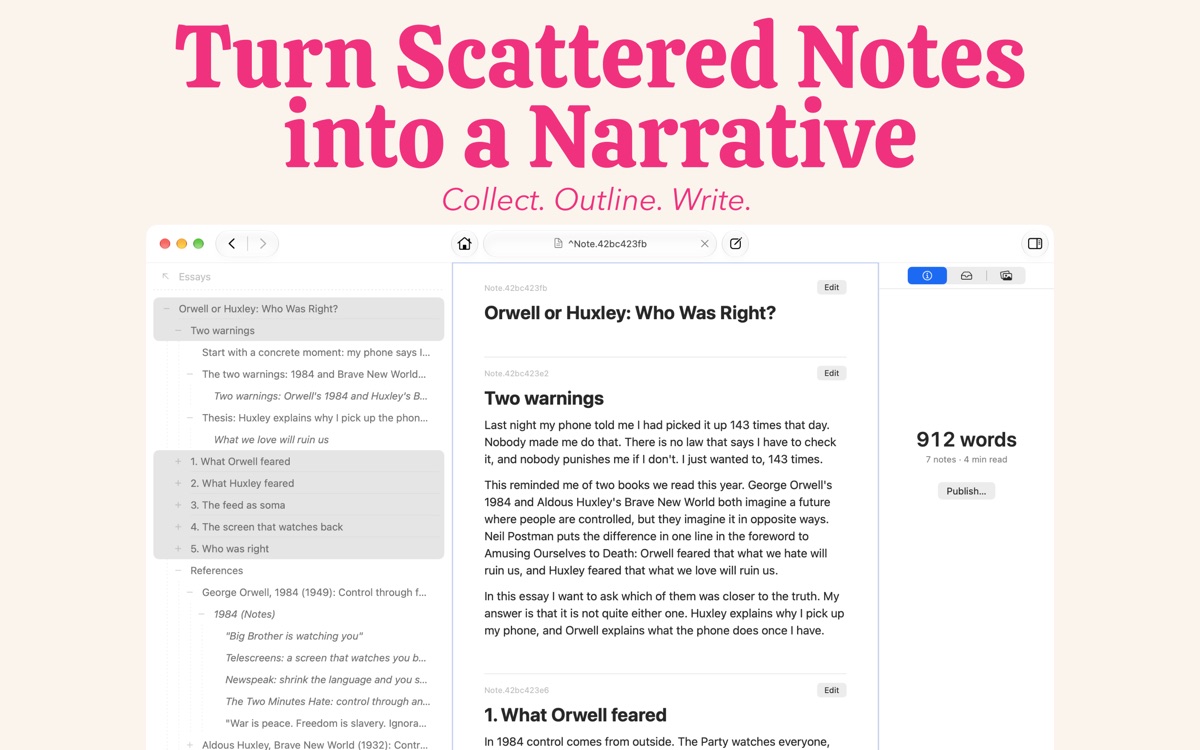
Understory is a Mac notes app for people who take notes in order to write something. It is built for students, researchers and bloggers, and for anyone carrying a research paper, an essay, a blog post, a video script or even a book from the first note to the finished draft. The app is described as part outliner and part notes app: you collect your research, shape it into an outline, write the draft, and then publish the finished piece, all inside one application and without copying anything from one app to another. The problem Understory addresses is the gap between taking notes and writing. Notes tend to be taken in one place while the writing happens in another, so material has to be moved across before it can be used. Understory closes that gap by treating notes as the raw material of a draft rather than as a separate archive. It also distinguishes itself from a conventional outliner: an outliner is good for shaping ideas into a hierarchy, but every item in it is a bullet, whereas in Understory every item is a whole note written as regular text, and the same note can appear in several outlines, or in none at all. The first step in the workflow is collecting. Understory is designed for taking notes as you read, chapter by chapter: a note is just text, and you do not have to come up with a title or a filename before you start writing. You keep each quote or idea as a short note filed under the book and the chapter it came from, so the source of every thought is preserved in the structure of the notebook rather than in a separate record. Notes can also be linked to one another; the app's own material shows reading notes filed chapter by chapter, with one note linking to a related note taken from another book, so ideas that cross between sources stay connected without being merged into a single block of text. The second step is outlining, where the argument is built out of the notes already taken. You add a note for each main point and then put the notes you have already collected underneath the points they support, moving things around until the structure works. Because every item in the outline is a full note rather than a bullet, the same note can sit in more than one place, so an idea can belong to every subject it touches. That means a single piece of research can support several arguments at once without being duplicated or rewritten, and it can also sit in no outline at all until it is needed. The third step is writing the draft. Each point is drafted in its own note, with the research you gathered listed right beneath it in the sidebar, so the supporting notes stay visible while the section is being written rather than sitting in a separate window or document. Selecting the main points lets you read the whole piece from beginning to end as one continuous draft, which gives you a way to check how the sections read together before anything is published. The app shows sections being drafted in Markdown, with their supporting notes listed alongside. Publishing turns the outline into a document that can be shared. The finished piece is published as a PDF, Rich Text, Markdown or a website, in the order you arranged it, so the structure built during outlining carries straight through to the output. The same project can therefore become a printable PDF, an editable Rich Text or Markdown file, or a web page without being rebuilt. The published result follows the arrangement of the outline rather than the order in which the notes were originally taken. The app's approach to storage is part of how it works. Notes are kept in a plain folder of Markdown files on your Mac, which Understory calls a Project Notebook, or in your own iCloud account as a Personal Notebook synced between your Macs. In both cases there is no Understory account to create, and nothing of yours passes through the developer's hands. Because the notes live as Markdown files in an ordinary folder, they remain in a form that is not tied to an account on someone else's service. For the writer, the benefit is that research and drafting live in the same place. Nothing has to be copied from one app to another between the first note and the finished draft, so quotes and ideas stay attached to the books and chapters they came from while they are being shaped into an argument. Because the same note can serve several outlines, an idea does not have to be rewritten to fit each piece it appears in. And because the published document follows the arrangement of the outline, the structure worked out during outlining becomes the structure of the final output. Use cases follow the writing the app was designed for. A student writing an essay or a research paper can take notes from each book and chapter, add a note for each main point, and move existing notes underneath the points they support until the structure works. A researcher working through a long book can file quotes and ideas chapter by chapter and link related notes from other books. A blogger can turn reading notes into a post by arranging them into an outline and drafting each section with the research beside it. The same workflow is described for a video script or a whole book, and the finished piece can be published as a PDF, Rich Text, Markdown or a website. Because one note can sit in more than one outline, a writer working on several subjects at once can reuse the same idea in every piece it touches. Understory is aimed at students, researchers and bloggers, and more broadly at anyone who takes notes in order to write something. It is a Mac app, downloaded from the Mac App Store: there is no iPhone or iPad version yet, and the app is Mac only for now. Pricing is not a subscription, as one purchase makes it yours. It is free to try first, with every feature working from the first launch, publishing included; the only limit is on how many notes a notebook holds, and there is enough room to find out whether it works for you. A one-time payment removes that limit, and the pricing page has the details. Support is available by email, and there is a Discord community for talking about the app. Understory's value proposition is straightforward: it is a notes app for writing, not just a notes app for storing. It carries a research paper, an essay, a blog post, a video script or a book from the first note to the finished draft in one place, letting you collect notes as you read, arrange them into an outline, draft each section with your research beside it, and publish in the order you arranged. Its tagline, notes that tell the tale, captures the intent: the notes are not an archive, they are the path to a finished piece of writing.
Ancher is an AI knowledge workspace that turns everything you read, watch, and save into work you can actually use. It is built for people who read, watch, and save for a living — knowledge workers, founders and indie hackers, investors, researchers and academics, creators, product, growth and marketing teams, and consultants. Instead of starting from a blank page, Ancher starts with everything you consume: you capture articles, videos, PDFs, social posts, podcasts, screenshots, and ideas, and the product connects that knowledge, answers questions across it, and helps you produce research briefs, reports, presentations, and content in your own voice. The promise is simple and repeated throughout the site: remember everything, create anything. The problem Ancher addresses is one that anyone who consumes a lot of content knows well. The products people use today start in the wrong place. As Ancher's own comparison puts it, Notion is built for documents and collaboration — it starts with a blank page, and you write it down. Obsidian is built for markdown and local knowledge — it starts after you collect, and you build it yourself. Both are excellent at what they do, but neither begins with the raw material of your thinking. Meanwhile, the material itself is slipping away: articles, videos, social posts, and podcasts disappear or become impossible to find again, and the exact part you remember from a rough description is often unrecoverable. Ancher's answer is to begin from consumption rather than from a blank document, so that everything you encounter is already connected by the time you need to create something from it. Capture is the first stage of the loop. Ancher lets you drop in URLs, PDFs, podcasts, videos, and screenshots — anything you encounter — and it accepts them from the browser, Slack, Telegram, or email, so you can save from wherever you already are. There is no tagging, no folders, and no organizing; the design intent is explicitly to let you capture and move on. The platform also saves directly from every feed, grabbing posts, threads, and videos straight from X, LinkedIn, YouTube, Reddit, Instagram, and more, plus any link, PDF, or screenshot you come across. Because saving is frictionless, the habit sticks, and the archive grows without the maintenance overhead that usually kills knowledge systems. Connect is where the stored material becomes more than a pile of links. Ancher automatically links every new piece of content to what you have saved before, surfacing patterns, contradictions, and evolving themes on their own. The company describes the effect as compounding: the more you feed it, the sharper it gets, and your knowledge compounds silently in the background. Alongside that automatic linking, every source is worked into a clean, skimmable note with key points, takeaways, and keyframes pulled straight from videos — no formatting required from you. A contribution heatmap visualizes your saving activity, turning the growth of your second brain into a habit you can actually see. Retrieval is handled by an agent rather than a search box alone. You can ask your knowledge anything across everything you have saved, and the answers are grounded in your own sources rather than the open web — which matters when accuracy and provenance are the point. Ancher also lets you find the exact part of a source from a rough description, so a half-remembered clip or paragraph is still reachable. Collections turn this into working context: you group related notes into a collection and hand that collection to the agent, so creation draws from exactly the sources you chose. That combination of grounded answers and scoped context is what separates the workspace from a generic chatbot. Create is the payoff. Ancher produces real deliverables rather than chat replies: memos, newsletters, board decks, and research briefs. Everything it generates is grounded in what you have actually consumed rather than generic AI guesswork, and it is written the way you write — the site's framing is that your editor will not know Ancher helped. Output can include charts, diagrams, and illustrations generated to match the deliverable, and the same knowledge base supports posts alongside longer documents. The company's own activity numbers describe over 1.1 million creations shipped, covering notes, briefs, posts, decks, and documents, which gives a sense of the range of formats the workspace is expected to produce. The overall method follows one loop: save, recall, create. Consumption enters the system without friction, the system connects and structures it automatically, and the agent retrieves from it with your sources as the ground truth before generating output in your voice. Ancher positions this as the new way to think, learn, and create, and it works with ChatGPT and Claude, so it sits alongside the AI tools people already use rather than replacing them. The critical difference from note-taking apps is the starting point: Ancher starts with everything you consume, rather than starting from an empty page you must fill in yourself. The stated benefit is that your saved knowledge becomes more useful every time you add to it. Because new material is linked to old material automatically, the archive does not decay into an unfindable backlog; it sharpens. Users gain recall of the exact fragment they remember from a rough description, answers that trace back to their own sources, and deliverables that reflect genuine reading and watching rather than generic model output. Framed in the site's own terms, this is described as an unfair advantage: you consume hours of content every day, and Ancher turns that consumption into work you can ship. Ancher publishes dedicated workflows for six audiences. Founders and indie hackers turn everything they track into their next move. Investors build conviction from everything they have read. Researchers and academics turn scattered sources into a brief they can trust. Creators create from everything they have already consumed. Product, growth and marketing teams keep every insight where they can use it. Consultants show up with the work already assembled. The same save-recall-create loop is reshaped to each of these jobs, which is why the platform frames itself around workflows rather than a single generic feature set. Ancher is available as a web app for saving, searching, and creating from any browser with nothing to install, as a mobile app for saving links, screenshots, and ideas from a phone with syncing everywhere, and as a browser extension for one-click capture of any page, video, or post. Pricing starts free: the Free plan is always free and includes 100 credits per month, all core features, and community support. Digest costs $5 per month, or $59.99 billed yearly, and adds 5,000 credits per month plus email support. Pro costs $15 per month, or $179.99 billed yearly, and adds 20,000 credits per month, priority support, and early access to new features. Yearly billing saves up to 20 percent. On security, Ancher states that data is protected with the same encryption banks use, that notes, files, and conversations are never used to train AI, that you can sign out of any device in a single tap and erase everything you have stored, and that Google sign-in uses only your name, email, and profile to create, secure, and open your account. Ancher's core proposition is that the content you already consume should be the raw material for the work you produce. By removing the organizing burden from capture, connecting new material to old automatically, grounding answers in your own sources, and generating deliverables in your own voice, it aims to make a knowledge base that compounds rather than a bookmark list that rots. The tagline the company uses captures it: turn everything you read and save into work you can ship.