Category Focus/categories/video
Video AI Tools
Discover and compare the best video AI tools and software. Browse 129+ curated tools with reviews and rankings.
Projects tracked
129
Sort mode
RECENT
Page
4
Claude Dashboards and Claude Motion are two new beta artifacts inside Claude that let people ask for the finished output instead of building it by hand. Claude Dashboards connects to a company's data platform or CRM and turns a plain language question into a live dashboard that keeps itself current as the underlying data changes. Claude Motion turns reports, charts and walkthroughs into short animations that are written as code, so any word, number or timing can be edited, and the result can be downloaded as an MP4 file. Both features are aimed at work where people need answers and explanations: those asking questions of company data, and anyone preparing an all-hands, a board deck or a product walkthrough who wants their ideas to land better in motion rather than as another static slide. The article frames the problem in two familiar workplace bottlenecks. Asking questions about company data usually means filing a ticket or writing SQL, so people wait, or they skip the question entirely. Ideas that would land better in motion usually end up as another static slide. Claude could already help with parts of this, but the output was something a person still had to assemble. With Dashboards and Motion, you can ask for the dashboard or the animation itself, and see how Claude made it: each chart shows the query behind it, and each animation is built as code you can edit. Claude makes the first version, and you decide what gets shared. Claude Dashboards begins with a connection. You connect your company's data platform, such as Amazon Redshift, BigQuery, ClickHouse, Databricks or Snowflake, and then ask a question in plain language. Claude pulls the answers from your data, builds the dashboard, and keeps it current as the data changes. Dashboards also work with your other connectors, so you can ask for a dashboard of your Salesforce opportunities without setting up anything separate. Each chart shows when its data was last refreshed, which tells you how current a number is before you rely on it. Transparency is built in: click any number to see the query behind it, or ask Claude to explain it in words. The article positions Dashboards as a tool for quick, exploratory questions rather than deep analysis, and gives the example of asking how this week's signups compare with last month's. The illustrated example is a bike share dashboard built from a year of ride data, with trip totals and charts of rides per day and by hour. When a question needs deeper analysis, Dashboards work alongside your existing BI and analytics tools: you can send the dashboard from Claude straight to Amplitude, Grafana, Hex, Mixpanel, Omni, Perplexity, PostHog or Sigma and pick up the analysis from there. Looker, monday.com and Tableau are coming soon as additional destinations. Claude Motion is built for explaining your own work. You can ask Claude to turn a quarterly report into a 30-second explainer for an all-hands, add motion to a chart in a board deck, or make a product walkthrough for customer onboarding. Typing "/motion" in the Claude message box brings up the Motion option. Claude builds an animation from your prompt and it plays like a short video. Because Claude writes code that animates your text, charts, shapes and images, you can change any word, number or timing, either in the editor or by asking Claude to change it. When you are happy with it, you download it as an MP4 file. Motion deliberately does not use a video generation model, so there is no generated footage and no AI-generated people. When you want to take an animation further, you can open it in Adobe, Descript, HeyGen, Higgsfield, invideo, Luma AI or Runway, with Canva and Captions coming soon. Alongside the two new beta artifacts, the article also confirms that Claude Docs, Slides and Design are out of beta and available on every plan, including Free, and that people have made more than 45 million docs, decks and designs in Claude. Artifacts now support CMEK, and admins choose which artifact templates their organization uses. Teams and Claude can work on the same doc, deck, design or dashboard. Slides, designs, dashboards and animations can be shared with people outside your organization, or with anyone who has the link, if your admin allows it. PowerPoint and PDF downloads keep your formatting, and decks go straight to Google Slides as editable files. Docs, decks and designs can also be edited on your phone in the Claude mobile app. The shared idea behind both artifacts is that you ask for the finished thing and then inspect how it was made. Dashboards expose the query behind every number and the time of the last data refresh, so a plain language question still resolves to something you can verify. Motion writes the animation as code rather than generating footage, so every word, number and timing stays editable and the result contains no AI-generated people or generated video. In both cases Claude produces a first version and the person decides what gets shared, which keeps a human in the loop on the output that leaves the organization. The article also notes that Claude Design, which started at its own URL, now works inside every Claude conversation, where it can use your context, files and connectors. The practical benefit is speed on the questions people normally wait for. Instead of filing a ticket or writing SQL, you ask in plain language and get a dashboard that refreshes as the data changes, so the numbers do not go stale after the first screenshot. Instead of another static slide, you get a short animation that can be edited down to the individual word or number. Because the query is visible behind each number, the dashboard can be checked rather than taken on trust, and because Motion output is code, it can be handed to design and video tools without locking you into a single editor. Shared artifacts move beyond the team through links and exports that preserve formatting. The article suggests concrete scenarios. For data: a dashboard comparing this week's signups with last month's, a Salesforce opportunity dashboard, or the illustrated bike share dashboard built from a year of ride data with trip totals and charts of rides per day and by hour. For explanations: a quarterly report turned into a 30-second explainer for an all-hands, a chart in a board deck given motion, or a product walkthrough made for customer onboarding. The getting started section offers example prompts such as "Build a dashboard of this quarter's revenue by region," "Animate how our pricing plans compare for the sales kickoff," and "Turn these notes into a deck for Monday." Suggested starting points are the dashboard you would otherwise wait for, or the report that needs more than a slide. Availability is tiered. Claude Dashboards is in beta on paid plans. Claude Motion is in beta on Team and Enterprise. Docs, Slides and Design are out of beta and available on every plan, including Free. For Enterprise admins, Dashboards and Motion are off by default and can be turned on in Organization settings > Artifacts. Docs, Slides and Design turn on by default on October 15, or can be turned on today. Claude Design's standalone site at claude.ai/design remains available until December 14, with a migration guide for moving team design systems over; one migration on the Artifacts page brings over every design system in your organization, while the originals stay unchanged in the standalone version until it closes. Chats with Claude and comments on standalone projects stay in the standalone version and will not be available after it closes. Claude Dashboards and Claude Motion extend Claude from a helper on parts of a task to the place where the dashboard or the animation is produced. Dashboards answer plain language questions with live, refresh-aware views of company data and show the query behind every number; Motion turns reports, charts and walkthroughs into editable, code-built animations ready to export as MP4. Together they shorten the wait for a data answer and remove the need to settle for another static slide.
OpenVids is an open-source, agent-first AI video editor for macOS and Windows. Instead of assembling a film by dragging clips onto a timeline from the first frame, you describe the film you want and AI agents do the assembly work: they build the chapters, cut the timeline, add motion and sound, and review the render. The product is described on its own site as free and open source, and it is distributed as a downloadable desktop application with a build for Apple Silicon Macs and a build for Windows, alongside a public source repository on GitHub. Its stated premise is simple: you direct, and the agents edit. The problem OpenVids sets out to solve is stated directly on the site: "Every project starts with a story. Then the timeline grows faster than the story does." As the page puts it, you lose the thread somewhere around clip two hundred — the story that was clear at the start becomes buried under the growing volume of clips, cuts and edits required to finish it. The team behind OpenVids says they wanted the story to stay visible the whole way through, and that goal shapes the structure of the editor rather than being an afterthought. Instead of treating the timeline as the only source of truth, the product keeps the story itself visible as a first-class part of the project. The central capability is agent-driven editing by description. The site's own summary of the product is that you describe the film, and agents build the chapters, cut the timeline, add motion and sound, and review the render. This means the first pass at an edit is generated from a description of the film rather than from manual clip placement. The agents act on the project in more than one dimension: they organise content into chapters, perform the cuts that make up the timeline, generate motion elements, add sound, and then review the rendered output. The writing on the page frames this as "You direct. Agents edit." — direction is the human contribution, and the mechanical editing work is delegated. Chapters and story structure are kept explicit in the product. The landing experience itself is built as a chaptered film, listing segments such as Cold open, The problem, Meet OpenVids, Feature tour, In the field and Outro, each with its own timecode. The same idea appears in the navigation as a Story Graph area, which sits alongside Media and Edit rather than being hidden inside them. Because the story is represented as named chapters with timecodes, it stays legible even as the number of clips grows — which is precisely the thing the site says a conventional timeline makes difficult. Crucially, agent output is not a black box you are locked out of. OpenVids states that "every change lands on a timeline you can take over." So the agents' edits are recorded as real timeline changes that a human editor can subsequently pick up and modify directly. This is what separates an agent-first editor from a one-shot generative tool: the result of the agents' work is an editable project, and the site's feature tour describes showing the workspaces as one continuous workflow, implying that moving between agent-generated structure and hands-on editing is not a separate mode but part of the same flow. Motion and sound are handled as distinct concerns with their own place in the interface. The navigation lists Motion and Sound as separate areas, and the agent summary explicitly includes adding motion and sound to the timeline. The landing page illustrates this with media entries such as Title_Reveal.motion, a motion asset shown with its own duration, indicating that motion elements are tracked as items in the project just as footage is. Treating motion and sound as first-class, agent-addressable parts of the project is what allows a description of the film to result in something that is not merely cut but finished — with titles, movement and an audio layer rather than picture alone. Review and rendering close the loop. The site says the agents review the render, and Render is listed as its own area in the interface alongside Edit and Sound. The page also lists Licenses as a top-level area, and the demo project is annotated with a version marker (V1), a frame rate (24 FPS), a resolution (3840 × 2160) and the descriptors RESEARCH, OPEN MOVIES and CC BY. The landing page's imagery is drawn from open movies including Sintel, Big Buck Bunny and Tears of Steel from the Blender Foundation, shown under CC BY. Media management is visible too: a Media panel in the demo reports a count of 23 assets, with 1 missing. Overall, OpenVids works by inverting the usual relationship between description and timeline. Rather than beginning with an empty timeline and building a story clip by clip, you start with a description of the film; agents translate that description into chapters, cuts, motion and sound; the result is reviewed and rendered; and every one of those changes is written onto a timeline that remains yours to take over. The unique approach, as the site frames it, is being agent-first: agents are the primary operators of the edit, and the human's role is direction — deciding what the film is, with the option to step in and edit the timeline directly at any point. The stated benefit follows from that approach. If the story stays visible the whole way through, you are less likely to lose the thread as the project grows — the failure mode the site describes around clip two hundred. Because agent edits land on a takeable-over timeline, you get the speed of delegating assembly without giving up control of the final cut: you can direct, let the agents build and revise, and then take over the parts you care about. And because the product is free and open source, the editor itself, not just its output, is something users can download, inspect and build on. In practical terms, the workflow the site describes plays out as follows. You begin a project with a description of the film you want to make. Agents build the chapter structure — something like a cold open, the problem, an introduction, a feature tour, a field section and an outro — and cut the timeline accordingly. Motion elements such as a title reveal are added, and sound is layered in. The render is produced and reviewed, and the whole thing arrives on a timeline you can take over, with the project's media assets tracked in one place. From there you can keep directing further revisions, or edit the timeline directly. OpenVids is built for macOS and Windows. The site offers a direct download for macOS on Apple Silicon (the .dmg build labelled v0.5.4) and a Windows build (the x64 setup executable, also labelled v0.5.4), plus a link to view the source on GitHub. The product is described as free and open source, and no paid tier is described on the page — the emphasis is on the download and the repository rather than on plans or subscriptions. The interface organises the work into named areas including Agents, Media, Story Graph, Edit, Motion, Sound, Render and Licenses. You direct; the agents edit. That single line captures what OpenVids is: an agent-first, open-source video editor that turns a description of a film into chapters, cuts, motion, sound and a reviewed render — all landing on a timeline that stays under your control, so the story remains visible from the first clip to the last.
Refs is a video reference library built for AI agents and the people who direct them. It gathers 3,032 films — launch films, motion pieces and explainers that moved people — and turns each one into measured analysis an agent can actually use. Instead of a mood board of links, Refs publishes cut-by-cut measurements, a 15-plate blueprint and a runnable prompt recipe for every film, so tools like Claude Code, Codex and Cursor can study what already worked and plan a new film from real references. Browsing is free, and the library is designed for marketers, motion designers, founders and developers who want their agent to plan a launch film from the real thing rather than from a vague description. Every creative brief runs into the same wall: language is a poor way to describe motion. Telling an agent to make a punchy 15-second launch film leaves out the timing, the shot lengths, the cuts per minute, the type treatment and the sound, so the model fills the gaps with guesses. Refs starts from the premise stated on its own homepage — Claude is only as good as the references you give it. By measuring successful films frame by frame and writing the findings down as structured plates and prompts, Refs gives an agent something concrete to reason from. The result is that Claude copies the method of a film that worked, never the footage, which keeps the output original while grounding it in evidence rather than vibes. The core of Refs is a measured archive. Each film in the library is broken down shot by shot, with shot boundaries found frame by frame so you can click any shot and jump straight to it. Every entry carries its own numbers: a shot index such as 01 / 10, cuts per minute (for example 36), and average shot length (for example 1.5 seconds). A cut map runs beneath the player, and you can hover a film to play it or move across it to scrub through its cuts; on a phone you simply tap. Scrub-anywhere playback makes it possible to compare pacing across many films quickly, and search runs across the whole archive, so you can pull up every film studied from a given company or explore by keyword. Beyond measurement, each film is written up as a 15-plate blueprint — a structured document of what the film does and how it does it. The plates cover hook, beats, shots, type, colour, sound and script. Specific plates named on the site include Format, which describes what the film is in one breath; Card, which gives length, pace, shots and sound at a glance; Hook, which breaks the first two seconds down frame by frame; and a final plate titled Make it yours, which shows how to swap the story but keep the method. The blueprint is a flip-through deck rather than a static report, with 15 plates per film, so an agent or a designer can walk from the hook to the edit in a defined sequence and see the decisions in the order they were made. Refs also groups films by format and publishes formulas: the patterns that the strong films of one format share. Named formulas in the library include The Price of Regret, The Music-Led Motion Showreel, The Dark Staged Product Reveal, The Live-Drawn Paradox, The Fifteen-Second Service Rescue, The Sonified Chart Relay and The Capability Proof Montage. Each formula is backed by a set of films — the site lists, for example, eight films under the dark staged product reveal, ten under the music-led motion showreel and seven under the live-drawn paradox. In total Refs reports 28 formulas across the archive, which gives an agent a way to reason about a whole format rather than a single example. Every film also comes with a prompt recipe that Claude can run. The recipes are written as concrete, executable instructions rather than descriptions. One example published on the site opens: Use Remotion to create an original 15-second, 60 fps motion-design showreel for {{PRODUCT}}, then lists timed beats — 0–1.9 s a point grows into the mark inside faint circular guides; 1.9–3.4 a full-screen shape wipe reveals a huge product title; 3.4–5.6 a warm-ivory process chart — and continues through the piece. Because the recipe is parameterised with placeholders such as {{PRODUCT}}, the structure travels to your own product while the timing and craft stay intact. You paste the recipe into Claude Code and make it yours. Refs connects to an agent through an MCP server. One command adds it: claude mcp add --transport http refs https://refs.video/mcp --header "Authorization: Bearer $REFS_KEY". The site notes that the same integration works with Claude Code, Codex and Cursor. Once connected, the agent has a search tool — the transcript on the homepage shows refs.search_videos being called with queries such as founder launch, kinetic type, silent demo, three.js and terminal — and can pull blueprints and formulas back into its context. As the FAQ puts it, Claude can then search the archive, pull blueprints and formulas, and plan your film from real references. That is the whole workflow: ask for a film, let the agent study what already worked, then build. The distinctive move is that Refs does not host the videos. Every film plays from its original post and stays its maker's; Refs publishes only its own measurements and analysis, and credits and links every source. That keeps the library respectful of the original work while still letting an agent study it, and it also means the blueprint teaches method rather than footage — as the site says, Claude copies the method, never the footage. In practice that produces original work grounded in evidence: instead of a generic AI video, you get a plan shaped by timed beats, measured pacing and structural plates drawn from films that demonstrably reached an audience. The most obvious use case is a launch film. A team asks Claude for a launch video, the agent searches Refs for founder-led launches or dark staged product reveals, reads the matching blueprints and formulas, and returns a plan with timed beats and a prompt recipe that can be built in a tool like Remotion. Other workflows follow the same shape: planning a motion design showreel, structuring an explainer, building a 15-second service rescue spot, or reverse-engineering why a competitor's teaser feels fast. Because browsing is free, designers also use the archive directly — scrubbing films, reading cut maps and comparing cuts per minute — to learn pacing by eye before they ever open an editor. Refs is aimed at people who plan and produce films with AI: founders and marketing teams making launch videos, motion designers and editors studying pacing, and developers who already work inside Claude Code, Codex or Cursor. The archive is free to browse forever and includes every film playable from its source, cut maps, hover-scrub, the numbers behind each film, the first plates of every blueprint and full archive search. Pro is $10 a month billed yearly, or $16 monthly, and opens all 15 plates of every blueprint, a runnable recipe for every film, formulas across films of one format, and the Refs MCP for Claude Code, Codex and Cursor with 1,500 credits a month. A Product Hunt launch code, PRODUCTHUNT, takes 50% off a year of Pro. The takeaway is simple: agents write better films when they are given better references, and Refs is the reference library built for exactly that. It packages 3,032 films, 67,695 measured shots and 28 formulas into blueprints and prompt recipes an agent can search and run, so make me a launch film becomes a plan drawn from work that already moved people. Same Claude — better references.
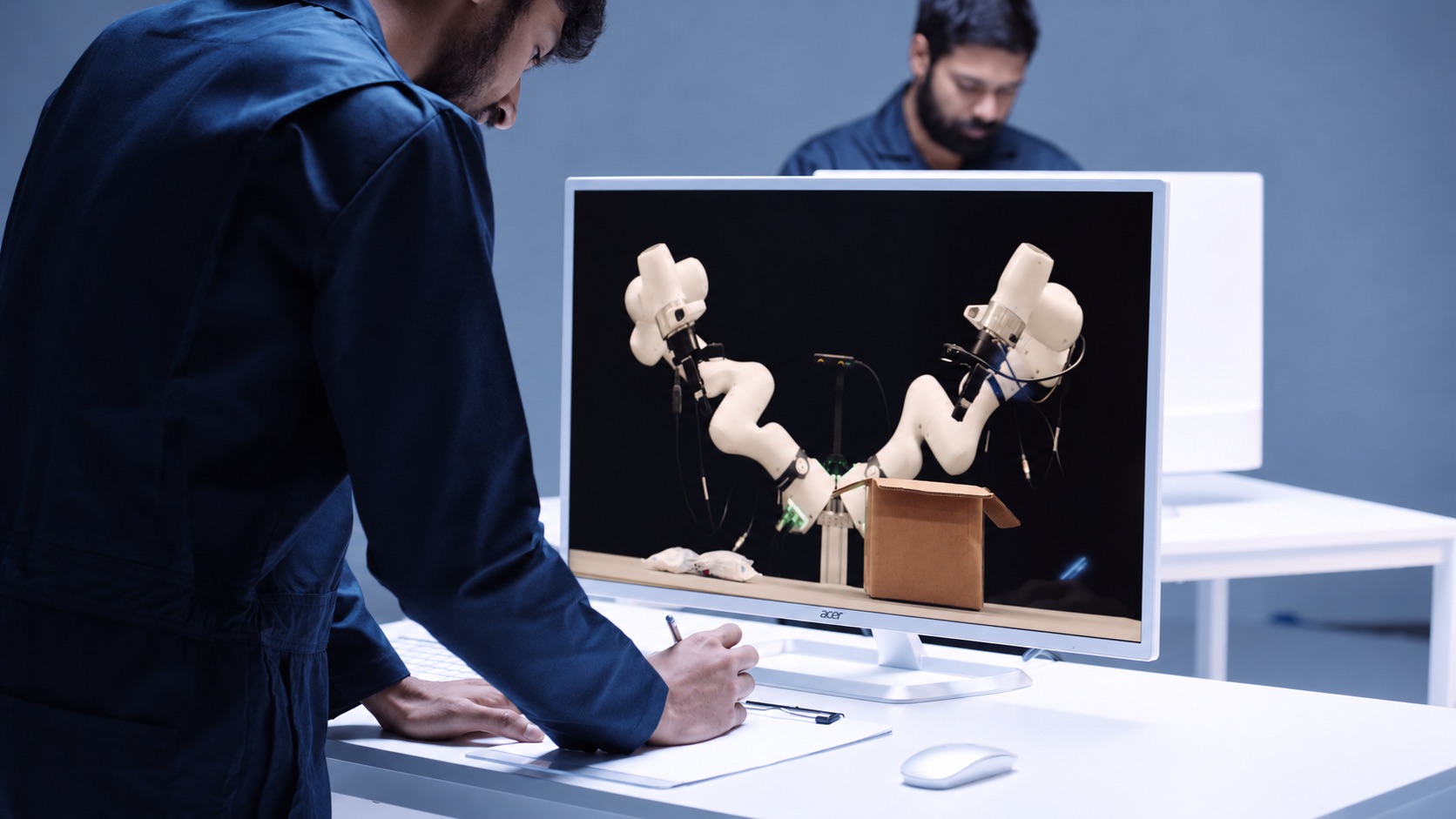
Odyssey-3 is a foundation world model that generates embodied environments from a prompt and predicts in real time how those environments change as a person or an agent takes actions or introduces events, using previous observations and the latest inputs. It is described as a learned dynamical system, implemented as an autoregressive diffusion transformer, that predicts how objects move and interact through space and how situations evolve over time. The model learns representations of physics, dynamics, and cause-and-effect from a broad dataset of visual observations, and developers use that knowledge both to simulate environments and to train policies for different physical systems. The research preview is available now, and physical AI developers who want to build with Odyssey-3 are invited to get in touch for access. The team behind Odyssey-3 comes from a decade spent building driverless cars, where predicting the world was essential to determining what a car should do next. The founders started Odyssey to pursue that idea far beyond the roads and to build a general-purpose technology that could bring learned world knowledge to all machines and tasks. Physical accuracy has been made a central focus of the research, on the reasoning that a foundation model for physical intelligence must learn to predict how the world actually behaves. In the team's own framing, with Odyssey-3 that idea is now being realized. Odyssey-3 generates embodied environments in real time and predicts how they change as a person or agent takes actions or introduces events. You can move through the environment or introduce an event during generation and observe how the model responds. The current preview provides first-person and third-person navigation alongside independent camera movement, giving different ways to interact with and inspect the model's predictions. The stated design goal was to enable dynamic, open-ended interactions with an environment that responds as the user acts. Odyssey-3 Pro sets a new state of the art on Physics-IQ Verified's video-to-video benchmark, achieving 66.1, the highest reported score. Physics-IQ, a benchmark from Anates Labs and DeepMind, tests physical behavior across fluid dynamics, optics, solid mechanics, magnetism, and thermodynamics by asking models to continue videos of real physical experiments and comparing their predictions with what actually happened. Odyssey-3 Pro also scores 54.7 in image-to-video. Reported video-to-video scores are 51.8 with base prompts, 61.6 with prompt enhancement, and 64.4 best-of-8 for the Odyssey-3 480p series, and 63.4 with prompt enhancement and 66.1 best-of-8 for Odyssey-3 Pro 720p. On image-to-video, Odyssey-3 records 41.0 with base prompts, 48.8 with prompt enhancement, and 52.8 best-of-8, while Odyssey-3 Pro records 50.0 with prompt enhancement and 54.7 best-of-8. Odyssey-3 also improves the measured tradeoff between physical accuracy and generation cost, making it possible to generate more simulations within the same compute budget. Resolutions are 832x480 for Odyssey-3 and 1280x720 for Pro. WorldMark measures control-following, visual quality, and world memory. In Odyssey's evaluation, using the benchmark's own captions and the mean of its 13 reported metric scores, Odyssey-3 ranks first in first-person stylized environments with 77.2, third-person real environments with 79.0, and third-person stylized environments with 76.3, and places third in first-person real environments with 80.6. The company notes that these results measure specific properties of generated worlds, and that applying the model to a physical system also requires evaluating the behaviors that matter for that machine and its tasks. Odyssey-3's learned world knowledge can be applied to different systems by training an action decoder or policy on paired observations and actions. These learned components translate that knowledge into the controls required by a particular machine, letting developers adapt the foundation model to a new body or task. With only tens of hours of robot demonstrations, Odyssey-3 completed manipulation tasks such as "Pour the cereal into the bowl" and "Close the screwbox" and showed recovery behaviors absent from those demonstrations, including reorienting a gripper after a missed grasp and retrieving a dropped object in an unusual position. Flexion has built humanoid control policies on Odyssey-3; the resulting policies exceeded the performance of the tested VLA baselines under environmental changes and continued to perform tasks under lighting changes that caused those baselines to fail. Odyssey-3 was also adapted to drive a car on real roads in India, training a driving policy on just 20 hours of driving data while keeping the Odyssey-3 backbone frozen. The policy uses the model's visual representations to predict waypoints ahead of the car, allowing it to drive in closed loop, and was demonstrated with instructions such as "Take the first roundabout exit" and "Drive along the road". Separately, Odyssey-3 was adapted to generate observations for particular sensor arrangements: in an early experiment using the front three cameras of an autonomous-driving dataset, an Odyssey-3 training checkpoint produced driving sequences with three camera views generated together after just 100 training steps. Odyssey-3 can also help train agents. An agent is an AI system that pursues a goal by observing its surroundings, choosing actions, and using what happens to decide what to do next. A world model can provide the environment in which those decisions are made, giving a way to study how an agent responds to changing conditions and whether it can complete a task inside a world whose behavior is learned. In Odyssey's task-completion demonstration, an agent receives a natural-language goal and pursues it inside Odyssey-3, observing the generated world as it works toward the task. Odyssey-3's training data combines internet video with time-localized, schema-verified event annotations, gameplay recordings with time-aligned keyboard and mouse inputs, and simulated rigid-body interactions with captions and metadata. Together these sources connect diverse observations with descriptions of what happens and, where available, the actions that produced it. The model is built as a multi-step video diffusion transformer, using temporally resolved prompts and controls to guide how the world unfolds. It is then extended autoregressively through teacher forcing and causal masking, training it to continue from preceding observations and predict future states conditioned on action inputs. Finally, a post-training pipeline combines distribution-matching and adversarial distillation to produce a distilled variant of Odyssey-3, a few-step model capable of real-time interaction. Odyssey believes world models will power increasingly capable physical AI, generate environments in which other intelligences can train, and enable new kinds of human experiences. Developers building robots, humanoids, self-driving cars, drones, or any other autonomous system are invited to explore how foundation world models can accelerate their work. The research preview lets people prompt an environment, act within it, and see how the world model responds, while API access is available by getting in touch with the team. In summary, Odyssey-3 is presented as the company's most powerful foundation world model, combining real-time, prompt-driven environment generation with strong physical accuracy results on Physics-IQ Verified and WorldMark, and with demonstrated adaptation to robot arms, humanoids, vehicles, multi-sensor data generation, and agent training.
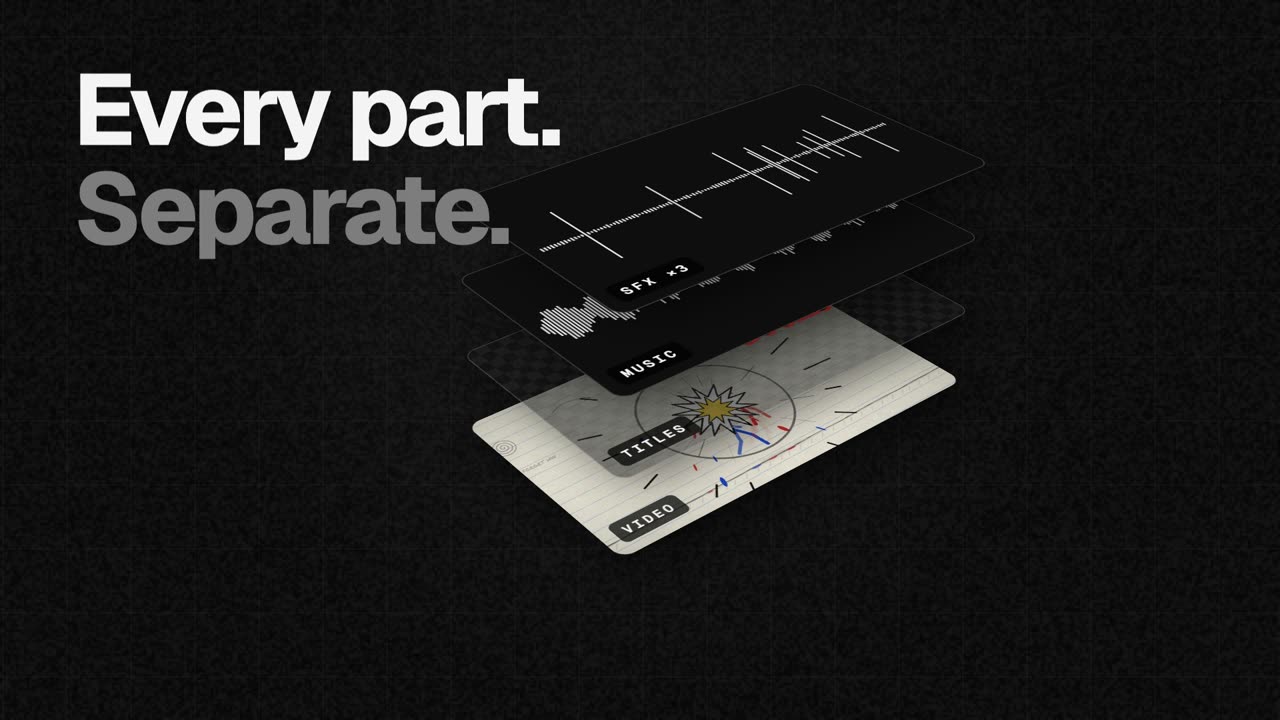
EasyCut is a free video editor that runs entirely in your browser and is built specifically to finish motion videos made by Claude. When Claude designs, animates and scores a video — its own motion, music and sound effects — EasyCut opens it as one project in which the video, the titles, the music and each individual sound effect sit on their own track, lined up and labelled. The tool is for anyone who wants the creative reach of an AI video generator but still needs a real editing timeline to trim scenes, swap music, add captions, adjust timing, add their own brand, and export the finished film in whatever shape a platform needs. The problem EasyCut addresses is that an AI-generated video normally arrives as one finished, flattened file. If you want a different music bed, a shorter title card, a quieter sound effect or a cut that lands half a second earlier, there is often no practical way to change just that element — the usual answer is to regenerate the whole video and hope the new version keeps everything else you liked. EasyCut's answer is to keep every part of the Claude-made video separate. Because each title, scene, image, sound and element is preserved on its own track, you can select anything and ask Claude to change just that part without rebuilding the whole video. That turns an AI video from a fixed output into a starting point you can actually edit. The editing core is a full timeline rather than a trimmed-down AI toy. EasyCut describes itself as a real editor with a magnetic timeline, frame-exact cuts, J/K/L keyboard controls, markers and undo for everything. You can cut, trim and split clips by dragging edges, split at the playhead, and reorder clips by dragging them, with transitions added in one click. Pauses can be removed in one go, or you can cut words by crossing them out directly in the transcript. Auto captions are generated word by word, written on your own computer, and can be saved out as SRT or VTT files for use elsewhere. Audio work is handled with the same level of control. Music can be fitted to the video's length, cut on the beat with its real ending, and there are free music and effects libraries built in, with ducking so music sits under voices automatically. You can record your screen, your camera, or both together with your voice, straight onto the timeline. A Layers panel lists every clip of a Claude video in one place, so you can find all the whooshes and mute or delete them at once, and speed ramps let you slow one moment down or speed it up with easing that moves smoothly in and out of the change. Visual and AI features are included as well. Colour looks, green screen, split screen, blur boxes, shapes and stickers are available to make footage look good, while voice clean-up, background removal and an AI voice all run on your device without uploading anything. Export covers MP4 up to 4K and 60 fps, produced as wide, tall and square versions in one go, plus GIF and audio-only exports. Projects save automatically in your browser as you work and can be moved anywhere as a single file, and a brand area keeps your logo, colours and fonts in one place for every video — a set Claude can use too. EasyCut's distinctive approach is how the Claude connection works. Setting it up takes about one minute, once. You add the EasyCut connector to Claude, and from then on Claude can open the videos it makes straight in EasyCut with every part on its own track. There are two routes. With Claude Desktop you download the EasyCut extension — a 170 KB .mcpb file for macOS and Windows — and press Install when Claude asks to install it, since Claude already has everything it needs to run it. With Claude Code you run one terminal command: claude mcp add easycut -- npx -y easycut-connector@latest. Then you open EasyCut, press Claude at the top, turn it on and choose Allow if the browser asks to let it reach apps on this device. If you are using claude.ai in the browser instead, you ask for the parts as downloads and open them from EasyCut's Claude panel. Claude Code needs Node.js 18 or newer. The practical benefit is that a finished AI video becomes a controllable edit rather than a fixed result: you trim a scene, mute a whoosh, drop in your own track or move the titles, and if you want something changed that only Claude can produce, you select one clip and ask for just that. Everything can then be exported in the shapes different platforms need. EasyCut is free with no trial, no watermark and no account, and nothing is uploaded: cutting, the AI features and the export all happen in your browser on your computer. The only downloads are the AI models, fetched once the first time you use a feature, and anything you choose from the free music and photo libraries. It is deliberately calm by design, with big buttons, plain words and tips everywhere, so there is nothing to learn first. Concrete workflows follow the three steps EasyCut describes. First, you ask Claude for a video — for example, a dynamic 40-second launch video for an app with bold type, smooth camera moves, great music and sound effects, opened in EasyCut. Second, every part lands on its own track: the video, the titles, the music and each sound effect open as one project, lined up, labelled and ready. Third, you finish it your way — trim a scene, mute a whoosh, drop in your own track, move the titles, or select one clip and ask Claude to change just that — and then export in every shape you need. EasyCut is not limited to Claude output either: it is a full editor, so you can add your own videos, photos and music, or record your screen and camera. EasyCut is made for computers; on a phone the screen is too small for a timeline, so it is not a mobile editing app. Browser support is broad but tiered: Google Chrome and Microsoft Edge do everything, including export, while Safari 16.4+ and Firefox 130+ can edit too. Its Claude integration is the headline connection, available through Claude Desktop and Claude Code, with a fallback for claude.ai in the browser. Pricing is simply free — no trial, no watermark and no account — and the site positions it as a finishing editor for AI video rather than a video generator, with the tagline that Claude makes it and you finish it. EasyCut's value proposition is narrow and clear: it is the finishing editor for AI video. Claude makes the whole video — motion, music, sound effects — and EasyCut opens every part on its own track so you can trim it, swap the music and export it, free, right in your browser, with your footage never leaving your computer.
iLand is a Mac app from CodeM Labs that turns the empty space around your Mac's notch into a living hub of everyday tools. Instead of digging through the menu bar or opening separate applications, you hover near the notch and it unfolds to reveal music controls, AirPods and accessory battery levels, local weather, calendar events, a drag-and-drop file tray, live translation and more. CodeM Labs describes it as one quiet hub for the things you check all day, and the Product Hunt listing frames it as a way to turn your Mac's notch into an everyday workspace. It is made for Mac users who want fast, glanceable access to the small pieces of information and utility they reach for constantly, without leaving whatever they are working on. Modern MacBooks have a notch, and for most people that strip of screen does nothing at all. iLand is built on the premise of giving that space a job. The product page puts it plainly: give your notch a job, and turn that empty strip of screen into the most useful pixels on your Mac. The problem it addresses is fragmentation: the things you check all day — what is playing, the weather, the next meeting, how much battery your AirPods have left, a file you need to move to another device — are scattered across menu bar icons, separate apps and system settings. Each of those checks is small, but together they pull you out of your work. iLand gathers them into a single place attached to hardware you already look at, so instead of switching contexts you glance, act, and get back to what you were doing. The heart of iLand is a set of widgets that live in the notch and stay one glance away. Music control lets you play, scrub and skip right from the notch, and album art spills into view the moment a track starts, so you can see what is playing without opening a music app. Weather shows local conditions along with highs and lows, updating quietly in the corner of your screen. A battery widget keeps track of every device at a glance with real-time battery levels for AirPods and accessories, which removes the guesswork of deciding whether something is charged. Calendar and events keeps your next meeting one hover away and offers a join button when it is time, so the transition from noticing an appointment to attending it happens in the same place. Timers are also part of the widget set described in the Product Hunt listing. Beyond passive information, iLand puts working tools in the notch. The tray is a file shelf built into the notch: you drop files in, AirDrop them to nearby devices, or convert formats on the fly and then drag them anywhere. That means a file can be parked temporarily while you move between folders or apps, sent to another device, or converted without opening a separate converter. A built-in media converter is listed as part of the feature set included in every plan, and a built-in screenshot and recorder add capture tools to the same hub. Live translation covers the word you absolutely know but, annoyingly, only in the wrong language: you type on one side, read on the other, and swap the languages with a tap. Together these turn the notch into a place where small, frequent tasks are finished rather than deferred. iLand is designed to be shaped by the person using it. Widgets can be switched between and reordered, and you pick what shows, so you decide which tools occupy the hub. The Product Hunt listing also mentions gesture controls and a customizable layout that keeps everything within reach. The approach is hover-aware: iLand stays out of the way until your cursor approaches, then it unfolds, which means the notch stays out of your workflow until you actually want it. Appearance is adjustable as well, with liquid glass or dark styling available. That combination of picking widgets, ordering them and choosing a look makes the notch feel like a personal surface rather than a fixed panel of controls. The product's stated rhythm is simple: hover to expand, glance to know, get back to work. iLand is not a dashboard you sit in front of; it is a hover-triggered surface that appears when your cursor approaches the notch and recedes when it leaves. Under the hood it is deliberately lightweight. CodeM Labs describes iLand as a tiny, signed menu-bar app with no Electron and no bloat, calling out negligible battery use. It requires macOS 13 or later and runs on both Apple Silicon and Intel Macs, and the download is about 30 MB. That combination — a native, signed menu-bar app with a small footprint — is the mechanism that lets the notch act as a workspace without becoming another resource-hungry app running in the background. The benefit iLand promises is fewer context switches. Music, weather, calendar, battery and files are all one glance away, so the small checks that interrupt a task stop requiring a trip to a different app, window or menu bar icon. Files move faster because the tray, AirDrop and conversion live in the same place; meetings are easier to catch because the join button appears when it is time; questions of language are answered in the same hover. Because the app is native and small, those conveniences do not come with the cost of a heavy background process. In short, the outcome is a notch that earns its screen space by handling the things you check all day, quietly and on demand. Concrete scenarios follow directly from the widgets. While working, you hover to pause, skip or scrub a track and see album art without leaving your document. Before heading out, you check the weather highs and lows and confirm your AirPods have charge. During a busy day, you hover to see the next meeting and use the join button when it starts. When you need to move a file to another device, you drop it into the tray and AirDrop it, or convert its format on the fly before dragging it where it is needed. If a word comes up in another language, you type it on one side and read the translation on the other, then swap with a tap. And when something on screen needs capturing, the built-in screenshot and recorder handle it from the same hub. iLand targets Mac users, particularly those who spend the day in front of a MacBook and want their tools within reach rather than scattered. CodeM Labs describes itself as an independent group of developers crafting lightweight, privacy-first apps for Apple platforms. Pricing is straightforward: a free 7-day trial, then either a monthly plan at $1.99 per month for full access with a one-device license, or a one-time lifetime purchase at $14.99 that covers up to three devices. Both plans include all iLand features, all future updates, the built-in media converter, and the built-in screenshot and recorder. The site also notes a macOS 13+ requirement, Apple Silicon and Intel support, and a roughly 30 MB download, and it invites further questions through its FAQ and social channels. iLand's core idea is that the notch is not dead space. By turning it into a hover-aware hub for music, weather, calendar, batteries, files, translation and capture, it makes the most of pixels you already own and keeps the things you check all day one glance away — and then gets out of the way.
LaunchReel is a Claude Code plugin that edits talking-head videos and generates launch videos for your real product. According to the product's website, you record yourself and Claude cuts the footage, adds captions and zooms, and builds visuals around what you say; you can also pin a comment on any frame and it fixes just that spot. It is aimed at founders, makers and small teams who need finished videos for a product launch, without doing a manual editing pass themselves. The site positions it as a way to get a professional-looking video out of a raw recording and out of your own repository. The problem it addresses is the gap between describing an edit and actually getting it. In the site's own comparison, using Claude Code alone means that to fix one thing you describe it, wait, and render again; a small edit costs another prompt; there is no sound; the Reels version means starting again in portrait; and getting an MP4 means setting up a renderer yourself. LaunchReel is presented as the layer that removes each of those steps: you pin a comment on the frame instead of writing a prompt, you click text to change it, you get original music and voiceover, you say "make the 9:16 version," and you press Export. That framing matters because it turns video editing from a back-and-forth prompting loop into a visual, direct-manipulation workflow while keeping the automation. The core editing capability is on talking-head footage. LaunchReel cuts the fillers, pauses and retakes out of a recording, then — according to the site — listens back to check every cut before adding captions and zooms. That sequence is what makes the output usable: filler removal alone can leave awkward jumps, so the verification step is described as a check on each cut, and captions and zooms are layered on afterward to keep attention on the parts that matter. Recordings up to 5 minutes are supported on the Creator plan and up to 10 minutes on Pro, which sets the practical ceiling on a single talking-head project. The Studio is the manual-editing surface, and it opens while Claude works. It runs locally at localhost:4747 and gives you a live preview with sound. The site's headline example is pinning a comment on any frame — the preview shows an instruction such as "make this bigger" attached to a specific moment — and Claude then fixes just that spot. Alternatively, you can click text and change it directly, with no prompt involved. The Studio is also where structure becomes visible: the preview shows the narrative beats Hook, Problem, Demo, Proof and CTA, so you can see how the video is organised as you work. The selling point the site makes is that small fixes cost no prompt, which keeps iteration cheap once the first edit exists. Alongside talking-head editing, LaunchReel writes launch videos. Claude writes every scene as code for your real product, taken from your repository, rather than from generic stock. Those videos come with original music and voiceover — the pricing page describes this as an original score and studio voices — so the finished film ships with sound rather than silence. LaunchReel also adds what the site calls a director's playbook, described in the Creator plan as "the full playbook, always current." If you are not using Claude Code, the site offers a separate path: you can generate a video from a template. The workflow is deliberately short. First, you say one sentence — the example given is "cut this recording into a reel" — and Claude does the first edit. Second, the Studio opens while Claude works, so you can watch the video build rather than waiting blind. Third, you make it yours: pin comments or edit directly on the frame, then export when it's right. Setup is also minimal and command-line based: you run "/plugin marketplace add gajanansr/launchreel-plugin" and then "/plugin install launchreel@launchreel", one at a time, with Node 20 or later installed. Because the Studio runs on localhost, the editing happens on your own machine; the site notes that Claude's work uses your own Claude plan, while edits you make in the Studio do not. Talking-head projects keep working copies of your recording and use roughly 0.07 GB per minute of 1080p, and LaunchReel tells you the cost before it starts. The stated benefits follow from that workflow. Fixing a detail no longer requires describing it, waiting and re-rendering — you mark the frame. Changing wording no longer requires a prompt — you click the text. Portrait versions no longer mean a separate edit from scratch — you say "make the 9:16 version." Sound is included through original music and voiceover. Export is a button rather than a renderer you configure yourself. And output is finished to the format you need: 16:9 or 9:16, up to 4K, with 2K and 4K available on Pro. Concrete scenarios from the site include cutting a raw recording into a reel, producing a launch film describing your real product, making a demo video, and generating the vertical 9:16 version for Reels or Shorts from the same project. Because fixes and re-renders within the same month do not count as another video, the product is also suited to iterating on one video — re-rendering it and re-voicing it — until it is right. The template option covers people who want to generate a video without using Claude Code at all. Pricing is structured around projects. A free trial lets you make one full video with every feature, exported in 1080p with a small watermark in the corner. Creator is $19 per month after a founding discount (50% off the first three months with code FOUNDING50) and includes 5 videos a month, no watermark or end screen, 1080p export, talking-head recordings up to 5 minutes, original score and studio voices, the full playbook, and use on up to 2 computers. Pro is $49 per month and adds 20 videos a month, 2K and 4K export, recordings up to 10 minutes, use on up to 3 computers, and early access to new looks and features. Team is $149 per month with everything in Pro, 80 videos a month, up to 10 computers, and one invoice. A video is one project; fixing, re-rendering and re-voicing it in the same month do not consume another video, and the count resets on the first of the month. Plans renew monthly and can be cancelled anytime; prices are in USD, billed monthly by the reseller Dodo Payments, which handles tax and invoices. In short, LaunchReel's value proposition is that Claude does the editing work while the product supplies the parts that make the result shippable: a Studio for direct fixes, a director's playbook, original music and voiceover, and export in 16:9 or 9:16 up to 4K. For a founder or small team that records talking-head videos and needs launch videos for a real product, it collapses editing, sound and export into a short, mostly automated flow.
Smooth Recorder is a native Mac screen recorder built for making demos and tutorials. Its promise is that you record once and the video is edited by the time you hit stop: it zooms in where you click, smooths your cursor and camera movement, adds captions on your Mac, and places the recording on a nice background. Screenshots get the same treatment, opening into an editor with wallpaper, padding, corners, shadow, arrows, text, numbers, blur and 3D tilt. The app is for Mac users who want polished screen recordings and captures without doing much editing afterwards. It is a one-time purchase with no subscription and no account, so the workflow stays self-contained. The problem it solves is the distance between a raw screen recording and something you are happy to share. A plain capture usually needs zoom-ins on the clicks that matter, a cursor that glides instead of jumping, captions for people watching without sound, and a background that makes the frame look deliberate rather than accidental. Doing all of that by hand in a video editor takes time and a second tool, and the recording has to be captured again if the framing is wrong. A reviewer quoted on the site, Stanislav Tyshchenko, founder of Opencals, summed up the search for a fix: "I remember having a hard time looking for a tool like this, one that lets me record demos in one go without having to do much editing." Smooth Recorder takes the position that the polish should be produced during the recording rather than afterwards. The site also positions the app against the recorders people weigh it against. Its comparison table covers Screen Studio, CleanShot X and Loom, checked on their own websites in September 2026. In that table Smooth Recorder is the native Mac app that is pay once with no subscription, with auto-zoom on your clicks, a smooth cursor, captions made on your Mac, cutting by editing the transcript, and screenshots with an editor. Screen Studio is shown as an Electron app; Loom's captions are cloud-based and its transcript cutting sits on a $24/mo plan; CleanShot X is listed with yearly updates. These are the seller's own readings of competitor sites. The core recording features are the zooms that follow your clicks, the smooth cursor and camera, and the captions. Version 1.1 added 3D angles. Because the zoom is driven by where you click rather than by manual keyframes, the emphasis lands on the buttons, fields and menus you actually used, and the camera work is already cut together when you stop. Captions light up each word as it is spoken, which keeps a viewer's eye on the part of the interface being described even when they are watching with the sound off. The recording is placed on a nice background as part of the same flow. Editing is done by editing the words. The recording is transcribed on your Mac and the transcript sits alongside the video: delete a word or a sentence from the transcript and it is gone from the video too. The interface reports what was removed — the product tour shows "Cut 3 filler words" with an Undo control — so repeated takes and verbal tics such as "um", "uh" and "er" can be trimmed out without touching a timeline. That turns the transcript into a practical editing surface rather than just a subtitle file, which matters for anyone recording a walkthrough in one take. One shortcut — the tour shows ⌥1 — opens the capture overlay. You pick the area, then choose what to make from it. There are five options: Screenshot (an area, a window or the full screen, ↩), Record (with camera, mic and system audio, R), GIF (a looping clip that goes straight to your clipboard, G), Scroll (one tall screenshot of a whole page, S) and Text (copy the words inside any area, T). Putting all five behind a single overlay means the same starting gesture covers a quick still, a looping clip for chat, a full-page capture, or lifting text off the screen. Screenshots get everything the editor does, a key or a click away. "Make it yours" covers wallpaper, padding, corners and shadow, with 76 wallpapers, 40 of them new. "Make your point" covers arrows, text, numbers and blur, one key each, and edits stay editable. "Tilt it in 3D" offers nine presets that turn the screenshot, with fine-tuning available if you want it. Because the edits remain editable rather than baked in, a screenshot can be reworked instead of re-taken. Smart Redact handles what comes before sharing. It finds the things you would rather not show and blurs them in one click: emails, phone numbers, card numbers, API keys and faces. The tour shows it reporting its matches, such as "Smart Redact 2 found" or "5 found" on a billing screen, before the screenshot goes anywhere. All of it runs on your Mac — captions, text recognition and redaction are processed locally, and recordings do not leave the machine. Rakesh Potnuru, founder of WithUPI, singled the feature out: "I love the auto detection and blurring of sensitive details feature." Smooth Recorder is a native macOS app built in SwiftUI and AppKit — not a Chrome extension, not a website in a window. It runs on macOS 15 Sequoia and later, and on macOS 26 it uses newer system features when they are available. The Library lives in the notch and holds every screenshot and recording, with search and the recording timer. Version 1.1 added menu bar and Dock support: the menu bar icon opens your Library, and the Dock menu offers Capture and Recent. Shortcuts and Siri can take a screenshot, capture text, or start and stop a recording, and the app follows your Mac's appearance or your choice of Light, Dark or Auto. Exports cover the places recordings actually go: MP4 for anywhere, MOV for Keynote and Final Cut at 30 or 60 fps, and GIF for docs, chat and READMEs at up to 24 fps. Pricing is deliberately simple. During early access the app costs $9 once against a launch price of $69 — $60 off for the first 100 buyers, with 90 left when the page was captured. There is no subscription and no account. The single payment includes recording with auto-zoom, smooth cursor and captions; transcript editing and filler-word removal; screenshots, GIFs, scrolling capture and text; the screenshot editor with Smart Redact and Motion; 3D zoom angles and 76 wallpapers; MP4 and MOV export at up to 60 fps plus GIF; and every update during early access. Taken together, Smooth Recorder collapses recording, polishing and screenshot work into a single flow on the Mac. You set up the area once, capture in the format you need, and stop — the zooms, cursor, captions and background are already in place, and the transcript gives you a way to trim without a timeline. For founders, developers and anyone producing demos, tutorials or documentation on a Mac, the value proposition is the one in the headline: record it once, and the polish is done when you stop.
Pexo is an AI video agent that turns ideas into videos through natural conversation. According to its website, users simply tell Pexo what video they want to create — for example, an instruction to create a one-minute launch video for a website with dynamic motion graphics — and Pexo produces a publish-ready video. The site states that no advanced AI video generator skills are required. Users can start from a URL, PDF, image, video, audio, or simply an idea, and Pexo takes the process from there. The product is presented as one agent for every kind of video, and on its own site it is framed as more than an AI video generator: an agent that plans, generates, assembles, and revises video content on the user's behalf. On Product Hunt, Pexo is described as a way to produce pitch perfect launch videos with precise control, where you share your product, website, or assets and direct one agent from idea to a finished, on-brand launch video. The problem Pexo addresses is framed in its own FAQ. Most AI video generators, the site explains, are tools you operate: you write prompts, pick a model, and edit the output yourself. That leaves the user responsible for creative direction, model selection, and post-production. Pexo's approach inverts this. Instead of handing the user a toolbox, Pexo asks them to describe what they want in plain language; it then figures out the approach, chooses the right model, and delivers a finished video rather than a short clip. The company notes that users can review the plan and adjust as it goes. Reviews published on the site echo the same contrast. One reviewer states they generate five to ten product videos a week now, and that what used to cost about $500 per video from freelancers is handled by Pexo in minutes. Another says they are not techy at all, but that Pexo made it effortless to get a polished video ad ready for Instagram and TikTok. A third describes trying a dozen AI video tools and finding Pexo to be the first true AI video agent. The underlying pitch is consistent: reduce the operational burden of video production by making the agent responsible for planning, model routing, assembly, and revision. Pexo accepts a wide range of starting points. The website says you can start with a URL, PDF, image, video, audio, or your idea, and the 'How Pexo Delivers A Full Video' section narrows this to pasting a URL, an image, an audio file, or a reference, after which Pexo writes, creates, and delivers the video end-to-end. The product also lists dedicated input flows as features: text to video, where you describe an idea in plain language and Pexo turns it into a finished video; image to video, where an uploaded image is animated into a moving video; URL to video, where a product or page link yields a finished video; audio to video, which turns a song, podcast, or voice note into a visual video; and script to video, which takes a written script and produces the full video. The site gives a broad range of example briefs, including a mascot launch video, a collage-style explainer, an AI avatar video, a SaaS launch video, a kinetic typography explainer, a brand launch video, an educational explainer, an infographic product animation, an app demo, a service explanation, social ads, a cinematic short film, a live-action instructional video, and an animation. The second stage of Pexo's workflow is planning. The site states that Pexo works with the user to develop the script, scenes, shots, and creative direction, and a separate section describes Pexo as building storyboards, selecting references, and structuring the video. This capability is presented as 'Plans the Creative Work.' Pexo also claims to understand intent — context, references, and creative direction beyond prompts — which the site illustrates with a reference-aware prompt understanding interface. The FAQ explains the mechanism: users talk naturally and add links, images, music, notes, or references, and Pexo turns that context into a video plan. In practice this means the user is not limited to a single text prompt; they can supply supporting materials and let the agent interpret them. For someone with a rough idea rather than a finished brief, this planning layer is what moves the project forward without requiring them to write prompts or storyboard shots themselves. Pexo markets access to 'the world's leading AI models,' stating that it understands your request, selects the right model, and routes each step for the best result. The home page displays logos for Hailuo AI, Pika, Midjourney, Kling AI, GPT Image, Veo, Seedance, Luma AI, MiniMax, and Runway, and lists individual model pages for Seedance 2.0, Happy Horse 1.0, GPT-Image 2, Nano Banana, and Kling AI 3.0. A blog description elsewhere on the site says Pexo auto-routes across Kling 3.0, Sora 2, Veo 3.1 and more to return a finished video. The product's pitch is that the user never has to pick a model themselves; the agent makes that decision per task. This is the feature that most directly supports the claim that Pexo is different from generators that require you to choose a model manually. On the output side, Pexo says it delivers finished content — complete videos with narration, music, subtitles, and transitions — and that the final deliverable includes voiceover, music, motion graphics, captions, and editing. The Product Hunt description adds that Pexo generates and assembles the scenes and handles voiceover, music, captions, motion graphics, and editing as part of a launch video workflow. Revision is handled conversationally: users mark what they want fixed and make changes through conversation, which the site compares to commenting in a Google Doc. The Product Hunt listing describes leaving a comment or circling what you want changed, after which Pexo makes the edit. Pexo frames this as improving through feedback, applying revisions naturally without restarting from scratch — a meaningful distinction for anyone who has regenerated an entire video just to fix a single scene. Beyond video assembly, Pexo includes standalone generation features. The AI avatar feature is described as a lifelike AI avatar that speaks your script in any language. Image generation lets users describe any scene and get a high-quality image in seconds, and music generation composes original music instantly from a described mood or genre. These capabilities feed the main workflow — an avatar can deliver a script while generated images and music populate the video — and the site presents them in a 'More Than an AI Video Generator' section. The product also supports a long list of formats and styles, including motion graphics explainers, launch videos, story and film formats, product ads, social media, kinetic typography, 2.5D animation, whiteboard animation, paper animation, line art, animated explainer videos, app launch videos, talking head videos, music videos, anime, UGC ads, product videos, YouTube Shorts, AI dancing videos, AI kissing videos, and ASMR videos. The stated outcomes center on speed and reduced effort. Pexo says it delivers a 'ready-to-post' video and that its videos are platform-ready, so users can post to TikTok, YouTube, Instagram, X, and more without extra editing. Customer reviews on the site describe turning product photos into video ads in minutes, describing an idea and receiving one polished ad, and generating five to ten product videos per week. Another reviewer says the videos look professional and match their brand, with no awkward AI artifacts. These claims come from customer testimonials published on Pexo's site and reflect the benefits Pexo chooses to highlight: less manual editing, consistent branding, and output that is ready for publication. Pexo's FAQ lists what the product can be used for: product ads, social posts, explainers, launch videos, personal memories, and more. A separate answer describes the types of videos Pexo can create as short-form social videos, product demos, brand ads, story videos, and publish-ready clips. The home page's example prompts and style gallery expand on this with concrete scenarios, such as creating a one-minute launch video for a website with dynamic motion graphics, building a mascot launch video, producing a SaaS launch video, making an app demo, explaining a service, creating social ads, producing a cinematic short film, generating a live-action instructional video, making a collage-style explainer, and producing an educational explainer or infographic product animation. Pexo's site indicates the product is aimed at product teams and marketers who need clear, polished visual storytelling and feature explanation, alongside creators producing social content. Product Hunt classifies Pexo under Marketing, Artificial Intelligence, and Video. Pricing information on the page is limited to a 'Start for Free' call to action, suggesting users can begin without payment, though no detailed plan tiers are listed. Platform-wise, Pexo is a web product accessed at pexo.ai; the site does not describe a dedicated mobile or desktop application. Output is tailored for TikTok, YouTube, Instagram, and X. In summary, Pexo presents itself as an AI video agent rather than a video generator tool. The user supplies an idea, link, image, audio, or script; Pexo plans the story, routes tasks to what it considers the best AI model, generates and assembles scenes with voiceover, music, captions, and motion graphics, and then revises the result through conversational feedback. Its primary value proposition is directing one agent from concept to a finished, on-brand, publish-ready video — without requiring advanced AI video generation skills.
Arsaze is an AI-native video editor built for both human editors and AI agents. It presents a real, multi-track timeline — described by its makers as "Cursor for video editing" — where users can cut, rewrite, generate, grade and review footage by hand, or hand control to an AI agent that drives the same timeline. The product positions a single workspace for AI video editing, AI video generation and agent-driven video editing, aimed at people who want a genuine non-linear editor rather than a one-click automation toy. The product addresses a workflow shaped by fragmentation and feedback loss. Generation tools typically live in separate subscriptions, so material has to be downloaded and re-imported before it can be cut, and review notes left by clients tend not to survive the next cut, arriving detached from the frame they describe. Arsaze's answer is to put generation, grading, review and editing on one timeline, and to make that timeline addressable by an AI agent. Its pitch to that audience is simple: stop scrubbing, start directing. Rather than replacing the editing suite with a single automated button, it keeps a conventional multi-track editor at the center and adds an agent as an operator. The first of Arsaze's four power tools is Rewrite, which lets editors treat video like a document. Every clip is transcribed word by word, so the transcript becomes an editable surface: select a sentence and delete it, and the corresponding cut happens on the timeline. The same transcript-driven approach is used to find retakes, strip filler words and shorten pauses. Because the timeline follows the transcript, cleaning up a talking-head recording becomes a text-editing task rather than a scrubbing task. Arsaze also provides word-timed automatic captions in styles that can be reused across a project, and captions are editable like any other clip on the timeline. The Playground is a node editor for generation, usable by both the editor and their agents. Users chain prompts and AI image and video models into reusable graphs — the site gives examples such as Gemini Image into Seedance, or two stills into a single transition — and then drop the result straight onto the timeline. Beyond the Playground, generation is built into the editor across three media types with one credit balance on every paid plan, so there is no tab-hopping between five subscriptions and no downloading and re-importing files. AI video generation covers text-to-video and image-to-video from frontier models including Veo 3.1, Seedance 2.5, Kling 3.0 and PixVerse v6, landing on the timeline as real clips. AI image generation covers stills, thumbnails, style frames and b-roll plates with Nano Banana Pro, Flux 2 Pro, Seedream and Gemini Image. AI audio adds natural voiceover in dozens of languages plus music and sound effects, with ElevenLabs v3 and Multilingual v2 listed. Color is Arsaze's full grading stack, and it can be driven by hand or by asking. It includes a keyer, shot matching, a light tool, color wheels, curves, HSL qualifiers, film-stock LUTs and finishing. Grading is non-destructive and applied per shot, then rendered on export, and editors can import their own .cube files. The site highlights wheels, curves and HSL controls, film and creative LUTs, and the ability to match one shot's look to another. On the audio side, Arsaze offers voice isolation, noise reduction, loudness normalization and automatic ducking under speech. These tools matter because every one of them is also a tool the agent can call, so a request to grade a sequence teal and orange, or to clean a noisy talking-head recording, plays out on the real timeline. Arsaze runs on a dual engine: a real-time multi-track timeline and a code-to-video renderer, side by side in the same edit. The timeline engine offers unlimited video and audio tracks with frame-accurate trims, keyframes, transitions and live preview — the NLE editors already know. The code-to-video engine renders title cards, kinetic type and animated scenes written as code, by a human or an agent, frame-perfect onto the timeline; the site shows a scene definition with a stagger of words, a blur range and an easing curve, rendered at 1080p. Rounding out the toolkit are Remarker, Arsaze's frame-accurate client review tool, automatic version history that versions every edit so cuts can be branched, compared and reverted, and export options covering MP4 from the cloud, free local exports on Windows, and FCPXML for DaVinci Resolve and Premiere Pro. Arsaze works by treating the AI agent as an operator that drives the same timeline a human uses. Setup begins by connecting an agent: Arsaze is added as a custom connector in Claude, ChatGPT or Grok over MCP, a process the site says takes about two minutes and requires no code. The user then states what they want in natural language — the example given is "Cut the silences, add b-roll where I mention the car, grade it teal and orange" — and the agent edits the real timeline, with its tool calls playing back live in the editor. From there the editor reviews and tweaks, stepping in manually at any point, shares a review link, then exports MP4 or FCPXML. Crucially, the agent is optional: Arsaze is a full manual NLE with timeline, trim modes, color wheels and keyframes, and the agent is an operator you can hand the controls to rather than a requirement. Benefits center on control and continuity. Because every edit is versioned automatically as it happens, nothing an agent does is one-way: if the agent makes a bad edit, the editor can step back to any earlier state. Feedback survives the next cut because Remarker pins client comments to the exact frame and version they concern, and because those notes are agent-readable, the agent can read every note and make the fix. Generation arriving directly on the timeline removes the download-and-reimport loop. Exports render on Arsaze's servers by default, so the editor is just a browser tab and no fast machine is required, while Windows users can export locally for free with no watermark. Uploads, generated video and voice models stay tied to the account and are not used to train models without consent. Concrete use cases follow directly from these tools. A creator editing a talking-head video can run one pass to remove dead air and filler words, then fine-tune on the timeline and caption the result with word-timed captions. A marketer or filmmaker can ask an agent to cut silences, place b-roll where a topic is mentioned and grade the sequence teal and orange, then review the result and export. A motion designer can write title cards and kinetic type as code and render them frame-perfect onto the same timeline as the footage. A freelancer or studio can share a Remarker link so clients pin comments to exact frames, reply in threads and rate scenes. Teams finishing in DaVinci Resolve or Premiere Pro can export FCPXML with cuts, transitions and captions intact. Arsaze is aimed at editors, creators, freelancers and studios who want AI assistance inside a real editing environment rather than a black-box generator, and at developers and agent users who already work in tools like Claude, ChatGPT, Grok, Codex, Gemini, Cursor, Windsurf, Zed, Copilot and Perplexity, whose logos the site displays as the agents it is built for. Officially, Claude, ChatGPT and Grok are supported today over MCP. Arsaze runs in the browser and offers a Windows desktop app. Pricing is freemium: a free plan with 50 welcome AI credits, no credit card required, covers audio analysis of videos such as transcripts, captions and silence detection. AI generation of video, image, voice and music and the built-in AI assistant come with paid plans, which add monthly AI credits and cloud export hours; credit top-ups never expire and local Windows exports are always free. Arsaze's primary value proposition is a single, real timeline that both humans and AI agents can drive — the place where AI video editing, AI video generation and agent-driven video editing converge. By combining a manual NLE, a node-based generation Playground, a full color and audio stack, code-to-video rendering, frame-accurate client review, automatic version history and open exports to DaVinci Resolve and Premiere Pro, it lets editors direct rather than scrub, and lets agents do real work on a project that stays fully reversible and under human control.