Category Focus/categories/code-assistant
Code Assistant AI Tools
Discover and compare the best code assistant AI tools and software. Browse 104+ curated tools with reviews and rankings.
Projects tracked
104
Sort mode
RECENT
Page
3
Clippo is a developer tool for Windows that turns software development into a visual command room. Instead of juggling separate terminal windows, you work on an infinite visual canvas where you assemble a team of AI agents, delegate tasks to them, and watch code progress in real time. The product describes itself as a visual orchestration canvas in which you are positioned as the tech lead and your AI agents work together in parallel. Clippo is built for developers who already use AI coding agents and command-line AI tools and who want a single place to organise, monitor, and review their work. Everything is arranged on the canvas with full freedom to lay out your workspace however you like, so the structure of the screen can reflect the structure of your project. Software development with AI agents often turns into a struggle with dozens of lost terminal tabs. Developers move between windows, copy and paste the same briefings over and over, and lose track of which agent is working on what. Context disappears between sessions, which means re-prompting and burning tokens. Clippo exists to address that specific problem: it brings visibility and organisation to an increasingly parallel, agent-driven workflow. Rather than forcing you to remember what each terminal was doing, the canvas shows everyone working side by side on a single screen, so you know instantly who is coding and who is done without window switching. The product frames itself as replacing the wrestling with terminals with a visual command room that you arrange and control. The core capability of Clippo is running your AI dev team in parallel. You can assign agents to different fronts of a project: one building the backend API, another writing test suites, and another refactoring the frontend. Because the agents are placed on a single canvas, you can see them all working side by side and immediately tell who is coding and who has finished. Clippo works alongside the AI tools you already use every day. The listed compatible tools include Claude Code, OpenAI Codex, Gemini CLI, OpenCode, Aider, and Copilot CLI, as well as local engines such as Ollama and LM Studio. WSL and Docker are supported out of the box. That means Clippo is not a replacement for your chosen agent or model; it is an orchestration layer that organises the tools you already trust while keeping them under one visual roof. Clippo keeps agents aligned with a structured project binder that lives right on the canvas. The binder has three parts. Project holds the overall architecture, stack guidelines, and team conventions. Plan provides a step-by-step implementation roadmap that you can review before execution begins. Walkthrough is an executive delivery report containing diff summaries and verification checklists. The binder is not merely documentation sitting off to the side: you connect a cable from any note to a terminal, and the agent absorbs that context immediately, with no re-prompting needed. This turns your project conventions and plans into live context that every connected agent can read, reducing the risk of agents drifting away from the agreed approach and removing the repetitive briefing loop that usually accompanies multi-agent work. Clippo includes two tools that sit directly on the canvas. ClipSurf is an embedded browser that provides web browsing and eyes for any agent. It is available to both you and your agents, and it lets terminal agents and CLI models that have no built-in web access browse documentation, research solutions online, and test the local web app they just built, live in front of you. Clippo IDE is a visual code editor built into the canvas. With it you can browse project files, review agent-generated code with syntax highlighting, inspect Git diffs, and make quick edits before committing with a single keystroke. Together these tools keep browsing, inspection, and review inside the same visual workspace instead of scattering them across separate applications, and they let you stay in full control of your repository. Persistent memory with local AI is one of Clippo's most distinctive capabilities. Agents no longer lose context between sessions, because Clippo keeps a local memory that learns your project over time. It stores architectural decisions, solved pitfalls, and coding standards. A lightweight local model retrieves relevant memories on demand. Because retrieval is local and selective, this cuts token usage and keeps context across sessions. In practice this means that decisions you made once, such as a convention, a workaround, or a lesson learned, remain available to future agent sessions rather than being re-explained each time. The memory layer is the mechanism behind the stated token savings, and it is also part of why Clippo can describe itself as private: your files, notes, and prompts never leave your PC. The product's overall approach is visual and local. Everything happens on an infinite canvas where you arrange notes, terminals, IDEs, and browsers as nodes, then connect them with cables so that connected agents absorb the relevant context immediately. Because Clippo works alongside existing CLIs and local engines, you choose which agents and models run and how they are arranged. Privacy is central to the design: the content states zero account creation, zero login, and zero tracking, and that your files, notes, and prompts never leave your PC. Clippo also positions itself as lightweight and fast, explicitly contrasting itself with bloated web wrappers that eat up RAM. It opens fast, stays light, and leaves CPU and memory free for compiling and development, a meaningful detail when the same machine is running multiple coding agents at once. Taken together, these capabilities produce a set of stated outcomes. You gain visibility, because instead of lost terminal tabs you see parallel agents on one screen and know who is coding and who is done. You gain alignment, because the project binder and cable-connected notes feed context to agents without repeated briefing. You gain efficiency, because persistent local memory keeps context across sessions and cuts token usage. You gain control, because Clippo IDE lets you inspect agent-generated code, review Git diffs, and edit before committing. And you gain privacy and performance, with no accounts, no logins, and no tracking, in a lightweight application that leaves resources free for compiling. The overall promise is that you step up as tech lead of your own AI engineering team. Several concrete scenarios follow directly from the description. In a multi-front build, you assign one agent to build the backend API, another to write test suites, and a third to refactor the frontend, watching all three side by side on the canvas. In a planning workflow, you write architecture and conventions as Project notes, connect them to the relevant terminals so each agent absorbs the context, and let the Plan roadmap be reviewed before execution. When an agent needs information it cannot reach on its own, ClipSurf lets it browse docs or research solutions online, and it can test the local web app it just built in front of you. Before committing, you open Clippo IDE to review agent-generated code with syntax highlighting and inspect Git diffs. Across sessions, memory retrieval restores architectural decisions and solved pitfalls so returning to a project does not mean starting from zero. Clippo is aimed at developers who work with AI coding agents and command-line AI tools and who want to orchestrate them rather than manage a pile of terminals. It runs on Windows 11, version 22H2 or higher, x64, and is distributed through the Microsoft Store, where it is developed by Thiago Grião. Compatible tools listed in the description include Claude Code, OpenAI Codex, Gemini CLI, OpenCode, Aider, Copilot CLI, and local engines such as Ollama and LM Studio; WSL and Docker are supported out of the box. Pricing follows a free start: the free plan includes a complete workspace with unlimited terminals, notes, Clippo IDEs, ClipSurfs, and Spaces inside it. To work across multiple projects at once, the Clippo Pro add-on unlocks unlimited workspaces through a one-time purchase from the Microsoft Store. The store listing notes that Clippo offers in-app purchases. Clippo's primary value proposition is organisational and visual: it turns an increasingly parallel, agent-driven development workflow into something you can see, arrange, and steer. By placing parallel agents, project context, an embedded browser, a code viewer, and persistent local memory on a single infinite canvas, it removes the tab-chasing and repeated briefing that slow agent-assisted development down. It does so without taking over your choice of AI tools, since it works alongside the CLIs and local engines you already use, and without sending your work to the cloud, with no account, no login, and no tracking. For developers on Windows who want to act as tech lead of their own AI engineering team, Clippo's promise is a command room where the whole team, human and artificial, is on one screen.
Claude Haiku 5.5 is Anthropic's fastest, cheapest, and most capable small model, announced on October 7, 2026. It is designed for high-volume, cost-sensitive tasks and reliably handles quick, repetitive workloads such as summaries, compactions, database queries, and classification requests. The model also pairs well with Anthropic's larger models, Opus 5.5 and Sonnet 5.5, acting as a subagent on coding work. Because it is Anthropic's fastest model to date, it is positioned for speed-sensitive workloads including live customer support and browser use, giving developers a small model they can run often rather than sparingly. The launch addresses a practical problem in production AI: many of the requests that dominate real traffic are short, repetitive, and narrow, yet teams have historically paid frontier-model prices to serve them. Anthropic notes that prompts up to 100,000 tokens make up around 90% of requests to the previous Haiku model, which means the bulk of day-to-day workloads are the kind that do not need a large model. Claude Haiku 5.5 is priced far lower than Haiku 4.5: on average, it now costs around 75% less to run. By footnote, it is priced 90% lower than Haiku 4.5 for requests up to 100,000 tokens and 50% lower for requests over 100,000 tokens. That calculation also accounts for the model's updated tokenizer, similar to those of Sonnet 5.5 and Opus 5.5, which uses slightly more tokens per task. Claude Haiku 5.5 brings substantial benchmark gains over Haiku 4.5 across knowledge work, computer use, reasoning, agentic coding, and visual reasoning. On GDPval-AA v2.1, a knowledge-work evaluation, it scores 1,620 versus 735 for Haiku 4.5, 1,437 for GPT-6 Luna, and 1,840 for Sonnet 5.5. On AA-Briefcase v1.1 it scores 1,578 against 614 for Haiku 4.5, 1,336 for GPT-6 Luna, and 1,824 for Sonnet 5.5. On the OSWorld 2.1 computer-use benchmark (offline subset) it reaches 72.4% versus 15.7% for Haiku 4.5, 48.9% for GPT-6 Luna, and 83.9% for Sonnet 5.5. On Humanity's Last Exam, a multidisciplinary reasoning test, it scores 45.9% without tools and 57.4% with tools, compared with 10.2% and 18.7% for Haiku 4.5 and 56.9% and 64.5% for Sonnet 5.5. On Terminal-Bench 4.0 agentic coding it scores 39.2% versus 0.0% for Haiku 4.5 and 70.6% for Sonnet 5.5, and on FrontierCode 1.1 (Main) it reaches 46.4%, while Chartography visual reasoning lands at 46.4% without tools versus 6.4% for Haiku 4.5. Full evaluation details are documented in the Haiku 5.5 System Card. Haiku 5.5 is the first Haiku-class model to come with an adjustable effort setting. As with Anthropic's other models, users can decide whether to optimize for cost or intelligence by choosing an effort level, with options charted across Low, Med, High, Xhigh, and Max. Anthropic publishes accuracy-versus-cost charts for three benchmarks at each setting: OSWorld 2.1 for computer use, GDPval-AA for knowledge work, and Humanity's Last Exam for multidisciplinary reasoning. OSWorld 2.1 measures how well agents can operate a real computer to finish long, multi-step tasks; GDPval-AA v2.1 evaluates agents on real-world professional work across 44 occupations; and Humanity's Last Exam tests expert-level academic knowledge and reasoning. This effort setting lets teams tune the trade-off between per-attempt cost and task accuracy without switching models or rewriting their workloads. Anthropic reports that Claude Haiku 5.5 shows major improvements across almost all of its alignment evaluations relative to Haiku 4.5, with far fewer instances of misaligned behavior and a lower willingness to cooperate with misuse; a dedicated system card describes the evaluation process and results in more detail. The model's cybersecurity safeguards are more restrictive than Haiku 4.5's but somewhat less restrictive than those applied to other recent models. In cybersecurity, they permit a wider range of defensive tasks than the safeguards for Sonnet 5.5 but still block penetration testing and other techniques more likely to be used by attackers. Its biology safeguards are the same as those for Sonnet 5, Sonnet 5.5, and Opus 5: they allow research biology questions but restrict access to requests judged likely to cause harm. Organizations working on wider-ranging biology and cyber activities can apply to the Life Sciences Verification Program and the Cyber Verification Program. The model's distinct approach is to combine a small footprint with a configurable effort dial and a clear role as a cost-efficient companion to larger Claude models. Anthropic explicitly frames Haiku 5.5 as best suited to more narrowly scoped tasks that might otherwise have been cost-prohibitive with previous versions of Claude, such as compaction, summarization, or subagent work, while Sonnet 5.5 and Opus 5.5 remain better choices for complex agentic coding tasks like those measured by Terminal-Bench 4.0. In practice this means a larger model can lead a task while Haiku 5.5 subagents handle the high-volume supporting steps. Anthropic also improved the value of its wider model range at the same time: Sonnet 5.5's cache reads were halved to $0.10 per million tokens, reducing the cost of Sonnet 5.5 on most agentic tasks by around 20%, and new monthly API credits were introduced for Max and Team subscribers. For users, the headline benefits are lower cost and lower latency at scale. The pricing table shows Haiku 5.5 at $0.01 per million tokens for cache reads on prompts up to 100,000 tokens and $0.05 over that, $0.125/$0.625 for cache writes, $0.10/$0.50 for input tokens, and $0.50/$2.50 for output tokens, against Haiku 4.5's $0.10, $1.25, $1.00, and $5.00. Early customer testing reported results consistent with the performance and cost improvements shown in the benchmarks. Asana measured over a 30% reduction in latency for task completions and up to 2.5x faster inference per agent turn. Box saw Haiku 5.5 score 11 points higher than Haiku 4.5 at about half the latency. The combination makes high-volume work affordable enough to run often rather than selectively. Anthropic and its early customers describe concrete workflows. AlphaSense's Ask in Document feature runs about 8 million calls a week in production answering very specific questions on top of one or a few documents; across 400 queries, Haiku 5.5 scored 0.84 versus 0.76 for Haiku 4.5. Box plans to use it on analytical work that runs at scale, from cost reports to financial summaries and weekly recurring reviews, across large volumes of enterprise content. HubSpot tests models on CRM tasks such as reporting on deals using simulated portals; Haiku 5.5 scored 92.8% averaged over three runs, the best result on that suite, and on a CRM audit task identifying stale but ambiguous records it was fastest to complete the task with the highest hit rate and the lowest false positive rate. Rogo uses it for quick lookups, subagents, and summaries, for example a Haiku 5.5 subagent pulling a segment revenue line from a 10-K while a bigger model builds the deck. Cognition offers Haiku 5.5 as a sidekick in Devin Fusion, holding a top-tier FrontierCode score of 66.2 while cutting cost and latency, available today in the Devin CLI with Opus 5.5 as the lead. Asana deployed it for AI Teammates use cases such as triaging bugs, setting up projects, and searching large portfolios to surface high-risk or overdue work. Claude Haiku 5.5 is available now on all platforms, including Amazon Web Services, Google Cloud, and Microsoft Azure, and developers on the Claude Platform can get started with the identifier claude-haiku-5-5; Anthropic provides a migration guide for details. For developers, Anthropic updated its Claude Python and TypeScript SDKs to add support for computer use and browser use in beta, noting that Haiku 5.5 is especially well-suited to these tasks given its combination of speed, capability, and price. Alongside the launch, Anthropic rolled out a new monthly API credit to Max and Team subscribers for use on the Claude Platform: Max 5x users receive $100 in credits per month, Max 20x users receive $200, and Team subscribers receive up to $500 pooled across their users. Credits can be used on any Claude model and are designed to let users experiment with building tools, apps, and agents that call the API. Claude Haiku 5.5's value proposition is straightforward: it is the cheapest, fastest, and most capable small model Anthropic has released, aimed squarely at high-volume, cost-sensitive work. With large benchmark gains over Haiku 4.5, an adjustable effort setting for tuning cost against intelligence, substantially lower token pricing, and availability across major cloud platforms, it gives teams a model they can run frequently for summarization, classification, lookups, subagents, customer support, and browser and computer use, while reserving larger Claude models for the most complex tasks.
ParakeetAI is a real-time AI interview assistant that gives you the right answer while you are still talking. According to the website, it is built for interviews, sales calls, client meetings, or any conversation where freezing up isn't an option. Rather than being only a preparation tool, ParakeetAI works both before and during the conversation: you rehearse ahead of time and then, on the day, it listens to the real interview and drafts your answers live. The product is presented as the "#1 Real-Time AI Interview Assistant" and the "#1 AI Interview Assistant on SimilarWeb," and the site says it is trusted by 1.5M+ people with a 4.86 rating from 340K+ reviews. Its stated purpose is to take you from "what will they ask?" to "I nailed it." The problem ParakeetAI addresses is the familiar moment when your mind goes blank during an important conversation—what the website calls freezing up. That moment is costly in interviews, sales calls, and client meetings, where the answer matters in real time and there is no chance to redo it. Traditional interview preparation is difficult because candidates do not know exactly what will be asked, and even solid preparation can fall apart under pressure. ParakeetAI positions itself as both a rehearsal partner and a live safety net, combining practice tools with in-conversation assistance so that a shaky moment does not become a lost opportunity. Two of the preparation features are the Question Bank and Mock Interviews. The Question Bank lets you browse the questions real candidates were asked, organized company by company and ranked by how often they come up, so you can spend your time on the questions most likely to surface rather than guessing. Mock Interviews take that further by letting you practice out loud against an AI interviewer that asks questions, listens, and follows up on your answers. Afterwards, you can read the transcript back to see how you actually responded. The first mock interview is free, which lowers the barrier to trying the rehearsal workflow. ParakeetAI also bundles a Resume Maker and a Headshots tool. The Resume Maker builds a resume tailored to the role you are chasing, so that when you reach the call the story you tell starts from the right foundation. Headshots turn one photo into studio-quality headshots for LinkedIn and your resume, keeping the same face while giving you a pick of look. Together these two features round out the preparation side of the product: not just what you say, but the materials that represent you before and around the conversation. For technical calls, the site describes Full Coding Support: ParakeetAI listens for coding questions and reads code shared on your screen, then talks the approach through with you while the call is still going. Under the hood, the platform uses a state-of-the-art transcription model for blazing-fast speech recognition, described as a highly accurate model at recent breaking speed. Its AI answers are generated by choosing between the best LLMs available—OpenAI, Claude, and Gemini are named on the page—in order to provide the most accurate responses. The live interface shows a listening timer, an "Auto Answer" toggle, and Clear and Answer controls. A defining part of ParakeetAI's approach is privacy and undetectability. The website promises "real-time answers without distraction or judgment—completely undetectable, completely yours," and then lists five specific invisibility features. It is invisible on screen share, so you can share your screen while ParakeetAI stays hidden from others. It is invisible in the Dock, with no icon or activity indicator. It is invisible in Activity Monitor, with no visible process name or icon. It is invisible to tab switching, so platforms cannot detect that you moved away. And it offers cursor undetectability, so your cursor stays unchanged when hovering, clicking, or adjusting settings. The site states that these are checked on supported platforms. ParakeetAI lists eight platforms where its invisibility has been verified: Zoom, Microsoft Teams, Google Meet, Webex, Lark (Feishu), Amazon Chime, CoderPad, and HackerRank. Each is marked "Verified," and the page notes that the checks were done recently—"Checked 49 days ago"—with an invitation to open a platform and watch the test yourself. These are the environments where interviews, sales calls, and meetings commonly happen, so the verification is meant to reassure users that the assistant remains hidden in the tools they already use rather than only in lab conditions. Overall, ParakeetAI's approach is to run alongside your conversation, not instead of it. It listens, transcribes quickly, and drafts answers while the call is still happening, and it is designed to stay out of sight so it does not intrude on the moment or reveal itself to other participants. The workflow spans the whole arc of an opportunity: build your materials with the Resume Maker and Headshots, study the Question Bank, rehearse in Mock Interviews and review transcripts, then enter the real conversation with live assistance and coding support. Sessions are managed from a dashboard where you can create sessions, see mode, duration, credits used, and state, and save or view transcripts afterward. The stated benefits center on confidence and accuracy. The core promise is getting the right answer while you are still talking, which is aimed at eliminating the freeze-up that derails high-stakes conversations. Testimonials quoted on the page describe it as a "confidence boost," a "game changer," and "like having the ultimate backup when your brain decides to lag." Reviewers also highlight super-fast transcriptions, spot-on AI answers, and a pay-as-you-go model rather than a subscription. Read together, these point to outcomes such as calmer delivery, better-prepared answers, and more polished application materials. Use cases described in the content include job interviews—including technical interviews with coding questions and screen-shared code—plus sales calls and client meetings. The dashboard illustrates sessions set up for roles such as Software Developer, Systems Architect, Machine Learning Engineer, Backend Engineer, Full Stack Developer, DevOps Engineer, Payments Engineer, GPU Systems Engineer, Product Designer, and Site Reliability Engineer, across companies including Anthropic, Microsoft, Apple, OpenAI, Google, Meta, Sumo Logic, Stripe, NVIDIA, Airbnb, and Datadog. Sessions can run in "Interview" or "Regular" mode, with recorded durations, credits used, save-transcript options, and states such as Live, Ready to Start, and Ended. The site says ParakeetAI is used by 1.5M+ people, carries a 4.86 rating from 340K+ reviews, and was named the #1 AI Interview Assistant on SimilarWeb. Its tech stack includes leading LLMs—OpenAI, Claude, and Gemini—alongside a state-of-the-art transcription model. It appears to be available on the web, on mobile (shown "running on mobile"), and as a desktop app, since the interface includes an "Open Desktop App" option. Pricing described in the content includes a Free Plan that lets you "start a 10 min free session or buy credits for full-length calls," and the first mock interview is free; a reviewer notes it is "not a subscription; just pay as you go." A limited-time offer advertises code PH50 for 50% off. In short, ParakeetAI pairs real-time, undetectable AI assistance with a full set of interview preparation tools—a company-ranked Question Bank, AI Mock Interviews, a Resume Maker, and Headshots—so job seekers and professionals can walk into interviews, sales calls, and client meetings with answers ready and confidence intact.
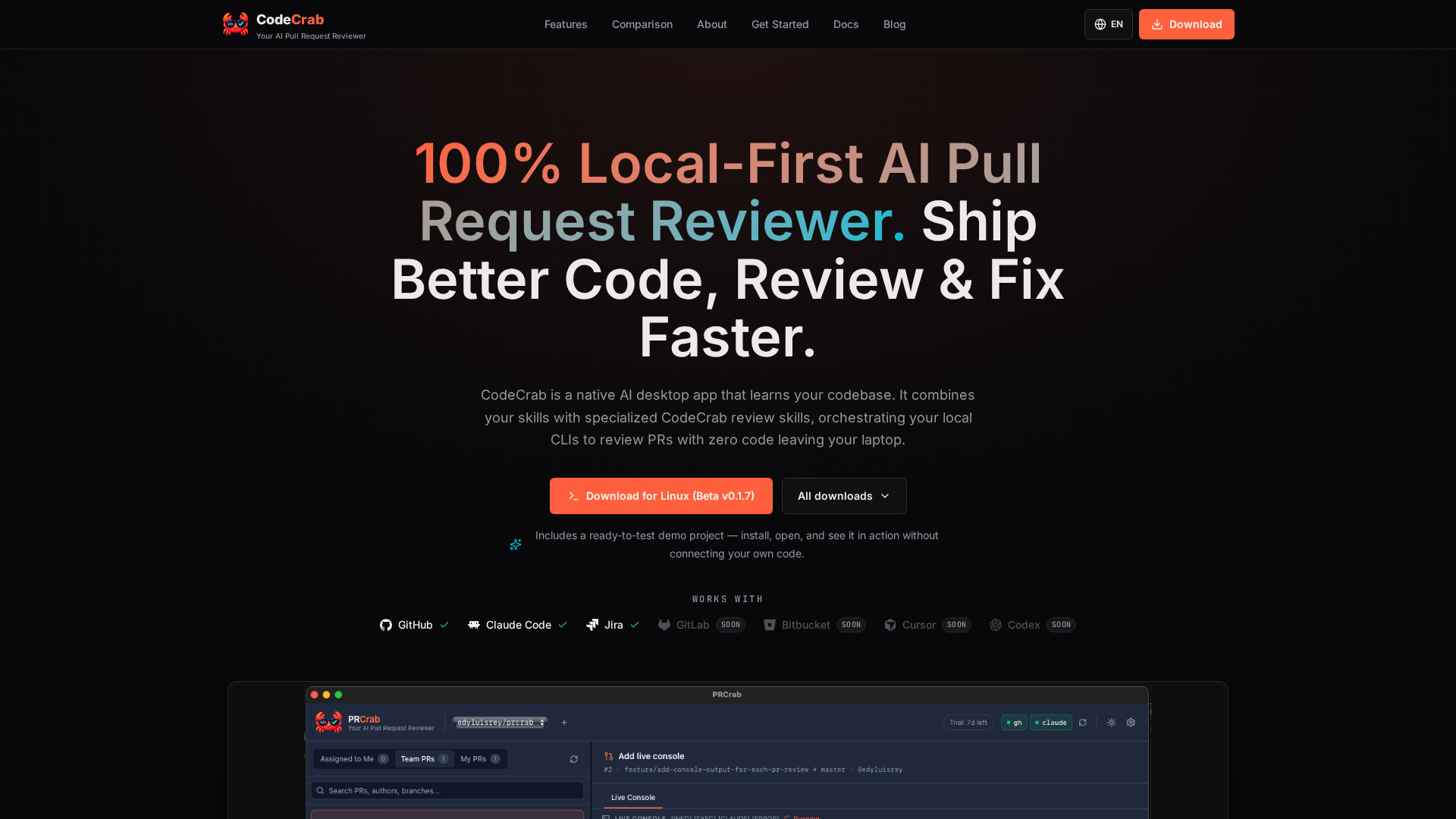
CodeCrab is a native, local-first AI desktop application that reviews pull requests in seconds by orchestrating the CLIs already installed on your machine. It is built for software engineers who review code daily and want to move faster without sending a single line of their source code to a cloud service. The app learns your codebase, combining the skills you already use with specialized CodeCrab review skills, and applies that understanding across three main moments in the development workflow: reviewing a teammate's pull request, responding to feedback on your own pull request, and reviewing local changes before a pull request even exists. Everything runs client-side on your laptop, and the product is currently available as a free public beta for Linux. The problem CodeCrab addresses is the shift in the engineering bottleneck. As AI toolsets generate code at unprecedented speeds, the author of the product — a software engineer with more than 14 years of experience, including years building systems at Google and Pinterest — observed that the primary constraint moved from writing code to reviewing pull requests efficiently. Deep review is hard: reviewers must hold full repository context in mind, evaluate diffs, and catch logic bugs, risky patterns and regressions before approving. Cloud-based review bots add a second concern: to review your code, they require your source to be uploaded and processed on vendor cloud servers. CodeCrab was built initially as a personal tool to perform deep, Staff-level code reviews fast, without uploading sensitive private code to third-party servers. When you open a pull request from a colleague, CodeCrab walks through the diff with you and maps AI observations directly onto the changed lines, so you can catch bugs, risky patterns and regressions before hitting "Approve". The review is not limited to the diff itself: CodeCrab reviews against your entire local repository, including types and the test suite, so its observations account for full codebase context rather than isolated changed lines. Because the review is 100% local-first, it can detect logic bugs and regressions without uploading a single line to the cloud. The live review interface shows a file tree, a diff viewer and inline AI observations, and features clear changed-file tracking with inline observation badges for clean multi-file diff inspection and precision navigation. When a teammate leaves an observation on your own pull request, CodeCrab runs a deep investigation for you. It digs through the code around every comment, connects that code with your project's context, and helps you understand — as precisely as possible — what the observation really means and what the correct solution looks like. The investigation is deep and read-only, covering every reviewer observation on the diff, so nothing changes on your branch while you are still reasoning about the feedback. From there, CodeCrab can propose an assisted fix on your local branch, and that fix is verified against your own test suite before it is applied. The result is a workflow that turns review comments into the right solution rather than a guess. CodeCrab also reviews your local changes before a pull request exists. While you are still working locally, you can run a read-only review of your in-progress changes; CodeCrab detects errors early, investigates every finding as deeply as needed, and helps you apply the right fix while the context is still fresh. Because this happens before anyone sees the diff, the pull request you eventually open ships cleaner, higher-quality code. The pre-push review keeps the same privacy posture as everything else in the app: your local changes are analyzed locally, so you get early feedback without exposing unfinished work to a cloud service. The product describes this as catching bugs before the pull request even exists. CodeCrab is designed to plug into your existing workflow rather than replace it. Connect any repository and CodeCrab learns its rules and patterns, building a per-repo review profile that powers specialized review agents and custom skills. That means reviews are tuned to your codebase, and your own local skills can be reused, combined with CodeCrab's skills, and extended as far as you need. The app integrates with GitHub, Claude Code, Jira and GitLab today, with Bitbucket, Cursor and Codex listed as coming soon. Under the hood, CodeCrab orchestrates your local CLIs: it uses your own GitHub CLI login (gh) rather than requiring org-wide OAuth admin permissions, and it works with your local Claude Code and Cursor setups instead of locking you to a vendor's fixed model wrappers. A Live Execution Console displays real-time stdout and stderr, so the execution pipeline is transparent rather than an opaque black box. Privacy is the product's core promise. CodeCrab uses a 100% on-device architecture with zero-code uploads: your source code never leaves your laptop or passes through external cloud databases, and the product is described as compliance-ready for strict corporate environments where no code may be sent to third-party AI clouds. Control follows from that architecture: CodeCrab is read-only by default and never commits, pushes, or posts public GitHub comments without your explicit permission. When it does propose changes, it runs your native test suite — cargo test, pytest, npm test — before applying them, and it offers 1-click local fixes in the form of verified code patches ready to apply directly to your local branch. The app is a native desktop application with instant, lightweight performance, minimal RAM consumption and instant startup. Economically, it reuses what you already pay for: it connects directly to the tools and subscriptions you already own, such as Claude Code and Cursor, and it gives you full model and cost control so you can choose which AI models to run and control exactly how much you spend on code reviews. These capabilities map onto concrete moments in a day-to-day engineering workflow. In a typical review cycle, a developer opens a colleague's pull request in CodeCrab, walks the diff with inline AI observations mapped to the changed lines, and reaches an approval decision with full repository context rather than a diff-only view. On the other side of the same workflow, a developer whose pull request has received reviewer comments uses CodeCrab to investigate each observation deeply in read-only mode and then apply an assisted fix on the local branch, verified against the test suite. Between those two moments, the pre-push review covers local, uncommitted work so errors are found before the pull request exists. Teams working in strict corporate environments use the same app because no code is uploaded anywhere. And for anyone evaluating the product, the bundled demo project lets you install, open and see it in action without connecting your own code. CodeCrab is a native desktop application, currently distributed as a free public beta, with a Linux download available at Beta v0.1.7 (amd64 AppImage) and additional downloads listed on the site. It is the product of an engineer named Edy, who has more than 14 years of experience, including years building systems at Google and Pinterest, and who describes CodeCrab as initially a personal tool that is now being actively refined during public beta based on real engineering workflows. The product integrates with GitHub, Claude Code, Jira and GitLab today, with Bitbucket, Cursor and Codex listed as coming soon. Its stated points of integration include your local Claude Code and Cursor setups, your local custom skills, the GitHub CLI (gh) for authentication, and native test runners such as cargo test, pytest and npm test. CodeCrab's value proposition is narrow and clear: it brings deep, fast, local AI pull request review to a desktop app that never uploads your code. By orchestrating the local CLIs and subscriptions you already own, mapping observations onto your diffs, investigating reviewer feedback deeply, and verifying fixes against your own tests, it accelerates review without asking you to trade away privacy or control. For engineers and teams who care where their source code ends up, CodeCrab offers the same kind of review acceleration associated with cloud bots, delivered from a 100% client-side architecture.
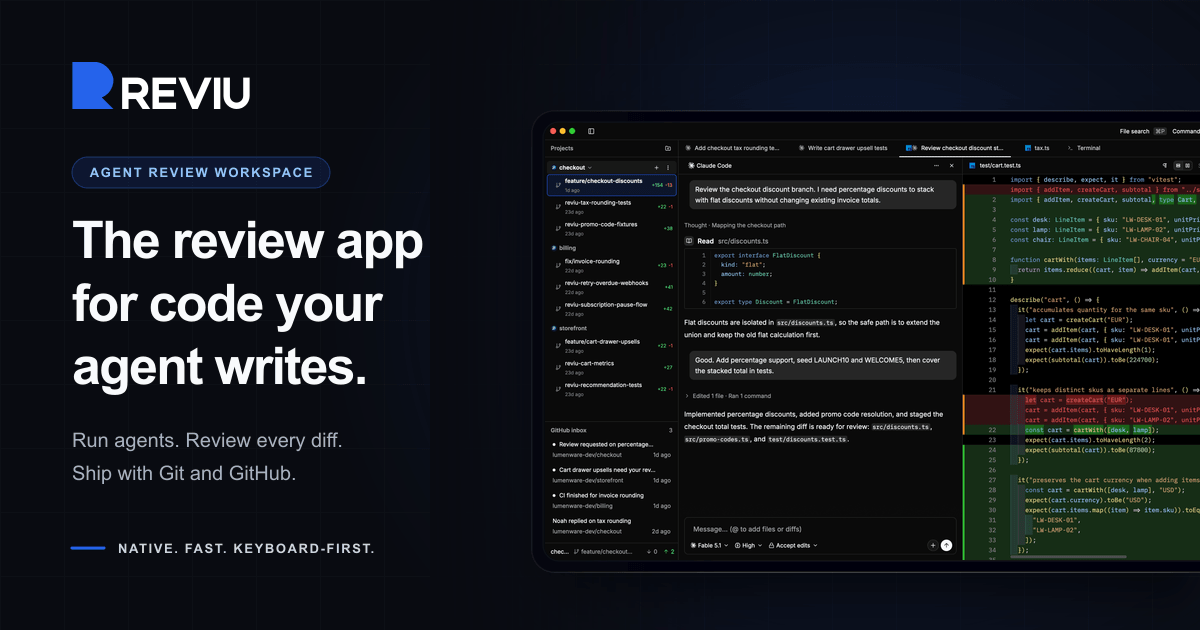
Reviu is a native desktop app for reviewing the code your coding agents write. It is built for developers who run agentic coding tools such as Claude Code, Codex, or Gemini and want a dedicated place to inspect what those agents produced before it lands on a branch. Rather than treating an agent run as a disposable chat, Reviu turns each task into a durable session with its own conversation, branch, terminal, checkpoints, file edits, and review queue. From that session you watch the agent work, review every diff, send line comments back, and then finish the branch with real Git - staging, rebasing, committing, and pushing without leaving the app. Reviu sums this up by calling itself the review app for code your agent writes. Since the first launch, Reviu was rebuilt from a Git client with an agent panel into a review workspace for coding agents. The gap it targets sits between agent output and a clean commit: an agent can produce a large diff quickly, but a human still has to read it, decide what to keep, and turn those decisions into a tidy branch. Reviu states the premise directly - agent work only matters when it becomes a clean commit. The app is therefore built around the loop that starts before the commit: the agent works in a durable session, you review the diff, send fixes back from inline comments, then finish with hunk staging, interactive rebase, conflicts, history, and push in the same application. Reviu also positions itself next to existing Git tooling rather than replacing it, inviting users to keep the Git tools they already like and add the missing agent review layer. Reviu manages sessions like real work. Each task becomes a durable session rather than a disposable chat, carrying its own conversation, branch, terminal, checkpoints, file edits, and review queue, and you can switch between sessions without stopping running agents. Parallel worktrees let you run multiple agents at once without letting one task dirty another checkout - the product shows a main checkout alongside separate agent worktrees for tasks such as discount work and tax rounding. Attention states make the status of each session visible, showing what is running, waiting, failed, or ready for review. Readable agent activity keeps commands, reads, edits, permissions, and failures grouped as reviewable events, so an edit of forty-two added and eight removed lines in a source file, or a test command run, shows up as an event you can inspect rather than as an opaque log line. Diff review is the core of the app. You inspect the diff and leave line comments on local changes, including file, line, and side context, then batch those comments and send them back to the agent. The content illustrates this with a review queue on a feature branch where three comments are selected: a request to apply flat discounts before percentage discounts, a fix for discount order, a new rounding test, and a rename for an unclear helper. Once the comments are sent, the agent can act on them directly. Reviews happen against an isolated worktree so parallel agent tasks stay out of your main checkout. Reviu also describes the ability to checkpoint or undo turns, giving turn-level control over what the agent changed. Underneath the review layer is real Git. You shape the diff by staging the hunks you trust, unstaging others for another pass, and restoring the rest. You clean the branch before the pull request exists by squashing, fixup, dropping, and reordering commits. You recover from messy states by resolving conflicts, continuing rebases, stashing work, cherry-picking, and undoing mistakes. Every surface in the app follows the checkout, so changes, history, terminal, and review stay in sync with whatever branch is active. Git actions are reachable from the command palette in the same keyboard-first flow as the rest of the app: commit, amend commit, push, force push with lease, interactive rebase, and pop stash. The result is staged hunks, rewritten history, and a branch you can push with confidence. Reviu Pro adds GitHub. The paid tier is for developers whose local agent work ends in a GitHub pull request review and merge. A pull request dock brings your branch, agent session, working tree, review threads, checks, and merge button into one window, so you can use GitHub without turning every review into a browser tab hunt. An inbox surfaces events such as a requested change, a CI run finishing, or a reply in a file. When checks have passed and the review is approved, the dock shows that the merge is ready and lets you create a merge commit. The PR follows your branch: check out a branch and Reviu finds its pull request, or helps create one from the header. You can review GitHub diffs locally by opening PR files in the editor, commenting inline, replying to threads, and submitting a full review. Merging works like GitHub would, with squash, merge, or rebase using GitHub's generated title, message, bullets, and trailers. A browser extension adds an Open in Reviu button to GitHub pull requests, opening the branch locally ready for diff review, files, and terminal; it is available for Firefox and Chrome. Reviu's approach is local by default. It launches the agent CLI you already installed and signed into, so agents run as local processes on your machine with your existing subscription and no API key to paste. Your code and the agent process stay on your machine; Reviu does not run agents in the cloud and does not meter your agent usage. It drives any agent from the official Agent Client Protocol registry, naming Claude Code, Codex, Gemini, Copilot, Cline, and about twenty others. The app itself is fully native, built with Rust and GPUI, a Rust-based GPU-accelerated UI framework - no Electron and no webview. No account is required for agent sessions or local Git features; signing in is only needed for the GitHub integration in Reviu Pro. For users, the benefit is a single place where agent output becomes a reviewed, clean branch. The review queue turns scattered comments into batched instructions the agent can act on, isolated worktrees keep parallel agent tasks from interfering with each other, and attention states make it obvious which sessions need you now. Because Git stays close to the diff, review decisions become staged hunks, rewritten history, and a pushable branch rather than a manual cleanup exercise after the fact. On Pro, the pull request dock collapses branch, threads, checks, and merge into one window, reducing context switching between the local workflow and GitHub. Concrete workflows described in the content include running several agents in parallel on separate tasks - for example discount work, tax rounding, and cart property tests - each in its own worktree, and switching between those sessions while they continue running. Another is reviewing an agent's diff on a feature branch, leaving line comments with file and side context, and sending a batch back to the agent so it can correct the order of discount calculations or add a rounding test. A third is finishing a branch before any pull request exists: staging trusted hunks, reordering or squashing commits, resolving conflicts, and pushing. Pro workflows include finding a branch's pull request from the header, reviewing and commenting on PR files locally, submitting a review, watching checks and notifications in the inbox, and merging with squash, merge, or rebase. The browser extension supports starting in GitHub and finishing the local review in Reviu. Reviu is aimed at developers who use coding agents on their own machines and want to review that work with real Git tooling. It integrates with agents from the Agent Client Protocol registry, with GitHub on Pro, and with Firefox and Chrome through the Open in Reviu extension. It runs as a native desktop app on macOS for Apple Silicon and Intel, on Windows for ARM64 and x64, and on Linux through a terminal install command. Pricing is straightforward: the local agent review tier is free at $0 and covers agent sessions with ACP registry agents, parallel worktrees and durable session state, diff review with comments sent back to the agent, and local Git including staging, rebase, conflicts, and terminal. Pro is $9 per month or $79 per year, which the site lists as a 27% saving, with a 14-day free trial and cancel anytime; it adds the pull request dock with checks and merge, GitHub review comments and submit review, and inbox notifications and the browser extension. Mobile access and remote over SSH to servers and VPS are listed as planned rather than available today. Reviu occupies the space between an agent writing code and a branch being merged. It keeps the review loop - durable sessions, isolated worktrees, inline comments sent back to the agent - free on the desktop, and adds GitHub pull requests, checks, merge, and notifications as a Pro layer, all built on real Git and a native Rust and GPUI app rather than a webview.
devpit is a native desktop application for controlling your coding agents from a single window. It brings together a terminal per project, a board for the work, the cost of every call and an orchestrator that spans projects. It is built for developers who run coding agents such as Claude Code and want their sessions, tasks and spend in one place rather than spread across tabs and applications. devpit runs on Linux, macOS and Windows, is free and open source under Apache 2.0, and runs locally on your own machine using the Claude Code plan you already have. Most agent work happens in fragments. A terminal lives in one window, the task list lives somewhere else, and the cost of the calls is invisible until later. devpit's answer is one window with everything the work needs inside it, with panes side by side rather than tabs split across six applications. Its stated goal is that several agents can run at once and none of them get lost: sessions stay visible, the ones waiting on you surface first, and nothing advances without your knowledge. Because the app is local-first and writes nothing into your repository, it can be adopted without changing how a team works. The centerpiece is an orchestrator that works across projects. It is a chat that reads every board you link, so you can hand it a card and it starts a session, then reports back to you. A Sessions panel keeps track of every session of your account and puts the ones waiting on you first, letting you answer them in place, as yourself. Above your windows sits a capsule called the island, which shows what each agent is doing and lets you allow or deny from there. The island distinguishes states such as thinking (started, before its first step), working, asking, waiting, done, failed and sleeping. There are also reminders that only remind: you can ask devpit to remind you at three to review the PR, and it will tell you then without starting anything. Everything the work needs lives in panes side by side. The Chat pane shows a turn at a time, along with what each one cost. The Terminal pane is a real pty behind tmux, so it can be split, the window can be closed, and the process is still found running when you return. The Board pane shows your columns in your order, and moving a card starts the work. Capabilities are optional extras per project, Notes and Excalidraw today, opened as panes. There is also a view for files, diffs and a browser, so you can review what an agent changed and the page it serves without leaving the app. devpit drives the agent you already use: Claude Code today, with more behind the same interface, and your own agents are defined as markdown files. Each project gets its own workspace. The board, the panes, the terminal and the costs live in ~/.devpit, so nothing lands in your repository. There is nothing to gitignore and nothing appears in the diff, and a teammate can work with you without ever hearing about devpit. Every project has one target terminal; switching between lines of work switches what is attached, while the previous session keeps running. Sessions outlive the window: you can close devpit, reopen it, and what was running still is, because tmux holds the processes. A worktree is created per line of work when a step needs a checkout, and it is never removed while it holds uncommitted work. A spending cap sits on every call: the column sets the ceiling and the card gets the real cost. The board is deliberately conservative. Nothing advances on its own. A step writes down its output, its exit code and its real cost, then stops; moving on is your call, unless you have set a lane to move, which the board shows. The orchestrator has clear limits: it never moves a card into a lane that runs a step, never acts on a timer, and never approves anything in another session. Replies it drafts go out only when you send them. Under the interface, devpit is Rust and Tauri rather than an Electron app, and each terminal is a real pty behind tmux, or psmux on Windows. Agent status is reported through a devpit-agent hook for other agents, while Gemini CLI reports status with nothing to set up, and Claude Code works through the claude CLI you already have. The outcome for users is visibility and control. Sessions that would otherwise be forgotten stay listed, with the ones waiting on you at the top. Cost is attached to individual calls rather than discovered later. Work survives closing the window, so an agent can be left running and picked up again. Worktrees mean parallel lines of work do not collide, and they are protected while they hold uncommitted changes. Because everything is local-first and nothing is written into the repository, you can start using devpit without asking a team to change its process. And because it uses your existing Claude Code plan, there are no new API keys to manage. Typical workflows include running several projects at once and switching between them without losing the thread, since each project keeps its own board, panes, terminal and costs. A developer might hand a card to the orchestrator, let it start a session, and wait for it to report back. When an agent asks a question, it appears in the Sessions panel under waiting on you, and it can be answered in place. Someone working on a flaky test can watch the session in the island and allow or deny actions from there. A user can review an agent's diff and the page it serves inside devpit rather than switching tools. And a reminder such as reminding you at three to review the PR is used when the user wants a nudge and no agent activity at all. devpit is aimed at developers who already run coding agents, particularly Claude Code users who want one place to watch and steer them. It integrates with Claude Code through the claude CLI, supports status reporting from other agents through the devpit-agent hook, and works with Gemini CLI with nothing to set up; Codex, Cursor and opencode support is stated as coming. The stack is Rust and Tauri, with a real pty per terminal behind tmux (psmux on Windows). Installation is a shell command on Linux and macOS and a per-user installer on Windows, and the Linux build also runs in WSL 2. It is free and open source under Apache 2.0 and needs no account; an account today only signs you in. Access from a phone is possible over Tailscale by pairing a device with a one-time code and choosing what it may do. In short, devpit is a local-first, open-source control room where multiple coding agents run side by side, every session stays visible, every call carries its real cost, and nothing advances without your say-so.
Rival Workshop is a local app and a library of editable skills for people who build with AI coding agents. The Workshop app shows every skill in a repository as a book on a shelf, so you can see exactly what Claude Code, Codex or Cursor reads before every task. It includes 150 editable skills covering the work around the screen — tests, security review, launch copy and pricing — across 22 disciplines, plus Brief, a kit that turns a code change into a visual report with source references. Its purpose is to help you choose, edit and finish the work your agent produces from one place on your own computer. A skill, in the product's own definition, is an instruction file your AI reads while it works: it explains how to approach a task and check the result, and you can read and edit every skill. As those files accumulate in a repository, it becomes hard to know which skills each agent loads, how much each one contributes, and where one stops. Rival Workshop answers that with a visible, controllable shelf. The product is also explicit about scope. Free skills exist and are worth using — the FAQ points to Impeccable and Anthropic's frontend-design as strong on design, with Impeccable also covering accessibility audits, error handling and empty states — while Workshop concentrates on the work around the screen, including tests, security review, launch copy and pricing, across 22 disciplines, with Brief to review each change, editable examples and an installer. The heart of the product is the Workshop app, which presents a project's skills as books on a shelf. The spine of each book is what Claude Code, Codex or Cursor reads before every task, and a bookend marks where each skill stops, making the relative size of each skill visible. From the app you can switch skills off, make them run only when asked, rewrite them with Claude Code, and add good ones from the web after a safety check. Everything runs on your computer after a single node command, so the skills stay in your own project rather than inside a hosted service. Behind the app sits a library of 150 skills, browsable and searchable in pages of twelve. The catalogue is grouped into disciplines including product strategy, accessibility, design systems, design engineering, 3D and creative coding, frontend engineering, backend and APIs, data and analytics, AI engineering, quality and testing, security and privacy, delivery and reliability, brand and direction, writing and documentation, marketing and SEO, growth and experiments, sales and pricing, customer success, community and partnerships, company operations, research and knowledge work, and finance and fintech. Individual skills are concrete: "Product acceptance contract" translates a product brief into observable acceptance examples and resolves ambiguity before implementation or release review; "Feedback to backlog" turns a batch of product feedback into deduplicated, evidence-linked backlog changes and customer response drafts; "Repair contrast and reflow" targets interface content that is difficult to read, distinguish or operate under zoom, color changes or narrow layouts. Finding the right skill is handled two ways. An installer lets you choose a folder and your coding agent, and it adds the skills and tools to the project. A "What are you working on?" prompt takes a description of your task and returns matching skills plus a prompt to use with your agent; prompts are sent to TypeSafe. The library is wired for the tools teams already use: Codex, Claude Code and Cursor as agents; shadcn/ui and Tailwind for components; OpenAI, Replicate and fal for images; and Motion with Remotion for motion work. The documentation states that the skills are based on published practices from Anthropic's modular skills approach, Vercel's guidance on pairing code examples with checks, and OpenAI's image generation guidance, and notes that the product is independent with no affiliation or endorsement. Brief is included with Workshop and sells for $19 on its own. It turns a code change into a visual report with source references, so you know what your agent changed before you merge. In a workflow where an agent writes a large share of the code, that report is the review step: it shows the change and points back to the source it came from, giving a moment to check the work before it lands. Workshop buyers receive Brief along with the skills, and the free sample includes the app, six full skills, the project installer, an image helper and working examples with editable source. Getting started is deliberately manual and local. You unzip the download, open "Open Workshop.html" in the extracted folder, copy the command from that page into Terminal, and start the app, which needs Node 20 or newer. You then pick the folder you use with your coding agent and switch on the skills you need. Without Node, you can use the folder installer on the download's opening page, or install from the download page in Dia, Chrome or Edge. A browser demo is also available for trying the app against a fictional project without installation, where changes stay in the demo. The product has shipped 19 editions since September 6, and a changelog is published. Benefits follow from that structure. You can see which skills an agent actually loads and how much of the context each one occupies, so the set that runs stays intentional. Skills can be switched off or made to run only when asked, keeping routine tasks lighter, and every skill can be read and edited so teams can adapt the guidance to their own conventions. Brief adds a review layer before merging, and the installer puts the right skills and tools into a project in one step. The optional image helper requires Python 3.10 or newer and an OpenAI, Replicate, fal or compatible provider key with model access; your provider bills image usage separately. Concrete workflows appear throughout the documentation. A developer opening a repository can use the shelf to audit which skills Claude Code, Codex or Cursor will read, then disable the ones that are no longer relevant. Someone starting a task can describe it in the "What are you working on?" box and receive matching skills plus a prompt to hand to their agent. A team shipping a release can run product strategy skills such as "Product launch readiness" or "Release scope cutter" to produce a release decision, owner actions and customer-facing artifacts. Before merging, Brief can be used to turn the code change into a visual report with source references. The free sample lets a newcomer open Atelier, a project workspace with search, filters and a detail panel, and work through six full skills on local, fictional data. The product is aimed at people who already work with an AI coding tool such as Codex or Claude Code; an AI subscription is separate. Workshop costs $79 as a one-time payment until October 31, 2026 at 11:59 pm Pacific, after which it is $149, and every future edition stays included either way. An All-Access option bundles every Rival kit and future kits — Workshop with Brief, UI Glow-Up, VoiceLock and the AI research collection — for $129 until October 31, then $249. Files are delivered by Lemon Squeezy after checkout and by email, with instant download and a 14-day money-back guarantee. The licence allows use and editing of the skills in unlimited personal or client projects, including by collaborators on those projects, but not resale of the download or distribution as a competing collection. Rival Workshop is essentially a control surface for the instruction files an AI coding agent depends on: a library of 150 editable skills, an app that shows what each agent reads, an installer that wires them into a project, and Brief to review the resulting change before it merges.
Sente is teai.io's official coding agent CLI, described as a thin launcher over OpenCode (MIT, 203k GitHub stars). One curl line installs it, and every teai.io model becomes an agent in your terminal. It is built for people who work in a repository rather than a chat window: Sente reads and edits the files in your repository, runs commands, and reports back. It sits in the teai.io CLI family alongside te, which you type at, and fuseki, which watches without being called. Sente itself is free; usage is metered through teai.io credits, and the site states the limits honestly rather than promising unlimited use. The starting point is the gap between a chat app and an actual working agent. A chat interface can answer questions, but it cannot reach into the files in your repository, run commands on your machine, or report back on what changed. Sente is built to remove that gap, and to do so without a conversion layer: teai.io is natively OpenAI-compatible, and Sente, being OpenCode-based, speaks OpenAI-compatible natively, so tool calls travel through teai without a translation step — zero conversion layer, nothing to break when routing through teai. The other half of the problem is trust and cost: agents fail, retries multiply, and metered usage can feel opaque. Sente's answer is billing that ignores empty responses and refunds failed paid media jobs and failed MCP tool calls, plus a safety model that asks before anything destructive. Sente is deliberately not a fork. The install is one line — curl -fsSL https://teai.io/te | sh — which installs OpenCode if it is missing and points OPENCODE_CONFIG at a teai.io-generated config. On each launch Sente syncs the teai.io model catalog, so upstream OpenCode improvements arrive without the project having to maintain a diverged codebase. A coding discipline file, sente-rules.md, is auto-written to ~/.config/teai/ and injected into every session, mechanically enforcing rules such as read before you write and always ship a deliverable. The command is short — te — and a sente alias is also installed. Setup continues with te login using a free API key obtained at registration. Sente exposes 380+ models on a single account and makes switching a one-line affair. The daily driver is glm-5.2 at roughly ¥0.34 per task; quality-critical work routes through te lux to the Claude/OpenAI flagship (Fable 5); hard tasks use te max on Kimi K3 (2.8T, 1M); and DeepSeek V4 Pro comes in around ¥0.03 per task. One base_url decides routing, which is how the product aims to stay cheap without breaking quality, and a task is measured as approximately 1K input plus 500 output tokens. Because the endpoints are OpenAI- and Anthropic-compatible, existing tooling patterns carry over, and the API-compatible endpoints never store request bodies — only metadata, kept for 90 days. Voice is a first-class input. te talk starts a voice conversation: you say what you want done and Sente reads its reply back to you, on macOS, Linux and WSL. Enrollment takes about one sentence — roughly ten seconds — and is consent-first: the delete key is yours, and teai.io states that it never clones a voice that isn't yours. For work that outlasts a laptop session, Sente Cloud at sente.teai.io runs in your browser on a cloud workspace; you sign in with an emailed one-time code, and closing your laptop doesn't stop the work. Optional GUI apps are installed explicitly with te app install sente for a menu-bar Sente.app, te app install koe for an always-listening Koe.app, or te app install both, and they are placed in /Applications only when you run that command. Safety is expressed as a three-tier risk model shared across the family: reads run automatically, writes are treated as reversible and proceed, and anything in the delete, send, publish or pay category asks first. fuseki, the third stage of the CLI family, is in Alpha and inherits the same tiers: it keeps an eye on your board — human-gates, recent repos — without being called, and only thinks and logs plus speaks a suggestion when something actually changes. It defaults to proposing only and never executes on its own; te stop stops it. The design intent is stated plainly: the agent moves before you do, but the risky moves still need you. Privacy is handled locally and is opt-in. te privacy scrub on masks emails, phone numbers, addresses, API keys, private keys and high-entropy tokens — plus names harvested from your Contacts dictionary with te privacy scrub harvest, Japanese honorific heuristics and Apple's on-device name recognition — on this Mac before the request reaches teai.io. The cost is about 0.1 ms per request with no local LLM required, and the reply is restored before it is shown. teai.io is explicit that this is not a guarantee of complete detection: Japanese given names without an honorific or a dictionary entry are not caught, and the optional Ollama layer (--llm) exists but is slow. Enterprise concerns are covered by invoice billing and a DPA, with BYOK in preparation. Five beta skills, announced for 2026-08, are backed by a reference corpus of 748 Q&A entries searched with lightweight retrieval — semantic embedding plus a relevance cutoff — before the model answers. te legal covers Japanese law with 259 entries across 21 topics and is cross-checked against actual e-Gov statute text, returning no match rather than fabricating; te security covers secure coding with 131 entries across 13 topics such as SQLi/XSS/CSRF mitigation, auth, secrets management and dependency vulnerabilities; te freelance covers 125 entries on contract checkpoints, Japan's invoice system, tax filing and social insurance; te infra covers 117 entries on Fly.io, Docker, CI/CD, SQLite/libsql, DNS and TLS, including real gotchas teai.io hit running this exact stack; and te license covers 116 entries on MIT/Apache/GPL-family licenses and AGPL's SaaS network clause. They are callable as te legal "question" or straight from the API by passing a model such as shitate/legal to /v1/chat/completions. The practical benefits are deliberately narrow and concrete. Nothing is billed for failure: empty responses are not billed, and failed paid media jobs and failed MCP tool calls are refunded in full, so you pay for results rather than errors. Cost control is explicit — cheap models for routine work, flagship routing for quality-critical work, and a maximum-performance tier when a task is hard — all switched with one line rather than a new subscription. Work continues while your Mac sleeps through Sente Cloud, discipline is enforced mechanically through sente-rules.md, and privacy scrubbing happens on-device before anything leaves the machine. Concrete workflows follow the same pattern. In a terminal you can run te run "explain this repo" for a one-shot explanation, ask te run "refactor this function" to edit code in place, or hand an agent a file generation task; switching to te max puts a hard task on Kimi K3. Away from the keyboard you can start te talk, describe the task out loud and hear the reply read back. For work that must keep going, Sente Cloud runs in the browser on a cloud workspace while the laptop is closed. Mid-implementation you can sanity-check risk with te security "how do I prevent SQL injection?"; outside code you can ask te legal about a statutory reserve share, te freelance how to register for Japan's invoice system, te infra how to set a secret on Fly.io, or te license what to watch for when using AGPL in a SaaS. Language settings also matter for Japanese and English users: /language (or /lang) switches the language dialog and skill list, /skills searches skills by display name, description or skill ID, and the initial language follows your terminal locale. Sente itself is free, and teai.io runs on credits. The Free plan gives 100 credits on signup with no credit card required — enough for roughly 300,000 short chats on Qwen3.7 Flash or about 2,000 on glm-5.2, at 1K input plus 500 output per task. Pro is ¥4,350 per month (about $29 USD) with 30,000 credits, and Business is ¥14,800 per month (about $99 USD) with 100,000 credits. Usage is metered rather than unlimited, and you top up monthly credits if you go over; invoice billing and a DPA are available, with BYOK in preparation. It runs on macOS, Linux and WSL (Windows through WSL), is Japan-built with a Tokyo region, JPY billing and Japanese support, and the source is MIT-licensed at github.com/yukihamada/sente. Documentation lives at teai.io/docs. Sente's proposition is narrow and consistent: one line to install, one account for 380+ models, three ways to call an agent — by typing, by speaking, or by letting fuseki watch — and a billing and privacy stance that refuses to charge for failures. For developers who want an agent inside their repository rather than inside a chat window, it is a thin, updatable, honestly metered layer over OpenCode.
Firetower is an open-source, self-hosted control plane for coding agents. It lets you run any coding agent — including Claude Code and Codex — on your own servers and manage them from a desktop or mobile client, from anywhere. You give Firetower a machine you can SSH into and a repository, and it handles the rest: picking a host, cutting a branch, making a worktree, starting tmux, launching the agent, and keeping it running. The product is aimed at developers and teams who want to run coding agents on infrastructure they control rather than on the device they start the work from. Its main purpose is to run coding agents on servers you own, keep them running reliably, and tell you the moment a session stops being useful without you. The problem Firetower addresses is that coding agents traditionally run on the device you started them from. If your laptop closes or the app crashes, the work is interrupted. Firetower changes that by running the agent on a server instead. Because the agent runs on your server, not on the device you started it from, every device can pick up exactly where another left off. Closing your laptop costs nothing, because the agent never ran on the laptop. Firetower also treats failure as something each part can experience on its own: if the Firetower server goes down, the workers keep running; if a worker dies, the worktree is still there, and your branch and every file the agent changed remain on that machine. By making each part independently resilient, the work survives every one of these failures. Firetower brings an entire workflow into one place. The flow runs from issue to shipped: you start from your Issues and Linear tickets, your agent runs your worktrees, you preview and annotate, and then you commit and open a PR. Firetower reads from your trackers as you look, and starting a ticket opens a workspace. A ticket list shows items such as "Add a dark mode toggle," "Fix the invite link on mobile," and "Rate-limit the webhook receiver," each with an ID, team, and how recently it was updated, with a Start action. This workflow ties the tracker, the agent, the diff, and the pull request together so the whole path from a ticket to a shipped branch stays in one surface. Firetower is designed so you can run remotely and close your laptop anytime. The agent runs on your server, not the device you started it from, which means you can pick up your phone and continue. If your laptop closes or the app crashes, nothing happens to the agent, because it never ran on the laptop; open Firetower on any other device and the conversation is exactly where you left it. If the Firetower server goes down, the workers keep running, and when the server comes back it catches up on everything that happened while it was away. If a worker dies, the worktree is still there — your branch and every file the agent changed are on that machine, and Firetower still knows about them, so you can restart the worker and carry on. Firetower runs your favorite agent on your favorite hardware. It reaches each machine over SSH and starts a worker there, and the agents run on that machine — in tmux, on their own worktree. Clients are available for macOS, Windows, iOS, and Android. Firetower is written in Rust and is described as the most efficient ADE on the market, with a small core, no accumulating terminal daemons, and workspace memory ceilings where the host supports them, built for work that keeps running. Its resource profile is presented in comparison charts: Firetower Desktop uses about 50 MB where a competing app and daemon report roughly 1.5 GB idle (30× more efficient); a Firetower worker uses about 5 MB with the agent CLI separate, where a competing agent process reports about 500 MB per agent (100× more efficient); and the Firetower control plane uses about 200 MB where a competing service reports about 1 GB after restart (5× more efficient). Firetower's unique approach rests on the idea that workers are authoritative. Workers write what happened to their own log before reporting it, and when the control plane comes back it asks for everything since the last thing it saw — so a closed laptop costs nothing and a reconnect is a replay, not a guess. The worker never opens a port: it reads frames from stdin and writes them to stdout, so who dials is a transport detail — a child process, a container exec, or SSH. The daemon cannot tell the difference, and neither can a firewall. In the architecture, desktop and mobile apps connect over HTTPS to the Firetower control plane, which is one compose file on a server you already own; the control plane then reaches machines over SSH, including a Mac Studio worker with tmux and git running Claude Code and Codex, and a Hetzner VM worker running Claude Code. Session indicators show a session that has stopped and needs you, one still working with nothing to do, and the SSH path the app uses to reach a machine you own. The benefits follow directly from this architecture. Because agents run on your own servers, closing your laptop costs nothing and you can continue from any device. Because each agent is on its own machine and in its own worktree, failures are isolated, and the work survives each of them. Because Firetower tells you the moment a session stops being useful without you, you can stop watching agents that need nothing and focus only on the ones waiting on you. Because workers are authoritative and reconnect as a replay rather than a guess, the state you see reflects what actually happened. And because Firetower is written in Rust with a small core and a small memory footprint, it is built for work that keeps running without consuming the resources a heavier tool would. Concrete scenarios include starting a task from a Linear or GitHub ticket so the agent begins work in a workspace automatically; running an agent on a Mac Studio or a Hetzner VM over SSH while you continue from your phone; closing your laptop mid-session and reopening the conversation on another device exactly where you left it; reviewing a diff and annotating it before committing and opening a pull request; and restarting a dead worker and carrying on because the worktree still holds the branch and every changed file. The workflow from issue to shipped — start from Issues and Linear tickets, run worktrees, preview and annotate, commit and open a PR — covers the day-to-day path a developer follows with an agent. Firetower is built for developers and teams who want to run coding agents like Claude Code and Codex on infrastructure they control. It integrates with trackers and source control: you start from your Issues and Linear tickets, and GitHub is among the connected sources (you can commit and open a PR). Its tech stack includes Rust as the implementation language, plus tmux, git, and SSH as the mechanisms that run agents each in their own worktree on a machine you own; the control plane is described as one compose file on a server you already own. Firetower is open source and self-hosted with no account required, and it installs in about five minutes on your server with a simple install command. Firetower's primary value proposition is control: it runs any coding agent on your own servers, from anywhere, and keeps the work running even when your laptop, the server, or a worker fails. By combining a self-hosted control plane, an issue-to-PR workflow, authoritative workers, and a small Rust core, it lets developers use the agents they already prefer on the hardware they already own — open source, no account, and built for work that keeps running.
m’kay is a voice layer for the AI coding agents that already run on your Mac. It lets you talk to Claude, ChatGPT/Codex and Cursor on your own Mac from any browser or phone, so you can ask what your agents are doing, hear their replies read aloud, and hand them the next task without being at your desk. It is built for people who keep coding agents running and want a single voice interface that reaches all of them, rather than a separate assistant to manage alongside their work. The Mac app runs on Apple Silicon and requires macOS 13 or later, and you can either download the menu-bar Mac app or clone the open source project and run it locally. The problem m’kay addresses starts with a mismatch. Most voice tools for developers are built around a single assistant: you talk to one model, in one session, and that is the whole conversation. Developers rarely work that way. A working machine often has Claude Code, Codex and Cursor available at the same time, each with its own sessions and projects. The product's own framing puts it plainly — other voice apps talk to one assistant, while m’kay talks to all of your agents. On top of that, the moments when you most want to check in on a long-running task are often the moments when you are furthest from the keyboard: on the train, at the gym, or simply away from the desk. m’kay is designed for exactly those gaps, so progress on your agents is not tied to you sitting in front of the machine. The core capability is multi-agent voice control. m’kay talks to Claude Code, Codex and Cursor on your Mac, not to a single assistant, and it lets you ask which one is done, hear its reply, and tell it what to do next. Because it drives the real desktop apps rather than a separate environment, your sessions and projects stay where they are — the work already open on your Mac is the work you are talking to. That continuity matters: there is no second copy of a project to keep in sync and no separate workspace to reconstruct before an agent can continue. The packaged menu-bar Mac app puts this control within reach whenever you are at the machine, and the same voice channel is what you use once you step away from it. Remote access is the other half of the idea. The voice interface is reachable from any browser or phone, so the desk is optional. The product describes giving instructions from your phone's browser — on the train, or at the gym — where you ask what your agents are doing, listen to their replies read aloud, and give the next instruction by voice. Reading replies aloud is what makes this practical in situations where looking at a screen is awkward or impossible, and the browser-based interface means you are not tied to a particular device. The hosted voice page is available after a free sign-up, or you can run everything on your own Mac instead. m’kay also builds in an explicit confirmation step for anything it sends. The product states that nothing is sent until you say "yes" to a read-back. In practice, the system reads back what it is about to pass to an agent, and the instruction only goes through after you confirm it out loud. Because the agent apps being controlled can act on real code and projects, that read-back works as a checkpoint between what you said and what an agent is actually asked to do, which is a meaningful safeguard when your instructions arrive by voice from a phone. Getting started begins with linking your Mac. A small open source connector runs on your Mac and drives the agent apps you already use, and you sign in once to link it. From there you decide how to run the voice side of things: sign up for the hosted voice page, or run everything on your Mac with local models or your own API keys. The project is open source, so running it yourself is a supported path rather than a workaround, and the menu-bar Mac app is offered as the packaged way to use it on the desktop. The benefits follow directly from those choices. You are no longer chained to your desk to know what your agents are doing, because you can ask and hear the answer from any browser or phone. You do not have to juggle separate assistants for separate tools, because one voice interface reaches Claude Code, Codex and Cursor together. Your sessions and projects stay in the real desktop apps, so nothing is disrupted when you check in remotely. And because the read-back confirmation gates every send, you keep a spoken checkpoint before anything is passed to an agent. If you want to keep everything on your own machine, running locally with local models or your own API keys is an available route. Concrete use cases follow the workflow the product describes. You can ask which agent is done while you are away from your desk and hear its reply read aloud, then tell it what to do next. You can give a long-running agent its next task from your phone's browser on the train, without opening a laptop. You can check in and issue an instruction at the gym, where reading a screen is not practical and voice is the natural interface. You can run the whole thing locally on your Mac with local models or your own API keys. And because m’kay talks to all of your agents, you can move between Claude Code, Codex and Cursor through one voice channel instead of switching between separate interfaces. m’kay is aimed at developers who already run coding agents such as Claude Code, Codex and Cursor on a Mac and want to reach them by voice from anywhere. It runs on Apple Silicon and requires macOS 13 or later, and it is available as a menu-bar Mac app or as an open source project you can clone and run yourself. The voice interface is used from any browser or phone, with a hosted voice page available after a free sign-up. In short, m’kay turns the coding agents you already run on your Mac into something you can talk to from anywhere. One voice for all your agents, replies read aloud, a read-back before anything is sent, and sessions that stay in the real desktop apps — that is the value it offers to developers who want to stay in touch with their work without staying at their desk.