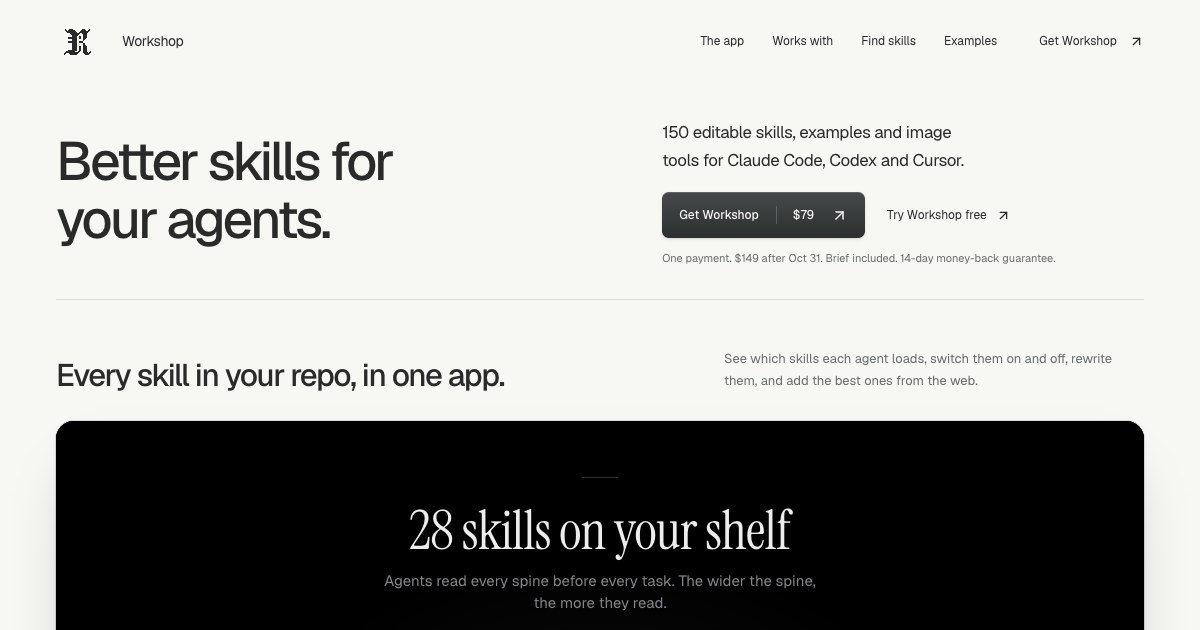
Rival Workshop is a local app and a library of editable skills for people who build with AI coding agents. The Workshop app shows every skill in a repository as a book on a shelf, so you can see exactly what Claude Code, Codex or Cursor reads before every task. It includes 150 editable skills covering the work around the screen — tests, security review, launch copy and pricing — across 22 disciplines, plus Brief, a kit that turns a code change into a visual report with source references. Its purpose is to help you choose, edit and finish the work your agent produces from one place on your own computer.
A skill, in the product's own definition, is an instruction file your AI reads while it works: it explains how to approach a task and check the result, and you can read and edit every skill. As those files accumulate in a repository, it becomes hard to know which skills each agent loads, how much each one contributes, and where one stops. Rival Workshop answers that with a visible, controllable shelf. The product is also explicit about scope. Free skills exist and are worth using — the FAQ points to Impeccable and Anthropic's frontend-design as strong on design, with Impeccable also covering accessibility audits, error handling and empty states — while Workshop concentrates on the work around the screen, including tests, security review, launch copy and pricing, across 22 disciplines, with Brief to review each change, editable examples and an installer.
The heart of the product is the Workshop app, which presents a project's skills as books on a shelf. The spine of each book is what Claude Code, Codex or Cursor reads before every task, and a bookend marks where each skill stops, making the relative size of each skill visible. From the app you can switch skills off, make them run only when asked, rewrite them with Claude Code, and add good ones from the web after a safety check. Everything runs on your computer after a single node command, so the skills stay in your own project rather than inside a hosted service.
Behind the app sits a library of 150 skills, browsable and searchable in pages of twelve. The catalogue is grouped into disciplines including product strategy, accessibility, design systems, design engineering, 3D and creative coding, frontend engineering, backend and APIs, data and analytics, AI engineering, quality and testing, security and privacy, delivery and reliability, brand and direction, writing and documentation, marketing and SEO, growth and experiments, sales and pricing, customer success, community and partnerships, company operations, research and knowledge work, and finance and fintech. Individual skills are concrete: "Product acceptance contract" translates a product brief into observable acceptance examples and resolves ambiguity before implementation or release review; "Feedback to backlog" turns a batch of product feedback into deduplicated, evidence-linked backlog changes and customer response drafts; "Repair contrast and reflow" targets interface content that is difficult to read, distinguish or operate under zoom, color changes or narrow layouts.
Finding the right skill is handled two ways. An installer lets you choose a folder and your coding agent, and it adds the skills and tools to the project. A "What are you working on?" prompt takes a description of your task and returns matching skills plus a prompt to use with your agent; prompts are sent to TypeSafe. The library is wired for the tools teams already use: Codex, Claude Code and Cursor as agents; shadcn/ui and Tailwind for components; OpenAI, Replicate and fal for images; and Motion with Remotion for motion work. The documentation states that the skills are based on published practices from Anthropic's modular skills approach, Vercel's guidance on pairing code examples with checks, and OpenAI's image generation guidance, and notes that the product is independent with no affiliation or endorsement.
Brief is included with Workshop and sells for $19 on its own. It turns a code change into a visual report with source references, so you know what your agent changed before you merge. In a workflow where an agent writes a large share of the code, that report is the review step: it shows the change and points back to the source it came from, giving a moment to check the work before it lands. Workshop buyers receive Brief along with the skills, and the free sample includes the app, six full skills, the project installer, an image helper and working examples with editable source.
Getting started is deliberately manual and local. You unzip the download, open "Open Workshop.html" in the extracted folder, copy the command from that page into Terminal, and start the app, which needs Node 20 or newer. You then pick the folder you use with your coding agent and switch on the skills you need. Without Node, you can use the folder installer on the download's opening page, or install from the download page in Dia, Chrome or Edge. A browser demo is also available for trying the app against a fictional project without installation, where changes stay in the demo. The product has shipped 19 editions since September 6, and a changelog is published.
Benefits follow from that structure. You can see which skills an agent actually loads and how much of the context each one occupies, so the set that runs stays intentional. Skills can be switched off or made to run only when asked, keeping routine tasks lighter, and every skill can be read and edited so teams can adapt the guidance to their own conventions. Brief adds a review layer before merging, and the installer puts the right skills and tools into a project in one step. The optional image helper requires Python 3.10 or newer and an OpenAI, Replicate, fal or compatible provider key with model access; your provider bills image usage separately.
Concrete workflows appear throughout the documentation. A developer opening a repository can use the shelf to audit which skills Claude Code, Codex or Cursor will read, then disable the ones that are no longer relevant. Someone starting a task can describe it in the "What are you working on?" box and receive matching skills plus a prompt to hand to their agent. A team shipping a release can run product strategy skills such as "Product launch readiness" or "Release scope cutter" to produce a release decision, owner actions and customer-facing artifacts. Before merging, Brief can be used to turn the code change into a visual report with source references. The free sample lets a newcomer open Atelier, a project workspace with search, filters and a detail panel, and work through six full skills on local, fictional data.
The product is aimed at people who already work with an AI coding tool such as Codex or Claude Code; an AI subscription is separate. Workshop costs $79 as a one-time payment until October 31, 2026 at 11:59 pm Pacific, after which it is $149, and every future edition stays included either way. An All-Access option bundles every Rival kit and future kits — Workshop with Brief, UI Glow-Up, VoiceLock and the AI research collection — for $129 until October 31, then $249. Files are delivered by Lemon Squeezy after checkout and by email, with instant download and a 14-day money-back guarantee. The licence allows use and editing of the skills in unlimited personal or client projects, including by collaborators on those projects, but not resale of the download or distribution as a competing collection.
Rival Workshop is essentially a control surface for the instruction files an AI coding agent depends on: a library of 150 editable skills, an app that shows what each agent reads, an installer that wires them into a project, and Brief to review the resulting change before it merges.
Publisher
A
admin
Launch Date2026-10-05
Platformdesktop
Pricingpaid
Tech Stack
#Node 20+#shadcn/ui#Tailwind#Python 3.10+#Motion#Remotion