Category Focus/categories/chatbot
Chatbot AI Tools
Discover and compare the best chatbot AI tools and software. Browse 34+ curated tools with reviews and rankings.
Projects tracked
34
Sort mode
RECENT
Page
1
Discover and compare the best chatbot AI tools and software. Browse 34+ curated tools with reviews and rankings.
Projects tracked
34
Sort mode
RECENT
Page
1
Multimodal Agents by Sierra are AI agents that bring voice, text, and visuals into the same customer conversation. Sierra has long believed that the conversation is the interface: the customer says what they need and the agent figures out the rest. Multimodal agents extend that belief beyond a single medium. Rather than making customers choose between talking, typing, or looking at something, the agent gives them the best of each — voice to explain what you need, a visual to compare options side by side, and text when you want to reference something later. The result is a single, continuous conversation that adapts to what the customer is trying to accomplish at that moment. The problem this solves is familiar to anyone who has tried to make a decision over the phone. Sierra describes trying to upgrade a mobile plan over the phone: the representative talks through models, colors, storage sizes, and monthly rates, and the customer is left comparing things in their head and picking a phone they cannot picture. Voice is genuinely good for parts of that interaction — you can say what you actually need and ask questions more easily than you can over text — but you cannot see the thing you are about to buy. Multimodal agents close that gap. Stitching channels together is not the hard part; the real trick, as Sierra puts it, is knowing which one to use when. That is where the agent's judgement comes in. Agents built on Sierra anticipate what is needed for each conversation and automatically shift between modes — voice, visuals, or text — without making the customer start over or repeat themselves. The choice of medium follows the shape of the task: voice to explain what you need, a visual to compare options side by side, or text when you want to reference something later. Because that switching is automatic, the customer never has to manage the interface. They simply continue the conversation, and the agent keeps the relevant context intact as the medium changes, which is precisely what prevents the restarting and repeating that usually happens when a support interaction jumps between a phone call, a chat window, and a web page. Visuals are part of the conversation rather than a separate destination. Sierra's example is a disrupted flight: you call the airline to get a new flight, and instead of a representative reading off alternate options one by one, you see them laid out with departure times, layovers, and pricing right in the conversation. You pick one, and the agent keeps going from there. Choosing a seat works the same way — you see the map and tap the seat you want. And for times when it is easier to talk than type, you can switch to voice and explain exactly what you need; the agent captures those details without making you type a paragraph into a text box. In each case the visual carries the comparison work that language handles poorly, while voice carries the nuance that menus and forms handle poorly. Sierra's approach is also designed to avoid rebuilding the same experience for every place the agent lives. With Sierra, you can build your agent once and easily deploy across all channels, and the same is true for multimodal agents: once you build a visual component, your agent can use it everywhere it lives. A comparison table or a calendar does not need to be recreated for each surface the agent operates on. That single-build approach reduces duplication for the team maintaining the experience and keeps behaviour consistent for the customer, who encounters the same kind of interactive element regardless of where the conversation happens to be taking place. Sierra's MCP UI integration is what lets teams bring interactive components into the conversation: product cards, comparison tables, calendars, and forms. Those components are designed and hosted by your own team, so you decide how they look, what they show, and when they change. That control matters because the visual layer is often the part of a customer experience that carries brand and merchandising decisions, not just function. Because your team hosts the components, when you make an update it is automatically reflected everywhere without needing to redeploy or maintain different versions for each platform. And when a component needs more room, it can expand to full screen to show calendars, long comparison tables, multi-step forms, and more — so the same building block can serve as an inline detail inside a conversation or as a focused, full-attention task when the customer needs to complete something substantial. Taken together, the methodology is straightforward: keep the conversation as the interface, let the agent decide which medium each moment calls for, and make the interactive pieces reusable across every surface. Sierra frames the goal as customers never having to choose. On one call, customers can talk through what they need, glance at a screen to compare their options, and tap to confirm — without ever pausing the conversation to switch tools. The agent, not the customer, manages the transitions, which is what makes an interaction that spans voice, visuals, and text feel like a single continuous exchange rather than three separate ones. The outcomes described are practical. Customers get through decisions faster because they can see options while hearing about them, and they avoid the frustration of describing the same need twice or rebuilding context after a channel change. They can also reference something later in text when that is easier than listening. Businesses, meanwhile, get a single deployment path: build the agent and its visual components once, use them across channels, update them in one place, and avoid maintaining separate versions per platform. And the experience is described as being as easy to build and deploy as it is for customers to use, which lowers the practical barrier to offering a multimodal customer experience at all. Concrete workflows in Sierra's own examples include upgrading a mobile plan, where a customer talks through what they need and compares phones, colors, storage sizes, and monthly rates visually instead of holding the options in their head. A disrupted flight is another: the agent surfaces alternate flights with departure times, layovers, and pricing in the conversation, and the customer picks one and continues. Seat selection follows the same pattern, with a map the customer taps rather than a description they have to parse. Voice-first moments are covered too — when it is easier to explain something than to type it, the customer can switch to voice and the agent captures the details. More broadly, any conversation that involves comparing options side by side, filling in a form, or choosing a time can use interactive components inside the exchange itself. Multimodal Agents by Sierra are aimed at organizations that handle customer conversations and want those conversations to adapt to the customer rather than the other way around — customer experience and support functions in particular. The people who build the visual layer are the customer's own teams: Sierra states that your team designs and hosts the components used in the conversation. Deployment is described in terms of channels rather than a single app, since the same agent and the same visual components are meant to work everywhere the agent lives. Sierra's MCP UI integration is the mechanism named in the content for bringing interactive components such as product cards, comparison tables, calendars, and forms directly into a conversation. The core idea behind Multimodal Agents by Sierra is that the best interface is the one the conversation needs. Voice, visuals, and text stop being competing options and become modes the agent moves between as the situation changes — voice when explaining is easier, a visual when comparing side by side helps, text when something needs to be referenced later. Because agents built on Sierra anticipate what is needed and shift automatically, customers never start over or repeat themselves, and because visual components are built once and hosted by your team, they can appear everywhere the agent works. That is the promise: one agent, every surface, and a conversation that morphs to fit the customer.
Axari is an AI twin for cybersecurity teams — an AI workforce product that is given real work rather than asked questions. The company's pitch is simple: you plus your AI twin equals indefatigable. A security leader spends the working day setting strategy and priorities, leading the security program, and making the decisions that matter. The twin, meanwhile, runs 24/7: it understands what needs attention, coordinates work across tools and teams, and executes, follows up and verifies until the work is actually done. Users can assign it a goal, let it work proactively, or give it recurring responsibilities, and all of this happens from within Slack or Microsoft Teams. It is aimed squarely at security organizations rather than general business users, and it is meant to be given real security work, not just to answer questions. The problem Axari addresses is the coordination overhead that surrounds security work. Security teams already own scanners, ticketing systems, identity platforms, cloud accounts and compliance tools; what they often lack is someone to keep the resulting work moving between them. Axari's own framing of this is quantitative: it claims time back of 10–15 hours per person, per week, on coordination-heavy work, notes that organizations spend $8–10 per $1 hiring people to operate a security tool, and describes a cognitive load of 17 of 20 items already in motion before a leader opens Slack — leaving only the 3 that genuinely need them. Its overhead claim is zero: no training sessions, onboarding programs, or new tools to learn. Customer quotes echo the same theme, including "We couldn't hire more people; we hired Axari," "We didn't rip out a single tool," and a fractional CISO noting that control drift used to be caught during the next audit cycle but is now flagged the same day it happens. Axari works across the tools a security team already runs instead of replacing them. The integrations shown on the site include Slack, Jira, GitHub, Gmail, Wiz, Splunk, Okta, Snyk, CyberArk, Tenable, Vanta, AWS, Datadog, Kubernetes, Google Cloud, Terraform, Confluence, CrowdStrike Falcon, Google Drive and HubSpot. The important point is what the twin does with those connections: it reads finding and asset context from a scanner, writes and assigns tickets, pulls policy language, collects evidence, scores vendors, lists entitlements, groups alerts and enriches them with telemetry. Because the twin operates inside the collaboration layer — Slack or Microsoft Teams — colleagues see the work happening in the channels they already use, and owners can be nudged or asked for a decision without anyone logging into a separate console. Several of the documented use cases concern exposure and threat work. In critical exposure protection, the twin pulls the finding and asset context from Wiz, creates the ticket in Jira and assigns the owner, then re-checks the scanner before anything is closed. In cloud exposure protection, it detects the misconfiguration, maps it to the owning AWS service, and prepares the fix in GitHub for review. In threat response assurance, it groups overnight alerts from Splunk, enriches them with endpoint telemetry from CrowdStrike Falcon, and opens the investigation in Jira with an owner assigned. In ransomware resilience, the twin confirms containment, revokes compromised sessions, and keeps legal and leadership on a single timeline in Slack. Each of these follows the same pattern: gather context, do the coordination, and hand the judgement call to a human. A second group of use cases covers governance and assurance work. For continuous compliance, the twin collects access evidence, maps that evidence to controls in Vanta, and chases owners in Slack who have not responded. For trusted vendor onboarding, it requests missing documents by email, scores the vendor against your policy, and routes the decision to the risk owner. For security review acceleration, it drafts from your approved answers, pulls current policy language from Confluence, and flags the answers that need human judgement. For access assurance, it lists every account and entitlement, nudges reviewers with a cutoff, then revokes and confirms the removal. The recurring theme is follow-up: the twin does not stop at producing an artifact, it pursues the response it needs and verifies that the change actually happened. Axari describes its approach in four stages. Connect: it maps what your tools do and learns exactly how your team operates daily. Understand: it works out who owns what, what matters, how work is routed, and where you are needed — the product illustration shows a daily brief in Slack summarizing priorities and where you are needed. Act: it prepares the work, assigns owners, follows up, and executes what you authorize; in the example shown, the twin drafts a SOC 2 reply in Slack with approve, edit and discard actions. Compound: it learns how you decide, anticipates what's next, and keeps getting smarter — for instance, proactively asking whether it should check with a colleague before sending a vendor exception approval. The site labels this "compounding intelligence," suggesting the twin's usefulness grows as it observes more of your decisions. The stated outcomes are time, money, cognitive load and overhead. The company reports 10–15 hours back per person, per week, on coordination-heavy work; a spend pattern of $8–10 per $1 currently going to people operating a security tool; a cognitive load figure of 17 of 20 items already in motion before the leader opens Slack, so only 3 need them; and zero overhead in training sessions, onboarding programs or new tools to learn. Testimonials support the positioning: one CISO says that nothing was ripped out and Axari simply made existing tools work harder, a CIO says the team could not hire more people so they hired Axari, and a former Google Chrome security lead describes Axari as a full AI security team that learns how an organization works and actually gets the work done. Concretely, a security team might use Axari in a daily rhythm. Overnight, the twin groups alerts, enriches them, and opens investigations with owners attached, so the morning starts with work already in motion rather than a blank page. During the day, it keeps compliance evidence flowing — collecting, mapping and chasing — and nudges access reviewers before a cutoff so certifications do not stall. When a vendor request arrives, it asks for the missing documents, applies the policy score, and asks a human before sending an exception. When a security questionnaire lands, it drafts from approved answers and flags what needs judgement. Because the twin lives in Slack or Teams, each of these shows up as a short, actionable exchange rather than another dashboard to check. The site names CISO / Head of Security, GRC, Security Operations, Security Engineering and Security PMO as the roles Axari serves, and lists customers and partners including HiddenLayer, Boyd, Supabase, CAVA, Yext, Hydrolix and OpenLoop. On trust, Axari emphasizes control, security-native design and security posture. Controls include scoped access, human approval for consequential actions, a complete audit trail, the promise that your data stays yours, and the ability to bring your own model. The company says the product is shaped by 300+ conversations with security leaders and built alongside security leaders from Google, Anthropic, Atlassian, Supabase and Roblox. It reports SOC 2 Type 1 complete, red-teaming against the OWASP Top 10, zero data retention where applicable, and BYOC / on-prem support in progress. A CISO testimonial notes that Axari earned access rather than asking for it all on day one. Axari's core proposition is straightforward: security leaders cannot hire their way out of coordination work, and attackers are not going to use less AI. By giving teams a persistent AI twin that lives in Slack or Microsoft Teams, understands the environment, coordinates across existing tools, and follows work through to verification, Axari aims to close the execution gap that sits between a security program's plans and its outcomes — without replacing a single tool in the stack. As the company puts it, you plus your AI twin equals indefatigable.
Muse is a personal AI agent from Meta, described on its website as an agent that gets things done. Instead of stopping at conversation, Muse is designed to be given a goal or an everyday task and then to handle the rest, covering areas such as finances and health through to shopping and the people you care about. It is built for people who want to delegate real tasks rather than just ask questions, while remaining in control of what the agent actually does on their behalf. Everyday life is full of small but consequential jobs: paying attention to finances, keeping up with health, shopping for the right item, staying in touch with the people you care about, and turning long-term intentions into actual progress. These are the kinds of activities that consume time and attention without being anyone's main job. Muse is positioned around taking tasks and projects off your plate, so that recurring work and longer-running goals keep moving even when you are busy elsewhere. Because these tasks often involve accounts, money, and personal messages, doing them well requires more than a chat window: it requires an environment where an agent can act, a way for the owner to approve actions, and clear guarantees about privacy and security. Muse's product choices are organized around exactly those requirements. Muse Secure VM is the foundation of how the agent does work. It runs on a persistent, isolated Linux virtual machine equipped with a full browser and enough storage, CPU, and memory to do the kinds of things you would do on your own computer. Treating the agent's working environment as a dedicated, secure computer, separate from your own device, means Muse can work inside a browser the way a person would rather than being limited to a fixed set of pre-built integrations. The isolation of that machine is part of the security story: the agent's work happens in its own environment rather than directly on your personal computer. The product imagery on the site shows the agent working with floating browser, search, map, calendar, and confirmation panels, illustrating how much surface area a single task can span. Muse is designed around the way you already communicate. You chat with your agent in the same way you message other people, using the Muse app or directly in WhatsApp. There is, in the company's words, no learning curve, because you simply tell Muse what you want to get done. The site's illustrations highlight familiar messaging conventions such as message bubbles, voice notes, reactions, and a shared photo, which signals that the interaction model is deliberately conversational rather than a dashboard or a command language. For many people that is the difference between an agent that gets used every day and one that is abandoned, because delegating a task ends up feeling like sending a message rather than operating software. Control is built into the flow. You approve actions your agent takes on your behalf before they happen, such as sending emails and making purchases. Muse also shows a complete audit trail of everything the agent has done and what it is planning to do. Together, approval prompts and an activity record give you a way to review what happened and to intervene before something irreversible occurs. The site visualizes this with purchase, message, activity, permission, and decision controls, so these safeguards are presented as part of the product experience rather than something buried in settings. Muse also places heavy emphasis on keeping your data secure and private. Your logins can be saved to a secure credential store that Muse cannot see, and a 1Password integration is described as coming soon. When shopping, a one-time card number is generated at checkout so your real card stays hidden from both the merchant and your agent. Eligible purchases are covered by Link's purchase protections, described as a first for AI agents, and the site states that your conversations are not shared with Meta's ad systems. Each of these choices reduces how much sensitive information is exposed while a task runs: the agent can complete a purchase without ever holding your real card details, and it can log in to services without being able to read the stored credentials. Muse is also designed to be proactive rather than purely reactive. It helps you stay on top of things, takes tasks and projects off your plate, and turns long-term goals into real progress. Muse learns from conversations, reflects on what matters and gets sharper, coming back with ideas built around what you actually need, ready to act on them under your direction. The key qualifier is "under your direction": suggestions and ideas arrive ready to be actioned, but they remain subject to your approval. The site illustrates this with checklist, calendar, route, progress, and idea panels, showing how goals, schedules, and plans sit alongside the conversation. Muse connects to the apps you use daily, such as email, calendar, and Instagram. You decide what your agent can see and what it can do, which keeps permissions explicit rather than open-ended. If a task needs a tool that does not exist, your agent builds it for you. That combination, connecting to familiar services and generating new tools on demand, is what allows Muse to keep working when it encounters something outside its standard set of capabilities instead of stopping and asking you to do it manually. Taken together, Muse's approach is to pair a conversational interface with an execution environment. You start with a message: a goal or an everyday task. Muse interprets it, works in its secure virtual machine and through connected apps, and either completes the task or pauses for your approval when an action needs it. Everything it does and plans to do is recorded, credentials are stored where the agent cannot read them, and purchases can be made with a one-time card number rather than your real one. Proactive suggestions and self-built tools extend the same loop: Muse reflects on what matters to you, proposes next steps, and can build the tool it needs to follow through. The stated benefits follow from that design. Tasks and projects come off your plate instead of piling up, and long-term goals turn into real progress rather than remaining intentions. You stay in control through approvals and an audit trail, and you get privacy reassurance in the specific forms described on the site: a credential store the agent cannot see, one-time card numbers at checkout, Link purchase protections on eligible orders, and conversations that are not shared with Meta's ad systems. Because the interaction happens in the Muse app or in WhatsApp, using the agent fits into messaging habits people already have. Concrete scenarios described on the site include handling aspects of finances, keeping up with health, shopping, where Muse can generate a one-time card number at checkout and where eligible purchases are covered by Link's protections, and staying connected with the people you care about. The agent can also act on your behalf in communication, since sending emails is one of the actions you can approve in advance. Connecting email, calendar, and Instagram means tasks that span work and personal life can be handled through one agent, and turning long-term goals into progress covers the longer-horizon work of staying on top of plans, checklists, and schedules. Access begins by logging in or creating an account using a mobile number or email. The site notes that you may receive SMS notifications if you use your mobile number, and links to Meta's help pages for more detail. Muse can be used through the Muse app or directly in WhatsApp, and the website offers app downloads alongside a guided product walkthrough presented by a product designer. Product Hunt lists Muse by Meta under Android, Bots, and Facebook Messenger, and the site points to two further resources, "How We Designed Muse" and "How We Built Safety Into Muse," for readers who want to understand the product choices and the safety principles behind the agent. Muse's proposition is simple to state and ambitious to deliver: a personal AI agent you message like a person, which works in its own secure computer, connects to the apps you already use, and asks permission before it does something that matters. With approvals, an audit trail, a credential store the agent cannot read, one-time card numbers at checkout, and purchase protections on eligible orders, Muse is presented as an agent built to deserve your trust while it takes tasks and projects off your plate.
Expressive Mode creates voice agents so expressive they blur the line between AI and human conversation. It is powered by Eleven v3 Conversational and a new turn-taking system for better-timed responses with fewer interruptions.

MaxClaw is an always-on managed AI agent powered by MiniMax that deploys instantly with zero maintenance. It connects to popular messaging platforms like Telegram, WhatsApp, Slack, and Discord for seamless integration.

KiloClaw is a fully managed, hosted version of OpenClaw, the most popular open source AI agent. It handles infrastructure, security, and updates so you can deploy in seconds with 500+ models and enterprise features.
Grok is a free AI assistant designed by xAI to maximize truth and objectivity. It offers real-time search, image generation, trend analysis, and other capabilities.

VerlyAI deploys intelligent AI agents for customer support across web chat, voice calls, and WhatsApp. The platform handles unlimited conversations simultaneously while reducing support costs by 80%.
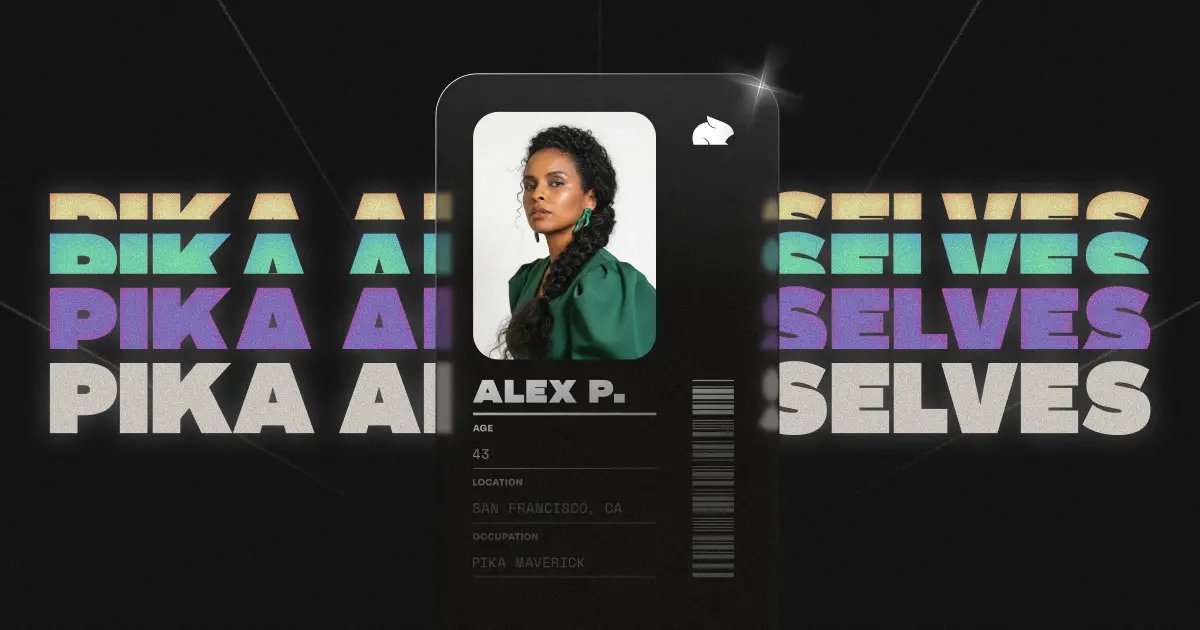
Create a living AI version of yourself or whoever you want to be. Your AI Self talks, posts, remembers, and grows so you can live your best life without human limits.
Kollect turns boring forms into real-time AI conversations where users speak naturally and AI listens and dynamically guides surveys. It's an open source, self-hostable platform that allows creating forms by simply describing them.