Category Focus/categories/developer-tools
Developer Tools AI Tools
Discover and compare the best developer tools AI tools and software. Browse 571+ curated tools with reviews and rankings.
Projects tracked
571
Sort mode
RECENT
Page
4
Discover and compare the best developer tools AI tools and software. Browse 571+ curated tools with reviews and rankings.
Projects tracked
571
Sort mode
RECENT
Page
4
Rival Workshop is a local app and a library of editable skills for people who build with AI coding agents. The Workshop app shows every skill in a repository as a book on a shelf, so you can see exactly what Claude Code, Codex or Cursor reads before every task. It includes 150 editable skills covering the work around the screen — tests, security review, launch copy and pricing — across 22 disciplines, plus Brief, a kit that turns a code change into a visual report with source references. Its purpose is to help you choose, edit and finish the work your agent produces from one place on your own computer. A skill, in the product's own definition, is an instruction file your AI reads while it works: it explains how to approach a task and check the result, and you can read and edit every skill. As those files accumulate in a repository, it becomes hard to know which skills each agent loads, how much each one contributes, and where one stops. Rival Workshop answers that with a visible, controllable shelf. The product is also explicit about scope. Free skills exist and are worth using — the FAQ points to Impeccable and Anthropic's frontend-design as strong on design, with Impeccable also covering accessibility audits, error handling and empty states — while Workshop concentrates on the work around the screen, including tests, security review, launch copy and pricing, across 22 disciplines, with Brief to review each change, editable examples and an installer. The heart of the product is the Workshop app, which presents a project's skills as books on a shelf. The spine of each book is what Claude Code, Codex or Cursor reads before every task, and a bookend marks where each skill stops, making the relative size of each skill visible. From the app you can switch skills off, make them run only when asked, rewrite them with Claude Code, and add good ones from the web after a safety check. Everything runs on your computer after a single node command, so the skills stay in your own project rather than inside a hosted service. Behind the app sits a library of 150 skills, browsable and searchable in pages of twelve. The catalogue is grouped into disciplines including product strategy, accessibility, design systems, design engineering, 3D and creative coding, frontend engineering, backend and APIs, data and analytics, AI engineering, quality and testing, security and privacy, delivery and reliability, brand and direction, writing and documentation, marketing and SEO, growth and experiments, sales and pricing, customer success, community and partnerships, company operations, research and knowledge work, and finance and fintech. Individual skills are concrete: "Product acceptance contract" translates a product brief into observable acceptance examples and resolves ambiguity before implementation or release review; "Feedback to backlog" turns a batch of product feedback into deduplicated, evidence-linked backlog changes and customer response drafts; "Repair contrast and reflow" targets interface content that is difficult to read, distinguish or operate under zoom, color changes or narrow layouts. Finding the right skill is handled two ways. An installer lets you choose a folder and your coding agent, and it adds the skills and tools to the project. A "What are you working on?" prompt takes a description of your task and returns matching skills plus a prompt to use with your agent; prompts are sent to TypeSafe. The library is wired for the tools teams already use: Codex, Claude Code and Cursor as agents; shadcn/ui and Tailwind for components; OpenAI, Replicate and fal for images; and Motion with Remotion for motion work. The documentation states that the skills are based on published practices from Anthropic's modular skills approach, Vercel's guidance on pairing code examples with checks, and OpenAI's image generation guidance, and notes that the product is independent with no affiliation or endorsement. Brief is included with Workshop and sells for $19 on its own. It turns a code change into a visual report with source references, so you know what your agent changed before you merge. In a workflow where an agent writes a large share of the code, that report is the review step: it shows the change and points back to the source it came from, giving a moment to check the work before it lands. Workshop buyers receive Brief along with the skills, and the free sample includes the app, six full skills, the project installer, an image helper and working examples with editable source. Getting started is deliberately manual and local. You unzip the download, open "Open Workshop.html" in the extracted folder, copy the command from that page into Terminal, and start the app, which needs Node 20 or newer. You then pick the folder you use with your coding agent and switch on the skills you need. Without Node, you can use the folder installer on the download's opening page, or install from the download page in Dia, Chrome or Edge. A browser demo is also available for trying the app against a fictional project without installation, where changes stay in the demo. The product has shipped 19 editions since September 6, and a changelog is published. Benefits follow from that structure. You can see which skills an agent actually loads and how much of the context each one occupies, so the set that runs stays intentional. Skills can be switched off or made to run only when asked, keeping routine tasks lighter, and every skill can be read and edited so teams can adapt the guidance to their own conventions. Brief adds a review layer before merging, and the installer puts the right skills and tools into a project in one step. The optional image helper requires Python 3.10 or newer and an OpenAI, Replicate, fal or compatible provider key with model access; your provider bills image usage separately. Concrete workflows appear throughout the documentation. A developer opening a repository can use the shelf to audit which skills Claude Code, Codex or Cursor will read, then disable the ones that are no longer relevant. Someone starting a task can describe it in the "What are you working on?" box and receive matching skills plus a prompt to hand to their agent. A team shipping a release can run product strategy skills such as "Product launch readiness" or "Release scope cutter" to produce a release decision, owner actions and customer-facing artifacts. Before merging, Brief can be used to turn the code change into a visual report with source references. The free sample lets a newcomer open Atelier, a project workspace with search, filters and a detail panel, and work through six full skills on local, fictional data. The product is aimed at people who already work with an AI coding tool such as Codex or Claude Code; an AI subscription is separate. Workshop costs $79 as a one-time payment until October 31, 2026 at 11:59 pm Pacific, after which it is $149, and every future edition stays included either way. An All-Access option bundles every Rival kit and future kits — Workshop with Brief, UI Glow-Up, VoiceLock and the AI research collection — for $129 until October 31, then $249. Files are delivered by Lemon Squeezy after checkout and by email, with instant download and a 14-day money-back guarantee. The licence allows use and editing of the skills in unlimited personal or client projects, including by collaborators on those projects, but not resale of the download or distribution as a competing collection. Rival Workshop is essentially a control surface for the instruction files an AI coding agent depends on: a library of 150 editable skills, an app that shows what each agent reads, an installer that wires them into a project, and Brief to review the resulting change before it merges.
Sente is teai.io's official coding agent CLI, described as a thin launcher over OpenCode (MIT, 203k GitHub stars). One curl line installs it, and every teai.io model becomes an agent in your terminal. It is built for people who work in a repository rather than a chat window: Sente reads and edits the files in your repository, runs commands, and reports back. It sits in the teai.io CLI family alongside te, which you type at, and fuseki, which watches without being called. Sente itself is free; usage is metered through teai.io credits, and the site states the limits honestly rather than promising unlimited use. The starting point is the gap between a chat app and an actual working agent. A chat interface can answer questions, but it cannot reach into the files in your repository, run commands on your machine, or report back on what changed. Sente is built to remove that gap, and to do so without a conversion layer: teai.io is natively OpenAI-compatible, and Sente, being OpenCode-based, speaks OpenAI-compatible natively, so tool calls travel through teai without a translation step — zero conversion layer, nothing to break when routing through teai. The other half of the problem is trust and cost: agents fail, retries multiply, and metered usage can feel opaque. Sente's answer is billing that ignores empty responses and refunds failed paid media jobs and failed MCP tool calls, plus a safety model that asks before anything destructive. Sente is deliberately not a fork. The install is one line — curl -fsSL https://teai.io/te | sh — which installs OpenCode if it is missing and points OPENCODE_CONFIG at a teai.io-generated config. On each launch Sente syncs the teai.io model catalog, so upstream OpenCode improvements arrive without the project having to maintain a diverged codebase. A coding discipline file, sente-rules.md, is auto-written to ~/.config/teai/ and injected into every session, mechanically enforcing rules such as read before you write and always ship a deliverable. The command is short — te — and a sente alias is also installed. Setup continues with te login using a free API key obtained at registration. Sente exposes 380+ models on a single account and makes switching a one-line affair. The daily driver is glm-5.2 at roughly ¥0.34 per task; quality-critical work routes through te lux to the Claude/OpenAI flagship (Fable 5); hard tasks use te max on Kimi K3 (2.8T, 1M); and DeepSeek V4 Pro comes in around ¥0.03 per task. One base_url decides routing, which is how the product aims to stay cheap without breaking quality, and a task is measured as approximately 1K input plus 500 output tokens. Because the endpoints are OpenAI- and Anthropic-compatible, existing tooling patterns carry over, and the API-compatible endpoints never store request bodies — only metadata, kept for 90 days. Voice is a first-class input. te talk starts a voice conversation: you say what you want done and Sente reads its reply back to you, on macOS, Linux and WSL. Enrollment takes about one sentence — roughly ten seconds — and is consent-first: the delete key is yours, and teai.io states that it never clones a voice that isn't yours. For work that outlasts a laptop session, Sente Cloud at sente.teai.io runs in your browser on a cloud workspace; you sign in with an emailed one-time code, and closing your laptop doesn't stop the work. Optional GUI apps are installed explicitly with te app install sente for a menu-bar Sente.app, te app install koe for an always-listening Koe.app, or te app install both, and they are placed in /Applications only when you run that command. Safety is expressed as a three-tier risk model shared across the family: reads run automatically, writes are treated as reversible and proceed, and anything in the delete, send, publish or pay category asks first. fuseki, the third stage of the CLI family, is in Alpha and inherits the same tiers: it keeps an eye on your board — human-gates, recent repos — without being called, and only thinks and logs plus speaks a suggestion when something actually changes. It defaults to proposing only and never executes on its own; te stop stops it. The design intent is stated plainly: the agent moves before you do, but the risky moves still need you. Privacy is handled locally and is opt-in. te privacy scrub on masks emails, phone numbers, addresses, API keys, private keys and high-entropy tokens — plus names harvested from your Contacts dictionary with te privacy scrub harvest, Japanese honorific heuristics and Apple's on-device name recognition — on this Mac before the request reaches teai.io. The cost is about 0.1 ms per request with no local LLM required, and the reply is restored before it is shown. teai.io is explicit that this is not a guarantee of complete detection: Japanese given names without an honorific or a dictionary entry are not caught, and the optional Ollama layer (--llm) exists but is slow. Enterprise concerns are covered by invoice billing and a DPA, with BYOK in preparation. Five beta skills, announced for 2026-08, are backed by a reference corpus of 748 Q&A entries searched with lightweight retrieval — semantic embedding plus a relevance cutoff — before the model answers. te legal covers Japanese law with 259 entries across 21 topics and is cross-checked against actual e-Gov statute text, returning no match rather than fabricating; te security covers secure coding with 131 entries across 13 topics such as SQLi/XSS/CSRF mitigation, auth, secrets management and dependency vulnerabilities; te freelance covers 125 entries on contract checkpoints, Japan's invoice system, tax filing and social insurance; te infra covers 117 entries on Fly.io, Docker, CI/CD, SQLite/libsql, DNS and TLS, including real gotchas teai.io hit running this exact stack; and te license covers 116 entries on MIT/Apache/GPL-family licenses and AGPL's SaaS network clause. They are callable as te legal "question" or straight from the API by passing a model such as shitate/legal to /v1/chat/completions. The practical benefits are deliberately narrow and concrete. Nothing is billed for failure: empty responses are not billed, and failed paid media jobs and failed MCP tool calls are refunded in full, so you pay for results rather than errors. Cost control is explicit — cheap models for routine work, flagship routing for quality-critical work, and a maximum-performance tier when a task is hard — all switched with one line rather than a new subscription. Work continues while your Mac sleeps through Sente Cloud, discipline is enforced mechanically through sente-rules.md, and privacy scrubbing happens on-device before anything leaves the machine. Concrete workflows follow the same pattern. In a terminal you can run te run "explain this repo" for a one-shot explanation, ask te run "refactor this function" to edit code in place, or hand an agent a file generation task; switching to te max puts a hard task on Kimi K3. Away from the keyboard you can start te talk, describe the task out loud and hear the reply read back. For work that must keep going, Sente Cloud runs in the browser on a cloud workspace while the laptop is closed. Mid-implementation you can sanity-check risk with te security "how do I prevent SQL injection?"; outside code you can ask te legal about a statutory reserve share, te freelance how to register for Japan's invoice system, te infra how to set a secret on Fly.io, or te license what to watch for when using AGPL in a SaaS. Language settings also matter for Japanese and English users: /language (or /lang) switches the language dialog and skill list, /skills searches skills by display name, description or skill ID, and the initial language follows your terminal locale. Sente itself is free, and teai.io runs on credits. The Free plan gives 100 credits on signup with no credit card required — enough for roughly 300,000 short chats on Qwen3.7 Flash or about 2,000 on glm-5.2, at 1K input plus 500 output per task. Pro is ¥4,350 per month (about $29 USD) with 30,000 credits, and Business is ¥14,800 per month (about $99 USD) with 100,000 credits. Usage is metered rather than unlimited, and you top up monthly credits if you go over; invoice billing and a DPA are available, with BYOK in preparation. It runs on macOS, Linux and WSL (Windows through WSL), is Japan-built with a Tokyo region, JPY billing and Japanese support, and the source is MIT-licensed at github.com/yukihamada/sente. Documentation lives at teai.io/docs. Sente's proposition is narrow and consistent: one line to install, one account for 380+ models, three ways to call an agent — by typing, by speaking, or by letting fuseki watch — and a billing and privacy stance that refuses to charge for failures. For developers who want an agent inside their repository rather than inside a chat window, it is a thin, updatable, honestly metered layer over OpenCode.
Octri is a platform that takes a single OpenAPI specification and generates four connected products from it: a documentation site, client SDKs in ten programming languages, an MCP server for AI agents, and production monitoring. It is built for API teams and developers who want their API documentation, client libraries, and agent tooling to stay current without maintaining separate pipelines for each. The core promise is that one spec generates all four products and keeps them in sync, so there is never a second place to go and update when something changes. The problem Octri addresses is what happens after an SDK is published. As the site puts it, that is the moment code leaves your visibility: it runs on someone else's machine, fails on someone else's machine, and you hear about it in a support ticket three days later. Without monitoring of any kind, the typical timeline is three days with the integration still broken in production, no visibility into what went wrong, and angry support tickets stacking up. The stated alternative with Octri is a nine-minute window to a shipped fix with zero support tickets and nobody noticing. The broader context is that APIs are increasingly consumed not only by human developers reading docs but also by AI agents, which, without a structured source like MCP, integrate an API from memory and hallucinate its surface. API Studio generates documentation from the spec, with AI writing the first draft for every endpoint that you then edit like a document, so nobody has to open the YAML. It produces three-column endpoint pages with schema trees that open a level at a time, a live try-it playground on every endpoint, MDX guides alongside the generated reference, and support for your own domain on every tier including Free. Changes are stored per page, so a new spec revision only disturbs the endpoints that actually changed, and regeneration works around your edits. The generated docs also run an OpenAPI readiness audit, scoring a spec out of 10 against the same rules SDK Studio uses, surfacing missing schemas, undeclared path parameters and awkward method names before anyone generates a client. Fourteen rules are checked, covering things like successful responses declaring a schema, unique operationIds, path placeholders having parameters, a declared server URL, described authentication, shared models in components and referenced with $ref, and documented request bodies. SDK Studio generates idiomatic client libraries in ten languages: TypeScript, Python, Go, Java, Dart, Ruby, PHP, Rust, Swift, and Kotlin. Each language gets per-language config for namespaces, pagination, idempotency and code style, so you can rename methods, exclude endpoints, pick your HTTP engine and folder structure. You can write custom hooks compiled into the client, available as beforeRequest and afterRequest, and the generator handles included capabilities like pagination and streaming. SDKs auto-publish to the registries their users already install from: npm for TypeScript with type definitions generated from your spec and a choice of fetch or axios; PyPI for Python, async first with optional sync variants; git tag distribution for Go with standard library HTTP; Maven Central for Java, signed, under a groupId on a domain you own; pub.dev for Dart, for Dart and Flutter alike; RubyGems for Ruby with a class-style client; Packagist for PHP so Composer installs it; crates.io for Rust with doc comments becoming rustdoc; git tag and Swift Package Manager for Swift, with no registry account; and Maven Central for Kotlin with OkHttp or Ktor. Build history shows exactly what shipped and when. Monitoring has two ways in: flip it on and the telemetry compiles into your generated SDKs, or drop the standalone package straight into your backend. Either way there is no agent to deploy and nothing to instrument. Monitoring is off by default and switches on from the dashboard. It provides logs you can query directly by level, route, status code or release; issues grouped by fingerprint, each with the function and file that threw it; traces showing one request end to end across client, server, cache, database and queue, with the slow span called out; a service map of every service, the calls between them, and the error rate on each edge; N+1 query detection that finds the same query fired in a loop and counts it across traces; synthetic uptime probes on a schedule with run history behind every endpoint; and alerts that fire on burn rate and regressions so a single stray 500 never wakes anyone. Errors are traced to a commit. The site describes alert examples including a checkout 5xx spike with a threshold of 25 in 5 minutes, a new-issue alert on first sighting, a regression watch when a resolved issue starts erroring again, auth failures at 100 in 15 minutes, a latency guard at 50 in 10 minutes, a rate limit surge at 200 in 5 minutes, webhook delivery failures, and transcription timeouts. Security is handled by redacting credentials and identifiers on the client side before an event leaves your process, then again at ingest, covering tokens and direct identifiers such as email, phone and IP, with personal context waiting on your app's consent under a pre-signed GDPR Article 28 DPA. The MCP server turns your API into context and callable tools for Claude, Cursor and any MCP client. Seven documentation tools let the agent search, read and navigate your docs, and there is one callable tool per endpoint so the agent can hit your API for real. The server is curated by SDK Studio, so your exclusion list becomes the agent's permission list, and installation is one line: npx @octri/mcp, with nothing to host. The unique approach across all four products is that they share one source. Deprecate an endpoint in API Studio and the SDKs mark the method, the agent tools stop offering it, and monitoring shows you who still calls it. Add a language, cut a release, or push a new spec and the same thing happens. Nothing republishes behind your back: a spec change produces a draft and a diff of what moved, you approve it, and that is when new SDK versions reach the registries. The stated outcomes for users are visibility into integration failures before support tickets are filed, faster time from spec change to shipped fix, and consistency across docs, SDKs, agent tools and monitoring without manual synchronization. The site frames the shift as moving from three days of an unnoticed production failure to a fix shipped in nine minutes. For migrating teams, the importer reads an existing config file, bringing across navigation, custom pages, SDK settings, endpoint overrides, and theme and logotype, so you do not start from a blank project; a call with the team and onboarding help are both free of charge. Concrete use cases described in the content include integrating with an API through an agent: a user asks an AI assistant to integrate with Acme's Assistants API, the agent connects through the Octri MCP server with 15 tools over MCP and the npx @octri/mcp command, searches the docs, finds relevant pages, reads the POST /v1/assistants body schema, and wires it up with a TypeScript SDK package. A second scenario runs the same flow through a Python SDK, adding an assistant that answers billing questions, calling POST /v1/assistants and using the acme.assistants.create() method from a Python package. A third use case is writing a payment integration against a reference that shows GET /payments with limit, order, after and before query parameters, a paginated response with data, first_id, last_id and has_more, and a generated TypeScript SDK request example. Monitoring use cases include triaging grouped errors like a TypeError on GET /assistants/{assistant_id} with event and user counts and a last-seen time, tracking a regressed rate limit error, and routing alerts to Slack channels or ops webhooks. The spec audit is its own use case: pasting an OpenAPI URL and getting a score out of 10 with every missing schema and undeclared path parameter listed, optionally publishing the score at a public octri.dev address for public specs only, with the document not stored. The target audience spans indie developers shipping real APIs, growing teams shipping fast, and scaling products that need more, with the pricing tiers named Starter, Growth and Business respectively, plus Enterprise for unlimited scale with SLA guarantees. Plans are not per-product, so you can leave one of the four switched off and turn it on months later without redoing existing setup. The Free tier covers side projects and first APIs with one SDK language, 50 API endpoints, 100 one-time AI credits, 100 MB of monitoring ingress per month, AI-enhanced docs and chat, GitHub sync, custom domain and registry auto-publish. Growth at $99/mo adds four SDK languages, 300 endpoints, 2,500 AI credits, 5 GB ingress, versioning and custom code and components. Business at $249/mo adds all ten languages, 600 endpoints, 5,000 AI credits, 20 GB ingress, white-label and SDK CDN hosting. Enterprise adds SSO/SAML, unlimited scale and the ability to self-host the generator and docs renderer in your own infrastructure. Extra SDK languages are a flat $50/mo add-on, and annual billing saves 15%. Support ranges from Community on Free to Email, Priority and Dedicated on higher tiers. Everything Octri does starts from a specification you already have written. Whether you need readable docs, installable SDKs across ten ecosystems, agent-callable tools, or visibility into production failures, the same spec drives it all and keeps driving it as it changes, which is the value proposition the platform is built to reinforce.
opensend.cc is an open source email platform that you run on your own server, described by its creators as "the self-hosted Resend alternative." It provides a Resend-compatible REST API and SDKs, plain SMTP, React-based email templates, broadcasts, contacts and audiences, webhooks and logs, all running on infrastructure you control. The product is built for developers and teams who want to send transactional email and product updates through their own AWS SES account, so that their domain, their data and their sender reputation stay theirs. One Docker Compose command installs the whole platform, and the software itself is free; as the site puts it, "You pay Amazon to send. Nothing to us." The dashboard, the API and the database all live on your machine rather than on a vendor's servers. The background for opensend.cc comes from its author, Kamal Panara, who runs Panara Studios, an app agency that has shipped products for clients in more than ten countries since 2021. Every one of those apps needed transactional email, and the hosted APIs available charged per send while hiding the stack behind them. That experience led to building "the open source Resend alternative I wanted." The problem it targets is the one described on the site: with a rented email API, the domain, the data and the sender reputation all sit with the provider, and pricing scales with every message you send. opensend.cc flips that model by running the email platform on your own server and sending through your own AWS account, so the sending pipeline, the contact data and the deliverability reputation remain on your infrastructure rather than shared with other customers. The core developer experience is a Resend-compatible API. Existing Resend SDKs can be pointed at your opensend.cc URL by changing the base URL, which means requests go to your server instead of a hosted provider and your application code can largely stay the same. The API supports scoped keys, batch send and idempotent retries, so teams moving from a managed service can migrate with minimal changes. The site frames this as practical migration guidance: if you are already on Resend, you change two lines and keep your code. Sending a message is a single POST to an /emails endpoint with the sender and message details, returning a message identifier that can be used for tracking. Delivery runs through AWS SES as the default relay, with plain SMTP also available for frameworks and plugins that already rely on it. Beyond simply dispatching mail, opensend.cc provides guided deliverability setup: it shows you the DKIM, SPF and DMARC records for your domain so you can publish them and authenticate your sending. Because delivery goes through your own SES account, your SES reputation stays yours and is not shared with other customers, which matters for inbox placement over time. The dashboard and feature set extend the API into a fuller email platform. Templates can be built as React components, previewed in the dashboard and sent by name, which lets developers author emails in the same component style as their application. Webhooks deliver signed events for deliveries, bounces and complaints to your endpoints, with retries, so your systems can react to what actually happened to each message. Contacts can be stored and grouped into audiences, with consent data kept in your own Convex database rather than a vendor's. Broadcasts let you send product updates and newsletters to an audience using the same SES pipeline as transactional mail. Logs and analytics make every message, event and error searchable, and bounces and complaints feed suppression automatically. Finally, test mode provides keys that accept everything and deliver nothing, which lets you wire up CI and staging environments without emailing real users. Overall, opensend.cc works as a self-contained, self-hosted stack. The one-line installer pulls prebuilt images and starts Next.js, Convex and Better Auth using Docker Compose. Data is held in self-hosted Convex on your own machine, and accounts are handled by Better Auth. The underlying schema covers domains, API keys, emails and suppression. The described path from install to first email is three steps: deploy the platform, connect SES by adding your sending domain and publishing the DKIM, SPF and DMARC records it displays and attaching your AWS SES account, and then send by creating an API key and posting your first email through curl, a Resend SDK or plain SMTP — and seeing it appear in the logs. The benefits described are ownership and cost control. Your email, your server and your AWS bill are all yours: domains, data and accounts stay on your infrastructure, and there is no per-email pricing and no feature gates from the platform. Because the API is Resend-compatible, you keep your application code and change only a base URL. Self-hosting is free, so the only costs are your own server and what AWS SES charges for sending, and community support is available on GitHub. Concrete use cases follow from that design. Teams send transactional email such as the messages every app needs, run product updates and newsletters through broadcasts to an audience, and use test mode keys to exercise CI and staging flows without contacting real users. Developers already using Resend can migrate by repointing their SDK, and agencies shipping apps for clients can deploy the same open source email platform on their own or their clients' servers. Organizations that need domain data and sender reputation to remain under their control can keep consent records in their own Convex database rather than with an external vendor. The primary audience is developers and technical teams: individual builders, app agencies and anyone who wants a self-hosted email API and does not want to rent one. The stack is explicit — Next.js for the dashboard and API, self-hosted Convex for the database, Better Auth for accounts, AWS SES or any SMTP relay for delivery, and Docker Compose for deployment. The license is Apache-2.0. The Self-host plan is free forever and includes the full source code, Next.js with self-hosted Convex and Better Auth, AWS SES or any SMTP relay, the Resend-compatible REST API and SMTP, templates, audiences, broadcasts, webhooks and logs, and community support on GitHub. A Cloud option that runs the same API with managed servers is listed as coming soon, with a waitlist open. The project is also supported by sponsors, with Gold at $249/mo and Silver tiers mentioned, and sponsors help decide what ships next and keep the project free. In short, opensend.cc takes the email API that most teams rent and turns it into something they run themselves. With a Resend-compatible API, AWS SES and SMTP delivery, React templates, audiences, broadcasts, webhooks, logs and test mode, all deployed with one Docker Compose command, it gives developers a way to own their email sending, their data and their sender reputation while paying only their own infrastructure and AWS costs.
JevGPT is a chat assistant that writes every reply one word at a time. Instead of a model that generates whole sentences, JevGPT is built on TypeSafe's Jev System One model, described on Product Hunt as a model that can't write. In JevGPT, that model is put to work in a chat interface that opens with the question "What can I help with?", and each word of each answer is picked by Jev from a vocabulary of 1,772 words, one probability distribution at a time. The app is built around people who already hold a TypeSafe API key and want to run a conversation on their own Jev credits, at roughly a cent per reply. For years, the framing goes, large language models built to write text have been used to make choices. JevGPT returns the favor: a chat app where TypeSafe's Jev, a model built to make choices, writes every reply one multiple-choice word at a time. The Product Hunt tagline states the premise bluntly — "A chatbot built on a model that can't write" — and the Product Hunt description answers its own question, "Does it work? Sort of." That framing makes the project less a polished productivity tool than a visible experiment in what happens when a decision-making model is asked to produce written text. The central mechanic is word-by-word generation. As the site states, "Every word is picked by Jev from a 1,772-word vocabulary, one probability distribution at a time." Rather than emitting a full sentence in a single pass, the app resolves each next word as a choice over that fixed vocabulary, then moves on to the next word. The vocabulary is small and fixed, and every reply is assembled sequentially from it. Watching this happen makes the generation process unusually visible: a reply is not retrieved as a block of text but constructed word by word, where each word is a multiple-choice decision made by the model. Because both the vocabulary and the selection step are constrained, the shape of the output is determined by that choice process rather than by open-ended text generation. JevGPT does not ship with its own model access. To start chatting, you enter your TypeSafe API key, and the app runs on your own Jev credits; the site states that a reply costs about a cent. After entering the key, you press Save and the session is ready to use. Keys come from TypeSafe's console — the site links to console.typesafe.ai, specifically the settings page for keys — for anyone who needs to create one. This bring-your-own-key arrangement means usage is metered against the individual user's own credits, and the cost of a conversation is expressed per reply rather than through a subscription described on the site. The site is also explicit about how the key is handled. It is "kept in an httpOnly cookie in this browser and sent only to this app's server." That statement covers both storage and transmission: the key persists in a cookie that page scripts cannot read, because httpOnly cookies are not exposed to JavaScript, and it is sent only to the server that powers this app. For anyone who hesitates to paste an API key into a web app, this stated handling is the detail that matters — the credential stays in the browser's cookie store and travels only to the app's own backend. If you do not have a key yet, the site offers two alternatives: watch the demo video, or read how JevGPT works on GitHub. Overall, JevGPT is a conversational layer over TypeSafe's Jev. The user supplies the credentials, the app passes the conversation to Jev through TypeSafe's API, and the model returns its selection for each word, a process the app repeats until a reply is complete. Because each word is drawn from the same 1,772-word vocabulary via a probability distribution, the output is shaped by that constrained choice process. The project is open source, with the GitHub repository linked directly from the site for readers who want to study how it works rather than watch it produce a reply. The site pairs that repository link with the demo video as the two routes to understanding the project without running it yourself. The stated benefits follow from those mechanics. You keep control of your own usage, since the app runs on your own Jev credits and a reply costs about a cent. You can inspect the project, because it is open source and the repository is presented as the place to read how JevGPT works. You can also approach it with honest expectations, since the Product Hunt framing answers whether the approach works with "Sort of" rather than a promise of polished prose. And because the vocabulary is only 1,772 words and every word is a discrete choice, the generated replies are constrained in a way that is visible to the person reading them, one word at a time. Concrete uses described in the content are straightforward. The primary one is chatting: the app opens with "What can I help with?", you enter your TypeSafe API key, and you start a conversation whose replies are written one multiple-choice word at a time. A second is evaluating the model: users can watch whether a model built to make choices can actually carry a written reply and form their own judgment. A third is developer review — the GitHub repository is offered so that people can read how JevGPT works, and the project is listed as open source. A fourth is passive exploration: the demo video lets someone see JevGPT operate without needing a key first, since the site suggests it to readers who do not have one yet. JevGPT is a browser-based web app, and its audience is narrowest at the point of access: you need a TypeSafe API key and Jev credits before you can chat. That points toward people already working with TypeSafe's console and looking for a hands-on way to see Jev in a conversational role. Beyond that, the project is open source and tagged with topics including Open Source, Writing, Artificial Intelligence, and GitHub, which speaks to developers and technically curious readers who want to examine the code. Pricing is usage-based by nature: JevGPT runs on your own Jev credits, and the site puts the cost of a reply at about a cent. No subscription tiers or plan details are mentioned in the content. The takeaway is that JevGPT is a deliberately unusual chat app: it asks a model built to make choices to write, and it writes by choosing. Every reply is assembled one word at a time from a 1,772-word vocabulary, one probability distribution at a time, on the user's own TypeSafe credits at roughly a cent per reply. It is open source, it documents how your API key is stored and sent, and it offers a demo video for those who do not have a key yet. Whether the writing is good is answered with a shrug — "Sort of" — and that honesty is part of the project's character.
Firetower is an open-source, self-hosted control plane for coding agents. It lets you run any coding agent — including Claude Code and Codex — on your own servers and manage them from a desktop or mobile client, from anywhere. You give Firetower a machine you can SSH into and a repository, and it handles the rest: picking a host, cutting a branch, making a worktree, starting tmux, launching the agent, and keeping it running. The product is aimed at developers and teams who want to run coding agents on infrastructure they control rather than on the device they start the work from. Its main purpose is to run coding agents on servers you own, keep them running reliably, and tell you the moment a session stops being useful without you. The problem Firetower addresses is that coding agents traditionally run on the device you started them from. If your laptop closes or the app crashes, the work is interrupted. Firetower changes that by running the agent on a server instead. Because the agent runs on your server, not on the device you started it from, every device can pick up exactly where another left off. Closing your laptop costs nothing, because the agent never ran on the laptop. Firetower also treats failure as something each part can experience on its own: if the Firetower server goes down, the workers keep running; if a worker dies, the worktree is still there, and your branch and every file the agent changed remain on that machine. By making each part independently resilient, the work survives every one of these failures. Firetower brings an entire workflow into one place. The flow runs from issue to shipped: you start from your Issues and Linear tickets, your agent runs your worktrees, you preview and annotate, and then you commit and open a PR. Firetower reads from your trackers as you look, and starting a ticket opens a workspace. A ticket list shows items such as "Add a dark mode toggle," "Fix the invite link on mobile," and "Rate-limit the webhook receiver," each with an ID, team, and how recently it was updated, with a Start action. This workflow ties the tracker, the agent, the diff, and the pull request together so the whole path from a ticket to a shipped branch stays in one surface. Firetower is designed so you can run remotely and close your laptop anytime. The agent runs on your server, not the device you started it from, which means you can pick up your phone and continue. If your laptop closes or the app crashes, nothing happens to the agent, because it never ran on the laptop; open Firetower on any other device and the conversation is exactly where you left it. If the Firetower server goes down, the workers keep running, and when the server comes back it catches up on everything that happened while it was away. If a worker dies, the worktree is still there — your branch and every file the agent changed are on that machine, and Firetower still knows about them, so you can restart the worker and carry on. Firetower runs your favorite agent on your favorite hardware. It reaches each machine over SSH and starts a worker there, and the agents run on that machine — in tmux, on their own worktree. Clients are available for macOS, Windows, iOS, and Android. Firetower is written in Rust and is described as the most efficient ADE on the market, with a small core, no accumulating terminal daemons, and workspace memory ceilings where the host supports them, built for work that keeps running. Its resource profile is presented in comparison charts: Firetower Desktop uses about 50 MB where a competing app and daemon report roughly 1.5 GB idle (30× more efficient); a Firetower worker uses about 5 MB with the agent CLI separate, where a competing agent process reports about 500 MB per agent (100× more efficient); and the Firetower control plane uses about 200 MB where a competing service reports about 1 GB after restart (5× more efficient). Firetower's unique approach rests on the idea that workers are authoritative. Workers write what happened to their own log before reporting it, and when the control plane comes back it asks for everything since the last thing it saw — so a closed laptop costs nothing and a reconnect is a replay, not a guess. The worker never opens a port: it reads frames from stdin and writes them to stdout, so who dials is a transport detail — a child process, a container exec, or SSH. The daemon cannot tell the difference, and neither can a firewall. In the architecture, desktop and mobile apps connect over HTTPS to the Firetower control plane, which is one compose file on a server you already own; the control plane then reaches machines over SSH, including a Mac Studio worker with tmux and git running Claude Code and Codex, and a Hetzner VM worker running Claude Code. Session indicators show a session that has stopped and needs you, one still working with nothing to do, and the SSH path the app uses to reach a machine you own. The benefits follow directly from this architecture. Because agents run on your own servers, closing your laptop costs nothing and you can continue from any device. Because each agent is on its own machine and in its own worktree, failures are isolated, and the work survives each of them. Because Firetower tells you the moment a session stops being useful without you, you can stop watching agents that need nothing and focus only on the ones waiting on you. Because workers are authoritative and reconnect as a replay rather than a guess, the state you see reflects what actually happened. And because Firetower is written in Rust with a small core and a small memory footprint, it is built for work that keeps running without consuming the resources a heavier tool would. Concrete scenarios include starting a task from a Linear or GitHub ticket so the agent begins work in a workspace automatically; running an agent on a Mac Studio or a Hetzner VM over SSH while you continue from your phone; closing your laptop mid-session and reopening the conversation on another device exactly where you left it; reviewing a diff and annotating it before committing and opening a pull request; and restarting a dead worker and carrying on because the worktree still holds the branch and every changed file. The workflow from issue to shipped — start from Issues and Linear tickets, run worktrees, preview and annotate, commit and open a PR — covers the day-to-day path a developer follows with an agent. Firetower is built for developers and teams who want to run coding agents like Claude Code and Codex on infrastructure they control. It integrates with trackers and source control: you start from your Issues and Linear tickets, and GitHub is among the connected sources (you can commit and open a PR). Its tech stack includes Rust as the implementation language, plus tmux, git, and SSH as the mechanisms that run agents each in their own worktree on a machine you own; the control plane is described as one compose file on a server you already own. Firetower is open source and self-hosted with no account required, and it installs in about five minutes on your server with a simple install command. Firetower's primary value proposition is control: it runs any coding agent on your own servers, from anywhere, and keeps the work running even when your laptop, the server, or a worker fails. By combining a self-hosted control plane, an issue-to-PR workflow, authoritative workers, and a small Rust core, it lets developers use the agents they already prefer on the hardware they already own — open source, no account, and built for work that keeps running.
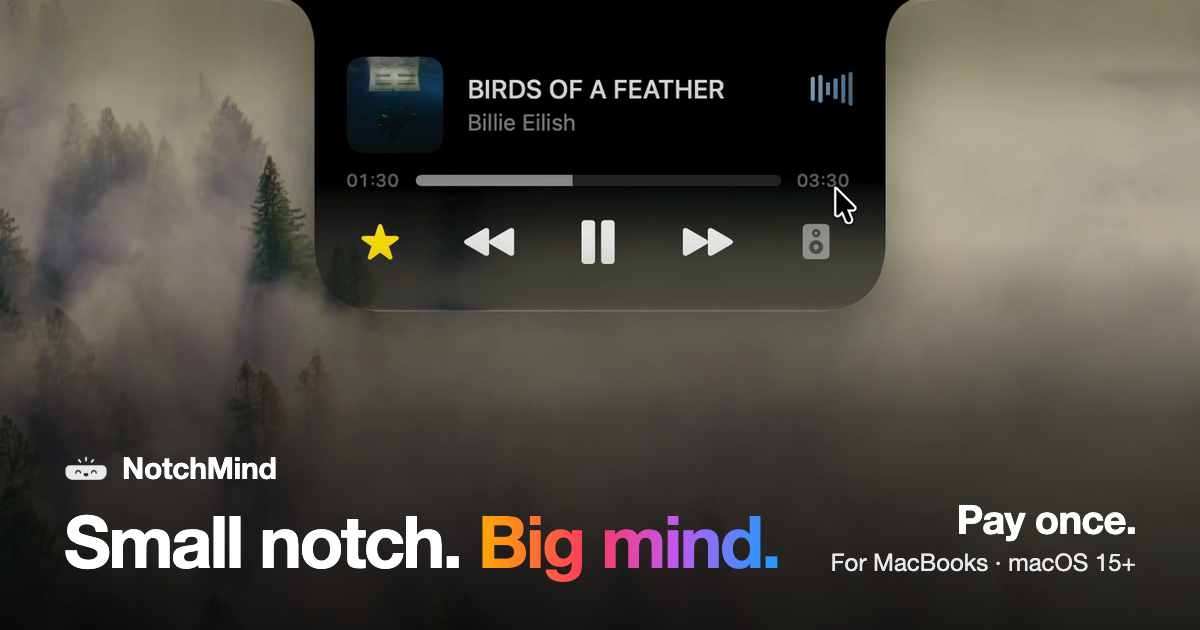
NotchMind is a native macOS app that turns the MacBook notch into a working hub for the things you reach for all day. Move your pointer to the top of the screen and the notch opens, revealing music controls, a file tray, clipboard history, timers, downloads and the small system updates that normally interrupt your work. It is built for MacBooks with a notch running macOS 15 or later, and it is sold as a one-time purchase rather than a subscription. Most Mac apps live in the menu bar, in the Dock or in a window you have to find and switch to. Each of those places takes you away from what you are doing: checking a download means opening the browser, skipping a track means hunting for the music app, and copying something twice can wipe the first item forever. NotchMind's answer is placement rather than raw power. The notch already sits at the top of the screen where your eyes go, and it is already framed by the hardware, so NotchMind treats it as a place to park the information you glance at rather than a place to work. The result is that music, files, clipboard history, timers and system updates appear where you are already looking and then get out of the way. NotchMind's media and file tools cover the actions people repeat constantly. The music player lets you see what is playing, skip a track, pause, read lyrics and switch speakers without leaving the front app, and a companion tool puts now playing and lyrics on your lock screen. Camera Mirror is there to check yourself before a call. On the file side, the File Tray lets you drag a file to the top of the screen and park it in the notch, then drag it out anywhere later; AirDrop lets you drop a file on the notch to send it in one move. Downloads fill the notch with progress while a file downloads, so you know when it is done without opening your browser. The File Converter changes files in place between PNG, JPEG, HEIC, PDF, ZIP and more, all on your Mac, and screenshots and recordings can be grabbed, dragged or deleted from the notch. The clipboard tools are the part NotchMind treats as more than a list. Clipboard history keeps up to 500 things you copied, each one click away from being pasted again. Clipboard actions go further by recognising what you copied: copy a color and NotchMind offers tools to preview and convert it, copy JSON and it can be formatted in one click, and links, emails, paths and commands are recognised too. Secret Guard watches for a copied password or API key, keeps it on your Mac and clears it in a tap on a red 'Possible secret copied' card. All of this runs locally on the machine, with no account to create. The daily-life tools cover the small, frequent events of a working day: a timer set on a ruler that keeps counting down at the top of the screen, reminders typed in natural shorthand such as 'in 30m', your next meeting from the calendar, and weather for today and the next few days in °C or °F. Banners from Slack, WhatsApp, Chrome and other apps appear in the notch, messages and mail show the sender's name, and a beta Inbox ranks the emails most likely to need a reply on your Mac. The Mac-status tools mirror the same idea: volume and brightness changes show in the notch instead of over your work, battery charging and low-battery alerts appear there, AirPods and Bluetooth headphones show up with their battery the moment they connect, drives appear so you can eject them, and live graphs show CPU and memory usage. Focus changes, Wi-Fi status and VPN connections are covered as well. For makers, NotchMind includes developer tools that format JSON and encode Base64 and URLs, generate UUIDs and work with colors and timestamps; an AI usage panel showing tokens used by Codex and Claude Code today and this month; a Revenue panel pulling Dodo Payments sales; and Site traffic from Plausible or Umami. Every license includes all 28 tools, and you can switch off the ones you do not need. The overall approach is a single hover target: point at the top of the screen and the notch opens with whatever tools you have enabled, then closes again when your pointer leaves. NotchMind's approach is placement plus local processing. There is no account to create, and clipboard actions, Secret Guard checks and text recognition in images run on your Mac. The optional Smart Mode is off by default; if you turn it on, short text snippets are classified by NotchMind's server using TypeSafe Jev, while files and screenshots are never uploaded. The notch itself is configurable across four finishes — Black, Semi, Liquid Glass and Glass Dark — so it can refract your wallpaper the way the rest of macOS does or stay solid black like the notch itself. The benefit is fewer context switches and fewer interruptions. Instead of opening a browser to watch a download, a music app to skip a track, or a clipboard manager to find something you copied an hour ago, you hover at the top of the screen and the answer is already there. Transient system events such as plugging in power, connecting AirPods or changing the volume surface briefly in the notch and then disappear, so they are noticed without covering your work. Because clipboard history, Secret Guard and file conversion stay on the Mac, sensitive material such as passwords and API keys does not have to travel. And because it is a one-time purchase with no account and nothing that renews, the cost and the commitment stay fixed. Concrete workflows come straight out of the tools. While working in a full-screen app you hover the notch to skip a track, switch speakers or read lyrics without leaving the window. You drag a folder to the top of the screen to park it in the File Tray or AirDrop it in one move, then pull it back out when you need it. You set a 15-minute timer on the ruler and it counts down above your work. You copy a color, a block of JSON or a URL and the notch offers the right action for what it recognised; you copy an API key and Secret Guard clears it. You keep an eye on a download filling the notch instead of a browser tab, and you let the notch tell you that your AirPods connected at 10 percent battery or that a drive called Photos Backup is ready to eject. For makers, the notch doubles as a small dashboard showing Codex and Claude Code token usage, Dodo Payments revenue and Plausible or Umami site traffic. NotchMind is aimed at people who work on Apple silicon MacBooks with a notch and want their everyday information in one glanceable place: Mac users who keep music and files moving all day, clipboard-heavy workers, and makers who want developer tools and small dashboards nearby. It supports Macs with Apple silicon running macOS 15 or later; Intel Macs are not supported. Pricing is a one-time purchase with no subscription. The launch price was US$5.99 for two Macs for the first 50 customers with the code LAUNCH50 already applied at checkout, after which it became US$15.99, with plans from US$9.99 one time and options for 1, 2 or 5 Macs. One license works on two Macs at the same time, every 1.x update is included, there is a 14-day money-back window, and your key and the download appear the moment you have paid. Dodo Payments handles the purchase and emails the key and receipt, and the integrations mentioned for data include Dodo Payments, Plausible and Umami. NotchMind's case is simple: the notch is a piece of hardware you already look at, and this app fills it with the music, files, clipboard history, timers, downloads and system details you would otherwise chase across apps. It is a native macOS app, local-first where it matters, configurable in four finishes, and paid for once rather than rented. Everything you reach for, one hover away, is the whole idea.
Starlie is a native Jira desktop app for Mac, built for the Jira work you do every day: find an issue, see what is going on, update it, leave a comment, move it across the board, and get back to work. It brings your Jira projects, issues, and workflows into a native macOS app powered by the Jira API, so your projects, issues, and workflows stay in Jira. Starlie works with both Jira Cloud and self-hosted Jira instances. It requires macOS 15 or later, is installed from the Mac App Store, and starts with a free 7-day trial. Starlie exists because Jira on the Mac has lacked a native home. Atlassian stopped supporting its own Jira Cloud for Mac app in February 2022 and now offers the web app and mobile apps instead, and Starlie fills that gap. The app is built with native macOS technologies rather than an Electron wrapper, which is why it supports native notifications, light and dark mode, multiple windows, and fast issue loading. It is distributed as an Atlassian Marketplace partner app that has been reviewed and approved for distribution, with an Atlassian Marketplace privacy and security review completed. Search is the centerpiece of the everyday workflow. Press ⌘K to find an issue, a summary, or a project. For a more specific view, you can write JQL with suggestions for fields, operators, and values, so queries such as project = LOOP AND priority = High can be composed without memorizing syntax. Starlie pairs JQL autocomplete with a free JQL query builder for finding the Jira work you need. Quick filters and ⌘K access to recent issues keep the work you return to most often within easy reach, which reduces the friction of navigating back to the same set of items throughout the day. Sprint boards keep your sprint moving. Starlie shows the active sprint at a glance, with issues organized into status columns, and lets you drag a card to its next column. The change syncs to Jira, so the board in Starlie stays consistent with the board your team sees. Smooth Kanban drag and drop is paired with quick filters, so you can narrow the board to the work you are focused on. Because the board reflects the state of the sprint, it also works as a lightweight way to check how the work is progressing before a stand-up or a review. Issue details keep the whole conversation in one Mac window. Starlie shows the description, subtasks, and comments together in a single view, so you can read the full context of an item without switching between screens or tabs. You can change the status, assignee, or priority right from the issue, and leave a comment without leaving the app. Custom fields are supported, and Quick Look lets you preview attachments. The combination means the routine editing tasks that make up most Jira usage — reassigning, reprioritizing, commenting, and updating — happen in one place. Outline brings every little task into the bigger picture. Starlie can pull epics, stories, and subtasks from multiple projects into one expandable tree, so you can see who is doing what and how the work is progressing across project boundaries. Because the hierarchy is expandable, you can start at the epic level and drill down to individual subtasks as needed. Reminders round out the day-to-day loop by helping you stay aware of the items that need attention. The Outline view is aimed at people who need to understand the shape of a body of work, not just one ticket at a time. Starlie is deeply integrated with macOS and feels right at home. You can jump into search with ⌘K and move through your work with keyboard shortcuts, keeping your hands on the keys. You can open multiple windows to keep more than one issue in view at once. Notifications are native macOS notifications, so you stay in the loop in the way your Mac already works. The app supports light and dark mode, so you can work in the appearance that feels comfortable on your Mac. The team also publishes a collection of Jira keyboard shortcuts, including the official list plus Mac-native ones, to help you get faster over time. Starlie is built for privacy. It stores your credentials in the macOS Keychain, and issues, comments, and attachments travel directly between your Mac and Atlassian's official API. Starlie's server handles secure sign-in but never sees your Jira content. During setup you choose the Jira site you want to use, and you do not need a separate Starlie account. The app is private by design, with no analytics or tracking. Installation is from the Mac App Store; you open the app from Launchpad or Spotlight and connect your Jira site, a process that takes about five minutes. Beyond reading and updating issues, Starlie connects Jira work to coding tools. From an issue you can open coding tasks in Claude Code or Codex with the issue context and your local project attached, so the work item and the repository it belongs to arrive together. This is a small feature in the interface but a meaningful one in practice: it removes the manual step of describing an issue to an agent or copying details between tools, and it keeps the coding task anchored to the Jira item that motivated it. Users describe the result in terms of smoother day-to-day work. App Store reviewers have called Starlie a game changer and said they could not believe somebody finally made an even better answer to Jira's sunsetted native app, arguing that the web experience will never match a native app. One reviewer on r/macapps said a $14.99/year subscription is totally worth it. An Atlassian Marketplace reviewer who works as a product person said they like it way more than the web interface and that using different types of boards became way smoother with the app. In practice, Starlie fits into several concrete workflows. A developer starts the day with ⌘K to jump to a recent issue, reads the description, subtasks, and comments, updates the status, and then opens a coding task in Claude Code or Codex with the issue context and local project attached. A product person works from sprint boards, dragging cards between columns and using quick filters to focus on a subset of the sprint. A team lead uses Outline to expand epics into stories and subtasks across multiple projects and see how the work is progressing. Someone reviewing a ticket uses Quick Look to preview attachments and native notifications to stay aware of updates. Starlie is built for Mac users who work in Jira every day — developers, product people, and anyone else whose routine involves finding issues, updating them, and moving them across a board. It requires macOS 15 or later and works with Jira Cloud and self-hosted Jira. There is a free 7-day trial; after that, pricing is $2.99 per month, $14.99 per year, or a $29.99 lifetime license. Starlie is available on the Mac App Store and is an Atlassian Marketplace partner app reviewed and approved for distribution. The takeaway is simple: Starlie gives Jira a native Mac home. Your projects, issues, and workflows stay in Jira, the app connects through Jira's API, and your credentials stay in the macOS Keychain while your Jira content travels directly to Atlassian. Fast search, JQL with autocomplete, sprint boards, rich issue detail, and an expandable Outline cover the Jira work you do every day — and it all runs at native speed on your Mac.
Polylane is a platform that makes your software self-operating. Its AI agents read your code, watch your infrastructure, and fix production issues for you, automatically. Polylane connects your code, your infrastructure and your observability data, investigates every incident it detects, and opens a pull request containing the fix. When a problem cannot be fixed in code, Polylane still gives you the root cause and a recommendation. It is built for engineering teams that run production software and want to stop being on call, and it works with the providers, databases, repositories and tools a team already runs, with no migration and no new SDKs. The premise behind the product is stated plainly on the site: "Nobody should be on-call." Polylane was built by engineers who carried the pager, from Cloudflare, Webflow, Groq, Twilio, Uber, and Robinhood. Founder Boris Tane, who spent years building observability platforms at Baselime and then at Cloudflare, describes the gap directly: "Our tooling is still terrible at finding what's broken, and it can't fix anything on its own. On-call is still broken. I'm fixing it." The problem Polylane addresses is that observability stacks surface symptoms — monitors, dashboards and alerts — but leave the investigation, the diagnosis and the repair to a human who has to be awake to do it. Polylane is designed to close that loop: detect the issue, work out what caused it, and produce the fix. Detection is handled by agents that read your metrics, logs and traces on a cadence and judge them against how each resource normally behaves. Anything your team already charts becomes a check, so existing monitoring investments feed directly into Polylane's analysis. The site illustrates this with a real scenario: Polylane re-detected an issue on checkout-edge when the same fingerprint fired again, quiet for six days since its last resolution, and recorded 118 occurrences arriving from a single Datadog monitor. Rather than treating 118 alert firings as 118 separate problems, Polylane consolidated them into one issue, which is how it keeps incident noise from turning into pages. From there, Polylane drives from issue to fix. It triaged the checkout-edge problem as an incident at 02:14, noting 18x P99 latency against its own baseline, sustained for 12 minutes and off its hour-of-week band. It then started the fix run: one agent going from the evidence to the pull request, which it opened at 02:19 under the title "Restore Hyperdrive pool size in checkout-edge," against coreplane/checkout-edge#142 with critical severity and CI passing. The pull request carries the full context of the investigation — files changed, an investigation view, a timeline, properties, and a unified or side-by-side diff of the TypeScript source — so a reviewer sees the reasoning, not just the patch. That example directly reflects the product's promise: AI agents that fix production before you wake up. Polylane also prevents slop from hitting production. All code changes, from bots and engineers alike, get reviewed against live telemetry. In the example shown on the site, a developer opens a pull request titled "Add trigram index for order search #482." The Polylane bot comments with a caution that merging may degrade production with high impact, explaining that the migration adds a CREATE INDEX statement without CONCURRENTLY, that a plain CREATE INDEX takes a full write lock on the orders table for the whole build, and that checkout sustains roughly 38 writes per second on that table, with every one of those writes queuing behind the lock. It recommends building the index with CREATE INDEX CONCURRENTLY outside the transactional migration, and the merge is blocked. This is production-impact review grounded in real traffic data rather than static analysis alone. Underneath these workflows is a context graph that fully maps your app, from cloud to code: all services, repos and providers in one place that powers everything else. The topology view lets you search your cloud resources and filter them, switch between Galaxy, Flow and Table presentations, and see issue hotspots and change hotspots per resource. Clicking a dot opens the resource, and holding traces its blast radius. Resources are annotated with their importance — a Cloudflare Worker named checkout-edge marked critical to your architecture, with four issues and twelve changes in the last seven days; a Cloudflare Hyperdrive instance with seven changes in the last seven days; an AWS Lambda function marked standard with two issues; and a PlanetScale database marked critical with one issue and three changes — and you can ask questions about your topology in natural language. Polylane is also always available to answer questions on call. It knows your app and will dig through data for you. In the Slack example shown, an engineer asks in the engineering channel whether checkout feeling slow is them or payments-api. PolylaneAgent answers that it is them, that checkout-edge wall time P99 is 18x its own baseline, that requests are queuing for a Hyperdrive connection rather than on a downstream call, that payments-api is answering in 180ms and has been flat for a week, and that deploy 9f3c2a1 at 2:02 AM shrank the hd-prod pool from 50 connections to 5. Asked how long it has been queueing, it answers nine minutes, since the deploy landed, notes it never went above 2 before that, and reports that it submitted a PR fix and tagged a colleague to deploy two minutes ago, with a pool queue depth chart attached. It shares insights with other agents as well, acting as a production context layer for your coding agents over MCP or the CLI. In the example, a developer asks Claude to make region a required field on the checkout request schema. The coding agent calls Polylane to search callers of POST /checkout and to query logs for request shapes, then reports that cart-svc and edge-gateway still send region-less requests — 41,200 in the last 24 hours — so requiring the field now would return 400s to both, and suggests defaulting it, migrating the two callers, then requiring it. The developer is offered a choice of plans rather than an unreviewed edit. Control stays with the team. Polylane does not change production without review: every write pauses for your approval with the exact request on screen, and code changes arrive as pull requests that your review and your CI gate. That combination — autonomous investigation and fix generation, with human approval and existing CI as the gate — is how the product keeps automation accountable in environments where a wrong change is expensive. Polylane integrates with AWS, Cloudflare, Vercel, Fly.io, Render, Kubernetes, PlanetScale, Railway, Supabase, Modal, Convex, ClickHouse and Turso, plus GitHub, Slack, Linear, Cursor, Devin, Factory, Conductor and MCP. On the observability side it works with Datadog, Honeycomb, Axiom, Grafana Cloud, Sentry, Better Stack, OpenStatus and Logfire. It also offers a REST API at api.polylane.com and an MCP server at mcp.polylane.com/mcp, and the site is machine-readable at polylane.com/llms.txt, so AI agents can use it too. Security is presented as non-negotiable: SOC 2 Type II, ISO 27001:2022, AES-256 encryption at rest, TLS 1.2+ in transit, and fully isolated data per organization. You can get started for free from the Polylane console, or install the CLI with a single command on macOS or Linux. In short, Polylane's value proposition is that your software operates itself: issues are found from the telemetry you already collect, incidents are investigated end to end, fixes arrive as reviewable pull requests, risky changes are flagged against live traffic before they merge, and the questions of on-call are answered in the tools your team already uses.
Yedric.ai is an embeddable AI agent that turns your SaaS app into an AI-native product. Instead of asking users to learn where every feature lives, Yedric lets them describe what they want to accomplish in plain language, and then it carries out the task using your documentation, your APIs, and your app's own tools. It is built for SaaS and app developers who want their existing product to feel AI-native without having to build and maintain a bespoke agent experience, and the company states that developers can make their product AI-native in under 30 minutes. Rather than a standalone destination, Yedric is embedded directly into the product so that the assistant lives where the work already happens. Most AI chat widgets stop at answering a question. They explain the steps a user should take and then leave the user to go and do the work themselves, effectively pointing at a help doc. That still forces people to learn the interface and navigate to the right screen before anything gets accomplished. Yedric was created to close that gap: its site explicitly distinguishes it from being a chatbot that points at a help doc, presenting it instead as a system that takes real actions on the user's behalf. The core premise is that users should be able to ask for outcomes, not hunt through menus, and that the product should meet them at the moment they express intent. Yedric is built on tool calling. You decide which actions the agent is allowed to take, and it takes them rather than merely describing the steps. For example, when a user asks to 'set up a birthday discount,' the flow can run create_discount_code, tag_customer_birthday, and an MCP action such as klaviyo.trigger_flow in sequence. Because you connect Yedric to your APIs, it can act inside your product instead of only explaining how something is done. The site frames this simply as 'Intent in. Action out.' — meaning natural-language requests are translated into concrete operations that your app already knows how to perform. Knowledge can come from anywhere. Yedric ingests the documentation and product knowledge it needs in order to understand your app, accepting docs, PDFs, files, and URLs as knowledge sources. On top of that, context awareness works page by page: Yedric understands where users are and what they are doing, so its behavior adapts to the screen they are on. Example contexts shown on the site include /orders/new for creating a draft order, /products for bulk updating prices, and /settings/billing for questions about why a user was charged. This combination of configurable knowledge and page-level context is what lets the assistant respond usefully in the specific part of the product a user is working in. Security is designed in by default, using JWT, API keys, signed sessions, and Shopify-specific flows. A secure mode binds sessions to individual users so that no credentials leak to the client. Yedric also includes observability, letting teams see what users ask, what Yedric does, and where things go wrong, which matters when an assistant is taking real actions in a production app. Finally, you can bring your own API keys and use OpenAI, Anthropic, Gemini, or any compatible model, paying providers directly with no platform markup. The site makes the underlying point clearly: letting an assistant take real actions in a production app is a reasonable thing to be nervous about, and Yedric is built to make it safe to say yes. The overall approach is to make your existing product AI-native rather than to bolt on a separate assistant. Yedric is embedded into your SaaS, connected to your APIs and knowledge sources, and constrained by the set of actions you permit. As the site puts it, it becomes your assistant, with your knowledge and your actions. That combination of tool calling, page-level context, and configurable knowledge is what moves a request from plain-language intent to a completed outcome inside the app the user already uses — without the user needing to know where a feature lives or how to reach it. The stated outcomes include better UX for users and better products for developers. Teams using Yedric are described as seeing users complete setup instead of abandoning it halfway, without support tickets or lost activations; a dashboard example shows 2,430 conversations this month, up 66% versus the prior month. Support goes beyond 'here's how to,' because Yedric answers the question and, when there is an action to take, performs it — giving users a 24/7 guru without having to read a guide and then do the work themselves. One example cites 281 hrs 52 mins saved for a team, 3 hrs versus the prior month. Concrete scenarios from the site include creating a 20% discount for customers who bought a product in the last 30 days, where the demo found 214 matching customers, created the code SAVE20, and offered follow-ups such as notifying those customers or extending the offer to 60 days. Other examples include setting up a birthday discount, putting data into a spreadsheet, fixing a disconnected integration, asking which billing plan best fits a user's usage, turning off email notifications, checking whether all products are configured correctly, and changing a logo color to a specific hex value. Yedric is already at work inside Shopify apps including MESA, Infinite Options, Smile, Tracktor, and Uploadery. Yedric targets SaaS and app developers, particularly those building on Shopify, and it emphasizes getting started quickly: the site advertises 100% free access with no credit card required. Integrations and technical elements explicitly mentioned include Shopify-specific flows and sessions, MCP-based actions such as a Klaviyo flow trigger, and bring-your-own model providers OpenAI, Anthropic, and Gemini. Security primitives listed are JWT, API keys, and signed sessions, alongside signed sessions and secure mode that binds sessions to users. The core appeal for builders is that they do not have to build and maintain their own agent experience. In short, Yedric.ai turns a SaaS product into an AI-native experience by adding an embeddable agent that understands natural-language intent, knows the app's context and knowledge, and then takes real actions through tool calling and connected APIs. Its value proposition is straightforward: users simply say what they want done, and Yedric handles the interaction safely, observably, and quickly.