Category Focus/categories/developer-tools
Developer Tools AI Tools
Discover and compare the best developer tools AI tools and software. Browse 571+ curated tools with reviews and rankings.
Projects tracked
571
Sort mode
RECENT
Page
12
Discover and compare the best developer tools AI tools and software. Browse 571+ curated tools with reviews and rankings.
Projects tracked
571
Sort mode
RECENT
Page
12
Cadenya is a hosted agent runtime that layers tools, agents, and objectives on top of the APIs you already run. Rather than a framework you bolt into your application stack, Cadenya runs the agentic loop for you, so you can build, test, and improve agents without rebuilding your stack. You connect your MCP servers, OpenAPI specs, and existing endpoints through a single tool layer agents can use as they are. From there you define an agent, shape its abilities, and run objectives. It is built for teams that already have working systems and want to add agentic capability on top of them. Teams that want agents in their product usually face an awkward choice: adopt a framework and integrate and maintain it inside their own stack, or build the agentic loop themselves — handling context windows, approvals, event delivery, and model comparison along the way. Cadenya starts from the opposite assumption, that the APIs already exist and already work. Its stated purpose is to layer tools, agents, and objectives on top of the APIs you already run so you can build, test, and improve agents without rebuilding your stack. Because the runtime is hosted and model-agnostic, teams can adopt frontier models fast, test behaviors, compare approaches, and add functionality rather than complexity. You start with your stack. Cadenya connects your MCP servers, OpenAPI specs, and existing endpoints through a single tool layer agents can use, and the documentation states plainly that you do not rewrite your APIs to use it. Tools are connected using specs you already know, so existing endpoints become usable capabilities for agents as they are. Inference is kept separate from that tool layer: Cadenya is model-agnostic, so you point it at OpenRouter or any OpenAI-compatible endpoint and it uses that for inference. Each new account comes with $5 in credits on OpenRouter pre-configured for you, and after that you provide your own LLM provider credentials. That separation is what allows you to swap models, evolve behaviors, and expand capabilities while retaining infrastructure. Defining an agent means assembling concrete building blocks. An agent has assignments — individual tools, tool sets, and sub-agents — shown in the product's interface as items like a reroute shipment tool, an update ETA tool, a dispatch API tool set, and a customs broker sub-agent. It has memory layers, such as a carrier playbook or SLA policies, and a system prompt that describes the agent's role and how it should behave. Agents can dispatch sub-agents, and the model configuration for sub-agents can be changed to best suit the job, which the product describes as the most efficient approach for token usage and outcome. Objectives are then run against that configuration, and each objective keeps its trail. Token usage is managed inside the runtime rather than left to chance. Cadenya provides live token metering so you can stay on top of costs, reduce waste through progressive discovery, and improve efficiency as agents adapt. Progressive tool discovery keeps tool schemas out of the context window until the agent asks for them — only names ride along, so every request gets smaller. It is configurable: you can enable progressive tool discovery, set the maximum number of tools per search, provide search hints such as delays, reroutes, or customs, and set a rerank threshold, which can be left blank to skip reranking. Context compaction is handled out of the box, and context window compaction is also emitted as a webhook event type. Real-time behavior is a first-class part of the runtime. Webhooks and SSE push agent events into your apps as they happen, so downstream services react immediately, and the documentation notes that Cadenya makes it easy to wire agent events into your applications. Every event in your agentic loop is sent to a webhook endpoint you provide; the interface lists event types including assistant message, tool result, tool approval requested, sub-agent spawned, context window compacted, and timed out, each with a delivery status such as HTTP 204 and a completed state. When a tool call needs sign-off, approval-gated tools pause the agent and deliver a tool_approval_requested event so a person or system can approve before anything runs. Cadenya also ships Widgets that can be dropped into any frontend to enable agentic features like conversations and more, alongside SDKs in four languages. Observation and experimentation are built in. Cadenya lets you monitor outcomes and understand how behaviors take shape in the real world, on the premise that clear visibility means your agents show their worth. You can run variations — the interface shows a Default and a Canary side by side with different models, creation dates, assignments, memory layers, and system prompts — which lets you test behaviors and compare approaches without uprooting what already works. Feedback is captured against variations and objectives with sentiment-style scores, so a reroute that happened before an SLA breach scores positively while a case where the agent held at a facility when a reroute was available scores negatively. Every objective keeps its trail: tool calls, webhook deliveries, token usage, and the feedback people leave on the outcome. The benefits follow from that structure. You iterate without uprooting: swap models, evolve behaviors, and expand capabilities while retaining infrastructure. You evolve with what's next by adopting frontier models fast, testing behaviors, and comparing approaches, so the unified runtime lets you add functionality, not complexity. You experiment safely because variations and feedback let you evaluate behavior before and while real objectives run. Costs stay visible through live token metering and progressive discovery. And because agents can talk to your systems in real time and every objective keeps its trail, you can answer the question of what an agent actually did. Concrete workflows run through the product's own material. A freight shipment-exceptions agent watches for stalled deliveries and reroutes them via a dispatch API; the interface describes a system prompt for the shipment-exceptions agent that instructs it to reroute when a delivery stalls. A related feedback comment credits the agent with catching a customs hold and updating the ETA proactively, and another with escalating a frozen-goods lane correctly. Approval-gated tool calls pause for sign-off before running. Webhook deliveries notify an application endpoint as events occur. Widgets embed agentic conversation into a frontend. And canary variations let the same objectives be run against different models for comparison. Cadenya is aimed at developers and teams that already run APIs and want agentic capabilities without a rewrite. Getting started is deliberately short — kick off an agent using APIs you already have, and the first step is signing up. New accounts receive $5 in OpenRouter credits pre-configured, after which you bring your own LLM provider credentials; the team also offers a free month for those who email support@cadenya.com. API documentation is published, SDKs come in four languages, and the product runs as a hosted runtime rather than something you install and maintain in your own stack. Cadenya's value proposition is straightforward: bring agentic possibilities to life on top of the stack you already have. By layering tools, agents, and objectives over your MCP servers, OpenAPI specs, and existing endpoints, keeping inference model-agnostic, and shipping the operational pieces — context compaction, tool approvals, webhooks and SSE, widgets, SDKs, token metering, and observability — it lets teams start with one agent and grow from there.
chat-recall is, in its own words, Ctrl+F for every conversation you've had with an AI. Your team has done months of work with AI assistants, and a single command — npx chat-recall init — reads what those assistants already wrote down and turns it into one searchable history. The product is aimed at teams and developers who work daily with AI coding assistants and who have accumulated a large, scattered record of that work: the chats, the plans, the task lists and the notes. Rather than asking people to remember which tool holds which decision, chat-recall collects everything into one place that is searchable the moment it arrives. Critically, passwords are removed before anything leaves your computer, so the searchable history can be assembled without shipping secrets off the machine. The stated purpose is simple: make months of AI-assisted work findable, and stop teams from redoing work they already finished. The problem it addresses is fragmentation and loss of recall. Claude Code, Codex, Cursor and OpenCode each keep a full record of a team's work, in its own format, and none can read the others. The result, as the site puts it, is that none of it is searchable — until now. The headline framing is that Ctrl+F doesn't work on your brain, but chat-recall makes it work on your chat history. That matters in two directions. First, knowledge: decisions, plans and completed work live inside conversation histories nobody can search, so your assistant keeps asking what was decided last month, and people repeat work that was already done. Second, security: conversations with AI assistants are a place where credentials leak, and an API key pasted into an old chat is a live liability that nobody can audit by hand across months of history. chat-recall addresses both the recall problem and the leaked-secret problem from the same source of truth. The first capability group is unified, searchable history. chat-recall reads the record your assistants already wrote — conversations, plans, task lists and notes, across five AI coding tools — and assembles everything into one searchable history. Everything is searchable the moment it arrives, so there is no separate export or migration step to perform. Beyond manual searching, your assistant searches the history itself, which means it stops asking what you decided last month. That closes the loop: instead of a person being the only bridge between five separate chat tools, the assistant you are currently talking to can reach the shared record and pick up the context the team has already established. For a team whose decisions live in chat, this converts an unsearchable archive into a lookup. The second capability group is secret handling and leaked-key detection. Password removal happens on your own computer, before anything leaves the machine, and the system only ever sees the last few characters of a value — the site illustrates this with a masked key that keeps only its final characters visible. On top of that, chat-recall finds keys that leaked into old chats and checks which ones still work. The security view shows every key that was found, whether it still works, and how many conversations it turned up in. Each row presents a masked preview, a live-or-dead verdict, the detectors that matched, and how many sessions the key appeared in, with entries grouped by rule. Detection is based on the key formats the big services publish. If a company invented its own key format, users can tell the system the pattern and it gets checked too. Together this turns an unbounded audit problem — months of chat logs and unknown leakage — into a screen with a concrete verdict per credential. The third capability group is keeping every assistant and every machine on the same setup. The toolkit coverage matrix shows six skills down the left-hand side and a column for each AI tool on each of two computers; a filled cell means the skill is installed there, an empty ring means it is not. Each row carries a coverage count and a sync-to-all action, so a blank cell can be clicked to copy the missing add-on across. This makes consistency visible rather than assumed. A new laptop already knows everything: sign in and your whole history is right there, with nothing to copy over by hand. Every add-on you have built up follows you to whichever assistant you pick up next, so trying a new assistant does not mean starting over. Rules are set once, per project: mark a project a prototype or a live product, and every assistant that opens it plays by the right rules. And bugs turn into tasks on their own — each one shows up with the fix already sketched out, and closes itself once the problem is actually gone. The methodology behind all of this is local-first. Steps one through three — reading your conversations, removing passwords, and producing one searchable history — happen on your computer, and that history never leaves your computer. The ordering is deliberate: redaction is applied at the point of collection rather than after transmission, so the pipeline that aggregates five tools' worth of chat data does not also aggregate the secrets inside them. Your assistants then reach that local history themselves, which is what makes "your assistant searches it itself" possible without a manual export-and-import cycle between tools. The benefits follow directly from those mechanics. Teams stop redoing work they already finished, because completed work is findable. Passwords come out before anything leaves the computer, and leaked credentials are surfaced with a verdict rather than buried in old chats. People see what to fix next instead of guessing. Moving to a new computer means signing in rather than copying files by hand. Adopting an additional assistant no longer resets the accumulated add-on setup. Project rules are applied consistently across every assistant that opens a given project, and bugs become tracked tasks that close themselves once the underlying problem is actually resolved. In practice, the described workflows are concrete. A developer installs the tool with one command and gains a searchable history spanning the five AI coding tools they already use. A team opens the security view and sees each leaked key grouped by rule, with a masked preview, a live-or-dead verdict and the number of sessions it appeared in, then decides what to act on. Someone sets up a second computer, signs in, and finds the whole history already there. A developer who wants to try a different assistant carries their add-ons with them instead of rebuilding them. A project is marked a prototype or a live product so every assistant that opens it applies the right rules. A bug reported during a session arrives as a task with the fix already sketched out, and closes itself once the problem is gone. And an assistant asked about an earlier decision searches the shared history itself rather than asking the user to repeat it. On audience and integrations, the content points to teams that run multiple AI coding assistants — Claude Code, Codex, Cursor and OpenCode are named, and the diagrams consistently describe five AI coding tools and two computers. Installation is a Node command run with npx: npx chat-recall init. The product also exposes a way for the assistant to query the history directly, described on the site as "what your assistant can ask" and linked at the /mcp/ path, which indicates an MCP-based interface for assistants. No pricing, plan tiers, or supported operating systems are stated in the provided content. The takeaway is that chat-recall treats AI chat history as a first-class, searchable, shared asset while treating the secrets inside that history as something to strip before it goes anywhere. One command turns scattered records from five AI coding tools into one history your assistant can search itself; passwords come out before anything leaves your computer; leaked keys get a verdict instead of a guess. Ctrl+F doesn't work on your brain, but with chat-recall it works on your chat history.
Moji is a desktop Markdown reader and editor that lets you open Markdown files the way you open a PDF: double-click a file and start reading. It displays your document with clear typography, tables and diagrams, while editing and export stay ready when you need them. Built for Windows, macOS and Linux, Moji is lightweight, comfortable for long-form reading, and simple enough to disappear while you read. It is free, open source under the MIT license, requires no account, and its interface is available in Portuguese, English, Spanish, Japanese, Chinese and Russian. The official site presents version 1.0.7. Moji exists because of a simple observation: opening Markdown should be as simple as opening a PDF. The creator built Moji because a Markdown file ought to open the way a PDF does — with a double-click, instantly readable, with clean typography and no setup. Usability came first from day one, and editing and export were added afterward without losing that focus, so the reader never turned into something heavier than the task required. The supporting idea is stated plainly on the site as a motto: "Less interface. More document." That framing explains nearly every decision in the product, from how files are opened, to how previews are rendered, to how diagrams and exports are handled. How you get a file into Moji reflects that same philosophy. You can open documents through a file dialog, drag and drop them into the application, rely on file associations so a double-click opens Moji directly, or keep several documents open at once in a multi-tab workspace. Once a document is open, the preview is described as rich and secure: it renders tables, task lists, footnotes, LaTeX, code highlighting and emoji, and it provides outline navigation so you can move through a long document by its structure rather than by scrolling blindly. Because the goal is comfortable reading, the preview keeps your content in the foreground, with synced outline navigation and a dark theme available for focused sessions. When reading is not enough, Moji becomes an editor. Editing is built on CodeMirror 6 and includes Markdown shortcuts, line numbers, history, and search and replace, so precise editing stays available without turning the reader into a full code editor. A live preview keeps the rendered output in view as you work, which means you can see the effect of a change immediately rather than bouncing between windows. Exports are described as predictable: PDF, HTML and PNG outputs preserve typography, diagrams and very long documents, so what you see in Moji is what you get in the exported file. The export dialog is deliberately simple — you choose a format and a layout and proceed. Diagrams are handled without leaving the document. Valid Mermaid blocks become responsive diagrams inside the preview, effectively going from code to diagram instantly, and the supported range covers flowcharts, sequence diagrams, Gantt charts, class diagrams, ER diagrams and more. Clicking a diagram opens a viewer with 10% to 1000% zoom, free pan and fit to view, plus a minimap for orientation on larger diagrams, and each image can be exported individually as PNG. The rendered diagrams are self-contained SVG in HTML, PDF and PNG exports, which means the diagrams travel with the document and keep their fidelity outside Moji. Moji's overall approach is to keep the interface quiet and the document loud. Subtle chrome, comfortable reading and compact controls are meant to keep you in the flow, with the content rather than the application occupying the foreground. Focused reading is supported by a synced outline and a dark theme; precise editing is supported by code, shortcuts and search; exporting is handled through a simple dialog where you pick a format and layout. The site organizes these capabilities as "the essentials, done well" and describes an interface that gets out of the way, which is also why the reader is presented as the primary mode and the editor as something that is there when you need it. The practical benefit is immediacy: no setup, no account, and no friction between a Markdown file and the text inside it. Because Moji is lightweight, it stays comfortable during long-form reading sessions and can be left open without demanding attention. Because it is free and open source under the MIT license, there is no cost or lock-in to evaluate before trying it, and the code can be explored or contributed to. Because the preview covers the formatting people actually use — tables, tasks, footnotes, LaTeX, code, emoji and diagrams — you rarely need a second tool to check what a document looks like. And because exports preserve typography, diagrams and very long documents, the same file can be shared, published or archived in a different format without rework. Concrete scenarios follow the reading-first design. You can open a README or project documentation by double-clicking it and read it like a PDF, using the outline to jump between sections. You can draft or fix a Markdown note in the editor with Markdown shortcuts, line numbers and search and replace, watching the live preview update. You can author a Mermaid flowchart or sequence diagram inside the document, zoom and pan around it in the viewer, and export that single diagram as a PNG. You can turn a long Markdown document into a PDF with precise layout, into HTML that is web ready, or into a PNG for very long documents. And you can keep several documents open in tabs while working across a project. In terms of audience and delivery, Moji is aimed at people who read and write Markdown on the desktop and want that experience to feel like opening a document rather than launching a technical tool. Official installers are published directly through GitHub Releases: an NSIS installer for Windows x64 with automatic updates, a universal DMG for macOS covering Apple Silicon and Intel with manual updates, and for Linux an AppImage with automatic updates or a DEB package for manual installation. The editing surface is built on CodeMirror 6, diagrams are rendered with Mermaid, and the interface speaks Portuguese, English, Spanish, Japanese, Chinese and Russian. Moji is free and distributed under the MIT license, with no account required. Taken together, Moji's value proposition is straightforward: it treats Markdown as something you should be able to simply read. Double-click a file, get clean typography, navigate by outline, edit when necessary, render diagrams inline, and export to PDF, HTML or PNG without surprises. The interface stays out of the way, the software stays free and open source, and the document remains the point.
Devin Voice is the voice mode built into Devin, Cognition's AI software engineer. It lets you talk naturally with Devin to explore ideas, pressure-test an approach, and hand off work while you are away from your keyboard. Rather than typing every instruction, you start a voice call, speak your thoughts out loud, and let the conversation move at the speed of speech. Any message you have already typed is sent when you start the call, so you can move directly from a written prompt into a spoken discussion inside the same session. The Product Hunt listing describes the same idea more bluntly: you say it, Devin ships it, and you speak a task out loud while Devin plans, codes, and delivers. The capability is aimed at people who already work with Devin in Agent mode or in an existing session and want a conversational way to think through problems, ask questions, and keep work moving. Software work has long been keyboard-centric: you type a prompt, wait for a response, read it, and type again. Voice mode changes that rhythm by making the spoken conversation itself the interface between you and the agent. The documentation frames voice mode around three activities: exploring ideas, pressure-testing an approach, and handing off work while you are away from your keyboard. The stated tips reinforce how this is meant to feel in practice. You should not be afraid to interrupt Devin's work, and you should ask questions and clarify your thoughts as you have them. You are also free to interrupt Devin while it is talking. Together, those instructions describe a working style where clarification is welcome at any moment rather than something you have to schedule between long silences, and where getting your thinking out loud is part of the process rather than a disruption to it. Getting into voice mode is deliberately simple. On the home page in Agent mode, or inside an existing session, you click the voice call button that sits beside the message box and then allow microphone access. Hovering over the waveform icon shows a "Start voice call" tooltip, so the control is discoverable before you commit to a call. One detail worth noting: any message you have already typed is sent when you start the call. That means a half-written prompt or a queued instruction is not lost; it is delivered as the call begins, so your spoken conversation continues from the written context you had already built up. Starting from either the home page or an in-progress session means you can begin a call at the moment an idea strikes rather than having to set up something new first. Once a call is running, the documentation lists a small, clear set of controls. Mute microphone pauses your microphone, and clicking Unmute microphone lets you speak again. If you are muted but still want to say something without leaving the call, you can hold Space to talk while muted when you are not typing. Silence Devin turns off Devin's audio without muting your own microphone, and clicking Unsilence Devin brings the audio back. End voice call hangs up. These controls separate the two directions of the conversation, your input and Devin's output, so you can mute yourself while listening to a long explanation, or silence Devin's audio while keeping your own microphone live and ready to respond. Voice mode is not a separate, isolated room. You can navigate within Devin while the call stays connected, so you can move around the product without dropping the conversation. Your conversation appears in the session history, which means the spoken exchange becomes part of the recorded session rather than disappearing when you hang up. The documentation also notes that you can shape how Devin speaks: if you have preferences for how Devin should speak, for example to speak faster or slower, or a particular communication style, you can simply ask. There is no described settings panel for this; the adjustment happens through the conversation itself, which keeps the interaction consistent with the rest of the voice experience. Under the hood, the Product Hunt listing states that Devin Voice is powered by GPT-Live for natural conversation, with Cognition's new SWE-2 coding model under the hood. That combination is what the listing describes as letting Devin plan, code, and deliver after you speak a task out loud. Devin Voice connects you to Devin, described in the listing as Cognition's AI software engineer. On the documentation side, the overall description of how the feature works is straightforward: you talk naturally with Devin, in Agent mode or in an existing session, and the conversation is tied into the same session context, appearing in session history and continuing even as you navigate within Devin. The documentation also carries a standard note that responses are generated using AI and may contain mistakes. The benefits follow directly from those mechanics. Voice mode lets you explore ideas out loud instead of composing them in a text box, which the documentation positions as a way to pressure-test an approach. It lets you hand off work while you are away from your keyboard, so time spent away from a desk does not have to mean the work stops. Because you can interrupt Devin's work and ask questions as they occur to you, clarifications do not have to wait for a complete response, and because you can interrupt Devin while it is talking, you are not locked into listening to everything before you can steer the conversation. And because you can ask Devin to speak faster, slower, or in a different communication style, the spoken interaction can be tuned to your preferences. Concrete use cases flow from the documented behaviour. You might start a call on the home page in Agent mode, with a task already typed into the message box, and have that message sent as the call begins so you can talk through the task instead of typing more. You might be inside an existing session and open a voice call there to hand off work while you step away from your keyboard. You might keep the call connected while navigating within Devin, moving around the product without breaking the conversation. You might mute your microphone while Devin talks, or hold Space to talk while muted when you are not typing. You might silence Devin's audio without muting your own microphone so you can think or speak without the audio running. And afterwards, you can revisit the conversation in the session history. In terms of audience and context, the documentation is written for people using Devin itself, referring to the home page in Agent mode and to existing sessions, and describing the voice call button beside the message box. Product Hunt lists Devin Voice under Productivity, Developer Tools, and Artificial Intelligence, and the listing points readers to devin.ai to try Devin. The named technologies associated with the product are GPT-Live for natural conversation and Cognition's SWE-2 coding model under the hood. The documentation page does not describe pricing, plans, or platform availability beyond the described interface, and the listing does not state pricing either. The takeaway is straightforward: Devin Voice turns talking to Devin into a first-class way of working. You say it, and Devin ships it. By letting you start a call from the message box in Agent mode or an existing session, carry a typed message into the call, mute or silence either side of the conversation, keep working while Devin navigates alongside you, and simply ask for the speech style you prefer, voice mode makes it possible to explore ideas, pressure-test an approach, and hand off work away from your keyboard, with the conversation preserved in the session history.
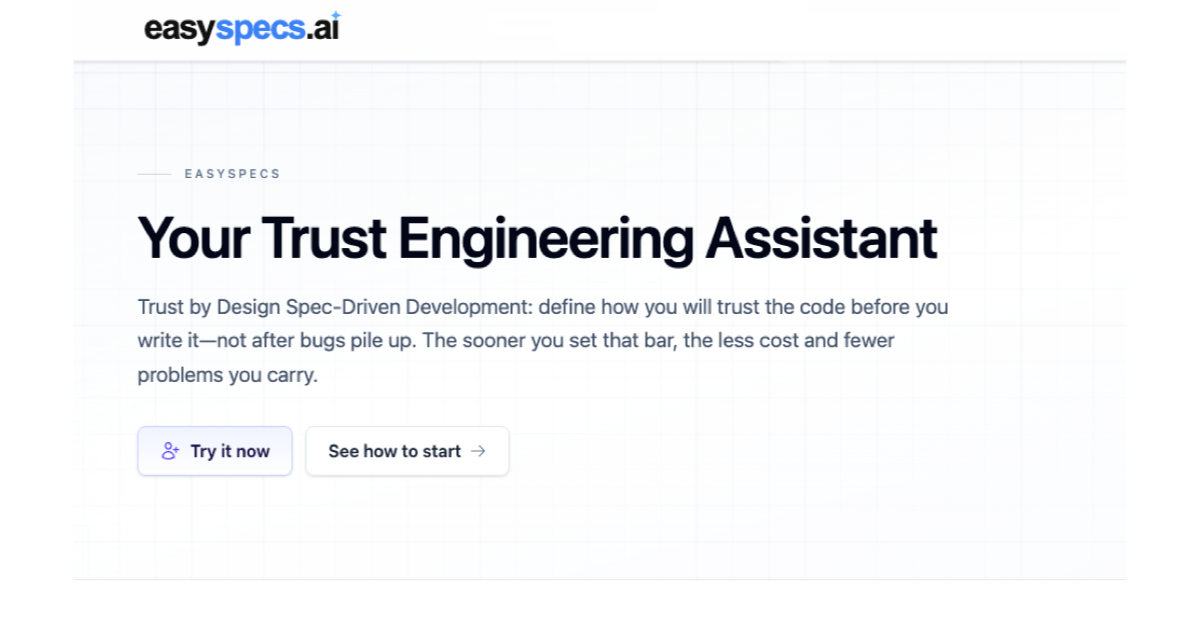
EasySpecs is a spec engineering assistant and spec review platform built for Spec-Driven Development. It documents undocumented codebases and turns them into trustworthy specifications, so that spec review becomes the new merge request review. The product is aimed at developers, product owners, technical product managers, and organization leaders who need shared, trustworthy understanding of their software at the speed AI now changes it. EasySpecs produces functional documentation of the real system, helps teams polish intent and ground it against the current codebase, and then creates Trust by Design Specs before the code is written rather than after bugs pile up. EasySpecs frames its purpose around a shift in how teams ship software. AI agents generate code far faster than humans write it, but teams cannot review it all. The platform's own framing is that the gap between 1.5x and 100x is not speed, it is trust. Developers describe babysitting an agent for an entire run because looking away causes things to go wrong, while engineering leads and CTOs describe drowning in AI pull requests because agents generate faster than their teams can review. In parallel, merge requests have surged and code review has become a bottleneck. Documentation lags behind the system, shared context goes stale, and product and engineering overlap in their work with no single place to align. Spec Driven Development is presented as the new standard — and the consequence is that teams need a tool for quality specs, spec management, and spec-driven change management. The first capability EasySpecs describes is code understanding. The platform produces functional documentation of a project with up to 98% LOC coverage assignment, which it calls the first stone of Trust Engineering. Rather than relying on stale docs or guesswork, this functional documentation describes the real system as it actually behaves. The benefit is that later change requests and specs start from how the application really works and what users actually intend, not from an assumption. The platform's narrative illustrates this with the "Docs lag" scenario: when documentation falls behind the code, shared context goes stale, and EasySpecs responds with auto-sync documentation so the shared understanding stays current. The second capability is intent. When intent is fuzzy, EasySpecs helps teams craft, clarify, and ground it to the current codebase before agents generate code, so that Spec-Driven Development has something trustworthy to drive. What EasySpecs captures is "the ask behind the change" — grounded in how the app actually works, so product and engineering share one picture before specs are written. A screenshot illustrating this for technical product managers shows a Specs accordion with Change, Intent, Diagram, and Spec steps, taking a team from change request to a Spec that agents can ship against. This is how EasySpecs addresses the scenario where product and engineering overlap but have no place to align together: they align in one place. Once intent is clear, EasySpecs creates Trust by Design Specs with structured views and HTML-rendered views, so a change is visible and checkable before any code is written. Every Spec is sided by a Trust Spec. The Spec is described as the standard SDD spec — what to build, presented in structured and HTML views the team can actually read. The Trust Spec holds validators, evals, and checks that sit beside the Spec, so the team knows how it will trust the change before agents generate code. The product description summarises this as reviewing specs including Oracles and Rubrics. The underlying idea is Trust by Design: define how you will trust the code before you write it, not after bugs pile up — and the sooner that bar is set, the less cost and fewer problems the team carries. EasySpecs connects into the tooling teams already use. It is integrated with Jira and Linear for tracking work, and it has IDE integration with VS Code, Cursor, Antigravity, and any VS Code–compatible IDE, so developers can work from specs and Trust Spec validators where they already write code. On the product side, EasySpecs is integrated with Jira so that specs written by technical product managers are ready the moment engineering picks them up. For organization leaders, the dashboard shows change requests and linked Spec status across projects, tracking every change request and its Spec. EasySpecs describes itself as one Spec-Driven operating system for Tech and Product, giving both sides the same source of truth. EasySpecs lays its methodology out in three steps that follow the theme "trust before you code." Step one is Understand the code: EasySpecs produces functional documentation of your project with up to 98% LOC coverage assignment, so change requests start aware of real behavior and user intent. Step two is Polish the intent and ground it to the current codebase: when intent is fuzzy, EasySpecs helps craft, clarify, and ground it before agents generate code, so Spec-Driven Development has something trustworthy to drive. Step three is Create Trust by Design Specs: with intent clear, the platform generates structured and HTML-rendered views of the change, sided by a Trust Spec of validators, evals, and checks. Around this loop, EasySpecs organises stories of change as change → consequence → EasySpecs, covering spec-driven change management, auto-sync documentation, shared alignment, and Trust Engineering that eases merge requests. The platform's use-case page and conference appearances — including a presentation at an agentic coding conference in Hamburg, Germany — sit alongside these ideas. The outcome EasySpecs describes for users is scale without babysitting. Developers stop sitting with the agent for the whole run and instead work from Specs and Spec of Trust validators, so generation starts from clear intent and checks rather than vibes. Engineering leads and CTOs get a way out from under a growing pile of AI pull requests: instead of reviewing every generated change, teams review specs, and spec review becomes the new merge request review. Product owners can ground change requests in the real app, polish intent, and shape Trust by Design Specs the team can actually see, instead of fuzzy stories that burn engineering time. One quoted customer summarises the effect: "My team finally speaks the same language about specs. The pace of change was so fast we could not align. Now with EasySpecs, all clear." Several concrete workflows are described in the content. Teams with undocumented codebases use EasySpecs to document the real system once, creating a foundation for later specs. Engineering organisations facing a surge of AI-generated merge requests use spec review as the review gate, trusting specs before the next change lands. Technical product managers write specs that developers can ship against, working through Change, Intent, Diagram, and Spec steps in Jira, ready the moment engineering picks them up. Organization leaders introduce Spec-Driven Development across tech and product as a shared operating system, and track every change request and its linked Spec status across projects from the dashboard. Developers, meanwhile, use the IDE integration to work from specs and validators inside VS Code, Cursor, Antigravity, or any VS Code–compatible IDE. EasySpecs is built for product owners and developers as two sides of the same Trust by Design loop, and it also speaks directly to technical product managers and organization leaders. Its integrations cover Jira and Linear on the work-tracking side and VS Code, Cursor, Antigravity, and any VS Code–compatible IDE on the development side. The content reviewed here does not state pricing details or the underlying tech stack. EasySpecs positions itself as your spec engineering assistant: document the real system, polish intent, and create Trust by Design Specs with validators and evals, so teams can review specs instead of every generated change. Ground your agents in reality, scale agentic development without babysitting, and ship code you actually verified.
Raycast 2.0 is the next generation of Raycast, the macOS launcher that acts as a single shortcut to everything you do on your Mac. This release is built on a new foundation and redesigned from the inside out, with a refreshed interface that feels right at home on macOS Tahoe. It is made for people who work from the keyboard: it brings AI that can take action across your apps, Automations for recurring tasks, and Projects to keep ongoing work together, alongside the commands and extensions you already use every day. Raycast 2.0 replaces Raycast V1 on installation, and existing users can import their existing setup during onboarding so everything feels familiar. Raycast 2.0 is described as a major update rather than a small point release. On installation, the new Raycast replaces Raycast V1; there are just a handful of missing features, and these will be added soon. The team notes that users should expect frequent updates and occasional rough edges, which signals the product is being shipped and improved continuously. The reason for the rebuild is the scope of what has been added on top of a launcher: an AI experience that can take action across your apps, Automations for recurring tasks, and Projects that keep ongoing work together. Delivering that on top of the original foundation required building a new one, which is why the release is described as redesigned from the inside out and as the launcher, relaunched. The most visible change is the AI experience. Quick AI lives in the same Tab as your existing search, so you do not have to learn a new place to type — it simply brings more power from the surface you already use. AI Chat brings skills, agents, and memory together in one place, so longer-running work can build on what came before instead of starting from zero each time. Raycast 2.0 also brings AI that can take action across your apps, and you can connect your own ChatGPT or Claude account, which means the assistant works alongside the commands and extensions you use every day rather than in a separate tool. Built-in dictation lets you type with your voice, covering the moments when speaking is faster or more practical than using the keyboard. Navigation and search received attention too. File Search now sits in root, described simply as one less step to find your files, while file search itself is faster. Quicklinks and snippets tagging are listed among what is new, and hotkey handling has been improved. Settings have been reorganized so configuration is easier to find, and you can configure inline: hotkeys and aliases can be assigned directly from root search, so a command can be set up the moment you find it. The overall look and feel has been updated to feel right at home on macOS Tahoe, so the launcher matches the operating system it runs on. Beyond the interface, Raycast 2.0 adds two organizing concepts: Automations for recurring tasks and Projects to keep ongoing work together. Automations address the work you repeat — instead of walking through the same steps by hand, the recurring task is handled by Raycast. Projects give ongoing work a home so related items stay together rather than being scattered across your setup. The extension story carries over as well: custom extensions continue to work, and for extensions that do not import automatically you can run npx @raycast/api@latest dev, with the dev command described as clever enough to pick up the new version if it is running. Commands and extensions remain the everyday surface that AI works alongside. Getting started with Raycast 2.0 follows a defined path. You download the build for macOS — version 2.3.1.0 is referenced on the site — and macOS Tahoe and Apple Silicon are required. Raycast v2 is built for macOS Tahoe; if you are still on Sequoia or earlier, you need to upgrade macOS before installing v2. To ensure a seamless onboarding experience, Raycast asks you to install the latest version of Raycast v1, or at least v1.104.16. During onboarding you are prompted to import or migrate your data from Raycast v1. If you skip that step or want to rerun it, you can do it manually with one of two commands: Migrate from Raycast v1, which automatically migrates your data from v1, or Import Settings and Data, a manual import from a .rayconfig file that you must export from Raycast v1. The recommended migration approach also protects your habits. Migrate from Raycast v1 imports settings and migrates all of your shortcuts to Raycast 2.0 while disabling them from working in Raycast v1, which ensures your hotkeys do not conflict. Raycast notes this is the recommended approach because there is some extra data that is not imported with the manual import — this includes Clipboard History, Wrapped and the Emoji picker. The outcome is that you keep a familiar setup while gaining the new capabilities: AI in the same surface as your commands, voice dictation, faster file search, Automations for repeated work, and Projects that keep related work together. Because the update replaces V1 on installation, the transition is a single step rather than running two launchers side by side. Concrete workflows follow the same shape. A developer can keep using Raycast to run commands and custom extensions, and can hand recurring steps to Automations. Someone who works across several apps can use AI that takes action across those apps and connect their own ChatGPT or Claude account so the assistant sits next to the commands and extensions they already use. When files need to be found, File Search in root removes a step and faster file search shortens the wait. When typing is impractical, built-in dictation turns speech into text. Ongoing efforts, rather than one-off tasks, can be grouped into Projects, while quicklinks and snippets tagging cover the links and text that get pasted again and again. Raycast 2.0 is built for macOS users who want a keyboard-first way to work: Product Hunt classifies it under Mac, Productivity and Developer Tools, and the site's own navigation points developers to an API, a manual, a browser extension and a dedicated Developers area. The release requires macOS Tahoe and Apple Silicon and is installed as an app on the Mac. Integrations explicitly mentioned include connecting your own ChatGPT or Claude account and the extension ecosystem, including custom extensions built with the Raycast API and the npx @raycast/api@latest dev command. On the commercial side, the site links to Pro, Teams, Enterprise and Pricing pages, which indicates offerings for both individuals and organizations, although no specific prices are stated on this page. Taken together, Raycast 2.0 is a rethink of an everyday Mac launcher rather than a feature patch. It keeps the launcher at the center — commands, extensions, search and shortcuts — and layers on AI that can take action across your apps, Automations for recurring tasks, Projects for ongoing work, and built-in dictation, all wrapped in an interface redesigned for macOS Tahoe. The goal is stated plainly by the product itself: your shortcut to everything, now with AI put to work alongside the commands and extensions you use every day.
Anysite.io is a B2B data layer that lives inside the AI agent you already use. Rather than writing queries or maintaining scrapers, you describe the list you need in plain language — companies by geography, industry and size, the people inside them, their current job titles and emails — and Anysite.io returns it. The product is aimed at GTM and marketing teams that want fresh, ready-to-use web data for outbound, ABM, research and monitoring, and it works over MCP or a REST API inside agents including Claude, Codex, Cursor, OpenCode and others. The product is positioned against three walls that GTM and marketing teams hit every week. First, basic AI research is not enough: you ask an LLM to conduct research, but it is scratching the surface with old SEO links, bold assumptions and a lack of real-time market data. Second, lead enrichment is extremely expensive: using GTM tools for enrichment such as social media account summaries or news about a new company raise can easily land $3–5k invoices every month. Third, category intelligence means hours of scrolling: what is working in your category — competitor moves, brand mentions, posts that pop — hides behind manual feed-scrolling, and you still get no clear read. The first building block is live, typed web data. Ask your agent for a list and Anysite returns typed fields — people, companies, posts, prices — rather than a page of text you still have to parse, with one schema per source. Coverage spans 650+ sources and 3,500+ endpoints across social, e-commerce, news, finance, maps and code, business data included. Freshness is explicit rather than implied: data is pulled live from the source at the moment you ask, not served from a warehouse snapshot, so if a title changed this morning, that is the title you get. The site is also honest about the edges — niche sites with heavy bot protection are handled case by case. The second building block is plain-language briefing. You describe the task the way you would brief a teammate — an ICP, a competitor, a topic — and there is no query language, no endpoint IDs, no field mapping, no pagination to handle and no maintenance when a source changes. In the example shown on the site, the brief is "Find heads of growth at seed-stage fintechs in Europe who posted about outbound this month." The agent matches endpoints — people search, profiles and email finder — fills parameters such as geography, industry, founding year, role and verified-email-only, pages through results and deduplicates by company domain, then returns 50 prospects as rows containing name, role, company and email. The agent decides which endpoints to call; nothing about the underlying plumbing is left to the user. The third building block is a flat, data-based cost model combined with resilience and monitoring. MCP plans start at $30/month flat with fair-use throughput and a 7-day free trial, and on the API you pay for data returned rather than for attempts. On the monitoring side, your agent watches the category: competitors, mentions and top posts by topic arrive on a schedule, with the engagement numbers behind them, so you get the pattern rather than a feed. On reliability, when a site changes or blocks access, that is Anysite's problem rather than yours — endpoints heal themselves when a platform shifts its defenses, and requests route across multiple sources so no single provider can vanish and take your workflow down. Getting your web data runs in three steps and is described as needing only a few clicks, with no pipeline to build. In the Connect step you plug Anysite into your tools: add the MCP server to Claude, Cursor or ChatGPT, or take the REST API — the same catalog either way, every source included, nothing to install and nothing to keep running. The site shows a Claude Code command (claude mcp add --transport http anysite "https://mcp.anysite.io/mcp?api_key=YOUR_KEY"), a Cursor configuration block that goes in ~/.cursor/config.json, and a REST example that POSTs to https://api.anysite.io/api/people/profile with an access-token header and returns a typed profile. In the Ask step you describe the task in plain language, briefing it the way you would brief a teammate — an ICP, a competitor, a topic. In the Get step, typed, up-to-the-moment results land in your chat, sheet or CRM, ready for the sequence or the deck. The stated benefits follow directly from that flow. Because there is no pipeline to build and no query language to learn, no engineer is required to get value from the product, and teams can plug in and launch outbound data collection the same day. Because data is pulled live at query time, results reflect what is actually on the web now rather than a stale snapshot or a search index. Because output is typed and delivered where the team already works — chat, spreadsheet or CRM — results are ready for a sequence or a deck without a parsing step. And because pricing on the API is tied to data returned rather than attempts, enrichment work does not generate surprise invoices for tries that came back empty. Anysite lists concrete tasks by role. For Outbound & Sales it is building ICP lists with live buying signals to book meetings from lists nobody else has, rather than the tired database everyone else mails. For ABM it is walking into a call knowing the account's latest move, with this week's funding, hires and product news briefed before every call. For Market & Competitor Research it is building campaigns on data rather than guesses, with offers, prices and ads tracked as they change and no tab-by-tab copying. For Brand & Social Monitoring it is tracking mentions, sentiment and conversation shifts as a single morning read on brand health. For Content & Viral Intel it is publishing what a niche actually rewards, using top posts by topic and the engagement behind them instead of hours of scrolling. For Creator & Influencer work it is choosing creators on real numbers rather than edited ones, looking at true engagement, comment sentiment and brand fit instead of a media kit built to flatter. Beyond GTM and marketing, the site points to agentic products, e-commerce intelligence, due diligence, finance research, HR and recruiting, science research and reviews, and everyday life. On the audience side, the product speaks to GTM and marketing teams, outbound and sales teams, ABM programs, market and competitor researchers, brand and social monitoring teams, content teams and creator or influencer marketers, along with the broader use cases listed above. On the integration side, it states that it works with agents including Claude, Cursor, Manus, Grok, Gemini CLI, Codex, Antigravity, OpenClaw and OpenAgent, and it is described as a verified app on Make. Pricing is split into MCP plans and usage-based API plans. MCP costs $30/month for everyday research, MCP x5 is $99/month for active daily agents, and MCP x15 is $199/month for agents that never sleep; all MCP tiers include a 7-day free trial with full plan access and all 650+ sources with one key, and work with Claude, Cursor, ChatGPT and any MCP client. API plans are credit-based: Starter gives 15K credits/month for $49/mo ($3.27 per 1K credits) with the full REST API, a CLI tool and MCP server access; Growth gives 100K credits/month for $200/mo ($2.00 per 1K), 39% cheaper per request with higher rate limits for batch; Scale gives 190K credits/month for $300/mo ($1.58 per 1K), 52% cheaper with throughput sized for production; Pro gives 425K credits/month for $549/mo ($1.29 per 1K), 61% cheaper with max rate limits; and Enterprise gives 1.2M credits/month for $1,199/mo ($1.00 per 1K) with white-glove onboarding and custom rate limits. A Custom tier offers custom credit volume and rate limits, dedicated support and SLA, volume discounts and custom sources on request. Anysite.io's core proposition is simple: the web is the largest database ever built, nobody shipped it with a query language, and Anysite provides one — in the form of a plain-language agent interface backed by live, typed data from 650+ sources. For teams that need fresh B2B and web data for outbound, ABM, research and monitoring without writing queries or maintaining scrapers, it offers the same catalog over MCP or REST, flat MCP pricing from $30/month, usage-based API pricing that charges for data returned rather than attempts, and a 7-day free trial to start.
hob is an independent workspace for professional agent work, built for engineering teams that need control. It is aimed at developers who already use agent CLIs such as Claude Code, Codex, or OpenCode as part of real engineering work rather than casual prompting. hob does not provide model access of its own; instead it gives the tools a team already pays for a durable, local-first place to run. Multiple models, terminals, repositories, and parallel agent sessions live inside one workspace, and agents can shape that workspace around each task, coordinate through it, and guide the developer inside it. The stated purpose is to let teams run, review, automate, and recover agent work in the same system, directing more parallel work without piecing together the infrastructure themselves. Agent CLIs are powerful tools, but they were not designed to be a workspace. Running several of them across several repositories turns into a logistics problem: sessions scatter, context is lost when providers change, and returning to work in progress means hunting through terminal windows. Testimonials on the site describe exactly this. One user says they used to run more than six Claude Code instances in a terminal and that coming back to them was a nightmare; another says that with how fast agentic coding changes, staying current used to be a pain. hob answers that gap by separating the model layer from the workspace layer, so the workspace holds parallel sessions, terminals, local history, remote access, and project context across whatever providers a team already pays for. Independence from any single provider is the first pillar of the product. hob works with the inference your team already uses, naming Claude Code, Codex, and OpenCode among the agents it supports. Because subscriptions stay separate from the workspace, switching agent, provider, account, or model is one click, and work no longer lives inside one provider's ecosystem. The workspace runs many models and keeps workflows independent of each other, so a change in one agent does not disturb the others. hob is explicit that it is not a model provider and does not resell tokens: teams bring the agent CLIs, model accounts, API keys, and routing choices they already use, and hob supplies an independent workspace around them. The product describes itself as built from scratch for agent work and always at the frontier of agentic coding, so the work stays consistent and predictable, gets easier, and lets developers do more. Automations are a core part of doing real work in hob. They are used to automate recurring work, such as reviewing and addressing user feedback, and the steps are defined once so that every run does exactly the same thing. That repeatability is the point: a recurring job stops being a manual chore and becomes a defined process that behaves identically each time it runs. Secrets hold the keys an automation needs, and no agent gets them, so no provider does either, meaning credentials stay inside the workspace rather than travelling into a model provider's environment. hob also supports auto-starting anything that needs to stay on while the project is open, so long-running pieces of a workflow come back up with the project. Pull request work happens where the work happens. hob lets you open pull requests, comment on them, and close them, keeping the diff, the conversation, and the change in one place instead of spread across tools. You can run hob pr from an agent, or drive the pull request surface by hand, so the same surface serves automated and manual workflows. Remote issues extend this to the issue tracker: create, comment on, and close issues on GitHub, Gitea, or Forgejo without leaving hob, then hand any of them to an agent to fix. Agent-made issues stay linked to the conversation that produced them, so the reason a change exists does not get lost between the tracker and the agent session. The agent control surface is what makes hob different from a terminal multiplexer. Every agent you run can operate hob itself, not just edit your files, so agents open the files, diffs, and panes you need instead of leaving you to hunt for them. One agent can hand work to another, and both keep running side by side, which supports multi-step jobs where different agents own different parts. An agent can also explain how something works by walking you through the interface, which turns the workspace itself into something an agent can navigate and describe. Together these capabilities make the workspace a shared surface that both the developer and the agents act on, rather than a static container for terminal sessions. Remote access puts the full workspace in a browser and adds a phone companion for steering agents on the move. It drives your actual desktop session rather than a copy of it, so what you see remotely is the same workspace you left. Traffic runs through an encrypted relay and hob never opens a port to the public internet. Worktrees handle isolation on the local side: agents can be given separate worktrees when their tasks need isolation, the main tree stays clean, and parallel edits stay out of each other's way. When the work lands you can keep the branch; when it does not, you throw the worktree away. Together, remote access and worktrees let a developer supervise and separate many concurrent streams of agent work. Privacy is described as a matter of architecture rather than policy. hob runs locally and stores agent conversations in a local database on your device. Regular hob service traffic is limited to read-only checks such as app updates and model-list updates, and agent work travels between you and whatever agent provider you already use, such as Anthropic or OpenAI; hob describes itself as the interface, not the middleman. Pro+'s remote access uses a managed relay at roam.hob.dev, where frames are end-to-end encrypted by hob on top of WebSocket TLS before entering the relay, which forwards encrypted frames only and does not hold the plaintext needed to read workspace or session data. The stated consequence is simple: the hob team cannot read your panes, agent sessions, files, or history. Overall, hob works by taking the infrastructure concerns of agent work and putting them into one local application. You download hob for Linux or request a demo, point it at the agent CLIs, model accounts, and API keys you already use, and the workspace becomes the place where sessions, terminals, history, automations, pull requests, and issues are managed. Agents are not boxed into the workspace passively; they are given the ability to operate it, coordinate with each other, and guide you through it. Because the workspace layer is independent of the provider layer, swapping a model or an account does not require rebuilding a workflow. The same system is used to run work, review it, automate it, and recover it, which is what the product means when it says the tools the job needs are already there. The promised outcomes are control, continuity, and portability. Control comes from keeping subscriptions, provider choices, and credentials separate from the workspace, so a provider change is one click rather than a migration. Continuity comes from local history and persistent workspaces: users describe being able to shut a laptop and return to every workspace exactly where they left it, ready to resume, instead of rebuilding context. Portability comes from the local database, which stays on the machine and remains accessible regardless of subscription status, so if you cancel, your conversations, workspaces, and history remain yours. Reviewability comes from having diffs, conversations, and changes in one place, and recoverability comes from worktrees that can be kept or discarded depending on whether the work landed. Several concrete workflows are described on the site. Teams automate recurring work such as reviewing and addressing user feedback, defining the steps once so each run is identical. Developers open, comment on, and close pull requests from inside hob, or run hob pr from an agent, keeping the diff and its discussion together. Issues on GitHub, Gitea, or Forgejo are created, discussed, and closed inside hob, then handed to an agent to fix while staying linked to the conversation that produced them. Parallel agent work is isolated using worktrees so the main tree stays clean. Developers steer agents from a phone or a browser through encrypted remote access, and can ask an agent to walk them through the interface when they need to understand how something works. The vendor also notes when hob is not worth it: if you only use AI coding tools occasionally or mostly chat with one model in one app, the organizational benefits do not apply. hob's stated audience is developers who already use agent CLIs as part of real engineering work, not casual prompting, specifically people who run Claude Code, Codex, OpenCode, terminals, multiple repos, or parallel agent sessions daily. Integrations mentioned in the content include Claude Code, Codex, and OpenCode for agents; GitHub, Gitea, and Forgejo for remote issues; and the inference providers a team already uses, with Anthropic and OpenAI given as examples of where agent work goes. The Linux build is distributed directly, and a demo can be requested. The content references a plan called Pro+, whose remote access uses the managed relay at roam.hob.dev, and notes that subscription status does not affect access to local data. hob does not include Claude, Codex, or model access and does not resell tokens. In short, hob is an independent, local-first workspace that gathers the tools of professional agent work, models, sessions, automations, pull requests, issues, remote access, and isolation, into one place. It leaves model access and routing with the providers a team already pays for, and keeps the workspace itself under the team's control.
Thousand is a documentation engineering platform that provides git-backed docs for both humans and AI agents. It is built around a single markdown repository that supports folder-level access control, so every reader gets a workspace shaped exactly like their permissions. The product is designed for teams that want their documentation to serve a post-AI workforce, where teammates, outsiders, and AI agents all interact with the same source material. Thousand positions markdown as the document format, ensuring that a human reads the same bytes as a document that an agent reads as markdown. There is no export step and no second copy that can drift from the original. The platform addresses a fundamental limitation of markdown and git when used for documentation alone. Git traditionally shares all or nothing, which means access control at the folder or path level is not natively supported. At the same time, half of a typical team will never open a terminal, yet they still need to read and edit documentation. AI agents introduce another class of reader that requires programmatic access with expiring credentials. Thousand solves these problems by adding path-level access control on top of a markdown repo, enforcing rules even for readers who never touch git. It also provides a document editing experience for non-technical teammates while preserving clean markdown on disk. A core capability of Thousand is that one file is first-class for both readers. A teammate sees the markdown as a formatted document, while an agent reads the same bytes directly. This eliminates export and prevents copy drift. The platform enforces path-level access control through access rules. For example, admins can be granted write access everywhere, a design folder can be writable by a specific person, an engineering folder by another, a notes folder readable by an agent named summarizer-bot, and a marketing folder readable by the team. If no rule matches a path, the content remains hidden. These rules are enforced for all readers, regardless of whether they use git. Thousand can sync every codebase’s context into one place. Each repository’s docs folder mirrors into the workspace on every commit, read-only and stamped with its source. Because nobody maintains a copy, the documentation never rots. For teammates who never open a terminal, Thousand offers a document editor that lets them edit markdown without seeing markdown. They write in a familiar interface, but the file on disk stays clean markdown, and every save becomes a named commit. Any document can also be sent to someone who has no account: it becomes a link that opens in their browser, requiring no sign-up on their side, while the owner retains a revoke button. Comments in Thousand never touch the document file itself. Threads live beside the document, not inside it, and are saved as markdown that a clone carries too. This keeps the source clean while preserving discussion context. The platform also handles decks and PDFs: Office files and PDFs render in place and are searchable by what they say, not just by filename. Beyond prose, Thousand supports drawings and tables as first-class files in the repo. An Excalidraw canvas or a CSV table opens ready to edit under the same access rules as everything else, so structured and visual content remains governed by the same permissions model. An agent is treated as a member of the workspace, not an add-on. A bot gets its own name, its own folders, and a token that always expires. The profile card acts as a preflight check, showing exactly what the agent can access. Tokens are shown once and die with the agent. A Thousand workspace can also tidy itself: duplicates, stale drafts, and dead ends get swept out on a schedule, but nothing is removed without a human merging the change. Thousand keeps company with your remotes. It acts as one more remote on the same repo, so it works alongside GitHub or GitLab without conflict. For agents, the site answers markdown when requested, serving /AGENTS.md instead of a page built for eyes. Thousand’s approach is fundamentally git-backed and markdown-native. The workspace is a git remote: you can add it to an existing markdown repo, push, and retain history. Access rules are defined per folder or path, and the platform filters what each reader sees. Humans interact through a document editor or a reading view, while agents interact through tokens and markdown endpoints. The same repository powers all readers, with access control enforced at the path level. This means the repo remains the single source of truth, and the platform adds boundaries without creating a proprietary format or a separate copy of the content. The primary benefit is that documentation can serve both people and agents without sacrificing control or cleanliness. Teams avoid exporting content or maintaining duplicate copies, so documentation does not drift. Non-technical teammates can contribute without learning git or markdown syntax. External sharing is simple and revocable, with no account required for the recipient. AI agents get scoped access with expiring tokens, reducing security risk. The self-tidying workspace keeps documentation current by surfacing duplicates and stale files for human review. Because the repo is yours, there is no lock-in: a git clone yields the same files, same history, and same markdown. Concrete use cases include internal team documentation such as budgets, forecasts, and board notes, where folder-level access ensures only the right people see finance or legal content. Engineering teams can mirror codebase docs from multiple repositories into one workspace, keeping context synced on every commit. Marketing and design teams can collaborate on pricing pages and assets with comment threads that stay beside the document. Companies can share decks or PDFs with external parties via revocable links. AI agents can be given read access to specific folders for tasks like summarization, while their tokens expire automatically. Teams already using GitHub or GitLab can add Thousand as an additional remote without disrupting existing workflows. Thousand is for teams that rely on markdown documentation and need real access control, especially those working alongside AI agents. It suits organizations where some members are highly technical and others never open a terminal. Integration points include GitHub and GitLab as remotes, and agents that consume markdown via HTTP with an Accept header. The tech stack centers on markdown and git, with support for Office files, PDFs, Excalidraw canvases, and CSV tables as repo files. Pricing is free while Thousand is early, and the exit policy is explicit: git clone is always the whole exit. In summary, Thousand provides documentation engineering with plain markdown, real boundaries, and one clone to leave, making it a git-backed documentation platform for a post-AI workforce.
Modeinspect is a design canvas with your codebase and agents built in, positioned as a production-grade AI design tool that runs in your codebase. It is built for design engineers and for teams that want to design high-fidelity product features directly on the real thing rather than in a separate mockup tool. Teams connect their codebase, open an existing screen, and design with their own components, tokens, live data, states, and breakpoints. The canvas is deliberately framed as a means to an end: as the company puts it, the canvas is not the destination, the product is. Design on a real canvas that sits on top of the real product, with all the freedom of a design tool and none of the throwaway mockups. The problem Modeinspect addresses is stated plainly: most software is designed twice, a picture first and then again in code, with intent drifting in between. The traditional path runs through what the product calls the handoff chain, where design passes work down a chain and then waits for it to come back. Mockups are rebuilt in Figma away from the real product, specs and redlines document every state, engineers reinterpret the design in code, and every change restarts the whole loop. Modeinspect describes that old way as taking 45+ days from design to ship, and contrasts it with a canvas-to-PR loop it says runs about 10 days — roughly 4.5× faster. The argument is that design should not be detached from the thing it is designing, because the moment intent is copied into a picture, it begins to drift. The core promise is unified, collaborative design in code. Everything is in one place: your codebase, the canvas, and coding agents are integrated out of the box, with no MCP servers, no localhost, and no devops glue required. A live product can be pulled onto the canvas, letting you capture any element of your live product, pixel perfect and fully editable, so work starts from where things actually are. Rather than prompting for every adjustment, Modeinspect emphasizes controls, not prompts: a padding change should not take a paragraph, so you edit anything, on canvas or in code, with the visual controls you already know. Your changes then build back as canvas to code in one shot, producing clean, scoped diffs with your design system enforced. The canvas is also built for collaboration, with no localhost to share and no branches to wrangle, so you can send a link, collect comments, and open the PR in one click. Modeinspect is built for design engineers, and its component story is deliberately literal. Components are 1:1: you drop in the actual components your product ships, with every variant and every state intact, rather than a redrawn look-alike that quietly drifts from the real thing. Tokens are enforced, so every color, space, and text style comes straight from your library, and everything you place is automatically on-brand — nothing off-system can sneak in. Breakpoints are native: mobile, tablet, and desktop are laid out side by side and each one reflows live, instead of relying on one frozen frame you just hope survives on a phone. And capture to canvas means that when you spot something in the real product you want to rework, you can pull it straight onto the canvas pixel-exact and fully live, and start from where things actually are rather than from an approximation. Dynamic states and real data are treated as first-class parts of the design rather than afterthoughts. Hover, focus, error, empty, loading, and success states are shaped on the real component, so a design never falls apart the moment someone actually uses it. Real data and real flows mean designing on top of live data and genuine journeys — long names, empty states, and the messy edge cases — so your work holds up in the wild and not just in a tidy mockup. AI exploration uses the latest AI models to explore variants, restyle a section, adjust copy, or apply a design direction while you stay in control, which keeps the AI in a supporting role instead of taking over. And because every move you make on the canvas becomes the real product as you make it, there are no redlines, no spec docs, and no waiting on a rebuild: what you design is what ships. A large part of the product's approach is the quality of the code that comes out the other side. Mode reads your file layout, components, tokens, conventions, and existing logic, then writes within them, so PRs land scoped, type-safe, and ready for engineering review. Diffs are scoped and clean, letting engineers review focused changes rather than rewritten surface area or noisy AI churn. Your design system is enforced throughout: Mode pulls from your component library and design tokens, with no hardcoded colors, no magic numbers, and no throwaway components. There is no generated UI debt, because changes reuse your components, tokens, utilities, and styling system instead of creating a parallel design system. And changes are type-safe, with props, state, events, and data shape checked against the product instead of guessed from a mockup. This is the methodology that separates Modeinspect from AI app builders that generate new surface area alongside the one you already maintain. The stated benefits are framed as measurable rather than aspirational. Modeinspect says production-grade is not a tagline but the metric, and it highlights one customer story in which a team merged design and engineering into the same loop, saving 22 days on the delivery cycle, with zero engineering handoffs and design QA removed. Prelude's Chief Product & Design Officer, Quentin Le Bras, is quoted saying his designers explore on the actual codebase, with real data, and open the PR themselves, going from idea to a merged PR without a handoff in between. A Product Design Manager at Kiwi.com describes the tool integrating seamlessly with their codebase and design system, which is exactly what they had been looking for in AI design tools, enabling iteration on top of an already complex product. A Principal Product Manager at Moss calls it the first AI tool that respects their design system 1:1, allowing the team to create production-like prototypes and making the whole team faster. A UX Designer at NCCER highlights the ability to make changes in real time using their design system and immediately push those changes to code for senior developers to review and merge. The product organizes this into three workflows that share one production loop, all inside your real codebase at production fidelity. Prototyping covers prototypes that feel like the product, built with real data, dynamic states, breakpoints, and interactions — so instead of pitching with mockups, teams pitch with the thing itself. Design QA happens all in one loop: compare canvas to live build pixel-by-pixel, spot drift, fix it, and keep moving, with no round-trips through Figma. Shipping PRs covers pushing minor visual changes or new components as merge-ready PRs, with context, screenshots, and a clean diff. Concrete scenarios follow from these: reworking a screen you spotted in production by capturing it to the canvas, exploring variant directions with AI while keeping control of the final decision, validating a layout against long names and empty states using live data, checking a live build against the canvas for visual drift, and sending a link to stakeholders for comments before opening the pull request. Modeinspect is aimed at design engineers and at teams where design and engineering work in the same loop. The marketing site notes that the product is optimized for larger screens, which fits a workflow built around a canvas, a codebase, and side-by-side breakpoints. The company reports being loved by design engineers at Kiwi, Moss, Apify, e2b, Prelude, NCCER, and Deepnote. Pricing is listed at three monthly tiers: $0/mo, $24/mo, and $48/mo, so there is a free entry point alongside paid plans. Sign-in and the working canvas live at app.modeinspect.com, and the site offers an option to email yourself a link for later. In summary, Modeinspect's primary value proposition is that design stops being a picture that must be rebuilt and becomes the production loop itself. By putting an AI design canvas on top of your real codebase — with your components, tokens, live data, states, and breakpoints — and by writing changes back as scoped, type-safe, merge-ready diffs, it removes the handoff in between and lets teams go from an idea to a merged PR in a single pass.