Category Focus/categories/design
Design AI Tools
Discover and compare the best design AI tools and software. Browse 177+ curated tools with reviews and rankings.
Projects tracked
177
Sort mode
RECENT
Page
5
Discover and compare the best design AI tools and software. Browse 177+ curated tools with reviews and rankings.
Projects tracked
177
Sort mode
RECENT
Page
5
Design Studio by Monday Merch is a browser-based canvas that lets anyone design custom merchandise directly onto the product they are ordering. It brings together more than 1,000 products—from Premium T-Shirts, Premium Polos, hoodies and caps to drinkware like the Sleek Bottle and Dopper Original, tote bags, mugs, pens and jackets—inside a single design environment. Instead of designing artwork in one tool and then guessing how it will look on a finished item, you place your logo, artwork or text straight onto the product, viewing it from every angle in 2D, with selected products also available in 3D. The tool is meant for anyone who needs to produce branded or custom merch, including teams, businesses and individuals, and it is free to use with no design skills needed. Traditionally, creating branded merchandise is a fragmented, error-prone process. A designer might prepare artwork in a separate graphics program, then hand it off to a printer, only to discover that the placement, size or format does not match the product's printing requirements. Colour choices, print areas and production rules often live outside the design tool, which means a design can look right on screen but fail in production. Design Studio addresses this by keeping the design and the production requirements in the same place, so what you create is grounded in the realities of the product you are ordering. It aims to reduce the back-and-forth between design and production and to make merch design accessible to people who are not professional designers. The backbone of Design Studio is its catalogue of product templates. The platform offers over 1,000 products, organised so that you can browse and start from a template. Featured examples include the Premium T-Shirt, Premium Polo, Unstructured 6 Panel Cap, Structured 5 Panel Cap, Vintage Low Profile Cap, Dad Cap, Classic Hoodie, Premium Hoodie, Classic Sweatshirt, Fleece Zipper Jacket, Columbia Men's Full Zip Fleece Jacket, Heavyweight Oversized T-Shirt, Lightweight T-Shirt, Classic T-Shirt and Premium Women's T-Shirt, alongside drinkware such as the Sleek Bottle (500 ml), the Dopper Original (450 ml) and the Ceramic Glazed Mug, plus the Stainless Camp Mug, Dual Color Shopper Tote and Contemporary Pen. Each template can be opened directly with a "Design Now" action, so you can begin placing your artwork onto a realistic product view. Products are grouped into categories such as Apparel, Bags, Drinkware, Office, Packaging, Stickers & Print, Tech and Events, making it easier to find the right blank item for a given project. Beyond product templates, Design Studio also provides a library of print templates for paper-based and printed items. These include Christmas cards such as the Merry & Mint Xmas Card and Santa Xmas Card, thank-you cards, invitation cards like the Wax Seal Invitation Card, event materials such as the Running Event Flyer, posters such as the Good Vibes Poster, the Office Values Poster and the Mental Health Awareness Poster, menu cards such as the Alcohol Menu Card, and guides like the Recipe How To Guide Flyer. Print templates make it possible to design a broader range of collateral—everything from cards and flyers to posters—inside the same environment you use to design physical merchandise, so a single brand look can be applied across apparel, drinkware and printed materials. Design Studio includes several features that streamline the design process. You can add your brand hub with a click, which lets you create designs instantly using your own brand assets, so you do not have to rebuild your logo or colours from scratch each time. You design straight on the product, with every angle available in 2D and selected products also available in 3D, which helps you understand how the finished item will look from different viewpoints. The price is shown while you design, so you can see the cost implications of your choices as you make them. Printing rules and requirements are baked into the tool, meaning the designs you create are set up to be ready for production. And you can easily share and collaborate, which supports team workflows around a design. The core approach of Design Studio is to collapse the gap between designing and producing. Rather than treating design as an abstract exercise, it treats the product as the canvas. You choose a product template, then place your logo, artwork or text straight onto the product you are ordering. Because printing rules and requirements are built in, the tool guides your design toward something that can actually be manufactured, reducing the risk of a design that looks good but cannot be printed. The combination of a large product catalogue, brand hub assets, multi-angle viewing, live pricing and sharing tools means the entire journey—from idea to a production-ready design—happens in one browser-based workspace. For users, these capabilities translate into practical benefits. Because no design skills are needed and the tool is free to use, designing custom merch becomes accessible to people without a design background. Seeing the price while you design gives you immediate feedback on budget, helping you make informed choices about products and design details. The built-in printing rules and requirements reduce the chance of production errors, and the ability to design straight onto the product gives a realistic preview rather than a guess. Sharing and collaboration features make it easier to work with teammates or stakeholders, and the option to add a brand hub with a click speeds up the creation of on-brand designs. Design Studio supports a range of concrete scenarios. A company can design branded apparel and drinkware for its team, using product templates like the Premium T-Shirt, Classic Hoodie or Ceramic Glazed Mug and applying its brand hub assets. An individual or small business can create custom merch for sale, starting from a template and placing artwork directly onto a chosen product. A team can prepare printed materials such as Christmas cards, thank-you cards, invitation cards, flyers or posters using the print templates. Event organisers can design event-related items, given the Events category and templates like the Running Event Flyer. Because designs can be shared and collaborated on, multiple stakeholders can review and refine a design before it goes to production. Design Studio is designed for anyone who needs to create custom merchandise or printed materials without deep design expertise. Its categories—Apparel, Bags, Drinkware, Office, Packaging, Stickers & Print, Tech and Events—suggest users ranging from businesses and teams producing branded goods to individuals creating personal or resale items. The tool is free to use, and it runs in the browser. The website also presents country and language options, indicating availability across regions with multiple languages. The exact tech stack and third-party integrations are not specified in the available content. In summary, Design Studio by Monday Merch turns the browser into a merch design workspace where over 1,000 products serve as the canvas. By letting you design straight onto the product, add your brand hub with a click, see the price as you work, and rely on built-in printing rules, it aims to make every design ready for production while remaining free and accessible to non-designers. With product templates, print templates, multi-angle 2D and 3D viewing, and easy sharing and collaboration, it positions itself as "Figma, but for creating real products."
sizeless is an AI-powered documentation platform for civil engineering that turns a smartphone video of an open trench into the deliverables utilities and contractors are legally required to produce: a 3D model, CAD/BIM plans, and the quantities they bill from. It is built for network operators and construction teams working on civil engineering, district heating, and house connections who need precise 3D twins of open trenches and house connections delivered directly for GIS and CAD. The platform pairs a guided iPhone Pro capture app called SiteScan with processing that generates high-resolution 3D reconstructions, industry-standard as-built plans, and GIS-ready digital twins, so that a single scan produces every output a team already works with. The problem sizeless addresses is the gap between how fast underground infrastructure is built and how slowly it is documented. Producing compliant as-built documentation has traditionally taken months and required a surveyor, which means trenches must either stay open or be revisited, crews wait for separate surveying appointments, and the final record is assembled from manual sketches that end up in disconnected data silos. Because documentation lags behind construction, billing and cash flow slow down, and construction errors can go unnoticed until they are buried under backfill. sizeless moves documentation into the moment of excavation: the existing project team films the open trench themselves, and the required outputs are generated from that single capture, in hours rather than months. The workflow begins with trench capture. Using a standardized capture process on an iPhone Pro directly at the excavation, the existing project team records the open trench. No special hardware is required and no extra appointments have to be scheduled, which means documentation starts while the trench is still open rather than in a later, separate surveying visit. Because capture is carried out by the people already on site, the process does not depend on specialists being available, and technicians can document house connections independently via smartphone. The same guided approach is used by the SiteScan iPhone app to capture properties, trenches, and technical rooms in minutes. From that captured video, algorithms developed at ETH Zurich generate a high-resolution 3D point cloud of the open trench that is centimeter-accurate. The point cloud is the objective basis for earthwork volumes, dimensions, and audit trails, giving teams a measurable 3D reconstruction of the scanned space instead of a hand-drawn approximation. The reconstruction is interactive, so users can rotate and zoom through it to inspect the captured geometry. This continuous 3D evidence also covers third-party utilities and house entries, and it works without GPS in basement areas, which keeps documentation complete in places where positioning signals are unavailable. The capture then converts into a 2D CAD as-built plan in DWG/DXF, the industry-standard format for revision documentation. In these plans, couplings and pipes are quickly identified and measurement extraction is simplified, so the as-built record can be handed to the processes and tools that already consume CAD drawings. Alongside the 2D plan, sizeless produces a 3D model and digital twin of the pipe route including house entries, with seamless integration into GIS systems for future-proof planning and maintenance. Together these outputs mean one capture yields a 3D point cloud, 2D CAD, and BIM/GIS deliverables ready to drop into existing tools. sizeless describes its approach as a four-step AI-powered workflow. Step one is trench capture at the excavation by the existing project team. Step two is the generation of a centimeter-accurate 3D point cloud using algorithms developed at ETH Zurich. Step three is the production of 2D CAD as-built plans in DWG/DXF for revision documentation. Step four is the 3D model and GIS output that represents the pipe route as a digital twin, including house entries. The differentiating idea is that no surveyor and no special hardware are needed: the documentation is filmed by the crew themselves and turned into compliant deliverables from a single scan, which is why sizeless can produce documentation in hours where the traditional route takes months. The benefits follow directly from that workflow. Trenches can be backfilled immediately after the video, with no waiting for separate surveying appointments, and complete documentation is available weeks earlier, which enables faster billing and cash flow. Documentation is described as quality-assured and audit-proof, because the continuous 3D evidence eliminates manual sketches and data silos and allows construction errors to be identified before backfilling. Process autonomy is another stated outcome: technicians document house connections independently with a smartphone, and existing internal or external teams can handle a higher project volume through more efficient workflows, without specialists. The headline references include 72-hour documentation, DWG/DXF outputs, instant backfill, iPhone Pro capture, GIS-ready data, and higher throughput. Concrete use cases include documenting open trenches for civil engineering and district heating projects, capturing house connections and house entries, documenting third-party utilities encountered in the trench, and scanning properties and technical rooms with the SiteScan iPhone app. Because the outputs include as-built plans and quantities, the documentation also feeds revision documentation and the measurement quantities that contractors bill from. For network operators, the resulting digital twin of the pipe route integrates into GIS systems to support future planning and maintenance of underground infrastructure. The primary audience is network operators, utilities, and contractors active in civil engineering, district heating, and house connections, along with the existing field teams and technicians who carry out the work on site. Documentation is available through the web platform at sizeless.co, where users can book a demo, request an in-person demo, or see the workflow in action, and through SiteScan, the sizeless iPhone app available on the App Store. sizeless was founded by engineers from ETH Zurich and UC Berkeley and is backed by Y Combinator, ETH Zurich, UC Berkeley, Cambridge, and MIT. In summary, sizeless replaces months of surveying and manual sketching with an AI-powered, video-first documentation workflow for underground infrastructure. A single smartphone scan of an open trench becomes a centimeter-accurate 3D point cloud, DWG/DXF as-built plans, and a GIS-ready digital twin of the pipe route, giving utilities and contractors audit-proof documentation, faster backfill, faster billing, and greater process autonomy without special hardware or specialist surveyors.
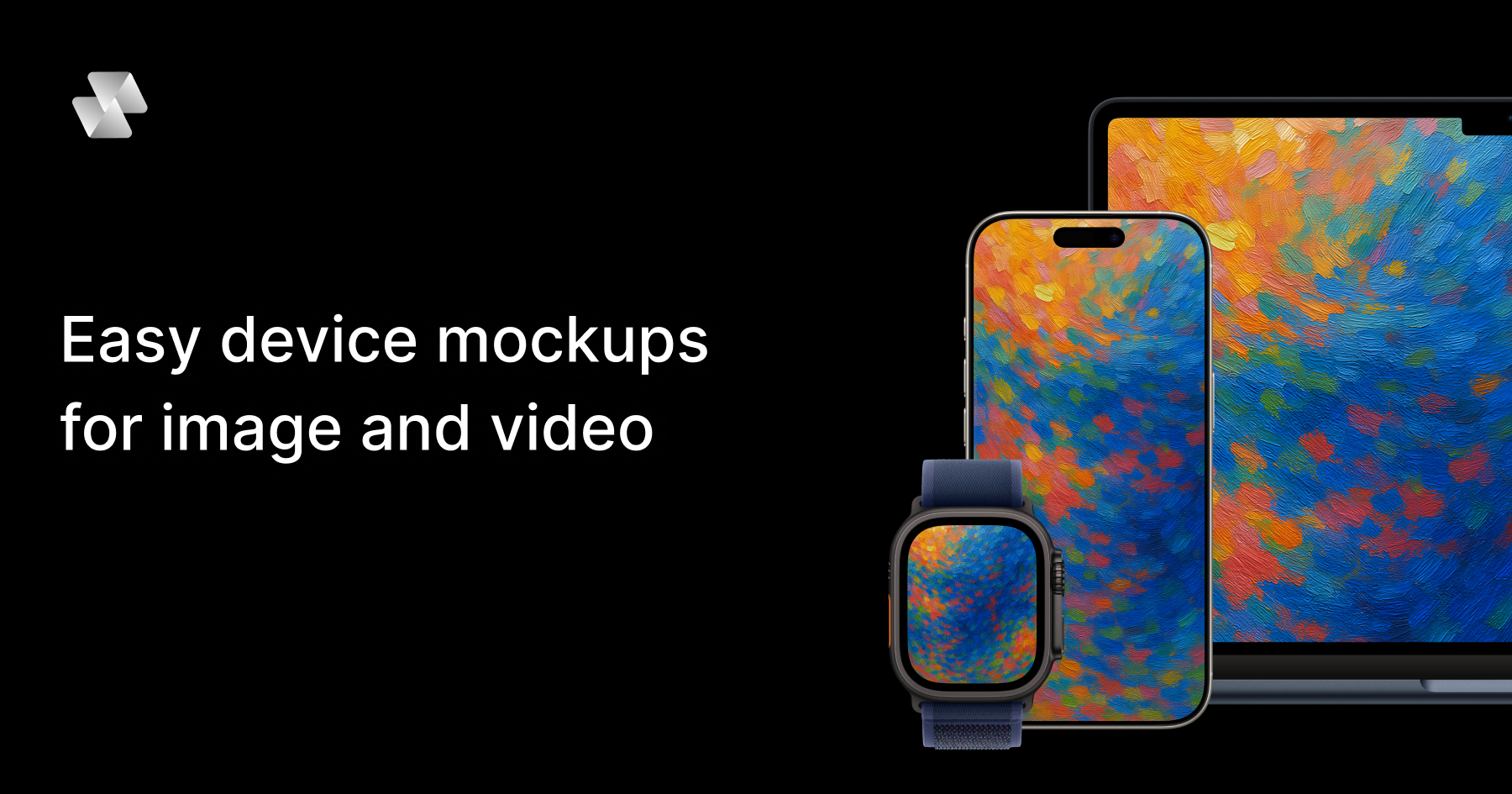
Mock Magic is a browser-based device mockup generator for images and video. It lets you upload a screenshot or a screen recording, drop it into a realistic device frame — an iPhone, iPad, MacBook, Android phone, desktop monitor or smartwatch — and export the result in high resolution within seconds. The tool is built for designers, developers, freelancers and marketing teams who need to present apps, websites and digital products inside convincing device hardware. Everything runs in the browser: there is nothing to install, and no Photoshop or After Effects is required. The site positions the product simply as a way to create beautiful device mockups — upload your design, select a device, and download your mockup in seconds — with unlimited free image mockups and video mockups available on the paid subscription. Most mockup tools stop at images. That is the gap Mock Magic was built to close: a static device frame is often enough for a screenshot, but apps, websites and digital products increasingly need motion — a screen recording wrapped in a phone frame, an animated product demo inside a laptop, a short branded clip for a launch. Producing that kind of device video has traditionally meant heavyweight desktop software such as Photoshop or After Effects, plus the skills, licences and time to use them. Mock Magic removes that friction by moving the workflow into the browser and by supporting video sources alongside images. According to the product description, the tool turns a screen recording into a polished device video, in your brand colours, in the browser, in seconds — with nothing to install. Device coverage is one of Mock Magic's core strengths. The site says the tool supports 54+ device variants, spanning the latest iPhones, Android phones, iPads, MacBooks, desktop monitors and smartwatches, and that the library is constantly updated with new devices. Dedicated pages exist for individual device families, including iPhone mockups, MacBook mockups, iPad mockups, Android mockups, desktop mockups and smartwatch mockups, so visitors can start from the hardware they care about. Alongside raw device frames, Mock Magic offers a template library. Templates cover different orientations, single-device layouts and multi-device compositions, so you are not limited to one screen in one position. Some templates are included in the free plan, while premium templates with advanced layouts and features are available exclusively to Pro subscribers. The site describes templates as a way to create professional-looking mockups with minimal effort. Backgrounds are optional but well covered. Mock Magic lets you highlight your design against a solid colour or a gradient, and both options sit behind the device frame rather than competing with it. Customisation goes further than presets: you can choose your own background colour using a colour picker, or upload your own background image. Custom backgrounds are saved to your account so they can be reused in future mockups, which makes it practical to keep a recurring brand backdrop on hand instead of rebuilding it each time. The product description also mentions setting a brand colour with a hex code, which suits teams that work from a defined palette. In short, the background system is designed to help you create the perfect setting to showcase your design, whether that setting is a plain colour, a gradient, or an image of your own. Mock Magic handles both still and moving content. Images can be added on the free plan, while video mockups are a Pro feature. Supported image formats are PNG, JPG and SVG; supported video formats are MP4 and WebM. All mockups — image or video — can be downloaded in high resolution, and the site promises high quality exports. Video support means moving content renders inside the device frame rather than being flattened into a screenshot, which is what makes an app promo video or an animated landing page asset possible. The other half of the workflow is repeatability. You can save your device selection, background choice and template preference as default settings, so every new mockup starts with your preferred options already selected. The Product Hunt listing frames the same idea as presets: save your setup once and reuse it, so every mockup for your app store, website or socials matches. The workflow is deliberately short. You start by uploading a screenshot or screen recording into the browser editor at Mock Magic's studio. Next you pick a device frame from the 54+ variants, choose a template if you want a particular orientation or a multi-device composition, and set a background — a solid colour, a gradient, a hex-code brand colour, or an uploaded image. Then you export in high resolution and download. The distinctive part is what happens after that first export: Mock Magic remembers your setup. Device selection, background and template can be saved as defaults, and presets let you reuse a branded configuration for future files. That turns mockup production from a one-off design task into a repeatable, consistent process that lives entirely in the browser, with no installable software in the loop. The benefits follow directly from that workflow. Speed: the site repeatedly describes exports in seconds and a process that takes a few steps — upload, select a device, download. Consistency: saved defaults and presets mean a series of mockups shares the same device, background and layout, which matters when assets sit next to each other on a store listing, a landing page or a social grid. Accessibility: because the tool is browser-based, there is no Photoshop or After Effects licence, no install, and no specialist motion-design skill implied. Cost: unlimited image mockups are free, and video mockups are available on the Pro plan at €7.99 per month. Quality: exports are high resolution, whether the asset is a static screenshot or a moving device video. Mock Magic lists typical applications for device mockups, and they map closely to its features. App Store screenshots are the classic case: a phone frame in the right orientation with a branded background. Social media posts reuse the same assets in different formats. Landing page hero images benefit from the desktop and laptop frames, and from gradient or solid-colour backgrounds that blend into a site design. Pitch decks use device mockups to make a product feel tangible during a demo or investor presentation. App promo videos are where video support earns its keep: a screen recording placed inside a phone or laptop frame becomes a moving product demo rather than a static picture. The Product Hunt listing adds a related scenario — turning a screen recording into a branded device video using a saved preset, so a whole series of clips shares one look. Mock Magic names its audience directly: designers, developers, freelancers and marketing teams. Anyone who needs to present an app, website or digital product inside device hardware fits the description, and the free image tier lowers the barrier for individuals testing the tool. Pricing is split between a Free plan and a Pro plan at €7.99 per month. The pricing section lists device selection, background colours and gradients, high-quality export, saved selections, unlimited video mockups, Pro templates and custom background image uploads against both plans; the FAQ clarifies the intent, stating that image mockups are unlimited and free, that video mockups are a premium feature for paid subscribers, and that premium templates with advanced layouts are available exclusively to Pro subscribers. Access is browser-based through the Mock Magic studio. For anyone who needs device mockups without a design suite, Mock Magic condenses the job into a browser tab: upload an image or a screen recording, choose from 54+ device variants, dress it in a branded background, and export in high resolution. Templates cover single-device and multi-device layouts, saved defaults and presets keep a series of assets consistent, and video support on Pro turns screen recordings into finished device videos. Free unlimited image mockups make it easy to start, and €7.99 per month unlocks video and premium templates. The result is faster, more consistent product presentation — built for app stores, websites, socials and pitch decks.
Modeinspect is a design canvas with your codebase and agents built in, positioned as a production-grade AI design tool that runs in your codebase. It is built for design engineers and for teams that want to design high-fidelity product features directly on the real thing rather than in a separate mockup tool. Teams connect their codebase, open an existing screen, and design with their own components, tokens, live data, states, and breakpoints. The canvas is deliberately framed as a means to an end: as the company puts it, the canvas is not the destination, the product is. Design on a real canvas that sits on top of the real product, with all the freedom of a design tool and none of the throwaway mockups. The problem Modeinspect addresses is stated plainly: most software is designed twice, a picture first and then again in code, with intent drifting in between. The traditional path runs through what the product calls the handoff chain, where design passes work down a chain and then waits for it to come back. Mockups are rebuilt in Figma away from the real product, specs and redlines document every state, engineers reinterpret the design in code, and every change restarts the whole loop. Modeinspect describes that old way as taking 45+ days from design to ship, and contrasts it with a canvas-to-PR loop it says runs about 10 days — roughly 4.5× faster. The argument is that design should not be detached from the thing it is designing, because the moment intent is copied into a picture, it begins to drift. The core promise is unified, collaborative design in code. Everything is in one place: your codebase, the canvas, and coding agents are integrated out of the box, with no MCP servers, no localhost, and no devops glue required. A live product can be pulled onto the canvas, letting you capture any element of your live product, pixel perfect and fully editable, so work starts from where things actually are. Rather than prompting for every adjustment, Modeinspect emphasizes controls, not prompts: a padding change should not take a paragraph, so you edit anything, on canvas or in code, with the visual controls you already know. Your changes then build back as canvas to code in one shot, producing clean, scoped diffs with your design system enforced. The canvas is also built for collaboration, with no localhost to share and no branches to wrangle, so you can send a link, collect comments, and open the PR in one click. Modeinspect is built for design engineers, and its component story is deliberately literal. Components are 1:1: you drop in the actual components your product ships, with every variant and every state intact, rather than a redrawn look-alike that quietly drifts from the real thing. Tokens are enforced, so every color, space, and text style comes straight from your library, and everything you place is automatically on-brand — nothing off-system can sneak in. Breakpoints are native: mobile, tablet, and desktop are laid out side by side and each one reflows live, instead of relying on one frozen frame you just hope survives on a phone. And capture to canvas means that when you spot something in the real product you want to rework, you can pull it straight onto the canvas pixel-exact and fully live, and start from where things actually are rather than from an approximation. Dynamic states and real data are treated as first-class parts of the design rather than afterthoughts. Hover, focus, error, empty, loading, and success states are shaped on the real component, so a design never falls apart the moment someone actually uses it. Real data and real flows mean designing on top of live data and genuine journeys — long names, empty states, and the messy edge cases — so your work holds up in the wild and not just in a tidy mockup. AI exploration uses the latest AI models to explore variants, restyle a section, adjust copy, or apply a design direction while you stay in control, which keeps the AI in a supporting role instead of taking over. And because every move you make on the canvas becomes the real product as you make it, there are no redlines, no spec docs, and no waiting on a rebuild: what you design is what ships. A large part of the product's approach is the quality of the code that comes out the other side. Mode reads your file layout, components, tokens, conventions, and existing logic, then writes within them, so PRs land scoped, type-safe, and ready for engineering review. Diffs are scoped and clean, letting engineers review focused changes rather than rewritten surface area or noisy AI churn. Your design system is enforced throughout: Mode pulls from your component library and design tokens, with no hardcoded colors, no magic numbers, and no throwaway components. There is no generated UI debt, because changes reuse your components, tokens, utilities, and styling system instead of creating a parallel design system. And changes are type-safe, with props, state, events, and data shape checked against the product instead of guessed from a mockup. This is the methodology that separates Modeinspect from AI app builders that generate new surface area alongside the one you already maintain. The stated benefits are framed as measurable rather than aspirational. Modeinspect says production-grade is not a tagline but the metric, and it highlights one customer story in which a team merged design and engineering into the same loop, saving 22 days on the delivery cycle, with zero engineering handoffs and design QA removed. Prelude's Chief Product & Design Officer, Quentin Le Bras, is quoted saying his designers explore on the actual codebase, with real data, and open the PR themselves, going from idea to a merged PR without a handoff in between. A Product Design Manager at Kiwi.com describes the tool integrating seamlessly with their codebase and design system, which is exactly what they had been looking for in AI design tools, enabling iteration on top of an already complex product. A Principal Product Manager at Moss calls it the first AI tool that respects their design system 1:1, allowing the team to create production-like prototypes and making the whole team faster. A UX Designer at NCCER highlights the ability to make changes in real time using their design system and immediately push those changes to code for senior developers to review and merge. The product organizes this into three workflows that share one production loop, all inside your real codebase at production fidelity. Prototyping covers prototypes that feel like the product, built with real data, dynamic states, breakpoints, and interactions — so instead of pitching with mockups, teams pitch with the thing itself. Design QA happens all in one loop: compare canvas to live build pixel-by-pixel, spot drift, fix it, and keep moving, with no round-trips through Figma. Shipping PRs covers pushing minor visual changes or new components as merge-ready PRs, with context, screenshots, and a clean diff. Concrete scenarios follow from these: reworking a screen you spotted in production by capturing it to the canvas, exploring variant directions with AI while keeping control of the final decision, validating a layout against long names and empty states using live data, checking a live build against the canvas for visual drift, and sending a link to stakeholders for comments before opening the pull request. Modeinspect is aimed at design engineers and at teams where design and engineering work in the same loop. The marketing site notes that the product is optimized for larger screens, which fits a workflow built around a canvas, a codebase, and side-by-side breakpoints. The company reports being loved by design engineers at Kiwi, Moss, Apify, e2b, Prelude, NCCER, and Deepnote. Pricing is listed at three monthly tiers: $0/mo, $24/mo, and $48/mo, so there is a free entry point alongside paid plans. Sign-in and the working canvas live at app.modeinspect.com, and the site offers an option to email yourself a link for later. In summary, Modeinspect's primary value proposition is that design stops being a picture that must be rebuilt and becomes the production loop itself. By putting an AI design canvas on top of your real codebase — with your components, tokens, live data, states, and breakpoints — and by writing changes back as scoped, type-safe, merge-ready diffs, it removes the handoff in between and lets teams go from an idea to a merged PR in a single pass.
Forget the struggle of managing complex video editing software and multiple subscriptions; seamlessly merge elite AI models like Sora and Runway into a single workflow to transform static ideas into 4K cinematic masterpieces with synchronized audio in just a few clicks.
Finaura is a refined finance dashboard UI kit built for fintech startups, neobanks, and SaaS platforms. It delivers a production-ready foundation with 60 ready-to-use screens covering core banking flows.
Variant generates endless design options for your app or website ideas simply by scrolling. It works like a creative director that never runs out of options, allowing you to absorb visual vibes and apply them to your designs.
Tailwind Form Builder is a free drag-and-drop tool that creates responsive HTML forms using Tailwind CSS. It exports clean code for HTML, React, or Vue without requiring any login.
LTX Desktop is an open-source AI video production suite that combines a full non-linear editor with on-device AI generation. It runs locally on your machine with no cloud dependency and zero usage fees.

Tablex creates stunning seating arrangements for weddings, conferences, and events through an intuitive drag-and-drop interface. Users can assign guests to specific seats and export layouts to PDF.