Category Focus/categories/chatbot
Chatbot AI Tools
Discover and compare the best chatbot AI tools and software. Browse 62+ curated tools with reviews and rankings.
Projects tracked
62
Sort mode
RECENT
Page
3
Yedric.ai is an embeddable AI agent that turns your SaaS app into an AI-native product. Instead of asking users to learn where every feature lives, Yedric lets them describe what they want to accomplish in plain language, and then it carries out the task using your documentation, your APIs, and your app's own tools. It is built for SaaS and app developers who want their existing product to feel AI-native without having to build and maintain a bespoke agent experience, and the company states that developers can make their product AI-native in under 30 minutes. Rather than a standalone destination, Yedric is embedded directly into the product so that the assistant lives where the work already happens. Most AI chat widgets stop at answering a question. They explain the steps a user should take and then leave the user to go and do the work themselves, effectively pointing at a help doc. That still forces people to learn the interface and navigate to the right screen before anything gets accomplished. Yedric was created to close that gap: its site explicitly distinguishes it from being a chatbot that points at a help doc, presenting it instead as a system that takes real actions on the user's behalf. The core premise is that users should be able to ask for outcomes, not hunt through menus, and that the product should meet them at the moment they express intent. Yedric is built on tool calling. You decide which actions the agent is allowed to take, and it takes them rather than merely describing the steps. For example, when a user asks to 'set up a birthday discount,' the flow can run create_discount_code, tag_customer_birthday, and an MCP action such as klaviyo.trigger_flow in sequence. Because you connect Yedric to your APIs, it can act inside your product instead of only explaining how something is done. The site frames this simply as 'Intent in. Action out.' — meaning natural-language requests are translated into concrete operations that your app already knows how to perform. Knowledge can come from anywhere. Yedric ingests the documentation and product knowledge it needs in order to understand your app, accepting docs, PDFs, files, and URLs as knowledge sources. On top of that, context awareness works page by page: Yedric understands where users are and what they are doing, so its behavior adapts to the screen they are on. Example contexts shown on the site include /orders/new for creating a draft order, /products for bulk updating prices, and /settings/billing for questions about why a user was charged. This combination of configurable knowledge and page-level context is what lets the assistant respond usefully in the specific part of the product a user is working in. Security is designed in by default, using JWT, API keys, signed sessions, and Shopify-specific flows. A secure mode binds sessions to individual users so that no credentials leak to the client. Yedric also includes observability, letting teams see what users ask, what Yedric does, and where things go wrong, which matters when an assistant is taking real actions in a production app. Finally, you can bring your own API keys and use OpenAI, Anthropic, Gemini, or any compatible model, paying providers directly with no platform markup. The site makes the underlying point clearly: letting an assistant take real actions in a production app is a reasonable thing to be nervous about, and Yedric is built to make it safe to say yes. The overall approach is to make your existing product AI-native rather than to bolt on a separate assistant. Yedric is embedded into your SaaS, connected to your APIs and knowledge sources, and constrained by the set of actions you permit. As the site puts it, it becomes your assistant, with your knowledge and your actions. That combination of tool calling, page-level context, and configurable knowledge is what moves a request from plain-language intent to a completed outcome inside the app the user already uses — without the user needing to know where a feature lives or how to reach it. The stated outcomes include better UX for users and better products for developers. Teams using Yedric are described as seeing users complete setup instead of abandoning it halfway, without support tickets or lost activations; a dashboard example shows 2,430 conversations this month, up 66% versus the prior month. Support goes beyond 'here's how to,' because Yedric answers the question and, when there is an action to take, performs it — giving users a 24/7 guru without having to read a guide and then do the work themselves. One example cites 281 hrs 52 mins saved for a team, 3 hrs versus the prior month. Concrete scenarios from the site include creating a 20% discount for customers who bought a product in the last 30 days, where the demo found 214 matching customers, created the code SAVE20, and offered follow-ups such as notifying those customers or extending the offer to 60 days. Other examples include setting up a birthday discount, putting data into a spreadsheet, fixing a disconnected integration, asking which billing plan best fits a user's usage, turning off email notifications, checking whether all products are configured correctly, and changing a logo color to a specific hex value. Yedric is already at work inside Shopify apps including MESA, Infinite Options, Smile, Tracktor, and Uploadery. Yedric targets SaaS and app developers, particularly those building on Shopify, and it emphasizes getting started quickly: the site advertises 100% free access with no credit card required. Integrations and technical elements explicitly mentioned include Shopify-specific flows and sessions, MCP-based actions such as a Klaviyo flow trigger, and bring-your-own model providers OpenAI, Anthropic, and Gemini. Security primitives listed are JWT, API keys, and signed sessions, alongside signed sessions and secure mode that binds sessions to users. The core appeal for builders is that they do not have to build and maintain their own agent experience. In short, Yedric.ai turns a SaaS product into an AI-native experience by adding an embeddable agent that understands natural-language intent, knows the app's context and knowledge, and then takes real actions through tool calling and connected APIs. Its value proposition is straightforward: users simply say what they want done, and Yedric handles the interaction safely, observably, and quickly.
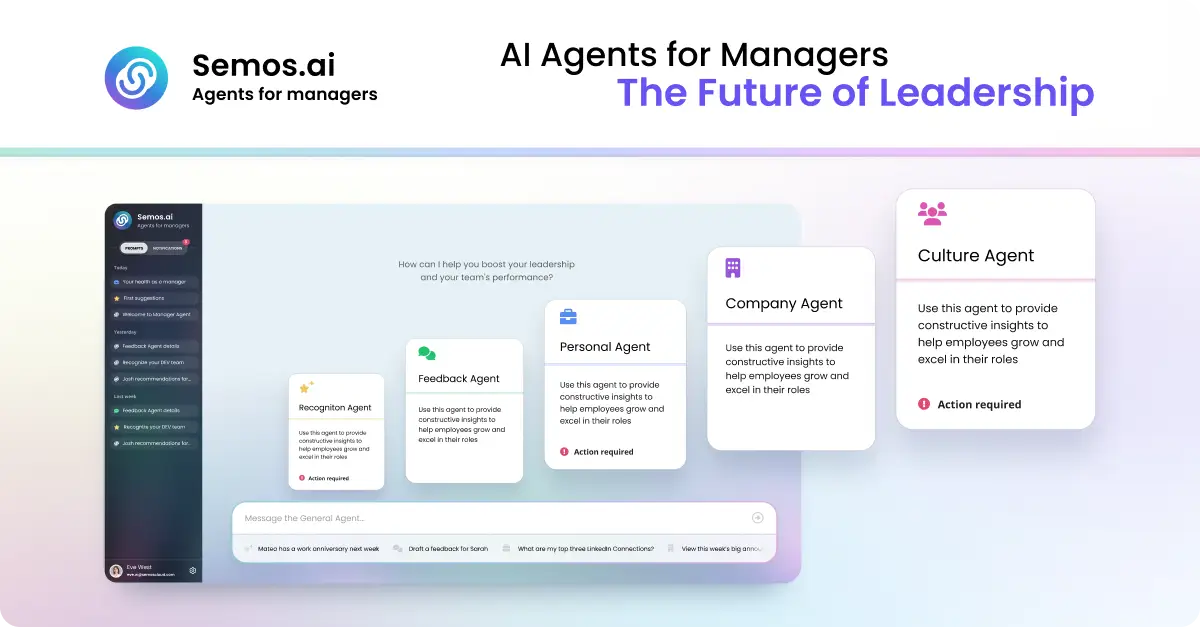
Semos.ai Manager Agents are AI agents purpose-built for managers. They build context from your meetings and back it with behavioral science, so you can handle difficult conversations, develop your people, and grow as a leader. The product is designed for people managers who are responsible for a team and need practical, timely support in the everyday moments of leading: a 1-on-1 that did not go as planned, feedback that is overdue, recognition that was missed, or a growth conversation that keeps slipping. Rather than offering generic advice, Manager Agents work from what has actually been happening across your meetings and your team, and turn that context into something concrete you can act on right away. The problem Manager Agents address is familiar to almost every manager: team context is scattered. The site describes the situation plainly, noting notes from six different 1:1s scattered across three places, and a review due Friday you have not opened. The support that would normally help in these moments has traditionally sat behind a budget line. An HR business partner is bundled into overhead at roughly one per 200 people and is available during business hours, shared across dozens of managers. An executive coach costs $300 to $500 per session and is scheduled weeks apart. Management training runs $2,000 to $8,000 once, lasts one week, and then leaves you on your own. Each of these options is scarce, expensive, scheduled far in advance, generic rather than specific to your team, or some combination of all four. Manager Agents are positioned as an alternative: self-serve and monthly, available whenever you need it, built for you, and, as the site puts it, designed to get sharper over time. The value proposition is that support previously reserved for a few sponsored leaders becomes directly available to the manager, including at 10pm before the conversation you have been dreading. Manager Agents are organized into a set of specialized agents, each aimed at a different part of the manager's job. The Meeting Agent is described as the foundation: it builds context from every meeting you have and feeds it to every other agent. That shared context is what allows the rest of the system to give guidance grounded in what has actually been happening rather than in a blank slate. The Feedback Agent handles difficult conversations, helping you say the hard thing clearly before it is too late to say it well. The Recognition Agent helps you give recognition that is specific, timely, and fair, addressing the common failure mode where good work goes unnoticed simply because the moment passed. Together these three cover the most frequent and most time-sensitive parts of managing people: understanding what happened, correcting course when something is wrong, and reinforcing what is working. Four further agents extend that coverage. The HRBP Agent works on people challenges, structuring the conversation and the documentation before you have it, which is useful when a formal or semi-formal process is involved. The Culture Agent focuses on team health, surfacing shifts in sentiment and participation before they show up in a survey, so managers can act on early signals rather than after-the-fact reporting. The Career Agent supports career conversations and growth plans for your team, helping managers prepare for the development discussions that often get postponed. The Company Agent provides sector awareness, keeping you current on what is happening in your market in minutes a week. The site also notes that more agents are available in Enterprise mode, linking to the Semos Cloud platform. Manager Agents follow a four-step approach that the site labels proactive, draft, action, and learn. First, the system is proactive by design: it does not wait for you to ask. A missed recognition, a quiet direct report, or a hard conversation coming up is surfaced before you think to ask about it. Second, it provides a start rather than a stare: a message, a talking point, or a structure for the conversation, grounded in what has actually been happening. Third, it is built for action, so what you get is something concrete, whether that is a message, a plan, or a next step, designed to be acted on right away. Fourth, and perhaps most importantly, the judgment becomes yours. Every suggestion comes with the reason behind it, so that over time you start seeing the pattern yourself. This last step positions the product as a way of building the manager's own capability, not simply a way of outsourcing decisions to automation. Every output draws on real behavioral science. The site names three specific frameworks: Stanford's 4Is feedback framework, Big Five personality traits, and Hofstede's cultural dimensions. The stated purpose of grounding outputs in these frameworks is that they were built for how people actually change, not just for what sounds right. In practice this means suggestions are not merely plausible-sounding text; they are shaped by established models of how feedback lands, how personality shapes response, and how cultural context affects communication. The site summarizes this scientific basis with three words: proven, precise, and verified. Manager Agents describe measurable outcomes. Managers capture three times more recognition, feedback, and coaching moments each week. Eighty-five percent of feedback recipients say the guidance is clearer and more actionable, and there is an average improvement of 23 percent in engagement scores during the first week. Underneath those numbers is a simpler benefit: the support that used to sit behind a budget line is now available directly to the manager, at the moment it is needed rather than weeks later. The product also distinguishes itself from generic AI tools. A general-purpose assistant starts from zero every time, with no memory of your team and no sense of your history with them; you have to explain the whole situation before you get an answer, and the answer is the same one anyone else would get. Manager Agents carry your context forward, drawing from the same shared context of your meetings, your team, and your patterns, so that every conversation adds to what they know about how you lead and guidance gets sharper over time. The site lists example questions that illustrate how managers use the product in practice. A manager facing a first underperformance conversation can ask for help preparing. Someone who needs to write a review can ask the system to turn notes from the last quarter into a review for a named team member. A manager can ask who on the team has not been recognized in the last month, or ask for a message recognizing the work someone put in this sprint. Career conversations are covered by asking for help planning a development conversation for someone ready for more, or figuring out how to bring up a promotion case with the manager's own manager. Team health and timing questions include whether anyone has gone quiet in recent 1:1s and what to do next after a 1:1 that did not go as hoped. There are also prompts for drafting feedback for someone who has been missing deadlines, structuring a conversation about a conflict between two people, handling the aftermath of a resignation notice, and finding out what has changed in the sector that the team should know. Manager Agents are built for people managers, and the framing throughout the site is about the individual manager rather than the HR department. The alternative comparison makes the positioning explicit: whereas an HRBP is built for HR and an executive coach is typically available only to the few people a company sponsors, Manager Agents are described as built for the manager and as getting sharper over time. Availability is self-serve and monthly, and the product is available whenever the manager needs it. The site directs visitors to get started through an app login and, in its metadata, invites people to join the waitlist. For managers who want practical support in the moments that actually shape a team, whether that is the conversation before it happens, the recognition that is overdue, or the review that is due Friday, Semos.ai Manager Agents offer AI agents purpose-built for the job. They combine context captured from your meetings with behavioral-science frameworks, surface what needs attention before you ask, give you something concrete to act on, and explain the reasoning so your own judgment improves. The result is not just help leading; as the site puts it, Manager Agents make you great at it.
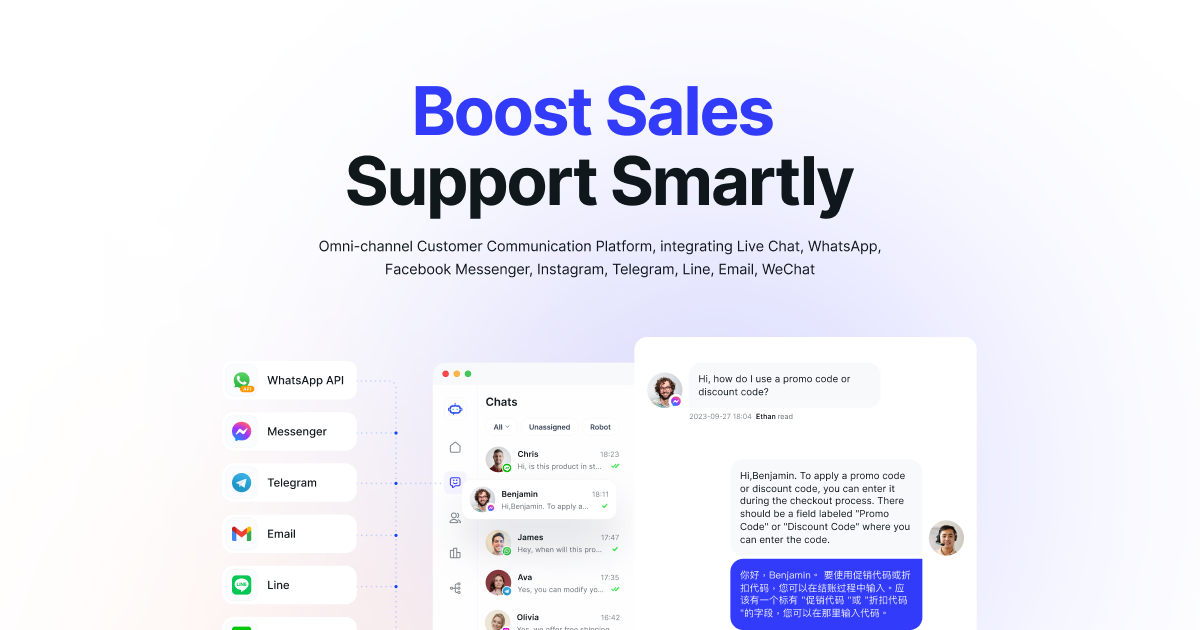
SaleSmartly is an AI-powered omnichannel customer engagement platform that brings customer conversations from WhatsApp, Instagram, Messenger, TikTok, Telegram, LINE, WeChat and other channels into a single workspace. It is built for teams that handle customer service, sales and growth, and it combines three things in one product: an omnichannel inbox, AI agents, and a built-in CRM. The platform's stated purpose is to keep every conversation connected and every lead managed, so businesses can capture, convert and retain customers across the entire customer lifecycle and serve global customers as easily as local ones. SaleSmartly frames the problem it solves around a simple observation: most platforms lose context when customers move across channels, and more messages across different channels do not automatically create more revenue. Slow replies, scattered context and disconnected omnichannel messaging can quietly hold growth back. As the website puts it, a conversation problem eventually becomes a revenue problem, leading to lost leads, lost customers and slower growth. SaleSmartly was designed to remove that friction by centralizing omnichannel customer engagement in one workspace, so every inquiry is captured as a lead and the team can follow up faster. The site cites three times faster follow-up as an outcome of this centralized approach. The most visible part of the product is the Omnichannel Inbox. SaleSmartly states that it connects 14 messaging channels and platforms in one unified workspace, so agents do not have to switch between tools and do not risk missing messages. Channels named on the website include WhatsApp and WhatsApp Business API, Facebook Messenger, Instagram, Facebook, TikTok, Telegram, LINE, WeChat, Zalo, VKontakte, YouTube, Email, Live Chat and the website chat widget. Within the inbox, specific capabilities include a Team Inbox, Instagram DM management, TikTok DM management and Conversation APIs. Centralizing engagement in this way means every inquiry is captured as a lead and the team can follow up faster, which is the first stage of the journey SaleSmartly describes. The second pillar is AI. SaleSmartly describes a smarter AI agent for customer service: an AI employee that responds instantly, qualifies leads, translates conversations and automates next steps. The website summarizes this as a 4-in-1 capability covering respond, qualify, translate and hand off. High-value conversations are handed off to human agents with full context, an arrangement the company calls Human–AI Collaboration, supported by a Flexible AI Ecosystem and 24/7 AI Support. In practice this means routine questions can be answered around the clock while more complex or valuable conversations reach a person who already has the background needed to continue them. Real-time translation is also listed as a standalone feature, which helps teams serve customers in different languages without adding separate translation tools to their workflow. The third pillar is CRM. SaleSmartly's Social CRM keeps tags, notes, lifecycle stages and conversation history in one profile, so every follow-up feels personal and connected. The site highlights unified customer profiles, smart segmentation, AI-powered insights and WhatsApp CRM, describing the result as a 360-degree customer view. This matters because the platform's core promise is turning conversations into CRM context: rather than letting useful detail disappear into individual chat threads, the CRM preserves it so it can be reused for later follow-ups, segmentation and reporting. For sales teams in particular, that means leads and relationships stay in one place instead of being tracked manually. The fourth pillar focuses on customer retention and lifetime value. SaleSmartly uses customer data to identify dormant, high-intent and high-value customers, then triggers personalized outreach across WhatsApp, email, SMS and Messenger. Named capabilities include inactive segments, channel follow-ups, personalized outreach and LTV tracking. The company states that this approach delivers 30% higher customer lifetime value. The goal is to bring customers back into live conversations, measure every response and turn customer re-engagement into long-term growth. Related features listed elsewhere on the site include targeted broadcasts, tracking links and live QR codes, customer analytics, marketing attribution, auto-assign conversations, automation, and team collaboration and routing. SaleSmartly describes its approach as combining Omnichannel Customer Engagement, an AI workforce and CRM in one platform. The customer journey is organized into four stages: capture more leads, convert leads, strengthen relationships and drive repeat growth. Capture happens in the omnichannel inbox; conversion is handled by human agents working alongside AI agents; strengthening relationships runs through the CRM; and repeat growth comes from retention and re-engagement campaigns. Rather than treating messaging, automation and customer data as separate tools, SaleSmartly keeps them in one connected system so context survives as customers move between channels and between AI and human agents. That connected context is presented as the reason follow-ups stay relevant and handoffs stay smooth. Stated benefits include faster follow-up, a 100% after-sales response rate for support teams, stronger customer lifetime value and clearer visibility into team activity. SaleSmartly also positions itself as a way to protect customer assets: business owners can monitor team activity and maintain visibility across every channel, while marketing teams can link chats to campaigns and track attribution to optimize channel performance. Customer testimonials on the site echo these themes, describing centralized communications that reduce lost leads, a unified inbox across multiple networks that saves time, and automation that improves response times. One reviewer highlights intuitive design and accessible pricing for smaller brands, while another mentions increased Instagram sales and an easy initial setup. Use cases described on the website are organized both by role and by industry. For customer support teams, SaleSmartly is presented as a global after-sales management platform aimed at eliminating missed orders and lost customers, using an omnichannel inbox, AI support and team collaboration. For business owners, it offers WhatsApp management and customer asset protection alongside oversight of all team conversations. For sales teams, it provides lead management, pipeline tracking and a Social CRM to unify leads and relationships and keep opportunities moving. For marketing and growth teams, it supports CTM, Meta Conversion API and marketing attribution so chats can be linked to campaigns and ROI can be tracked. Individual reviewers describe using the product for Instagram sales, managing leads and social media inquiries, and centralizing information from multiple communication channels into one platform that also creates related task tickets. SaleSmartly says it is trusted by more than 300,000 businesses worldwide, and displays customer logos including ByteDance, Shein, Miniso and Alibaba Cloud on its brand wall. The platform supports a wide range of messaging and social integrations plus a website chat widget, and it references Conversation APIs and an Android SDK, indicating options for developers who want to connect their own systems. On the trust side, the company lists Meta Business Partner status, ISO 27001, ISO 27701 and CCRC certifications, and a 4.5/5 rating on G2. Detailed pricing is not published on the page, but visitors can start for free or book a demo; the free trial includes all channels and AI agents, and the site states that no credit card is needed. Overall, SaleSmartly's value proposition is straightforward: bring every customer conversation into one workspace, put AI agents and a CRM behind it, and use the resulting context to turn more conversations into customers. For teams juggling multiple channels, it aims to replace scattered inboxes and disconnected follow-ups with a single, connected system for service, sales, marketing and retention.
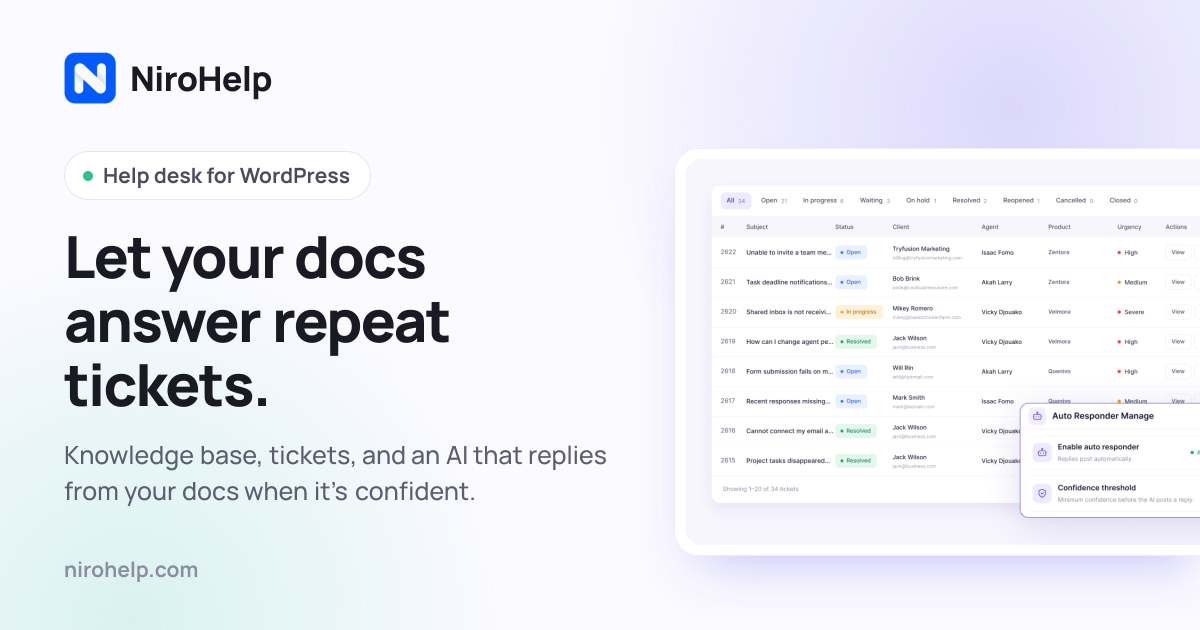
NiroHelp is an AI-native help desk built for WordPress. It bundles a knowledge base, a support ticket system, an AI chatbot, and an AI auto-responder into a single plugin that lives inside the WordPress admin, so docs, tickets, and AI all sit in the same menu. It is designed for teams that answer the same customer questions over and over — WordPress plugin, theme, and WooCommerce businesses, small support teams, and agencies managing multiple sites. The core purpose is straightforward: let your own help articles answer repeat tickets, and only pull in a human when the AI is not confident enough to reply. The help desk itself — knowledge base, ticketing, and dashboard — is free on WordPress.org, while paid plans switch on the AI features and email piping. Support teams often end up paying for several separate tools to cover one job: a documentation plugin, a ticketing plugin, and a chat or help-desk subscription. NiroHelp's founder, Nazmul Ahsan, says the team built it because they were tired of paying for five plugins to do what should be one job. The result is a single plugin where the knowledge base customers read is the same knowledge base the AI reads before it replies, and where docs, tickets, and AI live in one admin menu with nothing extra to install or learn. Because documentation usually already exists in WordPress product businesses and the questions already repeat, NiroHelp goes after the repetitive pre-sales and licensing questions that fill support queues. Customers get faster answers, and the team spends less time on questions the docs already cover. The knowledge base module lets you publish help articles your customers can search and browse. Articles are written with a familiar editor that supports titles, images, and formatting, and they are grouped into topics so visitors find things fast. Customers can mark an article helpful or not helpful, giving you a direct signal about which documentation needs work — the dashboard later surfaces those votes alongside the tickets that referenced the article. Article pages are clean and readable, with a table of contents and readable code snippets, and they stay fast to load even with hundreds of articles. Crucially, the AI reads these articles before it ever replies to anyone, so the quality of your docs directly shapes how much support the AI can handle on its own. Ticketing covers the conversations the AI cannot answer. Every ticket moves through clear stages — open, in progress, waiting, resolved, and more, eight stages in total on the free plan — and status updates itself whenever your team or the customer replies. New tickets are handed to an available agent automatically, so no single person gets overloaded. Manager, Agent, and Customer roles define who can access what, custom fields can be added without any code, and everyone gets an email the moment something changes. Tickets can also be embedded on any page, which means the same system can collect requests from a contact page, a checkout screen, or anywhere else on your site. The AI layer has two halves. The live chatbot is a chat bubble that already knows your product: you add a single line of vanilla JavaScript to any website, WordPress or not, and visitors get answers pulled straight from your help docs. You pick the agent name, avatar, and color so the widget matches your brand, choose which pages it appears on and when — it can go quiet outside business hours — and preview the exact widget in your dashboard before it goes live. It also remembers the conversation, so customers can move between pages without repeating themselves for as long as the tab lasts. The AI auto-responder applies the same documentation-grounded AI to incoming tickets. If your docs clear the confidence threshold you set, it replies on its own; if they do not, it stays quiet and leaves the ticket for your team. Answers post after a delay you choose — five minutes by default — so a customer who is still typing is not interrupted. Email piping turns the support inbox your customers already write to into your ticket queue. NiroHelp connects to any mailbox over IMAP or POP3 — including Gmail, Microsoft 365, and cPanel — and every email arrives as a tracked ticket while every reply threads back into the same conversation, so customers never have to learn a new tool. Multiple shared inboxes can each be routed to their own agents. Quoted history is stripped, attachments are carried over, and auto-replies are ignored. The AI auto-responder answers piped tickets too, which means even requests that arrive as ordinary email can be resolved from your docs before a person opens them. The dashboard gives a 360-degree view of your support for the last 30 days. At a glance you can see which tickets are waiting on your team, how many are overdue, your median first reply time, what percentage of conversations the AI deflected, and which threads have turned unhappy or been flagged. A needs-attention list sorts tickets by risk, and a separate panel highlights customers whose sentiment is turning negative. Then there is the copilot: a chat box you can ask questions such as which customers are most at risk this month, or what you should fix in the docs first, and it answers from your open tickets, replies, and doc votes. The workflow of the auto-responder is deliberately simple. A customer writes in, either as a new ticket or a reply, just like normal. The AI checks your docs for an article that actually answers the question. If it is confident, the answer posts after the delay you set. If it is not sure, it stays quiet and the ticket waits for a person — no guessing. Everything is contained in a single plugin: the free core handles docs, tickets, and the dashboard, while paid plans add the chatbot, the auto-responder, the copilot, and email piping. Each module can be enabled or disabled independently from Settings, and disabling one never touches the other's data because docs are posts, tickets are posts, and replies are comments. NiroHelp places privacy and ownership at the center of its design. The knowledge base, tickets, and replies live in your own WordPress database as ordinary posts and comments, not in a proprietary table and not on NiroHelp's servers. Docs, tickets, emails, and migration contact no external service at all, so the help desk keeps working with the internet unplugged; only the AI features talk outward, and when the auto-responder is on, that includes the ticket it is answering. There is no OpenAI or Anthropic key field anywhere in the plugin — the AI is included in your plan as an allowance of replies, and when it is used up the AI pauses until it resets rather than generating a per-token bill. Uninstalling deletes nothing of yours; it clears only the plugin's own bookkeeping. Migration is built in as well. A Migrate action copies articles, topics, and tickets — replies included — from seven other plugins: BetterDocs, weDocs, Echo Knowledge Base, BasePress, Awesome Support, SupportCandy, and JS Help Desk. Your old plugin keeps its data until you choose to clean it up, and every imported item is marked, so re-running the migration creates no duplicates; each source has its own guide describing exactly what comes across. NiroHelp also positions itself against a stitched-together stack. In its own cost comparison for a three-agent team, running Intercom, Zendesk, HubSpot, or Help Scout alongside a separate docs plugin comes to between $1,499 and $3,309 per year, while NiroHelp Starter is listed at $79.99 per year with unlimited agents. Pricing is based on how many sites you run, not how many people are on your team, and unlimited agents are included on every plan. The free plan, available on WordPress.org with no time limit, covers the knowledge base with search, ticketing with eight stages, automatic ticket assignment, the support dashboard, imports from seven plugins, and unlimited agents and tickets. Starter is $9.99 per month or $79.99 per year for one site and adds email piping, the AI chatbot trained on your docs, the AI auto-responder for tickets, and 1,000 AI credits per month. Growth is $29.99 per month or $239.99 per year for five sites with 6,000 AI credits per month and priority email support. Agency is $49.99 per month or $399.99 per year for ten client sites with 15,000 AI credits per month and voice call support. The product is aimed at WordPress product companies, small support teams of two to ten people, and agencies running multi-site setups. It is translation-ready, with a .pot template shipping with the plugin, and clients can log in without a WordPress account using a one-time verification code, a magic link, or a standard password. NiroHelp's primary value proposition is that the documentation you already wrote can do more of the support work. By keeping the knowledge base, tickets, chatbot, and auto-responder in one WordPress plugin — and by grounding every AI reply in your own articles — it lets a smaller team handle more customers at lower cost, while leaving the hard questions to people.
Cuey is a Chrome extension that lets you compare any AI answer against 30+ models without leaving the AI tool you already use. It sends your prompt to ChatGPT, Claude, Gemini, Grok, DeepSeek and other leading models, then displays their responses side by side in a clean sidebar so you can see what they agree on, what they disagree on, and what your original model missed. It is built for anyone who relies on AI for everyday work and wants a second opinion before acting on a single model's confident-sounding answer. It is free to install, and no account is required to start. AI models deliver wrong answers in exactly the same confident tone as correct ones, which makes it hard to tell when you should trust a response and when you should look closer. Different models also have different strengths: one may reason through a problem better, another may write stronger ad copy, and another may have real-time internet access. Because each tool lives in its own tab, checking a second or third model normally means copy-pasting the same prompt, repeating your context, and juggling multiple subscriptions. Cuey removes that friction by putting the comparison directly where the question was asked, so a second opinion is available at the moment you need it rather than after a manual round trip between browser tabs. The core capability is multi-model comparison. Cuey works directly inside your AI tool, so there is no separate app to learn and no new interface to adopt. You send one prompt to multiple models at once, and Cuey runs it across your selected models before laying the responses out side by side in its sidebar. The free plan includes full side-by-side model comparison and works inside all seven major AI model providers covered by the extension, while cross-checking answers against more than 30 models is available with a daily free limit. Seeing the responses next to each other makes it possible to judge differences in reasoning, tone, and completeness at a glance instead of relying on memory of what another tab produced earlier. Cuey does more than display answers in parallel; it highlights the relationships between them. It shows where models agree, where they diverge, and why the difference matters, plus what your original model missed. Agreement is a signal that you can move forward with more confidence, while disagreement is a signal that the question deserves a closer look before you act. This is the mechanism that turns a wall of competing text into a usable judgment: instead of reading three or four answers and guessing which one to trust, you see the points of consensus and the points of conflict isolated in the sidebar. Memory portability is the second pillar of the product. Cuey lets your context follow you when you move between models, so you never start from zero again. You can import your chat history and memories from ChatGPT, Claude, and Gemini, then carry that context, along with your preferences and history, across supported models. Switching to a different model no longer means re-explaining your project, your tone requirements, or the background of the conversation, because the history you have already built up in one tool stops being trapped there and becomes portable. Cuey is not a replacement for the AI you already pay for. It runs alongside the assistant you use and supplies a second opinion from other models, so people who already have ChatGPT Plus can keep their existing subscription and still see how other models respond. There is nothing to configure: no API keys are required and no account is required to start, and side-by-side comparison, cross-checking, and multi-language support are free, with a daily free limit on the 30+ model cross-check. Cuey accesses the page content needed to provide model comparison and context features, and the developer states that your data is not sold to third parties and is not used for purposes unrelated to the extension's core functionality. The practical outcome is fewer bad decisions made on the back of a single confident-sounding answer. Because the comparison happens in place, there is no copy-pasting, no tab-switching, and no guessing, and users do not need to take on extra subscriptions to hear from more than one model. The extension also saves the time that would otherwise go into re-establishing context each time you try a new model, and it gives you a repeatable check before you commit to an answer in writing, analysis, or research. When the models agree, you can move on with more confidence; when they do not, you know to investigate further. Concrete workflows in the content include checking an AI-generated answer before acting on it, which is the scenario the extension is built around: catching a confident-sounding wrong answer before it burns you. Writers can compare how different models handle the same brief, such as ad copy, where models are described as having different strengths. Questions that depend on current information benefit from including models with real-time internet access in the comparison alongside models without it. People who move between AI tools can carry their imported history and preferences so each new model starts with context rather than a blank slate. And because comparison, cross-checking, and multi-language support are free, the workflow can be tried without a subscription commitment. Cuey is delivered as a Chrome extension published by Llama Valley Inc and distributed through the Chrome Web Store, where the listing shows version 0.1.20.9, an install size of 8.9MiB, and support for 8 languages: Deutsch, English, español, français, italiano, português (Brasil), 中文(中国), and 日本語. The listing notes that the extension offers in-app purchases and places it under Productivity / Tools within the Extensions category. The free tier covers side-by-side comparison, cross-checking with a daily free limit, and multi-language support, all with no account required, while the publisher's stated mission is to make AI easier to use and more useful for everyday work. Cuey's value proposition is straightforward: the AI answer you already have is only one opinion, and a confident tone is not evidence of correctness. By comparing that answer against 30+ models inside the tool where the question was asked, surfacing where models agree and disagree, and carrying your context between models, Cuey makes a second opinion a normal step rather than a chore. It is free to install, requires no account to start, and adds no extra subscription if you already pay for an AI assistant.
Eclatira is a platform for powering applications with conversational voice and video AI. It lets developers build conversational agents with native voice, camera, and screen sharing, and then connect those agents to their own APIs, MCPs, and more than 3,000 apps. The product is described as a conversational video agent that plugs into any stack, giving developers native voice-to-voice, live vision, and full-stack execution across custom APIs, MCPs, and a large library of connected apps. Its stated goal is to help teams ship autonomous multimodal video agents quickly, with agents that are fast enough to barge in and sharp enough to see what you show them. The primary audience is developers and product teams who want to add real-time conversational video intelligence to their own software. Teams can start building through the web app, book a demo, or create agents, upload documents, define tools, and start calls through a versioned REST API. Most conversational agents have been built as text-first systems, with voice treated as an add-on layer. Eclatira takes a different starting point: voice and video are native to the session, and audio and video stream through the same bidirectional pipeline from the start. Another common obstacle is integration. Connecting an agent to a company's own systems usually means writing custom integration code for every service. Eclatira states that developers can connect agents to APIs, MCPs, and 3,000+ apps without writing custom integration code. The company's own FAQ frames the questions teams ask before adopting this kind of tool, including how Eclatira differs from a chatbot that also does voice, how the web widget compares with telephony, how fast a real conversation feels in practice, how long it takes to get an agent live, whether code is required to connect your own APIs, how recorded audio and video are handled, and whether video costs more than voice. The video engine is built around live visual input processed in the same real-time stream as voice. When a webcam is pointed at the agent, it perceives the live video stream continuously and tracks what changes in the frame while the conversation keeps going, so visual awareness does not interrupt the dialogue. Screen sharing works the same way as camera input: the agent watches what is on screen and can guide someone through a page, a form, or a piece of software step by step. The agent can also read what is in frame. Point the camera at a printed page, a screen, or a label and it reads the text through OCR, then acts on what it has just read. Beyond text, the agent identifies physical objects, products, and packaging in frame with high accuracy, which the product positions as useful for guided troubleshooting or visual verification. Video is processed at up to 30 frames per second against the same sub-800ms latency budget as voice, so visual understanding keeps pace with the conversation. On the voice side, Eclatira uses native voice-to-voice processing, which it describes as the reason an agent responds at conversational speed. The site separates this from a chatbot that also does voice, framing native voice-to-voice as a different starting point. Voice and video run through one pipeline: audio and video stream through the same bidirectional session, so the agent can talk about what it is seeing in the same breath. The core capabilities list separates the video engine, voice engine, telephony, agent builder, knowledge and tools, web widget, and platform and API, indicating that agents can be reached both through a web widget embedded in an application and through telephony. Agents can be assembled in two ways. In the agent builder, you describe the job in plain language, then refine the prompt, voice, and tools until the agent is ready to ship. This makes the builder the place to shape what the agent knows and how it behaves before it goes live. The platform also exposes a versioned REST API, where developers can create agents, upload documents, define tools, and start calls programmatically, which suits teams that want agent creation and call handling to live inside their own systems. Knowledge and tools are listed as a core capability alongside the web widget, suggesting that agents can be grounded in uploaded material and given tools to act with. Integrations extend that reach: agents connect to custom APIs, MCPs, and more than 3,000 apps without custom integration code, and public documentation is available for the API. The underlying approach is a single bidirectional session that carries audio and video together in real time. Live camera and screen input are processed in the same stream as voice, part of one session from the start, so the agent's understanding of what it sees and its spoken response are handled together rather than as separate processes joined after the fact. Latency is managed as a shared budget: video runs at up to 30 frames per second under the same sub-800ms target that voice uses. Agents are created either conversationally in the builder or programmatically through the versioned REST API, and are then connected to external systems, tools, and documents so they can execute rather than only converse. For users, the benefit of native voice-to-voice is responsiveness at conversational speed, which is the difference between a natural exchange and a slow one. Real-time vision means the agent can see through a camera or a shared screen while it talks, so support, guidance, and verification happen inside the same conversation instead of across separate steps. Continuous frame tracking keeps the agent aware of changes while the conversation continues. OCR lets it respond to printed pages, screens, and labels it is shown; object recognition lets it identify products and packaging, which the product links to guided troubleshooting and visual verification. Processing video at up to 30 frames per second within the same sub-800ms latency budget as voice means visual understanding keeps pace with speech. Connecting to APIs, MCPs, and 3,000+ apps without writing custom integration code reduces the work required to make an agent useful. Several concrete scenarios follow from the features described. A user can point a webcam at the agent and have it perceive the live stream, which suits situations where someone needs to show something rather than describe it. When a user shares their screen, the agent can guide them through a page, a form, or a piece of software step by step, which fits onboarding, walkthroughs, and support. If someone holds a printed page, a screen, or a label to the camera, the agent reads the text through OCR and acts on it. Object recognition supports guided troubleshooting and visual verification of physical products and packaging. Agents can be deployed through a web widget inside an application or through telephony, and they can be connected to custom APIs, MCPs, and 3,000+ apps so that a conversation can trigger real work across a stack. Eclatira is aimed at developers and teams building conversational agents into their own applications, including those who want to ship autonomous multimodal video agents quickly. The integrations named in the content are custom APIs, MCPs, and 3,000+ apps, with connections described as requiring no custom integration code. Agents can be created in the builder or through a versioned REST API that supports creating agents, uploading documents, defining tools, and starting calls. Delivery channels mentioned are the web widget and telephony. The site offers a free start to building and an option to book a demo. The site also notes that Google Analytics is used and that analytics cookies are only set if a visitor accepts, with a link to the privacy policy. Eclatira's core promise is a conversational agent that both hears and sees in real time and can act across a company's existing stack. By making voice and video native to a single bidirectional session, adding OCR and object recognition on live frames, holding to a sub-800ms latency budget, and connecting to APIs, MCPs, and 3,000+ apps without custom integration code, it gives developers a way to build multimodal agents fast enough to keep a real conversation going.
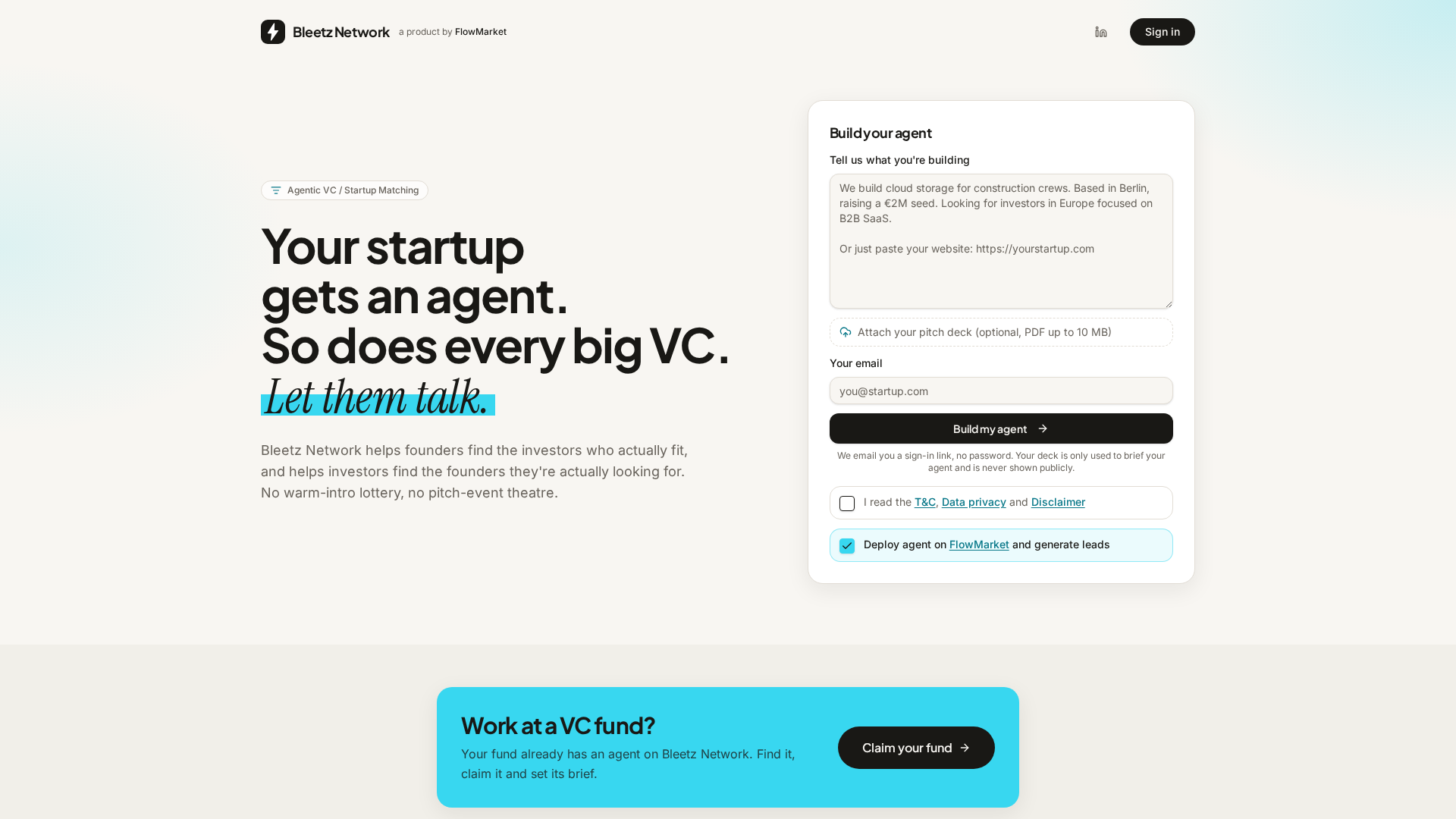
Bleetz Network is an agentic venture capital and startup matching network where every startup and every fund gets an AI agent. Founders build a startup agent by describing what they are building, optionally attaching a pitch deck (PDF up to 10 MB) and providing an email address. The platform then matches that agent with agents representing VC funds, and the agents have the first conversation so the humans only talk when there is a reason to. The purpose is twofold: Bleetz Network helps founders find the investors who actually fit, and helps investors find the founders they are actually looking for. Instead of a warm-intro lottery or pitch-event theatre, matching happens on facts, and founders receive a clear yes, no or maybe outcome, with a fund's direct contact details unlocked on a yes. Fundraising is broken. Founders spend weeks searching for VCs, researching investment theses, checking sectors, stages and geographies, and sending cold emails, often without knowing who is actually a good fit. The same inefficiency runs in reverse for investors, who trawl inboxes and databases to find startups that match their stage, geography, categories and thesis. Bleetz Network automates the first part of this process. Rather than a founder blasting messages at every fund they can find, an agent searches a database of several thousand VC funds and keeps only those that fit the founder's stage, geography and category. Rather than a VC manually screening every inbound opportunity, a preselected list of relevant startups arrives already filtered. Both sides are matched on facts, so the introductions that happen are the ones that make sense. For startups, Bleetz Network begins with instant matching. The startup agent searches a database of several thousand VC funds and keeps only those that fit the startup's stage, geography and category. This is filtering rather than ranking: stage and geography have to line up, and then the fund's thesis has to fit. What remains is a short list, not a spray-and-pray list, so founders reach out only to the few highly relevant funds instead of burning weeks on investors who were never going to invest. The startup agent then pitches every fund on the shortlist, whether the fund's agent is claimed or unclaimed, answering their questions in a strictly business conversation that runs up to ten rounds, with three pitches a day. There are no cold emails and no warm-intro lottery involved. Outcomes are explicit. When a fund's agent says yes, the founder receives the contact details of the people at that fund who should hear from them. A no comes with the actual reason, and both outcomes land in the founder's inbox. Because every conversation is readable, founders can do their homework: they can see which questions came up, where a fund lost interest and why it passed. That feedback can be used to sharpen the pitch and the pitch deck before a human ever sees them, fixing weak spots while the cost is still low. The combination of a short relevant list, direct contacts on a yes, and detailed conversation feedback turns fundraising from guesswork into a fact-based process with a binary outcome. For VCs, Bleetz Network provides screening that runs itself. A fund gets a preselected list of startups that already match its stage, geography, categories and thesis. Discovery that used to take weeks of inbox and database trawling happens while the investor does something else. No time is lost on manual screening because every startup has already been through the first rounds of questions, so the investor reads the outcome rather than the noise. Fund-to-startup discovery is instant, and because both sides are matched on facts, the introductions that happen are the ones that make sense. Every fund already has an agent on Bleetz Network from day one; the fund can find it, claim it and set its brief, so the thesis is applied every time and the agent screens the same way on Monday morning and Friday night. The fund stays in control: it reads every conversation, decides who to talk to, and keeps contact details out of anyone's hands until it says yes. The overall workflow runs from profile to yes or no. First, the founder builds a startup agent by dropping a deck or a few lines; Bleetz fills out the profile and the founder checks it, and the agent only says what the founder gave it. Second, the system filters rather than ranks: stage and geography have to line up, then the fund's thesis has to fit. Third, the agents talk it through, with the startup agent pitching and the fund's agent digging in, strictly business, up to ten rounds and three pitches a day. Fourth, the founder gets a yes or a no. A yes comes with the fund's real contact people; a no comes with the actual reason. Both land in the founder's inbox. An example conversation on the site shows a startup agent describing a retrofit vision kit that cuts warehouse picking errors by 38%, with €42k MRR from 11 sites in DACH and a €1.5M pre-seed round, and a fund agent asking what a site pays and how long from install to first invoice before saying the deal fits its logistics thesis and ticket size. Bleetz Network is explicit about the nature of its agents. Every fund has an agent from day one, and whether the fund itself runs it is labelled on every page and in every conversation. An unclaimed agent is built from public information about the fund; nobody from the fund has taken it over, read its conversations or approved what it says, making it a well-informed simulation but still a simulation. A claimed agent is one where someone at the fund verified themselves and took over the agent, set its brief, reads the conversations and sees who made it through. Founders are told that a conversation with an unclaimed agent is a simulation, not the fund's opinion and not a decision by anyone at the fund, and that a yes from an unclaimed agent means this looks like a good fit on paper, a reason to reach out rather than an expression of interest. With a claimed agent, the fund manages the agent and can read the conversation. Investors are told that every unclaimed agent is based on open data only and speaks for nobody at the fund, and that nothing an agent says is binding: no offers, no commitments, no term sheets and no advice. Every positive outcome is a recommendation for a human follow-up, and contact details are only shared on a yes, only through the platform. The stated motivation is to help both sides with early-stage discovery and matching, reducing friction between founders and investors and making the market more efficient. Listing every fund from day one is what makes matching useful immediately. Funds that do not want to be listed can claim the fund with a work email and then delete the agent. Every claim is checked by hand, and one account runs one fund. Concrete use cases follow directly from that design. A pre-seed startup raising a round can build its agent, attach its deck, and let the agent pitch the funds whose stage, geography and category fit, receiving a shortlist of yes outcomes with partner contacts instead of a list of cold-email addresses. A founder preparing for those conversations can read every simulated exchange to learn which questions recur, where interest dropped and why a fund passed, then fix the weak spots in the pitch and the deck before a human sees them. A VC fund can claim its existing agent, set the brief to match its stage, geography, categories and thesis, and receive a preselected list of startups that have already been through the first rounds of questions. A fund that prefers not to participate can claim and delete its agent. And an investor who wants the next big thing without weeks of inbox and database trawling can rely on the fact-based matching to surface startups in seconds. Bleetz Network is aimed at early-stage founders who are raising, and at venture capital funds and the people who scout and screen for them. It is a web product. Building a startup agent takes a deck or a few lines and an email; sign-in is by emailed link with no password, and the deck is used only to brief the agent and is never shown publicly. Every fund has an agent from day one, so investors can find and claim their fund's agent even before they have signed up as users. The service is free while it is in beta, and free with no strings attached according to the Product Hunt description. A yes unlocks the fund's contact details. In short, Bleetz Network turns early-stage fundraising and scouting into an agent-to-agent matching process. Startups get an agent that filters several thousand VC funds down to the ones that fit their stage, geography and category, pitches them, and returns a yes with real contacts or a no with the actual reason. Funds get a self-running screen that applies their thesis consistently and delivers a preselected list of startups. Both sides can read every conversation, both sides stay in control of human contact, and the outcome is a fact-based conversation with a binary result instead of guesswork, cold emails and pitch-event theatre.
Fez is a desktop app for Mac where several AI agents work together as members of one workspace, and the room decides who takes what. Each agent is its own member with its own identity, its own model and its own skills, and you talk to them the way you would talk in any chat channel. Instead of you picking which assistant should handle a request, the room reads the message and decides who takes it, whether the work is done, and whether you even need to read the answer. Fez is built on nostr and on Jev, a judgment model built by TypeSafe, and it is released early as an MIT licensed app for Apple silicon Macs. The problem Fez is built around is management. Most agent apps give you one assistant; some give you several, and then you become the manager: you pick the agent, repeat the question, judge the answer, and call the next one. That overhead grows with every agent you add, and it is exactly the work you were hoping an agent would take off your hands. Fez moves that job into the room itself. Instead of you deciding who should handle a message, the room evaluates it first, and chat models run only when there is real work to do. A message that needs no answer costs nothing and produces no noise in the channel. That routing is handled by Jev, the judgment model built by TypeSafe. Every message goes to Jev, which does not write anything itself: it decides, with a calibrated probability, in under a second, for a fraction of a cent. The room reads the message and picks the agent, or nobody, as the site illustrates with a "Who takes it?" decision at 0.95. The published routing results report 96 of 97 messages routed to the right agent, a 184 ms median decision, and $0.002 for the whole run — one pass, three agents, frozen fixtures, which the site explicitly notes is not a universal guarantee. The practical consequence is that a cheap, fast decision happens before any expensive chat model is invoked. The room also closes the loop after an agent responds. "Is it done?" runs at 0.94: it checks the answer against what you asked and signs off, silently, so you are not left manually judging whether the agent actually finished the work. And "Does it need a reply?" runs at 0.08: a thanks gets a reaction, not a paragraph. When the room decides a message needs no reply, there is no turn and no cost. Together these three checks — who takes it, is it done, does it need a reply — are what the site calls the room doing the managing. Agents are real members of the workspace rather than tools you switch between. Each one has its own identity, model and skills, and the roster shown on the site includes @fez, @drift and @quill. @fez is the guide: docile and helpful, it knows its way around, and when you ask it anything it brings in the teammate the work belongs to. You mention @fez in a channel and it routes the request onward; it ships with the app, so there is a natural starting point on first launch. Because agents are referenced by mention in an ordinary channel, several of them can share one thread instead of each living in a separate assistant window. The overall approach is a single pass of judgment followed by chat models that only wake up for real work. You interact with the app through the channel: mention an agent with @, press Enter and it answers, and press Esc and the relay remembers. Identity is handled without accounts. Your identity is a keypair generated on first launch, and every agent has one too, so every message is signed by the key that posted it. Nobody issued the keys, so nobody can suspend them. Everything lives on a nostr relay rather than inside the app, and the site describes Fez as a window onto it — you can run a relay on your laptop or on a server. The release is available as a macOS Apple silicon build under the MIT license, with the source on GitHub. The benefits follow from that design. You stop acting as the dispatcher for your agents: no picking the agent, repeating the question, judging the answer, or calling the next one. Routing costs a fraction of a cent and takes under a second, so decisions are cheap and fast compared with running a chat model for every message. Unnecessary replies are suppressed, which keeps channels readable and avoids paying for turns that add nothing. Completion is verified against the original request, so threads close rather than drift. And because identity is a keypair on a relay you can host yourself, conversations are not tied to an account that someone else can suspend. Concrete scenarios come straight out of the material. The recorded demo shows two agents, two models, two keys and one thread running for seven minutes, live — a single conversation where more than one model does the work and the room keeps track of who takes which message. If you do not know which agent is right for a question, you mention @fez and it brings in the teammate the work belongs to. When someone says thanks, the room returns a reaction rather than a paragraph, so no turn is spent. When a piece of work appears finished, the room checks the answer against what you asked and signs off silently. And if you want the history to outlive the app, you run your own nostr relay and press Esc — the relay remembers. Fez is aimed at Mac users on Apple silicon who already work with AI agents and no longer want to be the manager of several of them. It suits people who want more than one model and more than one agent in a single conversation, who prefer a signed, account-free identity, and who value open source: Fez is MIT licensed with the repository on GitHub, and the app ships as a direct download. The site describes the release as early, and it notes that the routing numbers come from one pass over frozen fixtures rather than a universal guarantee. There is also a lightweight update list for new releases and what changed in them, described as occasional and nothing else. Pricing is not described beyond the free, MIT licensed download. In short, Fez turns a chat room into the manager of a team of agents. Several members, each with its own identity, model and skills, share one workspace; a fast, inexpensive judgment model decides who takes each message, whether the work is finished, and whether a reply is needed at all; and everything is signed and stored on a nostr relay you can run yourself. The value proposition is simple: you stop coordinating agents and start talking in the room.
Multimodal Agents by Sierra are AI agents that bring voice, text, and visuals into the same customer conversation. Sierra has long believed that the conversation is the interface: the customer says what they need and the agent figures out the rest. Multimodal agents extend that belief beyond a single medium. Rather than making customers choose between talking, typing, or looking at something, the agent gives them the best of each — voice to explain what you need, a visual to compare options side by side, and text when you want to reference something later. The result is a single, continuous conversation that adapts to what the customer is trying to accomplish at that moment. The problem this solves is familiar to anyone who has tried to make a decision over the phone. Sierra describes trying to upgrade a mobile plan over the phone: the representative talks through models, colors, storage sizes, and monthly rates, and the customer is left comparing things in their head and picking a phone they cannot picture. Voice is genuinely good for parts of that interaction — you can say what you actually need and ask questions more easily than you can over text — but you cannot see the thing you are about to buy. Multimodal agents close that gap. Stitching channels together is not the hard part; the real trick, as Sierra puts it, is knowing which one to use when. That is where the agent's judgement comes in. Agents built on Sierra anticipate what is needed for each conversation and automatically shift between modes — voice, visuals, or text — without making the customer start over or repeat themselves. The choice of medium follows the shape of the task: voice to explain what you need, a visual to compare options side by side, or text when you want to reference something later. Because that switching is automatic, the customer never has to manage the interface. They simply continue the conversation, and the agent keeps the relevant context intact as the medium changes, which is precisely what prevents the restarting and repeating that usually happens when a support interaction jumps between a phone call, a chat window, and a web page. Visuals are part of the conversation rather than a separate destination. Sierra's example is a disrupted flight: you call the airline to get a new flight, and instead of a representative reading off alternate options one by one, you see them laid out with departure times, layovers, and pricing right in the conversation. You pick one, and the agent keeps going from there. Choosing a seat works the same way — you see the map and tap the seat you want. And for times when it is easier to talk than type, you can switch to voice and explain exactly what you need; the agent captures those details without making you type a paragraph into a text box. In each case the visual carries the comparison work that language handles poorly, while voice carries the nuance that menus and forms handle poorly. Sierra's approach is also designed to avoid rebuilding the same experience for every place the agent lives. With Sierra, you can build your agent once and easily deploy across all channels, and the same is true for multimodal agents: once you build a visual component, your agent can use it everywhere it lives. A comparison table or a calendar does not need to be recreated for each surface the agent operates on. That single-build approach reduces duplication for the team maintaining the experience and keeps behaviour consistent for the customer, who encounters the same kind of interactive element regardless of where the conversation happens to be taking place. Sierra's MCP UI integration is what lets teams bring interactive components into the conversation: product cards, comparison tables, calendars, and forms. Those components are designed and hosted by your own team, so you decide how they look, what they show, and when they change. That control matters because the visual layer is often the part of a customer experience that carries brand and merchandising decisions, not just function. Because your team hosts the components, when you make an update it is automatically reflected everywhere without needing to redeploy or maintain different versions for each platform. And when a component needs more room, it can expand to full screen to show calendars, long comparison tables, multi-step forms, and more — so the same building block can serve as an inline detail inside a conversation or as a focused, full-attention task when the customer needs to complete something substantial. Taken together, the methodology is straightforward: keep the conversation as the interface, let the agent decide which medium each moment calls for, and make the interactive pieces reusable across every surface. Sierra frames the goal as customers never having to choose. On one call, customers can talk through what they need, glance at a screen to compare their options, and tap to confirm — without ever pausing the conversation to switch tools. The agent, not the customer, manages the transitions, which is what makes an interaction that spans voice, visuals, and text feel like a single continuous exchange rather than three separate ones. The outcomes described are practical. Customers get through decisions faster because they can see options while hearing about them, and they avoid the frustration of describing the same need twice or rebuilding context after a channel change. They can also reference something later in text when that is easier than listening. Businesses, meanwhile, get a single deployment path: build the agent and its visual components once, use them across channels, update them in one place, and avoid maintaining separate versions per platform. And the experience is described as being as easy to build and deploy as it is for customers to use, which lowers the practical barrier to offering a multimodal customer experience at all. Concrete workflows in Sierra's own examples include upgrading a mobile plan, where a customer talks through what they need and compares phones, colors, storage sizes, and monthly rates visually instead of holding the options in their head. A disrupted flight is another: the agent surfaces alternate flights with departure times, layovers, and pricing in the conversation, and the customer picks one and continues. Seat selection follows the same pattern, with a map the customer taps rather than a description they have to parse. Voice-first moments are covered too — when it is easier to explain something than to type it, the customer can switch to voice and the agent captures the details. More broadly, any conversation that involves comparing options side by side, filling in a form, or choosing a time can use interactive components inside the exchange itself. Multimodal Agents by Sierra are aimed at organizations that handle customer conversations and want those conversations to adapt to the customer rather than the other way around — customer experience and support functions in particular. The people who build the visual layer are the customer's own teams: Sierra states that your team designs and hosts the components used in the conversation. Deployment is described in terms of channels rather than a single app, since the same agent and the same visual components are meant to work everywhere the agent lives. Sierra's MCP UI integration is the mechanism named in the content for bringing interactive components such as product cards, comparison tables, calendars, and forms directly into a conversation. The core idea behind Multimodal Agents by Sierra is that the best interface is the one the conversation needs. Voice, visuals, and text stop being competing options and become modes the agent moves between as the situation changes — voice when explaining is easier, a visual when comparing side by side helps, text when something needs to be referenced later. Because agents built on Sierra anticipate what is needed and shift automatically, customers never start over or repeat themselves, and because visual components are built once and hosted by your team, they can appear everywhere the agent works. That is the promise: one agent, every surface, and a conversation that morphs to fit the customer.
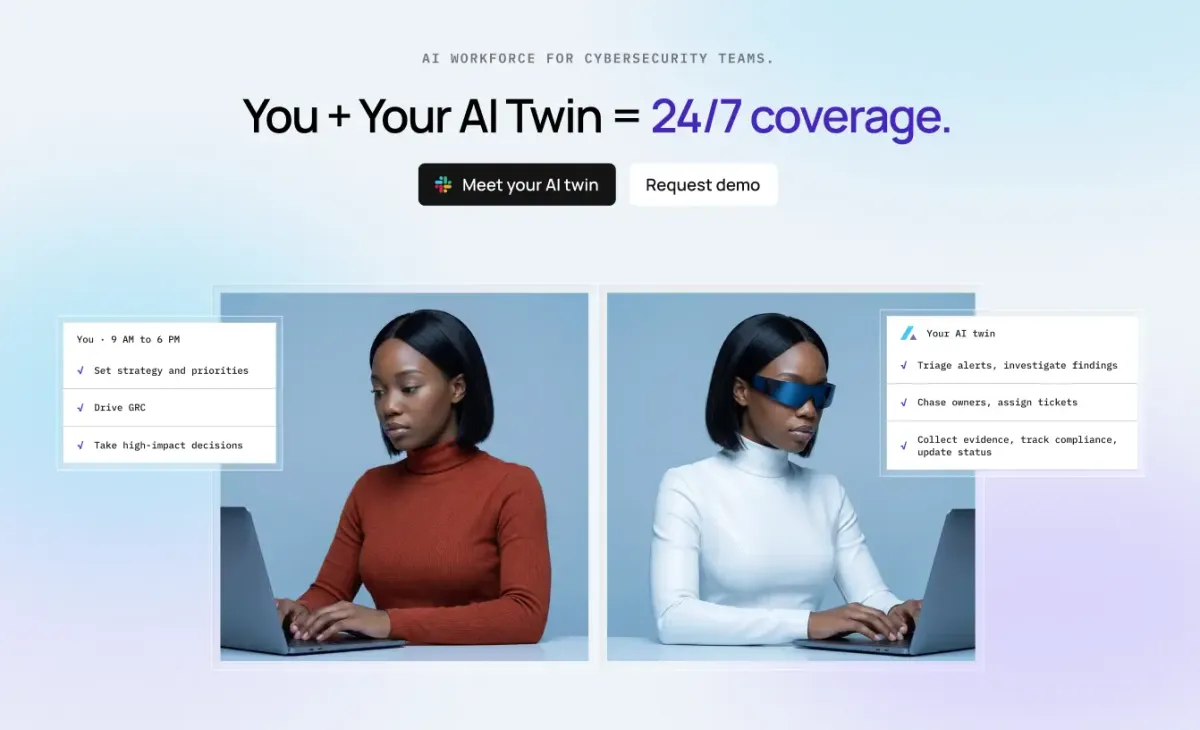
Axari is an AI twin for cybersecurity teams — an AI workforce product that is given real work rather than asked questions. The company's pitch is simple: you plus your AI twin equals indefatigable. A security leader spends the working day setting strategy and priorities, leading the security program, and making the decisions that matter. The twin, meanwhile, runs 24/7: it understands what needs attention, coordinates work across tools and teams, and executes, follows up and verifies until the work is actually done. Users can assign it a goal, let it work proactively, or give it recurring responsibilities, and all of this happens from within Slack or Microsoft Teams. It is aimed squarely at security organizations rather than general business users, and it is meant to be given real security work, not just to answer questions. The problem Axari addresses is the coordination overhead that surrounds security work. Security teams already own scanners, ticketing systems, identity platforms, cloud accounts and compliance tools; what they often lack is someone to keep the resulting work moving between them. Axari's own framing of this is quantitative: it claims time back of 10–15 hours per person, per week, on coordination-heavy work, notes that organizations spend $8–10 per $1 hiring people to operate a security tool, and describes a cognitive load of 17 of 20 items already in motion before a leader opens Slack — leaving only the 3 that genuinely need them. Its overhead claim is zero: no training sessions, onboarding programs, or new tools to learn. Customer quotes echo the same theme, including "We couldn't hire more people; we hired Axari," "We didn't rip out a single tool," and a fractional CISO noting that control drift used to be caught during the next audit cycle but is now flagged the same day it happens. Axari works across the tools a security team already runs instead of replacing them. The integrations shown on the site include Slack, Jira, GitHub, Gmail, Wiz, Splunk, Okta, Snyk, CyberArk, Tenable, Vanta, AWS, Datadog, Kubernetes, Google Cloud, Terraform, Confluence, CrowdStrike Falcon, Google Drive and HubSpot. The important point is what the twin does with those connections: it reads finding and asset context from a scanner, writes and assigns tickets, pulls policy language, collects evidence, scores vendors, lists entitlements, groups alerts and enriches them with telemetry. Because the twin operates inside the collaboration layer — Slack or Microsoft Teams — colleagues see the work happening in the channels they already use, and owners can be nudged or asked for a decision without anyone logging into a separate console. Several of the documented use cases concern exposure and threat work. In critical exposure protection, the twin pulls the finding and asset context from Wiz, creates the ticket in Jira and assigns the owner, then re-checks the scanner before anything is closed. In cloud exposure protection, it detects the misconfiguration, maps it to the owning AWS service, and prepares the fix in GitHub for review. In threat response assurance, it groups overnight alerts from Splunk, enriches them with endpoint telemetry from CrowdStrike Falcon, and opens the investigation in Jira with an owner assigned. In ransomware resilience, the twin confirms containment, revokes compromised sessions, and keeps legal and leadership on a single timeline in Slack. Each of these follows the same pattern: gather context, do the coordination, and hand the judgement call to a human. A second group of use cases covers governance and assurance work. For continuous compliance, the twin collects access evidence, maps that evidence to controls in Vanta, and chases owners in Slack who have not responded. For trusted vendor onboarding, it requests missing documents by email, scores the vendor against your policy, and routes the decision to the risk owner. For security review acceleration, it drafts from your approved answers, pulls current policy language from Confluence, and flags the answers that need human judgement. For access assurance, it lists every account and entitlement, nudges reviewers with a cutoff, then revokes and confirms the removal. The recurring theme is follow-up: the twin does not stop at producing an artifact, it pursues the response it needs and verifies that the change actually happened. Axari describes its approach in four stages. Connect: it maps what your tools do and learns exactly how your team operates daily. Understand: it works out who owns what, what matters, how work is routed, and where you are needed — the product illustration shows a daily brief in Slack summarizing priorities and where you are needed. Act: it prepares the work, assigns owners, follows up, and executes what you authorize; in the example shown, the twin drafts a SOC 2 reply in Slack with approve, edit and discard actions. Compound: it learns how you decide, anticipates what's next, and keeps getting smarter — for instance, proactively asking whether it should check with a colleague before sending a vendor exception approval. The site labels this "compounding intelligence," suggesting the twin's usefulness grows as it observes more of your decisions. The stated outcomes are time, money, cognitive load and overhead. The company reports 10–15 hours back per person, per week, on coordination-heavy work; a spend pattern of $8–10 per $1 currently going to people operating a security tool; a cognitive load figure of 17 of 20 items already in motion before the leader opens Slack, so only 3 need them; and zero overhead in training sessions, onboarding programs or new tools to learn. Testimonials support the positioning: one CISO says that nothing was ripped out and Axari simply made existing tools work harder, a CIO says the team could not hire more people so they hired Axari, and a former Google Chrome security lead describes Axari as a full AI security team that learns how an organization works and actually gets the work done. Concretely, a security team might use Axari in a daily rhythm. Overnight, the twin groups alerts, enriches them, and opens investigations with owners attached, so the morning starts with work already in motion rather than a blank page. During the day, it keeps compliance evidence flowing — collecting, mapping and chasing — and nudges access reviewers before a cutoff so certifications do not stall. When a vendor request arrives, it asks for the missing documents, applies the policy score, and asks a human before sending an exception. When a security questionnaire lands, it drafts from approved answers and flags what needs judgement. Because the twin lives in Slack or Teams, each of these shows up as a short, actionable exchange rather than another dashboard to check. The site names CISO / Head of Security, GRC, Security Operations, Security Engineering and Security PMO as the roles Axari serves, and lists customers and partners including HiddenLayer, Boyd, Supabase, CAVA, Yext, Hydrolix and OpenLoop. On trust, Axari emphasizes control, security-native design and security posture. Controls include scoped access, human approval for consequential actions, a complete audit trail, the promise that your data stays yours, and the ability to bring your own model. The company says the product is shaped by 300+ conversations with security leaders and built alongside security leaders from Google, Anthropic, Atlassian, Supabase and Roblox. It reports SOC 2 Type 1 complete, red-teaming against the OWASP Top 10, zero data retention where applicable, and BYOC / on-prem support in progress. A CISO testimonial notes that Axari earned access rather than asking for it all on day one. Axari's core proposition is straightforward: security leaders cannot hire their way out of coordination work, and attackers are not going to use less AI. By giving teams a persistent AI twin that lives in Slack or Microsoft Teams, understands the environment, coordinates across existing tools, and follows work through to verification, Axari aims to close the execution gap that sits between a security program's plans and its outcomes — without replacing a single tool in the stack. As the company puts it, you plus your AI twin equals indefatigable.