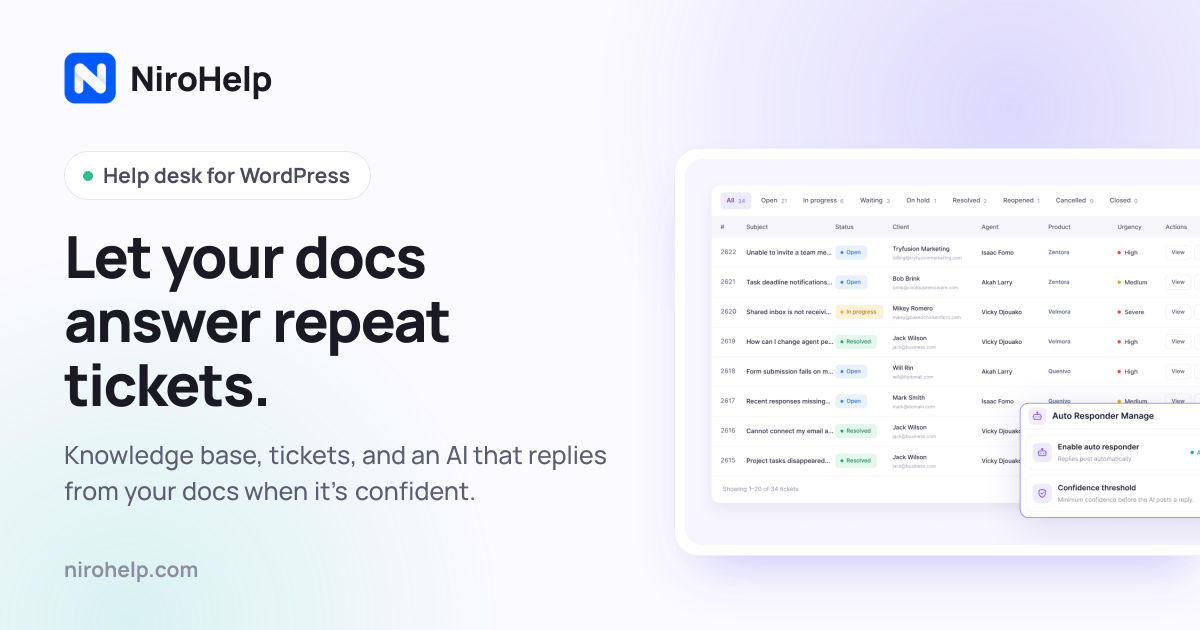
NiroHelp is an AI-native help desk built for WordPress. It bundles a knowledge base, a support ticket system, an AI chatbot, and an AI auto-responder into a single plugin that lives inside the WordPress admin, so docs, tickets, and AI all sit in the same menu. It is designed for teams that answer the same customer questions over and over — WordPress plugin, theme, and WooCommerce businesses, small support teams, and agencies managing multiple sites. The core purpose is straightforward: let your own help articles answer repeat tickets, and only pull in a human when the AI is not confident enough to reply. The help desk itself — knowledge base, ticketing, and dashboard — is free on WordPress.org, while paid plans switch on the AI features and email piping.
Support teams often end up paying for several separate tools to cover one job: a documentation plugin, a ticketing plugin, and a chat or help-desk subscription. NiroHelp's founder, Nazmul Ahsan, says the team built it because they were tired of paying for five plugins to do what should be one job. The result is a single plugin where the knowledge base customers read is the same knowledge base the AI reads before it replies, and where docs, tickets, and AI live in one admin menu with nothing extra to install or learn. Because documentation usually already exists in WordPress product businesses and the questions already repeat, NiroHelp goes after the repetitive pre-sales and licensing questions that fill support queues. Customers get faster answers, and the team spends less time on questions the docs already cover.
The knowledge base module lets you publish help articles your customers can search and browse. Articles are written with a familiar editor that supports titles, images, and formatting, and they are grouped into topics so visitors find things fast. Customers can mark an article helpful or not helpful, giving you a direct signal about which documentation needs work — the dashboard later surfaces those votes alongside the tickets that referenced the article. Article pages are clean and readable, with a table of contents and readable code snippets, and they stay fast to load even with hundreds of articles. Crucially, the AI reads these articles before it ever replies to anyone, so the quality of your docs directly shapes how much support the AI can handle on its own.
Ticketing covers the conversations the AI cannot answer. Every ticket moves through clear stages — open, in progress, waiting, resolved, and more, eight stages in total on the free plan — and status updates itself whenever your team or the customer replies. New tickets are handed to an available agent automatically, so no single person gets overloaded. Manager, Agent, and Customer roles define who can access what, custom fields can be added without any code, and everyone gets an email the moment something changes. Tickets can also be embedded on any page, which means the same system can collect requests from a contact page, a checkout screen, or anywhere else on your site.
The AI layer has two halves. The live chatbot is a chat bubble that already knows your product: you add a single line of vanilla JavaScript to any website, WordPress or not, and visitors get answers pulled straight from your help docs. You pick the agent name, avatar, and color so the widget matches your brand, choose which pages it appears on and when — it can go quiet outside business hours — and preview the exact widget in your dashboard before it goes live. It also remembers the conversation, so customers can move between pages without repeating themselves for as long as the tab lasts. The AI auto-responder applies the same documentation-grounded AI to incoming tickets. If your docs clear the confidence threshold you set, it replies on its own; if they do not, it stays quiet and leaves the ticket for your team. Answers post after a delay you choose — five minutes by default — so a customer who is still typing is not interrupted.
Email piping turns the support inbox your customers already write to into your ticket queue. NiroHelp connects to any mailbox over IMAP or POP3 — including Gmail, Microsoft 365, and cPanel — and every email arrives as a tracked ticket while every reply threads back into the same conversation, so customers never have to learn a new tool. Multiple shared inboxes can each be routed to their own agents. Quoted history is stripped, attachments are carried over, and auto-replies are ignored. The AI auto-responder answers piped tickets too, which means even requests that arrive as ordinary email can be resolved from your docs before a person opens them.
The dashboard gives a 360-degree view of your support for the last 30 days. At a glance you can see which tickets are waiting on your team, how many are overdue, your median first reply time, what percentage of conversations the AI deflected, and which threads have turned unhappy or been flagged. A needs-attention list sorts tickets by risk, and a separate panel highlights customers whose sentiment is turning negative. Then there is the copilot: a chat box you can ask questions such as which customers are most at risk this month, or what you should fix in the docs first, and it answers from your open tickets, replies, and doc votes.
The workflow of the auto-responder is deliberately simple. A customer writes in, either as a new ticket or a reply, just like normal. The AI checks your docs for an article that actually answers the question. If it is confident, the answer posts after the delay you set. If it is not sure, it stays quiet and the ticket waits for a person — no guessing. Everything is contained in a single plugin: the free core handles docs, tickets, and the dashboard, while paid plans add the chatbot, the auto-responder, the copilot, and email piping. Each module can be enabled or disabled independently from Settings, and disabling one never touches the other's data because docs are posts, tickets are posts, and replies are comments.
NiroHelp places privacy and ownership at the center of its design. The knowledge base, tickets, and replies live in your own WordPress database as ordinary posts and comments, not in a proprietary table and not on NiroHelp's servers. Docs, tickets, emails, and migration contact no external service at all, so the help desk keeps working with the internet unplugged; only the AI features talk outward, and when the auto-responder is on, that includes the ticket it is answering. There is no OpenAI or Anthropic key field anywhere in the plugin — the AI is included in your plan as an allowance of replies, and when it is used up the AI pauses until it resets rather than generating a per-token bill. Uninstalling deletes nothing of yours; it clears only the plugin's own bookkeeping.
Migration is built in as well. A Migrate action copies articles, topics, and tickets — replies included — from seven other plugins: BetterDocs, weDocs, Echo Knowledge Base, BasePress, Awesome Support, SupportCandy, and JS Help Desk. Your old plugin keeps its data until you choose to clean it up, and every imported item is marked, so re-running the migration creates no duplicates; each source has its own guide describing exactly what comes across. NiroHelp also positions itself against a stitched-together stack. In its own cost comparison for a three-agent team, running Intercom, Zendesk, HubSpot, or Help Scout alongside a separate docs plugin comes to between $1,499 and $3,309 per year, while NiroHelp Starter is listed at $79.99 per year with unlimited agents.
Pricing is based on how many sites you run, not how many people are on your team, and unlimited agents are included on every plan. The free plan, available on WordPress.org with no time limit, covers the knowledge base with search, ticketing with eight stages, automatic ticket assignment, the support dashboard, imports from seven plugins, and unlimited agents and tickets. Starter is $9.99 per month or $79.99 per year for one site and adds email piping, the AI chatbot trained on your docs, the AI auto-responder for tickets, and 1,000 AI credits per month. Growth is $29.99 per month or $239.99 per year for five sites with 6,000 AI credits per month and priority email support. Agency is $49.99 per month or $399.99 per year for ten client sites with 15,000 AI credits per month and voice call support. The product is aimed at WordPress product companies, small support teams of two to ten people, and agencies running multi-site setups. It is translation-ready, with a .pot template shipping with the plugin, and clients can log in without a WordPress account using a one-time verification code, a magic link, or a standard password.
NiroHelp's primary value proposition is that the documentation you already wrote can do more of the support work. By keeping the knowledge base, tickets, chatbot, and auto-responder in one WordPress plugin — and by grounding every AI reply in your own articles — it lets a smaller team handle more customers at lower cost, while leaving the hard questions to people.
Publisher
A
admin
Launch Date2026-09-28
Platformweb
Pricingfreemium
Tech Stack
#WordPress#JavaScript