Category Focus/categories/automation
Automation AI Tools
Discover and compare the best automation AI tools and software. Browse 702+ curated tools with reviews and rankings.
Projects tracked
702
Sort mode
RECENT
Page
17
PostSider is a social media publishing platform built for both humans and AI agents. From a single calendar you can schedule and publish content across more than 30 networks, or you can hand the keys to an AI agent that drafts, schedules and publishes through MCP, a REST API or SDKs. The site names three groups it is amazing for: agentic builders and their AI agents, solo founders and creators, and agencies running many brands and channels at once — plus "everyone who wants to publish their content a different way." Its stated purpose is to cover the whole publishing loop in one place: content calendar, analytics, teams, approvals and automation, without juggling multiple tools. The problem PostSider addresses is fragmentation. Publishing to many networks typically means separate tools for scheduling, drafting and reporting, and for developers it means writing per-platform glue code for every network they want to reach. PostSider's answer is one place to manage everything, with four documented ways to publish: the dashboard, the API, the SDKs and MCP. The product also positions itself against per-channel billing, stating that it uses flat tiers rather than charging per channel, and it explicitly targets people switching from Buffer or Hootsuite with comparison articles and a step-by-step migration checklist that is described as not dropping a single scheduled post. The claim running through the site is straightforward: one integration, every network, for humans and agents alike. For humans, PostSider presents "a calendar you actually enjoy." You plan your whole month at a glance, drag a post to a new slot, duplicate it to another network, and watch the queue handle the rest. The listed calendar capabilities include drag-and-drop posts across days and channels, composing once and tailoring per platform, a media library with live previews, and queues with best-time scheduling. The composer lets you start writing or try a sample post, and accepts files by drag and drop or a file selector. The site shows a worked example on the calendar: a Claude agent connected via PostSider MCP is asked to create an Instagram post from an attached photo, and it drafts the post and queues it for Tuesday at 12:00. For AI agents, PostSider provides what it calls an agent bridge. Scheduling, publishing and analytics are exposed as tools through a Model Context Protocol (MCP) server, so any MCP agent can call them. The site displays Claude, ChatGPT / Codex, Gemini, Cursor, OpenClaw and Hermes Agent, plus "any MCP agent." Alternatively, developers can call the typed REST API and SDKs directly for their own pipelines. PostSider states this removes per-platform glue code entirely — one integration covers every network — and that the same secure auth is used for humans and agents. The documented API rate is 60 requests per minute, and the site links to its own docs for developers. The described agent workflow is that an agent can draft posts and fill the queue, just as a human would from the dashboard. Publishing reach, measurement and security are the remaining pillars. PostSider says it supports more than 30 networks, listing X, Instagram, Facebook, LinkedIn, TikTok, YouTube, Pinterest, Bluesky, Mastodon, Discord, Telegram, Slack, Google Business, Twitch, WordPress, Medium, Dev.to, Nostr, Dribbble, Lemmy, Farcaster, Hashnode, Ghost, Blogger, Write.as, Notion, Mataroa, Listmonk, Whop and Moltbook, with new networks added all the time. The claim behind this is that you can publish the same content everywhere or fine-tune per channel, with one payload tailored per platform automatically. Analytics track reach and performance across every channel in one view. On security, PostSider says it treats access like infrastructure: every channel token is encrypted with AES-256-GCM, requests are hardened against SSRF and CSRF, rate limiting protects against abuse and overage, and tokens are isolated per channel with least-privilege access. Getting started is described in three steps. First, connect your channels: link 30+ networks in a click, with tokens encrypted and isolated per channel. Second, create it yourself or let your agent: compose in the editor, or let your MCP agent draft posts and fill the queue. Third, schedule and publish on autopilot: pick times or use best-time queues, and PostSider publishes everywhere for you. The marketing promise that wraps this is being "live in minutes" — yours or your agent's — and the headline call to action is to publish it yourself or let your AI agent take the wheel. The benefits stated for users follow directly from that structure. Teams get one screen for the whole plan instead of several scheduling tools, because the calendar, queues, media library and analytics live together. Builders get one integration instead of per-platform glue code, exposed through MCP, REST and SDKs. Agencies get approvals, seats and shared queues so multiple brands and channels can be coordinated in one place. PostSider also argues on price structure: flat tiers rather than per-channel billing mean adding another network costs nothing until you cross a tier, which the site says is usually cheaper than per-channel pricing beyond four channels. The content points to several concrete scenarios. A solo founder or creator maps out a month of posts on the calendar, drags them between days and channels, and lets best-time queues publish. An agency runs many brands at once, using approval workflows and multi-user roles so drafts are reviewed before they go out, with separate queues and channels per client. An agentic builder connects an MCP agent such as Claude or Cursor, asks it to draft a post from a photo, and the agent queues it through PostSider rather than through custom code. A team switching from Buffer or Hootsuite connects channels in parallel, rebuilds posting slots, imports the queue manually or via CSV, runs both tools for one overlap week, then cancels the old tool. And a marketing team watches reach and performance across every channel from a single analytics view. Plan details are published on the site. Every plan includes the calendar, the agent bridge and the API; accounts are only gated on posts, channels and seats. Standard at $20/mo is aimed at content creators with 1 seat, 5 channels and 400 posts per month. Team at $35/mo for small brands adds unlimited team members, 10 channels, unlimited posts, an AI post checker and rewrite, automated queues and sets, advanced analytics, approval workflows and multi-user roles. Pro at $45/mo for large businesses adds 30 channels, auto-plugs and first comments, CSV bulk import, snippets and templates, SDK access with webhooks, priority publishing and an audit log. Ultimate at $90/mo for agencies adds 100 channels, custom OAuth app building and priority support. A 7-day full trial is offered with no credit card required, plans are month to month, and the trial covers the calendar, composer, agent bridge and API. The AI features are an AI post checker and per-network caption rewrite, usable with the built-in AI or your own OpenAI API key, and the site stresses there is no auto-generated content spam — the AI checks and refines what you or your agent drafted. PostSider also offers six free browser tools with no account, including best time to post, a hashtag counter, a bio link preview, an image size cheat sheet, an engagement calculator and a fancy text generator, plus a blog publishing research and playbooks. The product is built by one person, Lukasz Blania, a solo founder building from Poland under Lumi Zone. In summary, PostSider's primary value proposition is a single social media scheduling and publishing platform that serves both human teams and AI agents: one calendar for planning, 30+ networks for reach, four ways to publish through dashboard, API, SDK and MCP, and hardened per-channel security — with no per-platform glue code and flat-tier pricing.
Cronhq is a managed scheduler for cron jobs. You point it at a webhook URL, and Cronhq fires that webhook on your schedule, retries it when it fails, logs every execution, and pages you when something breaks — then pages you again the moment it recovers. It is built for developers and engineering teams who rely on recurring jobs to keep their systems running: nightly rollups, invoice generation, metrics refreshes, cache warming and digest emails. The product's headline promise is exactly-once execution, enforced by Postgres locks rather than best-effort coordination, so the same scheduled run can never be fired twice by two different workers. Cron jobs fail in silence. Two servers running the same crontab can race each other and a billing job fires twice — charging a customer twice or sending a duplicate invoice. A job dies and nobody notices for weeks, because the absence of an error message is not the same thing as success. Traditional crontab offers no retries, no alerting, no execution history and no protection against duplicate runs across multiple workers. Cronhq was built around that specific failure mode: a scheduler whose one guarantee is that each scheduled execution happens exactly once, with retries, alerts and logs wrapped around it so that failures become noisy instead of silent. Security of the callback is handled with signed webhooks. Every request Cronhq makes carries an X-Cronhq-Signature header — an HMAC-SHA256 signature computed over timestamp.body — plus an X-Cronhq-Timestamp header. Each job gets its own secret, and that secret can be rotated at any time with no downtime. Receivers can therefore verify that a scheduled call really came from Cronhq and was not spoofed or replayed by a third party. For teams that expose an internal endpoint so that a scheduler can reach it, signed webhooks are the difference between an open endpoint and an authenticated one, and verification is a short, documented snippet of code. Cronhq also covers the jobs it does not run. A heartbeat (dead-man's switch) monitor is a URL you ping on every run of a job that lives somewhere else. If the ping misses its window — the expected period plus a grace period — Cronhq flips the monitor to DOWN and pages you exactly once. The site describes this as cron's inverse: proof of absence rather than proof of presence. It is the right tool for jobs running inside your own infrastructure or on a machine that you can only observe, not schedule, so silent failure still turns into a notification. Schedules themselves are managed as code. Cronhq ships a CLI, installed with npm i -g cronhq or run directly with npx cronhq --help. npx cronhq sync reconciles a cronhq.yaml file in your repository, creating, updating and pruning jobs so your schedules live in version control alongside the code they trigger. npx cronhq tail nightly-rollup live-streams executions straight to your terminal, which makes it easy to watch a job's first runs from the same place you watch logs. Cron-as-code means schedule changes go through code review instead of a dashboard click that nobody remembers making. Inside the dashboard, ⌘K opens a command palette that accepts plain English. Type "every weekday at 9am" and Cronhq returns a valid cron expression — 0 9 * * 1-5 — with a plain-English preview so you can confirm the schedule before saving and never guess wrong. Setting up a job is deliberately small: sign up with your email, receive a one-time link, and a 36-character API key starting with chq_ is minted for you. Then you POST a name, a schedule, the webhook URL and a timezone to /v1/jobs. Every execution is logged with status, duration, HTTP code and response body, newest first, searchable and yours forever. The scheduling model is built in Rust on Postgres, and the exactly-once guarantee comes from a Postgres lock claiming each run: two workers can never fire the same scheduled execution, and if a worker crashes mid-job another picks up after the lock expires. Retries are configured per job with a maximum retry count and delay; backoff means a failing webhook is retried after increasing waits rather than hammering the endpoint, and the terminal status plus the last error land in your history so the postmortem writes itself. Alerts are deduplicated: a failure alert fires on the third bad run in an hour rather than the first, and the recovery alert fires on the first success after a streak. Runs continue silently and successfully in between, so an outage produces one page and one all-clear rather than a notification storm. The result for users is a recurring workload that stops being a source of quiet anxiety. Jobs that used to fail invisibly now produce an explicit status, a duration, an HTTP code and a stored response body for every run, and the dashboard surfaces throughput, P95 latency and success rate alongside a live execution feed. Because duplicates are prevented at the database level, billing-style jobs can be trusted not to double-fire when more than one worker is running. Because retries and alerts are built in rather than bolted on, the team hears about a problem once, when it matters, and hears again only when it is fixed. The concrete workflows described on the site follow the same shape: choose a schedule, point Cronhq at a URL, and let it handle firing, retrying and alerting. A nightly-rollup job posts to api.you.com/cron/rollup at 2am; a metrics refresh calls metrics.app/refresh; a billing run posts to billing.io/invoices and, if it returns a 504, is retried rather than lost; cleanup, sync, digest and cache-warming calls run on their own intervals. Heartbeat monitors cover the jobs Cronhq does not host, flipping DOWN when an expected ping is missed. And for teams who want their schedules reviewed like code, cronhq.yaml plus npx cronhq sync keeps the whole set of jobs reproducible from a repository. Cronhq is aimed at developers and engineering teams who depend on scheduled work — webhooks, rollups, invoices, digests, health-style pings and cache maintenance — and who need those runs to be reliable rather than best-effort. It runs on Rust and Postgres, and the same image the team operates is MIT-licensed and self-hostable, so teams can run the scheduler themselves or use the managed service. There is a free tier covering 5 jobs, which makes it possible to try the exactly-once guarantee, the signed webhooks and the alerting on real schedules before committing further. In short, Cronhq takes the oldest, least trustworthy primitive in a stack — the cron job — and rebuilds it around a single hard guarantee: each scheduled execution runs exactly once, is retried when it fails, and is reported when it breaks and when it recovers. That is what "cron jobs that actually run" means in practice.
Hyrax AI describes itself as the AI architect for your entire codebase, built to turn AI velocity into better software. According to hyrax.dev, it provides architecture, improvements, and governance for AI-native engineering teams, and it continuously understands and improves modern codebases through verified, human-approved changes. In practice, Hyrax maps a repository and understands how a product is built, then identifies what actually matters across the codebase and turns improvements into production-ready changes delivered as GitHub pull requests. The company's FAQ states the goal plainly: help engineering teams understand what is happening across their codebase, identify what matters, and turn improvements into production-ready changes. An engineer reviews and merges every one of them. The problem Hyrax targets is visible in how AI coding tools changed engineering. The Product Hunt description frames it directly: code review tools tell you what is wrong with a pull request, while Hyrax finds what should improve across your entire codebase and does the work. Hyrax's own FAQ draws a distinction between writing code and architecting the system that code enters. AI assistants edit what you point them at, and their context starts empty every session. Hyrax instead holds the map of your codebase, so specialized agents can reason about security, correctness, maintainability, performance, architecture and operations before anything ships. The company's stated position is that teams can use both kinds of tools together. Discovery is where Hyrax begins. The product maps modules, entry points, ownership, and dependencies together so that architectural problems appear in context rather than in isolation. In the interactive demonstration on hyrax.dev, Hyrax discovers a sample repository, acme/storefront-web, reading 38 files and resolving 4 entry points. The architecture map shows three layers: src/api, the HTTP surface and error envelope; src/domain, which holds pricing, cart, and tax rules; and src/lib, primitives with no business rules. Discovery flags a finding of one dependency cycle, where src/domain/tax imports from src/api/types, an inner layer importing outward. The result is an architecture map with a prioritized list of open findings, each carrying an identifier such as HYRAX-402, a severity such as P0, P1, or P2, a plain-language description, and the exact file and line where the issue lives, for example src/lib/env.ts:42 or src/components/SearchResults.tsx:34. From that map, six specialized agents evaluate the codebase across six engineering domains: security, correctness, maintainability, performance, architecture, and operations. Hyrax prioritizes the issues it finds so the highest-leverage work comes first. In the demo, findings range from a P0 hardcoded secret in the environment loader and a P0 PCI DSS issue where a raw PAN is routed through the application backend, to P1 items such as a session token stored in localStorage and exposed to XSS, a missing CI pipeline with dependency vulnerability scanning, and a missing React ErrorBoundary that shows a blank screen on a render exception, down to a P2 array index used as a React key in SearchResults. Each finding is tied to a specific location and to one of the six domains, which is what allows the prioritization to reflect the codebase rather than a generic lint rule set. Hyrax does not stop at reporting. It writes each fix in context, does the work itself, and verifies the result before anything reaches your team. The 13-step verification gate covers isolated worktree execution, the tests it started with, the tests after the change, your build, lint and formatting, a size limit on the diff, a second review by an independent agent, a re-scan to confirm the original issue is gone, and CI. If a required check fails, the work stops and never becomes a pull request. In the demo, a layering violation is fixed by moving a shared type into the domain that owns it: the reverse dependency disappears without widening the scope, 142 tests pass, the production build succeeds, the dependency cycle is removed, and a reviewer agent approves. Hyrax then opens a GitHub pull request, in that example one titled "[Hyrax] Load API_KEY and DATABASE_URL from the environment" that resolves a critical finding where secrets were committed literally in src/lib/env.ts, with the change verified against all checks. Governance and agent access extend the same model. Approved architecture rules live with the repository in a HYRAX.md file. The demo example reads: dependencies point toward src/domain, and shared types live with the domain that owns them. Those approved rules guide future work, which keeps the decision with the repository rather than with the tool. Hyrax also announced Hyrax MCP, which gives Claude Code, Cursor, and Copilot live codebase context. The overall workflow follows the loop shown on the site: discover, audit, fix. Hyrax works through GitHub with human control and never merges on its own; verification runs before a pull request reaches your team, and your engineers make the final call. All inference runs in the Hyrax AWS Bedrock account, and Hyrax does not train on customer code. The outcome Hyrax claims is better software with every change. Teams get visibility into what is happening across the codebase, a prioritized view of what matters, and fixes that arrive as production-ready changes rather than raw suggestions. Because every improvement must pass the verification gate, the work that reaches reviewers has already survived isolated execution, the repository's own lint, typecheck, tests and build, an independent second review, a re-scan confirming the original issue is gone, and CI. The customer proof quoted on the site from Joel Horwitz, CEO of Synter, says: "We pointed Hyrax at Synter's own codebase and it came back with issues we had not caught, each one with a fix ready for review." The demo lists concrete ways the product is used: map a repo, review prioritized improvements, or open a verified pull request. Mapping suits a team that needs modules, entry points, ownership, dependencies, and cycles in one place. Reviewing prioritized improvements fits the discover and audit steps, where findings are ranked by severity and annotated with attributes such as small effort and medium risk, with actions labeled Fix, Implement, View, or Easy win. Opening a verified pull request covers remediation: Hyrax writes the patch, runs the repository's own lint, typecheck, tests and build in an isolated worktree, and opens a PR such as one that loads API_KEY and DATABASE_URL from the environment instead of committing secrets literally. Hyrax MCP supports a related workflow by supplying coding assistants in Claude Code, Cursor, and Copilot with live codebase context. Hyrax is aimed at engineering teams, particularly AI-native engineering teams, with GitHub as the delivery surface and repository-level architecture rules as the control mechanism. Pricing has two plans. Free is $0/mo and includes the full product on real repos with no card required, everything Hyrax does with no feature walls, up to 100 PR reviews a month for free, a $30 starter credit, and $10/month of credits every month. Paid is $30/user/mo and includes everything in Free plus $30/month of credits per user; overage is opt-in with budget caps you set, so Hyrax cannot exceed the cap. Credits meter usage across repository mapping, verified improvements, and PR reviews. Tech details stated on the site include that all AI inference runs on AWS Bedrock and that Hyrax does not train on customer code. Hyrax positions itself as the AI architect rather than another assistant: it holds the map of your codebase, prioritizes improvements across six engineering domains, writes fixes in context, verifies them through a 13-step gate, and delivers them as GitHub pull requests that a human reviews and merges. The value proposition is turning AI velocity into better software, with architecture, improvement, and governance built in.
Sai is a robosecretary built by Simular AI: an AI agent that commands an autonomous computer fleet and puts it to work on your behalf. According to Simular, Sai gets real work done across apps, websites, and desktop tools. Instead of asking you to sit in front of a screen and repeat the same steps, Sai runs a fleet of autonomous computers that take routine work off your plate. The pitch is deliberately plain — Sai introduces itself as your robosecretary, invites you to sign in, and asks you to start delegating. The product is aimed at anyone whose day is filled with screen work that must be done but does not need to be done by them. The problem Sai addresses is the sheer volume of routine screen work that software leaves behind. Most automation depends on an application exposing an API — a defined programmatic interface that a script or integration can call. A great deal of the software people rely on every day does not offer one. Legacy desktop applications, internal portals, and anything sitting behind a login are commonly off limits to conventional automation tools, not because the work is difficult but because there is no clean programmatic door to walk through. The result is that the most repetitive, least rewarding work stays manual, and people spend hours reading screens, clicking buttons, and typing into forms that never change. What makes Sai distinctive is the way its computers do the work. Each computer in the fleet navigates software the way you do: it reads the screen, clicks the button, and types in the form. That is the core mechanic, and it is stated in the product description in exactly those terms. Rather than operating behind the scenes at a code level, Sai operates at the interface level, through the same visible surface a person uses. The practical consequence is that anything a person can do on a screen, Sai's computers approach the same way — by looking at what is there and acting on it. The description emphasises that Sai is trained to interact with the computer interface, which is what allows the fleet to move through software the way a person does. Because Sai works through the computer interface, it can automate software even when that software has no API. This is stated as a defining capability: Sai automates software even when they lack APIs. It is a meaningful expansion of what can be delegated. The tools that lack APIs are usually the ones buried deepest in day-to-day operations — the ones nobody is going to rebuild — and they are precisely the ones Sai is designed to handle. Rather than requiring an integration to be built, or an application to expose endpoints, Sai simply uses the software the way a person would, reading the screen, clicking the button, and typing in the form. That removes the API requirement as a precondition for automation. Simular names the categories of software Sai is built to take on: legacy desktop apps, internal portals, and anything behind a login. Those three categories are where routine screen work most often accumulates and where automation most often fails to reach. Sai is described as handling them by interacting with the computer interface rather than by integrating with the application. Sai also supports Windows, macOS, and Linux, so the fleet is not restricted to a single operating system, and the product reports a score of 73% on OSWorld, a benchmark for computer-use tasks. That figure is a concrete, stated measure of how capable Sai's autonomous computers are at working through real software. The overall workflow is simple by design. You sign in to Sai and start delegating. From there, an AI agent commands the autonomous computer fleet, and the individual computers carry out the work on apps, websites, and desktop tools. Each computer reads the screen, clicks the button, and types in the form — the same sequence a person would perform, executed without a person at the keyboard. Because the interaction happens at the interface level, the same fundamental approach applies across very different kinds of software, from a modern web app to a legacy desktop program to an internal portal that only exists inside a company. Sai's stated approach is therefore not to build a separate integration for each tool, but to use the computer the way a human does. The benefit Sai puts forward is time and attention returned. Sai runs a computer fleet to take routine work off your plate, so the endless screen work no longer has to be done by you. Because the fleet is autonomous, those tasks keep moving without someone driving every click. Because Sai can operate where APIs do not exist, the benefit reaches into the parts of a workflow that previously had no automation at all — the legacy desktop app, the internal portal, the system behind a login. And because the same interface-level approach carries across apps, websites, and desktop tools, delegation is not restricted to a narrow slice of the work. Concrete scenarios follow from the stated capabilities. Anything behind a login is a candidate: work that lives inside an authenticated system, where you have to sign in and then repeat the same steps. Internal portals are another: the company systems that exist only on the inside and rarely expose an API. Legacy desktop apps are a third: software that predates modern integration patterns and would never be rebuilt for automation's sake. Software that has no API at all is the fourth, and it is the broadest — Sai automates it by reading the screen, clicking the button, and typing in the form. Routine, endless screen work is the fifth: the repeated reading, clicking, and typing that fills a day. And the sixth is the general case the product describes, getting real work done across apps, websites, and desktop tools. In each case, the workflow is the same: you delegate, and Sai's fleet works through the software as a person would. Sai is presented for people who have routine work on a computer that they would rather hand off. The framing — "your first robosecretary", "take routine work off your plate", "start delegating" — speaks to anyone with a backlog of repetitive screen tasks and no good way to automate them, especially where the software involved is legacy, internal, or locked behind a login. On platforms, Sai supports Windows, macOS, and Linux, and the product itself is accessed by signing in on the web at sai.simular.ai, with Google sign-in offered. The agreement is covered by Simular's terms of service and privacy policy. No pricing or plan details are stated in the material reviewed here, so cost information cannot be confirmed from the content. Sai's value proposition rests on three stated things: an autonomous fleet of computers rather than a single script, a method that mirrors how a person uses a computer — read the screen, click the button, type in the form — and the ability to automate software even when it has no API. Together those make the robosecretary idea practical for the software that actually sits in front of people every day: legacy desktop apps, internal portals, and anything behind a login. You sign in, you delegate, and the fleet does the routine screen work.
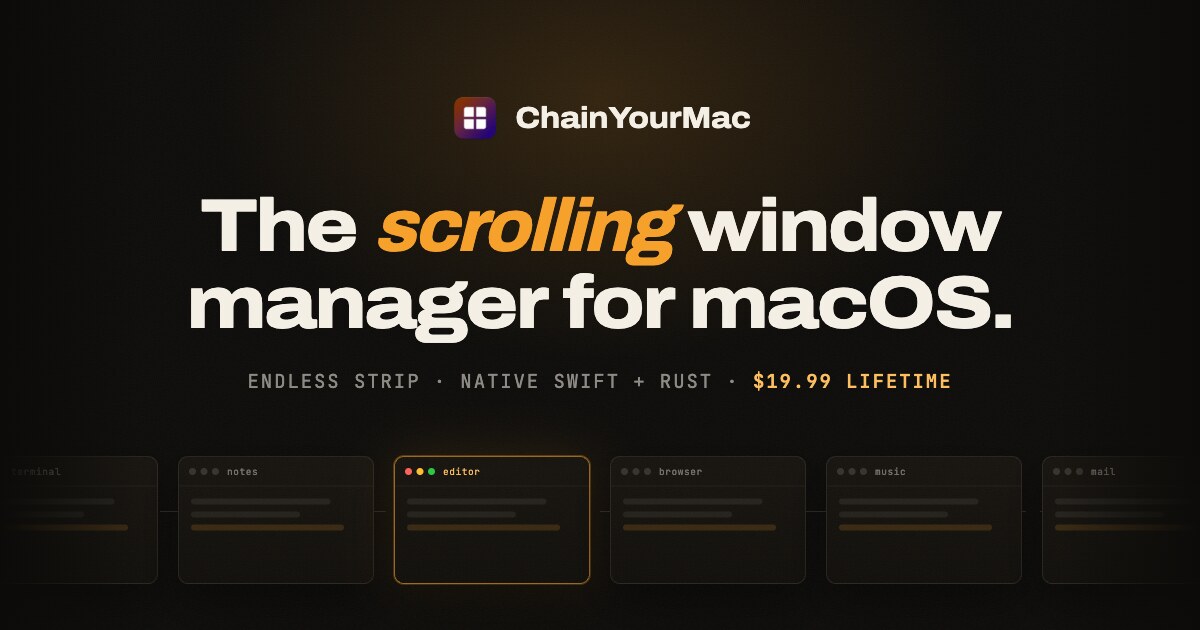
ChainYourMac is a native scrolling window manager for macOS. Rather than squeezing every window into a fixed grid, it places each window as a column on a horizontal strip that runs past the edges of your display. You move around that strip with three- or four-finger trackpad swipes or with keyboard shortcuts, and every window keeps the width you gave it. It is built for Mac users who want the automatic layout management of a tiling window manager without their workspace reflowing every time another app opens. It ships as a real Mac app — SwiftUI on top, a Rust window engine underneath — and requires macOS 13 Ventura or later on Apple silicon. Grid tiling managers such as yabai, Amethyst and AeroSpace divide the screen again every time an app opens, so everything keeps getting smaller. With three windows open each one takes roughly a third of the screen, and the next launch narrows them all once more. Window snappers such as Rectangle and Magnet sit at the opposite end: you invoke them window by window, and they do not maintain a layout at all. ChainYourMac maintains a layout without the grid. The strip gets longer instead of the windows getting thinner: with three windows open, a grid gives each one about a third of the screen while the strip still gives each one half. New windows open beside the one you are using, nothing overlaps, and nothing gets lost behind another window, because every window has its own place on the strip. The strip follows your focus. Move focus from the keyboard or swipe the trackpad and the strip scrolls just far enough to bring the window into view, on a spring animation that starts the moment you press the key. The animation is a vsync-locked spring, so movement around the strip feels immediate. Layout is persistent as well: column order, widths and stacks come back after a restart, and every display and every Space keeps a strip of its own, so work and chat never get shuffled together. Session restore and launch at login are part of version 2.0, which means the app can start with your Mac and begin tiling automatically. Stacks let you put several windows in one column. You can pull a window into the column on its left or right, push it back out, reorder windows inside the stack, and make any window taller or shorter; heights can also be equalized with a single shortcut. When each window in a stack deserves the full height, one shortcut flips the column into a tabbed column and back again. Widths are handled with presets: cycle a window through the widths you choose, such as 25, 33, 50, 66 and 75 percent, or nudge it wider and narrower. Full width and centre are one key each. Gaps between windows and at the screen edges are configurable down to zero, and windows size themselves around the Dock so nothing ends up underneath it. Version 2.0 adds a strip minimap that appears while you navigate, shows where you are, and fades out again. An optional focus border can sit around the focused window and everything else can be dimmed; both features are off until you enable them. Centre modes let you keep the focused column centred never, only when the strip overflows, or always. You can drag a window onto another column and the strip rearranges around it. Per-app window rules let you float apps that should not tile or give an app a fixed slot on the strip, and native macOS fullscreen is left alone — put a window into fullscreen and ChainYourMac stays out of its way. Every shortcut is rebindable, one action can carry several bindings, and the recorder understands non-US layouts including AZERTY, QWERTZ and Dvorak. Settings apply instantly: change a gap, a width or a key and you see it on screen straight away, with no Save button and no restart. Multi-monitor support is built around one strip per display. Every display has its own independent strip with its own focus and scroll position, windows never spill onto the screen next door, and one shortcut sends the focused window to the next display. macOS Spaces work the same way, with each Space keeping a separate strip layout. The trackpad swipe is the signature interaction: swipe with three or four fingers and the strip moves with them one to one, then settles on the nearest column. Under the hood, ChainYourMac is a real Mac app rather than a script collection. The window engine is written in Rust and runs as a small background process that sits idle until a window changes or you press a shortcut; shortcuts are handled by the engine directly, so moving around the strip feels immediate. The interface is native SwiftUI: a menu bar item and a settings window where every option has a control. There is no Electron, no web view and no config file to learn. The app needs one permission, Accessibility, because that is how macOS lets any window manager move and resize other apps' windows; Rectangle, Magnet and others require the same one. Everything happens locally on your Mac — the app does not read your screen contents or send data anywhere, and there is no account and no telemetry in the app. A self-healing engine restarts the engine process if it ever stops and keeps an engine log showing what happened, while new versions arrive through Sparkle, the standard Mac updater. The outcome is a workspace that stays calm as you work. Because each window holds its width, opening another app never triggers a reflow, and you never have to hunt for a window that has been pushed behind another one. Navigation becomes a single gesture or keystroke in the direction you want to go, and because the position of every window is predictable, you build muscle memory for where things live. Column order, widths and stacks survive restarts, and displays and Spaces keep their own strips, so restarting your Mac does not mean rebuilding your workspace. Concrete workflows include a development session with a code editor, a terminal, a log window and documentation all open at once: stack the terminal and logs into one column, tab them, and keep the editor at full or half width without ever resizing the rest. Multi-monitor desks benefit from one strip per display, with a keystroke to throw a window to the other screen. People who liked PaperWM on GNOME or niri on Wayland get the same scrolling model with Mac manners, and anyone with an app that should not tile — a floating palette or a small utility window — can float it. Automating the strip is possible too: a chainyourmac:// URL scheme, Raycast script commands and a command-line tool let other tools drive the window manager. Requirements and pricing round out the picture. ChainYourMac needs macOS 13 Ventura or later and runs on Apple silicon (M1 or newer); Intel Macs are not supported. It is notarized by Apple and signed with a Developer ID, with no kernel extensions, no system modifications and no need to disable SIP. It is a one-time purchase rather than a subscription: the standard 1-Mac lifetime license is $19.99, with the first 20 launch licenses at half price, $9.99. Multi-Mac licenses are also available — 3 Macs for $24.99 launch price ($49.99 regular), 5 Macs for $39.99 ($79.99) and 20 Macs for $149.99 ($299.99) for teams — each giving one key with the corresponding number of activations, free updates forever, and the ability to move an activation to a different Mac after deactivating it. Checkout is handled by Gumroad, and the download and license key arrive by email. ChainYourMac takes the scrolling window model that Linux users know from PaperWM and niri and delivers it as a polished native Mac app: windows on an endless strip, trackpad swipes that follow your fingers, stacks and tabbed columns, per-app rules, multi-monitor strips and a SwiftUI interface over a Rust engine. It keeps the automation of tiling without the grid, so new windows never shrink the ones you are already using.
Creads is a marketing platform built around a team of AI agents that already knows your brand. It connects to your social and advertising accounts, then creates content, publishes it and launches ads on your behalf. The website describes the setup as taking about five minutes from a link: it reads your site, you pick your employees and connect your accounts, and then it runs. Creads positions itself as a full marketing team that runs itself, with chat and agents that hold real roles and handle ads, organic content and research on autopilot. It covers paid campaigns on Meta Ads and Google Ads and organic posting to Instagram, TikTok, LinkedIn, YouTube, X, Pinterest, Threads, Reddit and Google Business, and it reports back on how that content performs. The problem it addresses is the gap between having a product and having a marketing team. Founders, small brands and agencies often have a website and a set of social accounts but nobody whose only job is to write the ads, shoot the product imagery, cut the video, schedule the posts and read the numbers afterwards. The site frames the alternative bluntly: every other AI tool starts from zero, while Creads runs the whole loop of creating, publishing and reading results, and keeps what it learns on the way round. Instead of generating a single asset and forgetting the context, it accumulates brand knowledge and performance data so each batch of work starts better informed than the last. The first step is Business DNA. You paste your URL and Creads reads the site to learn your brand. In the walkthrough shown on the site it identifies brand colours, the typeface (Space Grotesk in the example), tone of voice (described as Direct and Gen-Z) and a product count of 12 products found, building a Business DNA that every employee works from. The FAQ explains the same mechanism: it reads the site for palette, fonts, tone of voice and your product catalogue. Corrections matter here, because if you fix something in chat the correction sticks, so the brand model gets sharper the more you use it. A dedicated Brand DNA and Memory area sits inside the workspace alongside chats and your asset library. The second step is hiring your team. Creads presents its AI agents as employees with one job each rather than one general-purpose assistant. The roster shown on the site includes Il Direttore as Orchestrator, Marco on Ads, Gaia on Social, Elena on Intelligence, Luca on Copy and Sofia on Video. You hire only the ones you need. The FAQ is explicit that each keeps its own memory, so the agent running your ads is not starting from zero every week. Because the roles are separated across paid, organic, analytics, copy and video, work can be routed to the right specialist while the orchestrator coordinates the rest. Connections come next. You link your accounts once and the platform publishes and launches by itself. The site lists Instagram, TikTok, Meta Ads with multiple ad accounts, LinkedIn, Google Ads, YouTube, X, Pinterest, Threads, Reddit, Google Business and Shopify among the connected or connectable destinations. The FAQ confirms that it schedules to Instagram, TikTok, LinkedIn, YouTube and the rest, and takes campaigns live on Meta and Google Ads. Everything lands on a calendar before it goes out, so you can cancel anything you do not want. The Scheduled view shows posts marked as published or scheduled with their times and account handles. Once set up, the core workflow is described in four steps. First, ask and it creates: you tell it what you want in plain words, with no prompts and no brief, and it shoots the photos, writes the script and edits the UGC video in your brand voice. The site shows a request as simple as Shoot my new drop producing four generated product shots, with the agent explaining that it pulled the brand palette and tone, leaned into close-ups because the last drop performed best there, kept the logo as the hero element in every frame and skipped a studio-white look that had been rejected previously. Second, it publishes itself: Marco launches the ads and Gaia schedules the posts straight to Meta, TikTok and every platform you connect. Third, it learns and reports back: performance flows back into the brand brain so every next batch is sharper than the last. Fourth, it runs itself daily: you save the flow as an automation and the entire loop repeats on its own. The content the platform produces is organised into named formats. These include UGC SAAS, described as creator-style video that sells software with a real face pitching your product; Product Reveal, short-form drops cut for the feed with captions and all; Instant Ad, a finished ad built from a product link with script, shoot and edit in one go; Static Ad, a headline, product line-up and call to action laid out and ready to run; UGC Unboxing, AI-generated unboxing videos that feel authentic and drive conversions; Styled Flat Lay, the product laid out with props and shot from above for the grid; and UGC Ad, creator-style content that blends into social feeds naturally. Each format targets a specific job, and the library lets the same brand brain feed several output types at once. Automations are the mechanism that turns creation into a repeating process. The Automations screen shows examples including Best-performer recap, Daily UGC reveal ad, Meta CPC guardrail running every 15 minutes, Weekly carousel drafts, Midnight reflection and Competitor scan, each with a schedule and a status such as running, auto or paused. Two modes are available per automation: ask-first, where the agent prepares the work and waits for your yes, or autopilot, where it ships and tells you afterwards. Reporting sits alongside this in a Social Insights view that tracks reach, impressions, engagements and video views for the current period against the previous one, so you can judge whether content is performing better than last time. Creads publishes headline results as averages across accounts running it on autopilot, measured against their own 60 days before: 41 percent lower cost per acquisition in the first 60 days, 3.2x blended ROAS across the accounts it runs, and 8x more creative shipped every month. It notes that individual results vary. The site also shows a conversions-by-creative breakdown and a results panel inside the chat workspace where figures such as ROAS and reach appear next to the scheduled asset. Concrete usage stories on the site include a DTC skincare founder, Luca R., who launched his first ads without ever having run one: he pasted his domain and went to bed, and Marco read the brand, wrote four creatives, launched at 40 euros a day and paused the two that never got going. Other named examples are Sara M., head of content at a fashion label, and Andrea C., founder of a creative agency. The site summarises these as three teams and three jobs they had nobody for, with the same brand brain behind all of them. Creads is positioned for founders, small brands, content leads and agencies, and it is explicitly built for people running several brands: every brand gets its own employees, its own memory and its own voice, with nothing bleeding between them, and agencies read one morning summary per brand instead of logging into eight dashboards. On pricing, the site states there is a monthly plan with a credit allowance included, where generating, editing, publishing and launching all draw from the same balance. Top-up packs never expire and stay yours even if you cancel, and new accounts start with free credits so you can run the whole loop before paying anything. The Product Hunt listing mentions a free 3-day trial. The FAQ also confirms that no prompt writing or video editing skill is required: you talk to it like a teammate, asking for it to be funnier or to try a younger actor, and it redoes that piece while keeping the rest, with cuts, captions, music and export all handled for you. The takeaway Creads offers is simple: stop writing prompts and start making ads. The claim on the site is that competitors using AI video ads spend about 90 minutes while a Creads user spends five, because the platform carries the brand knowledge, the creative production, the publishing and the optimisation loop in one place and keeps improving them together.
Epismo OS is a collaboration OS for people and AI agents. It keeps the purpose and constraints of real work, so the next person or AI can continue without starting over. Epismo is built for people who work with AI tools such as Claude, ChatGPT, and Cursor and who want to move between those tools — or hand work to a teammate — without a re-brief. The product's central promise is "Switch AI. Keep the work." Work is kept in a Case that holds the result, the decisions behind it, reviews, and the next step, so work in progress survives a change of model, tool, or person. The problem Epismo addresses is continuity. When a piece of work is done inside a single chat with a single AI tool, everything that made it meaningful — why it was started, what the constraints were, which decisions were made, which claims were still assumptions — is locked inside that conversation. Moving to another AI tool, coming back the next day, or passing the work to a teammate usually means starting over: re-explaining the brief, redoing the research, and rebuilding context that already existed. Epismo keeps the purpose and constraints of real work so the next person or AI can continue without starting over, in the tools you already use. Everything begins with saving. Epismo keeps the purpose, the constraints, and the current decisions of a piece of work, along with the result, the decisions behind it, reviews, and the next step. Once that is saved, continuing becomes the default rather than restarting. You do not need a new chat — you hand the work in progress to the next person or AI. You can hand the same work to Claude, ChatGPT, or Cursor without redoing the research. You can open the same work the next morning and find that what it is for is still there. Or a teammate can open it and see what happened, and where to pick up. The example shown in the product is an "Acme renewal" Case marked In progress: a research step in Claude Code left the evidence and open questions, and an account executive continuing in ChatGPT picks up from there with no restart. Auto review is Epismo's quality layer. Instead of manually re-checking a saved result, you leave the work with Epismo, which reads it and writes what still needs checking. Those notes become the starting point for the next turn in Cursor, Claude, or ChatGPT, so your AI fixes what Epismo flagged. In the example, the review states that usage isn't sourced and that the churn claim is still an assumption; the following Cursor turn adds the usage and the filing. Crucially, auto review gives a saved result a fresh review, flags issues, and leaves the original unchanged — so you get a second pass without overwriting the work you already have. When the same kind of work comes up again, Epismo turns what worked into a playbook. A playbook captures what counts as evidence and what a person should check, so the next piece of work starts from there. The recommended playbook shown in the product, "Enterprise renewal review", is built from four named steps: scope the renewal risk, pull filings, tickets, and usage into one set, separate verified facts from assumptions, and hand the call to the account owner. Each step can name the Skill, MCP, CLI, Plugin, or Approval it should use — for example a "Renewal risk rubric" Skill, MCP connectors for filings and earnings calls and for CRM plus ticket history, a "Claim-to-source audit" Plugin, an "Exec brief builder" CLI, and an Approval step. This means the pattern of work becomes reusable and explicit, rather than something each person has to remember. Epismo's methodology is deliberately work-first: work first, the pattern later. You do not start by writing a pattern. The flow is four steps. Save: keep purpose, constraints, and current decisions. Handoff: the next person or AI picks up from there. Discover: see what worked, and keep that as a pattern. Improve: lessons from real work feed the next run. Only after real work has been saved, handed off, and reviewed does Epismo surface the reusable pattern, which reduces the risk of designing an abstract process that does not match how the work actually gets done. The outcome for users is continuity. Work is no longer trapped in a single conversation with a single tool: switching from one AI to another, returning the next day, or involving a teammate all happen without a re-brief. Because Epismo keeps the purpose and constraints, the next person or AI continues rather than restarts. Because auto review reads saved results and writes what still needs checking, quality checks become part of the workflow instead of a separate manual pass, and the original result stays unchanged. Because patterns become playbooks, teams stop starting from zero on repeatable work and can carry lessons from real work into the next run. The product is shown around an enterprise renewal review, a scenario where evidence, assumptions, and human sign-off all matter: research is gathered with Claude Code, the renewal brief is drafted in Cursor, Epismo flags unsourced usage and an unverified churn claim, and the account owner receives the call through an Approval step. More broadly, Epismo signals the many kinds of work it is meant to hold through its categories, including deck, email, operations, approval, campaign, customers, meeting, coding, report, content, launch, hiring, bug, support, experiment, research, legal, and accounting. Any of these can be saved as a Case, continued by another AI or teammate, reviewed automatically, and — where it repeats — turned into a playbook whose steps name the Skills, MCP, CLI, Plugin, or Approval to use. Epismo is for teams and individuals who already work with AI assistants and want that work to survive a change of tool, day, or person. The product states that it works with the AI you already use, and names Claude, ChatGPT, Cursor, and Claude Code in its examples; playbook steps can reference Skills, MCP connectors, CLI tools, Plugins, and Approvals. Epismo is offered as a web product with a free start — the site prompts you to "Start free" with no credit card required — and a separate "Talk to sales" path for buyers who want to speak with the team. Epismo OS is the collaboration OS for people and AI agents: it keeps the purpose, constraints, and decisions of real work in a Case, hands that work forward to the next AI or teammate, reviews saved results without changing them, and turns what worked into reusable playbooks. The primary value proposition is continuity — switch AI, keep the work, and don't start from zero next time.
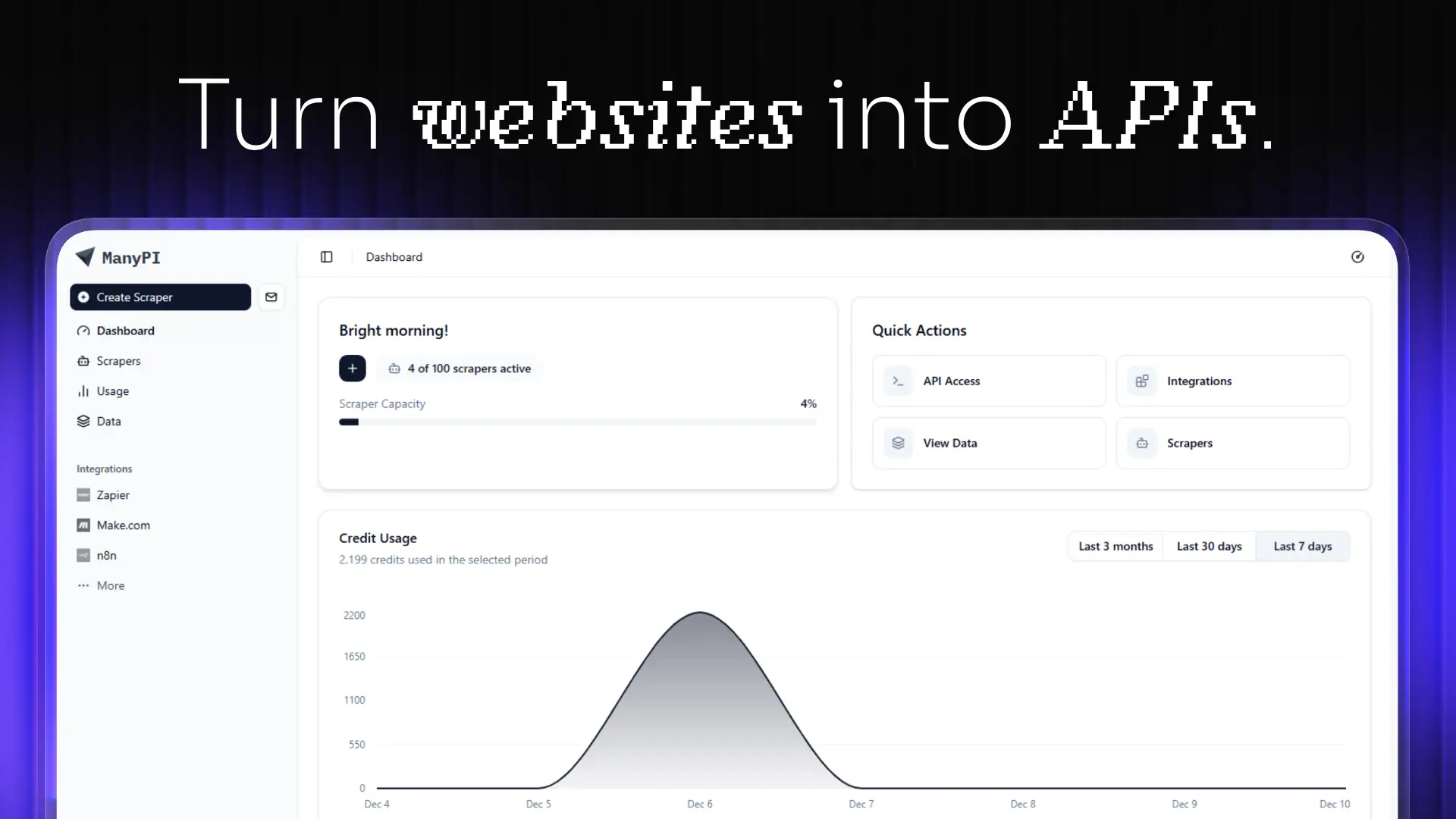
ManyPI is an AI sales agent built for lead generation and cold email outreach. It allows users to describe their ideal customer in a single sentence, then finds matching companies and the people who sign on the live web, verifies every email address, and runs multi-step cold email campaigns from the user's own inboxes. The product is designed for growing companies and sales teams that want more customers, and it states that it is already used by more than 1,700 growing companies. Its core promise is to find validated leads, reach out, and turn emails into sales, with a free plan and paid plans starting from $25 per month. Cold outreach is one of the most direct ways to win new customers, but the work behind it is fragmented. Teams often build lead lists manually, hunt for decision-maker email addresses, check each address by hand, write and schedule follow-ups, and then track replies across separate inboxes. Bad or duplicate addresses cause bounces, which can damage the reputation of a sending domain, while manual follow-up steps are easy to forget. ManyPI brings lead generation, email verification, cold email outreach, workflow automation, CRM, and a unified inbox into one subscription. According to its Product Hunt description, the AI agent also validates pain points and emotional buying triggers, then sends hyper-personalized outreach that turns those signals into sales. This matters because it reduces the number of disconnected tools a sales team has to maintain while keeping the focus on conversations that can become revenue. Lead generation in ManyPI starts with a plain-language description of the ideal customer. A user might type "Marketing agencies in Berlin with 10–50 employees," and the system returns matching companies together with the people who sign. In the example shown on the website, that search produced 1,284 company matches, including Northwind Studio in Berlin and Kranz & Partner in Hamburg. Because ManyPI searches the live web, the lists are meant to reflect current information rather than a static database. The homepage also offers separate starting points for finding new leads and for enriching a lead list, so users can either build a fresh list from scratch or improve contacts they already have. Email verification is built into the workflow so that every address is checked before a user sends. The website promises no bounces, no duplicates, and no burned domain, which addresses a common risk in cold outreach: sending to invalid addresses can hurt deliverability and make future emails look like spam. ManyPI verifies and scores addresses, then drops the ones that do not meet the bar. In the example on the site, Northwind Studio scored 92 and Kranz & Partner scored 87, while Wide Net GmbH scored 34 and was dropped, and Aurora Digital scored 90. This scoring step gives users a clear signal about which contacts are safe to email and which should be left out of a campaign. Cold email outreach is handled through multi-step campaigns sent from the user's own inboxes. Warmup is described as running, which is intended to help inboxes build sending reputation, and replies are collected in one place rather than scattered across separate accounts. A sample sequence shows an Intro sent on Day 0, a Follow-up sent on Day 3, and a Last touch queued for Day 7. The dashboard also shows a reply, such as "Northwind Studio replied 2h ago," making it easy to see which prospects have responded. This combination means users can plan a sequence once and let ManyPI manage the timing, while still sending from their own inboxes and keeping replies centralized. Workflow automation connects replies to the next action. The website presents a simple rule: when a lead replies, ManyPI tags it and starts the next step. There is no wiring to maintain, so users do not have to build or repair automation logic themselves. ManyPI also states that every plan includes CRM and pipeline, a unified inbox for replies, an AI agent, web scraping, data analysis, and API and webhooks. Having these capabilities in one subscription means a team can manage lead status, read and respond to replies, gather web data, analyze results, and connect other systems without purchasing separate products for each function. The ManyPI MCP Server is now live, and it lets users ask for leads from Claude, ChatGPT, Gemini, or any MCP client. The list lands in the user's table rather than in the chat transcript, and the endpoint is mcp.manypi.com/mcp. This gives teams a way to request prospect data from the AI tools they already use. ManyPI also integrates with HubSpot, Salesforce, Claude, and OpenAI, and it is designed to push verified leads straight into the CRM a team already runs on. Integration matters because sales teams rarely work in a single tool; sending verified leads into an existing CRM keeps data consistent and reduces manual entry after a list is built. The benefits described by ManyPI center on finding and converting ideal customers. The Product Hunt tagline says the product can "10x your revenue by finding your ideal customers," and the homepage says ManyPI finds validated leads, reaches out, and turns emails into sales. By verifying emails before sending, the product aims to protect sender reputation and reduce bounces. By automating follow-ups and tagging replies, it aims to save the manual work of tracking sequences and moving leads forward. The free plan and paid plans starting from $25 per month make it accessible to teams that want to test the workflow before committing. Concrete use cases shown on the website include finding new leads by describing an ideal customer, enriching an existing lead list, and sending outreach from the user's own inboxes. A sales team might search for marketing agencies in Berlin with 10–50 employees, review the matching companies and decision makers, verify and score the email addresses, then launch a multi-step sequence with an intro, a follow-up, and a final touch. When a lead replies, automation tags the lead and starts the next step. Teams can also push verified leads into HubSpot or Salesforce, or ask for leads through an MCP client such as Claude or ChatGPT and have the list appear in their table. ManyPI is aimed at growing companies and sales teams that need a steady flow of qualified leads. The website notes that more than 1,700 growing companies already use it, and the lead-generation example focuses on marketing agencies, which suggests agencies and B2B teams are a natural fit. The product is delivered as a web application and also exposes API and webhooks, along with an MCP server, so it can connect to other tools. Pricing is freemium: there is a free plan, and paid plans start from $25 per month. Integrations include HubSpot, Salesforce, Claude, and OpenAI, and the MCP endpoint is mcp.manypi.com/mcp. In short, ManyPI combines AI lead generation, email verification, cold email outreach, and workflow automation into one subscription. It is built for teams that want to describe their ideal customer once and then let an AI agent find matching companies and decision makers, verify every address, run personalized sequences, and route replies into a unified inbox. With CRM, pipeline, scraping, analysis, API, webhooks, and an MCP server included, it aims to reduce tool sprawl and help turn cold outreach into sales.
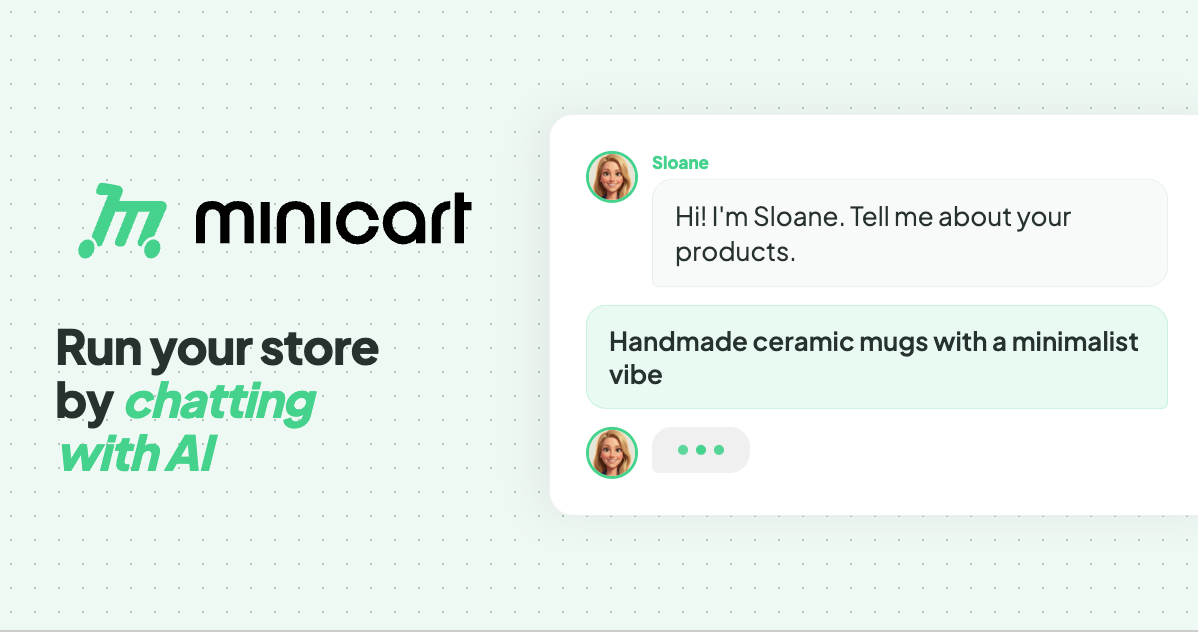
Minicart is a platform for launching and running an online store by chatting with AI. According to the website, you snap a photo of what you make and Minicart builds you a real website that you own, then gives you AI teammates to run it for you. The site positions Minicart for the people who make and sell things — it names makers, creators and resellers — rather than for developers or ecommerce specialists. Its stated purpose is to let someone launch and run a store without learning ecommerce software: no code, no design work, nothing to configure. The promise is deliberately plain: if you can take a photo and send a text, you can run a Minicart store. The site frames Minicart against selling inside someone else's platform. In its own words, a store should not be "a booth in someone else's marketplace." Marketplaces charge listing fees and keep the customer relationship buried in a feed, and building on existing store software can mean monthly fees and a stack of apps. The problem Minicart addresses is twofold. First, getting a real store live is usually slow and technical. Second, once a store is live, the everyday work — listings, marketing, shipping, customer replies, sales tax — turns into a second job. Minicart's answer is to give you a storefront of your own plus AI teammates that handle that busywork around the clock. Getting started is built around photos and imports. Minicart states that a single photo is enough to get started: you take a photo of what you make, answer a few quick questions, and Minicart builds the rest, turning the photo into a polished product listing and a full website automatically. The site advertises going from photo to live store in under ten minutes, with no design work to do. For sellers who are already trading elsewhere, Minicart offers one-click import. You paste your Etsy shop link and Minicart pulls in every listing — titles, prices, photos and variations — then rebuilds them on a site that is yours, while your Etsy shop keeps running. The same one-click approach works for Shopify, bringing products, images and collections across, and for eBay, importing titles, prices, photos and variations onto a site you own. Minicart describes these as read-only connections, so your existing store is never touched or paused. After launch, three named AI teammates take over the daily work. Sloane is the storefront teammate: she builds the site, takes payments, tracks sales and keeps listings current. Milo is the marketing teammate: Milo drafts lifestyle photos, social posts and discount codes that bring people in, and the site shows Milo drafting Instagram posts for new products. Logan is the logistics teammate: Logan ships orders, tracks inventory, handles refunds and drafts customer replies, with the site showing Logan preparing a shipping label and writing a reply to a customer question. The site describes these teammates as working 24/7 — its example timeline runs from turning photos into products in the morning through processing payments and sending a payout in the evening. Everything is driven through chat. The site says that if you can text, you can run a store: you manage inventory, draft social posts and talk to customers through a simple chat interface. Commands are given in plain language, and the site gives the example of creating a 20% summer promo code for all bracelets, which the assistant confirms with the code SUMMER20. The same chat interface powers a bulk editor for updating everything at once. Saying "increase price of all red necklaces by $5" makes the team line up the affected items and show a confirmation list before anything changes. Minicart makes clear that you review the list, uncheck anything you want to skip, and confirm — nothing changes until you say so. The same review-and-confirm pattern applies to inventory updates such as new stock numbers for bracelets and necklaces. The overall method is a three-step loop: snap a photo, let Minicart build your store, then go live and sell. Step one is taking a photo of what you make and answering a few quick questions. Step two is Minicart turning that photo into a polished product listing and a full website automatically. Step three is launching the site, sharing the link anywhere and taking orders in minutes. From there, the teammates keep running the operation under a single stated rule: you are always in control, and nothing goes out without your say-so. The stated outcomes for users are concrete and tied to ownership. You get your own website that lives on your own domain under your brand, rather than inside a marketplace feed, and you can bring your own domain or grab a new one, with your store carrying your name, colors and style from day one. There are no listing fees, so you can list as much as you want, and Minicart says it only charges a small card fee when you actually make a sale. Because the store is yours, you keep your customers: their emails are yours to build repeat business and a brand you can grow for years. The site also highlights speed — launch in minutes rather than weeks, and live in ten minutes — along with dropping monthly fees and the app stack associated with other platforms. The use cases shown on the site are drawn from real stores. Minicart says it helps you sell resin art, and its how-it-works example builds a store from a photo of a candle. It lists storefronts selling trading cards and sports memorabilia, sneakers, boutique gifts, handmade accessories and faith-inspired apparel, plus a diecast model car store. Imports are pitched at sellers who already trade on Etsy, Shopify or eBay and want a store they own while keeping their existing shop open. The bulk editor scenario — repricing a set of red necklaces or adding new butterfly bracelets and ruby necklaces — shows a typical day of small catalog updates handled by chatting. Minicart is aimed at makers, creators and resellers who have no interest in coding, designing or configuring ecommerce software; the FAQ states that if you can take a photo and send a text, you can run a Minicart store. Integrations explicitly mentioned are one-click imports from Etsy, Shopify and eBay, custom domains, and social posting such as Instagram. On pricing, Minicart says there is a generous free plan with no monthly fees to start selling, and that paid plans lower the card rates; no credit card is required to start. Every visitor can connect their own domain and brand, and the FAQ confirms the store runs on a Minicart domain such as yourstore.minicart.com or a custom domain you own, with the customer list yours to keep. In short, Minicart's value proposition is ownership without overhead. It pairs a real store on your own domain and your own customer list with AI teammates who handle listings, marketing, shipping, refunds, customer replies and sales tax through plain conversation — so makers and resellers can launch in minutes, list without listing fees, stay in control of every change, and spend their time making instead of managing store software.
Mise is a meal planner from Robot Recipes that focuses on cooking a whole meal on a single timeline rather than one dish at a time. You pick a recipe to start with, build out the rest of the menu around it, and say when you want to eat. Mise then back-schedules every dish from that minute so the entire meal lands on the table hot at once. It is designed for home cooks assembling multi-dish meals — breakfasts, dinners and holiday spreads alike — and it runs in the browser, free of charge, with no login, no app and no ads in the way. Recipes are written to help you cook one dish. But meals have multiple dishes, and that is where timing gets hard. Each dish has its own cooking duration, its own oven or stovetop demands, and its own hands-on steps that need your attention at a specific moment. When you try to manage several of those at once — from separate recipe pages, tabs or a handwritten list — it is easy for two hands-on steps to collide, for the oven to be busy when the next dish is due, or for one dish to finish long before the rest. Mise is built for that orchestration problem: instead of simply collecting recipes, it works out the running order for the whole meal so the dishes come together at the same time. At the centre of Mise is a back-scheduled timeline. Once you set the time you want to eat, every dish in the plan is scheduled backwards from that minute. The plan distinguishes between hands-on work and hands-free time — oven, simmering and resting — so you can see at a glance when you actually need to be at the stove and when a dish is quietly taking care of itself. Mise also nudges dishes earlier where necessary so that two hands-on steps never collide, keeping your attention on one task at a time instead of forcing you to choose between two dishes that are both demanding you right now. Choosing the menu is only half of the work, so Mise also produces a merged shopping list. The list is combined across every dish in the plan and scaled to the number of servings you have set, so quantities reflect the meal as a whole rather than each recipe in isolation. You can tap items to check them off as you shop. Alongside the list, Mise shows the tools a meal depends on — what the timing relies on — so you know before you start whether the plan assumes an oven, a particular pan or another piece of equipment. When cooking starts, Mise switches into a live cooking mode. Instead of showing the whole plan at once, cooking mode displays only what you need to do right now, with an up-next view of what follows. It keeps the screen awake where the browser allows it and beeps when a step comes due, so you can leave a device open on the counter and get on with the work rather than watching a clock. Cooking mode needs no connection once the page has loaded. The plan can also be printed or saved as a PDF, and a copy link lets anyone with the link open the same plan — it is not listed anywhere. Robot Recipes describes the Mise workflow in four steps. First, you start from one recipe: search any recipe on Robot Recipes and that dish anchors the meal. Second, the robots fill in the menu: they suggest dishes that go with your anchor recipe and read each recipe's steps to work out how long each one takes and which parts need your hands. Third, you say when you want to eat: every dish is scheduled backwards from that minute, and dishes are nudged earlier so two hands-on steps never collide. Fourth, you cook from the timeline: cooking mode shows only what to do right now, keeps the screen awake and beeps when a step is due. That combination — a menu the robots assemble, read and reorder around your chosen eating time — is the core of Mise's approach. The benefit is a meal that arrives together rather than a sequence of dishes that half-finish at different times. Because the timeline is back-scheduled from the minute you want to eat, you are working towards a single deadline instead of improvising around several. The hands-on and hands-free split makes the plan realistic about your attention, and the collision-avoiding nudges mean you are rarely asked to be in two places at once. A merged, scaled shopping list removes the arithmetic of buying for multiple recipes, and a single running order replaces the mental juggling that normally comes with a multi-dish meal. Typical uses follow the way people actually cook multiple dishes. A weeknight dinner built around one main recipe, with a side or sauce added from the robots' suggestions, is the everyday case. Holiday cooking, such as Thanksgiving, is the high-stakes version: several dishes competing for one oven and one pair of hands, all of which need to land on the table at the same time. Breakfast or brunch is another, with the goal stated plainly on the page — getting breakfast on the table all at once. The plan also scales: set the number of servings and every dish and the shopping list scale with it, which matters when cooking for a household or a crowd. Mise is aimed at home cooks who are putting together meals with more than one dish and want the timing handled for them. It runs in the browser, so there is no app to install, and the robot recipe library behind it spans courses — main course, snack, appetizer, dessert, breakfast, side dish, lunch, dinner, soup, beverage, condiment, salad, vegetarian, seafood, brunch, sauce, bread, vegan, dip, charcuterie, sandwich and gluten-free — as well as cuisines from Indian and Vietnamese to Italian, Mexican, Japanese, Korean, French and many more. Mise itself is free, requires no login, and shows no ads in the way. Robot Recipes notes a disclaimer: meal plans and their timing are not created by humans, and cooking times vary with your oven, your cookware and your ingredients, so meat should always be checked to a safe temperature. For anyone who has ever stood in a kitchen with three dishes at different stages, Mise replaces the guesswork with a single schedule. One start time, one running order, one merged shopping list and a cooking mode that only ever tells you the next thing to do — built so a whole meal finishes hot at the same moment. It is free, needs no login, and holds the promise in its tagline: getting all your dishes ready at once.