Category Focus/categories/automation
Automation AI Tools
Discover and compare the best automation AI tools and software. Browse 702+ curated tools with reviews and rankings.
Projects tracked
702
Sort mode
RECENT
Page
11
DevAlly is an AI-powered accessibility compliance platform designed for product teams who ship quickly. Its stated goal is to make a product accessibility conformant fast, helping teams build products for everyone rather than treating accessibility as a one-off audit. The product covers the whole journey from scanning a live product URL through to documented proof of compliance. Central to the platform is the DevAlly AI Agent: when a user describes a user journey in plain English, the agent navigates the app and records that journey, and the platform then audits each stage of it against the WCAG criterion and suggests a fix for every issue found. DevAlly positions itself for teams that want end-to-end accessibility for any stage of product development, and it states that no accessibility expertise is needed to get started. Accessibility is no longer optional, and DevAlly frames the problem in explicitly regulatory terms. According to the platform, the US, the EU and the UK have each set their own accessibility requirements, and the direction is the same: mandatory, enforceable, and increasingly expected by the enterprise customers you are selling to. In the United States, VPATs are required for federal procurement under ADA and Section 508 and are increasingly expected by enterprise buyers, while ADA Title III exposes private businesses to civil lawsuits. DevAlly notes that demand letters, class actions and settlements are rising every year, that thousands of lawsuits are filed annually, and that settlements often exceed $50,000. The company's message is blunt — the market will not wait, and neither should you. Because products change constantly, accessibility requires consistent monitoring rather than a single audit, which is the gap DevAlly's agent is built to close. Teams are told they can own accessibility compliance without slowing down the roadmap: DevAlly handles the auditing, the prioritisation and the documentation, while the team handles the building. DevAlly's workflow is organised into five stages: Scan, Identify, Remediate, Prove and Scale. Scan is the entry point — a team signs up and runs a first automated audit in under ten minutes, with no configuration required, by entering their product URL. Identify then organises what the scan uncovered, prioritising issues by severity and by compliance standard so that necessary fixes come first rather than nice-to-haves. This prioritisation matters because remediation backlogs are usually long; ordering them by regulatory weight and severity lets a team work on the issues with the most legal and user impact before spending time on cosmetic problems, and it means a team without accessibility specialists still knows where to start. Remediate is where DevAlly's AI generates exact, code-level fixes. Those fixes are integrated directly into GitHub and into the team's CI/CD pipeline, so issues are caught before they ship rather than after release. This integration is what separates the platform from a standalone audit report: instead of handing engineers a list of violations to interpret and triage manually, DevAlly produces concrete changes in the same tools and repositories the team already uses, keeping accessibility work inside the normal development workflow. Catching issues before they ship also avoids the compounding cost of fixing accessibility problems after they have reached production and real users. Prove covers documentation. When procurement, legal or a customer asks, DevAlly provides VPATs, compliance dashboards and accessibility statements on demand, so the evidence is ready rather than assembled under pressure. Scale addresses the fact that accessibility erodes as products evolve: continuous monitoring catches regressions before users do, with the stated aim that accessibility stays built in rather than bolted on. Together these stages mean a single platform moves a team from a first scan to ongoing, documented compliance, with each stage feeding the next. The distinctive part of DevAlly is the DevAlly AI Agent and its natural-language approach to testing. Rather than hand-authoring scripts or clicking through a product manually, a person describes a user journey in plain English. The agent navigates the app and records that journey, which DevAlly says saves hours of engineering work. The platform then audits every stage of that recorded journey against the WCAG criterion and suggests fixes for each issue. DevAlly has also introduced an MCP that brings accessibility compliance into the editor, letting a developer ask what is failing WCAG and get the fix without leaving their workflow. Combined with the scan-to-scale workflow, this describes a methodology where testing is described rather than coded, issues are prioritised by compliance weight, fixes are generated and delivered into the development pipeline, and evidence is produced continuously rather than at the end. For users, the promise is owning accessibility compliance without slowing down the roadmap. DevAlly handles the auditing, the prioritisation and the documentation, while the team handles the building. Teams get a first automated audit within minutes of sign-up, fixes surfaced in severity order, code-level remediation delivered into GitHub and CI/CD before release, and compliance documentation available on demand when a buyer, lawyer or procurement team asks. Because monitoring is continuous, accessibility is treated as an ongoing part of shipping rather than a periodic project, and regressions are caught before users encounter them. Typical scenarios follow the platform's own stages. A team entering a new market can run a scan and identify the issues that matter most for that standard. An engineering team can wire DevAlly into GitHub and CI/CD so accessibility issues are caught before they ship. A company facing a VPAT request from a federal agency or an enterprise buyer can use Prove to generate documentation on demand. A product team can use the AI Agent to describe a critical user journey in plain English and have it recorded and audited stage by stage against WCAG. Developers can use the MCP to ask what is failing WCAG from inside their editor and get the fix without leaving the workflow. DevAlly is aimed at product teams who ship quickly, including the engineering, design and compliance functions that need accessibility handled without becoming accessibility specialists. Explicitly mentioned integrations are GitHub, the team's CI/CD pipeline and an MCP for editors. The platform is web-based: visitors enter their product URL or sign up through app.devally.com, with a free start and no credit card required, alongside a Request a Demo path. DevAlly has been featured in TechCrunch, Fortune, The Irish Times, Irish Independent, ThinkBusiness, The Currency, Web Summit, Tech.eu, Silicon Republic, RTÉ and Business Post. DevAlly's core value proposition is straightforward: make accessibility conformance fast and continuous for teams that ship quickly. By combining an AI agent that records user journeys from plain-English descriptions, audits each stage against WCAG, generates code-level fixes, and produces compliance documentation on demand, it aims to turn accessibility from an occasional audit into a built-in property of the product.
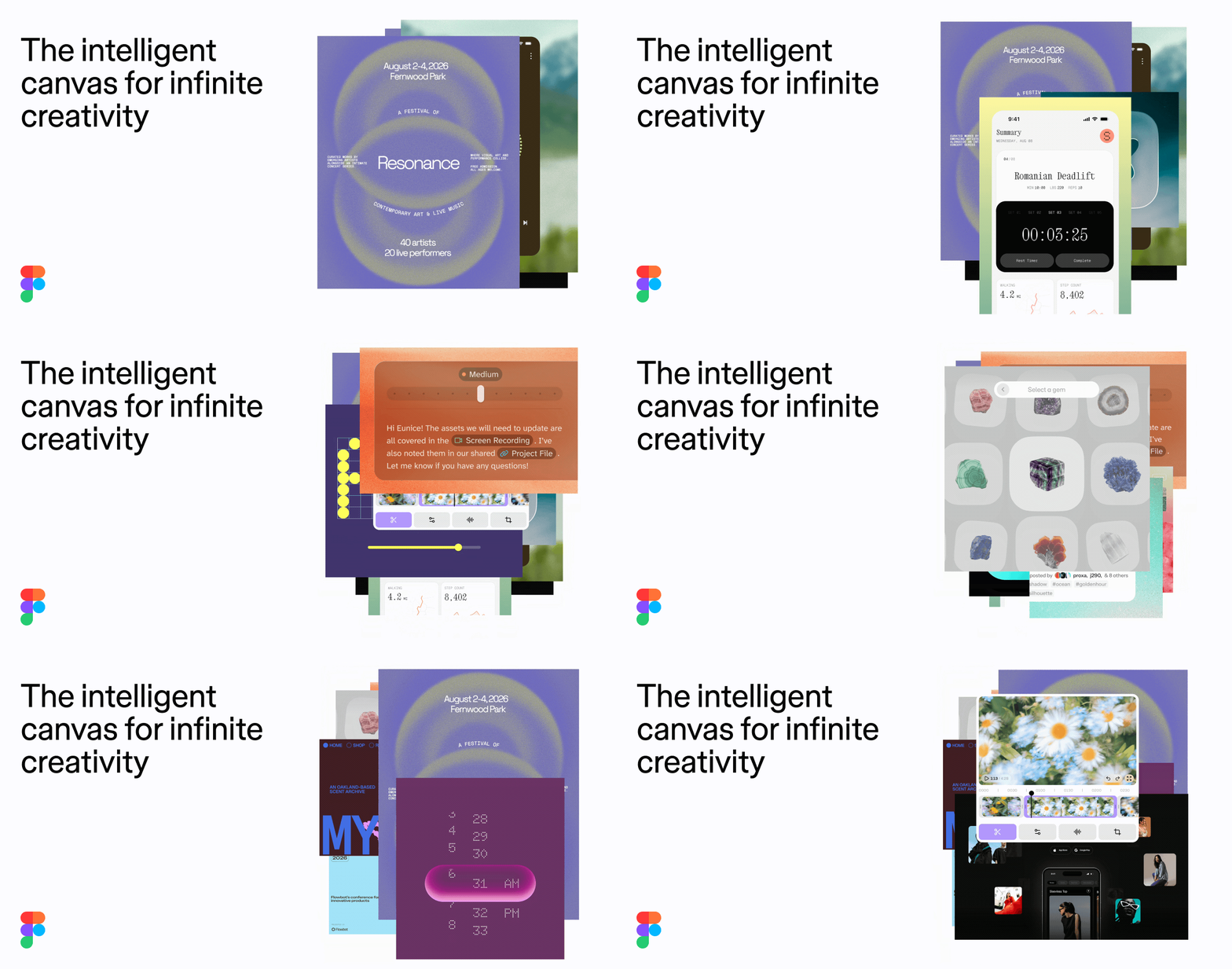
Figma Agent is an AI agent that lives directly on the Figma design canvas, allowing designers and product teams to prompt, edit, and prototype without ever leaving the canvas. Unlike tools that operate on flat images, Figma Agent works with your real components, variables, and team files, so the work it produces is connected to the same system your team already uses. Figma describes itself as the collaborative canvas for design, code, and AI—a single place where design, code, and AI come together so a whole team can go from first idea to shipped product, from concept to production, in one place. The challenge this addresses is familiar to any product team: design, feedback, and engineering context tend to live in scattered tools, and moving between them breaks momentum and loses detail. Figma positions the canvas as one workspace for the entire product development process, "made so your whole team can go from WIP to ship, together." Rather than exporting a design and pasting it into another assistant, or handing off static screens that ignore the underlying design system, teams can keep teammates and AI agents working in the same space with shared context. On Figma's AI-native canvas, the goal is to generate new ideas, refine them, and align—together—so that ideas no longer have to wait their turn and the flow from idea to review stays intact. Because teammates and agents share the same context, the handoff between exploration and review happens in the file rather than across disconnected tools. The core capability of Figma Agent is prompt-driven creation on the canvas. You can ask the agent to generate layout directions and explore multiple approaches quickly, then refine them. Because the agent operates on your real components and variables rather than flat images, the layouts it produces respect the building blocks your team already maintains, which reduces the cleanup work that typically follows AI-generated output. This makes early exploration faster while keeping the results closer to something production-ready, and it means the agent's output is grounded in the design context your team has already established. Figma Agent also handles bulk editing across screens. Instead of manually selecting and adjusting elements one screen at a time, you can apply changes across multiple screens in a single pass. This is especially useful for design systems work, where a small change—say to spacing, a variable, or a component property—can have wide-reaching effects. The agent can also turn comments into changes, converting feedback left on designs directly into edits, which shortens the loop between review and revision and keeps the conversation connected to the artifact being discussed. Turning comments into changes means review input becomes tangible updates in the same file, rather than a separate list of notes to interpret later. Beyond editing, Figma Agent supports prototyping from a prompt, so you can move from an idea to an interactive prototype without leaving the canvas. Figma frames the agent as a "built-in creative collaborator": you can ask Figma's agent to add motion to designs, document your design systems, implement feedback, and more. Adding motion helps communicate how an interface should feel, documenting design systems keeps that knowledge accessible, and implementing feedback turns review input into tangible updates—all through the agent rather than a separate workflow. The motion timeline and other technical tools described on the canvas support refining how designs behave, not just how they look. Figma Agent extends beyond the canvas through integrations. It can pull context from Notion, Slack, GitHub, and Linear via MCP, connecting design work to the documents, conversations, code, and issues that surround a product. You can also build your own plugins and shaders, extending what the agent and the canvas can do, and save repeatable workflows as skills your team runs with a "/" command. That last capability matters because it lets teams capture their own processes—like a recurring way of implementing a particular kind of feedback or documenting a component—and reuse them consistently. Pulling context from tools like GitHub and Linear keeps design decisions connected to the code and issues they relate to, while Notion and Slack context keeps the surrounding documentation and conversation in reach. The underlying approach is what Figma calls the AI-native canvas: teammates and AI agents work in the same space with shared context, rather than the agent being a separate chat window disconnected from the file. Design context stays connected to the codebase and to agents, so—as Figma puts it—"what you design is what gets shipped." Figma also emphasizes that you "start with design context" and "build with consistency," meaning the agent leans on existing components, variables, and files instead of generating isolated artifacts. The canvas is described as powerfully expressive and incredibly precise, offering the technical tools needed to dial in details—such as precise accessibility and precise padding—while the motion timeline and advanced effects support refining how designs behave. Additional canvas capabilities described in the content include glass depth, brush strokes applied to type, cursor vector editing, variable type, and type on a path. For users, the benefits center on staying in flow. Because prompt, edit, and prototype all happen on the canvas, there is less tool-switching and less context loss between idea, design, and review. Teams can generate and refine ideas together, incorporate feedback faster by turning comments into changes, and keep their output aligned with the real design system. The result Figma describes is a more transparent, open, and honest process: as Francisco Seiz, Senior Design Director at Code and Theory, notes, "Everyone is able to influence, inspire, and give input without ever leaving the design file." Concrete scenarios include generating several layout directions for a new screen and comparing them; applying a design-system change, such as a variable or spacing update, across many screens at once; turning review comments into edits so feedback is addressed in place; building a prototype from a prompt to explore interaction ideas; adding motion to a design to show how it should feel; and documenting a design system so it stays understandable. Teams can also create skills for recurring workflows and run them with a "/" command, and pull in context from Notion, Slack, GitHub, or Linear when a design task depends on documents, conversations, code, or issues. Designers can also turn to Figma's community templates—UI kits, websites, social media graphics, mobile apps, presentations, wireframes, illustrations, portfolios, web ads, and icons—as starting points alongside the agent's generated work. Figma Agent is aimed at design and product teams—designers, and the broader group Figma calls "your whole team"—who work on apps, websites, and products and want to move from WIP to ship together. It is relevant to organizations of significant scale: Figma states that 95% of the Fortune 500 uses Figma, based on data from March 2025, and its logos include Airbnb, Atlassian, Dropbox, Duolingo, GitHub, Mercado Libre, Microsoft, Netflix, Pentagram, Slack, Stripe, The New York Times, and Zoom. Documented integrations named for the agent include Notion, Slack, GitHub, and Linear via MCP. Pricing details are not specified in the available content. Figma Agent's primary value proposition is keeping prompt, edit, and prototype work on the same canvas as your real components, variables, and team files. By connecting teammates, AI agents, design context, and code in one place, it aims to help teams move fast in the right direction—from first idea to shipped product—without leaving the flow.
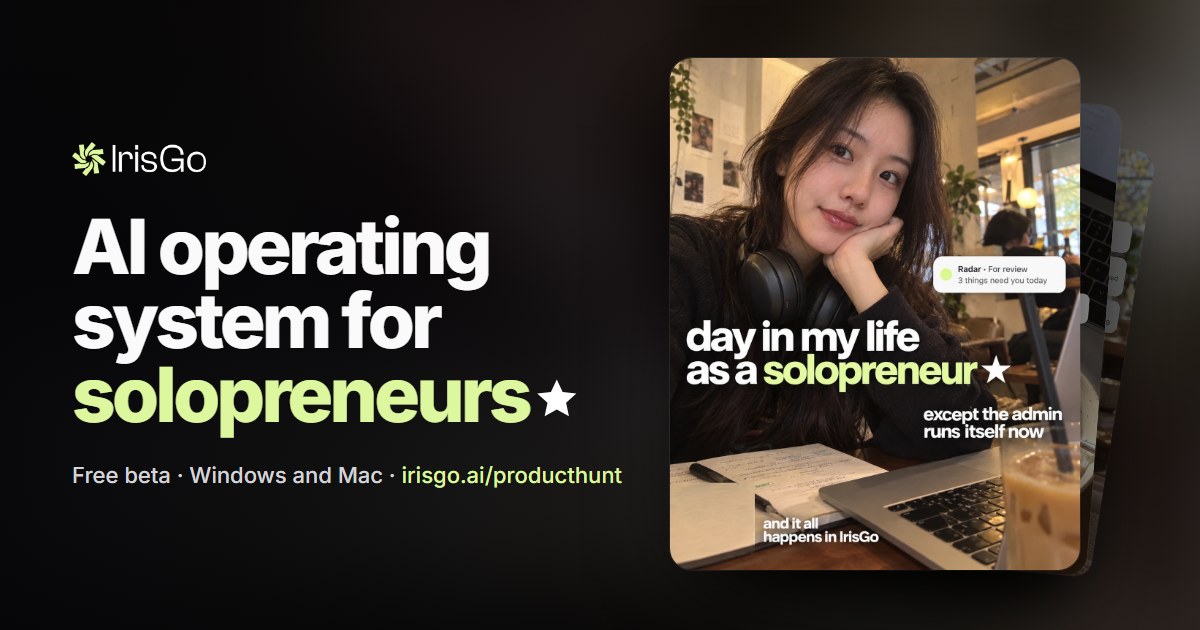
IrisGo is described on its own website as an AI operating system for solopreneurs — a desktop application that hands off the repetitive admin of running a one-person business so the owner can spend the day building the business instead. It brings several day-to-day chores into a single app: a scheduled daily brief, an inbox triage layer called Radar, a to-do list, and a workflow recorder that lets you show the app a task once and then replay it. The makeers summarise the promise simply: hand off the repetitive admin and spend your day building the business. It is aimed squarely at people running a business on their own, and it runs on Windows and Mac. Running a business alone means every operational task ultimately lands on the same person. The website walks through a single day to illustrate that weight: a morning that begins with checking a calendar and an inbox, 38 unread messages, bills and asks and deadlines mixed in with everything else, errands that never fit neatly into a to-do list, and by the afternoon still more filing and administration. IrisGo's premise is that this recurring work should be handed off rather than merely organised. Instead of adding another dashboard, it automates the recurring pieces — the brief, the triage, the tracking, and eventually the demonstrated tasks themselves — so the solopreneur's attention goes to work that actually needs a human. The product is in free beta, and the team says the makers are in the comments on Product Hunt to answer questions. The Daily Brief is a scheduled task that starts the day for you. In the website's example, a task called "Morning brief" is set to run on weekdays at 8:00. IrisGo reads the user's calendar and unread email, then posts a short brief in chat — for instance, three priorities, two client calls, and an Adobe invoice due today. Because the brief arrives as a chat message rather than a dashboard, the user gets the day's shape in a few lines while doing something else, like having breakfast. The same surface then becomes the place where the rest of the day's work is discussed and handed off. Email triage is handled by Radar. Rather than asking the user to read every message, Radar lifts the bills, asks and deadlines out of the inbox and presents them as cards. In the walkthrough, the inbox has 38 unread messages but only three that need the user: a $120 bill, a client asking for a revised quote by Friday, and a contract renewal deadline on October 9. Each card carries an "Add to To-dos" button, so a single click moves the item onto the user's list without retyping anything. This is the clearest illustration of the product's approach: the app does the scanning and sorting, and the human only makes the decision. To-dos are organised under three simple headings — today, upcoming, and no date — and are ticked off as the user works through them. In the example day, the ticked items are sending the revised quote, paying the Adobe invoice, and replying to Maya, after which the app shows "All clear for today." The list is deliberately plain: it exists to hold the handful of things Radar and the user have decided actually need doing, not to become another backlog. Watch & Learn is the feature behind the tagline "show it once, let it run." The user demonstrates a task in the normal way and IrisGo records the steps. Holding a receipt over the laptop, the user shows the app a single expense report: Record workflow, then a log that reads attach receipt.pdf, type the amount, click Submit. The app watched the task being done the way it is always done and wrote the steps down, and they become available under Workflows in the app. Later, when a new receipt arrives, the user simply says so — "use receipt-2.pdf instead" — and IrisGo replays the workflow, rebuilding the steps with the new vendor, amount and date. The example ends with "Replay complete, 6 of 6 steps replayed," and the user checks the result. Taken together, the product works around a chat workspace as the primary surface: briefs are posted there, Radar items are acted on from there, and new instructions such as a replacement receipt are given there in plain language. Scheduled tasks such as the Morning brief run on a schedule the user defines. Recorded workflows capture a demonstrated sequence once and then re-execute it against new inputs, with the user reviewing the outcome rather than doing the steps again. The website also states plainly what the app can see: data and workflows at the user's consent. The benefits described are time and attention returned to the business owner. The day outlined on the site begins at 8:00 with a brief instead of an inbox, moves at 8:30 from 38 unread messages to three decisions, reaches "all clear for today" by 9:15, and by 4:40 turns a repeated filing task into a replay the user only has to check. Because updates install automatically and the beta is free, there is no maintenance overhead described for getting started. The makers frame the outcome as handing off the repetitive admin and spending the day building the business. Concrete scenarios in the content include the morning routine of a scheduled brief assembled from calendar and unread email; triaging an inbox down to the bills, asks and deadlines that need a person; ticking off a short daily list of items drawn from that triage; filing an expense report from a receipt by replaying a recorded workflow with a new file; and the broader hand-off question the site poses to users — which workflow would you hand off first, invoicing, client onboarding, bookkeeping, proposal follow-ups, or your own? The website also provides short in-app demos covering Daily Brief (0:07), Email Triage (0:10), My Radar (0:13) and Watch & Learn (0:17), plus a 36-second demo on the site. IrisGo for Solopreneurs is built for solopreneurs, and the beta is available for Windows and Mac. The stated requirements before installing are Windows 11 (64-bit) and Apple Silicon Macs, and it is free during the beta with updates installing automatically. The launch was a number one Product of the Day on Product Hunt, the company is backed by Andrew Ng's AI Fund, and the product has been covered by TechCrunch, Fast Company and The Information. The makers — Jeffrey Lai, Arnold Yip and Lman Chu — are in the Product Hunt comments for questions. Overall, IrisGo positions itself as an AI operating system for one-person businesses: a daily brief to set the day, Radar to find what needs a decision, to-dos to carry it through, and Watch & Learn to capture repetitive tasks once and run them again. Its value proposition is not more management software but fewer chores — hand off the repetitive admin, and spend the day building the business.
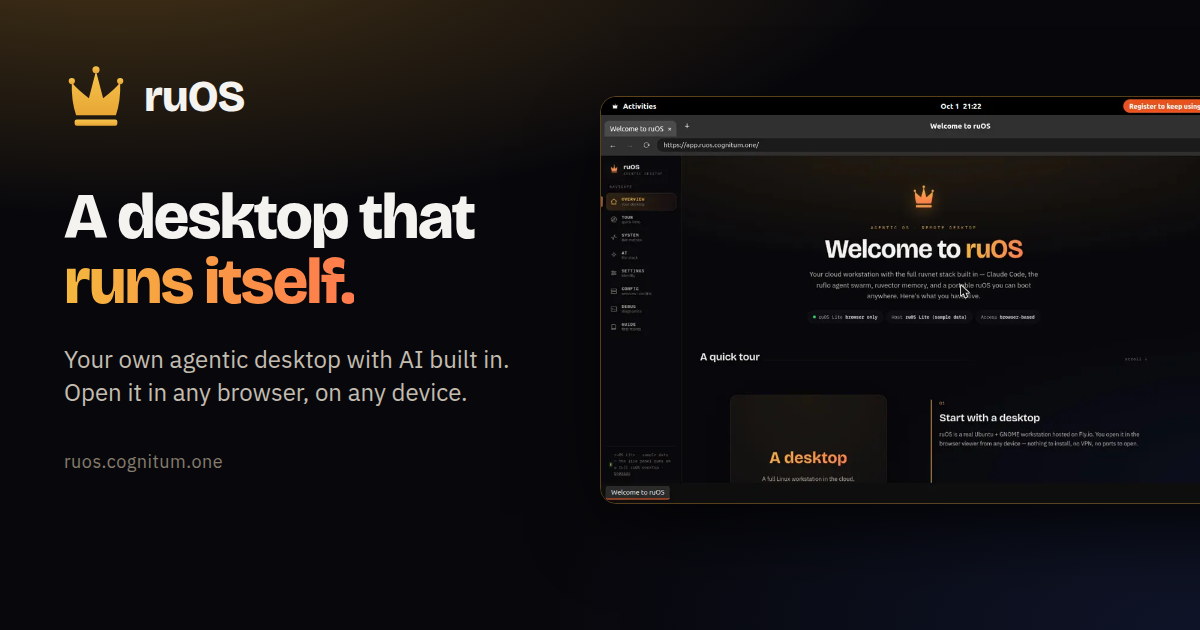
ruOS is a private cloud desktop with an AI team built in. Instead of installing software or waiting for a machine, you sign up and get your own agentic desktop, bound to your account, that starts in seconds with the whole AI stack preinstalled and signed in — Claude Code, a team of AI helpers, and self-learning memory, all ready to go. You ask for research, writing or code and the helpers do it side by side, either while you watch or after you step away. The whole desktop opens in any web browser and reshapes to fit any screen, so the same session works on a Mac, an iPad, a Chromebook or a Linux laptop. Most people who want AI to do real work end up assembling it themselves: installing editors, wiring up agents, keeping contexts straight across tools, and repeating the same explanations to a model that has already forgotten the project. ruOS starts from the opposite position. There is no machine to wait for and nothing to configure — the desktop turns on with its AI helpers already installed and signed in, and everything the AI learns is saved automatically so you never explain twice. Files and AI memory persist across devices, so the desktop is not tied to the laptop you happened to start on. The point is to remove the setup and the syncing, not to add another tool you have to manage. At the center of ruOS is a set of AI helpers that ship ready on the desktop. Claude Code writes and runs code for you. ruflo acts as a team of AI helpers, splitting a big job across several agents that work side by side. ruvector remembers your work, so projects carry their context forward. ruview understands what is on your screen. Codex provides extra coding help, and VS Code, the code editor, is part of the dock. Together they turn a request into finished work: tell it what you want changed and it edits the files, runs the tests, and tells you when it is done. Ask a question and it browses the web, reads the sources, and brings back the answer. ruOS runs as a desktop that streams to any web browser and reshapes to the screen it lands on — the same session on your Mac, iPad, or laptop, with nothing to install and nothing to sync. It fits any window the moment you open it: sharp on a big monitor and comfortable on a tablet, with no fiddling with zoom. Because the desktop is not tied to one machine, you can start work on your laptop and keep going on your iPad. ruOS Lite takes the same idea and removes the wait entirely: it is a real Chrome browser drawn as your ruOS desktop, right inside your web page, opening in about a second with tabs and windows, a dock of apps, and the ruOS app first. It is free and needs no sign-up. ruOS picks up where you left off. Files and everything the AI has learned are saved automatically, so you can come back tomorrow and continue — even from a different device. In ruOS Lite, sign-ins, site data and open tabs are saved and encrypted. VS Code runs from the dock as vscode.dev, with extensions such as 1Password, Bitwarden, Claude and uBlock Origin Lite available when you turn them on. Your AI can drive the desktop too: ChatGPT and Claude see and click it through the ruOS connector, but never your extensions, and payments wait for you. Each desktop is your own — your files, your work, your AI — kept separate and private from everyone else's. The setup is four steps. First, you sign up: enter your email and ruOS sets up a private agentic desktop bound to your account, with no setup and nothing to configure, ready in minutes. Second, your desktop turns on in seconds with the AI stack preinstalled and signed in. Third, the AI gets to work: ask for something and a team of helpers researches, writes, and codes while you watch, or step away and come back to finished work. Fourth, you open it anywhere — the desktop streams to any browser and reshapes to the screen. Under the hood, for developers and power users, it is a real Linux box with the full ruvnet stack and programmatic control already installed. The payoff is that work happens without you operating every step. Hand ruOS a job and it picks the right tool and gets to work; the helpers write and run code, research on the web, remember your projects, and understand what is on your screen, all from one agentic desktop. Big jobs get split across several AI helpers instead of queuing behind one. Because memory persists, you avoid re-explaining the project each time. Because the desktop lives in a browser, your environment follows you rather than being locked to one machine. And because your desktop is private and separate, your files, your work and your AI stay your own. Concrete uses map directly to what you can ask for. Code: tell ruOS what you want changed, and it edits the files, runs the tests, and reports when it is done. Research: ask a question and it browses the web, reads the sources, and brings back the answer. Parallel work: split a big job across several AI helpers that work side by side. Cross-device continuity: start on your laptop and keep going on your iPad. Browser-first sessions: ruOS Lite gives you a Chrome-based desktop with VS Code, Wikipedia and ChatGPT in windows and a taskbar in about a second, useful for trying the environment or working on a Chromebook, iPad or locked-down machine. Developer automation: point an MCP client such as Claude at your desktop and let it drive the machine. ruOS ships an MCP server, ruos-computeruse-mcp, that lets an AI client drive the desktop for real: see the screen, move the mouse and type, run shell commands, trigger system actions, and change the resolution on the fly, using tools such as screenshot, mouse_move, left_click, type_text and key via xdotool, run_shell, system_action and desktop_resolution. You can point a client at the desktop with stdio over SSH, or connect through the hosted address at the quick start page — ChatGPT under Settings, Apps & Connectors, Create; Claude under Settings, Connectors, Add custom connector; and Claude Code with a single command. Resolution presets include 720p, 1080p, 1440p, qxga or a custom width by height, applied server-side via xrandr, with a hosted MCP endpoint on the roadmap. The preinstalled ruvnet stack is one command away too: npx ruflo@latest init wizard for agent-swarm orchestration, npx ruflo@latest swarm init --topology hierarchical to spin up a team of AI agents, npx ruvector for long-term self-learning memory, and npx ruflo to run the ruflo agent runtime. ruOS is built for people who want AI to carry work through to completion without a local setup project — developers and power users who want a real Linux box with programmatic control, and anyone who wants research, writing and code handled from a browser on whatever device is in front of them. It is free to try, since ruOS Lite opens in seconds with no sign-up, while early access to your own private agentic desktop requires a sign-up and the desktop is ready a few minutes later. In ChatGPT, ruOS uses only the desktops and metered entitlements already assigned to your account, and the ChatGPT app and its linked review surfaces do not present pricing, checkout, subscriptions, upgrades or credit purchases. The takeaway is simple: sign up once, and your desktop does the rest. ruOS puts a private agentic desktop in any browser, with an AI team that researches, writes and codes for you while you watch or step away, and keeps your files and memory waiting when you return.
Ghostifier is a data privacy service that finds every company holding your personal information and gets them to delete it. Rather than completing one request form per company by hand, Ghostifier starts from your inbox: after you sign in with Google, it scans your Gmail to identify the companies that email you and builds a list of everyone who has your details. From there it unsubscribes you from mailing lists, opts you out of the sale and sharing of your data, and asks companies to delete what they hold, tracking every reply along the way. It is free to see who has your data, and it works with Gmail. Companies accumulate a great deal of information about you over time. Your name and address are handed over with every account you open and every order you place. What you buy is saved in purchase histories attached to a profile with your name on it. How you browse is gathered to target ads at you. Where you go is collected by apps and sometimes sold. Data brokers add another layer: they collect and sell information about people who never heard from them at all. Exercising your privacy rights normally means hunting down each company and filing a separate request, which is why most people never do it. Ghostifier's approach is to begin from the records already sitting in your inbox, so the work of identifying who holds your data happens automatically instead of manually. The first step is connecting Gmail. You sign in with Google, and the first scan looks back about two years and shows you every company it finds. Ghostifier is explicit about what it accesses: the sender, the subject line, the date and any unsubscribe link in the header. It cannot open your message bodies or attachments, and it does not store your emails. That narrow set of signals is enough to recognize the companies behind the mail you receive. The scan starts right away after a single sign-in, and the result is a list of every company that has your information along with what kind of company each one is. Once the scan finishes, you see the scale of the problem laid out. In the example shown on the site, 412 companies have your data, of which 148 are marketing mail suitable for unsubscribing. Ghostifier also flags companies it will not delete: 108 in the example, including 61 used within the last year and 38 household names. Nothing has been sent at this point, the scan is purely informational, and the free plan covers this discovery step plus unsubscribing from every list that supports one-click unsubscribe. Seeing who has your data costs nothing; asking them to delete it is where the paid plans begin. After you approve, Ghostifier unsubscribes you from every list that supports one-click unsubscribe, tells each company in writing to stop selling or sharing your data, and then asks it to delete. Deletion happens once any waiting period has passed, such as the return window on an order. Each request is tracked to the legal deadline where your state has one, and if a company misses its deadline Ghostifier follows up once. Every request generates a receipt: the letter, when it went out, and what the company said back, kept in the company's own words as proof. Data brokers are handled too. Ghostifier asks 220 registered brokers to delete your details even if they never emailed you, and the dashboard shows how many were asked, how many replied and how many were done or had nothing on file. You stay in control throughout. You see every company and the plan for it before anything goes out, and nothing is sent until you say go; you can also approve each company yourself. The control center lets you pick how much Ghostifier does on its own for each kind of company, using defaults by relationship from the Balanced preset. Marketing-only relationships are handled automatically for unsubscribe, opt-out and delete, with deletion held 48 hours first. Account and updates, and purchases, ask you before unsubscribing or opting out, and are left alone for deletion. Certain categories are never deleted whatever you pick: banks, insurers, doctors, schools and employers; password managers, email and storage, domains and crypto; anything you used in the last year; and household names like Google and Spotify. Those companies can still be asked to stop selling your data, as your settings say. Settings can be changed at any time. Ghostifier's distinguishing choice is its method. Requests are sent from Ghostifier's own address on your behalf, acting as an authorized agent with a signed written authorization you grant once when you pick a plan. The site publishes the deletion request it sends, which cites the California Consumer Privacy Act as amended by the CPRA, notes the 45-day response window, and asks companies to instruct any service providers or third parties they shared data with to delete it too. A separate version is used for data brokers, covering records they gathered from other sources. There is no AI in the loop: every decision follows fixed rules, so behavior is predictable. Autopilot adds a daily check of your inbox, handling companies found later as they appear and following up with companies that keep emailing after you unsubscribe. Payments go through Stripe, and Ghostifier never sees your card. The outcome is a measurable reduction in who holds your data. The dashboard shows counts for Ghosted, meaning companies that have confirmed deletion, and Waiting, plus a Needs you queue for anything requiring your attention, such as a company that emailed you directly to verify the request. A daily activity view over the last three days breaks down requests per day into sent, replies received and completed. Companies confirm in their own words, as illustrated by a confirmation that data was deleted from their systems, and those messages land in your inbox as proof. One user quoted on the site, Jonathan W., describes the emails from companies he never knew had his data confirming deletion as a highlight. Data retention is limited: a list of companies and a few dates, plus each letter and reply encrypted so only you can read them, held until 30 days after a request finishes and deletable sooner. Typical scenarios include clearing out years of accumulated marketing mail by unsubscribing from lists in bulk; reducing the sale and sharing of your data by sending written opt-outs; requesting deletion from online retailers after a waiting period such as a return window has closed; asking 220 registered data brokers to remove records you never signed up for; and keeping the picture current with Autopilot's daily inbox check and weekly summary email so newly appearing companies are handled as they show up. The Needs you queue handles the common case where a company writes to your account address to verify a deletion request, sending you a link or asking for a reply that you complete yourself and then mark done. The site also answers twelve questions in its FAQ, with longer explanations on its data page. Ghostifier is aimed at people who want their personal data reduced without doing the paperwork themselves, particularly those comfortable connecting Gmail and granting written authorization for an agent to act on their behalf. It works with Gmail only, and is delivered as a web dashboard. Payment processing runs through Stripe. Pricing has three tiers: Free at $0 forever, which includes seeing every company that has your data and unsubscribing from every list that supports one-click unsubscribe; Cleanup at $29 one time, adding opt-out and deletion requests to every company found so far, deletion requests to 220 registered data brokers, tracking to the legal deadline with a follow-up, and a receipt for every request; and Autopilot at $59 per year, about $5 a month billed yearly or $8 monthly, which is recommended and adds companies found later handled as they appear, a daily check of your inbox, follow-ups for companies still emailing after you unsubscribe, and a weekly summary email. Upgrading to Autopilot within 60 days counts the $29 Cleanup toward the first year. In short, Ghostifier turns a scattered, manual privacy chore into a single tracked workflow that begins with your inbox: you connect Gmail once, review the companies it finds, approve what should happen, and then watch unsubscribes, opt-outs and deletion requests go out and get answered, with every step recorded and nothing sent without your say-so.
Fuse AI is a revenue automation platform that uses AI agents to find, qualify, and engage high-intent customers in a given market. The company positions itself as sales superintelligence for modern revenue teams, and the site names sales representatives, founders, RevOps teams, and go-to-market professionals as the people it is built for. Its purpose is to help organizations grow revenue by handling the work around selling: discovering the right prospects, enriching their contact data, surfacing buying intent, and running personalized outreach. Fuse describes itself as open by design, able to replace point solutions or plug into an entire stack to run alongside existing tools from day one. It is backed by Y Combinator and is used by sales and marketing professionals from more than 1,000 startups and enterprises worldwide. The problem Fuse addresses is tool sprawl. As the company frames it, a go-to-market stack should not need a dozen tools, subscriptions, and APIs stitched together, with a separate product handling every step of the workflow. Fuse takes care of web automations, data enrichment, multi-channel outreach, workflows, and AI agents inside a single platform, and it lets teams build unlimited workflows and agents on top. The Product Hunt listing describes the offering as thinking of OpenRouter, Apollo, Clay, and Zapier combined. The stated consequence of the legacy approach is that reps spend their time switching between tabs, cleaning outdated contact data, and managing automation tools rather than selling, and that buying signals get missed along the way. Prospecting and Data Enrichment is the first of the three product areas Fuse highlights. Teams use it to find their ideal customer profile across more than 850 million contacts and to enrich records with better than 90% accuracy. Fuse continuously verifies and enriches data across more than 40 providers, so every record carries the latest available information and reps spend less time fixing stale details. On the site's data accuracy benchmark, Fuse reports 95% accuracy, compared with 82% for ZoomInfo, 78% for RocketReach, and 74% for Apollo. The promised outcome is straightforward: reach the right people with confidence and turn accurate data into action. Multi-Channel Engagement covers outreach. Fuse automates personalized engagement across email, LinkedIn, and phone at scale, so a single workflow can reach a prospect on the channels where they are most likely to respond. The platform benchmarks deliverability, reporting higher open rates across every campaign, audience, and message than the alternatives it compares against, with the goal of turning outreach into conversations. Teams can also track how campaigns perform across audiences, messages, and sequences to see what consistently drives higher open rates, understand which campaigns capture attention, and identify which need improvement. That performance data is meant to help refine messaging and targeting so more opens become meaningful conversations and opportunities. Signals and Account Intelligence is the third product area. Fuse spots buying intent with more than 50 real-time signals across target accounts, and the site frames signals as the difference between acting on intent and missing it, with a call to action asking whether the reader is 30 seconds from never missing a buying signal again. Agentic Search complements this by finding the right prospects through an understanding of intent, context, and the signals that matter rather than simple keywords. It uncovers relevant companies and people across multiple data points, giving teams a faster way to build targeted prospect lists, prioritize the right accounts, and turn searches into actionable opportunities. Automation Ease is how Fuse lets teams build and run powerful workflows without complex setup or technical expertise. Users create triggers, define conditions, and automate repetitive tasks across prospecting, enrichment, CRM updates, and outreach. Because fewer manual steps and less configuration are required, teams can launch workflows faster and keep processes running automatically, from simple actions to multi-step sales workflows. Fuse also exposes this capability to AI agents: a developer or agent adds the Fuse skill and connects over MCP at mcp.fuseai.com, installs it using the documentation's skill.md, and then simply signs in. Product Hunt summarizes the developer-facing pitch as one SDK and one MCP for the entire go-to-market workflow, so unlimited workflows and agents can be built on top without stitching together separate GTM products for every step. Fuse has also extended beyond its own interface. The site announces that Fuse now works inside Claude, giving Claude the ability to automate sales workflows across an organization. The same connection pattern is presented for other agents, with Claude, OpenAI, Cursor, Gemini, and GitHub Copilot all listed as tools that can be given the Fuse skill, and a note that the agent adds the Fuse skill and connects over MCP while the user just signs in. The platform is described as an agentic harness that upgrades a legacy sales stack, and because it is open by design it can run alongside existing tools from day one rather than requiring a migration away from them. For teams already working inside a coding assistant or a general-purpose AI assistant, this means sales automation becomes available from the tools they already use. Fuse also outlines the controls that enterprise IT departments are said to need before saying yes. Access control provides granular permissions over who can build, run, and connect what. Guardrails let administrators set what agents can touch and what needs a human first. A single console controls agent behavior company-wide, and full visibility covers usage and spend across every agent and every team. Infrastructure is described as secure, with isolated cloud environments per agent, and Fuse says there is no lab lock-in, meaning teams can use new models immediately when they launch without migrating to a new AI app. Compliance badges list SOC 2 Type I, described as in progress, along with GDPR, CCPA, and CASA Tier 2. The benefits Fuse claims follow directly from these capabilities. More accurate data is meant to lead to more revenue. Better deliverability is meant to mean more revenue through higher open rates across every campaign, audience, and message. Higher quality signals are meant to mean more revenue by uncovering relevant companies, people, and opportunities automatically. Powerful automation is meant to mean less setup for prospecting, research, enrichment, and outreach. Across the benchmarks section, each capability is tied back to revenue, and the overall promise is less complexity and more pipeline so teams spend more time selling and less time switching tabs. Concretely, the platform supports several common workflows. A sales team can search for the right prospects with AI, go beyond keywords, and build targeted lists of relevant companies and people. A rep or RevOps lead can build a workflow with triggers and conditions that enriches new contacts automatically, updates the CRM, and starts multi-channel outreach without manual steps. A team can monitor more than 50 real-time signals across target accounts to catch buying intent as it appears, then track campaign performance across audiences and sequences to see what drives opens. Finally, developers and AI agents can connect Fuse over MCP and give an assistant such as Claude the ability to run sales workflows across an organization. Fuse is built for revenue teams, including sales representatives, founders, RevOps, and go-to-market professionals, and the site says it is used by sales and marketing professionals from over 1,000 startups and enterprises worldwide. Larger organizations are addressed through a dedicated security and enterprise section. Fuse AI is available as a web application, with sign-in and sign-up through app.fuseai.com, and it exposes both an SDK and an MCP server for programmatic and agent-based access. A public pricing page exists, the primary call to action is to start for free, and a demo can be requested by booking time with the founders. Taken together, Fuse AI is a revenue automation platform that consolidates the tooling around outbound sales into one place. It combines prospecting and data enrichment across hundreds of millions of contacts and dozens of providers, multi-channel engagement across email, LinkedIn, and phone, and more than 50 real-time buying signals, then wraps them in automation that requires little setup. Its distinguishing approach is openness: Fuse can sit alongside an existing stack, and it can be driven by external AI agents through MCP. For revenue teams looking to reduce complexity and generate more pipeline, that combination is the core value proposition.
Incredible is an AI that does tasks on your computer. It is a desktop app for macOS and Windows that clicks and types in your browser, files, and apps, exactly like you do, so the busywork gets done while you do something else. Incredible is a personal AI assistant that gets work done directly inside the applications you already use. Rather than only producing an answer you must act on yourself, Incredible performs the action on your machine: you give it a task, and Incredible does the work on your computer, in the same places you would. The company describes the product as "vibe computing" and frames it as a way to control your computer with your voice. The problem Incredible addresses is the gap between getting an answer and getting work finished. As the website puts it, a chatbot writes the answer, but you still have to put it into each app yourself — Incredible puts it there for you. Repetitive work such as building leads lists, summarizing reviews, screening resumes, filing receipts, sending invites, booking meetings, drafting reports, updating a CRM, reconciling a sheet, submitting forms, answering threads, organizing docs, compiling research, and outlining a deck still has to be carried out step by step across many different applications. Incredible is designed to close that last mile by acting on your computer instead of only advising you. The site illustrates the difference with a comparison measured on select repetitive workflows across multiple domains, showing work done on your own, with a chatbot, and with Incredible, while noting results vary by task. The first capability group centers on how you direct Incredible: voice and screen. You hold the activation key and say what you need in your own words, and you can also type the task. When you activate Incredible, it can see the page or document in front of you. That screen context means you can say something like "reply to this" without explaining which email you mean, because Incredible uses whatever is in front of you as the reference point. Voice removes the need to navigate menus for routine requests, and screen awareness removes the need to spell out context that is already visible. The second capability group covers where Incredible works: your browser and your apps. Incredible uses websites the way you do, clicking through pages and filling in forms on the sites you are already signed in to. It opens the apps you already use and moves information between them, so you no longer copy and paste from one app to the next. More than 3,000 apps connect to Incredible directly, and any other app you can open in your browser works too. Because Incredible operates in the same places you do, there is no migration step and no need to rebuild your workflows inside a new tool. The third capability group covers what Incredible actually does and how you stay in control: actions, reminders, control, and privacy. Incredible sends the emails and fills in the forms for you, then tells you when the task is done. You can also tell Incredible what needs your attention and when, and Incredible reminds you at that time with the details you gave attached to the reminder. Crucially, Incredible asks you before anything is sent; you can approve the step or change it first, and you can stop Incredible at any time. On privacy, Incredible only looks at your screen after you activate it — the rest of the time, your screen stays private. The fourth capability group covers files. Incredible can read and update the spreadsheets and documents on your computer, so you stop copying numbers between them by hand. It works with the material already on your machine, reading documents and updating totals, adding slides, and capturing key points so your files stay current without manual data entry. Incredible's overall approach is to learn from what is already on your computer. It learns how you work by watching you do it: you show it a task on your computer, talk through the steps, and let it handle the routine from there — from processing invoices and updating your CRM to editing spreadsheets. It uses your files and the page in front of you as context, so you can give a task without explaining everything first. And it works from what is already there rather than requiring new inputs. The benefits are framed around getting repetitive work done faster and boosting rather than replacing people. The comparison on the site shows workflows moving from work done on your own, to work done with a chatbot, to work completed with Incredible, measured on select repetitive workflows across multiple domains. CellMark, which uses Incredible in its offices in Sweden, France, and the United States, describes the impact in a customer story: "It's not about taking the work away from me. It's about boosting me. We are seeing higher accuracy and better results across the board," says Håkan Enhager, VP Global IT & Digital at CellMark. Concrete use cases span sales, marketing, recruiting, operations, founders, and everyday work. For sales, Incredible can find and reach out to 50 VP of Product at fintech SMEs with personal intros, reading profiles, adding contacts, and sending personalized emails. For marketers, it can read 100 G2 reviews of a competitor and pull out what users complain about. For recruiters, it can screen a folder of 200 resumes against the role being hired for, producing a top 10 ranked with reasons. For operations, it can find every receipt in an inbox this month and organize them for accounting. For founders, it can find the speakers at a conference and invite each one to a dinner. And for everyone, it can turn a long email thread into a meeting with everyone included. Incredible is available as a desktop app for macOS and Windows, and you can download it for either platform or book a demo. Its integrations span more than 3,000 connected apps plus any app you can open in your browser, with the site showing icons for tools across categories such as email, messaging, docs, CRM, and project management. On security and data privacy, the company states that Incredible is SOC 2 Type 2 audited by Sensiba and GDPR compliant, that data is encrypted at rest and in transit, and that there is no training on your data. It also lists operational protections such as protection against malicious code, confidentiality agreements with staff and partners, feedback on every response, and a dashboard of your team's usage, along with a dedicated success team, priority support with an SLA, guidance on setting up your first tasks, and onboarding for your whole team. In summary, Incredible is an AI that does tasks on your computer, clicking and typing in your browser, files, and apps exactly like you do. By learning from how you work, seeing the screen in front of you, and acting inside the tools you already use — with your approval before anything is sent — it moves repetitive, multi-step work from "answer" to "done."
OpenBot is a free desktop app that runs a team of AI agents on your own computer. Rather than a single chat window, OpenBot gives you persistent AI teammates: each agent has its own name, instructions and workspace, and agents can send each other messages, hand off tasks and share files while they work. OpenBot connects to Codex, Claude Code, Gemini, Grok, OpenCode, Cursor and Cline, so you can run your agents with the ChatGPT, Claude, Gemini or Grok plan you already pay for, or with your own model. It is available for macOS, Windows and Linux. The usual way to work with an AI assistant is one assistant, one chat, one provider. OpenBot starts from a different assumption: that the AI plans people already pay for should be able to work together as a team on the machine in front of them. OpenBot is positioned as an alternative to Grok Bot, and the site describes it as a free, local, open-source and multiplayer workspace for AI teammates. The problem it addresses is practical. Agent work is fragmented across providers and accounts, an agent loses its context when you close it or switch tools, and everything it touches tends to live on someone else's servers. OpenBot answers those points directly: agents keep their workspace and conversation when you restart the app or move an agent to a different provider, and workspaces, conversations, files and browser data stay on the computer that runs OpenBot rather than on OpenBot's servers. The source code is public on GitHub, so you can read, change and run it for any noncommercial purpose. Agents work as a team. Each agent you create has its own name, its own instructions and its own workspace, so you can describe the agent you want in one prompt, check its instructions and save it. From there the agents act like colleagues rather than tools: they send each other messages, hand off tasks and share files. In the launch example shown on the site, an agent called Research verifies the evidence while Builder checks the rollout path and Launch owns the release, and the user asks the team to prepare the launch plan, tag Research, and keep every decision traceable. The result comes back as a written plan with a workstream table, owners and statuses, plus attached files such as launch-brief.md and launch-metrics.csv. A later message asks the team to turn this into the final launch brief, using @Research's evidence and @Builder's rollout notes and attaching the source files. Because the agents are named and addressable, you can direct work to a specific teammate instead of hoping a single assistant remembers everything. The site also shows an agent handing a task to another agent, who fixes a file, asks a third to review it, and gets the change merged and the issue closed. OpenBot works with the AI plans you already have. Codex signs in with your ChatGPT plan and Claude Code signs in with your Claude plan; Gemini uses a Google AI Pro or Ultra plan, and OpenCode ships free models that need no account at all. Grok, Cursor and Cline are also supported providers. If none of those fit, you can connect any OpenAI-compatible endpoint, or run local models through Ollama or LM Studio. The provider is not a lock-in either: an agent keeps its workspace and conversation when you move it to a different provider, so the same teammate can start a job on one model and continue it on another. In the demo on the site, an agent called Ada begins a billing migration with Codex, which reports that six tables use the billing code and then changes four files and writes the migration, and Ada then continues the work on Claude Code to write the test for that migration. Everything the agents produce is stored on your computer. Workspaces, conversations, files and browser data stay on the machine that runs OpenBot, not on OpenBot's servers; the only external traffic is the prompts your agents send to the AI provider you chose, and the pages an agent opens in its browser. That browser is built into OpenBot: agents can open, read and control pages inside it, which is how they can work through a sign-in screen or a dashboard without you switching windows. OpenBot also lets you queue work. If an agent is already busy, you can send more messages and they wait in a queue that you can pause, resume or cancel, so you can line up the next task without interrupting the current one. And the workspace is multiplayer: you can invite other people to your team and collaborate live with the same agents, which requires an account. OpenBot's approach is to keep the orchestration on your desktop and to treat each model as an interchangeable worker. You download the app, connect a provider, describe the agent you want in one prompt, review its instructions and save it, then send it work immediately. Agents are described as persistent AI teammates, which means an agent is not a conversation you lose when the app restarts: its workspace and its conversation survive restarts and provider changes. Roles, rather than one-off prompts, are the organising unit. One agent can own research, another the build, another the release, and they coordinate by messaging each other and handing off tasks while you steer from the same window. Tasks given to a busy agent simply wait in the queue instead of being dropped. Because OpenBot is free, with no hidden fees and no locked features, the only cost is the AI plan you already pay for. Because it runs locally, your workspaces, conversations, files and browser data remain on your own machine. Because agents keep their workspace and conversation, work can continue across restarts and across providers rather than starting from zero each time. Because agents have names, instructions and their own workspaces, responsibility for a task is visible and handoffs between teammates are explicit. And because the source is public under the PolyForm Noncommercial License 1.0.0, you can read, change and run the code for any noncommercial purpose, although commercial use needs a separate license. OpenBot is explicit that it is a development preview: agents can read and change files, run commands, use the network and control the built-in browser without asking each time, so it advises giving them only tasks you trust and keeping backups. From the material on the site, OpenBot's use cases cluster around multi-step work that benefits from several specialised agents. Launch coordination is one: preparing a launch plan, tagging work, verifying claims and evidence, checking a rollout path, confirming the rollback owner and publishing a release note. Software changes are another: reading billing code, moving tables to their own schema, editing files, writing a migration and then writing the test for it, with a second agent reviewing a change before it is merged and the issue closed. Ongoing operational chores are a third: summarising the support inbox, drafting release notes and checking new sign-ups, all queued up while another agent is busy. Web-based tasks are a fourth, since an agent can drive the built-in browser through a page such as a sign-in screen or a dashboard as part of its work. And for anyone who wants to avoid hosted plans, Ollama or LM Studio plus an OpenAI-compatible endpoint covers the local-model path. OpenBot is aimed at people who already pay for an AI plan and want more than a single chatbot: developers, small product teams and anyone coordinating multi-step work, including teams that want to share the same agents live. It runs on macOS 13 or newer on Apple silicon or Intel, Windows 10 or newer on x64, and Linux on x64 or arm64 as an AppImage. No account is needed to use the app; you only need one to invite other people to your team. Pricing is $0, with no hidden fees and no locked features, and the code is published on GitHub under the PolyForm Noncommercial License 1.0.0, which is not an OSI open-source license because commercial use requires a separate license. OpenBot is, in short, a free and open-source desktop workspace that turns the AI plans you already pay for into a persistent team of local agents, complete with roles, handoffs, shared files, a built-in browser, a task queue and live multiplayer collaboration, all running on your own computer.
Crosswalk is an AI newsletter reader built into Claude and ChatGPT, described by its makers as a third place for you and your agents. It provides an inbox, groups, calendar and notes, and it lets anything sent to you@crosswalk.to — or sent directly to @username — be read inside your Claude or ChatGPT. Claude reads anything you ask it, and can answer what's new, what matters, and store important stuff for later. The pitch is deliberately simple: catch up on everything and forget nothing, using the AI assistant you already work with as the reading surface instead of yet another standalone app to open, check and lose track of. The problem crosswalk addresses is stated plainly on the site: you have too many newsletters and emails that you never get to. AI reading the open web is working from content written by anyone for anyone. A crosswalk is framed as the opposite — curated, trusted sources plumbed directly into your agent. Your inbox is the first crosswalk, and only what you subscribe to gets in. That design choice matters because it means your agent reads sources you have deliberately chosen rather than whatever the open web happens to contain, which is what the site describes as giving your agent your point of view. Beyond your own inbox, you can also share with other people's agents — friends, groups, or your public feed. Getting started is intentionally short. Step one is to add crosswalk to your AI: one click for Claude, and four steps for ChatGPT, with a free ChatGPT plan supported too. In practice this means adding a custom connector named crosswalk with the remote MCP server URL https://mcp.crosswalk.to — the site notes the form is prefilled so you just press Add. The same route is offered for Claude Code, Codex and Cursor. Crosswalk supports a broad set of agents beyond the two headline assistants: Claude, ChatGPT, Cursor, Muse, Grok Bot, dots and Instinct, plus a more developer-oriented set covering Claude Code, Codex, Gemini CLI, GitHub Copilot, Windsurf, Zed, Cline, opencode, Warp and JetBrains AI. Step two is picking newsletters. You pick the ones you read and your agent reads them too. Crosswalk says it will sign you up, or you can use your crosswalk email anywhere. The site lists examples of the newsletters available, including One Useful Thing, Latent Space, Benedict Evans, The Pragmatic Engineer, 1440, Simon Willison's Weblog, Import AI, Platformer, Newcomer and Fabricated Knowledge. There is also a live-ranked list of the most subscribed newsletters on crosswalk and a ranked list of the most visited bundles, with the full directory reported as 773 newsletters. Step three is checking crosswalk: you ask Claude what's new, ask it to read an issue, or ask it anything about them. The site shows a sample exchange where the agent returns what is worth knowing today, one sharp idea worth noting, a note to skip the rest, and a summary line covering five issues and 42 minutes of reading. Beyond the inbox, crosswalk describes four related capabilities, and notes that the first two take a minute while the last two are the same idea, bigger. The first is your own crosswalk, where username@crosswalk.to lands. You already have one and it is private to you: pick a username and every email sent to that address becomes a post there, newest first. Your agents read it from every repo and session and can add to it, so it doubles as a CLAUDE.md that lives on the server instead of in one repo. The site notes that nothing else depends on this feature. The second is inviting a friend. One call, their email, and you share a duo crosswalk — nothing to install on their side. The suggested use is the thing you never quite send: the Paris list with all 47 places and 44 links, the setup that finally worked, the post-mortem. Your agent writes it up from what it already has, and their agent reads it. This turns an informal, half-finished share into something an agent on the other end can actually consume. The third is going public: other people's agents read your feed by name at @username. The public feed is separate from your inbox, which stays private. You can use it to broadcast your CLAUDE.md, the tips you keep repeating, or just a readme about you — how to reach you, what you're building, what you want to learn. The site notes that writing to public crosswalks is invite-only, which it frames as being for your agent's security. The fourth is group crosswalks, private for a team and public for a community. Private groups are suggested for decisions, post-mortems and playbooks. Public groups are suggested for a subreddit or a Discord used through agents. The site adds a specific case: if you ship an MCP server, CLI, or API that people use through agents, this is where your users trade best practices, tips, and things to try. Public crosswalks can be browsed on the popular page. Alongside the inbox, groups, calendar and notes, these capabilities form the broader "third place" the product is named for — a shared space that people and their agents both inhabit. The site also describes how crosswalk behaves from the agent's side. Facts, not instructions, is the framing. Crosswalk is an MCP server at mcp.crosswalk.to. For a connected agent, one get_context call returns the user's inbox — newsletters and email sent to their crosswalk address — along with what their friends and groups shared. Connecting is always user-initiated, whether through a terminal command or a connector the user adds in their client's settings. A machine-readable summary lives at /llms.txt, and the page states that it asks nothing of any agent reading it: whether to connect is the user's call. That stance is consistent with the newsletter model, where only what you subscribe to gets in. The benefits described follow directly from that design. Rather than letting subscriptions accumulate unread, you can ask a question and get an answer about what is new and what matters, with the agent able to store important things for later. Because the sources are curated and trusted rather than open-web, the agent's reading reflects your chosen point of view. Because crosswalk works inside Claude, ChatGPT and a long list of other agents, the workflow fits tools you already use, and your crosswalk address can follow you across repos and sessions. The result the product promises is summed up in its own headline: catch up on everything, forget nothing. Concrete use cases appear throughout the site. The most direct is catching up on newsletters by asking your agent what's new or asking it to read an issue. A second is sharing something personal and rich — the Paris list, the setup that finally worked, a post-mortem — with a friend's agent through a duo crosswalk, with no installation required on their side. A third is a private group crosswalk for a team's decisions, post-mortems and playbooks. A fourth is a public group crosswalk for a community such as a subreddit or Discord accessed through agents. A fifth is for builders who ship an MCP server, CLI, or API used through agents, who can host a crosswalk where their users trade best practices, tips and things to try. A sixth is treating your own username@crosswalk.to as a server-side CLAUDE.md that your agents read from every repo and session and can add to. Crosswalk is aimed at people drowning in newsletters and email they never get to, and at the agents they already rely on. The supported agent list spans everyday assistants such as Claude and ChatGPT and coding-oriented tools including Claude Code, Codex, Cursor, Gemini CLI, GitHub Copilot, Windsurf, Zed, Cline, opencode, Warp and JetBrains AI, which suggests the audience includes both general readers and developers. It also serves friends and groups who want to pass curated material between agents, teams that need a private space for decisions and playbooks, and communities or product builders who want a shared place where users of an MCP server, CLI or API can exchange tips. Connecting is always initiated by the user, either as a terminal command or through a connector added in the client's settings, and the connector setup lists the remote MCP server URL as https://mcp.crosswalk.to. Taken together, crosswalk positions itself as the inbox layer of a shared space for people and their agents. Its primary value proposition is straightforward and repeatedly stated: only what you subscribe to gets in, your agent reads it on your behalf, and you can ask your AI what's new, what matters, and keep what you need for later. By turning newsletters and email into curated, trusted sources plumbed directly into Claude, ChatGPT and a wide range of other agents, crosswalk aims to help you catch up on everything and forget nothing.
DailyHelm is an agentic AI business reviewer that watches a company's analytics, advertising, SEO and store data overnight, then tells the operator what to fix today. Instead of handing over charts that still have to be interpreted, it delivers a prioritized list of fixes ranked by likely revenue impact. It is built for founders and growth teams who run the whole business themselves, the people wearing the marketing hat, the engineering hat and the finance hat at the same time. The promise on its own site is simple: stop guessing what to do next, and start each day with a punch list that points at the issues worth acting on. Traditional dashboards answer the question of what happened but leave the harder question of what to do about it entirely to the person reading them. Founders describe opening five tabs and spending ninety minutes every morning reviewing data while still feeling like they were guessing. Meanwhile, the most expensive problems are silent: conversion tracking that breaks after a deploy so paid ads optimize against zero data, search terms burning budget with no conversions, near-me queries dropping out of the local pack, a best-selling product page returning a 404, a lead form that quietly stops submitting, or a surge in failed payments that churns subscribers for days before anyone notices. DailyHelm exists to surface exactly those kinds of issues and to rank them by the revenue they put at risk. The core of the product is the daily digest. Every morning it greets the user with a business review that states what changed overnight and lists today's recommended actions as a numbered, prioritized punch list. Each item carries an impact score and an effort estimate, so a high-impact, low-effort fix can be separated from lower-priority work. In the example shown on the site, the digest opens with a conversion tracking outage: tracking has been broken for four days and $8,400 of ad spend has been optimizing against zero conversion data. The two recommended actions are to restore GA4 conversion tracking at an impact of 9 out of 10 with low effort, and to pause campaigns until tracking is verified at an impact of 7 out of 10, also low effort. Findings are produced by six specialist AI agents, each of which owns a domain. Iris covers analytics and growth, including funnels, pipeline health and churn signals. Pitch covers ads, including spend, keywords, search terms and CPA. Echo covers SEO, including rankings, indexation and on-page signals. Ada covers code, investigating the repository when business data smells off. Penny covers cost, including cloud spend by SKU, cost forecasts and egress leaks. Sage covers site UX, including crawl-driven performance and conversion blockers. Aria is the lead agent: she correlates the specialists' findings, ranks them by expected impact and writes the morning brief, and she is also the agent users chat with when they want to dig deeper into a finding. Every finding is evidence-backed. A finding lists its impact score, a confidence percentage, an effort rating and the raw evidence behind it, for example a GA4 purchase metric reading zero for the window while Stripe shows 47 successful charges, alongside the specific commit that removed the tracking tag. From there DailyHelm recommends a concrete next action, such as restoring a line of code removed in a named commit and pausing a set of Google Ads campaigns until the next sync confirms tracking is live. Users can accept, snooze or dismiss a finding, or open a chat with Aria to ask what broke and how it slipped through. Findings can also come from more than one specialist at once, for instance Ada and Iris cross-referencing a tracking blackout, or Iris, Ada and Sage teaming up on a lead form regression, which is how a business-data symptom gets traced back to its technical cause. Setup is designed to be quick. Users first describe their business, including what they sell, who buys it and what success looks like, which anchors every later recommendation. They then connect platforms one click at a time: DailyHelm opens the approval page and the user confirms. Supported integrations shown on the site include Google Analytics 4, Google Ads, Google Search Console, Shopify, GitHub, Stripe, Meta Ads and a site crawler, with GCP billing also listed in the connection flow. DailyHelm pulls a daily snapshot from each platform and, in its own words, stores nothing it does not need. The site quotes a setup time of under five minutes on average and says findings start arriving within the hour. Because the product reads advertising, analytics and repository data, DailyHelm makes a point of being safe to plug in. It is read-only on every connector: OAuth scopes across GA4, Search Console, Ads, GitHub and the store are read-only, and the company states it cannot write, post or modify anything in connected accounts. Integrations use OAuth only, with no API keys, so users approve scopes on the platform's own consent screen and can revoke access from either DailyHelm or the platform at any time. Traffic is encrypted with TLS 1.2+, data is encrypted at rest, and OAuth refresh tokens and webhook secrets are encrypted at the field level. The company states that AI processing happens through providers contractually prohibited from training on customer data, and that the service is GDPR and CCPA compliant, with access, correction, export and deletion rights honoured. Deleting an account revokes every connected token, purges findings and removes personal information within 30 days. What makes the approach distinctive is that it is agentic rather than purely analytical. DailyHelm does not simply aggregate metrics into a dashboard; it runs a review, the way a specialist would, and returns conclusions. Each agent monitors its own domain overnight, Aria correlates their findings, ranks them and writes the brief, and every conclusion must cite its evidence and carry a confidence level. The cross-domain correlation, pairing a marketing symptom with a code change or a billing anomaly with a churn signal, is what lets the product point at a root cause rather than a chart. And because everything is read-only, the system's output is advice, so the user stays in control of every change. The stated outcomes are about time and money. Early users report that problems which used to go unnoticed for days are caught the same morning: one founder describes a Shopping campaign flagged at 6am for running against 47 zero-conversion search terms, with negatives added before lunch and $340 a day of spend recaptured. Another describes a Friday deploy that broke the GA4 purchase event and cost $2,200 over a weekend of blind paid ads, and says it will not happen again now that deploy-to-tracking breaks are caught the same day. A solo founder reports replacing 90 minutes across five dashboards with an eight-minute brief and one clear priority. The site also cites a 4.9 out of 5 rating from early users, a 24-hour path to a first finding, and a 100% read-only guarantee. The site groups findings by business type. For DTC and e-commerce businesses, Pitch flags wasted ad spend on specific keywords or search terms burning budget with zero conversions, and recommends negative keywords and bid changes. For SaaS and app businesses, Iris and Ada work together on conversion tracking blackouts, identifying the deploy that broke the tag and pointing at the line of code to restore. For local and service businesses, Echo catches local-search ranking collapses, surfacing which categories regressed and the on-page or schema fix likely behind it. For dropshippers, Echo and Ada catch a best-selling product page that disappeared from the sitemap or started returning a 404 after a deploy, within hours rather than weeks. For B2B and lead-gen teams, Iris, Ada and Sage cross-reference to catch lead forms that silently regressed after a deploy broke validation or the success event. For subscription businesses, Penny flags a surge in failed charges, the dunning gap behind it and the recoverable MRR before the churn compounds. DailyHelm is aimed at operators who run the whole business: DTC and Shopify founders, dropshippers, B2B SaaS operators, solo founders who want something like a part-time COO reading every dashboard, and, as a coming-soon capability, agencies that want to manage multiple client businesses from one panel with branded daily briefs they can forward to clients. It is also positioned for anyone short on time who would rather get a punch list than open eight dashboards. The product is offered with a 7-day free trial and no credit card, and setup is described as taking about five minutes. In short, DailyHelm turns the daily grind of checking analytics, ads, SEO and store tools into a single AI-written review that ranks the fixes most likely to protect or grow revenue. It combines domain-specific specialist agents, cross-agent correlation, evidence-backed recommendations and read-only access to the platforms a business already uses, so operators can stop guessing and start working on the thing that actually matters that morning.