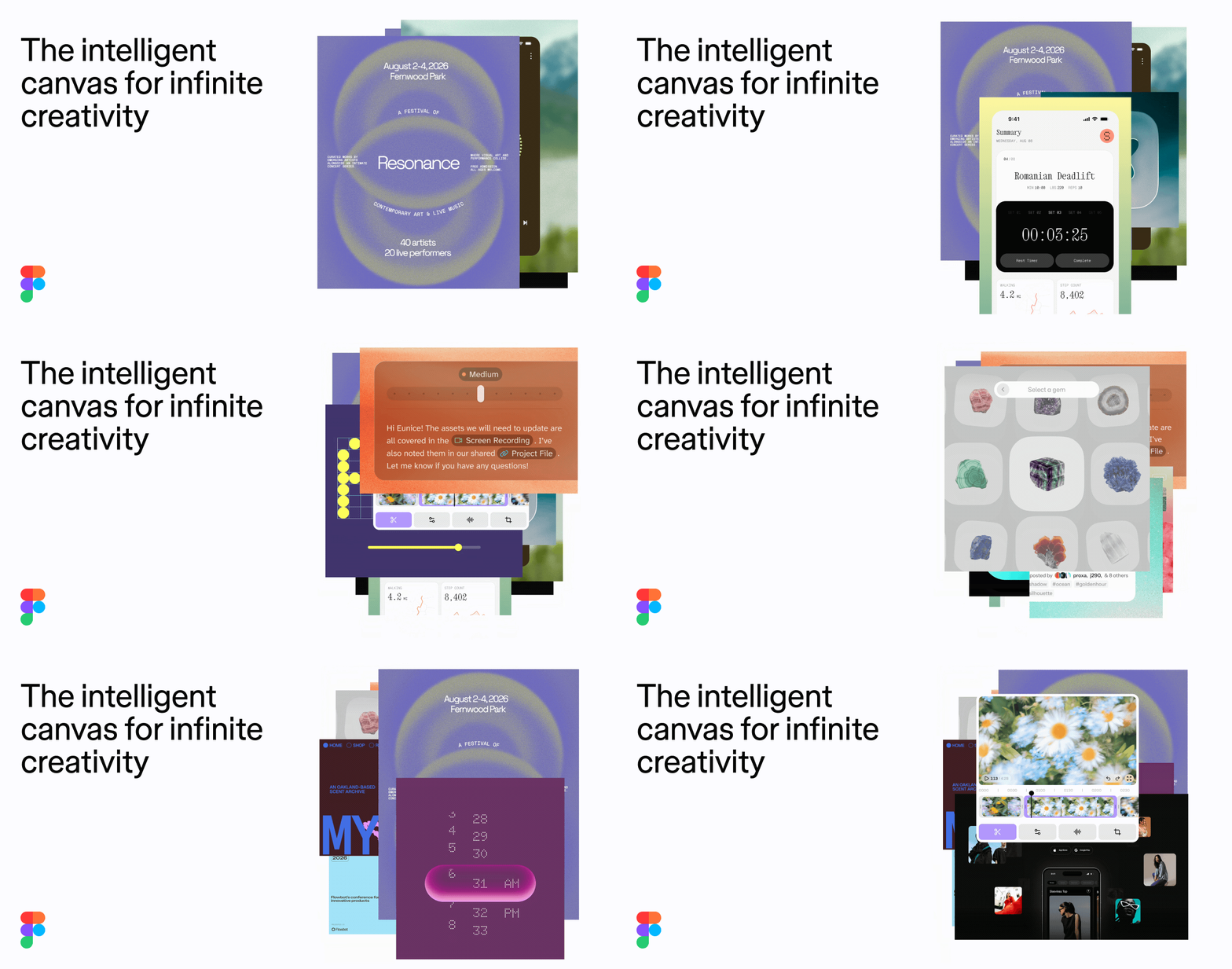
Figma Agent is an AI agent that lives directly on the Figma design canvas, allowing designers and product teams to prompt, edit, and prototype without ever leaving the canvas. Unlike tools that operate on flat images, Figma Agent works with your real components, variables, and team files, so the work it produces is connected to the same system your team already uses. Figma describes itself as the collaborative canvas for design, code, and AI—a single place where design, code, and AI come together so a whole team can go from first idea to shipped product, from concept to production, in one place.
The challenge this addresses is familiar to any product team: design, feedback, and engineering context tend to live in scattered tools, and moving between them breaks momentum and loses detail. Figma positions the canvas as one workspace for the entire product development process, "made so your whole team can go from WIP to ship, together." Rather than exporting a design and pasting it into another assistant, or handing off static screens that ignore the underlying design system, teams can keep teammates and AI agents working in the same space with shared context. On Figma's AI-native canvas, the goal is to generate new ideas, refine them, and align—together—so that ideas no longer have to wait their turn and the flow from idea to review stays intact. Because teammates and agents share the same context, the handoff between exploration and review happens in the file rather than across disconnected tools.
The core capability of Figma Agent is prompt-driven creation on the canvas. You can ask the agent to generate layout directions and explore multiple approaches quickly, then refine them. Because the agent operates on your real components and variables rather than flat images, the layouts it produces respect the building blocks your team already maintains, which reduces the cleanup work that typically follows AI-generated output. This makes early exploration faster while keeping the results closer to something production-ready, and it means the agent's output is grounded in the design context your team has already established.
Figma Agent also handles bulk editing across screens. Instead of manually selecting and adjusting elements one screen at a time, you can apply changes across multiple screens in a single pass. This is especially useful for design systems work, where a small change—say to spacing, a variable, or a component property—can have wide-reaching effects. The agent can also turn comments into changes, converting feedback left on designs directly into edits, which shortens the loop between review and revision and keeps the conversation connected to the artifact being discussed. Turning comments into changes means review input becomes tangible updates in the same file, rather than a separate list of notes to interpret later.
Beyond editing, Figma Agent supports prototyping from a prompt, so you can move from an idea to an interactive prototype without leaving the canvas. Figma frames the agent as a "built-in creative collaborator": you can ask Figma's agent to add motion to designs, document your design systems, implement feedback, and more. Adding motion helps communicate how an interface should feel, documenting design systems keeps that knowledge accessible, and implementing feedback turns review input into tangible updates—all through the agent rather than a separate workflow. The motion timeline and other technical tools described on the canvas support refining how designs behave, not just how they look.
Figma Agent extends beyond the canvas through integrations. It can pull context from Notion, Slack, GitHub, and Linear via MCP, connecting design work to the documents, conversations, code, and issues that surround a product. You can also build your own plugins and shaders, extending what the agent and the canvas can do, and save repeatable workflows as skills your team runs with a "/" command. That last capability matters because it lets teams capture their own processes—like a recurring way of implementing a particular kind of feedback or documenting a component—and reuse them consistently. Pulling context from tools like GitHub and Linear keeps design decisions connected to the code and issues they relate to, while Notion and Slack context keeps the surrounding documentation and conversation in reach.
The underlying approach is what Figma calls the AI-native canvas: teammates and AI agents work in the same space with shared context, rather than the agent being a separate chat window disconnected from the file. Design context stays connected to the codebase and to agents, so—as Figma puts it—"what you design is what gets shipped." Figma also emphasizes that you "start with design context" and "build with consistency," meaning the agent leans on existing components, variables, and files instead of generating isolated artifacts. The canvas is described as powerfully expressive and incredibly precise, offering the technical tools needed to dial in details—such as precise accessibility and precise padding—while the motion timeline and advanced effects support refining how designs behave. Additional canvas capabilities described in the content include glass depth, brush strokes applied to type, cursor vector editing, variable type, and type on a path.
For users, the benefits center on staying in flow. Because prompt, edit, and prototype all happen on the canvas, there is less tool-switching and less context loss between idea, design, and review. Teams can generate and refine ideas together, incorporate feedback faster by turning comments into changes, and keep their output aligned with the real design system. The result Figma describes is a more transparent, open, and honest process: as Francisco Seiz, Senior Design Director at Code and Theory, notes, "Everyone is able to influence, inspire, and give input without ever leaving the design file."
Concrete scenarios include generating several layout directions for a new screen and comparing them; applying a design-system change, such as a variable or spacing update, across many screens at once; turning review comments into edits so feedback is addressed in place; building a prototype from a prompt to explore interaction ideas; adding motion to a design to show how it should feel; and documenting a design system so it stays understandable. Teams can also create skills for recurring workflows and run them with a "/" command, and pull in context from Notion, Slack, GitHub, or Linear when a design task depends on documents, conversations, code, or issues. Designers can also turn to Figma's community templates—UI kits, websites, social media graphics, mobile apps, presentations, wireframes, illustrations, portfolios, web ads, and icons—as starting points alongside the agent's generated work.
Figma Agent is aimed at design and product teams—designers, and the broader group Figma calls "your whole team"—who work on apps, websites, and products and want to move from WIP to ship together. It is relevant to organizations of significant scale: Figma states that 95% of the Fortune 500 uses Figma, based on data from March 2025, and its logos include Airbnb, Atlassian, Dropbox, Duolingo, GitHub, Mercado Libre, Microsoft, Netflix, Pentagram, Slack, Stripe, The New York Times, and Zoom. Documented integrations named for the agent include Notion, Slack, GitHub, and Linear via MCP. Pricing details are not specified in the available content.
Figma Agent's primary value proposition is keeping prompt, edit, and prototype work on the same canvas as your real components, variables, and team files. By connecting teammates, AI agents, design context, and code in one place, it aims to help teams move fast in the right direction—from first idea to shipped product—without leaving the flow.
Publisher
A
admin
Launch Date2026-10-08
Platformweb
Pricingfree
Traffic Insights
Month2026-10
Estimated Visits85.1M
MoM Visits GrowthN/A
Avg Time on Site-
MoM Time GrowthN/A
Global Rank#138
Bounce Rate-
Updated 2026-10-08