Category Focus/categories/marketing
Marketing AI Tools
Discover and compare the best marketing AI tools and software. Browse 217+ curated tools with reviews and rankings.
Projects tracked
217
Sort mode
RECENT
Page
8
Discover and compare the best marketing AI tools and software. Browse 217+ curated tools with reviews and rankings.
Projects tracked
217
Sort mode
RECENT
Page
8
Coldline AI, also styled ColdLine.ai, is an AI-powered outreach tool that turns cold prospects into hot leads with personalized pitches. As described in its Product Hunt listing, users simply add their prospect's details and Coldline AI creates a relevant, human-sounding pitch in seconds. Its stated purpose is to help users save time, personalize outreach, and get more replies without writing every message from scratch. It is presented as a fit for founders, sales teams, marketers, recruiters, and agencies, and its official website summarizes the brand's positioning with the headline "Innovate with AI Today." Cold outreach is a numbers game, but the numbers only work when messages feel like they were written for the individual receiving them. The tension Coldline AI is built around is the trade-off between personalization and time: crafting a tailored pitch for every prospect means writing every message from scratch, which scales poorly for anyone reaching out to more than a handful of people. At the same time, outreach that is not personalized tends not to earn replies, and recipients can generally tell when a message is a template with a name dropped in. Coldline AI addresses this tension by automating the pitch-writing step while keeping the output relevant and human-sounding, so personalization no longer has to be sacrificed in the name of speed. The result the product aims for is outreach that is both fast to produce and specific enough to deserve an answer. The core capability described for Coldline AI is AI-powered personalized pitch generation. Instead of starting from a blank page, the user provides details about their prospect, and the product uses that information to produce a pitch that is relevant to that specific person. This is the mechanism behind the promise of turning cold prospects into hot leads: the message is built around the prospect's details rather than being a generic template that could be sent to anyone. The pitch is also described as human-sounding, so the personalization is not just factual but tonal. For anyone who sends outreach regularly, this means the personal touch that normally requires research and careful drafting becomes part of an automated step rather than a manual chore. Speed is an explicit part of the product's value proposition: Coldline AI creates the pitch in seconds. The immediate benefit is that a task which would otherwise take minutes of drafting — and much longer when multiplied across an entire prospect list — is compressed into a moment. Seconds matter in outreach because the real constraint is usually not the quality of a single message but the number of messages a person or team is able to send. When each pitch is produced in seconds, users can work through more of their prospect list without giving up the personalization that makes outreach worth sending. The speed also lowers the friction of starting: there is no blank page to fill, only details to add. The content emphasizes that the generated pitch is relevant and human-sounding. Relevance ties the message to the prospect's details, while the human-sounding quality addresses the risk that automatically written outreach reads as stiff or obviously machine-generated — a tone recipients tend to ignore or delete. The stated outcome is more replies, which means the pitch is written to be something a prospect will actually respond to rather than something that merely fills a message field. Combined with the promise of not writing from scratch, this positions Coldline AI as a way to produce outreach that feels personal without hand-crafting every sentence. For users, that distinction matters because a pitch that sounds human is more likely to be read to the end and answered. The overall workflow described by Coldline AI is deliberately simple. The user adds their prospect's details, and the product generates the pitch from that input. There is no described requirement to build templates in advance or to write a draft for the tool to edit — the pitch is created for the user from the details they provide. This input-then-generate approach is what makes the tool usable by people who are not professional copywriters, including founders, recruiters, and agency teams for whom outreach is one part of a much larger job. The methodology is essentially to let AI handle the composition while the human focuses on choosing who to contact, sending the message, and following up on the replies that come back. The benefits stated for Coldline AI are saving time, personalizing outreach, and getting more replies. These three are connected: time saved comes from not writing every message from scratch, personalization comes from generating a pitch around each prospect's details, and more replies are the expected result of outreach that is both relevant and human-sounding. For an individual, the benefit is fewer hours spent drafting and less fatigue from staring at empty message boxes. For a team, the benefit compounds, because every member can produce personalized outreach at a pace that previously would have required generic templates. The product frames these outcomes as the reason to change how outreach is written. Coldline AI is presented as suitable for a range of outreach scenarios. Founders can use it to reach prospective customers, partners, or investors without blocking out hours for writing, since each pitch is generated from the details they add for that person. Sales teams can use it to personalize cold outreach across a pipeline, producing a relevant pitch for each prospect they enter instead of choosing between volume and relevance. Marketers and agencies can use it for outbound campaigns and client prospecting, where personalization at the individual level is what separates a campaign from spam. Recruiters can use it to reach candidates with messages tailored to the person, rather than sending the same note to everyone. In each case the described workflow is the same: add the prospect's details, generate a relevant pitch, and send it. The explicit target audiences for Coldline AI are founders, sales teams, marketers, recruiters, and agencies — essentially anyone whose work involves reaching out to people they do not yet know. These are people who send outreach regularly and need it to feel personal in order to get replies, but who do not want to write every message from scratch. The Product Hunt listing also categorizes the product under Sales, Marketing, and Artificial Intelligence, which reflects that dual identity of an AI tool applied to a go-to-market function. Coldline AI is accessed through its official website at coldlineai.xyz, making it a web-based product, and it is listed on Product Hunt as "Coldlineai" with the tagline "Turn cold prospects into hot leads with AI-powered pitches." No pricing details are stated in the available content. In short, Coldline AI takes the most time-consuming part of cold outreach — writing a personalized pitch for every prospect — and turns it into a seconds-long automated step. By taking prospect details as input and producing a relevant, human-sounding pitch, it aims to let founders, sales teams, marketers, recruiters, and agencies save time, personalize their outreach, and get more replies without writing every message from scratch. That combination of personalization and speed is the core value proposition the product states.
Youkti is an outbound system of thinking and action that turns account knowledge and relationship data into revenue. It is built to help sales teams win more new logos, move more pipeline, and reactivate dormant accounts using intelligent outbound, live signals, and a complete memory of every account. Youkti combines conversational campaign building through its AI GTM agent ARYA, a daily execution cockpit for reps, automatic account journey tracking, and deep account intelligence with deal context and recommended next actions. The product is aimed at sales leaders, revenue operations teams, account executives, and outbound representatives, and it gives each of those roles a command surface tuned to their job — intelligence for leaders and RevOps, actions for AEs and sales leaders, and outbound workflows for reps and GTM teams. The problem Youkti addresses is that momentum inside a pipeline is easy to lose. Deals slip without anyone noticing in time, dormant accounts quietly fire buying signals nobody sees, and reps walk into strategic meetings without knowing which stakeholder joined or which questions are still unresolved. Youkti keeps a memory of every account, conversation, and deal, then tells the sales team the exact next move: which deal is slipping, which dormant account just fired a signal, and what to prepare for tomorrow's meeting. Instead of relying on static workflows, stale battlecards, and manual CRM updates, the system continuously overlays live signals and relationship data onto every account so the next best action is always visible. The first major capability is the conversational GTM builder. Rather than dragging and dropping blocks or writing if-else logic, users tell ARYA what they want in plain English, and it builds the entire flow through conversation — signal triggers, persona matching, outreach rules, and cadence. The configuration updates live as you talk, and the flow editor shows a live config review alongside run history and settings. Example flows shown in the product combine triggers such as Funding Raised or Hiring Surge with target personas such as VP Sales, CRO, Head of Sales, VP Marketing, or CMO. If both a funding raise and a hiring surge are detected, the flow can apply an aggressive tone on a cadence of every three to four days across five emails; if only one condition fires, it can apply a consultative tone weekly across three emails. Because the configuration is generated through conversation, there is no drag-and-drop canvas and no if-else branching to maintain. The second capability group covers daily execution. Every morning, reps open a single screen — the Cockpit — where accounts are prioritized, signals are overlaid, personas are matched, and sequence hooks are already written, with one click to push. The cockpit shows counts such as total accounts, active signals, today's plays, high-priority plays, live sequences, pending replies, and meetings for the day. Accounts are queued with the detected signal and the reason it matters — for example, a hot account showing a hiring surge signal detected yesterday — together with matched personas such as a CTO or Senior Director of Product, the linked sequence such as a five-step, 18-day Sales Leaders Outreach play, and a send action. This is described as what a true system of action looks like: signal-driven prioritization, one-click sequence push, and the thinking layer made visible to the rep. The third capability group is tracking and account intelligence. After a sequence is pushed, every account enters an Account Journey, where Youkti tracks status, engagement, replies, meetings, and surfaces the next step automatically — no manual updates, no digging, and no missed follow-ups. The journey view summarizes total accounts, meetings today, unactioned items, and total actions, and it segments accounts into states like Growing, Stable, Needs Attention, and At Risk, showing a summary of outreach, status, last contact, and AI-generated next steps such as high buying intent detected or an active email thread that should be pushed toward a meeting. Clicking into any account opens a deep-dive board with emails sent, replies, meetings, next actions with reasoning, the latest meeting brief with talking points, stakeholder maps, a full account timeline, signals, insights, sales actions, and talk tracks — plus automatic meeting prep. The system recommends; the user decides. A further capability is the intelligence layer, described as 100+ parameters and every signal in one snapshot. Youkti Execute scores every account on readiness, ICP fit, budget, timeline, and sales cycle, then generates deal actions, strategic approach, entry points, key messages, and email templates — a six-step account-based campaign in one click. The scorecard example shows readiness of 9/10 and ICP fit of 8/10 with explicit reasoning such as Highly Qualified Enterprise Target rather than a black-box number, alongside budget context, timeline for pilot approval, sales cycle length, ROI potential, effort level, best timing, the account's competitive edge, and recommended next steps such as launching an outbound sequence, connecting on LinkedIn, proposing a tech-stack consolidation audit, or pitching a pilot. Strategic deal enablement material includes ROI potential, effort level, success metrics, value demo scripts, and a phased execution timeline. The system also monitors signals across the entire TAM — funding, hiring, leadership changes, lawsuits, competitive moves, and tech stack swaps. When something fires, the user does not just get an alert: they get the analysis, the reasoning, and the timing window, including confidence scoring with reasoning, a Why It Matters explanation for every signal, and timing windows such as Next 2-4 weeks that indicate when to act rather than only that something happened. Those signals feed sequence generation: Youkti writes complete multi-step sequences with A/B variants, each tied to specific signals and account context, including campaign strategy, messaging angles, subject lines, and email bodies. A generated sequence example shows six steps, twelve emails, and a sixteen-day duration, with one click to push the selected variant into a sequencer such as Lemlist, Outreach, or any SEP. The platform modules that make this up are built to work together. Prospects & Lists lets teams build, distribute, and track high-quality prospect lists at scale, assign ICP-fit companies to reps, and monitor execution centrally. Account Intelligence delivers 100+ parameters of contextual company intelligence on any account in under 60 seconds with a single click. Outreach Automation generates messaging angles, follow-ups, and outreach guidance tied to real signals and account insights. Competitive Intelligence tracks competitors, comparisons, and real-time changes that impact active deals. Sales Enablement centralizes decks, case studies, and battlecards so reps always use the latest narrative. CRM Enrichment automatically enriches and updates accounts, contacts, and activity so CRM data stays accurate without manual effort. ARYA is the AI GTM agent that builds the flow, writes the outreach, and tracks what's next. Account Journey builds personalized, multi-touch engagement journeys that adapt to signal changes and rep activity, and Execution Analytics tracks outbound execution across every rep, account, and play. The benefits described are concrete: winning more new logos, moving more pipeline, and reactivating dormant accounts; seeing which deals are slipping and why before they stall out of the pipeline; understanding the top competitors in your deals and the top objections from your clients; preparing strategic conversations with the messages that landed you deals; and giving every rep exactly what to do each day. The vendor also states it helps avoid spending $100K+ on Salesforce Data Cloud 360 and implementations, because Youkti has your data covered. Customer stories cited on the site include NeoSOFT generating $50K+ pipeline growth, Samvidh Technologies increasing revenue 20% quarter over quarter, and Deeploop increasing selling time by 3×. Use cases shown in the product illustrate how this plays out. Protecting an at-risk deal: an account flagged At-Risk, awaiting board approval for 16 days, with the suggested action of scheduling a meeting with the VP of Operations who was last contacted 16 days ago. Prioritizing a high-intent account: a SaaS Series B company marked High Priority with a new CRO hired, nine sales leadership roles open, and Series B funding raised, carrying an ICP score of 96/100, with LinkedIn and email actions for the named contact. Reactivating a dormant account: a healthcare enterprise where the last contact was 94 days ago and a new signal was detected about a digital transformation initiative, with a drafted email to the named contact. Opening an expansion opportunity: an enterprise manufacturer with a renewal in 60 days where the Operations business unit is 78% engaged and Supply Chain is 62% engaged, prompting a call with the named contact. And preparing for a strategic meeting: a retail enterprise meeting tomorrow where the CIO has joined the meeting, with tasks to review a new stakeholder map, resolve unresolved security questions, prepare recommended talking points, confirm the CIO attendee, and schedule an internal team meeting. Youkti is built for AEs, RevOps, sales leaders, and outbound reps, and its integrations cover the surrounding stack. Email and calendar integrations include Gmail, Google Calendar, Outlook, Exchange, and Office 365. Data integrations include Snowflake, AWS, OneDrive, SharePoint, and Google Drive. CRM integrations include Salesforce, HubSpot, Zoho CRM, Pipedrive, and Freshsales. Prospecting data providers include LinkedIn Sales Navigator, Apollo.io, Lusha, Cognism, Clearbit, People Data Labs, ZoomInfo, Full Enrich, Kipplo, Prospeo, BetterContact, Clay, and Bitscale. Sales engagement integrations include Outreach, Salesloft, Apollo.io, and HubSpot Sales, and signal integrations include Google Analytics, rB2B, SEMrush, Ahrefs, and Hotjar. Youkti states it is constantly adding new integrations. Contact data, buying signals, and intent are described as free, with no card and no meter. In summary, Youkti's core value proposition is that it is the outbound system that thinks: it remembers every account, conversation, and deal, continuously watches for signals across the market, scores and reasons about that intelligence, and then converts it into specific actions — from building a campaign through conversation to pushing a personalized sequence and tracking what happens next.
Wisry is an agentic ad platform for ecommerce brands that turns an existing store into a source of high-ROAS campaigns. Described as an Agentic AdClone for ecommerce, it uses AI agents that analyze winning ads and generate high ROAS campaigns. The workflow begins when you paste your store URL: Wisry builds brand memory covering your products, voice, visual identity, and audience so that every agent stays on-brand. It then researches the ads already working in your market, generates evidence-backed campaign angles, generates video and static ads cloned from the best performing creative, and ships them to Meta and Google. It is built for ecommerce brands and agencies that want to launch high-ROAS ads roughly ten times faster, with research, creative, and launch handled end to end in minutes rather than weeks. The problem Wisry addresses is the guesswork behind ecommerce advertising. Advertisers typically start from a blank canvas, invent angles, produce creative, and then wait to see what converts, which is an expensive and slow loop. Wisry starts from a different premise: winning ads already exist in the market. Its research agent reads the Meta ad library and TikTok top ads, deep-analyzes competitor ads and content, and identifies what is already converting. Instead of briefs built on assumptions, campaigns begin from ads with a live track record. In the studio's ad library view, ads are ranked to clone, for example one ad shown at 64 days live with 17 variants and 2.4M impressions, another at 35 days live with 10 variants and 1.1M impressions, and a third at 23 days live with 6 variants and 740K impressions, drawn from a set of 1,323 reviewed. That ranking makes the market's proven patterns visible before any budget is spent, which matters because in categories such as supplements the window for a trend closes quickly, and teams that spot and replicate what is winning first gain the advantage. Agentic ad research is one of Wisry's two flagship features. Research agents read the ads already running in your market, cite what they found, and turn the winners into angles you can brief. This is not a list of raw ads: the strategist agent converts research into campaign concepts covering audience, hooks, and messages, and provides source citations behind every angle. Evidence-backed angles mean the reasoning behind a campaign is traceable back to a real, running ad rather than to opinion. In practice, an ecommerce team can see which concept has survived the longest, which format has survived a full test cycle, and which has the fastest variant ramp in the category, and then brief creative against those findings. Wisry's second flagship feature is video ad cloning. You point Wisry at a video ad that works and get your own version of it, with the same structure and pacing but your product and your brand; the structure matched includes the hook, proof, and close. Static ad cloning works on the same principle: Wisry rebuilds a winning static in your palette, with your type and your product shots, then fans it out into every placement you need. What is kept and what is swapped is explicit: layout, headline structure, and type are retained from the source, while the palette and product are swapped for yours. This lets a brand reuse a proven creative formula without copying a competitor's product or visual identity. The studio also includes ad templates and video editing. Templates let you start from formats with a track record instead of a blank canvas, and every template arrives sized and safe-area-checked for its placement. Formats shown include listicle, problem-solution, quiz, portrait, us-versus-them, seasonal, feature-benefit, and how-to, sized for Feed 1:1, Feed 4:5, Portrait 2:3, Landscape 16:9, Reels 9:16, and Story 9:16, so the same idea can be produced across the placements a campaign actually needs. Video editing means every generated cut opens in a real editor where you can retime scenes, restyle captions, swap a shot, and re-render without leaving Wisry. Together these capabilities keep generated creative editable and controllable rather than locked, so teams can fine-tune an asset before it ships. Wisry works as a five-step loop handled end to end by agents. Step one: Wisry pulls your brand and products, so you paste your store URL and it builds brand memory covering products, voice, visual identity, and audience, keeping every agent on-brand. Step two: it studies your market's winning ads, with a research agent deep-analyzing your Meta and TikTok competitors' ads and content to find what is already converting. Step three: it generates evidence-backed angles for your campaigns, turning research into campaign concepts covering audience, hooks, and messages, with source citations behind every angle. Step four: it copies winning creatives for your products, generating video and static ads from the best performing ads and your chosen angles. Step five: the ads agent launches, optimizes, and repeats 24/7, shipping your ads to Meta and Google, watching performance, moving budget to winners, and keeping new creatives coming. The studio ships nine capabilities in total, all pointed at selling more of your products, with research and cloning described as the two flagship capabilities and the rest downstream of them. The stated outcomes are speed and performance. Wisry reports a +200% average boost in ad performance, says its strategist was trained on over $1B in ad spend, and claims it is 10x faster to launch a high-ROAS campaign with AI, with research, creative, and launch handled end to end in minutes rather than weeks. The intended benefit is that advertisers stop testing blindly and start scaling what is proven. In testimonials, a seller of a hardware product to Tesla owners, a niche audience where every ad dollar counts, says Wisry took what was already working in the account and multiplied it, with ROAS up 300%. A supplements advertiser says the value is spotting what is winning and replicating it before the window closes, shipping winning variations twice as fast. An agency says the bottleneck of research and iteration was removed, letting it scale client accounts much faster than a manual team could. Concrete scenarios follow from the workflow. An ecommerce brand pastes its store URL, lets Wisry build brand memory, and receives campaign angles plus cloned static and video ads ready to launch on Meta and Google. A growth team watching the ad library ranking picks a proven concept, such as a long-running contrarian concept with many live variants, and clones its structure into its own product. A creative team takes a generated cut into the editor to retime scenes, restyle captions, or swap a shot, then re-renders and ships. A media buyer uses the ads agent to keep optimizing, watching performance, moving budget to winners, and continuously receiving new creatives. An agency runs the same research and cloning loop for multiple client accounts, turning market research into output at a pace the testimonial describes as beyond what a team could touch manually. Brands in trend-driven categories such as supplements use it to react to what is winning while the window is open. Wisry is aimed at ecommerce brands and the agencies and media buyers serving them, particularly teams that want to scale paid social and search without adding research and creative headcount. Its agents are orchestrated using leading models: Grok, Gemini, OpenAI, Claude, KlingAI, and Nano Banana. The product is web-based, and the connections described in the content cover the Meta and TikTok ad libraries for research and Meta and Google for ad delivery. Pricing is a paid, prepaid subscription: 2 weeks at $49.50, 4 weeks at $99 marked Most Popular and offered at $49.50 with a 50% saving, and 8 weeks at $198 offered at $89.10 with a 55% saving. The checkout note states one payment of $49.50 for 4 weeks, then $99 per month, cancel anytime, secured by Stripe, and plans are described as costing less per day the longer you commit. Wisry was featured on Product Hunt with 308 votes and 49 comments. Wisry's proposition is straightforward: your store in, winning ads out. By turning the public ad libraries of Meta and TikTok into a ranked source of proven creative, rebuilding that creative for your brand as static and video ads, and then launching, optimizing, and repeating around the clock on Meta and Google, Wisry compresses ecommerce ad research, production, and optimization into minutes. For ecommerce brands and agencies that want high-ROAS campaigns without the guesswork, it positions the market's already-winning ads as the starting point rather than a blank canvas.
Anysite.io is a B2B data layer that lives inside the AI agent you already use. Rather than writing queries or maintaining scrapers, you describe the list you need in plain language — companies by geography, industry and size, the people inside them, their current job titles and emails — and Anysite.io returns it. The product is aimed at GTM and marketing teams that want fresh, ready-to-use web data for outbound, ABM, research and monitoring, and it works over MCP or a REST API inside agents including Claude, Codex, Cursor, OpenCode and others. The product is positioned against three walls that GTM and marketing teams hit every week. First, basic AI research is not enough: you ask an LLM to conduct research, but it is scratching the surface with old SEO links, bold assumptions and a lack of real-time market data. Second, lead enrichment is extremely expensive: using GTM tools for enrichment such as social media account summaries or news about a new company raise can easily land $3–5k invoices every month. Third, category intelligence means hours of scrolling: what is working in your category — competitor moves, brand mentions, posts that pop — hides behind manual feed-scrolling, and you still get no clear read. The first building block is live, typed web data. Ask your agent for a list and Anysite returns typed fields — people, companies, posts, prices — rather than a page of text you still have to parse, with one schema per source. Coverage spans 650+ sources and 3,500+ endpoints across social, e-commerce, news, finance, maps and code, business data included. Freshness is explicit rather than implied: data is pulled live from the source at the moment you ask, not served from a warehouse snapshot, so if a title changed this morning, that is the title you get. The site is also honest about the edges — niche sites with heavy bot protection are handled case by case. The second building block is plain-language briefing. You describe the task the way you would brief a teammate — an ICP, a competitor, a topic — and there is no query language, no endpoint IDs, no field mapping, no pagination to handle and no maintenance when a source changes. In the example shown on the site, the brief is "Find heads of growth at seed-stage fintechs in Europe who posted about outbound this month." The agent matches endpoints — people search, profiles and email finder — fills parameters such as geography, industry, founding year, role and verified-email-only, pages through results and deduplicates by company domain, then returns 50 prospects as rows containing name, role, company and email. The agent decides which endpoints to call; nothing about the underlying plumbing is left to the user. The third building block is a flat, data-based cost model combined with resilience and monitoring. MCP plans start at $30/month flat with fair-use throughput and a 7-day free trial, and on the API you pay for data returned rather than for attempts. On the monitoring side, your agent watches the category: competitors, mentions and top posts by topic arrive on a schedule, with the engagement numbers behind them, so you get the pattern rather than a feed. On reliability, when a site changes or blocks access, that is Anysite's problem rather than yours — endpoints heal themselves when a platform shifts its defenses, and requests route across multiple sources so no single provider can vanish and take your workflow down. Getting your web data runs in three steps and is described as needing only a few clicks, with no pipeline to build. In the Connect step you plug Anysite into your tools: add the MCP server to Claude, Cursor or ChatGPT, or take the REST API — the same catalog either way, every source included, nothing to install and nothing to keep running. The site shows a Claude Code command (claude mcp add --transport http anysite "https://mcp.anysite.io/mcp?api_key=YOUR_KEY"), a Cursor configuration block that goes in ~/.cursor/config.json, and a REST example that POSTs to https://api.anysite.io/api/people/profile with an access-token header and returns a typed profile. In the Ask step you describe the task in plain language, briefing it the way you would brief a teammate — an ICP, a competitor, a topic. In the Get step, typed, up-to-the-moment results land in your chat, sheet or CRM, ready for the sequence or the deck. The stated benefits follow directly from that flow. Because there is no pipeline to build and no query language to learn, no engineer is required to get value from the product, and teams can plug in and launch outbound data collection the same day. Because data is pulled live at query time, results reflect what is actually on the web now rather than a stale snapshot or a search index. Because output is typed and delivered where the team already works — chat, spreadsheet or CRM — results are ready for a sequence or a deck without a parsing step. And because pricing on the API is tied to data returned rather than attempts, enrichment work does not generate surprise invoices for tries that came back empty. Anysite lists concrete tasks by role. For Outbound & Sales it is building ICP lists with live buying signals to book meetings from lists nobody else has, rather than the tired database everyone else mails. For ABM it is walking into a call knowing the account's latest move, with this week's funding, hires and product news briefed before every call. For Market & Competitor Research it is building campaigns on data rather than guesses, with offers, prices and ads tracked as they change and no tab-by-tab copying. For Brand & Social Monitoring it is tracking mentions, sentiment and conversation shifts as a single morning read on brand health. For Content & Viral Intel it is publishing what a niche actually rewards, using top posts by topic and the engagement behind them instead of hours of scrolling. For Creator & Influencer work it is choosing creators on real numbers rather than edited ones, looking at true engagement, comment sentiment and brand fit instead of a media kit built to flatter. Beyond GTM and marketing, the site points to agentic products, e-commerce intelligence, due diligence, finance research, HR and recruiting, science research and reviews, and everyday life. On the audience side, the product speaks to GTM and marketing teams, outbound and sales teams, ABM programs, market and competitor researchers, brand and social monitoring teams, content teams and creator or influencer marketers, along with the broader use cases listed above. On the integration side, it states that it works with agents including Claude, Cursor, Manus, Grok, Gemini CLI, Codex, Antigravity, OpenClaw and OpenAgent, and it is described as a verified app on Make. Pricing is split into MCP plans and usage-based API plans. MCP costs $30/month for everyday research, MCP x5 is $99/month for active daily agents, and MCP x15 is $199/month for agents that never sleep; all MCP tiers include a 7-day free trial with full plan access and all 650+ sources with one key, and work with Claude, Cursor, ChatGPT and any MCP client. API plans are credit-based: Starter gives 15K credits/month for $49/mo ($3.27 per 1K credits) with the full REST API, a CLI tool and MCP server access; Growth gives 100K credits/month for $200/mo ($2.00 per 1K), 39% cheaper per request with higher rate limits for batch; Scale gives 190K credits/month for $300/mo ($1.58 per 1K), 52% cheaper with throughput sized for production; Pro gives 425K credits/month for $549/mo ($1.29 per 1K), 61% cheaper with max rate limits; and Enterprise gives 1.2M credits/month for $1,199/mo ($1.00 per 1K) with white-glove onboarding and custom rate limits. A Custom tier offers custom credit volume and rate limits, dedicated support and SLA, volume discounts and custom sources on request. Anysite.io's core proposition is simple: the web is the largest database ever built, nobody shipped it with a query language, and Anysite provides one — in the form of a plain-language agent interface backed by live, typed data from 650+ sources. For teams that need fresh B2B and web data for outbound, ABM, research and monitoring without writing queries or maintaining scrapers, it offers the same catalog over MCP or REST, flat MCP pricing from $30/month, usage-based API pricing that charges for data returned rather than attempts, and a 7-day free trial to start.
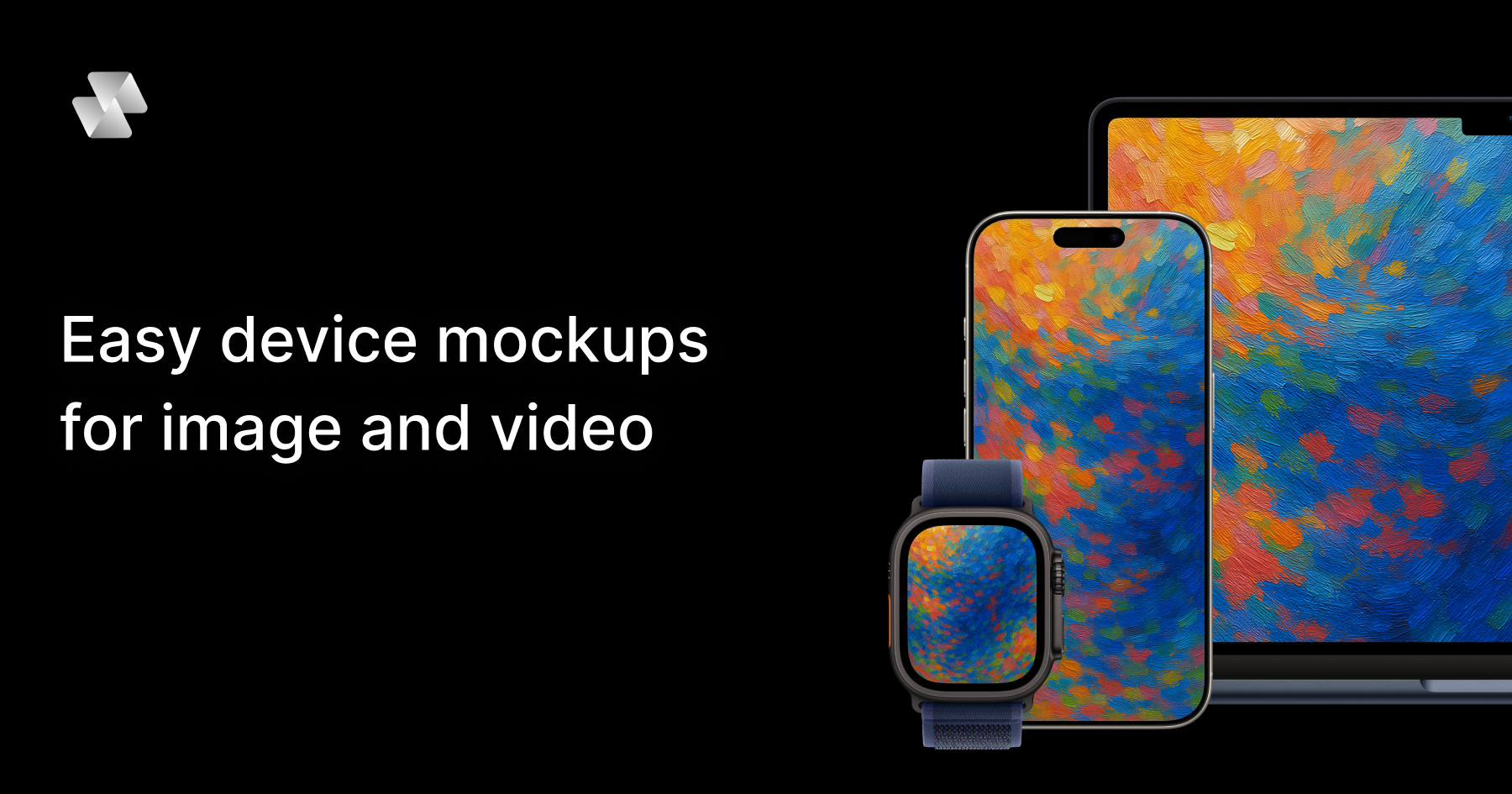
Mock Magic is a browser-based device mockup generator for images and video. It lets you upload a screenshot or a screen recording, drop it into a realistic device frame — an iPhone, iPad, MacBook, Android phone, desktop monitor or smartwatch — and export the result in high resolution within seconds. The tool is built for designers, developers, freelancers and marketing teams who need to present apps, websites and digital products inside convincing device hardware. Everything runs in the browser: there is nothing to install, and no Photoshop or After Effects is required. The site positions the product simply as a way to create beautiful device mockups — upload your design, select a device, and download your mockup in seconds — with unlimited free image mockups and video mockups available on the paid subscription. Most mockup tools stop at images. That is the gap Mock Magic was built to close: a static device frame is often enough for a screenshot, but apps, websites and digital products increasingly need motion — a screen recording wrapped in a phone frame, an animated product demo inside a laptop, a short branded clip for a launch. Producing that kind of device video has traditionally meant heavyweight desktop software such as Photoshop or After Effects, plus the skills, licences and time to use them. Mock Magic removes that friction by moving the workflow into the browser and by supporting video sources alongside images. According to the product description, the tool turns a screen recording into a polished device video, in your brand colours, in the browser, in seconds — with nothing to install. Device coverage is one of Mock Magic's core strengths. The site says the tool supports 54+ device variants, spanning the latest iPhones, Android phones, iPads, MacBooks, desktop monitors and smartwatches, and that the library is constantly updated with new devices. Dedicated pages exist for individual device families, including iPhone mockups, MacBook mockups, iPad mockups, Android mockups, desktop mockups and smartwatch mockups, so visitors can start from the hardware they care about. Alongside raw device frames, Mock Magic offers a template library. Templates cover different orientations, single-device layouts and multi-device compositions, so you are not limited to one screen in one position. Some templates are included in the free plan, while premium templates with advanced layouts and features are available exclusively to Pro subscribers. The site describes templates as a way to create professional-looking mockups with minimal effort. Backgrounds are optional but well covered. Mock Magic lets you highlight your design against a solid colour or a gradient, and both options sit behind the device frame rather than competing with it. Customisation goes further than presets: you can choose your own background colour using a colour picker, or upload your own background image. Custom backgrounds are saved to your account so they can be reused in future mockups, which makes it practical to keep a recurring brand backdrop on hand instead of rebuilding it each time. The product description also mentions setting a brand colour with a hex code, which suits teams that work from a defined palette. In short, the background system is designed to help you create the perfect setting to showcase your design, whether that setting is a plain colour, a gradient, or an image of your own. Mock Magic handles both still and moving content. Images can be added on the free plan, while video mockups are a Pro feature. Supported image formats are PNG, JPG and SVG; supported video formats are MP4 and WebM. All mockups — image or video — can be downloaded in high resolution, and the site promises high quality exports. Video support means moving content renders inside the device frame rather than being flattened into a screenshot, which is what makes an app promo video or an animated landing page asset possible. The other half of the workflow is repeatability. You can save your device selection, background choice and template preference as default settings, so every new mockup starts with your preferred options already selected. The Product Hunt listing frames the same idea as presets: save your setup once and reuse it, so every mockup for your app store, website or socials matches. The workflow is deliberately short. You start by uploading a screenshot or screen recording into the browser editor at Mock Magic's studio. Next you pick a device frame from the 54+ variants, choose a template if you want a particular orientation or a multi-device composition, and set a background — a solid colour, a gradient, a hex-code brand colour, or an uploaded image. Then you export in high resolution and download. The distinctive part is what happens after that first export: Mock Magic remembers your setup. Device selection, background and template can be saved as defaults, and presets let you reuse a branded configuration for future files. That turns mockup production from a one-off design task into a repeatable, consistent process that lives entirely in the browser, with no installable software in the loop. The benefits follow directly from that workflow. Speed: the site repeatedly describes exports in seconds and a process that takes a few steps — upload, select a device, download. Consistency: saved defaults and presets mean a series of mockups shares the same device, background and layout, which matters when assets sit next to each other on a store listing, a landing page or a social grid. Accessibility: because the tool is browser-based, there is no Photoshop or After Effects licence, no install, and no specialist motion-design skill implied. Cost: unlimited image mockups are free, and video mockups are available on the Pro plan at €7.99 per month. Quality: exports are high resolution, whether the asset is a static screenshot or a moving device video. Mock Magic lists typical applications for device mockups, and they map closely to its features. App Store screenshots are the classic case: a phone frame in the right orientation with a branded background. Social media posts reuse the same assets in different formats. Landing page hero images benefit from the desktop and laptop frames, and from gradient or solid-colour backgrounds that blend into a site design. Pitch decks use device mockups to make a product feel tangible during a demo or investor presentation. App promo videos are where video support earns its keep: a screen recording placed inside a phone or laptop frame becomes a moving product demo rather than a static picture. The Product Hunt listing adds a related scenario — turning a screen recording into a branded device video using a saved preset, so a whole series of clips shares one look. Mock Magic names its audience directly: designers, developers, freelancers and marketing teams. Anyone who needs to present an app, website or digital product inside device hardware fits the description, and the free image tier lowers the barrier for individuals testing the tool. Pricing is split between a Free plan and a Pro plan at €7.99 per month. The pricing section lists device selection, background colours and gradients, high-quality export, saved selections, unlimited video mockups, Pro templates and custom background image uploads against both plans; the FAQ clarifies the intent, stating that image mockups are unlimited and free, that video mockups are a premium feature for paid subscribers, and that premium templates with advanced layouts are available exclusively to Pro subscribers. Access is browser-based through the Mock Magic studio. For anyone who needs device mockups without a design suite, Mock Magic condenses the job into a browser tab: upload an image or a screen recording, choose from 54+ device variants, dress it in a branded background, and export in high resolution. Templates cover single-device and multi-device layouts, saved defaults and presets keep a series of assets consistent, and video support on Pro turns screen recordings into finished device videos. Free unlimited image mockups make it easy to start, and €7.99 per month unlocks video and premium templates. The result is faster, more consistent product presentation — built for app stores, websites, socials and pitch decks.
Nugget is a LinkedIn warm outreach tool built for Founders and Solopreneurs who hate cold outreach. It mines the LinkedIn data export you already own into a set of actionable reports that show you exactly who in your network to talk to, what to say to them, and where your next opportunity is hiding. Instead of scraping profiles or buying lead lists, Nugget works from your own LinkedIn archive and turns it into a clear picture of who is warm and what to do next. The problem Nugget addresses is one the site states plainly: your LinkedIn network is full of connections who could refer you, hire you, or open a door, but LinkedIn does not show you who they are, how warm they are, or what to say. The usual outcomes are throwing spaghetti hoping something sticks, or doing nothing and wondering why the pipeline is dry. Cold outreach, meanwhile, feels too salesy to even try. Either way, as the product puts it, you are leaving money behind — and the data needed to avoid that is already sitting in your own export, unused. Nugget ships with three free reports that require no payment and no credit card. The Open Door looks at the real people just outside your network: every pending invite in your account, who is already waiting on a yes from you, and who you reached out to but never got a reply from. The Line-Up takes every connection in your network and sorts it by role — Founders, C-Suite, VPs and more — so you can actually find the person you are looking for instead of scrolling through hundreds of names. The Field Report surveys the land: who is actually in your network, how many of those connections match your ICP, and your top ten untapped connections. Together, these three reports answer the basic question of who is in your network and how much of it is relevant to who you are trying to reach. Five additional reports are unlocked with purchased credits, and the site describes each as existing to fix one specific thing that is costing you opportunities. The Warm List produces a single ranked list of who is actually worth your time right now, scored by real fit and relationship gap rather than by who messaged you last. The Hidden Nuggets Report surfaces the people who are already in your corner but whom you are not leveraging, ranked by likely value and best ask type — the advocates who are ready to refer you or vouch for you. The Inbound Report asks whether your profile is ready to convert: if a perfect prospect landed on your profile right now, would they stay or bounce? The Outbound Report looks in the other direction and shows what your LinkedIn activity broadcasts to potential clients when you are not paying attention. The seventh report, The Gold Nugget, is the one the site calls the treasure map rather than just another report: a full Business Development Action Plan containing your complete pipeline, prioritized targets, the warm relationships already in your corner, missed conversations, and outreach sequences ready to send. Where the other reports tell you who is worth your time and why, the Gold Nugget tells you what to actually do about it, bringing the Warm List, Hidden Nuggets, Inbound and Outbound findings together with the action plan. Running The Gold Nugget also produces Nugget's signature metric, the BizDev Readiness Score. It is a score out of 100 that shows exactly where you stand and what to do to raise it, and it is built from five strengths: Network (who is in your network and how ICP-aligned they are), Profile (how ready your profile is to convert a visitor into a client), Content (what your content says when you are not in the room), Relationship (the warmth and depth of your active relationships), and Advocate (how many advocates are ready to go to bat for you). Because the score is broken into these five areas, it points at the specific dimension to work on rather than giving one vague number. There is no scraping and no LinkedIn login involved. Nugget works from the data export LinkedIn already lets you download, in three steps. First, on LinkedIn, go to Me → Settings & Privacy → Data Privacy → Request a copy of your data, select Complete rather than Basic, and click Request archive. Second, two emails arrive: a Basic export within minutes and a Complete export within 24 hours that includes your messages and activity. You can drop the Basic file in right away and start with The Line-Up and The Field Report while you wait; dropping the Complete file in unlocks The Warm List, Hidden Nuggets, Inbound and Outbound. Third, drag and drop each zip file into Nugget — there is no need to unzip, because Nugget opens them automatically and merges everything in as it arrives. You can also upload individual files if you prefer. The stated benefit is that you stop guessing. Instead of choosing who to contact based on who messaged you last, you get a ranked, criteria-based answer to who is warm and why, plus a view of the relationships and advocates you already have but are not using. The Inbound and Outbound reports turn your profile and your activity into feedback you can act on, and the Gold Nugget converts all of it into prioritized targets and outreach sequences ready to send. In the product's own framing, every insight, every name and every next step is unique to you: this is your data, your people, and your pipeline. Concretely, Nugget is used when a founder has hundreds of LinkedIn connections and no idea which of them are Founders, decision-makers or just noise — The Line-Up and The Field Report answer that. It is used to clean up loose ends: pending invites and outreach that never got a reply are gathered in The Open Door so you can decide what to do with them. It is used when you are choosing who to reach out to first and want a ranked list rather than a guess based on who messaged you last. It is used before a push to check whether your profile would convert an inbound visitor and what your recent LinkedIn activity signals to prospects. Finally, it is used to turn all of that into a full business development action plan with warm paths, missed conversations and outreach sequences. Nugget starts free and moves to credit-based paid plans. The free tier costs $0 with no credit card required and includes The Open Door, The Line-Up and The Field Report. Explorer is $79 for one report credit — one full run of the four-report bundle covering Warm List, Hidden Nuggets, Inbound and Outbound, with the Gold Nugget not included. Connector is $207 for three report credits at $69 each, adding the Gold Nugget on every run. Closer is $295 for five report credits at $59 each, giving five full runs of the five-report bundle with the Gold Nugget included on every run, which the site frames as plenty of room to rerun as your network changes. The site notes that founder pricing is available to lock in before October 9. Credits expire 18 months from purchase, there is no subscription and no auto-renewal, and each report generates once per run — you are advised to save yours as a PDF, since nothing is stored after you close the tab. The product itself is aimed at Founders, Solopreneurs and Owners. Nugget was created by founder Anna Ludwinowski, who describes 33 years of business experience as a Business Strategist and says she has lived every bizdev challenge personally: the cold leads, the missed opportunities, and the warm network sitting right there, completely untouched. She describes seeing smart, capable Founders leave money behind not because they don't know how to sell, but because they don't know how to use the data they already have. Nugget is positioned as an unfair advantage on LinkedIn: no fluff, no jargon, just a clear picture of what is in your network and exactly what to do with it. The takeaway is simple and matches the tagline: your next client is already in your LinkedIn network, and Nugget's job is to show you where. By mining your own LinkedIn export into seven reports, a readiness score and a full business development action plan, it replaces cold outreach and guesswork with a ranked, personalized answer to who to contact, what to say, and where the opportunity is hiding — starting free and scaling with credits when you are ready to unlock the Gold.
AdScope is a read-only reporting dashboard that pulls Meta Ads and Google Ads into one dashboard simple enough to read on a phone. It shows what you spent, what that spend got you, and every live Meta ad sitting right next to its own numbers. The product is aimed at business owners, marketers, freelancers and agencies who run paid campaigns and want a clear answer to whether their advertising is working. Its stated purpose is total transparency for business owners and peace of mind for marketers: instead of decoding spreadsheets and platform exports, users open one view that combines spend and results across two platforms and shows the actual creatives behind the numbers. Ad reporting is usually fragmented. Advertisers run Facebook in one tab and Google in another, do the math in their heads, and rely on yesterday's hand-built export that is already out of date. Setting up that kind of view takes hours before a single number appears, and even then a row label such as final-3-copy tells you nothing about which creative actually won. AdScope's premise, as stated on its site, is that you already paid for this data, so it should be in one place, by platform, by campaign and by ad. The product targets that gap with live sync and a mobile-first view, so the answer is available before the first coffee rather than after a manual export. AdScope's Visual Ad Gallery shows every live Meta image and video ad you are running next to what it spent and what each result cost. Rather than reading a row labelled with an internal file name, you see the creative itself and can recognise the winner immediately. This matters because the creative is usually what separates a campaign that works from one that does not, yet many reporting views strip the creative out and leave only metrics. By pairing the live ad with its own cost per result, AdScope lets users judge performance visually and act on it, and because the gallery reflects live ads, what appears on screen matches what is currently running. The Bottom Line combines total daily spend and results, whether leads or sales, from Meta and Google into one single view, so users no longer have to do the math in their heads or stitch together two platform exports. From there, performance can be broken down by campaign or by ad in one click, so users can track exactly where their budget is working. AdScope also provides platform data breakdown and full date range control, meaning users can look at a specific window rather than being locked into a fixed rolling period. Real-time tracking keeps the numbers current, so the dashboard reflects what is happening now rather than what happened before the last manual export. Together these capabilities answer the recurring question of which dollars actually produced results. Connecting is deliberately minimal. Users log in with their existing Meta and Google accounts, the same way they log into Facebook, and the dashboard builds itself in seconds. There is no pixel, no tracking code, no developer and no data mapping required, and AdScope syncs every Google Ads account so that every campaign and vital metric is tracked in one place. Meta connects in one click and surfaces campaign performance, live creatives, lead count and cost per lead. Access is read-only through the official, verified APIs from Meta and Google. AdScope can display ad data but can never edit, pause or change a live campaign, and it cannot spend any of the user's budget. AdScope is a mobile-first responsive web app with nothing to install. The site's stated intent is that you open it in your browser at 7am and see what yesterday cost you, before you open the laptop. That framing matters for advertisers who check performance in short windows through the day rather than sitting down at a desktop to configure reports, and mobile app access is listed as part of the Business Plan. Alongside the dashboard, Instant Lead Access shows who is interested in real time and lets users trace each lead back to the exact ad that captured it. Instead of treating lead data as a separate export, AdScope keeps acquisition and follow-up in the same place. AdScope's distinctive approach is adaptation during onboarding. When a user creates an account, they define their business type, for example ecommerce or lead generation, and the main overview adapts instantly to that choice. Campaign metrics also adjust dynamically based on campaign type. That means the dashboard does not present one generic template to every advertiser; instead the numbers shown are the ones relevant to how that account's campaigns are actually optimised. AdScope reports on whatever the campaigns optimise for, including leads, calls, messages, form fills or purchases. The company is explicit that it is not an ecommerce attribution engine and that it does not do blended ROAS modeling. The outcome AdScope promises is transparency and peace of mind: total transparency for business owners and peace of mind for marketers. Because the platform is read-only, connecting an account carries no risk that a live campaign will be changed or that budget will be spent, which lowers the barrier to trying it. The Visual Ad Gallery turns performance review into recognition rather than decoding, and the unified spend-and-results view removes mental math. For marketers managing company or client accounts, the dashboard produces an answer in seconds, matching the tagline of understanding ad performance in seconds, and the company describes the goal as understanding your ad performance in five seconds. Concrete scenarios follow directly from that design. A business owner opens the mobile dashboard at 7am to see what yesterday cost across Meta and Google before starting the day. A marketer reviewing creative scans the Visual Ad Gallery, spots the live ad with the lowest cost per result, and shifts attention to it. Someone handling lead follow-up opens Instant Lead Access, sees who is interested in real time, and traces each lead back to the exact ad that captured it. A buyer deciding where budget belongs breaks performance down by campaign or by ad in one click and compares the two platforms side by side. During onboarding, an ecommerce or lead generation business picks its type and watches the overview adapt immediately to how its campaigns are optimised. AdScope is built for two broad groups: business owners and marketers running their own ad accounts, and agencies and freelancers running client accounts. The Business Plan covers the first group and lists one user per workspace, connect all major platforms, a unified real-time dashboard, real-time tracking, the Visual Ad Gallery, platform data breakdown, mobile app access, full date range control and standard support by email only. Pricing starts with a 10-day trial and no card required until the dashboard is built, then $9.99 per month locked for 12 months; after the first year the rate moves to $39.99 per month. Annual billing is $99.90 per year for the first year, then $288 per year. An Agency Plan with client workspaces, white-label reports and client dashboard access is in design and not yet available, and TikTok Ads is listed as coming soon. AdScope's value proposition is narrow and clear: take the Meta and Google ad data a business already paid for, display it in one live, mobile-readable view, and put the actual creative next to the numbers that matter. Read-only access through official APIs removes setup friction and risk, onboarding adapts the dashboard to the business type and campaign type, and the Visual Ad Gallery plus the combined spend-and-results view replace spreadsheet math with instant recognition. It is not an attribution engine or a ROAS model; it is the reporting layer that answers, in seconds, what you spent, what it got you, and which ad did it.

Sleek Analytics is a privacy-first Google Analytics alternative for the modern web. It provides real-time website analytics with cookieless tracking and fast dashboards. The product offers real-time website analytics, cookieless tracking, and fast dashboards. It includes real-time visitor tracking and a live globe view to watch visitors arrive as they happen. The tool supports referrer and UTM tracking without cookies and uses multiple bot detection methods to keep reports clean while remaining privacy-friendly. Implementation is simple, requiring users to paste one line of code to start watching real visitors on their site live, with zero cookies and zero consent banners. The main benefits are simplicity, privacy-friendliness, and real-time data without adding unnecessary tracking, cookie banners, or a huge analytics setup. It provides clear, fast, understandable data for website owners. The target users are website owners who need clear, fast, understandable data without unnecessary tracking or cookie banners. It integrates with websites through a single line of code.

HookLens analyzes video ads frame by frame to identify why they fail. It provides detailed breakdowns of hook strength, body retention, CTA clarity, and specific fixes.

ChatWithAds enables founders and growth teams to ask direct questions about their ad accounts and business data, receiving clear, actionable answers without navigating spreadsheets or multiple dashboards. It provides reasoned insights with business context applied automatically.