Category Focus/categories/marketing
Marketing AI Tools
Discover and compare the best marketing AI tools and software. Browse 174+ curated tools with reviews and rankings.
Projects tracked
174
Sort mode
RECENT
Page
2
Discover and compare the best marketing AI tools and software. Browse 174+ curated tools with reviews and rankings.
Projects tracked
174
Sort mode
RECENT
Page
2
Quiver GTM is an agentic developer marketing system built for technical founders, developer marketing teams and the agents working alongside them. Its purpose is to run developer marketing like an engineering system rather than a set of disconnected tactics, keeping product context, customer evidence, campaigns, content, tasks and results connected in one controlled system. Quiver gives developer marketing the architecture engineers expect: a source of truth, version history, explicit states, APIs, observability and feedback loops. Everything a team learns, creates, ships and measures stays connected, so each cycle improves the context and the decisions behind the next one without the system changing behind the user's back. Quiver is available as a hosted product or as a free, MIT-licensed self-hosted edition, and it runs on the user's own model account. The problem Quiver addresses is not a lack of ideas. According to Quiver, marketing is usually handed to technical founders as vibes and disconnected tactics: another chat has the positioning, a document has the plan, customer evidence is somewhere else, content loses its history when it ships, and performance gets reported and then disappears before the next decision. Quiver's answer is to give the whole operation state, structure and memory so that people and agents can work inside the same controlled system, because "just post more" is not an architecture. Importantly, Quiver does not train a mystery model on the company. It preserves the evidence, decisions, shipped work and results that should inform what happens next, and it keeps the human in control of what becomes part of the system. Quiver is not a metaphor painted over a chatbot; the site describes its primitives as the operating properties of the product. The first is a source of truth for product context: positioning, ICP, messaging, customer language, proof points and hypotheses live in one active context that every agent can use. The second is version control for decisions with history: every context and artifact change is versioned and restorable, so agents can propose updates while the human decides what becomes true. The third is a set of state machines that create a real production workflow. Work moves through Draft, Review, Approved, Live and Archived states instead of losing finished work inside chat history, which means generation and production are never collapsed into a single, uncontrolled step. The remaining primitives cover how the system connects outward and how it learns. Interfaces come in the form of a Content API plus MCP: approved content is published as structured JSON, and the agents a team already uses can operate Quiver through a real tool surface, with a ready-to-connect MCP endpoint secured through OAuth or scoped tokens. Observability keeps work tied to outcomes, so the plan, research, content, tasks and performance stay connected and a team can trace what shipped and what happened next. Feedback loops make the system improve: teams log the outcome, capture what worked, and review proposed context changes before that learning shapes the next cycle. Day to day, Quiver offers purpose-built Strategy, Create, Feedback, Analyze and Optimize sessions, or the option to connect an external agent through MCP; either way, the work lands in the system instead of disappearing with the conversation. Customer evidence feeds the system rather than sitting in a folder: calls, surveys, reviews and field notes are turned into themes, Voice of Customer quotes, product signals and evidence for or against active hypotheses, and that language is then made available to the agents doing the next piece of work. Content is treated as infrastructure rather than a text box, keeping its versions, publish state, SEO and social metadata, distribution history, repurposing lineage and metrics, supported by a content calendar. Campaigns link sessions, research, content and results, and the hosted edition adds built-in tasks, assignments and reminders. Quiver's runtime is built around keeping the work connected. A team starts by giving the system context, meaning the product, audience, positioning, customer language, proof and hypotheses, rather than opening a blank chat window. From there, research, sessions, artifacts, content and tasks stay connected to the initiative they are meant to move forward. Work ships through explicit states: agents create, humans review and approve what is true, and finished work is published without collapsing generation and production. Finally, results are fed back in: the outcome is measured, the learning is preserved, and the context and decisions behind the next cycle improve with human approval. Getting started follows the same logic: connect your own model provider account, then paste your website or describe the product so Quiver can draft a starting context for review. Because context and artifacts keep version history and explicit state, agent proposals never silently become truth; a person approves what enters the active context or moves from draft to live. The stated benefit is a marketing operation with a system of record instead of a context that has to be rebuilt every cycle. Teams no longer have to maintain a separate knowledge base by hand, because Quiver can propose updates from the research, creation and measurement activity the team is already doing. Every session and connected agent starts from the same approved, versioned source of truth, and the resulting work is linked to campaigns, publishing states and results, so the reasoning, approvals and learning that individual tools tend to leave disconnected are preserved. Quiver does not replace a CMS, CRM or analytics tools; it acts as the context and decision layer around them, while the Content API lets approved work be served as structured JSON so the company's own site keeps control of presentation. Concrete workflows described by Quiver include managing positioning and product context in one place, processing customer research into themes and Voice of Customer quotes, planning campaigns, creating and reviewing artifacts, coordinating tasks, publishing approved content and logging performance. A founder can paste a website or describe the product to bootstrap the context, connect an Anthropic, OpenAI, Google, OpenRouter or OpenAI-compatible account, and then open a session, connect an MCP client, or begin with research, with every action starting from the same approved context and writing back to the same system. When work goes live, Quiver creates the reminder to measure it, so the team logs quantitative results and qualitative notes, synthesizes what worked, and reviews proposed context updates before they affect future sessions. Quiver is explicitly aimed at technical founders, developer marketing teams and the agents working alongside them. It ships in two deployment shapes. Self-hosting gives the MIT-licensed foundation for free, forever, with unlimited seats on your own infrastructure: you host the app and database, maintain the deployment and bring your own model account, and you deploy and expose the MCP server code yourself. Hosted plans start at $49 per month for Founder (up to three seats, $490 billed annually) and $99 per month for Team (unlimited seats, $990 billed annually), with two months free on annual billing, a 14-day trial requiring a card, and cancellation any time. Hosted adds a ready-to-connect MCP endpoint using OAuth or scoped tokens, built-in tasks, assignments and reminders, a ready-to-invite shared workspace, and managed authentication, infrastructure and updates. Both editions support BYOK with per-job model selection. The takeaway Quiver repeats is simple: stop rebuilding the context. By giving developer marketing a system of record, with versioned product context, explicit production states, a Content API and MCP interface, observability into what shipped, and feedback loops with human approval, it lets a team and its agents operate from the same approved system. Quiver is not another AI writing tool; it is the structure around the models you already choose, so that the evidence, decisions, shipped work and results of one cycle become the context and better decisions of the next.
Hookest is a searchable swipe file of viral video hooks — the opening seconds of short-form videos that make people stop scrolling. It gathers hooks from TikTok, Instagram Reels and YouTube Shorts and attaches real performance data to every clip, so creators, social media marketers and brands can study what has already worked instead of guessing. Users browse a library of hooks by keyword, caption or creator, filter by category, save the ones they want to study, and can connect that collection to Claude, ChatGPT or Gemini through MCP for deeper analysis. The site presents itself as a place to find 1000+ creative hook videos and trending hooks across the platforms where short-form video actually lives. Short-form video is decided in its opening seconds. Hookest's own FAQ defines a viral hook as the first 1–5 seconds of a video, or the opening line of a caption, designed to stop the scroll and grab attention instantly, and notes that hooks go viral when they trigger curiosity, emotion or controversy within the first three seconds. That is a very small window carrying a very large consequence, and the information creators need to fill it has traditionally been scattered across separate feeds, platforms and accounts. Raw view counts are a poor guide on their own: a high number tells you a video was seen, not whether its opening kept the promise it made. Add the fact that TikTok, Reels and Shorts each respond to different hook styles, and that trend hooks can shift within days, and the case for a structured, searchable record of proven hooks — with performance context attached — becomes clear. The centre of the product is the hook library. Users can search by keyword, caption or creator, or filter by one of 14 categories, and can sort results by newest to surface the trending hooks added today or by views to see what is already proven. Every hook in the library carries real performance numbers, so the decision about which opening to study is based on data rather than impression. The collection is organised around niches, with categories including Health, Food, Cars, Fashion, Beauty, Electronics, Technology, Business, Sports, Travel, Education, Music and Finance, and individual hooks are named for the visual device they use — Water Tank Splash, Saw To Supercar, Cream Splash, Mega Ramp Launch and Slow Motion Impact are examples from the library. Because the library is updated daily, it is meant to be a constantly refreshed source of hook ideas for Reels, Shorts and TikTok rather than a static archive. Saving a hook turns the library into a personal collection to review when planning content, and Hookest explicitly looks past raw view counts when it evaluates one. It asks whether the hook keeps its promise: the curiosity gap it opens, how relevant it is to its audience, and the direction it sets for the rest of the video. From there, users can connect Hookest to Claude, ChatGPT or Gemini through an MCP server and ask the assistant to break down any hook for them. The practical effect is that a saved hook stops being a bookmarked clip and becomes study material — why the opening worked, what it assumes about the viewer, and how the rest of the video pays off the promise the opening made. Two listening tools sit on top of the library. Competitor Listening lets a user add any Instagram competitor and receive a notification as soon as one of their posts starts going viral, so the format can be examined while it is still warm. Trend Radar delivers the week's new hooks to the inbox every Monday, limited to the categories the user chooses. Alongside these, Hookest publishes a weekly roundup of the viral hook videos gaining the fastest engagement across TikTok and Instagram, refreshed weekly precisely because trend hooks can shift within days, so users can spot a format before it peaks and adapt it into their own content early. The library also treats platforms separately rather than as one undifferentiated pool: TikTok hooks are described as leaning on fast cuts, sound-triggered openers and a first second that makes no sense until you keep watching; Instagram Reels hooks are described as caption-driven, with bold on-screen text and clean visual reveals where brands do particularly well; and YouTube Shorts hooks work best when they promise a specific result or reveal, so viewers stay for the payoff. Hookest's approach is to track the opening seconds of viral short-form videos and make them searchable, rather than serving a general feed of popular clips. Three ideas run through the product. The first is context: every hook is stored with performance data and judged on whether it kept its promise, not just on how many views it collected. The second is platform specificity: the same opening can stop the scroll on TikTok and fall flat on Reels or Shorts, so each platform is tracked separately and shown in terms of what its audience responds to in the first three seconds. The third is recency: the library, the weekly trending list and the Monday Trend Radar digest all assume that formats move fast. The site reports 2026 trend data drawn from 100 viral hooks tracked across niches, pointing to text-overlay hooks, transitional hook edits and niche-specific pain points such as relationships, money and fitness outperforming generic openers. For a user, the payoff is a shorter path from wondering what to post to a decision grounded in evidence. Instead of scrolling a feed and trying to remember what caught the eye, a creator can pull up proven openings in their own niche, see the numbers behind them, save the ones worth studying and understand why they worked. The FAQ suggests a workable method: pick a proven formula or clip, adapt it to your niche rather than copying it word for word, and test two or three variations. Competitor Listening and Trend Radar shorten the distance between a format appearing and the user noticing it, which matters when a trend can turn into yesterday's news within days. Hookest also reminds users that most transitional hook clips and hook video download templates are free to download and reuse, while advising them to check each clip's usage terms and avoid reposting someone else's original footage without modifying it into their own edit. In practice, Hookest fits several workflows. A creator planning next week's content opens the library, filters to their niche, sorts by views, saves a handful of hooks and adapts one into their own style. A marketer adds a competitor to Competitor Listening and waits for the notification that a post is taking off, then studies the opening while it is still building. Someone watching trends turns on Trend Radar to get the week's new hooks by email every Monday and checks the weekly trending roundup for formats gaining engagement fastest. A user who wants a deeper read saves a hook and asks Claude, ChatGPT or Gemini to break it down through MCP. And because each platform is tracked separately, users comparing TikTok against Reels or Shorts can see how the same idea is executed differently and build the version for where it will actually be watched. Hookest is aimed at creators, social media marketers, brands and content teams who publish on TikTok, Instagram Reels and YouTube Shorts, and who would rather plan around proven formats than post blind. Its most notable integration is the MCP server, which connects the saved hook collection to Claude, ChatGPT or Gemini. The product runs on the web, and the site exposes an English interface with alternate locales listed for Turkish, German, French and Spanish. Its categories let users work inside a specific niche — Health, Food, Cars, Fashion, Beauty, Electronics, Technology, Business, Sports, Travel, Education, Music or Finance — while platform separation supports teams comparing hook styles across networks. No pricing details are stated on the site beyond the note that most transitional hook clips and download templates are free to reuse, subject to each clip's usage terms. Taken together, Hookest treats the first few seconds of a short-form video as the thing worth studying, and it gives users the tools to study them properly. A searchable library of hooks with real performance data answers what is working; the evaluation model and MCP analysis answer why; Competitor Listening and Trend Radar answer what to watch next; and platform-specific tracking answers where a hook will land. For anyone whose growth depends on stopping the scroll on TikTok, Instagram Reels or YouTube Shorts, that combination turns a vague instinct about hooks into a repeatable, evidence-based part of content planning.
thestory.run is a web app that coaches employees to write their own LinkedIn posts. It is described as a writing coach for corporate influencers — the people who post under their own name at work. The coach asks one question at a time, helps you find the story inside a rough thought, and hands you a structure to write into rather than a draft to approve. It never writes the post and it never rewrites your words, so what you publish is what you wrote. You can start on your own and bring your team when you are ready. The product exists because its makers believe we stopped writing. Its site quotes the question 'Why would I write if AI can do it for me?' and answers with three stated problems. AI slop is real: 81% of long-form posts on LinkedIn are likely AI-written, and the personality is gone even when the AI 'has your voice.' Too busy to think: it is not that you have nothing to say, it is that nobody asked you the right question about it. People use AI wrong: let it write for you and you slowly lose your own voice and the ability to put a thought into words. The stated belief is that AI is here to support humans, not replace them, and that you should leave the edits to AI and be the superstar. The core of the product is a single coached writing session that takes you from a messy thought to a finished post. The demo walks through three steps: share a rough thought, talk it through, and write it yourself. You drop in raw thoughts — the example given is 'a lot of teams confuse doing a lot with progress' — and the coach asks about it one question at a time rather than producing text. In the sample conversation the coach replies, 'That's an interesting observation, I bet you've watched it play out somewhere specific. What did that look like?' The writer answers with what they actually noticed, and the coach reflects it back, uncovering the point the writer does not yet see. The same session is shown as plain text, so the exchange stays readable and the thinking stays yours. Once your thoughts are out, the coach lays out the arc that helps you tell the story: open on the moment, name what is really going on, then the pivot. In the example these become 'Open on the moment — the room where everyone says we're making progress, and your quiet but are you, really?', 'Name what's really going on — momentum as a hiding place,' and 'The pivot — defining a goal means saying no, and that's the scary decision teams avoid.' Then you write it yourself, and the coach turns editor. It marks what carries the post and what to try. Two examples are given: 'Keep · your spine — the whole post in six words. Let it stand,' and 'Move · your opener — sharper than the meeting scene. Open on it.' Moves are applied reversibly — the coach moves your opener to the top, and you can undo anytime. The post is labelled 100% you, 0% coach. Between the posts, thestory.run keeps the week moving so you never have to guess what to do next. A weekly to-do shows what is on at a glance — for example one post on leadership and shaping a team culture idea you saved. Daily reflections deliver a nudge from your coach in the form of a question, such as 'What have you changed your mind about in remote work?', with a link to answer it directly. A posting streak and an activity calendar track activity — the sample shows five weeks in a row — with achievement stickers such as one for posting on every topic, described as keeping you accountable without guilt. Drafts are surfaced with their topic and status, such as 'nearly there' or 'a few lines in', so you can finish them while they are hot. For teams, corporate influencing is presented as a team sport. Most people start alone, but it works when the whole company shows up on the same theme. Campaigns let an admin set a theme and a window — a hiring push, a launch, a conference — and the coach folds it into everyone's week as something to draw on; nobody gets handed a post to write. The team calendar shows who is posting, on what, and which days nobody has taken, so the team can spread out instead of everyone publishing on Tuesday. Wins let people share what landed, if and when they want to, and colleagues cheer; watching a colleague's post open a real door is what gets the next person writing. Crucially, your drafts, your ideas and your conversations with the coach stay yours — not your teammates', not your admin's, not your boss's — and that is enforced in the data layer rather than hidden in the interface. Teammates see coordination only: who is posting on which topic, on which day, and the wins a person chose to share. Cheat-mode is the one exception to the rule that thestory.run never writes for you. You activate it yourself on a piece you have already started, and the coach writes it from what you brought: your rough thought, your conversation, the lines you kept, the arc you agreed on, and a few of your own published posts so it can hear how you write. It spends one of a small monthly allowance — one cheat for every four posts in your plan, never more than three a month. The resulting post is marked permanently as coach-written and does not count toward your progress. Publishing stays under your control. thestory.run posts to LinkedIn only if you ask it to, on a post you have already written and read; it never writes the text and never publishes anything you have not pressed the button on. You can also publish by hand and simply tell the app that it happened. Once you have published a few posts, the coach can hear how you write and ask for more of it. The company is explicit that thestory.run is not an employee advocacy platform and not an AI ghostwriter. An employee advocacy platform hands employees a pre-written post to reshare, so every share sounds like the marketing department; thestory.run hands nobody any words, coaching each person to write their own post in their own voice, with teams coordinating through shared topics and a calendar instead of a content queue. thestory.run is free forever for teams of five people or fewer, with no credit card, no trial clock and no feature gates. From the sixth person it is pay as you go: 1 euro per coaching session plus tax, and nothing else. People, channels and every feature are included either way — you only ever pay for coaching. Prices are in euros, and at checkout you can pay in your own currency instead in over 150 countries; Stripe does the conversion at its own rate, which carries a small currency fee, and paying in euros is always an option if you would rather avoid it. The product is aimed at people who post under their own name at work, sometimes called corporate influencers: founders, salespeople, recruiters, engineers and experts. It is operated by Swat.io GmbH in Vienna, Austria, under the GDPR and the Austrian Data Protection Act, and runs in the European Union, with the privacy policy and the data processing agreement published on the site. Swat.io is the social media management tool behind it — fifteen years, fifty people, no investors — used by more than 18,000 people and the team behind social media for 1,700+ brands, with one calendar for everything that goes out and one inbox for everything that comes back. Corporate influencing runs in there too, next to the company's own posts rather than in a separate tool; thestory.run is the other half, the coach that helps a person find and write the post in the first place. thestory.run exists to put the writer back in charge. Rather than generating posts that a human then edits, it asks questions, marks the strong lines you already wrote and offers a structure to write into, so the finished post sounds like you because you wrote it. Free for teams of five or fewer and priced per coaching session beyond that, it combines a coached writing session, a weekly rhythm of to-dos and reflections, and lightweight team coordination — campaigns, a team calendar and optional wins — while keeping every draft and conversation private to the writer. Its primary promise is simple: less AI slop, more people who write authentically.
Jevtown is a social network where people write and 10,000 AI personas read. You post a text, a listing, a product or a headline, and within seconds the town reacts: most scroll past, some like, repost, block, write to the seller or buy. The English-speaking town is described as having 10,002 residents, and the site also shows a saved example labelled "the Ukrainian residents", so posts are read by computed residents rather than by real people. Nothing about the product requires an account — the site states there is no sign-in — so a writer can move from typing a post to seeing reactions without creating a profile, connecting an account or publishing anything anywhere. The product positions itself as a way to find out how an audience responds to a piece of writing before that writing is released. Writing for an audience is usually a blind exercise. A headline, a second-hand listing or a product description goes live, and only afterwards does the writer learn whether people stopped, scrolled past, doubted it or bought — by which point the first impression has already been spent. Jevtown's stated purpose is to move that feedback loop in front of publication. The Product Hunt description puts the cost of finding out in concrete terms: a weak text dies for half a cent, so a failed test is cheap and private, while a text that earns approval reaches everyone in 14 seconds. For sellers in particular, the difference between a listing that reads as trustworthy and one that reads as a scam is often a matter of wording, and the site demonstrates that directly by showing one iPhone listing written two ways. The town is not a flat audience. A post starts with a small cohort — the description says the 600 residents it should matter to see it first. Only if more readers were glad than annoyed does it reach the next 1,500, and from there it can go on to the full town. That staged distribution is the core mechanic: the feed acts as a filter that must be earned, so a text that fails to please its first cohort stops there, while a text that lands keeps travelling. The site's own feed of sample runs shows the outcomes of that process as wave sizes — posts display 600, 2,100, 5,100, 10,001 and 10,002 people reached, with the largest waves attached to posts that collected far more glad reactions than sorry ones. The Product Hunt description summarises the fastest outcome: a good text reaches everyone in 14 seconds. Every run returns a breakdown that goes well beyond a like count. Jevtown reports who stopped, liked, reposted or blocked a post, sorted by interest, job, age, city and budget. Individual residents are shown with their first name and initial, age, job and city — for example a repost attributed to "Zoe, 20 · student, New York" or a purchase attributed to "Iryna, 37 · copywriter, Dnipro" — next to the action they took. The reaction vocabulary used across the site includes scrolled past, stopped, glad, reposted, sorry, wrote to the seller, smelled a scam, bought it and clicked, with headlines reported using stopped and clicked rather than glad and sorry. Because the numbers can be watched as they develop, the site offers a Replay control, and the public feed offers Latest and Travelled furthest views alongside a running total shown as 148 texts seen 260,005 times. For listings and products the feedback is qualitative as well as numeric. Jevtown surfaces the questions buyers would ask a listing first, and it separates out the residents who took commercial action. In the demonstration listing, 2,100 personas saw the post, 142 wrote to the seller and 6 smelled a scam, and the listing went into a second wave and reached 2,100 personas. A writer also chooses the visibility of a submission — to the public feed or by link only — and a post's text is capped at 2,000 characters, which keeps submissions the length of a real social post, a listing description or a headline. The same sample record shows how one iPhone listing was written two ways, the first version offering details and payment on inspection and the second demanding advance payment only, which makes the trust cost of wording visible in the reactions rather than in hindsight. Products can additionally be tested against price. The price ladder lets a writer enter several prices — the interface shows a set in ₴, $, € and £, allows naming a few and accepts another price — and everyone who stops at the product is asked for the highest of those prices they would pay. The result is a demand curve: how many buyers each price gets and which one earns the most. This is a distinct form of testing from the copy question above, because it tests the offer rather than the sentence, and it gives a product writer a way to compare price points using reactions from the same residents who read the post. The overall approach is simulation rather than publishing. Instead of putting a text in front of a real audience and waiting, Jevtown computes a fixed population of AI residents with their own interests, jobs, ages, cities and budgets, lets them read in waves, and reports their behaviour as a feed would. That design produces the two things the product leads with: a fast, cheap answer to whether a piece of writing works, and a demographic map of who it works for. The English-speaking town is given as 10,002 residents, a saved example is labelled "the Ukrainian residents", and persona cities shown on the site include Lviv, Dnipro, Zhytomyr, New York and Boston, with prices accepted in hryvnia, dollars, euros and pounds. Whether the submission is a text, a listing, a product or a headline, the reading, the wave logic and the reporting stay the same. The practical benefit is that a writer can see the shape of a reaction before it costs anything real. The Product Hunt description frames the value in terms of price and speed: a weak text dies for half a cent, and a good one reaches everyone in 14 seconds. Alongside that, the product answers questions a writer would otherwise have to guess at — who stopped rather than scrolled past, whether buyers would write to the seller, which residents were glad and which were sorry, which questions a listing invites first, and how demand shifts as a product's price changes. Because no sign-in is required, there is no setup cost to getting that answer, and because posts can be kept to a link, the test can stay private. Use cases are illustrated directly by the site's own feed. A seller testing a second-hand iPhone listing can compare a "details, pay on inspection" version against an "advance payment only" version and read how many personas wrote to the seller and how many smelled a scam. A marketer can post a headline and see how many residents stopped and how many clicked. A builder can post a product with a price ladder and see how many buyers each price attracts and which price earns the most. And any writer can post a plain text — the feed shows runs ranging from one-line posts to opinions, announcements and memes — and watch which wave it reaches, from 600 residents up to the full town. The product is aimed at people who write to be read: sellers and marketplace listers, marketers testing headlines and copy, builders describing products and price points, and writers posting text to a feed. Product Hunt lists Jevtown under Writing, Marketing and Artificial Intelligence, and the site's feed mixes English and Ukrainian content, with the English-speaking town singled out at 10,002 residents. The product's own pitch repeats the same core mechanics — computed residents, staged waves, reaction breakdowns, the questions buyers would ask first, and a demand curve over a price ladder — rather than any additional modules. Jevtown's core promise is simple to state and repeated throughout the site: publish a text, a listing, a product or a headline, and find out who in a town of 10,000 computed residents stopped, was glad, reposted, was sorry, wrote to the seller or bought, in seconds and without signing in. A weak text dies for half a cent; a good one reaches everyone in 14 seconds.
PostSider is a social media publishing platform built for both humans and AI agents. From a single calendar you can schedule and publish content across more than 30 networks, or you can hand the keys to an AI agent that drafts, schedules and publishes through MCP, a REST API or SDKs. The site names three groups it is amazing for: agentic builders and their AI agents, solo founders and creators, and agencies running many brands and channels at once — plus "everyone who wants to publish their content a different way." Its stated purpose is to cover the whole publishing loop in one place: content calendar, analytics, teams, approvals and automation, without juggling multiple tools. The problem PostSider addresses is fragmentation. Publishing to many networks typically means separate tools for scheduling, drafting and reporting, and for developers it means writing per-platform glue code for every network they want to reach. PostSider's answer is one place to manage everything, with four documented ways to publish: the dashboard, the API, the SDKs and MCP. The product also positions itself against per-channel billing, stating that it uses flat tiers rather than charging per channel, and it explicitly targets people switching from Buffer or Hootsuite with comparison articles and a step-by-step migration checklist that is described as not dropping a single scheduled post. The claim running through the site is straightforward: one integration, every network, for humans and agents alike. For humans, PostSider presents "a calendar you actually enjoy." You plan your whole month at a glance, drag a post to a new slot, duplicate it to another network, and watch the queue handle the rest. The listed calendar capabilities include drag-and-drop posts across days and channels, composing once and tailoring per platform, a media library with live previews, and queues with best-time scheduling. The composer lets you start writing or try a sample post, and accepts files by drag and drop or a file selector. The site shows a worked example on the calendar: a Claude agent connected via PostSider MCP is asked to create an Instagram post from an attached photo, and it drafts the post and queues it for Tuesday at 12:00. For AI agents, PostSider provides what it calls an agent bridge. Scheduling, publishing and analytics are exposed as tools through a Model Context Protocol (MCP) server, so any MCP agent can call them. The site displays Claude, ChatGPT / Codex, Gemini, Cursor, OpenClaw and Hermes Agent, plus "any MCP agent." Alternatively, developers can call the typed REST API and SDKs directly for their own pipelines. PostSider states this removes per-platform glue code entirely — one integration covers every network — and that the same secure auth is used for humans and agents. The documented API rate is 60 requests per minute, and the site links to its own docs for developers. The described agent workflow is that an agent can draft posts and fill the queue, just as a human would from the dashboard. Publishing reach, measurement and security are the remaining pillars. PostSider says it supports more than 30 networks, listing X, Instagram, Facebook, LinkedIn, TikTok, YouTube, Pinterest, Bluesky, Mastodon, Discord, Telegram, Slack, Google Business, Twitch, WordPress, Medium, Dev.to, Nostr, Dribbble, Lemmy, Farcaster, Hashnode, Ghost, Blogger, Write.as, Notion, Mataroa, Listmonk, Whop and Moltbook, with new networks added all the time. The claim behind this is that you can publish the same content everywhere or fine-tune per channel, with one payload tailored per platform automatically. Analytics track reach and performance across every channel in one view. On security, PostSider says it treats access like infrastructure: every channel token is encrypted with AES-256-GCM, requests are hardened against SSRF and CSRF, rate limiting protects against abuse and overage, and tokens are isolated per channel with least-privilege access. Getting started is described in three steps. First, connect your channels: link 30+ networks in a click, with tokens encrypted and isolated per channel. Second, create it yourself or let your agent: compose in the editor, or let your MCP agent draft posts and fill the queue. Third, schedule and publish on autopilot: pick times or use best-time queues, and PostSider publishes everywhere for you. The marketing promise that wraps this is being "live in minutes" — yours or your agent's — and the headline call to action is to publish it yourself or let your AI agent take the wheel. The benefits stated for users follow directly from that structure. Teams get one screen for the whole plan instead of several scheduling tools, because the calendar, queues, media library and analytics live together. Builders get one integration instead of per-platform glue code, exposed through MCP, REST and SDKs. Agencies get approvals, seats and shared queues so multiple brands and channels can be coordinated in one place. PostSider also argues on price structure: flat tiers rather than per-channel billing mean adding another network costs nothing until you cross a tier, which the site says is usually cheaper than per-channel pricing beyond four channels. The content points to several concrete scenarios. A solo founder or creator maps out a month of posts on the calendar, drags them between days and channels, and lets best-time queues publish. An agency runs many brands at once, using approval workflows and multi-user roles so drafts are reviewed before they go out, with separate queues and channels per client. An agentic builder connects an MCP agent such as Claude or Cursor, asks it to draft a post from a photo, and the agent queues it through PostSider rather than through custom code. A team switching from Buffer or Hootsuite connects channels in parallel, rebuilds posting slots, imports the queue manually or via CSV, runs both tools for one overlap week, then cancels the old tool. And a marketing team watches reach and performance across every channel from a single analytics view. Plan details are published on the site. Every plan includes the calendar, the agent bridge and the API; accounts are only gated on posts, channels and seats. Standard at $20/mo is aimed at content creators with 1 seat, 5 channels and 400 posts per month. Team at $35/mo for small brands adds unlimited team members, 10 channels, unlimited posts, an AI post checker and rewrite, automated queues and sets, advanced analytics, approval workflows and multi-user roles. Pro at $45/mo for large businesses adds 30 channels, auto-plugs and first comments, CSV bulk import, snippets and templates, SDK access with webhooks, priority publishing and an audit log. Ultimate at $90/mo for agencies adds 100 channels, custom OAuth app building and priority support. A 7-day full trial is offered with no credit card required, plans are month to month, and the trial covers the calendar, composer, agent bridge and API. The AI features are an AI post checker and per-network caption rewrite, usable with the built-in AI or your own OpenAI API key, and the site stresses there is no auto-generated content spam — the AI checks and refines what you or your agent drafted. PostSider also offers six free browser tools with no account, including best time to post, a hashtag counter, a bio link preview, an image size cheat sheet, an engagement calculator and a fancy text generator, plus a blog publishing research and playbooks. The product is built by one person, Lukasz Blania, a solo founder building from Poland under Lumi Zone. In summary, PostSider's primary value proposition is a single social media scheduling and publishing platform that serves both human teams and AI agents: one calendar for planning, 30+ networks for reach, four ways to publish through dashboard, API, SDK and MCP, and hardened per-channel security — with no per-platform glue code and flat-tier pricing.
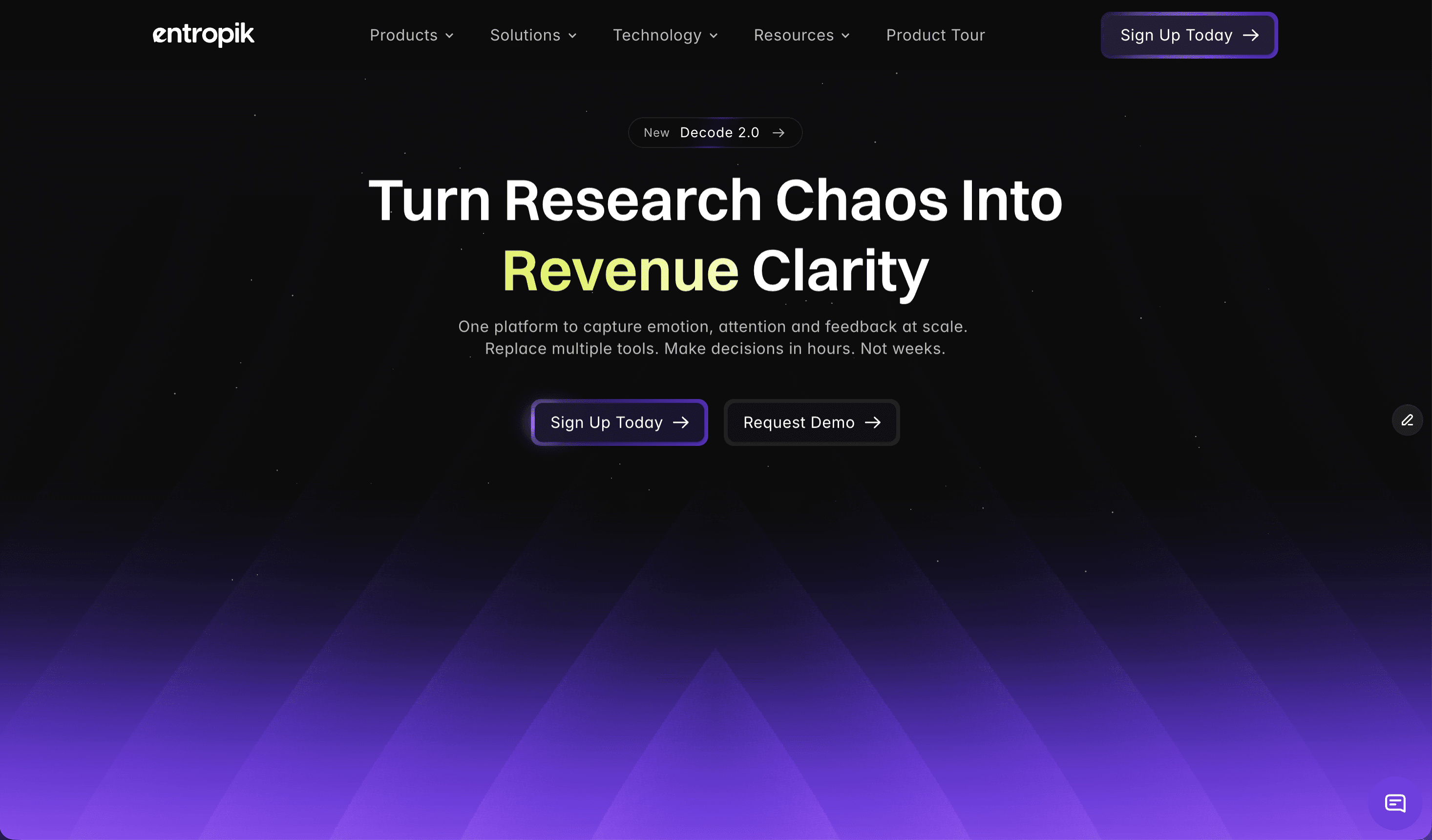
AI Creative Insights by Decode is a predictive creative testing platform built by Entropik, the team behind Decode. It allows teams to upload any ad, banner, out-of-home (OOH) unit, or video creative and predict how people will respond before the media budget goes live. Using Neuro AI, the platform predicts attention, emotion, and conversion impact, helping teams see which creative wins before they commit spend. Its stated promise is direct: predict creative winners before you spend. The platform is aimed at the people who build, test, and approve creative work, including marketing teams, advertising teams, research teams, product teams, and UX/design teams, all of whom need evidence rather than opinion when deciding which asset to launch. The problem the product addresses is spelled out on the site as a set of broken practices. Creative evaluation today is subjective and inconsistent, slow and difficult to scale, and it leads to inefficient media spend, limited insight depth, and difficulty comparing one creative against another. Decode counters each of those gaps directly: AI-led predictive creative evaluation replaces subjective judgement, instant AI-powered analysis replaces slow manual processes at scale, creatives are optimized before launch instead of after, creative performance scoring adds depth where insight was thin, and benchmarking against category norms makes comparison possible. The argument is that creatives should not be a gamble, and that data should lead the decision. Predictive Attention AI is the first of the four headline capabilities. It compares creatives and predicts attention, recall, and resonance before launch, so teams can test variations, forecast performance, benchmark against a category, and get second-by-second clarity on how an asset behaves. The purpose is to choose the version that drives maximum impact rather than the version that simply looks best in a review meeting. Because predictions are generated before media goes live, the decision point moves earlier in the process, when changes are still cheap and fast to make. Emotion Simulation is the second capability and focuses on how people actually feel while watching a creative. The platform visualizes emotional highs and lows second by second and uncovers what triggers engagement or drop-offs at specific moments. Teams can measure emotional response, track emotion flow, check brand safety, and connect emotion to intent. This matters because two creatives can hold attention equally yet produce very different feelings, and those feelings are what shape whether an audience stays engaged, remembers the brand, or acts. By mapping emotion across the timeline of an asset, teams can pinpoint exactly which seconds help or hurt the story. Visual Hierarchy Heatmaps are the third capability. They show where people look first and what catches or loses attention, allowing teams to optimize layouts, storytelling, and branding with evidence instead of assumptions. The stated outcomes include seeing where people look, ensuring message visibility, removing distractions, and comparing layouts against one another. For designers and creative directors, this turns subjective layout debates into concrete questions about which element earns the first fixation and which elements compete with the message. Prescriptive AI Suggestions complete the core set. Rather than only reporting scores, the platform provides actionable recommendations that tell teams exactly how to improve performance, explaining what to change, why it matters, and what impact it will drive. Teams can use these suggestions to get improvement recommendations, understand why performance changes, prioritize high impact changes, and build clearer briefs. This converts diagnostic data into a to-do list for the creative team, which is what makes the workflow from insight to revised asset practical. Synthetic Audience extends evaluation to specific groups of people. Teams build reusable synthetic audiences and apply them across every AI Creative Insights evaluation, then compare predictions persona by persona before spending on media. The page illustrates audience options such as Gen Z Shopper, Urban Professional, Family Buyer, and Value Buyer, each returning a predicted score along with attention, clarity, and CTA focus ratings. Scores are banded as strong fit (75+), moderate fit (55–74), or weak fit (below 55), giving an at-a-glance signal for whether a creative suits a given audience. Beneath these capabilities sits the intelligence layer. The site names Facial Expression Analysis, Eye Gaze Tracking, and Voice Emotion Analysis as the underlying technologies, describing the ability to capture real behavior and emotion, synthesize answers in minutes, and guide decisions with audit-ready proof. Deeper creative intelligence is organized into three groups. Attention Metrics track where users look first, how long they stay, and the journey their eyes follow, covering first fixation, attention duration, and visual path and retention. Engagement and Comprehension measures emotional impact, message clarity, and how well a creative drives brand recall and purchase intent, through emotion mapping, message clarity assessment, and brand recall and purchase intent measurement. Comparative Intelligence benchmarks performance against competitors, audiences, and past campaigns using industry and competitor benchmarking, channel and demographic comparisons, and historical trends and performance insights. The workflow is described as running from upload to uplift. Teams drop in assets of any format, let the AI analyze them, make the recommended fixes, and validate results, launching only high performers. Reviewing a creative in the dashboard surfaces metrics such as Attention, Clarity, and Time to Discover, alongside sub-metrics for title and visual elements, so a reviewer can see both an overall verdict and the specific components driving it. Entropik reports measurable uplift for brands using Decode: 95% predictive attention accuracy, 32% testing cost reduction, 4X faster research timelines, and 40% CTR improvement. The platform is described as being used by more than 150 forward-thinking brands, and the page notes that Entropik helps top companies understand what customers truly feel, do, and expect at scale. Testimonials on the site describe data-driven design decisions, uncovering emotional responses to packaging through facial coding, precise behavioral insight from eye-tracking and AOI metrics, pack design changes made from platform recommendations, and supportive onboarding from the team. The site names several concrete use cases. AD Testing is positioned as testing ads before they go live to maximize performance with AI. Banner Testing focuses on making every banner ad impossible to ignore. OOH Testing aims to maximize out-of-home advertising impact. Creative Testing is described as transforming creative development with AI-powered testing. AI Creative Recommendations lets AI guide creative excellence by generating improvement guidance for teams. Published success stories include a global fast-food brand that reduced media research timelines by 4X, a global beverage company that used AI moderator-led qualitative research for ready-to-drink beverage experience optimization, and a UK-based financial institution that optimized its digital onboarding experience using Decode by Entropik. Industries listed for Entropik's solutions include CPG, technology and software, healthcare and pharma, financial services, and retail and e-commerce, with dedicated offerings for research, marketing, product, and UX/design teams. Pricing is not published on this page. Visitors are invited to try AI Creative Insights, request a demo, or sign up today, and a demo request form collects name, business email, contact number, LinkedIn URL, and company on the stated basis that Entropik will store and process personal data under its privacy policy. The overall takeaway is straightforward: AI Creative Insights by Decode replaces subjective, slow, and hard-to-scale creative judgment with fast, consistent, AI-led prediction of attention, emotion, and conversion impact. By combining predictive attention scoring, second-by-second emotion simulation, visual hierarchy heatmaps, prescriptive suggestions, and persona-level synthetic audiences, it lets teams decide which ad wins before the media budget goes live.
Creads is a marketing platform built around a team of AI agents that already knows your brand. It connects to your social and advertising accounts, then creates content, publishes it and launches ads on your behalf. The website describes the setup as taking about five minutes from a link: it reads your site, you pick your employees and connect your accounts, and then it runs. Creads positions itself as a full marketing team that runs itself, with chat and agents that hold real roles and handle ads, organic content and research on autopilot. It covers paid campaigns on Meta Ads and Google Ads and organic posting to Instagram, TikTok, LinkedIn, YouTube, X, Pinterest, Threads, Reddit and Google Business, and it reports back on how that content performs. The problem it addresses is the gap between having a product and having a marketing team. Founders, small brands and agencies often have a website and a set of social accounts but nobody whose only job is to write the ads, shoot the product imagery, cut the video, schedule the posts and read the numbers afterwards. The site frames the alternative bluntly: every other AI tool starts from zero, while Creads runs the whole loop of creating, publishing and reading results, and keeps what it learns on the way round. Instead of generating a single asset and forgetting the context, it accumulates brand knowledge and performance data so each batch of work starts better informed than the last. The first step is Business DNA. You paste your URL and Creads reads the site to learn your brand. In the walkthrough shown on the site it identifies brand colours, the typeface (Space Grotesk in the example), tone of voice (described as Direct and Gen-Z) and a product count of 12 products found, building a Business DNA that every employee works from. The FAQ explains the same mechanism: it reads the site for palette, fonts, tone of voice and your product catalogue. Corrections matter here, because if you fix something in chat the correction sticks, so the brand model gets sharper the more you use it. A dedicated Brand DNA and Memory area sits inside the workspace alongside chats and your asset library. The second step is hiring your team. Creads presents its AI agents as employees with one job each rather than one general-purpose assistant. The roster shown on the site includes Il Direttore as Orchestrator, Marco on Ads, Gaia on Social, Elena on Intelligence, Luca on Copy and Sofia on Video. You hire only the ones you need. The FAQ is explicit that each keeps its own memory, so the agent running your ads is not starting from zero every week. Because the roles are separated across paid, organic, analytics, copy and video, work can be routed to the right specialist while the orchestrator coordinates the rest. Connections come next. You link your accounts once and the platform publishes and launches by itself. The site lists Instagram, TikTok, Meta Ads with multiple ad accounts, LinkedIn, Google Ads, YouTube, X, Pinterest, Threads, Reddit, Google Business and Shopify among the connected or connectable destinations. The FAQ confirms that it schedules to Instagram, TikTok, LinkedIn, YouTube and the rest, and takes campaigns live on Meta and Google Ads. Everything lands on a calendar before it goes out, so you can cancel anything you do not want. The Scheduled view shows posts marked as published or scheduled with their times and account handles. Once set up, the core workflow is described in four steps. First, ask and it creates: you tell it what you want in plain words, with no prompts and no brief, and it shoots the photos, writes the script and edits the UGC video in your brand voice. The site shows a request as simple as Shoot my new drop producing four generated product shots, with the agent explaining that it pulled the brand palette and tone, leaned into close-ups because the last drop performed best there, kept the logo as the hero element in every frame and skipped a studio-white look that had been rejected previously. Second, it publishes itself: Marco launches the ads and Gaia schedules the posts straight to Meta, TikTok and every platform you connect. Third, it learns and reports back: performance flows back into the brand brain so every next batch is sharper than the last. Fourth, it runs itself daily: you save the flow as an automation and the entire loop repeats on its own. The content the platform produces is organised into named formats. These include UGC SAAS, described as creator-style video that sells software with a real face pitching your product; Product Reveal, short-form drops cut for the feed with captions and all; Instant Ad, a finished ad built from a product link with script, shoot and edit in one go; Static Ad, a headline, product line-up and call to action laid out and ready to run; UGC Unboxing, AI-generated unboxing videos that feel authentic and drive conversions; Styled Flat Lay, the product laid out with props and shot from above for the grid; and UGC Ad, creator-style content that blends into social feeds naturally. Each format targets a specific job, and the library lets the same brand brain feed several output types at once. Automations are the mechanism that turns creation into a repeating process. The Automations screen shows examples including Best-performer recap, Daily UGC reveal ad, Meta CPC guardrail running every 15 minutes, Weekly carousel drafts, Midnight reflection and Competitor scan, each with a schedule and a status such as running, auto or paused. Two modes are available per automation: ask-first, where the agent prepares the work and waits for your yes, or autopilot, where it ships and tells you afterwards. Reporting sits alongside this in a Social Insights view that tracks reach, impressions, engagements and video views for the current period against the previous one, so you can judge whether content is performing better than last time. Creads publishes headline results as averages across accounts running it on autopilot, measured against their own 60 days before: 41 percent lower cost per acquisition in the first 60 days, 3.2x blended ROAS across the accounts it runs, and 8x more creative shipped every month. It notes that individual results vary. The site also shows a conversions-by-creative breakdown and a results panel inside the chat workspace where figures such as ROAS and reach appear next to the scheduled asset. Concrete usage stories on the site include a DTC skincare founder, Luca R., who launched his first ads without ever having run one: he pasted his domain and went to bed, and Marco read the brand, wrote four creatives, launched at 40 euros a day and paused the two that never got going. Other named examples are Sara M., head of content at a fashion label, and Andrea C., founder of a creative agency. The site summarises these as three teams and three jobs they had nobody for, with the same brand brain behind all of them. Creads is positioned for founders, small brands, content leads and agencies, and it is explicitly built for people running several brands: every brand gets its own employees, its own memory and its own voice, with nothing bleeding between them, and agencies read one morning summary per brand instead of logging into eight dashboards. On pricing, the site states there is a monthly plan with a credit allowance included, where generating, editing, publishing and launching all draw from the same balance. Top-up packs never expire and stay yours even if you cancel, and new accounts start with free credits so you can run the whole loop before paying anything. The Product Hunt listing mentions a free 3-day trial. The FAQ also confirms that no prompt writing or video editing skill is required: you talk to it like a teammate, asking for it to be funnier or to try a younger actor, and it redoes that piece while keeping the rest, with cuts, captions, music and export all handled for you. The takeaway Creads offers is simple: stop writing prompts and start making ads. The claim on the site is that competitors using AI video ads spend about 90 minutes while a Creads user spends five, because the platform carries the brand knowledge, the creative production, the publishing and the optimisation loop in one place and keeps improving them together.
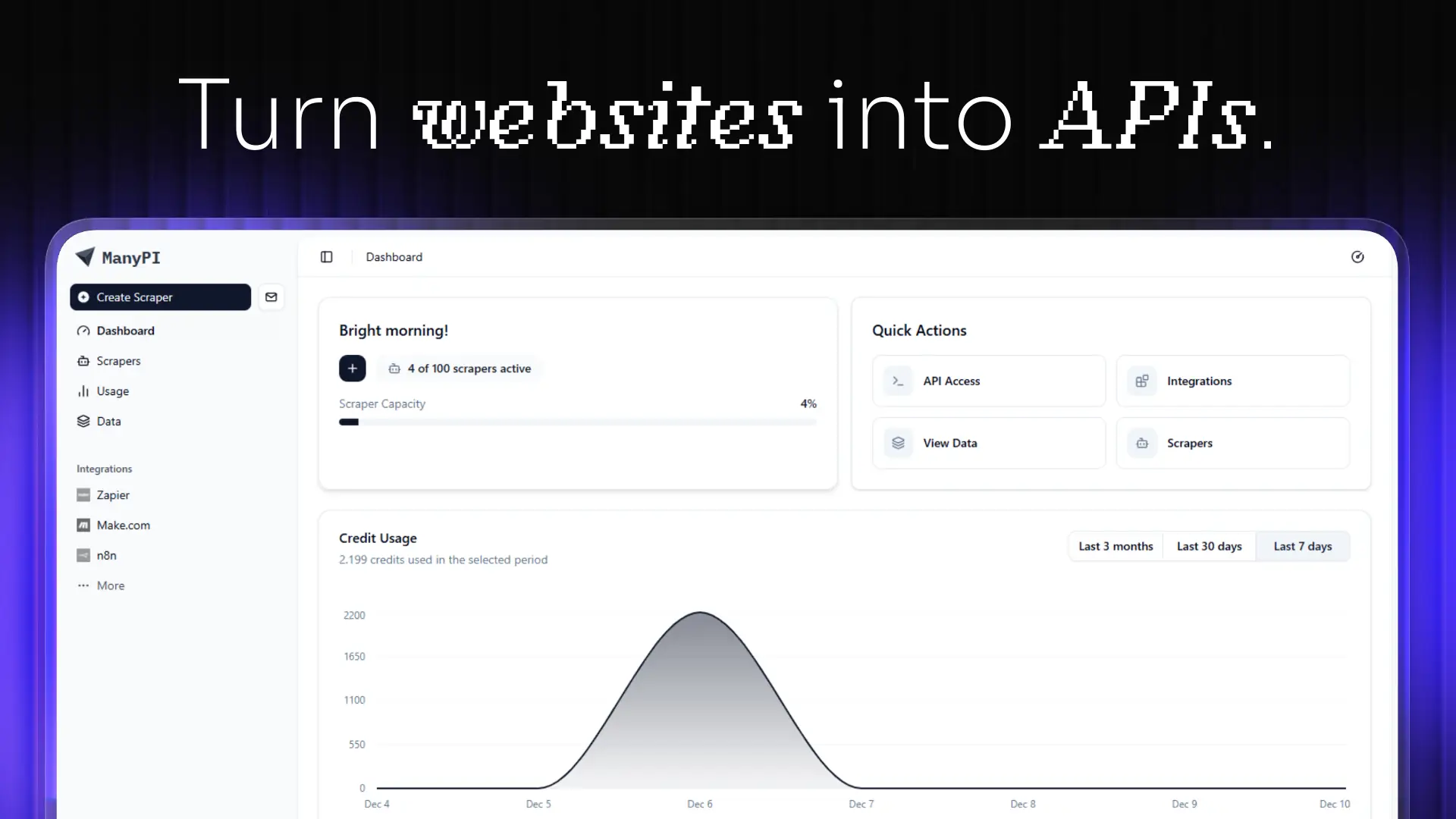
ManyPI is an AI sales agent built for lead generation and cold email outreach. It allows users to describe their ideal customer in a single sentence, then finds matching companies and the people who sign on the live web, verifies every email address, and runs multi-step cold email campaigns from the user's own inboxes. The product is designed for growing companies and sales teams that want more customers, and it states that it is already used by more than 1,700 growing companies. Its core promise is to find validated leads, reach out, and turn emails into sales, with a free plan and paid plans starting from $25 per month. Cold outreach is one of the most direct ways to win new customers, but the work behind it is fragmented. Teams often build lead lists manually, hunt for decision-maker email addresses, check each address by hand, write and schedule follow-ups, and then track replies across separate inboxes. Bad or duplicate addresses cause bounces, which can damage the reputation of a sending domain, while manual follow-up steps are easy to forget. ManyPI brings lead generation, email verification, cold email outreach, workflow automation, CRM, and a unified inbox into one subscription. According to its Product Hunt description, the AI agent also validates pain points and emotional buying triggers, then sends hyper-personalized outreach that turns those signals into sales. This matters because it reduces the number of disconnected tools a sales team has to maintain while keeping the focus on conversations that can become revenue. Lead generation in ManyPI starts with a plain-language description of the ideal customer. A user might type "Marketing agencies in Berlin with 10–50 employees," and the system returns matching companies together with the people who sign. In the example shown on the website, that search produced 1,284 company matches, including Northwind Studio in Berlin and Kranz & Partner in Hamburg. Because ManyPI searches the live web, the lists are meant to reflect current information rather than a static database. The homepage also offers separate starting points for finding new leads and for enriching a lead list, so users can either build a fresh list from scratch or improve contacts they already have. Email verification is built into the workflow so that every address is checked before a user sends. The website promises no bounces, no duplicates, and no burned domain, which addresses a common risk in cold outreach: sending to invalid addresses can hurt deliverability and make future emails look like spam. ManyPI verifies and scores addresses, then drops the ones that do not meet the bar. In the example on the site, Northwind Studio scored 92 and Kranz & Partner scored 87, while Wide Net GmbH scored 34 and was dropped, and Aurora Digital scored 90. This scoring step gives users a clear signal about which contacts are safe to email and which should be left out of a campaign. Cold email outreach is handled through multi-step campaigns sent from the user's own inboxes. Warmup is described as running, which is intended to help inboxes build sending reputation, and replies are collected in one place rather than scattered across separate accounts. A sample sequence shows an Intro sent on Day 0, a Follow-up sent on Day 3, and a Last touch queued for Day 7. The dashboard also shows a reply, such as "Northwind Studio replied 2h ago," making it easy to see which prospects have responded. This combination means users can plan a sequence once and let ManyPI manage the timing, while still sending from their own inboxes and keeping replies centralized. Workflow automation connects replies to the next action. The website presents a simple rule: when a lead replies, ManyPI tags it and starts the next step. There is no wiring to maintain, so users do not have to build or repair automation logic themselves. ManyPI also states that every plan includes CRM and pipeline, a unified inbox for replies, an AI agent, web scraping, data analysis, and API and webhooks. Having these capabilities in one subscription means a team can manage lead status, read and respond to replies, gather web data, analyze results, and connect other systems without purchasing separate products for each function. The ManyPI MCP Server is now live, and it lets users ask for leads from Claude, ChatGPT, Gemini, or any MCP client. The list lands in the user's table rather than in the chat transcript, and the endpoint is mcp.manypi.com/mcp. This gives teams a way to request prospect data from the AI tools they already use. ManyPI also integrates with HubSpot, Salesforce, Claude, and OpenAI, and it is designed to push verified leads straight into the CRM a team already runs on. Integration matters because sales teams rarely work in a single tool; sending verified leads into an existing CRM keeps data consistent and reduces manual entry after a list is built. The benefits described by ManyPI center on finding and converting ideal customers. The Product Hunt tagline says the product can "10x your revenue by finding your ideal customers," and the homepage says ManyPI finds validated leads, reaches out, and turns emails into sales. By verifying emails before sending, the product aims to protect sender reputation and reduce bounces. By automating follow-ups and tagging replies, it aims to save the manual work of tracking sequences and moving leads forward. The free plan and paid plans starting from $25 per month make it accessible to teams that want to test the workflow before committing. Concrete use cases shown on the website include finding new leads by describing an ideal customer, enriching an existing lead list, and sending outreach from the user's own inboxes. A sales team might search for marketing agencies in Berlin with 10–50 employees, review the matching companies and decision makers, verify and score the email addresses, then launch a multi-step sequence with an intro, a follow-up, and a final touch. When a lead replies, automation tags the lead and starts the next step. Teams can also push verified leads into HubSpot or Salesforce, or ask for leads through an MCP client such as Claude or ChatGPT and have the list appear in their table. ManyPI is aimed at growing companies and sales teams that need a steady flow of qualified leads. The website notes that more than 1,700 growing companies already use it, and the lead-generation example focuses on marketing agencies, which suggests agencies and B2B teams are a natural fit. The product is delivered as a web application and also exposes API and webhooks, along with an MCP server, so it can connect to other tools. Pricing is freemium: there is a free plan, and paid plans start from $25 per month. Integrations include HubSpot, Salesforce, Claude, and OpenAI, and the MCP endpoint is mcp.manypi.com/mcp. In short, ManyPI combines AI lead generation, email verification, cold email outreach, and workflow automation into one subscription. It is built for teams that want to describe their ideal customer once and then let an AI agent find matching companies and decision makers, verify every address, run personalized sequences, and route replies into a unified inbox. With CRM, pipeline, scraping, analysis, API, webhooks, and an MCP server included, it aims to reduce tool sprawl and help turn cold outreach into sales.
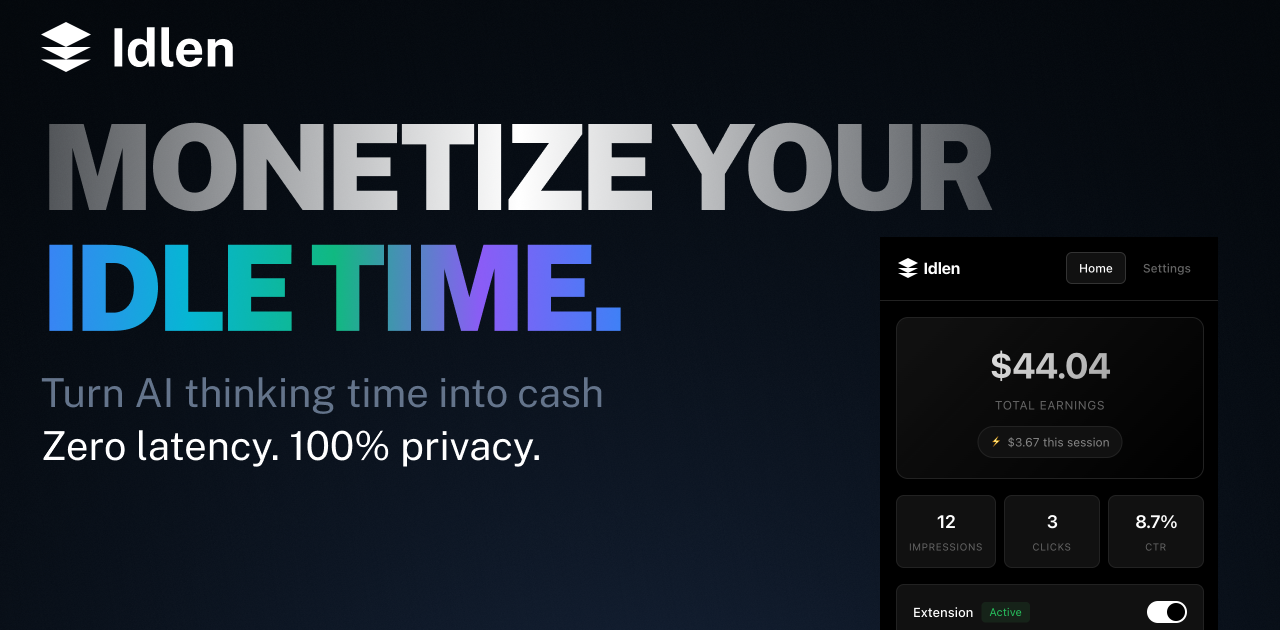
Idlen is an advertising network built around the idle time that appears while AI models are thinking. Its promise is short and direct: AI thinks, you earn. The product puts native developer-tool ads in three places — the IDE, the browser, and the chat app you shipped. Developers install the Idlen extension for VS Code, Cursor, or Chrome and see a native ad during the moments their AI assistant is processing a request, keeping 70% of the revenue. Advertisers use the same network to reach developers inside the tools they already use every day, targeted by the stack they actually work with, including React, Python, and AWS. AI app builders add three lines of code with npm i @idlen/chat-sdk to monetize their own chat products, and ads remain optional there: no key, no ads. Developers spend a large part of their day waiting on AI. A prompt is sent, the model thinks, and the editor sits idle for a few seconds at a time. Idlen takes that observation literally: the wait is an ad slot. Instead of treating AI processing time as dead time, the network fills it with a native, relevant sponsor message — the demo shows a sponsored slot carrying Neon, described as serverless Postgres for modern apps. The reasoning behind the product is that the waiting is unavoidable: developers are already using Claude, ChatGPT, Cursor, and other AI tools, and they change nothing about their workflow. Idlen simply adds an ad during processing and pays the developer a share. At the same time, developer-tool companies struggle to reach this audience precisely, and AI app builders who ship chat products have usage but often no monetization. Idlen answers all three sides with one network and three doors. The earning side of Idlen is built for individual developers first. The extension is described as earning €20-100 per month passively, without lifting a finger, and earnings go directly to the developer's account. Payouts are flexible: Stripe, PayPal, or a 10% bonus taken as credits. Idlen also supports teams through a shared earnings pool, so an entire group can collect the income generated by its members. An earnings calculator on the site lets developers model the result using their coding hours per day and a target subscription — ChatGPT Plus, Claude Pro, or v0 Premium — showing, for example, that four hours per day yields 150% coverage, making ChatGPT Plus free with surplus pocket money. The site notes these figures are based on average developer activity and ad inventory fill rates. Onboarding is presented as taking under two minutes. Privacy is treated as a core feature rather than a footnote. Idlen states plainly that your code stays on your machine, and the privacy process is spelled out in three steps. First, no code access: the extension never reads, stores, or transmits your source code. Second, local analysis only: package.json is analyzed on your machine to determine ad relevance, and nothing leaves the device. Third, the ad request itself is anonymous — the illustrative code shows dependencies read locally, keywords matched from those dependencies, and then an anonymous fetch for an ad. The company also describes the extension code as transparent and auditable and available for security review. For developers, that means the monetization does not come at the cost of handing over a codebase or prompts; Idlen states that it does not read your prompts. Idlen is designed to stay out of the way. Its zero-latency claim rests on timing: ads load during AI processing only, so they occupy time the developer is already waiting rather than adding delay to normal editing. It works everywhere in practice — VS Code, Chrome, and all the AI tools the developer already uses, with support listed for Claude, ChatGPT, V0, Bolt, Lovable, Cursor, Windsurf, and Replit, plus downloads for VS Code, Cursor, Open VSX, Chrome, and Firefox. On the advertising side, the network claims to avoid spam and clickbait, promising only curated developer tools, organized into categories such as Cloud & Hosting for deploying, scaling, and monitoring apps; Databases for modern databases; APIs & Services covering payment, email, and SMS; and Dev Tools for boosting productivity. The core workflow is deliberately small. Step one: install the extension — add Idlen to VS Code or Chrome in one click, and it works with all your AI tools. Step two: use AI as usual — keep coding with Claude, ChatGPT, Cursor, or any other AI tool, with no workflow changes. Step three: earn passively — relevant dev tool ads appear during wait time and earnings go directly to your account. The site summarizes the whole journey as starting to earn in under 2 minutes. The demo interaction reinforces it: a user sends a message such as "Add proper error handling and improve the loading state," and the assistant thinks for three seconds; during that window a sponsored Idlen slot appears in the chat, and the panel reports earning tokens while you wait. Advertisers enter through a different door: they buy the slot and appear in the IDE and browser, targeted by the stack the developer actually uses. Publishers enter through a third door: they paste a message in the sandbox to preview which ad would serve, then run npm i @idlen/chat-sdk, three lines of code, and keep 70%. The benefits differ by side but share one shape — value extracted from time that was previously wasted. For developers, the outcome is passive income on top of work they were already doing, with no change to workflow, zero tracking, and no exposure of code or prompts. Reported earnings of €20-100 per month can offset or fully cover an AI subscription, and the calculator turns that into a concrete target: pick your hours and your subscription and see the coverage percentage. Flexible payouts and a team pool make the income usable for individuals and groups alike. For advertisers, the benefit is placement inside the tools where developers spend their day, targeted by real stack signals rather than guesswork, with a welcome offer that doubles the first deposit: pay €200 and get €400 this week. For AI app builders, the benefit is monetization of an existing chat product with a very small integration surface — three lines — while keeping 70% and retaining the option to show no ads at all. A few concrete workflows illustrate where Idlen is used. A developer using Cursor or VS Code spends a few seconds waiting for code generation; the Idlen extension fills that moment with a native, stack-relevant sponsor message and credits the earnings. A developer working in the browser with ChatGPT or Claude gets the same treatment through the Chrome or Firefox extension. An advertising team that sells a serverless database or a hosting platform buys slots and appears while developers are actively coding, matched against the technologies visible in that project. An AI app builder who shipped a chat product installs @idlen/chat-sdk, previews a message in the sandbox to see which ad would serve, and switches on monetization without managing keys. A team adopts the extension together and pools its earnings through the shared team pool. And a prospective advertiser tests the waters with the €200-to-€400 welcome offer before committing further spend. Idlen is explicitly built for every side of the ecosystem it touches. The first group is AI users — developers who want passive income while using their favorite AI tools. The second is advertisers selling developer tools who want to appear in the IDE and browser, targeted by the stack developers actually use. The third is AI app builders and publishers who want to monetize an AI product with three lines of code. Integrations and downloads cover VS Code, Cursor, Open VSX, Chrome, and Firefox, with the network listed as working alongside Claude, ChatGPT, V0, Bolt, Lovable, Cursor, Windsurf, and Replit. Installing Idlen is free for developers, who keep 70% of earnings; the paid side of the marketplace is advertising, where the entry offer is €200 matched with €200 for €400 to spend this week. The site also highlights privacy first, zero latency, and cancel anytime as standing commitments. Idlen's core proposition can be stated in one line: the seconds you spend waiting for AI are already being spent, so the network turns them into income for developers, distribution for developer-tool advertisers, and revenue for AI app builders. One network, three doors — install the extension, buy the slot, or try the sandbox.
Narrative is an AI-first video editor built around a simple idea: bring your footage, say what you want made, and cut it together with an editor that does the work with you. Rather than assembling cuts by hand, you upload clips, describe the edit you want in plain words, and keep refining the result through chat. Narrative brings video editing, custom motion graphics and reference-video style matching into one interface. It builds a finished draft on a timeline you can still open and change, so the output is not a locked black box but a real project you can adjust. It is designed for people who already have footage and a clear idea of the outcome, but who do not want to learn Premiere or After Effects to get there. From podcast clips to launch videos, the first step is the same: say what you want. The problem Narrative addresses is the gap between having footage and having a finished cut. Editing traditionally means learning complex software, understanding timelines and motion graphics, and spending hours scrubbing through material to find the good bits. One producer notes that every episode used to cost an afternoon of finding the good bits. A media lead describes the difficulty of finding every goal in a ninety minute match, including the one the camera nearly missed. A product marketing team says their unboxing demos went from a freelancer and a week to a sentence and ten minutes. Narrative targets exactly that gap: the time, cost and specialised skill that sit between raw footage and a usable edit, whether the material is a two hour shoot, a wedding, a podcast or a match recording. The core of the product is editing by talking. You ask in ordinary language, and the agent does the work. An example from the site is a request to make a 15 second reel of the best rides, with a title at the start and music under it. The agent then reads the transcript, edits the clips and reports back what it did, explaining that four rides were placed on the strip with the tightest one first, the title running from 0:00 to 0:03 and the music bed sitting under everything. Anything you would say to an editor, you can say to this one — it works from the words, not a menu. The site lists prompts such as cutting to the beat, making it feel like a trailer, putting every goal in order, removing the ums, going vertical with captions, starting on the best line, tightening to thirty seconds, warming it up a little, and putting the title back at the end. Everything lives in the same editor as the conversation: the transcript, captions, versions, the frame and the models behind it. The editing surface is the editor itself, not a picture of it — you can press play, scrub the strip and mute a track. Tracks and elements shown in the interface include graphics, clips, dialogue and music, along with elements such as a title and a location card, with individual clips listed by timecode and duration. You can add music, sound effects and transitions, and Narrative also supports custom motion graphics and reference-video style matching, so you can take inspiration from reference videos. Because the assistant reads the transcript while cutting, requests such as removing filler words or placing captions are grounded in what was actually said in the footage. Every turn is a version. The version history in the interface shows a numbered list of states, with the current one marked and older entries available to restore — for example v12 as the current turn, v11 with edited styles, v10 where a clip was trimmed, and v9 where the frame was set to 9:16. Each entry carries a restore action, so you can step back to any of them or put the project back to how a turn left it. A completed turn also reports what it used, such as the number of tools and credits consumed. For teams, this matters: one testimonial notes that with every version kept, nobody on the staff can break the cut. You can choose the speed, or the brains. Narrative offers three model tiers: Fast, for quick cuts and small changes; Balanced, for most edits most of the time; and Max, for long footage and hard briefs. The frame control handles aspect ratio, starting at 16:9 and switching to others on request. The options shown are 16:9 (original), 9:16 described as both speakers stacked, 1:1 for feed and 4:5 for portrait feed. The 9:16 example is instructive: start in 16:9 and ask for 9:16, and both speakers stay in the shot, stacked. That means social-ready vertical versions can be produced from the same source project rather than being re-cut from scratch in another tool. Overall, Narrative's approach is to treat the conversation and the timeline as one workspace rather than bolting a chat box onto a traditional editor. You upload your footage, describe the edit, and the agent reads the material — including the transcript — makes the cut, and tells you what it did. Every instruction becomes a version you can inspect or restore, and each turn reports the tools and credits it used. You decide how much horsepower to apply by choosing Fast, Balanced or Max, and you control the output shape through the frame settings. Narrative handles rendering and storage, so you are not managing exports, disk space or a render queue yourself. The result keeps a real, open timeline at the centre instead of a one-shot generated file. The stated benefits follow from that model. Edits arrive faster: a three minute highlight from two hours of wedding footage was on the timeline before a coffee was cold, and a producer can ask for the five best moments as verticals with captions and then open the timeline to check the work. Work that previously required a freelancer and a week can become a sentence and ten minutes. Because the output is a real editor rather than a fixed render, changes stay possible — when legal wants a frame changed, the frame is changed. Version history protects the cut from accidental damage, and Narrative's own launch video was made entirely in Narrative. Concrete scenarios named on the site include wedding films, podcasts, match highlights and product demos. A wedding filmmaker asked for a three minute highlight with the vows in the middle from two hours of footage. A podcast producer asks for the five best moments as verticals with captions. A football club's media lead asks for every goal in a ninety minute match. A product marketer produces unboxing demos. Broader examples include a rough cut, a supercut, or a vertical reel from a two hour shoot, plus podcast clips and launch videos. The audience is filmmakers, producers, media leads, product marketers and teams who cut regularly. Plans run from Free at $0/month with 3 AI prompts, the whole editor and your own footage, through Plus at $20/month with 2,000 AI credits, 10 projects, 100 GB of footage, 4K renders without watermark, every model tier including Max and version history kept for a year, and Pro at $40/month with 4,000 AI credits, 30 projects and 500 GB of footage, to Studio at $100/month for teams cutting every day with 10,000 AI credits, unlimited projects, unmetered renders with priority in the queue, 1 TB of footage and priority support. Paid plans include a 3-day trial and can be cancelled any time, and there is an iOS app in addition to the web editor. Narrative's value proposition is straightforward: describe the edit you want in plain words, and get a finished draft on a timeline you can still open and change. It compresses the distance between raw footage and a usable cut while keeping the edit genuinely editable, with versions, model tiers and frame controls under your hand.