Category Focus/categories/automation
Automation AI Tools
Discover and compare the best automation AI tools and software. Browse 599+ curated tools with reviews and rankings.
Projects tracked
599
Sort mode
RECENT
Page
7
Discover and compare the best automation AI tools and software. Browse 599+ curated tools with reviews and rankings.
Projects tracked
599
Sort mode
RECENT
Page
7
Sai is a robosecretary built by Simular AI: an AI agent that commands an autonomous computer fleet and puts it to work on your behalf. According to Simular, Sai gets real work done across apps, websites, and desktop tools. Instead of asking you to sit in front of a screen and repeat the same steps, Sai runs a fleet of autonomous computers that take routine work off your plate. The pitch is deliberately plain — Sai introduces itself as your robosecretary, invites you to sign in, and asks you to start delegating. The product is aimed at anyone whose day is filled with screen work that must be done but does not need to be done by them. The problem Sai addresses is the sheer volume of routine screen work that software leaves behind. Most automation depends on an application exposing an API — a defined programmatic interface that a script or integration can call. A great deal of the software people rely on every day does not offer one. Legacy desktop applications, internal portals, and anything sitting behind a login are commonly off limits to conventional automation tools, not because the work is difficult but because there is no clean programmatic door to walk through. The result is that the most repetitive, least rewarding work stays manual, and people spend hours reading screens, clicking buttons, and typing into forms that never change. What makes Sai distinctive is the way its computers do the work. Each computer in the fleet navigates software the way you do: it reads the screen, clicks the button, and types in the form. That is the core mechanic, and it is stated in the product description in exactly those terms. Rather than operating behind the scenes at a code level, Sai operates at the interface level, through the same visible surface a person uses. The practical consequence is that anything a person can do on a screen, Sai's computers approach the same way — by looking at what is there and acting on it. The description emphasises that Sai is trained to interact with the computer interface, which is what allows the fleet to move through software the way a person does. Because Sai works through the computer interface, it can automate software even when that software has no API. This is stated as a defining capability: Sai automates software even when they lack APIs. It is a meaningful expansion of what can be delegated. The tools that lack APIs are usually the ones buried deepest in day-to-day operations — the ones nobody is going to rebuild — and they are precisely the ones Sai is designed to handle. Rather than requiring an integration to be built, or an application to expose endpoints, Sai simply uses the software the way a person would, reading the screen, clicking the button, and typing in the form. That removes the API requirement as a precondition for automation. Simular names the categories of software Sai is built to take on: legacy desktop apps, internal portals, and anything behind a login. Those three categories are where routine screen work most often accumulates and where automation most often fails to reach. Sai is described as handling them by interacting with the computer interface rather than by integrating with the application. Sai also supports Windows, macOS, and Linux, so the fleet is not restricted to a single operating system, and the product reports a score of 73% on OSWorld, a benchmark for computer-use tasks. That figure is a concrete, stated measure of how capable Sai's autonomous computers are at working through real software. The overall workflow is simple by design. You sign in to Sai and start delegating. From there, an AI agent commands the autonomous computer fleet, and the individual computers carry out the work on apps, websites, and desktop tools. Each computer reads the screen, clicks the button, and types in the form — the same sequence a person would perform, executed without a person at the keyboard. Because the interaction happens at the interface level, the same fundamental approach applies across very different kinds of software, from a modern web app to a legacy desktop program to an internal portal that only exists inside a company. Sai's stated approach is therefore not to build a separate integration for each tool, but to use the computer the way a human does. The benefit Sai puts forward is time and attention returned. Sai runs a computer fleet to take routine work off your plate, so the endless screen work no longer has to be done by you. Because the fleet is autonomous, those tasks keep moving without someone driving every click. Because Sai can operate where APIs do not exist, the benefit reaches into the parts of a workflow that previously had no automation at all — the legacy desktop app, the internal portal, the system behind a login. And because the same interface-level approach carries across apps, websites, and desktop tools, delegation is not restricted to a narrow slice of the work. Concrete scenarios follow from the stated capabilities. Anything behind a login is a candidate: work that lives inside an authenticated system, where you have to sign in and then repeat the same steps. Internal portals are another: the company systems that exist only on the inside and rarely expose an API. Legacy desktop apps are a third: software that predates modern integration patterns and would never be rebuilt for automation's sake. Software that has no API at all is the fourth, and it is the broadest — Sai automates it by reading the screen, clicking the button, and typing in the form. Routine, endless screen work is the fifth: the repeated reading, clicking, and typing that fills a day. And the sixth is the general case the product describes, getting real work done across apps, websites, and desktop tools. In each case, the workflow is the same: you delegate, and Sai's fleet works through the software as a person would. Sai is presented for people who have routine work on a computer that they would rather hand off. The framing — "your first robosecretary", "take routine work off your plate", "start delegating" — speaks to anyone with a backlog of repetitive screen tasks and no good way to automate them, especially where the software involved is legacy, internal, or locked behind a login. On platforms, Sai supports Windows, macOS, and Linux, and the product itself is accessed by signing in on the web at sai.simular.ai, with Google sign-in offered. The agreement is covered by Simular's terms of service and privacy policy. No pricing or plan details are stated in the material reviewed here, so cost information cannot be confirmed from the content. Sai's value proposition rests on three stated things: an autonomous fleet of computers rather than a single script, a method that mirrors how a person uses a computer — read the screen, click the button, type in the form — and the ability to automate software even when it has no API. Together those make the robosecretary idea practical for the software that actually sits in front of people every day: legacy desktop apps, internal portals, and anything behind a login. You sign in, you delegate, and the fleet does the routine screen work.
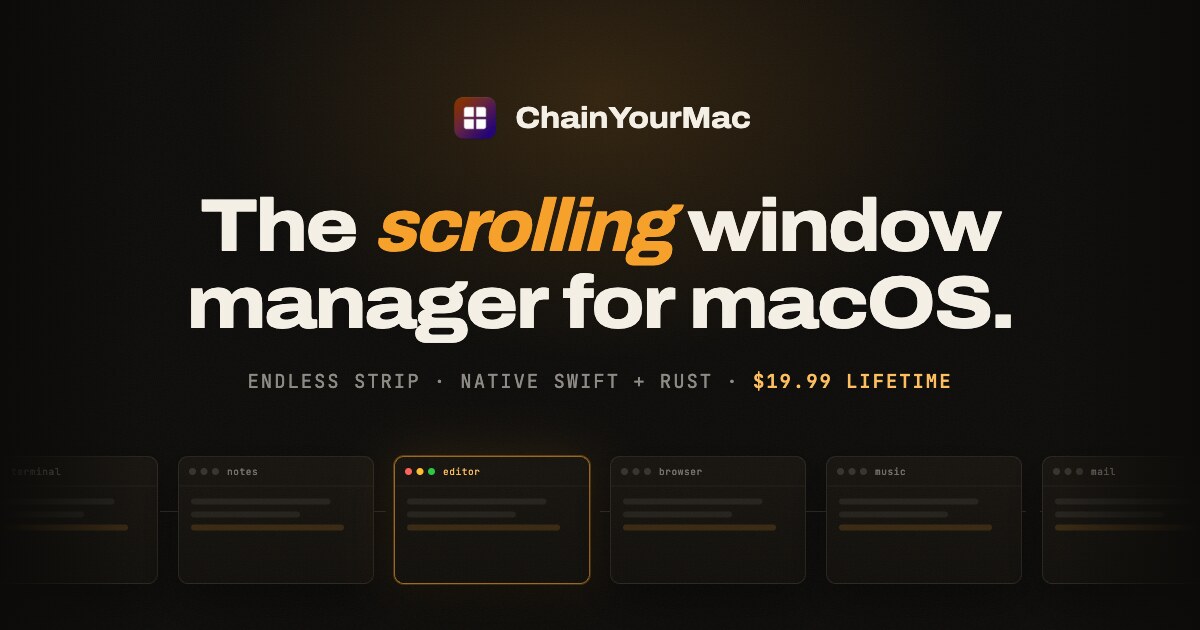
ChainYourMac is a native scrolling window manager for macOS. Rather than squeezing every window into a fixed grid, it places each window as a column on a horizontal strip that runs past the edges of your display. You move around that strip with three- or four-finger trackpad swipes or with keyboard shortcuts, and every window keeps the width you gave it. It is built for Mac users who want the automatic layout management of a tiling window manager without their workspace reflowing every time another app opens. It ships as a real Mac app — SwiftUI on top, a Rust window engine underneath — and requires macOS 13 Ventura or later on Apple silicon. Grid tiling managers such as yabai, Amethyst and AeroSpace divide the screen again every time an app opens, so everything keeps getting smaller. With three windows open each one takes roughly a third of the screen, and the next launch narrows them all once more. Window snappers such as Rectangle and Magnet sit at the opposite end: you invoke them window by window, and they do not maintain a layout at all. ChainYourMac maintains a layout without the grid. The strip gets longer instead of the windows getting thinner: with three windows open, a grid gives each one about a third of the screen while the strip still gives each one half. New windows open beside the one you are using, nothing overlaps, and nothing gets lost behind another window, because every window has its own place on the strip. The strip follows your focus. Move focus from the keyboard or swipe the trackpad and the strip scrolls just far enough to bring the window into view, on a spring animation that starts the moment you press the key. The animation is a vsync-locked spring, so movement around the strip feels immediate. Layout is persistent as well: column order, widths and stacks come back after a restart, and every display and every Space keeps a strip of its own, so work and chat never get shuffled together. Session restore and launch at login are part of version 2.0, which means the app can start with your Mac and begin tiling automatically. Stacks let you put several windows in one column. You can pull a window into the column on its left or right, push it back out, reorder windows inside the stack, and make any window taller or shorter; heights can also be equalized with a single shortcut. When each window in a stack deserves the full height, one shortcut flips the column into a tabbed column and back again. Widths are handled with presets: cycle a window through the widths you choose, such as 25, 33, 50, 66 and 75 percent, or nudge it wider and narrower. Full width and centre are one key each. Gaps between windows and at the screen edges are configurable down to zero, and windows size themselves around the Dock so nothing ends up underneath it. Version 2.0 adds a strip minimap that appears while you navigate, shows where you are, and fades out again. An optional focus border can sit around the focused window and everything else can be dimmed; both features are off until you enable them. Centre modes let you keep the focused column centred never, only when the strip overflows, or always. You can drag a window onto another column and the strip rearranges around it. Per-app window rules let you float apps that should not tile or give an app a fixed slot on the strip, and native macOS fullscreen is left alone — put a window into fullscreen and ChainYourMac stays out of its way. Every shortcut is rebindable, one action can carry several bindings, and the recorder understands non-US layouts including AZERTY, QWERTZ and Dvorak. Settings apply instantly: change a gap, a width or a key and you see it on screen straight away, with no Save button and no restart. Multi-monitor support is built around one strip per display. Every display has its own independent strip with its own focus and scroll position, windows never spill onto the screen next door, and one shortcut sends the focused window to the next display. macOS Spaces work the same way, with each Space keeping a separate strip layout. The trackpad swipe is the signature interaction: swipe with three or four fingers and the strip moves with them one to one, then settles on the nearest column. Under the hood, ChainYourMac is a real Mac app rather than a script collection. The window engine is written in Rust and runs as a small background process that sits idle until a window changes or you press a shortcut; shortcuts are handled by the engine directly, so moving around the strip feels immediate. The interface is native SwiftUI: a menu bar item and a settings window where every option has a control. There is no Electron, no web view and no config file to learn. The app needs one permission, Accessibility, because that is how macOS lets any window manager move and resize other apps' windows; Rectangle, Magnet and others require the same one. Everything happens locally on your Mac — the app does not read your screen contents or send data anywhere, and there is no account and no telemetry in the app. A self-healing engine restarts the engine process if it ever stops and keeps an engine log showing what happened, while new versions arrive through Sparkle, the standard Mac updater. The outcome is a workspace that stays calm as you work. Because each window holds its width, opening another app never triggers a reflow, and you never have to hunt for a window that has been pushed behind another one. Navigation becomes a single gesture or keystroke in the direction you want to go, and because the position of every window is predictable, you build muscle memory for where things live. Column order, widths and stacks survive restarts, and displays and Spaces keep their own strips, so restarting your Mac does not mean rebuilding your workspace. Concrete workflows include a development session with a code editor, a terminal, a log window and documentation all open at once: stack the terminal and logs into one column, tab them, and keep the editor at full or half width without ever resizing the rest. Multi-monitor desks benefit from one strip per display, with a keystroke to throw a window to the other screen. People who liked PaperWM on GNOME or niri on Wayland get the same scrolling model with Mac manners, and anyone with an app that should not tile — a floating palette or a small utility window — can float it. Automating the strip is possible too: a chainyourmac:// URL scheme, Raycast script commands and a command-line tool let other tools drive the window manager. Requirements and pricing round out the picture. ChainYourMac needs macOS 13 Ventura or later and runs on Apple silicon (M1 or newer); Intel Macs are not supported. It is notarized by Apple and signed with a Developer ID, with no kernel extensions, no system modifications and no need to disable SIP. It is a one-time purchase rather than a subscription: the standard 1-Mac lifetime license is $19.99, with the first 20 launch licenses at half price, $9.99. Multi-Mac licenses are also available — 3 Macs for $24.99 launch price ($49.99 regular), 5 Macs for $39.99 ($79.99) and 20 Macs for $149.99 ($299.99) for teams — each giving one key with the corresponding number of activations, free updates forever, and the ability to move an activation to a different Mac after deactivating it. Checkout is handled by Gumroad, and the download and license key arrive by email. ChainYourMac takes the scrolling window model that Linux users know from PaperWM and niri and delivers it as a polished native Mac app: windows on an endless strip, trackpad swipes that follow your fingers, stacks and tabbed columns, per-app rules, multi-monitor strips and a SwiftUI interface over a Rust engine. It keeps the automation of tiling without the grid, so new windows never shrink the ones you are already using.
Creads is a marketing platform built around a team of AI agents that already knows your brand. It connects to your social and advertising accounts, then creates content, publishes it and launches ads on your behalf. The website describes the setup as taking about five minutes from a link: it reads your site, you pick your employees and connect your accounts, and then it runs. Creads positions itself as a full marketing team that runs itself, with chat and agents that hold real roles and handle ads, organic content and research on autopilot. It covers paid campaigns on Meta Ads and Google Ads and organic posting to Instagram, TikTok, LinkedIn, YouTube, X, Pinterest, Threads, Reddit and Google Business, and it reports back on how that content performs. The problem it addresses is the gap between having a product and having a marketing team. Founders, small brands and agencies often have a website and a set of social accounts but nobody whose only job is to write the ads, shoot the product imagery, cut the video, schedule the posts and read the numbers afterwards. The site frames the alternative bluntly: every other AI tool starts from zero, while Creads runs the whole loop of creating, publishing and reading results, and keeps what it learns on the way round. Instead of generating a single asset and forgetting the context, it accumulates brand knowledge and performance data so each batch of work starts better informed than the last. The first step is Business DNA. You paste your URL and Creads reads the site to learn your brand. In the walkthrough shown on the site it identifies brand colours, the typeface (Space Grotesk in the example), tone of voice (described as Direct and Gen-Z) and a product count of 12 products found, building a Business DNA that every employee works from. The FAQ explains the same mechanism: it reads the site for palette, fonts, tone of voice and your product catalogue. Corrections matter here, because if you fix something in chat the correction sticks, so the brand model gets sharper the more you use it. A dedicated Brand DNA and Memory area sits inside the workspace alongside chats and your asset library. The second step is hiring your team. Creads presents its AI agents as employees with one job each rather than one general-purpose assistant. The roster shown on the site includes Il Direttore as Orchestrator, Marco on Ads, Gaia on Social, Elena on Intelligence, Luca on Copy and Sofia on Video. You hire only the ones you need. The FAQ is explicit that each keeps its own memory, so the agent running your ads is not starting from zero every week. Because the roles are separated across paid, organic, analytics, copy and video, work can be routed to the right specialist while the orchestrator coordinates the rest. Connections come next. You link your accounts once and the platform publishes and launches by itself. The site lists Instagram, TikTok, Meta Ads with multiple ad accounts, LinkedIn, Google Ads, YouTube, X, Pinterest, Threads, Reddit, Google Business and Shopify among the connected or connectable destinations. The FAQ confirms that it schedules to Instagram, TikTok, LinkedIn, YouTube and the rest, and takes campaigns live on Meta and Google Ads. Everything lands on a calendar before it goes out, so you can cancel anything you do not want. The Scheduled view shows posts marked as published or scheduled with their times and account handles. Once set up, the core workflow is described in four steps. First, ask and it creates: you tell it what you want in plain words, with no prompts and no brief, and it shoots the photos, writes the script and edits the UGC video in your brand voice. The site shows a request as simple as Shoot my new drop producing four generated product shots, with the agent explaining that it pulled the brand palette and tone, leaned into close-ups because the last drop performed best there, kept the logo as the hero element in every frame and skipped a studio-white look that had been rejected previously. Second, it publishes itself: Marco launches the ads and Gaia schedules the posts straight to Meta, TikTok and every platform you connect. Third, it learns and reports back: performance flows back into the brand brain so every next batch is sharper than the last. Fourth, it runs itself daily: you save the flow as an automation and the entire loop repeats on its own. The content the platform produces is organised into named formats. These include UGC SAAS, described as creator-style video that sells software with a real face pitching your product; Product Reveal, short-form drops cut for the feed with captions and all; Instant Ad, a finished ad built from a product link with script, shoot and edit in one go; Static Ad, a headline, product line-up and call to action laid out and ready to run; UGC Unboxing, AI-generated unboxing videos that feel authentic and drive conversions; Styled Flat Lay, the product laid out with props and shot from above for the grid; and UGC Ad, creator-style content that blends into social feeds naturally. Each format targets a specific job, and the library lets the same brand brain feed several output types at once. Automations are the mechanism that turns creation into a repeating process. The Automations screen shows examples including Best-performer recap, Daily UGC reveal ad, Meta CPC guardrail running every 15 minutes, Weekly carousel drafts, Midnight reflection and Competitor scan, each with a schedule and a status such as running, auto or paused. Two modes are available per automation: ask-first, where the agent prepares the work and waits for your yes, or autopilot, where it ships and tells you afterwards. Reporting sits alongside this in a Social Insights view that tracks reach, impressions, engagements and video views for the current period against the previous one, so you can judge whether content is performing better than last time. Creads publishes headline results as averages across accounts running it on autopilot, measured against their own 60 days before: 41 percent lower cost per acquisition in the first 60 days, 3.2x blended ROAS across the accounts it runs, and 8x more creative shipped every month. It notes that individual results vary. The site also shows a conversions-by-creative breakdown and a results panel inside the chat workspace where figures such as ROAS and reach appear next to the scheduled asset. Concrete usage stories on the site include a DTC skincare founder, Luca R., who launched his first ads without ever having run one: he pasted his domain and went to bed, and Marco read the brand, wrote four creatives, launched at 40 euros a day and paused the two that never got going. Other named examples are Sara M., head of content at a fashion label, and Andrea C., founder of a creative agency. The site summarises these as three teams and three jobs they had nobody for, with the same brand brain behind all of them. Creads is positioned for founders, small brands, content leads and agencies, and it is explicitly built for people running several brands: every brand gets its own employees, its own memory and its own voice, with nothing bleeding between them, and agencies read one morning summary per brand instead of logging into eight dashboards. On pricing, the site states there is a monthly plan with a credit allowance included, where generating, editing, publishing and launching all draw from the same balance. Top-up packs never expire and stay yours even if you cancel, and new accounts start with free credits so you can run the whole loop before paying anything. The Product Hunt listing mentions a free 3-day trial. The FAQ also confirms that no prompt writing or video editing skill is required: you talk to it like a teammate, asking for it to be funnier or to try a younger actor, and it redoes that piece while keeping the rest, with cuts, captions, music and export all handled for you. The takeaway Creads offers is simple: stop writing prompts and start making ads. The claim on the site is that competitors using AI video ads spend about 90 minutes while a Creads user spends five, because the platform carries the brand knowledge, the creative production, the publishing and the optimisation loop in one place and keeps improving them together.
Epismo OS is a collaboration OS for people and AI agents. It keeps the purpose and constraints of real work, so the next person or AI can continue without starting over. Epismo is built for people who work with AI tools such as Claude, ChatGPT, and Cursor and who want to move between those tools — or hand work to a teammate — without a re-brief. The product's central promise is "Switch AI. Keep the work." Work is kept in a Case that holds the result, the decisions behind it, reviews, and the next step, so work in progress survives a change of model, tool, or person. The problem Epismo addresses is continuity. When a piece of work is done inside a single chat with a single AI tool, everything that made it meaningful — why it was started, what the constraints were, which decisions were made, which claims were still assumptions — is locked inside that conversation. Moving to another AI tool, coming back the next day, or passing the work to a teammate usually means starting over: re-explaining the brief, redoing the research, and rebuilding context that already existed. Epismo keeps the purpose and constraints of real work so the next person or AI can continue without starting over, in the tools you already use. Everything begins with saving. Epismo keeps the purpose, the constraints, and the current decisions of a piece of work, along with the result, the decisions behind it, reviews, and the next step. Once that is saved, continuing becomes the default rather than restarting. You do not need a new chat — you hand the work in progress to the next person or AI. You can hand the same work to Claude, ChatGPT, or Cursor without redoing the research. You can open the same work the next morning and find that what it is for is still there. Or a teammate can open it and see what happened, and where to pick up. The example shown in the product is an "Acme renewal" Case marked In progress: a research step in Claude Code left the evidence and open questions, and an account executive continuing in ChatGPT picks up from there with no restart. Auto review is Epismo's quality layer. Instead of manually re-checking a saved result, you leave the work with Epismo, which reads it and writes what still needs checking. Those notes become the starting point for the next turn in Cursor, Claude, or ChatGPT, so your AI fixes what Epismo flagged. In the example, the review states that usage isn't sourced and that the churn claim is still an assumption; the following Cursor turn adds the usage and the filing. Crucially, auto review gives a saved result a fresh review, flags issues, and leaves the original unchanged — so you get a second pass without overwriting the work you already have. When the same kind of work comes up again, Epismo turns what worked into a playbook. A playbook captures what counts as evidence and what a person should check, so the next piece of work starts from there. The recommended playbook shown in the product, "Enterprise renewal review", is built from four named steps: scope the renewal risk, pull filings, tickets, and usage into one set, separate verified facts from assumptions, and hand the call to the account owner. Each step can name the Skill, MCP, CLI, Plugin, or Approval it should use — for example a "Renewal risk rubric" Skill, MCP connectors for filings and earnings calls and for CRM plus ticket history, a "Claim-to-source audit" Plugin, an "Exec brief builder" CLI, and an Approval step. This means the pattern of work becomes reusable and explicit, rather than something each person has to remember. Epismo's methodology is deliberately work-first: work first, the pattern later. You do not start by writing a pattern. The flow is four steps. Save: keep purpose, constraints, and current decisions. Handoff: the next person or AI picks up from there. Discover: see what worked, and keep that as a pattern. Improve: lessons from real work feed the next run. Only after real work has been saved, handed off, and reviewed does Epismo surface the reusable pattern, which reduces the risk of designing an abstract process that does not match how the work actually gets done. The outcome for users is continuity. Work is no longer trapped in a single conversation with a single tool: switching from one AI to another, returning the next day, or involving a teammate all happen without a re-brief. Because Epismo keeps the purpose and constraints, the next person or AI continues rather than restarts. Because auto review reads saved results and writes what still needs checking, quality checks become part of the workflow instead of a separate manual pass, and the original result stays unchanged. Because patterns become playbooks, teams stop starting from zero on repeatable work and can carry lessons from real work into the next run. The product is shown around an enterprise renewal review, a scenario where evidence, assumptions, and human sign-off all matter: research is gathered with Claude Code, the renewal brief is drafted in Cursor, Epismo flags unsourced usage and an unverified churn claim, and the account owner receives the call through an Approval step. More broadly, Epismo signals the many kinds of work it is meant to hold through its categories, including deck, email, operations, approval, campaign, customers, meeting, coding, report, content, launch, hiring, bug, support, experiment, research, legal, and accounting. Any of these can be saved as a Case, continued by another AI or teammate, reviewed automatically, and — where it repeats — turned into a playbook whose steps name the Skills, MCP, CLI, Plugin, or Approval to use. Epismo is for teams and individuals who already work with AI assistants and want that work to survive a change of tool, day, or person. The product states that it works with the AI you already use, and names Claude, ChatGPT, Cursor, and Claude Code in its examples; playbook steps can reference Skills, MCP connectors, CLI tools, Plugins, and Approvals. Epismo is offered as a web product with a free start — the site prompts you to "Start free" with no credit card required — and a separate "Talk to sales" path for buyers who want to speak with the team. Epismo OS is the collaboration OS for people and AI agents: it keeps the purpose, constraints, and decisions of real work in a Case, hands that work forward to the next AI or teammate, reviews saved results without changing them, and turns what worked into reusable playbooks. The primary value proposition is continuity — switch AI, keep the work, and don't start from zero next time.
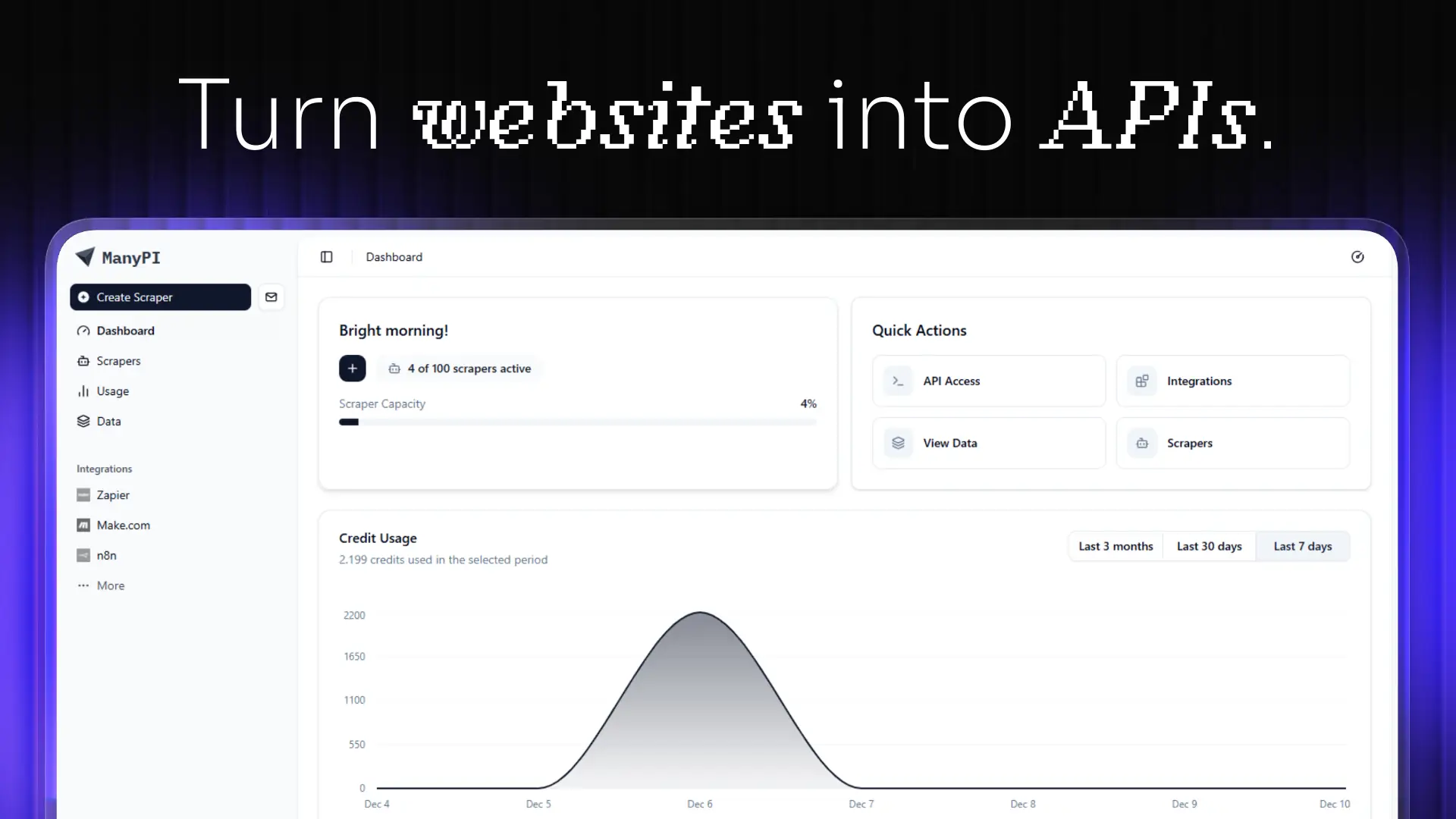
ManyPI is an AI sales agent built for lead generation and cold email outreach. It allows users to describe their ideal customer in a single sentence, then finds matching companies and the people who sign on the live web, verifies every email address, and runs multi-step cold email campaigns from the user's own inboxes. The product is designed for growing companies and sales teams that want more customers, and it states that it is already used by more than 1,700 growing companies. Its core promise is to find validated leads, reach out, and turn emails into sales, with a free plan and paid plans starting from $25 per month. Cold outreach is one of the most direct ways to win new customers, but the work behind it is fragmented. Teams often build lead lists manually, hunt for decision-maker email addresses, check each address by hand, write and schedule follow-ups, and then track replies across separate inboxes. Bad or duplicate addresses cause bounces, which can damage the reputation of a sending domain, while manual follow-up steps are easy to forget. ManyPI brings lead generation, email verification, cold email outreach, workflow automation, CRM, and a unified inbox into one subscription. According to its Product Hunt description, the AI agent also validates pain points and emotional buying triggers, then sends hyper-personalized outreach that turns those signals into sales. This matters because it reduces the number of disconnected tools a sales team has to maintain while keeping the focus on conversations that can become revenue. Lead generation in ManyPI starts with a plain-language description of the ideal customer. A user might type "Marketing agencies in Berlin with 10–50 employees," and the system returns matching companies together with the people who sign. In the example shown on the website, that search produced 1,284 company matches, including Northwind Studio in Berlin and Kranz & Partner in Hamburg. Because ManyPI searches the live web, the lists are meant to reflect current information rather than a static database. The homepage also offers separate starting points for finding new leads and for enriching a lead list, so users can either build a fresh list from scratch or improve contacts they already have. Email verification is built into the workflow so that every address is checked before a user sends. The website promises no bounces, no duplicates, and no burned domain, which addresses a common risk in cold outreach: sending to invalid addresses can hurt deliverability and make future emails look like spam. ManyPI verifies and scores addresses, then drops the ones that do not meet the bar. In the example on the site, Northwind Studio scored 92 and Kranz & Partner scored 87, while Wide Net GmbH scored 34 and was dropped, and Aurora Digital scored 90. This scoring step gives users a clear signal about which contacts are safe to email and which should be left out of a campaign. Cold email outreach is handled through multi-step campaigns sent from the user's own inboxes. Warmup is described as running, which is intended to help inboxes build sending reputation, and replies are collected in one place rather than scattered across separate accounts. A sample sequence shows an Intro sent on Day 0, a Follow-up sent on Day 3, and a Last touch queued for Day 7. The dashboard also shows a reply, such as "Northwind Studio replied 2h ago," making it easy to see which prospects have responded. This combination means users can plan a sequence once and let ManyPI manage the timing, while still sending from their own inboxes and keeping replies centralized. Workflow automation connects replies to the next action. The website presents a simple rule: when a lead replies, ManyPI tags it and starts the next step. There is no wiring to maintain, so users do not have to build or repair automation logic themselves. ManyPI also states that every plan includes CRM and pipeline, a unified inbox for replies, an AI agent, web scraping, data analysis, and API and webhooks. Having these capabilities in one subscription means a team can manage lead status, read and respond to replies, gather web data, analyze results, and connect other systems without purchasing separate products for each function. The ManyPI MCP Server is now live, and it lets users ask for leads from Claude, ChatGPT, Gemini, or any MCP client. The list lands in the user's table rather than in the chat transcript, and the endpoint is mcp.manypi.com/mcp. This gives teams a way to request prospect data from the AI tools they already use. ManyPI also integrates with HubSpot, Salesforce, Claude, and OpenAI, and it is designed to push verified leads straight into the CRM a team already runs on. Integration matters because sales teams rarely work in a single tool; sending verified leads into an existing CRM keeps data consistent and reduces manual entry after a list is built. The benefits described by ManyPI center on finding and converting ideal customers. The Product Hunt tagline says the product can "10x your revenue by finding your ideal customers," and the homepage says ManyPI finds validated leads, reaches out, and turns emails into sales. By verifying emails before sending, the product aims to protect sender reputation and reduce bounces. By automating follow-ups and tagging replies, it aims to save the manual work of tracking sequences and moving leads forward. The free plan and paid plans starting from $25 per month make it accessible to teams that want to test the workflow before committing. Concrete use cases shown on the website include finding new leads by describing an ideal customer, enriching an existing lead list, and sending outreach from the user's own inboxes. A sales team might search for marketing agencies in Berlin with 10–50 employees, review the matching companies and decision makers, verify and score the email addresses, then launch a multi-step sequence with an intro, a follow-up, and a final touch. When a lead replies, automation tags the lead and starts the next step. Teams can also push verified leads into HubSpot or Salesforce, or ask for leads through an MCP client such as Claude or ChatGPT and have the list appear in their table. ManyPI is aimed at growing companies and sales teams that need a steady flow of qualified leads. The website notes that more than 1,700 growing companies already use it, and the lead-generation example focuses on marketing agencies, which suggests agencies and B2B teams are a natural fit. The product is delivered as a web application and also exposes API and webhooks, along with an MCP server, so it can connect to other tools. Pricing is freemium: there is a free plan, and paid plans start from $25 per month. Integrations include HubSpot, Salesforce, Claude, and OpenAI, and the MCP endpoint is mcp.manypi.com/mcp. In short, ManyPI combines AI lead generation, email verification, cold email outreach, and workflow automation into one subscription. It is built for teams that want to describe their ideal customer once and then let an AI agent find matching companies and decision makers, verify every address, run personalized sequences, and route replies into a unified inbox. With CRM, pipeline, scraping, analysis, API, webhooks, and an MCP server included, it aims to reduce tool sprawl and help turn cold outreach into sales.
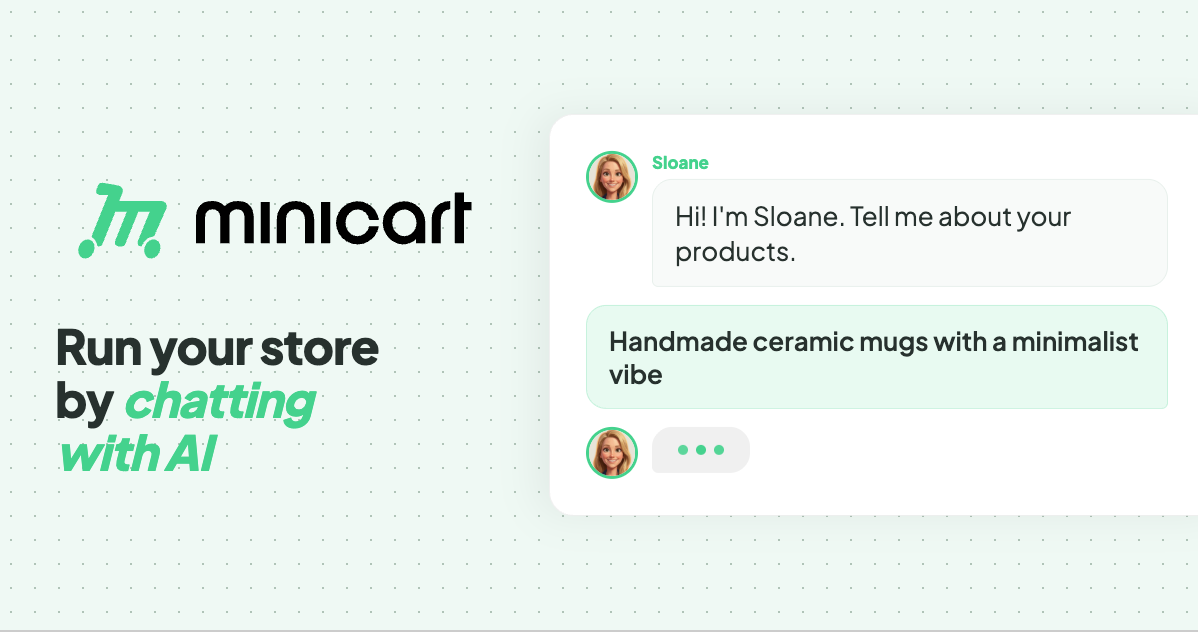
Minicart is a platform for launching and running an online store by chatting with AI. According to the website, you snap a photo of what you make and Minicart builds you a real website that you own, then gives you AI teammates to run it for you. The site positions Minicart for the people who make and sell things — it names makers, creators and resellers — rather than for developers or ecommerce specialists. Its stated purpose is to let someone launch and run a store without learning ecommerce software: no code, no design work, nothing to configure. The promise is deliberately plain: if you can take a photo and send a text, you can run a Minicart store. The site frames Minicart against selling inside someone else's platform. In its own words, a store should not be "a booth in someone else's marketplace." Marketplaces charge listing fees and keep the customer relationship buried in a feed, and building on existing store software can mean monthly fees and a stack of apps. The problem Minicart addresses is twofold. First, getting a real store live is usually slow and technical. Second, once a store is live, the everyday work — listings, marketing, shipping, customer replies, sales tax — turns into a second job. Minicart's answer is to give you a storefront of your own plus AI teammates that handle that busywork around the clock. Getting started is built around photos and imports. Minicart states that a single photo is enough to get started: you take a photo of what you make, answer a few quick questions, and Minicart builds the rest, turning the photo into a polished product listing and a full website automatically. The site advertises going from photo to live store in under ten minutes, with no design work to do. For sellers who are already trading elsewhere, Minicart offers one-click import. You paste your Etsy shop link and Minicart pulls in every listing — titles, prices, photos and variations — then rebuilds them on a site that is yours, while your Etsy shop keeps running. The same one-click approach works for Shopify, bringing products, images and collections across, and for eBay, importing titles, prices, photos and variations onto a site you own. Minicart describes these as read-only connections, so your existing store is never touched or paused. After launch, three named AI teammates take over the daily work. Sloane is the storefront teammate: she builds the site, takes payments, tracks sales and keeps listings current. Milo is the marketing teammate: Milo drafts lifestyle photos, social posts and discount codes that bring people in, and the site shows Milo drafting Instagram posts for new products. Logan is the logistics teammate: Logan ships orders, tracks inventory, handles refunds and drafts customer replies, with the site showing Logan preparing a shipping label and writing a reply to a customer question. The site describes these teammates as working 24/7 — its example timeline runs from turning photos into products in the morning through processing payments and sending a payout in the evening. Everything is driven through chat. The site says that if you can text, you can run a store: you manage inventory, draft social posts and talk to customers through a simple chat interface. Commands are given in plain language, and the site gives the example of creating a 20% summer promo code for all bracelets, which the assistant confirms with the code SUMMER20. The same chat interface powers a bulk editor for updating everything at once. Saying "increase price of all red necklaces by $5" makes the team line up the affected items and show a confirmation list before anything changes. Minicart makes clear that you review the list, uncheck anything you want to skip, and confirm — nothing changes until you say so. The same review-and-confirm pattern applies to inventory updates such as new stock numbers for bracelets and necklaces. The overall method is a three-step loop: snap a photo, let Minicart build your store, then go live and sell. Step one is taking a photo of what you make and answering a few quick questions. Step two is Minicart turning that photo into a polished product listing and a full website automatically. Step three is launching the site, sharing the link anywhere and taking orders in minutes. From there, the teammates keep running the operation under a single stated rule: you are always in control, and nothing goes out without your say-so. The stated outcomes for users are concrete and tied to ownership. You get your own website that lives on your own domain under your brand, rather than inside a marketplace feed, and you can bring your own domain or grab a new one, with your store carrying your name, colors and style from day one. There are no listing fees, so you can list as much as you want, and Minicart says it only charges a small card fee when you actually make a sale. Because the store is yours, you keep your customers: their emails are yours to build repeat business and a brand you can grow for years. The site also highlights speed — launch in minutes rather than weeks, and live in ten minutes — along with dropping monthly fees and the app stack associated with other platforms. The use cases shown on the site are drawn from real stores. Minicart says it helps you sell resin art, and its how-it-works example builds a store from a photo of a candle. It lists storefronts selling trading cards and sports memorabilia, sneakers, boutique gifts, handmade accessories and faith-inspired apparel, plus a diecast model car store. Imports are pitched at sellers who already trade on Etsy, Shopify or eBay and want a store they own while keeping their existing shop open. The bulk editor scenario — repricing a set of red necklaces or adding new butterfly bracelets and ruby necklaces — shows a typical day of small catalog updates handled by chatting. Minicart is aimed at makers, creators and resellers who have no interest in coding, designing or configuring ecommerce software; the FAQ states that if you can take a photo and send a text, you can run a Minicart store. Integrations explicitly mentioned are one-click imports from Etsy, Shopify and eBay, custom domains, and social posting such as Instagram. On pricing, Minicart says there is a generous free plan with no monthly fees to start selling, and that paid plans lower the card rates; no credit card is required to start. Every visitor can connect their own domain and brand, and the FAQ confirms the store runs on a Minicart domain such as yourstore.minicart.com or a custom domain you own, with the customer list yours to keep. In short, Minicart's value proposition is ownership without overhead. It pairs a real store on your own domain and your own customer list with AI teammates who handle listings, marketing, shipping, refunds, customer replies and sales tax through plain conversation — so makers and resellers can launch in minutes, list without listing fees, stay in control of every change, and spend their time making instead of managing store software.
Mise is a meal planner from Robot Recipes that focuses on cooking a whole meal on a single timeline rather than one dish at a time. You pick a recipe to start with, build out the rest of the menu around it, and say when you want to eat. Mise then back-schedules every dish from that minute so the entire meal lands on the table hot at once. It is designed for home cooks assembling multi-dish meals — breakfasts, dinners and holiday spreads alike — and it runs in the browser, free of charge, with no login, no app and no ads in the way. Recipes are written to help you cook one dish. But meals have multiple dishes, and that is where timing gets hard. Each dish has its own cooking duration, its own oven or stovetop demands, and its own hands-on steps that need your attention at a specific moment. When you try to manage several of those at once — from separate recipe pages, tabs or a handwritten list — it is easy for two hands-on steps to collide, for the oven to be busy when the next dish is due, or for one dish to finish long before the rest. Mise is built for that orchestration problem: instead of simply collecting recipes, it works out the running order for the whole meal so the dishes come together at the same time. At the centre of Mise is a back-scheduled timeline. Once you set the time you want to eat, every dish in the plan is scheduled backwards from that minute. The plan distinguishes between hands-on work and hands-free time — oven, simmering and resting — so you can see at a glance when you actually need to be at the stove and when a dish is quietly taking care of itself. Mise also nudges dishes earlier where necessary so that two hands-on steps never collide, keeping your attention on one task at a time instead of forcing you to choose between two dishes that are both demanding you right now. Choosing the menu is only half of the work, so Mise also produces a merged shopping list. The list is combined across every dish in the plan and scaled to the number of servings you have set, so quantities reflect the meal as a whole rather than each recipe in isolation. You can tap items to check them off as you shop. Alongside the list, Mise shows the tools a meal depends on — what the timing relies on — so you know before you start whether the plan assumes an oven, a particular pan or another piece of equipment. When cooking starts, Mise switches into a live cooking mode. Instead of showing the whole plan at once, cooking mode displays only what you need to do right now, with an up-next view of what follows. It keeps the screen awake where the browser allows it and beeps when a step comes due, so you can leave a device open on the counter and get on with the work rather than watching a clock. Cooking mode needs no connection once the page has loaded. The plan can also be printed or saved as a PDF, and a copy link lets anyone with the link open the same plan — it is not listed anywhere. Robot Recipes describes the Mise workflow in four steps. First, you start from one recipe: search any recipe on Robot Recipes and that dish anchors the meal. Second, the robots fill in the menu: they suggest dishes that go with your anchor recipe and read each recipe's steps to work out how long each one takes and which parts need your hands. Third, you say when you want to eat: every dish is scheduled backwards from that minute, and dishes are nudged earlier so two hands-on steps never collide. Fourth, you cook from the timeline: cooking mode shows only what to do right now, keeps the screen awake and beeps when a step is due. That combination — a menu the robots assemble, read and reorder around your chosen eating time — is the core of Mise's approach. The benefit is a meal that arrives together rather than a sequence of dishes that half-finish at different times. Because the timeline is back-scheduled from the minute you want to eat, you are working towards a single deadline instead of improvising around several. The hands-on and hands-free split makes the plan realistic about your attention, and the collision-avoiding nudges mean you are rarely asked to be in two places at once. A merged, scaled shopping list removes the arithmetic of buying for multiple recipes, and a single running order replaces the mental juggling that normally comes with a multi-dish meal. Typical uses follow the way people actually cook multiple dishes. A weeknight dinner built around one main recipe, with a side or sauce added from the robots' suggestions, is the everyday case. Holiday cooking, such as Thanksgiving, is the high-stakes version: several dishes competing for one oven and one pair of hands, all of which need to land on the table at the same time. Breakfast or brunch is another, with the goal stated plainly on the page — getting breakfast on the table all at once. The plan also scales: set the number of servings and every dish and the shopping list scale with it, which matters when cooking for a household or a crowd. Mise is aimed at home cooks who are putting together meals with more than one dish and want the timing handled for them. It runs in the browser, so there is no app to install, and the robot recipe library behind it spans courses — main course, snack, appetizer, dessert, breakfast, side dish, lunch, dinner, soup, beverage, condiment, salad, vegetarian, seafood, brunch, sauce, bread, vegan, dip, charcuterie, sandwich and gluten-free — as well as cuisines from Indian and Vietnamese to Italian, Mexican, Japanese, Korean, French and many more. Mise itself is free, requires no login, and shows no ads in the way. Robot Recipes notes a disclaimer: meal plans and their timing are not created by humans, and cooking times vary with your oven, your cookware and your ingredients, so meat should always be checked to a safe temperature. For anyone who has ever stood in a kitchen with three dishes at different stages, Mise replaces the guesswork with a single schedule. One start time, one running order, one merged shopping list and a cooking mode that only ever tells you the next thing to do — built so a whole meal finishes hot at the same moment. It is free, needs no login, and holds the promise in its tagline: getting all your dishes ready at once.
Ruby UTCP is the Ruby implementation of UTCP — the Universal Tool Calling Protocol — an open standard that gives apps and AI agents a single, consistent way to discover and call tools over native protocols. It brings UTCP 1.1 to Ruby, so Ruby developers can define the tools their agents are able to use and then call them directly, whether those tools live behind HTTP APIs, command-line interfaces, WebSocket endpoints, gRPC services, GraphQL schemas or other transports. The library is open source, MIT licensed and free, and it is built specifically for the Ruby ecosystem. Its intended audience is Ruby developers creating AI agents and tool-powered applications who want a standard way to handle tool calling instead of writing a bespoke integration for every service they connect. Tool calling became a mainstream developer concern once large language models started being wired into real, day-to-day tools. MCP (Model Context Protocol) paved the way for that ease of use, but it typically relies on a heavier client/server architecture: for Ruby specifically, connecting to a tool usually means running a separate server process that sits between the model and the underlying API. UTCP was created as a lightweight alternative to that arrangement. Instead of routing every call through an intermediary, UTCP uses a simple JSON manifest to describe how a tool is reached, then connects to the native API directly. The project calls the overhead it removes the "wrapper tax", and eliminating that layer is what delivers lower latency. As the makers put it, allowing LLMs to call endpoints directly is much easier and more efficient to implement than a heavy client/server setup, and reviewers have noted that UTCP takes the idea further with better specification and security from the get-go. The most visible capability of Ruby UTCP is the breadth of connectivity it offers. It supports 12 transports, including HTTP, CLI, WebSocket, gRPC, GraphQL, MCP and WebRTC, all from one open-source library. In practice this means a Ruby application does not have to change its tool-calling approach depending on how a given tool is exposed: a REST endpoint, a local command-line tool, a realtime WebSocket service, a gRPC service or a GraphQL API can all be described and invoked through the same protocol. For developers this reduces the amount of per-tool code they have to write and keep consistent, and reviewers have specifically highlighted that supporting 12 transports in a single library is a lot of surface area to keep coherent. A WebRTC transport also extends the reach of tool calling beyond conventional request/response APIs. Alongside raw transport support, Ruby UTCP provides tool discovery, so applications and agents can determine which tools are available rather than hard-coding a static list of endpoints. It also supports OpenAPI discovery, which means services that already publish an OpenAPI description can be discovered and used as tools, letting teams expose existing APIs to agents without hand-authoring manifest entries for every operation. Authentication is supported as part of the protocol as well, addressing a common gap in tool-calling setups where credentials have to be handled ad hoc outside the tool definition. Together, discovery and authentication make it practical to point an agent at a real, secured production API rather than a prototype endpoint. Ruby UTCP also supports streaming, so tools that return results progressively rather than in a single response can be used within the same unified tool-calling model. On top of that sits CodeMode, a capability for orchestrating multi-tool workflows with compact Ruby code. Rather than describing long chains of individual tool invocations one at a time, CodeMode lets developers express programmable, multi-step workflows in Ruby itself. A related UTCP launch, Code Mode, was positioned around slashing MCP token usage by 68%, and another project with similar goals, UTCP Agent, focused on building tool-calling agents in four lines of code — both illustrating the direction of travel toward less boilerplate and more compact orchestration. The overall approach is manifest-based and direct. A single JSON manifest describes the tool and how to reach it, and the library then calls the native transport rather than standing up a wrapper server. UTCP version 1.0.0 introduced a lean core, protocol plugins and a cleaner configuration, with the stated goal of letting teams scale their tool usage without wrestling with glue code. Because the protocol is plug-in oriented, the transport layer is extensible rather than monolithic, which is how one library can cover HTTP, CLI, WebSocket, gRPC, GraphQL, MCP, WebRTC and the other supported transports while keeping a consistent interface for the developer. The benefits that follow from this design are the ones the project states directly: lower latency because there is no intermediary wrapper layer, a lighter integration because no separate server process has to be run and maintained for a simple connection, and less glue code as tool usage grows. For Ruby teams, that means adopting UTCP does not require introducing a new runtime component into their stack — the gem lives inside the application they are already building. The protocol is also an open standard published by the Universal Tool Calling Protocol project, so work invested in tool manifests and workflows is not locked into a single vendor, and the MIT licence keeps both the specification implementation and the Ruby library free to use. Concrete uses follow from the stated capabilities. Ruby developers building AI agents can connect those agents to existing native APIs through a JSON manifest instead of running a wrapper server. Teams that need to combine several tools in a sequence can use CodeMode to express the multi-tool workflow as compact Ruby code rather than long chains of individual calls. Services that already publish an OpenAPI description can be picked up through OpenAPI discovery and exposed to an agent without hand-written definitions. Applications that need realtime tools can reach WebSocket, WebRTC or streaming endpoints. Ruby projects that already depend on MCP servers can consume them through the MCP transport while using UTCP for everything else, which a reviewer suggested as a desirable outcome: implementing the UTCP standard alongside MCP. The wider UTCP ecosystem also points to enterprise scenarios — a project called Hexis uses UTCP behind the hood for tool calling as a layer on top of Git where a company's AI skills, tools and knowledge live, centrally managed, reviewed and access-controlled. In terms of audience, tech stack and cost, Ruby UTCP is aimed squarely at Ruby developers creating AI agents and tool-powered applications, and it is distributed as an open-source Ruby gem. Its documentation and repository are published by the Universal Tool Calling Protocol organisation, and the launch page lists it as free. The makers explicitly invited feedback on the API and CodeMode, and on which integrations should come next, signalling that the library is intended to grow with the Ruby ecosystem it targets. Reviewers have noted that the docs cover the transports well individually, while suggesting that a single decision guide for picking the right transport for a given use case would help newcomers evaluating UTCP against MCP. Ruby UTCP's core value proposition is straightforward: it gives Ruby developers and their AI agents one open, manifest-based standard for discovering and calling tools across many native protocols, removing the wrapper-server overhead that makes tool calling heavier and slower than it needs to be. With 12 transports, streaming, authentication, OpenAPI discovery and CodeMode for programmable multi-tool workflows, all packaged as a free, MIT-licensed gem, it offers the Ruby ecosystem a scalable and secure alternative to MCP for connecting agents to the tools they need.
Multimodal Agents by Sierra are AI agents that bring voice, text, and visuals into the same customer conversation. Sierra has long believed that the conversation is the interface: the customer says what they need and the agent figures out the rest. Multimodal agents extend that belief beyond a single medium. Rather than making customers choose between talking, typing, or looking at something, the agent gives them the best of each — voice to explain what you need, a visual to compare options side by side, and text when you want to reference something later. The result is a single, continuous conversation that adapts to what the customer is trying to accomplish at that moment. The problem this solves is familiar to anyone who has tried to make a decision over the phone. Sierra describes trying to upgrade a mobile plan over the phone: the representative talks through models, colors, storage sizes, and monthly rates, and the customer is left comparing things in their head and picking a phone they cannot picture. Voice is genuinely good for parts of that interaction — you can say what you actually need and ask questions more easily than you can over text — but you cannot see the thing you are about to buy. Multimodal agents close that gap. Stitching channels together is not the hard part; the real trick, as Sierra puts it, is knowing which one to use when. That is where the agent's judgement comes in. Agents built on Sierra anticipate what is needed for each conversation and automatically shift between modes — voice, visuals, or text — without making the customer start over or repeat themselves. The choice of medium follows the shape of the task: voice to explain what you need, a visual to compare options side by side, or text when you want to reference something later. Because that switching is automatic, the customer never has to manage the interface. They simply continue the conversation, and the agent keeps the relevant context intact as the medium changes, which is precisely what prevents the restarting and repeating that usually happens when a support interaction jumps between a phone call, a chat window, and a web page. Visuals are part of the conversation rather than a separate destination. Sierra's example is a disrupted flight: you call the airline to get a new flight, and instead of a representative reading off alternate options one by one, you see them laid out with departure times, layovers, and pricing right in the conversation. You pick one, and the agent keeps going from there. Choosing a seat works the same way — you see the map and tap the seat you want. And for times when it is easier to talk than type, you can switch to voice and explain exactly what you need; the agent captures those details without making you type a paragraph into a text box. In each case the visual carries the comparison work that language handles poorly, while voice carries the nuance that menus and forms handle poorly. Sierra's approach is also designed to avoid rebuilding the same experience for every place the agent lives. With Sierra, you can build your agent once and easily deploy across all channels, and the same is true for multimodal agents: once you build a visual component, your agent can use it everywhere it lives. A comparison table or a calendar does not need to be recreated for each surface the agent operates on. That single-build approach reduces duplication for the team maintaining the experience and keeps behaviour consistent for the customer, who encounters the same kind of interactive element regardless of where the conversation happens to be taking place. Sierra's MCP UI integration is what lets teams bring interactive components into the conversation: product cards, comparison tables, calendars, and forms. Those components are designed and hosted by your own team, so you decide how they look, what they show, and when they change. That control matters because the visual layer is often the part of a customer experience that carries brand and merchandising decisions, not just function. Because your team hosts the components, when you make an update it is automatically reflected everywhere without needing to redeploy or maintain different versions for each platform. And when a component needs more room, it can expand to full screen to show calendars, long comparison tables, multi-step forms, and more — so the same building block can serve as an inline detail inside a conversation or as a focused, full-attention task when the customer needs to complete something substantial. Taken together, the methodology is straightforward: keep the conversation as the interface, let the agent decide which medium each moment calls for, and make the interactive pieces reusable across every surface. Sierra frames the goal as customers never having to choose. On one call, customers can talk through what they need, glance at a screen to compare their options, and tap to confirm — without ever pausing the conversation to switch tools. The agent, not the customer, manages the transitions, which is what makes an interaction that spans voice, visuals, and text feel like a single continuous exchange rather than three separate ones. The outcomes described are practical. Customers get through decisions faster because they can see options while hearing about them, and they avoid the frustration of describing the same need twice or rebuilding context after a channel change. They can also reference something later in text when that is easier than listening. Businesses, meanwhile, get a single deployment path: build the agent and its visual components once, use them across channels, update them in one place, and avoid maintaining separate versions per platform. And the experience is described as being as easy to build and deploy as it is for customers to use, which lowers the practical barrier to offering a multimodal customer experience at all. Concrete workflows in Sierra's own examples include upgrading a mobile plan, where a customer talks through what they need and compares phones, colors, storage sizes, and monthly rates visually instead of holding the options in their head. A disrupted flight is another: the agent surfaces alternate flights with departure times, layovers, and pricing in the conversation, and the customer picks one and continues. Seat selection follows the same pattern, with a map the customer taps rather than a description they have to parse. Voice-first moments are covered too — when it is easier to explain something than to type it, the customer can switch to voice and the agent captures the details. More broadly, any conversation that involves comparing options side by side, filling in a form, or choosing a time can use interactive components inside the exchange itself. Multimodal Agents by Sierra are aimed at organizations that handle customer conversations and want those conversations to adapt to the customer rather than the other way around — customer experience and support functions in particular. The people who build the visual layer are the customer's own teams: Sierra states that your team designs and hosts the components used in the conversation. Deployment is described in terms of channels rather than a single app, since the same agent and the same visual components are meant to work everywhere the agent lives. Sierra's MCP UI integration is the mechanism named in the content for bringing interactive components such as product cards, comparison tables, calendars, and forms directly into a conversation. The core idea behind Multimodal Agents by Sierra is that the best interface is the one the conversation needs. Voice, visuals, and text stop being competing options and become modes the agent moves between as the situation changes — voice when explaining is easier, a visual when comparing side by side helps, text when something needs to be referenced later. Because agents built on Sierra anticipate what is needed and shift automatically, customers never start over or repeat themselves, and because visual components are built once and hosted by your team, they can appear everywhere the agent works. That is the promise: one agent, every surface, and a conversation that morphs to fit the customer.
Axari is an AI twin for cybersecurity teams — an AI workforce product that is given real work rather than asked questions. The company's pitch is simple: you plus your AI twin equals indefatigable. A security leader spends the working day setting strategy and priorities, leading the security program, and making the decisions that matter. The twin, meanwhile, runs 24/7: it understands what needs attention, coordinates work across tools and teams, and executes, follows up and verifies until the work is actually done. Users can assign it a goal, let it work proactively, or give it recurring responsibilities, and all of this happens from within Slack or Microsoft Teams. It is aimed squarely at security organizations rather than general business users, and it is meant to be given real security work, not just to answer questions. The problem Axari addresses is the coordination overhead that surrounds security work. Security teams already own scanners, ticketing systems, identity platforms, cloud accounts and compliance tools; what they often lack is someone to keep the resulting work moving between them. Axari's own framing of this is quantitative: it claims time back of 10–15 hours per person, per week, on coordination-heavy work, notes that organizations spend $8–10 per $1 hiring people to operate a security tool, and describes a cognitive load of 17 of 20 items already in motion before a leader opens Slack — leaving only the 3 that genuinely need them. Its overhead claim is zero: no training sessions, onboarding programs, or new tools to learn. Customer quotes echo the same theme, including "We couldn't hire more people; we hired Axari," "We didn't rip out a single tool," and a fractional CISO noting that control drift used to be caught during the next audit cycle but is now flagged the same day it happens. Axari works across the tools a security team already runs instead of replacing them. The integrations shown on the site include Slack, Jira, GitHub, Gmail, Wiz, Splunk, Okta, Snyk, CyberArk, Tenable, Vanta, AWS, Datadog, Kubernetes, Google Cloud, Terraform, Confluence, CrowdStrike Falcon, Google Drive and HubSpot. The important point is what the twin does with those connections: it reads finding and asset context from a scanner, writes and assigns tickets, pulls policy language, collects evidence, scores vendors, lists entitlements, groups alerts and enriches them with telemetry. Because the twin operates inside the collaboration layer — Slack or Microsoft Teams — colleagues see the work happening in the channels they already use, and owners can be nudged or asked for a decision without anyone logging into a separate console. Several of the documented use cases concern exposure and threat work. In critical exposure protection, the twin pulls the finding and asset context from Wiz, creates the ticket in Jira and assigns the owner, then re-checks the scanner before anything is closed. In cloud exposure protection, it detects the misconfiguration, maps it to the owning AWS service, and prepares the fix in GitHub for review. In threat response assurance, it groups overnight alerts from Splunk, enriches them with endpoint telemetry from CrowdStrike Falcon, and opens the investigation in Jira with an owner assigned. In ransomware resilience, the twin confirms containment, revokes compromised sessions, and keeps legal and leadership on a single timeline in Slack. Each of these follows the same pattern: gather context, do the coordination, and hand the judgement call to a human. A second group of use cases covers governance and assurance work. For continuous compliance, the twin collects access evidence, maps that evidence to controls in Vanta, and chases owners in Slack who have not responded. For trusted vendor onboarding, it requests missing documents by email, scores the vendor against your policy, and routes the decision to the risk owner. For security review acceleration, it drafts from your approved answers, pulls current policy language from Confluence, and flags the answers that need human judgement. For access assurance, it lists every account and entitlement, nudges reviewers with a cutoff, then revokes and confirms the removal. The recurring theme is follow-up: the twin does not stop at producing an artifact, it pursues the response it needs and verifies that the change actually happened. Axari describes its approach in four stages. Connect: it maps what your tools do and learns exactly how your team operates daily. Understand: it works out who owns what, what matters, how work is routed, and where you are needed — the product illustration shows a daily brief in Slack summarizing priorities and where you are needed. Act: it prepares the work, assigns owners, follows up, and executes what you authorize; in the example shown, the twin drafts a SOC 2 reply in Slack with approve, edit and discard actions. Compound: it learns how you decide, anticipates what's next, and keeps getting smarter — for instance, proactively asking whether it should check with a colleague before sending a vendor exception approval. The site labels this "compounding intelligence," suggesting the twin's usefulness grows as it observes more of your decisions. The stated outcomes are time, money, cognitive load and overhead. The company reports 10–15 hours back per person, per week, on coordination-heavy work; a spend pattern of $8–10 per $1 currently going to people operating a security tool; a cognitive load figure of 17 of 20 items already in motion before the leader opens Slack, so only 3 need them; and zero overhead in training sessions, onboarding programs or new tools to learn. Testimonials support the positioning: one CISO says that nothing was ripped out and Axari simply made existing tools work harder, a CIO says the team could not hire more people so they hired Axari, and a former Google Chrome security lead describes Axari as a full AI security team that learns how an organization works and actually gets the work done. Concretely, a security team might use Axari in a daily rhythm. Overnight, the twin groups alerts, enriches them, and opens investigations with owners attached, so the morning starts with work already in motion rather than a blank page. During the day, it keeps compliance evidence flowing — collecting, mapping and chasing — and nudges access reviewers before a cutoff so certifications do not stall. When a vendor request arrives, it asks for the missing documents, applies the policy score, and asks a human before sending an exception. When a security questionnaire lands, it drafts from approved answers and flags what needs judgement. Because the twin lives in Slack or Teams, each of these shows up as a short, actionable exchange rather than another dashboard to check. The site names CISO / Head of Security, GRC, Security Operations, Security Engineering and Security PMO as the roles Axari serves, and lists customers and partners including HiddenLayer, Boyd, Supabase, CAVA, Yext, Hydrolix and OpenLoop. On trust, Axari emphasizes control, security-native design and security posture. Controls include scoped access, human approval for consequential actions, a complete audit trail, the promise that your data stays yours, and the ability to bring your own model. The company says the product is shaped by 300+ conversations with security leaders and built alongside security leaders from Google, Anthropic, Atlassian, Supabase and Roblox. It reports SOC 2 Type 1 complete, red-teaming against the OWASP Top 10, zero data retention where applicable, and BYOC / on-prem support in progress. A CISO testimonial notes that Axari earned access rather than asking for it all on day one. Axari's core proposition is straightforward: security leaders cannot hire their way out of coordination work, and attackers are not going to use less AI. By giving teams a persistent AI twin that lives in Slack or Microsoft Teams, understands the environment, coordinates across existing tools, and follows work through to verification, Axari aims to close the execution gap that sits between a security program's plans and its outcomes — without replacing a single tool in the stack. As the company puts it, you plus your AI twin equals indefatigable.