Category Focus/categories/api
API AI Tools
Discover and compare the best api AI tools and software. Browse 94+ curated tools with reviews and rankings.
Projects tracked
94
Sort mode
RECENT
Page
2
Discover and compare the best api AI tools and software. Browse 94+ curated tools with reviews and rankings.
Projects tracked
94
Sort mode
RECENT
Page
2
ZergRouter is a routing service built for people who use coding agents and want to keep their existing tools while choosing which models power them. It presents one OpenAI-compatible endpoint that connects supported clients, so tools that speak the OpenAI protocol can point at ZergRouter rather than being tied to a single model provider. The product's stated promise is simple: keep your coding tools, and choose your models. With ZergRouter you can run DeepSeek in Codex, connect compatible apps through one Router endpoint, set daily budgets for API keys, and see quotas and reset times across your connected Codex accounts. It is aimed at developers and individual users of coding agents such as Codex, Pi, OpenCode, or terminal-native environments, and it gives them a single place to manage routing policy, access, and spend instead of configuring each tool separately. The problem ZergRouter addresses is the fragmentation that appears once you start using more than one model provider and more than one coding account. Normally the routing policy — which model to use, what limits apply, and what happens when a provider fails — lives inside each individual tool, duplicated and drifting out of sync. ZergRouter moves that policy into your account instead; the Product Hunt description states plainly that the routing policy lives in your account, not inside each tool. That matters because developers may work with multiple Codex accounts, each with its own weekly quota and reset schedule, and they may want to try different models such as DeepSeek without abandoning the workflow they already have. Managing budgets per API key, tracking when quota data was last updated, and knowing whether an account has banked resets are all awkward to do by hand. ZergRouter centralizes these concerns behind one endpoint, so the tool you already use stays the same while routing, budgeting, and monitoring happen in one account-level layer. The first core capability is routing. ZergRouter provides one endpoint for your tools. You use provider API credentials together with scoped Router keys, choose models, set limits, and configure explicit fallback chains for supported chat requests. The flow shown on the site is a client sending requests to https://zergrouter.com/v1, which then routes to a model. A Router key connects supported clients, and model availability depends on credentials, permissions, and protocol support. Explicit fallbacks mean that on a 5xx error, a 429 rate-limit response, or a timeout, the system can try your next model rather than simply failing. This is useful because provider errors can otherwise interrupt a request; with an explicit fallback chain that you have already approved, the next model in line is attempted instead. The documentation covers routing behavior in detail, and the site notes that the authenticated catalog is the authority for which models are available to you, so you can check before connecting a client. The second capability group is Codex capacity monitoring. ZergRouter lets you see your Codex capacity by comparing accounts by remaining weekly quotas, each quota's reset date, and banked resets. Stale data stays clearly marked, which means you are told when quota information was last updated rather than being shown a misleading number. API keys and personal subscriptions are separate access paths; a Router API key authenticates routed requests, while provider credentials and Codex subscriptions remain separate. The FAQ makes this explicit: a Router key does not include a model subscription. The value here is decision-making. ZergRouter does not switch your local Codex account automatically; you choose the account for a local Codex session. What the router provides is visibility — quotas and reset times — so that you can decide which account to use. For developers who maintain several accounts to spread load or to keep working when one quota runs dry, having remaining weekly quotas, reset dates, and banked resets in one view removes guesswork and makes account selection deliberate rather than accidental. The third capability group is understanding what ran. ZergRouter lets you explore routed usage by model, by date, and by client. Where providers report them, you can see input, cached input, and output figures. The site is careful about accuracy: account-wide Codex history does not invent missing token breakdowns, and unknown data is labeled as unknown rather than guessed. That approach matters for anyone trying to reconcile what they spent, which client generated the traffic, or which model is driving their token consumption. Because ZergRouter sits between the client and the model, it can aggregate routed usage across the tools you connect — such as Codex, Pi, OpenCode, and other OpenAI-compatible apps — and present it in one place. Rather than relying on each provider's dashboard separately, you get a routed view that distinguishes between input, cached input, and output where that data exists, and clearly marks where it does not. The product's overall approach is a three-part chain: your tool stays the client, ZergRouter is the router, and your chosen model sits behind it. The homepage frames this as keeping the client and choosing the route. A Router key connects supported clients, and requests are sent to the single endpoint at https://zergrouter.com/v1. Model availability depends on your credentials, permissions, and protocol support, and the authenticated catalog is the authority on what you can use. For Codex specifically, the site explains that you can use a model advertised by /v1/models?capability=codex_responses, and that the Modal route supports native Responses forwarding. DeepSeek 4.1 Flash is available as a route. New personal accounts can try it through Modal Shared Endpoints for 14 days after account creation, using a Router key, under a $0.50 UTC-day account-wide trial cap and a 5M-token monthly quota. Other Modal models are not included. Trial access also depends on shared platform capacity and on the Modal endpoint being available, and the site advises checking your authenticated catalog before connecting a client. After the trial, the paid route is metered at $0.30 per 1M input tokens, $0.03 per 1M cached input tokens, and $1.20 per 1M output tokens, up to your monthly usage cap. ZergRouter supports paid usage or bringing your own provider keys, and when you bring your own provider keys they are billed by your provider. The benefits follow directly from those capabilities. Daily budgets for API keys, enforced per request, give you spend control at the key level rather than relying on after-the-fact reporting. Explicit fallback chains reduce the chance that a single provider error stops a request. Quota visibility across connected Codex accounts helps you plan which account to use and when capacity resets. Routed usage by model, date, and client helps you understand where tokens are going. Because the routing policy is stored in your account, changing a model or a limit does not require reconfiguring every tool; you update the policy once. Sign-up and Codex account monitoring are free, so you can evaluate the visibility layer before committing to paid usage. The overall outcome is a coding setup that keeps the tools developers already know while making model choice and spend manageable from one account. Concrete scenarios include running DeepSeek in Codex while keeping your existing Codex workflow, since ZergRouter points the Codex Responses provider at one endpoint. Another is bringing your routed model catalog into the Pi coding agent, or using ZergRouter as an OpenAI-compatible provider in OpenCode. People who use ZTC, a terminal-native coding environment, can connect through the supported client path as well. Developers who already hold provider API keys can bring them and route through one endpoint rather than configuring each tool separately. Anyone maintaining multiple Codex accounts can use the monitoring view to compare remaining weekly quotas, reset dates, and banked resets before choosing which account to use for a local Codex session. A first request is as simple as sending a curl call to https://zergrouter.com/v1/responses with a Router key and a model such as modal/deepseek-v4.1-flash, and the site also provides Python and TypeScript examples for the Router API. ZergRouter is intended for developers and individual users working with coding agents, particularly those who want to choose models independently of the client they use. The integrations and connected tools explicitly listed on the site are ZergAI, Zerg, ZTC, ZDE, Codex, Pi, OpenCode, and OpenAI-compatible apps generally. ZergAI is where you create your Zerg identity and sign in across the stack. Zerg is described as a platform for building and running autonomous software agents, ZTC as a fast terminal-native coding environment, and ZDE as a visual workspace for seeing agent work, files, and execution state. On pricing: creating an account and Codex account monitoring are free. Eligible new personal accounts receive a bounded 14-day DeepSeek trial on platform tokens, subject to the $0.50 UTC-day trial cap and the 5M-token monthly quota. Beyond the trial, DeepSeek on ZergRouter's tokens requires a $5/month plan, metered usage, and a card on file. Your own provider keys are billed by your provider. Access and any billing requirements are confirmed in ZergAI rather than inferred from the marketing page. In short, ZergRouter is an account-level routing layer for coding agents: one OpenAI-compatible endpoint, scoped Router keys with per-key daily budgets, explicit fallback chains, Codex quota visibility, and routed usage analytics. It lets developers keep the tools they already use while choosing the models behind them and keeping spend and capacity in view.
QuotaMint is a backend service for managing customer plans, feature access, usage limits, and credits in SaaS applications. It answers one question from your backend — can this user do this, and what does it cost? — and then writes the ledger. The product is built for developers creating SaaS, AI applications, API products, or any software that needs plan-based access, credits, or usage limits. Instead of building and maintaining credit tables, usage counters, monthly resets, plan checks, feature access rules, usage limits, usage history, retry protection, and upgrade or downgrade handling, teams can call one API. QuotaMint keeps product access logic in one place instead of scattered across a backend. Every usage-based SaaS eventually ends up maintaining the same infrastructure, and QuotaMint turns that into a small API. A usage counter is easy, but maintaining everything around it is not. Without QuotaMint, teams often deal with plan logic scattered across code, custom counters, custom credit resets, difficult retry handling, difficult usage history, and billing-provider-specific logic. The familiar problem is that product rules leak into product code and become hard to change. QuotaMint is designed to keep product rules out of your product code by centralizing plan configuration, consistent feature access, credit tracking, a usage audit trail, and billing-provider independence behind one consume() API. The core interaction is a single consume() call. Before your backend does the work, it sends a POST request to /v1/consume with a customer ID you already use, a feature name that was priced when you set up the plan, and an idempotency key. QuotaMint checks the customer's plan, feature access, credit cost, and remaining balance, then answers allow or deny. Denied calls are normal answers, not errors, so your application can return a 402 or show an upgrade prompt instead of charging anything. This is plain HTTPS with no SDK and no client library, and the REST API works unchanged from TypeScript, Go, Python, Ruby, and any other backend language that can make an HTTPS POST. Retries are a first-class concern. If you pass an idempotency key with consume(), and the same request is retried, QuotaMint returns the original result instead of consuming again. This means that if a network died, a worker crashed, or a queue redelivered the job, you can send the same key again and get the first answer back while the customer is charged exactly once. In the example shown, the first request deducts 10 credits and a retry adds 0 additional credits. This is idempotent consumption by design, and it protects usage-based products from double-charging when jobs are retried. Plans and feature costs are configured once and reused. You create plans such as Starter with 500 credits per month and Pro with 2,000 credits per month, then define feature costs — for example, generate_text costs 1 credit, generate_image costs 10 credits, and generate_video costs 50 credits. Different features can cost different amounts, and plans can enable or disable features. Plans can also have different monthly credit amounts and define recurring credit allocations such as monthly credits. Every consume() call checks the plan, the feature, and the balance before answering whether the action is allowed or denied. QuotaMint is built to work alongside an existing billing stack rather than replace it. It does not replace Stripe, Paddle, Razorpay, Lemon Squeezy, or your billing system, and it does not process cards or collect payments. Your application tells QuotaMint which plan a customer has, and QuotaMint handles everything after that: credits, usage, and runtime access decisions. When a subscription changes — upgrade, downgrade, or cancel — you set the customer's plan in the QuotaMint dashboard, and balances and history carry over untouched. Payment stays with your billing provider while runtime access decisions stay with QuotaMint, and native billing integrations are planned later. Visibility is a core part of the product. You can configure access and inspect every credit from the dashboard, so plans, feature costs, balances, and usage history stay visible without digging through application logs. A customer view can show an active Pro plan, credits remaining, usage this month by feature, feature access toggles, and recent usage entries. QuotaMint keeps usage history so you can see when, where, and which feature consumed credits, and every consumption creates an immutable usage record with identifiers and timestamps. This gives teams a usage audit trail rather than relying only on application logs. The overall approach is to define the rules once and call one API. You create your plans, define feature costs, and call consume(); each call checks the plan, the feature, and the balance, then answers allow or deny. QuotaMint is not an API gateway and does not sit in front of your API, so you do not need to proxy all of your traffic through it. Your application calls QuotaMint from the backend, and it is one HTTPS POST sized to run inside your request path. It focuses on application-level usage and feature-access logic, and it is not intended to replace a full API gateway. The benefits follow from this boundary. Teams get one consume() API, central plan configuration, consistent feature access, credit tracking, a usage audit trail, and billing-provider independence. Product rules stay out of product code, so plan changes and feature access changes do not require rewriting logic scattered across the backend. Retry handling becomes safe through idempotency, and usage history becomes available without custom reporting. Because QuotaMint is payment-provider independent, teams can change or keep their billing provider without changing how runtime access decisions are made. QuotaMint is designed for usage-based products of several kinds. AI SaaS teams can charge credits for images, text, video, tokens, documents, or agent runs. API products can track API usage, set usage limits, and control feature access. B2B SaaS teams can enable features based on plans without hard-coding plan logic everywhere. Credit-based apps can manage monthly credits, top-ups, rollovers, and consumption. It can also track arbitrary usage units including tokens, images, API calls, documents, storage, minutes, or custom credits, and it can be used without credits when a product only needs feature access or usage limits. Pricing and capacity are sold per workspace, and every plan runs the same checks, consumption, credits, idempotency, and Test/Live isolation. The Free plan is $0 per workspace per month with 5,000 events each month, 1 project, 60 runtime requests per minute, 3 days of usage history, 2 Test and 2 Live API keys per project, and 1 team member. Pro is $29 per workspace per month with 2,000,000 events each month, 5 projects, 600 runtime requests per minute, 30 days of usage history, 10 Test and 10 Live API keys per project, and 5 team members. Scale is $79 per workspace per month with 10,000,000 events each month, no project cap, 3,000 runtime requests per minute, 90 days of usage history, unlimited Test and Live API keys, and 20 team members. Usage resets on the first day of each UTC month. All plans include customer plans, feature entitlements, atomic credit deduction, idempotency, API authentication, monthly grants, manual credit changes, and separate Test and Live data. A launch offer code, LAUNCH50, gives 50% off the first paid billing period. QuotaMint's primary value proposition is simple: stop rebuilding credits and usage limits. Keep your existing billing provider, define plans and feature costs once, and let one consume() API answer whether a customer can use a feature and what it costs. That keeps runtime access decisions, credit tracking, and usage history in one place while your product code focuses on the product itself.
Eclatira is a platform for powering applications with conversational voice and video AI. It lets developers build conversational agents with native voice, camera, and screen sharing, and then connect those agents to their own APIs, MCPs, and more than 3,000 apps. The product is described as a conversational video agent that plugs into any stack, giving developers native voice-to-voice, live vision, and full-stack execution across custom APIs, MCPs, and a large library of connected apps. Its stated goal is to help teams ship autonomous multimodal video agents quickly, with agents that are fast enough to barge in and sharp enough to see what you show them. The primary audience is developers and product teams who want to add real-time conversational video intelligence to their own software. Teams can start building through the web app, book a demo, or create agents, upload documents, define tools, and start calls through a versioned REST API. Most conversational agents have been built as text-first systems, with voice treated as an add-on layer. Eclatira takes a different starting point: voice and video are native to the session, and audio and video stream through the same bidirectional pipeline from the start. Another common obstacle is integration. Connecting an agent to a company's own systems usually means writing custom integration code for every service. Eclatira states that developers can connect agents to APIs, MCPs, and 3,000+ apps without writing custom integration code. The company's own FAQ frames the questions teams ask before adopting this kind of tool, including how Eclatira differs from a chatbot that also does voice, how the web widget compares with telephony, how fast a real conversation feels in practice, how long it takes to get an agent live, whether code is required to connect your own APIs, how recorded audio and video are handled, and whether video costs more than voice. The video engine is built around live visual input processed in the same real-time stream as voice. When a webcam is pointed at the agent, it perceives the live video stream continuously and tracks what changes in the frame while the conversation keeps going, so visual awareness does not interrupt the dialogue. Screen sharing works the same way as camera input: the agent watches what is on screen and can guide someone through a page, a form, or a piece of software step by step. The agent can also read what is in frame. Point the camera at a printed page, a screen, or a label and it reads the text through OCR, then acts on what it has just read. Beyond text, the agent identifies physical objects, products, and packaging in frame with high accuracy, which the product positions as useful for guided troubleshooting or visual verification. Video is processed at up to 30 frames per second against the same sub-800ms latency budget as voice, so visual understanding keeps pace with the conversation. On the voice side, Eclatira uses native voice-to-voice processing, which it describes as the reason an agent responds at conversational speed. The site separates this from a chatbot that also does voice, framing native voice-to-voice as a different starting point. Voice and video run through one pipeline: audio and video stream through the same bidirectional session, so the agent can talk about what it is seeing in the same breath. The core capabilities list separates the video engine, voice engine, telephony, agent builder, knowledge and tools, web widget, and platform and API, indicating that agents can be reached both through a web widget embedded in an application and through telephony. Agents can be assembled in two ways. In the agent builder, you describe the job in plain language, then refine the prompt, voice, and tools until the agent is ready to ship. This makes the builder the place to shape what the agent knows and how it behaves before it goes live. The platform also exposes a versioned REST API, where developers can create agents, upload documents, define tools, and start calls programmatically, which suits teams that want agent creation and call handling to live inside their own systems. Knowledge and tools are listed as a core capability alongside the web widget, suggesting that agents can be grounded in uploaded material and given tools to act with. Integrations extend that reach: agents connect to custom APIs, MCPs, and more than 3,000 apps without custom integration code, and public documentation is available for the API. The underlying approach is a single bidirectional session that carries audio and video together in real time. Live camera and screen input are processed in the same stream as voice, part of one session from the start, so the agent's understanding of what it sees and its spoken response are handled together rather than as separate processes joined after the fact. Latency is managed as a shared budget: video runs at up to 30 frames per second under the same sub-800ms target that voice uses. Agents are created either conversationally in the builder or programmatically through the versioned REST API, and are then connected to external systems, tools, and documents so they can execute rather than only converse. For users, the benefit of native voice-to-voice is responsiveness at conversational speed, which is the difference between a natural exchange and a slow one. Real-time vision means the agent can see through a camera or a shared screen while it talks, so support, guidance, and verification happen inside the same conversation instead of across separate steps. Continuous frame tracking keeps the agent aware of changes while the conversation continues. OCR lets it respond to printed pages, screens, and labels it is shown; object recognition lets it identify products and packaging, which the product links to guided troubleshooting and visual verification. Processing video at up to 30 frames per second within the same sub-800ms latency budget as voice means visual understanding keeps pace with speech. Connecting to APIs, MCPs, and 3,000+ apps without writing custom integration code reduces the work required to make an agent useful. Several concrete scenarios follow from the features described. A user can point a webcam at the agent and have it perceive the live stream, which suits situations where someone needs to show something rather than describe it. When a user shares their screen, the agent can guide them through a page, a form, or a piece of software step by step, which fits onboarding, walkthroughs, and support. If someone holds a printed page, a screen, or a label to the camera, the agent reads the text through OCR and acts on it. Object recognition supports guided troubleshooting and visual verification of physical products and packaging. Agents can be deployed through a web widget inside an application or through telephony, and they can be connected to custom APIs, MCPs, and 3,000+ apps so that a conversation can trigger real work across a stack. Eclatira is aimed at developers and teams building conversational agents into their own applications, including those who want to ship autonomous multimodal video agents quickly. The integrations named in the content are custom APIs, MCPs, and 3,000+ apps, with connections described as requiring no custom integration code. Agents can be created in the builder or through a versioned REST API that supports creating agents, uploading documents, defining tools, and starting calls. Delivery channels mentioned are the web widget and telephony. The site offers a free start to building and an option to book a demo. The site also notes that Google Analytics is used and that analytics cookies are only set if a visitor accepts, with a link to the privacy policy. Eclatira's core promise is a conversational agent that both hears and sees in real time and can act across a company's existing stack. By making voice and video native to a single bidirectional session, adding OCR and object recognition on live frames, holding to a sub-800ms latency budget, and connecting to APIs, MCPs, and 3,000+ apps without custom integration code, it gives developers a way to build multimodal agents fast enough to keep a real conversation going.
Hemory is an always-on listening product that captures what you live through and turns it into a private, searchable memory — then wires that memory into your AI agents. The name comes from Hear + Memory, and the product is explicitly not meeting transcription: it listens on the phone or Apple Watch you already own and keeps every conversation as memory. Your day is automatically split into moments with speaker labels, and each moment settles into a private, searchable memory that you can connect to Claude, Codex, Cursor, or any agent over MCP. The goal stated on the site is that your AI finally has real context to revisit what you heard and build on it, with everything grounded in what actually happened — ready to answer questions or generate any document you need. Most people now work with AI agents that are powerful but cut off from the details of their actual day. The moments where commitments are made, scope is decided, or ideas are floated happen in conversation — on a walk, at lunch, in a review — and none of that becomes source material for the tools that are supposed to help you afterwards. Hemory addresses that gap by keeping the listening always on (or on exactly when you choose) and preserving what was said as searchable memory, rather than treating each session as an isolated recording you will never reopen. Instead, you get memory an agent can query, so the context behind a promise, a decision, or a plan survives past the moment it was spoken. Listening is controlled in two ways. Manual mode keeps Hemory on only when you need it, so the privacy boundary stays yours. Schedule mode lets you define windows such as weekdays 9:00–18:00, and Hemory is nudged right on time — the site describes this as what always-on feels like, and shows a running listening counter with the active schedule beside it. Quota is counted with VAD, or voice-activity detection: always-on listening sounds expensive, but VAD only counts the moments when someone is actually speaking, while silence, gaps, and background noise never touch your quota. That is why the company says you can leave Hemory listening all day — keeping your bill low is presented as Hemory's job. Once listening is running, Hemory organizes the day for you. It auto-splits your day into moments with speaker labels and shows them on a timeline with titles, times, durations, and the people involved — for example an "App 2.0 release review — scope, search latency and ship date" meeting from 10:30 to 12:00 with David and Mike, a lunch with Mike, a voice note on the walk back, and a "Product UI review · Memory palace" with Jenny and Mike. Those moments settle into a private, searchable memory. You then query it through your agent: the site shows the question "what did Daniel promise me in last Tuesday's sync?" answered by a hemory search_memory (MCP) call that returns "Daniel" · 3 sessions together with the specific commitment — Daniel committed to the final launch budget by Thursday, with his team owning the App Store screenshots. Connecting an agent takes two steps. First you start listening in Hemory; then you connect Hemory to your agent via MCP. The site lists support for Claude Code, Codex, Gemini, Cursor, VS Code, OpenClaw, Hermes, and other standard MCP clients, and shows the connection happening in seconds with terminal commands such as "codex mcp add hemory" and "claude mcp add hemory" followed by a connected confirmation and the available tool, search_memory. Once connected, you chat with your agent about the memories Hemory has heard, and the agent can revisit real, past context instead of relying only on what you paste in during a session. Privacy is positioned as a default, not a setting. Hemory states zero audio retention: your audio is never stored in the cloud, it is processed as a stream, and it is destroyed the moment processing ends. Raw audio is stored only on the listening device and is never synced across devices, so recordings stay where they were captured. A self-host option is listed as coming soon, for people who want to optionally run Hemory entirely on their own infrastructure. Combined with manual mode and scheduled listening windows, these choices are meant to keep the privacy boundary in the user's hands while still making the resulting memory available to the agents they already use. Overall, Hemory's approach is to make real life the source material. Two steps — start listening, connect your agent over MCP — sit in front of everything else, and the resulting memory is grounded in what actually happened. Rather than forcing you to write notes, record meetings, or reconstruct context later, Hemory hears it, splits it into labeled moments, stores it privately on the listening device, and exposes it to agents through a single search tool. From that foundation, answering questions or generating documents becomes one prompt away. With Hemory as source material, the site lists concrete outputs, each described as one prompt away. A monthly work report deck can be generated from the work heard over the past month and delivered as a web page with progress, key takeaways, and next month's plan, ready to present at a management meeting. A nightly journal can be produced at 22:00, writing down the interesting things from your day as a brief note — one entry every night. A smart ring PRD draft can be assembled from recent customer interviews plus internal brainstorm sessions, distilled into a complete PRD. In the agent example shown, a follow-up draft is written to follow-up.md and reported as 12 lines, ready to send, based on what was heard. Pricing starts with a Free Trial at $0 one-time with 10 hours of listening, no renewal. Starter is $10 per month with 20 hours per month, described as the budget pick for just the conversations that matter. Pro is $20 per month with 60 hours per month, aimed at professional use and enough for everyday work, and is marked most popular. Max is $50 per month with unlimited listening under a 24-hour-per-day cap and fair use, for all-day listening and building your memory palace. All plans count quota with VAD. Hemory is available for iOS through the App Store and for Android, with macOS, Windows, Linux, Web, and self-host listed as coming soon. Hemory's value proposition is straightforward: keep listening, and let every real conversation become memory your agents can search and generate from. By combining always-on or scheduled listening, automatic moment splitting with speaker labels, private-by-default audio handling, and MCP connections to the agents people already use, it aims to give AI the one thing it usually lacks — grounded context from your actual day.
Kaiku is an agent-native task tracker and wiki built for teams whose work is increasingly done by AI agents. In Kaiku, agents work in the tracker and the wiki the way the rest of the team does. You can hand an agent an issue, or call it in a comment, connect your own agents over MCP, and see every run on the issue it worked on. The product's core rule is simple: an agent proposes, a person approves. Tools written against the API most companies already run connect too, so the software you already use does not have to be replaced to bring agents into the way your team plans and records work. The problem Kaiku addresses is that agentic work has arrived inside ordinary team workflows, but the tools those teams use were not built for it. Agents are usually bolted on as plugins, and their connection to existing trackers and wikis runs through a bridge that lags a version behind the API it imitates. Kaiku puts the compatibility on the wire instead: the MCP servers your agents already use for the incumbent tracker and its wiki work against Kaiku as they are. The second problem is cost visibility. When automation files issues, answers questions and edits pages, the bill arrives after the fact. Kaiku records every agent run against the issue it worked on — tokens by kind, machine time, who asked — so you find out what the automation actually cost while you can still do something about it. Agents are the point of Kaiku, not a plugin. The product speaks MCP two ways. First, through the MCP servers your agents already have configured for the tracker and the wiki your company runs today; those work unchanged because the compatibility lives on the wire rather than in a bridge that lags a version behind. Second, Kaiku ships an MCP server of its own. Both are HTTP with a bearer token: a workspace, an address, and four lines of config. Your workspace answers on its own address and issues its own tokens from Settings, and a read-only token cannot reach the MCP endpoint at all. The built-in server exposes issues and their children, comments and the threads they hang in, wiki pages, attachments by path, project fields, and questions put to one person and waiting on an answer. An agent can read and write the same things a person can, and no more than the token allows. Calling an agent in Kaiku works like calling a colleague. You call it in a comment, by name, in the thread where the question already is. It reads the issue, answers in the same thread, and says what it read to get there. It never decides: a proposal is recorded as a question addressed to you, with no default answer, so the issue keeps who chose and what they chose — and silence chooses nothing. An agent is a role of your workspace, not an account, with no password, no token and no access of its own. It runs as the person who called it, with the permissions that person has at that moment, and it is clamped to the issue's project — a question about one project never ships the other nine to a model. Its tools are reads only, and the comment it answers with is written by Kaiku, not by the model. Every answer carries the issues and pages its tools actually returned, so the reasoning can be checked against its sources, and every call is a row: who called which role, on which issue, what came of it and what it cost. The wiki beside the tasks speaks the same protocol. Every project carries exactly one space, keyed like the project. You write Markdown, while the wire carries the storage format the incumbent corporate wiki uses, so tools built for it read Kaiku without being told. Pages go out as Word documents, and the words inside an attached diagram are searchable, so a drawing stops being a dead end. Issues, comments and wiki pages are also translated automatically, on demand, with a language picker that searches by what each language calls itself. Because the wiki is governed by the same access rules and the same MCP server as the tracker, agents can read and write it under exactly the same permissions a person has. Some teams keep clients rather than a backlog, and Kaiku covers that with a mini-CRM. Turn on the client book in a project and it reads as one: a row per client, the columns your business actually runs on, and the work for each client right under its row. Nothing leaves the tracker to get there — the board, search and your agents keep seeing the same issues. A client is an issue of its own type, so it comes with comments, files, history and watchers, and the same API and MCP as everything else. Projects write down the columns they need, of six kinds: a list with colours, a country, a number, a date, a person, a line of text. A value that does not fit its column is refused on the spot, never quietly dropped. The name, the owner and every custom column change right in the table, using the same write the card makes, so history, notifications and agents all see it. The whole book exports as one .xlsx with your columns in your order, where a number stays a number and a date stays a date. Beyond agents, the wiki and the client book, Kaiku ships the ordinary things a tracker owes you and a few it usually does not. There are Kanban and scrum boards, dragging between columns, and sprints that start and close; a board bigger than a page says so rather than quietly showing you a prefix. Custom fields are not only for clients: any project can define them, search by them, colour its board cards by a list's value, and mark a card with the field that matters. Several GitLab repositories can attach to a project, because a tracker project rarely lives in one, and a repository that did not answer says so instead of pretending there is nothing there. Numbers stay honest because stock and flow are kept apart — what is open now never quietly takes the date range that created-per-day takes — and archived issues are still counted, because a shelf is not a delete. Archiving clears a board without losing anything, by hand or on a rule the project sets, counted from when the task became done rather than when it was made. You can sign in without a password using passkeys or Google sign-in, or a password if you prefer, and you cannot remove your last way in. Notifications cover mentions, watchers and reactions on comments, with a digest that respects what you asked for; every timestamp keeps its exact value behind the friendly one. The data stays yours. One request gives you the whole project as a zip: structured JSON, readable Markdown and every attachment. It keeps working after a subscription lapses, on the principle that a service which locks your data behind a payment is a service nobody should pick. If your workspace does stop paying, it becomes read-only: nothing is deleted, everything is still readable, export keeps working, and that state is kept for 12 months with a warning well before anything is removed. Bringing existing work in is a first-class path too. A company admin imports a project from the cloud version of a popular task manager, and issues keep their keys while their comments, files, custom fields, parents and links come with them. A check runs first and names what will not move — change history, sprints, logged time — before anything is written. The unique approach running through all of this is that agents are treated as members of the team rather than as an external integration. They are roles in your workspace, called by name in the place the conversation already lives, constrained by the permissions of the person who called them, and answered with citations to what they read. Everything they do is a recorded run attached to an issue, with tokens by kind, machine time and who asked. Because the tracker and the wiki both answer on the wire formats the incumbent tools use, the MCP servers people already run keep working, and nothing has to be installed or forked to make that true. Concrete use cases come straight from the product. A repertory theatre runs a season as project work: a dozen productions share one board, each opening night has thirty pieces of work in front of it, and the calendar shows when each of them ran and what each is waiting on — drawing a bar only between days that were actually recorded, never from a start somebody guessed. A company admin migrates a project from the cloud version of a popular task manager and keeps issue keys, comments, files, custom fields, parents and links. A team that keeps clients turns on the client book and manages each client's work under its row without leaving the tracker. A developer calls an agent by name in a comment on an issue, gets an answer in the same thread with the sources it read, and approves or rejects the proposal it made. And finance can watch a week of automation costs on the issues where the runs happened. Kaiku is aimed at teams whose work is increasingly done by AI agents and who already run a tracker and a corporate wiki, as well as people who use agents such as Claude Code and Cursor and want a tracker they can point those tools at. Integrations centre on MCP over HTTP with a bearer token, the REST API of the tracker most companies already run, the equivalent wiki format, and GitLab repositories. Workspaces live on their own subdomain, yourcompany.kaiku.tech, so project keys and issue keys never collide across companies. Pricing starts with a 30-day trial: up to 2 people, 1 project, 1 GB of attachments, every feature, no card and no wallet to start. Personal is $19.99 per month for one seat, up to 100 projects, 20,000 issues and wiki pages and 10 GB of attachments. Team is $7 per person per month with AI included or your own key, $5.25 per person per month when paid for a year, plus $20 per month per extra 20,000 issues and pages and $10 per month per extra 100 GB of attachments, per workspace. A Team plan with your own AI key is $6 per person per month and runs agents, the assistant and translation on your company's own Anthropic or DeepSeek key. AI Pro on Team adds $12.99 per seat per month. Payment is in USDT or USDC today, with Visa and Mastercard card payments coming soon, and self-hosting is available by request. Kaiku's primary value is that it lets agents join the team without leaving the systems the team already uses: an agent-native tracker and wiki that speak the API and MCP the incumbent tools speak, record what every run cost on the issue it worked on, and never let a model decide on its own. Start with a month — two people, one project, everything switched on — and take your data with you if it does not fit.
NOAN is the fact layer for agentic business. It takes the facts a company has approved — pricing, positioning, policies, products, customers, and more — and turns them into a verified, versioned source of truth that is served through one API and MCP. The product is built for anyone who wants their models, agents, and applications to run on the same company facts rather than each AI interpreting the company's documents in its own way. Verity, the assistant on the NOAN site, is the product demonstrating itself: give her your work email and she reads your website, draws your company graph, and turns it into your workspace. The problem NOAN addresses is that most companies have thousands of documents but only one version of the truth. Documents are not facts. A document is something an AI can read and interpret, and different models and agents will pull different conclusions from the same pile of material. NOAN draws a clear distinction between a fact and memory: a fact is something true about your company that is approved, versioned, and served from one API, whereas memory is what an AI picks up along the way and nobody signed off on. When every model, agent, and app is fed the same approved facts, they all run from the same source of truth instead of letting each AI interpret your documents differently. That is why the product is described as the fact layer for agentic business: the facts, not the interpretation around them, become the thing everything else is built on. The core of NOAN is the fact itself. According to the product, a fact is something true about your company: it is approved, it is versioned, and it is served from one API. That combination matters because it gives the business a controlled, authoritative record of what is true — not a draft, not a document open to interpretation, but an approved statement that carries a version. The approved facts NOAN works with include pricing, positioning, policies, and products, as well as customers. Instead of scattering that information across thousands of files, NOAN collects it and serves it through the NOAN API, so anything that needs company knowledge can request it from a single source rather than re-reading a document set and forming its own view. Through the NOAN API and MCP, those facts can be plugged into any model, any app, and any agent. This is the other half of the product's promise: the fact layer is not tied to a single assistant or a single vendor. Because the facts are exposed through an API and through MCP, any model, agent, or app that connects can run from the same source of truth. In practice this means a company can give all of its AI systems the same company facts, rather than maintaining a separate and potentially conflicting understanding of the business inside each one. The line "Any model, any agent, any app — same facts, one API" summarizes how NOAN positions exactly this capability. Every company's facts build a brain — its company graph. The company graph is how NOAN describes the result of collecting a company's approved facts: a connected representation of the business drawn from the facts themselves. Verity is the assistant that creates and works with it. She introduces herself with "I'm Verity. NOAN is the fact layer for agentic business. Give me your work email and I'll read your site and show you your company graph." When you provide your work email, Verity reads your site, draws your company graph, and makes it your workspace, so the graph is not just a picture of the business but the working place where the company's facts live. NOAN's approach is to make the facts your business has approved the thing that everything else runs on. The workflow starts with your website and your work email: Verity reads the site and shows you your company graph, which becomes your workspace. From there, the approved facts are versioned and served from one API, and the same facts are available to your models, agents, and apps through the API and MCP. The distinguishing idea is the split between facts and memory: facts are approved and versioned by the business, while memory is whatever an AI happens to pick up along the way and nobody signed off on. By serving only the former, NOAN concentrates on the facts themselves rather than the surrounding interpretation, and every agent that connects to the fact layer inherits the same version of the truth. The site frames this as your company as verified facts, behind one API, with your site and agents running on what's true. The benefit NOAN describes is consistency. When any model, any agent, and any app all draw from the same facts, they all run from the same source of truth, which removes the situation where each AI interprets your documents differently. Approved facts also carry versions, so the record of what is true has a history rather than being a static snapshot in a document nobody controls. Because the facts are exposed through one API and MCP, connecting a new model, agent, or app does not require rebuilding the company's knowledge from scratch — the connection simply plugs into the existing fact layer and runs on the same approved facts as everything else. Concrete scenarios follow directly from how NOAN is described. A company wants its AI agents to answer with approved pricing, positioning, and policies rather than whatever a model inferred from a document set, so it gives those agents access to NOAN's facts. A team building an application needs the company's products and customers represented consistently, so it connects through the NOAN API and reads the same facts the rest of the business uses. An organization that runs several models or agents wants them to agree, so MCP and the API let each one connect to the fact layer. And a business just starting with NOAN gives Verity its website and its work email, watches her draw the company graph, and begins working from a verified set of facts in a workspace built around them. NOAN speaks to businesses that want their AI systems grounded in verified company facts. It is aimed at teams using models, agents, and apps, which the Product Hunt listing describes under API, Developer Tools, and Artificial Intelligence, and it fits companies that already have thousands of documents and need one version of the truth. The integrations described are the NOAN API and MCP: any model, any agent, and any app can connect through them. The product is experienced on the web through the NOAN site, where Verity assists you, and the site includes a classic version, a "How does it work?" page, and a pricing page with an option for existing subscribers to sign in. On pricing, the site states that everything is free except the facts. NOAN's primary value proposition is simple to state: your company has thousands of documents, but only one version of the truth, and NOAN is the fact layer that makes that truth approved, versioned, and available to every model, agent, and app through one API. With Verity reading your site and drawing your company graph, the facts your business has signed off on become the single source of truth that your site and agents run on.
gg-friggin-ez is a fast, free, drop-in multilingual profanity and toxicity screener for Node.js. It is powered by System 1 models such as TypeSafe AI Jev and Laya, and its purpose is to screen chat messages so that a backend can decide what should happen to each one. The package is aimed at developers who need to moderate user-generated messages at scale, and it is open source and installable with a single npm command, npm i gg-friggin-ez. The stated goal is to make real-time, multilingual toxicity screening cheap enough to run on every single message. gg-friggin-ez was built by Shikhar Srivastava, who ran into chat moderation while working in the real-money gaming industry. In his account, chat moderation was one of those problems that never had a good answer: it was too slow, too expensive, or too dumb to catch anything past a static keyword list. He later moved into backend and AI engineering, and gg-friggin-ez is what happens when that old problem meets the current stack. The maker frames the history in three stages. Pre-LLM approaches were fast but brittle, because traditional filters and ML/NLP models struggled with Romanized Indic, slang, ASCII art and creative evasion. LLMs were smart but too expensive to run at scale. System 1 models such as Jev and Laya are single forward-pass decision engines built for real-time classification, with sub-500ms end-to-end performance, deterministic output and pennies-per-million-token economics. Evasion-proof screening is the central capability of the product. gg-friggin-ez is described as catching leetspeak, ASCII drawings, character spacing and romanized profanity. It also provides native Indic support and multilingual coverage, with Kannada, Telugu, Tamil, Hindi and Bengali named explicitly in the description, Bhojpuri and Marathi appearing in the discussion, and the public benchmark covering 14 languages. This matters because the evasions that defeat simpler systems are exactly the ones that appear in fast-moving chat: people replace letters with numbers, spread characters apart, draw words as ASCII art, or write profanity in romanized scripts. A screener that only matches known bad words on the nose is easily outsmarted, which is the behaviour the product sets out to fix. Because the engine is a contextual model rather than substring matching, benign text that happens to contain profanity-like substrings is handled differently from a keyword filter. The maker gives the "Scunthorpe" test case, where the input "I live in Scunthorpe" returns isProfane false, isToxic false and an action of ALLOW. A second group of features is the deterministic action layer. gg-friggin-ez converts toxicity into the moderation actions ALLOW, REVIEW, CENSOR and BAN, so instead of returning an opaque score the package returns a decision a backend can act on directly. Alongside the action it returns rich telemetry: confidence scores, evasion detection flags and primary language classification. The maker stresses that nothing happens silently, because every call returns the probability plus reasoning before your backend acts on anything. AUTO_BAN only fires at high confidence, while ambiguous content is routed to review rather than triggering an instant ban. This design reflects a deliberate trade-off. The maker notes that for a problem like this, higher precision might seem like a great choice, but recall is more important: a false positive might still be flagged for review, whereas missing a toxic or profane message that is then viewed by possibly thousands of people on a livestream platform is worse. The first failure mode is recoverable, the second is not. Speed, cost and extensibility form the third group of features. Moderation is described as lightning-fast at sub-500ms. Cost is ultra-low: roughly $0.000042 per message when using Jev at $0.042 per million tokens, or $0 inference cost when using self-hosted open-source models. The Product Hunt listing also cites approximately $0.000004 per message. The architecture is pluggable with Bring Your Own Model (BYOM): while gg-friggin-ez ships with TypeSafe AI's Jev as the default out-of-the-box engine, it is completely decoupled, so you can point it to your own System 1 models. The project is 100% free and open source. You install it with npm i gg-friggin-ez, browse the source on GitHub, and try the hosted demo on the project's GitHub Pages site. Overall, the product works by handing each message to a System 1 model, meaning a single forward-pass decision engine built for real-time classification, rather than to a static keyword list or a large generative model. That single design choice is what makes the combination of speed, low cost and contextual judgement possible at once. The model produces a probability and reasoning, evasion and language signals are attached, and those outputs are mapped to one of the fixed moderation actions that the calling backend then applies. Because the model layer is decoupled from the package, teams can keep the same integration while swapping in a different System 1 model of their choosing. The benefits follow from that approach. Teams get evasion-aware screening that understands context rather than substrings, so ordinary words and place names are not blindly punished for resembling profanity. They get deterministic, auditable outcomes instead of a silent pass or fail, which means a moderation decision can be inspected before it is enforced. They get responses fast enough for live chat, and they get a cost profile low enough that screening can run on every message rather than a sample. And because the package is open source and free, with a self-hosted path to $0 inference cost, the barrier to adopting full coverage is low. The use cases come straight out of the maker's own framing. Chat moderation in real-money gaming is the origin story, where slow, expensive or naive filters left the problem unsolved. Game chats with real-money stakes or bans attached are a natural fit, because a wrongly muted or banned player carries its own support cost, while an unfiltered toxic message can be seen by many players. Livestream platforms are another scenario discussed directly, where a missed toxic message can be viewed by possibly thousands of people. More broadly, any Node.js backend that handles user-generated messages and needs an ALLOW, REVIEW, CENSOR or BAN decision per message can call the package. Teams that want to validate the approach before committing can consult the published benchmark file referenced in the discussion. The product is aimed at developers building chat and community backends, particularly in gaming, livestreaming and other real-time contexts, and it fits Node.js applications through npm. It integrates with System 1 models, shipping with TypeSafe AI's Jev by default and supporting Bring Your Own Model for other System 1 engines such as Laya. The maker has also published raw benchmark data covering 14 languages and 42 messages, three per language, reporting 97.6% overall accuracy (41/42) and 94.4% accuracy on Indic and romanized content, while describing the sample as early evidence rather than a rigorous study. In that run none of the benign messages were auto-banned; one Bhojpuri line landed in review instead of an instant allow, and one Marathi message scored just under the threshold and needed a human to catch it. Pricing is free, and the project itself is open source. In short, gg-friggin-ez packages evasion-aware, multilingual profanity and toxicity screening into a free, drop-in Node.js library that returns deterministic moderation actions with the reasoning attached. Its value proposition is straightforward: real-time, context-aware, Indic-friendly moderation that is fast and cheap enough to run on every single message.
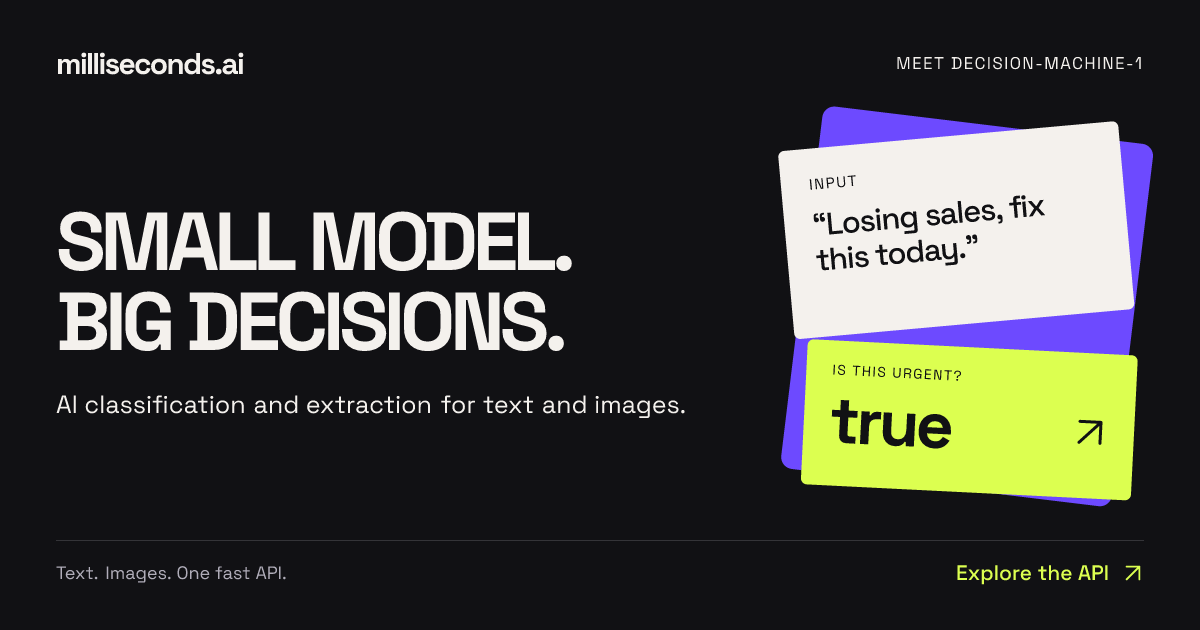
Milliseconds.ai is an API that turns text and images into decisions, classifications, and structured data. You send text or an image to a single endpoint and receive labels, fields, scores, or yes/no answers back as structured data that your application can act on. The product is built around decision-machine-1, described on the site as a small model behind the platform. Its stated purpose is AI decisions, classification and extraction via a simple API — the parts of an application that need an answer rather than a conversation. It is aimed at developers and product teams who need to route, tag, read, score, or check content inside their own software without building and hosting their own decision models. The site frames the problem as verbosity. A typical model response to an invoice begins with "Certainly! Let's delve into a comprehensive overview of this invoice and its many fascinating details…" followed by pages of explanation. Milliseconds.ai contrasts that with "Just the fields. Thank you." and shows the output it returns: invoice_number A-1042, vendor Nordik Supply, total 4250, currency CAD. The message is that many real workflows — routing a support email, reading an invoice, checking a return against a policy — only need a label, a number, a boolean, or a small set of extracted fields, and that asking a large model to produce prose for those tasks adds cost and latency without adding value. The company positions its small model as a way to get the decision itself, in a form software can consume directly. The API exposes separate endpoints for different kinds of decisions. POST /yes-no answers a binary question about a piece of text; the example flags messages that need a faster response and returns "answer": true with probability 1, and the site notes the boolean can be used to raise a ticket's priority. POST /classify assigns one label from a set you define; in the example a message is routed to support queues and comes back with label "billing" at 0.74, alongside scores for billing, shipping, technical, and other, plus a confidence value. POST /rate scores text on an ordered scale; the example turns customer frustration into a 0–3 score of 1.998, returning the level, a confidence figure, and the score for each level, with the site noting that nearly tied levels signal uncertainty. A second group of endpoints returns content rather than a single decision. POST /answer locates a span of text that answers a question — for example, finding "Halifax warehouse" in a shipment status update with a probability of 0.992 and start and end offsets, so an application can show where the answer came from. POST /extract maps text to the fields in your own records; the invoice example returns four fields — invoice number, vendor, total, and currency — ready for validation before a record is written. POST /entities identifies typed entities such as person, organization, claim id, and date, each with a probability, described as useful for search and record matching. POST /verify checks a proposed value against source text; in the example a proposed $1,000 deductible is compared with policy text that says $500 and comes back as matches: false with the found value $500. Milliseconds.ai is delivered as a developer tool first. The site says the service is available through REST, SDKs, and a CLI, and it points to both a TypeScript SDK and a Python SDK that return typed responses, plus a terminal workflow. For coding agents, it offers installable skills that teach an agent which API to call and how to evaluate results — summarised as "Hey, build me something with this." Documentation links include an API quickstart, a support triage recipe, and a document intake recipe for extracting fields, checking values against the source, and validating before writing a record. The site also provides live, editable examples for every endpoint, where a visitor can edit a request and run it to see the labels, scores, or fields the API returns, with raw JSON available. The product's overall approach is summarised by the phrase "INPUT → DECISION → ACTION". Text or an image goes in; a decision comes out; the application acts on it. Around that core loop the responses are deliberately structured: booleans with probabilities, labels with score distributions and confidence, numeric ratings with per-level scores, extracted fields, typed entities, and answer spans with source offsets. The company describes decision-machine-1 as a small model, and contrasts its economics with larger alternatives: production usage costs $0.04 per million input tokens with no charge for output tokens, and free test keys include 125 million free input tokens per month with no card required. Demo applications show the same idea in practice — working apps whose results, token usage, and inference cost can be inspected. The stated benefit for users is speed and directness: answers arrive in a shape an application can use immediately, so teams can automate the decisions their software already makes rather than inserting a conversational layer. Because the responses include probabilities, confidence values, and score distributions, an application can distinguish a confident decision from a borderline one — for example, flagging a nearly tied rating or a low-probability entity for review — and route only the uncertain cases to a human. Structured output also means the result can be validated before it is written to a record or used to trigger an action, as in the invoice and deductible examples where extracted or proposed values are checked against the source. The pricing model, with free output tokens, keeps cost tied to input volume rather than to the length of the answer. The site documents several concrete workflows. Support triage combines a label to select a queue, a score to set priority, and a boolean to flag urgency. Document intake extracts fields, checks values against the source, then validates before writing a record; the Invoice Desk demo pulls the vendor, invoice number, and total from an invoice, compares them with the purchase order, and shows what needs attention. Sales intake separates demo requests from support tickets and vendor pitches and gives sales the budget, timing, and need already stated in the message — the example flags a demo request with a stated budget and a near-term start, suggesting the Sales destination. Private Share finds names, emails, and other personal details in a transcript so a teammate can review what to remove while keeping the context, leaving the bug report useful. The Product Hunt description adds routing emails, applying return policies, and "build your hot-dog identification empire" as further examples. Milliseconds.ai is built for developers and product teams who need classification, extraction, or verification inside an application — the Product Hunt listing files it under API, Developer Tools, and Artificial Intelligence. The developer surface includes REST endpoints, TypeScript and Python SDKs, a CLI, and skills for coding agents, so the integration can be done from code or from an agent. Pricing has two stated parts: a free tier of 125 million input tokens per month on free test keys with no card required, and production usage at $0.04 per million input tokens with output tokens free. A sign-up page issues free test keys, and the site links to pricing details with the prompt "Big ideas. Small bill." The interactive examples run without an API key so teams can evaluate results before signing up. The takeaway the site reinforces is narrow and deliberate: milliseconds.ai does not try to be a general chatbot. It provides a fast API for the small decisions that applications make constantly — is this urgent, which queue does this belong to, how frustrated is this customer, what are the invoice fields, which entities are in this claim note, does this value match the policy — and returns each as structured data with probabilities, so software can act on it. With a single small model, editable live examples for every endpoint, SDKs, a CLI and agent skills, plus a free monthly allowance and per-token production pricing, it packages decision-making as a straightforward building block for developers.
PostSider is a social media publishing platform built for both humans and AI agents. From a single calendar you can schedule and publish content across more than 30 networks, or you can hand the keys to an AI agent that drafts, schedules and publishes through MCP, a REST API or SDKs. The site names three groups it is amazing for: agentic builders and their AI agents, solo founders and creators, and agencies running many brands and channels at once — plus "everyone who wants to publish their content a different way." Its stated purpose is to cover the whole publishing loop in one place: content calendar, analytics, teams, approvals and automation, without juggling multiple tools. The problem PostSider addresses is fragmentation. Publishing to many networks typically means separate tools for scheduling, drafting and reporting, and for developers it means writing per-platform glue code for every network they want to reach. PostSider's answer is one place to manage everything, with four documented ways to publish: the dashboard, the API, the SDKs and MCP. The product also positions itself against per-channel billing, stating that it uses flat tiers rather than charging per channel, and it explicitly targets people switching from Buffer or Hootsuite with comparison articles and a step-by-step migration checklist that is described as not dropping a single scheduled post. The claim running through the site is straightforward: one integration, every network, for humans and agents alike. For humans, PostSider presents "a calendar you actually enjoy." You plan your whole month at a glance, drag a post to a new slot, duplicate it to another network, and watch the queue handle the rest. The listed calendar capabilities include drag-and-drop posts across days and channels, composing once and tailoring per platform, a media library with live previews, and queues with best-time scheduling. The composer lets you start writing or try a sample post, and accepts files by drag and drop or a file selector. The site shows a worked example on the calendar: a Claude agent connected via PostSider MCP is asked to create an Instagram post from an attached photo, and it drafts the post and queues it for Tuesday at 12:00. For AI agents, PostSider provides what it calls an agent bridge. Scheduling, publishing and analytics are exposed as tools through a Model Context Protocol (MCP) server, so any MCP agent can call them. The site displays Claude, ChatGPT / Codex, Gemini, Cursor, OpenClaw and Hermes Agent, plus "any MCP agent." Alternatively, developers can call the typed REST API and SDKs directly for their own pipelines. PostSider states this removes per-platform glue code entirely — one integration covers every network — and that the same secure auth is used for humans and agents. The documented API rate is 60 requests per minute, and the site links to its own docs for developers. The described agent workflow is that an agent can draft posts and fill the queue, just as a human would from the dashboard. Publishing reach, measurement and security are the remaining pillars. PostSider says it supports more than 30 networks, listing X, Instagram, Facebook, LinkedIn, TikTok, YouTube, Pinterest, Bluesky, Mastodon, Discord, Telegram, Slack, Google Business, Twitch, WordPress, Medium, Dev.to, Nostr, Dribbble, Lemmy, Farcaster, Hashnode, Ghost, Blogger, Write.as, Notion, Mataroa, Listmonk, Whop and Moltbook, with new networks added all the time. The claim behind this is that you can publish the same content everywhere or fine-tune per channel, with one payload tailored per platform automatically. Analytics track reach and performance across every channel in one view. On security, PostSider says it treats access like infrastructure: every channel token is encrypted with AES-256-GCM, requests are hardened against SSRF and CSRF, rate limiting protects against abuse and overage, and tokens are isolated per channel with least-privilege access. Getting started is described in three steps. First, connect your channels: link 30+ networks in a click, with tokens encrypted and isolated per channel. Second, create it yourself or let your agent: compose in the editor, or let your MCP agent draft posts and fill the queue. Third, schedule and publish on autopilot: pick times or use best-time queues, and PostSider publishes everywhere for you. The marketing promise that wraps this is being "live in minutes" — yours or your agent's — and the headline call to action is to publish it yourself or let your AI agent take the wheel. The benefits stated for users follow directly from that structure. Teams get one screen for the whole plan instead of several scheduling tools, because the calendar, queues, media library and analytics live together. Builders get one integration instead of per-platform glue code, exposed through MCP, REST and SDKs. Agencies get approvals, seats and shared queues so multiple brands and channels can be coordinated in one place. PostSider also argues on price structure: flat tiers rather than per-channel billing mean adding another network costs nothing until you cross a tier, which the site says is usually cheaper than per-channel pricing beyond four channels. The content points to several concrete scenarios. A solo founder or creator maps out a month of posts on the calendar, drags them between days and channels, and lets best-time queues publish. An agency runs many brands at once, using approval workflows and multi-user roles so drafts are reviewed before they go out, with separate queues and channels per client. An agentic builder connects an MCP agent such as Claude or Cursor, asks it to draft a post from a photo, and the agent queues it through PostSider rather than through custom code. A team switching from Buffer or Hootsuite connects channels in parallel, rebuilds posting slots, imports the queue manually or via CSV, runs both tools for one overlap week, then cancels the old tool. And a marketing team watches reach and performance across every channel from a single analytics view. Plan details are published on the site. Every plan includes the calendar, the agent bridge and the API; accounts are only gated on posts, channels and seats. Standard at $20/mo is aimed at content creators with 1 seat, 5 channels and 400 posts per month. Team at $35/mo for small brands adds unlimited team members, 10 channels, unlimited posts, an AI post checker and rewrite, automated queues and sets, advanced analytics, approval workflows and multi-user roles. Pro at $45/mo for large businesses adds 30 channels, auto-plugs and first comments, CSV bulk import, snippets and templates, SDK access with webhooks, priority publishing and an audit log. Ultimate at $90/mo for agencies adds 100 channels, custom OAuth app building and priority support. A 7-day full trial is offered with no credit card required, plans are month to month, and the trial covers the calendar, composer, agent bridge and API. The AI features are an AI post checker and per-network caption rewrite, usable with the built-in AI or your own OpenAI API key, and the site stresses there is no auto-generated content spam — the AI checks and refines what you or your agent drafted. PostSider also offers six free browser tools with no account, including best time to post, a hashtag counter, a bio link preview, an image size cheat sheet, an engagement calculator and a fancy text generator, plus a blog publishing research and playbooks. The product is built by one person, Lukasz Blania, a solo founder building from Poland under Lumi Zone. In summary, PostSider's primary value proposition is a single social media scheduling and publishing platform that serves both human teams and AI agents: one calendar for planning, 30+ networks for reach, four ways to publish through dashboard, API, SDK and MCP, and hardened per-channel security — with no per-platform glue code and flat-tier pricing.
Arcjet is an AI agent runtime security platform that ships inside the code you already deploy. Rather than sitting outside the application as a gateway, proxy or control plane, Arcjet provides real-time security building blocks that you call inside your app, in the code path that takes the action, before the action happens. It is built for engineering and security teams putting AI agents into production who need every prompt, tool call, API request and database call to pass through a policy decision first. The platform combines agent-focused protections — prompt injection detection, agent tool controls, sensitive information and data loss prevention, and token and spend budgets — with classic web protections such as Shield WAF, bot detection, rate limiting, email validation and signup form protection, all returning decisions that your own code branches on. Arcjet frames the core problem directly: identity tells you who is asking, but it cannot tell you what happens next. You cannot answer the question of whether an agent is about to take an unsafe or unauthorized action at the door; it has to be answered at every step. Arcjet illustrates this with a support workflow: an agent reads an inbound support email from a known address with a new cc address, queries a customer database that returns names, emails and bank account details, and then sends a reply to the original address plus the new one that was cc'd. Any single step can look acceptable, but the sequence ends with unexpected personal data being emailed out. Risks in a single step are amplified across a workflow. Arcjet also points out that other controls miss the real boundary: a prompt scanner sees tokens, a gateway sees a packet, and a dashboard sees yesterday, while the action that actually makes the call is the new boundary. The platform names four risks it is designed to address at that action boundary. Unauthorized tool calls occur when a request looks clean but the workflow then issues a refund, opens a file share, or hits an internal API that was never in scope for the user; Arcjet enforces at the action boundary, on both inputs and outputs. Data exfiltration happens when sensitive data, including PII, slips out through prompts, tool outputs and third party calls — it rarely looks like theft at the moment it happens — so Arcjet checks inputs to stop PII leaking into the LLM context and checks outputs before they are sent out. Cost explosion occurs when a runaway loop burns a month of token budget in an afternoon, and without enforcement in the path the first anyone hears about it is the invoice; Arcjet holds the quota in the loop itself. Sequence drift describes an agent that starts a session reading records and ends it writing to production, where no single step crossed a line; Arcjet judges the shape of each run over time so the drift itself trips the rule. Prompt injection detection is one of the platform's core agent protections. Arcjet catches hostile instructions in user input, API responses and tool output before either reaches the model. In the documented example, a developer launches an Arcjet client, creates a prompt injection rule and applies it to both the message the user typed and the text an agent's tool fetched from a page, then branches on the returned decision — on a DENY conclusion the code returns before the risky content reaches the model. The documentation notes that Arcjet runs a specialist detection model ahead of the provider call, adding around 100ms, and returns a decision you can act on, with a dry run mode available to see what would have been blocked without changing behavior. Content moderation and filters are also listed among the building blocks available from the same client. Agent tool controls let you scope what every agent may do by identity, role, route and typed input, then enforce it at the moment the tool is called rather than in the prompt that asks for it. The documented pattern wraps an agent tool call with a guard that declares the action, takes the actor from your session rather than from the model, and validates inputs through typed policy inputs such as an amount and a role; on a DENY decision the underlying tool never runs. Sensitive information and Data Loss Prevention strip names, addresses, national IDs, bank and card numbers before they reach model context, logs, or a third party tool. Arcjet's example uses a local detector configured with rampart() that detects on device, screens a support ticket's notes before they become context or a tool call, and strips the notes when the decision is a denial. Token and spend budgets cap tokens and calls per user, per org and per agent. The budget belongs to the run, so a loop cannot spend it four times over by touching four different endpoints. The documented example uses a token bucket with a refill rate, an interval and a maximum token count, keyed on the user id, with the estimated token cost of the call passed as the requested amount; the decision comes back as a denial when the budget is spent, before the model call is made. Alongside the agent protections, Arcjet covers the classic HTTP surface where the AI stack still runs. Shield WAF, bot detection with real-time threat feeds across 25 tracked categories, email validation and signup form protection all come from the same client and return the same decision object, with the example showing shield, detectBot and validateEmail rules and a single protect() call branching on whether the decision was denied. Arcjet states it detects 600+ bot types across 25 categories without serving a CAPTCHA. Arcjet describes its methodology as three phases: Observe, Enforce, Audit. First, every action an agent takes is captured inside your application and grouped into the run it belongs to — not sampled traffic, and not a dashboard that catches up tomorrow. What is seen includes the user, session, route, actor, tool label, typed arguments and prior steps. Second, each action is checked for what it actually is and a decision comes back before it executes; your code acts on that decision, which is the part that changes what happens. The checks include prompt injection, sensitive info, bot signals, action policy and run history, and the returned decisions are allow, block, redact or hold for review. Third, every decision and the context behind it is kept as evidence while sensitive checks run in process so the data never leaves your environment. What is kept includes decisions, policy version, actor, inputs and run history. A sample decision log shows individual actions such as a support reply send, a billing refund issue, an orders history read, a CRM customer lookup and a support ticket read being allowed or denied. Arcjet splits policy from inputs so that two routes to policy can both be true at once. Engineers want rules in the repository, reviewed and tested like everything else; security teams need to change policy without waiting for a release. Rules in code live next to the handler they protect, go through review, are covered by tests and ship on the normal release path. Arcjet states these rules are version controlled and diffable, unit testable with helpers for captured actions, and support a dry run mode before anything blocks. Remote policies are managed in the cloud and take effect immediately, so nobody has to open a pull request to tighten a rule. They can be changed in real time without a code deploy, are consistent across every service and workflow, let teams model the blast radius before turning a policy on, and record every decision so it is audit ready. Arcjet positions itself as an import you ship this afternoon rather than a control plane to roll out. There is no gateway, no proxy and no migration to get there, and a coding agent can set it up. Because Arcjet runs in the code you already deploy, the failure domain does not grow and coverage rolls out service by service. Arcjet argues that anything in front of your application sees traffic but does not see the function that moves the money, the arguments about to be passed to it, or the three steps that made this one risky. Its stated advantage is that it sees the arguments — a refund of $12,000 and a refund of $12 look the same from the network — and that it works everywhere actions are taken, including coding agents, queue consumers, scheduled jobs and workflow steps, with no sidecars or containers to run and nothing new to scale. On performance and compliance, Arcjet reports local decision overhead under 1ms and 20 to 30ms when the cloud API is needed, along with SOC 2 Type II with an unqualified opinion covering security, availability and confidentiality. Evidence can be stored in Arcjet cloud, in a single tenant or private VPC deployment, or in storage you manage yourself. Concrete use cases follow the integration points. In an HTTP route the call is protect(); in an agent tool handler, MCP server, queue consumer or workflow step it is guard(). Both return a decision object that your code branches on, so the unsafe action never runs rather than being caught afterwards. Teams can add Arcjet to one route or one tool handler and watch it in dry run before trusting it. The platform is LLM and framework agnostic and deploys through coding agent hooks, OpenTelemetry, provider integration, AI framework integrations and native SDKs. SDK and runtime support covers JavaScript, Python and Go, including Astro, Bun, Deno, Express, Fastify, Hono, NestJS, Next.js, Node.js, Nuxt, React Router, Remix, SvelteKit, FastAPI, Flask and Go. AI framework integrations include Claude Agent SDK, Claude Managed Agents, CrewAI, Genkit, Google ADK, LangChain, LangGraph, Mastra, Microsoft Agent Framework, OpenAI Agents, Strands Agents, TanStack AI, Vercel AI SDK and Vercel Eve, and Arcjet states it works with Claude Code, Codex, Copilot and many others. Related tooling includes Arcjet Guards, the Arcjet Plugin, Arcjet Skills, an MCP Server and a CLI. Taken together, Arcjet's proposition is straightforward: put the decision where the action is. Rather than trying to answer questions about agent safety outside the application, Arcjet puts the check inside the code path that takes the action, using the user, the typed inputs and the run history as context, and returns a decision your code can enforce before anything happens. That makes it possible to block prompt injection, stop PII leaks, block bots, hold spend inside a run, and keep evidence of what was decided — shipped service by service, starting in dry run.