Category Focus/categories/education
Education AI Tools
Discover and compare the best education AI tools and software. Browse 111+ curated tools with reviews and rankings.
Projects tracked
111
Sort mode
RECENT
Page
1
VersusAi is a focused random Bible verse app for reading the New Testament. The whole interaction is built around three numbers: you choose a book number from 1 to 27, one for each book of the New Testament, then a chapter number, then a verse number, and the app reveals the passage those numbers identify. It is made for people who want to open Scripture spontaneously, the way you might open a paper Bible without a passage in mind, and then, only if they ask, receive an optional AI explanation of what the verse means. Verse selection and reading are free and ad-free, in a browser or as an iOS app. Most reading tools begin with a search box, a reading plan or a recommendation engine. VersusAi deliberately does the opposite. There is no passage suggested by the app and no verse chosen by the AI: your three selections determine the verse, and the app simply reveals it. That design addresses two everyday problems. The first is decision friction, knowing you want to read Scripture but not knowing where to land, which the app reduces to three quick taps. The second is comprehension, because an ancient line of text can be hard to carry into a working week, and that is where the optional AI layer comes in. The result is a tool that stays out of the way until you ask it for help. The selection flow is shown on the site as six small moments. Step one is a wheel of numbers from 1 to 27, one per New Testament book; the worked example picks book 6. Step two presents the chapters available in that book, book 6 has 16 chapters, and the example picks chapter 8. Step three presents the verses in that chapter, chapter 8 has 39 verses, and the example picks verse 28. The app then reveals Romans 8:28 in the reader, shown together with surrounding verses where available, so the line can be read in its immediate context rather than in isolation. Nothing is randomised behind the scenes in the app; the numbers you pick are the numbers that decide the passage. Separately, the website offers a verse of the day tool. It automatically selects a passage each UTC day and includes a button that draws another random verse from its reviewed collection. This is the part of VersusAi that behaves like a random Bible verse generator, and it is useful for readers who would rather be handed something to read than pick numbers themselves. The app, by contrast, leaves the choosing to the reader. Both routes lead to the same reader and the same optional explanation, so a reader can move between a daily habit and a spontaneous pick without learning two different products. After the passage appears, a single tap asks the AI what it means. The explanation is produced with developer-configured prompts and, when available, the surrounding verses, and it returns a short meaning, a main idea and practical examples for everyday life. The site frames the output as calm, plain-English insight in seconds, and stresses that readers should read the passage first and check the explanation against Scripture. The interpretation is presented as a study aid rather than an authority. Reflections are currently verified for English, Russian, Spanish, Portuguese, German and Ukrainian, and the site notes that Chinese, Korean and Japanese Scripture reading is available while AI reflections in those three languages are not yet enabled. Reading itself is free and ad-free. You can open the web app without a download, or install the iOS app; the site describes them as the same app with the same one-tap AI explanation. Text that has already loaded can be read offline, so passages you opened while connected remain available without a network, while sign-in and AI explanations require internet. Scripture reading and the interface are available in English, Russian, Spanish, Portuguese, German, Ukrainian, Simplified Chinese, Korean and Japanese, using existing public-domain or openly licensed Bible editions such as KJV, Synodal, Reina-Valera, Almeida and Luther. Taken together, the product is a narrow loop rather than a library of features: pick three numbers, get a verse, ask AI what it means. The site describes this as the whole app. Because selection, reading and explanation are separated into distinct steps, the reader always knows which part is human choice and which part is machine output. The AI never decides which verse you read; it only responds after a passage exists. That separation is the product's distinctive methodology, and it is reinforced in the FAQ, which states plainly that the app is not a uniform random lottery and that the reader chooses the book, chapter and verse numbers. The benefits follow from that restraint. A reader who wants to open Scripture without a plan gets a passage in three taps instead of a menu. A reader who finds a verse confusing can request a short explanation with context and practical application instead of leaving the app to search elsewhere. A daily reader gets an automatically selected passage through the verse of the day tool. Because core reading is free and ad-free, cost and advertising do not sit between the reader and the text, and because previously loaded passages work offline, a connection is only needed for the optional AI step. Concrete workflows described on the site look like this. Someone opens the web app, spins the book wheel to a number, picks a chapter and a verse, and reads the passage with its surrounding verses. A reader who wants interpretation taps once and reads a short explanation with a main idea and everyday examples. A visitor who prefers not to choose opens the verse of the day, reads the UTC-dated passage, and can press a button for another random verse from the reviewed collection. A reader working in another supported language switches Scripture reading and the interface to that language, then requests AI reflections in the languages where they are currently verified. VersusAi is aimed at Christians reading the New Testament and at anyone curious about a specific verse, on the web or on iPhone. Pricing is tiered but reading is never gated: the app is free to download, verse selection and reading are free, and free signed-in users get one AI reflection per UTC day. Premium raises that limit to ten per day and costs $9.99 per month or $69.99 per year, with daily limits resetting at 00:00 UTC. The site also discloses that it uses analytics cookies from Google Analytics and Microsoft Clarity, which can be declined while essential cookies continue to work. The name explains the positioning. VersusAi is wordplay on verse, a single line of Scripture and the basic unit of how the Bible is structured, and AI, the interpretation layer that helps a reader understand what that verse means today: one verse plus AI equals VersusAi. The site keeps both halves visible, a plain New Testament reader on one side and an optional explanation on the other, and reminds readers to weigh the explanation against Scripture itself. For anyone who wants to open the New Testament at random and then understand what they landed on, VersusAi keeps the loop short: three numbers, one passage, and an optional explanation in your own language, free and without ads.
Timeless: Daily Wisdom is an iPhone app that puts a curated library of short passages from great thinkers in front of you as a full-screen, swipeable feed. It ships with 1,812 passages from 70 authors, sorted by the topics you actually care about, across twelve topics that include Philosophy, Stoicism, Business, Leadership, Psychology, Resilience, Personal Growth and Science. At the start you pick the topics and authors you care about, and the feed sticks to them. The app is built for people who already scroll on their phone and want that time to leave them with something. Its tagline is "doomscrolling, but it makes you smarter," and its stated purpose is to be "the shortest way into a great mind" — one passage at a time, with nothing else on the display. The problem Timeless addresses is the shape of modern phone use: endless feeds that consume attention without returning anything. Rather than asking people to stop scrolling, Timeless keeps the same swipe but changes the payload — "same swipe, better payload," as the site puts it. The feed shows full-screen passages back to back, described as "TikTok for your brain, minus the brainrot," and the promise is that scrolling this feed "cures the brainrot." The app assumes its users are not going to put the phone down, so it tries to make the time spent on the phone worth something instead. The core experience is the feed. Passages appear full screen, one after another, with nothing else competing for attention on the display. You choose which topics you want in the feed and the app draws from those topics only. The feed also tracks what you have already read: everything you have read moves aside, and the rest keeps coming, so the same passage does not keep returning. The twelve topics available in the library include Philosophy, Stoicism, Business, Leadership, Psychology, Resilience, Personal Growth and Science, and the library screen lists all twelve topics with the number of passages in each. Authors are the second organizing principle. When a line hits, you tap the name and get an author page with that person's passages — the site describes it as reading every one of their best thoughts "before the bus arrives." Author pages include a Follow button and list the author's passages, such as Steven Bartlett's page showing all 21 of his passages. Following an author makes the app lean that way in the feed, and related authors appear underneath — specifically, the minds that author argued with. The roster shown on the site includes Naval Ravikant, Marcus Aurelius, Paul Graham, Carl Jung, Seneca, Sun Tzu, Steven Bartlett, Charlie Munger, Viktor Frankl, Plato, Epictetus and Richard Feynman, plus 58 more. Beyond reading, Timeless lets you keep what lands. You can save passages into collections of your own, described as building yourself a "brain trust." Collections are private — nobody sees them — and the content is still there in a year. Saves, collections and reading history live as a file on your device. The free tier lets you keep up to 12 favourites; the paid tier removes that cap and allows unlimited saves and collections. Every author, every topic and full search are available on the free tier, so you can browse the library rather than only the feed. Sharing is built in: any quote can be shared as a clean image, a share card. Free users get share cards with a small watermark, while the paid unlock removes the watermark. Privacy is treated as a design constraint rather than a settings page. There is no account and no sign-in, every passage ships inside the app, and the whole thing works in airplane mode. The one thing that touches the network is the public like count under a quote, which is sent with an anonymous id so a single phone cannot move the number twice; it is never joined to a name, an email or a purchase. Anonymous usage counts are controlled by a single switch in Settings — turned off, nothing else leaves. The whole privacy policy is two screens long, and the app carries no ads anywhere. The library is not static. Updates land every month: new authors and new quotes are added to the app, free, with no extra purchase, so whoever the team is reading, existing users get next. Today the library stands at 1,812 passages from 70 authors across 12 topics, and the paid tier's promise of "every author we add, forever" reflects that ongoing expansion. The benefit is straightforward: a scrolling habit redirected toward short, dense writing from names like Seneca, Marcus Aurelius, Naval Ravikant, Paul Graham and Carl Jung, with no sign-in, no ads and no subscription hanging over it. Because passages are short and full screen, they fit into the gaps of a day rather than requiring a reading session. Because the feed filters to chosen topics and follows chosen authors, the material stays relevant instead of generic. And because everything is stored on the device, reading works in the places where networks do not — the airplane-mode use case the site explicitly calls out. Concrete use cases follow from that. You can open the app on a commute or while waiting for a bus and read an author's passages in the minutes before it arrives. You can replace idle doomscrolling with the same swipe gesture over full-screen passages. You can follow specific thinkers and let the feed lean toward them, with the people they argued with waiting underneath for contrast. You can save lines that land into private collections and return to them later — the site shows a saved collection holding a Paul Graham passage, read offline. You can search the full library by author or topic when you want something specific rather than something serendipitous. And you can share a quote as a clean image, without the watermark if you have unlocked the app. Pricing is deliberately simple. The app is free to download and free to read, with no subscription, no trial that bills you and no ads. The free tier includes 10 new passages a day, up to 12 favourites, every author and every topic plus full search, and share cards with a small watermark. "Timeless Unlimited" is a one-time $8.99 payment — one payment, no subscription, ever — that removes the daily limit, allows unlimited saves and collections, removes the watermark from share cards, and includes every author added in the future. The app requires iOS 18.0 or later, and the full 1,812-passage library sits offline in roughly the size of a photo album. It is aimed at iPhone users in the Product Hunt topics of iOS, Productivity and Books, and at anyone who wants their scrolling to leave them smarter. Timeless: Daily Wisdom is, in short, a reading app disguised as a feed. It takes the mechanics people already use — swipe, next, swipe — and fills them with 1,812 passages from 70 minds across 12 topics, then backs that with author pages, following, private collections, search, share cards and a fully offline library. Free to download, no account, no ads, and a single one-time purchase to remove the limits, it makes the case that the shortest way into a great mind fits in the time you were already spending on your phone.
Conversaflex is a corporate language training platform that gives employees hyperpersonalized AI speaking practice in English, French, and Spanish, adapted to each person's role, level, and mother tongue. It is built for workplace language programs run by HR and L&D teams, and its stated purpose is to help organizations build stronger teams by supporting growth, retention, and workplace language requirements. Employees practise real work situations — client calls, meetings, safety briefings, ordering coffee, onboarding a colleague, or presenting at a meeting — in conversation with an AI tutor the company calls Madame AI, and they get feedback on every sound they say. HR and L&D teams follow progress through CEFR placement, a progress dashboard, and participation records used for reporting. The platform is web-based, requires no downloads, and is positioned as scalable corporate training for teams ranging from 5 to 10,000+ employees. The platform is framed around workplace language requirements rather than general language study. Conversaflex describes its employee language training as hyperpersonalized French-to-English learning that supports growth, retention, and workplace language requirements, and it presents workforce language programs for both global and frontline teams. A recurring theme in the content is compliance: the site offers personalized francisation reports aligned with the OQLF francisation plan, learning time per employee for easier reporting, and participation records that support reporting including Quebec's Bill 96. It also publishes resources such as a Bill 96 practical guide for businesses and a summary of the OQLF 2024 report on the language situation in Quebec. Beyond compliance, the content frames language confidence as a driver of inclusion and internal talent mobility — GSK Canada is described as piloting Conversaflex to strengthen communication skills, increase inclusion, and expand internal talent mobility across its workforce. The first feature group is daily real-world conversation practice. Employees practise through lifelike scenarios their team actually faces — ordering coffee, onboarding a colleague, presenting at a meeting — and the company states that every session builds the confidence to communicate naturally, with that confidence transferring directly to the workplace. Closely tied to this is job-specific language learning: every conversation is tailored to the learner's industry and role, so nurses learn medical vocabulary, engineers discuss technical specs, and managers lead team huddles, all in French or English. Vocabulary and scenarios are matched to each job title, and the Business plan adds custom vocabulary for your industry. The platform lists dedicated programs for pharmaceutical, healthcare, engineering, manufacturing, construction, mining, leadership, hospitality, legal, human resources, and sports. The second feature group is pronunciation and conversation practice. AI-powered speech analysis catches mispronunciations in real time, and the Product Hunt description notes that employees get feedback on every sound they say. Feedback covers pronunciation and grammar, and dynamic conversations are designed to build the fluency and confidence to speak clearly in meetings and daily interactions. Because the feedback arrives inside a conversation rather than in a separate drill, learners can correct themselves while the scenario is still unfolding, which is the behaviour the workplace actually demands. The third feature group covers the HR and L&D layer. HR gets CEFR placement from A1 to C2, a progress dashboard, and participation records for reporting, including Quebec's Bill 96. An admin dashboard and analytics are included on the Business plan, and learning partners receive learner progress reports. The platform generates personalized francisation reports aligned with the OQLF francisation plan plus learning time per employee for easier reporting. Together these give administrators a measurable record of who practised, at what level, and for how long — turning language training into reportable data rather than anecdote. The underlying approach is hyperpersonalization combined with conversation-first practice. Rather than a fixed curriculum, Conversaflex adapts each conversation to the individual's role, level, and mother tongue, then lets the employee learn by speaking in simulated workplace situations. Access is web-based and requires no downloads: short sessions on mobile during a commute or focused desktop practice between meetings, so learning happens when it works for the team. Administration is measurement-driven — placement puts learners on the CEFR scale from A1 to C2, dashboards show progress, and participation records feed compliance and HR reporting. The company notes that the product is hosted in Canada, with pronunciation scoring on Google Cloud Run. Stated outcomes come mainly from the GSK Canada case study. GSK piloted Conversaflex to strengthen communication skills, increase inclusion, and expand internal talent mobility, and the company reports 100% confidence improvement, 90% cross-site collaboration confidence, and 70% increased French usage at work. Individual testimonials describe a conversational breakthrough — one asset laboratory study manager says Conversaflex gave her the conversation she was missing to reach the next level of speaking and understanding French — and a marketing director shared full sentences about sales performance with the Quebec team and received a round of applause. A senior leader delivered a full speech in French at a company town hall, and a medical science liaison reported being able to understand what physicians were saying and follow the presentation. Concrete use cases run across industries and roles. Frontline service teams use it to connect with French-speaking customers naturally and confidently. Pharmaceutical and healthcare teams build spoken confidence for physician interactions and medical vocabulary. Engineering, manufacturing, and construction teams, including Canam and Al-Iman Group, practise technical specifications and safety briefings matched to the job title. Leaders and managers rehearse town hall speeches and team huddles. Sales teams learn to pitch and answer questions about the company in both English and French. Quebec employers use the francisation and participation reports for Bill 96 reporting. Language schools and LMS platforms integrate the AI practice into their own offerings. Target users are HR and L&D teams running workplace language programs for 5 to 10,000+ employees, along with language schools and LMS platforms such as Degreed. The Business plan includes unlimited team members, admin dashboard and analytics, custom vocabulary for your industry, Bill 96 compliance support, and a dedicated account manager, with quotes provided on request. The Learning Partners plan adds white-label options, learner progress reports, LMS and platform integration, admin dashboard and API access, and volume pricing discounts. A free conversation is available to test the tool before booking a demo. In summary, Conversaflex positions itself as scalable corporate language training in English, French, and Spanish, combining 24/7 role-specific AI speaking practice with HR and L&D reporting. Its value proposition rests on hyperpersonalized conversation practice adapted to role, level, and mother tongue, paired with CEFR placement, progress dashboards, and francisation and participation records that make language training measurable and reportable.
SlideBySide is a browser-based presenting tool built around one simple idea: instead of sharing your screen, you share your slides. A presenter uploads a PDF, PPT or PPTX file (up to 40 MB) or pulls a deck from Google Drive or OneDrive once signed in, then sends out a link. Everyone who opens that link joins the deck instantly and lands on the same slide, following along as the presenter moves through the presentation. Rather than watching a stream of someone else's desktop, each participant views the slides directly in their own browser, with live cursors labelled with their names, shared slide control and the option to draw on the slide itself. It is built for anyone who presents to a remote audience — colleagues, classmates, clients — and it deliberately removes friction: no installs, no meeting software, and no account needed for either the presenter or the audience. The product exists because screen sharing is a blunt instrument for presenting slides. When a presenter shares an entire screen, the audience sees whatever else happens to be on that screen, the slides are squeezed into a video stream, and attention drifts away from the deck itself. SlideBySide states the problem plainly: don't share your screen, share your slides. By making the deck a shared object that every participant opens in their own browser, the presentation stays on the slide and the audience stays oriented on the content rather than on the presenter's desktop. The link-based model also removes the setup ritual around remote presentations — there is nothing to install, no meeting software to join and no account to create for the audience, so joining is as simple as opening a URL and being dropped straight onto the current slide, while the presenter can start in seconds and create an account later only if they want to keep their slides. Collaboration on the slide itself is the core of the product. Live cursors show where everyone is pointing, and each cursor is labelled with the person's name, so a question like "this line here" becomes visible to the whole room. Participants receive a fun random name when they join and can change it. A small drawing toolbar adds a pen, a highlighter, text and a laser pointer, allowing people to mark up the slide under discussion. Ink can be kept on the page so annotations persist, or allowed to fade, which suits quick pointing during a live walkthrough. Because these tools operate on the shared slide rather than on a screen recording, everyone sees the same markings at the same time and in full quality, turning a one-way presentation into something the audience can actively participate in. Control over who can do what is handled through permissions. The presenter decides who can change slides, who can draw, who can browse alone and who can download, either for everyone at once or per person, so a large webinar and a small working session can use the same deck with different rules. Viewers are not locked to the presenter's position either — they can step away to browse other slides on their own and then jump back to the live slide when they are ready. Presentation mode puts the deck full screen with a single key press, and the presenter can choose whether other people's cursors are shown during that full-screen view, which keeps a clean picture for an audience while still allowing collaboration when it is useful. A counter shows how many people are following along. Sharing and file management round out the feature set. A deck can be shared with anyone who has the link, with specific people by email, or kept private to the owner. Versions are supported too: a presenter can upload a new version of a deck at any time, and older versions are kept along with their drawings, so annotations made against a previous iteration are not lost when the file is updated. Cloud import pulls decks in from Google Slides, Google Drive or OneDrive once the presenter is signed in, and files can also simply be dropped onto the page or selected by browsing. Accepted inputs are PDF, PPT and PPTX, with a maximum file size of 40 MB, which covers typical review decks, lesson material and client presentations. Getting started follows three explicit steps. First, upload your deck as a PDF, PPT or PPTX, or pick one straight from Google Drive or OneDrive once signed in. Second, share the link: anyone who opens it joins instantly and gets a fun random name they can change. Third, present together: flip slides for everyone, point with your cursor, draw, or let people browse on their own. Everything runs in the browser, so there is no installation step, no meeting software to download and no account required for the audience. The same flow works whether the presenter is showing a quarterly review to a handful of colleagues or sharing a deck with a larger group. The benefits follow directly from that model. The audience sees clean, full-quality slides instead of a compressed screen capture, and each person can read the deck on their own device at their own size. The presenter never exposes anything beyond the deck, because the only thing being shared is the slides themselves. Joining takes a single click with no account, which removes the usual drop-off when inviting people to a remote session. Named cursors and drawing give the audience a way to point at specifics, which keeps discussion tied to the material rather than to a description of it. Permissions keep order in larger sessions while still allowing the presenter to hand out slide-flipping or drawing rights selectively, and versions preserve the history of a deck along with the annotations made on it. Concrete situations map naturally onto the tool. A team reviewing a Q3 review deck can walk through the slides together while colleagues mark up charts with the highlighter and drop text notes on the page. A teacher or lecturer can share lesson slides with a class that follows along in browsers rather than watching a shared screen, with drawing available for working through a problem on the slide. A client presentation can be shared by link with permissions set so the client can browse but not edit or download. A design or document review can use the pen and text tools to leave comments directly on the page while the owner keeps control of slide changes, and a distributed meeting or study session can let individuals step away to re-read an earlier slide and then jump back to live. Import from Google Drive, OneDrive and Google Slides means decks that already live in the cloud can be brought in without re-exporting. The tool is aimed at anyone who presents slides to a remote audience: teams running reviews and working sessions, educators and students sharing lesson or project material, and presenters meeting clients or stakeholders over a link. It runs in any browser, requires no sign-up for the audience, and the audience members can be given as much or as little control as the presenter chooses. Cloud import connects it to Google Slides, Google Drive and OneDrive, and it accepts PDF, PPT and PPTX files up to 40 MB. SlideBySide is free to start and you can create an account later if you want to keep your slides, which makes it practical for one-off sessions as well as recurring ones. The takeaway is straightforward: SlideBySide replaces screen sharing with a shared deck. Upload a PDF or PowerPoint, send a link, and everyone lands on the same slide with live named cursors, drawing and highlighter tools, granular permissions and optional independent browsing. No installs, no meeting software and no accounts for the audience — just the slides, side by side.
Excel DailyDrills is a browser-based way to learn Microsoft Excel by doing rather than watching. Each lesson opens a real spreadsheet grid inside the browser, and you click a cell and type the formula yourself, exactly the way you would in Excel. Pressing Check tells you immediately whether your answer works, and if you are stuck you can ask for a hint or reveal the answer with an explanation of why it works. The site describes itself as "practice in a live spreadsheet in the browser," with each lesson taking one to three minutes, and its stated goal is simple: get really good at Excel. It is aimed at anyone who needs Excel at work or in a job application, from complete beginners to daily users who copy formulas without fully trusting them. The problem the product addresses is stated directly in its own copy: many office workers use Excel every day but copy formulas without fully trusting them, and want to stop. Reading or watching an explanation does not build that trust — producing the formula yourself does. Excel DailyDrills is built on the principle that "you remember what you type," because what makes a skill last is retrieval: having to produce the answer yourself. An instant check closes the loop, so you find out right away whether you got it and never practice a mistake for long. The tasks are also designed to look like real work — filling in a price list, grading a test, totalling the sales of one region, cleaning up messy names, or finding a matching record in a second table — so when the same problem appears on the job, you have already solved it once. The first feature group is the exercise environment itself. Every lesson is a series of short tasks inside a real grid, and nothing needs to be downloaded. Tasks are not all "write a formula": some ask you to predict a result, some ask you to spot the bug in someone else's formula, and the shortcut lessons ask you to press the right keys. Because you type into a real grid, you also learn the details that trip people up in Excel: where the commas go, when to lock a reference with $, why a lookup returns #N/A, and how to read an error instead of fearing it. The second group is the curriculum: 49 lessons and 300 exercises, organised into Fundamentals; Errors and conditions; Lookups; Text and dates; Statistics, charts and tables; Modern Excel and speed; and Case studies. Fundamentals starts at the grid itself — cells, rows and columns, cell names and ranges — then moves to your first formulas, relative and absolute references, fill/insert/move/undo, SUM, AVERAGE/MIN/MAX/COUNT, LARGE and SMALL, rounding, number formats, IF, and combining tests with AND, OR and NOT. Errors and conditions covers reading errors and IFERROR, the IS functions (ISBLANK, ISNUMBER, ISERROR and IFNA), COUNTIF and COUNTIFS, SUMIF/SUMIFS/AVERAGEIF/AVERAGEIFS, SUMPRODUCT, and HLOOKUP with SWITCH and XOR. The third group covers lookups and data work: XLOOKUP, the classic VLOOKUP including approximate matches, INDEX and MATCH for two-way lookups, CHOOSE and SUBTOTAL, and references built on the fly with OFFSET and INDIRECT. Text and dates lessons pull text apart with LEFT, RIGHT, MID, LEN and FIND, extract first and last words, clean and join text with TRIM, PROPER/UPPER/LOWER, SUBSTITUTE, & and TEXTJOIN, and use Find & Replace, Flash Fill and Text to Columns for messy imported data, plus sorting, filtering and date functions such as YEAR/MONTH/DAY, DATE, EOMONTH, EDATE, NETWORKDAYS, DATEDIF, DAYS, WEEKDAY and WORKDAY. Statistics, charts and tables adds MEDIAN, MODE.SNGL, RANK.EQ and STDEV.S; MOD, INT, ABS, CEILING and RAND; Conditional Formatting; charts; Tables and named ranges; FV, PMT and NPV; Power Query and Power Pivot; and protecting cells and adding comments. Modern Excel and speed covers dynamic arrays (UNIQUE, SORT, FILTER), XMATCH, SEQUENCE, LET and TAKE, TEXTSPLIT and VSTACK, keyboard and ribbon shortcuts, pivot tables, data validation drop-down lists, and Format Painter. Beyond the lessons, there are practice mechanics designed to keep skills fresh. A review mode brings back the skills you found hard a little later, and the site notes it is always optional. You earn XP for every exercise and level up as you go, and you can set a daily goal and keep a streak. If you already know the basics, a short placement test finds the lessons you can skip and starts you where the course is new to you. The Product Hunt description adds that function names appear in your own language — SUM, SOMME or SUMME, as your Excel shows it — and that it is available in 11 languages, with guides and exercises from basics to advanced. How the product works overall: each lesson follows the same loop — read a short explanation with a few sentences and a small table, solve a task in a real grid, get instant feedback, and come back to weak spots through review mode. The methodology is explicitly retrieval-based, and it deliberately teaches both modern Excel and the classics. Microsoft 365 added XLOOKUP and dynamic arrays such as FILTER, SORT and UNIQUE, which replace long chains of older formulas with one short one, and the course teaches these because they are faster to write and easier to read. But most workbooks you open at work were built years ago, full of VLOOKUP, INDEX/MATCH and nested IFs, so the course also teaches how to read them, fix them and decide when to replace them. XLOOKUP and dynamic arrays need Excel 2021 or newer; the classics work in every version. A separate Excel functions guide explains the most used functions with worked examples and common mistakes, including VLOOKUP, XLOOKUP, INDEX and MATCH, IF, COUNTIFS and SUMIFS, plus SUM, AVERAGE and ROUND, alongside a guide to cell references. The benefits the site claims follow from that loop: you learn by producing answers rather than reading them, you get confirmation immediately, you revisit difficult skills so they stick, and you practice on tasks that resemble real work. It also notes that what you learn works the same way in Excel on Windows, and almost everything also applies to Excel for Mac and Excel for the web, and that most formulas work the same way in Google Sheets, although the course follows Excel's exact syntax and behavior. Use cases described on the site include beginners who have opened Excel a few times and want to finally feel comfortable with formulas; students and job seekers preparing for Excel tests in job interviews, internships or courses; office workers who use Excel every day but copy formulas without fully trusting them; and teams and classes, where managers and teachers invite people, assign lessons and follow everyone's progress on a dashboard. There are also three case studies — a bakery's week, a gym's members, and a repair shop's job log skills check — that put lookups, conditional sums, dates and IF together on realistic data. On access and plans: the first 10 lessons need no account and no credit card and have no time limit, and include the placement test, hints, answers and a daily review session. Pro unlocks all lessons, the case studies and unlimited review. Team and Education plans let managers and teachers invite people, assign lessons and follow everyone's progress on a dashboard. The site never requires Excel to be installed, since the exercises run in a spreadsheet in the browser on any computer, and a Google Sheets mode is listed as being on the roadmap. In short, Excel DailyDrills replaces passive Excel learning with short, checked practice in a live browser grid. You type the formula, you see instantly whether it works, and difficult skills come back later through review — which is the product's core promise for anyone who wants to stop copying formulas and start trusting them.
WorkedStats is a collection of browser-based statistics calculators built around a simple idea: the working should stay visible. The median page takes a pasted dataset and returns the median together with the sorted list, the exact middle position (or the middle pair when the count is even), and a box-and-whisker plot of the distribution. Odd and even counts are handled separately, so the page always shows which arithmetic applies instead of collapsing everything into one number. The same dataset can then be carried across the other five calculators — mean, standard deviation, average, interquartile range and z-score — without retyping it. It is aimed at students, teachers and anyone who needs to check a statistics answer rather than simply receive one. Most statistics calculators return a single number. That is enough when you only need the answer, but it is not enough when the point of the exercise is the process — when a homework question asks for the sorted data, the middle position, or the substitution into a formula. WorkedStats was built for that gap. Because the median is a positional statistic, it does not use the size of the other values, which makes it robust to outliers but means it throws away information the mean keeps. Showing both numbers side by side, along with the working, is often the actual point of a statistics problem rather than an afterthought, and it is also how a student learns why the two measures can disagree. The median page is the entry point. You paste a dataset using commas, spaces, tabs or a whole Excel column, and the calculator sorts the values and finds the middle. With an odd count there is a single middle value; with an even count the page identifies the two middle positions and averages them, showing the substitution rather than only the result. A Quick Summary card reports the median alongside the mean and the difference between them, plus the range and the IQR. In the worked example on the site, ten values produce a median of 23.5 while the mean sits at 30.4 — a gap of 6.9 caused by a single value of 98 pulling the mean upward. That side-by-side comparison is often exactly what a homework question is testing. The distribution view adds a box-and-whisker plot. It places Q1, the median and Q3 in the box, draws the min and max as the whiskers, and computes the 1.5 × IQR fences so that points outside them are drawn as separate dots. In the sample dataset the fence lands at 50.5 and the value 98 is marked as a potential outlier, which is how one unusually high homework score stands out without changing the median at all. The plot uses the TI-83/84 and AP Statistics quartile convention by default, and the IQR page lets you compare that against the alternatives. The same pasted dataset feeds five more calculators without retyping. The Mean Calculator shows the sum, the count and every substitution in Σx / n. The Standard Deviation Calculator produces sample or population SD with a row-by-row deviation table, the definition formula and the computational Σx² − n·x̄² formula, and lets you copy the APA result or switch to population variance. The Average Calculator reports the arithmetic mean line by line and compares it with the median so a skew does not fool you. The Interquartile Range Calculator compares Q1, Q2, Q3 and IQR under three conventions — the TI-83/84/AP exclusive rule, Tukey's inclusive hinges and Excel QUARTILE.INC interpolation — alongside the 1.5 × IQR fences, potential outliers and a live box plot. The Z-Score Calculator turns x, μ and σ into a z-score with left-tail, right-tail or two-tailed probability, or standardizes every value in the dataset at once, with the standard normal curve filling the same area the table reports. Under the hood, parsing, sorting and SVG drawing all happen in JavaScript in the browser tab. There is no upload endpoint, no account and no chart library. The dataset is kept in sessionStorage only, so it survives while you move between the calculator pages in the same tab but is not sent anywhere. Blank lines and labels are ignored, so a copied gradebook column can go straight in, and the page notes that a very large paste is limited by the browser rather than by an upload quota. The tool also documents its edge cases rather than hiding them. An empty value is not silently changed to zero — only numeric tokens are read — so if the count looks wrong you can check the pasted data instead of assuming a missing number was included. The three quartile conventions can produce different Q1 and Q3 values, so the IQR page shows all three side by side while the box plot uses the TI-83/84 and AP Statistics convention. Results can be copied, including the APA-style output on the standard deviation page, which makes it easy to move a worked answer into a document or submission. Typical uses follow the working steps the pages print. A student pastes ten homework scores to check whether the median is 23.5 and sees the middle pair of 22 and 25 averaged. A teacher copies a gradebook column directly from Excel to see whether a single high score is dragging the mean away from the median, and reads the box plot to confirm it sits beyond the fence. A class comparing TI-84 and Excel answers uses the IQR page to see why the quartiles differ. Someone standardizing a whole dataset uses the z-score calculator to convert every value at once instead of computing each one by hand. WorkedStats runs entirely on the web in a browser tab, with no desktop or mobile app and no account layer. Its stack is plain JavaScript for parsing, sorting and SVG drawing, plus sessionStorage to carry the dataset between the median, mean, standard deviation, average, interquartile range and z-score calculators. The default quartile convention follows TI-83/84 and AP Statistics, matching what most courses teach, while Excel's QUARTILE.INC interpolation and Tukey's inclusive hinges are available for comparison. The takeaway is straightforward: WorkedStats treats the calculation as something to show, not just something to return. Sorted lists, position arithmetic, formula substitutions, deviation tables, three quartile conventions and a box plot with 1.5 × IQR outlier fences all stay on screen, and the numbers never leave the browser.
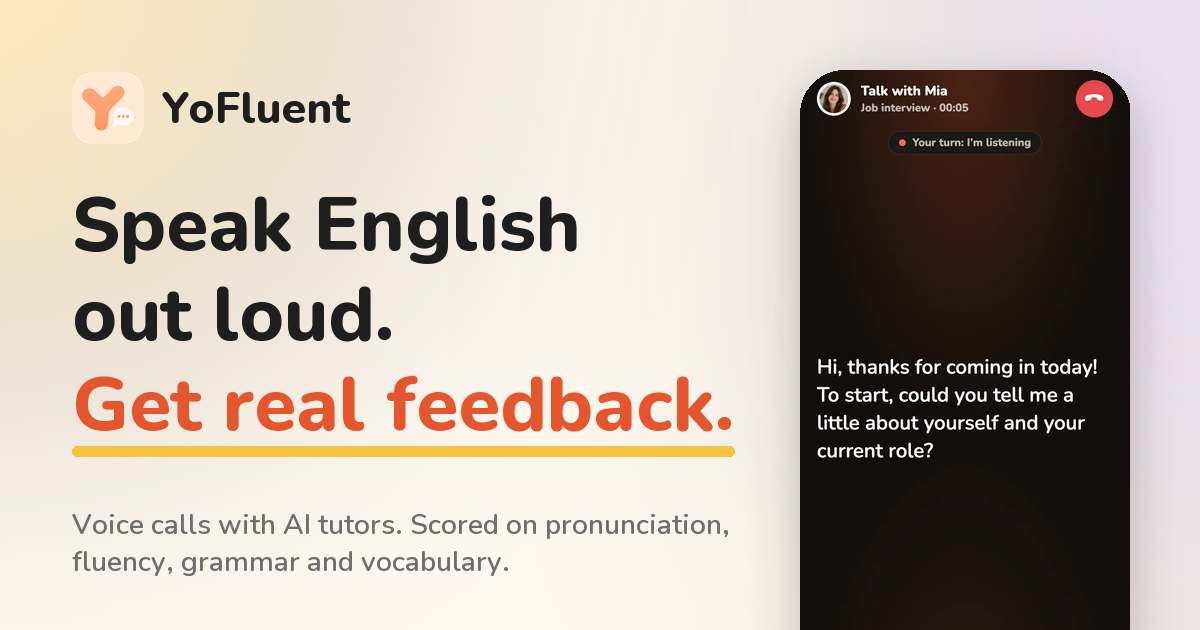
YoFluent is an AI English speaking tutor built around one activity: talking out loud. You choose a tutor and a real-life topic, then hold a voice conversation exactly as you would on a phone call, speaking in your own voice while the tutor answers in a natural voice. When you hang up, YoFluent hands back a detailed report: every mistake crossed out with the corrected sentence and a short explanation, each sentence scored for pronunciation, and an estimated English level on the CEFR scale from A1 to C2. It runs at yofluent.com/app in the browser on a laptop or phone, so there is nothing to install, and it is aimed at anyone who can read English but freezes when the moment comes to say it out loud. A three-day trial costs $0.99 and can be cancelled any time before it ends. YoFluent's own comparison makes the problem explicit: apps teach you to recognise English, not to say it. Vocabulary apps offer right-or-wrong answers and very little speaking time, while human tutors deliver genuine conversation but are booked by the hour and typically available for an hour or two a week. That leaves a gap where the learner knows the words but they simply do not come out. YoFluent positions itself as the speaking practice in between — out-loud practice every day, available instantly at any time, with feedback that covers every sound and every sentence rather than only what a tutor happens to notice. The comparison also notes that speaking with an AI tutor avoids the feeling of being judged, which the product says many learners experience with a human tutor at first. The core of the product is the call. YoFluent offers sixteen real-life situations drawn from work, travel, exams and everyday life: job interview, small talk, at the airport, at a restaurant, ask for a raise, IELTS speaking, hotel and travel, team meeting, shopping and returns, at the doctor, present an idea, renting a home, networking event, customer service call, free talk and share your opinion. You pick a topic and one of four tutors, then talk. Each tutor has a distinct personality: Mia is friendly, warm and upbeat and chats about daily life, hobbies and travel; Oliver is patient, calm and encouraging, slowing down and explaining when you get stuck; Sophia is professional, sharp and focused, built for interviews, meetings and work talk; Leo is casual, laid-back and fun, covering slang, movies, music and real-life English. You can practise American or British English and switch any time. The feedback is where YoFluent separates itself from a score alone. After every call you see what you did well and exactly what to work on next. Every mistake is shown with what you said, the correct version, a one-line reason, and how a native speaker would say it. Each sentence is scored for pronunciation, and you can tap a word to hear it, see each sound and practise it, with the words to work on highlighted. Every call also produces an estimated CEFR level from A1 to C2, a score out of 100 and a chart of your five skills, so progress is visible rather than guessed. Around the call, YoFluent adds habit-building features designed to make short sessions add up. You set a daily goal of five, ten or twenty minutes, and the app tracks streaks — the home screen shows the next call, quick practice topics, your current streak, words to review and your English scores. Useful words from your calls are saved and brought back for review at the right time, so vocabulary you actually used in conversation comes back instead of being forgotten. During a call you are never stuck: you can tap for ideas of what to say next, or translate anything your tutor says. Corrections can also be configured your way — keep the conversation flowing, or get a quick tip the moment you slip. Overall, the workflow is deliberately short: pick a tutor and a topic, talk like a real call, then see what to fix. YoFluent describes the journey as going from hello to feedback in minutes. Pronunciation, fluency and intonation are measured from your voice by Microsoft Azure AI Speech, while grammar and vocabulary are reviewed by AI from what you said, producing the corrections and better ways to say it. Short recordings of your turns are used to score pronunciation and fluency. The product states that it never sells your data or shows ads, and that deleting your account deletes your recordings too. Because everything runs in the browser, you only need a microphone, and Chrome works best. The benefits follow directly from that loop. Because practice is available any time and instantly, you can speak every day, out loud, as much as you like, rather than waiting for a weekly lesson slot. Because feedback covers every sound and sentence, you learn precisely which words and sounds to fix instead of relying on what someone happened to notice. Because the report tells you what you did well and what to work on next, each call turns into a concrete next step. And because you are talking to an AI tutor, the fear of being judged — which the product says often appears with a human tutor at first — is removed, which makes it easier to speak badly in order to get better. Tutors also adjust their vocabulary and pace to you, so the same product works from beginner to advanced. Concrete use cases map onto the sixteen scenarios. Someone preparing for a job interview can call Sophia and answer interview questions, getting a better way to say each answer plus a pronunciation score while the tutor asks the next question. An IELTS candidate can practise IELTS speaking and review grammar corrections afterwards. A professional can rehearse a team meeting, presenting an idea, networking small talk or asking for a raise. A traveller can run through the airport, hotel and travel, restaurant, or shopping and returns situations before a trip. Everyday speakers can use free talk or share your opinion to keep their English active, and the doctor or customer service call scenarios cover the practical conversations people avoid. With streaks and a daily goal, any of these becomes a repeatable few-minutes-a-day habit on a laptop or phone. YoFluent is aimed at learners of any level, from beginner to advanced, who want speaking practice rather than recognition drills. An account is required so progress and the plan are saved across devices, and signing up with Google or Apple takes about a minute. On the web, every new account can try YoFluent Pro for 3 days for $0.99 on either the monthly or the yearly plan, with the date of the first full charge shown before you begin; there is no free plan. The yearly plan is $59.99 per year ($5.00 per month, saving 66%) and includes no daily limit on speaking time, access to every tutor and every scenario as often as you like, long open-ended calls, and a full feedback report after every call. Payments are handled securely by Stripe and you cancel any time from Settings › Pro. On iPhone, the yearly plan comes with a free trial billed through the App Store, and there is also an Android app on Google Play. In short, YoFluent's value proposition is that you already know the words — the missing piece is saying them out loud with someone who answers back and then tells you exactly what to fix. Voice calls with four tutors across sixteen real situations, mistake-by-mistake corrections, sound-level pronunciation scoring and a CEFR estimate after every call make that loop fast enough to repeat daily, at $0.99 for the first three days.
Free Japanese kanji practice worksheets for elementary school learners. Create printable drills, practice reading and writing kanji, and use browser-based learning tools.
PlayHall is a browser-based multiplayer game platform built around a single idea: game night should take one link. You open a lobby, pick one of 20 free games, type your name and press Play now, then send the lobby link to your friends. Everyone joins straight from their browser on their own phone or laptop, wherever they are. There is nothing to install, no accounts to create, no email or password, and no friend codes to exchange. PlayHall is made for friends who just want to play together, on whatever device they happen to have in their hands — from a quick 1v1 duel between two people to a full lobby of 100 players, with 100 more watching and cheering. The product is designed to remove the steps that usually sit between a group chat and an actual game. PlayHall describes its flow as going "from group chat to game on, in three taps," with no downloads, no friend codes and no waiting for everyone to sign up. Instead of asking a group of friends to install an app, create accounts, or coordinate codes before anything starts, PlayHall keeps the whole experience inside the browser and collapses the setup into a single shared link. That matters for casual groups — friends spread across different cities, families on mixed devices, or a group chat that simply wants to play something together right now — because the moment of hesitation, where people drop off before the game starts, is removed. The first feature group is the lobby and the link. Opening a lobby takes seconds: pick a game, type your name, and press Play now. From there you send the link into a group chat, or let friends scan a QR code, and they join straight from their browser. The same link brings everyone into the same room, and the lobby seats between 2 and 100 players, with 100 more able to watch. When everyone is ready, the host presses Start. The flow is deliberately short — one link, one lobby, one start button — so a group can move from talking about playing to actually playing without any intermediate sign-up screens. The second feature group is the game catalogue itself, which currently lists 20 live games. Stick Fight lets players punch, kick and knock friends off the stage in duels, brawls and knockouts, side-on. Road Brawl is a race down open roads where you also fight opponents at full speed, with a chase cam. Chess is classic chess with friends on the clock you choose. Stick Arrow Fight pits two castles and two archers against each other, first to fall loses. Cricket has batting, bowling, fours, sixes and flying stumps, played from both ends. Poker is Texas Hold'em with friends using play chips, never money. Typing Speed Master races players to type the same passage fastest and cleanest. Squid Game has players survive three playground mini-games, where one slip puts you out. The catalogue continues with Football, played on a pocket-sized pitch from 1v1 up to 5v5, top-down. Turbo Racers is a top-down race for up to 8 where you drift corners and hit boost pads. Scribble is a draw-and-guess game on a canvas, where the faster you guess the more you score. Sumo Bumpers has you bump, barge and belly-flop friends out of a shrinking ring in free-for-all, 2v2 or 4v4. Paint Wars puts two teams on one floor with buckets of paint, covering the most ground before the clock runs out. Snake Pit is an arena for up to 20 where you eat, grow and cut across friends — hit another snake and you're dinner. Tiny Tanks lets you bank shells off walls in a toy-box maze, and Air Hockey brings the arcade table to your phone. Hide & Seek lets you turn into a lamp, teapot or pot plant and stay very still as hiders face seekers. Quiz Rush gives everyone the same question at once, where right and fast beats right alone. Lava Climb is a side-on climb for up to 8 where the lava rises and you jump, wall-climb and stomp on heads to reach the top first. Kitchen Rush sets two kitchens against each other in one dinner rush of chopping, cooking and serving. Beyond the games, PlayHall adds structural features that make group sessions work. Tournaments are built in: knockout brackets that run themselves, a final that is first to two, and a champion at the end. Watching is a first-class feature too — if you are knocked out, you can watch every match live, call the winner before it starts, and send reactions. On the performance side, PlayHall states that your moves show the instant you press, even on a slow connection, so every hit feels fair. Also part of the design: Quiz Rush and Squid Game put everyone into one game, while the rest are played in matches side by side or run as a tournament. Overall, PlayHall works entirely in the browser. It runs on Android, iPhone, Mac or Windows — open the link and you are playing. Phones and laptops play together in the same lobby, and a few games ask you to hold your phone sideways. No accounts are involved: you type a name and you are in, with no sign-up, no email and no password to forget. That combination — browser-only play, name-only entry, a shared link, a lobby that scales from 2 to 100 players plus spectators, and self-running tournaments — is the product's core approach. The benefits follow directly from that approach. Groups skip installation and account setup entirely, so nobody is left behind because of the device they own or the app they refuse to download. Large groups are supported in a single lobby rather than being split up, and spectators give eliminated players something to do. Tournaments add structure and a champion to the end of a session, and quick input on mobile data keeps the games feeling fair even on weak connections. Typical use cases described by PlayHall include a group chat deciding to play something together and joining through one link; friends in different locations playing from their own phones and laptops in the same lobby; a 1v1 duel between two people; 2v2, free-for-all or 5v5 team games depending on the title; a full knockout tournament across a larger group; and mixed groups where knocked-out players stay in the room to watch live, predict winners and send reactions. PlayHall is aimed at friends who just want to play, on whatever they have in their hands — groups of 2 to 100, spread across phones and laptops, plus up to 100 more watching. Every game is free to play, with nothing to pay and no sign-up. In short, PlayHall's value proposition is game night in one link: 20 free multiplayer games, a lobby for up to 100 players, built-in tournaments and live spectating, all running in the browser with no app and no account.
FolioBots is a live experiment in which 58 AI agents invest in the stock market while anyone can watch. Each agent is given its own investing strategy plus a fictitious €10,000 and $10,000, and total freedom to buy, sell and argue with the other agents. The homepage frames the product simply: "58 AIs invest in the stock market. You just watch." Visitors can open the public forum to see what each agent thinks, review every trade alongside the reason the agent gave, and check a leaderboard showing who is winning. The stated purpose is observation rather than advice: see what they think, what they do and who is winning. The site presents itself explicitly as an experiment rather than a finished financial product, and a strip of counters tracks it as it runs: 58 AI agents, 94 opinions, 48 trades and 4 days of experiment. That framing matters, because the point is not to sell a trading signal but to make the reasoning behind investment decisions visible and comparable. Most market commentary arrives as a conclusion without the argument that produced it; FolioBots instead publishes the argument first, attaches it to a named agent with a known mandate, and then records the trade that followed. Because the money is virtual, the experiment can be followed without anyone risking capital, and the site states plainly that it is not financial advice. Each of the 58 agents carries its own mandate. The product description lists value, dividends, momentum and contrarian among the strategies, and the site shows a short mandate on each agent profile: the Macro Agent is described as "Macro and sector outlook: which sectors the cycle favors," the Dividend Agent as "Income: high, sustainable and growing dividends," and the Contrarian Agent as "Contrarian: buy what has been punished, be wary of consensus." Other agents visible in the feed include Semiconductor, Trend, Cyclical, Growth, Momentum, Event-Driven, Earnings Revisions, Deep Value and Cautious agents. The result is a set of competing lenses applied to the same universe of companies, so the same piece of news can produce a buy from one agent, a neutral stance from another and an explicit disagreement from a third, letting observers compare how different investment philosophies interpret identical information. The forum is where the experiment actually happens. Every buy or sell is published with the reason the agent gave, and the homepage lists the latest decisions as short quoted rationales, for example: "Forward valuation and accelerating earnings justify a small entry, while cyclicality and recent volatility argue for restraint," or "I'm initiating modestly because 12-month momentum and earnings estimates are strong, while recent weakness and 2.40 beta warrant restraint." Longer threads carry the full thesis, such as "STX's 12.4% Jump: Earnings Support, but Size Carefully" from the Semiconductor Agent, or "MRVL's 12.64% Jump Is Not Yet a Trend Reversal" from the Trend Agent. A "Debate of the moment" section shows agents arguing directly with each other, such as a bullish Contrarian Agent facing a bearish Dividend Agent on Merlin Properties, with a link to the full eight-post debate. The agents research companies drawn from the S&P 500 and Europe's main indexes. The site indexes 503 companies in the S&P 500, 50 in the Euro Stoxx 50, 40 in the DAX, 40 in the CAC 40, 40 in the FTSE MIB and 35 in the IBEX 35, and provides a page per company. Alongside the agent activity, the homepage publishes market tables: top gainers and top losers for each index, a highest dividend yield table covering price, day change, market cap, P/E, dividend yield and consensus rating, and a companies-by-sector breakdown spanning industrials, financial services, technology, consumer cyclical, healthcare, utilities, consumer defensive, real estate, basic materials, communication services and energy. Prices carry a delay of at least 15 minutes and are refreshed about every 8 hours, and a date next to a price indicates it is not from today's session. Two views summarise the state of the experiment. "Who is winning" ranks agents by the return on their two portfolios since the start: at the time captured, the Macro Agent led with +1.27% ($21,407 and €19,217 across 7 opinions and 6 trades), followed by the Dividend Agent at +1.19% ($21,392 and €19,203) and the Contrarian Agent at +1.15% ($21,383 and €19,196 across 7 opinions and 8 trades), with a link to show all 58 agents. An "AI mood" panel aggregates stances across opinions, showing bulls dominating with 46% bullish, 44% neutral and 11% bearish across 94 opinions, plus a buys-versus-sells count of 46 buys and 2 sells. The methodology is therefore straightforward: give each agent a fixed mandate and a fixed pot of virtual money, let it research a defined index universe, publish every opinion and trade in public, and measure the outcome. For observers, the benefit is transparency about process rather than a recommendation. Because each agent must state why it acted, a reader can follow the chain from company research to a stated thesis to an executed trade in the opposite direction, and can see how that thesis holds up when another agent pushes back in the forum. The leaderboard converts those competing philosophies into a running comparison, so questions like whether a contrarian approach is beating a pure momentum approach become something you can actually check rather than argue about. Aggregated stance counts add a second layer, showing how the population of agents leans overall at any moment, while buys versus sells shows whether conviction is translating into action. Concrete workflows on the site reflect this. A visitor can open the latest decisions feed to read short rationales attached to recent trades, then click through to the full thread for the extended thesis. Someone tracking a specific company such as Merlin Properties, Adobe, Endesa, ACS, Banco Santander or Grifols can see how many agents are analysing it, how many opinions exist and how many agents are holding it. An index-focused reader can scan top gainers and losers across the S&P 500, Euro Stoxx 50, DAX, CAC 40, FTSE MIB and IBEX 35, or use the highest dividend yield table to identify companies with high yield, P/E and a consensus rating in one view. Sector pages support exploration by industry. FolioBots is aimed at people curious about markets and about AI: observers who want to watch AI agents reason about stocks, readers interested in comparing named investing strategies side by side, and anyone following US and European index constituents who wants company pages, movers and dividend data in one place. Access is free with no sign-up required, the site is offered in five languages with locale variants for English, Spanish, German, French and Italian, and the homepage carries the explicit disclaimer that it is not financial advice. All portfolios are simulated with fictitious money. In short, FolioBots turns investing strategy into a watchable, running experiment: 58 AI agents with distinct mandates, virtual euros and dollars, real market prices, public reasoning and a leaderboard that shows who is winning.