Category Focus/categories/code-assistant
Code Assistant AI Tools
Discover and compare the best code assistant AI tools and software. Browse 67+ curated tools with reviews and rankings.
Projects tracked
67
Sort mode
RECENT
Page
1
Discover and compare the best code assistant AI tools and software. Browse 67+ curated tools with reviews and rankings.
Projects tracked
67
Sort mode
RECENT
Page
1
Devin Voice is the voice mode built into Devin, Cognition's AI software engineer. It lets you talk naturally with Devin to explore ideas, pressure-test an approach, and hand off work while you are away from your keyboard. Rather than typing every instruction, you start a voice call, speak your thoughts out loud, and let the conversation move at the speed of speech. Any message you have already typed is sent when you start the call, so you can move directly from a written prompt into a spoken discussion inside the same session. The Product Hunt listing describes the same idea more bluntly: you say it, Devin ships it, and you speak a task out loud while Devin plans, codes, and delivers. The capability is aimed at people who already work with Devin in Agent mode or in an existing session and want a conversational way to think through problems, ask questions, and keep work moving. Software work has long been keyboard-centric: you type a prompt, wait for a response, read it, and type again. Voice mode changes that rhythm by making the spoken conversation itself the interface between you and the agent. The documentation frames voice mode around three activities: exploring ideas, pressure-testing an approach, and handing off work while you are away from your keyboard. The stated tips reinforce how this is meant to feel in practice. You should not be afraid to interrupt Devin's work, and you should ask questions and clarify your thoughts as you have them. You are also free to interrupt Devin while it is talking. Together, those instructions describe a working style where clarification is welcome at any moment rather than something you have to schedule between long silences, and where getting your thinking out loud is part of the process rather than a disruption to it. Getting into voice mode is deliberately simple. On the home page in Agent mode, or inside an existing session, you click the voice call button that sits beside the message box and then allow microphone access. Hovering over the waveform icon shows a "Start voice call" tooltip, so the control is discoverable before you commit to a call. One detail worth noting: any message you have already typed is sent when you start the call. That means a half-written prompt or a queued instruction is not lost; it is delivered as the call begins, so your spoken conversation continues from the written context you had already built up. Starting from either the home page or an in-progress session means you can begin a call at the moment an idea strikes rather than having to set up something new first. Once a call is running, the documentation lists a small, clear set of controls. Mute microphone pauses your microphone, and clicking Unmute microphone lets you speak again. If you are muted but still want to say something without leaving the call, you can hold Space to talk while muted when you are not typing. Silence Devin turns off Devin's audio without muting your own microphone, and clicking Unsilence Devin brings the audio back. End voice call hangs up. These controls separate the two directions of the conversation, your input and Devin's output, so you can mute yourself while listening to a long explanation, or silence Devin's audio while keeping your own microphone live and ready to respond. Voice mode is not a separate, isolated room. You can navigate within Devin while the call stays connected, so you can move around the product without dropping the conversation. Your conversation appears in the session history, which means the spoken exchange becomes part of the recorded session rather than disappearing when you hang up. The documentation also notes that you can shape how Devin speaks: if you have preferences for how Devin should speak, for example to speak faster or slower, or a particular communication style, you can simply ask. There is no described settings panel for this; the adjustment happens through the conversation itself, which keeps the interaction consistent with the rest of the voice experience. Under the hood, the Product Hunt listing states that Devin Voice is powered by GPT-Live for natural conversation, with Cognition's new SWE-2 coding model under the hood. That combination is what the listing describes as letting Devin plan, code, and deliver after you speak a task out loud. Devin Voice connects you to Devin, described in the listing as Cognition's AI software engineer. On the documentation side, the overall description of how the feature works is straightforward: you talk naturally with Devin, in Agent mode or in an existing session, and the conversation is tied into the same session context, appearing in session history and continuing even as you navigate within Devin. The documentation also carries a standard note that responses are generated using AI and may contain mistakes. The benefits follow directly from those mechanics. Voice mode lets you explore ideas out loud instead of composing them in a text box, which the documentation positions as a way to pressure-test an approach. It lets you hand off work while you are away from your keyboard, so time spent away from a desk does not have to mean the work stops. Because you can interrupt Devin's work and ask questions as they occur to you, clarifications do not have to wait for a complete response, and because you can interrupt Devin while it is talking, you are not locked into listening to everything before you can steer the conversation. And because you can ask Devin to speak faster, slower, or in a different communication style, the spoken interaction can be tuned to your preferences. Concrete use cases flow from the documented behaviour. You might start a call on the home page in Agent mode, with a task already typed into the message box, and have that message sent as the call begins so you can talk through the task instead of typing more. You might be inside an existing session and open a voice call there to hand off work while you step away from your keyboard. You might keep the call connected while navigating within Devin, moving around the product without breaking the conversation. You might mute your microphone while Devin talks, or hold Space to talk while muted when you are not typing. You might silence Devin's audio without muting your own microphone so you can think or speak without the audio running. And afterwards, you can revisit the conversation in the session history. In terms of audience and context, the documentation is written for people using Devin itself, referring to the home page in Agent mode and to existing sessions, and describing the voice call button beside the message box. Product Hunt lists Devin Voice under Productivity, Developer Tools, and Artificial Intelligence, and the listing points readers to devin.ai to try Devin. The named technologies associated with the product are GPT-Live for natural conversation and Cognition's SWE-2 coding model under the hood. The documentation page does not describe pricing, plans, or platform availability beyond the described interface, and the listing does not state pricing either. The takeaway is straightforward: Devin Voice turns talking to Devin into a first-class way of working. You say it, and Devin ships it. By letting you start a call from the message box in Agent mode or an existing session, carry a typed message into the call, mute or silence either side of the conversation, keep working while Devin navigates alongside you, and simply ask for the speech style you prefer, voice mode makes it possible to explore ideas, pressure-test an approach, and hand off work away from your keyboard, with the conversation preserved in the session history.
Modeinspect is a design canvas with your codebase and agents built in, positioned as a production-grade AI design tool that runs in your codebase. It is built for design engineers and for teams that want to design high-fidelity product features directly on the real thing rather than in a separate mockup tool. Teams connect their codebase, open an existing screen, and design with their own components, tokens, live data, states, and breakpoints. The canvas is deliberately framed as a means to an end: as the company puts it, the canvas is not the destination, the product is. Design on a real canvas that sits on top of the real product, with all the freedom of a design tool and none of the throwaway mockups. The problem Modeinspect addresses is stated plainly: most software is designed twice, a picture first and then again in code, with intent drifting in between. The traditional path runs through what the product calls the handoff chain, where design passes work down a chain and then waits for it to come back. Mockups are rebuilt in Figma away from the real product, specs and redlines document every state, engineers reinterpret the design in code, and every change restarts the whole loop. Modeinspect describes that old way as taking 45+ days from design to ship, and contrasts it with a canvas-to-PR loop it says runs about 10 days — roughly 4.5× faster. The argument is that design should not be detached from the thing it is designing, because the moment intent is copied into a picture, it begins to drift. The core promise is unified, collaborative design in code. Everything is in one place: your codebase, the canvas, and coding agents are integrated out of the box, with no MCP servers, no localhost, and no devops glue required. A live product can be pulled onto the canvas, letting you capture any element of your live product, pixel perfect and fully editable, so work starts from where things actually are. Rather than prompting for every adjustment, Modeinspect emphasizes controls, not prompts: a padding change should not take a paragraph, so you edit anything, on canvas or in code, with the visual controls you already know. Your changes then build back as canvas to code in one shot, producing clean, scoped diffs with your design system enforced. The canvas is also built for collaboration, with no localhost to share and no branches to wrangle, so you can send a link, collect comments, and open the PR in one click. Modeinspect is built for design engineers, and its component story is deliberately literal. Components are 1:1: you drop in the actual components your product ships, with every variant and every state intact, rather than a redrawn look-alike that quietly drifts from the real thing. Tokens are enforced, so every color, space, and text style comes straight from your library, and everything you place is automatically on-brand — nothing off-system can sneak in. Breakpoints are native: mobile, tablet, and desktop are laid out side by side and each one reflows live, instead of relying on one frozen frame you just hope survives on a phone. And capture to canvas means that when you spot something in the real product you want to rework, you can pull it straight onto the canvas pixel-exact and fully live, and start from where things actually are rather than from an approximation. Dynamic states and real data are treated as first-class parts of the design rather than afterthoughts. Hover, focus, error, empty, loading, and success states are shaped on the real component, so a design never falls apart the moment someone actually uses it. Real data and real flows mean designing on top of live data and genuine journeys — long names, empty states, and the messy edge cases — so your work holds up in the wild and not just in a tidy mockup. AI exploration uses the latest AI models to explore variants, restyle a section, adjust copy, or apply a design direction while you stay in control, which keeps the AI in a supporting role instead of taking over. And because every move you make on the canvas becomes the real product as you make it, there are no redlines, no spec docs, and no waiting on a rebuild: what you design is what ships. A large part of the product's approach is the quality of the code that comes out the other side. Mode reads your file layout, components, tokens, conventions, and existing logic, then writes within them, so PRs land scoped, type-safe, and ready for engineering review. Diffs are scoped and clean, letting engineers review focused changes rather than rewritten surface area or noisy AI churn. Your design system is enforced throughout: Mode pulls from your component library and design tokens, with no hardcoded colors, no magic numbers, and no throwaway components. There is no generated UI debt, because changes reuse your components, tokens, utilities, and styling system instead of creating a parallel design system. And changes are type-safe, with props, state, events, and data shape checked against the product instead of guessed from a mockup. This is the methodology that separates Modeinspect from AI app builders that generate new surface area alongside the one you already maintain. The stated benefits are framed as measurable rather than aspirational. Modeinspect says production-grade is not a tagline but the metric, and it highlights one customer story in which a team merged design and engineering into the same loop, saving 22 days on the delivery cycle, with zero engineering handoffs and design QA removed. Prelude's Chief Product & Design Officer, Quentin Le Bras, is quoted saying his designers explore on the actual codebase, with real data, and open the PR themselves, going from idea to a merged PR without a handoff in between. A Product Design Manager at Kiwi.com describes the tool integrating seamlessly with their codebase and design system, which is exactly what they had been looking for in AI design tools, enabling iteration on top of an already complex product. A Principal Product Manager at Moss calls it the first AI tool that respects their design system 1:1, allowing the team to create production-like prototypes and making the whole team faster. A UX Designer at NCCER highlights the ability to make changes in real time using their design system and immediately push those changes to code for senior developers to review and merge. The product organizes this into three workflows that share one production loop, all inside your real codebase at production fidelity. Prototyping covers prototypes that feel like the product, built with real data, dynamic states, breakpoints, and interactions — so instead of pitching with mockups, teams pitch with the thing itself. Design QA happens all in one loop: compare canvas to live build pixel-by-pixel, spot drift, fix it, and keep moving, with no round-trips through Figma. Shipping PRs covers pushing minor visual changes or new components as merge-ready PRs, with context, screenshots, and a clean diff. Concrete scenarios follow from these: reworking a screen you spotted in production by capturing it to the canvas, exploring variant directions with AI while keeping control of the final decision, validating a layout against long names and empty states using live data, checking a live build against the canvas for visual drift, and sending a link to stakeholders for comments before opening the pull request. Modeinspect is aimed at design engineers and at teams where design and engineering work in the same loop. The marketing site notes that the product is optimized for larger screens, which fits a workflow built around a canvas, a codebase, and side-by-side breakpoints. The company reports being loved by design engineers at Kiwi, Moss, Apify, e2b, Prelude, NCCER, and Deepnote. Pricing is listed at three monthly tiers: $0/mo, $24/mo, and $48/mo, so there is a free entry point alongside paid plans. Sign-in and the working canvas live at app.modeinspect.com, and the site offers an option to email yourself a link for later. In summary, Modeinspect's primary value proposition is that design stops being a picture that must be rebuilt and becomes the production loop itself. By putting an AI design canvas on top of your real codebase — with your components, tokens, live data, states, and breakpoints — and by writing changes back as scoped, type-safe, merge-ready diffs, it removes the handoff in between and lets teams go from an idea to a merged PR in a single pass.
Harden's Agentic Integrity Foundation (AIF) is a free, local security tool for AI coding agents. It runs on your own device, judges every action a coding agent is about to take, and stops the dangerous ones before they execute. The product installs with a single local command — curl -fsSL https://aif.harden.run/install.sh | sh followed by aif configure — and needs no account to get started. Supported tool calls are checked locally before they run, so the agent's request and session context are evaluated on your machine rather than in the cloud. Harden describes itself as an AI safety products company building guardrails for the dark software factory, and AIF is its coding-agent endpoint security product, aimed at individual developers who use coding agents and at organizations that later need shared controls and enterprise deployment. Coding agents can reach the same systems developers can. MCP gateways can hide raw credentials, but they do not block tool access. Sandboxing protects the local machine, but it cannot stop an agent from managing a database or a VM. Harden also argues that base models, just like developers, are incentivized to solve tasks in the minimum possible time and cost, so they end up taking shortcuts or executing bad actions even when they have been told to follow laws and rules. The site points to the myriad cybersecurity breaches reported by frontier labs and press reports about Openclaw and Hermes as evidence of this risk. Harden's stated position is that, just as traditional cybersecurity operates separately from product development due to conflicting incentives, autonomous agent security and control will evolve outside of the frontier LLM providers. Analyzing every supported tool call before it executes is the gap AIF is built to fill. Harden can allow an action, ask for approval, make it safe, block it, or record it. In the protection activity view these outcomes appear as Block, Ask, Redact (made safe), Allow, and Log only. In the published example activity, 34,222 tool calls were checked before execution across 7 sessions: AIF allowed 33,382 calls, logged 256, and changed or stopped 584, with 415 blocked for review, 169 made safe for inspection, and 33,382 allowed to proceed. The monitor is built as a block-and-steer system, meaning that when a dangerous command is stopped Harden can offer a safe retry. In the example on the site, a routine command — kubectl rollout status deployment/payments-api -n production — was allowed and recorded locally, while kubectl delete namespace production was blocked with the message "production is protected", followed by a safe retry: kubectl rollout restart deployment/payments-api -n staging. Harden works with the agents you already use. One local setup finds supported coding agents on your machine and checks their tool calls before they act, using native hooks for supported coding agents and an MCP proxy fallback for other tools, with a local decision history kept on your device. The currently listed agents are Claude Code, Codex, Antigravity CLI, Cursor, Kiro, Hermes, and OpenClaw. The activity table on the site shows each of these connected to a different project workspace — harden-platform, agent-workspace, payments-agent, web-client, service-api, harden-docs, and release-tools — each with its own set of checked, blocked, made-safe and logged calls. Version details are published too: Claude Code 2.1.241, Codex 0.146.1, Antigravity CLI Latest CLI, Cursor 2026.08.11-e8db854, Kiro 2.19.1, Hermes 0.19.0, and OpenClaw 2026.7.1-2, with compatibility rechecked on every AIF or supported-agent release. Harden is presented as a local monitor tested against frontier models. It is evaluated as a pre-execution monitor across four agent-security benchmarks and reports beating the GPT monitor baseline on each: SLEIGHT at 15.8% versus 14.3%, AgentHazard at 83.7% versus 81.4%, SABER at 48% versus 44.7%, and LinuxArena at 29% versus 34% where lower is better. The stated baselines are GPT-5.5 for SLEIGHT, AgentHazard and SABER, and GPT-5 Nano for LinuxArena, with benchmark-specific measures detailed in the research. The underlying models are proprietary: Harden's custom cybersecurity models run on your devices, and per the FAQ, proprietary cybersecurity-focused LLMs run locally and privately on every developer's laptop alongside a proprietary code-analysis algorithm for feedback-driven placement of dynamic inline reference monitors. Because processing is local, the repo and tool output can stay on the machine. Overall, AIF is a local pre-execution monitor. It installs with one command, is configured with aif configure, and then connects to the coding agents the developer already uses. From that point on, supported tool calls are intercepted — through native hooks where available and through an MCP proxy fallback for other tools — and checked before they execute, using the request and session context. The decision is made on the local machine by a post-trained model, and the outcome is recorded in a local decision store with an audit view and no retention cap. Harden's stated core proprietary IP combines those cybersecurity-focused LLMs with a code-analysis algorithm for feedback-driven placement of dynamic inline reference monitors, which determines where monitoring is applied within the agent's workflow. Users gain protection without changing their agent workflow: run one local setup, and the agents already in use are discovered and checked. The free tier covers core pre-execution secret-flow blocking on the machine forever, block-and-steer with safe retry, a local decision store and audit view with no retention cap, no account required, and telemetry opt-out. Keeping decisions local means the repository and tool output do not need to leave the device, which matters for teams working with sensitive code. Logos and memberships shown on the site include Randstad, CALDIC, Relfast Solutions, the Coalition for Secure AI, and the Financial Institution Insurance Council. Harden states that AIF beat frontier models on key agent-security benchmarks while keeping the repo and tool output on the machine. Concrete scenarios appear directly in the content. An agent working in ~/payments-api runs kubectl rollout status deployment/payments-api -n production; Harden allows it and records it locally. The same agent then attempts kubectl delete namespace production; Harden blocks it because production is protected and offers a safe retry that restarts the deployment in staging instead. Across connected agents, sessions such as harden-platform with Codex, agent-workspace with Claude Code, or release-tools with OpenClaw accumulate thousands of checked calls, with blocked and made-safe actions routed for review or inspection. Organizations that need more than individual protection can add shared controls and enterprise deployment, including compliance reporting, air-gap / zero-telemetry mode, managed installation via MDM, support SLAs, and custom terms. Developers who want the evidence behind the tool can read the AIF blog or watch the YouTube playlist. AIF is described as free for individual developers and supported on macOS and Linux; the free tier requires no account and no credit card. System requirements are published: a full local model needs macOS with Apple Silicon and Metal, the CLI and daemon run on macOS or Linux x86_64, 16 GB of memory is the minimum with 24 GB recommended, 15 GB of free disk is required for install, updates and rollback, and Windows is not supported yet. Getting started means installing the free product, running aif configure, and connecting the coding agents you use, with a call available for help. On pricing, Harden says protection starts free on your machine and that you add shared controls and enterprise deployment when your organization needs them. The free tier works with Claude Code, Codex, Cursor, Antigravity CLI and Kiro, while the enterprise tier adds compliance reporting, air-gap / zero-telemetry mode, managed installation via MDM, support SLAs, and custom terms. The company is built by AI researchers and security operators, with team background spanning Google DeepMind, MILA, WhatsApp, Zscaler, Oracle, Microsoft, Amazon, CrowdStrike, and Sony. The takeaway Harden puts forward is simple: let the agents run, but control what they do. By checking supported coding-agent tool calls locally before execution and blocking or making safe the dangerous ones, AIF gives developers a free, private guardrail that sits alongside the agents they already use — with optional shared controls and enterprise deployment when an organization needs them.

99xDev is an AI app builder designed to create full-stack web applications. Its main purpose is to enable users to build production-grade web apps using artificial intelligence, providing a comprehensive solution for app development. The product offers built-in database and storage capabilities, eliminating the need for separate infrastructure setup. It supports custom domains, allowing users to brand their applications professionally. A key feature is the ability to download the generated source code, which enables self-hosting and avoids vendor lock-in. The unique approach of 99xDev lies in its AI-powered development process that generates complete, functional web applications. By leveraging AI, it streamlines the creation of full-stack apps that include both frontend and backend components in a single workflow. The primary benefit is the creation of production-grade web applications that maintain high quality standards. This makes it suitable for developers and teams looking to rapidly prototype or build deployable web applications without compromising on technical robustness. Target users include developers, AI engineers, and teams interested in AI-assisted coding and full-stack development. The platform integrates AI coding capabilities with traditional web development workflows, though specific technical details about integrations are not explicitly mentioned in the provided content.
Review AI-generated plans before coding. Review code changes before merging. Inline comments, multi-round diffs, and a structured feedback loop for any AI coding agent. Single binary, works locally.

21st Agents SDK is the fastest way to add an AI agent to your app. It provides built-in UI, chat history, spend limits, tool execution, memory, and observability.
BrainGrid is the AI Product Planner that helps you shape ideas, plan features, and scope tasks your AI coding tools can build right the first time. It works seamlessly with Claude Code, Cursor, OpenAI Codex, and Google Gemini.
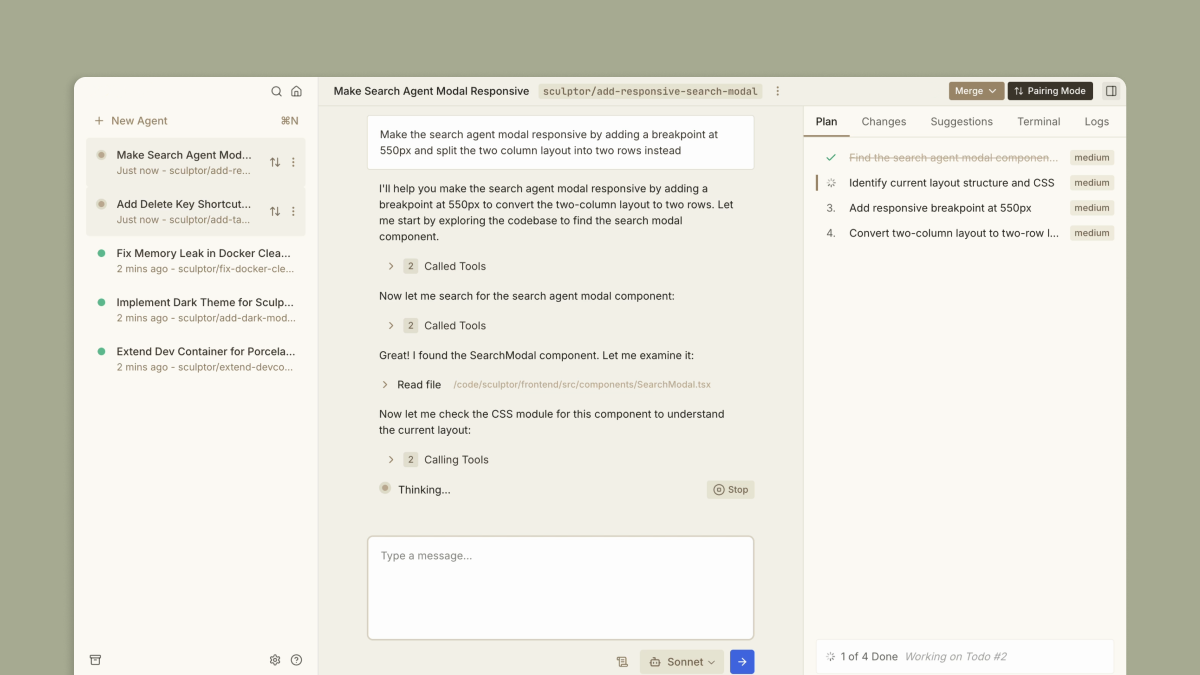
Imbue builds tools that make AI coding reliable, collaborative, and accessible to everyone. Their products give people power over their digital world, from modifying algorithms and agents to building personal software.

Step 3.5 Flash is StepFun's 196B sparse MoE model that activates only 11B parameters per token. It delivers frontier reasoning and strong agentic performance with high efficiency.

Projekt is a visual workspace that wraps your AI coding agents in a real-time preview, an editable DOM, and a prompt-first interface. Write naturally, see instantly, refine visually.