Category Focus/categories/code-assistant
Code Assistant AI Tools
Discover and compare the best code assistant AI tools and software. Browse 81+ curated tools with reviews and rankings.
Projects tracked
81
Sort mode
RECENT
Page
1
Discover and compare the best code assistant AI tools and software. Browse 81+ curated tools with reviews and rankings.
Projects tracked
81
Sort mode
RECENT
Page
1
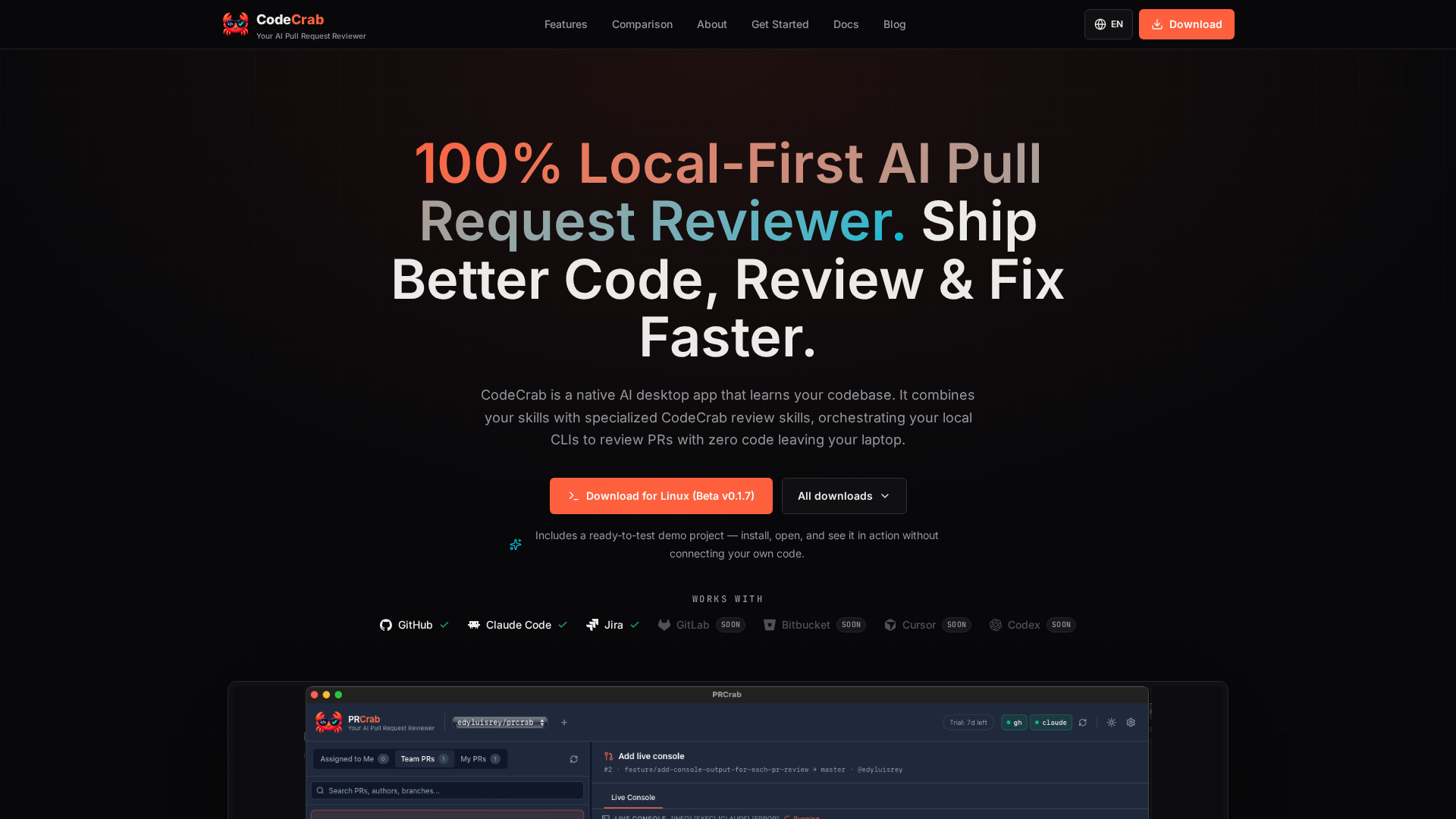
CodeCrab is a native, local-first AI desktop application that reviews pull requests in seconds by orchestrating the CLIs already installed on your machine. It is built for software engineers who review code daily and want to move faster without sending a single line of their source code to a cloud service. The app learns your codebase, combining the skills you already use with specialized CodeCrab review skills, and applies that understanding across three main moments in the development workflow: reviewing a teammate's pull request, responding to feedback on your own pull request, and reviewing local changes before a pull request even exists. Everything runs client-side on your laptop, and the product is currently available as a free public beta for Linux. The problem CodeCrab addresses is the shift in the engineering bottleneck. As AI toolsets generate code at unprecedented speeds, the author of the product — a software engineer with more than 14 years of experience, including years building systems at Google and Pinterest — observed that the primary constraint moved from writing code to reviewing pull requests efficiently. Deep review is hard: reviewers must hold full repository context in mind, evaluate diffs, and catch logic bugs, risky patterns and regressions before approving. Cloud-based review bots add a second concern: to review your code, they require your source to be uploaded and processed on vendor cloud servers. CodeCrab was built initially as a personal tool to perform deep, Staff-level code reviews fast, without uploading sensitive private code to third-party servers. When you open a pull request from a colleague, CodeCrab walks through the diff with you and maps AI observations directly onto the changed lines, so you can catch bugs, risky patterns and regressions before hitting "Approve". The review is not limited to the diff itself: CodeCrab reviews against your entire local repository, including types and the test suite, so its observations account for full codebase context rather than isolated changed lines. Because the review is 100% local-first, it can detect logic bugs and regressions without uploading a single line to the cloud. The live review interface shows a file tree, a diff viewer and inline AI observations, and features clear changed-file tracking with inline observation badges for clean multi-file diff inspection and precision navigation. When a teammate leaves an observation on your own pull request, CodeCrab runs a deep investigation for you. It digs through the code around every comment, connects that code with your project's context, and helps you understand — as precisely as possible — what the observation really means and what the correct solution looks like. The investigation is deep and read-only, covering every reviewer observation on the diff, so nothing changes on your branch while you are still reasoning about the feedback. From there, CodeCrab can propose an assisted fix on your local branch, and that fix is verified against your own test suite before it is applied. The result is a workflow that turns review comments into the right solution rather than a guess. CodeCrab also reviews your local changes before a pull request exists. While you are still working locally, you can run a read-only review of your in-progress changes; CodeCrab detects errors early, investigates every finding as deeply as needed, and helps you apply the right fix while the context is still fresh. Because this happens before anyone sees the diff, the pull request you eventually open ships cleaner, higher-quality code. The pre-push review keeps the same privacy posture as everything else in the app: your local changes are analyzed locally, so you get early feedback without exposing unfinished work to a cloud service. The product describes this as catching bugs before the pull request even exists. CodeCrab is designed to plug into your existing workflow rather than replace it. Connect any repository and CodeCrab learns its rules and patterns, building a per-repo review profile that powers specialized review agents and custom skills. That means reviews are tuned to your codebase, and your own local skills can be reused, combined with CodeCrab's skills, and extended as far as you need. The app integrates with GitHub, Claude Code, Jira and GitLab today, with Bitbucket, Cursor and Codex listed as coming soon. Under the hood, CodeCrab orchestrates your local CLIs: it uses your own GitHub CLI login (gh) rather than requiring org-wide OAuth admin permissions, and it works with your local Claude Code and Cursor setups instead of locking you to a vendor's fixed model wrappers. A Live Execution Console displays real-time stdout and stderr, so the execution pipeline is transparent rather than an opaque black box. Privacy is the product's core promise. CodeCrab uses a 100% on-device architecture with zero-code uploads: your source code never leaves your laptop or passes through external cloud databases, and the product is described as compliance-ready for strict corporate environments where no code may be sent to third-party AI clouds. Control follows from that architecture: CodeCrab is read-only by default and never commits, pushes, or posts public GitHub comments without your explicit permission. When it does propose changes, it runs your native test suite — cargo test, pytest, npm test — before applying them, and it offers 1-click local fixes in the form of verified code patches ready to apply directly to your local branch. The app is a native desktop application with instant, lightweight performance, minimal RAM consumption and instant startup. Economically, it reuses what you already pay for: it connects directly to the tools and subscriptions you already own, such as Claude Code and Cursor, and it gives you full model and cost control so you can choose which AI models to run and control exactly how much you spend on code reviews. These capabilities map onto concrete moments in a day-to-day engineering workflow. In a typical review cycle, a developer opens a colleague's pull request in CodeCrab, walks the diff with inline AI observations mapped to the changed lines, and reaches an approval decision with full repository context rather than a diff-only view. On the other side of the same workflow, a developer whose pull request has received reviewer comments uses CodeCrab to investigate each observation deeply in read-only mode and then apply an assisted fix on the local branch, verified against the test suite. Between those two moments, the pre-push review covers local, uncommitted work so errors are found before the pull request exists. Teams working in strict corporate environments use the same app because no code is uploaded anywhere. And for anyone evaluating the product, the bundled demo project lets you install, open and see it in action without connecting your own code. CodeCrab is a native desktop application, currently distributed as a free public beta, with a Linux download available at Beta v0.1.7 (amd64 AppImage) and additional downloads listed on the site. It is the product of an engineer named Edy, who has more than 14 years of experience, including years building systems at Google and Pinterest, and who describes CodeCrab as initially a personal tool that is now being actively refined during public beta based on real engineering workflows. The product integrates with GitHub, Claude Code, Jira and GitLab today, with Bitbucket, Cursor and Codex listed as coming soon. Its stated points of integration include your local Claude Code and Cursor setups, your local custom skills, the GitHub CLI (gh) for authentication, and native test runners such as cargo test, pytest and npm test. CodeCrab's value proposition is narrow and clear: it brings deep, fast, local AI pull request review to a desktop app that never uploads your code. By orchestrating the local CLIs and subscriptions you already own, mapping observations onto your diffs, investigating reviewer feedback deeply, and verifying fixes against your own tests, it accelerates review without asking you to trade away privacy or control. For engineers and teams who care where their source code ends up, CodeCrab offers the same kind of review acceleration associated with cloud bots, delivered from a 100% client-side architecture.
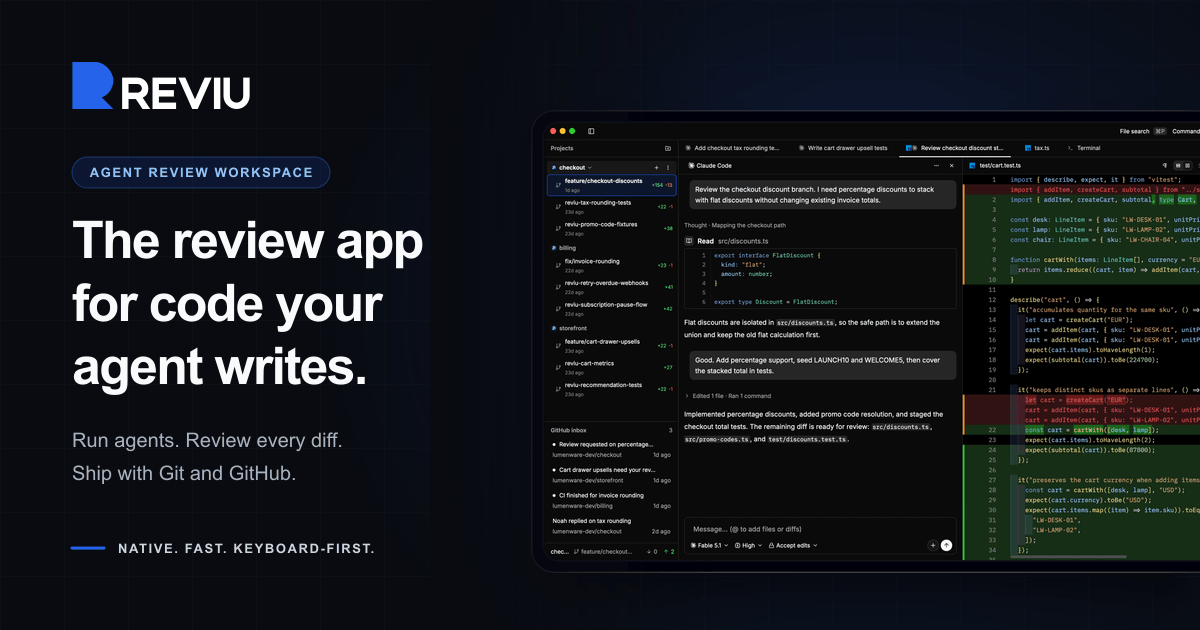
Reviu is a native desktop app for reviewing the code your coding agents write. It is built for developers who run agentic coding tools such as Claude Code, Codex, or Gemini and want a dedicated place to inspect what those agents produced before it lands on a branch. Rather than treating an agent run as a disposable chat, Reviu turns each task into a durable session with its own conversation, branch, terminal, checkpoints, file edits, and review queue. From that session you watch the agent work, review every diff, send line comments back, and then finish the branch with real Git - staging, rebasing, committing, and pushing without leaving the app. Reviu sums this up by calling itself the review app for code your agent writes. Since the first launch, Reviu was rebuilt from a Git client with an agent panel into a review workspace for coding agents. The gap it targets sits between agent output and a clean commit: an agent can produce a large diff quickly, but a human still has to read it, decide what to keep, and turn those decisions into a tidy branch. Reviu states the premise directly - agent work only matters when it becomes a clean commit. The app is therefore built around the loop that starts before the commit: the agent works in a durable session, you review the diff, send fixes back from inline comments, then finish with hunk staging, interactive rebase, conflicts, history, and push in the same application. Reviu also positions itself next to existing Git tooling rather than replacing it, inviting users to keep the Git tools they already like and add the missing agent review layer. Reviu manages sessions like real work. Each task becomes a durable session rather than a disposable chat, carrying its own conversation, branch, terminal, checkpoints, file edits, and review queue, and you can switch between sessions without stopping running agents. Parallel worktrees let you run multiple agents at once without letting one task dirty another checkout - the product shows a main checkout alongside separate agent worktrees for tasks such as discount work and tax rounding. Attention states make the status of each session visible, showing what is running, waiting, failed, or ready for review. Readable agent activity keeps commands, reads, edits, permissions, and failures grouped as reviewable events, so an edit of forty-two added and eight removed lines in a source file, or a test command run, shows up as an event you can inspect rather than as an opaque log line. Diff review is the core of the app. You inspect the diff and leave line comments on local changes, including file, line, and side context, then batch those comments and send them back to the agent. The content illustrates this with a review queue on a feature branch where three comments are selected: a request to apply flat discounts before percentage discounts, a fix for discount order, a new rounding test, and a rename for an unclear helper. Once the comments are sent, the agent can act on them directly. Reviews happen against an isolated worktree so parallel agent tasks stay out of your main checkout. Reviu also describes the ability to checkpoint or undo turns, giving turn-level control over what the agent changed. Underneath the review layer is real Git. You shape the diff by staging the hunks you trust, unstaging others for another pass, and restoring the rest. You clean the branch before the pull request exists by squashing, fixup, dropping, and reordering commits. You recover from messy states by resolving conflicts, continuing rebases, stashing work, cherry-picking, and undoing mistakes. Every surface in the app follows the checkout, so changes, history, terminal, and review stay in sync with whatever branch is active. Git actions are reachable from the command palette in the same keyboard-first flow as the rest of the app: commit, amend commit, push, force push with lease, interactive rebase, and pop stash. The result is staged hunks, rewritten history, and a branch you can push with confidence. Reviu Pro adds GitHub. The paid tier is for developers whose local agent work ends in a GitHub pull request review and merge. A pull request dock brings your branch, agent session, working tree, review threads, checks, and merge button into one window, so you can use GitHub without turning every review into a browser tab hunt. An inbox surfaces events such as a requested change, a CI run finishing, or a reply in a file. When checks have passed and the review is approved, the dock shows that the merge is ready and lets you create a merge commit. The PR follows your branch: check out a branch and Reviu finds its pull request, or helps create one from the header. You can review GitHub diffs locally by opening PR files in the editor, commenting inline, replying to threads, and submitting a full review. Merging works like GitHub would, with squash, merge, or rebase using GitHub's generated title, message, bullets, and trailers. A browser extension adds an Open in Reviu button to GitHub pull requests, opening the branch locally ready for diff review, files, and terminal; it is available for Firefox and Chrome. Reviu's approach is local by default. It launches the agent CLI you already installed and signed into, so agents run as local processes on your machine with your existing subscription and no API key to paste. Your code and the agent process stay on your machine; Reviu does not run agents in the cloud and does not meter your agent usage. It drives any agent from the official Agent Client Protocol registry, naming Claude Code, Codex, Gemini, Copilot, Cline, and about twenty others. The app itself is fully native, built with Rust and GPUI, a Rust-based GPU-accelerated UI framework - no Electron and no webview. No account is required for agent sessions or local Git features; signing in is only needed for the GitHub integration in Reviu Pro. For users, the benefit is a single place where agent output becomes a reviewed, clean branch. The review queue turns scattered comments into batched instructions the agent can act on, isolated worktrees keep parallel agent tasks from interfering with each other, and attention states make it obvious which sessions need you now. Because Git stays close to the diff, review decisions become staged hunks, rewritten history, and a pushable branch rather than a manual cleanup exercise after the fact. On Pro, the pull request dock collapses branch, threads, checks, and merge into one window, reducing context switching between the local workflow and GitHub. Concrete workflows described in the content include running several agents in parallel on separate tasks - for example discount work, tax rounding, and cart property tests - each in its own worktree, and switching between those sessions while they continue running. Another is reviewing an agent's diff on a feature branch, leaving line comments with file and side context, and sending a batch back to the agent so it can correct the order of discount calculations or add a rounding test. A third is finishing a branch before any pull request exists: staging trusted hunks, reordering or squashing commits, resolving conflicts, and pushing. Pro workflows include finding a branch's pull request from the header, reviewing and commenting on PR files locally, submitting a review, watching checks and notifications in the inbox, and merging with squash, merge, or rebase. The browser extension supports starting in GitHub and finishing the local review in Reviu. Reviu is aimed at developers who use coding agents on their own machines and want to review that work with real Git tooling. It integrates with agents from the Agent Client Protocol registry, with GitHub on Pro, and with Firefox and Chrome through the Open in Reviu extension. It runs as a native desktop app on macOS for Apple Silicon and Intel, on Windows for ARM64 and x64, and on Linux through a terminal install command. Pricing is straightforward: the local agent review tier is free at $0 and covers agent sessions with ACP registry agents, parallel worktrees and durable session state, diff review with comments sent back to the agent, and local Git including staging, rebase, conflicts, and terminal. Pro is $9 per month or $79 per year, which the site lists as a 27% saving, with a 14-day free trial and cancel anytime; it adds the pull request dock with checks and merge, GitHub review comments and submit review, and inbox notifications and the browser extension. Mobile access and remote over SSH to servers and VPS are listed as planned rather than available today. Reviu occupies the space between an agent writing code and a branch being merged. It keeps the review loop - durable sessions, isolated worktrees, inline comments sent back to the agent - free on the desktop, and adds GitHub pull requests, checks, merge, and notifications as a Pro layer, all built on real Git and a native Rust and GPUI app rather than a webview.
devpit is a native desktop application for controlling your coding agents from a single window. It brings together a terminal per project, a board for the work, the cost of every call and an orchestrator that spans projects. It is built for developers who run coding agents such as Claude Code and want their sessions, tasks and spend in one place rather than spread across tabs and applications. devpit runs on Linux, macOS and Windows, is free and open source under Apache 2.0, and runs locally on your own machine using the Claude Code plan you already have. Most agent work happens in fragments. A terminal lives in one window, the task list lives somewhere else, and the cost of the calls is invisible until later. devpit's answer is one window with everything the work needs inside it, with panes side by side rather than tabs split across six applications. Its stated goal is that several agents can run at once and none of them get lost: sessions stay visible, the ones waiting on you surface first, and nothing advances without your knowledge. Because the app is local-first and writes nothing into your repository, it can be adopted without changing how a team works. The centerpiece is an orchestrator that works across projects. It is a chat that reads every board you link, so you can hand it a card and it starts a session, then reports back to you. A Sessions panel keeps track of every session of your account and puts the ones waiting on you first, letting you answer them in place, as yourself. Above your windows sits a capsule called the island, which shows what each agent is doing and lets you allow or deny from there. The island distinguishes states such as thinking (started, before its first step), working, asking, waiting, done, failed and sleeping. There are also reminders that only remind: you can ask devpit to remind you at three to review the PR, and it will tell you then without starting anything. Everything the work needs lives in panes side by side. The Chat pane shows a turn at a time, along with what each one cost. The Terminal pane is a real pty behind tmux, so it can be split, the window can be closed, and the process is still found running when you return. The Board pane shows your columns in your order, and moving a card starts the work. Capabilities are optional extras per project, Notes and Excalidraw today, opened as panes. There is also a view for files, diffs and a browser, so you can review what an agent changed and the page it serves without leaving the app. devpit drives the agent you already use: Claude Code today, with more behind the same interface, and your own agents are defined as markdown files. Each project gets its own workspace. The board, the panes, the terminal and the costs live in ~/.devpit, so nothing lands in your repository. There is nothing to gitignore and nothing appears in the diff, and a teammate can work with you without ever hearing about devpit. Every project has one target terminal; switching between lines of work switches what is attached, while the previous session keeps running. Sessions outlive the window: you can close devpit, reopen it, and what was running still is, because tmux holds the processes. A worktree is created per line of work when a step needs a checkout, and it is never removed while it holds uncommitted work. A spending cap sits on every call: the column sets the ceiling and the card gets the real cost. The board is deliberately conservative. Nothing advances on its own. A step writes down its output, its exit code and its real cost, then stops; moving on is your call, unless you have set a lane to move, which the board shows. The orchestrator has clear limits: it never moves a card into a lane that runs a step, never acts on a timer, and never approves anything in another session. Replies it drafts go out only when you send them. Under the interface, devpit is Rust and Tauri rather than an Electron app, and each terminal is a real pty behind tmux, or psmux on Windows. Agent status is reported through a devpit-agent hook for other agents, while Gemini CLI reports status with nothing to set up, and Claude Code works through the claude CLI you already have. The outcome for users is visibility and control. Sessions that would otherwise be forgotten stay listed, with the ones waiting on you at the top. Cost is attached to individual calls rather than discovered later. Work survives closing the window, so an agent can be left running and picked up again. Worktrees mean parallel lines of work do not collide, and they are protected while they hold uncommitted changes. Because everything is local-first and nothing is written into the repository, you can start using devpit without asking a team to change its process. And because it uses your existing Claude Code plan, there are no new API keys to manage. Typical workflows include running several projects at once and switching between them without losing the thread, since each project keeps its own board, panes, terminal and costs. A developer might hand a card to the orchestrator, let it start a session, and wait for it to report back. When an agent asks a question, it appears in the Sessions panel under waiting on you, and it can be answered in place. Someone working on a flaky test can watch the session in the island and allow or deny actions from there. A user can review an agent's diff and the page it serves inside devpit rather than switching tools. And a reminder such as reminding you at three to review the PR is used when the user wants a nudge and no agent activity at all. devpit is aimed at developers who already run coding agents, particularly Claude Code users who want one place to watch and steer them. It integrates with Claude Code through the claude CLI, supports status reporting from other agents through the devpit-agent hook, and works with Gemini CLI with nothing to set up; Codex, Cursor and opencode support is stated as coming. The stack is Rust and Tauri, with a real pty per terminal behind tmux (psmux on Windows). Installation is a shell command on Linux and macOS and a per-user installer on Windows, and the Linux build also runs in WSL 2. It is free and open source under Apache 2.0 and needs no account; an account today only signs you in. Access from a phone is possible over Tailscale by pairing a device with a one-time code and choosing what it may do. In short, devpit is a local-first, open-source control room where multiple coding agents run side by side, every session stays visible, every call carries its real cost, and nothing advances without your say-so.
Rival Workshop is a local app and a library of editable skills for people who build with AI coding agents. The Workshop app shows every skill in a repository as a book on a shelf, so you can see exactly what Claude Code, Codex or Cursor reads before every task. It includes 150 editable skills covering the work around the screen — tests, security review, launch copy and pricing — across 22 disciplines, plus Brief, a kit that turns a code change into a visual report with source references. Its purpose is to help you choose, edit and finish the work your agent produces from one place on your own computer. A skill, in the product's own definition, is an instruction file your AI reads while it works: it explains how to approach a task and check the result, and you can read and edit every skill. As those files accumulate in a repository, it becomes hard to know which skills each agent loads, how much each one contributes, and where one stops. Rival Workshop answers that with a visible, controllable shelf. The product is also explicit about scope. Free skills exist and are worth using — the FAQ points to Impeccable and Anthropic's frontend-design as strong on design, with Impeccable also covering accessibility audits, error handling and empty states — while Workshop concentrates on the work around the screen, including tests, security review, launch copy and pricing, across 22 disciplines, with Brief to review each change, editable examples and an installer. The heart of the product is the Workshop app, which presents a project's skills as books on a shelf. The spine of each book is what Claude Code, Codex or Cursor reads before every task, and a bookend marks where each skill stops, making the relative size of each skill visible. From the app you can switch skills off, make them run only when asked, rewrite them with Claude Code, and add good ones from the web after a safety check. Everything runs on your computer after a single node command, so the skills stay in your own project rather than inside a hosted service. Behind the app sits a library of 150 skills, browsable and searchable in pages of twelve. The catalogue is grouped into disciplines including product strategy, accessibility, design systems, design engineering, 3D and creative coding, frontend engineering, backend and APIs, data and analytics, AI engineering, quality and testing, security and privacy, delivery and reliability, brand and direction, writing and documentation, marketing and SEO, growth and experiments, sales and pricing, customer success, community and partnerships, company operations, research and knowledge work, and finance and fintech. Individual skills are concrete: "Product acceptance contract" translates a product brief into observable acceptance examples and resolves ambiguity before implementation or release review; "Feedback to backlog" turns a batch of product feedback into deduplicated, evidence-linked backlog changes and customer response drafts; "Repair contrast and reflow" targets interface content that is difficult to read, distinguish or operate under zoom, color changes or narrow layouts. Finding the right skill is handled two ways. An installer lets you choose a folder and your coding agent, and it adds the skills and tools to the project. A "What are you working on?" prompt takes a description of your task and returns matching skills plus a prompt to use with your agent; prompts are sent to TypeSafe. The library is wired for the tools teams already use: Codex, Claude Code and Cursor as agents; shadcn/ui and Tailwind for components; OpenAI, Replicate and fal for images; and Motion with Remotion for motion work. The documentation states that the skills are based on published practices from Anthropic's modular skills approach, Vercel's guidance on pairing code examples with checks, and OpenAI's image generation guidance, and notes that the product is independent with no affiliation or endorsement. Brief is included with Workshop and sells for $19 on its own. It turns a code change into a visual report with source references, so you know what your agent changed before you merge. In a workflow where an agent writes a large share of the code, that report is the review step: it shows the change and points back to the source it came from, giving a moment to check the work before it lands. Workshop buyers receive Brief along with the skills, and the free sample includes the app, six full skills, the project installer, an image helper and working examples with editable source. Getting started is deliberately manual and local. You unzip the download, open "Open Workshop.html" in the extracted folder, copy the command from that page into Terminal, and start the app, which needs Node 20 or newer. You then pick the folder you use with your coding agent and switch on the skills you need. Without Node, you can use the folder installer on the download's opening page, or install from the download page in Dia, Chrome or Edge. A browser demo is also available for trying the app against a fictional project without installation, where changes stay in the demo. The product has shipped 19 editions since September 6, and a changelog is published. Benefits follow from that structure. You can see which skills an agent actually loads and how much of the context each one occupies, so the set that runs stays intentional. Skills can be switched off or made to run only when asked, keeping routine tasks lighter, and every skill can be read and edited so teams can adapt the guidance to their own conventions. Brief adds a review layer before merging, and the installer puts the right skills and tools into a project in one step. The optional image helper requires Python 3.10 or newer and an OpenAI, Replicate, fal or compatible provider key with model access; your provider bills image usage separately. Concrete workflows appear throughout the documentation. A developer opening a repository can use the shelf to audit which skills Claude Code, Codex or Cursor will read, then disable the ones that are no longer relevant. Someone starting a task can describe it in the "What are you working on?" box and receive matching skills plus a prompt to hand to their agent. A team shipping a release can run product strategy skills such as "Product launch readiness" or "Release scope cutter" to produce a release decision, owner actions and customer-facing artifacts. Before merging, Brief can be used to turn the code change into a visual report with source references. The free sample lets a newcomer open Atelier, a project workspace with search, filters and a detail panel, and work through six full skills on local, fictional data. The product is aimed at people who already work with an AI coding tool such as Codex or Claude Code; an AI subscription is separate. Workshop costs $79 as a one-time payment until October 31, 2026 at 11:59 pm Pacific, after which it is $149, and every future edition stays included either way. An All-Access option bundles every Rival kit and future kits — Workshop with Brief, UI Glow-Up, VoiceLock and the AI research collection — for $129 until October 31, then $249. Files are delivered by Lemon Squeezy after checkout and by email, with instant download and a 14-day money-back guarantee. The licence allows use and editing of the skills in unlimited personal or client projects, including by collaborators on those projects, but not resale of the download or distribution as a competing collection. Rival Workshop is essentially a control surface for the instruction files an AI coding agent depends on: a library of 150 editable skills, an app that shows what each agent reads, an installer that wires them into a project, and Brief to review the resulting change before it merges.
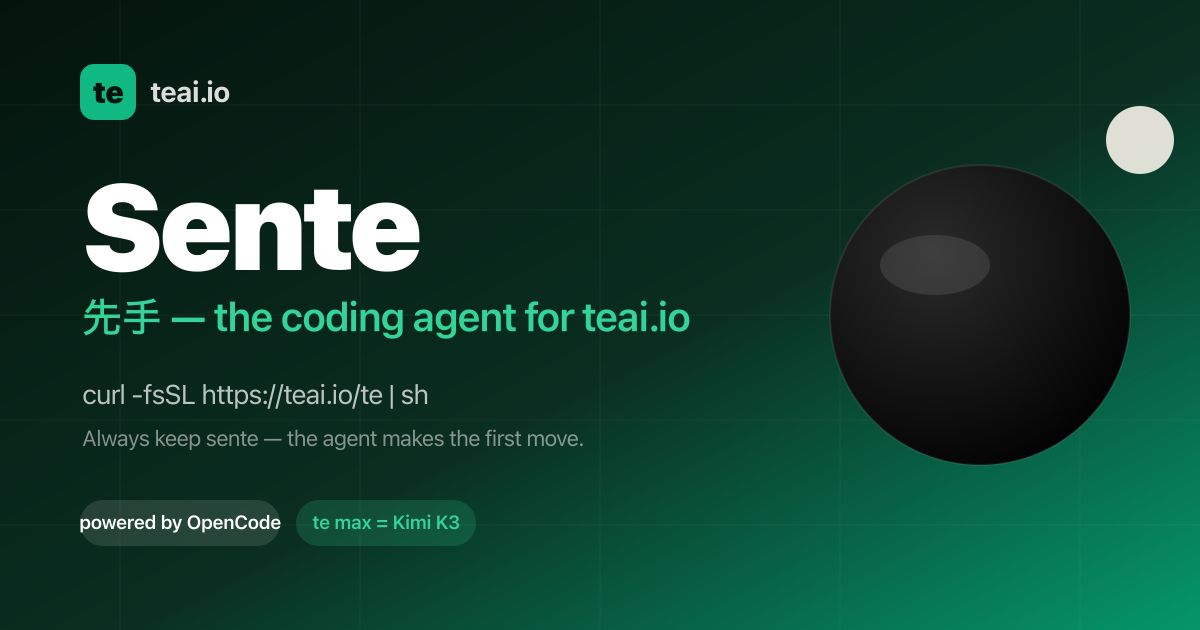
Sente is teai.io's official coding agent CLI, described as a thin launcher over OpenCode (MIT, 203k GitHub stars). One curl line installs it, and every teai.io model becomes an agent in your terminal. It is built for people who work in a repository rather than a chat window: Sente reads and edits the files in your repository, runs commands, and reports back. It sits in the teai.io CLI family alongside te, which you type at, and fuseki, which watches without being called. Sente itself is free; usage is metered through teai.io credits, and the site states the limits honestly rather than promising unlimited use. The starting point is the gap between a chat app and an actual working agent. A chat interface can answer questions, but it cannot reach into the files in your repository, run commands on your machine, or report back on what changed. Sente is built to remove that gap, and to do so without a conversion layer: teai.io is natively OpenAI-compatible, and Sente, being OpenCode-based, speaks OpenAI-compatible natively, so tool calls travel through teai without a translation step — zero conversion layer, nothing to break when routing through teai. The other half of the problem is trust and cost: agents fail, retries multiply, and metered usage can feel opaque. Sente's answer is billing that ignores empty responses and refunds failed paid media jobs and failed MCP tool calls, plus a safety model that asks before anything destructive. Sente is deliberately not a fork. The install is one line — curl -fsSL https://teai.io/te | sh — which installs OpenCode if it is missing and points OPENCODE_CONFIG at a teai.io-generated config. On each launch Sente syncs the teai.io model catalog, so upstream OpenCode improvements arrive without the project having to maintain a diverged codebase. A coding discipline file, sente-rules.md, is auto-written to ~/.config/teai/ and injected into every session, mechanically enforcing rules such as read before you write and always ship a deliverable. The command is short — te — and a sente alias is also installed. Setup continues with te login using a free API key obtained at registration. Sente exposes 380+ models on a single account and makes switching a one-line affair. The daily driver is glm-5.2 at roughly ¥0.34 per task; quality-critical work routes through te lux to the Claude/OpenAI flagship (Fable 5); hard tasks use te max on Kimi K3 (2.8T, 1M); and DeepSeek V4 Pro comes in around ¥0.03 per task. One base_url decides routing, which is how the product aims to stay cheap without breaking quality, and a task is measured as approximately 1K input plus 500 output tokens. Because the endpoints are OpenAI- and Anthropic-compatible, existing tooling patterns carry over, and the API-compatible endpoints never store request bodies — only metadata, kept for 90 days. Voice is a first-class input. te talk starts a voice conversation: you say what you want done and Sente reads its reply back to you, on macOS, Linux and WSL. Enrollment takes about one sentence — roughly ten seconds — and is consent-first: the delete key is yours, and teai.io states that it never clones a voice that isn't yours. For work that outlasts a laptop session, Sente Cloud at sente.teai.io runs in your browser on a cloud workspace; you sign in with an emailed one-time code, and closing your laptop doesn't stop the work. Optional GUI apps are installed explicitly with te app install sente for a menu-bar Sente.app, te app install koe for an always-listening Koe.app, or te app install both, and they are placed in /Applications only when you run that command. Safety is expressed as a three-tier risk model shared across the family: reads run automatically, writes are treated as reversible and proceed, and anything in the delete, send, publish or pay category asks first. fuseki, the third stage of the CLI family, is in Alpha and inherits the same tiers: it keeps an eye on your board — human-gates, recent repos — without being called, and only thinks and logs plus speaks a suggestion when something actually changes. It defaults to proposing only and never executes on its own; te stop stops it. The design intent is stated plainly: the agent moves before you do, but the risky moves still need you. Privacy is handled locally and is opt-in. te privacy scrub on masks emails, phone numbers, addresses, API keys, private keys and high-entropy tokens — plus names harvested from your Contacts dictionary with te privacy scrub harvest, Japanese honorific heuristics and Apple's on-device name recognition — on this Mac before the request reaches teai.io. The cost is about 0.1 ms per request with no local LLM required, and the reply is restored before it is shown. teai.io is explicit that this is not a guarantee of complete detection: Japanese given names without an honorific or a dictionary entry are not caught, and the optional Ollama layer (--llm) exists but is slow. Enterprise concerns are covered by invoice billing and a DPA, with BYOK in preparation. Five beta skills, announced for 2026-08, are backed by a reference corpus of 748 Q&A entries searched with lightweight retrieval — semantic embedding plus a relevance cutoff — before the model answers. te legal covers Japanese law with 259 entries across 21 topics and is cross-checked against actual e-Gov statute text, returning no match rather than fabricating; te security covers secure coding with 131 entries across 13 topics such as SQLi/XSS/CSRF mitigation, auth, secrets management and dependency vulnerabilities; te freelance covers 125 entries on contract checkpoints, Japan's invoice system, tax filing and social insurance; te infra covers 117 entries on Fly.io, Docker, CI/CD, SQLite/libsql, DNS and TLS, including real gotchas teai.io hit running this exact stack; and te license covers 116 entries on MIT/Apache/GPL-family licenses and AGPL's SaaS network clause. They are callable as te legal "question" or straight from the API by passing a model such as shitate/legal to /v1/chat/completions. The practical benefits are deliberately narrow and concrete. Nothing is billed for failure: empty responses are not billed, and failed paid media jobs and failed MCP tool calls are refunded in full, so you pay for results rather than errors. Cost control is explicit — cheap models for routine work, flagship routing for quality-critical work, and a maximum-performance tier when a task is hard — all switched with one line rather than a new subscription. Work continues while your Mac sleeps through Sente Cloud, discipline is enforced mechanically through sente-rules.md, and privacy scrubbing happens on-device before anything leaves the machine. Concrete workflows follow the same pattern. In a terminal you can run te run "explain this repo" for a one-shot explanation, ask te run "refactor this function" to edit code in place, or hand an agent a file generation task; switching to te max puts a hard task on Kimi K3. Away from the keyboard you can start te talk, describe the task out loud and hear the reply read back. For work that must keep going, Sente Cloud runs in the browser on a cloud workspace while the laptop is closed. Mid-implementation you can sanity-check risk with te security "how do I prevent SQL injection?"; outside code you can ask te legal about a statutory reserve share, te freelance how to register for Japan's invoice system, te infra how to set a secret on Fly.io, or te license what to watch for when using AGPL in a SaaS. Language settings also matter for Japanese and English users: /language (or /lang) switches the language dialog and skill list, /skills searches skills by display name, description or skill ID, and the initial language follows your terminal locale. Sente itself is free, and teai.io runs on credits. The Free plan gives 100 credits on signup with no credit card required — enough for roughly 300,000 short chats on Qwen3.7 Flash or about 2,000 on glm-5.2, at 1K input plus 500 output per task. Pro is ¥4,350 per month (about $29 USD) with 30,000 credits, and Business is ¥14,800 per month (about $99 USD) with 100,000 credits. Usage is metered rather than unlimited, and you top up monthly credits if you go over; invoice billing and a DPA are available, with BYOK in preparation. It runs on macOS, Linux and WSL (Windows through WSL), is Japan-built with a Tokyo region, JPY billing and Japanese support, and the source is MIT-licensed at github.com/yukihamada/sente. Documentation lives at teai.io/docs. Sente's proposition is narrow and consistent: one line to install, one account for 380+ models, three ways to call an agent — by typing, by speaking, or by letting fuseki watch — and a billing and privacy stance that refuses to charge for failures. For developers who want an agent inside their repository rather than inside a chat window, it is a thin, updatable, honestly metered layer over OpenCode.
Firetower is an open-source, self-hosted control plane for coding agents. It lets you run any coding agent — including Claude Code and Codex — on your own servers and manage them from a desktop or mobile client, from anywhere. You give Firetower a machine you can SSH into and a repository, and it handles the rest: picking a host, cutting a branch, making a worktree, starting tmux, launching the agent, and keeping it running. The product is aimed at developers and teams who want to run coding agents on infrastructure they control rather than on the device they start the work from. Its main purpose is to run coding agents on servers you own, keep them running reliably, and tell you the moment a session stops being useful without you. The problem Firetower addresses is that coding agents traditionally run on the device you started them from. If your laptop closes or the app crashes, the work is interrupted. Firetower changes that by running the agent on a server instead. Because the agent runs on your server, not on the device you started it from, every device can pick up exactly where another left off. Closing your laptop costs nothing, because the agent never ran on the laptop. Firetower also treats failure as something each part can experience on its own: if the Firetower server goes down, the workers keep running; if a worker dies, the worktree is still there, and your branch and every file the agent changed remain on that machine. By making each part independently resilient, the work survives every one of these failures. Firetower brings an entire workflow into one place. The flow runs from issue to shipped: you start from your Issues and Linear tickets, your agent runs your worktrees, you preview and annotate, and then you commit and open a PR. Firetower reads from your trackers as you look, and starting a ticket opens a workspace. A ticket list shows items such as "Add a dark mode toggle," "Fix the invite link on mobile," and "Rate-limit the webhook receiver," each with an ID, team, and how recently it was updated, with a Start action. This workflow ties the tracker, the agent, the diff, and the pull request together so the whole path from a ticket to a shipped branch stays in one surface. Firetower is designed so you can run remotely and close your laptop anytime. The agent runs on your server, not the device you started it from, which means you can pick up your phone and continue. If your laptop closes or the app crashes, nothing happens to the agent, because it never ran on the laptop; open Firetower on any other device and the conversation is exactly where you left it. If the Firetower server goes down, the workers keep running, and when the server comes back it catches up on everything that happened while it was away. If a worker dies, the worktree is still there — your branch and every file the agent changed are on that machine, and Firetower still knows about them, so you can restart the worker and carry on. Firetower runs your favorite agent on your favorite hardware. It reaches each machine over SSH and starts a worker there, and the agents run on that machine — in tmux, on their own worktree. Clients are available for macOS, Windows, iOS, and Android. Firetower is written in Rust and is described as the most efficient ADE on the market, with a small core, no accumulating terminal daemons, and workspace memory ceilings where the host supports them, built for work that keeps running. Its resource profile is presented in comparison charts: Firetower Desktop uses about 50 MB where a competing app and daemon report roughly 1.5 GB idle (30× more efficient); a Firetower worker uses about 5 MB with the agent CLI separate, where a competing agent process reports about 500 MB per agent (100× more efficient); and the Firetower control plane uses about 200 MB where a competing service reports about 1 GB after restart (5× more efficient). Firetower's unique approach rests on the idea that workers are authoritative. Workers write what happened to their own log before reporting it, and when the control plane comes back it asks for everything since the last thing it saw — so a closed laptop costs nothing and a reconnect is a replay, not a guess. The worker never opens a port: it reads frames from stdin and writes them to stdout, so who dials is a transport detail — a child process, a container exec, or SSH. The daemon cannot tell the difference, and neither can a firewall. In the architecture, desktop and mobile apps connect over HTTPS to the Firetower control plane, which is one compose file on a server you already own; the control plane then reaches machines over SSH, including a Mac Studio worker with tmux and git running Claude Code and Codex, and a Hetzner VM worker running Claude Code. Session indicators show a session that has stopped and needs you, one still working with nothing to do, and the SSH path the app uses to reach a machine you own. The benefits follow directly from this architecture. Because agents run on your own servers, closing your laptop costs nothing and you can continue from any device. Because each agent is on its own machine and in its own worktree, failures are isolated, and the work survives each of them. Because Firetower tells you the moment a session stops being useful without you, you can stop watching agents that need nothing and focus only on the ones waiting on you. Because workers are authoritative and reconnect as a replay rather than a guess, the state you see reflects what actually happened. And because Firetower is written in Rust with a small core and a small memory footprint, it is built for work that keeps running without consuming the resources a heavier tool would. Concrete scenarios include starting a task from a Linear or GitHub ticket so the agent begins work in a workspace automatically; running an agent on a Mac Studio or a Hetzner VM over SSH while you continue from your phone; closing your laptop mid-session and reopening the conversation on another device exactly where you left it; reviewing a diff and annotating it before committing and opening a pull request; and restarting a dead worker and carrying on because the worktree still holds the branch and every changed file. The workflow from issue to shipped — start from Issues and Linear tickets, run worktrees, preview and annotate, commit and open a PR — covers the day-to-day path a developer follows with an agent. Firetower is built for developers and teams who want to run coding agents like Claude Code and Codex on infrastructure they control. It integrates with trackers and source control: you start from your Issues and Linear tickets, and GitHub is among the connected sources (you can commit and open a PR). Its tech stack includes Rust as the implementation language, plus tmux, git, and SSH as the mechanisms that run agents each in their own worktree on a machine you own; the control plane is described as one compose file on a server you already own. Firetower is open source and self-hosted with no account required, and it installs in about five minutes on your server with a simple install command. Firetower's primary value proposition is control: it runs any coding agent on your own servers, from anywhere, and keeps the work running even when your laptop, the server, or a worker fails. By combining a self-hosted control plane, an issue-to-PR workflow, authoritative workers, and a small Rust core, it lets developers use the agents they already prefer on the hardware they already own — open source, no account, and built for work that keeps running.
m’kay is a voice layer for the AI coding agents that already run on your Mac. It lets you talk to Claude, ChatGPT/Codex and Cursor on your own Mac from any browser or phone, so you can ask what your agents are doing, hear their replies read aloud, and hand them the next task without being at your desk. It is built for people who keep coding agents running and want a single voice interface that reaches all of them, rather than a separate assistant to manage alongside their work. The Mac app runs on Apple Silicon and requires macOS 13 or later, and you can either download the menu-bar Mac app or clone the open source project and run it locally. The problem m’kay addresses starts with a mismatch. Most voice tools for developers are built around a single assistant: you talk to one model, in one session, and that is the whole conversation. Developers rarely work that way. A working machine often has Claude Code, Codex and Cursor available at the same time, each with its own sessions and projects. The product's own framing puts it plainly — other voice apps talk to one assistant, while m’kay talks to all of your agents. On top of that, the moments when you most want to check in on a long-running task are often the moments when you are furthest from the keyboard: on the train, at the gym, or simply away from the desk. m’kay is designed for exactly those gaps, so progress on your agents is not tied to you sitting in front of the machine. The core capability is multi-agent voice control. m’kay talks to Claude Code, Codex and Cursor on your Mac, not to a single assistant, and it lets you ask which one is done, hear its reply, and tell it what to do next. Because it drives the real desktop apps rather than a separate environment, your sessions and projects stay where they are — the work already open on your Mac is the work you are talking to. That continuity matters: there is no second copy of a project to keep in sync and no separate workspace to reconstruct before an agent can continue. The packaged menu-bar Mac app puts this control within reach whenever you are at the machine, and the same voice channel is what you use once you step away from it. Remote access is the other half of the idea. The voice interface is reachable from any browser or phone, so the desk is optional. The product describes giving instructions from your phone's browser — on the train, or at the gym — where you ask what your agents are doing, listen to their replies read aloud, and give the next instruction by voice. Reading replies aloud is what makes this practical in situations where looking at a screen is awkward or impossible, and the browser-based interface means you are not tied to a particular device. The hosted voice page is available after a free sign-up, or you can run everything on your own Mac instead. m’kay also builds in an explicit confirmation step for anything it sends. The product states that nothing is sent until you say "yes" to a read-back. In practice, the system reads back what it is about to pass to an agent, and the instruction only goes through after you confirm it out loud. Because the agent apps being controlled can act on real code and projects, that read-back works as a checkpoint between what you said and what an agent is actually asked to do, which is a meaningful safeguard when your instructions arrive by voice from a phone. Getting started begins with linking your Mac. A small open source connector runs on your Mac and drives the agent apps you already use, and you sign in once to link it. From there you decide how to run the voice side of things: sign up for the hosted voice page, or run everything on your Mac with local models or your own API keys. The project is open source, so running it yourself is a supported path rather than a workaround, and the menu-bar Mac app is offered as the packaged way to use it on the desktop. The benefits follow directly from those choices. You are no longer chained to your desk to know what your agents are doing, because you can ask and hear the answer from any browser or phone. You do not have to juggle separate assistants for separate tools, because one voice interface reaches Claude Code, Codex and Cursor together. Your sessions and projects stay in the real desktop apps, so nothing is disrupted when you check in remotely. And because the read-back confirmation gates every send, you keep a spoken checkpoint before anything is passed to an agent. If you want to keep everything on your own machine, running locally with local models or your own API keys is an available route. Concrete use cases follow the workflow the product describes. You can ask which agent is done while you are away from your desk and hear its reply read aloud, then tell it what to do next. You can give a long-running agent its next task from your phone's browser on the train, without opening a laptop. You can check in and issue an instruction at the gym, where reading a screen is not practical and voice is the natural interface. You can run the whole thing locally on your Mac with local models or your own API keys. And because m’kay talks to all of your agents, you can move between Claude Code, Codex and Cursor through one voice channel instead of switching between separate interfaces. m’kay is aimed at developers who already run coding agents such as Claude Code, Codex and Cursor on a Mac and want to reach them by voice from anywhere. It runs on Apple Silicon and requires macOS 13 or later, and it is available as a menu-bar Mac app or as an open source project you can clone and run yourself. The voice interface is used from any browser or phone, with a hosted voice page available after a free sign-up. In short, m’kay turns the coding agents you already run on your Mac into something you can talk to from anywhere. One voice for all your agents, replies read aloud, a read-back before anything is sent, and sessions that stay in the real desktop apps — that is the value it offers to developers who want to stay in touch with their work without staying at their desk.
Evlat is a native macOS utility that docks a thin black strip to the edge of your Mac's screen and shows you which of your AI coding agents is waiting on you. One ring appears for every Claude Code, Codex or Antigravity session, or for every command you hand it, and a single face represents all of them. The instant an agent stops and needs your answer, its ring sends an amber pulse. Evlat is made for developers who run several AI coding sessions at the same time and want to know at a glance which one has paused and needs a decision, without hunting through terminal tabs. It runs on macOS 14 Sonoma or later on Apple silicon, is free, and installs as an app of roughly 3 MB. The problem Evlat addresses is a quiet one. AI coding agents spend long stretches working on their own and then stop to ask for a permission or an answer. If you are not looking at the right window, that session can sit idle for minutes while you continue doing something else, and the work simply stalls. Running more than one agent at a time makes this worse, because the session that needs you is rarely the one you are watching. Evlat turns that invisible waiting into something you can see. Rather than switching between terminals to poll their state, you get a single strip where every session has a ring, and the one that needs you pulses amber until you respond. The same strip also tracks long-running commands and jobs on remote servers, so work happening off your laptop is not invisible either. At the heart of Evlat is the ring. Each Claude Code, Codex or Antigravity session gets one, and so does any command you run through Evlat. A ring carries the state of its session: it can be waiting for you, working, done or idle, and each row shows how long the session has been in that state, such as "2 min", "14 min" or "just now". Waiting sessions are pushed to the top of the list so the one that needs your answer is always the most visible thing on the strip. Underneath the session rows, Evlat also shows your Claude and Codex limits, with the 5-hour and 7-day windows, their percentages and the time remaining until each resets, so you can see your remaining budget without leaving your screen. Because the strip is always docked to the edge of the screen, this information stays present without occupying a window or taking focus. Hovering over the strip makes it grow into the screen. Every session's name, what it is doing and how long it has been doing it become readable, with the waiting ones on top and your Claude and Codex limits underneath. Resting on a row slides out a card that names the tool the agent is stuck on and shows the exact command it wants to run. A "Go to session" action finds the application that owns the session — a terminal, VS Code or Orca — and brings it to the front, and Evlat asks for no permissions to do it. The strip also carries a small mascot. Clicking it, or pressing Shift Command Space, opens a balloon right out of the bar that takes your keyboard without pulling Evlat to the front. The balloon runs on your own Claude Code install, so it knows what your terminal knows. You can even drop a file onto the mascot: its eyes lock onto the file as it comes closer, and the file lands in the chat. Evlat is not limited to the agents it knows. The evlat watch command runs any command exactly as it is, with colours, input, Ctrl-C and the exit code all passing through, and tracks it as a row on the strip. If Evlat is not running, the command simply runs. For work that knows how far along it is, the evlat signal command lets your own scripts report progress and state: --progress 0.4 fills the ring, and --waiting, --done or --failed set its state, with rows that expire on their own. The same commands work on a server you reach over ssh, and those jobs arrive tagged with the machine's name, such as GPU-01, DEVBOX or BUILD-01. An agent waiting on a server pulses amber on your Mac exactly as one on your laptop does, and you answer it in that server's terminal. Evlat is honest when a link drops: when a server cannot be heard, its rows dim and say "no connection" instead of showing a stale state, and they light up again once the connection returns. Evlat's approach is to stay native and local. It is written in Swift with AppKit and SwiftUI, with no web view and no Electron. Hook entries install from the menu and talk to a listener on 127.0.0.1:48151 that turns browsers away, so sessions, commands and usage stay on your Mac. The only thing Evlat fetches from the internet is its own update, from GitHub, once a day. To connect a server, you add it by the name you give ssh, such as devbox or me@server, and Evlat carries the server's 127.0.0.1:48151 to your Mac with no account and no relay in between. It can set up the hooks and the evlat command on the server for you, or hand you one block to run yourself. Installing hooks adds Evlat's own entries to Claude Code's ~/.claude/settings.json, Codex's ~/.codex/hooks.json and Antigravity's ~/.gemini/config/hooks.json, next to any hooks you already have, and keeps a .evlat.bak copy before the first write. The outcome for users is a quieter, more predictable workflow. Instead of checking each terminal to find out whether an agent is done, you glance at the strip. Waiting sessions rise to the top and pulse amber, so the moment an agent needs a permission or an answer, you know about it, and one click brings the owning window forward. Because Evlat takes no Accessibility permission, no screen recording and no Dock icon, it does not interrupt what you are doing, and because it never takes focus, it can sit above the Dock on every Space without getting in the way. Rings beat rather than spin forever, and a bar with nothing moving draws no frames at all, so the utility stays quiet until something actually needs attention. In practice, Evlat fits several everyday situations. When you keep several Claude Code and Codex sessions open at once, the rings let you see at a glance which session is waiting, which is working and which is done. When you start a build, a test run or a deploy through evlat watch, it appears as a row with its elapsed time, while the command itself behaves exactly as it normally would. When you run training or infrastructure jobs on a remote server over ssh, those jobs arrive tagged by machine and pulse amber on your Mac when they need you, even when the link drops and later returns. And when you want to ask a question without leaving your work, the mascot balloon opens straight out of the bar, runs on your own Claude Code, and accepts files dropped onto it. Evlat is aimed at developers who run AI coding agents on a Mac, particularly those who work with more than one session at a time or who watch long jobs and remote servers. It tracks Claude Code, Codex and Antigravity — the Antigravity app, IDE and agy CLI — through hooks that Evlat installs for you. Antigravity sends no event when it asks for approval, so a session waiting there shows as working rather than amber; anything else, such as a build, test run, deploy or your own script, shows up through evlat watch or evlat signal. The app requires macOS 14 Sonoma or later on Apple silicon, with no Intel build and no Windows or Linux app, although the servers it watches can be any machine you reach over ssh. Evlat is free: there is no paid tier and no account. The source is on GitHub under the Functional Source License (FSL-1.1-ALv2), and each version becomes Apache 2.0 two years after its release. Releases are signed and notarised by Apple, and updates are delivered through Sparkle, which verifies each one against Evlat's signing key. Evlat's value proposition is simple: it tells you which AI coding agent is waiting on you, and it does so quietly. A thin strip on the edge of your Mac gives every Claude Code, Codex and Antigravity session its own ring, pulses amber the moment one needs you, and opens the right window with one click. It tracks long commands and remote servers over ssh, keeps everything local with no account, no permissions and no telemetry, and stays out of the way until something actually needs attention.
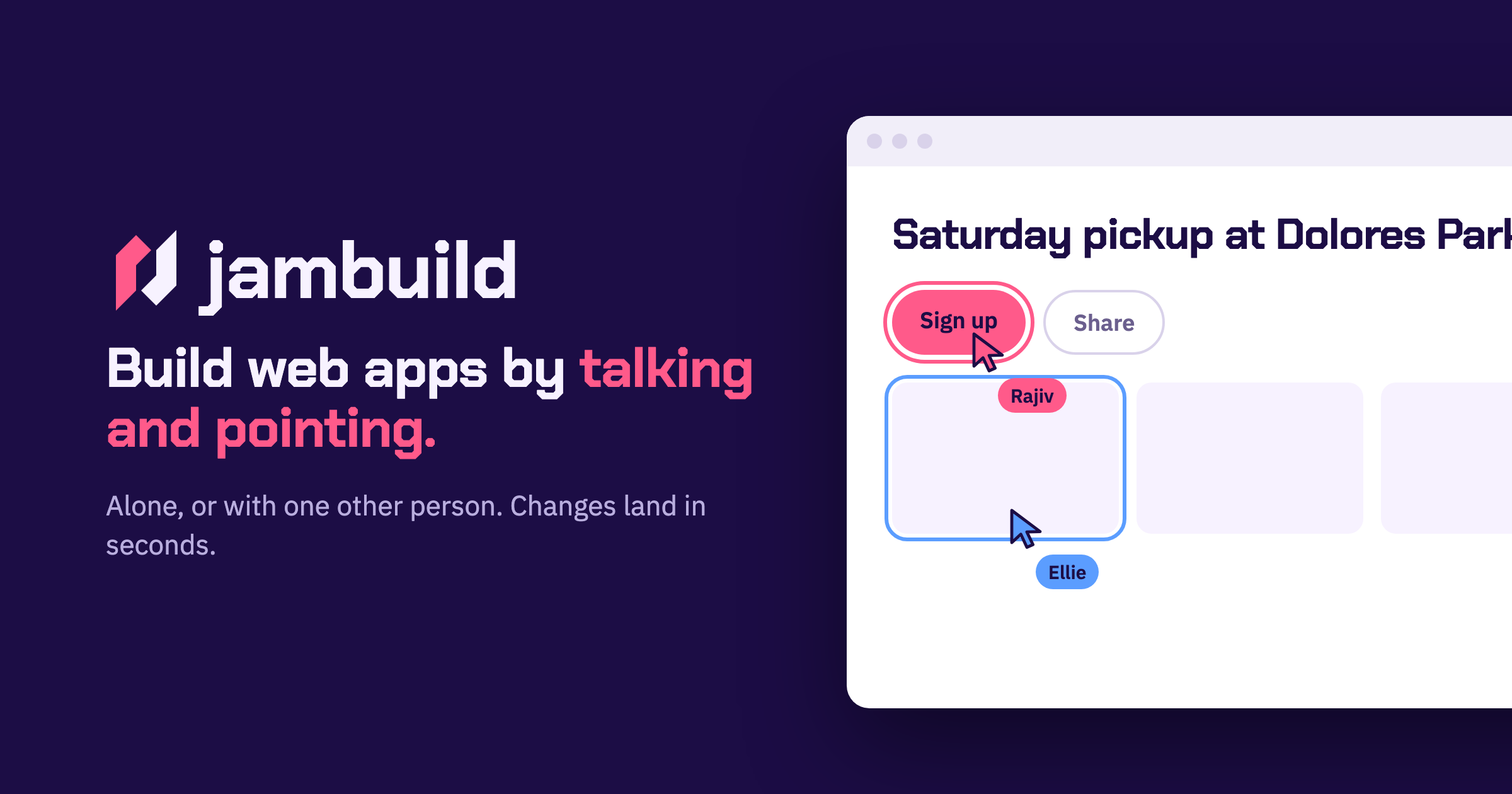
jambuild is a web app builder that works in real time through talking and pointing. You say what you want to build, point at what you mean, and changes land in less than ten seconds while you keep talking. You can use it on your own, or send a link to one other person and build together in the same room. According to the site, your microphone becomes the keyboard: you describe a page out loud and a first version appears in seconds. It is built for fast, conversational building rather than long written prompts. In most building workflows, the person with the idea has to translate intent into text — write a prompt, wait for a result, read it, then try to describe the correction in words. The jambuild approach shortens that loop. The site frames the product around a simple idea: say what you want to build, and point at what you mean. Speaking removes the typing step, and pointing anchors the request to a specific part of the page so both people can see exactly what is being discussed. Because changes land in under ten seconds, you can keep the conversation going instead of waiting between attempts, and because the pointing is shared, both participants stay on the same page — literally — while the app takes shape. Talk is the first input. The site describes your microphone as the keyboard: you describe a page and a first version appears in seconds. Nothing has to be typed into a prompt box; you simply say what you want, and the window shows when your voice is being heard. The example on the site shows Maya describing a sign-up page out loud, with her words appearing in the prompt box and the window outlined in pink while she is heard. Speaking is useful because describing a layout or an interaction out loud is often faster and more natural than writing it down, especially when you are still working out what the page should be. Point is the second input. As you move over the page, whatever you are on lights up — and it lights up for both of you. You then say what that thing should become. In the example, Sam moves over a roster, it lights up in his colour, and he asks for it to be split into three teams. Highlighting matters because it removes ambiguity: instead of saying “that section” or “the list near the top” and hoping the other person or the tool interprets it the same way, the highlighted element is visibly the subject of the request. Both participants see the same highlight, so a shared cursor effectively becomes part of the conversation. Click is the third input, and it adds action to description. You click anything on the page and say what should happen to it, and the change lands in seconds. The site’s example is Maya clicking the Sign up button and asking for it to be bigger and orange. Clicking gives you a precise handle on an element — a button, a section, a piece of content — while your voice carries the instruction about what should change. Together with talking and pointing, clicking covers the three ways people naturally refer to something: describing it, hovering over it, and selecting it. Together is what makes jambuild multiplayer. You send the link, and both people talk, both point, and it is one page. Changes land in seconds for both of you. Sign-in is done with Google, and the site notes that the person you invite does not need an account. The site shows Maya and Sam talking at once: both requests are building and both changes land. So the model is a shared room rather than a shared document — the room holds one page, two cursors, and two voices, and the page responds to both. The overall approach is conversational and spatial at the same time: language supplies the intent, the cursor supplies the target, and the short turnaround keeps the loop between the two people tight enough to feel like a normal back-and-forth conversation. The main benefit the site claims is speed: changes land in less than ten seconds, and you keep talking. That pace matters because it removes the wait between saying something and seeing it — you do not have to stop the conversation, and you do not have to hold a mental backlog of edits while waiting for the previous one to finish. A second benefit is that you are never building in isolation if you do not want to be: send a link and one other person can join, point at the same elements you are pointing at, and speak their own requests into the same page. Both participants get the same sub-ten-second turnaround, so neither is working against a slower view of the app. The site’s own examples show the kinds of tasks jambuild is used for. Maya describes a sign-up page out loud and a first version appears — a typical first-pass scenario where you want something on screen quickly so you can react to it. Sam hovers over a roster and asks for it to be split into three teams — a concrete structural edit made by pointing at the part of the page that needs to change. Maya clicks the Sign up button and asks for it to be bigger and orange — a visual tweak aimed at a specific element. And Maya and Sam both talk at once, with both requests building and both changes landing — two people editing the same page at the same time. Across these examples, the pattern is short, spoken, precisely targeted edits rather than large written specifications. jambuild runs in the browser and you sign in with Google to start a room; the person you invite does not need an account, which lowers the barrier to a two-person session. The product is aimed at people who want to build web apps by talking rather than by writing code or long prompts — the Product Hunt listing describes it as a multiplayer vibecoding tool. Availability is handled with credits: the listing says there are limited credits to try it out, and that you can bring your own (BYO) API keys to unlock more usage. No further plan, tier, or platform details are stated on the site. The takeaway is that jambuild turns app building into a conversation with a shared cursor. You talk, you point, you click, and the page answers in less than ten seconds. One other person can join through a link, see your highlights, and add their own voice to the same page. If you want to go from “I want this kind of page” to a working first version without typing out a specification, and you want to do it alongside someone else, jambuild is built for exactly that.
Wand is a voice-first tool designed for builders who think faster than they type. It allows users to speak naturally, shaping their thinking into work, authorizing a build, and reviewing the result in one quiet, generative environment. The product aims to turn spoken thoughts into software, eliminating the need to stop and translate ideas into written prompts. By doing so, Wand introduces what it calls the post-keyboard era, where the keyboard is no longer the bottleneck in software creation. The problem Wand addresses is the friction caused by traditional input methods. The keyboard is becoming the bottleneck for builders who have ideas flowing faster than they can type. Translating thoughts into prompts or code requires stopping the creative process, which slows down innovation. Wand solves this by letting users think out loud instead of typing, allowing them to ramble, react, and even change their mind mid-sentence while the system keeps up. This matters because it removes the translation step between idea and implementation, making software creation more fluid and immediate. A core capability of Wand is its ability to capture natural speech. Users can speak freely, without needing to structure their thoughts into precise prompts. The system is designed to keep up with rambling, reactions, and mid-sentence changes of mind. This means builders can think out loud, exploring ideas verbally without worrying about formulating the perfect written instruction. The feature is useful because it mirrors the way people naturally think—non-linearly and dynamically—rather than forcing them into a rigid typing format. Another key feature is the transformation of spoken thoughts into work. Wand shapes your thinking into work, turning your thoughts into software. This is done within a generative environment, implying that the system uses generative technology to create software artifacts from voice input. The process is described as shaping thinking into work, suggesting a refinement from raw ideas to structured output. This is useful because it allows builders to go from concept to tangible software without the intermediate step of manually writing code or detailed specifications. Wand also includes an authorization step and a review process. After speaking, users authorize a build, which suggests a checkpoint where the user approves the generated output before it is finalized. Then they review it in the same quiet environment. This feature gives users control over the generative process, ensuring that the software produced aligns with their intent. The quiet environment implies a focused, distraction-free workspace where the entire cycle—speak, shape, authorize, review—happens seamlessly. This is useful for maintaining quality and intentionality in the software creation process. Overall, Wand works by integrating voice input with generative software creation in a single environment. Its unique approach is voice-first: instead of typing prompts, users speak naturally. The system is designed to handle the messy, nonlinear nature of human thought, capturing ideas as they evolve. It then converts those ideas into software, allowing the user to authorize and review the result. This methodology aims to make software building as fast as thought itself, ushering in the post-keyboard era. The benefits for users include the ability to build software at the speed of thought. By removing the keyboard bottleneck, builders can iterate faster, capture fleeting ideas, and maintain creative flow. They can ramble and react without losing momentum, and change their mind mid-sentence knowing the system will adapt. The quiet, generative environment provides a focused space for creation, reducing distractions. Ultimately, Wand enables a more natural and efficient way to turn ideas into software. Use cases for Wand include any scenario where a builder wants to quickly prototype or develop software ideas. For example, a developer might speak a feature concept aloud, refine it mid-sentence, authorize the build, and review the generated code—all without typing. Product thinkers could brainstorm aloud, capturing and shaping ideas into functional software. It is particularly suited for builders who think faster than they type and want to maintain a high velocity of ideation and implementation, moving from spoken thought to authorized build and review in a single quiet session. The target users for Wand are builders—specifically those who create software and find the keyboard a bottleneck. This includes developers, engineers, and product creators who want to move from thought to software more directly. No specific integrations, tech stack, or pricing details are mentioned in the available content. The product is accessed via a web environment, as indicated by its website and the "Get started" call to action. In summary, Wand is a voice-first generative environment that lets builders speak naturally to shape their thinking into software. By eliminating the need to type prompts, it removes the keyboard bottleneck and enables software creation at the speed of thought. With features like natural speech capture, mid-sentence changes, build authorization, and review, Wand provides a fluid, quiet space for turning ideas into work. It represents a step into the post-keyboard era, where thinking out loud is the new way to build.