Category Focus/categories/automation
Automation AI Tools
Discover and compare the best automation AI tools and software. Browse 599+ curated tools with reviews and rankings.
Projects tracked
599
Sort mode
RECENT
Page
9
Discover and compare the best automation AI tools and software. Browse 599+ curated tools with reviews and rankings.
Projects tracked
599
Sort mode
RECENT
Page
9
sizeless is an AI-powered documentation platform for civil engineering that turns a smartphone video of an open trench into the deliverables utilities and contractors are legally required to produce: a 3D model, CAD/BIM plans, and the quantities they bill from. It is built for network operators and construction teams working on civil engineering, district heating, and house connections who need precise 3D twins of open trenches and house connections delivered directly for GIS and CAD. The platform pairs a guided iPhone Pro capture app called SiteScan with processing that generates high-resolution 3D reconstructions, industry-standard as-built plans, and GIS-ready digital twins, so that a single scan produces every output a team already works with. The problem sizeless addresses is the gap between how fast underground infrastructure is built and how slowly it is documented. Producing compliant as-built documentation has traditionally taken months and required a surveyor, which means trenches must either stay open or be revisited, crews wait for separate surveying appointments, and the final record is assembled from manual sketches that end up in disconnected data silos. Because documentation lags behind construction, billing and cash flow slow down, and construction errors can go unnoticed until they are buried under backfill. sizeless moves documentation into the moment of excavation: the existing project team films the open trench themselves, and the required outputs are generated from that single capture, in hours rather than months. The workflow begins with trench capture. Using a standardized capture process on an iPhone Pro directly at the excavation, the existing project team records the open trench. No special hardware is required and no extra appointments have to be scheduled, which means documentation starts while the trench is still open rather than in a later, separate surveying visit. Because capture is carried out by the people already on site, the process does not depend on specialists being available, and technicians can document house connections independently via smartphone. The same guided approach is used by the SiteScan iPhone app to capture properties, trenches, and technical rooms in minutes. From that captured video, algorithms developed at ETH Zurich generate a high-resolution 3D point cloud of the open trench that is centimeter-accurate. The point cloud is the objective basis for earthwork volumes, dimensions, and audit trails, giving teams a measurable 3D reconstruction of the scanned space instead of a hand-drawn approximation. The reconstruction is interactive, so users can rotate and zoom through it to inspect the captured geometry. This continuous 3D evidence also covers third-party utilities and house entries, and it works without GPS in basement areas, which keeps documentation complete in places where positioning signals are unavailable. The capture then converts into a 2D CAD as-built plan in DWG/DXF, the industry-standard format for revision documentation. In these plans, couplings and pipes are quickly identified and measurement extraction is simplified, so the as-built record can be handed to the processes and tools that already consume CAD drawings. Alongside the 2D plan, sizeless produces a 3D model and digital twin of the pipe route including house entries, with seamless integration into GIS systems for future-proof planning and maintenance. Together these outputs mean one capture yields a 3D point cloud, 2D CAD, and BIM/GIS deliverables ready to drop into existing tools. sizeless describes its approach as a four-step AI-powered workflow. Step one is trench capture at the excavation by the existing project team. Step two is the generation of a centimeter-accurate 3D point cloud using algorithms developed at ETH Zurich. Step three is the production of 2D CAD as-built plans in DWG/DXF for revision documentation. Step four is the 3D model and GIS output that represents the pipe route as a digital twin, including house entries. The differentiating idea is that no surveyor and no special hardware are needed: the documentation is filmed by the crew themselves and turned into compliant deliverables from a single scan, which is why sizeless can produce documentation in hours where the traditional route takes months. The benefits follow directly from that workflow. Trenches can be backfilled immediately after the video, with no waiting for separate surveying appointments, and complete documentation is available weeks earlier, which enables faster billing and cash flow. Documentation is described as quality-assured and audit-proof, because the continuous 3D evidence eliminates manual sketches and data silos and allows construction errors to be identified before backfilling. Process autonomy is another stated outcome: technicians document house connections independently with a smartphone, and existing internal or external teams can handle a higher project volume through more efficient workflows, without specialists. The headline references include 72-hour documentation, DWG/DXF outputs, instant backfill, iPhone Pro capture, GIS-ready data, and higher throughput. Concrete use cases include documenting open trenches for civil engineering and district heating projects, capturing house connections and house entries, documenting third-party utilities encountered in the trench, and scanning properties and technical rooms with the SiteScan iPhone app. Because the outputs include as-built plans and quantities, the documentation also feeds revision documentation and the measurement quantities that contractors bill from. For network operators, the resulting digital twin of the pipe route integrates into GIS systems to support future planning and maintenance of underground infrastructure. The primary audience is network operators, utilities, and contractors active in civil engineering, district heating, and house connections, along with the existing field teams and technicians who carry out the work on site. Documentation is available through the web platform at sizeless.co, where users can book a demo, request an in-person demo, or see the workflow in action, and through SiteScan, the sizeless iPhone app available on the App Store. sizeless was founded by engineers from ETH Zurich and UC Berkeley and is backed by Y Combinator, ETH Zurich, UC Berkeley, Cambridge, and MIT. In summary, sizeless replaces months of surveying and manual sketching with an AI-powered, video-first documentation workflow for underground infrastructure. A single smartphone scan of an open trench becomes a centimeter-accurate 3D point cloud, DWG/DXF as-built plans, and a GIS-ready digital twin of the pipe route, giving utilities and contractors audit-proof documentation, faster backfill, faster billing, and greater process autonomy without special hardware or specialist surveyors.
ChatHop is a browser-based tool that moves your AI conversation from one assistant to another mid-thought, with the context included. Instead of starting over on a different AI service, you take the conversation you were already having and carry it into a fresh chat on the assistant you choose. ChatHop is aimed at people who work inside AI chat interfaces every day and want the freedom to switch without losing the thread. It is not a new place to chat; it is a way to move the chats you already have. Its purpose is a single idea: your conversation should be able to travel with you, so you never have to re-explain what you were doing, what you asked, or what you already got back. The problem ChatHop addresses is the wall. You ask something and get a bad answer. You hit a rate limit. You want a second opinion on the response you just received. Any of these moments can stop a session dead, and the usual workaround — opening another AI, copying fragments of the old conversation, and retyping your instructions — costs time and breaks the flow of thought. It arrives at the worst possible moment, right when the work is going well. Re-explaining context is not only tedious; it can change the result, because the new assistant never sees the full exchange that led to your question. ChatHop treats the conversation itself as the thing worth moving, so the work you have already done stays intact. The site sums the promise up in one line: your conversation, carried over, no re-explaining. The core capability is a one-click transfer of conversation context into a fresh chat on the AI you pick. When you run into a bad answer, a rate limit, or a need for a second opinion, you trigger a hop rather than start from scratch. ChatHop asks you to choose why you are moving the conversation and then to choose your destination, and it carries the conversation into the new chat. Answering that first question turns a vague urge to escape a stuck conversation into a deliberate choice about where the work should go next. The result lands in the destination composer, ready for you to review and continue. Auto-send is optional and off by default, so nothing sends without you — you keep control of what leaves your hands and when it does. ChatHop also copies the complete conversation to your clipboard in plain text or Markdown. This is the 'take it with you' half of the product: when you need the conversation somewhere other than another AI chat, you can paste it into a document, an email, a notes app, a code editor, Slack, another AI, or anywhere else you choose. The format choice matters for practical reasons, since plain text drops cleanly into almost any destination while Markdown preserves structure in the tools that read it. Because the copy is a full conversation rather than a single reply, it captures the back-and-forth that gives the exchange its meaning. ChatHop's framing is that you decide where it goes — the copy is an export you control, not an automatic sync. Privacy is presented as a design principle rather than an afterthought. ChatHop reads conversation context only when you initiate a transfer or a copy action, meaning it acts on your instruction instead of scanning continuously in the background. Conversation text is never sent to ChatHop's billing service, which keeps the content of your chats out of the payment path. Your chats are not used for advertising, profiling, or chat analytics, and ChatHop states that it does not sell conversation data. The design intent is that the tool holds your text only long enough to do the job you asked for. Taken together, these commitments mean the product's access to your conversations is bounded by the specific action you take. The workflow is deliberately three steps. First, open your conversation and work where you already work, because ChatHop supports the major AI chat services you use every day. Second, click and pick: choose why you are moving the conversation, then choose your destination, and ChatHop carries the conversation into the new chat. Third, review, send, and flow on — the conversation is placed in the destination composer for your review, and if you have enabled Auto-send, ChatHop can send it automatically, though it never does so without your say-so. Each step hands a decision back to you before the next one begins. Putting the review step in the middle keeps the human decision point inside the process rather than bolted on at the end. The stated benefit is speed and continuity. The site puts it as seconds from stuck to shipping — that is a hop. Instead of losing a session to a rate limit or a weak answer, you keep the thread alive somewhere new, with the previous exchange in hand. Because context travels with the conversation, you do not pay the re-explaining tax. Because nothing auto-sends by default, you do not trade that convenience for loss of control. For anyone working through a long problem in stages, that continuity is the difference between a session that survives the interruption and one that quietly dies. The product is positioned around a simple expectation: switching assistants should feel like continuing, not restarting. Concrete scenarios follow directly from the page. You get a bad answer and want to see whether a different assistant handles the same prompt history better. You hit a rate limit mid-task and need to keep working rather than wait. You want a second opinion on a response you already received, with the original exchange in front of the new assistant. Or you need the conversation outside an AI chat altogether — pasted into a document, an email, a notes app, a code editor, Slack, or anywhere else you choose, in plain text or Markdown. Each case is the same underlying move: take what exists and put it somewhere it can continue. ChatHop is built for people who treat AI chat interfaces as a working environment rather than a novelty, and who would rather carry a conversation forward than rebuild it. It is distributed as a browser tool; its Product Hunt listing places it under Chrome Extensions, Productivity, and Artificial Intelligence. It supports the major AI chat services you use every day, without naming individual providers on the page. Pricing starts free: 20 free uses every month, with no signup, no password, and no card required to start. That free tier reads as a way to learn the habit rather than a hard wall. There is no ChatHop account or password. If you upgrade, Stripe securely handles checkout and subscription management, and ChatHop never sees your full card details. ChatHop's value proposition is portable conversation. It takes the moment you hit a wall — a bad answer, a rate limit, a need for a second opinion — and turns it into one click that carries your context into a fresh chat on the AI you choose, or copies the whole exchange to your clipboard as plain text or Markdown. With 20 free uses a month, no signup to begin, review-before-send by default, and a privacy stance built around acting only when you do, ChatHop is a focused utility for a specific and recurring friction: your chat should be yours to move.
Wisry is an agentic ad platform for ecommerce brands that turns an existing store into a source of high-ROAS campaigns. Described as an Agentic AdClone for ecommerce, it uses AI agents that analyze winning ads and generate high ROAS campaigns. The workflow begins when you paste your store URL: Wisry builds brand memory covering your products, voice, visual identity, and audience so that every agent stays on-brand. It then researches the ads already working in your market, generates evidence-backed campaign angles, generates video and static ads cloned from the best performing creative, and ships them to Meta and Google. It is built for ecommerce brands and agencies that want to launch high-ROAS ads roughly ten times faster, with research, creative, and launch handled end to end in minutes rather than weeks. The problem Wisry addresses is the guesswork behind ecommerce advertising. Advertisers typically start from a blank canvas, invent angles, produce creative, and then wait to see what converts, which is an expensive and slow loop. Wisry starts from a different premise: winning ads already exist in the market. Its research agent reads the Meta ad library and TikTok top ads, deep-analyzes competitor ads and content, and identifies what is already converting. Instead of briefs built on assumptions, campaigns begin from ads with a live track record. In the studio's ad library view, ads are ranked to clone, for example one ad shown at 64 days live with 17 variants and 2.4M impressions, another at 35 days live with 10 variants and 1.1M impressions, and a third at 23 days live with 6 variants and 740K impressions, drawn from a set of 1,323 reviewed. That ranking makes the market's proven patterns visible before any budget is spent, which matters because in categories such as supplements the window for a trend closes quickly, and teams that spot and replicate what is winning first gain the advantage. Agentic ad research is one of Wisry's two flagship features. Research agents read the ads already running in your market, cite what they found, and turn the winners into angles you can brief. This is not a list of raw ads: the strategist agent converts research into campaign concepts covering audience, hooks, and messages, and provides source citations behind every angle. Evidence-backed angles mean the reasoning behind a campaign is traceable back to a real, running ad rather than to opinion. In practice, an ecommerce team can see which concept has survived the longest, which format has survived a full test cycle, and which has the fastest variant ramp in the category, and then brief creative against those findings. Wisry's second flagship feature is video ad cloning. You point Wisry at a video ad that works and get your own version of it, with the same structure and pacing but your product and your brand; the structure matched includes the hook, proof, and close. Static ad cloning works on the same principle: Wisry rebuilds a winning static in your palette, with your type and your product shots, then fans it out into every placement you need. What is kept and what is swapped is explicit: layout, headline structure, and type are retained from the source, while the palette and product are swapped for yours. This lets a brand reuse a proven creative formula without copying a competitor's product or visual identity. The studio also includes ad templates and video editing. Templates let you start from formats with a track record instead of a blank canvas, and every template arrives sized and safe-area-checked for its placement. Formats shown include listicle, problem-solution, quiz, portrait, us-versus-them, seasonal, feature-benefit, and how-to, sized for Feed 1:1, Feed 4:5, Portrait 2:3, Landscape 16:9, Reels 9:16, and Story 9:16, so the same idea can be produced across the placements a campaign actually needs. Video editing means every generated cut opens in a real editor where you can retime scenes, restyle captions, swap a shot, and re-render without leaving Wisry. Together these capabilities keep generated creative editable and controllable rather than locked, so teams can fine-tune an asset before it ships. Wisry works as a five-step loop handled end to end by agents. Step one: Wisry pulls your brand and products, so you paste your store URL and it builds brand memory covering products, voice, visual identity, and audience, keeping every agent on-brand. Step two: it studies your market's winning ads, with a research agent deep-analyzing your Meta and TikTok competitors' ads and content to find what is already converting. Step three: it generates evidence-backed angles for your campaigns, turning research into campaign concepts covering audience, hooks, and messages, with source citations behind every angle. Step four: it copies winning creatives for your products, generating video and static ads from the best performing ads and your chosen angles. Step five: the ads agent launches, optimizes, and repeats 24/7, shipping your ads to Meta and Google, watching performance, moving budget to winners, and keeping new creatives coming. The studio ships nine capabilities in total, all pointed at selling more of your products, with research and cloning described as the two flagship capabilities and the rest downstream of them. The stated outcomes are speed and performance. Wisry reports a +200% average boost in ad performance, says its strategist was trained on over $1B in ad spend, and claims it is 10x faster to launch a high-ROAS campaign with AI, with research, creative, and launch handled end to end in minutes rather than weeks. The intended benefit is that advertisers stop testing blindly and start scaling what is proven. In testimonials, a seller of a hardware product to Tesla owners, a niche audience where every ad dollar counts, says Wisry took what was already working in the account and multiplied it, with ROAS up 300%. A supplements advertiser says the value is spotting what is winning and replicating it before the window closes, shipping winning variations twice as fast. An agency says the bottleneck of research and iteration was removed, letting it scale client accounts much faster than a manual team could. Concrete scenarios follow from the workflow. An ecommerce brand pastes its store URL, lets Wisry build brand memory, and receives campaign angles plus cloned static and video ads ready to launch on Meta and Google. A growth team watching the ad library ranking picks a proven concept, such as a long-running contrarian concept with many live variants, and clones its structure into its own product. A creative team takes a generated cut into the editor to retime scenes, restyle captions, or swap a shot, then re-renders and ships. A media buyer uses the ads agent to keep optimizing, watching performance, moving budget to winners, and continuously receiving new creatives. An agency runs the same research and cloning loop for multiple client accounts, turning market research into output at a pace the testimonial describes as beyond what a team could touch manually. Brands in trend-driven categories such as supplements use it to react to what is winning while the window is open. Wisry is aimed at ecommerce brands and the agencies and media buyers serving them, particularly teams that want to scale paid social and search without adding research and creative headcount. Its agents are orchestrated using leading models: Grok, Gemini, OpenAI, Claude, KlingAI, and Nano Banana. The product is web-based, and the connections described in the content cover the Meta and TikTok ad libraries for research and Meta and Google for ad delivery. Pricing is a paid, prepaid subscription: 2 weeks at $49.50, 4 weeks at $99 marked Most Popular and offered at $49.50 with a 50% saving, and 8 weeks at $198 offered at $89.10 with a 55% saving. The checkout note states one payment of $49.50 for 4 weeks, then $99 per month, cancel anytime, secured by Stripe, and plans are described as costing less per day the longer you commit. Wisry was featured on Product Hunt with 308 votes and 49 comments. Wisry's proposition is straightforward: your store in, winning ads out. By turning the public ad libraries of Meta and TikTok into a ranked source of proven creative, rebuilding that creative for your brand as static and video ads, and then launching, optimizing, and repeating around the clock on Meta and Google, Wisry compresses ecommerce ad research, production, and optimization into minutes. For ecommerce brands and agencies that want high-ROAS campaigns without the guesswork, it positions the market's already-winning ads as the starting point rather than a blank canvas.
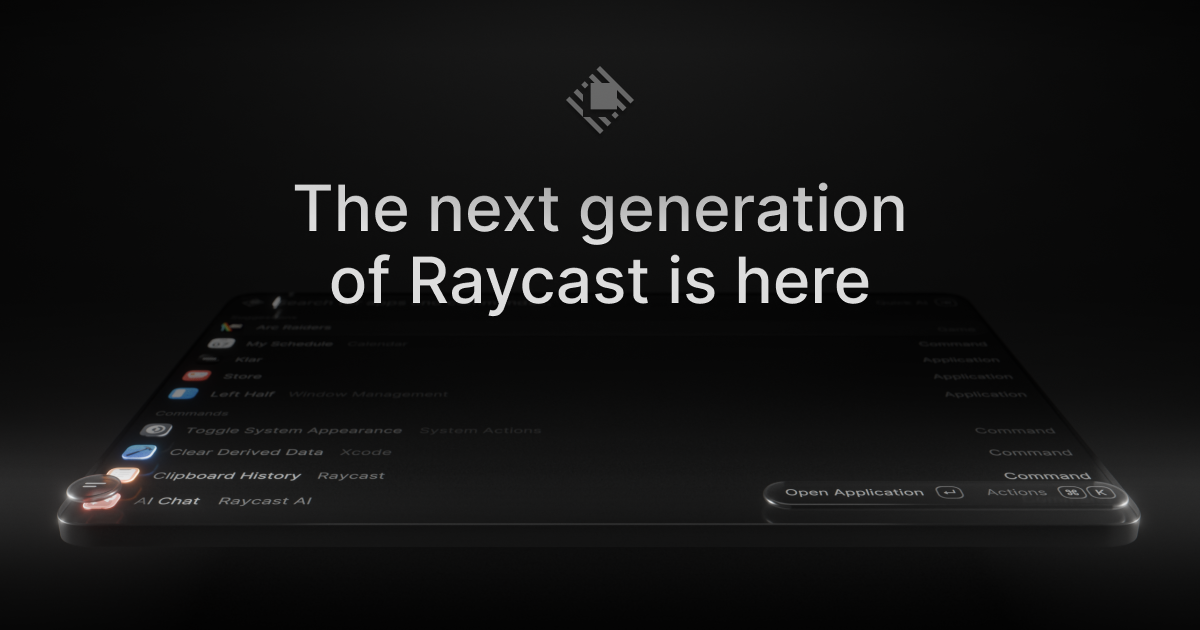
Raycast 2.0 is the next generation of Raycast, the macOS launcher that acts as a single shortcut to everything you do on your Mac. This release is built on a new foundation and redesigned from the inside out, with a refreshed interface that feels right at home on macOS Tahoe. It is made for people who work from the keyboard: it brings AI that can take action across your apps, Automations for recurring tasks, and Projects to keep ongoing work together, alongside the commands and extensions you already use every day. Raycast 2.0 replaces Raycast V1 on installation, and existing users can import their existing setup during onboarding so everything feels familiar. Raycast 2.0 is described as a major update rather than a small point release. On installation, the new Raycast replaces Raycast V1; there are just a handful of missing features, and these will be added soon. The team notes that users should expect frequent updates and occasional rough edges, which signals the product is being shipped and improved continuously. The reason for the rebuild is the scope of what has been added on top of a launcher: an AI experience that can take action across your apps, Automations for recurring tasks, and Projects that keep ongoing work together. Delivering that on top of the original foundation required building a new one, which is why the release is described as redesigned from the inside out and as the launcher, relaunched. The most visible change is the AI experience. Quick AI lives in the same Tab as your existing search, so you do not have to learn a new place to type — it simply brings more power from the surface you already use. AI Chat brings skills, agents, and memory together in one place, so longer-running work can build on what came before instead of starting from zero each time. Raycast 2.0 also brings AI that can take action across your apps, and you can connect your own ChatGPT or Claude account, which means the assistant works alongside the commands and extensions you use every day rather than in a separate tool. Built-in dictation lets you type with your voice, covering the moments when speaking is faster or more practical than using the keyboard. Navigation and search received attention too. File Search now sits in root, described simply as one less step to find your files, while file search itself is faster. Quicklinks and snippets tagging are listed among what is new, and hotkey handling has been improved. Settings have been reorganized so configuration is easier to find, and you can configure inline: hotkeys and aliases can be assigned directly from root search, so a command can be set up the moment you find it. The overall look and feel has been updated to feel right at home on macOS Tahoe, so the launcher matches the operating system it runs on. Beyond the interface, Raycast 2.0 adds two organizing concepts: Automations for recurring tasks and Projects to keep ongoing work together. Automations address the work you repeat — instead of walking through the same steps by hand, the recurring task is handled by Raycast. Projects give ongoing work a home so related items stay together rather than being scattered across your setup. The extension story carries over as well: custom extensions continue to work, and for extensions that do not import automatically you can run npx @raycast/api@latest dev, with the dev command described as clever enough to pick up the new version if it is running. Commands and extensions remain the everyday surface that AI works alongside. Getting started with Raycast 2.0 follows a defined path. You download the build for macOS — version 2.3.1.0 is referenced on the site — and macOS Tahoe and Apple Silicon are required. Raycast v2 is built for macOS Tahoe; if you are still on Sequoia or earlier, you need to upgrade macOS before installing v2. To ensure a seamless onboarding experience, Raycast asks you to install the latest version of Raycast v1, or at least v1.104.16. During onboarding you are prompted to import or migrate your data from Raycast v1. If you skip that step or want to rerun it, you can do it manually with one of two commands: Migrate from Raycast v1, which automatically migrates your data from v1, or Import Settings and Data, a manual import from a .rayconfig file that you must export from Raycast v1. The recommended migration approach also protects your habits. Migrate from Raycast v1 imports settings and migrates all of your shortcuts to Raycast 2.0 while disabling them from working in Raycast v1, which ensures your hotkeys do not conflict. Raycast notes this is the recommended approach because there is some extra data that is not imported with the manual import — this includes Clipboard History, Wrapped and the Emoji picker. The outcome is that you keep a familiar setup while gaining the new capabilities: AI in the same surface as your commands, voice dictation, faster file search, Automations for repeated work, and Projects that keep related work together. Because the update replaces V1 on installation, the transition is a single step rather than running two launchers side by side. Concrete workflows follow the same shape. A developer can keep using Raycast to run commands and custom extensions, and can hand recurring steps to Automations. Someone who works across several apps can use AI that takes action across those apps and connect their own ChatGPT or Claude account so the assistant sits next to the commands and extensions they already use. When files need to be found, File Search in root removes a step and faster file search shortens the wait. When typing is impractical, built-in dictation turns speech into text. Ongoing efforts, rather than one-off tasks, can be grouped into Projects, while quicklinks and snippets tagging cover the links and text that get pasted again and again. Raycast 2.0 is built for macOS users who want a keyboard-first way to work: Product Hunt classifies it under Mac, Productivity and Developer Tools, and the site's own navigation points developers to an API, a manual, a browser extension and a dedicated Developers area. The release requires macOS Tahoe and Apple Silicon and is installed as an app on the Mac. Integrations explicitly mentioned include connecting your own ChatGPT or Claude account and the extension ecosystem, including custom extensions built with the Raycast API and the npx @raycast/api@latest dev command. On the commercial side, the site links to Pro, Teams, Enterprise and Pricing pages, which indicates offerings for both individuals and organizations, although no specific prices are stated on this page. Taken together, Raycast 2.0 is a rethink of an everyday Mac launcher rather than a feature patch. It keeps the launcher at the center — commands, extensions, search and shortcuts — and layers on AI that can take action across your apps, Automations for recurring tasks, Projects for ongoing work, and built-in dictation, all wrapped in an interface redesigned for macOS Tahoe. The goal is stated plainly by the product itself: your shortcut to everything, now with AI put to work alongside the commands and extensions you use every day.
hob is an independent workspace for professional agent work, built for engineering teams that need control. It is aimed at developers who already use agent CLIs such as Claude Code, Codex, or OpenCode as part of real engineering work rather than casual prompting. hob does not provide model access of its own; instead it gives the tools a team already pays for a durable, local-first place to run. Multiple models, terminals, repositories, and parallel agent sessions live inside one workspace, and agents can shape that workspace around each task, coordinate through it, and guide the developer inside it. The stated purpose is to let teams run, review, automate, and recover agent work in the same system, directing more parallel work without piecing together the infrastructure themselves. Agent CLIs are powerful tools, but they were not designed to be a workspace. Running several of them across several repositories turns into a logistics problem: sessions scatter, context is lost when providers change, and returning to work in progress means hunting through terminal windows. Testimonials on the site describe exactly this. One user says they used to run more than six Claude Code instances in a terminal and that coming back to them was a nightmare; another says that with how fast agentic coding changes, staying current used to be a pain. hob answers that gap by separating the model layer from the workspace layer, so the workspace holds parallel sessions, terminals, local history, remote access, and project context across whatever providers a team already pays for. Independence from any single provider is the first pillar of the product. hob works with the inference your team already uses, naming Claude Code, Codex, and OpenCode among the agents it supports. Because subscriptions stay separate from the workspace, switching agent, provider, account, or model is one click, and work no longer lives inside one provider's ecosystem. The workspace runs many models and keeps workflows independent of each other, so a change in one agent does not disturb the others. hob is explicit that it is not a model provider and does not resell tokens: teams bring the agent CLIs, model accounts, API keys, and routing choices they already use, and hob supplies an independent workspace around them. The product describes itself as built from scratch for agent work and always at the frontier of agentic coding, so the work stays consistent and predictable, gets easier, and lets developers do more. Automations are a core part of doing real work in hob. They are used to automate recurring work, such as reviewing and addressing user feedback, and the steps are defined once so that every run does exactly the same thing. That repeatability is the point: a recurring job stops being a manual chore and becomes a defined process that behaves identically each time it runs. Secrets hold the keys an automation needs, and no agent gets them, so no provider does either, meaning credentials stay inside the workspace rather than travelling into a model provider's environment. hob also supports auto-starting anything that needs to stay on while the project is open, so long-running pieces of a workflow come back up with the project. Pull request work happens where the work happens. hob lets you open pull requests, comment on them, and close them, keeping the diff, the conversation, and the change in one place instead of spread across tools. You can run hob pr from an agent, or drive the pull request surface by hand, so the same surface serves automated and manual workflows. Remote issues extend this to the issue tracker: create, comment on, and close issues on GitHub, Gitea, or Forgejo without leaving hob, then hand any of them to an agent to fix. Agent-made issues stay linked to the conversation that produced them, so the reason a change exists does not get lost between the tracker and the agent session. The agent control surface is what makes hob different from a terminal multiplexer. Every agent you run can operate hob itself, not just edit your files, so agents open the files, diffs, and panes you need instead of leaving you to hunt for them. One agent can hand work to another, and both keep running side by side, which supports multi-step jobs where different agents own different parts. An agent can also explain how something works by walking you through the interface, which turns the workspace itself into something an agent can navigate and describe. Together these capabilities make the workspace a shared surface that both the developer and the agents act on, rather than a static container for terminal sessions. Remote access puts the full workspace in a browser and adds a phone companion for steering agents on the move. It drives your actual desktop session rather than a copy of it, so what you see remotely is the same workspace you left. Traffic runs through an encrypted relay and hob never opens a port to the public internet. Worktrees handle isolation on the local side: agents can be given separate worktrees when their tasks need isolation, the main tree stays clean, and parallel edits stay out of each other's way. When the work lands you can keep the branch; when it does not, you throw the worktree away. Together, remote access and worktrees let a developer supervise and separate many concurrent streams of agent work. Privacy is described as a matter of architecture rather than policy. hob runs locally and stores agent conversations in a local database on your device. Regular hob service traffic is limited to read-only checks such as app updates and model-list updates, and agent work travels between you and whatever agent provider you already use, such as Anthropic or OpenAI; hob describes itself as the interface, not the middleman. Pro+'s remote access uses a managed relay at roam.hob.dev, where frames are end-to-end encrypted by hob on top of WebSocket TLS before entering the relay, which forwards encrypted frames only and does not hold the plaintext needed to read workspace or session data. The stated consequence is simple: the hob team cannot read your panes, agent sessions, files, or history. Overall, hob works by taking the infrastructure concerns of agent work and putting them into one local application. You download hob for Linux or request a demo, point it at the agent CLIs, model accounts, and API keys you already use, and the workspace becomes the place where sessions, terminals, history, automations, pull requests, and issues are managed. Agents are not boxed into the workspace passively; they are given the ability to operate it, coordinate with each other, and guide you through it. Because the workspace layer is independent of the provider layer, swapping a model or an account does not require rebuilding a workflow. The same system is used to run work, review it, automate it, and recover it, which is what the product means when it says the tools the job needs are already there. The promised outcomes are control, continuity, and portability. Control comes from keeping subscriptions, provider choices, and credentials separate from the workspace, so a provider change is one click rather than a migration. Continuity comes from local history and persistent workspaces: users describe being able to shut a laptop and return to every workspace exactly where they left it, ready to resume, instead of rebuilding context. Portability comes from the local database, which stays on the machine and remains accessible regardless of subscription status, so if you cancel, your conversations, workspaces, and history remain yours. Reviewability comes from having diffs, conversations, and changes in one place, and recoverability comes from worktrees that can be kept or discarded depending on whether the work landed. Several concrete workflows are described on the site. Teams automate recurring work such as reviewing and addressing user feedback, defining the steps once so each run is identical. Developers open, comment on, and close pull requests from inside hob, or run hob pr from an agent, keeping the diff and its discussion together. Issues on GitHub, Gitea, or Forgejo are created, discussed, and closed inside hob, then handed to an agent to fix while staying linked to the conversation that produced them. Parallel agent work is isolated using worktrees so the main tree stays clean. Developers steer agents from a phone or a browser through encrypted remote access, and can ask an agent to walk them through the interface when they need to understand how something works. The vendor also notes when hob is not worth it: if you only use AI coding tools occasionally or mostly chat with one model in one app, the organizational benefits do not apply. hob's stated audience is developers who already use agent CLIs as part of real engineering work, not casual prompting, specifically people who run Claude Code, Codex, OpenCode, terminals, multiple repos, or parallel agent sessions daily. Integrations mentioned in the content include Claude Code, Codex, and OpenCode for agents; GitHub, Gitea, and Forgejo for remote issues; and the inference providers a team already uses, with Anthropic and OpenAI given as examples of where agent work goes. The Linux build is distributed directly, and a demo can be requested. The content references a plan called Pro+, whose remote access uses the managed relay at roam.hob.dev, and notes that subscription status does not affect access to local data. hob does not include Claude, Codex, or model access and does not resell tokens. In short, hob is an independent, local-first workspace that gathers the tools of professional agent work, models, sessions, automations, pull requests, issues, remote access, and isolation, into one place. It leaves model access and routing with the providers a team already pays for, and keeps the workspace itself under the team's control.
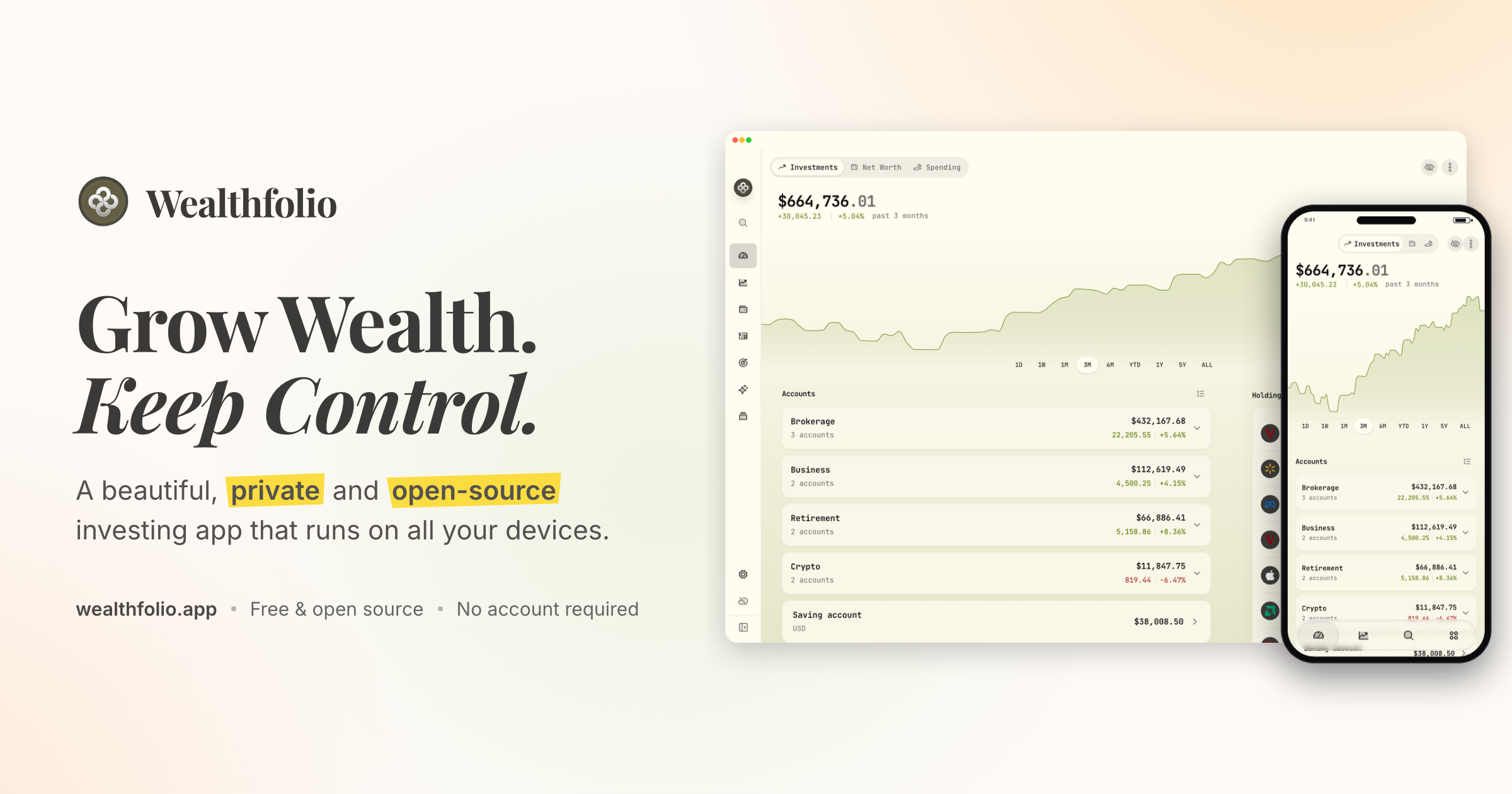
Wealthfolio is a private, open-source investing and personal finance app that runs locally on all your devices. It lets you track holdings, performance, allocation and income across your accounts, follow your net worth, understand your spending, and plan for goals and retirement. The product is aimed at people who want to grow their wealth while keeping control of their financial data, and its core app works without an account or a subscription. Wealthfolio is available on desktop, iPhone and iPad, and can also be self-hosted so you can access it through a web browser on infrastructure you control. The project describes itself as a beautiful, private and open-source investing and personal finance app that runs locally. The problem Wealthfolio addresses is the trade-off many people face between useful financial software and control over sensitive data. Traditional money apps typically require an account and keep financial history in a cloud platform, which means your financial history becomes dependent on another service. Wealthfolio takes the opposite approach: it runs locally, works without an account, and keeps your financial history under your control. The project is also open source, so the code can be inspected, contributed to and run on infrastructure you choose, and users are not forced to create an account or commit to a subscription before they can start. In the investments area, Wealthfolio brings all your brokers and banks into one view. You can track holdings, performance, allocation and income across your accounts, and import CSV statements from anywhere, which means data from a brokerage or bank that is not automatically supported can still be brought into the app. Portfolio Insights help you understand your asset allocation, sector exposure and geographic distribution, so you can see how your money is spread rather than just what it is worth. A Performance Dashboard lets you compare accounts and benchmark against the S&P 500 or any ETF. Allocation Targets & Rebalance let you set target weights, see your drift and get a clear rebalance plan, while Income Tracking follows dividends and interest income across your entire portfolio. Net Worth Tracking pulls all your assets and liabilities together so you can see your complete financial picture over time, rather than looking at individual accounts in isolation. The Spending & Budgets area tracks cash flow, auto-categorizes transactions and helps you build budgets that fit you. Together these tools let you follow both sides of your finances: what you own and what you owe, and where your money is going month to month. Planning tools cover both long-term retirement and shorter-term goals. The Retirement & FIRE Planner provides a year-by-year simulation with a Monte Carlo Risk Lab and a dedicated FIRE mode, so you can model how a plan might evolve under different conditions rather than relying on a single projection. The Goals & Save-Up Planner projects savings to a target with a milestone glide path and an on-track status, which makes it easier to see whether you are moving toward a specific purchase or savings milestone. Contribution Limits help you stay on top of IRA, 401(k) and TFSA contribution room, so you do not lose track of how much you have already contributed or how much room remains. Architecturally, Wealthfolio keeps a local database on your device where accounts, transactions and history are stored. You can install it directly as a standalone application, or self-host it with a Docker deployment and access it through a browser. Wealthfolio Connect is not a third way to run the app; it is an optional paid service that adds automation and synchronization on top of a standalone or self-hosted setup. Connect automatically imports from your brokerages through aggregators such as SnapTrade and keeps your Wealthfolio database in sync across devices. The core app remains fully usable on its own, with manual accounts and transactions, CSV imports and local data ownership. The main benefit is keeping your financial life under your control. Because the app runs locally and works without an account, your financial history stays on your devices instead of becoming dependent on another cloud platform. Because it is open source, you can inspect the implementation, follow development, contribute through GitHub, or run the software on infrastructure you control. Flexibility is another outcome: you can start free with manual tracking and add automation only when manually maintaining your financial data no longer makes sense. Typical use cases include importing CSV statements from a broker or bank to consolidate holdings in one view; tracking net worth across assets and liabilities over time; tracking cash flow and building budgets with automatically categorized transactions; comparing accounts and benchmarking returns against the S&P 500 or an ETF; setting target allocation weights and following a rebalance plan; and projecting retirement or FIRE scenarios year by year. Users who want everything in one always-available place can self-host with Docker and reach Wealthfolio from a browser, and households that want shared finances can use Connect's household sharing. Wealthfolio is available as a standalone install for macOS, Windows, Linux, iPhone and iPad, and as a self-hosted instance reachable through a web browser. The Wealthfolio app is free and open source and does not require an account, while Wealthfolio Connect is an optional subscription for automatic brokerage imports, encrypted device sync, household sharing, background updates and connection management. The project can be extended through add-ons such as the Investment Fees Tracker, Goal Progress Tracker and Stock Trading Tracker, and through custom price feeds for assets and markets not covered by the default providers. Supported AI and agent integrations are available through an MCP server, and an AI Assistant lets you ask questions about your portfolio. In short, Wealthfolio combines investment tracking, net worth tracking, spending and budgeting, and retirement and goal planning in one app that stores your data locally. It is free and open source by default, works without an account, and can be extended with automation through the optional Connect service. For anyone who wants a complete picture of their finances without handing their financial history to another cloud platform, Wealthfolio's primary value proposition is simple: grow wealth, keep control.
Viso Now is a self-building AI vision platform that turns images, video, and camera feeds into working computer vision applications. Instead of training models, annotating data, or writing code, users describe in plain language what they want to understand, and Viso Now builds the agentic vision logic and custom live dashboards for them. The platform is aimed at teams and individuals who need to solve real-world visual problems across industries such as construction, manufacturing, logistics, healthcare, food and beverage, oil and gas, hospitality, and transport, and who want to create, run, and manage entire computer vision products and systems from scratch on one platform. Traditional computer vision projects depend on model training, data annotation, and custom software engineering. That work is slow, expensive, and hard to maintain, and it often results in isolated, single-purpose solutions that address one use case at a time. The website states this directly: not all computer vision is equal, and isolated solutions are no longer enough. Viso's stated answer is a platform that drives business capabilities rather than leasing a single outcome that solves a single use case, offering flexibility, extensibility, and complete control of data across multiple locations. Because prompt-driven building removes labeling and model maintenance, the platform reports 90% less ML engineering effort compared with conventional approaches, along with an 85% reduction in the time-to-value of computer vision applications. At the center of Viso Now is prompt-based application building. A user describes the real-world situation they want AI to solve in plain language, and watches as Viso builds the application with them in real time. No model training and no annotation are needed. Each build produces agentic vision logic together with a custom live dashboard, so the result is not simply a detection model but an application that can be monitored and operated. The product page describes prompt-to-live-vision-agent in minutes and Visual General Intelligence for any use case, meaning the same engine is applied regardless of the industry or the problem being addressed, and applications connect seamlessly to other systems. Viso Now accepts multiple kinds of visual input. Users can click to upload or drag video files in MP4, MOV, or MKV, and images in PNG or JPG, or they can capture media directly using a device camera by taking a photo or recording video. When building, users choose how much effort the system applies by selecting between Fast, Balanced, and In-Depth modes. They can also start from a template or an example instead of a blank prompt. Once a draft application exists, users iterate on it until they are happy with the finished solution, and then go live by connecting cameras or uploading connectors so the application can be used immediately. The platform provides a template gallery of ready-made vision applications that illustrate what can be built. Templates include Task-Aware PPE Check, Excavator Near-Miss Monitor, Hot Work Safety Check, Work-at-Height Safety Check, MEWP Fall Protection Check, Clinical PPE Protocol Check, GMP Hygiene Check, Loading Dock Exclusion Zone, Dock Turnaround Intelligence, Front Desk Wait Tracking, Check-in Queue Orchestrator, Restricted Site Vehicle Alert, Hazardous Area PPE Check, Pipeline Integrity Scout, Visible Release Detection, Robot Cell Intrusion Detection, Production Area Access Check, 5S Shop Floor Audit, Emergency Exit Clearance, Reversing Vehicle Danger Zone, HSE Workplace Audit, Commercial Vehicle Safety Screening, Dump Zone Safety Inspector, Abandoned Luggage Response, Handling Risk Assessment, and Service Queue Pressure Analysis. Each template describes the assessment it performs — for example assessing truck handling performance at loading bays, or tracking whether a warehouse is safe, clear, and compliant for operation. Viso handles the end-to-end infrastructure behind these applications, from compute and visual analysis to governance, authentication, and integrations, so teams do not have to assemble and maintain that stack themselves. The offering is organized as two products on one platform. Viso Now is the free entry point with no credit card required; it is free forever, users can invite their team, and sign-up works with Google, Microsoft, or an email address. Viso Suite is the enterprise product for running vision intelligence at the scale of an operation: 10,000+ cameras across hundreds of sites, a full lifecycle of build, deploy, govern, and scale, edge AI with on-premises or cloud support, and compliance with SOC 2, ISO 27001, GDPR, and CCPA. Overall, Viso Now follows a describe, build, refine, and operate workflow. A user uploads or captures media and describes the situation they want the AI to solve. The system then generates agentic vision logic and a live dashboard in real time, so the application is visible and testable while it is being created. The user iterates until the solution matches the requirement. Going live is a matter of connecting cameras or uploading connectors, at which point the application runs continuously. Because Viso manages compute, visual analysis, governance, authentication, and integrations, the same platform supports building, running, and managing complete computer vision systems, and the enterprise tier extends that approach to governed applications and agentic workflows across many sites. Viso states a number of outcomes for users. Visual data can be understood ten times faster, to drive efficiency, automation, and innovation. The company reports an 85% reduction in time-to-value of computer vision applications and a 90% reduction in ML engineering effort, since there is no labeling and no model maintenance. A customer story describes a global manufacturer that replaced four point solutions with one Viso deployment and saw near-miss incidents fall 54% within 90 days, with the safety team spending zero hours rebuilding models. The platform is described as giving 24/7 eyes on every camera that never blink and never tire, and as running AI vision ten times faster than other methods. PwC is quoted saying that building computer vision applications with Viso Suite allows them to deliver business value faster and easier, while Stadt Schaffhausen notes that Viso Suite let them integrate existing camera and software systems across platforms while meeting strict privacy requirements. The applications listed on the site show the practical range of use cases. In construction, templates cover PPE compliance, near-miss monitoring around excavators and plant, hot work safety, work-at-height checks, and MEWP fall protection. In manufacturing, they cover robot cell intrusion detection, production area access checks, 5S shop floor audits, emergency exit clearance, and handling risk assessment for lifting tasks. In logistics and warehousing, they cover loading dock exclusion zones, dock turnaround intelligence, and warehouse HSE audits. In healthcare, they cover clinical PPE protocol checks and service queue pressure analysis; in food and beverage, GMP hygiene checks and foreign object detection; in oil and gas, hazardous area PPE checks, restricted site vehicle alerts, pipeline integrity scouting, and visible release detection; and in hospitality and transport, front desk wait tracking, check-in queue orchestration, airport baggage detection, and abandoned luggage response. Customer stories reference worksite safety for a rail group, safety and compliance oversight for a global food retailer, PPE detection for a leading oil company, and crowd safety at a major annual event. Viso Now is designed for people who need vision AI but do not want to run a machine learning program — operators, safety and compliance teams, and builders who want to turn an idea into a working vision agent quickly. The free tier requires no credit card and allows inviting a team. Enterprise customers move to Viso Suite for camera fleets at scale, governed applications, edge, on-premises or cloud deployment, and formal compliance certifications. Access is through the web, with sign-in via Google, Microsoft, or email. The company reports that its platform covers 136+ applications tuned for every industry, all running on the same Visual General Intelligence engine, and states that it is trusted by Fortune 500 organizations, with customer logos including Enpro, Vinci, CPI, Intel, Rhomberg, and Datwyler. Viso Now's core promise is that if you can describe it, you can build it. By removing model training, annotation, and coding from the computer vision workflow, and by generating agentic vision logic and live dashboards from a plain-language prompt, the platform lets teams go from an idea to a running vision agent in minutes and then scale the same approach across many cameras and sites with Viso Suite. The result is faster time-to-value, far less ML engineering effort, and continuous, tireless monitoring of the physical world — detecting, inspecting, alerting, and understanding — without assembling a large specialist team.
Typewise Nova is an AI customer experience platform that businesses use to run AI agents resolving customer service requests end to end across email, chat, WhatsApp and social. Nova, described as the AI Operator, builds and improves an AI customer experience team without a developer. Agents resolve whole requests — from orders and refunds to plan changes — across email, chat and WhatsApp, while the team stays in control. It is built for modern customer teams, from small and mid-size businesses just getting started to enterprises running support at scale, and it helps them boost customer satisfaction and reduce costs with next-gen AI they can trust. Traditional CX platforms and chatbots are measured on deflection rather than resolution, and running them typically requires an IT or dev team, with total cost described as $$$. Typewise positions itself differently: it is a resolution engine, not another chatbot, and it is measured on resolution. Rather than deflecting a customer, it completes the whole request — looking up the order, applying your policy, closing the ticket — and hands anything needing judgment to a person with full context. Typewise began in 2019 as a consumer keyboard app; that chapter closed in 2022 when the company joined Y Combinator and moved to business software. Today it is solely an AI customer experience platform for businesses. At the center of the platform is Nova, the AI operator that sets everything up. You describe in plain language how customers should be handled and connect your tools, and Nova builds the agents, tests them on past tickets and shows you what failed before anything goes live. There are no flowcharts, no code and no waiting on IT. Nova runs on conversation: asking 'Nova, create a specialist for billing & payments' produces a drafted Billing & Payments specialist that reads Stripe and your order system, with refunds over €100 kept human-approved. 'Nova, update the returns policy from this doc' recognizes that the return window goes from 14 to 30 days and that opened items are now eligible, and can update the specialist and the help-center article. 'Nova, connect WhatsApp as a support channel' prepares to connect WhatsApp Business with the same rules as email and chat, running a test message first. 'Nova, why did refund tickets spike this week?' reports that refunds are up 38%, mostly citing 'wrong size' after Tuesday's size-chart update, and offers to draft a reply macro. The workspace brings AI agents and human agents together in one place. A supervisor routes each request to the right specialist, works across your systems, brings in a person when it matters, and picks the ticket back up. The ticket view displays fields including Ticket #, Title, Customer, Channel, Priority, Status, CX score and Assigned to, with statuses such as 'AI resolving', 'AI asking an agent' and 'Done'. This lets teams see at a glance which requests are being handled autonomously and which have been handed to a person, while keeping every conversation visible in a single queue. Typewise meets customers where they already are. Support can start on Chat, Email, WhatsApp, Social, Voice, ChatGPT, Claude or In-App, and customers can start anywhere, switch channels freely, and keep context end to end. Channels are not isolated, so a conversation can move between them without the customer repeating the request. The platform also handles any language in and out, so a request that arrives in one language can be understood and answered in another without changing how the customer gets in touch. The platform's approach is summarized in three steps. It resolves: looks up the order, applies your policy and closes the ticket. You decide: your rules apply, every action is logged, and you can pause anytime. It learns: quality is watched, fixes are proposed, and nothing ships untested. Nova is the AI operator behind this — describe what you want in plain language, and Nova builds it, tests it, and takes it live in about 15 minutes. Unlike a traditional chatbot rollout, setup is conversational rather than technical, and the system keeps improving after launch by monitoring quality and proposing fixes 24/7 for approval. Real teams report measurable outcomes. Beurer achieved a 90% resolution rate on autonomous cases, with its Head of Service Team noting that changing the AI instructions directly changes how the AI Agents behave. Lehner Versand saw 95% of chat requests resolved by AI, with its Head of Customer Service saying every request now comes together in one place while people stay involved where experience and approval are decisive. HealGreen reports 70% of inquiries handled by AI across channels, with its CEO describing connecting systems directly with Typewise as a game-changer and Nova as making onboarding incredibly fast. Across the platform, Typewise cites 10M+ tickets resolved, 3,500+ integrations and a rating from G2 users. Because unresolved requests are free, the model rewards actual resolution rather than volume. Concrete workflows on the platform include resolving refund and returns requests by looking up the order and applying policy, handling order tracking help, and processing plan changes end to end. Teams also use Nova to create dedicated specialists, such as one for billing and payments that reads Stripe and the order system, or to update policies and help-center articles from a document. Support leaders can investigate trends, such as a spike in refund tickets, and have Nova propose a reply macro for affected customers. Connecting a new channel like WhatsApp Business is another workflow, where Nova applies the same rules as email and chat and runs a test message first. Typewise serves two broad groups. Small and mid-size businesses can go live in 15 minutes with easy conversational setup, getting better every week as it learns the business, with no developer needed. Enterprises get ISO 27001, GDPR and EU AI Act compliance, approvals and clean human hand-off they control, guided onboarding, a dedicated support team, and connections to their stack through 3,500+ integrations spanning CRM, ERP and ITSM, as well as help desks, inboxes, commerce and internal systems. Nothing has to be migrated to get started. Pricing is success based: a monthly plan plus a per-resolution rate that drops as volume grows, where a fully resolved request counts once, a partial hand-off counts half, and unresolved requests are free. You can start free with a batch of free resolutions and no credit card, connect your own inbox, and see performance on real tickets before paying. EU data residency is available. Typewise Nova's core promise is end-to-end resolution without losing control. It replaces deflection-focused chatbots with a resolution engine that completes real requests across channels and languages, is built and improved by an AI operator in plain language, tests itself before going live, and keeps humans in the loop through logged actions, approvals and one-click pause. For customer teams that want to boost satisfaction and reduce costs with AI they can trust, Nova offers a fast, self-improving path to first-class customer experience with zero busywork.
Gsheet CRM turns the Google Sheet you already keep your customers in into a working CRM. Rather than asking you to migrate your rows into a brand-new database, it connects to a single spreadsheet and layers a leads board, follow-ups, reports, team roles, linked lists, small automations, and quotes on top of it. The product is built for businesses that run on a spreadsheet, and it is designed so that nothing has to be migrated, imported, or learned twice. Its core promise is simple: your sheet stays the database, in your Drive, and the CRM behaviour happens around it. The problem it addresses is familiar to any small team that has outgrown a plain spreadsheet but does not want the disruption of a traditional CRM. Most CRMs ask you to hand over your customer list and move your data into their system, which means import wizards, field mapping homework, a sales call, and a second place to maintain the same information. Teams then either abandon the spreadsheet they were comfortable with, or they keep it and end up with two sources of truth. Gsheet CRM is built the other way round. It keeps the rows, notes, and numbers in your own spreadsheet and adds the structure a CRM normally provides — stages, reminders, reporting, permissions, and automation — directly against that same sheet. The first feature group is the leads board. Gsheet CRM puts a board on your own sheet, letting you drag customers between stages such as New, Contacted, and Won. Every change lands straight in your spreadsheet — same rows, same columns, no copy anywhere. Nothing is duplicated or synchronised into a separate store; when you open the sheet you see exactly the same data you see on the board, because it is the data. The site illustrates this with a real estate example, showing named leads alongside their requirements, locations, and status, so a team can see at a glance who is new, who has been visited, and who has booked. Follow-ups are the second group. You can put a reminder on any customer, and overdue, today, and this week items are all shown in one place. Nobody gets forgotten because a row scrolled out of view. The reminders run inside your sheet, so they fire even with the app closed — the follow-up still surfaces when it is due rather than waiting for someone to open a separate tool. For sales work, where the cost of a missed callback is a lost deal, this keeps the pipeline moving without relying on memory or on someone scanning thousands of rows. Reporting is the third group, and it requires no formulas. Funnel, what's stuck, wins by month, and who's handling what are all computed live from your sheet every time you open them. There is nothing to build and nothing to break: no pivot tables to refresh, no dashboard that quietly goes stale because someone added a column. Because the reports read the sheet as it stands, the view a manager opens is always current. The team features add boundaries to a shared spreadsheet. You can invite your people with roles and teams, and decide whether each person sees everyone's leads, their team's leads, or only their own — while managers always see it all. That means a spreadsheet can be shared with a sales floor without every rep reading every other rep's rows, and without maintaining a separate permissions system. Linked lists are the related capability: keep properties, courses, or packages in their own tabs and link them to leads, so viewings and payments roll up onto the customer's card by themselves. Small automations round out the feature set. When a lead is created or changes stage, Gsheet CRM can set a follow-up, add a note, or hand the lead to whoever has the fewest open leads. These are rules you write in one sentence, which keeps configuration approachable for teams that do not have an operations engineer. The Product Hunt listing also notes that quotes can be produced from your own Google Doc templates, so proposals reuse documents the business already has rather than a bespoke template editor. For teams selling on WhatsApp, the product plugs straight in. Gsheet CRM also runs inside Libromi Team Inbox: your team sees each customer's card beside the conversation, and new WhatsApp leads land on this same board. The result is one sheet serving both places — the spreadsheets stays the source of truth while the chat conversation sits next to the matching row. Getting started is deliberately short. There are no import wizards, no field mapping homework, and no sales call. You sign in with Google in one tap, and the app asks to see your email only — nothing in your Drive yet. You then pick your business from a dozen ready-made setups, and Gsheet CRM creates a working sheet in your own Drive with stages, dropdowns, and an example lead already in place. From there you work the board: add leads, drag cards, set follow-ups, and open the spreadsheet any time, because it is the same data. The site summarises this as working in three minutes. If you already have a sheet full of customers, you can start from a ready-made setup and paste your rows in, with ids and formatting handled for you. The benefits centre on control and continuity. Your customer list lives in your sheet: rows, notes, and numbers stay in your spreadsheet, while the servers keep the wiring — which columns mean what, when follow-ups are due — not your customers. Gsheet CRM uses Google's narrowest Drive permission, so it can only open the single spreadsheet you connect and never the rest of your Drive. And you can leave whenever you like: disconnect the app and every row stays exactly where it always was, in a Google Sheet you own, that works without the product. Use cases follow the industries the site lists as running on a spreadsheet: real estate agencies tracking viewings and bookings, travel agencies, clinics, education providers, recruitment firms, insurance agents, car dealers, fitness studios, salons, trading and wholesale businesses, cash-on-delivery e-commerce sellers, and consultancies. In each case the workflow is the same shape — leads arrive in rows, they move through stages on the board, follow-ups keep them from being forgotten, linked tabs roll up related records, and reports show what is stuck and what has been won. On pricing, there are two plans, both billed monthly or yearly, and the board, follow-ups, reports, and automations are included in both. Startup is aimed at a small team getting its sheet under control and includes 5 team members, 5,000 leads, and 1 linked table. Growth is for teams with more people and a lot more leads and includes 25 team members, 50,000 leads, 5 linked tables, plus API access and webhooks. Both are listed at 50% off for the first 999 customers, a limited-time launch deal where the price you join at stays yours for life; a free trial is included and no card is needed to start. Overall, Gsheet CRM is best understood as CRM behaviour layered onto a spreadsheet you already own. It keeps the database where it is, adds the board, reminders, reports, permissions, linked records, automations, and WhatsApp connection a growing team needs, and leaves every row in a Google Sheet that continues to work without it.
Type is a shared workspace where your entire team can collaborate with Claude and Codex using the subscriptions you already pay for. Its own description frames it as a place where your team's best AI work compounds: it puts skills, files, and threads in one place your whole team can see, so AI output is no longer trapped inside a single person's chat window. Type is designed for the entire team, and the company says it is built to help operations and go-to-market teams get the most out of AI. Users can connect their tools once, then use any model, and build custom apps and automations on top of a company brain that gets smarter as they work. Most day-to-day AI work starts and ends inside a single person's conversation with a single model. Type describes its purpose as sharing work from individual Claude or ChatGPT conversations into a central, collaborative space. That matters because the best prompts, files, skills and context a team discovers are usually invisible to everyone else, and every new teammate has to start from scratch. Type also addresses the risk of being locked into one model provider: it says you should own your data and rent the best intelligence, letting teams connect their Claude or connect their Codex and switch between models as needed. A third stated goal is simply helping an entire team get great at using AI. Type labels its core capability multiplayer AI. Team members can share work from individual Claude or ChatGPT conversations into a central, collaborative space, and then collaborate together on chats, docs, and apps. The workspace also provides secure sharing of access to integrations, so the tools a team relies on can be used by others without exposing credentials publicly. On top of that, teams build what Type calls a shared company brain: context, memory, and skills that constantly self-improve. Every thread, file, and skill becomes part of a common resource that the whole team draws on, and the workspace includes thread actions such as sharing a thread, replying to a thread, and creating in a companion workspace. Type emphasizes that it works where you already work. Teams can use Type from Slack, email, or wherever their team already communicates. You can tag Type in any channel, email, or meeting, so asking the workspace for something does not require opening a separate tool. Everything then syncs to Type's dedicated desktop and mobile apps, keeping the same workspace and threads available across devices. Type also works 24/7 in shared cloud computers, which means agents can keep running even when individual team members are offline. The website illustrates this with a Slack thread in the #brand-creative channel where a team member tags a Creative agent to respond to a request for brand assets. Under the heading "Easy to use, powerful underneath," Type describes three behaviors. First, Type proactively finds, suggests, and does work rather than waiting for a precise prompt. Second, it is not just chat: teams can build custom dashboards, apps, and automations that are tailored to their own business. Third, every answer is grounded in the company's context, so ads, images, landing pages and analytics questions reflect what the business actually knows. A demo shows this in action: a user asks Type to combine the last 30 days of customer feedback from Zendesk, Slack, and Intercom into one dashboard, and Type connects all three sources, deduplicates repeated conversations, groups 1,284 feedback items by theme and sentiment, then builds a focused app with a daily refresh and ranked emerging themes. Type makes it easy to switch between models so teams do not get locked into one model provider: the site states that you own your data and rent the best intelligence, and offers connect-your-Claude and connect-your-Codex actions. Behind the scenes, Type is described as one integration gateway with enterprise-grade security. Integrations can be connected via OAuth, MCP, or API, and administrators can define granular permissions by user, space, and role. The permission model is visible in questions such as who can use a Creative Space, whether it is specific people or all of a company, and whether an API connection is private to one person or usable by everyone in the organization. Type points users to a catalog of 900+ integrations to explore. The stated outcome of using Type is that a team's best AI work compounds instead of disappearing. Because context, memory, and skills live in one shared place and constantly self-improve, the workspace gets smarter as the team works. Best practices are built in, which the company frames as a way to help the entire team get great at using AI rather than leaving individuals to figure it out alone. Security is handled at the gateway level with granular permissions, and Type notes that it is trusted by teams at companies including True Classic, Raycon, Intelligems, BoostCous, Moovs, Agree.com, Vitaly Design, Cloud Campaign, Thigh Society, and InBuild. Type's own demos show concrete workflows. In one, a marketing team member asks Type to start a new product announcement email in Customer.io by duplicating the August email and updating the content based on the latest releases to Shopify. In another, a colleague in Slack's #brand-creative channel asks whether creative assets exist for an upcoming photoshoot with a brand agency; when the answer is no, the Creative agent produces four brand-image examples based on recent creative and brand guidelines. A support example combines Zendesk, Slack, and Intercom feedback into a feedback pulse dashboard with sentiment, emerging themes and daily refresh. Other activities listed on the site include competitor research, generating ad creative for October's campaigns, brand voice content review, campaign artwork, social media campaign strategy, and launch video work, using integrations such as Firecrawl, Higgsfield, Remotion, Imagen 2, Microsoft PowerPoint, Word and Excel, and LinkedIn, TikTok and Instagram. Type is designed for the entire team, with a particular emphasis on operations and go-to-market teams such as marketing and support. It is used from Slack, email, and meetings, and it syncs to dedicated desktop and mobile apps, so it fits teams that already communicate in those channels and want an agent in the room. Integration coverage is broad: Type advertises 900+ integrations and connection via OAuth, MCP, or API, with permissions scoped by user, space, and role. People can start by getting started for free from the website, and demo walkthroughs are available for those who want to see the workspace in action. Type's core promise is straightforward: instead of isolated AI conversations scattered across individuals, tools and models, Type gives a team one shared workspace for Claude, Codex and each other. Skills, files, threads, integrations and a self-improving company brain live in one place, reachable from Slack, email, meetings and dedicated apps. That is what makes the best AI work compound across a company.