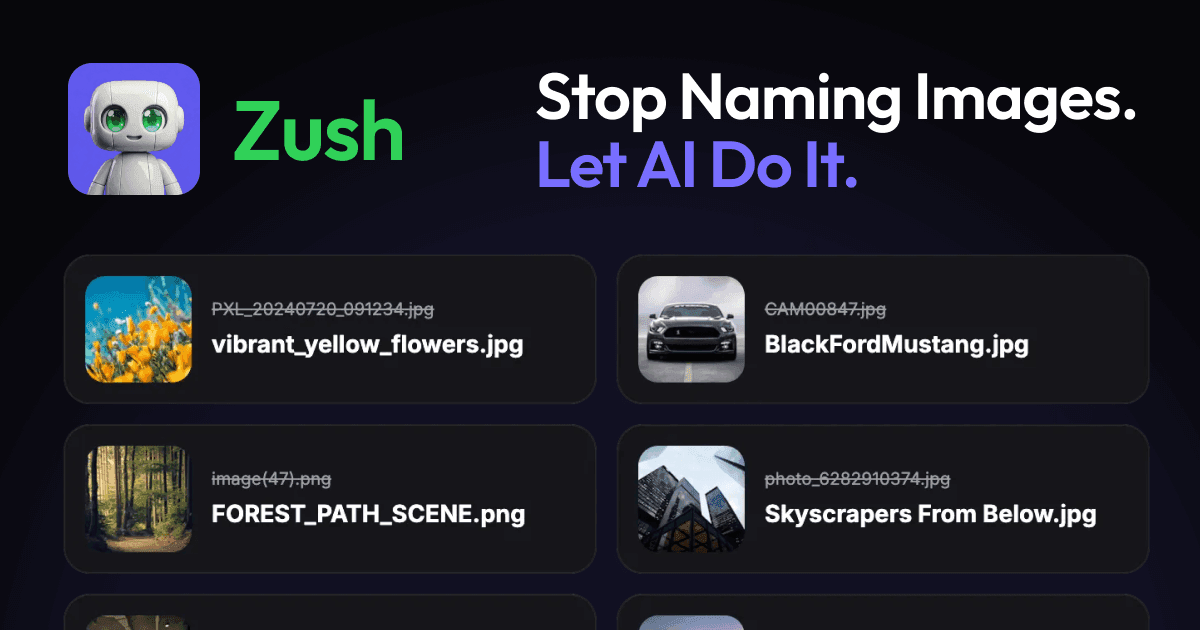
Zush is a desktop AI file renamer designed for both Mac and Windows that automatically renames files by analyzing their actual content rather than relying on generic filenames. This tool is targeted at professionals and individuals who handle large volumes of files—screenshots, PDFs, photos, audio, videos, design files, iWork, and Office documents—and need a way to organize them without manual effort. Its core value proposition is eliminating the tedious task of renaming files one by one. By leveraging artificial intelligence, Zush examines the contents of each file and generates descriptive, meaningful filenames that reflect what the file actually contains. This not only saves time but also makes files instantly searchable through natural language queries. The product supports over 100 file formats and offers 60+ languages for filename generation, making it adaptable to diverse workflows. With a free tier offering 50 AI renames and no credit card required, users can test its capabilities before committing.
The fundamental problem Zush addresses is the chaos caused by uninformative filenames. When cameras, scanners, or downloads churn out files named "DSCF1234.jpg," "invoice.pdf," or "scan_001.pdf," locating specific documents later becomes a frustrating guessing game. Users must open each file to understand its content, wasting valuable time and reducing productivity. This pain point is especially acute for professionals who accumulate thousands of files—photographers, accountants, legal teams, and video editors. Manual renaming is not only slow but error-prone, leading to inconsistent naming conventions that hinder collaboration. Zush solves this by automatically generating filenames that incorporate dates, key terms, and contextual information extracted from the file's content. For example, a photo of Kyoto rain becomes "2019-03-15_Kyoto_rain.jpg" and an invoice becomes "2026-05-12_Acme_contract_review_invoice.pdf." This transformation turns a chaotic folder into a well-organized archive where files are easily identifiable and searchable.
Zush's batch rename capability with smart analysis is its flagship feature, enabling users to rename dozens or hundreds of files in a single operation. Unlike basic renaming tools that apply the same pattern to all files, Zush analyzes each file type individually using AI tailored to its content. For images, it can extract visual elements; for PDFs, it reads text; for audio files, it identifies spoken content or metadata; and for videos, it examines on-screen elements. This per-file intelligence means that a mixed folder containing photos, invoices, and audio recordings will receive distinct, appropriate filenames rather than a one-size-fits-all label. The process is straightforward: users select files or folders, choose a naming template or let AI decide independently, and then preview the proposed names before applying changes. This preview step gives users control to approve or tweak each name, ensuring accuracy while still handling bulk operations efficiently. The result is a coherent, searchable file system without manual overhead.
admin
The watch folders feature automates file renaming for ongoing workflows by monitoring designated directories for new files. Once a folder is set up, Zush runs in the background and processes any new file automatically, renaming it according to predefined rules or AI analysis. This is particularly useful for recurring tasks like scanning documents, receiving invoices via email, or capturing screenshots. Additionally, Zush can automatically apply Finder tags and enrich Spotlight metadata, making files discoverable through natural language queries on the platform. For example, a user can search for "2026 invoice from Acme" and find the relevant PDF instantly, even if the filename itself is not perfectly descriptive. The combination of automatic renaming and metadata enhancement creates a robust organization system that requires minimal ongoing effort. Users can also set rename, tagging, and metadata rules to ensure the AI output aligns with their specific style and workflow, providing consistency across teams and projects.
Zush offers over 145 Naming Blocks that allow users to construct filenames from a rich set of data sources. These blocks include dates (in various formats), file metadata, audio details (artist, album, duration), finance fields (currency, amounts), client names, travel identifiers, legal references, and even AI-detected context from the file's content. Users can mix and match these blocks to create naming templates tailored to different file types or projects. For instance, a photography template might use the EXIF date and a user-provided keyword, while an invoice template could combine the date, client name, and a document type label. These templates can be saved and reused, ensuring consistency across batches. Beyond local templates, Zush supports connecting to cloud AI providers like Gemini, Groq, OpenAI, or Claude for unlimited renames (using the user's own API key, with keys stored securely on the local machine). For privacy-sensitive work, private local models via Ollama enable offline processing without sending any file content to external servers.
Zush's workflow is designed to be intuitive yet powerful. Users begin by either dragging files or folders into the app, or by setting up one or more watched folders for automatic processing. Next, they select a naming template or instruct Zush to analyze each file's content using AI. The app then processes each file, generating a proposed new filename based on the chosen rules and the actual content of the file. A preview screen displays the original filenames alongside the suggested new names, allowing users to review and make adjustments before finalizing. Once approved, the rename is applied instantly, and if a mistake is made, one-click rollback restores the original filenames. The entire process can be repeated with different templates or AI settings. Zush also maintains a history of all changes, providing an audit trail. For users who prefer local AI, Ollama integration allows complete offline operation, ensuring data never leaves the machine. This flexible approach accommodates both cloud-savvy and privacy-conscious users.
Real-world scenarios demonstrate Zush's impact across various professions. In accounting, invoices often arrive with names like "invoice.pdf" or "scan_004.pdf." By dropping a billing folder into Zush, accountants can transform these into descriptive filenames such as "2026-05-12_Acme_contract_review_invoice.pdf," making it trivial to locate specific documents later. In healthcare, researchers dealing with de-identified medical notes can use Zush with its offline AI to name scans by visit date and a short diagnosis phrase, cutting down on repetitive typing while maintaining privacy. Photographers benefit from Zush's ability to read EXIF data and add plain-text keywords, converting "DSCF0001.jpg" into "2019-03-15_Kyoto_rain.jpg," which makes searching years of photos feasible without remembering folder names. Video editors handling B-roll footage find that Zush names clips by on-screen content and date, reducing the time spent previewing dozens of videos to find a single shot. These outcomes translate directly into saved hours each week and a more organized digital workspace.
Zush is built for professionals and power users who manage large quantities of files on a daily basis. Primary target audiences include photographers, videographers, graphic designers, accountants, lawyers, medical professionals, administrative assistants, and anyone dealing with scanned documents or downloads. The software runs on both Mac and Windows, with the macOS version supporting Sequoia and later. Pricing is straightforward: a free tier gives 50 AI renames with no signup or credit card required. For unlimited use, users can choose between a subscription at $8 per month (cancel anytime, no long-term commitment) or a one-time payment of $38 that includes all future updates and pays for itself in roughly five months. A 14-day money-back guarantee covers both paid plans, and payments are processed securely via Paddle. In summary, Zush eliminates the drudgery of manual file renaming by combining AI content analysis with flexible naming blocks, making it an indispensable tool for anyone who values an organized, searchable file system.
Zush is designed for photographers, videographers, graphic designers, accountants, lawyers, medical professionals, administrative assistants, and any professional who regularly handles large volumes of digital files such as screenshots, PDFs, photos, audio recordings, videos, design files, and Office documents. It is also ideal for teams that need consistent file naming conventions across shared projects, as well as individuals who value a well-organized digital workspace and want to save time otherwise spent manually renaming files.