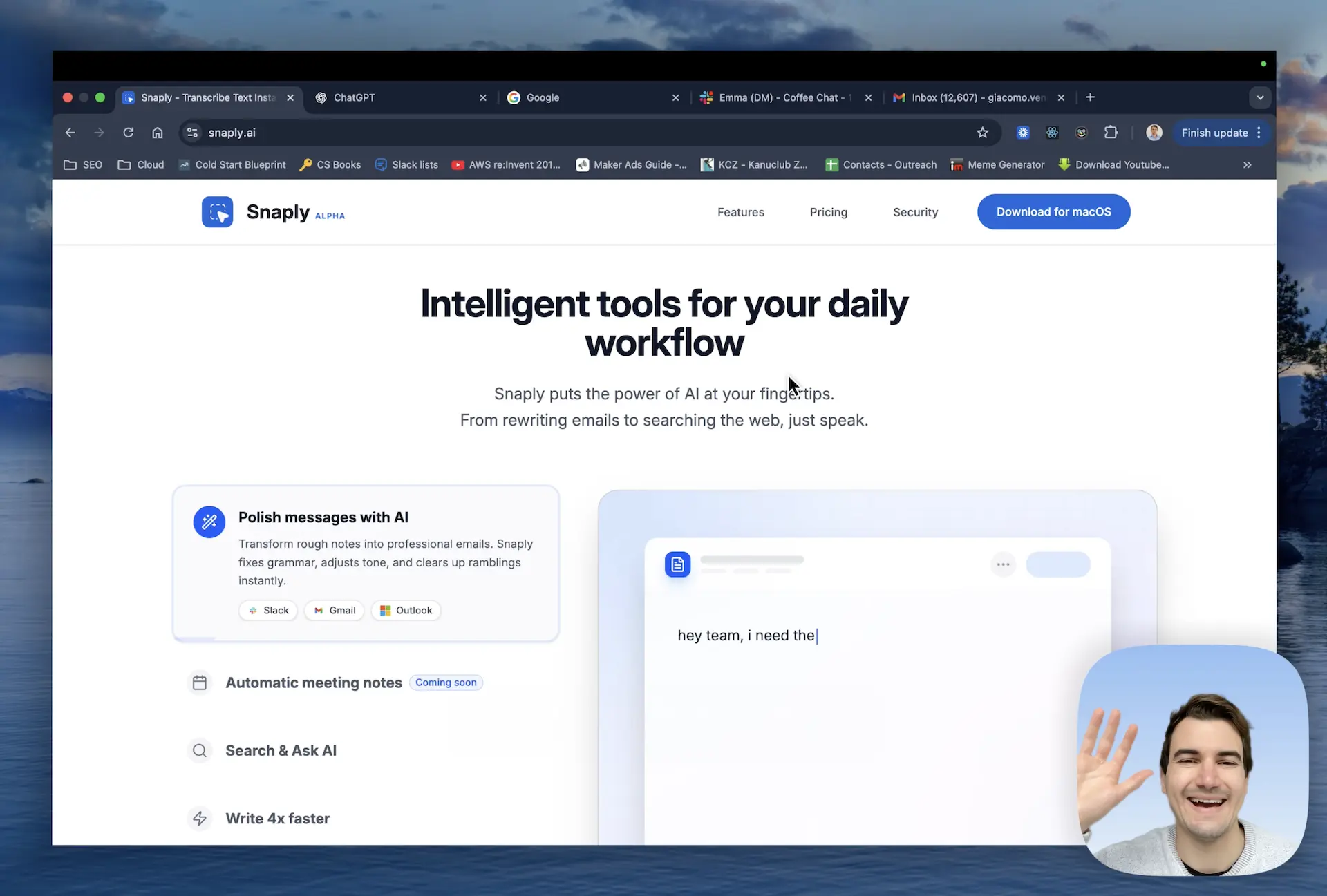
Snaply is an AI-powered productivity tool designed exclusively for Mac, enabling users to write up to four times faster by speaking instead of typing across any application. It serves professionals, freelancers, and anyone who spends significant time on written communication. The core value proposition lies in its ability to transcribe speech into text instantly with high accuracy, all while keeping data entirely on the device. This eliminates the need for cloud-based processing, ensuring both speed and privacy. By offering a completely free service with no account required, Snaply lowers the barrier for anyone looking to streamline their typing workflow without compromising security.
The primary problem Snaply addresses is the inefficiency of typing, which slows down communication and consumes valuable time. Whether composing emails, writing reports, or capturing meeting notes, typing is often the bottleneck. Additionally, fixing grammatical errors and adjusting tone in written messages can be tedious and time-consuming. Snaply solves these issues by allowing users to dictate naturally and by offering instant grammar correction and tone adjustment. This matters because it reduces the cognitive load of writing, enabling users to focus on ideas rather than mechanics. For professionals who handle high volumes of written communication, this translates into significant time savings and reduced fatigue.
The first major feature group is Instant Dictation. Snaply uses local on-device AI models to convert speech into text in real time, functioning seamlessly within any application. When a user speaks, the transcription appears instantly without any noticeable lag, thanks to the powerful processing that happens entirely on the Mac. This is useful because it eliminates the frustration of slow or inaccurate cloud-based dictation services. Users can dictate emails, documents, or messages fluidly, and the text appears exactly where needed, whether in a text editor, chat window, or form field. The offline capability ensures consistent performance even without internet connectivity.
The second feature group is Write with Confidence, which enhances written communication by fixing grammar, clarifying meaning, and adjusting tone. After dictating or typing rough text, Snaply can polish it into a clear, professional message suitable for any context. This feature works across all apps and is triggered simply by selecting the text and applying the tool. Additionally, Snaply offers translation into over 100 languages, enabling users to speak in their native language and have the output typed in another language. For global teams or travelers, this breaks down language barriers without needing separate translation software. The combination of grammar assistance and translation makes Snaply a versatile writing companion.
admin
The third feature group includes Automatic Meeting Notes and Search & Ask AI. Snaply can join meetings on platforms like Zoom, Google Meet, Microsoft Teams, and Webex to record and transcribe conversations automatically. It then generates structured notes, summaries, and action items, so users never have to manually capture details. The Search & Ask AI capability allows users to speak commands or questions directly to AI assistants such as ChatGPT, Claude, and Perplexity. Instead of typing lengthy prompts, users can simply talk, and Snaply routes the voice input to the chosen AI service. This streamlines interactions with AI tools, making research, idea generation, and coding faster.
Snaply operates as a background app on Mac, requiring no account creation and offering immediate use upon download. Its approach is fully on-device: all voice recordings, text processing, and meeting transcripts stay on the local machine, using encrypted storage for security. The workflow is simple: the app listens for voice input when activated by a hotkey or button, transcribes locally, and pastes the result into the active application. No data is ever sent to external servers, ensuring complete privacy. Integration with dozens of popular apps like Notion, Slack, Salesforce, and GitHub means users can use Snaply wherever they normally type, without switching contexts or learning new interfaces.
Concrete use cases include a professional dictating a long email in Gmail while commuting offline, seeing it appear seamlessly on their Mac. Another scenario is a project manager using Snaply to fix grammar and tone in Slack messages before sending, avoiding miscommunication. For meetings, Snaply automatically records a Zoom sync and later provides a structured summary with action items assigned to team members. A writer drafts a document in Notion by speaking instead of typing, then uses Snaply to translate a paragraph into Spanish for international clients. These scenarios result in faster task completion, fewer errors, and more time for strategic work rather than administrative typing.
Snaply targets Mac users across various roles, including executives, developers, writers, customer support agents, and students. Anyone who types frequently can benefit from voice input and automated note-taking. The platform is exclusively macOS, leveraging the hardware's neural engine for local AI processing. Pricing is currently free for individuals, with no subscription or account required, making it accessible to everyone. The tech stack focuses on on-device machine learning models that ensure low latency and high accuracy. In summary, Snaply delivers exceptional value by combining dictation, writing assistance, meeting notes, and translation into one private, offline, and cost-free tool, redefining how Mac users interact with text.
Mac users who type frequently: professionals like executives, managers, and customer support agents; creative roles such as writers, designers, and filmmakers; developers and engineers who need quick code comments or documentation; students who take extensive notes; remote workers attending many online meetings; freelancers and entrepreneurs juggling multiple communication channels. Snaply is for anyone on macOS who wants to reduce typing effort, improve writing quality, and automate meeting note-taking. It is not suitable for Windows users or those requiring cloud-based collaboration features.