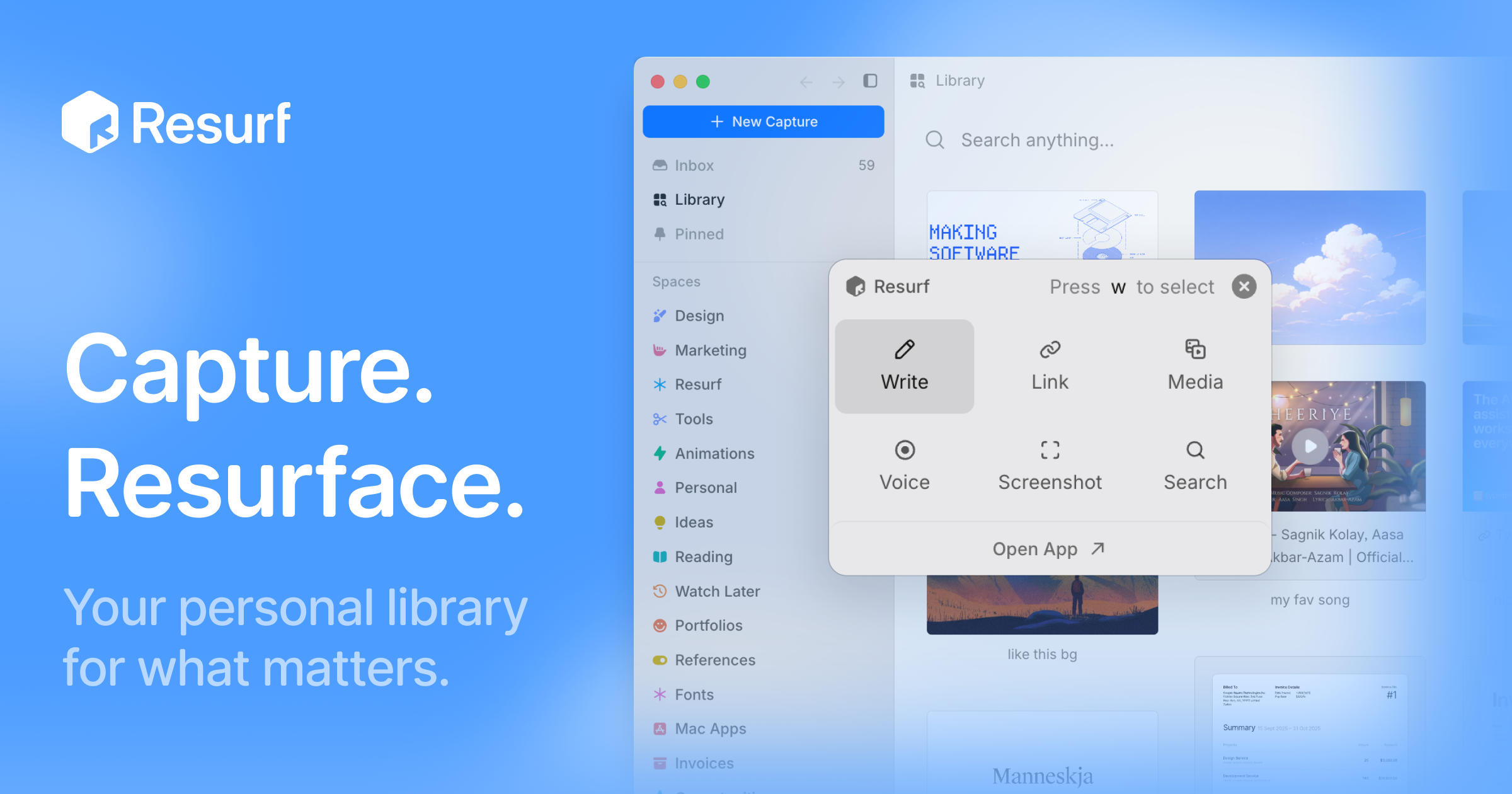
Resurf is a personal context library — one place to keep the things you like, care about, and work on. It saves notes, links, images, PDFs, and documents into a fully local library, so the material you collect stays in one searchable spot instead of being scattered across browsers, folders, and apps. The app is built for Mac, iPhone, and iPad, and it is written entirely in native Swift. Its stated purpose is twofold: capture what you find, and then find it again — or hand that accumulated context to AI when you need a model to work with your own material. There is no Resurf account required, the app works offline, and sync through your own private iCloud is optional.
The problem Resurf addresses is fragmentation. The things a person wants to remember arrive in wildly different formats and from wildly different places: an article on Substack, a PDF of a paper, a screenshot, a tweet, a GitHub repository, a YouTube video, a code snippet, a voice note recorded in the middle of a walk. Each of those lands wherever the app that produced it decides to put it. Later, when the thought returns — 'I read something about typography,' 'there was a paper worth revisiting' — there is no single place to look. Resurf's answer is the inbox model: save now, organize later. The library is meant to get more useful every time you save, because a growing personal collection becomes more valuable as long as it remains findable. A second, newer problem motivates the AI side of the product: AI tools are only as good as the context you give them, and most people have no structured way to hand over what they have saved.
Capture is designed to stay out of the way. Quick Capture, bound to ⌘⇧C, lets you save something without switching context — the point being that a capture tool fails if it interrupts whatever you were doing. Content can come from any app: Resurf captures from Mac, Chrome, and iPhone into the same library, and a Chrome extension is available from the Chrome Web Store for browser-based saving. The library accepts a wide range of formats — articles, PDFs, images, audio, video, code, tweets, GitHub, YouTube, and notes — and every format renders natively, meaning you view the saved item as it was rather than as a degraded copy.
Once something is saved, Resurf leans on an inbox-first approach: you do not have to decide where a capture belongs at the moment you make it. Organization happens later, through Spaces and Tags that let you group material around projects, research, and ideas — the page shows examples such as Research and Writing spaces and tags like #ml, #philosophy, and #ideas. A Visual Library complements that structure by letting you browse what you saved the way you remember it, which suits image-heavy or reference-heavy collections where a thumbnail is easier to recognize than a filename. Instant Search, triggered with ⌘K, finds notes, links, PDFs, images, and files quickly across the library — the page illustrates it with an example of searching typography notes across 24 captures from the last six months.
Resurf also covers the moment after capture, when you have something to say about what you saved. Highlight & Annotate keeps your thoughts beside the source, so commentary lives with the material rather than in a separate document — useful when a highlighted passage only makes sense in relation to your note about it. Voice Memos capture thoughts before they disappear, which matters for ideas that arrive away from a keyboard. The Notes surface provides a rich-text editor with a formatting toolbar and highlights, and the product describes five surfaces — Library, Inbox, View, Notes, and Assistant — as the five places you will actually spend your time in the app.
AI in Resurf is opt-in across the board, and the product is explicit about that. AI Summaries help you revisit articles, links, and PDFs faster by producing a short summary of the saved item. Bring Your Own AI lets you supply your own AI key rather than relying on a bundled service, and on Mac you can hand off saved context to AI agents through MCP or the CLI — a documented connection path in the guides. Ask Your Library lets you ask questions across the context you have saved; the page illustrates this with a query such as 'What did I save about typography?' answered against a reading list. Because the library lives locally, the material used for these questions is your own collection rather than a shared index.
How the product works is defined by its architecture. Resurf is written entirely in native Swift for Mac, iPhone, and iPad, so the same library runs natively across all three rather than being wrapped in a cross-platform shell. Your library lives on-device — the page names the location ~/Library/Resurf — which is what makes the 'fully local' and 'private by default' claims concrete: data stays on your Mac, the app works offline, and no account is required. Sync is optional and runs through your own private iCloud rather than a Resurf-operated service. The Chrome extension and the MCP/CLI connection on Mac are the two extensions beyond the core Apple-platform apps: the first brings browser captures into the library, the second takes the library out to AI agents.
The benefits follow from those choices. Because everything lands in one library with instant search, the answer to 'where did I put that?' is a single search rather than a tour of multiple apps. Because capture is bound to a keyboard shortcut and does not require switching context, saving feels lightweight enough to actually do. Because storage is local and sync is optional and private, the library can hold personal reading, screenshots, and voice memos without being uploaded to a third-party service. And because the library is exposed to AI through your own key, MCP, or the CLI, the collection becomes an input rather than a dead archive. The app is also free to try and, per the page, free on iPhone and iPad, with a separate license purchase for Mac.
Concrete uses appear throughout the product's own examples. A reader saves a Substack article tagged #reading so it can be found later, and highlights passages while annotating them. A designer or writer keeps typography references and design notes in a space, browsing them visually — the page shows a query about typography answered from saved captures. A researcher stores papers such as a PDF of 'Attention is all you need,' marking it as worth revisiting. Someone away from a desk records a voice memo about a headline's typography. A developer saves GitHub repositories, code, and YouTube videos alongside everything else. Once the library has grown, the same collection can be queried directly — 'What did I save about typography?' — or handed off to an AI agent on Mac through MCP or the CLI.
Resurf is aimed at people who collect: designers gathering visual references, writers and researchers assembling sources, developers saving code and repositories, and anyone who already runs a personal knowledge practice or wants to. Availability reflects that audience. The app runs on Mac (Apple Silicon and Intel) with macOS 14.3 or later, and is free on iPhone and iPad; the Mac app can be downloaded free to try or licensed through a purchase. A Chrome extension is available for browser capture, and a guide covers connecting agents over MCP or the CLI on Mac. The library itself is stored locally at ~/Library/Resurf, with optional private iCloud sync and no Resurf account required.
The takeaway is that Resurf treats your saved material as an asset with two uses: a private library you actually revisit, and a context source you can hand to AI. It is fully local by default, native across Mac, iPhone, and iPad, built around quick capture and instant search, and organized through inboxes, spaces, tags, and a visual library. Its AI capabilities — summaries, asking your library, and agent handoff through MCP or the CLI — are opt-in and can run on your own key. For anyone whose best ideas and references are currently spread across browsers, folders, and screenshots, Resurf's proposition is a single, private, searchable place to put them.
Publisher
A
admin
Launch Date2026-09-14
Platformdesktop
Pricingfreemium
Tech Stack
#Swift#iCloud#MCP#CLI