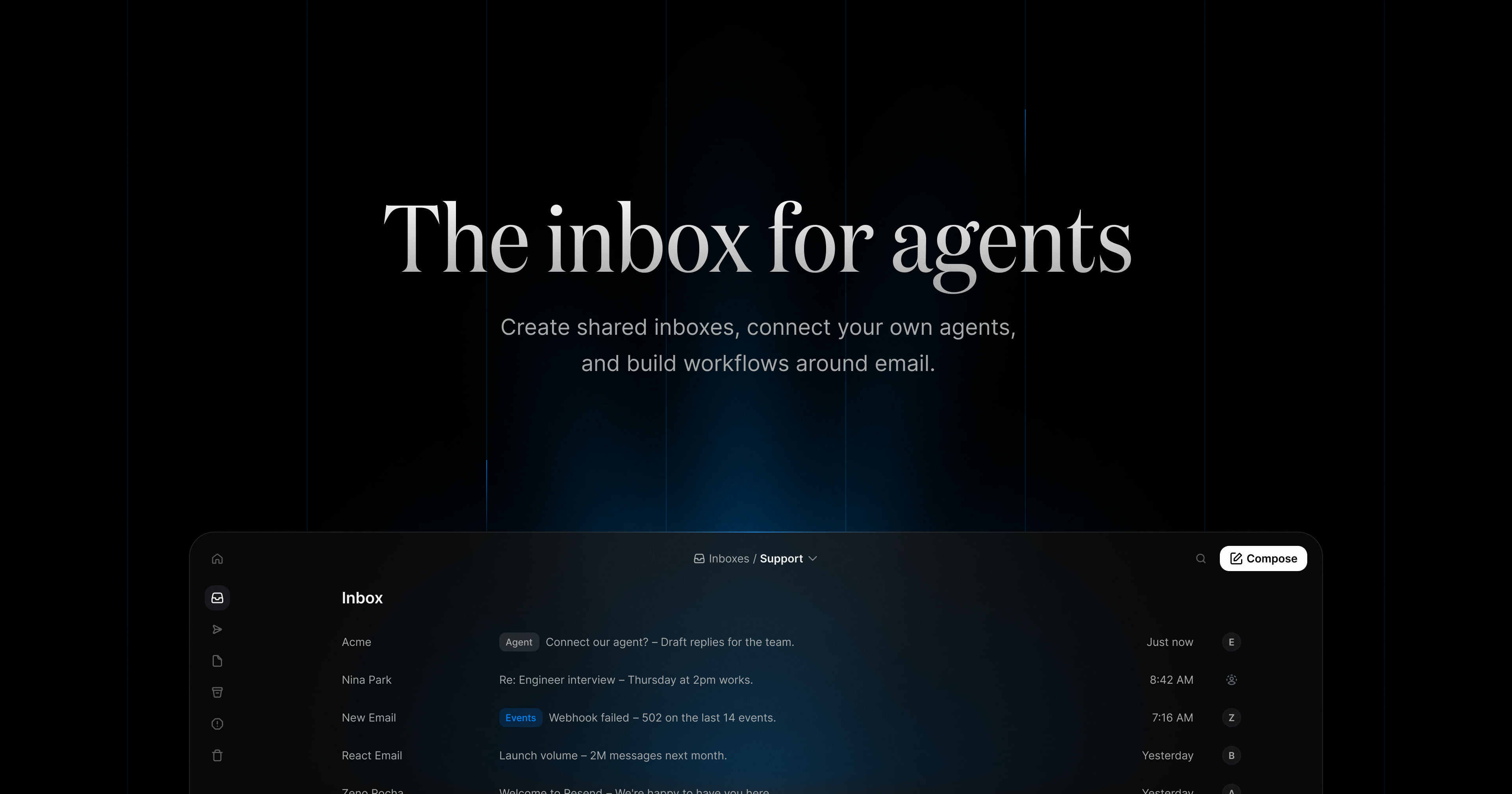
Resend Inboxes is a product from Resend that lets you create shared inboxes, connect your own agents, and build workflows around email. It gives an application or a team a real email address and turns the messages that arrive there into conversations that can be read, labeled, assigned, drafted on, and answered. The product page describes it as "the inbox for agents," and the central idea is that inbound email becomes something your product, your team, and your AI agents can all work with in the same place. Instead of a mailbox sitting apart from the software you build, the inbox is created programmatically, handled through an Inbox API, and shared with the people and agents who need to act on it. It is aimed at developers and teams who want email to be part of their product workflow rather than a separate destination.
The problem Resend Inboxes addresses is that a great deal of operational work arrives as email, yet traditional mailboxes sit outside the product and outside the workflow. The page shows the kinds of messages that pile up: a spike in bounce rate reported by a support contact, a customer asking to connect an agent, an interview scheduling reply, a webhook failure alert from Linear, a launch volume update, a pending DNS verification, a morning triage summary, receipt replies nobody is seeing, a release notification, an on-call rotation request, and a first inbound email waiting to be assigned or handed off. Each of these is a task disguised as a message. Resend Inboxes turns inbound email into structured objects, inboxes, threads, emails, and drafts, that can be listed, fetched, labeled, filed into folders, and replied to. That structure is what makes email programmable and shareable, so conversations can be routed instead of merely received.
The first feature group is the API-first approach. The Inbox API lets you create inboxes programmatically, receive email, and work with conversations. Creating an inbox is a single call that gives your app a dedicated email address and starts receiving messages. Receiving is handled by listing conversations as they arrive, then fetching a thread and the emails inside it. Replying is a call that sends a reply on an existing thread from your app, an agent, or an automated workflow. The page shows endpoint patterns such as a GET request for inbox threads with a query parameter, a POST request to create drafts on an inbox, and a folder value of inbox. A Node.js example shows the Resend SDK creating an inbox with an email address, a name, and a from name, which illustrates how little code is needed to stand up a working address. Because the inbox is an API resource rather than a screen, it can be embedded in whatever product or internal tool you already run.
The second feature group is agent readiness. Resend Inboxes lets you connect the agents you already use through MCP or skills, giving them access to conversations, messages, and the tools they need to work with email. The page lists Claude Code, Cursor, Codex, Grok, and Gemini as agents you can connect. This means an agent does not need a separate mail integration built from scratch; it can be pointed at an inbox and given the same conversations your team sees. Giving an agent access to messages and threads is what allows it to summarize, label, draft, and route, and because it works through the same inbox the team uses, the results land where people can review them.
The third feature group is agentic workflows that put the inbox on autopilot. You give an agent instructions and let it handle routine email work triggered by webhooks, while your team stays in control. Instructions shown on the page include keeping the inbox organized by labeling and triaging new emails, drafting replies, and assigning anything that needs attention; triaging incoming support email, labeling by urgency, and drafting a reply when there is enough context; labeling anything urgent, forwarding invoices to finance, and drafting follow-ups; and labeling candidate conversations, archiving stale threads, and drafting a short next step for the team. The page also references available actions, with an all-actions option, which suggests the agent's scope is defined by the instructions and actions you grant it. The value is that routine triage and drafting happen continuously without a person opening every message, while assignment and review keep humans in the loop.
The fourth feature group is shared inboxes for team collaboration. You can share inboxes with your team, assign conversations, and pick up where someone else left off. The recruiting example shows folders for Review, Scheduled, Next steps, and Offer, with candidate conversations labeled by team such as Design, Engineering, Marketing, Success, and Ops, and each thread showing who is handling it. The support example shows labels for Support, Agent, and Incident, unread and read states, timestamps, and messages from agents such as an agent address sending a morning triage note. Together, labels, folders, assignment, drafts, and read state give a shared inbox the structure a team needs to divide work without losing track of who owns which thread.
Overall, Resend Inboxes works by combining three layers. The inbox layer provides an address and stores conversations, threads, emails, and drafts. The API layer exposes those objects so your application, an agent, or an automated workflow can create inboxes, list threads, fetch messages, create drafts, and reply. The agent layer connects external agents through MCP or skills and runs them against your instructions, triggered by webhooks, so routine work is handled automatically. Your team then works in the same inbox, reviewing, assigning, and replying. The unique approach is that email is treated as product data with a shared human interface on top, rather than as a standalone mailbox.
The benefits follow directly from that structure. Developers get a dedicated address in one call and a documented API for threads, emails, and drafts, so inbound email can be built into a product instead of bolted on. Teams get shared inboxes where conversations are assigned and labeled, so nothing sits unassigned and anyone can pick up a thread. Agents get real access to conversations and messages, so they can triage, label, and draft replies rather than working from copied context. And because agent work is triggered by webhooks under instructions you write, automation runs continuously while the team retains control of what gets sent.
Use cases described on the page cover several concrete workflows. For agents, each AI agent can get its own address to receive tasks, approvals, and updates. For support, support email can be routed into your product and threads fetched through the API. For an executive assistant, an agent can sort incoming requests, draft replies, and keep threads moving. For recruiting, teams and agents share an inbox to track every candidate conversation. For on-call, alerts are collected in one inbox and each one is assigned so nothing sits unassigned. For notifications, receipts, alerts, and updates can be sent to one address for your app to process.
Pricing and audience details are stated plainly on the page. You can start at $0 per month with up to 3 inboxes, send and receive 3,000 emails, connect your own agents, and no credit card required, with a link to a pay-as-you-go Inboxes pricing page. The Node.js SDK example indicates a JavaScript and TypeScript-friendly developer workflow, and the agent integrations listed are Claude Code, Cursor, Codex, Grok, and Gemini. Resend positions the product for the teams and developers building on its email infrastructure, noting that Resend delivers mission-critical emails for some of the fastest growing teams.
In summary, Resend Inboxes turns inbound email into shared, programmable conversations. Create an inbox, connect your agents, and build workflows around email, with the API handling the structure and your team staying in control of the outcome.
Publisher
A
admin
Launch Date2026-10-23
Platformweb
Pricingfreemium
Tech Stack
#Node.js#MCP