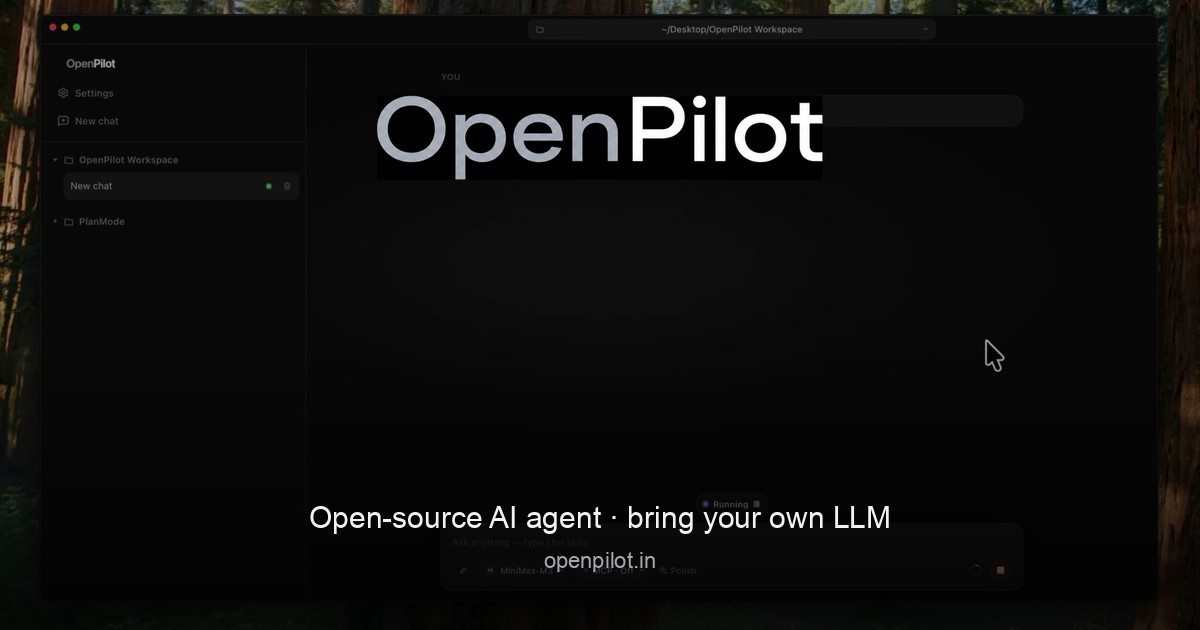
OpenPilot is an open-source, MIT-licensed desktop AI agent that runs locally on your machine and connects to the language model you choose. Rather than bundling its own hosted model marketplace, it acts as an AI harness: you point it at any OpenAI-compatible endpoint—OpenAI, OpenRouter, a local server such as Ollama or LM Studio, or a custom base URL—and it gains practical access to your workspace. Once connected, the agent can create and edit files, run real terminal commands, search the live web, and work through full projects from start to finish. It is built for developers and builders who want an agent that does the work inside their own environment, using their own keys and their own models, without a vendor login or platform tax. The native Windows app is available now, with macOS builds releasing soon.
The problem OpenPilot addresses is the trade-off many developers face when adopting AI coding agents: powerful hosted agents often require a vendor account, lock you into a single model provider, and add what the site calls a "platform tax." OpenPilot takes the opposite approach. It describes itself as "a harness, not a hosted model marketplace," which means it supplies the tooling and the agent loop while you supply the intelligence. Because you bring an OpenAI-compatible endpoint and your own API key, you can swap providers without rewriting your workflow, keep usage tied to the keys you already pay for, and avoid being locked to models that may change, deprecate, or become more expensive. The site frames the product simply: "Own the harness. Bring the model."
The agent's core capability is working directly with files. Across a workspace folder that you designate, OpenPilot can read, write, edit, grep, and glob. When you ask for a full project, it scaffolds the structure by writing files such as package.json, src/index.ts, and src/routes/users.ts, then refines the result through follow-up instructions with actions like edit_file. The site's own example shows a short sequence of write_file and edit_file calls ending with "4 files · project ready." Because the agent operates in place, you can keep iterating on the same project—adding routes, adjusting configuration, or extending existing code—rather than regenerating everything from scratch each time. File and shell access are scoped to the workspace folder you open, and the Product Hunt listing notes that you approve sensitive actions as the agent works.
The terminal is a first-class tool in OpenPilot rather than a simulated code snippet. The agent can run real shell commands in your workspace, which means it can install dependencies, start servers, and run test suites. Output from those commands—including stdout—streams back into the chat, so you can watch results appear as the agent works instead of waiting for a summary. The site illustrates this with an npm test run that reports passing auth and user specs and a total of twelve tests passed. This matters because many real development tasks are not about writing code alone; they depend on feedback loops—installing a package, seeing a build fail, reading the error, and fixing it. By streaming command output back into the conversation, OpenPilot keeps that loop inside one place.
OpenPilot also reaches beyond the local repository. With live web research powered by TinyFish, the agent searches and fetches pages in real time when documentation, APIs, or error messages live outside your codebase, then grounds its answer in what it actually read—the site shows an example of searching for a Node fetch timeout, fetching a docs page, and returning a cited answer plus a fix. Alongside research, the agent supports skills and long-term memory. Skills are reusable playbooks you can drop in, and preferences can be persisted in an AGENTS.md file. The agent loads these into context, and it can update memory when you ask it to. The example AGENTS.md content captures the idea: prefer TypeScript strict mode, use pnpm in this repository, and never commit .env. This gives the agent durable, project-specific guidance instead of forcing you to repeat the same instructions in every conversation.
When the built-in toolset is not enough, OpenPilot supports the Model Context Protocol (MCP). You can connect MCP servers and flip them on per chat, extending the agent with the systems you already run—databases, browsers, or internal APIs. The site illustrates the configuration with an mcp.json file that defines a server named docs with a command. Because MCP servers are toggled on a per-chat basis, you can keep the agent's available tools scoped to what a given task actually needs rather than loading every integration at once.
Underneath everything, OpenPilot is a bring-your-own-model harness. Setup follows three steps described on the site: add a model, open a workspace, and describe the outcome. To add a model you paste a base URL, an API key, and a model id—no account with OpenPilot is required. The settings example shows a model definition with a name, a baseUrl such as https://api.openai.com/v1, an apiKey, and a modelId. You can use cloud APIs or local OpenAI-compatible servers, with named examples including OpenAI (api.openai.com), OpenRouter (openrouter.ai), local options like Ollama and LM Studio running on localhost:11434, or your own custom gateway base URL. Then you open a workspace folder, which is where the agent receives filesystem and shell access, and finally you describe the outcome you want—build, fix, research, or automate—and review the tool trail as the agent works. OpenPilot also tracks token usage, showing session and lifetime views in the app, which helps you keep an eye on consumption against your own keys.
The practical benefits follow from that design. Because there is no OpenPilot account or vendor login, there is one less credential and one less dependency in your toolchain. Because you supply a custom base URL and API key per model, you can move between providers without rewriting how you work, and you can stay portable across the models you already pay for. The token usage views give visibility into what your sessions cost. The agent is a local Electron app, so it runs on your machine, and its MIT license means the source is open—the project is on GitHub for anyone who wants to inspect it. Together these choices add up to ownership: you keep your keys, your models, and your machine.
In practice, OpenPilot fits workflows where an agent needs to touch a real codebase. Scaffolding a project is the clearest case: ask for a full project and watch the file tree fill in, then refine with follow-ups. Running the development loop is another: the agent installs dependencies, starts servers, and runs tests, streaming output back into the chat so you can react to failures. Researching outside the repository is a third: when docs, APIs, or errors live elsewhere, the agent searches and fetches pages and returns a grounded, cited answer. Automating repetitive workspace tasks is a fourth, since the agent has both filesystem and shell access in the folder you opened. And when you need more, MCP servers let you extend the agent with the systems you already run, such as databases, browsers, and internal APIs. Each of these plays out inside the folder you chose, with you reviewing the tool trail and approving sensitive actions.
OpenPilot is aimed at people who want the agent without the platform tax—developers and builders who refuse vendor lock-in, and who are comfortable supplying their own model endpoint and API key. The download section notes that the native Windows app is available now: a 64-bit installer and a portable executable, requiring Windows 10 or later (x64). macOS builds for Apple silicon and Intel are listed as coming soon. The Product Hunt listing describes the product as a free, MIT-licensed desktop AI agent, with Windows available now and macOS in early beta. Downloads link to the project's GitHub releases, and the site offers a getting started guide, FAQ, and changelog for further detail.
OpenPilot's core proposition is straightforward: an open-source desktop AI agent that does real work in your workspace—creating and editing files, running terminal commands, searching the live web, and extending through MCP—while running on a model you choose and control. Own the harness, bring the model, and keep your keys, your models, and your machine.
Publisher
A
admin
Launch Date2026-10-10
Platformdesktop
Pricingfree
Tech Stack
#Electron#OpenAI-compatible API#Model Context Protocol (MCP)