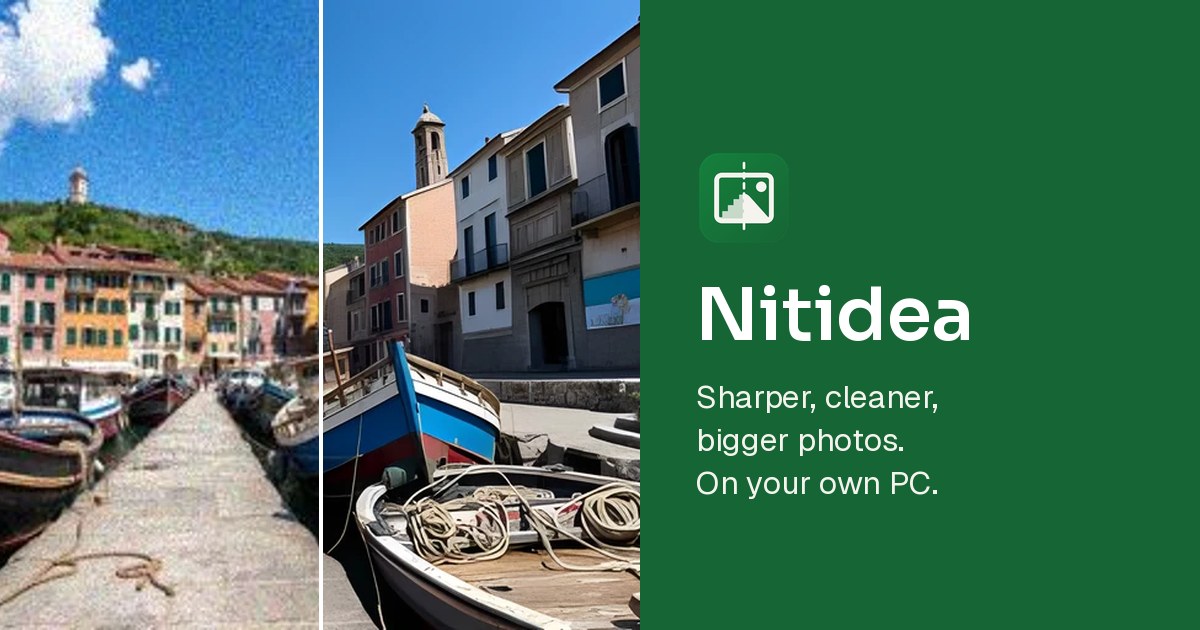
Nitidea is a Windows application for restoring old photos, improving grainy or small photos, and enhancing videos with artificial intelligence on the user’s own PC. It is aimed at people who want to repair family prints, prepare photos for a new print, clean up phone or dim-light images, or improve home movies without uploading files to an online service. The app presents one screen with simple choices: drop in photos or videos, choose Sharper, Bigger or Old photo, and press Enhance. The result is saved as a new file and shown before and after. Nitidea is available in a free version and a one-time-payment Pro version, and it runs on Windows 10 and 11.
Prints fade, crack and pick up scratches, dust and specks over time, while small photos can look blurry or blocky when enlarged and dim-light or phone images can be full of grain. Online enhancers typically ask users to upload photos to someone else’s computer, which is a concern for family photos, documents and work. Nitidea addresses these situations by doing the AI work locally on the user’s PC. Nothing is uploaded, the app sends no photo, file name or usage data, it works offline once installed, and no account is required. The original file is never changed, so the user keeps the source and receives a separate result.
With Pro, the Old photo option covers restoration tasks for old prints. Remove scratches and dust finds the scratches, cracks and specks of an old print and fills them in from what is around them. Add colour colours a black-and-white or faded photo; Nitidea describes this as a likely guess by the AI, not the real colours, and Change and redo can run it again with other choices. Enlarge too makes the restored photo bigger for a new print in the same go. Before enhancing, Pro also offers crop and rotate so the user can keep only the part they need at the proportions they need and level a tilted horizon. A Pro user can add a whole folder, tick the photos to enhance and process many photos at once while doing something else.
For photos that are not necessarily old, Sharper removes the grain of photos taken in dim light or with a phone while keeping edges and details. A soft photo, or one received on a chat, gets its edges back. Bigger enlarges a small photo 2× or 4× without turning it blurry or blocky, or enlarges just enough for a print from 10×15 cm to A3, or for a screen. The free version removes noise and provides 2× enlargement, with results up to 8 MP or the original’s size, one photo at a time, and no watermark or time limit. Pro extends enlargement to 4×, removes the result size limit, adds Maximum quality and supports many photos at once. Nitidea says it is tuned to keep a photo looking like a photo, and the Natural look invents no detail when enlarging.
With Pro, Nitidea also enhances videos on the PC and saves an MP4 with the original sound. Bigger can enlarge 2 or 4 times, so 720p becomes Full HD and Full HD becomes 4K. Less noise cleans the grain of videos shot in dim light without the picture trembling. Colour for black and white, called Old film › Add colour, gives steady colours from one frame to the next, described as a likely guess. Old film › Steadier light takes out flicker, while Smoother motion makes the missing frames. Trim keeps only the part needed, or ten seconds to try choices before the whole video. Nitidea measures the PC and says the expected time before starting; a video takes minutes per minute with a graphics card and hours without one.
The overall workflow is deliberately simple. The user drags photos or whole folders into the window, and with Pro videos too; HEIC photos from an iPhone work. They choose Sharper, Bigger or Old photo, each with one or two options in plain words, then press Enhance. The button says how long it will take. The saved photo opens before and after, at 100% on its most detailed spot, zoomable anywhere, so the user judges the actual file. If not convinced, Change and redo makes it again with other choices and the new version replaces the old result. Behind this, Nitidea can use a recent graphics card for fast processing or fall back to the processor. Settings offer Fast, Standard and Maximum quality; Fast and Standard give exactly the same result in Free and Pro. The app keeps the original’s date, camera and colour profile in the new file.
The practical benefits follow from these capabilities: old family prints can be repaired, coloured and made ready for a new print; small photos can become larger without turning blurry or blocky; grainy dim-light or chat photos can regain cleaner edges and detail; and home movies, camcorder tapes and phone clips can be enhanced up to 4K. Because everything runs locally, users avoid uploading personal media to a server, do not need an account, and can work offline. The original remains untouched, and the result is saved as a new file, which keeps the source safe. Free users get noise removal and 2× enlargement without a watermark or time limit, while Pro adds old-photo repair, video enhancement, 4× enlargement, Maximum quality, batch processing, crop and rotate, and 16-bit TIFF.
Concrete use cases include restoring a scanned or photographed family print: scan the print or photograph it flat in even light, drag it into Nitidea, choose Old photo with Remove scratches and dust and Add colour, optionally use Enlarge too, then print it again up to A3. Another is colouring a black-and-white or faded photo, with the understanding that colours are a likely guess and can be redone. Users can enlarge a small photo for a print from 10×15 cm to A3 or for screen use. Owners of home movies, camcorder tapes or phone clips can drop a video in, choose Sharper or Bigger, or Old film with Add colour, Steadier light or Smoother motion, trim a short piece to test, and save an MP4 with the original sound. A folder of photos can be processed in one batch, with crop and rotate used before enhancing to keep the needed part and level a horizon.
Nitidea runs on Windows 10 and 11, 64-bit, and recommends a graphics card with DirectX 12, most from the last ten years; without one it uses the processor more slowly. It lists 8 GB of memory, 16 GB for Maximum quality and for colouring old photos, about 2 GB of free disk space, and for videos a graphics card and 16 GB of memory. The free version handles one photo at a time up to 2× and 8 MP or the original’s size, with no watermark, no time limit and no account. Pro costs 19 € plus VAT once, with VAT calculated by Stripe at checkout, and includes a perpetual license, 12 months of updates, use on 2 PCs, and a 30-day money-back guarantee. A 14-day Pro trial requires no payment details, and results using a Pro feature carry a small watermark during the trial. One installer serves Free and Pro; the Pro license is a key pasted into the app. Nitidea is available in five languages, and support answers by email in English or Italian.
In summary, Nitidea brings old-photo restoration, noise removal, photo enlargement and video enhancement into a single Windows app that processes media locally. Its core value is simple: restore and improve photos and videos with AI while keeping the files on the user’s own PC, with a no-watermark free version and an optional one-time Pro purchase.
Publisher
A
admin
Launch Date2026-11-26
Platformdesktop
Pricingfreemium