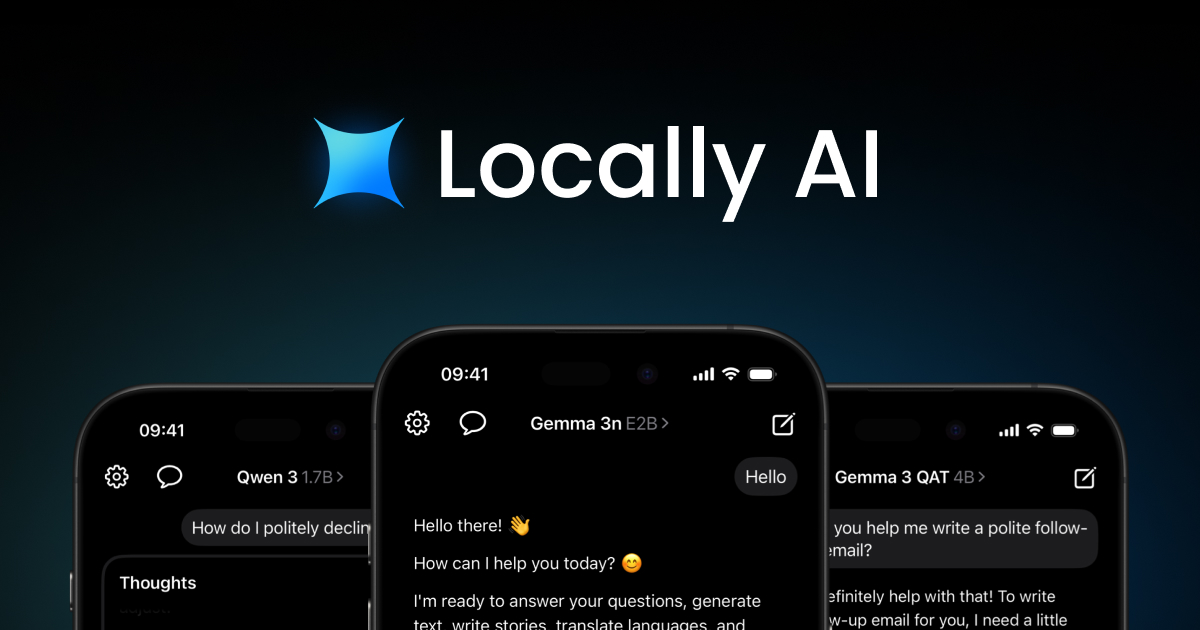
Locally AI is a native Apple application that functions as an offline AI assistant, enabling users to run powerful language and vision models directly on their iPhone, iPad, and Mac. Designed for privacy-conscious individuals, it delivers the capabilities of modern AI without sacrificing data control. The core value lies in its ability to process everything on-device with no internet connection required, no login, and no cloud exposure. Leveraging Apple Silicon optimization and the MLX framework, Locally AI achieves performance that rivals cloud-based services like GPT-4. It supports a wide array of open-source models including Meta Llama, Google Gemma, Qwen, and DeepSeek, making it a versatile tool for conversational AI, image analysis, and reasoning tasks. This combination of privacy, performance, and accessibility makes it ideal for anyone seeking a secure, offline AI experience on Apple platforms.
Many AI assistants rely on cloud processing, which raises concerns about data privacy, requires constant internet access, and often involves subscription fees or data collection. For users handling sensitive information—such as legal documents, medical records, or personal conversations—sending data to external servers is unacceptable. Locally AI eliminates these pain points by running entirely on the device. No data ever leaves the Apple device, ensuring complete confidentiality. This also means users are not dependent on internet connectivity, making AI assistance available in remote areas, on flights, or during network outages. The absence of a mandatory login or account further enhances privacy and removes barriers to immediate use. By solving the core issue of trust and accessibility, Locally AI provides a compelling alternative to traditional cloud-based AI.
Locally AI includes a Local Voice Mode that enables real-time voice conversations entirely on-device. This feature processes speech locally using the device's microphone and runs AI inference without any cloud round trip, ensuring both privacy and low latency. Users can speak naturally and receive spoken responses, making it ideal for hands-free scenarios like driving, cooking, or exercising. Additionally, the app supports Language and Vision Models that perform text and image processing tasks. These models can analyze photos, answer questions about visual content, and generate descriptions, all without sending images to external servers. The combination of voice and vision capabilities within a single app provides a comprehensive AI assistant that respects user privacy while delivering advanced functionality typically only found in cloud services.
admin
Locally AI integrates deeply with the Apple ecosystem through several key features. Users can invoke the AI assistant directly via Siri by speaking the phrase 'Hey, Locally AI,' starting a conversation with their on-device model without touching the screen. For even quicker access, the app offers Controls Integration, allowing users to place a control in Control Center, on the Lock Screen, or assign it to the Action Button on iPhone 15 Pro and later. This means instant access to AI with a swipe or button press. Furthermore, Shortcut Integration connects Locally AI with Apple's Shortcuts app, enabling users to build automated workflows that trigger AI actions. For example, a shortcut could summarize incoming text messages, generate daily reports, or answer questions based on clipboard content. These integrations make Locally AI a seamless part of daily iOS and macOS use, enhancing productivity while maintaining full privacy.
Locally AI allows users to customize the AI's behavior through a Customizable System Prompt. This feature lets users define the assistant's persona, tone, and response constraints to match specific needs—whether acting as a writing coach, a coding tutor, or a casual conversation partner. The app supports a broad selection of open-source models, including Meta Llama 3.2, Google Gemma 3, Qwen 2.5, DeepSeek R1, and more. Each model is optimized for Apple Silicon using the MLX framework, which exploits the unified memory architecture of Apple's chips for fast and efficient inference. This optimization ensures that even large models run smoothly on iPads and Macs, with performance that rivals GPT-4. The combination of model diversity and on-device customization provides users with a flexible AI tool that adapts to their preferences without any cloud dependency.
Using Locally AI is straightforward and requires no technical expertise. After downloading the free app from the App Store or Mac App Store, users are presented with a library of available models. They select a model—say, Google Gemma 3 for general conversation or DeepSeek R1 for reasoning tasks—and download it directly to their device. Once downloaded, the model runs entirely offline; no internet connection or account is needed. The app provides a clean chat interface for text-based interaction, along with buttons for voice mode and image input. Users can also configure settings like the custom system prompt and access controls. This simple two-step approach (download model, start chatting) removes barriers like registration, subscription, and data sharing, making advanced AI accessible to anyone with an Apple device.
Real-world use cases span from personal productivity to professional applications. A student can use Locally AI as a study assistant, asking the model to explain concepts or generate flashcards—all offline and private. A developer might leverage DeepSeek R1 for code debugging or algorithm design without worrying about code leaving the device. In business, a lawyer can discuss sensitive case details with the AI knowing no data is transmitted. The voice mode enables hands-free queries while cooking or driving, and the Siri integration allows starting a conversation with a simple voice command. Shortcuts can automate tasks like summarizing articles or generating daily briefings. In all cases, the outcome is the same: users get powerful AI assistance that respects their privacy, works without internet, and integrates seamlessly into their Apple device workflow.
Locally AI is designed for Apple device users—specifically those with recent iPhones, iPads, and Macs featuring Apple Silicon. It appeals to privacy advocates, professionals handling confidential information, students, educators, developers, and anyone who desires AI capabilities without reliance on cloud services. The tech stack leverages Apple's MLX framework and native iOS/macOS APIs for seamless integration. As a free download from the App Store and Mac App Store, there are no subscription fees or hidden costs, making it accessible to a wide audience. The app's emphasis on offline processing and Apple ecosystem integration positions it as a unique solution in the AI landscape. Ultimately, Locally AI delivers on its promise of uncompromised privacy and performance, providing an offline AI assistant that fits naturally into the daily lives of Apple users.
Locally AI targets Apple device users who prioritize privacy and offline functionality. It is ideal for professionals handling sensitive data (e.g., lawyers, doctors, researchers), students seeking private study aids, developers testing open-source models without cloud costs, and individuals who frequently work in areas with limited internet. Educators can use it for on-device demonstrations, and remote workers can rely on its offline capabilities. The app's seamless integration with Apple's ecosystem (Siri, Shortcuts, Control Center) also appeals to power users who want a deeply integrated AI assistant. Anyone with an iPhone, iPad, or Mac running Apple Silicon can benefit from its performance and privacy.