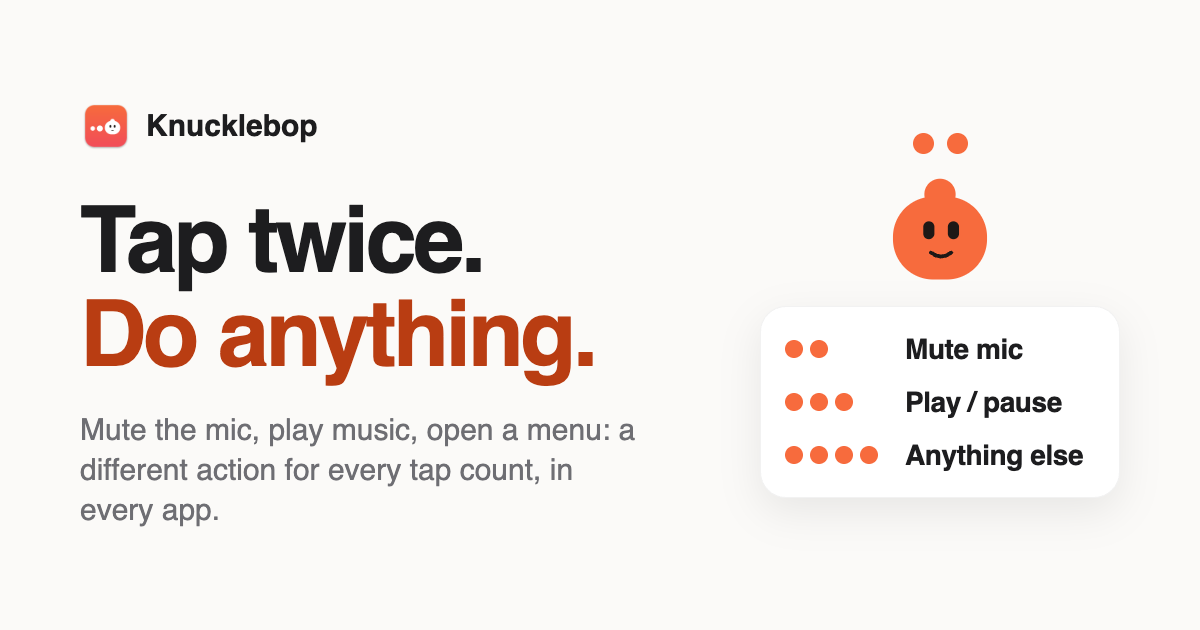
Knucklebop is a Mac app that turns tapping your MacBook’s palm rest or the desk beside it into shortcuts. The product’s core idea is that “a tap is a button” and the number of taps determines which button you pressed. It supports two to six light taps beside the trackpad or on the desk next to the MacBook, and the timing does not matter—only the count. Each app or website can have its own taps, while everything else uses “anywhere” taps. The app then makes your Mac perform the chosen action and shows a small pill to confirm what happened.
The content frames Knucklebop around giving the palm rest a job. Instead of reserving quick controls for keyboard shortcuts or on-screen buttons, users can tap a surface that is already under their hands. The app checks which app is active and applies the appropriate rule, so a tap pattern can mean one thing in a meeting app and another in a music app. Website rules beat app rules, and app rules beat “anywhere” rules, with one pattern allowed per tap count. This makes the same physical gesture useful across different contexts without requiring the user to remember a different global shortcut for every situation.
Users tap two to six times on the palm rest or the desk next to the MacBook. Knucklebop uses the MacBook’s motion sensor, described as an accelerometer and gyroscope in the base, to recognize the tiny, sharp jolt made by a tap. It does not use the microphone to hear taps. The default window for keeping taps together is under about 0.7 seconds apart, and the content says this can be made longer. Before use, the app asks the user to calibrate by tapping a few times on each palm rest and the desk so it learns how hard they tap, with taps animating on screen during calibration.
Knucklebop includes ready-made actions across several groups. For meetings, it can mute in Zoom, Teams, Slack huddles, and Google Meet using each app’s own shortcut so the app’s button stays in sync, or it can mute the mic everywhere with an on-screen “Mic muted” pill. For music, taps can play or pause, go to the next or previous track, and adjust volume up, down, or mute. For windows and desktops, actions include Mission Control, next or previous desktop, switch to last app, show desktop, Spotlight, lock screen, dark mode, and screen saver. For editing and tabs, the listed actions include copy, paste, undo, screenshot, emoji picker, full screen, and new, close, next, and previous tab. A “boss mode” can hide every app and pause media in one move, optionally locking the screen too.
When five buttons are not enough, four taps can open the tap menu, a list of as many actions as the user likes. Each extra tap moves down the list; when the user stops tapping, the highlighted action runs. Arrow keys and Return also work, and Esc cancels. The menu comes with switch app, desktops, play/pause, screenshot, and confetti, and items can be added, removed, and reordered under Rules. For power users, Knucklebop can run any keyboard shortcut, run a Shortcuts automation, or execute AppleScript or a shell command. These options let a tap count point at existing workflows rather than only at a fixed set of built-in commands.
Every app gets its own taps. Ready-made rules switch on for apps the user already has installed, and the user can change them, add new ones, or turn any of them off. The content lists Zoom, Teams, and Slack rules for muting in the app, which press the app’s own mute shortcut so its button changes too. Google Meet has a mute-in-Meet rule that works in Chrome, Safari, Arc, Edge, or Brave, and a Meet tab gets the Meet rule rather than the global one. Spotify and Music have play/pause and next-track rules. VS Code and Xcode have toggle terminal and build rules. Anywhere else can use mute mic, tap menu, and confetti. The hierarchy is explicit: website rules beat app rules, and app rules beat anywhere rules.
Knucklebop is built to not misfire. A tap has a sharp signature, while typing, trackpad clicks, picking up the laptop, and a train ride do not. Every pattern requires at least two taps in quick succession, so a dropped pen or a single bump does nothing. The app ignores taps during and just after keyboard or trackpad use, and the gyroscope tells a tap from a lift or a tilt; detection pauses in a moving car until things settle. Test mode shows what would fire and why without running anything. Nothing runs while the screen is locked, and the same rule cannot fire twice from one burst. The app can be switched off from the menu bar or paused for 15 minutes or an hour. With the lid closed, the Mac sleeps or the laptop is not where the hands are, and taps on the top edge of the lid are not supported.
Fun mode is one switch and goes quiet by itself whenever the mic or camera is on. Tap sounds come in four packs: Woodblock, Bubbles, 8-bit, and Drum kit. The drum kit turns the palm rest into an instrument: soft taps hit the hi-hat, harder ones hit the snare and kick, and users can record a 10-second loop and export it while tap patterns take a break. Every tap sends a ripple across the bottom of the screen, five taps throws confetti, and other taps can play a rimshot, a round of applause, or have Bop wave hello. A weekly stats card shows taps, mutes, and hardest tap, and there are two secret tap patterns the content does not disclose.
Setup is described in four short steps. The user downloads and opens the app—notarized by Apple—and it lives in the menu bar. They calibrate by tapping each palm rest and the desk, then try the first rule, double-tap to mute. Permissions are requested only when needed: Accessibility for shortcuts and meeting-app mute, Automation for website rules, and none for the system-wide mic mute. Privacy is by design: sensor data is processed on the Mac and never leaves it, and the app has no analytics, no telemetry, and no account. Its only network calls check the licence and look for updates. Website rules read the current tab’s domain only when a tap pattern finishes and never store it. The app does not use the microphone to hear taps.
Knucklebop is a paid app with a free 7-day trial that includes every feature. There is no account and no subscription. A one-time purchase is $12.99 for one Mac or $19.99 for three Macs, for work and home laptops. Every feature is included, the licence key arrives by email, the licence can be moved to a new Mac at any time, and there is a 14-day refund. Prices are in US dollars and local taxes may be added at checkout; payments are by Dodo Payments. After the trial ends, patterns and rules are kept but actions stop until a licence key is entered; nothing is deleted. The app is not on the Mac App Store because macOS has no public API for the sensor, so it uses an undocumented system interface, is signed with an Apple Developer ID, and is notarized by Apple.
Concrete use cases follow directly from the rules: mute in Zoom, Teams, Slack huddles, or Google Meet with a tap; control Spotify or Music; toggle the terminal in VS Code or build in Xcode; open the tap menu for screenshot, desktop switching, or confetti; run a Shortcuts automation, AppleScript, or shell command; use boss mode to hide apps and pause media; or use fun mode for tap sounds, drum loops, ripples, and confetti. For MacBook users who want fast, app-aware controls under their hands, Knucklebop’s primary value is turning tap count into a context-sensitive button while guarding against accidental triggers and keeping sensor data local.
Publisher
A
admin
Launch Date2026-11-01
Platformdesktop
Pricingpaid